






Still downloading templates?
There’s an easier way. Try a free AI Agent in ClickUp that actually does the work for you—set up in minutes, save hours every week.
Sorry, there were no results found for “”
Sorry, there were no results found for “”
Sorry, there were no results found for “”
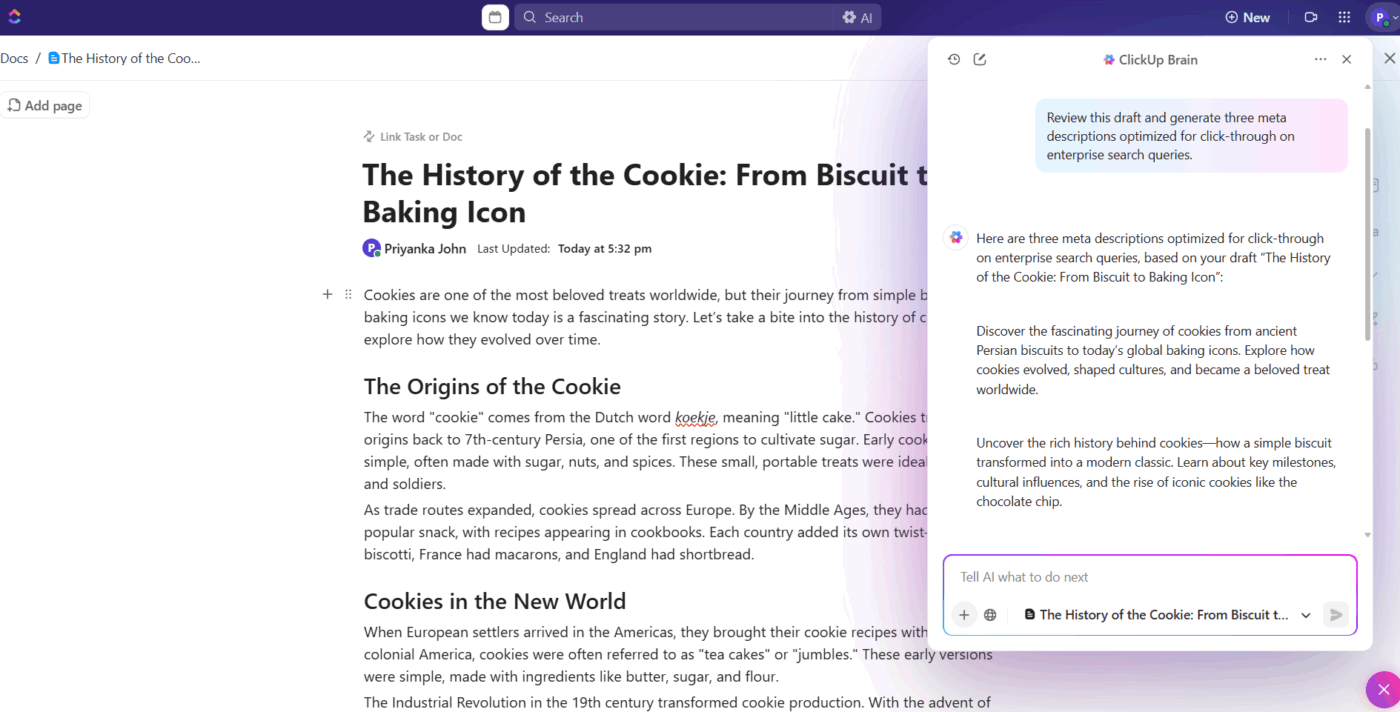

Today, a single article can involve research across five tabs, interviews on Zoom, drafts shared for review, SEO edits, design coordination, client approvals, and performance tracking.
And that’s where things start to break.
You draft in one tool, track tasks in another, and brainstorm in a third. The actual writing becomes the easy part, but managing it all becomes the real job.
Project management for writers is about clarity. Some are built for visual planners, some are better for long-form manuscripts, while others shine in collaborative editorial teams.
In this guide, we’ve rounded up the 10 best project management tools for writers so you can spend less time organizing your work and more time actually writing it. ✍️
Here’s a table comparing all project management tools for writers in this blog. 📊
| Tool | Best for | Best features | Pricing |
| ClickUp | All-in-one knowledge and task management with AI-augmented automation and cross-tool workflows for solo writers, small teams, and enterprise organizations coordinating projects, tickets, and docs | A single platform with Tasks, lists, Docs & goals, ClickUp Brain, multiple AI models, time management, and custom Automations | Free forever; customizations available for enterprises |
| Notion | Building a customizable writing workspace with built-in AI for writers who want to build a fully customizable workspace from scratch | Database views (table, board, timeline, calendar), synced blocks, Notion AI writing assistant, AI Meeting Notes with action items to help you stay organized | Free; Paid plans start at $12/month per user |
| Scrivener | Managing long-form manuscripts from draft to export for novelists structuring complex, multi-chapter manuscripts | Binder-style manuscript organization, corkboard with virtual index cards, outliner with drag-and-drop restructuring, split-screen research view | Paid plans start at $23.99/month per user |
| Trello | Visual kanban-style writing workflows for writers who think visually and prefer Kanban-style workflows | Visual Kanban boards, Butler automation (rules & commands), Power-Ups for extended functionality, calendar & planner view | Free; Paid plans start at $6/month per user |
| Google Workspace | Collaborative writing and editorial operations in the cloud for distributed editorial teams needing real-time collaboration | Real-time collaboration in Google Docs (suggesting mode & version history), Gemini AI in Docs/Gmail/Drive, Google Drive cloud storage | Paid plan starts at $5.60/month per user |
| Asana | Structured editorial workflows with task dependencies for editorial and project managers overseeing multi-step publishing workflows | Task dependencies for structured workflows, custom fields for editorial tracking, workflow builder & rules automation, workload & resource management views | Free; Paid plans start at $30.49/month per user |
| Airtable | Building data-driven content systems without code content for operations teams managing structured editorial databases | Relational databases with linked records, trigger-based automations, Airtable AI fields & agents, customizable intake forms with routing logic | Free; Paid plans start at $20/month per user |
| Monday.com | Flexible, visual work management with built-in AI for managers who need workload visibility and cross-project dashboards | Visual boards with customizable workflows, AI Blocks (summarize, translate, categorize), Workdocs for live collaboration, workload & resource views in an easy-to-use interface | Free; Paid plans start at $12/month per user |
| Milanote | Visual brainstorming and creative project planning for storytellers mapping characters and plotlines spatially | Infinite visual boards, web clipper for instant inspiration capture, character & story outline templates, media embeds (image, video, links) | Free; Paid plans start at $12.50/month per user |
| Evernote | Building a searchable second brain for writers for professionals who want quick idea capture across devices | Notebooks with nested stacks & tagging, web clipper for research capture, integrated tasks inside notes, document scanning with OCR | Paid plans start at $14.99/month per user |
Our editorial team follows a transparent, research-backed, and vendor-neutral process, so you can trust that our recommendations are based on real product value.
Here’s a detailed rundown of how we review software at ClickUp.
Writers move ideas through stages: research, outline, draft, revise, publish. That means the right tool needs to support the realities of editorial work. Here are the core capabilities to evaluate when choosing a creative project management tool. 👇
📮 ClickUp Insight: Did you know 45% of people check their phones every few minutes—often for quick answers or a mental break?
But those constant phone checks, like glancing at email while writing a report, actually fragment your attention and undermine deep work.🖤
That’s where ClickUp Brain MAX comes in. As your AI-powered desktop companion, Brain MAX lets you chat, plan, create tasks, and search third-party apps without leaving your workspace or reaching for your phone.
Need a creative spark? Use your voice to write a haiku, generate content with multiple AI models, or handle admin tasks—giving your eyes (and focus) a much-needed break.
Whether you’re a solo freelancer juggling clients or part of a fast-moving editorial team, these tools are built to bring clarity, visibility, and momentum to your writing workflow. 💁
ClickUp for Project Management Teams is the world’s first Converged AI Workspace, a digital environment that brings together tasks, docs, chat, goals, dashboards, and AI.
It eliminates Work Sprawl, which means no more drafting in one app, tracking deadlines in another, managing feedback in email, and brainstorming in a third tool. Everything lives in one ecosystem, and the AI understands it all.
Here’s how that plays out in practice:
Think of ClickUp Docs as your central writing hub for outlines, drafts, research, style guides, reference materials, editorial calendars, and even team feedback. Docs are connected directly to your work streams, so you can link a brief to a ClickUp Task, embed a style guide inside a workflow, or auto-generate tables of contents.
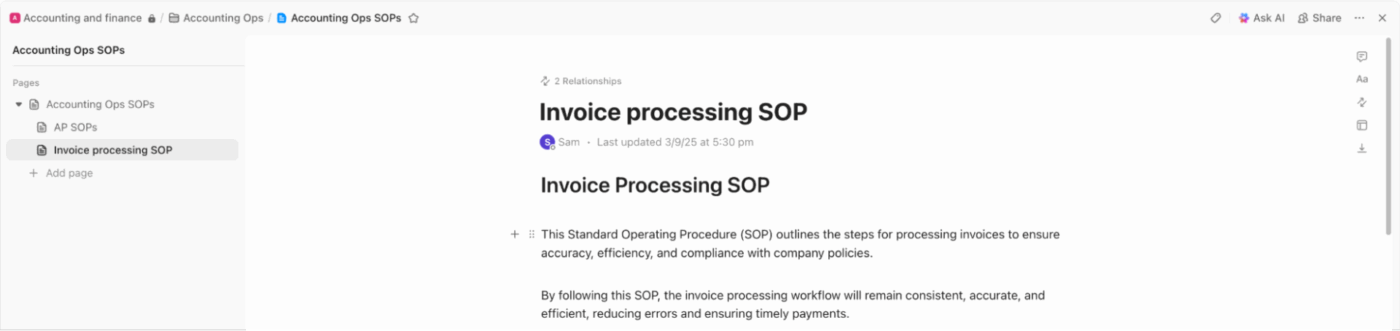
For instance, you can create a ‘Weekly Newsletter Drafts’ Doc, embed research links, editorial notes, and @mentions for teammates. You can link Tasks directly inside a document, convert text into action items, and set deadlines as well.
Part of the ClickUp Knowledge Management workflow, ClickUp Brain is the Contextual AI embedded in your workspace, including Docs, tasks, comments, and chats, which means it works with the full context of your projects.
For writers, it acts as both a creative partner and a productivity assistant.
You can draft directly inside any text field. For blog posts, outlines, landing page copy, social threads, and video scripts, just type a prompt and Brain generates a draft. Highlight existing text and choose to:
If you generate action items from a content brief Doc, it turns that brief into a structured ClickUp Task. You can also use custom prompts or /write slash commands to quickly edit, rewrite, or create content in a specific tone (professional, conversational, humorous) and adjust creativity levels depending on whether you’re writing a report or a blog post.
📌 Example Prompt: Refine this paragraph to sound more engaging for our audience and suggest three catchy headline options.
A quick guide for first-time users:
To take AI writing beyond drafting and turn it into a full research engine, use ClickUp Brain MAX, your advanced AI desktop companion. It expands ClickUp Brain beyond writing assistance and turns it into a deeper research and productivity engine.
Brain MAX offers:
For writers, this is a powerful tool during research phases. Instead of digging through folders or browser tabs, you can ask Brain MAX to surface relevant notes, summarize past client feedback, or find related drafts instantly.
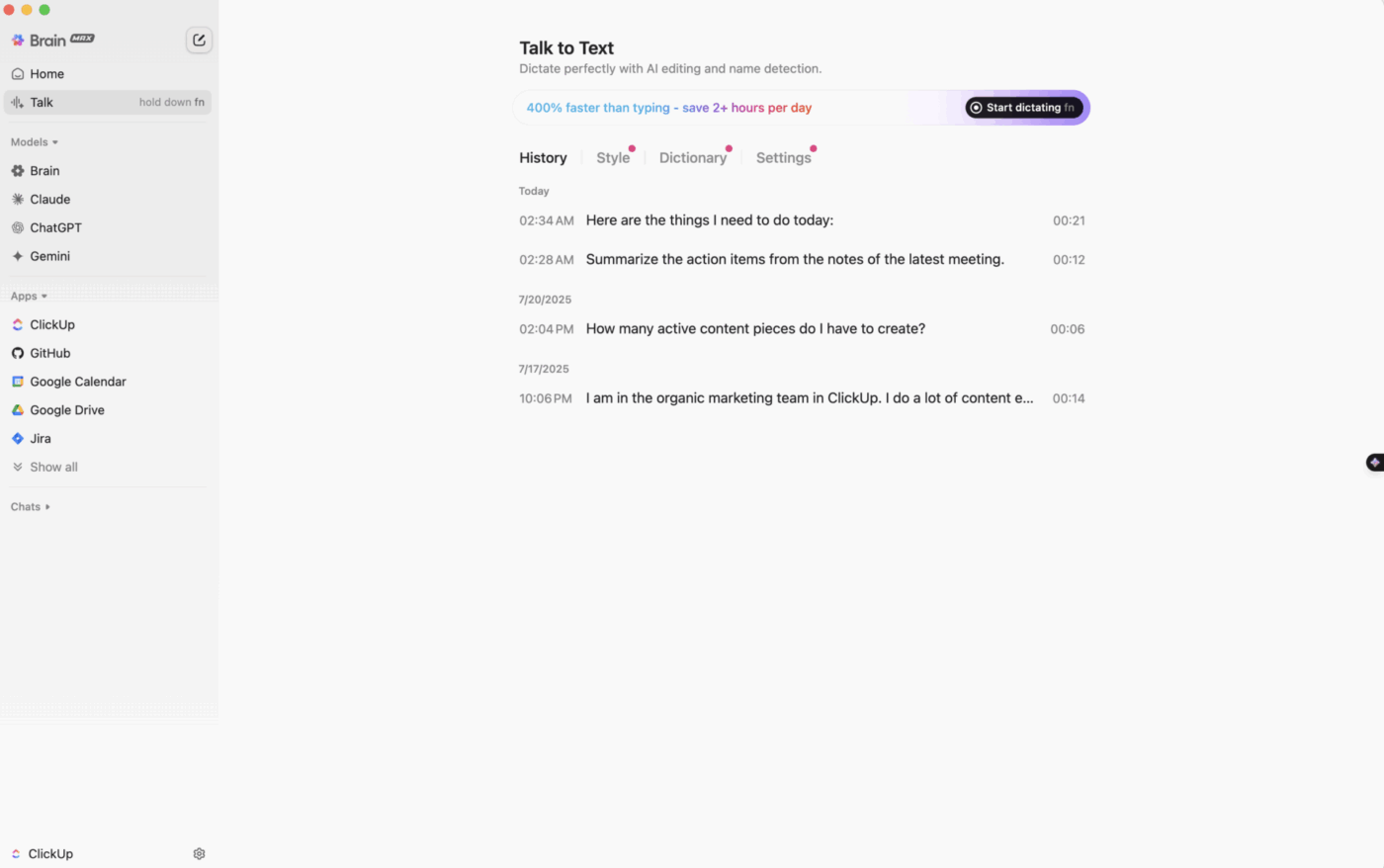
And if you think faster than you type, you can dictate ideas straight into Docs or Tasks with ClickUp Talk to Text. The tool automatically transcribes your speech into structured text that you can immediately edit with ClickUp Brain.
This review says it all:
What I love most about ClickUp is how it replaces multiple tools in one place. No more switching between multiple apps. It offers an unparalleled number of features compared to other software. It’s also highly customizable to fit any workflow thanks to features like multiple views that let me set up projects exactly how I need, dashboards that give me a clear view of reports and stats, and automations that save me hours by handling repetitive tasks.
🚀 ClickUp Advantage: Automate your writing workflow with ClickUp Super Agents. Unlike regular tools that only respond, these AI teammates plan, break down work, act on it, and update you as projects evolve. They bring context, multi-step reasoning, and memory together to own entire workflows, from drafting content to assigning Tasks.
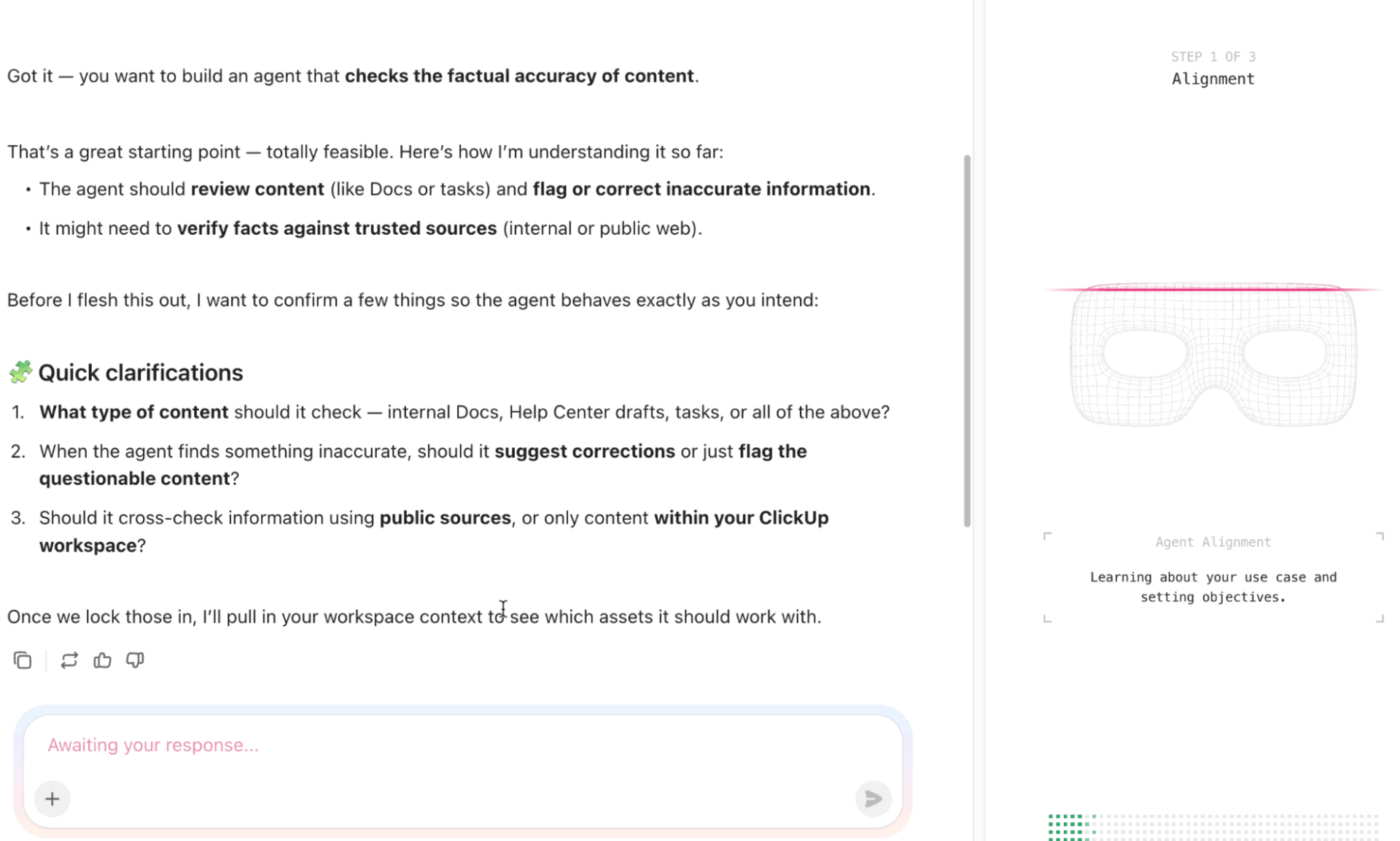
Use them to:
For instance, you can assign a Super Agent the goal ‘Prepare weekly editorial progress report,’ and it will scan activity, detect overdue pieces, draft summaries, create follow-up tasks, and deliver a report.
Create your first agent:
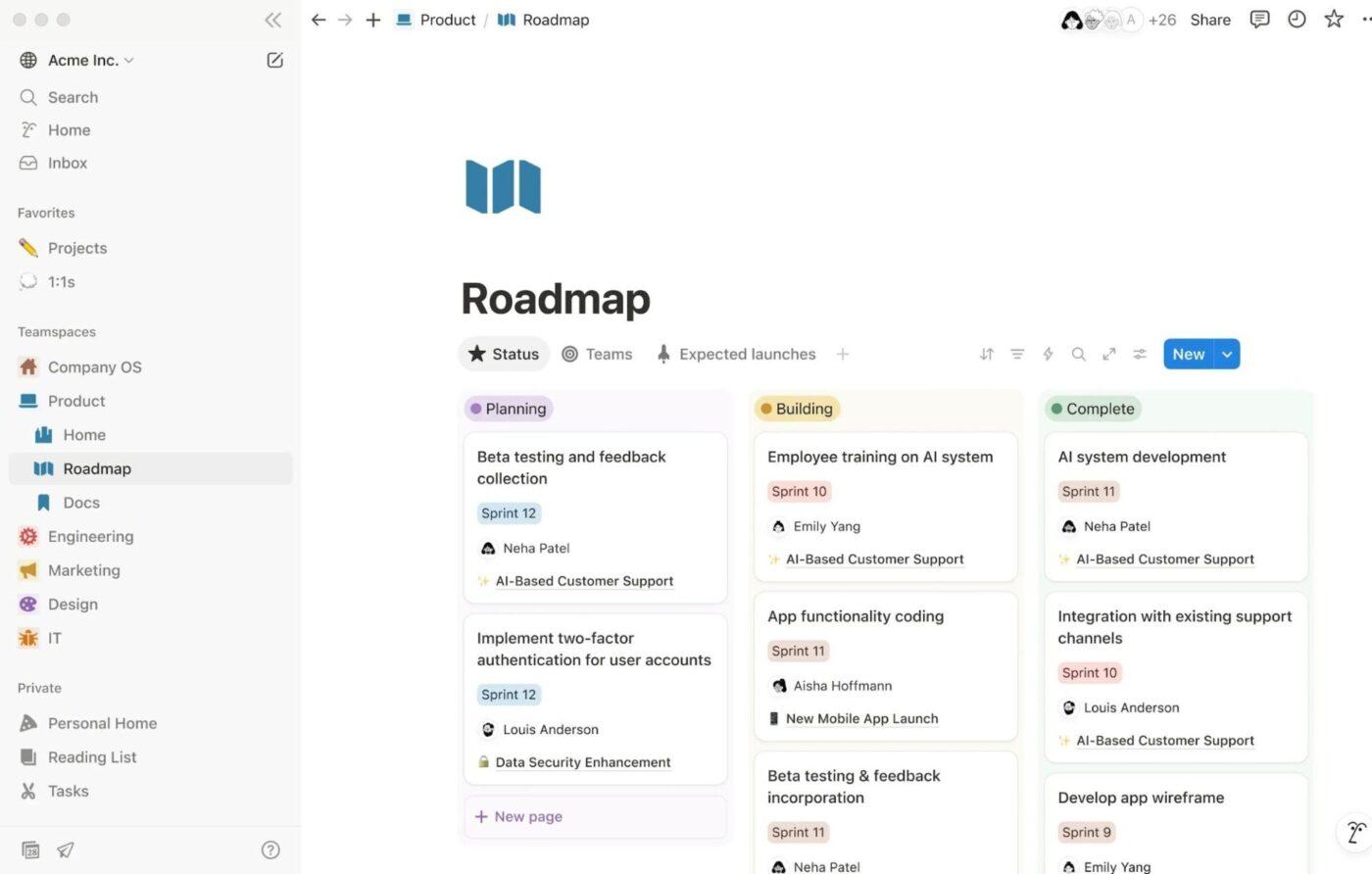
Notion brings your writing projects, research, editorial calendars, and documentation into a flexible workspace. It allows you to build everything inside pages that can hold text, databases, kanban boards, tables, timelines, and embeds.
Additionally, Notion AI and the Notion Agent can search across your pages, PDFs, and connected documentation tools to surface context instantly. This means writers can turn messy meeting transcripts into structured outlines, generate first drafts based on stored brand guidelines, or transform research notes into publish-ready summaries.
You can also rely on AI Meeting Notes to capture discussions and automatically extract action items, which is especially useful when coordinating contributors, editors, and stakeholders across projects.
Here’s what one customer pointed out:
Every Notion page feels like a blank canvas that you can shape into whatever you need. Some pages become graphs, others are lists, and some are working documents shared among different people. That flexibility is a big plus, and it’s also easy to pick up and use right away for just about anyone…The lack of a folder structure and the overall organization are really frustrating. When I have two related documents, I want to be able to place them in a folder without changing how those documents are laid out or shown for other people…
If you’re a technical writer, this is for you!
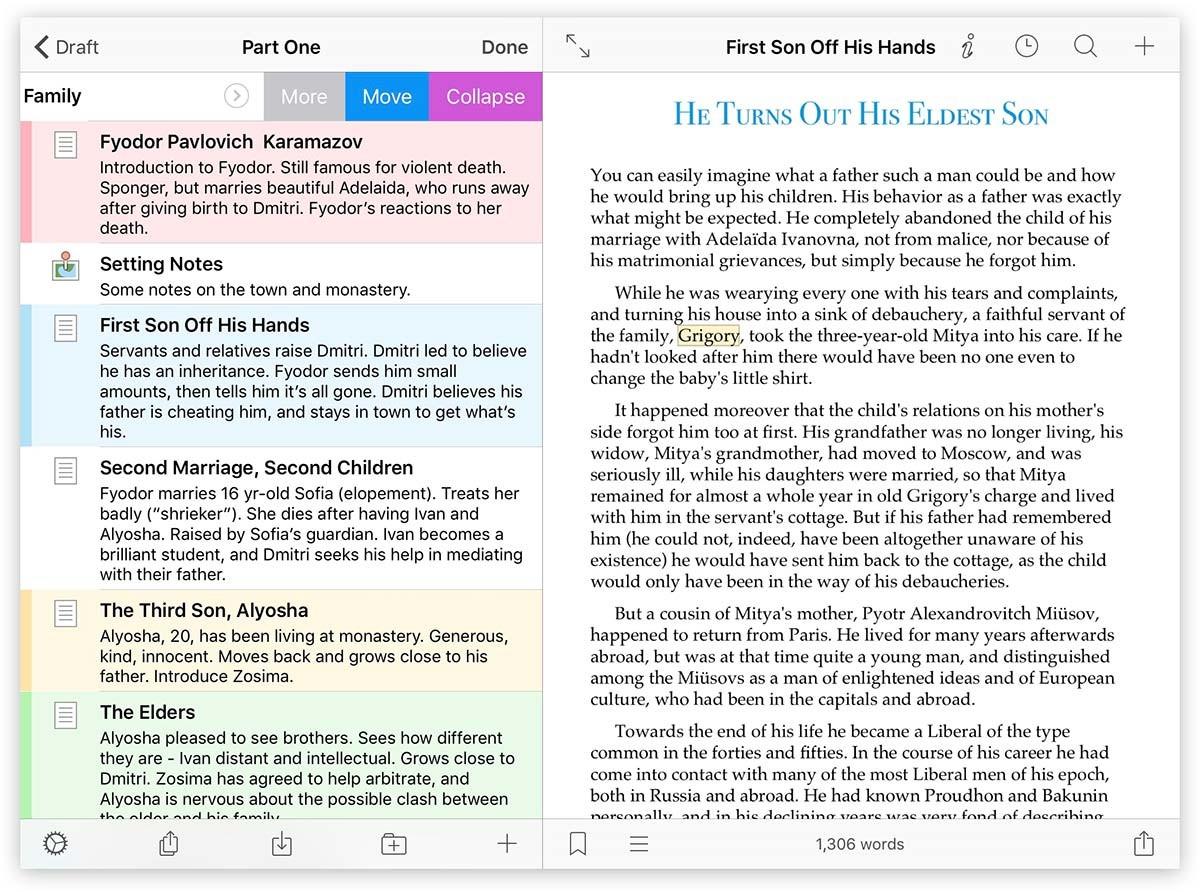
Scrivener is built specifically for long writing projects that don’t fit neatly into a single document. Instead of forcing you to scroll through hundreds of pages, it lets you break your manuscript into small, movable sections inside a ‘Binder-style sidebar.’ You can draft scenes out of order, park unfinished ideas in separate folders, and reorganize entire chapters with drag and drop.
For novelists, nonfiction authors, and academic writers, this content writing tool makes structural edits far less painful than in a traditional word processor.
You can split the editor to view reference material next to your writing, which is especially useful for journalists, biographers, and researchers checking facts while drafting. When it’s time to share, Scrivener compiles your scattered sections into a clean manuscript formatted for Word, PDF, or even Final Draft.
A G2 reviewer put it this way:
I usually handle multiple writing and organizational tasks, and what I value most about Scrivener is that it keeps my texts structured in a single tool, from the initial outline to the final content. And because of its flexibility I can use the desktop version for more intensive tasks and the mobile app to make quick adjustments or take notes when I’m on the go.
While it offers basic tools to catch errors, integrating a more advanced real-time proofreading system would be a big step forward for those looking to perfect texts within the same application.
🧠 Fun Fact: Cuneiform is recognized as one of the earliest, if not the earliest, writing systems, developed in ancient Mesopotamia (specifically Sumer, in modern-day Iraq) around 3400-3100 BCE. It was created by administrators and temple officials to serve practical, economic needs, like tracking trade, managing grains, and accounting for livestock.
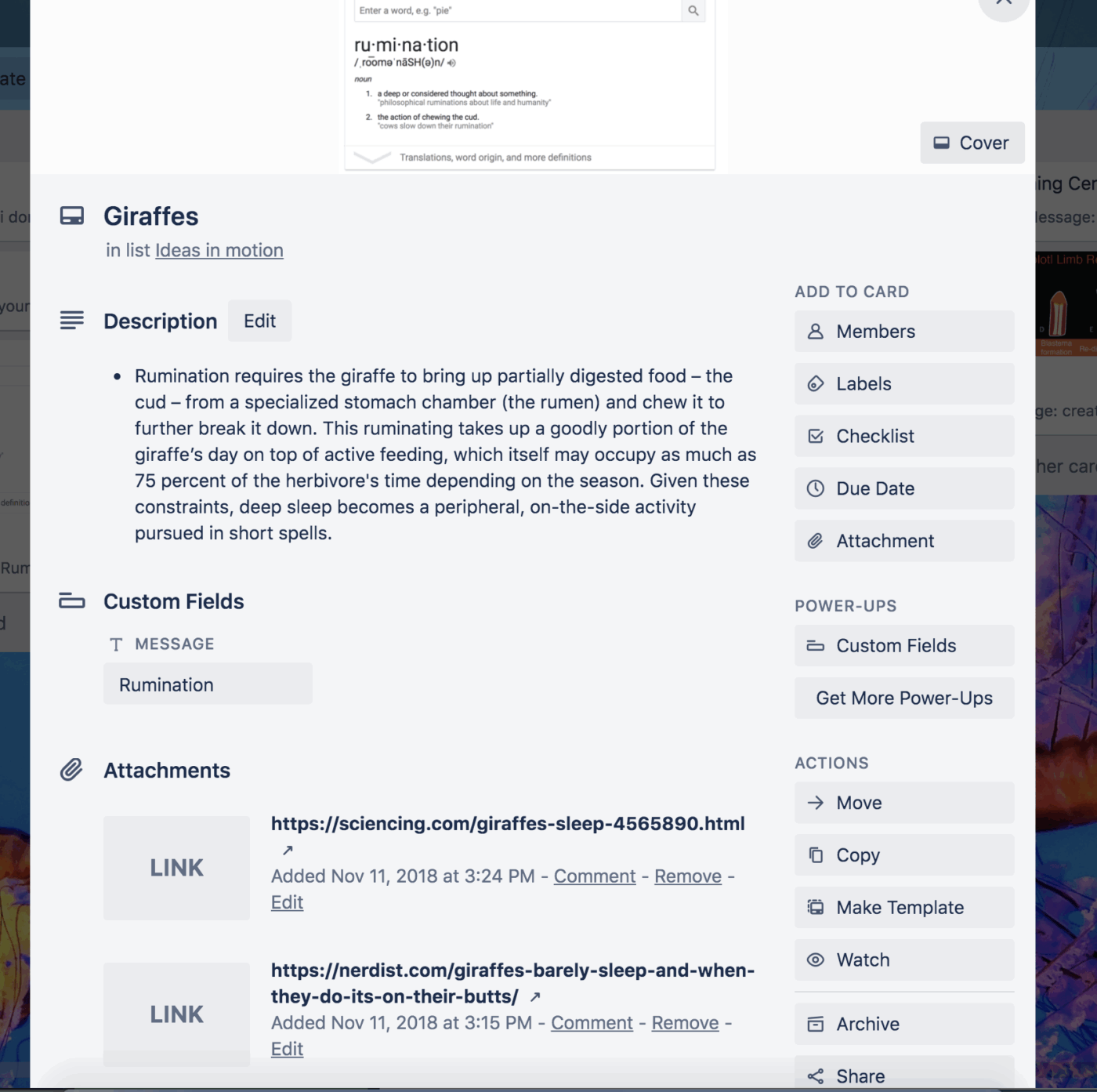
Trello is a web-based Kanban tool used for project management for beginners. It was developed by Atlassian and uses boards, lists, and cards to visually organize work. You can create a board for a project, break it into lists (like Ideas, Drafting, Editing, Published), and move cards across stages as progress happens. This makes it easy to see exactly what’s in the pipeline at a glance.
Each card can hold checklists, attachments, links, comments, and due dates, which makes it practical for managing research-heavy pieces. Writers can store source links directly inside the relevant card, jot down key notes in the description, and track revision rounds.
Trello also supports turning emails and Slack messages into tasks, which is helpful when assignment details come through scattered conversations.
This feedback comes directly from a user:
I like using Trello for project and task management as it helps with handling multiple tasks at the same time and makes it easy to review. I enjoy the workspaces and time tracking features. We manage multiple projects simultaneously by creating different workspaces for each client and, for various tasks, we create different boards to easily manage everything…Sometimes it’s difficult to manage complex projects and long-term projects. For complex projects, it becomes hard to manage timelines, milestones, and tasks. For multiple tasks, we have to create multiple boards, and it is time-consuming.
🔍 Did You Know? What we now call The Chicago Manual of Style was first published in 1906 as a simple typographical rulebook and, over decades, became one of the most influential references for editors and authors in the United States.
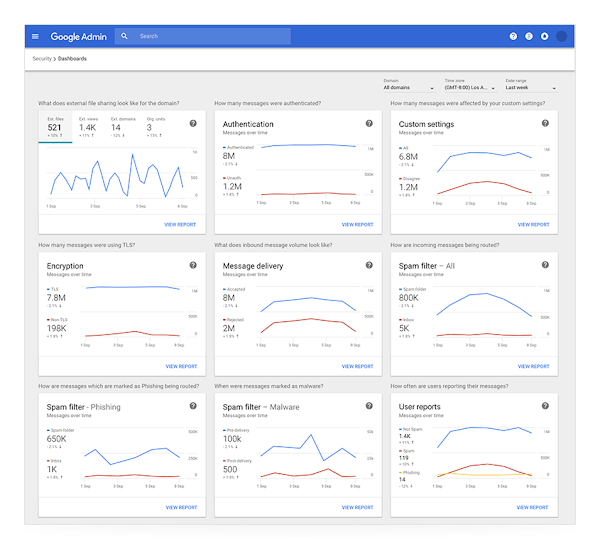
Google Workspace is a cloud-based productivity and collaboration suite developed by Google that combines communication, document creation, storage, and task management. It includes Gmail, Calendar, Drive, Docs, Sheets, Slides, Meet, Chat, and Tasks, all designed to work together in real time.
Docs acts as the core writing environment, supporting live collaboration, commenting, suggesting mode, and structured document building.
Gemini AI is integrated directly into Gmail, Docs, and Drive to summarise long email threads, generate structured drafts, extract insights from research files, and even take meeting notes in Meet. Since everything is cloud-native, contributors can edit simultaneously from anywhere, making it practical for distributed editorial teams.
A user summed it up like this:
What I like best about Google Workspace is how seamlessly it enables collaboration, keeping marketing campaigns and sales initiatives moving without delays or version confusion. Everything from email and calendar to documents and file sharing lives in one connected ecosystem, which increases efficiency and visibility across the team. For a small business, it delivers enterprise level functionality without unnecessary complexity…Drive organization has to be deliberate and intentional to prevent things from turning into creative chaos. That said, there aren’t many advanced customization options to help you set it up the way you want.
🧠 Fun Fact: The earliest known author identified by name is Enheduanna, a Mesopotamian poet and priestess who lived around 2285-2250 BCE and composed hymns and poems that have survived through history.
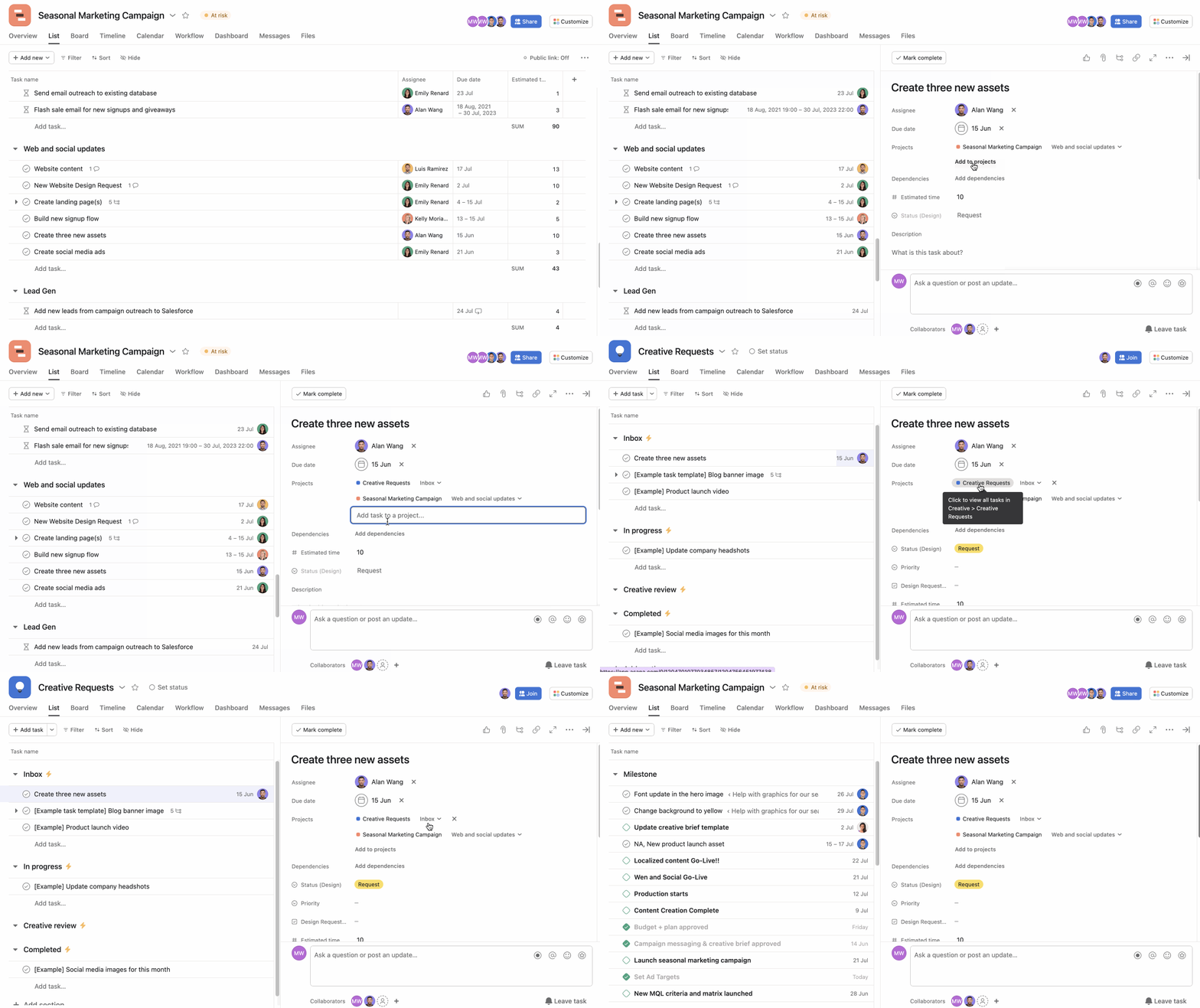
Another cloud-based work management platform in this list is Asana. It gives you multiple ways to view work as lists, Kanban boards, timelines (Gantt-style), or calendars, so you can manage projects in the format that matches your writing process.
You can break an article into subtasks (outline, draft, edit, SEO review, publish), assign each step to different contributors, and set dependencies so nothing moves forward before it’s ready. Status updates keep stakeholders informed without extra meetings, and recurring tasks make it easy to manage weekly newsletters, monthly reports, or ongoing blog pipelines.
Here’s an honest take from G2:
Allows you to configure repetitive tasks and automate complex workflows in a matter of seconds, which helps save time. Additionally, its interface is clean, organized, and visually appealing, so teams can start using it quickly and without a steep learning curve…The same task cannot be assigned to multiple people, which complicates shared work and team coordination. Additionally, the structure of tasks, subtasks, and projects can become confusing and disorganized quickly if not managed carefully.
🔍 Did You Know? Before printing, rubrication, the practice of writing headings and important sections in red ink, helped readers navigate manuscripts. This tradition began as early as ancient Egypt with scribes marking key parts of texts in red.
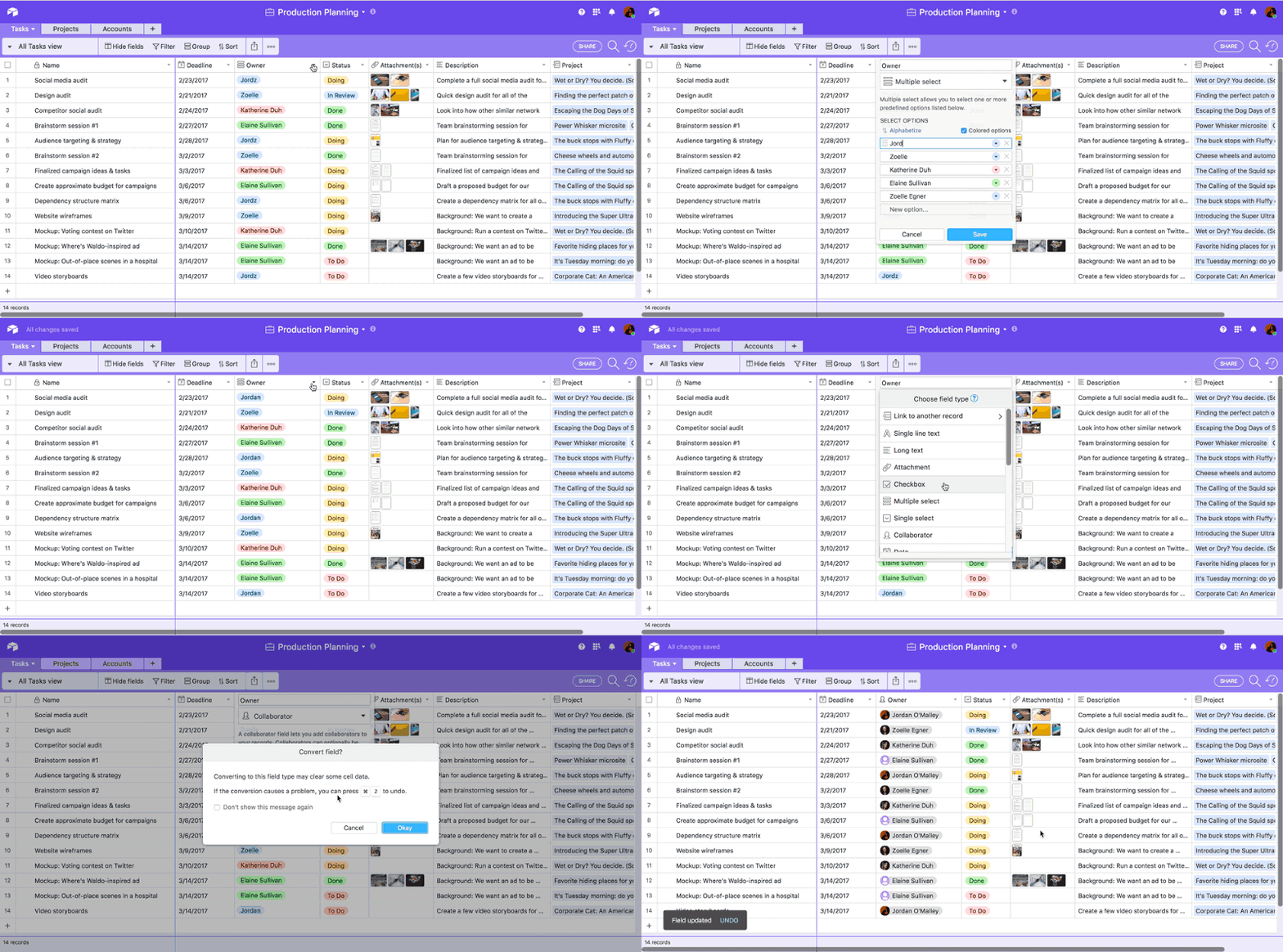
Airtable is a no-code task management app that blends the flexibility of a spreadsheet with the structure of a relational database. It lets you create custom apps that centralize ideas, briefs, contributors, deadlines, assets, and performance data. This way, you can build a living content database where every article, campaign, and asset is structured and searchable.
What makes Airtable useful is its ability to turn structured data into fully operational workflows. You can design intake forms for new content requests, automatically route them to the right editor, and track progress across multiple views. You can even layer in AI to summarize briefs, generate campaign ideas, or analyze feedback at scale.
Here’s how one user sees it:
As a service based startup we use airtable maximum for managing our companies workflow and do all the data entry related work for inventories on its software. This tool helps us in making sure that all the procurement purchases of our business is done properly on time and maintained with the sheet that it provides. One of the major complaints that I have with Airtable software is that its user interface is quite complex and also it is not compatible on my mobile phone.
🧠 Fun Fact: Many famous writers relied on mechanical typewriters; for example, Ernest Hemingway wrote entire novels on his Olivetti Lettera 22, embracing the deliberate rhythm and discipline it brought to his prose.
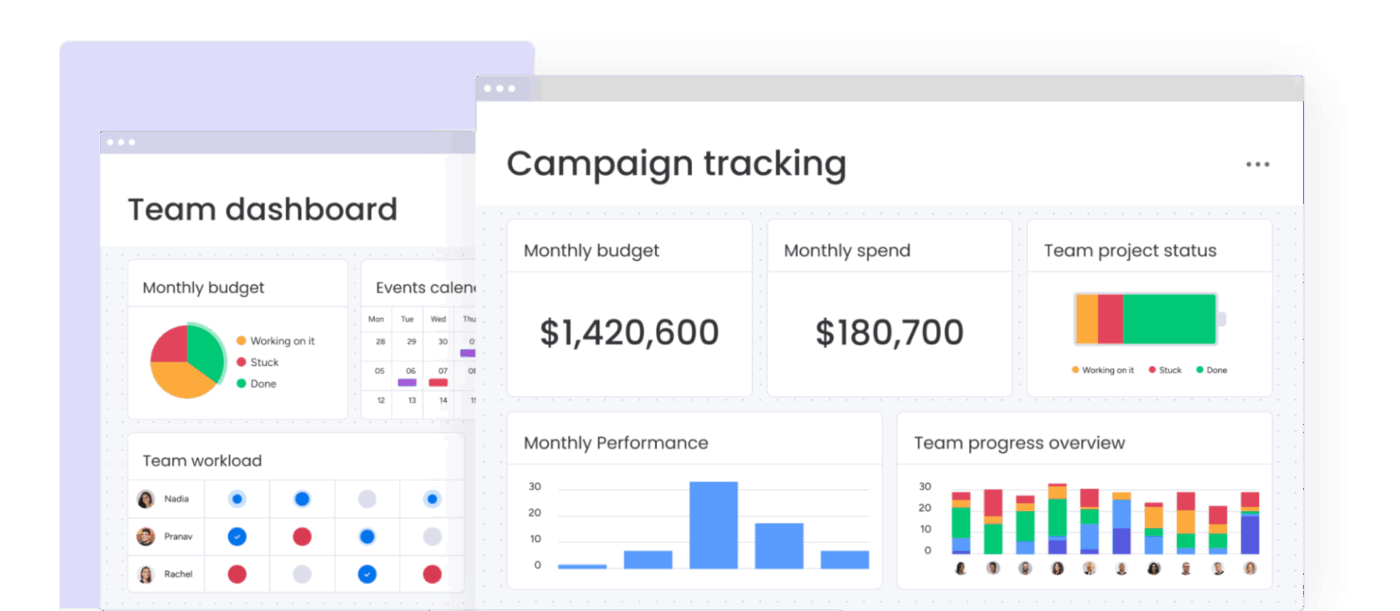
Monday.com gives you a highly visual workspace where everything, ideas, drafts, deadlines, feedback, and approvals, lives together. Instead of adapting your blog writing workflow to a rigid system, you build boards that match how your team actually works.
The platform is a cloud-based ‘Work Operating System’ that lets teams manage successful projects, processes, resources, and goals. It acts as a client tracker, pitch pipeline, and production board, while supporting automation, AI-powered actions, dashboards, workload views, Gantt charts, and integrated docs (Workdocs).
A customer shared this feedback:
monday Work Management is an excellent platform for organizing projects, tracking work, and keeping teams aligned in one place. The interface feels clean, flexible, and easy to customize. With boards, automations, dashboards, and templates, it’s straightforward to build workflows that reflect how a team actually operates…Because the platform is highly flexible, it can take time to design the “right” structure for boards and workflows, especially for new teams. Also, some of the more advanced key features—such as deeper automations, permissions, or reporting—may be limited to higher-tier plans, which can increase costs for larger teams.
🧠 Fun Fact: Marcel Proust’s In Search of Lost Time holds the record for one of the longest novels ever written, showcasing how storytelling can stretch in scale as well as depth.
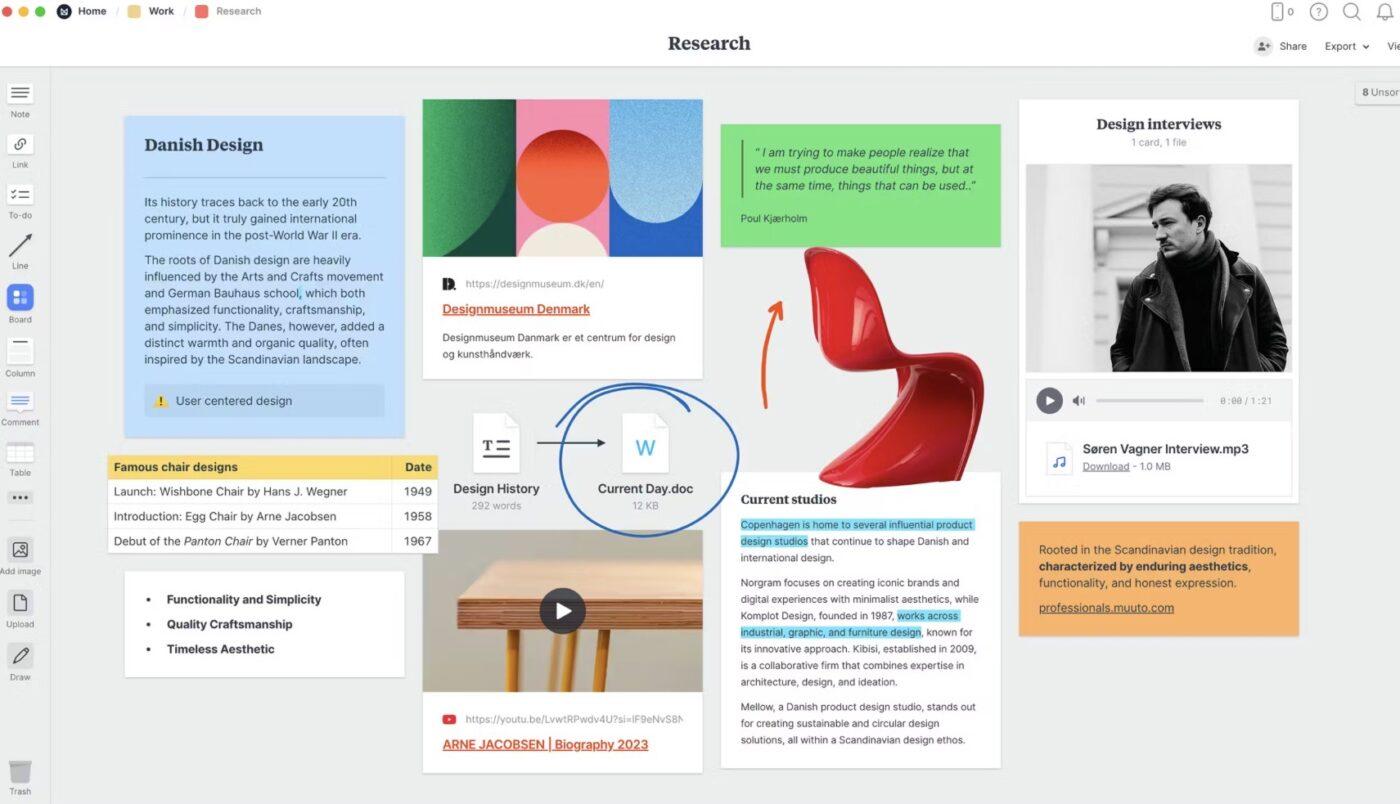
Milanote is built for people who think visually. Instead of rigid lists and rows, you get flexible boards where you can drag, drop, cluster, and rearrange ideas naturally.
With this visual collaboration tool, you can combine text notes, images, videos, links, to-do lists, and sketches on infinite whiteboards. Map out plot structures, build character profiles, and outline scenes.
For content teams, it gives you moodboards, campaign planning, and creative briefs. Plus, the platform supports remote collaboration, commenting, and cloud syncing, so teams can brainstorm and refine ideas together without losing context.
This is how one user described their experience:
Milanote is one of the cleanest, most user-friendly project and content management systems I’ve had the pleasure of using to create and manage social media calendars…Some of its functionality is lacking (specifically the inability to track edit history, which leads to multiple clients being left off of boards due to lack of trust), and on the mobile app there are some content restrictions which makes native TikTok and Instagram posting inefficient.
🔍 Did You Know? Johannes Gutenberg’s movable-type printing press, developed around 1440-1450, helped spread literacy and ideas across Europe, laying the groundwork for the Renaissance and the modern publishing industry.
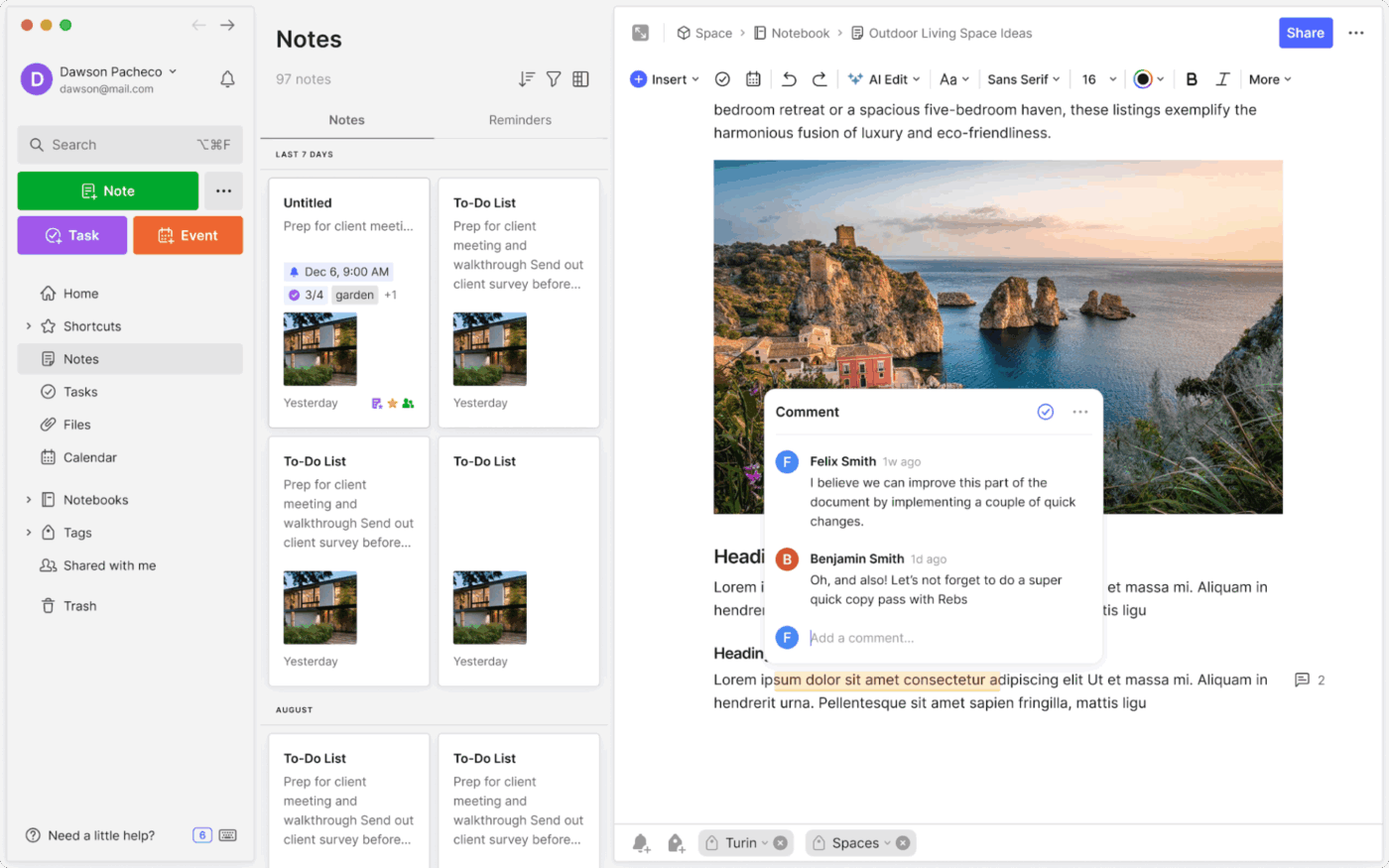
If you constantly have ideas floating around, such as article angles, research snippets, voice notes, and screenshots, this wiki software is built to catch them before they disappear. It works like a digital second brain, giving you one place to store notes, web clippings, documents, tasks, and even meeting transcripts so nothing gets lost.
It’s a cross-device note-taking and organization platform that helps writers, students, and professionals capture information in any format and retrieve it instantly.
You can structure content into notebooks, add tags for better organization, embed tasks directly inside notes, and sync everything across desktop and mobile. Its newer AI features help you summarize long notes, transcribe meetings, and surface relevant information using natural language search.
A firsthand account from a customer:
I appreciate Evernote for being quick and reliable, with a straightforward interface. I find the syncing feature works well, making my notes easily accessible whenever I need them. It’s simple to create and save notes instantly without worrying about structure or formatting. Additionally, the initial setup was very easy, and I never had any issues using Evernote on my phone for quick note-taking…The free version feels quite limited now, which reduces its usefulness for basic note taking. A more generous free tier or simpler pricing would make it more appealing for casual users.
📮 ClickUp Insight: While 46% of our survey respondents say they have a solid ritual that helps them get into “work mode,” 11% say they start most days in survival mode, reacting to messages and deadlines as they appear.
That usually happens when there’s no clear entry point into the day. You open your laptop, notifications start flowing, and before you’ve oriented yourself, the day is already making decisions for you.
In a converged AI workspace like ClickUp, unfinished tasks, recent comments, priorities, and ongoing threads are already connected in one place, so you can open the workspace and immediately see what’s active, what moved, and what needs attention.
Instead of scanning emails, chats, and notes to reconstruct context, the system gives you a clear place to begin, with a more intentional start to the day.
Some bonus prompts for when you’re using ChatGPT within ClickUp Brain MAX. 💁
The right project management tool shapes how smoothly your ideas move from outline to publication. Some tools excel at visual planning. The best choice depends on whether you’re managing a solo writing pipeline, coordinating contributors, or running a full content operation.
That being said, if your biggest challenge is juggling drafts, feedback, research, deadlines, and communication across multiple apps, then a unified workspace becomes a serious advantage.
That’s where ClickUp stands out. By bringing writing, collaboration, automation, and AI into one environment, it reduces the friction that usually slows creative teams down. Instead of stacking disconnected tools, you build your workflow once, and everything flows through it.
Sign up to ClickUp for free today! ✅
Writers often use project management tools like Trello, Asana, and Notion. However, a standout tool is ClickUp that helps create customizable hierarchies in complex projects. It shines for writers with AI-driven task generation from notes and feedback, along with collaborative documents built in the work context.
Writers break projects into milestones like outlining, drafting, and revising while blocking writing time and using the Pomodoro method for momentum. Prioritization via the Eisenhower Matrix helps tackle urgent pieces first, with automated reminders preventing slips. ClickUp’s Gantt charts and deadline automations make enforcement seamless for writers.
Grammarly is a good tool for real-time grammar, tone, and clarity suggestions while Hemingway App simplifies prose by flagging adverbs and passive voice. Additionally, ClickUp is a great tool for drafting and editing with ClickUp Docs for collaborative editing, live cursor detection, and comment assignments. You can also use ClickUp Brain built within your docs to generate first drafts, improve writing, and summarize content.
Writers track revisions and feedback by using tools with version history, inline commenting, and task-linked comments. Tools like ClickUp, Google Docs, and Notion allow version rollback and clear feedback threads tied to specific drafts or tasks.
Start writing with intuitive, low-barrier tools like ClickUp or Google Workspace because they’re simple to set up and use. These platforms use visual boards or shared docs that require minimal configuration while still organizing work efficiently.

© 2026 ClickUp

There’s an easier way. Try a free AI Agent in ClickUp that actually does the work for you—set up in minutes, save hours every week.