






Still downloading templates?
There’s an easier way. Try a free AI Agent in ClickUp that actually does the work for you—set up in minutes, save hours every week.
Sorry, there were no results found for “”
Sorry, there were no results found for “”
Sorry, there were no results found for “”
Meetings can be tedious.
Endless notes, wandering thoughts, maybe even a doodle or two.
But what if your meetings actually did something for you?
The right project management tool can record notes, extract key decisions, and summarize discussions automatically—so you can focus on the conversation instead of the cleanup.
The best part? It can even create tasks, assign owners, and keep everyone accountable.
Ready to turn meetings into momentum? Let’s get started.
Team meetings are supposed to drive alignment, but often, they do the opposite. Important details get ignored, tasks go unassigned, and deadlines slide. Everyone walks away with pages of raw transcripts that they’d never revisit.
Modern AI-powered project management software for meeting notes solves this.
Here’s why they’re worth your time and money…
⚡ Template Archive: Free Note Taking Templates for Better Organization
👀 Did You Know? As per ClickUp’s survey, ‘The State of Workplace Communication in 2025,’ over 40% of professionals feel compelled to follow up on action items immediately after every meeting. However, since the communication channels are split between email (42%) and instant messaging (41%), action items are often scattered across the workplace.
Another HBR survey reported that teams lose over 60% of their time searching for context, information, and action items.
When you’re selecting project-management software that can automatically extract decisions (and action items) from your meeting notes, consider the following features:
That said, here’s a quick comparison between the top contenders.
| Tool | Best For | Key Features | Pricing* |
| ClickUp | AI-powered project management and turning meeting notes into action | AI Notetaker, Contextual AI, SyncUps, 1,000+ integrations | Free forever; Customization available for enterprises |
| Fathom | Multilingual real-time summaries | Automatic call recording, decision tagging, CRM integrations | Free plan available. Pro plan starts at $20/user/month |
| Fireflies.ai | Searchable transcript | Transcription across 40+ apps, keyword search, task highlights | Free plan; Paid plans from $18/user/month |
🔴 Productivity Drain: The cost of quick replies is hard to ignore. Knowledge workers lose a whopping 23 minutes of focus time after each interruption.
After just 20 minutes of interrupted performance, stress levels spike. People report higher frustration, workload, effort, and pressure.
📮 ClickUp Insight: 37% of workers send follow-up notes or meeting minutes to track action items, but 36% still rely on other, fragmented methods. Without a unified system for capturing decisions, key insights you need may get buried in chats, emails, or spreadsheets.
With ClickUp, you can instantly turn conversations into actionable tasks across all your tasks, chats, and docs—ensuring nothing falls through the cracks.
Our editorial team follows a transparent, research-backed, and vendor-neutral process, so you can trust that our recommendations are based on real product value.
Here’s a detailed rundown of how we review software at ClickUp.
The best AI meeting notes software includes:
ClickUp, the everything app for work, integrates project management and AI note-taking. It eliminates the need for separate tools for meetings, tasks, docs, and follow-ups.
Let’s see how ClickUp centralizes your workflows, context, and meeting decisions.
Transform scattered conversations into structured work with AI Notetaker
ClickUp’s AI Notetaker joins your meetings, records the conversation, and generates accurate transcripts with speaker labels.
It can also auto-join Zoom, Google Meet, and Teams meetings directly from your calendar—no manual setup or invites required. That way, every critical discussion is captured, even when you’re double-booked or switching between calls.
But it goes far beyond transcription.
Using contextual AI, it highlights decisions, surfaces action items, identifies owners, and pulls out key takeaways.
When you use AI for meeting notes, all insights flow directly into your workspace. This video shows you how to do so:
Here’s how ClickUp’s AI Notetaker adds more value to your work:
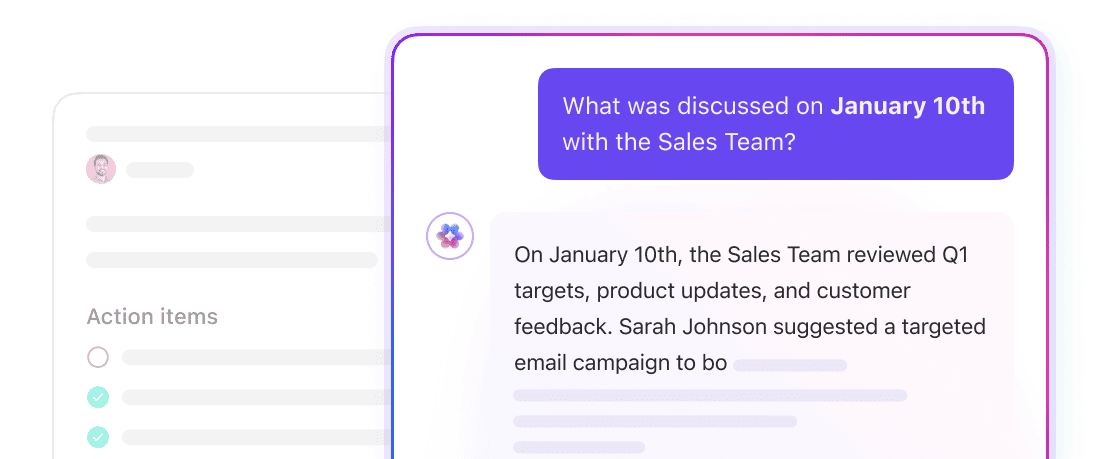
Get context-aware insights using ClickUp Brain
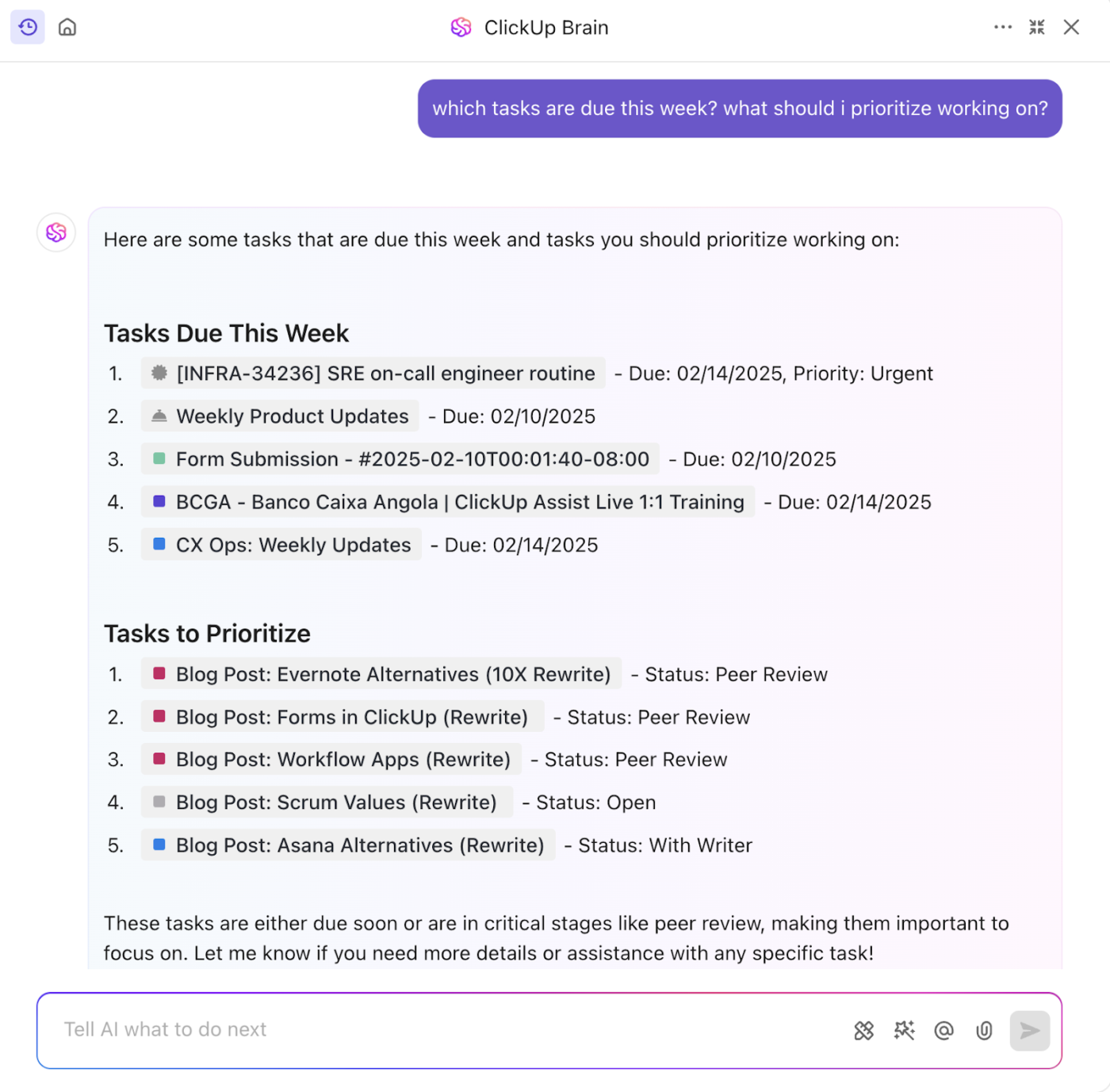
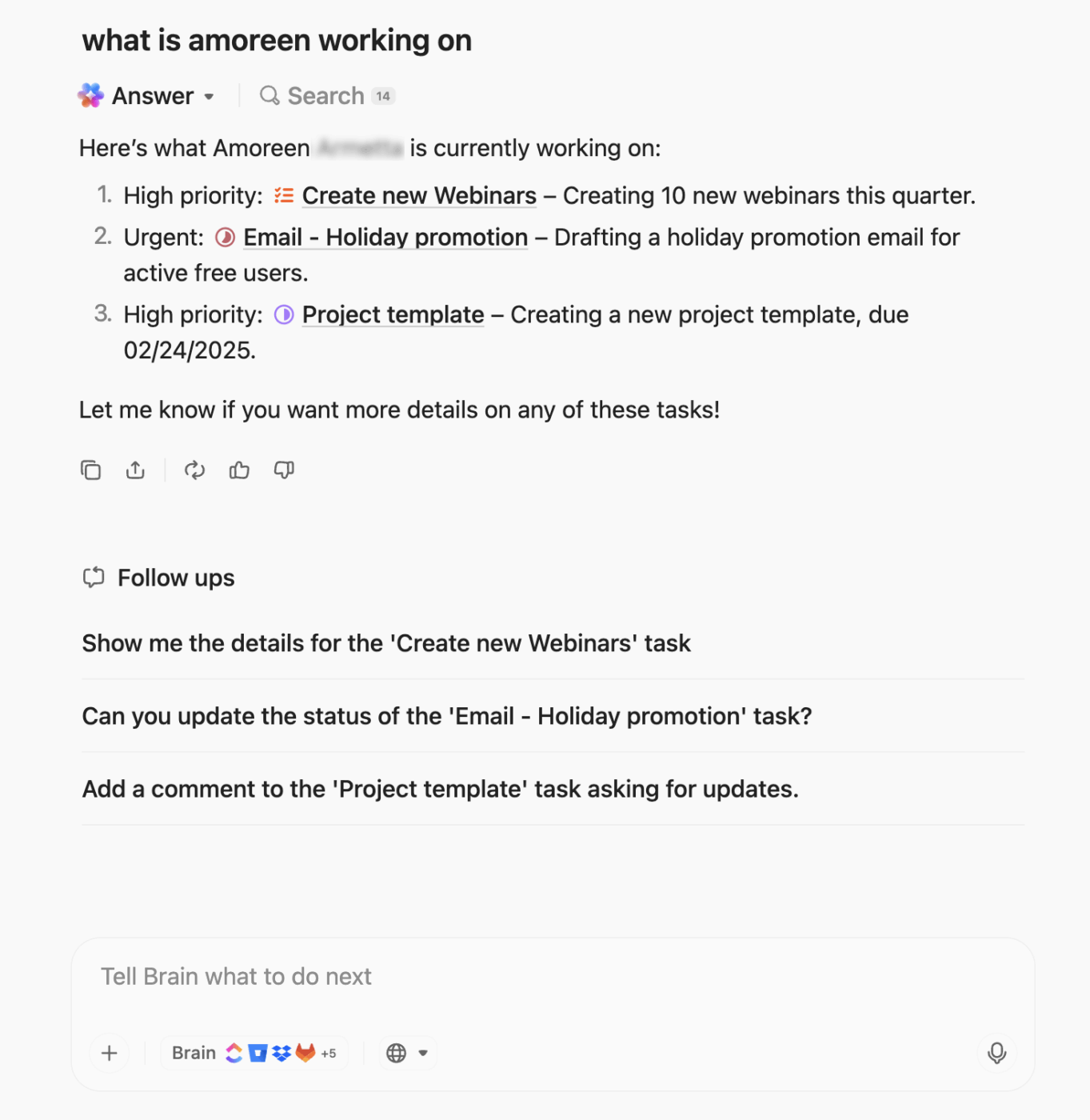
ClickUp’s built-in AI assistant, ClickUp Brain, converts conversations and content into actionable insights within your workspace.
The capabilities of ClickUp Brain include:
⭐ Bonus: Go beyond meeting notes with ClickUp Brain MAX.
ClickUp Brain MAX brings every data source into your meeting workflow, making decision extraction richer and more accurate. Here’s how it takes your meetings further:
Context-rich task creation: Convert meeting insights into tasks that come pre-loaded with linked files, history, and supporting documentation—without needing to dig through past meetings or drives
Unified search across all apps: Pull data instantly from Google Drive, Sheets, Slack, Confluence, GitHub, and more to enrich decisions with context
Talk-to-Text Capture: Record assumptions, risks, or follow-ups and turn them into structured notes or tasks without manually typing
Removes AI sprawl: Replaces separate AI tools, notetakers, and productivity subscriptions with a unified platform
Cross-app context awareness: When a meeting decision is made, Brain MAX automatically surfaces related documents, past discussions, or dependencies from other tools
Turn meeting notes into living, actionable documents with ClickUp Docs
ClickUp Docs lets you store all your meeting notes, summaries, decisions, and action items in a fully integrated knowledge hub.
Because Docs are native to ClickUp, every page can reference live tasks, embed views, tag owners, and link to real project timelines.
You can co-edit notes, leave comments, and convert text or action items into a task with one click.
Meeting summaries can be saved directly into a Doc, ensuring your discussions are connected, searchable, and a permanent part of your workspace. No more scrambling to remember who wrote what or where it was saved.
Let AI Agents do the heavy lifting for you
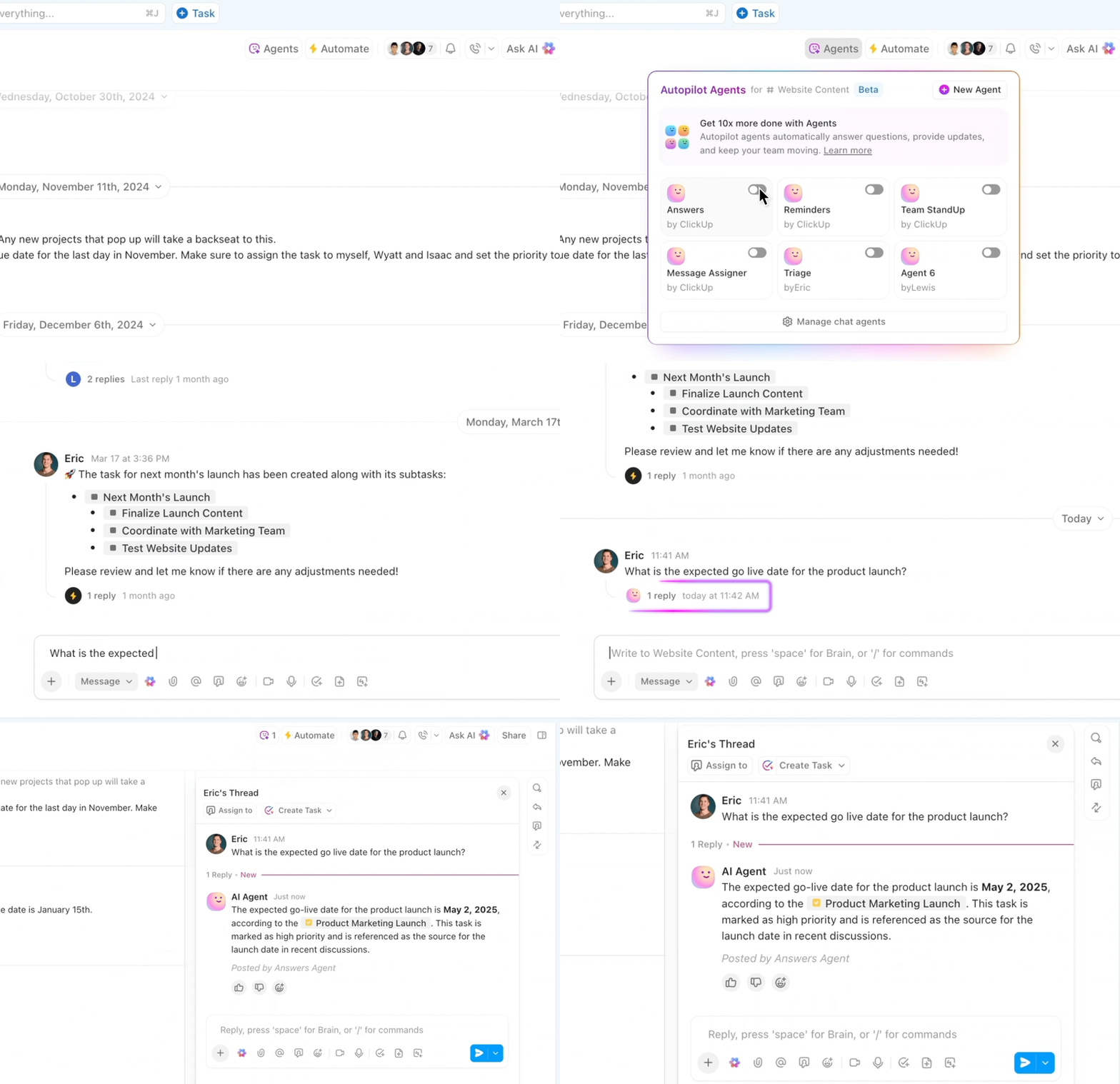
ClickUp’s AI Agents act like intelligent teammates. They listen to your meetings, understand what needs to happen next, and execute the follow-up work for you.
Instead of simply generating suggestions, these agents can plan, take action, and coordinate tasks across your workspace.
Reduce the manual effort of converting discussions from Zoom meetings or other meeting platforms into actionable progress.
Example: After a client call, an AI Agent reviews the Notetaker summary, extracts key decisions, and instantly creates tasks with owners, priorities, and linked documents.
If a follow-up depends on a file in Google Drive or a budget sheet in Sheets, the agent automatically brings that context in. If something stalls later, it can escalate, nudge owners, or adjust timelines based on changes in the project.
Here’s what a G2 reviewer said about using ClickUp’s AI Notetaker:
The built-in ClickUp AI notetaker is surprisingly useful, especially for summarizing meetings and saving time on follow-ups. We also love the ability to publish clear, structured release notes directly within the platform, which has helped internal and external stakeholders to be on the same page.
📚 Read More: How to Manage Meetings in ClickUp
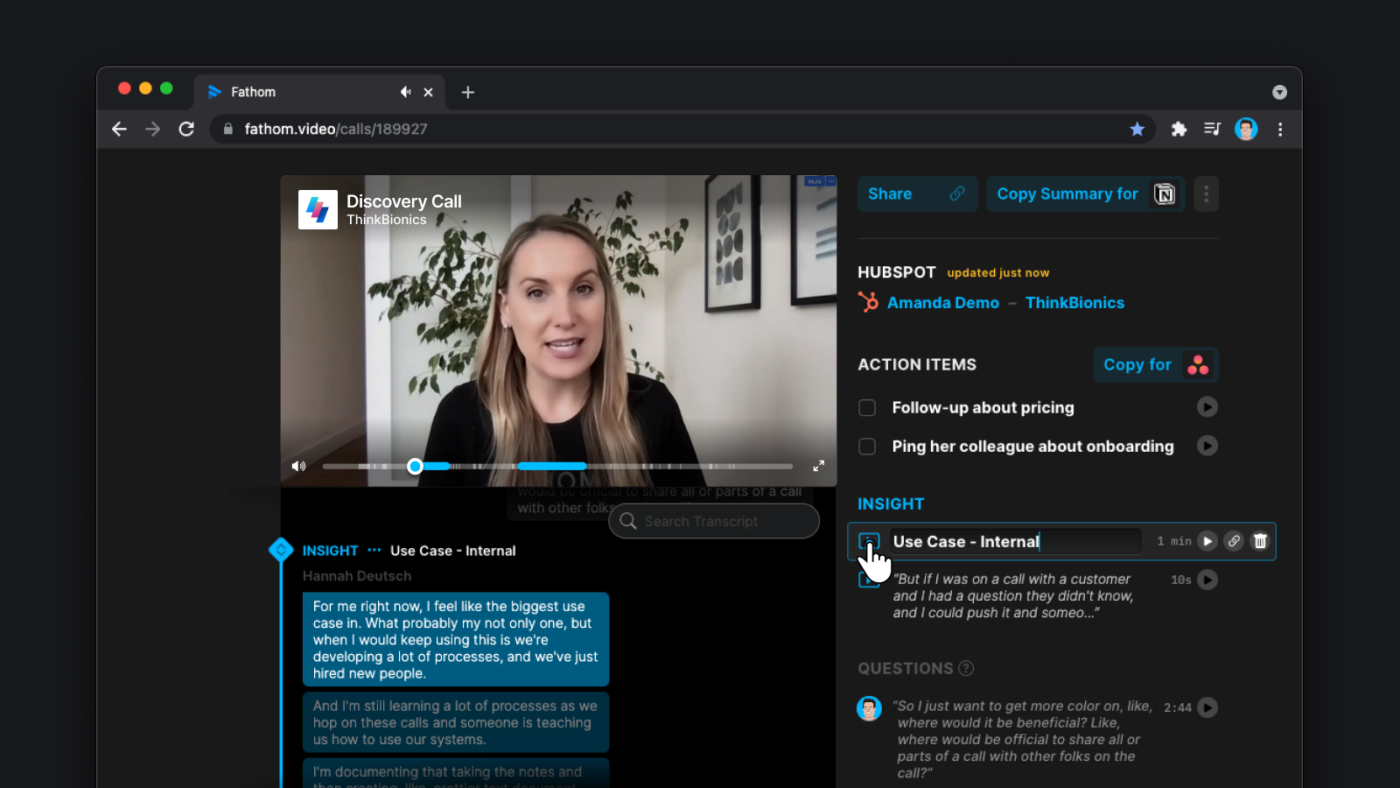
The AI-powered meeting assistant Fathom AI helps you capture meetings without relying on manual note-taking.
The tool automatically records calls, generates transcripts, and lets you tag key discussion points (action items, or follow-ups) during the meeting.
You can ask Fathom any questions about your team meetings in natural language and get instant answers. Fathom also allows you to find information across your entire organization’s meeting library. This includes past decisions, customer feedback, and strategic discussions.
The meeting minutes software handles technical vocabulary once you train it on your industry terms.
It can share meeting notes with specific team members based on who was involved and what topics were discussed.
Here’s what a G2 reviewer said about Fathom:
I love the clean, easy-to-navigate summaries with timestamped highlights that let me jump directly to key moments in a call. Transcription accuracy is usually solid, but sometimes depends on audio quality or accents.
📚 Read More: Best Fathom AI Alternatives for AI Note Taking
📮 ClickUp Insight: Most meetings end without clear accountability, and project managers spend hours chasing down action items after the fact.
With ClickUp AI Notetaker and ClickUp Brain, decisions are automatically captured, summarized, and turned into tasks. You’ll spend less time going through transcripts and more time driving projects forward.
💫 Real Results: ClickUp customers have reported up to 86% cost savings and reclaiming 1.1 days per week by automating meeting notes, creating smart summaries, and converting them into tasks. Companies like Talent Plus boosted workload capacity by 10%+, while Atrato reduced developer overwork by 20% after consolidating in ClickUp.

Fireflies is the AI teammate that transcribes, summarizes, and analyzes your meetings.
The AI notetaker works for you even before the meeting starts. You get pre-meeting briefs with key insights, context, and action from previous conversations and meetings.
During the meeting, Fireflies gives live transcripts in 100+ languages. It also identifies different speakers in meetings and audio files.
After the meeting, you receive an instant, comprehensive AI summary with bullet points, action items, and custom notes.
The Live Assist provides real-time intelligence during conversations. For example, the sales team can instantly access pricing discussions from previous calls without derailing the current one.
With pre-built meeting recap templates, conversations are documented, resulting in practical actions.
Here’s what a G2 reviewer said about Fireflies.ai:
Fireflies is super helpful when it comes to supporting note taking, I would say that its 80% accurate with what is being talked about however does not pick up accents too well. I dislike that it runs out of space so quickly and we’ll have to remove calls in history to free up more space. Sometimes the fireflies does not join the call quickly and we need to invite them in. Semi reliable.
🔴 The Growing Problem of Context Sprawl: Over 56% of knowledge workers say tool fatigue, like toggling, alerts, and redundant platforms, negatively affects their work each week.
That’s context sprawl in action. Teams waste hours hunting for files, switching between apps, repeating updates, and searching for the information they need to simply do their jobs.
AI was supposed to simplify this, but most tools have only added more noise.
Where ClickUp comes in: Everything your team needs—tasks, docs, decisions, updates—lives in one place, fully connected and searchable with contextual AI.
Here are three additional tools that approach meeting notes and decision capture in distinct ways.
👀 Did You Know? Meetings starting after 8 p.m. have increased by 16% year-over-year, another sign that the traditional workday is disappearing.
⭐ Bonus: Capture any insight in one click with ClickUp’s Chrome Extension. Create tasks from any website or tab. Grab visuals (bug, UI feedback, proof of concept), add markup, and attach directly to a task or comment for faster clarity and alignment.
Considering the problem of meeting overload, a good starting point is to reduce the number of meetings in the first place.
A simple tweak can help you with this.
The ‘write-first’ culture (summaries, risks, recommendations, agenda) reduces meetings because people respond to the document instead of scheduling time.
That said, often, meetings are unavoidable.
A Product Management software that extracts decisions from meeting notes brings clarity to the process.
ClickUp makes this effortless.
With AI Notetaker and contextual AI, your meeting decisions, action items, and context flow directly into tasks, docs, timelines, and dashboards.
To turn your meetings into action, sign up on ClickUp for free.
ClickUp’s AI Notetaker can automatically create tasks from action items detected in meeting notes. It supports native task creation. Fathom, on the other hand, extracts action items from online meetings and syncs them into your tools.
Effective decision tracking involves capturing meeting outcomes and automating meeting summaries. Then, assign the decision to an owner and link it to tasks or workflows. Also, store decisions in a searchable, central system so you can revisit what was decided when and by whom.
Yep. Modern AI meeting assistants can listen to calls, generate summaries, and highlight key details or tasks. For example, ClickUp Brain not only summarizes meetings but also offers AI-powered search. It answers contextual questions like ‘What decisions did we make last week?’ and provides AI-generated action items from virtual meetings.
Remote teams need a place where tasks, decisions, and communication live together. ClickUp is a top choice because it combines AI-powered note-taking with task management, Docs, contextual intelligence, and integrations like Slack and Zoom. Decisions and key points are captured during the call, converted into action items, and tracked transparently across distributed teams.
Yes. All three tools in this list—ClickUp, Fathom AI, and Fireflies AI—offer free plans that support meeting transcription, summaries, and decision/action-item extraction.

© 2026 ClickUp

There’s an easier way. Try a free AI Agent in ClickUp that actually does the work for you—set up in minutes, save hours every week.