










Still downloading templates?
There’s an easier way. Try a free AI Agent in ClickUp that actually does the work for you—set up in minutes, save hours every week.
Sorry, there were no results found for “”
Sorry, there were no results found for “”
Sorry, there were no results found for “”
Today, 21% of marketers say they use visual content to boost dwell time as a top SEO strategy. Images are what draw people in and keep them around. But good content needs care and planning.
That’s where a photography shot list template helps. It gives you a focused plan so you can capture all the shots you need in an organized way. With it, you can confirm the scene number, shot number, shot type, any special equipment, and the shoot time.
In this article, we’ll walk through the top photography shot list template options so you can build your own shot list with confidence.
🔎 Did You Know? The “rule of thirds” comes from 18th-century painting, not photography? The phrase first appeared in 1797, when English painter John Thomas Smith wrote about dividing compositions into thirds to balance light and dark in paintings, long before the invention of cameras.
Photography later adopted this idea as a quick composition guide, and it’s now one of the most common “grid” overlays you see in camera apps.
Here’s a summary table for all the ClickUp and other photography shot list templates in this blog:
| Template Name | Download Template | Ideal for | Best Features | Visual Format |
| ClickUp Photographers Strategic Plan Template | Get free template | Studios planning shoots and business goals together | Goals tied to tasks, Progress tracking, Gantt timelines, and Workload balancing | ClickUp List, ClickUp Gantt, ClickUp Timeline, ClickUp Workload, ClickUp Goals |
| ClickUp Creative Brief Whiteboard Template | Get free template | Creative teams collecting references before the shot list | Visual brief, comments, linked tasks, timeline context | ClickUp Whiteboard, ClickUp Timeline, ClickUp List, ClickUp Doc |
| ClickUp Project Checklist Template | Get free template | Photographers and producers who want step-by-step control | Checklists, dependencies, dashboards, reminders | ClickUp List, ClickUp Gantt, ClickUp Workload, ClickUp Calendar, ClickUp Dashboards |
| ClickUp Event Planning Template | Get free template | Event planners and photo leads coordinating logistics and shots | Prebuilt lists, vendor tracking, run of show, Docs | ClickUp List, ClickUp Board, ClickUp Calendar, ClickUp Timeline, ClickUp Docs |
| ClickUp List Template | Get free template | Teams turning notes into a trackable shot list | Assign owners, due dates, repeatable list views | ClickUp List, ClickUp Calendar, ClickUp Gantt, ClickUp Board, ClickUp Chat |
| ClickUp Calendar Planner Template | Get free template | Producers mapping daily, weekly, monthly schedules | Summary overview, Timeline, Monthly Planner, progress board | ClickUp Calendar, ClickUp Timeline, ClickUp Board, ClickUp Summary |
| ClickUp Kanban Template | Get free template | Visual movers who manage work by stage | Drag and drop cards, clear status flow | ClickUp Board (Kanban) |
| Word Wedding Shot List Template by TemplateLAB | Download this template | Wedding photographers and coordinators | Printable family groups and ceremony-to-reception checklists | Microsoft Word (printable) |
| Spreadsheet and Word Shot List Template by Vimeo | Download this template | Filmmakers needing sheet-based planning | Filters, dropdowns, auto math, printable options | Google Sheets, Microsoft Excel, Microsoft Word, PDF |
| Photography Shot List Template by Template.net | Download this template | Teams wanting a customizable document | Fully editable fields, duplicate per client, export | Editable Doc, Printable PDF |
| Photoshoot Shot List Template by Milanote | Download this template | Visual planners who work on a board | Drag images and notes, share, comment, export | Milanote Board |
📖 Also Read: How to Make a Checklist in ClickUp
Photography shot list templates are pre-made checklists that outline specific photos a photographer plans to capture during a shoot. They provide a structured layout of shot categories, required angles, poses, compositions, and client-requested images.
This ensures every detail is documented and no shot or angle is missed during a session. It keeps your team on the same page from setup to wrap, which is vital on a busy shoot day.
Here are some things to look out for:
📖 Also Read: Pre-Production Calendar Template by ClickUp™
A good photography shot list template turns that intention into clear choices you can act on. It should be simple to use, easy to scan, and built to keep everyone on the same page from first idea to final delivery.
📖 Also Read: Best Task Management Software Tools
You don’t take a photograph, you make it.
Ansel Adams captured the spirit of photography quite well through his quote. But when you plan a shoot, the work rarely lives in one place. Shot list templates in a spreadsheet, a call sheet in a PDF, references on a mood board, feedback in chat, and maybe a separate AI tool for notes or captions.
This fragmentation is classic work sprawl, where tasks, files, and updates are scattered across disconnected apps and costing you time and energy.
ClickUp exists to cut through that. It’s the first converged AI workspace where all your tasks, photos, schedules, and documents stay within a single space.
You can even rely on ClickUp’s AI, ClickUp Brain, to summarize notes or refine a shot list in context, with full knowledge of your projects and files 🧠.
Here are 11 photography shot list templates that integrate with the converged AI workspace. You can start with a structure that fits your style and then layer on ClickUp features to keep your photography shoots running smoothly.
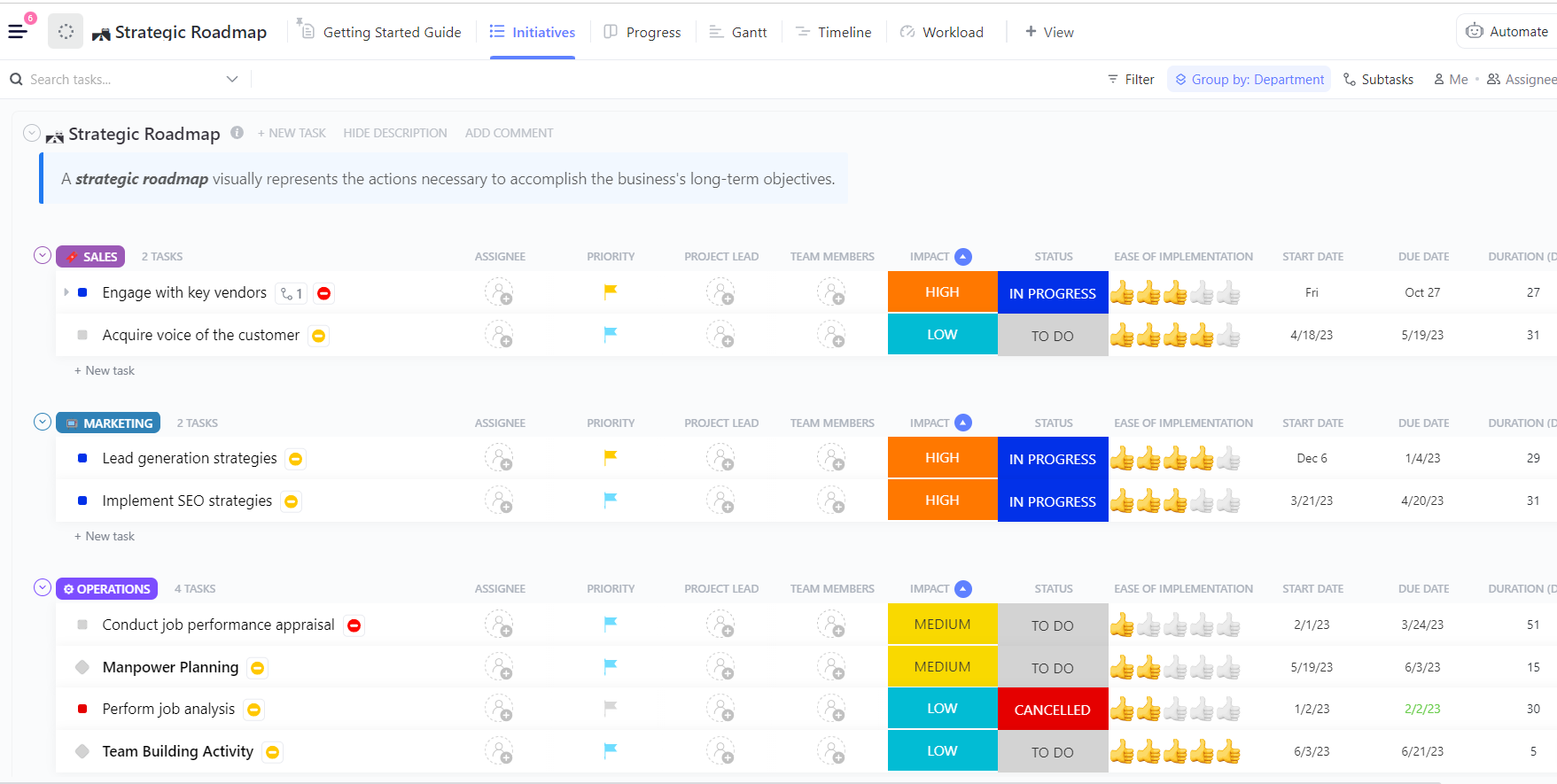
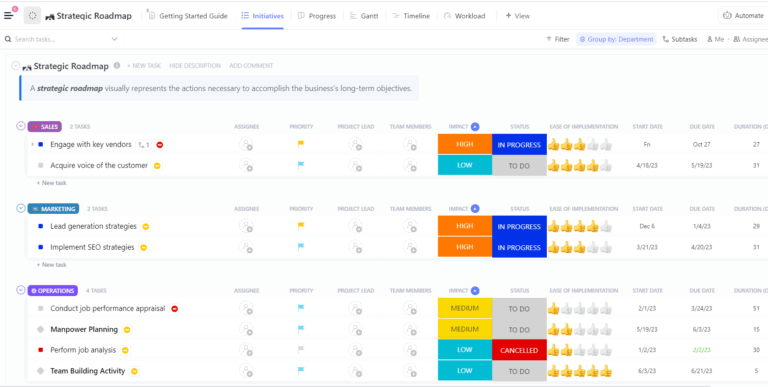
The ClickUp Photographers Strategic Plan Template gives you one hub for your studio’s goals, campaigns, and shoot calendar. That makes it easier to build a realistic photography shot list template for every campaign, because timelines and deliverables already live in the same workspace.
You can customize tasks and Custom Fields to include scene number, shot number, shot type, camera angles, shot size, shoot time, and any special equipment. Views like List, Gantt, Timeline, Workload, and Goals show how shot sequences stack across locations and crew.
✨ Ideal for: Studios that want to plan business goals and detailed shot lists in the same ClickUp workspace.
💡 Pro Tip: Turn your scattered ideas into a clean shot list with ClickUp Brain.
Drop your rough notes, client emails, or moodboard comments into a ClickUp Docs or ClickUp Tasks, then ask ClickUp Brain to “turn this into a structured photography shot list with scene number, shot number, shot type, and location fields.”
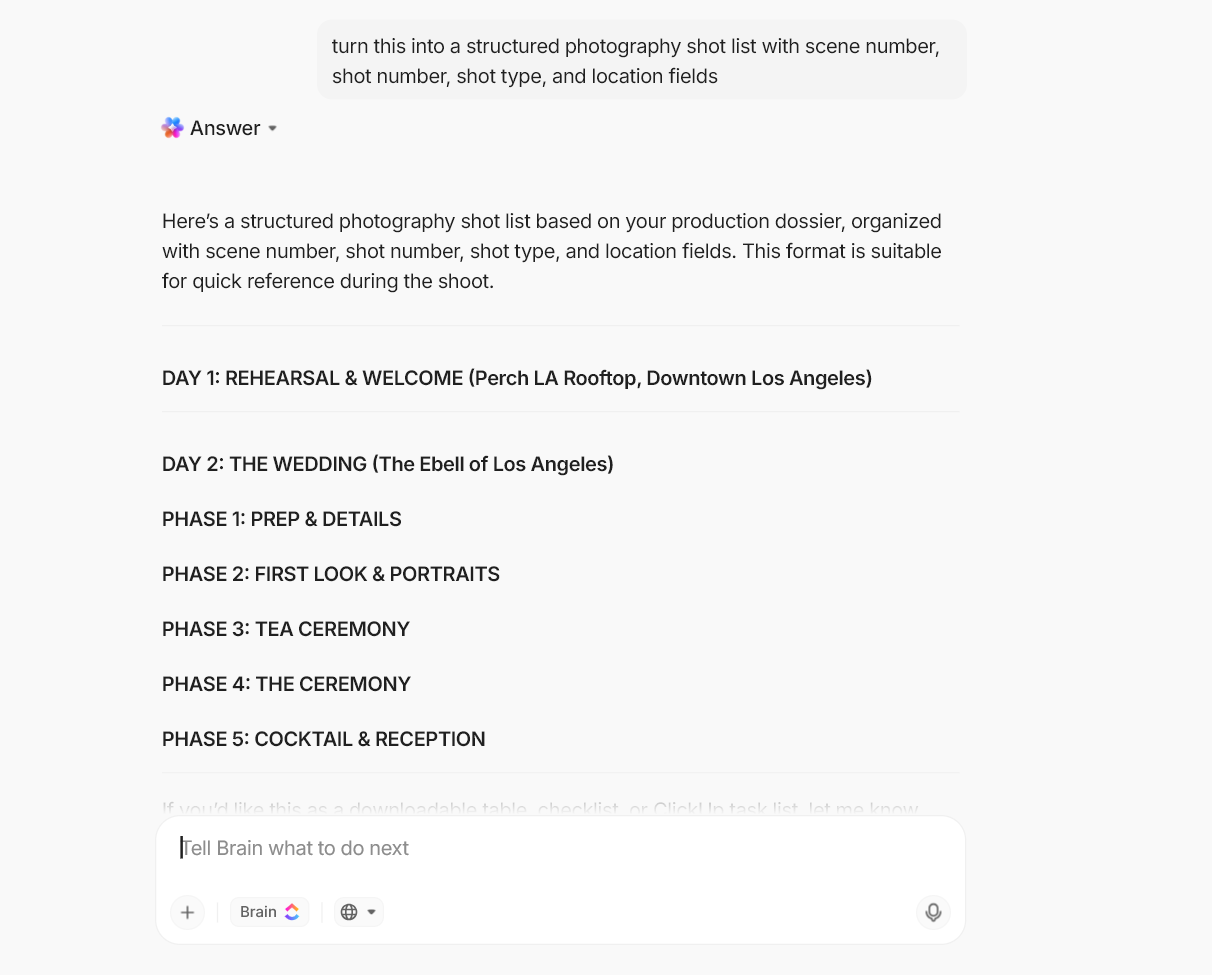
ClickUp Brain can also summarize long threads and suggest next steps so you always end up with a usable list that’s easy to follow. Because it works across your tasks, Docs, and Whiteboards, you can keep refining the same shot list as feedback comes in instead of starting over.
🔎 Did You Know? Golden hour isn’t just a romantic term. It is literally about how far light travels. When the sun is low, light travels through a greater portion of the atmosphere, which diffuses it and warms the colors, creating softer shadows and gentle highlights that are ideal for portrait and landscape photography. That’s why many photographers plan their shot lists specifically around early morning and late afternoon slots.
The ClickUp Creative Brief Whiteboard Template helps you collect your goals and references before your photography begins. Drop in mood images, color references, typography, and example frames so everyone agrees on the look before you create a photography shot list template.
Once the concept is locked, you can convert sticky notes or shapes into tasks and add fields for scene number, shot number, shot type, shot size, camera movement, and camera angles.
✨ Ideal for: Creative directors, brand teams, photographers, and producers who want a shared brief that flows cleanly.
📖 Also Read: How to Prioritize Your Work
Shoots fall apart when the basics slip: batteries aren’t charged, or no one remembers who is handling backup drives. A simple checklist can prevent that, but only if it lives where your team already works. The ClickUp Project Checklist Template turns your shoot prep into a simple checklist you can refer to.
Instead of scattered to-dos in notes and email, you get ordered tasks for pre-production, shoot day, and post-production with clear owners and dates. List, Gantt, Calendar, and Workload views help you see when multiple crews, locations, or deliverables overlap, allowing you to rearrange them before shoot day.
✨ Ideal for: Photographers and producers who want a step-by-step checklist that doubles as a trackable shot list.
🎥 Struggling to get all your tasks done? Check out this quick video explainer from ClickUp:
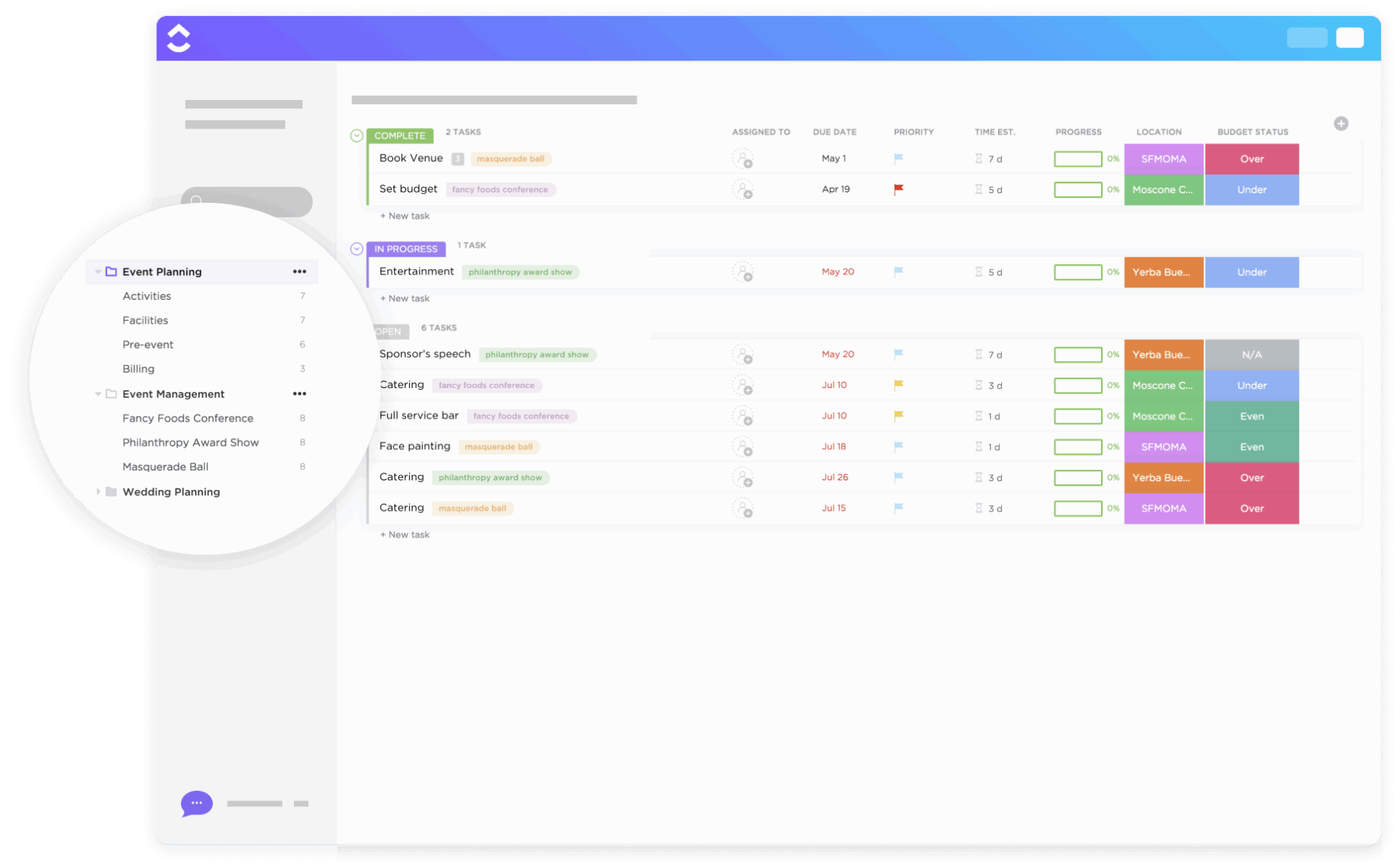
Live events move quickly and rarely follow your ideal script, which makes it easy to miss key moments if logistics and shot lists are in different places. The ClickUp Event Planning Template ties vendors, timelines, and locations to the photography work, so your shot list is located within the same plan that runs the event.
You can create tasks for each segment of the event and add Custom Fields or subtasks for individual shot sequences, including scene number, shot number, shot type, and camera positions. Plus, List, Board, Calendar, and Timeline views help you see when crew members move between spaces and how much setup time sits between major cues.
✨ Ideal for: Event planners, photo leads, and brand teams who want logistics and shot lists running from a common source.
📮ClickUp Insight: Knowledge workers send an average of 25 messages daily, searching for information and context. This indicates a fair amount of time wasted scrolling, searching, and deciphering fragmented conversations across emails and chats. 😱
If only you had a smart platform that connects tasks, projects, chat, and emails (plus AI!) in one place. But you do with ClickUp!
Most shoots start as a stream of ideas: locations you like and client must-haves you scribble in different files. The ClickUp List Template helps you turn those ideas into a clear photography shot list template where every individual shot becomes a trackable task.
You can switch between List, Board, Gantt, and Calendar views to see the same information as a schedule, a Kanban board, or a simple checklist. You can then add comments for on-set notes and mark tasks complete as you capture each frame, leaving a tidy shot log you can reference in post-production.
✨ Ideal for: Photographers, studio coordinators, and creative teams who want a straightforward shot list template they can customize for any project.
💡 Pro Tip: Use ClickUp Brain MAX to capture shots with your voice. On set, you rarely have time to type every detail while the scene is changing.
With ClickUp Brain MAX’s Talk To Text, you can tap the microphone in your ClickUp desktop app, describe the shot out loud (“Scene 4, shot 7, close-up of product on black background, 85mm, f/2, hero angle”), and let ClickUp Brain MAX convert that into tasks or checklist items with the right fields.
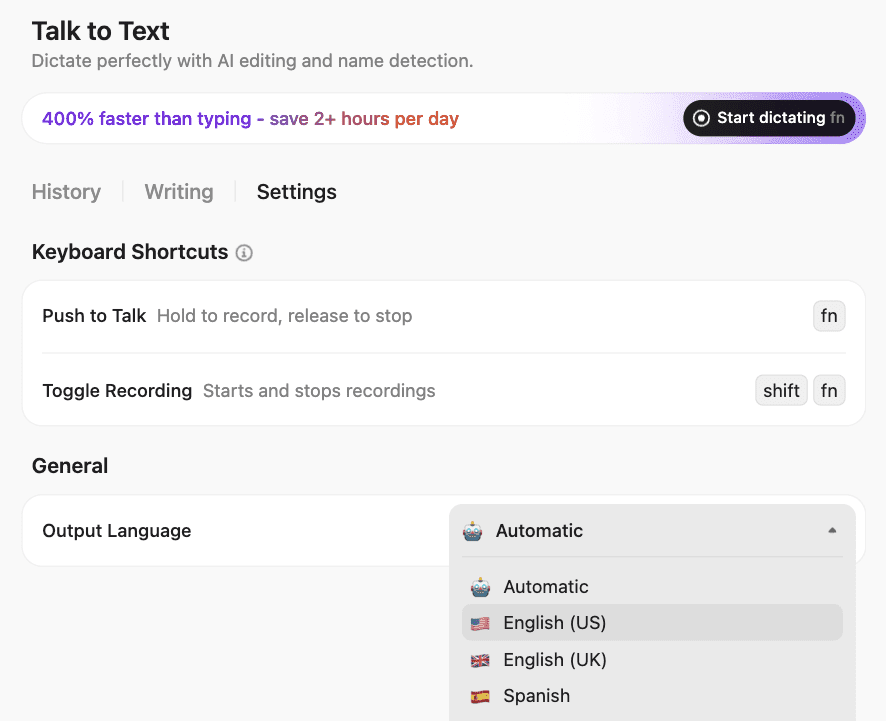
Its high-accuracy speech recognition is designed to handle natural speech and filler words, so you spend less time on manual and repetitive tasks.
🔎 Did You Know? The first surviving photograph took hours to expose. Joseph Nicéphore Niépce’s View from the Window at Le Gras (c. 1826–1827) is widely considered the oldest surviving photograph, made by exposing a bitumen-coated plate for many hours in a camera obscura at his estate in France.
If you plan your shoots one at a time, it is easy to overbook yourself without noticing how editing and new inquiries stack up on the calendar. The ClickUp Calendar Planner Template lets you see shoots and related shot lists laid out over weeks and months, so you can commit to schedules you can actually keep.
You can create tasks for each shoot and attach the detailed shot list, then use fields for shoot time, call time, and setup time to plan realistic blocks. Summary, Timeline, and Monthly Planner views make it easy to spot overbooked days, long gaps, or back-to-back sessions that need a buffer.
✨ Ideal for: Producers, photo leads, and studio managers who want their schedules and shot lists to stay in sync.
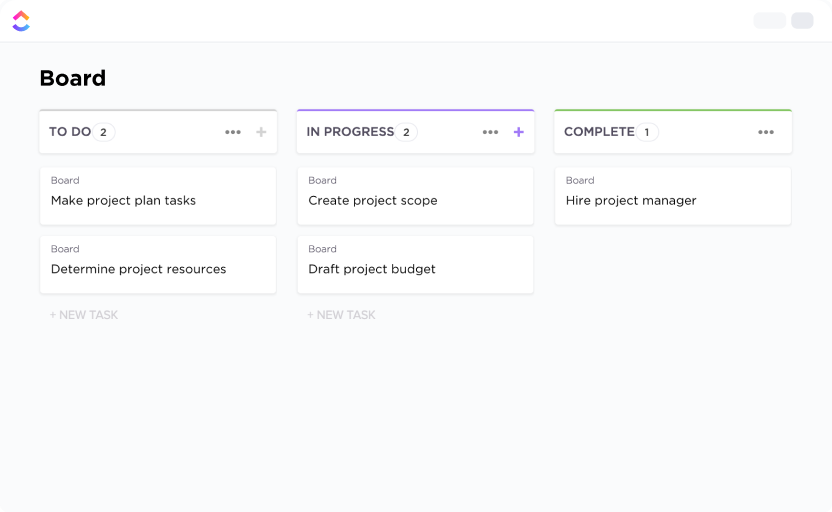
The ClickUp Kanban Template helps you track a shoot as cards moving through stages like pre-production, on set, editing, and delivery.
Each card can represent a scene, location, or deliverable with its own mini shot list inside the task description or checklist. This gives you a visual way to manage your shot list template, especially when you run several projects at once.
You can add Custom Fields for scene number, shot range, location, and crew, then drag cards across columns as specific shots are captured and approved.
✨ Ideal for: Visual planners who prefer a board view for managing shoots and related shot lists.
🎥 AI isn’t just for techies—it’s your new personal assistant. In this video, I’ll show you exactly how I use AI to take care of repetitive tasks, brainstorm new ideas, and keep projects on track. You’ll see real-world examples of using AI for scheduling, research, project management, and content repurposing.
By the end, you’ll know:
✅ 5 tasks you can hand over to AI immediately
✅ The best AI personal assistant tools for busy professionals
✅ How to set up a simple workflow so AI works in the background
📖 Also Read: Free Moodboard Templates
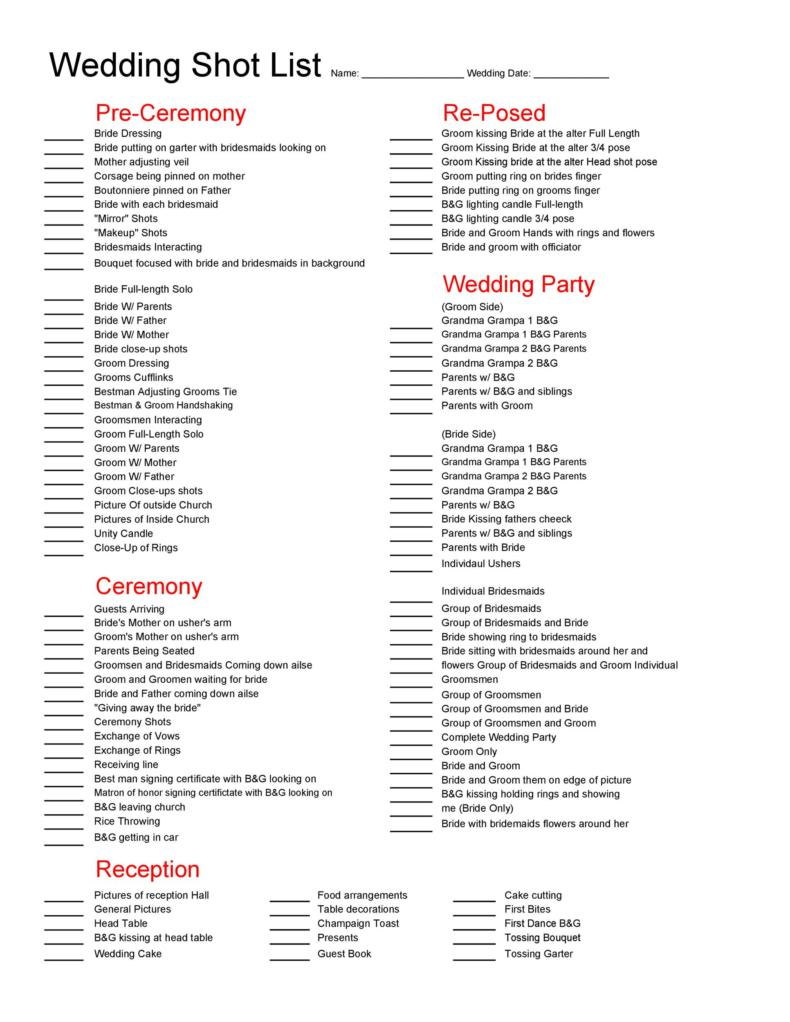
Wedding days are full of emotion and tiny, magical moments. But the pace leaves very little room to think about what you might be forgetting.
The Word Wedding Shot List Template by TemplateLAB gives you a printable, structured layout so you can walk through the day with a clear list of every shot you promised to capture. Because it lives in Word, it is easy to customize the columns, add family names, and print copies for each shooter.
✨ Ideal for: Wedding photographers and coordinators who want a classic printable shot list template that works even when Wi-Fi is unreliable.
📖 Also Read: Best Notetaking Apps
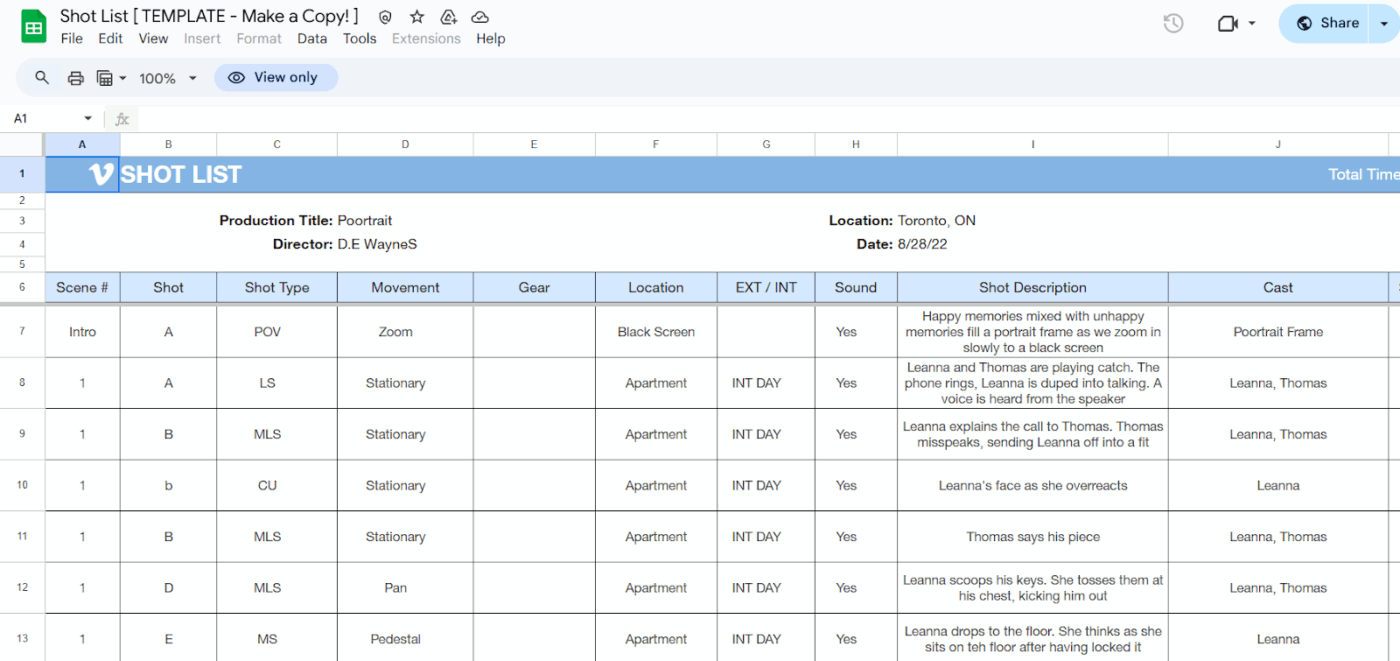
Remember the hallway fight in Oldboy that unfolds in a single breath, with no cuts to hide behind? The Spreadsheet and Word Shot List Template from Vimeo gives you that kind of structure for planning your film or photo shoots in more detail.
The spreadsheet version includes columns for elements such as scene number, shot number, description, location, shot type, and more, so each row represents a complete individual shot. If you prefer paper on set, you can export or print the same layout as a simple Word or PDF checklist.
✨ Ideal for: Filmmakers, commercial teams, and photographers who need a flexible shot list template that works on both laptops and paper.
📖 Also Read: Best AI tools for Productivity and Personal Use
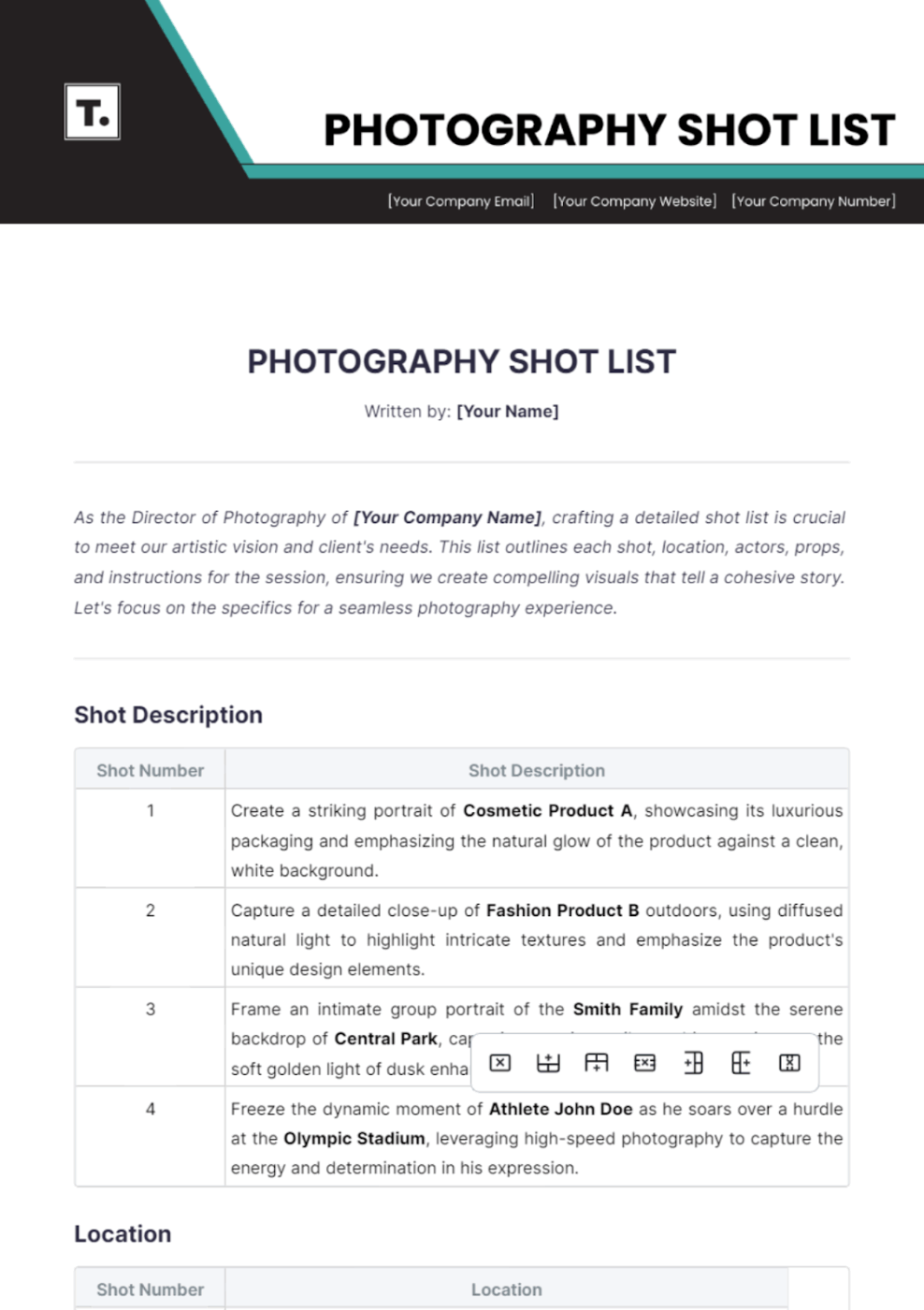
If you have ever rebuilt the same shot list from scratch for similar clients, you know how much time that repetition can burn. The Photography Shot List Template by Template.net starts you with an editable structure so you can plug in your scenes and notes without reinventing the layout every time.
You can adjust headings, add rows, and rename fields so the layout matches your style of work, no matter the kind of shoot. Because it is customizable, you can add columns for scene number, shot number, shot size, shot type, location, subject, and any additional notes you need.
✨ Ideal for: Photographers and studios who want a customizable, client-ready shot list document without designing one themselves.
📖 Also Read: Event Management Software Features You Need
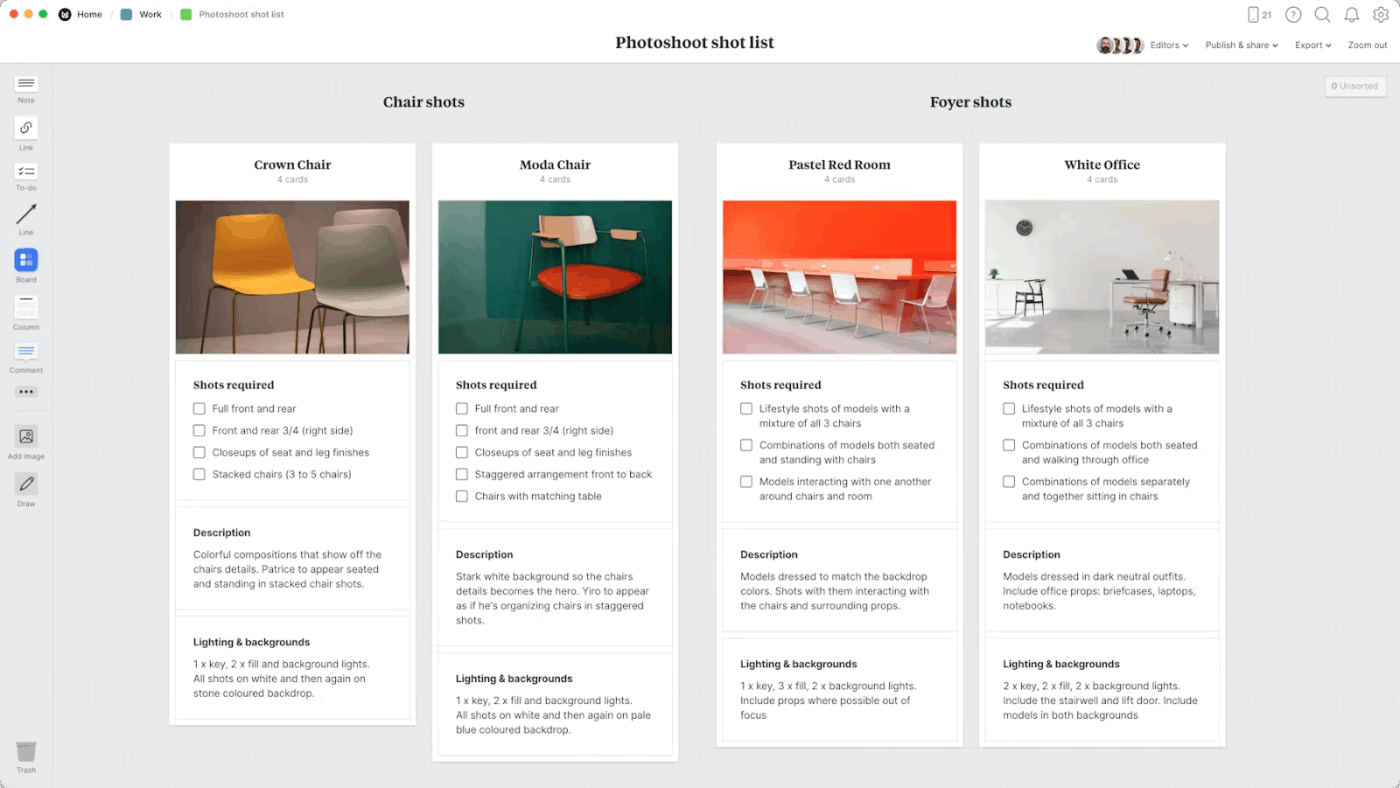
The Photoshoot Shot List Template by Milanote gives you a visual board where references and tasks live side by side. You can drag images, sketches, and color swatches onto the board, then add text cards for locations and specific shots.
It feels like planning on a studio wall, but everything is digital and easy to share with your team or client. You can use columns or groups on the board to organize the photography shot list template by location, outfit, or time of day, and add checkboxes so each individual shot can be ticked as you capture it.
Comments and sharing links make it simple for crew members to add details like lighting cues or backup ideas.
✨ Ideal for: Visual planners who want a collaborative board-style shot list that doubles as a moodboard and checklist.
📖 Also Read: Best Photo Editing Software
If you’ve read this far, you already know the quiet power of a successful plan that contains shot list examples, a final shot list, a detailed pre-production process, and your camera setup details.
When you have all the details with you, you can set up your particular shots, no matter the complexity.
Here’s why ClickUp wins. 💯
Everything lives in one place, so your shot list template sits right beside the calendar, whiteboards, briefs, and tasks.
You can map a storyboard, drop in reference images, assign owners, and track a shot log.If this sounds like the kind of calm you want on your next project, sign up for ClickUp now!

© 2026 ClickUp

There’s an easier way. Try a free AI Agent in ClickUp that actually does the work for you—set up in minutes, save hours every week.