








Still downloading templates?
There’s an easier way. Try a free AI Agent in ClickUp that actually does the work for you—set up in minutes, save hours every week.
Sorry, there were no results found for “”
Sorry, there were no results found for “”
Sorry, there were no results found for “”

Keeping track of what you learn, create, and discover might feel like juggling too many balls simultaneously. Ideas get lost, notes pile up, and valuable insights slip through the cracks.
If you also find yourself lost in a sea of sticky notes, folders, and tabs, struggling to find the information you need, you aren’t alone.
That’s where personal knowledge management software, or PKMS, comes in. These tools help you organize, connect, and retrieve your knowledge effortlessly, turning chaos into a structured system tailored to your unique workflow. ✅
This post explores how personal knowledge management software transforms how you think, learn, and work. Let’s start!
Here are the best personal knowledge management software tools available today:
1. ClickUp (Best for AI-powered knowledge base)
2. Obsidian (Best for creating an interlinked knowledge base)
3. Roam Research (Best for creating a structured knowledge base)
4. Notion (Best for building a media-rich knowledge base)
5. Document360 (Best for building customizable knowledge bases)
6. Evernote (Best for creating an audio-friendly knowledge base)
7. TiddlyWiki (Best for creating a non-linear knowledge base)
8. Tettra (Best for managing company-wide knowledge)
9. Guru (Best for creating a centralized all-in-one knowledge base)
10. Bloomfire (Best for scalable knowledge management)
11. Bear (Best for taking and organizing notes)
12. Logseq (Best for individual knowledge management)
13. Mem.ai (Best for AI-powered knowledge management)
A personal knowledge management (PKM) system is your go-to tool for managing and organizing information. Think of it as your digital personal assistant or a personal research assistant—collecting, categorizing, and storing knowledge from research papers, books, projects, webinars, and more.
These tools go beyond simple storage by enabling you to retrieve and use this information effectively, whether for learning, decision-making, or project execution.
Ultimately, a PKM system makes essential knowledge accessible and within reach, improving one’s capability to learn more efficiently and enhancing overall productivity. 🎯
There’s no one-size-fits-all when it comes to PKM systems.
Different tools cater to various knowledge management needs, and choosing the right one depends on how you process and use information.
Let’s explore the multiple categories of product knowledge management tools:
Using a personal knowledge management system is very beneficial. It has helped me effectively filter out the noise from key information, stay organized, and keep track of the knowledge I have gained in the past few months.
Here’s how it helps:
After analyzing the many personal knowledge management tools available in the market, my team and I have compiled a list of elements you should look for in PKM software.
Let’s review this list one element at a time.
🧠 Fun Fact: The term ‘personal knowledge management’ was first introduced in a working paper in 1999 by Jason Frand and Carol Hixon.
Here is my shortlist of 13 best personal knowledge management software, with their best features, limitations, pricing, and ratings, for your consideration.

ClickUp is more than just a task management or productivity platform; it’s an indispensable tool for building and managing a personal knowledge base tailored to your needs.
Whether organizing work projects, brainstorming ideas, or storing research, ClickUp provides the flexibility and tools you need to manage information effectively.
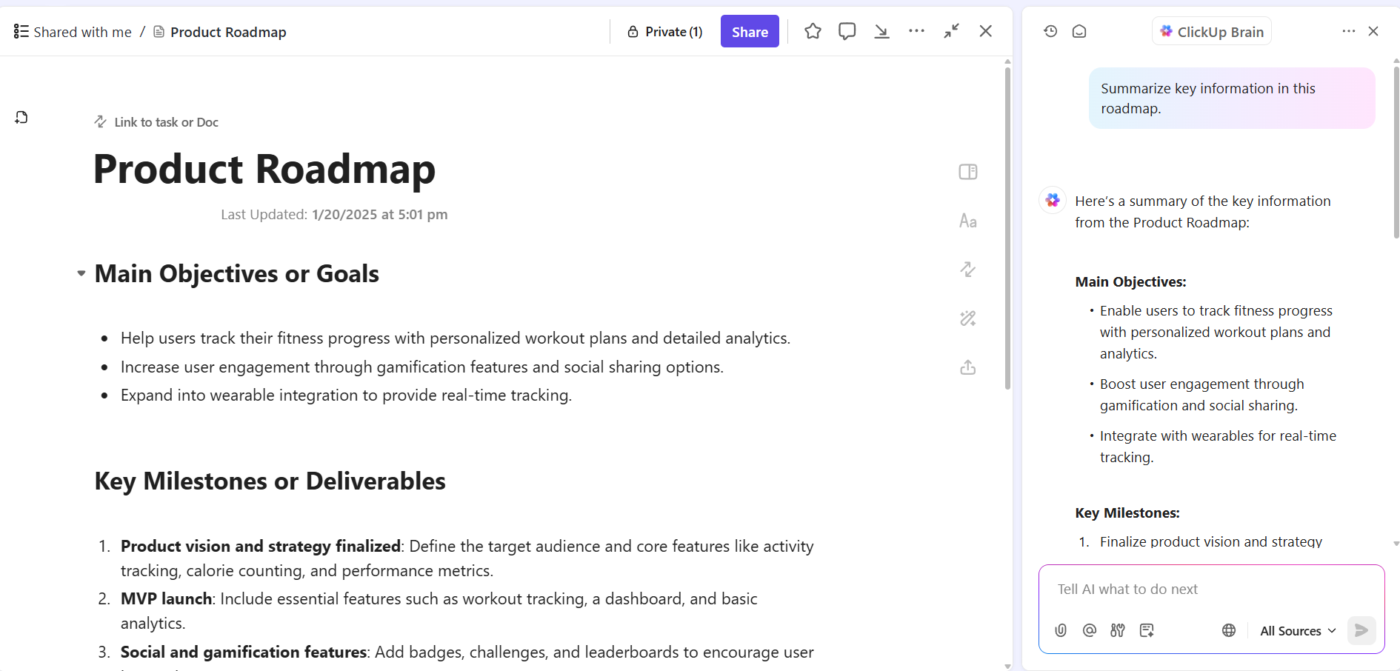
At the heart of this functionality is ClickUp Docs, which, combined with the built-in AI capabilities of ClickUp Brain, transforms how you capture, connect, and utilize knowledge.

ClickUp Docs allows you to create and structure your knowledge base in a way that aligns with your workflow through real-time editing and document collaboration.
With unlimited hierarchy and folder options, I could organize everything from project documentation and study notes to personal insights and reference materials. Tagging, linking, and customizable formatting made it easy for me to build a scalable and networked knowledge base.
Integrating ClickUp Brain with Docs takes your personal knowledge management to the next level. With AI-powered features, you can summarize lengthy texts, generate content ideas, and even analyze trends in your data to develop better knowledge management strategies.
For example, when I was creating a ClickUp Doc to track insights from a company research report, Brain highlighted key points or suggested related content to add. This ensured that the knowledge base stays comprehensive and accessible.
If you want an easier way to get started, the ClickUp Knowledge Base Template should help you.
This customizable and beginner-friendly knowledge base template provides a framework for creating and organizing a digital library of information. It also makes it easy to store and share knowledge within your company.
Here’s what you’ll love about this template:
💡 Pro Tip: Finding the right information across scattered tools and apps is a hassle. ClickUp does away with this problem of fragmented workflows with its Connected AI innovation. Pulling insights from your workspace and third-party platforms into one place, get AI-powered answers to streamline workflows and keep your knowledge centralized.

Obsidian is a powerful, markdown-based personal knowledge management (PKM) tool designed to help students effectively organize and connect their ideas. The app lets you jot down notes and graphically visualize the relationships between them.
Whether building a personal wiki, creating mind maps, or developing a second brain, Obsidian offers unparalleled flexibility and control, making it a standout choice for students seeking to better their productivity and learning.
Apart from building a personal knowledge base and wiki, I also like how Obsidian doubles as knowledge-sharing software, letting you publish personal wikis securely on the web.
📮 ClickUp Insight: While 34% of users operate with complete confidence in AI systems, a slightly larger group (38%) maintains a “trust but verify” approach. A standalone tool that is unfamiliar with your work context often carries a higher risk of generating inaccurate or unsatisfactory responses.
This is why we built ClickUp Brain, the AI that connects your project management, knowledge management, and collaboration across your workspace and integrated third-party tools.
Get contextual responses without the toggle tax and experience a 2–3x increase in work efficiency, just like our clients at Seequent.

Another great note-taking PKM tool is Roam Research. Popular among researchers, writers, and lifelong learners, this tool is designed for non-linear thinking and idea organization. Roam helps students create a ‘networked thought’ system, connecting concepts and notes to mirror how the brain naturally works.
Bidirectional linking on Roam enables you to create a web of interconnected notes and quickly identify relationships between disparate pieces of information.

Notion is an all-in-one personal knowledge management tool for teams and organizations. It helps you collectively build a simple and useful knowledge base with your team.
In addition to text, it allows you to add or drag and drop images, videos, audio files, and even link pages in your knowledge base.
From managing client data and brainstorming ideas to tracking project milestones, Notion AI makes finding relevant information from your base easy. I also love how the AI writing tool provides note-editing and summarizing capabilities to enhance your knowledge base.

Another all-in-one workspace software for building customizable knowledge bases is Document360.
This software helps you personalize your knowledge base with branded colors. It helps create dynamic, searchable, and multilingual user manuals, SOPs, how-to guides, and other documents.
Ideal for professionals seeking to streamline documentation processes, Document360 offers a user-friendly interface that caters to technical and non-technical users. Plus, it offers AI functionalities to simplify tackling all documentation needs.

Evernote is a comprehensive personal knowledge management (PKM) and note-taking tool designed to help professionals capture, organize, and access information seamlessly across devices.
As the name suggests, it lets you jot down random thoughts and store important files and documents to develop a knowledge base. What I like about Evernote is its functionality to record audio notes for personal and professional purposes.

TiddlyWiki is a unique, open-source personal knowledge management (PKM) tool that allows professionals to capture, organize, and share information within a non-linear framework.
It helps you plan and manage to-do lists, essays, novels, projects, etc.
Functioning as a self-contained HTML file, it operates efficiently across various platforms without complex installations.

Tettra is a good software for building a centralized knowledge base and managing overall company knowledge. With Tettra’s simple editor, you can create new documentation or export existing content from tools like Google Docs, Notion, etc.
Suitable for growing organizations, Tettra offers features such as AI-driven content suggestions and verification workflows to maintain accuracy and public knowledge-sharing capabilities.

Guru is an AI-powered knowledge management platform that converts your company’s collective knowledge into a single, centralized, and up-to-date Wiki for your employees.
The AI search feature provides instant, personalized responses to your employees’ questions, enabling them to get back to their assigned tasks with clarity.
Guru empowers teams to maintain a single source of truth, ensuring that information is accurate, up-to-date, and easily retrievable—qualities that are integral to improving operations and making informed decisions.

Bloomfire is a scalable AI-driven knowledge management platform for small to multinational enterprises of all sizes. Designed to centralize and democratize information within organizations, the platform helps professionals efficiently gain, organize, and share knowledge.
How? Through building secure and searchable repositories.
It provides content authoring and moderation tools to ensure only the most relevant and accurate content is published, enabling your teams to make reliable data-driven decisions.

Bear is a Markdown note-taking app with a polished, minimal interface that lets you plan and organize your week, projects, and even Wikis.
Add text, photos, tables, and other elements to your notes, and then export them in formats such as PDF, DOCX, HTML, and more. Moreover, sharing your notes with others, including family, friends, or work colleagues, is easy.

Logseq is a privacy-first, open-source platform for personal knowledge management. Built around an outliner-based structure, it allows users to organize thoughts, notes, and ideas in a clean, hierarchical format.
With its ability to create a networked knowledge base using bidirectional links and tags, Logseq mirrors how the brain processes information, making it ideal for managing complex projects, writing, and learning.

Mem.ai is an AI-powered personal knowledge management tool for researchers, managers, content creators, and entrepreneurs. Think of this AI tool as your personal assistant—it organizes your notes, summarizes insights, drafts tailored content, and digs up answers to your questions.
In addition, the platform integrates with various productivity tools, allowing users to consolidate information from different sources into a unified workspace.
➡️ Read More: Best AI Tools for Knowledge Management
Modern PKM tools offer various features tailored to diverse needs, from note-taking and task management to advanced AI-driven insights. As a result, you stay organized and focused in today’s world of information overload.
As the everything app, for work, ClickUp offers an end-to-end personal and professional knowledge management solution. ✅
Whether managing complex projects, brainstorming ideas, or organizing your personal knowledge system, ClickUp offers unparalleled flexibility and productivity-enhancing features—all in one platform.
Packed with various functionalities, from ClickUp Docs and Brain to templates and integrations, the platform optimizes the entire knowledge management process effortlessly.
Ready to take charge of your knowledge and maximize your potential? Sign up for ClickUp today and start building your perfect PKMS system!

© 2026 ClickUp

There’s an easier way. Try a free AI Agent in ClickUp that actually does the work for you—set up in minutes, save hours every week.