







Still downloading templates?
There’s an easier way. Try a free AI Agent in ClickUp that actually does the work for you—set up in minutes, save hours every week.
Sorry, there were no results found for “”
Sorry, there were no results found for “”
Sorry, there were no results found for “”
Your team is making decisions. Lots of them. But most never leave the meeting room. That’s a problem.
Decision intelligence and decision-logging practices are now a real, funded area of technology. 75% of global enterprises are expected to implement decision-intelligence practices already.
Why are teams keen on fixing this?
⚠️ ClickUp research found that one in five professionals spends 3+ hours daily just looking for files, messages, or additional context on their tasks.
Every time teams face Work Sprawl—when notes live in chat, slides, and five different apps—productive work bleeds away. We need 25 minutes to regain focus after each app switch!
That’s why this article walks you through seven ready-to-use mental models ProGraph templates—from concept maps to priority matrices. Use them to team’s decision logic visible, linkable to work, and easier to audit and iterate.
A mental model is a simplified cognitive framework your brain uses to understand reality, predict outcomes, and guide decisions. It’s the personal rulebook you use to make sense of complex situations.
📌 For example, a product manager ranking features in ClickUp may prioritize them by revenue impact, while another focuses on customer-request volume. Both are valid mental models.
The problem is, when these cognitive representations stay locked in individual heads, team collaboration breaks down. One person’s “obvious” priority becomes another’s mystery, leading to endless debates and meetings just to get aligned.
Templates solve this by externalizing these frameworks, turning invisible thought patterns into a shared, visible playbook so your team can finally stop guessing each other’s logic and start working together.
| Template name | Download template | Ideal for | Best features | Visual format |
| ClickUp Concept Map Template | Get free template | Teams mapping complex systems (product architecture, funnels, dependencies) and aligning on shared understanding | Pre-built node structure; labeled relationships (causes/enables/requires); link concepts to tasks | ClickUp Whiteboard |
| ClickUp Brainstorming Template | Get free template | Structured ideation sessions that need a clear path from ideas to priorities and execution | Dedicated idea zones (wild/practical/parking lot); prioritization + voting fields; convert ideas into tasks | ClickUp Whiteboard |
| ClickUp Design Ideation Template | Get free template | Product and design teams running design-thinking workflows (from ideate to prototype and test) | Design-thinking phases built in; track ideas with statuses/fields; supports async collaboration | ClickUp Whiteboard |
| ClickUp Priority Matrix Template | Get free template | Teams prioritizing initiatives objectively (urgent vs important, impact vs effort, etc.) | Pre-made 2×2 matrices (incl. Eisenhower); drag-and-drop between quadrants; custom scoring via fields | ClickUp Whiteboard |
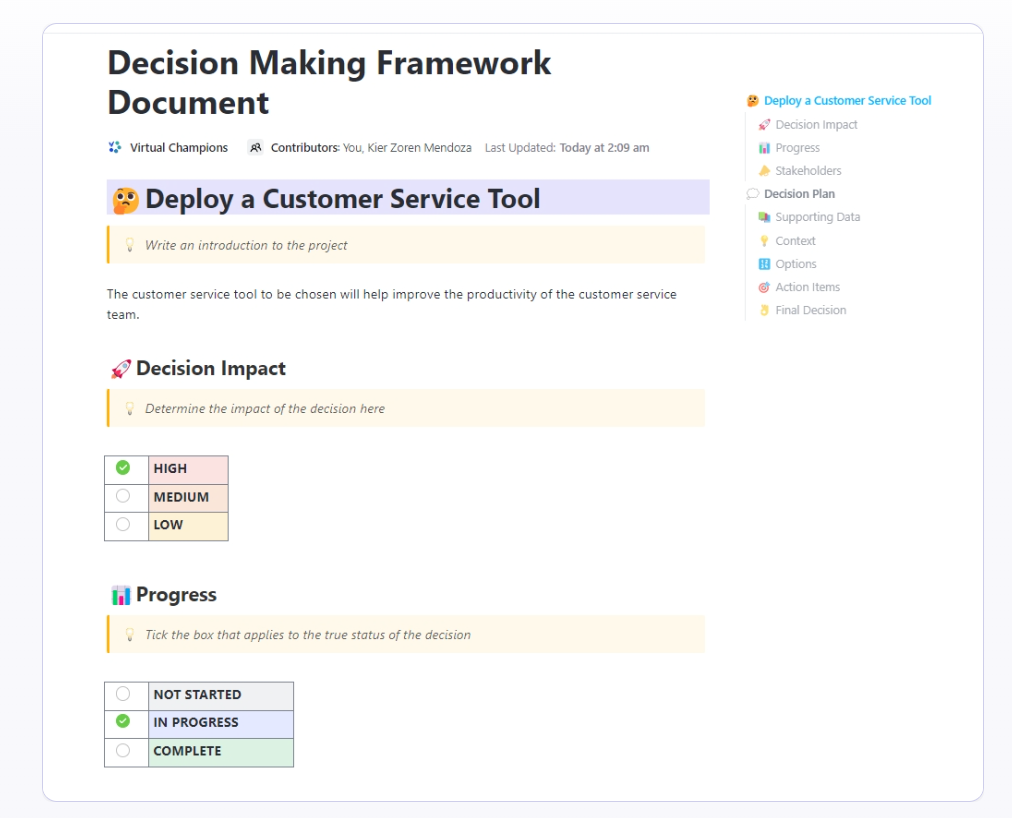
| ClickUp Decision Making Framework Document Template | Get free template | High-stakes decisions that need a documented rationale and audit trail (cross-functional, leadership review) | Defined criteria + tradeoffs; side-by-side evaluation tables; risk/assumptions; version history | ClickUp Doc |
| Mind Maps Template by Slidesgo | Download this template | Presentation-first teams that need to share mental models with execs/clients in slides | Polished slide layouts; quick edits in Slides/PPT; export-friendly visuals | Google Slides / PowerPoint |
| Mental Models PowerPoint Template by SlideBazaar | Download this template | Training, onboarding, and leadership comms that require “explainable” mental-model visuals | Ready-made mental model frameworks; infographic-style visuals; reusable teaching deck | Google Slides / PowerPoint |
Even when your team tries to get on the same page, the “why” behind decisions often gets lost in translation or forgotten a week after a meeting. This leads to inconsistent choices, slow onboarding for new hires, and a constant feeling of reinventing the wheel.
Visualizing how your team thinks with templates creates tangible advantages. They show up in faster decisions and smoother handoffs.
Here’s what using mental model templates actually delivers:
💡 Pro Tip: You can build, share, and iterate on these mental models in real time without tool-switching by using ClickUp Whiteboards and ClickUp Docs.
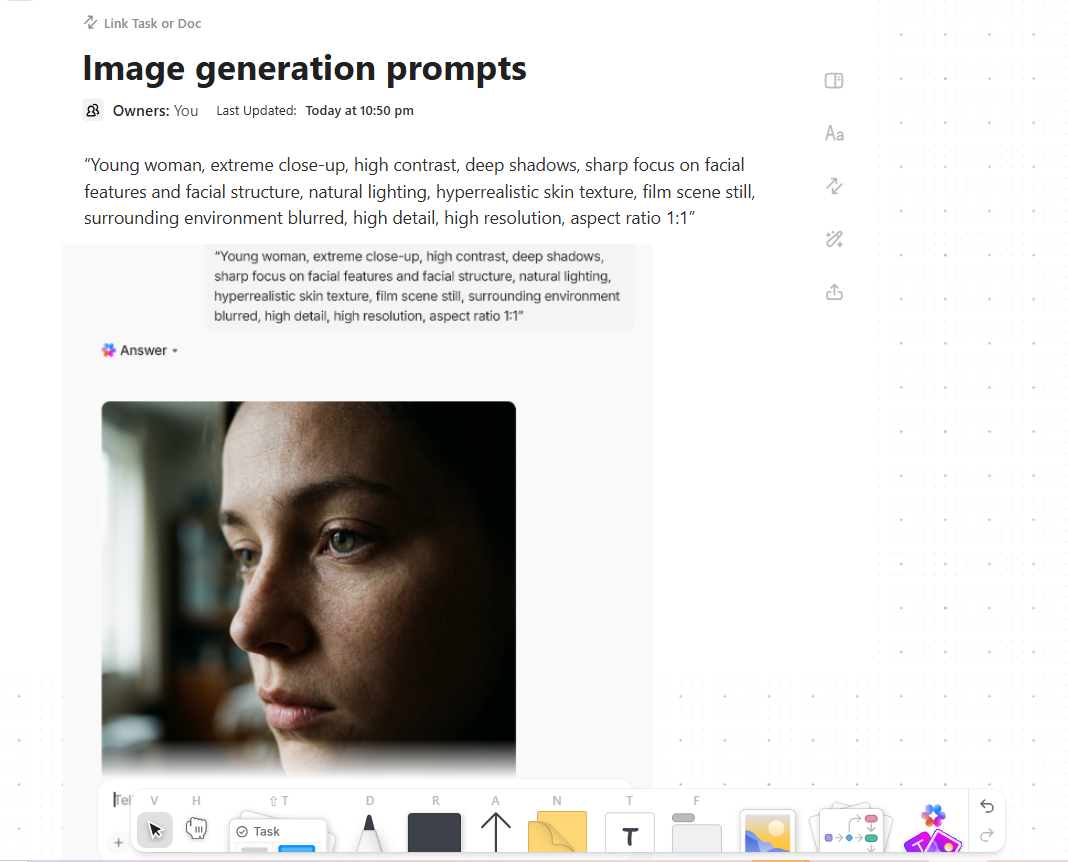
📮ClickUp Insight: 92% of knowledge workers risk losing important decisions scattered across chat, email, and spreadsheets. Without a unified system for capturing and tracking decisions, critical business insights get lost in the digital noise. With ClickUp’s Task Management capabilities, you never have to worry about this. Create tasks from chat, task comments, docs, and emails with a single click!
These templates give you a starting point to capture thinking, map relationships, and structure decisions. The first five templates live in ClickUp and connect directly to your work. The final two are external options for teams who need to create presentation-based workflows.
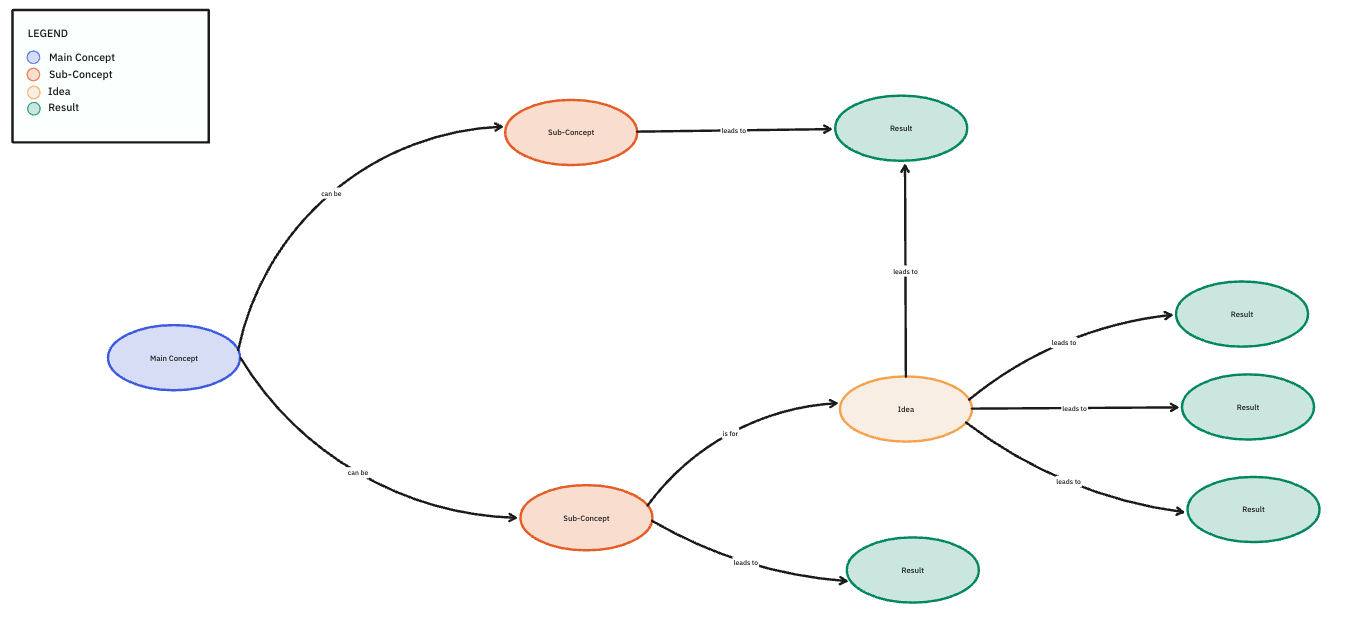
Imagine you’ve got a complex system—like a new software architecture or a multi-channel marketing funnel—with tons of interconnected parts. Trying to explain it in a linear document or a meeting is nearly impossible. People get lost in the details, and critical dependencies are missed. This is where a concept map shines.
The ClickUp Concept Map Template is a ready-to-use starting point built on ClickUp Whiteboards, so you can pull big ideas apart and put them back together without ever starting from a blank canvas. It’s designed to make concept mapping accessible, even if you and your team haven’t used visual ProGraph tools before.
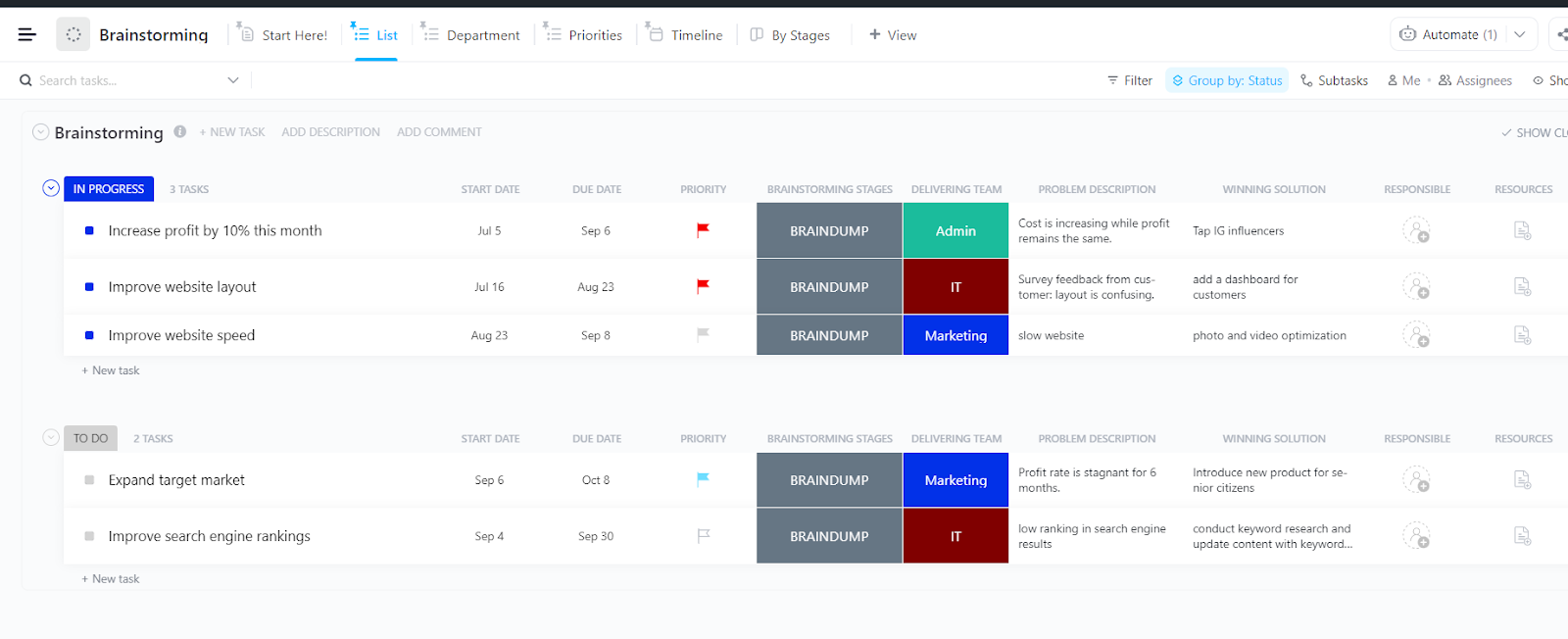
Brainstorming sessions without structure can feel chaotic. Good ideas get buried, the loudest voices tend to dominate, and there’s no clear path from a flood of sticky notes to a set of actual priorities.
The ClickUp Brainstorming Template helps you run structured, divergent thinking sessions so your team can generate a high volume of ideas before filtering them down. It provides the structure needed to capture and organize ideas, serving as the perfect starting point for creating a new mental model.
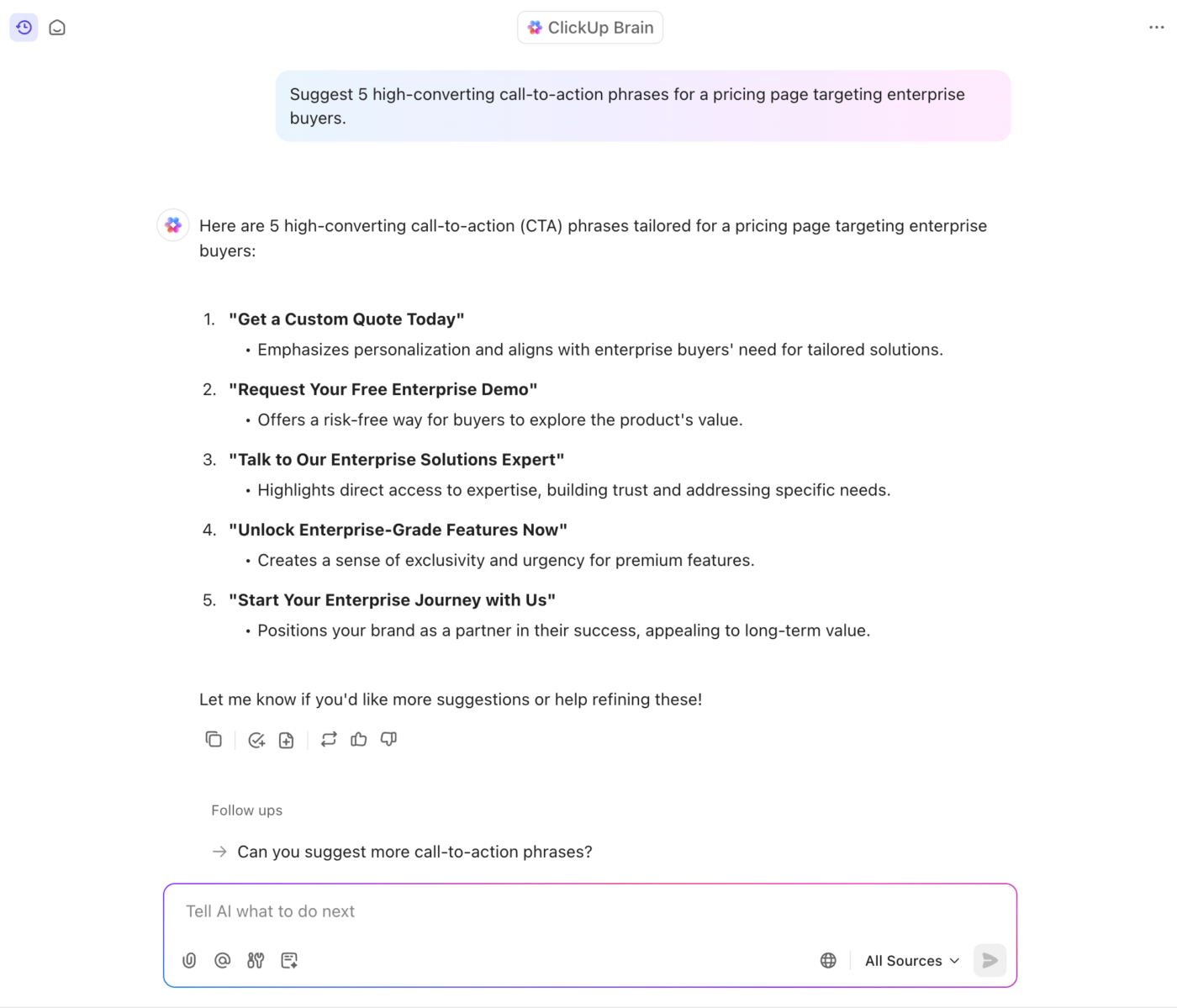
💡 Pro Tip: Use ClickUp Brain to kickstart and converge faster while brainstorming.
Before the session, ask this native AI in ClickUp to generate initial prompts, edge-case ideas, or alternative angles so the team isn’t starting cold.
Afterward, use it to summarize themes, cluster similar ideas, or draft a short rationale for why certain concepts should move forward. Because it has context of your entire workspace—tasks, docs, whiteboards, comments—it can fetch insights faster and save time during prioritization and assigning next steps.
Can you consistently turn ideas into solutions? Many teams struggle not because ideas are lacking, but because there’s no structured way to capture, compare, and refine them.
It’s even more complex when you work in a remote or hybrid setup.
Design thinking itself (empathize→define→ideate→prototype→test) is a human-centered approach used widely in industry to drive innovation and reduce risk in product development.
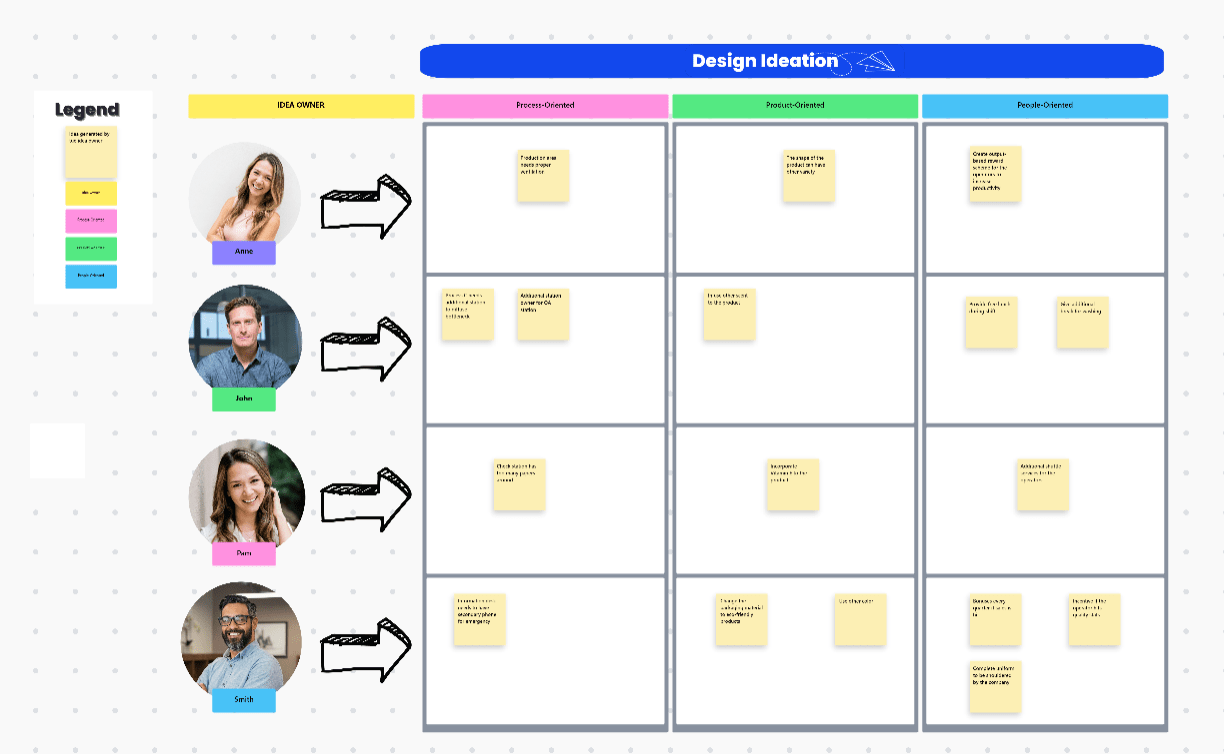
And the ClickUp Design Ideation Template gives you that structure right inside ClickUp. It acts as a collaborative canvas for design and product teams to generate ideas, evaluate them, and connect concept work to real execution.
🧠 Fun Fact: The idea of “mental models” in psychology has roots in early cognitive science research on reasoning.
Psychologist Philip Johnson-Laird’s work established that people build internal mental models to interpret information and reason about possibilities, based on how people draw conclusions from premises.
👀 Did You Know? Teams that prioritize fewer, higher-value initiatives outperform those that try to do everything. By focusing their efforts, leaders in AI adoption, for example, scale over 2× more successful products than their peers.
If your team is stuck in a cycle of “everything is a priority”, it’s likely because everyone’s decision-making criteria are subjective, hidden, and inconsistent. A priority matrix makes this mental model visual, forcing the team to articulate and agree upon its criteria for what truly matters most.
The ClickUp Priority Matrix Template uses a classic 2×2 grid you can customize (such as urgent vs. important or effort vs. impact) to externalize the decision-making logic that usually stays implicit.
This template transforms debates from “I feel this is important” to an objective discussion based on a shared understanding of what drives value.
📚 Also Read: How Non-Tech SMBs Use AI without Technical Teams
For big, risky decisions, a simple visual diagram isn’t enough. You need a clear paper trail to show stakeholders how you reached a conclusion, but creating this documentation from scratch is tedious and often gets skipped. This leaves the team exposed if the decision is ever questioned.
This is why a structured decision-making process is so critical.
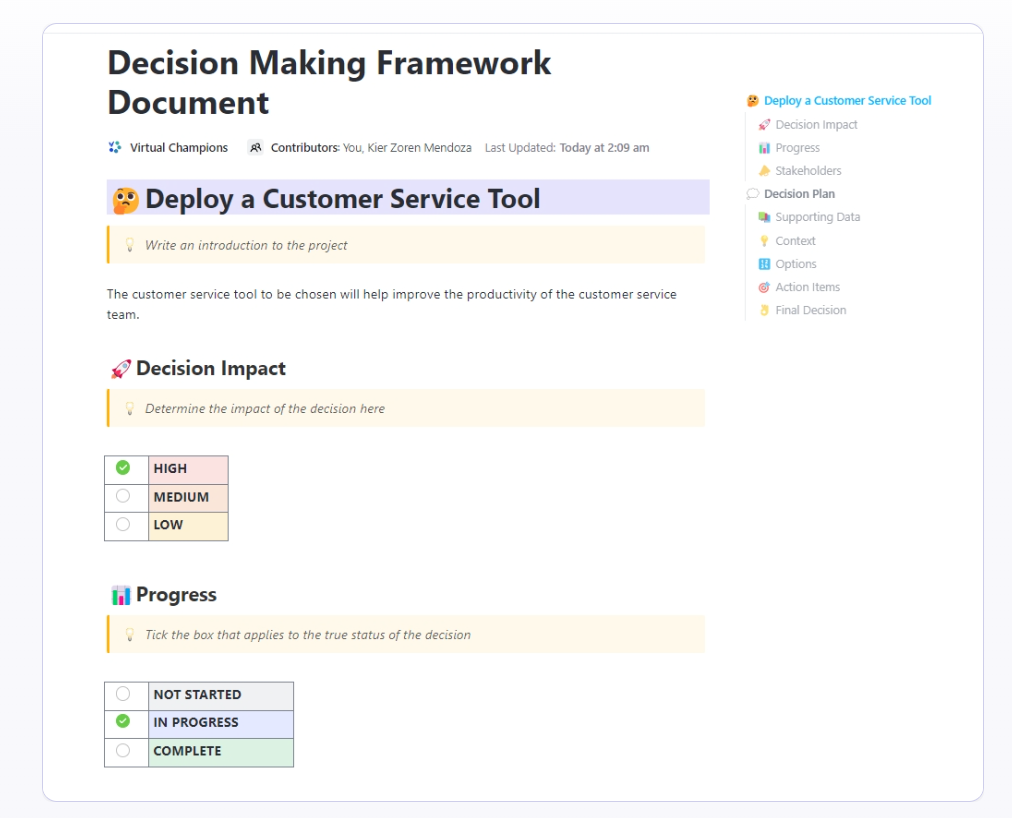
The ClickUp Decision Making Framework Document Template gives teams a clear, repeatable way to document complex decisions, especially when stakes are high, cross-functional input is required, or leadership approval is involved.
Instead of debating in Slack and losing context in scattered docs, this template centralizes:
📮ClickUp Insight: 34% of decisions get stuck waiting on managerial sign-off, and another 33% stall during cross-functional collaboration.
Translation? Too many cooks, not enough clarity. 👥
ClickUp’s Assigned Comments and Watchers in Tasks make it easy to involve the right people in the decision at the right time—no more “who’s owning this?” moments. Everyone stays informed, aligned, and accountable.
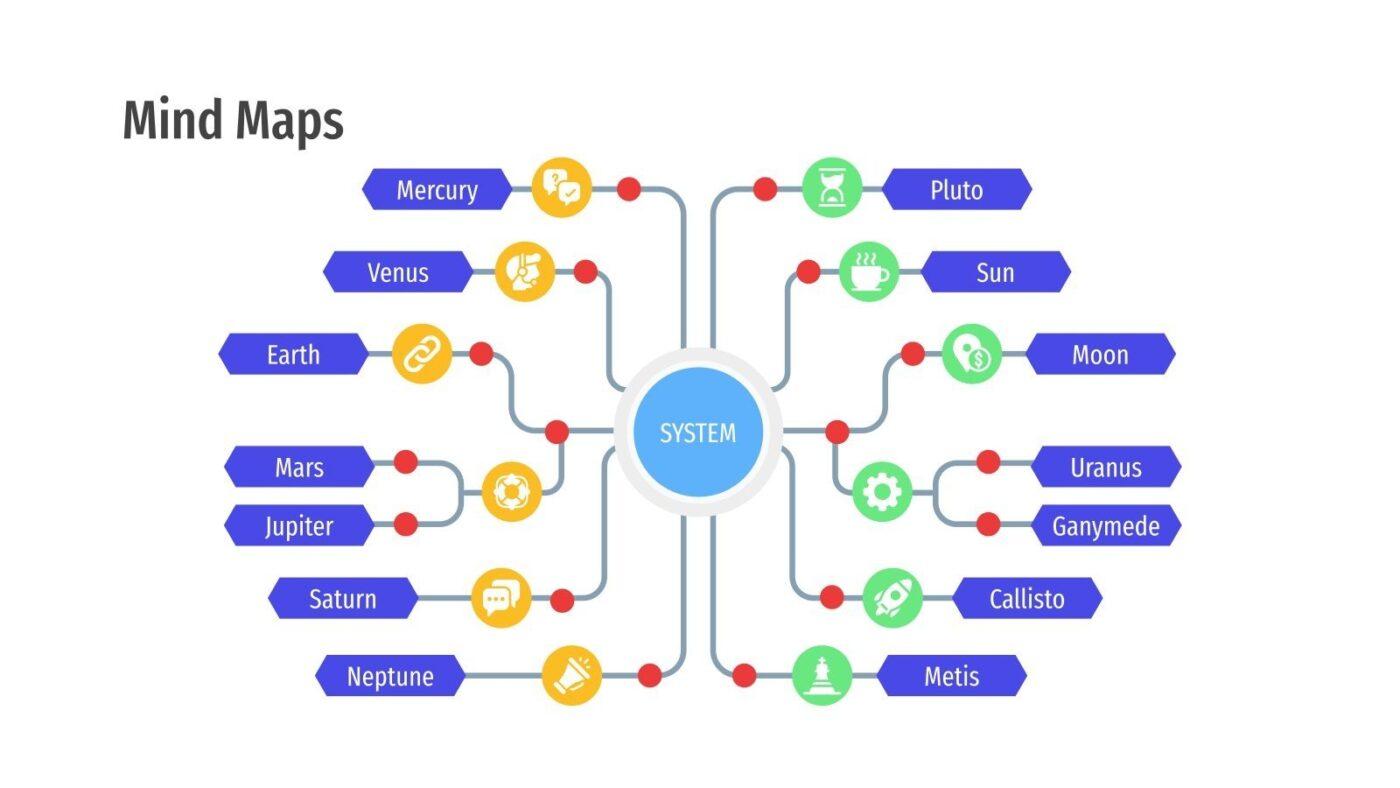
You’ve successfully mapped out your team’s mental model, but now you need to present it to executives or clients who live and breathe PowerPoint and Google Slides. Manually exporting your diagrams and reformatting them for a presentation is a time-consuming hassle that creates a static, disconnected copy of your work.
Slidesgo’s Mind Maps Template is designed for presentation-first environments like Google Slides and PowerPoint. They’re visually polished, easy to edit, and useful when your psychological diagrams need to travel outside your project management tool.
🧠 Fun Fact: Research supports that when information is easy to understand, up to date, and complete, decisions improve…simply because the work feels simpler.
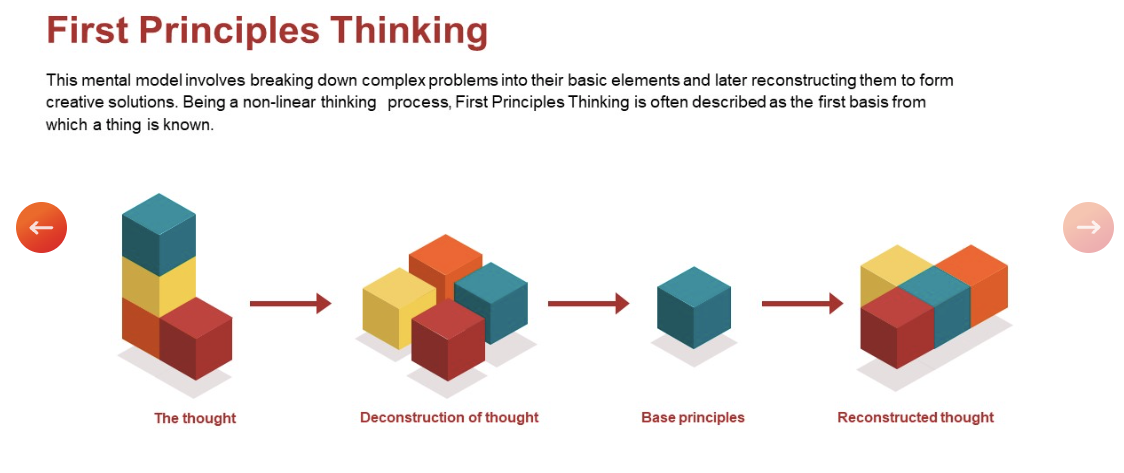
Similar to the Slidesgo option, SlideBazaar’s Mental Models PowerPoint Template offers downloadable PowerPoint templates specifically designed for visualizing mental models. These include pre-made slides for common cognitive frameworks like first-principles thinking, inversion, and second-order thinking.
Having the right template is a great start, but the process you use to create the diagram is what makes it a truly useful team asset. A diagram that is created in a silo and never updated is just wall art. Follow these steps to create a living document that guides your team’s work. 🛠️
Don’t try to map “our team’s mental model”. It’s too vague. Start with a specific, recurring decision, problem, or process. Good starting points include: “How do we prioritize customer-reported bugs?” or “What factors influence our go-to-market strategy for a new feature?”
Match the structure of the template to the nature of the thinking you’re trying to map.
Committees don’t brainstorm well. Have one person create the initial structure to get something on the canvas. This gives the team something concrete to react to, which is far more productive than starting with a blank slate.
Share the draft with the team. The goal here isn’t immediate agreement; it’s to surface where individual mental models differ. Those gaps in understanding are exactly where miscommunication and friction live. Use this as an opportunity to align.
A mental model diagram that lives in isolation is useless. To make it valuable, you must create actionable frameworks by linking its concepts to tasks, its decisions to projects, and its models to your team’s daily workflows.
Once you’ve developed your mental models and understand how your team thinks, the next step is translating those frameworks into structured project plans.
🎥 Bonus: Watch this video to see how project planning templates can bridge the gap between strategic thinking and execution:
Mental models only create real value when they’re visible, shareable, and connected to action. The right template transforms your team’s abstract thinking into a powerful asset that improves decisions, reduces miscommunication, and accelerates alignment across your entire organization.
As work becomes more distributed and async, the teams that take the time to document how they think—not just what they decide—will collaborate faster and make fewer costly mistakes.
Ready to turn your team’s mental models into visual, actionable frameworks? Get started for free with ClickUp!
A mental model template provides a structure that helps visualize a cognitive framework, including various types of diagrams like matrices or flowcharts. A concept map is one specific type of mental model that shows relationships between ideas using nodes and labeled connections.
Use a brainstorming or group notes template to structure divergent thinking (idea generation) separately from convergent thinking (evaluation), which prevents critical voices from shutting down creative exploration too early.
Priority matrices are excellent for comparing multiple options against a clear set of criteria. For more complex, high-stakes choices that require a documented rationale, a structured decision framework document is more appropriate.
Yes, they are highly effective. Using concept maps and other structured frameworks, case managers can visualize complex client situations, track common intervention terminology in documentation, and record their reasoning in a format that’s much easier to review than traditional linear or sample SOAP notes mental health formats.

© 2026 ClickUp

There’s an easier way. Try a free AI Agent in ClickUp that actually does the work for you—set up in minutes, save hours every week.