






Still downloading templates?
There’s an easier way. Try a free AI Agent in ClickUp that actually does the work for you—set up in minutes, save hours every week.
Sorry, there were no results found for “”
Sorry, there were no results found for “”
Sorry, there were no results found for “”
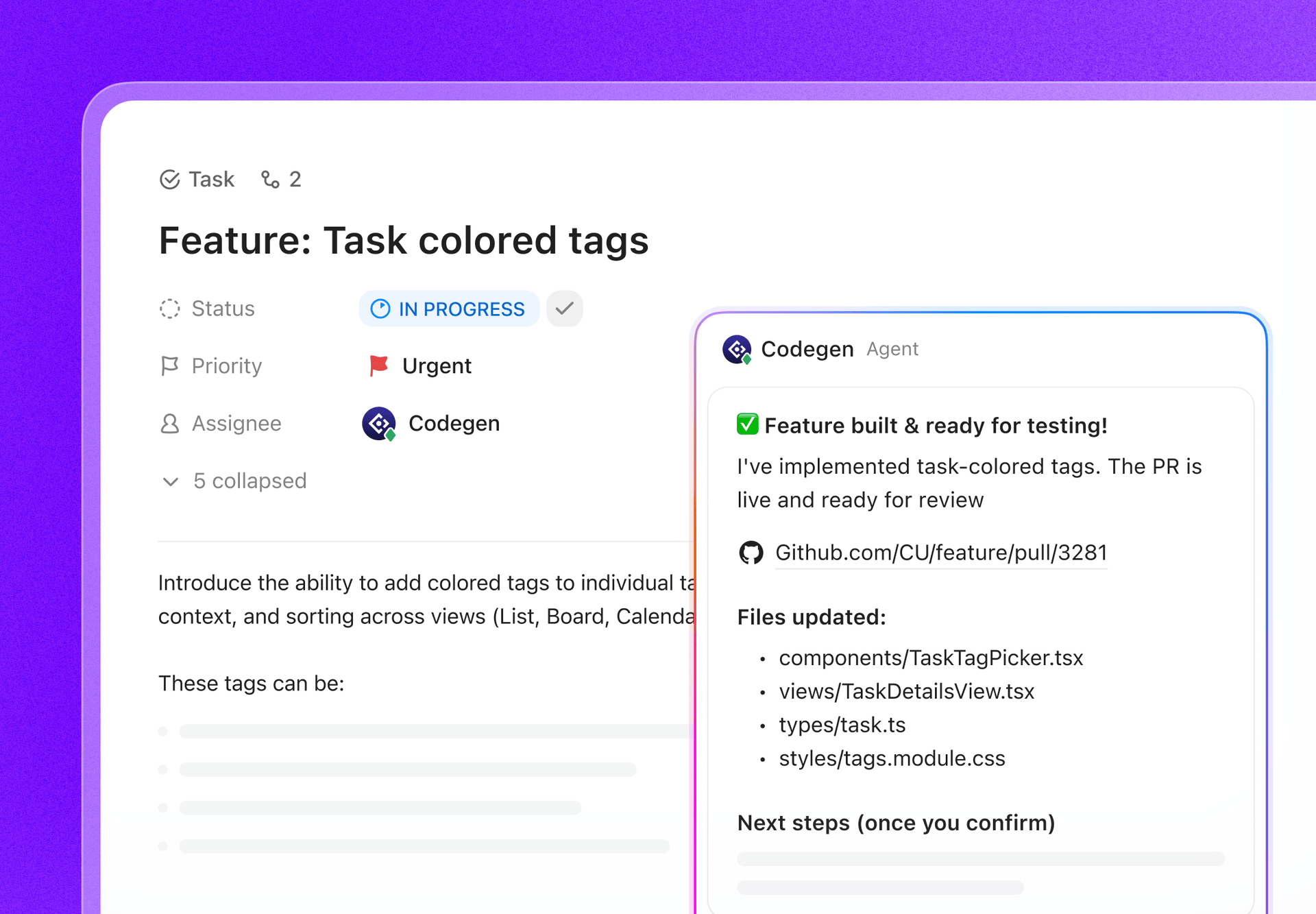

Pull requests work best when feedback is fast. In distributed teams working across several projects, it is rarely the case.
Engineers working across time zones often wait hours or days for reviews. A PR opened at the end of one workday might not be reviewed until the next day elsewhere. That delay forces context switching and slows development.
Traditional PR workflows compound the issue. Linear reviews and single-branch work push developers to batch changes, resulting in larger PRs that take longer to review and approve.
But pull requests and code review do not have to be difficult for distributed teams.
How so?
Below, we answer how developers can manage pull requests across distributed teams.
Here are the most common challenges that even strong teams feel when the pull requests start bouncing across calendars and competing priorities👇
In distributed teams, even small pull requests can take longer because reviewers need more background. You also need to consider that the author may be offline when questions come in. What would have been a two-minute clarification in person can turn into a full-day delay, eating up developer productivity.
Large pull requests are tough to evaluate asynchronously. Without quick live back-and-forth, reviewers may either over-comment to compensate or miss edge cases because the change is simply too dense. You cannot overlook these details during the sprint planning process.
⭐ Bonus: Every engineering team has technical debt. This video shows how to manage it before it snowballs into performance issues and missed deadlines 👇
A consistent code review process in software development depends on shared expectations. If one reviewer is optimizing for speed while another is optimizing for long-term maintainability, the author ends up navigating conflicting feedback. This is when progress takes a backseat.
👀 Did You Know? GitHub now sees over 43 million pull requests merged every month, up from 35 million the year before.
Text-only code review can become inefficient in the software development process for distributed teams.
Here’s why: If comments arrive hours later and lack the complete context, it turns into a long back-and-forth thread.
When the reviewers can’t explain why a change is needed, feedback becomes fragmented. Authors respond defensively or guess at intent, leading to follow-up comments, revisions, and more delays.
Far from speeding up the reviews, async comments slow the development process and stretch PR cycles far beyond what the change actually requires.
💡 Pro Tip: Use threaded comments with a binding ‘resolve’ action to prevent async discussions from sprawling. Set a rule, like if a thread hits 3+ back-and-forth messages, jump on a quick 5-minute ClickUp SyncUp.
Alternatively, with ClickUp Clips, reviewers can record a quick screen walkthrough or voice explanation right inside the task or PR context. This gives authors immediate clarity on suggestions and preserves rich context across time zones without extra live meetings.
In distributed execution, PRs pile up due to hidden dependencies. When one change is blocked, downstream work piles up, merge conflicts increase, and releases become more fragile.
📚 Read More: Our Curated List of Best Software Development Tools
A centralized pull request workflow, especially in Agile project management, uses a central repo (often with a protected main branch) where developers create feature branches, submit PRs for review, and merge changes only after approval.
Think of it as an ideal version control system: a single shared place for changes, checks, and approvals.
The reason it matters so much is because:
QA is all about protecting code quality through a peer review process before changes hit.
When a developer or software engineer submits a PR in a centralized workflow, it lets team members catch logic errors, security vulnerabilities, or performance bottlenecks that the original author might have missed.
🎥 Watch the video below to identify the best no-code tools for product managers 👇
A centralized PR workflow is one of the most effective ways to level up a team. And here’s why:
🔔 Gentle Reminder: Update code documentation every time you touch the code, not just when you write it. Outdated docs are worse than no docs because they actively mislead teammates.
If you don’t have a centralized checkpoint, codebases can become a Wild West of different naming conventions, folder structures, and patterns. To avoid this, you must have in place:
💡 Pro Tip: Use a consistent merge commit convention so it becomes searchable later. For example, include the task ID + PR title in the merge commit message. It makes debugging faster because you can jump from a prod issue → merge commit → PR thread → the exact decision that shipped.
In a centralized workflow, the main/master branch is critical for development teams. For this, you should have:
A centralized PR workflow acts as a real-time pulse for your sprint.
🧠 Fun Fact: The first website ever is still online. It lives at info.cern.ch, and it was built at CERN as the World Wide Web was being invented.
📚 Read More: How to Manage & Avoid Technical Debt in Scrum?
LinearB’s engineering benchmarks analyzed 6.1M+ pull requests across 3,000 teams and highlighted that a PR size is the strongest driver of engineering velocity.
It makes sense when you think about it. Smaller PRs tend to get through the review process quickly because they’re simpler to look at. On the other hand, larger PRs take more time to move along, and they often require more coordination among the team.
ClickUp, the world’s first Converged AI Workspace, eliminates that coordination overhead of handling pull requests. How so?
By keeping PR work tied to the task that represents it, making review status visible, and capturing decisions where the team already collaborates.
Here’s how you can use ClickUp to manage pull requests:
The first step developers take to manage PRs is to integrate GitHub or GitLab repositories with ClickUp.
This is particularly handy when multiple Git repositories feed into the same product area, and you still want a single source of truth for status and context.
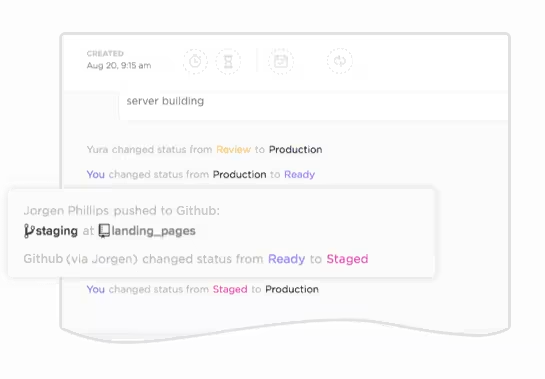
This native integration automatically syncs commits, branches, and PRs (merge requests in GitLab) to ClickUp Tasks. As a result, this brings real-time development activity right into your project workspace, ending the lifelong battle of context switching.
Start by referencing a ClickUp Task ID in your commit messages, branch names, PR/merge request titles, or descriptions (using formats like #{task_id} or CU-{task_id}). ClickUp instantly links everything:
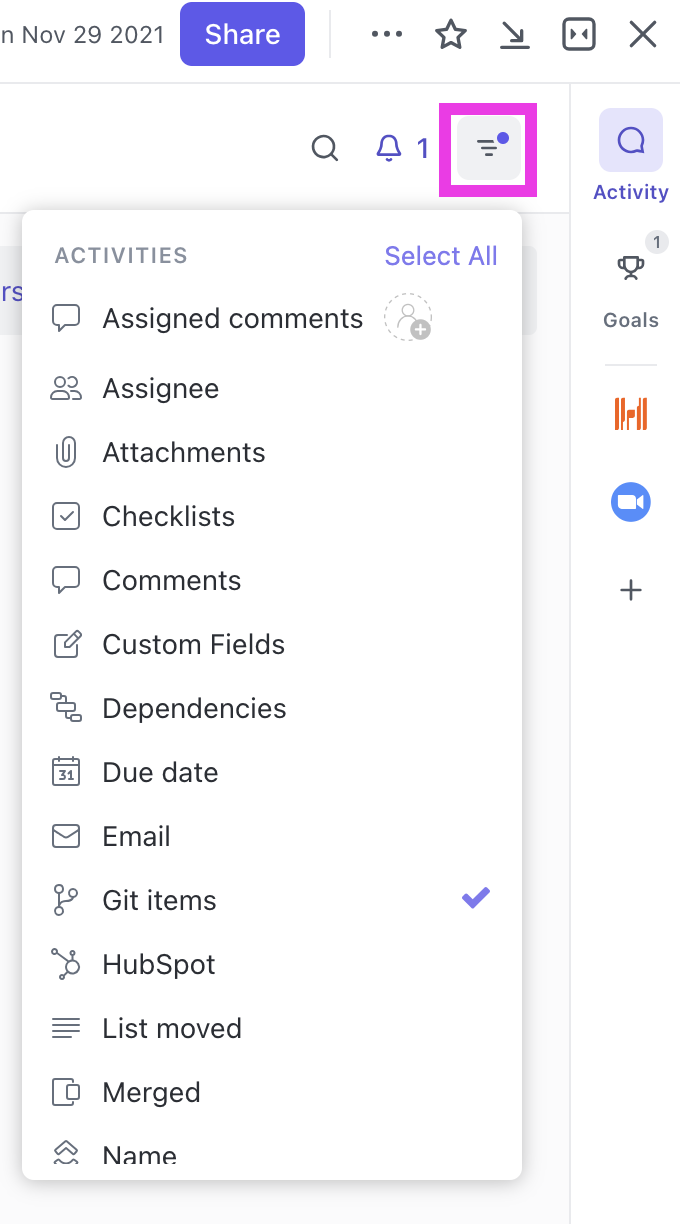
🎯 In day-to-day use, you have a few other ways to pull code context into the task.
If you paste a GitHub link into a task description or comment, ClickUp adds a GitHub icon in the right sidebar of the task view. You can click that icon anytime to see every GitHub link that’s been posted in the task, so the history stays easy to scan in one place.
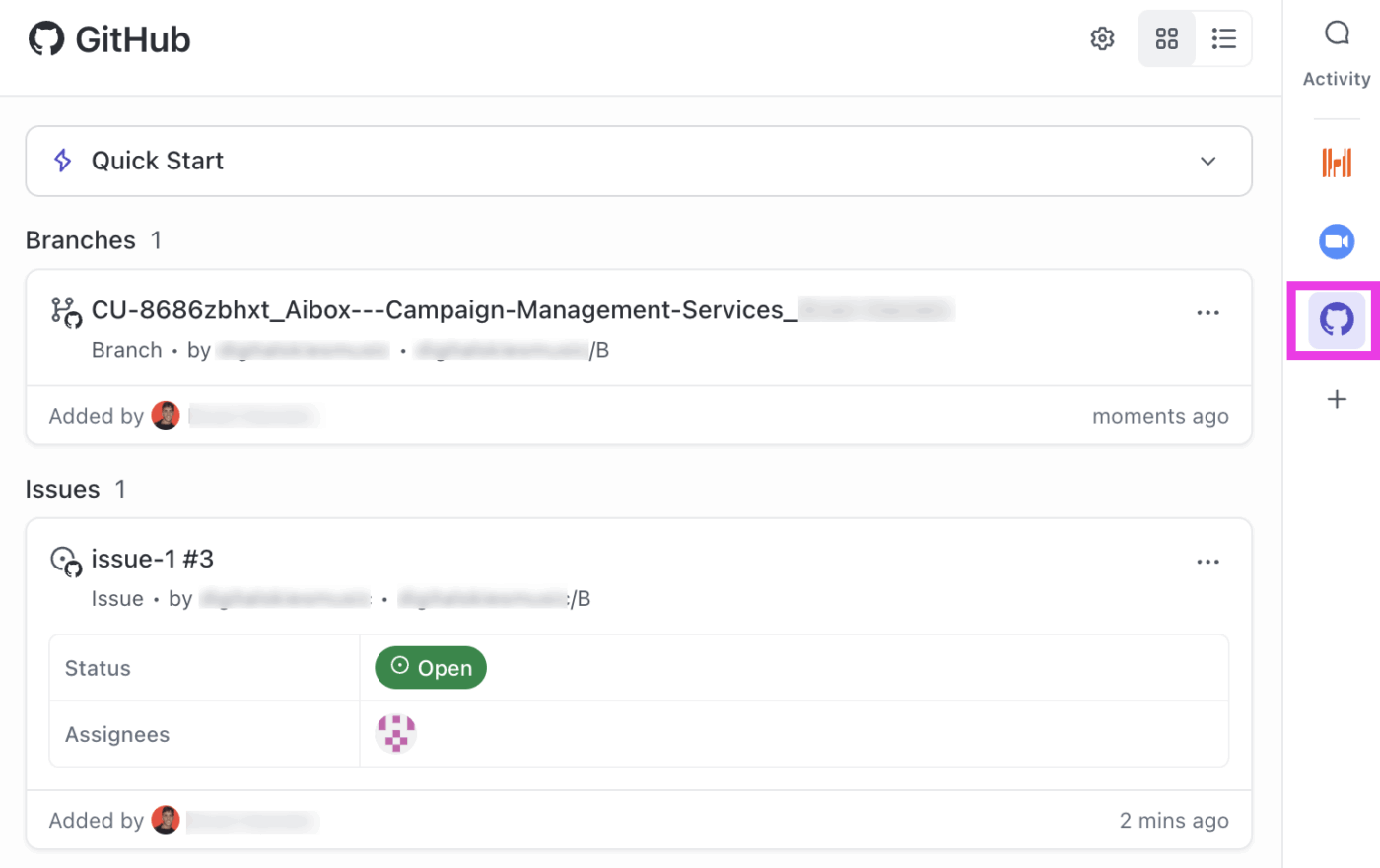
At the end of the day, all of this means that developers can see exactly which tasks are tied to which PRs, monitor progress, create new branches or PRs from tasks, and keep everything aligned (minus the manual updates).
🧠 Fun Fact: The ‘first computer bug’ was literally a bug. A moth got stuck in the Harvard Mark II in 1947 and was taped into the logbook.
Layer ClickUp Automations to your GitHub/GitLab integration to make task statuses update automatically as pull requests (or merge requests) move through the software development lifecycle.
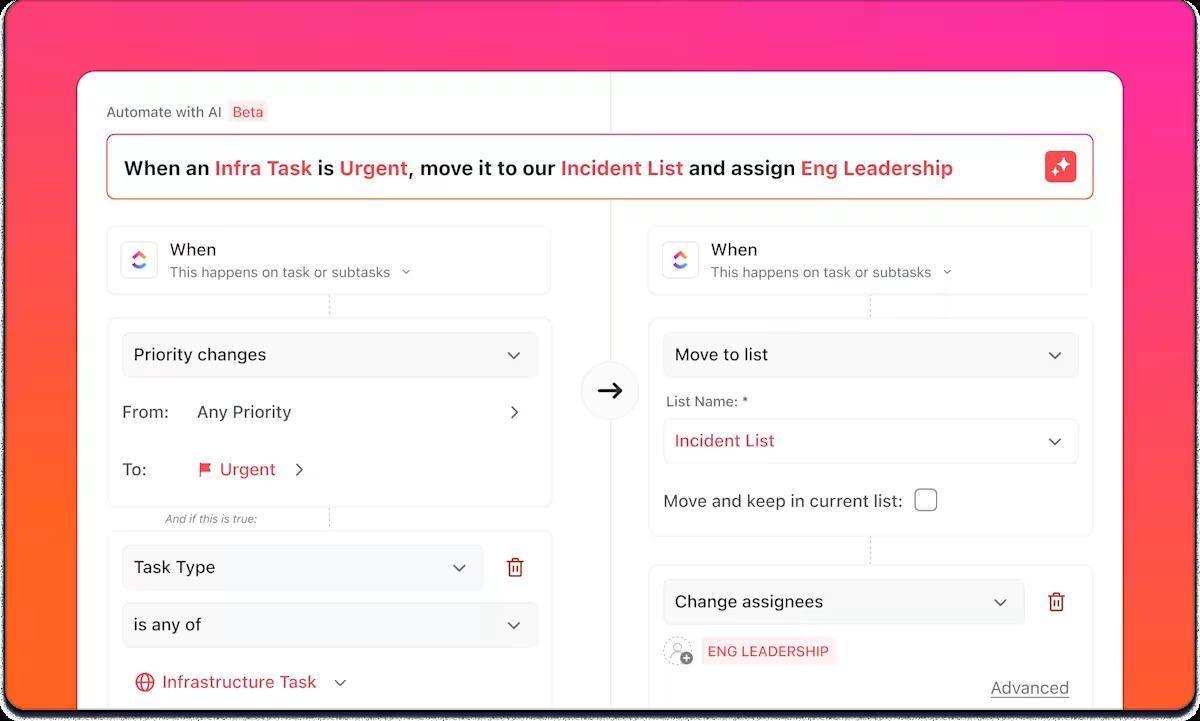
If you are a developer, you can set up rules that trigger on events like:
Even better, you can add on-point conditions for task automation, such as:
🚀 ClickUp Advantage: If you don’t want to build an endless list of manual automations, ClickUp has planned for that, too. Use ClickUp’s AI Automation Builder to describe the workflow in plain English, like ‘When a PR is opened, move the linked task to In Review, assign the reviewer, and post a comment with the checklist.’ And boom…you have a setup ready in under five minutes!
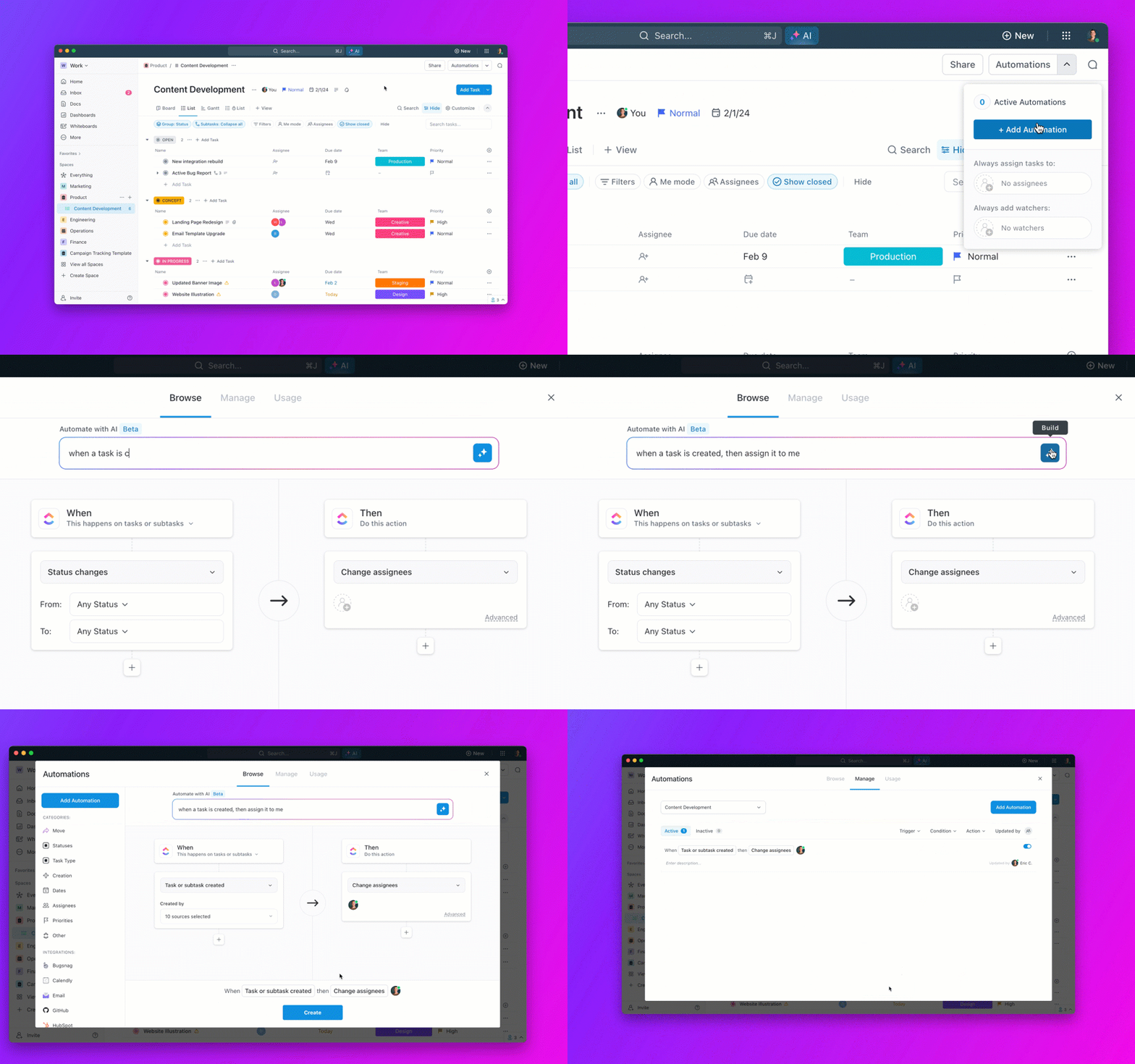
To raise the bar higher, developers deploy ClickUp Super Agents, ClickUp’s own AI-powered teammates that handle adaptive, multi-step processes with full workspace context.
These agents learn from interactions, use natural language for chats, and can be triggered manually or on schedules, adding smart, human-like support to your PR flow.
Codegen in ClickUp is your external AI developer teammate designed to help software teams automate and accelerate development tasks, including managing pull requests across multiple teams.
It can complete tasks, build features, and answer code-related questions using natural language. Assign tasks to Codegen or @mention it in comments to make it generate or review code, or prepare production-ready pull requests based on its programmed behavior.
👀 Did You Know? In 1971, Ray Tomlinson at Bolt, Beranek, and Newman (BBN) sent the first networked email as a simple experiment to see if two computers could exchange a message. He also picked the @ symbol to separate a person’s name from the machine they were on, basically inventing the modern email address format in one move. The first message is often cited as ‘QWERTYUIOP.’
If you want PRs to be visible without chasing updates, put them on ClickUp Dashboards.
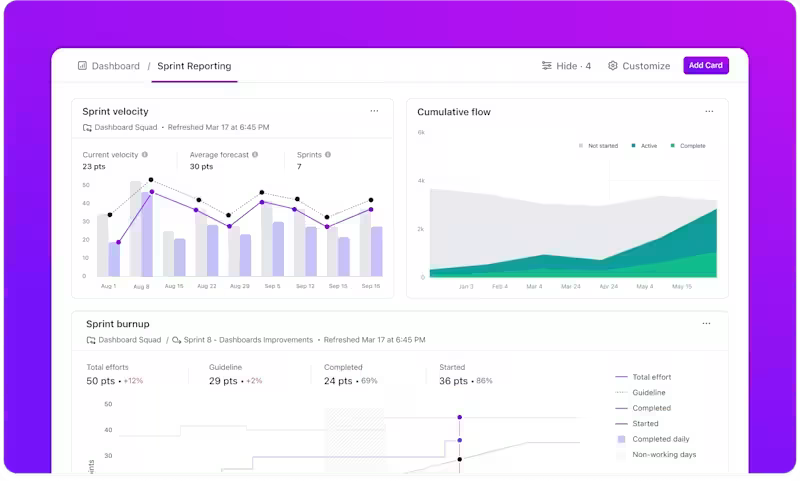
Start by aligning your workflow. Many teams map PR stages to task statuses (for example, ‘In review,’ ‘Changes requested,’ ‘Approved,’ ‘Merged’). You can even capture PR state with ClickUp Custom Fields if your task status needs to stay product-focused.
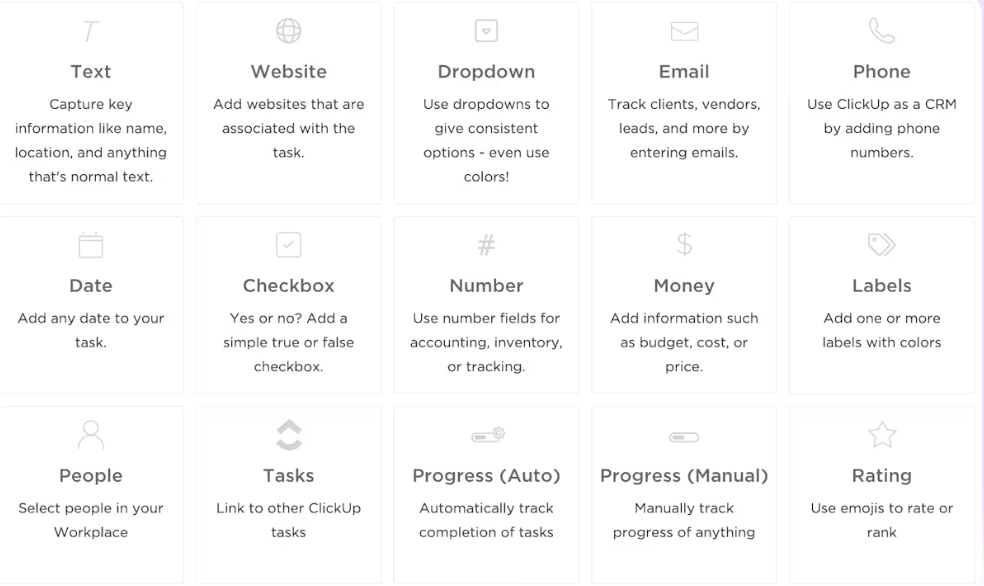
From there, build a simple set of cards that answer the questions you check during the day:
A London School of Economics report found that 35% of business meetings are considered unproductive. For PR reviews, the waste might arise from scheduling a walkthrough that could have been shared once and reused.
Enter ClickUp Clips! Record quick screen walkthroughs, drop them into the task or chat thread, and let reviewers respond when they’re ready.
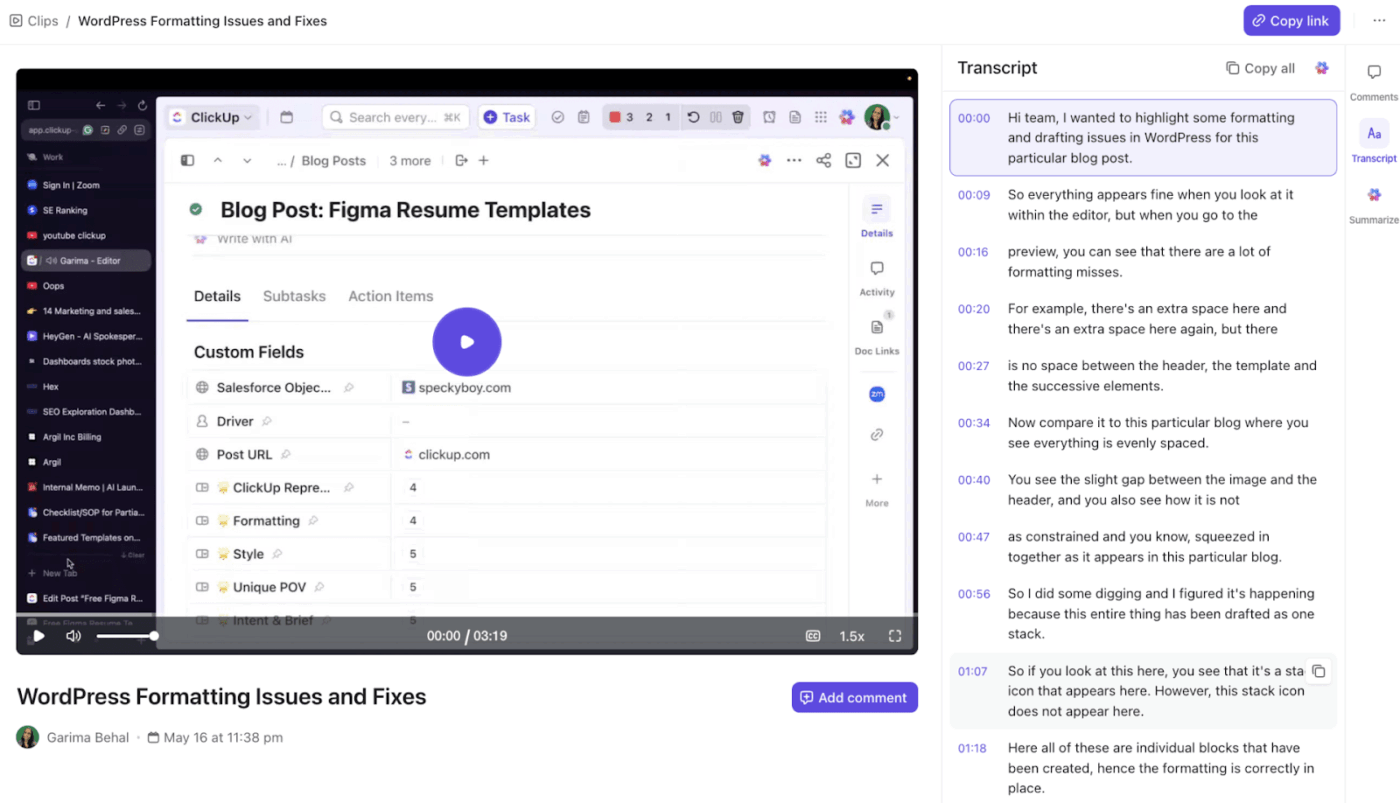
Clips also support time-stamped comments to tie feedback to the moment in the video. This solves the endless back-and-forth of ‘Where exactly do you need this change?’
And if you are wondering, getting started is just as easy! Start a Clip from the toolbar, from a task comment, or directly from Clips Hub.
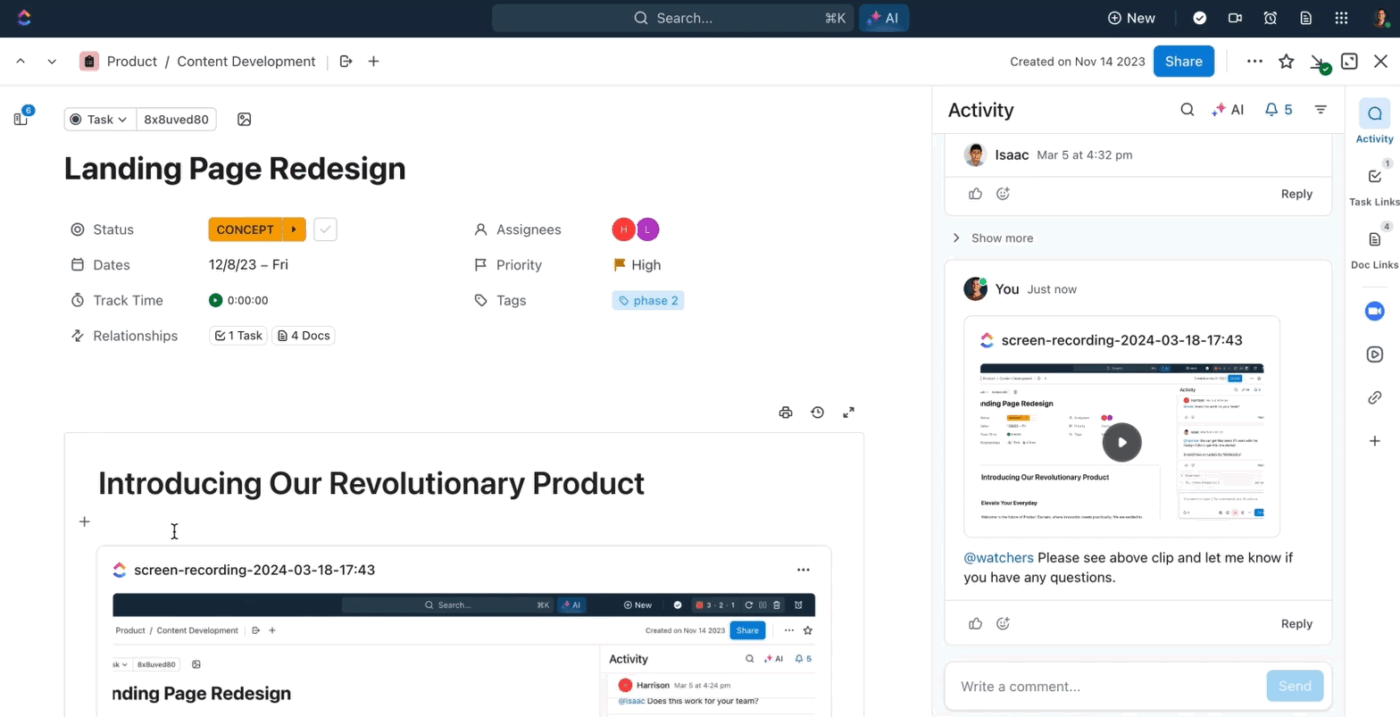
After you record, share it with a single click. If you recorded the Clip in a task comment, you can open it and copy the Clip URL from the share icon.
From Clips Hub, you can copy the link the same way.
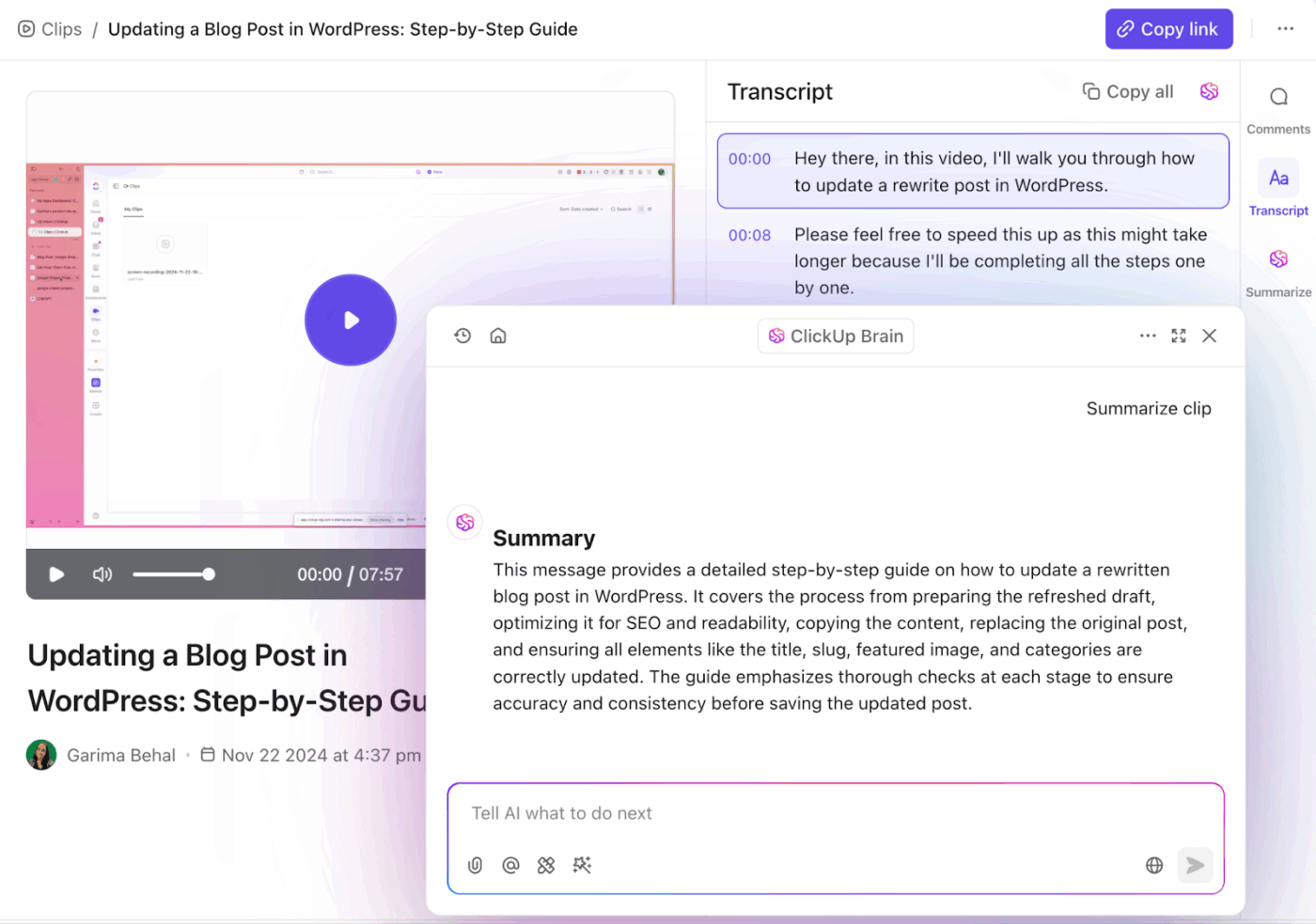
💡 Pro Tip: ClickUp Brain can summarize a Clip for you from the Clip view, so you can get a quick recap when you’re short on time. Open the Clip, go to the right panel, click Summarize, then paste the summary into your PR task comment as the review context for everyone else.
📮 ClickUp Insight: 33% of respondents say they use spreadsheets mostly because they’re familiar with the tool or it is already included in their existing setup.
For many teams, especially smaller ones, cost and convenience guide decisions more than feature sets. When budgets are limited, it’s natural to stick with the tools everyone already has access to and is familiar with, even if they require extra manual effort to stay organized.
ClickUp offers an alternative that keeps things simple without adding more apps to the stack. Tasks, Docs, Dashboards, Chat, and even video updates with Clips all live in one workspace, supported by built-in AI for summaries and automation.
Instead of managing data and updates across multiple tools, teams get a single workspace to coordinate projects, share updates, and stay aligned, without creating new layers of complexity.
When a task comment thread gets long, use ClickUp Brain to summarize the activity in the task description and comments. It provides a summary you can easily add back to the task.
The next reviewer can jump right in from where things stand, without having to scroll through everything.
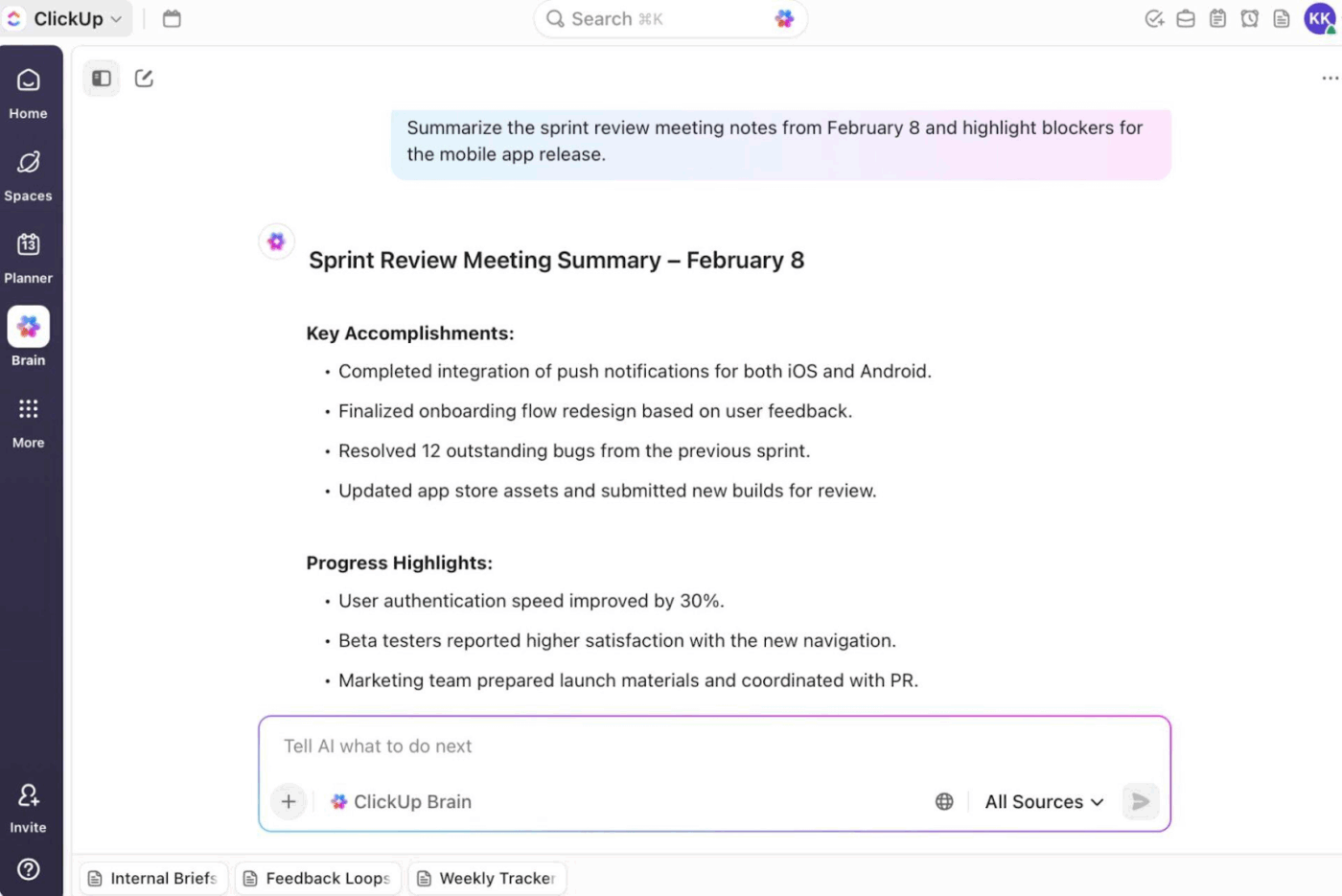
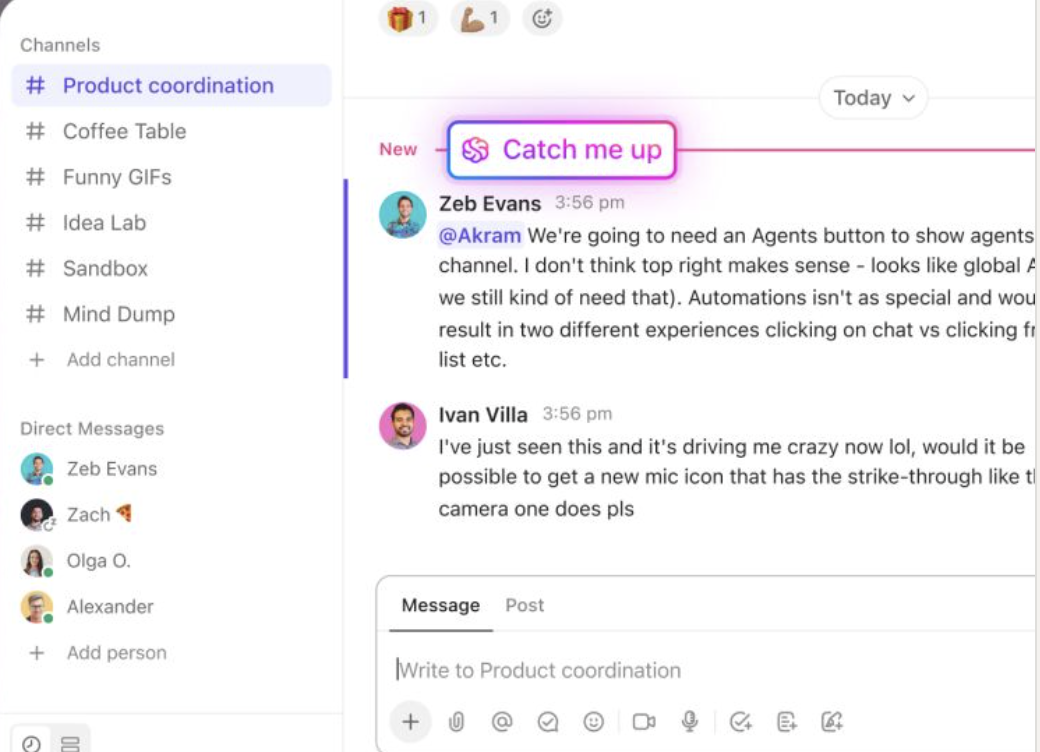
Even beyond, in ClickUp Chat, Brain can summarize a Channel for a specific window, like today, the last 24 hours, or the last seven days.
That’s the fastest way to pull review feedback out of a busy thread and turn it into a single update you can share with your team.
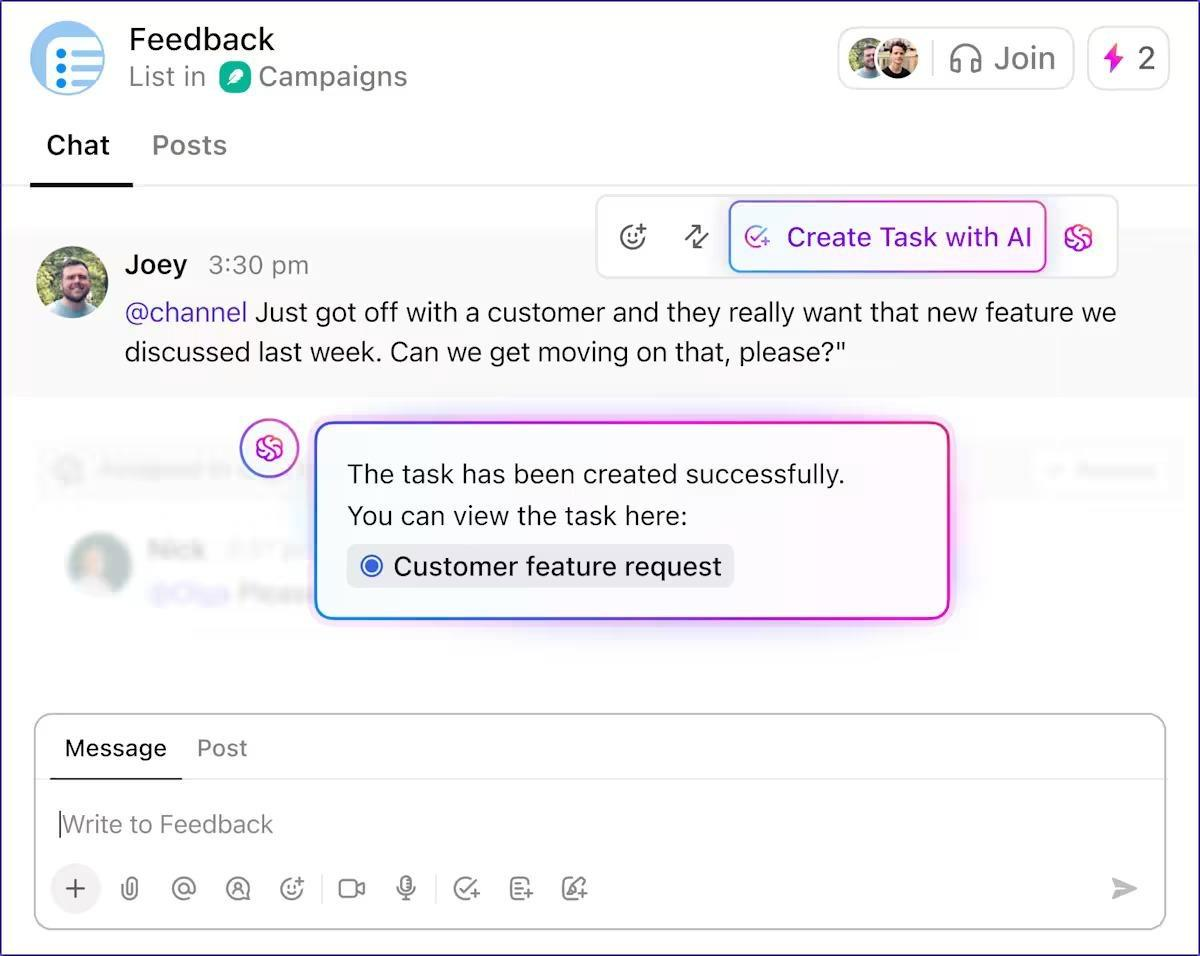
But that’s not all. Here’s what you also get with ClickUp Brain 👇
While pull requests can be managed across time zones, it usually takes a few intentional habits to keep reviews from stalling. Some of the best ones include 👇
🧠 Fun Fact: Git’s very first commit (April 7, 2005) shipped with the most meta description ever: ‘the information manager from hell.’
⚡ Template archive: Free Software Development Plan Templates
Here are the common pitfalls that slow distributed code reviews, even when the team is doing everything else right:
❌ Over-reliance on asynchronous communication: Trying to resolve architectural debates or explain nuanced tradeoffs through comment threads becomes exhausting. Twenty comments deep, you realize a 10-minute call would have sorted everything out, but you stubbornly stay async.
✅ Fix: Establish clear triggers for escalating to synchronous communication—if a thread reaches 3-4 back-and-forth exchanges without resolution, jump on a quick call. Use video for reviews involving significant architectural changes, performance considerations, or security implications. Document the outcome of these calls back in the PR so async reviewers can follow along.
❌ Tool limitations amplifying distributed challenges: Poor code review tools lack threading for conversation history, don’t show timezone-aware timestamps, fail to surface urgent reviews, or make it hard to track what needs attention. This compounds all other distributed team problems.
✅ Fix: Invest in tools that support rich commenting with threads, efficient notification systems, and integration with your workflow. Use features like review requests, draft PRs for early feedback, and status labels. Set up dashboards that show pending reviews, their age, and priority.
❌ Inadequate documentation standards: Teams assume ‘the code speaks for itself’ or that they’ll explain things if asked, but distributed teams can’t tap shoulders for clarification. This creates constant bottlenecks where reviewers need explanations, slowing everything down.
✅ Fix: Establish clear documentation expectations in ClickUp Docs—every PR needs a description explaining the change, inline comments for complex logic, and updated README/docs for API changes.
Pull requests move faster when your team follows a single system for code, context, and decisions, even when you are not online at the same time.
And that’s why many remote teams turn to ClickUp. They use ClickUp Integrations to connect GitHub or GitLab and keep PR activity tied to the right tasks, ClickUp Automations to keep teams updated, and ClickUp Dashboards to track progress.
When a walkthrough is needed, ClickUp Clips support async review, and ClickUp SyncUps enable quick real-time alignment.
The real star, though, is the integrated AI (ClickUp Brain) and AI Agents. These let teams summarize PR discussions, identify and execute next steps, and even generate code.
Try ClickUp for yourself. Sign up now! ✅
You connect your repo to ClickUp using the native GitHub or GitLab integration. Once it’s connected, ClickUp can link commits, branches, and pull requests or merge requests back to the right task. For GitLab, ClickUp links new activity when you include a valid task ID in the merge request title or description, branch name, or commit message, with supported formats like #{task_id}[status] or CU-{task_id}[status].
Yes, if you use GitHub Automations. ClickUp provides GitHub triggers such as Pull Request Merged, Pull Request Review Created/Updated, and CI/CD Status Changed, so you can automatically run ClickUp actions like updating a task status when those events happen. For existing tasks, the task needs to already be linked to the repo via a commit, branch, or pull request.
Among the plethora of solutions, these make it super easy for teams spread across different time zones:
ClickUp Tasks: Link PRs to tasks to keep intent, updates, and decisions together
ClickUp SyncUps: Start a quick call from Chat when a thread needs real-time alignment
ClickUp Clips: Record a short walkthrough so reviewers can respond async
ClickUp Brain: Summarize long PR threads in Tasks or Chat into a usable recap
ClickUp Super Agents: Hand off multi-step work to an AI teammate, like turning a PR thread into a plan or preparing a reviewer-ready next steps
Record a short screen walkthrough and share it where the review is happening. In ClickUp, that typically means using ClickUp Clips. You can insert the Clip URL into a task comment or description, and it will automatically embed, allowing reviewers to access it through the link. Ensure the Clip highlights what has changed, what needs to be checked, and the decision required.
Yes, absolutely! In tasks, ClickUp Brain can summarize activity in the task description and comments, which is often where PR decisions and review notes accumulate. In Chat, ClickUp Brain can summarize a Channel for a defined time window, which helps when reviewing how feedback plays out over messages.

© 2026 ClickUp

There’s an easier way. Try a free AI Agent in ClickUp that actually does the work for you—set up in minutes, save hours every week.