








Still downloading templates?
There’s an easier way. Try a free AI Agent in ClickUp that actually does the work for you—set up in minutes, save hours every week.
Sorry, there were no results found for “”
Sorry, there were no results found for “”
Sorry, there were no results found for “”

If your team is working every lead the same way, your pipeline is already leaking time. 🕰️
Because lead scoring today is about ensuring the right leads get attention first, and follow-ups happen on time.
And to do that well, you need a consistent scoring system that your team can use across various sources and campaigns.
In this post, we’ll share 10 free lead scoring templates, what each one is best for, and how to choose the right setup for your funnel.
A lead scoring template is a structured framework that helps sales and marketing teams assign numerical values to leads based on their likelihood of becoming customers. It organizes the criteria used to evaluate leads, such as demographics, company details, engagement behavior, and buying intent.
For example, a lead might receive points for opening marketing emails, visiting pricing pages, downloading resources, or matching an ideal customer profile (ICP). The higher the score, the more qualified the lead is for sales outreach.
This framework also evaluates prospects across two main dimensions:
⭐️ Bonus: How to Prioritize Sales Leads?
You’ve found a lead scoring template, but it’s just a blank slate.
To make a template effective, you need to customize it to your sales data and ICP. Now, let’s look at how to build a lead scoring model that delivers results. 🛠️
Your lead scoring model is only as good as your understanding of your best customers. Start by listing the firmographic and demographic traits of your most successful closed-won deals.
Dig into your existing customer data to identify patterns in company size, industry, job titles, and geographic location.
📝 Example: A project management SaaS company might define its ICP as marketing managers or operations leaders at B2B SaaS companies with 50–500 employees. A lead matching these attributes would receive a higher fit score in the lead scoring model.
Not all actions are created equal.
Map out the specific behaviors that correlate with a lead’s journey to conversion. High-intent signals, like requesting demos or visiting pricing pages, should be weighted more than low-intent signals, such as a single email open or a brief website visit.
📝 Example: Suppose a lead from your ICP visits your website and downloads a product guide (+5 points). A few days later, they attend a webinar about your product (+10 points) and then visit the pricing page (+15 points). These actions indicate growing interest, so their lead score increases as they move closer to becoming a qualified lead.
Once you’ve identified your key criteria, it’s time to assign points. Weight each criterion based on its correlation with a successful conversion.
For instance, a lead with a “Director” title in your target industry might be worth 20 points, while a visit to a blog post might be worth only two. You also need to implement negative scoring for disqualifying factors, such as leads from a competitor’s email domain or those in an industry you don’t serve.
💡 Pro Tip: Assign exponentially higher points for intent-based actions versus informational ones. A demo request (50 points) should dramatically outweigh a blog visit (2 points) because the behavioral gap is massive.
With your point system in place, you need to define what the scores actually mean. Establish clear threshold scores that determine when a lead becomes a marketing qualified lead (MQL) or a sales qualified lead (SQL).
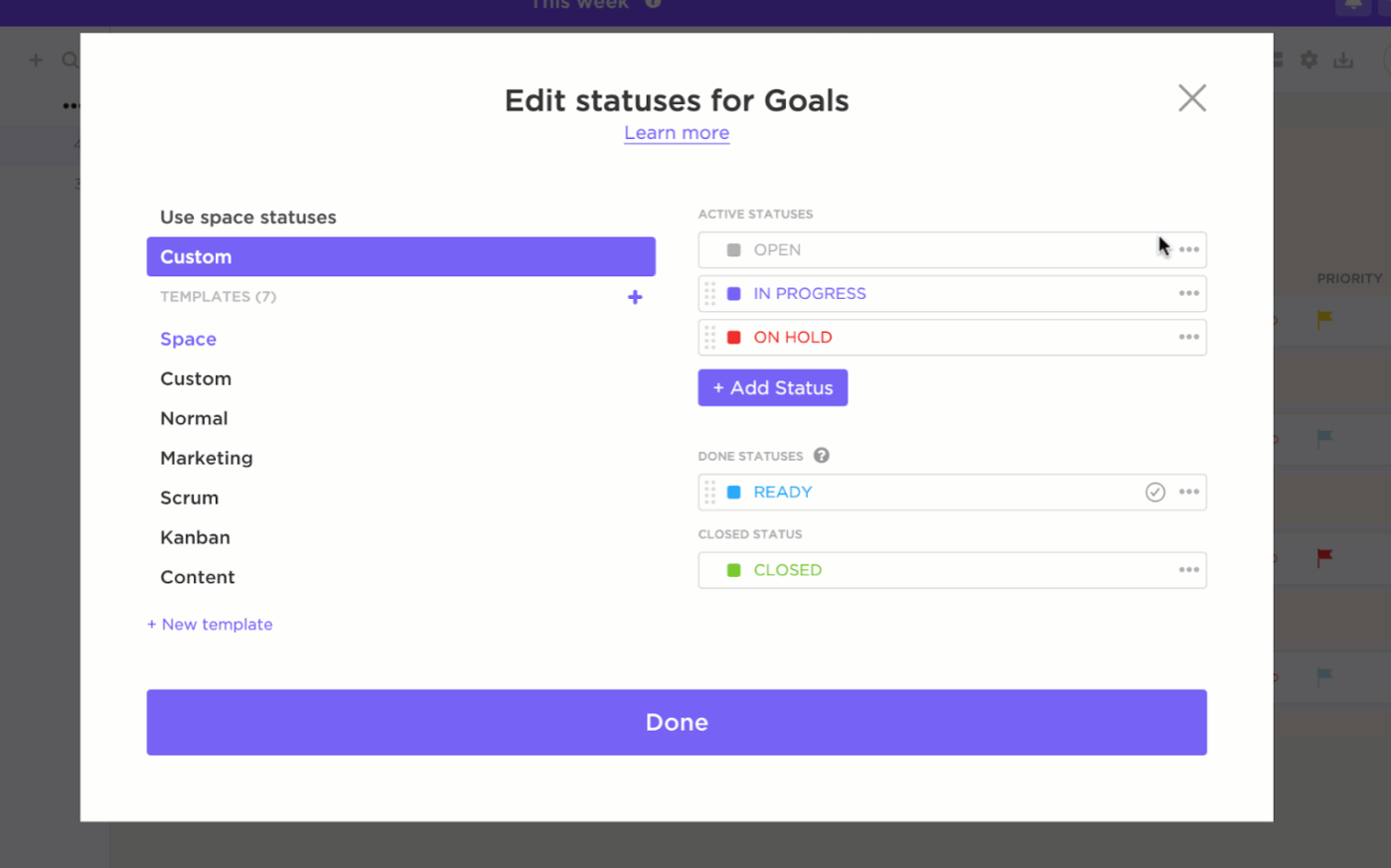
You can create tiers to further segment your leads—for instance, “hot” leads (80+ points), “warm” leads (50-79 points), and “cold” leads (below 50 points). In ClickUp, you can use Custom Statuses to visually represent these tiers in your pipeline.
📚 Also Read: Demand Generation Metrics
One of the most important lead scoring best practices is to regularly validate and refine your model. After 30 to 60 days, compare your scored leads against actual conversion data. If you find that high-scoring leads aren’t converting at the expected rate, it’s time to adjust your criteria and point values.
Use ClickUp Dashboards to track conversion rates of different score tiers and ensure your model remains an accurate predictor of success.

⭐️ Bonus: Ideal Client Profile
Here’s a quick overview of the lead scoring templates covered in this guide and what each one is best suited for:
| Template | Download Link | Ideal For | Key Features |
|---|---|---|---|
| Sales CRM Template by ClickUp | Get free template | Running lead tracking and scoring inside a CRM | Custom Fields for scoring attributes, pipeline views, lead capture forms |
| Sales Pipeline Template by ClickUp | Get free template | Visualizing lead qualification stages | Kanban pipeline view, custom lead statuses, dependency tracking |
| Quick Start: Sales & CRM Template by ClickUp | Get free template | Setting up lead scoring quickly | Preconfigured CRM fields, simple lead structure, ready-to-use pipeline |
| Sales KPI Template by ClickUp | Get free template | Measuring scoring model performance | KPI tracking tasks, Dashboard widgets, conversion analysis |
| Sales Strategy Guide Template by ClickUp | Get free template | Aligning lead scoring with sales strategy | Strategy documentation, linked tasks, collaborative planning |
| Balanced Scorecards Template by ClickUp | Get free template | Multi-dimensional lead scoring models | Whiteboard scorecard layout, scoring quadrants, dashboard integration |
| HubSpot Lead Scoring Template | Download this template | Designing scoring models for HubSpot CRM | Lead scoring worksheets, scoring calculator, HubSpot-compatible logic |
| Lead Scoring Template by Demand Metric | Download this template | CRM-agnostic lead scoring spreadsheets | Demographic and behavioral criteria, adjustable point weights |
| Automated Lead Scoring Spreadsheet by Belkins | Download this template | Automating spreadsheet-based lead scoring | Built-in formulas, customizable scoring columns, Google Sheets collaboration |
| Sales Lead Qualification Matrix by Template.net | Download this template | Visual lead prioritization | Two-axis qualification matrix, priority tiers, visual lead mapping |
You know what a lead scoring template is and how to build a model, but where do you find the right one to start with? The options can be overwhelming, and you could waste hours hunting for a template only to find it’s a clunky spreadsheet or locked behind expensive software.
This search creates more work sprawl, pulling you away from prioritizing leads.
To help you stop searching and start building, we’ve compiled a list of the best lead scoring templates. This roundup includes everything from fully integrated CRM systems in ClickUp to simple spreadsheets and specialized worksheets, ensuring you can find a template that fits your team’s workflow perfectly.
Let’s take a look:
Juggling a spreadsheet for scoring, a separate CRM for contacts, and a project management tool for tasks creates information silos and slows your team down. This constant context switching means details and hot leads are always lost.
Converge your entire sales process into a single workspace with the Sales CRM Template by ClickUp. It’s a full-featured CRM system that combines lead scoring, tracking, pipeline management, and contact management, eliminating the need for multiple disconnected tools.
✅ Ideal for: Sales teams and revenue ops managers building a lead pipeline with simple scoring inputs.
💡 Pro Tip: Use ClickUp Super Agents to automatically triage and route incoming leads. You can assign an Agent to monitor new CRM entries, review lead attributes like source or engagement activity, and update fields or assign follow-up tasks to the right salesperson.
And that’s not all.
Check out the whole ClickUp AI Agents Library to see what else you can outsource to your AI teammate.
Learn how to create your first Super Agent today:
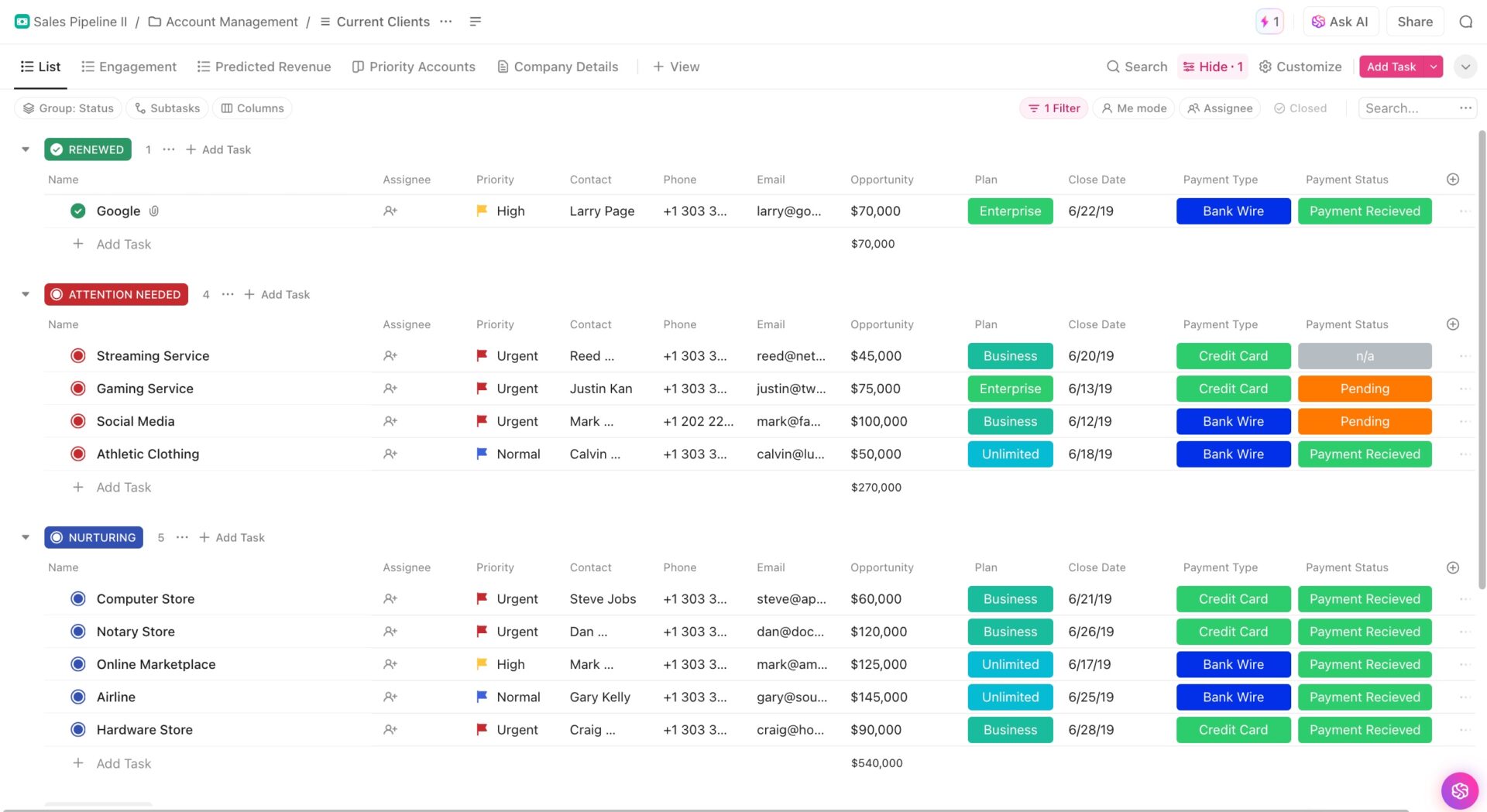
Without a clear view of your sales process, it’s impossible to know where leads are stuck. Leads might pile up in one stage while another stays empty. And without a visual representation, you’re just left guessing where the bottlenecks are.
Get the visual clarity you need with the Sales Pipeline Template by ClickUp. It’s designed for teams that want to see lead progression at a glance and quickly identify where deals are stalling.
✅ Ideal for: SDR managers overseeing lead qualification stages.
📮ClickUp Insight: 16% of professionals want to run a small business as part of their portfolio, but only 7% currently do.
Fear of having to do it all on your own is one of the many reasons people often hold back.
If you’re a solo founder, ClickUp Brain MAX acts as your business partner. Ask it to prioritize sales leads, draft outreach emails, or track inventory—while your AI agents handle the busywork.
Every task, from marketing your services to order fulfillment, can be managed via AI-powered workflows—freeing you to focus on growing your business, not just running it.
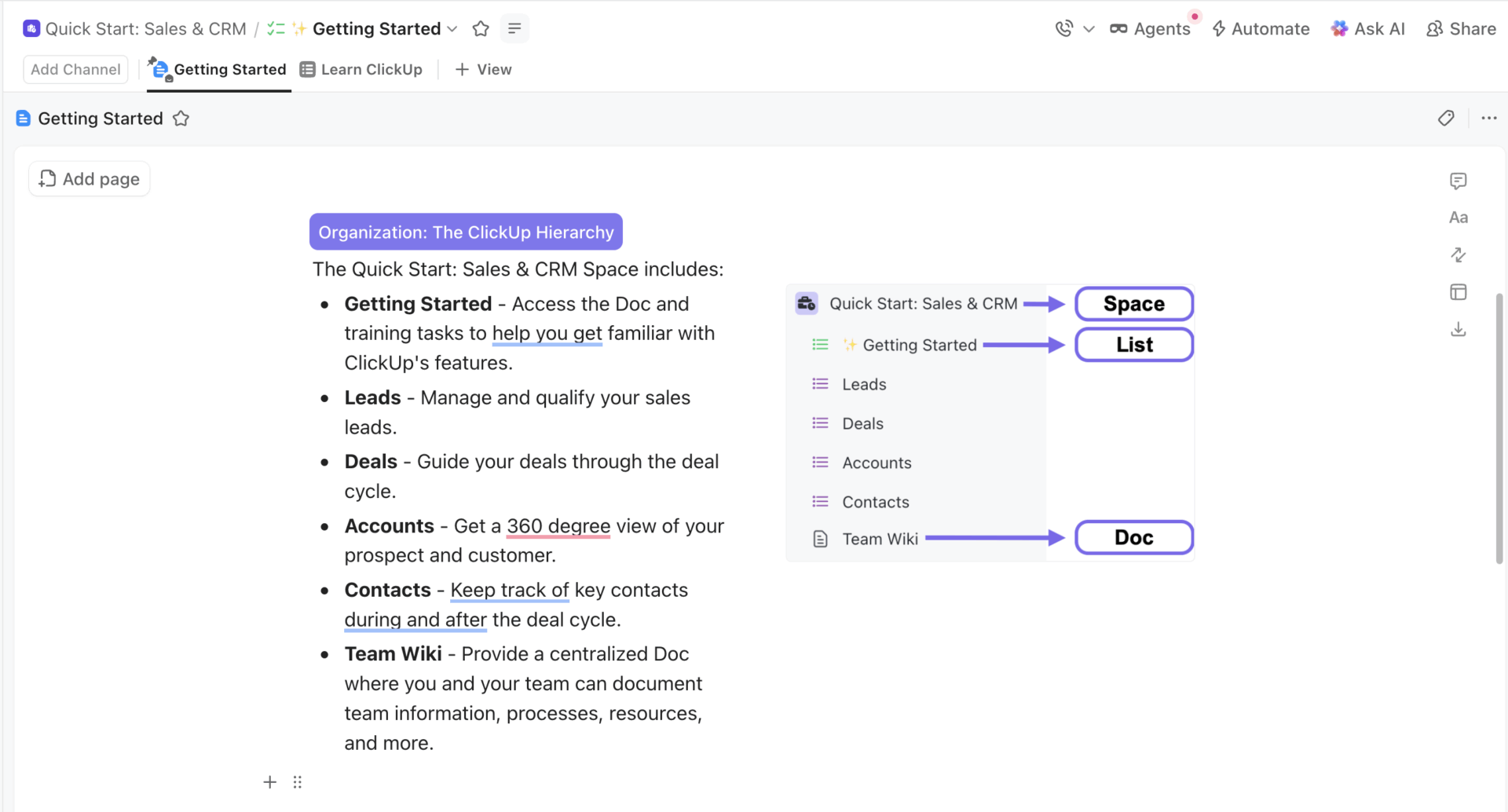
Building a CRM and lead scoring system from scratch can be daunting, especially for small teams or those new to it. The complexity of configuring custom fields, pipelines, and automations may cause delays, forcing your team to rely on inefficient manual methods for too long.
Get your team managing and scoring leads in minutes with the Quick Start: Sales & CRM Template by ClickUp.
✅ Ideal for: Small sales teams setting up lead scoring for the first time.
🧠 Fun Facts: One of the most widely used sales frameworks, SPIN Selling, was developed based on research of 35,000 sales calls. The method is literally “selling, but make it evidence-based.”
💡 Pro Tip: ClickUp Automations can speed up CRM management and lead tracking by eliminating manual steps such as status updates, handoffs between Lists, and follow-up reminders. Instead of someone remembering “when X happens, do Y,” Automations apply those rules consistently.
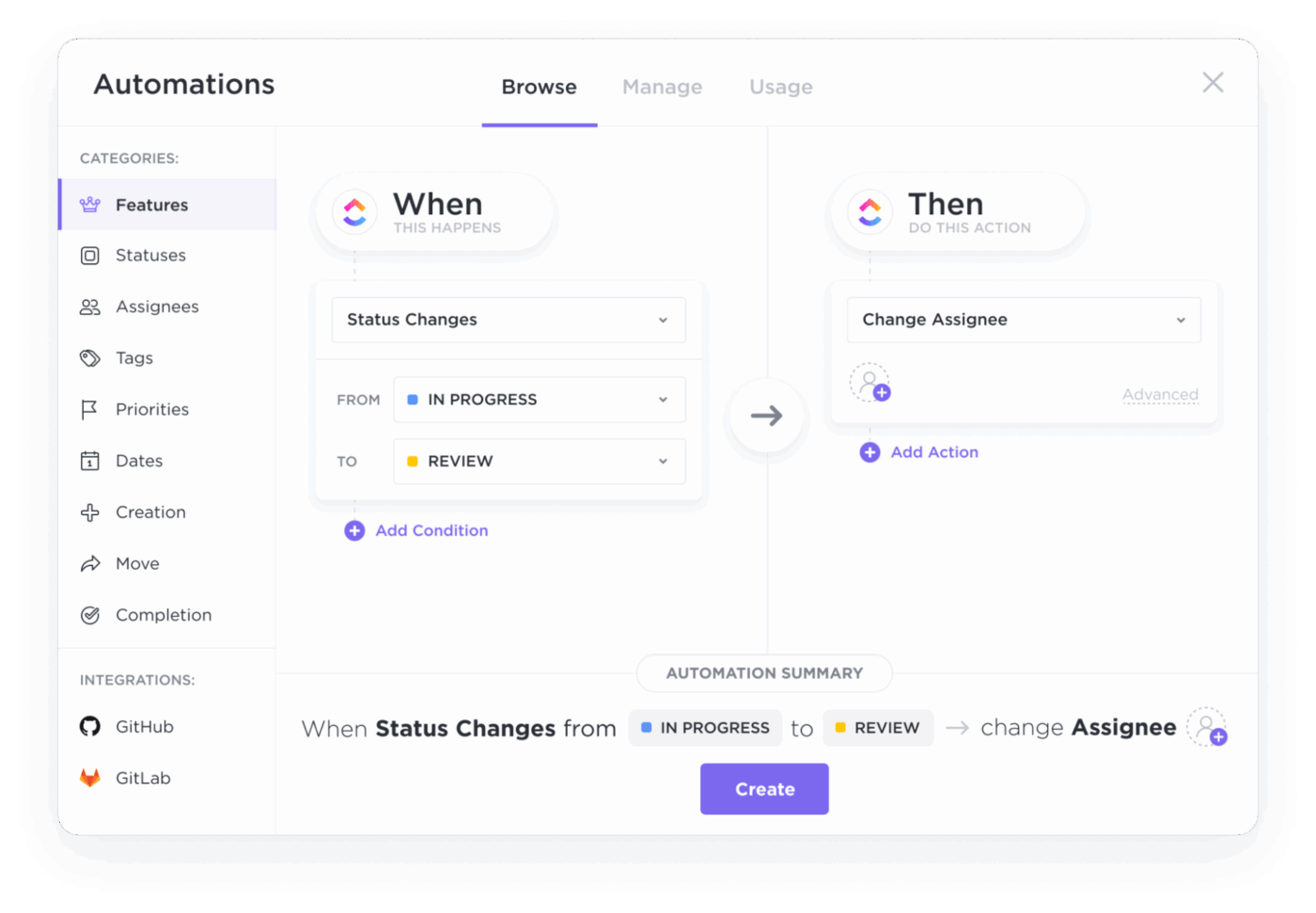
Use them to:
You’ve implemented a lead scoring model, but how do you know if it’s working?
The Sales KPI Template by ClickUp helps you track the sales KPIs you’ll use to evaluate a lead scoring model, including quote activity, revenue signals, and upsell performance. Each KPI is set up as a ClickUp Task, with custom statuses to track progress.
It’s designed for teams that need to measure the effectiveness of their lead scoring and tie it directly to sales performance.
✅ Ideal for: Sales ops managers running weekly KPI reviews tied to pipeline and revenue performance.
⭐️ Bonus: Sales Enablement KPIs
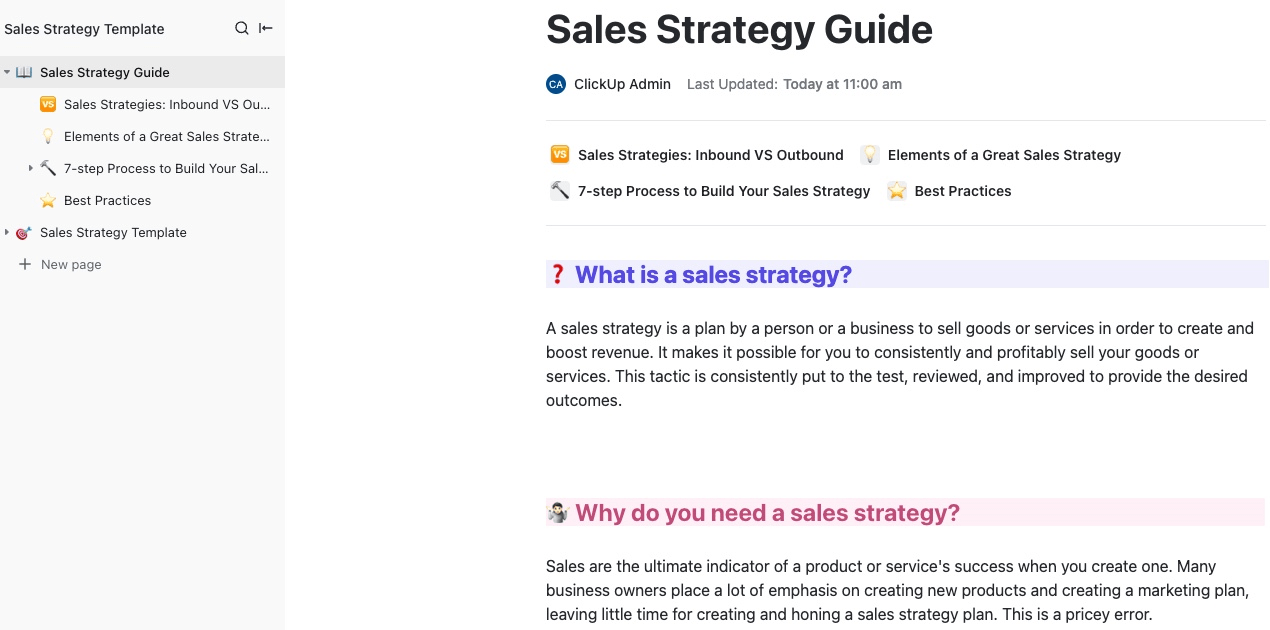
The Sales Strategy Guide Template by ClickUp is a doc-first playbook for building a sales strategy for your team.
And because it’s built in ClickUp Docs, you can keep strategy and execution connected in the same workspace. Add subpages for segments or regions and link related ClickUp Tasks within the doc as your strategy evolves.
✅ Ideal for: Sales managers and RevOps leads building a repeatable sales motion and rolling it out across a growing team.
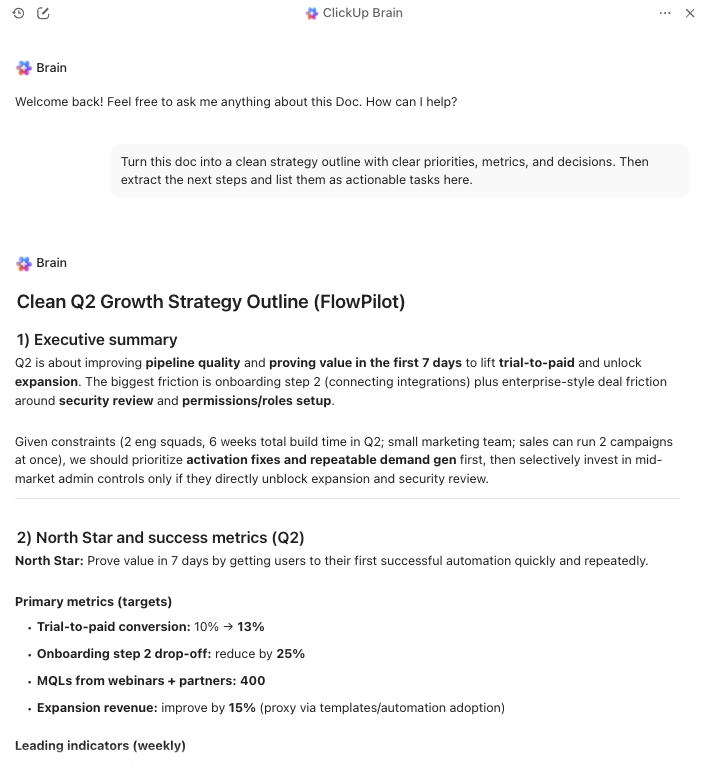
💡 Pro Tip: Use ClickUp Brain to speed up strategy writing when the page is full of ideas but nothing feels structured yet. It can help you summarize notes, sharpen sections, and turn decisions in your doc into next steps, all within the same ClickUp workspace. Talk about convergence!
A simple, one-dimensional point system is sometimes too inflexible. It might not reflect the nuance of a lead who has a perfect demographic fit but low engagement, or vice versa.
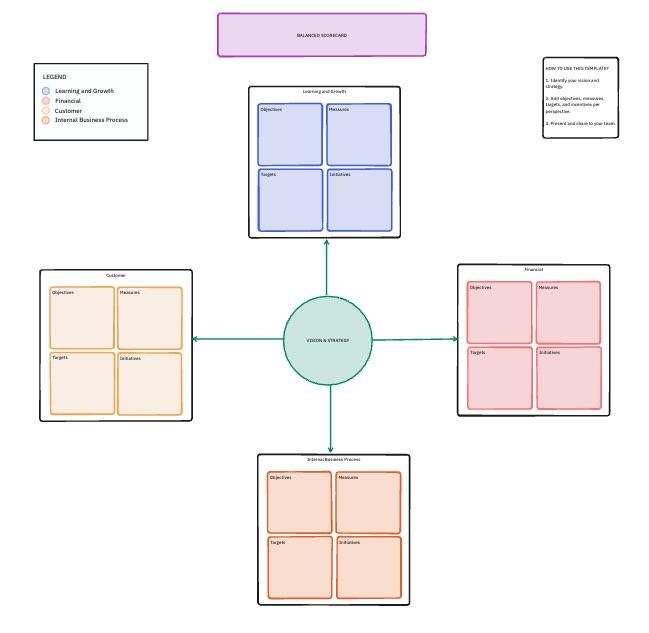
Visualize multiple scoring dimensions with the Balanced Scorecards Template by ClickUp. It lays your scoring logic out on a single ClickUp Whiteboard, with Vision & Strategy at the center and four scorecard blocks around it—Customer, Financial, Internal Process, and Learning & Growth.
✅ Ideal for: Demand gen teams that need a visual way to prove whether their lead scoring model is improving pipeline quality.
👀 Did You Know? The famous 4 Ps (Product, Price, Place, Promotion) were introduced in 1960 by marketing professor E. Jerome McCarthy.
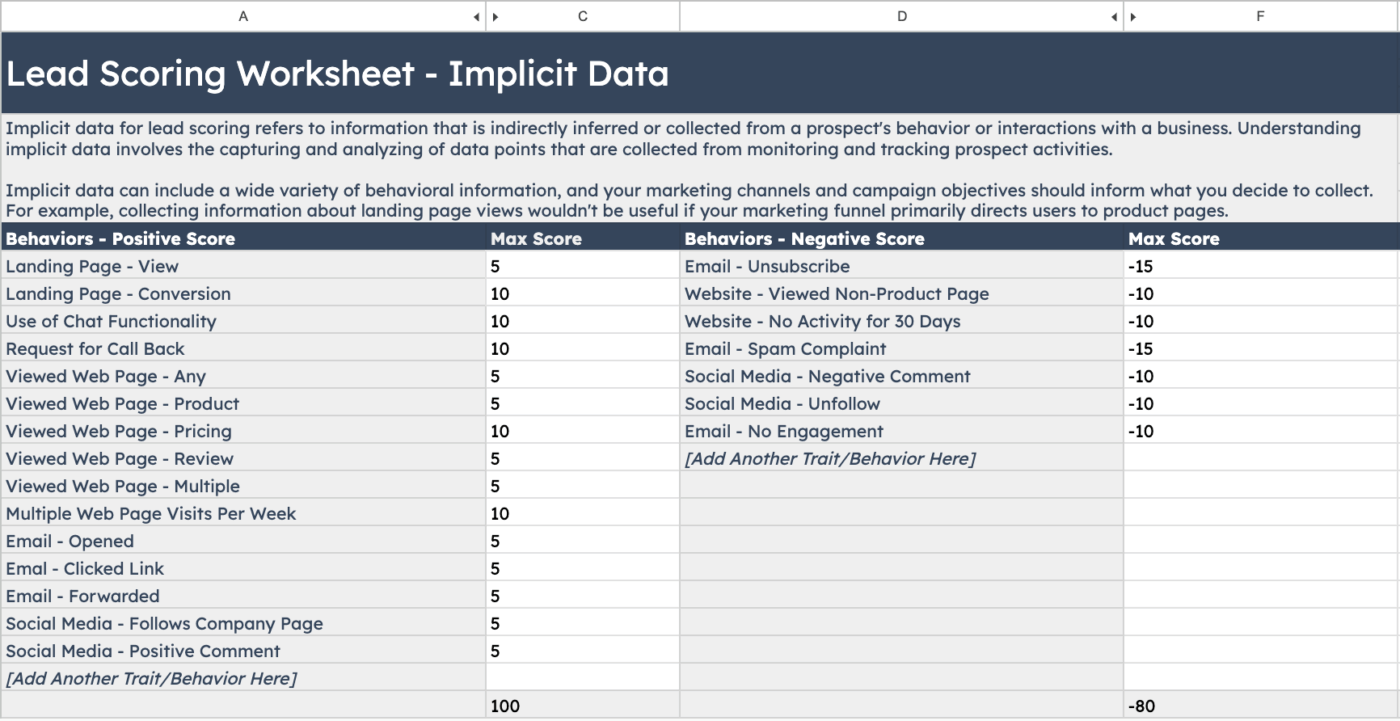
For teams already embedded in the HubSpot ecosystem, building a scoring model in an external tool can feel disjointed.
This is when you’ll need HubSpot’s Lead Scoring Template. It provides a structured, offline tool for planning your scoring model before implementing it directly within HubSpot CRM.
✅ Ideal for: HubSpot admins building or revising lead scoring rules.
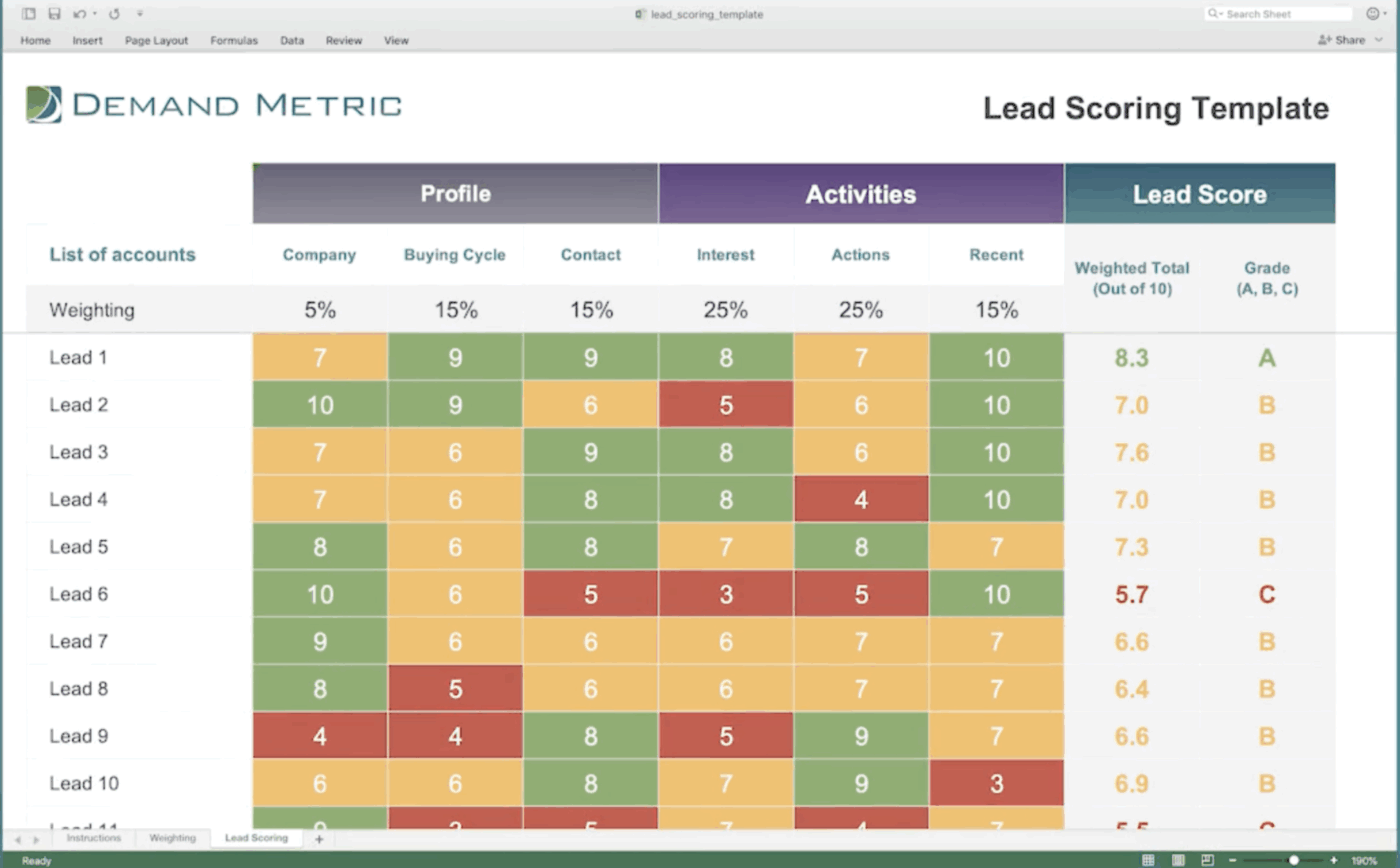
Sometimes, you just need a simple, platform-agnostic tool to get your lead scoring process off the ground.
Get a classic spreadsheet-based solution perfect for platform-agnostic needs with Demand Metric’s Lead Scoring Template. It provides a ready-to-use framework in a familiar Excel or Google Sheets format.
✅ Ideal for: Marketing ops managers who need a CRM-agnostic lead scoring sheet.
💡 Pro Tip: Assign negative points aggressively for clear disqualifiers, such as student email domains or unsubscribe actions. Subtract 50-100 points immediately rather than small deductions—you want these leads to drop out of your pipeline fast, not linger as medium-priority contacts.
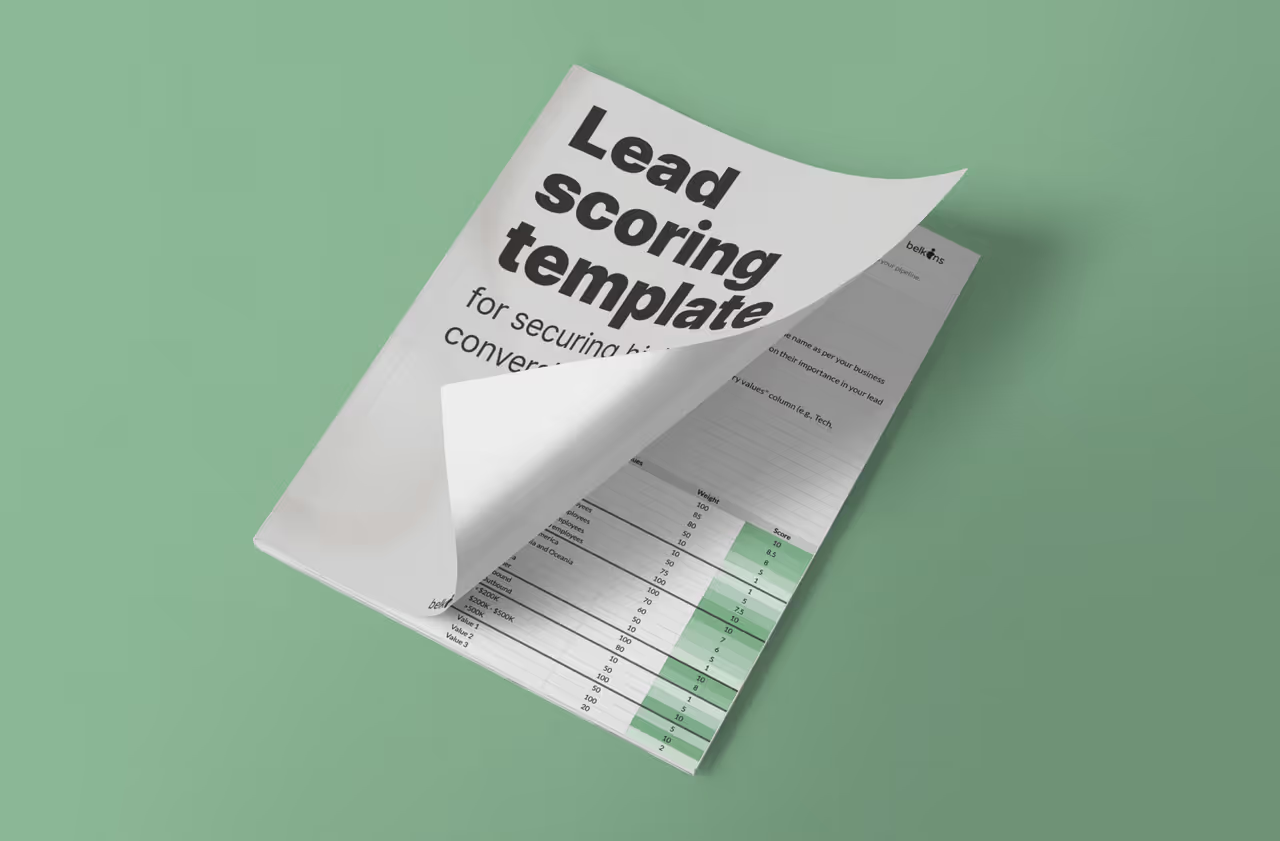
While basic spreadsheets are flexible, they’re also entirely manual. Constantly updating scores by hand is time-consuming and error-prone, defeating the purpose of having a scoring system in the first place.
Get the simplicity of a spreadsheet with automated calculations using the Automated Lead Scoring Spreadsheet Template by Belkins. It’s a Google Sheets template with built-in formulas to handle score calculations for you.
✅ Ideal for: Sales managers and RevOps leads building a repeatable sales motion and rolling it out across a growing team.
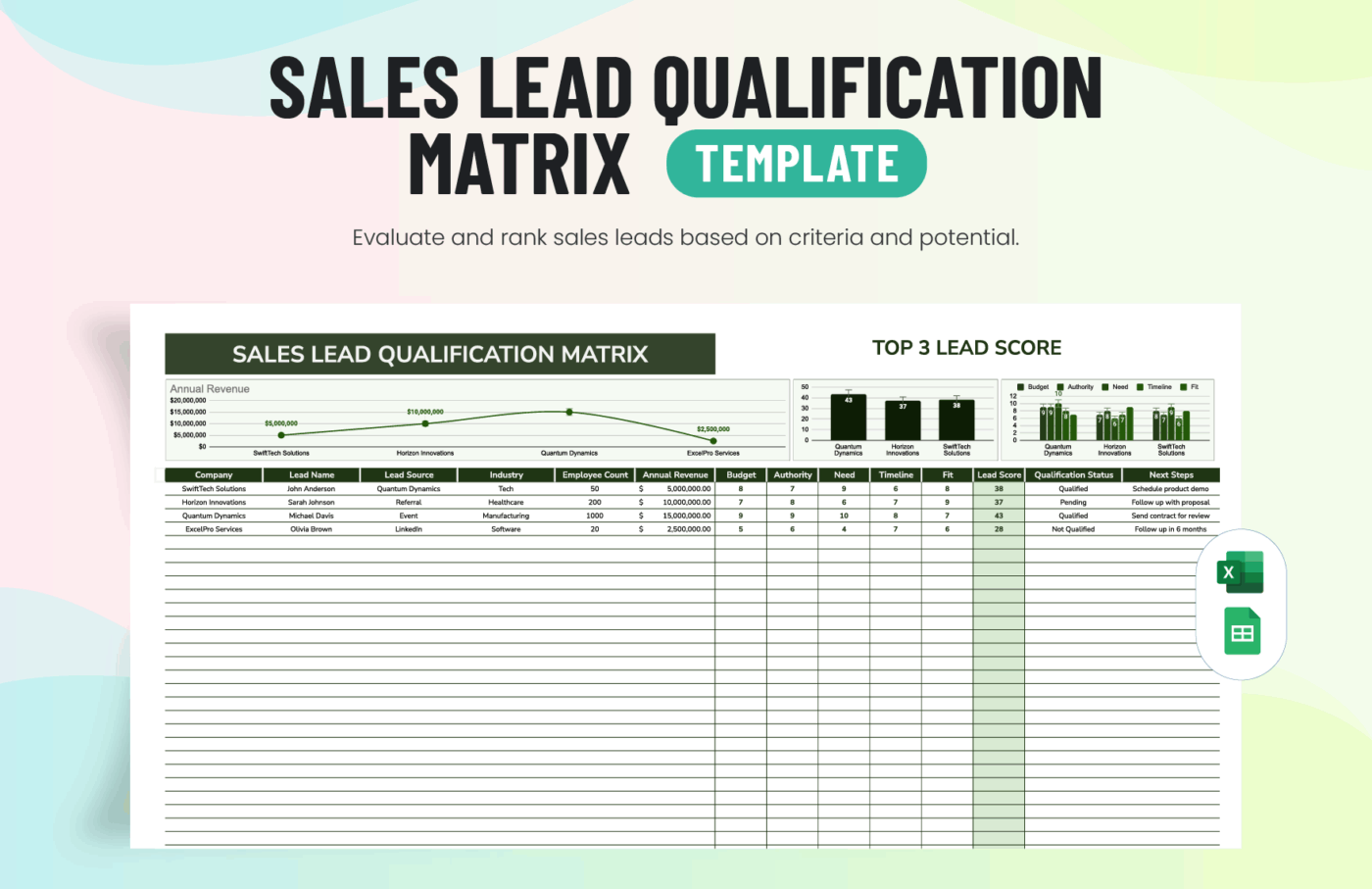
Numerical scores aren’t always the most intuitive way to communicate lead priority, especially in fast-paced sales meetings. A lead with a score of 78 might not seem much different from one with a score of 81, even if that’s your SQL threshold.
Get a simple, visual alternative to point-based scoring with Template.net’s Sales Lead Qualification Matrix Template. It’s ideal for teams that prefer a quadrant-based approach to lead qualification.
✅ Ideal for: Sales managers running weekly pipeline reviews who want a visual, spreadsheet-style matrix.
💡 Pro Tip: Still running your lead management and sales processes the old way? This video shows you 4 easy ways you can upgrade things with AI!
Sure, scoring criteria and weighting matter when you choose a lead scoring template. But how that score turns into a real follow-up is what actually impacts your pipeline.
With ClickUp, lead scores stay directly connected to execution. Once a lead hits the right threshold, you can route it to the right owner, trigger the next step, and keep every touchpoint tied to the same record, all inside your workspace.
Instead of managing scoring in one place and follow-ups in another, everything stays connected, from first capture to next action to pipeline progress.
Move beyond static lead scoring and start running a system your team can actually follow.
Sign up on ClickUp for free. ✅
A template is the empty blueprint with pre-defined fields and categories. A model is the fully built system, customized with your specific criteria, point values, and thresholds that reflect your business.
The best approach is to analyze data from your past closed-won deals to identify common demographic and firmographic traits. You then map those winning attributes to the criteria in your template and assign higher point values to the ones that most strongly correlate with a successful sale.
Spreadsheets are great for small teams or for running initial lead-scoring experiments. However, as your lead volume and team size grow, a CRM-based system becomes essential for automating real-time score updates and scaling your process without getting buried in manual data entry.
You should review your scoring model at least once per quarter. More importantly, plan a review anytime you notice a drop in the conversion quality of your high-scoring leads or when your company’s go-to-market strategy shifts.

© 2026 ClickUp

There’s an easier way. Try a free AI Agent in ClickUp that actually does the work for you—set up in minutes, save hours every week.