








Still downloading templates?
There’s an easier way. Try a free AI Agent in ClickUp that actually does the work for you—set up in minutes, save hours every week.
Sorry, there were no results found for “”
Sorry, there were no results found for “”
Sorry, there were no results found for “”
IT disasters can strike without warning.
From server crashes to cyberattacks—and without a solid recovery plan, your business could face hours of downtime, lost data, and serious financial damage, with 54% of serious outages costing over US$100,000.
This blog walks you through building a comprehensive IT disaster recovery plan that protects your systems, defines clear recovery objectives, and ensures your team knows exactly what to do when things go wrong.
If your servers crashed right now, would your team know exactly what to do? 🛠️
An IT disaster recovery (DR) plan is your documented strategy for restoring IT systems and data after any disruption—from natural disasters to cyberattacks. It’s essentially your playbook for getting technology back online when things go wrong.
💡 DR vs. Business continuity
Disaster recovery (DR) focuses specifically on restoring your IT infrastructure and data. Business continuity (BC) is broader, aiming to keep your entire business operational during and after a crisis, even if IT is down. Think of DR as a key part of your overall BC strategy.
Your disaster recovery plan matters because downtime costs more than just money. Every minute your systems are offline can erode customer trust, disrupt operations, and even lead to fines for non-compliance. A comprehensive DR plan is your roadmap to resilience.
A great plan covers:
Disasters aren’t just Hollywood scenarios; they happen to businesses every day. Understanding what you’re protecting against helps you build a much stronger defense.
Events like floods, fires, earthquakes, and major power outages can destroy entire data centers in minutes. When a major flood hit a Nashville data center, for example, some companies lost weeks of data and faced months of recovery. The best protection against this is geographic redundancy, which means spreading your infrastructure across multiple physical locations so one event can’t take everything down.
Ransomware, Distributed Denial-of-Service (DDoS) attacks, and data breaches are different from physical disasters. They are often harder to detect, can spread silently through connected systems, and frequently target your backup systems, too, making recovery especially challenging. The frequency and sophistication of these cyberattacks continue to increase across all industries, with ransomware now figuring in 44% of all confirmed breaches, making them a top threat.
Sometimes, even the most tested and trusted backup systems just break. Server crashes, storage failures, and network equipment malfunctions can happen without warning. Even if you have redundant (backup) systems, they can still fail at the same time if they share common components or power sources, creating a single point of failure.
👀 Did You Know: During October 2025, AWS suffered a major outage when a bug in its internal DNS-management system for Amazon DynamoDB caused domain-name resolution to fail in the US-EAST-1 data-centre region. This “small” technical defect triggered a cascading failure across dozens of AWS services and brought down hundreds of popular apps and platforms globally — from messaging and social apps to banks, gaming sites, and more. For many people, the outage temporarily made much of the Internet “disappear,” highlighting how fragile our digital infrastructure is when so much depends on a handful of cloud providers.
A corrupted database, a failed software update, or a simple configuration error can bring down entire platforms. You might notice that one misconfigured line of code can cascade through connected systems, creating a widespread outage with a large blast radius. Proper change management and dedicated testing environments are your best friends in minimizing these risks.
Accidental deletions, incorrect configurations, and unauthorized changes remain one of the most common causes of IT outages. A single wrong command or a deleted file can trigger hours of downtime and service degradation. While training and access controls help, they can’t eliminate human mistakes entirely.
📮ClickUp Insight: 92% of workers use inconsistent methods to track action items, which results in missed decisions and delayed execution.
Whether you’re sending follow-up notes or using spreadsheets, the process is often scattered and inefficient. With ClickUp Task Management capabilities, you never have to worry about this. Create tasks from chat, ClickUp Task Comments, docs, and emails with a single click!
A solid DR plan is your complete playbook for getting back online. Each of these components builds on the others to create comprehensive protection for your business.
First, you need to know what you’re up against. A risk assessment is the process of identifying your vulnerabilities and evaluating the likelihood and impact of each potential threat. You can organize this in a risk matrix to see which threats are most severe.
Your assessment should cover:
📖 Read More: How to Implement IT Infrastructure Management
Next, figure out the real-world cost of downtime. A business impact analysis (BIA) helps you determine the financial and operational impact of an outage for each system. This allows you to classify your systems into criticality tiers to prioritize your recovery efforts.
| System tier | Recovery timeframe | Examples |
|---|---|---|
| Critical | Less than one hour | Payment processing, customer databases |
| High | One to four hours | Email, internal communication tools |
| Medium | Four to 24 hours | Development environments, reporting tools |
| Low | 24+ hours | Archive systems, non-production test servers |
These two acronyms are the heart of your recovery strategy.
For example, your internal email system might have an RTO of four hours, but your customer-facing e-commerce database might have an RPO of just 15 minutes, meaning you can’t lose more than 15 minutes of transaction data.
Your backup plan is your ultimate safety net. A common best practice is the 3-2-1 rule: maintain at least three copies of your important data, store them on two different types of media, and keep one of those copies offsite.
You’ll also choose between different backup types:
Most importantly, you must test your backup restoration process regularly. An untested backup is just a hope, not a plan.
💟 Bonus: Capture critical details during high-stress incidents by using ClickUp Brain MAX’s talk-to-text, so you never miss important information even when typing isn’t practical. Just speak your observations, and let the AI handle the documentation.
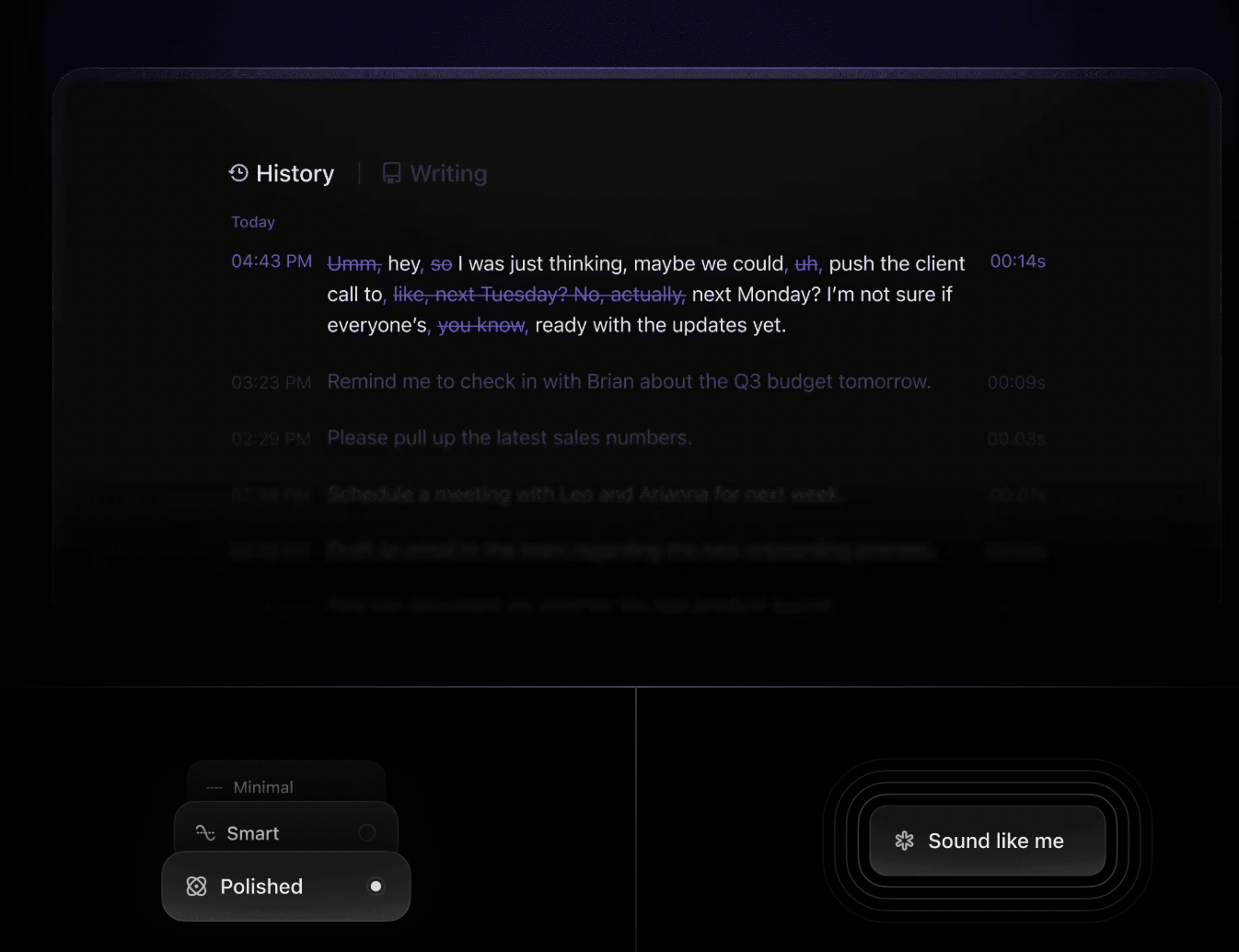
When a disaster hits, a clear communication plan is everything. Your plan must define notification chains, how often you’ll provide updates, and what channels you’ll use for each type of incident.
Different groups need different information:
Tools like this ready-to-use Communication Plan Template from ClickUp can help you move faster with an established protocol during a crisis.
A plan you never test is a plan that will fail. Regular testing reveals gaps and weaknesses before a real disaster strikes.
Schedule different types of tests throughout the year:
After every test, update your documentation and train new team members on the procedures immediately.
📖 Read More: How to Develop Effective IT Policies and Procedures
Building your DR plan doesn’t have to be overwhelming.
Here’s how you can tackle it one step at a time. 🙌
You can’t protect what you don’t know you have. Start by building an asset inventory that lists every piece of hardware, software, data repository, and system dependency in your environment. Make sure to include vendor contacts, license keys, and configuration details for quick reference during a recovery.
The ClickUp ITAM Template brings together incident management, problem management, change management, simple asset management solutions, and knowledge management. Our ITSM Known Errors Template simplifies how you track known errors in your systems. Explore all our IT templates as soon as your purpose changes.
Customize your workflows in whichever style you want for each ITAM stage, from deployment and configuration to maintenance and retirement.
Now, identify which of those assets are mission-critical versus just nice-to-have. Create service dependency maps that show how your systems connect and rely on each other. Pay special attention to any customer-facing services that directly impact revenue or user experience.
🎥 Watch this practical walkthrough that demonstrates how to build a structured, high-level plan using ClickUp’s powerful features—from setting goals to assigning tasks and tracking progress.
Assess risks and threats by evaluating the probability and impact of each threat type for your specific situation. Consider your geographic risks (are you in an earthquake zone or flood plain?) and any industry-specific threats (like regulatory changes or targeted cyberattacks). Document everything in a risk register so you can track it over time.
The ClickUp Risk Assessment Whiteboard Template creates a visual dimension for your risk assessment process. It assists in assessing risks and categorizing, inspiring your team to share insights and collaborate in an engaging and visual format.
This template allows you to:
With features that enable you to draw, write, and add sticky notes, this risk management whiteboard template is perfect for evaluating your project’s risks.
Work directly with your business stakeholders to define what they consider acceptable downtime and data loss for each service tier you identified earlier. You’ll need to balance the cost of faster recovery against the business impact—not everything needs instant, zero-data-loss recovery. Get executive approval on these targets.
With your targets set, you can now design your technical solutions. Create backup strategies tailored to each system’s RPO and plan detailed failover procedures, including alternate processing sites and emergency access methods. Include network diagrams and step-by-step runbooks to make execution foolproof.
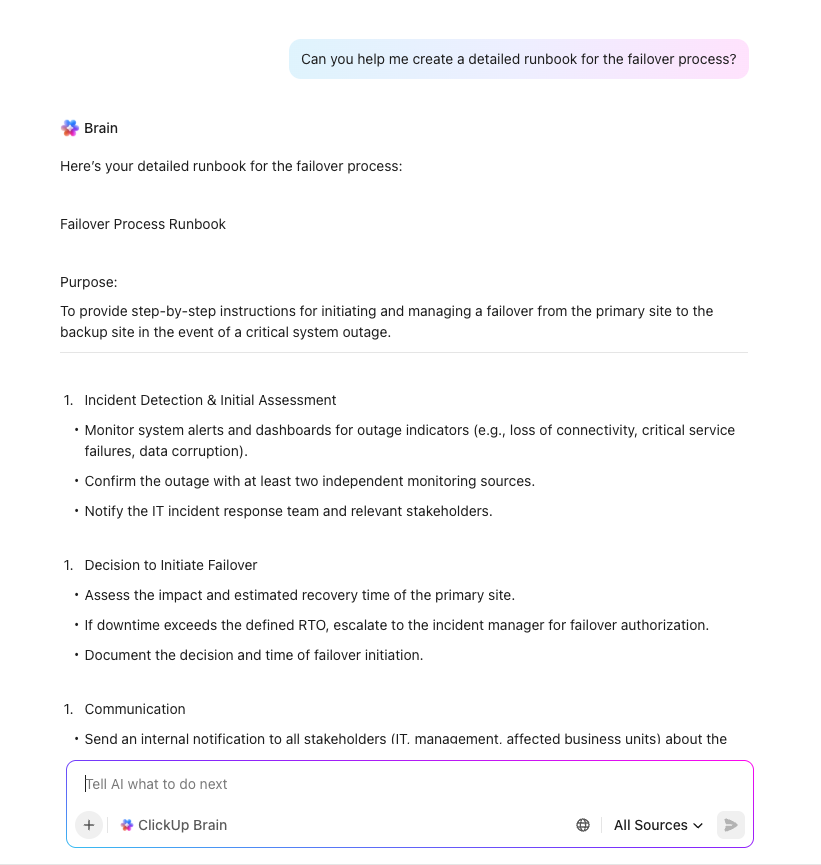
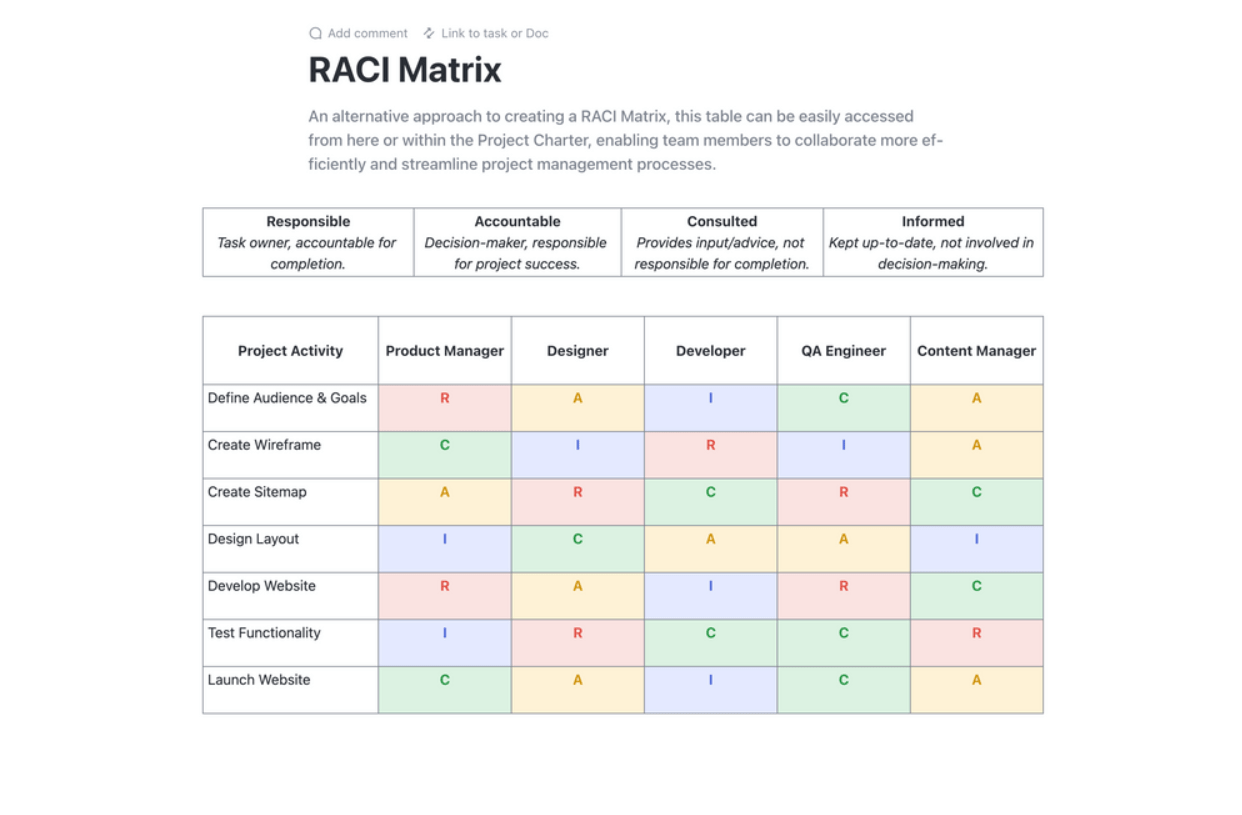
Define your DR team structure with clear responsibilities and decision-making authority. Create comprehensive contact lists with primary and backup personnel for each role. A RACI matrix (Responsible, Accountable, Consulted, Informed) is a great tool to eliminate confusion during a high-stress incident.
Document and communicate the plan with clear, step-by-step procedures that anyone on your team can follow, even under pressure. It’s crucial to store this documentation in a highly accessible location that’s separate from your primary infrastructure. Make sure every team member knows exactly where to find the plan during a crisis.
Streamline your project planning with ClickUp’s RACI Planning Template. This Doc template is a game-changer, offering a clear chart to define team roles and responsibilities in relation to project tasks. Embrace the RACI (Responsible, Accountable, Consulted, and Informed) framework to get everyone on the same page, ensuring accountability and alignment with organizational goals.
Step 8: Test, review, and improve
Finally, schedule quarterly tests to validate your procedures and identify any gaps. Document all lessons learned from each test and any real incidents, and use them to update your plan. Create a systematic improvement tracking system to ensure that any issues you find get resolved.
🌼 Did You Know: In 2017, GitLab experienced a major database outage. During the recovery, they discovered that several of their backup methods had been failing silently for days. This incident taught the entire tech industry a crucial lesson: backup validation is non-negotiable. An untested backup isn’t really a backup at all.
Not every organization needs the same DR approach. Let’s explore your options based on your budget, recovery needs, and available resources.
This is the simplest and most cost-effective method. It involves making regular backups to an off-site location (like the cloud or a secondary data center) and then manually restoring them when needed. This approach is best for non-critical systems that can tolerate a longer RTO, as recovery can take hours or even days.
This strategy aims to eliminate single points of failure by using multiple active systems. Techniques like load balancing, server clustering, and RAID storage ensure that if one component fails, another one instantly takes over. Though more expensive to set up and maintain, this approach can minimize downtime to just seconds or minutes, making it ideal for critical services.
Replication involves copying data in near real-time to a secondary site, which ensures minimal data loss during a disaster.
Disaster Recovery as a Service (DRaaS) has become a popular choice for many businesses. It offers pay-as-you-go pricing, instant geographic distribution, and automated recovery orchestration without the need to build and maintain your own physical DR sites. Cloud DR eliminates the huge capital expense of a backup data center while providing faster scaling and more flexibility than traditional hot, warm, or cold site approaches.
Managing a DR plan across scattered spreadsheets, documents, and email chains creates its own disaster risk.
This kind of work sprawl, the fragmentation of work across multiple, disconnected tools that don’t talk to each other, and context sprawl, when teams waste hours searching for information scattered across apps and platforms, leads to confusion, outdated information, and slow response times when every second counts.
With ClickUp Converged AI Workspace—a single, secure platform where all your work apps, data, and workflows live together with contextual AI as the intelligence layer—that combines project management, documentation, and team communication. Stop juggling multiple platforms and bring your DR planning, testing, and incident response into one unified system.
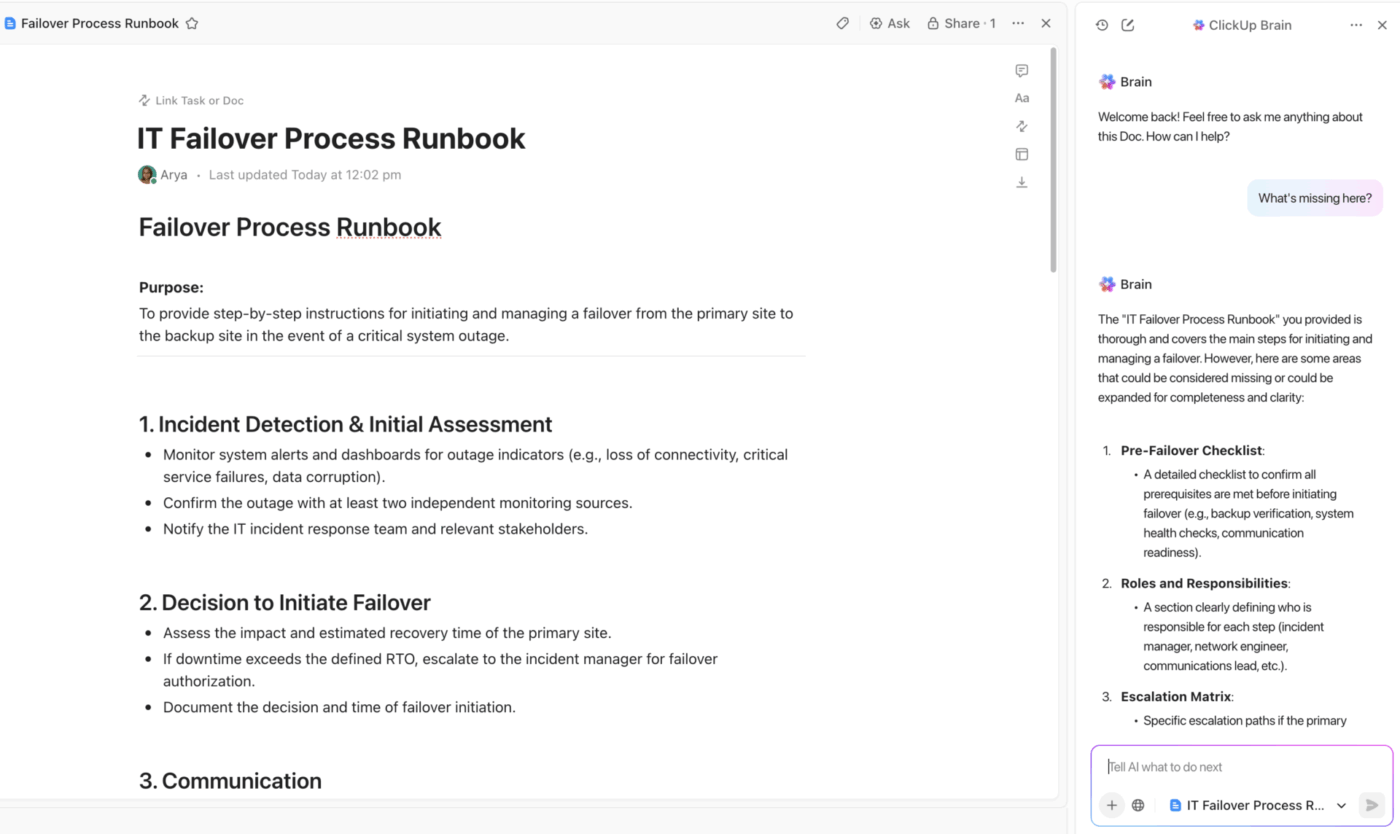
Ensure your team always has the single source of truth with ClickUp Docs.
Build your entire disaster recovery plan in a collaborative space where everyone can contribute in real-time during an incident. Link Docs directly to incident tasks and projects for seamless navigation, and embed diagrams or runbooks to keep critical information right where you need it.
Best of all, you can protect your documents to prevent accidental edits and use granular ClickUp Permissions to control who can view or change sensitive recovery procedures. Every change is tracked in the document’s history, giving you a complete audit trail.
Accelerate disaster recovery planning and eliminate critical gaps with ClickUp Brain—your contextual AI assistant that understands your entire workspace. Unlike generic AI tools, ClickUp Brain leverages your organization’s real tasks, docs, and workflows to deliver precise, actionable support for DR initiatives.
Just prompt ClickUp Brain with a request like, “Create a disaster recovery checklist for our e-commerce platform,” and instantly receive a comprehensive, tailored template that aligns with your systems, processes, and compliance needs. It can help you with:
💡Pro Tip: Never miss a lesson from your incident review meetings by capturing every detail with ClickUp AI Notetaker. It can join your virtual meetings, transcribe the entire discussion, and automatically generate a list of action items from the lessons learned. This creates a searchable incident history, so you can quickly reference past events and their resolutions.

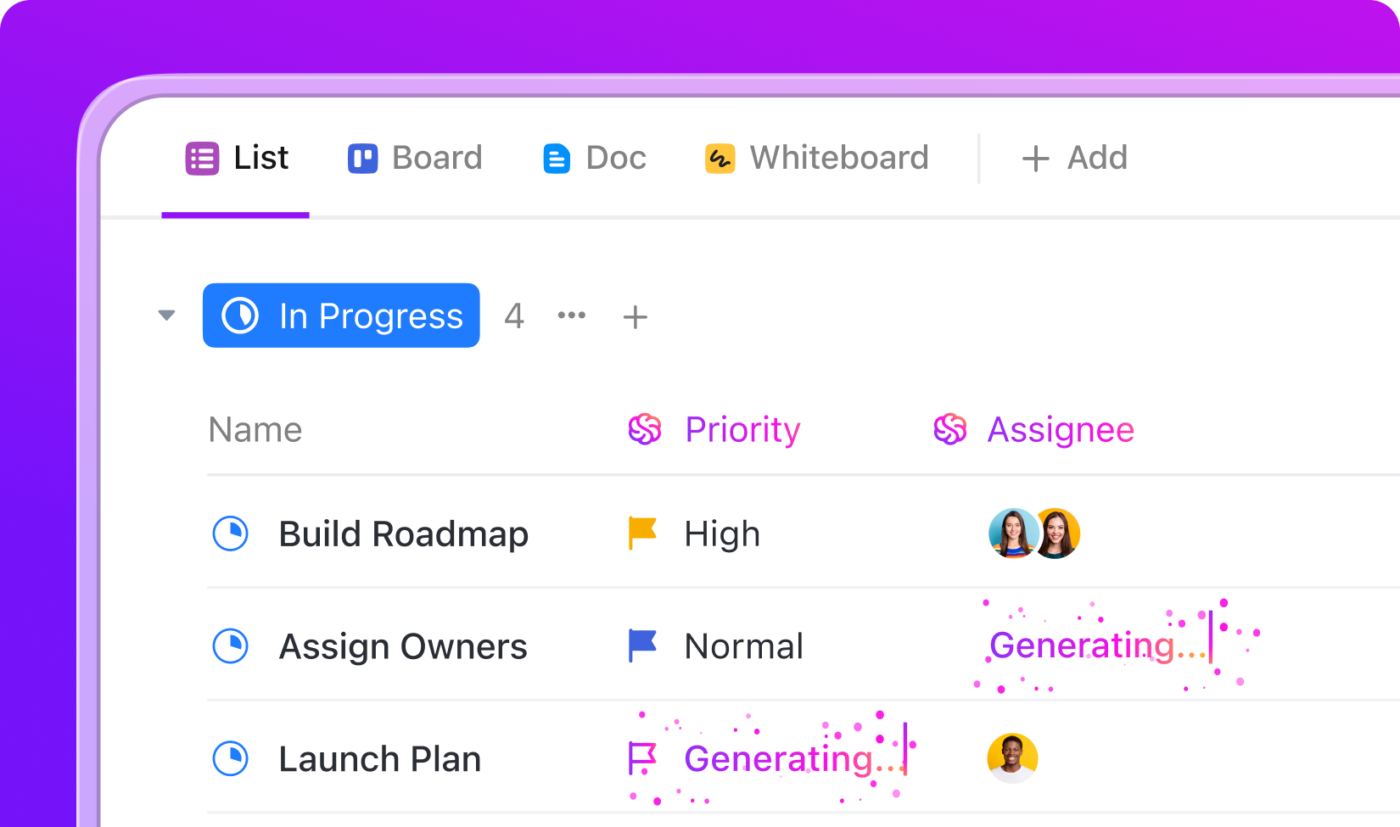
Imagine your team is facing a sudden outage—every second counts, and you can’t afford to miss a single step. With ClickUp AI Agents and Automations, you don’t have to scramble or rely on memory. As soon as an incident is declared, ClickUp’s AI jumps into action, guiding your team and handling the busywork so you can focus on solving the problem.
Here’s how it works in a real scenario:
See the workflow here:
With ClickUp AI Agents, you get a reliable digital teammate that helps your team stay calm, organized, and effective—even when the pressure is on.
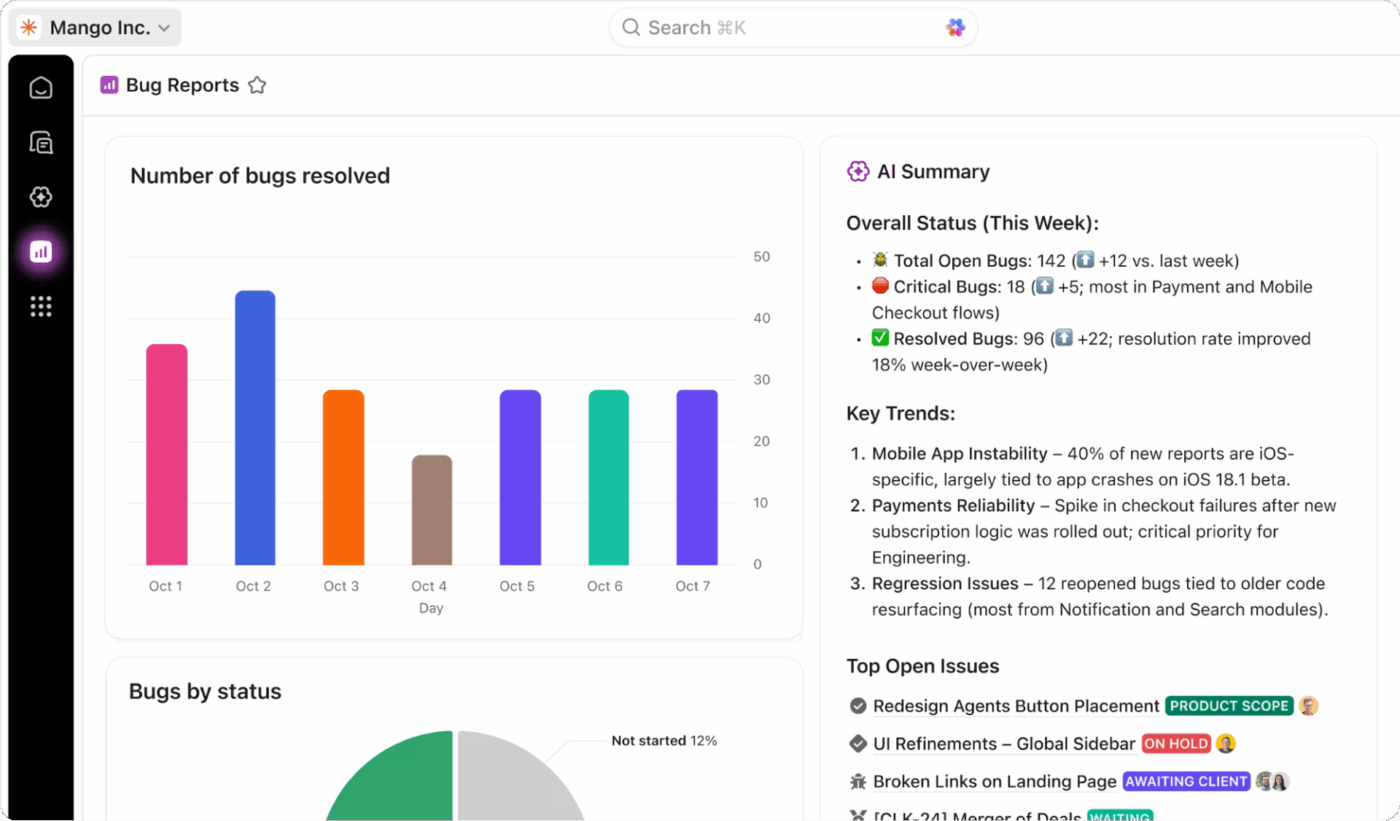
Get complete visibility into your DR program’s health by tracking everything in real time with ClickUp Dashboards. You can create widgets to monitor your RTO and RPO performance during tests, track test completion rates, and view incident trends over time.
Add ClickUp Custom Fields to your tasks to track system criticality, recovery status, and test results, then pull all that data into one high-level view. These Dashboards give you executive-ready reports that are always up-to-date with real-time data from your team’s testing and incident response activities.
📖 Read More: How to Create a Risk Assessment Checklist
Every day you operate without a DR plan is a gamble you can’t afford to lose. Disasters are inevitable—whether from nature, technology failures, or human error—but your preparation is what determines whether they become minor inconveniences or major catastrophes.
A comprehensive DR plan requires understanding your risks, documenting clear procedures, and testing them regularly. The right tools make this process manageable by eliminating the chaos of scattered documents and manual processes.
Even basic contingency plans are better than having nothing when disaster strikes. Regular testing and updates will transform your DR plan from a dusty document into a living system that truly protects your business.
Take the first step and start building your DR plan with ClickUp today. Get started for free with ClickUp and bring all your disaster recovery planning, documentation, and incident response into one unified platform. ✨
You should review your DR plan at least four times a year and update it immediately after any significant infrastructure changes or real incidents. Most organizations perform a major, in-depth revision annually to incorporate all lessons learned and adapt to new technologies.
IT teams, security teams, and business continuity planners typically lead the DR planning and testing efforts. However, they need critical input from operations and business unit leaders to ensure the plan aligns with real-world business needs and priorities.
Use stopwatches and clear timestamps to measure the actual recovery times against your defined targets during each test. It’s crucial to document any gaps between your target and actual performance in your test reports to guide future improvements.
Project management platforms like ClickUp are ideal for centralizing documentation, automating workflows, and tracking metrics for your entire DR program. You can then pair them with specialized DR tools that handle the technical aspects of data replication and system failover.

© 2026 ClickUp

There’s an easier way. Try a free AI Agent in ClickUp that actually does the work for you—set up in minutes, save hours every week.