








Still downloading templates?
There’s an easier way. Try a free AI Agent in ClickUp that actually does the work for you—set up in minutes, save hours every week.
Sorry, there were no results found for “”
Sorry, there were no results found for “”
Sorry, there were no results found for “”
Research shows that 70% of organizational transformations fail to meet their objectives—often due to poor execution, employee resistance, and lack of sustained leadership commitment.
Organizations struggle to consistently decide which opportunities to pursue, leading to wasted resources and strategic drift.
This article walks you through 11 investment prioritization templates that bring structure to your decision-making process, from quick 2×2 matrices for rapid screening to weighted scoring frameworks for complex capital allocation decisions.
| Template Name | Download Link | Ideal For | Best Features |
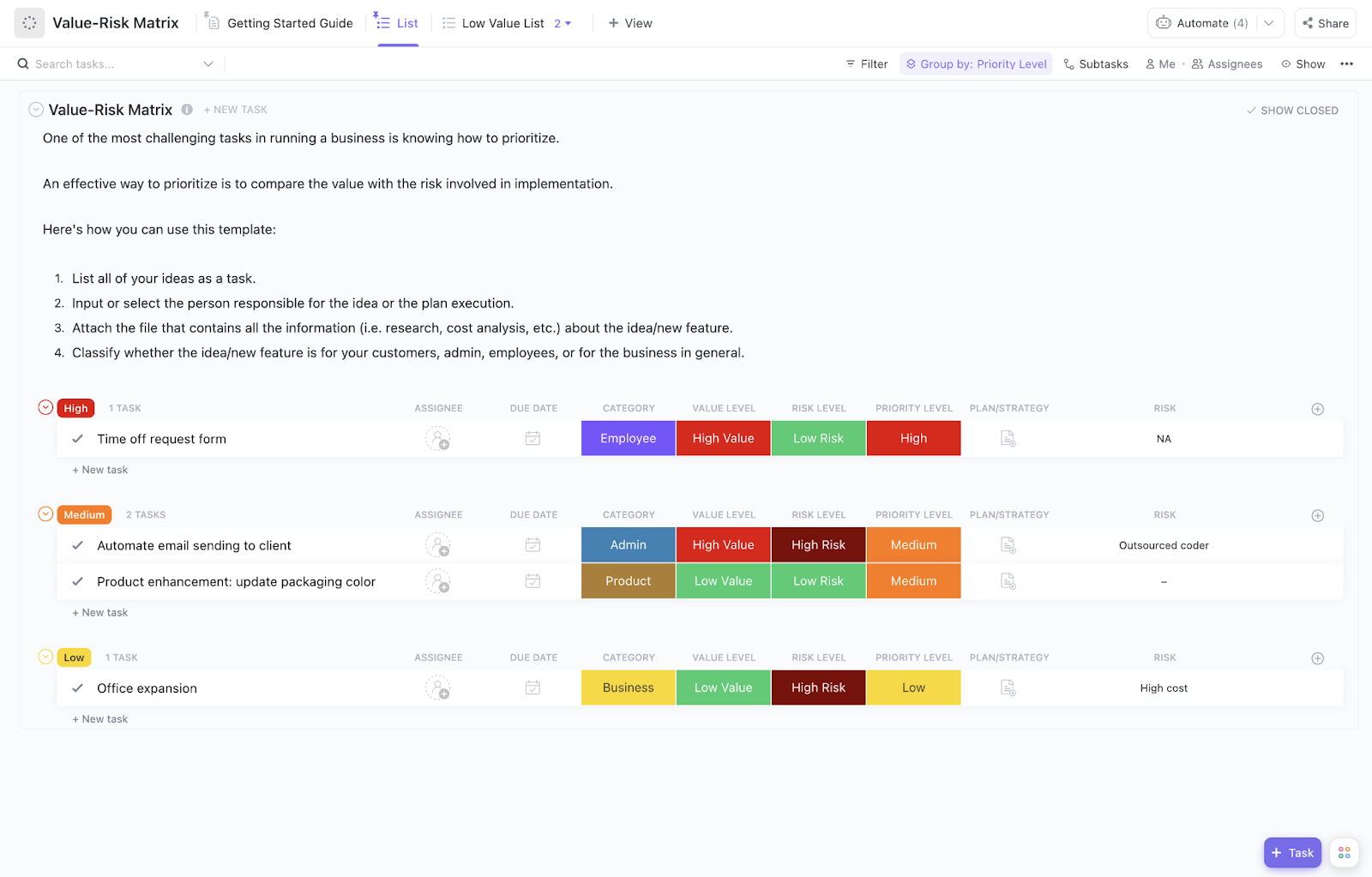
| Value Risk Matrix Template by ClickUp | Get free template | Early-stage investment screening, portfolio reviews, and strategic planning sessions. | Quick sorting into four value-risk quadrants; Board View for visual overviews; pre-configured Custom Fields for value and risk scoring |
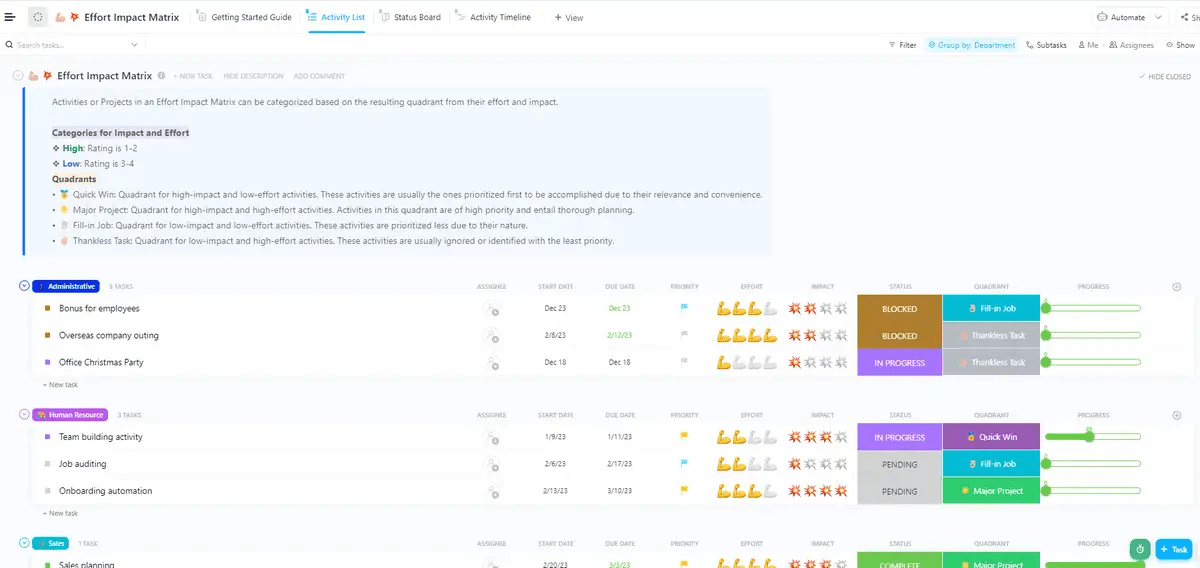
| Effort Impact Matrix Template by ClickUp | Get free template | Resource-constrained teams, agile prioritization exercises, and product backlog grooming. | Ready-made groups like quick wins and time sinks; Custom Fields for effort and impact scores; flexible definition of effort by time, cost, or complexity |
| Priority Matrix Template by ClickUp | Get free template | Teams with unique prioritization criteria, cross-functional decision-making, and custom investment frameworks. | Customizable axes and quadrant labels; adjustable scoring scales; Board and List views; Formula Fields for composite scoring |
| Prioritization Matrix Template by ClickUp | Get free template | Complex investment decisions, multi-stakeholder prioritization, and formal capital budgeting. | Multi-criteria scoring columns; weight assignment by criterion; Formula Fields for automated totals; instantly ranked output |
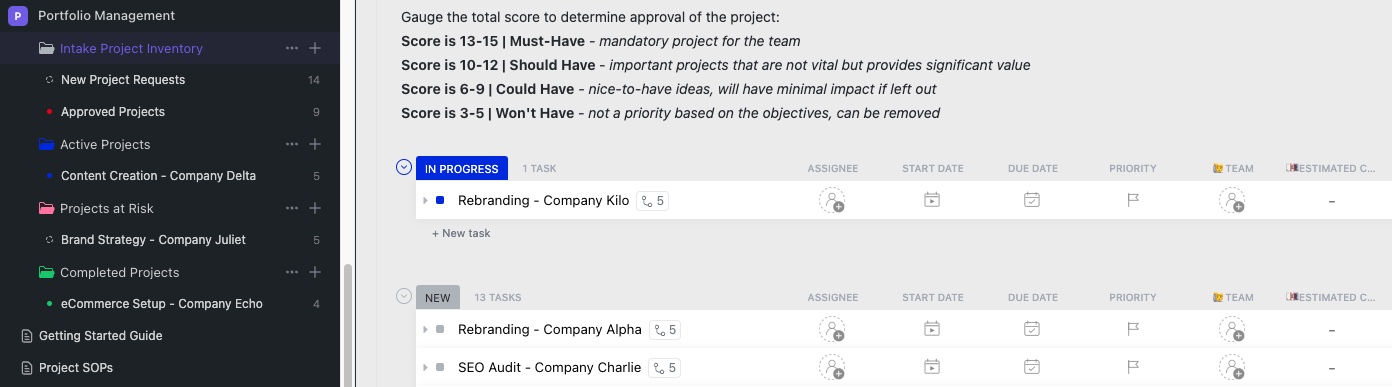
| Portfolio Management Template by ClickUp | Get free template | Portfolio managers, PMOs, investment committees, and strategic planning teams. | Portfolio overview via Dashboards; tracking for allocation and performance; built-in scoring for new opportunities; automations for rebalancing alerts |
| Cost Analysis Template by ClickUp | Get free template | Finance teams, procurement, capital budgeting, and build vs. buy decisions. | Organized cost categories; granular line-item breakdowns; side-by-side comparison of options; total cost of ownership calculations |
| Buy vs. Build Analysis Template by ClickUp | Get free template | Technology teams, product managers, IT procurement, and strategic sourcing. | Comparison of upfront and ongoing costs; time-to-value analysis; control vs. customization trade-off analysis; strategic fit assessment |
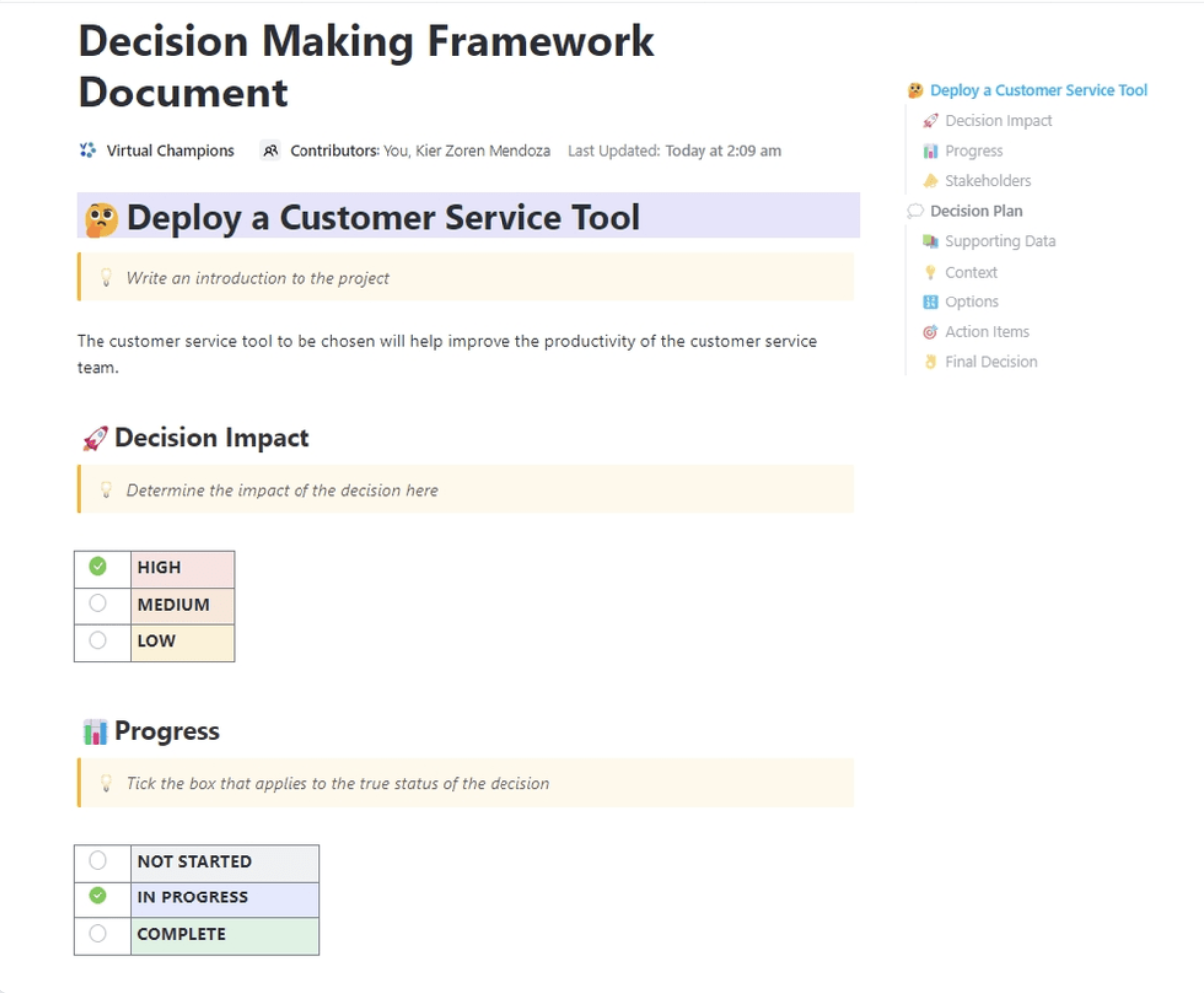
| Decision Making Framework Document Template by ClickUp | Get free template | Governance-heavy environments, regulated industries, and major cross-functional decisions that require documentation. | Clear decision context; full list of options considered; documented evaluation criteria and rationale; implementation plan with ownership |
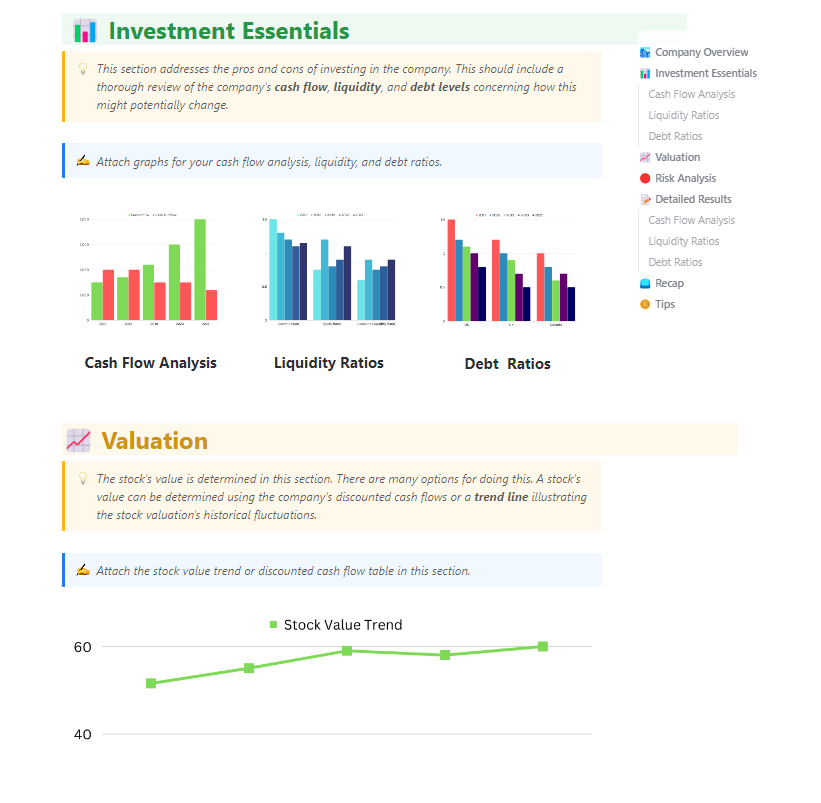
| Financial Analysis Report Template by ClickUp | Get free template | Finance teams, investment analysts, business case development, and board prep. | Revenue projections; profitability and break-even metrics; cash flow analysis; sensitivity analysis under different assumptions |
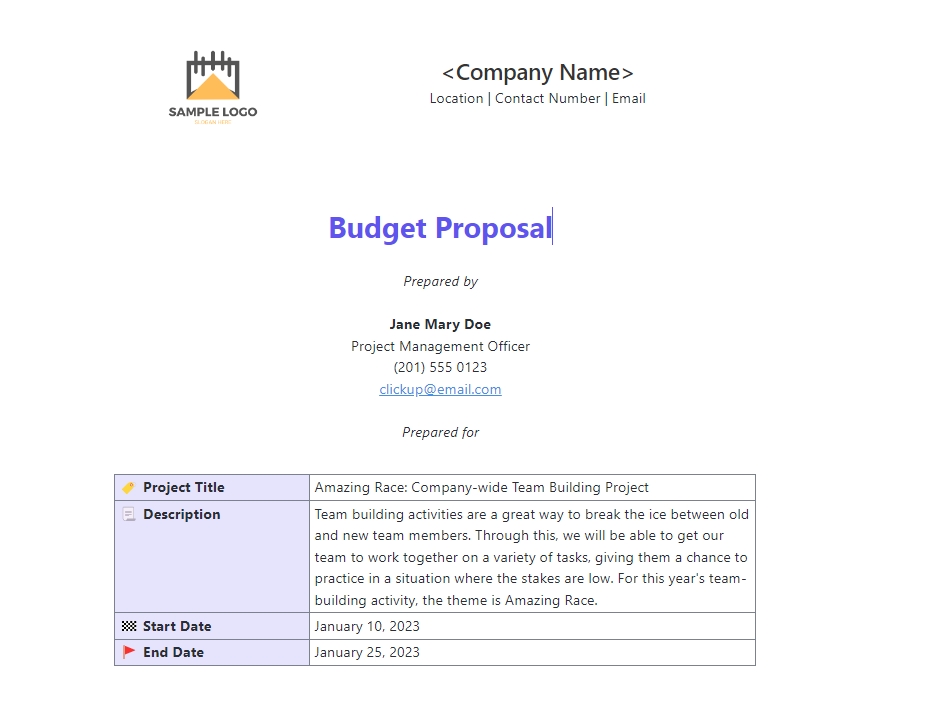
| Budget Proposal Template by ClickUp | Get free template | Budget season, capital requests, project funding proposals, and executive presentations. | Executive summary section; business case structure; detailed budget breakdown; ROI and payback projections |
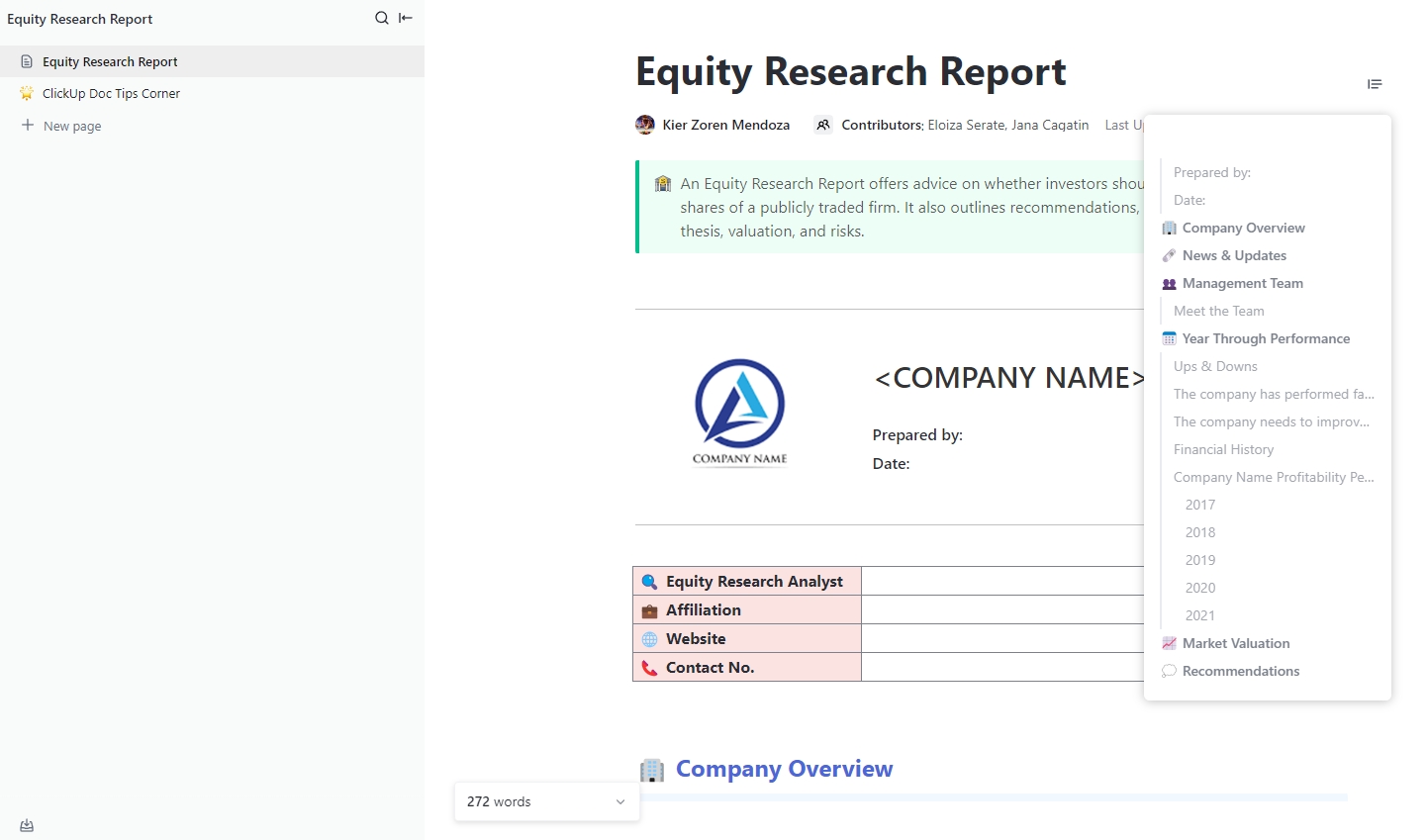
| Equity Research Report Template by ClickUp | Get free template | Investment analysts, portfolio managers, equity research teams, and investment clubs. | Company overview and market context; financial trend analysis; bull, bear, and base case thesis; buy/hold/sell recommendation with target price |
Many teams base their biggest decisions on gut feelings, endless debates, or whoever has the most convincing argument. This often leads to chasing the wrong projects, wasting valuable resources, and creating team-wide frustration when good ideas get buried.
An investment prioritization template is a pre-built framework that removes the guesswork. It helps you rank and compare potential investments—whether they’re new projects, product features, or capital expenditures—based on a set of consistent, objective criteria.
These templates use scoring mechanisms, weighted criteria, and visual matrices to make the trade-offs of each decision transparent and easy to defend. Instead of subjective arguments, you get data-driven clarity.
A great template brings structure to your decision-making with a few key components:
This approach works for all kinds of strategic initiatives, from annual capital budgeting and product roadmap planning to portfolio management and resource allocation across departments.
📮ClickUp Insight: 92% of knowledge workers risk losing important decisions scattered across chat, email, and spreadsheets. Without a unified system for capturing and tracking decisions, critical business insights get lost in the digital noise. With ClickUp’s Task Management capabilities, you never have to worry about this. Create tasks from chat, task comments, docs, and emails with a single click!
Most teams start with a spreadsheet, but without clear ownership and regular updates, these tools quickly become outdated—leaving you back at square one within a few weeks.
Here’s how to build a simple but powerful investment prioritization matrix. This methodology forms the foundation for using any template effectively. 🛠️
🎥 Before diving into the detailed steps, watch this quick video walkthrough that demonstrates the fundamentals of creating an effective priority list:
Start by listing all the potential investments, projects, or initiatives you’re considering. Be as specific as possible. “Improve the website” is too vague; “Redesign the checkout flow to reduce cart abandonment” is a clear, evaluable option.
Next, identify the factors that matter most to your organization’s success. Don’t overcomplicate it; start with a handful of critical criteria.
Common examples include:
Not all criteria are created equal. Assign each one a percentage weight to reflect your current priorities. For instance, if you’re in a growth phase, “Strategic Alignment” might get a 30% weight, while “Implementation Cost” gets 10%.
Go through your list of options and rate each one against every criterion using a consistent scale, like 1–5 or 1–10. To avoid bias, you should involve stakeholders from different departments in this scoring process.
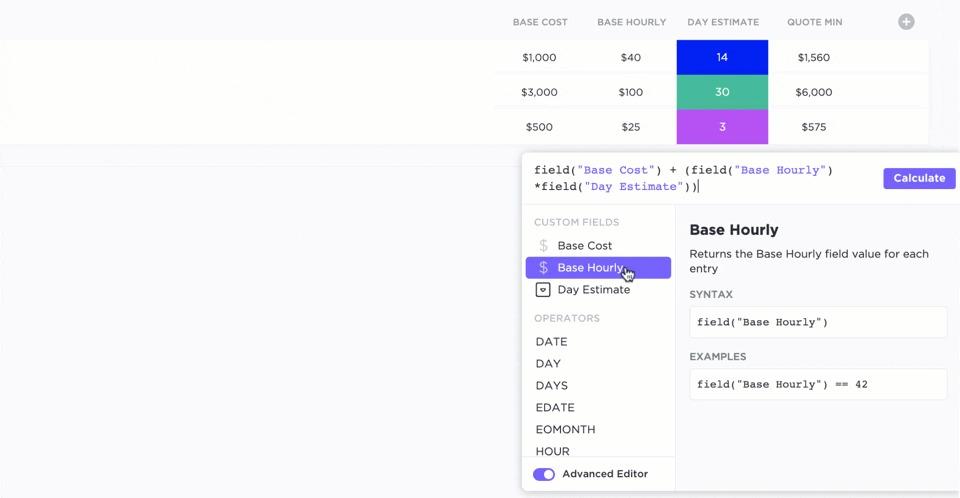
Multiply each option’s score by the weight of that criterion, then add up the results to get a final weighted score for each investment.
💡 Pro Tip: Automate this entire step by using ClickUp Custom Fields to capture your scores for each criterion. For example, the Formula Field automatically calculates the weighted score for every investment option, saving you time and ensuring accuracy.
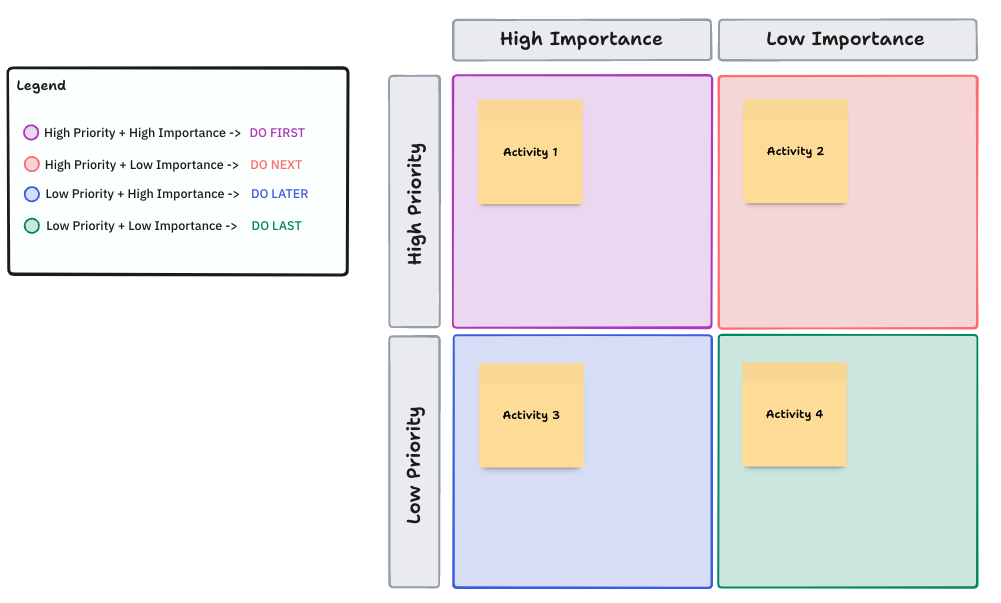
For a quick visual check, you can plot your options on a 2×2 matrix. Common axes are value vs. effort or impact vs. risk. This instantly shows you which projects are quick wins and which are major undertakings.
Finally, share the results with your stakeholders. The matrix is a tool to support decision-making, not replace it. Use it to facilitate a discussion, and be open to adjusting weights or scores as new information comes to light.
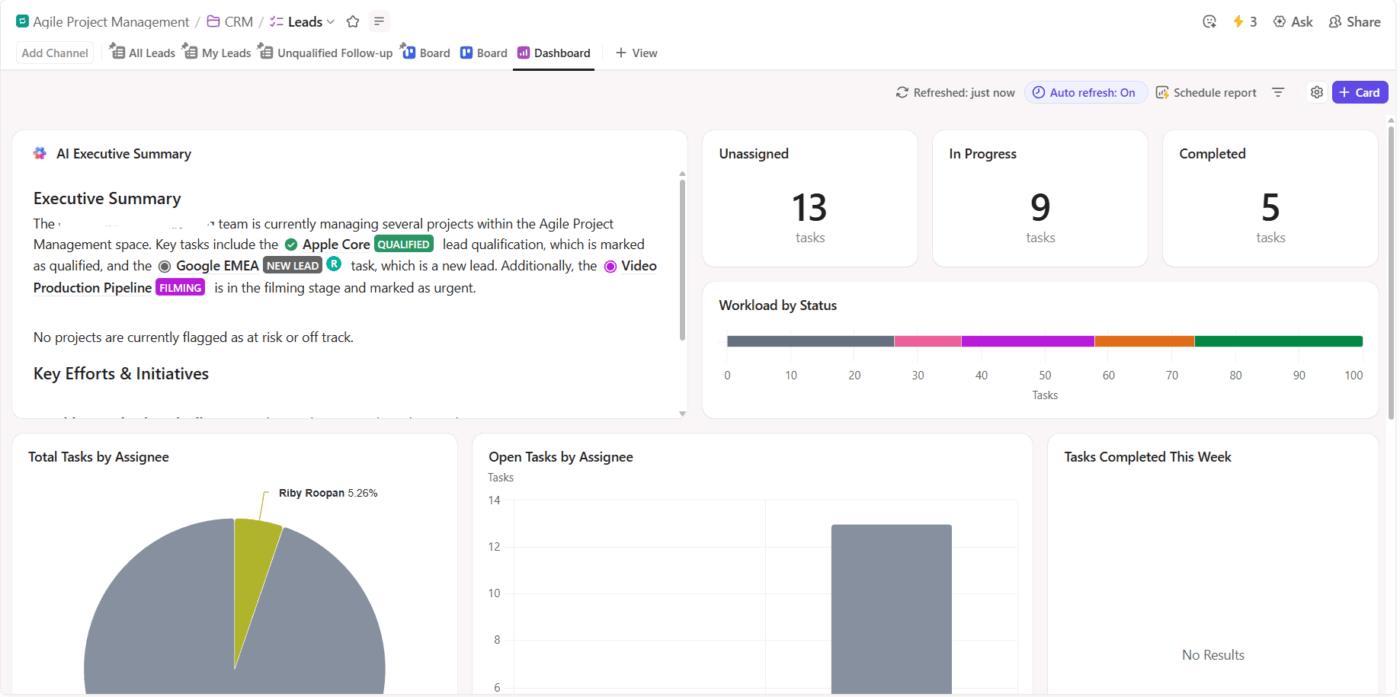
💡 Pro Tip: Visualize your priorities with real-time charts and graphs by building your matrix in ClickUp Dashboards. Create a central hub and share access so everyone on the team has a high-level look at what matters most.
📮ClickUp Insight: Think your to-do list is working? Think again. Our survey shows that 76% of professionals use their own prioritization system for task management. However, recent research confirms that 65% of workers tend to focus on easy wins over high-value tasks without effective prioritization.
ClickUp’s Task Priorities transform how you visualize and tackle complex projects, highlighting critical tasks easily. With ClickUp’s AI-powered workflows and custom priority flags, you’ll always know what to tackle first.
Pre-built frameworks save you from having to build a new system from scratch every time a decision arises. Without them, you either skip prioritization altogether or use a one-size-fits-all approach that doesn’t fit the situation, leading to flawed outcomes.
The following ClickUp Templates are designed to give you the right tool for any investment decision, from quick assessments to deep financial analysis. They’re fully customizable and ready to use in seconds.
And to make the process even faster, you can use ClickUp Brain. Brainstorm evaluation criteria, summarize stakeholder feedback, or populate sections of a template faster—ClickUp Brain is available everywhere in your workspace to help.
ClickUp’s Value Risk Matrix Template uses a classic 2×2 matrix to plot your investment options based on their potential value versus their associated risk. It’s perfect for getting a quick read on where to focus your energy.
Why you’ll like it:
🚀 Ideal for: Early-stage investment screening, portfolio reviews, and strategic planning sessions.
When your main constraint is time or resources, the Effort Impact Matrix Template by ClickUp is your go-to framework. It evaluates investments based on their expected impact versus the effort required to implement them.
Why you’ll like it:
🚀 Ideal for: Resource-constrained teams, agile prioritization exercises, and product backlog grooming.
Need to evaluate options that don’t fit standard value-risk or effort-impact frameworks? The flexible Priority Matrix Template by ClickUp lets you define your own two axes based on what matters most for any given decision.
Why you’ll like it:
🚀 Ideal for: Teams with unique prioritization criteria, cross-functional decision-making, and creating custom investment frameworks.
💡 Pro Tip: Before you score any investment option, use ClickUp Brain MAX to pull the full picture into one place.
The desktop AI assistant can search across your docs, tasks, spreadsheets, connected apps, and even the web to quickly surface assumptions, stakeholder feedback, cost inputs, and prior decisions, then turn that context into a concise summary you can plug straight into your prioritization template.

When a simple 2×2 matrix isn’t enough, ClickUp’s Prioritization Whiteboard Template provides a more rigorous approach. It supports weighted multi-criteria scoring, allowing you to evaluate investments across several dimensions at once.
This template is structured for deep analysis. It is ideal for complex decisions where multiple stakeholders have different priorities, as it makes the “why” behind the final ranking completely transparent.
Why you’ll like it:
🚀 Ideal for: Complex investment decisions, multi-stakeholder prioritization, and formal capital budgeting.
🌟 Planning growth strategies and assessing investment opportunities takes up a lot of time and effort. Wouldn’t it be great if you could use AI tools to just take over the repetitive tasks of collating and crunching data, so you could focus on decision-making and strategy?
Turns out, you can. This video shows you how ✨
ClickUp’s Portfolio Management Template moves beyond prioritizing individual options to help you practice effective product portfolio management for your investments. It’s designed for tracking performance, monitoring allocation, and rebalancing over time.
For financial portfolios, track allocation percentages and performance metrics like ROI. For project portfolios, monitor resource allocation, milestone progress, and strategic alignment scores.
Why you’ll like it:
🚀 Ideal for: Portfolio managers, PMOs, investment committees, and strategic planning teams.
💡 Pro Tip: Use Talk to Text in ClickUp Brain MAX when you need to capture investment rationale fast. Instead of typing out every assumption, risk, or stakeholder concern, you can speak your thoughts as they come up, then let AI turn them into clean text you can drop into your prioritization matrix, budget proposal, or financial analysis report.

Great ideas can get derailed by hidden costs. ClickUp’s Cost Analysis Template provides a clear picture of the financial side of an investment before you commit. It helps you break down all potential costs to arrive at a calculated decision.
Work with your cost data in a familiar spreadsheet-style format using ClickUp Table View, making modeling and analysis a breeze.
Why you’ll like it:
🚀 Ideal for: Finance teams, procurement, capital budgeting, and any build vs. buy decision.
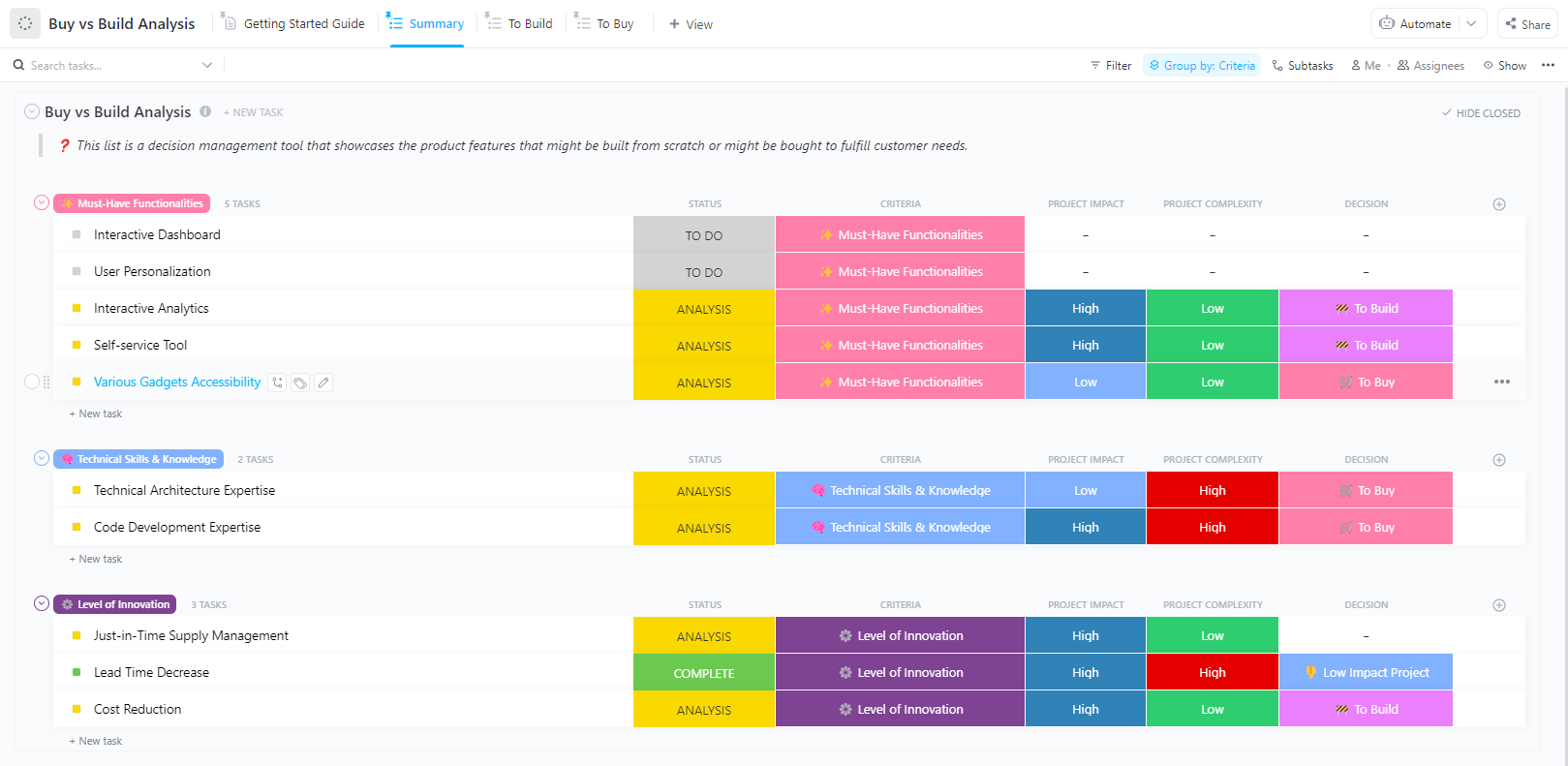
Should you purchase an existing solution or build one from scratch? This is one of the most common and difficult investment decisions teams face, often framed as a build vs. buy decision.
ClickUp’s Buy vs Build Analysis Template provides a structured framework to find the right answer.
Use this template to move beyond gut feelings and make a defensible choice. You can capture your detailed analysis in a ClickUp Docs and use ClickUp Linked Tasks to connect your decision directly to the implementation project.
Why you’ll like it:
🚀 Ideal for: Technology teams, product managers, IT procurement, and strategic sourcing.
Investment decisions often need to be revisited, audited, or explained to new stakeholders months after they’re made. This Decision Making Framework Document Template by ClickUp creates a clear and permanent record of your decision-making process.
This template, which lives in ClickUp Docs, creates an audit trail that ensures transparency and accountability for all major investment decisions.
Why you’ll like it:
🚀 Ideal for: Governance-heavy environments, regulated industries, and any major cross-functional decision that requires documentation.
💡 Pro Tip: Use a ClickUp Super Agent as your investment review coordinator. Set it to scan your prioritization list or portfolio on a schedule, flag options with missing analysis, outdated assumptions, or rising risk, and send stakeholders a concise summary before review meetings. That way, your team spends less time chasing updates and more time making better investment decisions.
Learn more about Super Agents here:
For investments that require a deep dive into the numbers, this template provides a structured framework. ClickUp’s Financial Analysis Report Template goes beyond simple cost breakdowns to include revenue projections and profitability modeling.
You can use this template in ClickUp Docs to combine narrative analysis with embedded tables and charts, creating a polished and shareable report.
Why you’ll like it:
🚀 Ideal for: Finance teams, investment analysts, developing business cases, and preparing for board presentations.
You’ve done the analysis and made your decision—now you need to get the funding. ClickUp’s Budget Proposal Template helps you build a compelling budget proposal that gets approved.
This template uses ClickUp Docs with embedded tables for your budget details. You can even use ClickUp Brain to help you draft a persuasive executive summary or refine the language in your business case.
Why you’ll like it:
🚀 Ideal for: Budget season, capital requests, project funding proposals, and executive presentations.
ClickUp’s Equity Research Report Template is a specialized framework designed for analysis, whether for an internal investment committee, client research, or your personal portfolio.
You can structure your report in ClickUp Docs and use ClickUp Reminders to schedule periodic reviews, ensuring your analysis and recommendations stay up-to-date.
Why you’ll like it:
🚀 Ideal for: Investment analysts, portfolio managers, equity research teams, and investment clubs.
Effective investment prioritization requires a consistent, transparent process that helps your team make defensible decisions and align stakeholders around shared criteria.
The right template depends on your context. Simple 2×2 matrices are great for quick screening, while weighted multi-criteria frameworks are better suited for complex decisions with multiple stakeholders.
Teams that build this discipline into their workflow make faster decisions, waste fewer resources on low-value initiatives, and build organizational trust through transparency.
Ready to bring structure to your investment decisions? Get started free with ClickUp and access all templates instantly ✨/
A priority matrix is typically a simple 2×2 grid for quick sorting, while a prioritization matrix often uses a more detailed, weighted scoring system for complex choices.
Most teams find that a quarterly review cadence works well, aligned with business planning cycles. However, trigger an off-cycle review when: (1) market conditions shift significantly, (2) a major initiative completes or fails, or (3) budget constraints change. High-velocity teams in fast-moving markets may need monthly check-ins.
The Prioritization Matrix Template with weighted multi-criteria scoring is ideal because it makes the evaluation process transparent and helps align all stakeholders.
Yes, all ClickUp templates are fully customizable. You can easily add, remove, or modify criteria and scoring to fit your team’s specific process.

© 2026 ClickUp

There’s an easier way. Try a free AI Agent in ClickUp that actually does the work for you—set up in minutes, save hours every week.