







Still downloading templates?
There’s an easier way. Try a free AI Agent in ClickUp that actually does the work for you—set up in minutes, save hours every week.
Sorry, there were no results found for “”
Sorry, there were no results found for “”
Sorry, there were no results found for “”

AI agents are moving fast inside real workflows. About 62% of organizations are experimenting with them, yet only 23% manage to use them consistently at scale.
The friction rarely sits in the models or the tools. It shows up in how instructions get written, reused, and trusted over time.
When prompts feel loose, agents behave unpredictably. Outputs drift across runs, edge cases break flows, and confidence drops. Teams end up babysitting automation that was meant to reduce effort.
Clear, structured prompts change that dynamic. They help agents behave consistently across tools, handle variation without falling apart, and stay dependable as systems grow more complex.
In this blog post, we explore how to write prompts for AI agents. We’ll also look at how ClickUp supports agent-driven workflows. 🎯
An AI agent prompt is a structured instruction set that guides an agent’s decisions across steps, tools, and conditions. It defines what the agent should do, what data it can use, how it should respond to variations, and when to stop or escalate.
Clear prompts create repeatable behavior, limit drift across runs, and make AI agentic workflows easier to debug, update, and scale.
🔍 Did You Know? Early AI agents used in robotics often got stuck doing nothing. In one documented lab experiment, a navigation agent learned that standing still avoided penalties better than exploring the environment. Researchers called this behavior ‘reward hacking.’
AI agent tools handle complex, multi-step tasks that unfold over time. A vague instruction in chat might get you a decent answer, but the same instruction to an agent can lead to hours of wasted compute and incorrect results.
Here’s what makes agent prompts different:
Chat lets you course-correct in real time. Agents need guardrails built into the prompt itself.
🧠 Fun Fact: In 1997, an AI agent called Softbot learned how to browse the internet on its own. It figured out how to combine basic commands like searching, downloading files, and unzipping them to complete goals without being explicitly told each step. This is considered one of the earliest examples of an autonomous web agent.
📖 Also Read: Types of AI Agents to Boost Business Efficiency
Effective agent prompts contain three layers. Each block removes ambiguity and gives the agent stable guidance across runs. 📨
Give the agent an identity that drives its choices. A ‘security auditor’ hunts for vulnerabilities and flags risky patterns. On the other hand, a ‘documentation writer’ prioritizes readability and consistent formatting.
The role determines which tools the agent picks first and how it breaks ties when multiple options look valid.
📮 ClickUp Insight: 30% of workers believe automation could save them 1–2 hours per week, while 19% estimate it could unlock 3–5 hours for deep, focused work.
Even those small time savings add up: just two hours reclaimed weekly equals over 100 hours annually—time that could be dedicated to creativity, strategic thinking, or personal growth.💯
With ClickUp’s AI Agents and ClickUp Brain, you can automate workflows, generate project updates, and transform your meeting notes into actionable next steps—all within the same platform. No need for extra tools or integrations—ClickUp brings everything you need to automate and optimize your workday in one place.
💫 Real Results: RevPartners slashed 50% of their SaaS costs by consolidating three tools into ClickUp—getting a unified platform with more features, tighter collaboration, and a single source of truth that’s easier to manage and scale.
Map out the steps in sequence.
A research agent needs to find relevant papers, extract key claims, cross-reference findings, flag contradictions, and summarize results. Each step needs a concrete exit condition.
‘Extract key claims’ means pulling direct quotes and citation numbers, not writing a vague summary paragraph. Specificity keeps the agent from wandering.
💡 Pro Tip: Use negative instructions sparingly but surgically. Instead of ‘don’t hallucinate,’ say ‘do not invent APIs, metrics, or sources.’ Targeted negatives shape behavior far better than broad warnings.
Set boundaries for autonomous decisions:
Concrete thresholds beat vague instructions. The agent can’t read your mind when something goes sideways at midnight.
🚀 ClickUp Advantage: Help teams avoid prompt debt as agent logic grows more complex with ClickUp Docs. Teams can track assumptions, rationale, and trade-offs behind agent decisions with effective process documentation.
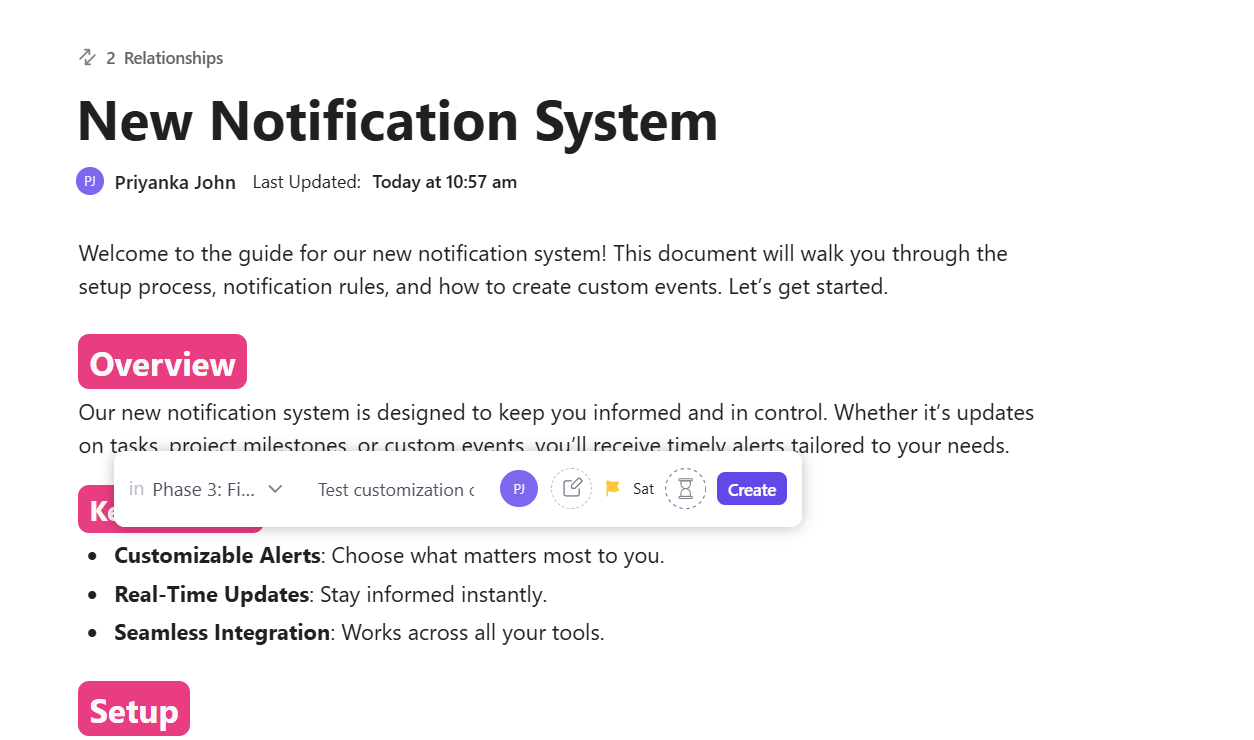
Version history makes regressions easy to spot, and links to ClickUp Tasks show where a rule gets enforced in practice. This keeps agent behavior understandable months later, even after multiple handoffs and system changes.
Agent prompts need precision. Each instruction becomes a decision point, and those decisions compound across workflows.
ClickUp is the world’s first Converged AI Workspace, built to eliminate work sprawl. It unifies chat, knowledge, artificial intelligence, and project tasks.
Here’s how to write AI prompts that keep agents on track (with ClickUp!). 🪄
Begin by documenting exactly what success looks like. Write out the complete scope before you touch any configuration settings.
Answer these three questions in concrete terms:
An agent that ‘helps the sales team’ tells you nothing. However, an agent that ‘qualifies inbound leads based on company size, budget, and timeline, then routes qualified leads to regional sales reps within 2 hours,’ gives you a clear mission.
Boundary lines prevent scope creep. If you’re building a research agent, specify:
The most overlooked piece is defining ‘done.’ Completion criteria become the foundation of your prompt. For a data validation agent, ‘done’ might mean:
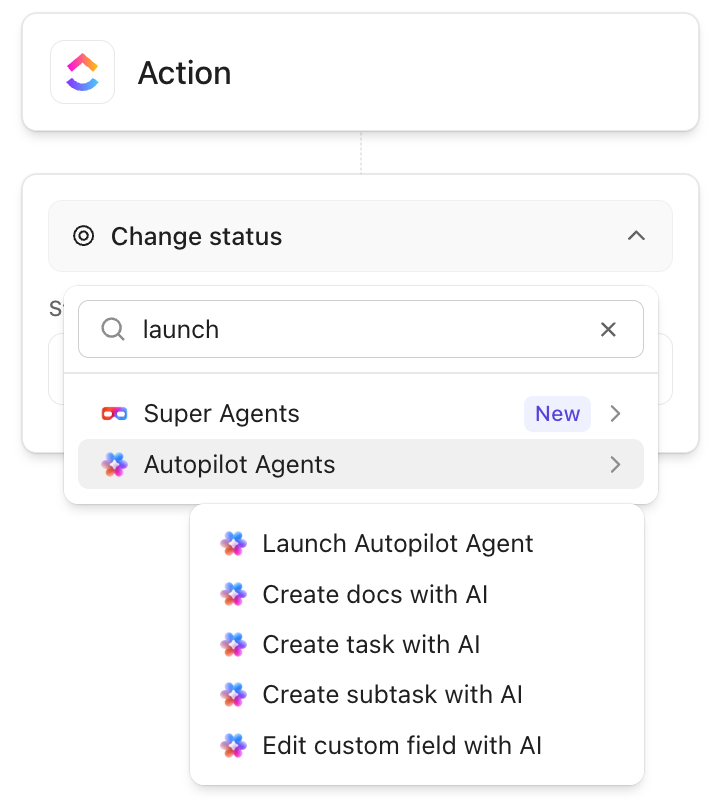
ClickUp Super Agents are AI-powered teammates designed to save time, boost productivity, and adapt to your workspace.
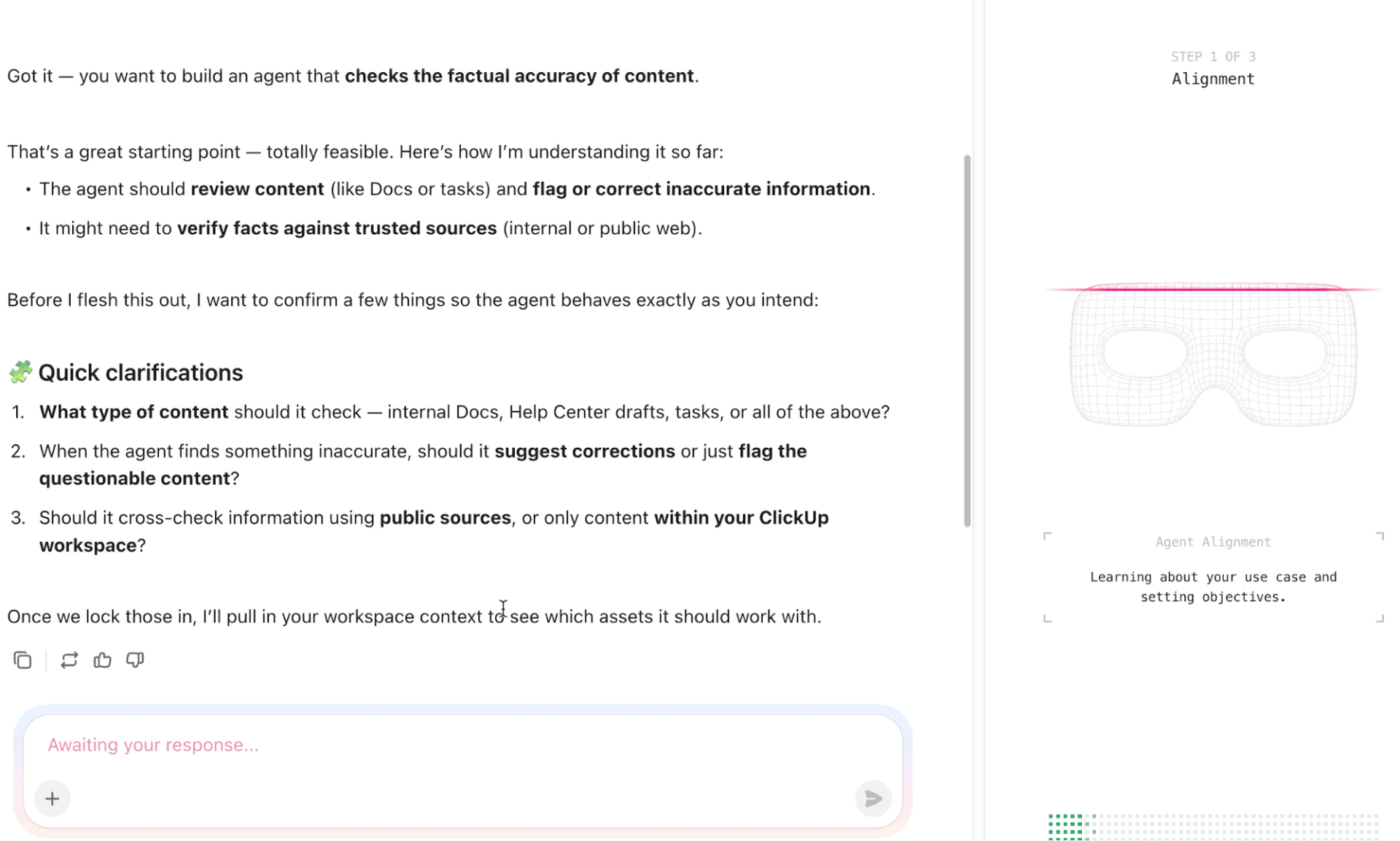
When you create a Super Agent, you define its job using natural language. ClickUp Brain, the AI layer powering Super Agents, already understands your workspace context because it can see your tasks, custom fields, docs, and workflow patterns.
Say you need an agent to triage bug reports.
The Super Agent builder lets you describe the mission: ‘Categorize incoming bug reports, assign severity based on impact, and route to the appropriate engineering team.’
The agent inherits completion criteria from your workspace setup. When a bug report task moves to ‘Triaged’ status, has a Severity value assigned, and shows a team member tagged, the agent considers that task complete.
💡 Pro Tip: Give the agent a failure personality. Explicitly tell the agent what to do when it’s unsure: ask a clarifying question, make a conservative assumption, or stop and flag risk. Agents without failure rules hallucinate confidently.
AI agents break when they lack information or receive malformed data. Your job is documenting every input upfront, then writing explicit rules for handling missing or incorrect data.
An input specification should list:
Example specification for an expense approval agent: Employee ID (string, six alphanumeric characters, required), Amount (number, currency format, $0.01-$10,000.00, required), Category (enum from predefined list, required), Receipt (PDF or JPEG under 5MB, optional).
Now write the missing-data protocol. This is where most AI prompting techniques fail. Every scenario where data might be absent or invalid needs explicit instructions.
For each input, specify the exact response:
ClickUp Brain connects complex tasks, documents, comments, and external tools to provide contextual answers based on your actual work. So when you configure agents in ClickUp, the AI tool can pull context directly from your workspace.
Let’s say your expense approval agent needs budget data to make decisions. In ClickUp, you track budget allocations using a Custom Field called Remaining Budget on project tasks. The agent can query that field directly rather than requiring manual data entry.
When a required input is missing, the agent follows rules you configure. Say someone submits an expense request but leaves the Category field blank. The agent can:
Learn more about Super Agents in ClickUp:
Now, you transform your agent from a concept into an operational system. For that, these components need to work together:
Precise triggers specify the exact event causing your agent to act. ‘When a task is created’ fires constantly. ‘When a task is created in the Feature Requests list, tagged Customer-Submitted, and the Priority field is empty’ fires only when specific conditions align.
Build triggers around observable events:
Tool permissions control the actions your agent can take: creating tasks, updating fields, sending notifications, reading documents, and calling external APIs. Three permission levels exist for each tool: always permitted, conditionally permitted, and never permitted.
Finally, stop conditions tell the agent when to quit trying. Without them, agents loop indefinitely and waste resources. Common stop triggers include:
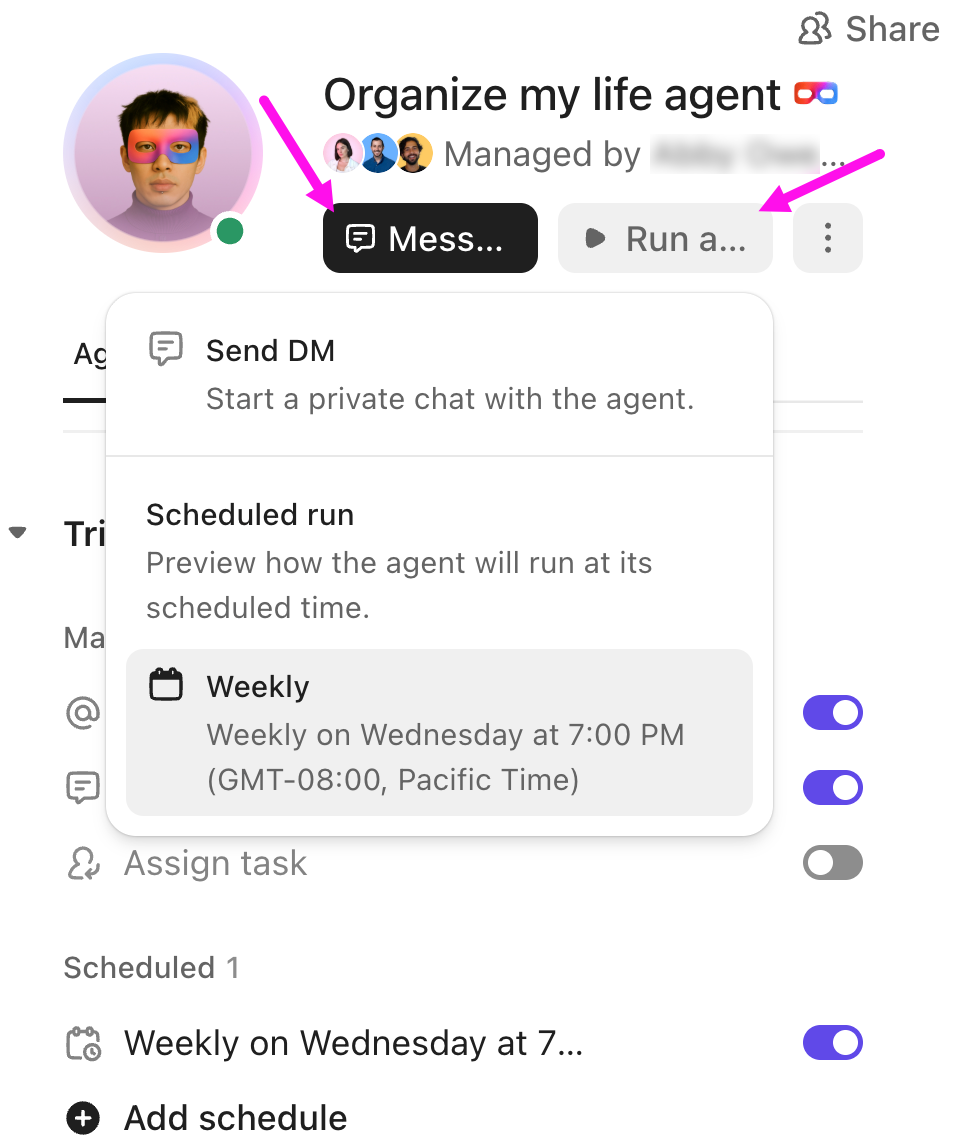
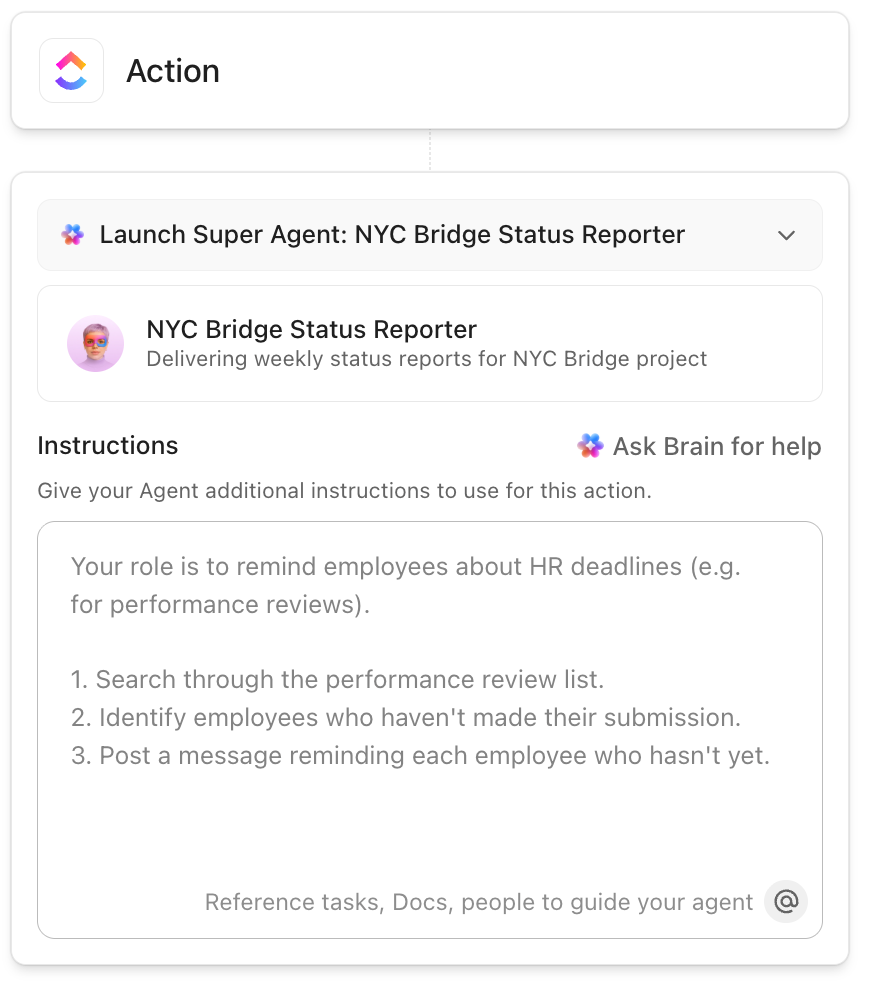
Super Agents are flexible and use customizable tools and data sources across your workspace and from selected external apps. From the Super Agent’s profile, you can configure triggers, tools, and knowledge sources, and customize what the agent can access.
When you build an AI Super Agent in ClickUp, you work through four configuration sections:
For example, a content team can create a Super Agent to run first-pass reviews on blog drafts. The instructions tell it to check for missing sections, unclear arguments, and tone issues. The trigger fires when a task moves to ‘Draft submitted.’
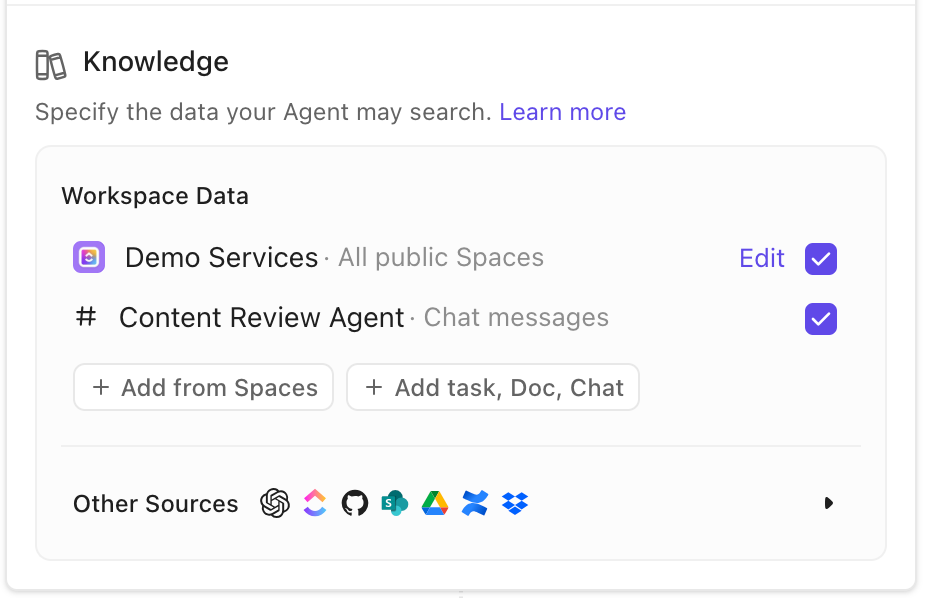
Tools allow it to leave comments directly in the document and create a revision task, while knowledge gives it access to the approved brief and past published posts.
Inconsistent outputs kill workflow automation. If your agent generates reports in different formats each time, people will stop trusting it. Lock down every aspect of the output format before the agent goes live.
For text outputs like summaries or reports, provide a template that the agent must follow. It should specify:
Specify formatting requirements down to punctuation:
Include examples in your prompt. Show the agent three sample outputs that match your requirements exactly. Label them as ‘Correct Output Examples,’ so the agent understands these are the target format.
🔍 Did You Know? NASA has used autonomous AI agents in space missions for decades. The Remote Agent Experiment ran onboard the Deep Space One spacecraft in 1999 and autonomously diagnosed problems and corrected them without human intervention.
Your AI prompt template isn’t production-ready until you’ve identified every edge case and told the agent exactly how to handle it. Then, you test aggressively until the agent behaves correctly under real-world conditions.
First, use brainstorming techniques to test failure modes. Sit down and list every scenario where your agent might encounter unexpected data or conditions. Edge cases happen precisely because they’re unlikely, but they still occur.
Categories of edge cases to document:
For each edge case, write the exact response using this format: Edge Case (description of the scenario), Detection (how the agent recognizes this situation), Response (specific action the agent takes), Fallback (what happens if the primary response fails).
Document 15-20 edge cases at a minimum. Include them in your agent prompt as conditional logic: ‘If condition X occurs, then take action Y.’
Now test systematically. Your testing protocol should include:
Watch this video to build an AI agent from scratch:
Here’s how to write effective prompts for AI agents for business process automation that works.
Agents regularly face conflicting signals. One tool returns partial data. Another times out. A third disagrees. Prompts that say ‘use the best source’ leave the agent guessing.
A stronger approach defines an explicit choice order. For example, tell the agent to trust internal data over third-party APIs, or to prefer the most recent timestamp even if confidence scores drop. Clear ordering prevents flip-flopping across runs and keeps behavior consistent.
🚀 ClickUp Advantage: Bring Contextual AI right into your workflow using actual workspace signals with ClickUp BrainGPT. It ensures that your prompt logic reflects what’s really happening.
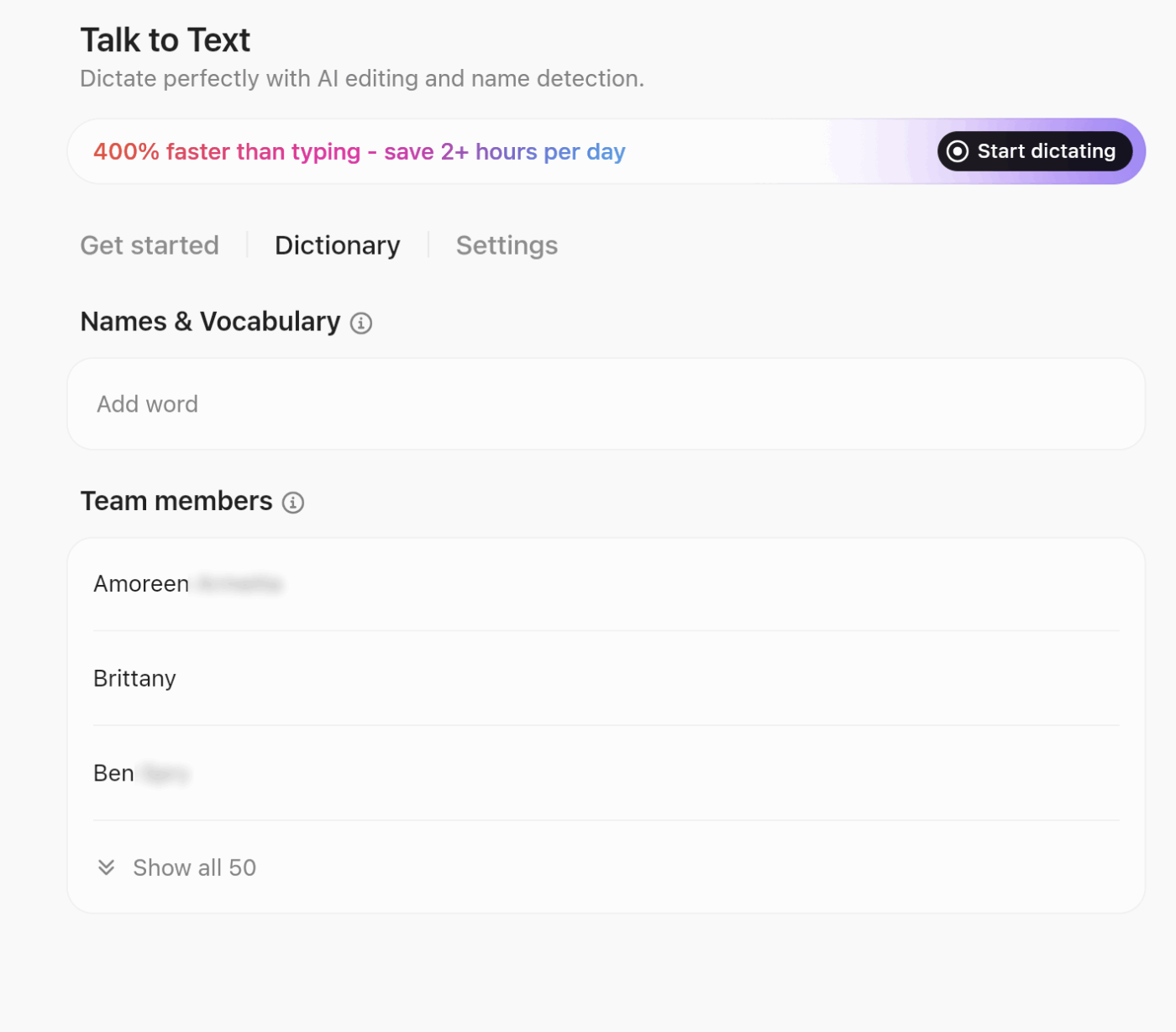
You can search across your work apps and the web from a single interface, pull in context from tasks and docs to inform prompt rules, and even use vocal input with ClickUp Talk to Text to capture intent 4x faster. This means when you document agent behavior or thresholds, BrainGPT helps tie those rules directly to the work they affect.
📖 Also Read: Powerful AI Agents Examples Transforming Industries
Most prompts describe what success looks like and stay silent on failure. That silence creates unpredictable behavior.
Call out specific failure conditions and expected responses.
For example, describe what the agent should do when required fields go missing, when a tool returns stale data, or when retries exceed a limit. This removes improvisation and shortens recovery time across AI productivity tools.
🔍 Did You Know? In the early 1970s, doctors got their first taste of an AI agent in medicine through MYCIN. This system recommended antibiotics based on patient symptoms and lab results. Tests showed it performed as well as junior doctors.
Prompts change far more often than teams expect. A small tweak to fix one edge case can quietly break three others if everything lives in one block of text.
A safer approach keeps prompts modular:
Looking to generate blog posts using AI tools? ClickUp’s AI Prompt & Guide for Blog Posts is the perfect template to get you started quickly.
It works in ClickUp Docs to help you organize ideas, generate content effectively, and then refine the content with AI-powered suggestions.
The issues below show up repeatedly once agents move into real workflows. Avoiding them early saves time, rework, and trust later. 👇
| Mistake | What goes wrong in practice | What to do differently |
| Writing prompts as free-form text | Agents interpret instructions differently across runs, leading to drift and unpredictable output | Use structured sections for task scope, decision rules, outputs, and failure handling |
| Leaving edge cases undocumented | Agents improvise during missing data, tool errors, or conflicts | Name known failure states and define expected behavior for each |
| Mixing judgment and execution | Agents blur evaluation logic and action permissions | Separate how the agent evaluates inputs from what actions it can take |
| Allowing vague priorities | Conflicting signals produce inconsistent decisions | Define priority order and override rules explicitly |
| Treating prompts as one-off assets | Small edits reintroduce old failures | Version prompts, document assumptions, and review changes in isolation |
💡 Pro Tip: Separate the thinking scope from the output scope. Tell the agent what it’s allowed to think about vs. what it’s allowed to say. For example: ‘You may consider tradeoffs internally, but only output the final recommendation.’ This dramatically reduces rambling.
Writing prompts for AI agents forces a mindset shift. You stop thinking in terms of one good response and start thinking in terms of repeatable behavior.
This is also where tooling starts to matter.
ClickUp gives teams a practical place to design, document, test, and evolve agent prompts alongside the workflows they power. Docs capture decision logic and assumptions, Super Agents execute against real workspace data, and ClickUp Brain connects context so prompts stay grounded in how work runs.
If you want to move from experimenting with agents to running them confidently at scale, sign up for ClickUp today! ✅
A chat prompt drives a single response in a conversation. An AI agent prompt, on the other hand, defines how the system behaves over time. It sets rules for decision-making, tool usage, and multi-step execution across tasks.
At a minimum, a system prompt needs a clear context. This includes the agent’s role, objectives, operating boundaries, and expected behavior when data is missing or uncertain. Together, these elements keep outputs consistent and predictable.
When tools are involved, prompts should explain intent before execution. Guidance on when a tool applies, what inputs it requires, and how results feed into the next step helps the agent act correctly without guessing.
Hallucinations reduce when prompts define a trusted source of truth. Constraints, validation steps, and clear fallback instructions guide the agent when information cannot be verified.
The right format depends on the outcome. JSON supports structured workflows and system integrations, while markdown works better for reviews and human-readable explanations.
Reliable prompts come from iteration. Testing against real scenarios, tracking changes, and storing versions in a shared repository helps maintain control as prompts evolve.
Protection starts with separation. Core instructions remain isolated, user inputs get validated, and tool access stays restricted to approved actions.
As work scales, structure matters. Templates support repeatability and team alignment, while ad hoc prompts suit early experimentation or limited use cases.

© 2026 ClickUp

There’s an easier way. Try a free AI Agent in ClickUp that actually does the work for you—set up in minutes, save hours every week.