How to Use Snowflake Cortex for Business Intelligence

How to Use Snowflake Cortex for Business Intelligence

Start using ClickUp today

  • Manage all your work in one place
  • Collaborate with your team
  • Use ClickUp for FREE—forever

Most business teams don’t lack data. They lack answers they can trust—and get quickly.

It’s no surprise, then, that many data teams still spend roughly 70% of their time preparing and cleaning data before they can get to the actual analysis.

Snowflake Cortex Analyst is built to break that cycle. Instead of translating business questions into SQL tickets, teams can use it to ask questions directly in plain English and get answers straight from their data warehouse.

In this post, we’ll unpack how to use Snowflake Cortex for business intelligence, how it works behind the scenes, where it delivers real value, and where teams often hit limits.

Summarize this article with AI ClickUp Brain not only saves you precious time by instantly summarizing articles, it also leverages AI to connect your tasks, docs, people, and more, streamlining your workflow like never before.
ClickUp Brain
Avatar of person using AI Summarize this article for me please

What Is Snowflake Cortex Analyst

Snowflake Cortex Analyst is a fully managed AI service inside Snowflake’s Data Cloud. It lets you ask questions about your structured data using plain English.

Think of it as a translator that automatically converts your conversational questions into complex SQL queries. This is useful for self-service analytics. It gives everyone access to data insights without compromising security, access controls, and data governance.

Cortex Analyst is one piece of the larger Snowflake Cortex AI suite, which includes a range of features for working with large language models (LLMs).

Key features for self-service analytics

Cortex Analyst is designed to make your data teams’ lives easier by letting business users find their own answers. Here’s what it brings to the table:

  • Natural language interface: You can type questions like, “Which products sold best in the Northeast last month?” instead of writing code to fetch the answers
  • Semantic model integration: This feature connects the business terms you use every day (“revenue” or “customer”) to the technical column names in your database
  • Verified queries: For critical, frequently asked questions, you can pre-approve specific question-and-answer pairs to guarantee accuracy
  • Context retention: The tool remembers what you’ve already asked, so you can ask follow-up questions without starting over
  • Trust indicators: To help you trust the answers, it provides a confidence score and shows you the exact SQL it generated

What’s the secret sauce that powers it? The semantic model. It acts as a dictionary, translating how your team talks about the business into the language the database understands.

How Cortex Analyst works

The process is pretty straightforward.

First, you type a question into a chat interface. Cortex Analyst then looks at its semantic model—a configuration file you create—to understand the business context of your words. Using that context, the underlying LLM generates a SQL query.

That query runs directly on your tables within Snowflake, and the results are returned to you in the chat, along with the SQL code it used. This transparency is key to building trust. And because all of this happens inside your Snowflake account, your data never leaves your secure environment. ✨

Summarize this article with AI ClickUp Brain not only saves you precious time by instantly summarizing articles, it also leverages AI to connect your tasks, docs, people, and more, streamlining your workflow like never before.
ClickUp Brain
Avatar of person using AI Summarize this article for me please

How to Build a Cortex Analyst Application?

Building a Cortex Analyst app isn’t hard in theory, but it’s rarely simple in practice. The technology works only as well as the structure around it.

Your team might spend far more time cleaning data, defining business meaning, and shaping user experience than wiring up the AI itself.

The good news is that building a Cortex Analyst app boils down to three core components: clean data, a well-defined semantic model, and a chat interface. While Snowflake provides the tools, your main job is to translate your team’s messy, real-world business logic into a structured layer the AI can understand.

To do this well, you need to:

1. Prepare your data set

Cortex Analyst is powerful, but it’s not a mind reader. It works best with clean, well-structured data living in your Snowflake tables or views. If your data is messy, your answers will be, too. This is the classic ‘garbage in, garbage out’ problem.

To set yourself up for success, focus on these data preparation steps:

  • Normalize naming conventions: Use clear, descriptive column names that match your business language. For example, name a column monthly_recurring_revenue instead of mrr_val.
  • Create aggregated views: If your team constantly asks for the same metrics, pre-calculate them in a summary table or view. This makes queries faster and more reliable
  • Document relationships: Make sure the connections (or joins) between your tables are logical and clearly defined
  • Remove ambiguity: Avoid using the same column name in different tables for different things, as this confuses the AI

Most teams start with their time-series data (like daily sales) or transactional records (like customer orders) as a foundation for their first BI application.

2. Create the semantic model

The semantic model is the brain of your Cortex Analyst application. It’s a YAML (Yet Another Markup Language) file that you create to teach the AI your company’s unique language. Think of it as a detailed instruction manual for the AI.

Here’s what you define in it:

  • Tables: The specific Snowflake tables or views the AI is allowed to query
  • Columns: Plain-English descriptions for each data field, including any synonyms your team might use
  • Metrics: Definitions for calculated business measures, like profit_margin or customer_lifetime_value
  • Relationships: How different tables connect to one another
  • Verified queries: A set of pre-approved, “golden” question-and-SQL pairs that guarantee accuracy for your most critical business questions

💡 Pro Tip: Writing effective column descriptions is crucial. Be specific. For a column named order_status, your description should explain what each status code means. Building this model is an iterative process; you’ll start with a basic version and refine it over time based on user feedback.

3. Build the chat interface

Once your data and semantic model are ready, you need a place for users to ask questions. Snowflake gives you two options:

  • The first is Streamlit. It’s a Python-based framework to build interactive web apps directly within your Snowflake environment. This is the fastest way to get a prototype up and running
  • The second option is a REST API, which allows you to embed Cortex Analyst’s capabilities into your own custom applications

For either path, user experience is everything. A clunky, confusing interface will discourage people from using the tool, even if the AI itself is smart. Most organizations start with a simple Streamlit app for internal testing and then explore custom API integrations for a wider rollout.

Summarize this article with AI ClickUp Brain not only saves you precious time by instantly summarizing articles, it also leverages AI to connect your tasks, docs, people, and more, streamlining your workflow like never before.
ClickUp Brain
Avatar of person using AI Summarize this article for me please

Real-World Use Cases for Business Intelligence Teams

The real power of Cortex Analyst comes alive when you apply it to specific, recurring questions that slow your teams down. It’s all about reducing the time it takes to get routine answers.

Some concrete scenarios where Cortex Analyst shines as a conversational analytics tool:

  • Sales teams can ask, “What was our total revenue by region last quarter?” during a pipeline review instead of waiting for a report
  • Marketing teams can query, “How did the new ad campaign perform on Facebook vs. Google last week?” right in the middle of a strategy session
  • Finance teams can pull ad-hoc budget variance reports by asking, “Show me the difference between planned and actual spending for the engineering department”
  • Operations teams can monitor key performance indicators (KPIs) in real-time with questions like, “What’s our current order fulfillment time?”
  • Executives can get instant answers while preparing for board meetings, asking, “What are our top 10 accounts by revenue this year?”

Notice a pattern? Cortex Analyst excels at answering structured, quantitative questions. It’s not designed for deep, exploratory data analysis.

Connecting business intelligence to your actual business workflow with ClickUp

Say you’re in a pipeline review and someone asks, “What was our total revenue by region last quarter?” With Cortex Analyst, you can ask that question in plain English and get a clean, structured answer on the spot. That alone is a big step forward.

But here’s what usually happens next. You notice EMEA is lagging. Someone suggests digging into deal velocity. Another person flags a staffing issue. The meeting ends—and the insight lives in a chat window, while the follow-up work scatters across dozens of tools.

This is why ClickUp Dashboards and AI Cards offer a better alternative.

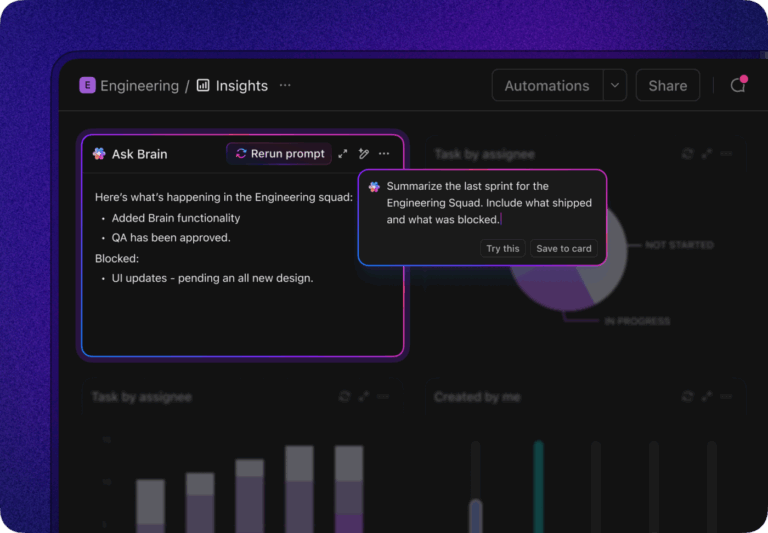
AI Cards are tools you can add to any Dashboard that generate summaries, insights, and reports right where you work. If your data lives in ClickUp, you can ask the same question using the AI Brain Card in ClickUp. When the answer appears, it stays visible beside your team’s tasks and plans.
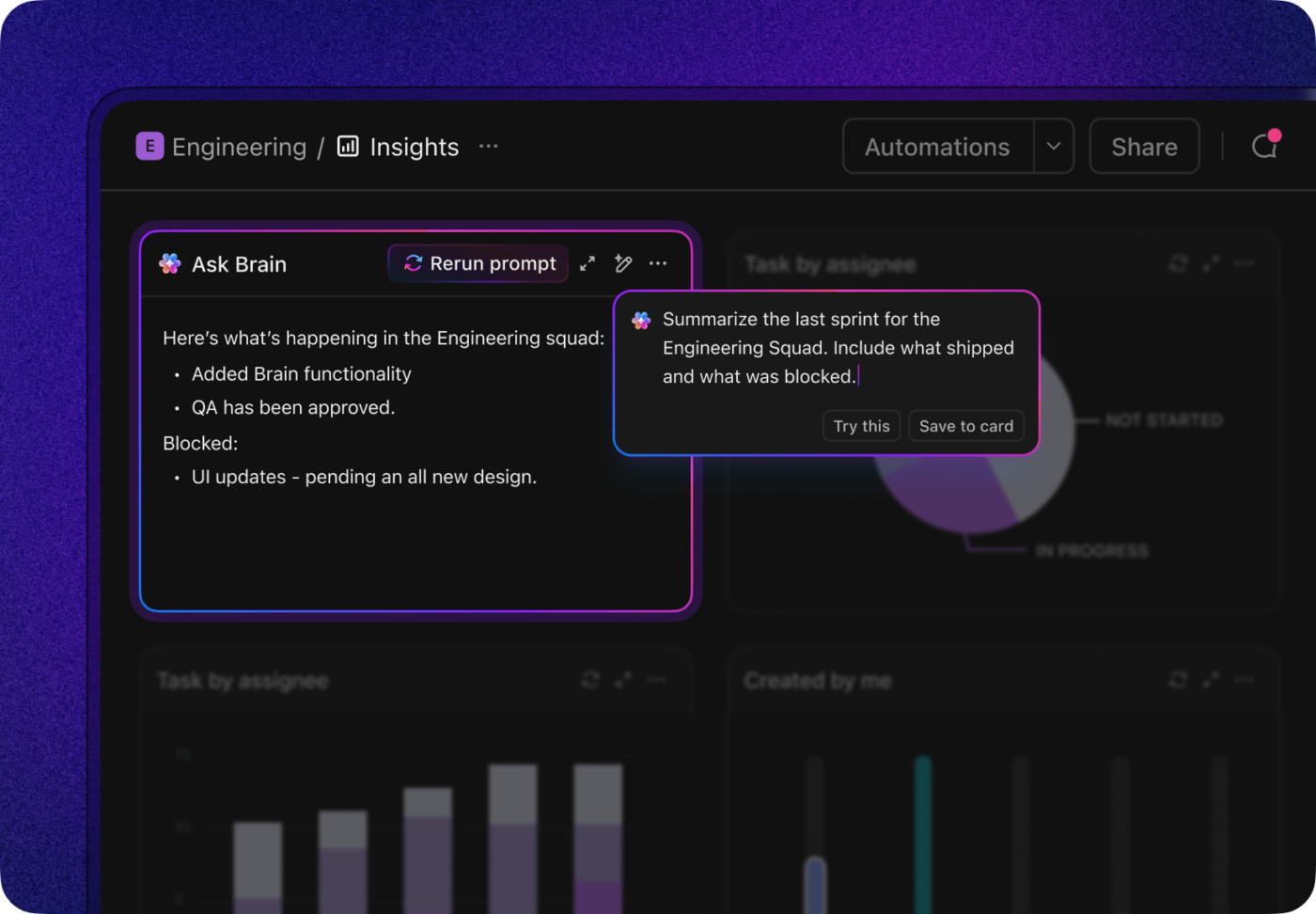
How to Use Snowflake Cortex for Business Intelligence: ClickUp AI Cards
With ClickUp’s AI-powered cards and dashboards, the insights you need are always accessible

Instead of letting that revenue insight disappear, you can pin it to a shared dashboard alongside pipeline health, regional targets, and active initiatives.

From there, you can turn the conversation into action immediately. Create a task to analyze EMEA deal slippage, assign an owner, set a due date, and track progress in the same place the insight lives.

Track trends and analyze data with the first AI that connects your tasks to the rest of your work with ClickUp Tasks
Turn conversational data insights into actionable tasks using ClickUp’s Contextual AI

The same pattern shows up everywhere:
  • In marketing, campaign performance questions turn into optimization tasks
  • In finance, budget variances become follow-up reviews
  • In operations, KPI shifts trigger ownership and escalation
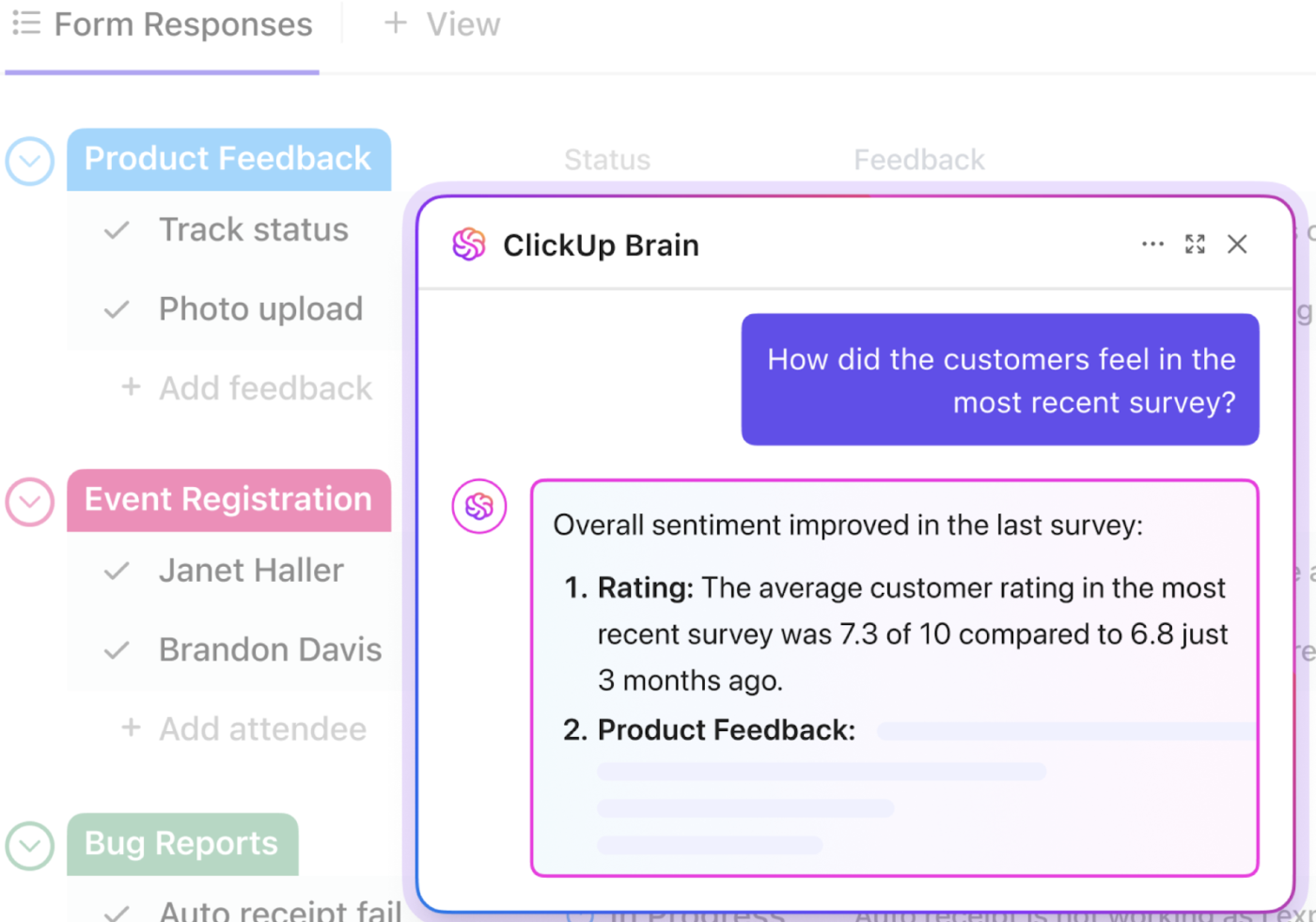
Analyze form submission data in real time and get AI insights with ClickUp Brain
Analyze data conversationally and get real-time insights with ClickUp Brain—ClickUp’s context-aware AI

With ClickUp’s native, context-aware AI, you don’t just get answers fast. You also make sure that the answer actually changes what happens next.

Summarize this article with AI ClickUp Brain not only saves you precious time by instantly summarizing articles, it also leverages AI to connect your tasks, docs, people, and more, streamlining your workflow like never before.
ClickUp Brain
Avatar of person using AI Summarize this article for me please

Security and Access Control in Cortex Analyst

👀 Did You Know? 97% of organizations that suffered AI-related security incidents lacked proper AI access controls.

The fear of exposing sensitive information, violating compliance rules, or causing an accidental data leak is a major roadblock to adopting new BI tools.

How is Cortex Analyst different?

It doesn’t create a new, insecure backdoor to your data. Instead, it inherits all the security policies you’ve already established. Its integration with Snowflake’s native security model also provides teams peace of mind.

Here’s how it keeps your data safe:

  • Role-based access control (RBAC): Users can only see the data that their assigned Snowflake role permits. If a sales rep doesn’t have access to HR data, Cortex Analyst won’t show it to them
  • Row-level security: You can filter which specific records users see. For example, a regional manager might only be able to query data for their own territory
  • Data masking: Sensitive information, such as personally identifiable information (PII), can be automatically hidden or redacted in query results
  • Audit logging: Every question asked and every query run is logged, creating a clear audit trail for compliance and monitoring

You can even create different semantic models for different user groups, further restricting what they can ask about. The data never leaves the secure perimeter of your Snowflake account during processing.

📮ClickUp Insight: 88% of our survey respondents use AI for their personal tasks, yet over 50% shy away from using it at work. The three main barriers? Lack of seamless integration, knowledge gaps, or security concerns.

But what if AI is built into your workspace and is already secure? ClickUp Brain, ClickUp’s built-in AI assistant, makes this a reality. It understands prompts in plain language, solving all three AI adoption concerns while connecting your chat, tasks, docs, and knowledge across the workspace.

Find answers and insights with a single click!

Summarize this article with AI ClickUp Brain not only saves you precious time by instantly summarizing articles, it also leverages AI to connect your tasks, docs, people, and more, streamlining your workflow like never before.
ClickUp Brain
Avatar of person using AI Summarize this article for me please

Common Cortex Analyst Pitfalls and How to Avoid Them

Even the smartest AI tools can fail if not implemented thoughtfully. Here are the most common traps teams fall into and how you can sidestep them:

  • Vague semantic model descriptions: If your column descriptions are generic, the LLM has to guess what you mean, and it will often guess wrong
    • Instead: Write descriptions as if you’re explaining the data to a new hire. Be specific and include business context
  • Skipping verified queries: Without pre-approved examples for your most important metrics, you can’t guarantee accuracy on critical questions
    • Instead: Identify your top 10-20 most critical business questions and create verified queries for them from day one
  • Overloading the semantic model: Trying to include every table in your data warehouse from the start creates ambiguity and slows the AI down
    • Instead: Start with a focused model containing only the most valuable and frequently used data for a single use case
  • Ignoring user feedback: Don’t treat the first version of your semantic model as perfect
    • Instead: Build a simple feedback mechanism into your app and treat every incorrect answer as an opportunity to improve your model.
  • Expecting perfection: LLMs can “hallucinate,” or make things up. Don’t trust answers blindly
    • Instead: Always encourage users to check the generated SQL for important decisions
Summarize this article with AI ClickUp Brain not only saves you precious time by instantly summarizing articles, it also leverages AI to connect your tasks, docs, people, and more, streamlining your workflow like never before.
ClickUp Brain
Avatar of person using AI Summarize this article for me please

How to Test and Improve Your Cortex Analyst Results

You’ve launched your app, but how do you know if it’s actually working? You can’t just take AI answers at their face value. You need a framework for measuring performance:

  • Create a test suite: Before you launch, build a list of common business questions that have known, verifiable answers
  • Compare generated SQL: For each test question, review the SQL that Cortex Analyst generates. Does the logic make sense? Is it joining tables correctly?
  • Track accuracy over time: Monitor how often users get a correct answer. You can do this by adding ‘Was this helpful?’ buttons to your chat interface
  • Iterate on the semantic model: Use every failed query or piece of negative feedback as a clue. These moments reveal gaps in your semantic definitions or areas where you need to add a verified query

🤝 Friendly Reminder: Start by testing high-frequency, low-complexity questions to build a solid foundation. As you gain confidence, you can move on to more complex edge cases.

Summarize this article with AI ClickUp Brain not only saves you precious time by instantly summarizing articles, it also leverages AI to connect your tasks, docs, people, and more, streamlining your workflow like never before.
ClickUp Brain
Avatar of person using AI Summarize this article for me please

Limitations of Snowflake Cortex

Cortex Analyst doesn’t solve every analytics problem for your team. You may need to supplement it with other tools, increasing your company’s tool sprawl.

Before you go all-in, it’s important to be realistic about what Cortex Analyst can and can’t do. Here are its current limitations:

  • It only works with structured data: It can’t analyze unstructured information like text from documents, images, or audio files
  • It’s SQL-centric: Every answer is the result of a SQL query. It can’t perform more complex analytics or run machine learning predictions
  • It depends entirely on the semantic model: The accuracy of its answers is only as good as the definitions you provide. A poorly defined model will produce poor results
  • It has a learning curve: Building and maintaining a high-quality semantic model requires technical expertise and ongoing effort
  • It has cost considerations: You’re charged for the compute credits used for LLM inference and query execution, which can add up with high-volume usage
  • It has no workflow integration: Cortex Analyst answers questions, but it doesn’t help you do anything with those answers

Looking for smarter AI-powered data visualization tools? Check out this video!

Summarize this article with AI ClickUp Brain not only saves you precious time by instantly summarizing articles, it also leverages AI to connect your tasks, docs, people, and more, streamlining your workflow like never before.
ClickUp Brain
Avatar of person using AI Summarize this article for me please

When Organizations Look for an Alternative to Snowflake Cortex

Cortex’s limitations mean that even with faster data, projects still move slowly. Teams have to manually translate findings into tasks, plans, and conversations in other tools.

Teams start looking for an alternative when they face:

  • Workflow gaps: There’s no way to turn a data insight directly into an actionable task or project plan
  • Collaboration needs: Discussing the implications of a report requires switching to Slack or email, which can lead to losing context along the way
  • Cross-functional visibility issues: Insights from the data team need to be connected to marketing campaigns, product roadmaps, and engineering sprints, but they remain siloed

When you already switch between 9+ apps every day, another analytics tool is the last thing you need. Wouldn’t you rather have analytics embedded directly within your work management environment?

Gartner validates the trend. They predict that 75% of analytics content will be contextualized for intelligent applications via generative AI by 2027.

Summarize this article with AI ClickUp Brain not only saves you precious time by instantly summarizing articles, it also leverages AI to connect your tasks, docs, people, and more, streamlining your workflow like never before.
ClickUp Brain
Avatar of person using AI Summarize this article for me please

ClickUp as an Alternative to Snowflake Cortex

When you need a connected workspace where data, projects, documents, and communication coexist, ClickUp is the way to go.

We already saw how ClickUp’s Dashboards and powerful AI Cards eliminate siloed insights.

As the world’s first Converged AI Workspace, ClickUp can further help you build a seamless workflow from data to action:
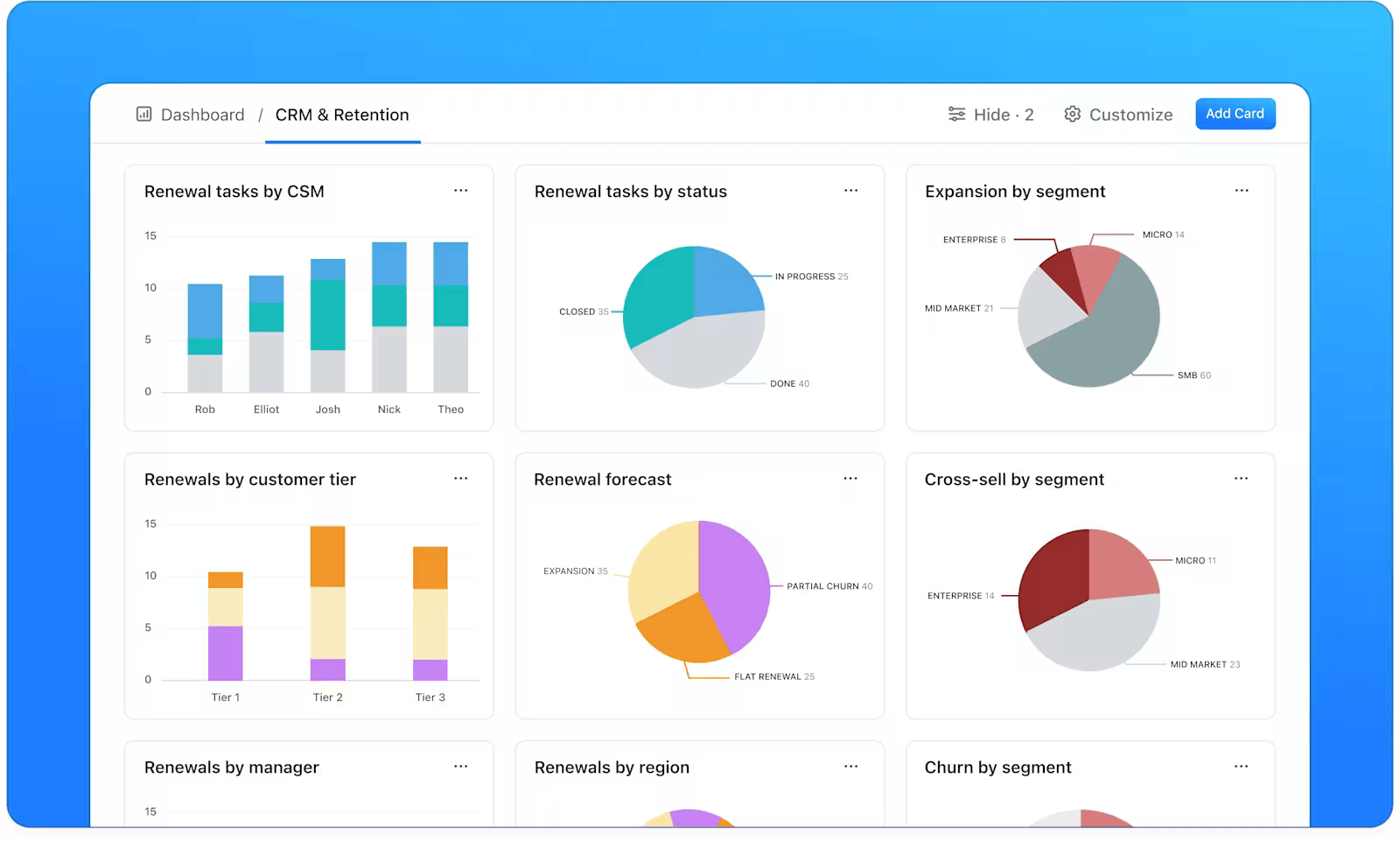
  • See your team’s progress at a glance with ClickUp Dashboards: Get a high-level view of your work data, including task progress, team workload, and project performance—all in the same place you manage your projects. Filter cards, schedule reports, and use drill-down views for granular details
Monitor critical business KPIs through customizable ClickUp Dashboards
  • Find answers instantly across your workspace with ClickUp Brain: Go beyond structured data and ask questions about your ClickUp Tasks, ClickUp Docs, and conversations. Just type @Brain in a task comment or ClickUp Chat to get instant, context-aware answers
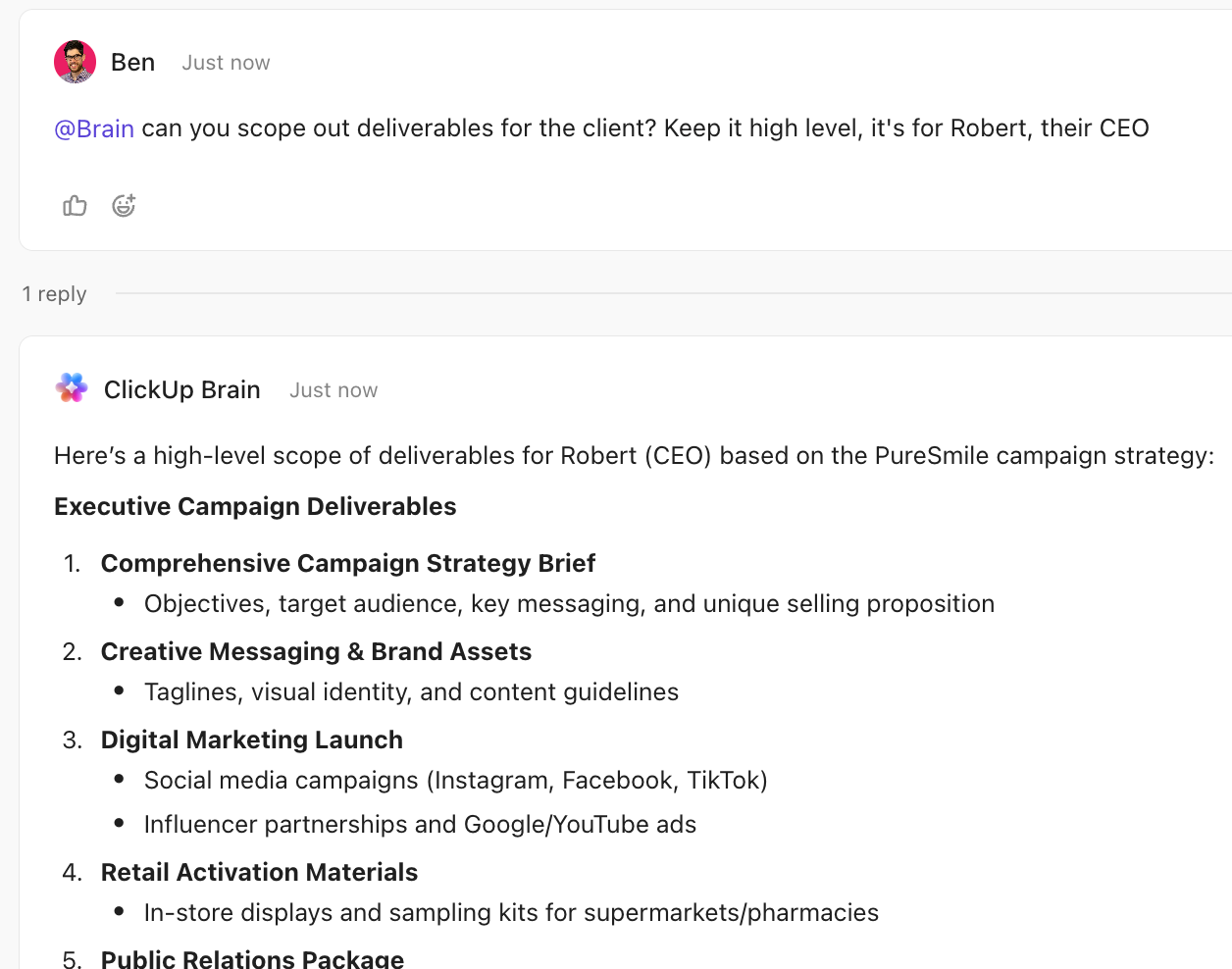
@mention Brain to get contextual answers right where you work inside ClickUp: How to Use Snowflake Cortex for Business Intelligence
@mention Brain to get contextual answers right where you work inside ClickUp
  • Act on insights instantly with connected workflows: When ClickUp Brain surfaces an insight, you can immediately create a task, assign it to a team member, and set a due date—all without leaving the conversation
  • Share and collaborate on insights with ClickUp Docs: Document your findings, create reports, and collaborate with stakeholders in a ClickUp Doc that’s directly linked to relevant tasks and projects
  • Save time and reduce manual work with ClickUp Automations: Set up automations to trigger actions—like sending an email or changing a task status—based on the conditions you define

ClickUp vs. Snowflake Cortex Analyst: A summary

CapabilitySnowflake Cortex AnalystClickUp
Natural language queriesYes (structured data only)Yes (across all workspace data)
Workflow integrationNoNative task and project management
Team collaborationLimitedBuilt-in Docs, Comments, and Chat for live and async collaboration
Cross-functional visibilityData warehouse onlyFull work context
Action from insightsManual export requiredDirect task creation
Summarize this article with AI ClickUp Brain not only saves you precious time by instantly summarizing articles, it also leverages AI to connect your tasks, docs, people, and more, streamlining your workflow like never before.
ClickUp Brain
Avatar of person using AI Summarize this article for me please

Move from Insights to Action Faster with ClickUp

Conversational analytics is changing how teams interact with data. But the real challenge still lies in closing the insight-to-action gap between “knowing” and “doing.”

The most effective teams optimize their BI tools for three things:

  • Insights with ownership: Answers should lead directly to tasks, decisions, and accountable owners—not disappear into chat logs or dashboards
  • Context over plain queries: Insights are more valuable when they live alongside projects, timelines, and team conversations
  • Execution built in: The shorter the distance between insight and action, the higher the return on your data investments

Building a bridge from data insights to project execution has never been simpler, though. All you need to get started is one unified workspace where your data, projects, and people come together.

That’s exactly what you get with ClickUp. Curious to try it for yourself? Sign up for ClickUp today—it’s free!

Summarize this article with AI ClickUp Brain not only saves you precious time by instantly summarizing articles, it also leverages AI to connect your tasks, docs, people, and more, streamlining your workflow like never before.
ClickUp Brain
Avatar of person using AI Summarize this article for me please

Frequently Asked Questions (FAQs)

What is the difference between Snowflake Cortex Analyst and Snowflake Intelligence?

Cortex Analyst is a specific feature for asking questions of structured data in plain English. Snowflake Intelligence is a broader product that includes Cortex Analyst, along with other AI agents for tasks like monitoring data quality.

Can non-technical team members use Snowflake Cortex Analyst without SQL knowledge?

Yes, users can ask questions conversationally without SQL. However, a technical team member is still needed to build and maintain the semantic model that ensures the AI provides accurate answers.

How does Snowflake Cortex Analyst pricing work?

Its pricing is consumption-based. You pay for the Snowflake compute credits used to run the AI model and execute queries. For the most up-to-date rates, please refer to Snowflake’s official pricing documentation.

Everything you need to stay organized and get work done.
clickup product image
Sign up for FREE and start using ClickUp in seconds!
Please enter valid email address