






Still downloading templates?
There’s an easier way. Try a free AI Agent in ClickUp that actually does the work for you—set up in minutes, save hours every week.
Sorry, there were no results found for “”
Sorry, there were no results found for “”
Sorry, there were no results found for “”
![How to Use LLaMA for Enterprise AI in [year]](https://clickup.com/blog/wp-content/uploads/2025/11/ClickUp-Brain-LLMs-1400x972.png)
Most enterprise teams exploring LLaMA get stuck at the same point: they download the model weights, stare at a terminal window, and realize they have no idea what comes next.
This challenge is widespread—while 88% of companies use AI in at least one function, only 7% have scaled it organization-wide.
This guide walks you through the complete process, from selecting the right model size for your use case to fine-tuning it on your company’s data, so you can deploy a working AI solution that actually understands your business context.
LLaMA (short for Large Language Model Meta AI) is a family of open-weight language models created by Meta. At a high level, it does the same core things as models like GPT or Gemini: it understands language, generates text, and can reason across information. The big difference is how enterprises can use it.
Because LLaMA is open-weight, companies aren’t forced to interact with it only through a black-box API. They can run it on their own infrastructure, fine-tune it on internal data, and control how and where it’s deployed.
For enterprises, that’s a huge deal—especially when data privacy, compliance, and cost predictability matter more than novelty.
This flexibility makes LLaMA particularly attractive for teams that want AI embedded deeply into their workflows, not just bolted on as a standalone chatbot. Think internal knowledge assistants, customer support automation, developer tools, or AI features baked directly into products—without sending sensitive data outside the organization.
In short, LLaMA matters for enterprise AI because it gives teams choice over deployment, customization, and AI integration into real business systems. And as AI moves from experimentation to everyday operations, that level of control becomes less of a “nice to have” and more of a requirement.
Before you download anything, pinpoint the exact workflows where AI can make a real impact. Matching the AI use case to the model size is key—smaller 8B models are efficient for simple tasks, while larger 70B+ models are better for complex reasoning.
To help you identify the right AI applications for your business, watch this overview of practical AI use cases across different enterprise functions and industries:
Common starting points include:
Next, get your hardware and software in order. The model size dictates your needs; a LLaMA 8B model requires a GPU with roughly 15GB of VRAM, while a 70B model needs 131GB or more.
Your software stack should include Python 3.8+, PyTorch, CUDA drivers, and the Hugging Face ecosystem (transformers, accelerate, and bitsandbytes).
You can get the model weights from Meta’s official Llama downloads page or the Hugging Face model hub. You’ll need to accept the Llama 3 Community License, which allows for commercial use. Depending on your setup, you’ll download the weights in either safetensors or GGUF format.
With the weights downloaded, it’s time to set up your environment. Install the necessary Python libraries, including transformers, accelerate, and bitsandbytes for quantization—a process that reduces the model’s memory footprint.
Load the model with the right settings and run a simple test prompt to make sure everything is working correctly before you move on to customization.
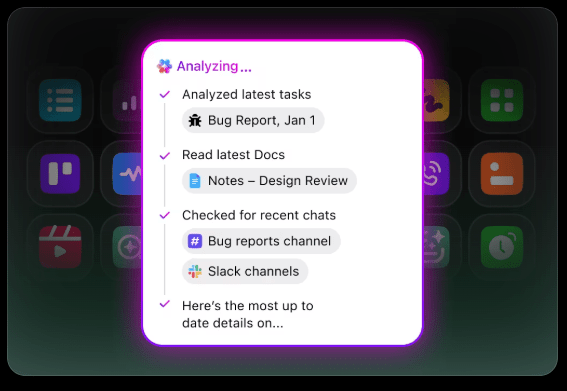
💡If you don’t have a dedicated ML infrastructure team, this entire process can be a non-starter. Skip the deployment complexity entirely with ClickUp Brain. It delivers AI capabilities like writing assistance and task automation directly within the workspace where your team already operates—no model downloads or GPU provisioning needed.
Using a base LLaMA model is a good start, but it won’t understand your company’s unique acronyms, project names, or internal processes. This leads to generic, unhelpful responses that fail to solve real business problems.
Enterprise AI becomes useful through customization—training the model on your specific terminology and knowledge base.
The success of your custom AI depends more on the quality of your training data than on model size or compute power. Start by gathering and cleaning your internal information.
Once gathered, format this information into instruction-response pairs for supervised fine-tuning. For example, an instruction might be “Summarize this support ticket,” and the response would be a clean, concise summary. This step is crucial for teaching the model how to perform specific tasks with your data.
📮 ClickUp Insight: The average professional spends 30+ minutes a day searching for work-related information—that’s over 120 hours a year lost to digging through emails, Slack threads, and scattered files. An intelligent AI assistant embedded in your workspace can change that.
Enter ClickUp Brain. It delivers instant insights and answers by surfacing the right documents, conversations, and task details in seconds—so you can stop searching and start working.
💫 Real Results: Teams like QubicaAMF reclaimed 5+ hours weekly using ClickUp—that’s over 250 hours annually per person—by eliminating outdated knowledge management processes. Imagine what your team could create with an extra week of productivity every quarter!
Fine-tuning is the process of adapting LLaMA’s existing knowledge to your specific use case, which dramatically improves its accuracy on domain-specific tasks. Instead of training a model from scratch, you can use parameter-efficient methods that only update a small subset of the model’s parameters, saving time and computational resources.
Popular fine-tuning methods include:
📚 Also Read: Enterprise Generative AI Tools Transforming Work
How do you know if your customized model is actually working? AI evaluation needs to go beyond simple accuracy scores and measure real-world usefulness. Create evaluation datasets that mirror your production use cases and track metrics that matter to your business, like response quality, factual accuracy, and latency.
💡This iterative process of training and evaluation can become a project in itself. Manage your AI development lifecycle directly in ClickUp instead of getting lost in spreadsheets.
Centralize performance metrics and evaluation results in one view with ClickUp Dashboards. Track model versions, training parameters, and evaluation scores right alongside your other product work with ClickUp Custom Fields, keeping everything organized and visible. 🛠️
Teams often get stuck in analysis paralysis, unable to move from abstract excitement about AI to concrete applications. LLaMA’s flexibility makes it suitable for a wide range of enterprise workflows, helping you automate tasks and work more efficiently.
Here are some of the top use cases for a custom-tuned LLaMA model:
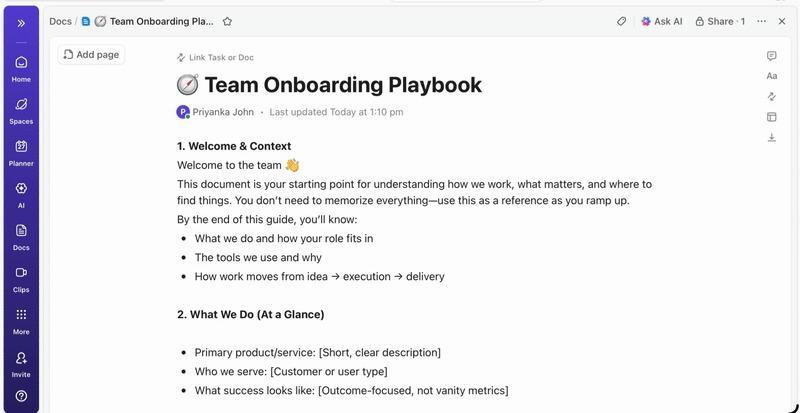
💡Access many of these use cases out of the box with ClickUp Brain.
While self-hosting LLaMA offers significant control, it’s not without its challenges. Teams often underestimate the operational overhead, getting bogged down in maintenance instead of innovation. Before committing to the “build” path, it’s crucial to understand the potential hurdles.
Here are some of the key limitations to consider:
💡You can sidestep these limitations by using ClickUp Brain. It provides managed AI within your existing workspace, giving you enterprise AI capabilities without the operational overhead. Gain enterprise-grade security and eliminate infrastructure maintenance with ClickUp, freeing up your team to focus on their core work.
📮ClickUp Insight: 88% of our survey respondents use AI for their personal tasks, yet over 50% shy away from using it at work. The three main barriers? Lack of seamless integration, knowledge gaps, or security concerns.
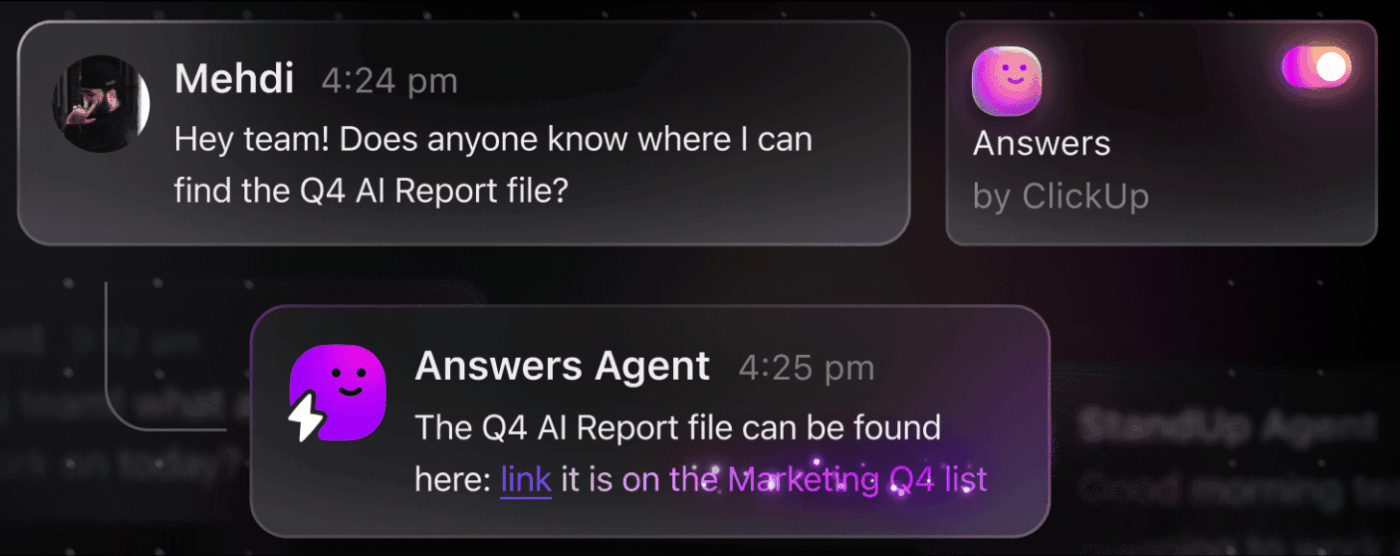
But what if AI is built into your workspace and is already secure? ClickUp Brain, ClickUp’s built-in AI assistant, makes this a reality. It understands prompts in plain language, solving all three AI adoption concerns while connecting your chat, tasks, docs, and knowledge across the workspace. Find answers and insights with a single click!
Choosing the right AI tool from the many available options is a challenge for any team. You’re trying to figure out the trade-offs between different models, but you’re worried about picking the wrong one and wasting resources.
This often leads to AI Sprawl—the unplanned proliferation of AI tools and platforms with no oversight or strategy—where teams subscribe to multiple disconnected services, creating more work instead of less.
Here’s a quick breakdown of the major players and where they fit:
| Tool | Best For | Key Consideration |
|---|---|---|
| LLaMA (self-hosted) | Maximum control, data sovereignty | Requires ML infrastructure and expertise |
| OpenAI GPT-4 | Highest capability, minimal setup | Data leaves your environment, usage-based pricing |
| Claude (Anthropic) | Long-context tasks, safety focus | Similar trade-offs to GPT-4 |
| Mistral | European data residency, efficiency | Smaller ecosystem than LLaMA |
| ClickUp Brain | Integrated workspace AI, no deployment | Best for teams wanting AI within existing workflows |
Instead of connecting multiple tools to meet your needs, why not access AI embedded directly where your work happens? This is the core of what ClickUp offers as the world’s first Converged AI Workspace—a single, secure platform where projects, documents, conversations, and analytics live together.
It unifies your tools to eliminate context sprawl, the fragmentation that occurs when teams waste hours switching between apps and searching for the information they need to do their jobs.
ClickUp + Contextual AI = Measurable transformation
According to a Forrester Economic Impact™ study, teams using ClickUp saw 384% ROI and saved 92,400 hours by year 3.
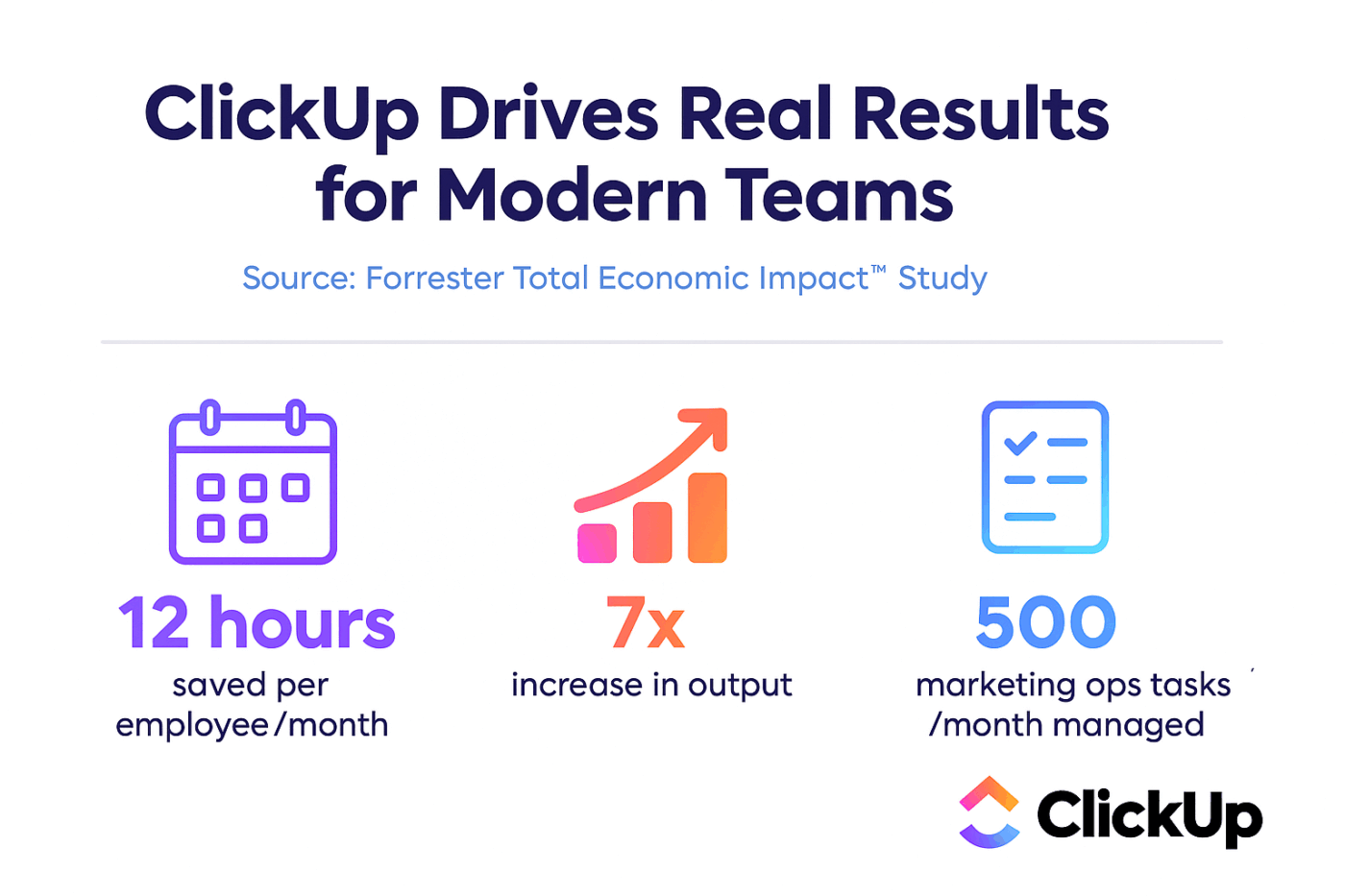
When context, workflows, and intelligence live in one place, teams don’t just work. They win.
ClickUp also provides the security and administrative capabilities that enterprise deployments require, with SOC 2 Type II compliance, SSO integration, SCIM provisioning, and granular permission controls.
ClickUp Brain MAX’s multi-LLM access lets you choose between premium models like ChatGPT, Claude, and Gemini directly from the search interface. The platform automatically routes your query to the best model for the job, so you get the best of all worlds without managing multiple subscriptions.
Get the entire stack—AI capabilities, project management, documentation, and communication—all in one place with ClickUp, rather than building the AI layer from scratch with LLaMA.
LLaMA gives enterprise teams an open-weight alternative to closed AI APIs, offering significant control, cost predictability, and customization. But success depends on more than just technology. It requires matching the right model to the right use case, investing in high-quality training data, and building robust evaluation processes.
The “build vs. buy” decision ultimately comes down to your team’s technical capacity. While building a custom solution offers maximum flexibility, it also comes with significant overhead. The real challenge isn’t just accessing AI—it’s integrating it into your daily workflows without creating more AI Sprawl and data silos.
Bring LLM capabilities directly into your project management, documentation, and team communication with ClickUp Brain—without the complexity of building and maintaining infrastructure. Get started for free with ClickUp and bring AI capabilities directly into your existing workflows. 🙌
Yes, the Llama 3 Community License permits commercial use for most organizations. Only companies with over 700 million monthly active users need to obtain a separate license from Meta.
LLaMA provides greater data control and predictable costs through self-hosting, whereas GPT-4 offers higher out-of-the-box performance with less setup. For productivity, however, get AI assistance without managing the underlying models through integrated tools like ClickUp Brain.
Self-hosting LLaMA keeps data on your infrastructure, which is great for data residency. However, you are responsible for implementing your own access controls, audit logs, and content filters—security features that are typically included with managed AI services.
Deploying and fine-tuning LLaMA directly requires significant ML engineering skills. Teams without this expertise can access LLaMA-based capabilities through managed platforms like ClickUp Brain, which provides AI features without any model deployment or technical configuration.

© 2026 ClickUp

There’s an easier way. Try a free AI Agent in ClickUp that actually does the work for you—set up in minutes, save hours every week.