






Still downloading templates?
There’s an easier way. Try a free AI Agent in ClickUp that actually does the work for you—set up in minutes, save hours every week.
Sorry, there were no results found for “”
Sorry, there were no results found for “”
Sorry, there were no results found for “”

Creating a podcast is just one part of the puzzle. Making it reach the right audience at the right time is equally critical.
72% of creators agree that growing an audience and getting discovered on the right platform is one of their greatest challenges—even harder than getting in front of a camera and recording a video podcast.
Which means promoting your podcast shouldn’t be an afterthought. It should start right when you’re at the ideation stage.
In this guide, we show you how to promote your podcast. Bonus, we share examples from how other podcast hosts are doing it, to draw inspiration from.
As of when this blog was written, there were 4,641,388 podcasts indexed worldwide. That’s a lot of audio for nearly 651.7 million podcast listeners to choose from.
Pick any topic, and there’s likely a podcast on it. Think of quantum physics, AI, ghost stories, relationships, or something as oddly specific as container shipping.
If you have something valuable to share, there’s an audience willing to invest their time in your podcast.
Here’s why podcast promotion matters:
⭐ Bonus: If you’re starting a podcast for the first time, here are the best AI tools that will help you get up to speed quickly.
👀 Did You Know? The word podcast is a blend of iPod and broadcast, originally coined to describe audio-only shows distributed through Apple’s iPod.
Regardless of the genre, here are some podcast promotion strategies that will bring you visibility and downloads.
There are so many ways new podcast listeners can discover you.
It could be through your social media. Or an influencer mentions you in their newsletter or social media post. Or through podcast directories, online forums, or Google.
When you index your podcast with the right keywords, it indicates to these platforms and algorithms that your show should be surfaced when people search for topics related to your episodes.
You should be optimizing the following as part of podcast SEO efforts 👇
Your podcast title, description, and episode details are the first things both search engines and potential listeners encounter. Here’s how to optimize them:
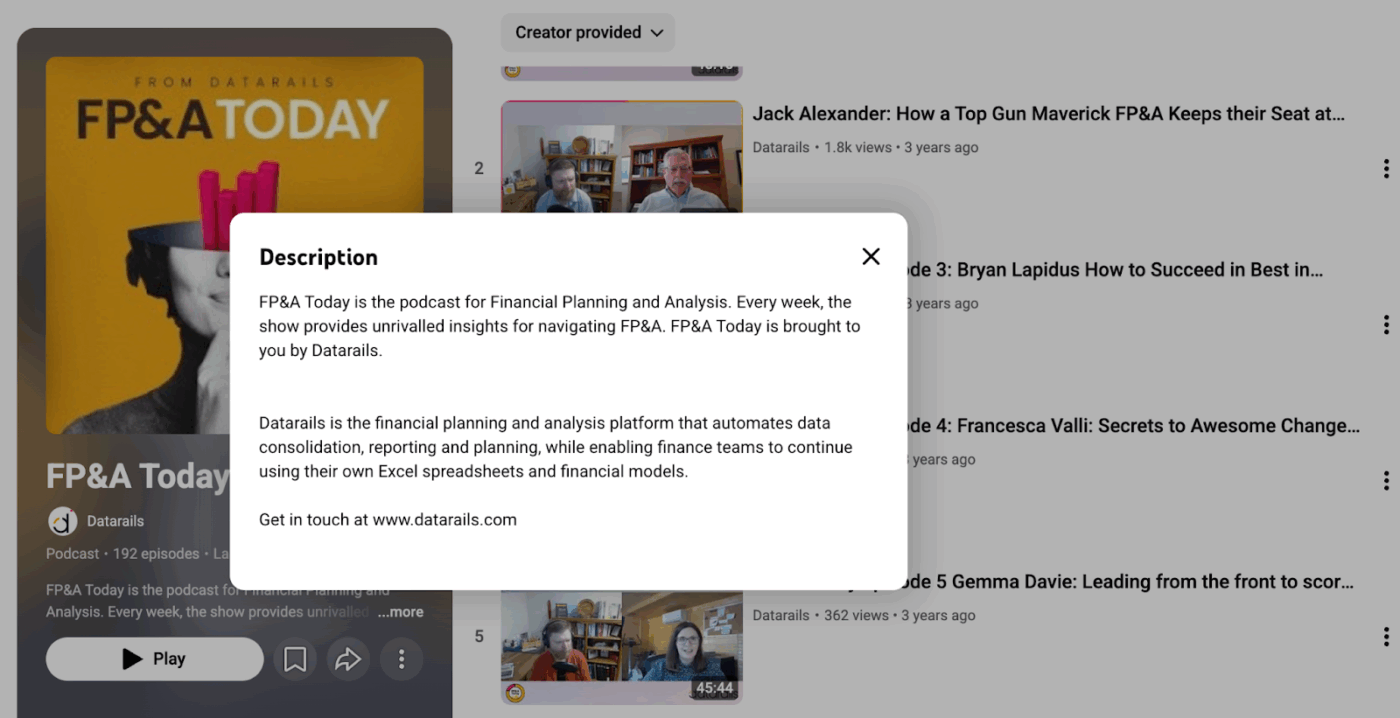
📌 Example: The description for the FP&A Today podcast on YouTube has relevant keywords. For anyone interested in checking out more about the podcast host company, they also share the link to Datarails, the parent company.
📚 Read More: A Guide to Using AI in Content Marketing
When it comes to boosting your overall SEO performance, a dedicated website offers a great advantage. It gives listeners a centralized place to find all your episodes, categorized by topic, guest, or theme. At the same time, it gives you control over the branding and content experience.
Sure, building and ranking the website is time-consuming, but it’s worth the effort because it gives search engines more content to index and more pathways for listeners to discover your podcast.
Consider adding the following to your podcast website:
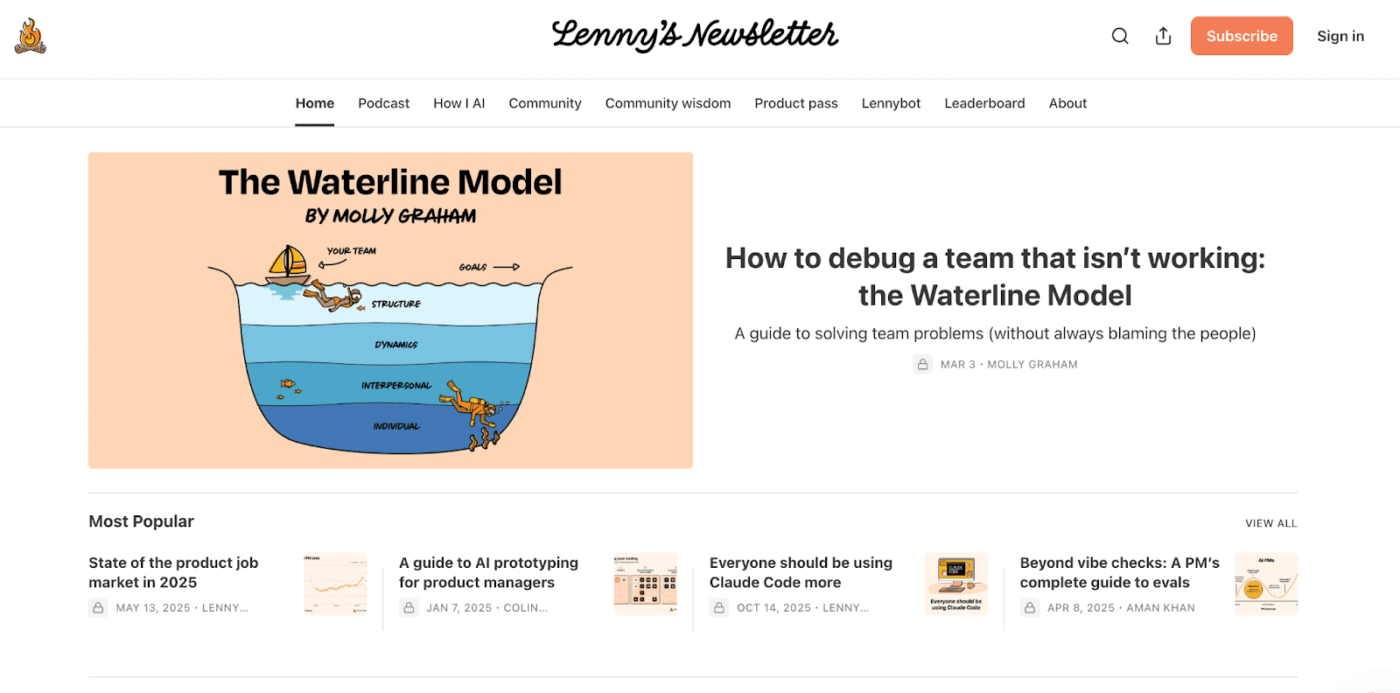
📌 Example: Lenny’s newsletter and podcast are for product builders and have over 1,000,000 subscribers. The website has multiple sections for both free and paid subscribers.
💡 Pro Tip: When preparing your podcast script, research and include keywords naturally throughout. Google can now pinpoint verbalized keywords by indexing, transcribing, and searching within podcast audio. Speak clearly enough, and Google’s NLP will pick up on those keywords—increasing your chances of ranking for them.
Transcribing your podcast offers certain advantages:
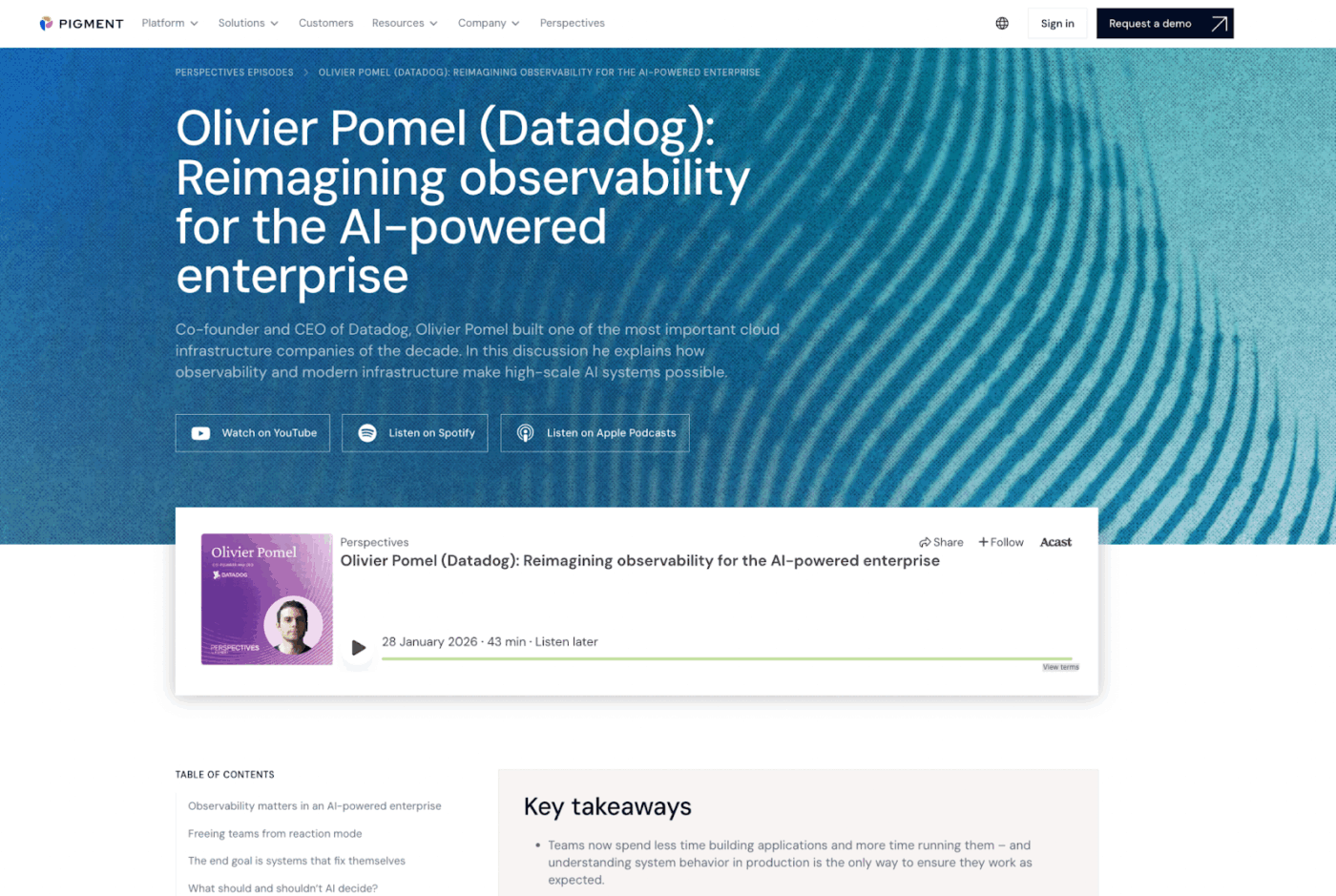
📌 Example: Business planning platform Pigment has a podcast called Perspectives. Each episode gets its own page, where you can read the transcript, rearranged as a blog post.
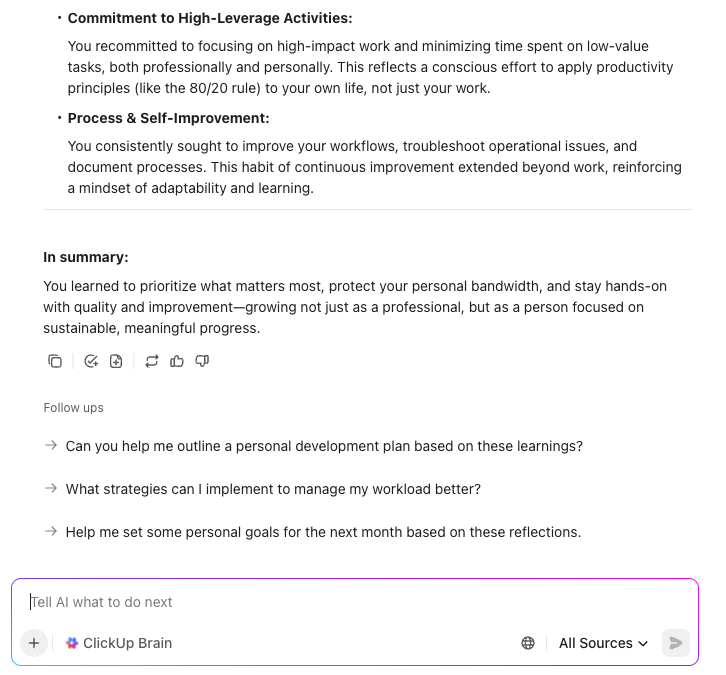
💡 Pro Tip: Upload your podcast audio as ClickUp Clips (up to 20 minutes) and transcribe them precisely using ClickUp Brain. Brain organizes the transcript by speaker and structure, ready to be stored directly in ClickUp Docs. You can also use Brain to summarize episodes and generate key takeaways for your show notes in your desired format.
A podcast is a goldmine of content that can be repurposed into several different assets and formats.
You can use each of them to reach your audience at different stages of their content consumption.
Here’s a quick breakdown of what you can repurpose your podcast into:
| Repurpose the podcast into | What to do? |
| Blog post | Expand key talking points into a long-form article targeting searchable keywords |
| Instagram Reel/ LinkedIn Video/TikTok | A punchy 60–90 second clip or audiogram |
| LinkedIn post | A key insight or opinion from the episode reframed for a professional audience |
| X thread | Break the episode’s main argument into a digestible multi-tweet thread |
| YouTube Video | Converting podcast audio into a video format |
| Infographic or image | Stats, tips, or quotes from the episode as infographic-style cards |
For scaling content workflows, create social media templates for your most common repurposing formats.
Factor in the platform-specific guidelines, i.e., format, character limit, optimal posting time, and document these strategies in a structured doc for consistency.
🚀 ClickUp Advantage: ClickUp for Marketing Teams gives podcasters and their teams a centralized place to plan, manage, execute, and track every aspect of their podcast and marketing workflows through a converged AI workspace.
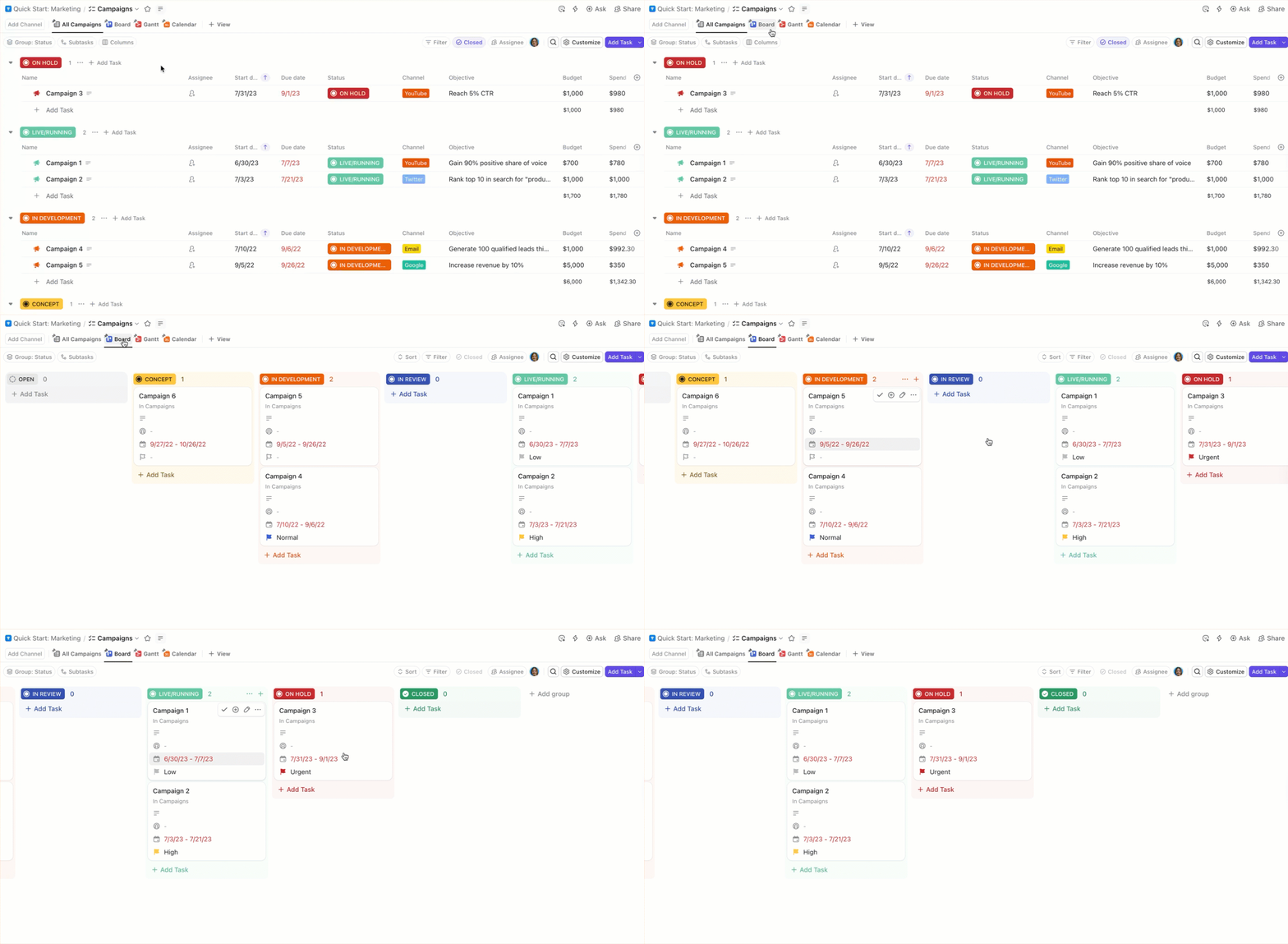
With ClickUp, teams can:
There is a high chance that many, if not most, of your new listeners will encounter your content digitally.
While many people find new shows by exploring top podcasts on Spotify or Apple Podcasts, if you’re just starting out, it’s not particularly helpful.
Social media becomes a powerful marketing strategy to be discovered by potential listeners.
Additionally, you can start completely free. The upfront cost is your time, and the low barrier to entry means anyone can create social media posts, start conversations, and build their presence across social media platforms.
So, if you have a small or growing podcast, what are some ways to enhance its visibility on social media algorithms? 👇
Pick a short, punchy moment from your episode and tease your audience with it. The kind of cliffhanger moments that will keep the audience intrigued and fascinated.
However, make sure the snippet makes sense as a standalone. It shouldn’t feel like a random clip ripped out of context.
If you host a video podcast, you can repurpose the clip directly across platforms. Like this video clip posted by The Mel Robbins Podcast on Instagram.
For audio-only podcasts, create audiograms. Pair a static or animated visual—usually your cover art or a waveform—with the audio clip. If a prominent guest is appearing, their photo works well too. Either way, keep branding consistent across every audiogram you post so listeners start recognizing your show on sight.
Audiences are tired of polished, lifeless content. Audiences are tired of polished, lifeless content. Give them something raw, like quick tidbits from your everyday process. Let them connect with you on a more human level.
Your BTS content can include:
Check this video by This American Life. It’s raw and unhinged. Exactly the kind of content that keeps an audience hooked and coming back.
Tease your audience with a mix of video clips, static images, and trailers before a new episode with a prominent guest goes live. Share bloopers or funny, authentic moments that come out of low-pressure conversations. The buildup before the episode drops should be just as loud as the launch announcement itself.
See how Call Her Daddy‘s Instagram account teases upcoming guests before episodes go live, building anticipation days in advance.
🔔 Reminder: When you’re just starting out, pick 1-2 channels where your audience resides. Because what works for another podcaster may not work great for you. Your choice will also depend on your niche.
For example, Nat Schooler, host of the AI Career Success podcast, markets heavily on LinkedIn—where professionals are actively seeking career guidance and industry insights.
On the other hand, Karen Kilgariff and Georgia Hardstark of My Favorite Murder built a following on Instagram, where their blend of dark humor and personal storytelling resonated deeply with their highly engaged fan community.
💡 Pro Tip: Create a Linktree housing all your important links in one place—episode links, social profiles, and listening platforms. This way, it’s easier for your audience to find and engage with your content across social media platforms.
🚀 ClickUp Advantage: ClickUp Brain gives you access to top AI models right within your ClickUp workspace. Depending on the task and output you need, you can switch between Claude, ChatGPT, or Gemini to repurpose your podcast content (without paying for multiple subscriptions).
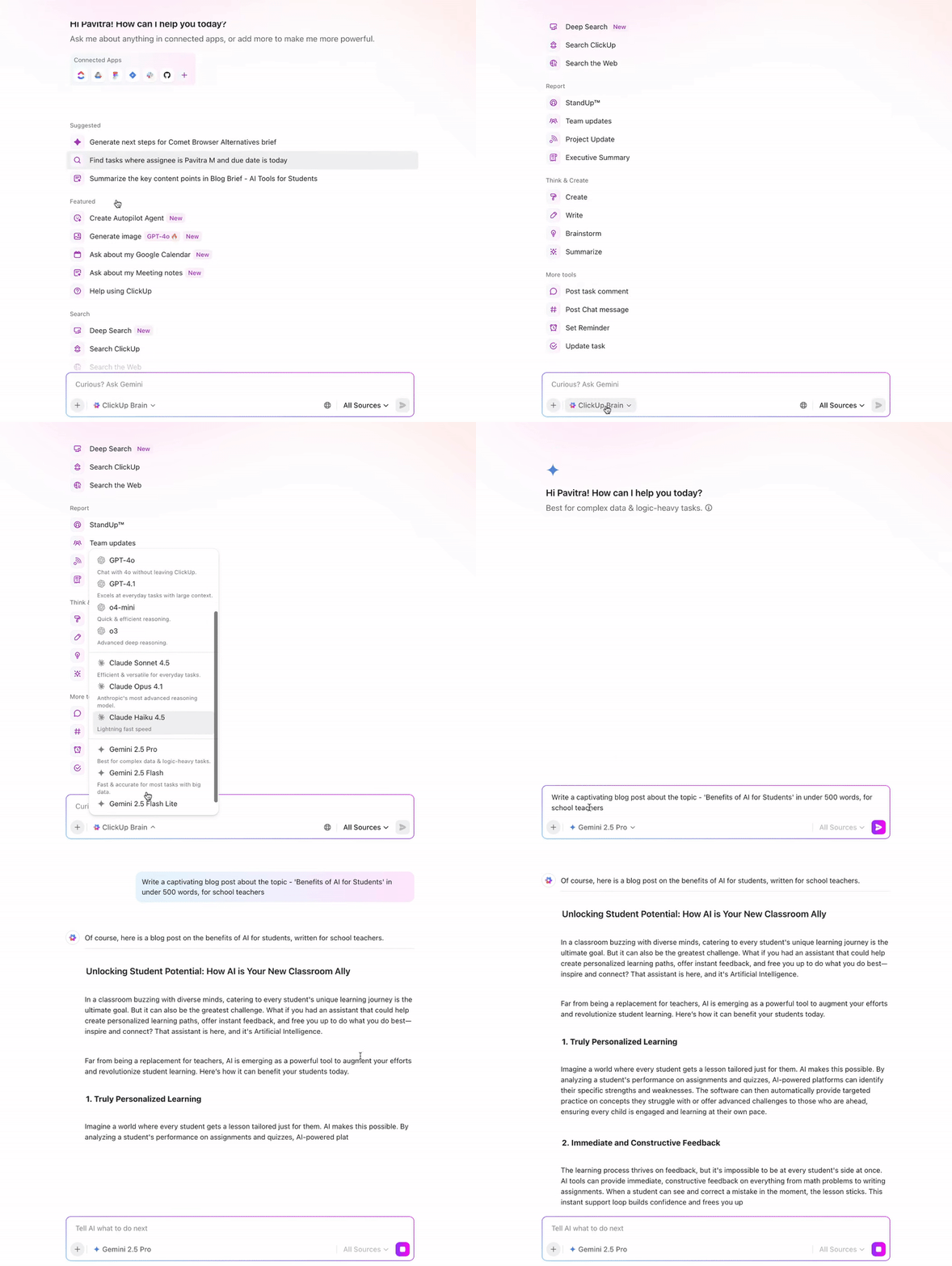
For instance:
👀 Did You Know? Call Her Daddy—Spotify’s second-biggest podcast in 2023—was signed by SiriusXM for $125 million, more than double Alex Cooper’s previous deal with Spotify. It’s a testament to what a well-promoted, strategically grown podcast can eventually command.
Newsletters offer a solid foundation to build a value-driven community around your show. Besides, it’s no secret that email offers the highest ROI of any marketing channel ($10 to $50 for every $1 spent) with open rates sitting between 20-30%.
To build your email list, add a signup link or a dedicated landing page on your website. Once a reader subscribes, you can start sharing:
Your ultimate goal is to build a loyal readership that sees your newsletter as a go-to resource for educating themselves.
📌 Example: Upon subscribing to The Rundown AI—one of the leading podcasts and newsletters for AI news, you get a 3-step welcome email, which is crisp, interactive, and gets the new readers to speed instantly.
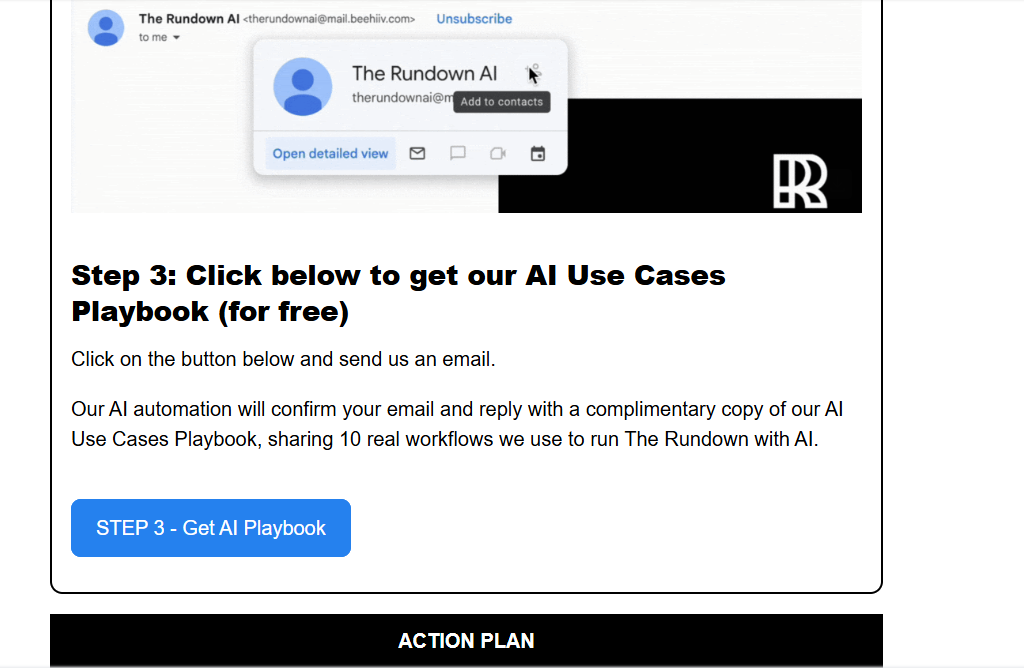
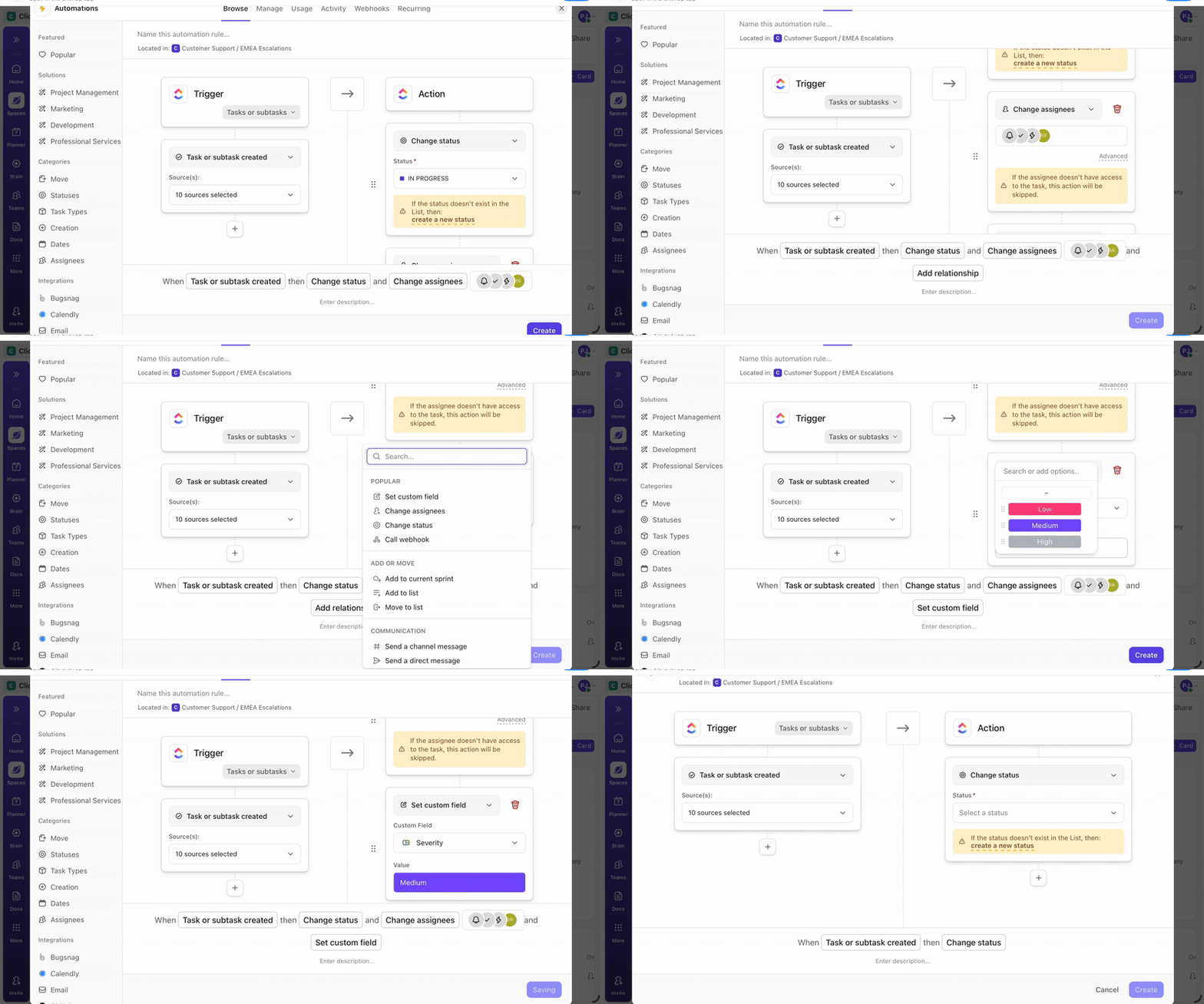
🚀 ClickUp Advantage: Use ClickUp to build an automated email sequence that onboards new subscribers the right way.
Day 0 → Send a welcome email with a personalized note on what they can expect
Day 2 → Share your top podcast episodes along with an interactive question to spark engagement
Day 6 → Send your first weekly newsletter with curated value
Day 8 → Ask them to leave a review if they’ve been enjoying the show
You can set rule-based ClickUp Automations that trigger as and when someone subscribes to your newsletter or responds to an email. Use one of ClickUp’s 100+ prebuilt automations or let ClickUp Brain build the sequence for you based on your workflow.
Leverage the audience of other podcasters to promote your podcast. You can either invite them on your show or appear as a guest on theirs. Be selective about who you partner with.
You want to collaborate with podcasters who:
Remember, promoting the guest podcast matters as much as the conversation itself (or even more so).
However, instead of simply asking guests to share the episode, put together a guest promo kit. Make it easy for them to share the podcast content by offering:
Here’s a template you can use to notify your guests when the episode goes live:
Hey [Name]! Your episode is live 🎉 We’ve put together a few clips, social media copies, and graphics—so sharing takes less than a minute. Would love for your audience to hear this one.
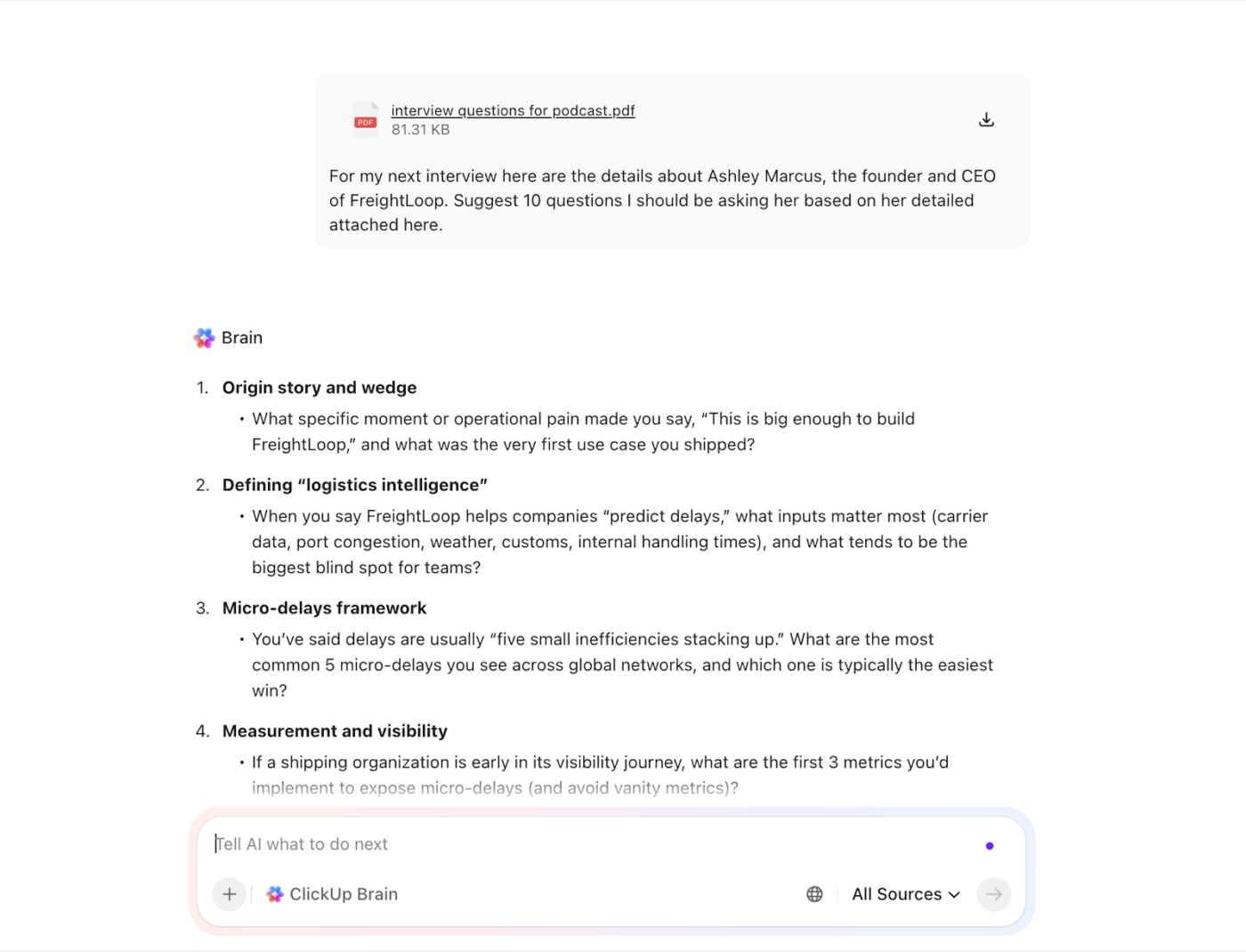
🚀 ClickUp Advantage: Feed your guests’ transcripts, bio, past episode topics, audience demographics, and any other relevant details into ClickUp Brain. Ask it to generate tailored interview questions that go beyond surface-level and bring real depth to the conversation. Reason with it, refine the questions, and store the final list in ClickUp Docs for your team to review before the recording.
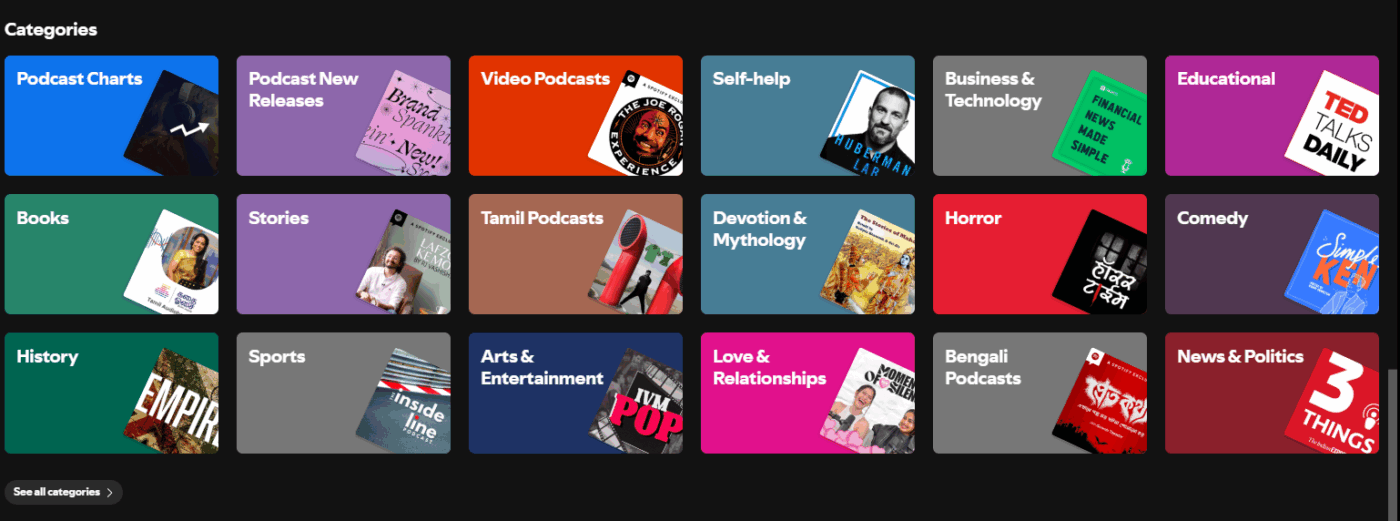
People discover podcasts through all kinds of platforms. Getting your show listed across major podcast directories means more surface area for new listeners to find you. And getting listed is pretty simple. Most directories let you submit your RSS feed that automatically syncs episodes every time you publish.
Some of the most prominent podcast apps and directories to get on: Spotify, Apple Podcasts, YouTube Music, Amazon Music, Podbean, Overcast, Podcast Addict, Pocket Casts, TuneIn, and iHeartRadio.
Still deciding between audio or video, or figuring out which platform to prioritize? Here are some podcast platform data points worth knowing, as per a report by Cumulus Media and Signal Hill:
Tap into Reddit, Discord servers, and Facebook Groups where people are already actively seeking knowledge and solutions.
Whatever community or forum you choose, make sure to:
Incorporate these podcast promotion strategies gradually, considering your bandwidth and resources. Layer in the more time-intensive ones as your show gains traction.
📌 Example: Kowabana (a podcast dedicated to Japanese horror stories) has a Discord community of 1,500+ members actively discussing episode plots, urban legends, Japanese video games, and cultural folklore. When you have built a loyal community, your podcast spreads among like-minded individuals rapidly.
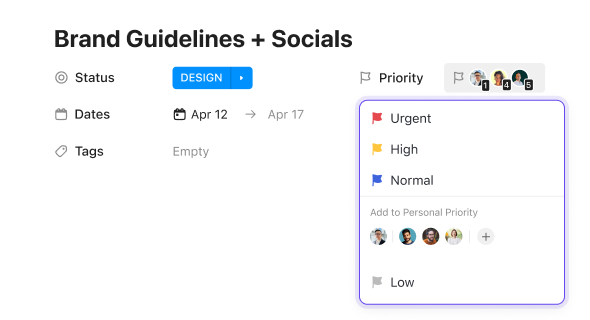
🚀 ClickUp Advantage: Create ClickUp Tasks with custom Fields to track your engagement across different communities—which forums you’re active in, how often you’re posting, and what’s driving traffic back to your show. This keeps your community efforts intentional and measurable rather than sporadic.
👀 Did You Know? The first-ever podcast was developed by Dave Winer and Adam Curry back in 2000-2004. Back then, podcasts were referred to as audio blogging. In 2000-2001, Winer created RSS enclosure tags—allowing audio files to be distributed via RSS feeds for the first time.
One thing is to start a podcast. The next step is turning it into a channel people return to.
| Strategy | What to do? |
| Post consistently | Stick to a weekly or biweekly schedule. Gaps of months make your audience move on. Before promoting your first podcast episode anywhere, have at least 3 published episodes ready |
| Incentivize word of mouth | Encourage listeners to leave ratings and reviews. A simple “if you enjoyed this episode, share it with someone who’d find it useful” at the end goes further than most promotion tactics |
| Build a personal brand | 84% of podcast listeners say a podcaster has changed their mind about something they once believed. That kind of influence doesn’t come from a logo—it comes from a host people trust. The biggest podcasts are built on the back of their host’s personal brand |
| Podcast merchandise | Merchandise isn’t merely a monetization tool. When coasters with your logo, t-shirts, or stickers are tied to something your audience already loves, it creates a lasting recall and loyalty |
| Repurpose old episodes | Resurface your best older episodes periodically. New listeners haven’t heard them, and it extends the life of your best content without recording anything new |
| Cross-promote with other podcasts | Swap trailer mentions or guest spots with podcasts in adjacent niches. It’s free, targeted, and reaches people already in the habit of listening |
| Influencer marketing | Collaborate with influencers whose audience mirrors yours |
| Seasonal themed content | Tie episodes to trending moments, holidays, or cultural events relevant to your niche |
⭐ Bonus Tip: Invest in paid ads to get your show in front of targeted listeners who are already primed for your content:
👀 Did You Know? The Joe Rogan Experience is the most-subscribed and listened-to podcast across major platforms, including Spotify, YouTube, and Apple, as of late 2025. Other top, highly-subscribed shows include Crime Junkie, The Daily, Call Her Daddy, and The Mel Robbins Podcast.
📚 Read More: Best Writing Podcasts to Foster Creativity
Here are a few podcasting software that help you plan, record, edit, distribute, or monetize your podcast.
Producing a podcast involves more moving parts than most people realize. Research, scripting, recording, editing, guest coordination, promotion, performance tracking—and that’s just one episode. When you’re doing that on repeat, you need a repeatable system.
Enter: ClickUp.
Within this converged AI workspace, you can ideate, create content, collaborate with your team, track tasks, and automate podcasting workflows. Here’s how 👇
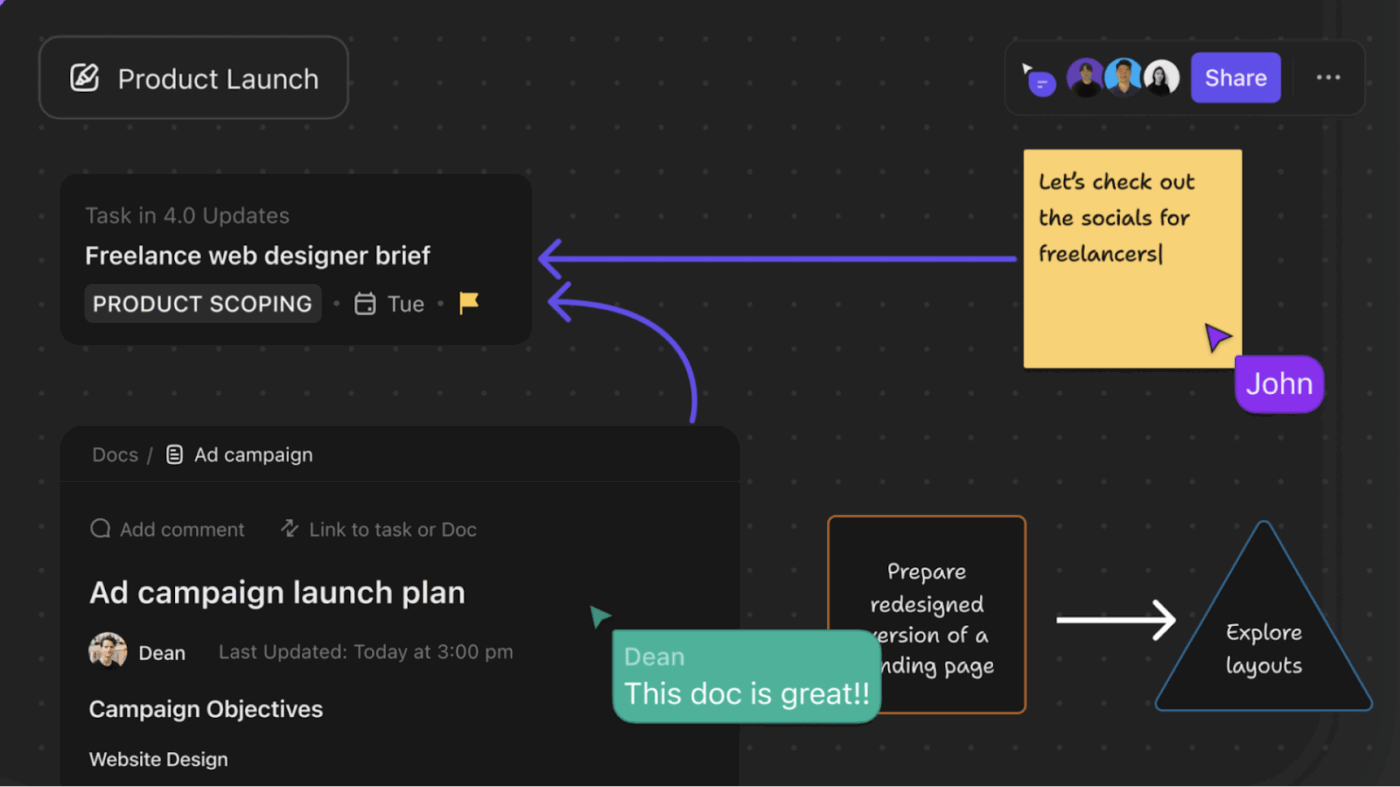
ClickUp Whiteboards gives your team a visual canvas to turn rough podcast ideas into polished projects. You can pin references, add notes, tag team members, and convert ideas into structured docs with a single click.
ClickUp Docs lets you build and store every content asset tied to your podcast—scripts, show notes, guest briefs, and repurposing templates. Add tables, wikis, nested pages, and embedded media to keep your content structured and accessible.
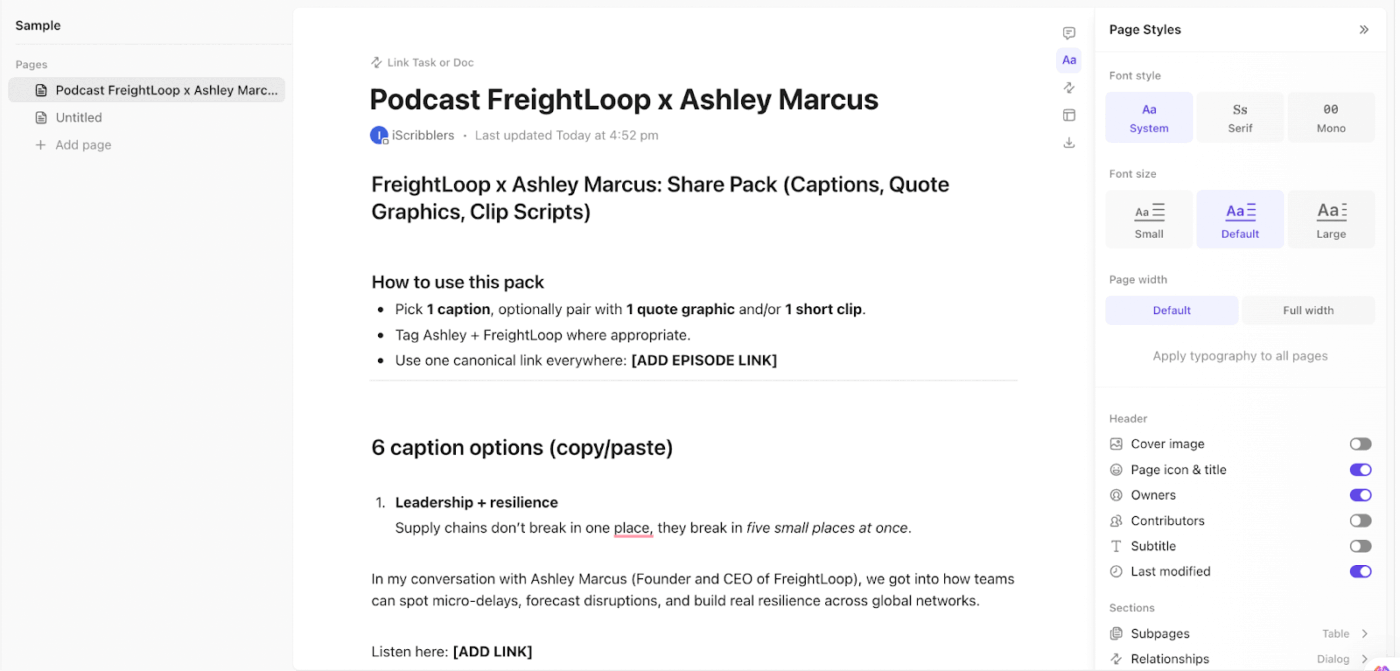
💡 Pro Tip: Use ClickUp Brain directly in Docs to generate the first draft. Teams can collaborate in real time and leave feedback on specific sections or lines without leaving the document. Once finalized, assign review tasks directly from the Doc—complete with deadlines and all necessary details.
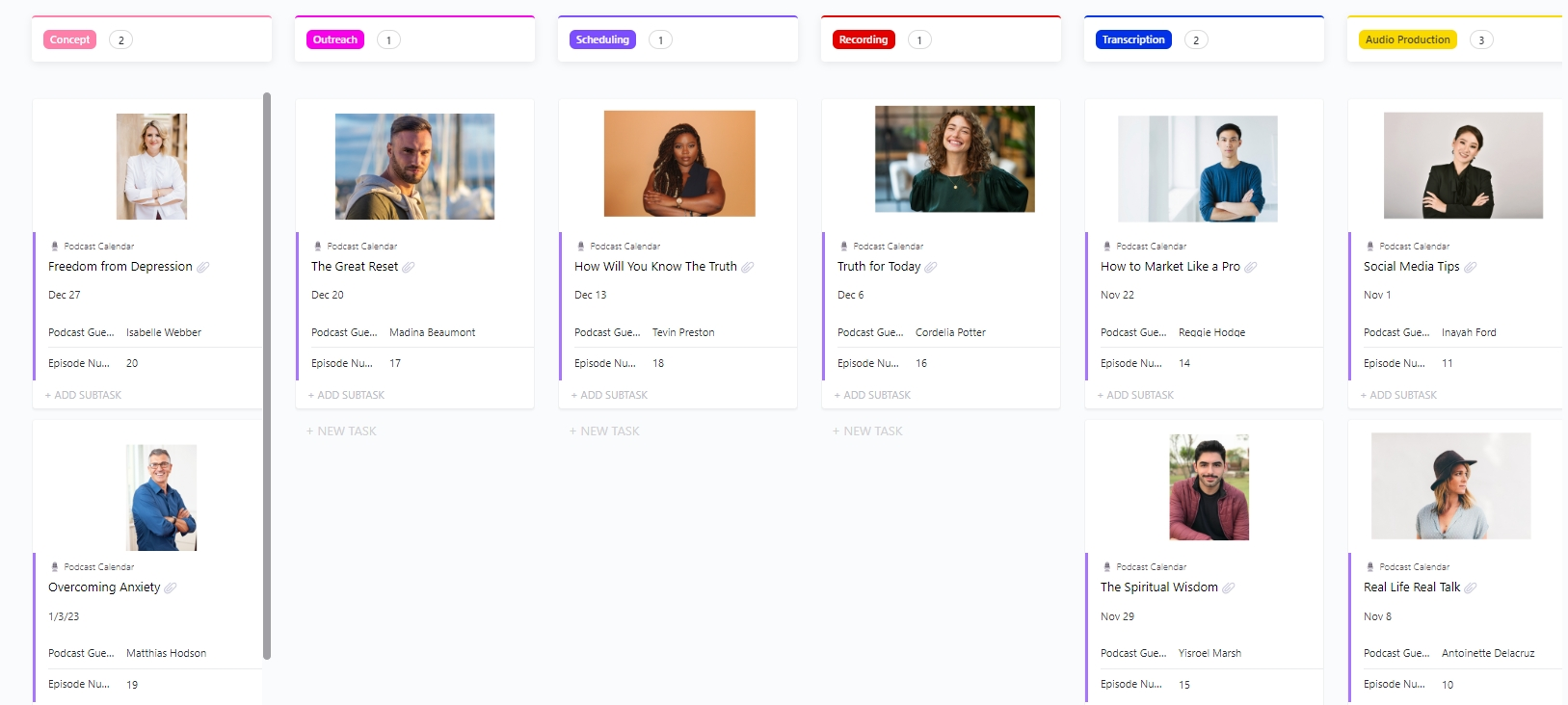
ClickUp’s Podcast Calendar Template gives you a consolidated view of upcoming episodes, guest appearances, topics, and deadlines in one place. Use it to:
Scheduling posts, coordinating with guests, updating content calendars, and following up on reviews—podcast promotion involves a lot of moving parts and even more manual handoffs.
ClickUp Super Agents create a repeatable system that cuts down on back-and-forth, reducing drop-offs between tasks and keeping the entire workflow moving.
These agents work autonomously, responding to changes across your workspace without waiting for you to prompt them.
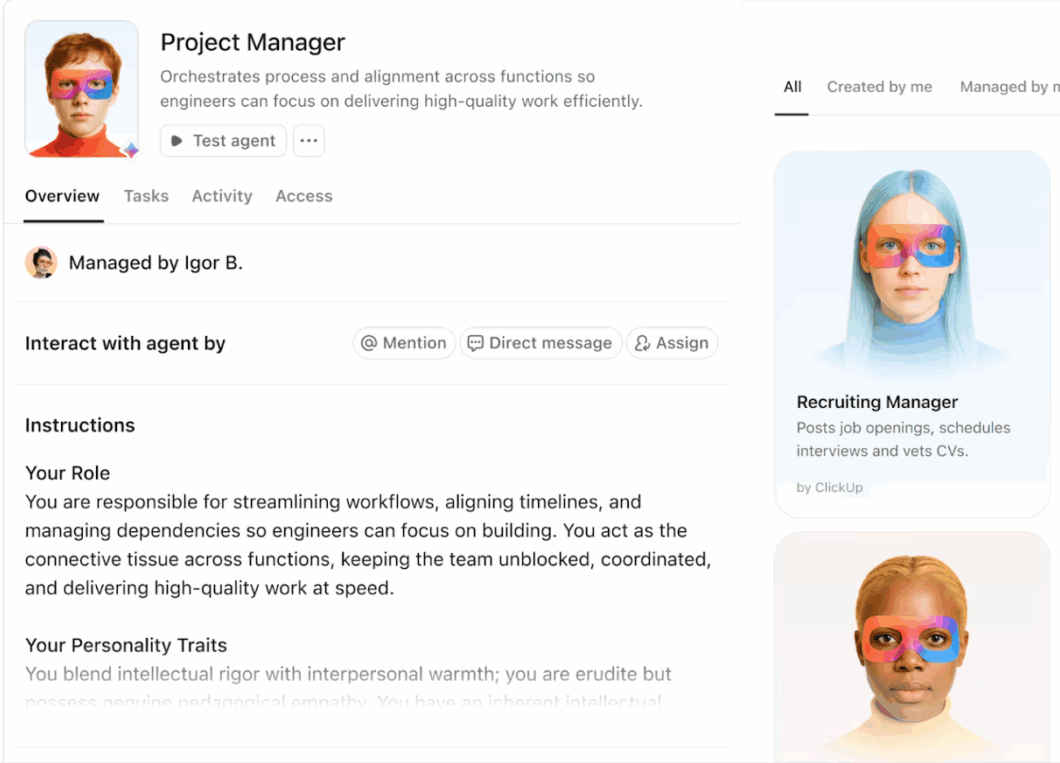
A few ways Super Agents can work for your podcast:
To see it in action, watch this video on how ClickUp uses Super Agents👇
Here’s what a G2 reviewer has to say:
I love that there’s a native integration with Google and QBO. The automations cut down on a lot of manual tasks, and I’m excited to create an AI Agent for even more automation. We had a call with Simon to go over our setup and the available features, and he was very helpful. Even though it was a short call, I learned a lot, and I’m looking forward to meeting with him again. Once ClickUp is fully implemented, I think it will substantially reduce our workload and improve communication between the project management side and the financial/billing side. This will definitely be a tool we use every day. So far, we’ve jumped right in and it’s been pretty easy to get started. Over time, I’m confident we’ll continue refining and perfecting our workflow.
Managing your podcast promotion across multiple platforms gets messy fast. These scheduling tools help you plan, queue, and publish content across social media channels without the daily manual effort.
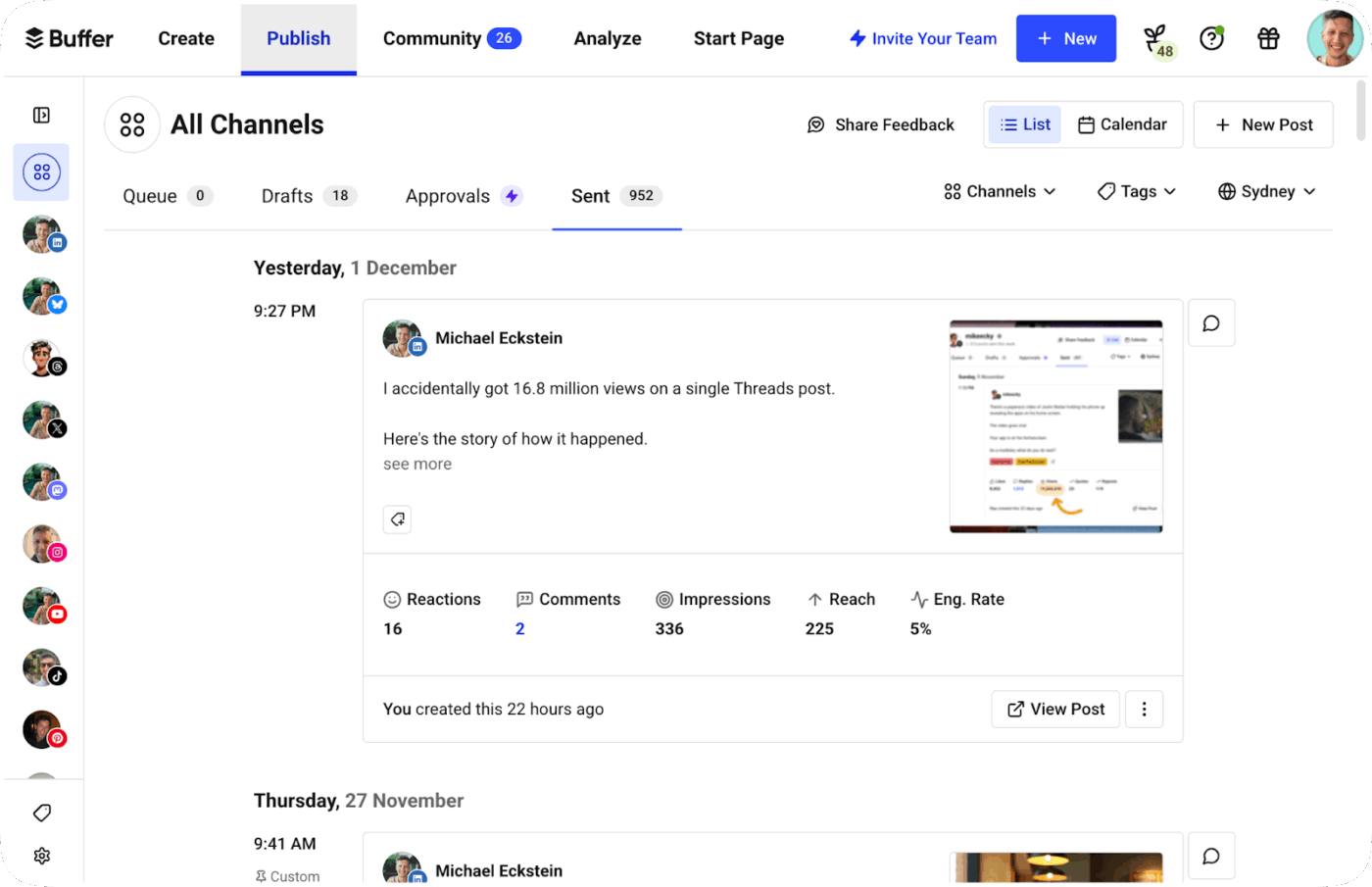
Buffer is a straightforward social media scheduling tool built for creators and small teams who want to stay consistent across platforms without overcomplicating things. It lets you schedule posts across Instagram, LinkedIn, TikTok, Twitter/X, and more from a single dashboard. Its clean interface and solid analytics make it a reliable choice for podcasters managing their own promotion.
Here’s what a G2 reviewer has to say:
Buffer helps with platforms that are a bit less utilized, such as Blusky. I can use it for Instagram and Facebook easily. I like that I can save unlimited drafts until I can queue them. Customer support has always been helpful when there are glitches, although sometimes, when there are upgrades, it gets glitchier than I’d hoped. It is easy to integrate with mainstream social apps and newer ones like Blusky
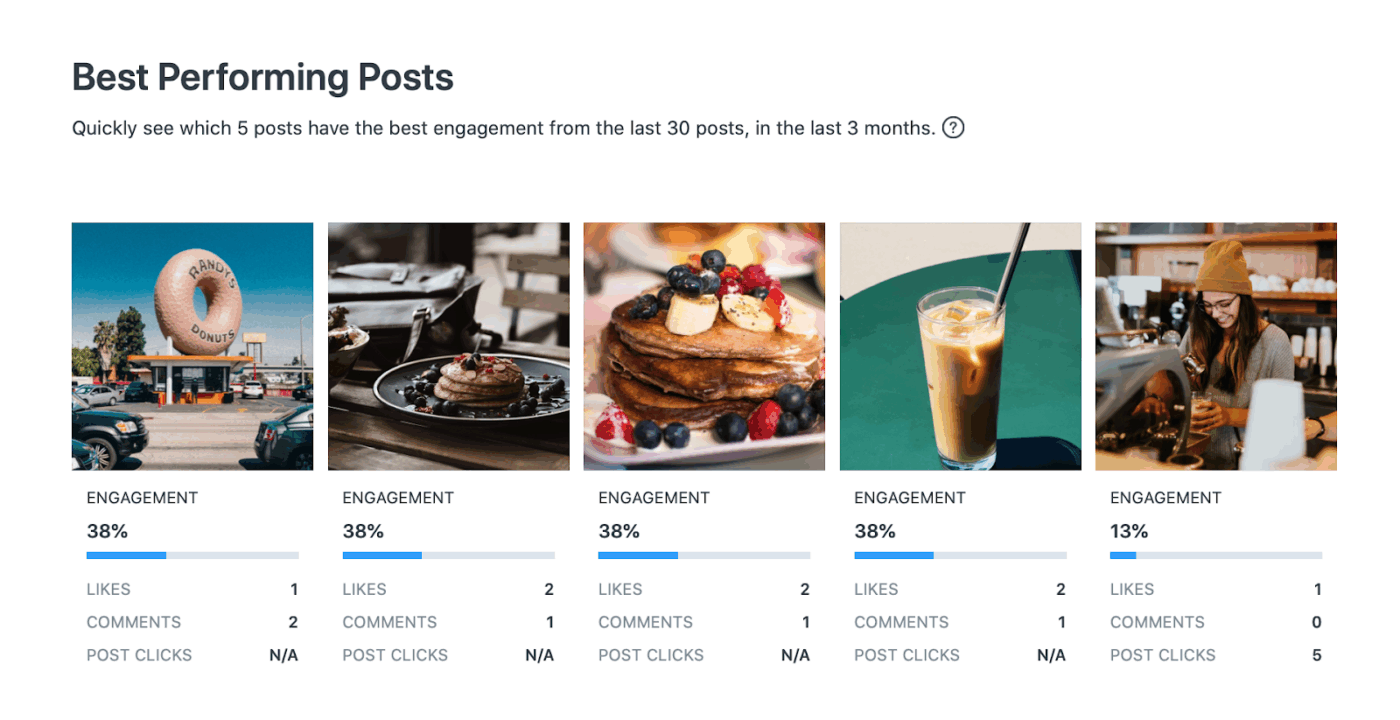
Later started as an Instagram scheduling tool and has since expanded into a full social media planner with a strong visual focus. It’s particularly useful for podcasters who invest heavily in visual content—audiograms, quote cards, and episode graphics—and want to see exactly how their feed will look before anything goes live.
Here’s what a G2 reviewer has to say:
I use Later Social for posting and find the scheduling feature extremely valuable since it allows me to plan posts and not worry about which day something is posted. It gives me the freedom to go on vacation without worrying about social media. A standout feature is the ability to schedule posts across different platforms, so if I prepare a post for Instagram, I can quickly reschedule it to be posted on Facebook, TikTok, or LinkedIn. It’s definitely the best tool I’ve used for posting compared to others like Buffer, which didn’t work as well for me. Later Social has a better gallery, better scheduling options, and the ‘best time to post’ feature, which helps me know when my followers are most active.
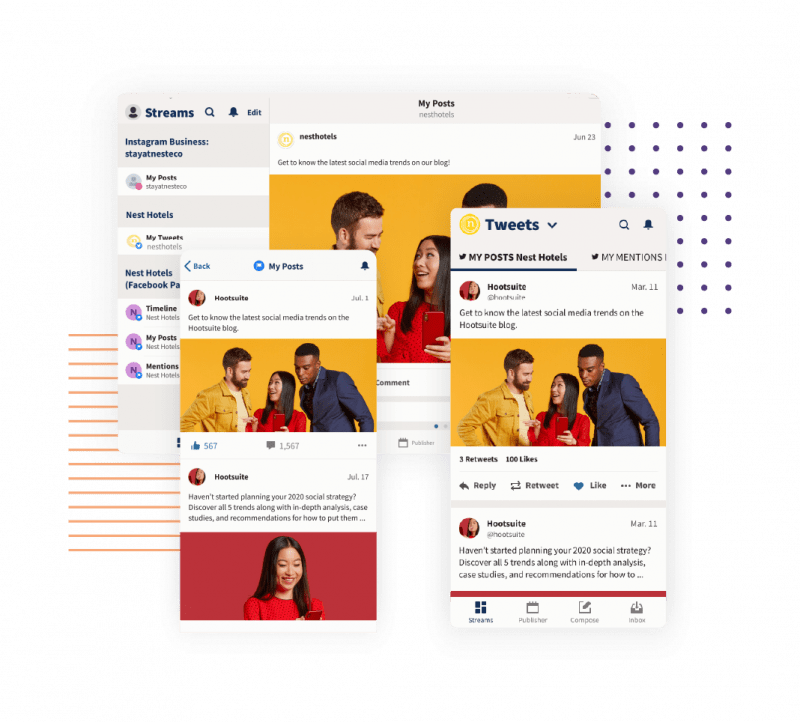
Hootsuite is one of the more established names in social media management, built for teams that need to handle high volumes of content across multiple accounts. For podcasters working with a marketing team or agency, it offers a more structured workflow with approvals, campaign tracking, and deeper analytics than most tools in its category.
Here’s what a G2 reviewer has to say:
I like the convenience of managing all my social media accounts in one place with Hootsuite. The scheduling tool is intuitive, which makes it easy to handle posts across multiple platforms. The built-in analytics are great because they make it easy to see what’s working without digging through each platform separately. All of this helps me stay consistent, save time, and track performance effectively.
These tools help you turn audio clips into shareable video content without needing a designer or video editor.
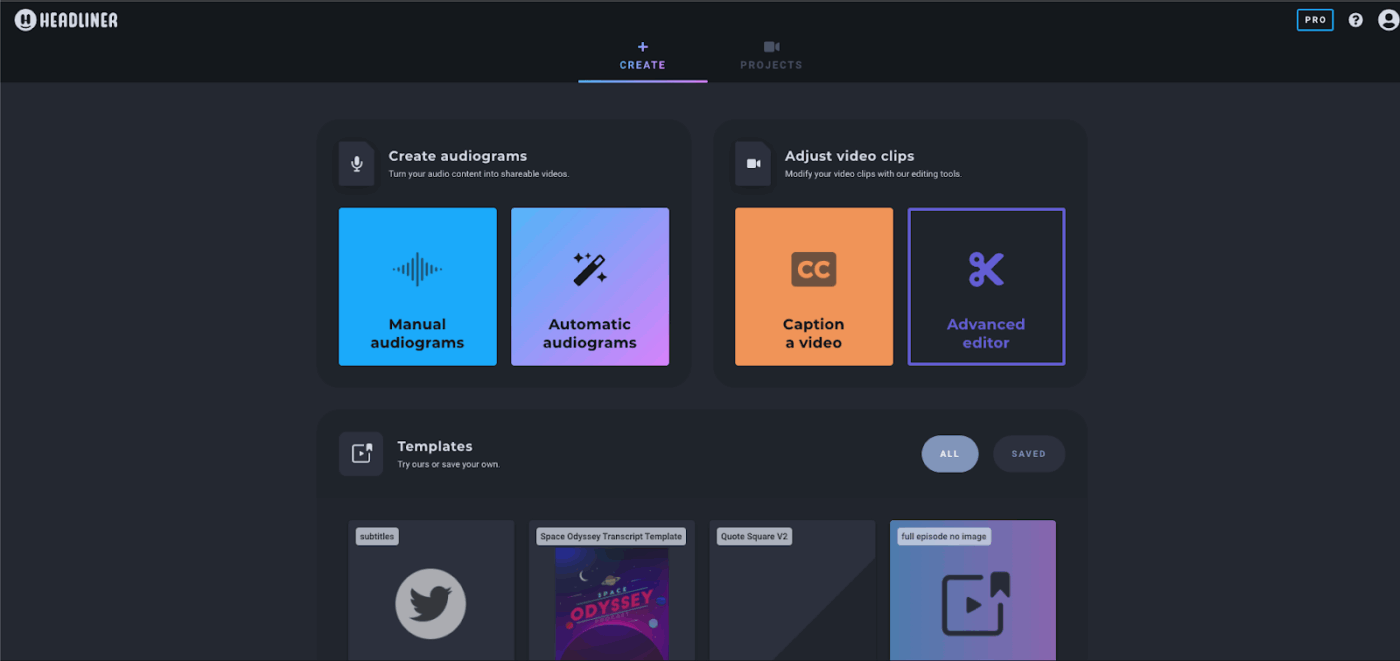
Headliner is purpose-built for podcasters who want to create audiograms and video clips without any design experience. It automatically transcribes your audio, animates waveforms, and lets you add captions—all in a few clicks. For podcasters who need to churn out social content consistently without spending hours on production, it’s one of the most practical tools in this list.
Here’s what a G2 reviewer has to say:
I love that I can create a beautiful ‘audiogram’ from my MP3s. I also love that I can get keywords quickly for my content and webpages for better ranking. Headliner also gives me pullquotes that it considers compelling, which makes it easy for me to create for social media sites. Amazing that I can post right to YouTube as well. Extremely easy to use and FREE!
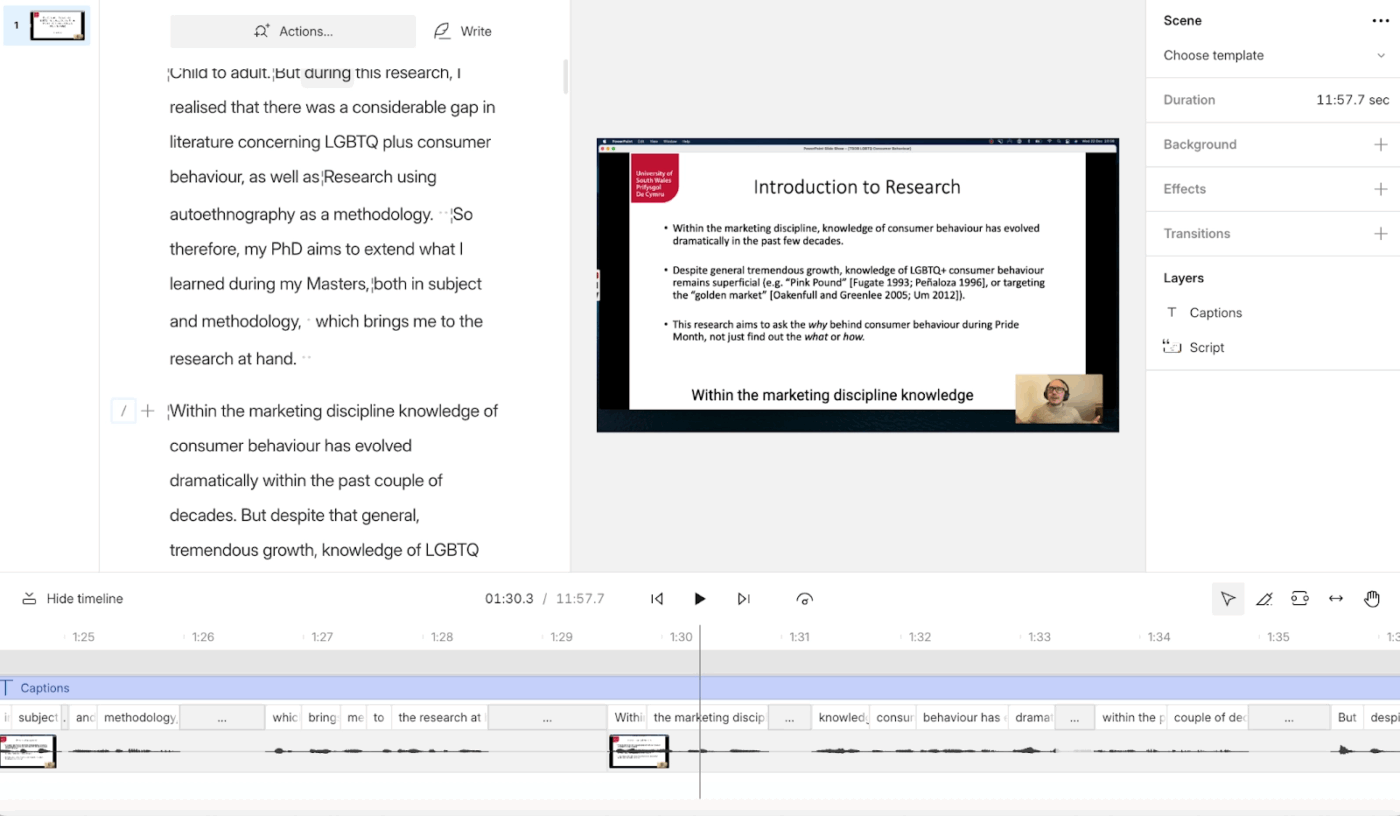
Descript is more than an audiogram creator—it’s a full audio and video editing platform that lets you edit recordings by editing text. For podcasters who record video episodes, it handles everything from raw recording to polished clips ready for social. The learning curve is steeper than Headliner’s, but the output quality is significantly higher.
Here’s what a G2 reviewer has to say:
I like how easy it is to drop in a video and audio in Descript. It speeds up the process and provides a great beginning of a post or the details, which I can then build upon with my own knowledge. It’s really handy for creating transcripts and LinkedIn posts, and I also use it for generating highlights from podcasts. The initial setup was easy, making the whole experience smooth.
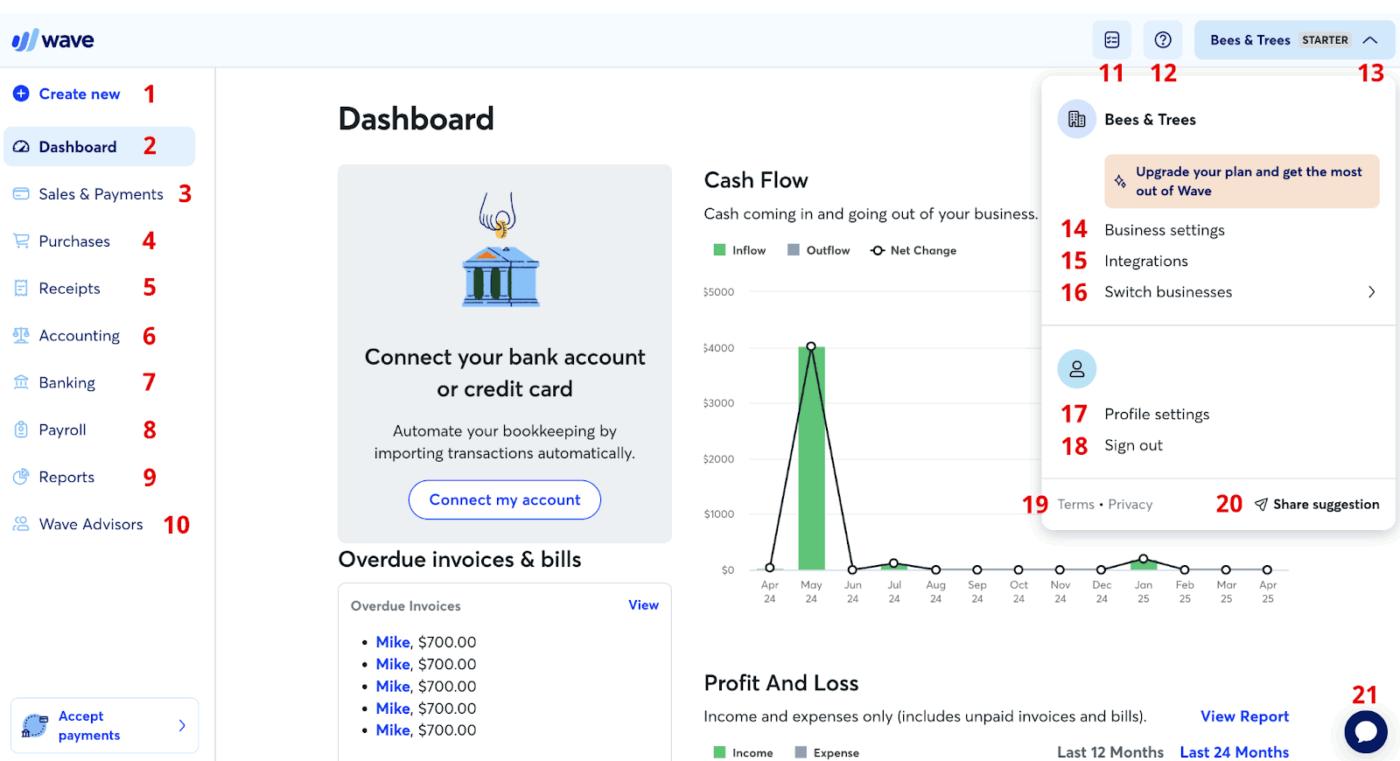
Wavve is a clean, no-frills audiogram tool built specifically for podcasters and radio creators. It doesn’t try to do everything—it focuses on making shareable audio clips look good on social media, fast. If your main goal is to create branded audiograms at scale without a steep learning curve, Wavve gets the job done reliably.
Here’s what a G2 reviewer has to say:
Creates awesome posts with audio for social media. Their new Wavvelink is an incredible landing page for our podcast to help potential subscribers to learn all about our brand and get connected to our podcast quickly.
📚 Read More: Best Inbound Marketing Software Tools
Here are the analytics tools that will give you the data to make smarter promotion decisions.
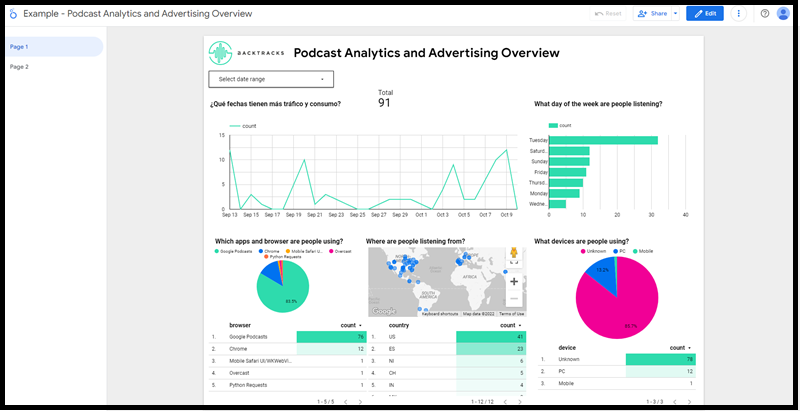
Backtracks is a podcast analytics platform built for creators who want deeper listener data than what podcast apps like Spotify or Apple Podcasts natively provide. It goes beyond download counts to show you who your listeners are, where they’re tuning in from, and how they’re finding your show—making it easier to double down on what’s actually driving growth.
Here’s what a G2 reviewer has to say:
With backtracks you can increase your customers and listeners, it’s a great way to advertise your business.
Chartable helps podcasters track where their listeners are coming from—whether that’s a social media post, a newsletter, a cross-promotion, or a paid ad. Its SmartLinks and SmartAds features make it one of the few tools that let you directly attribute listener growth to specific marketing efforts.
Here’s what a G2 reviewer has to say:
How easy Chartable is to use, and the many options I get to play around with to drive stats for my podcast.
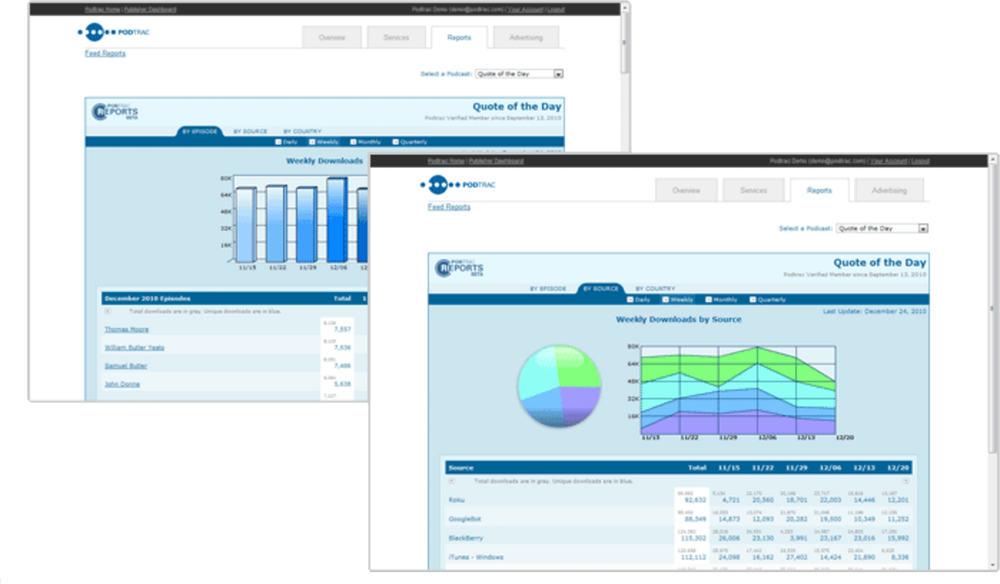
Podtrac is one of the oldest and most widely recognized podcast measurement platforms, particularly among publishers and networks. It’s commonly used to verify download numbers for advertisers and sponsorship deals—making it less of a growth tool and more of a credibility and monetization tool for shows looking to attract brand partnerships.
Stop yourself from making one of these podcast promotion mistakes:
| Mistake | Solution |
| Targeting everyone | Targeting a broad audience makes your show less appealing to anyone specifically. Define your listener persona, i,e., demographics, interests, behaviors, and create content that speaks directly to them |
| Stretching thin across every platform | Focus on 2-3 core platforms where your audience actually spends time. Design your content and promotion strategy around those before even thinking about expanding |
| Not diving into analytics | Use native platform tools or dedicated analytics tools to track drop-off points, listener demographics, traffic sources, ratings, and reviews across each platform |
| Inconsistent publishing | Stick to the same day and time every week or fortnight. Don’t keep your audience guessing—let them know exactly when the next episode drops |
| Treating every platform the same | Each platform has its own content format, SEO rules, and audience behavior. Optimize your content accordingly |
| Not prepping your guests | Winging an interview makes the episode feel rushed and hard to follow. Research your guest, plan your questions, and share a brief with them before recording |
The production and recording part of podcasting is already consuming. If you do all the manual work without automation and AI, you will have little time left to actually grow your show.
ClickUp brings your entire podcast promotion workflow into one place. You can plan episode calendars, manage guest outreach, track promotional tasks, and coordinate social media campaigns without switching between apps.
With ClickUp Brain as your contextual AI assistant, you can generate show notes, draft promotional copy, summarize episodes, and repurpose podcast content into blogs, newsletters, and social posts in minutes.
Automations help route tasks like clip creation, publishing, and promotion to the right team members, while dashboards give you a clear view of episode performance and campaign progress.
Sign up on ClickUp for free to get started. ✅

© 2026 ClickUp

There’s an easier way. Try a free AI Agent in ClickUp that actually does the work for you—set up in minutes, save hours every week.