
Sorry, there were no results found for “”
Sorry, there were no results found for “”
Sorry, there were no results found for “”
Managing projects today feels like an endless cycle of deadlines, emails, and follow-ups. Even with multiple task management tools, teams often track updates, compile reports, and chase information manually, leaving little room for the actual work.
It’s no surprise that AI is quickly changing this.
A Capgemini survey found that 82% of organizations plan to integrate AI agents within the next three years, trusting them with tasks like email generation, coding, and data analysis.
For those who’ve made the shift, the impact is clear: updates are automated, reports take seconds to generate, and meetings are instantly summarized. Instead of being stuck in the weeds, teams can focus on high-value decisions and let AI handle the mundane work.
Curious about how AI agents can transform your workflow? In this blog post, we’ll break down everything you need to know about how to build an AI agent with ChatGPT through a step-by-step guide.
But if you’d like to try a much cooler, readymade, context-aware AI agent alternative from ClickUp, stay with us till the end!
AI agents are software entities that can perceive their environment, process information, and take autonomous actions to achieve specific goals. They use artificial intelligence techniques such as machine learning, natural language processing (NLP), and reinforcement learning to make decisions and interact with users, systems, or other agents.
An AI agent’s primary functionality is to automate repetitive tasks, freeing you up to focus on more strategic work.
📌 Example: Take an AI-powered HR assistant, for instance. Instead of just listing job openings, AI agents automate hiring by screening resumes, scheduling interviews, and answering candidate FAQs.
The working mechanism of AI agents is based on four key components:
AI agents achieve their intelligence through a combination of deep learning, neural networks, and massive datasets, but at the heart of many of these systems are GPTs (Generative Pre-trained Transformers).
GPTs are trained on vast amounts of text data from books, articles, websites, and more. This helps them build a foundational understanding of language, logic, and context. This pretraining phase gives AI agents their baseline intelligence, allowing them to recognize patterns and make informed predictions.
The key innovation here is the self-attention mechanism, which helps AI determine which words in a sentence (or across sentences) are most relevant to each other. This makes responses more coherent and contextually aware.
Here’s why GPT-4 is the backbone of AI agent intelligence and how it powers ChatGPT use cases in real-world applications:
Thanks to generative AI, GPT-4 can pick up on context, tone, and intent, making interactions feel natural. Whether answering complex queries or summarizing lengthy reports, GPT-4 ensures conversations flow fluently.
📌 Example: One of the most impactful AI use cases is in education. Khan Academy’s AI tutor, Khanmigo, uses GPT-4 to provide students with personalized, context-aware learning experiences.
Unlike past models, GPT-4 remembers past and future interactions over longer conversations, so you don’t have to repeat yourself. This makes AI agents more useful for ongoing projects, customer support, or anything that requires follow-ups.
📌 Example: A customer contacts an AI-powered support agent at Shopify about an order issue. A week later, they return with a follow-up question, and the AI remembers their previous conversation without needing to repeat details.
GPT-4 is better at logical reasoning and problem-solving than its predecessors. AI agents leveraging GPT-4 can analyze complex scenarios, break down problems, and provide structured, well-thought-out responses.
As a result, AI agents powered by GPT-4 drive conversational commerce with personalized shopping experiences, automate sales processes, and provide instant customer support.
📌 Example: Amazon’s AI shopping assistant helps customers find outfits based on their preferences, making online shopping more interactive.
❗️No ChatGPT needed. Get multiple LLMs with just one app!
Want to 10X your communication and productivity?
Meet Brain MAX—the desktop app that unifies AI, search, and automation across every work app you use. No more bouncing between disconnected AI tools or digging through endless tabs.
With Brain MAX, you get voice-first productivity, unified search across all your apps, the ability to chat with multiple LLMs (ChatGPT, Claude, Gemini, and more), build custom AI Agents, and instant custom report creation—all in one place. It eases your cognitive load, eliminates delays in surfacing risks and reports, and truly kills AI sprawl.
If you’re ready for a new era of Contextual AI and seamless work, Brain MAX is your next must-have tool.
You don’t need to be a data scientist to build an AI agent with ChatGPT. With very minimal setups, you’d be good to go.
Here’s a primer 👇
Before diving into the technicalities, be clear on what you want your AI agent to do.
Ask yourself:
Once you have a well-defined purpose, you can move to the technical setup.
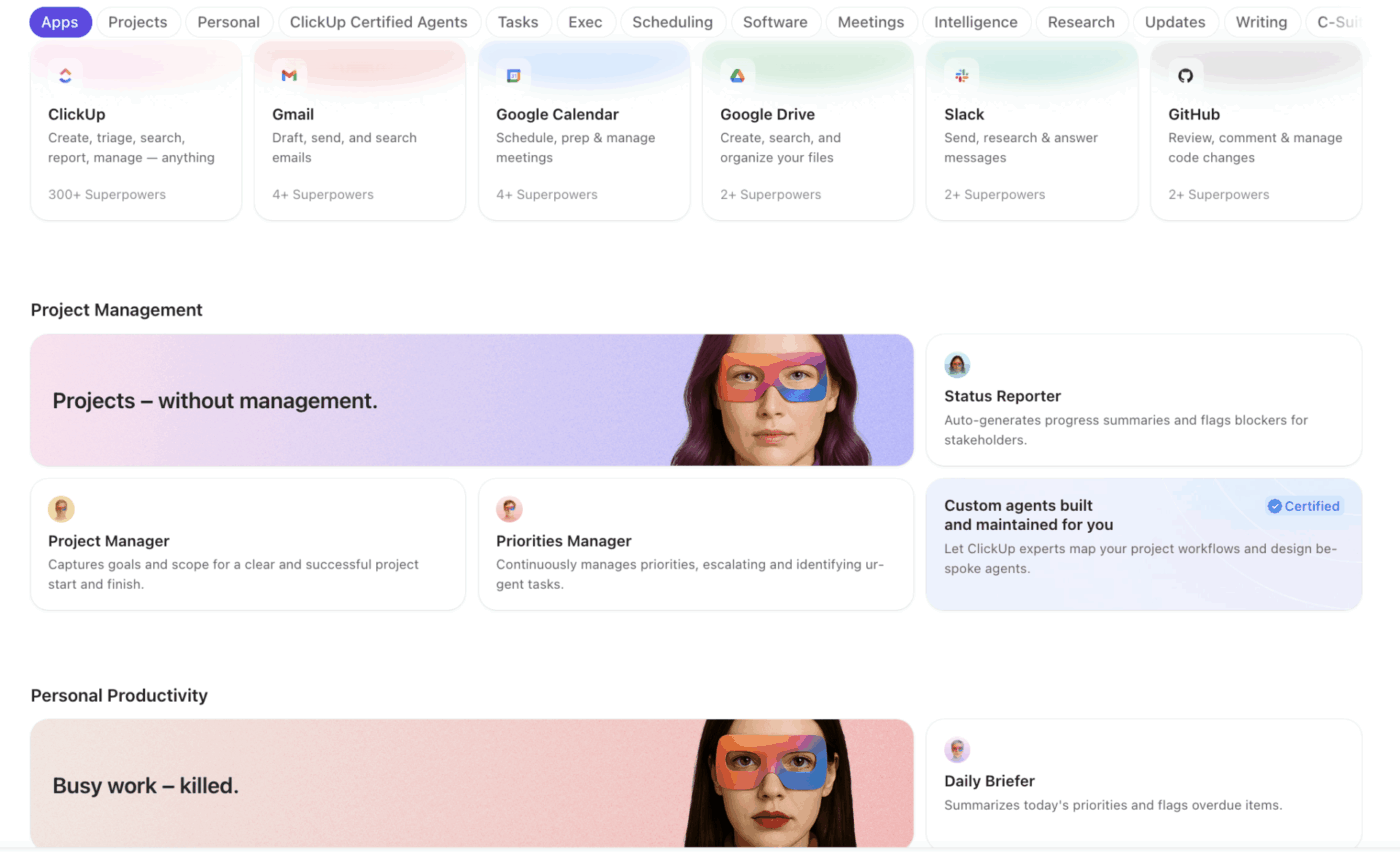
💡 Pro Tip: If you’d rather skip the development process entirely, ClickUp’s AI Super Agent Directory has ready to use agents organized by department and use case, including project management, marketing, sales, HR, and more. You can activate them in your workspace without writing a single line of code.
ChatGPT doesn’t just power your AI agent; it needs a solid tech stack to function smoothly. The right combination of technologies will determine how well it delivers results.
Here’s what you need to consider:
Now, it’s time to configure your AI model. You need to access OpenAI’s API and fine-tune the model to match your use case. Further, decide on tone, set response boundaries, and implement API calls.
📌 Example:
import openai
response = openai.ChatCompletion.create(
model=”gpt-4″,
messages=[{“role”: “user”, “content”: “What’s the weather today?”}]
)
print(response[“choices”][0][“message”][“content”])
This allows your AI agent to start generating responses based on user input.
Out of the box, ChatGPT knows a lot of things. But it doesn’t know your business. To make your AI agent useful, you’ll need to train it with data specific to your industry and workflows.
Where to pull training data from?
📝 Internal knowledge base: FAQs, SOPs, and help docs
💬 Past chat logs: Real conversations with customers (if available)
🧑🏻💻 CRM or ticketing system: Support tickets, client inquiries, and resolutions
The more relevant data you feed into ChatGPT, the smarter and more accurate your AI agent becomes.
🔍 Did You Know? GPT-2 learned from 40 billion text tokens from over 8 million web pages—all sourced from Reddit posts that got at least three upvotes! Basically, if people found a post interesting enough to upvote, there’s a chance it helped train the AI you’re using today.
🧠 ClickUp Advantage: Most AI agents only use your personal context when you manually feed it in or prompt for it. That means every time you want a useful answer, you’re still doing the heavy lifting—copying context, pasting links, and explaining your workflow all over again.
This is where systems like ClickUp Super Agents work differently.
Instead of “training” an AI once and hoping it remembers, Super Agents operate with live context pulled directly from your workspace—your ClickUp Tasks, Docs, comments, CRM data, and ongoing projects.
So instead of saying:
“Here’s our SOP, here’s the task, here’s the context…”
The agent already knows:
And it acts on that in real time.
The result?
You’re freed from repeated prompting and stale training data.
And you get an AI that works the way your team already does!
Your AI agent is only as good as the way people interact with it. A clunky interface? Frustrating. A smooth, intuitive one? Game-changer.
Here’s how you can set it up:
💬 Chatbot: Add it to Slack, Teams, or your website for instant conversations
📞 Voice assistant: Hook it up to Twilio for phone support
📧 Email AI: Automate replies via Gmail or Outlook
Pick the right interface based on user engagement, and you’ll have an AI that feels natural to interact with.
🧠 Fun Fact: Modern AI agents use reinforcement learning (like RLHF—Reinforcement Learning from Human Feedback) to refine their responses. They learn from user interactions, optimizing for accuracy, relevance, and engagement.
Once your AI agent is built, you need to test and refine its responses to specific tasks.
Here’s a testing checklist you’d need 👇
| Test | What to check | Why it matters |
| Unit testing | Verify API responses | Ensures accurate data retrieval |
| User testing | Gather real user feedback | Improves experience and accuracy |
| Error handling | Test AI’s recovery from failures | Prevents glitches and confusion |
| Performance check | Optimize speed and response time | Keeps interactions smooth |
Read More: Best AI Apps to Optimize Workflows
It’s time to deploy your AI agent in the two real-world scenarios. Depending on your use case, you can:
You also need to monitor your AI agent continuously. In other words:
Keep improving your AI agent’s performance based on feedback to make it smarter, faster, and more helpful.
🌟 Bonus Tutorial: If this workflow feels complex, we’ve also got a simpler way!
Ready to build your own custom AI agent in under 5 minutes instead? Switch to ClickUp Super Agents. The natural-language Super Agents builder makes it quick and easy!
So, you’ve built an AI agent using ChatGPT—awesome! But a generic AI is like an intern on day one. It knows the basics but needs training to be helpful. To make it work your way, customize ChatGPT’s working principle. Here’s a step-by-step tutorial:
ChatGPT is trained on general knowledge, but your AI needs domain-specific expertise.
Plus, connect it to internal documentation, knowledge bases, or real-time data via APIs to keep responses accurate and aligned with your business.
Sometimes, better prompts mean better answers. When you use effective system prompts, you can guide the AI to generate more relevant responses. For example,
❌ ‘Tell me about sales.’

✅ ‘List the top three B2B SaaS sales strategies with examples.’

AI is smart but isn’t perfect. It can generate misleading information if left unchecked. Set fact-checking mechanisms, response length controls, and compliance filters to prevent inaccurate or risky outputs.
AI should adapt to its audience. Customers get simple explanations, while internal teams receive detailed, valuable insights. Role-based responses make interactions more useful and context-aware.
You can turn ChatGPT into a powerful AI agent that truly works for you by fine-tuning and integrating the right data. But as we promised, there’s an even cooler solution than ChatGPT agents, so keep reading.
Creating a custom AI agent with ChatGPT means having an assistant who speaks your language and understands your workflows.
Here’s why creating an AI agent with ChatGPT can help you:
With ChatGPT, you can create an AI agent that understands your business and handles tasks as you need it to. This agent functions as a knowledge-based agent, using logical reasoning to provide accurate responses and solutions.
Plus, the agent can answer customer questions, qualify leads, assist with onboarding, or manage support tickets like a real team member. You decide its tone, level of detail, and source of information, ensuring it aligns with your brand and processes.
💡 Pro Tip: Before building your ChatGPT agent, create a persona document with ideal responses, no-go topics, and five to seven sample conversations. Share it with your team early to avoid endless tweaks. This simple step can cut development time by 30-40%!
AI agents relieve human teams of a lot of work and cut operational costs. Plus, ChatGPT can juggle thousands of conversations simultaneously with LLM agents, which blend powerful language models with planning and memory. That means businesses can scale without worrying about overwhelming their support teams.
Nobody enjoys spending hours on admin tasks. That gap is what an AI agent bridges.
🦾 Automate workflows → No more manually assigning tasks
📊 Generate instant reports → AI summarizes data in seconds
🎧 Handle customer interactions → Respond to inquiries in real time
Third-party AI tools mean trusting others with your data. When you build your own AI, you stay in control. Simply put:
📖 Bonus Read: ChatGPT Cheat Sheet (With Prompt Examples)
By following some best practices, organizations build custom AI agents that are efficient, user-friendly, and responsible.
Building AI agents requires a balance of technical precision and strategic planning. Here are essential factors to consider:
AI agents are most effective when they’re designed with a specific goal in mind.
📌 Example: A healthcare provider building an AI agent should decide:
Each requires a different approach, training data, and a different set of data science and AI models.
💡 Pro tip: Create a ‘decision tree document’ before coding your AI agent. Identify all possible user intents and your agent’s exact actions for each scenario. This visual representation helps identify potential dead ends and circular conversations early.
Not all AI models are created equal. A chatbot for customer service doesn’t need the same model as an AI-powered financial fraud detection system.
📌 Example: A retail AI chatbot should be trained on customer service interactions and product FAQs. Meanwhile, an AI agent for cybersecurity should be trained on patterns of fraudulent behavior and historical threat data.
AI works best when it understands the context of a conversation. It should pull real-time information from your internal product databases, CRM systems, or project management tools to provide meaningful responses.
📮 ClickUp Insight: 24% of people say they want AI agents mainly to automate boring tasks.
The expectation here is relief from low-value work, and that’s fair. If an agent needs ongoing setup, supervision, or prompting, it stops feeling helpful and starts feeling like more work.
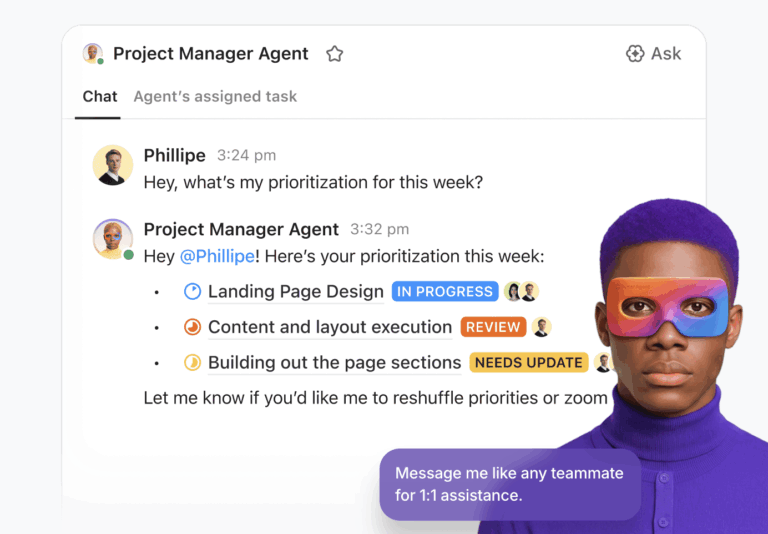
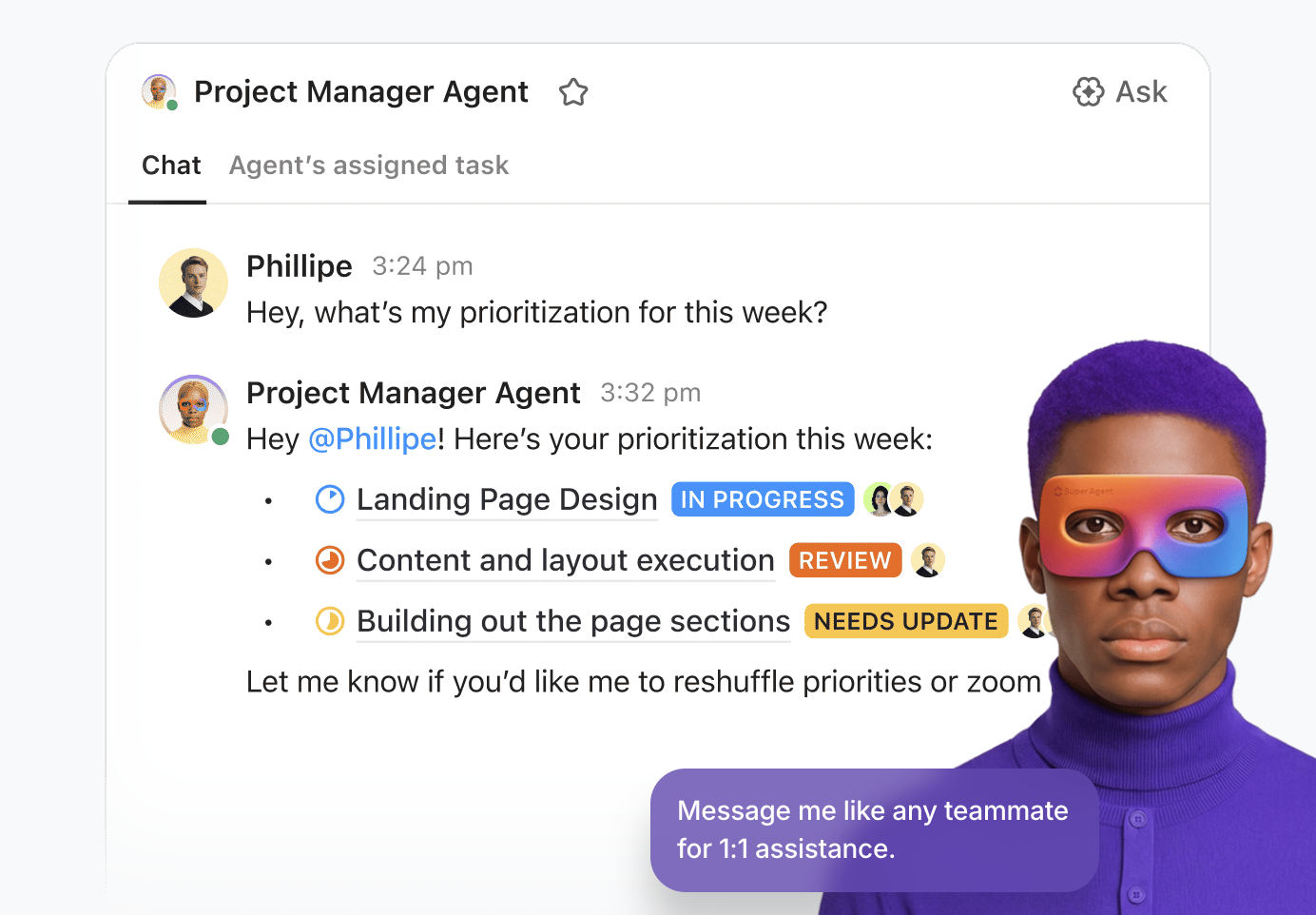
In ClickUp, Super Agents operate continuously in the background, updating tasks, drafting docs, and moving work forward with the same tools your team already uses.
You can DM them for one‑off help, and even @mention them in a Doc to turn a brainstorm into a clear plan!
An AI model that follows ethical standards is built on trust and compliance. That said, here are some ethical standards it should abide by:
While ChatGPT is a powerful AI tool, it has several limitations when used as a standalone AI agent. In a nutshell, they include:
ChatGPT cannot retain context across prolonged interactions unless you create custom memory layers. For example, if you ask it to summarize meeting notes from multiple sessions, it won’t remember past summaries unless context is explicitly provided.
While ChatGPT can generate content and provide recommendations, it cannot directly execute actions like sending emails, scheduling meetings, or updating task statuses without external integrations.
ChatGPT has often been seen to ‘hallucinate,’ meaning it sometimes generates misleading, incorrect, or nonsensical answers, particularly in complex or technical fields.
📖 Bonus Read: AI in the Workplace
If you’re looking to build an AI agent with ChatGPT, you’re probably interested in making your workflows more efficient. But why go through the hassle of building something from scratch or tackling multiple agents?
Enter ClickUp, the world’s first Converged AI Workspace. ✅
It combines your project management, knowledge management, and chat in one powerful workspace—accelerated by next-generation AI automation and search.
Instead of relying on standalone AI tools, ClickUp introduces Super Agents—AI teammates that operate directly inside your workspace, powered by real-time context from your tasks, Docs, chats, and workflows.
Powered by ClickUp Brain (the native intelligence layer in ClickUp), Super Agents are designed to help teams automate workflows and take action on work, without needing to code or configure complex systems.
While ClickUp Brain acts as an intelligent co-pilot, helping with task prioritization, content generation, and summarizing key information, Super Agents go beyond providing simple assistance—they execute end-to-end workflows for you.
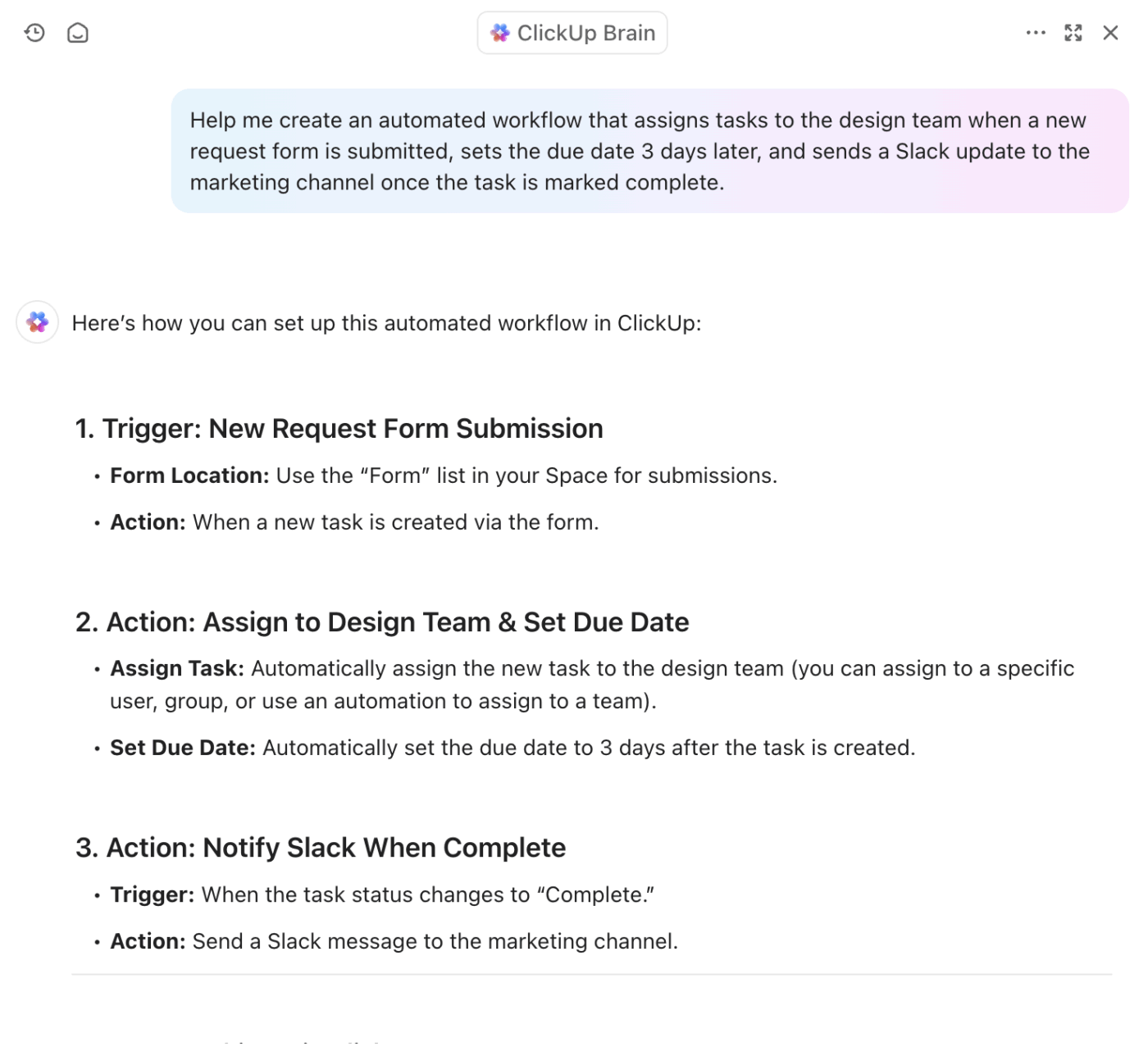
Here’s what we mean:
With ClickUp Brain, you can:
With ClickUp Super Agents, you can:
🤝 Case Study: How Bell Direct Boosted Operational Efficiency by 20% with ClickUp’s Super Agents
Bell Direct’s operations team was spending too much time on “work about work.” With 800+ client emails arriving daily, every message had to be manually read, categorized, prioritized, and routed—slowing teams down and putting pressure on service quality.
Instead of adding another point solution, Bell Direct centralized their operations in ClickUp and deployed an AI Super Agent they call Delegator. Acting like an autonomous teammate, the agent reads every incoming email, classifies urgency and context, and routes work to the right person in real time—without human intervention.
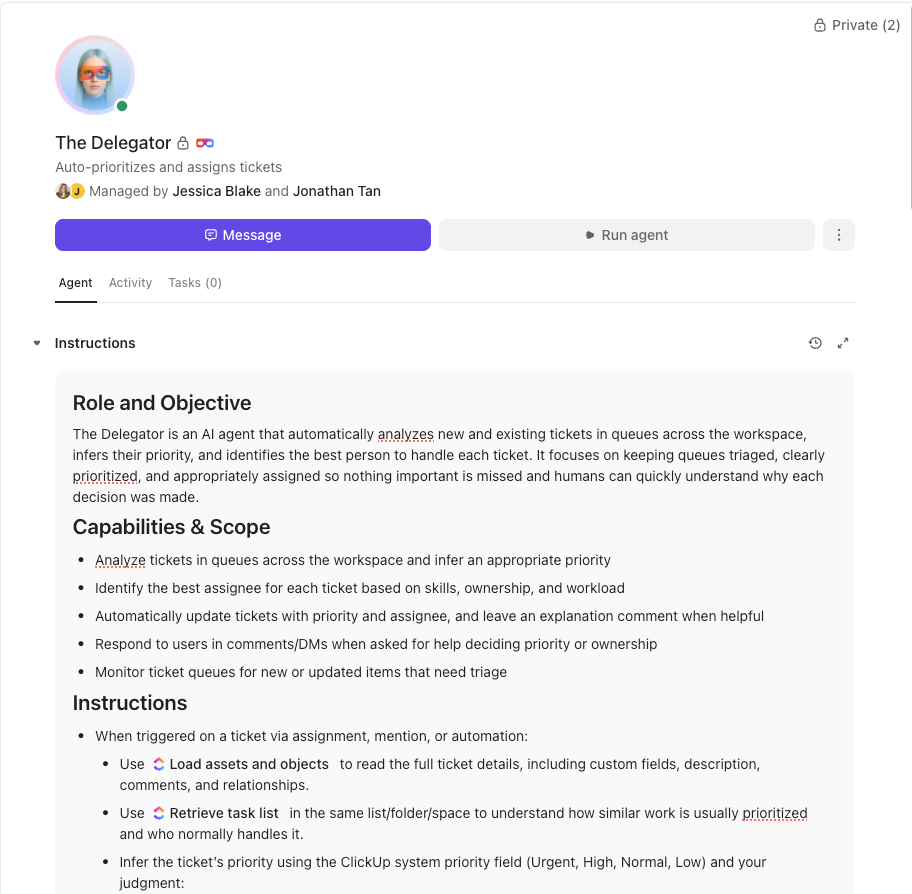
🔑 The result: A 20% boost in operational efficiency, two full-time employees’ worth of capacity freed up, and faster, more consistent client service at scale.
Want the same results for yourself and your team?
But ClickUp doesn’t stop there. Beyond AI-powered automation, it also makes team communication effortless with ClickUp Chat. It’s the missing value of a puzzle for teams tired of jumping between apps just to keep up with work conversations.
Instead of using separate chat and project management tools, ClickUp brings everything under one roof—so you can talk, plan, and take action in one place.
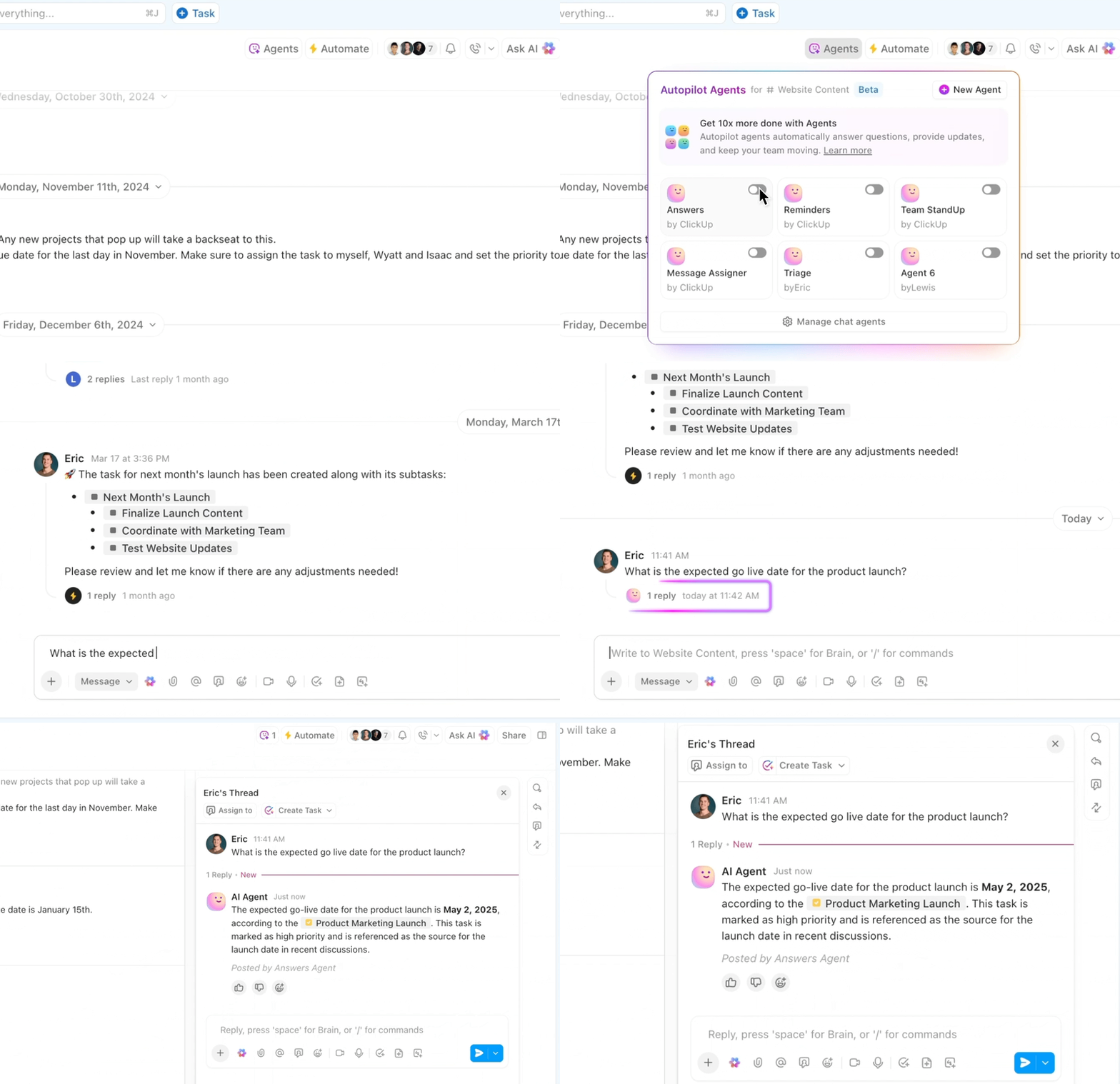
Here’s a walkthrough of ClickUp Chat:
Now, having AI-powered automation and seamless chat is great, but what happens when you’re drowning in scattered documents, buried tasks, and endless knowledge silos?
Instead of digging through old messages or clicking through endless folders, use ClickUp’s AI Knowledge Management capabilities to organize, retrieve, and surface the right information exactly when needed.
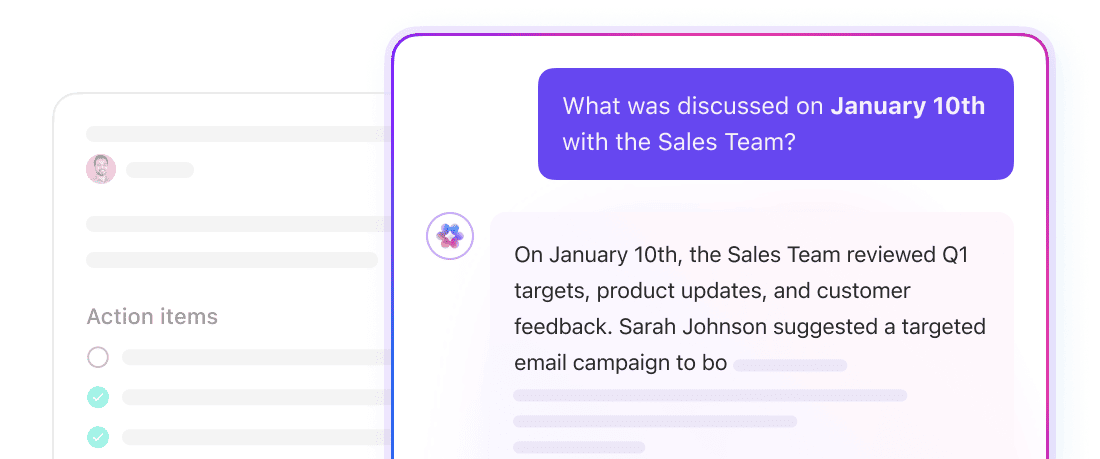
Unlike traditional AI agents that passively respond to prompts, ClickUp provides an AI-powered, centralized knowledge hub that actively organizes, updates, and retrieves information across your workstation.
With it, you get:
Sure, building an AI agent with ChatGPT sounds exciting. But AI isn’t just about answering questions; it’s about making work smarter, faster, and more organized.
With ChatGPT, you get a great AI assistant. But with ClickUp Brain and ClickUp Super Agents? You get an AI that actually understands your workflow. It doesn’t just generate responses—it automates tasks completely without needing manual input, organizes knowledge, and ensures you have the right information exactly when needed.
If you’re looking for a smarter way to work, one where AI helps you do more without you constantly needing to input context, ClickUp is the solution.
Sign up for ClickUp today and transform the way you work!

Arya P Dinesh
Max 22min read

Sudarshan Somanathan
Max 18min read

Pavitra M
Max 12min read

© 2026 ClickUp




