






Still downloading templates?
There’s an easier way. Try a free AI Agent in ClickUp that actually does the work for you—set up in minutes, save hours every week.
Sorry, there were no results found for “”
Sorry, there were no results found for “”
Sorry, there were no results found for “”

Did you know that only 8% of cold emails generate meaningful responses?
As AI writes your emails, the important question is, how do you make sure they don’t sound like the other 121 emails in the recipient’s inbox?
When done right, you can scale outreach while still making every prospect feel like the email was written just for them.
So, how do you automate cold emails with ChatGPT while still retaining the human touch?
Here’s a repeatable framework you can use to make sure your cold emails don’t get ignored or land in the spam folder.
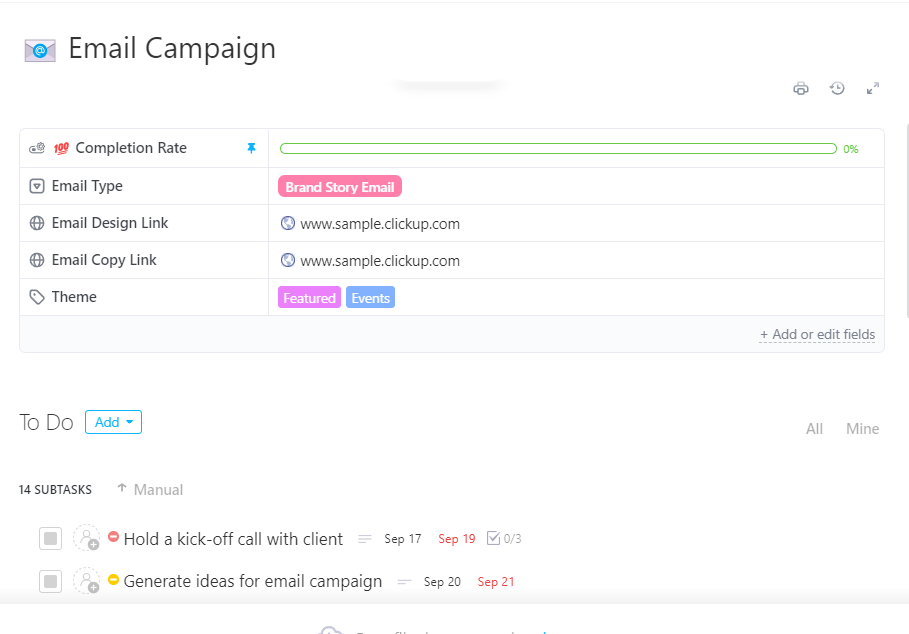
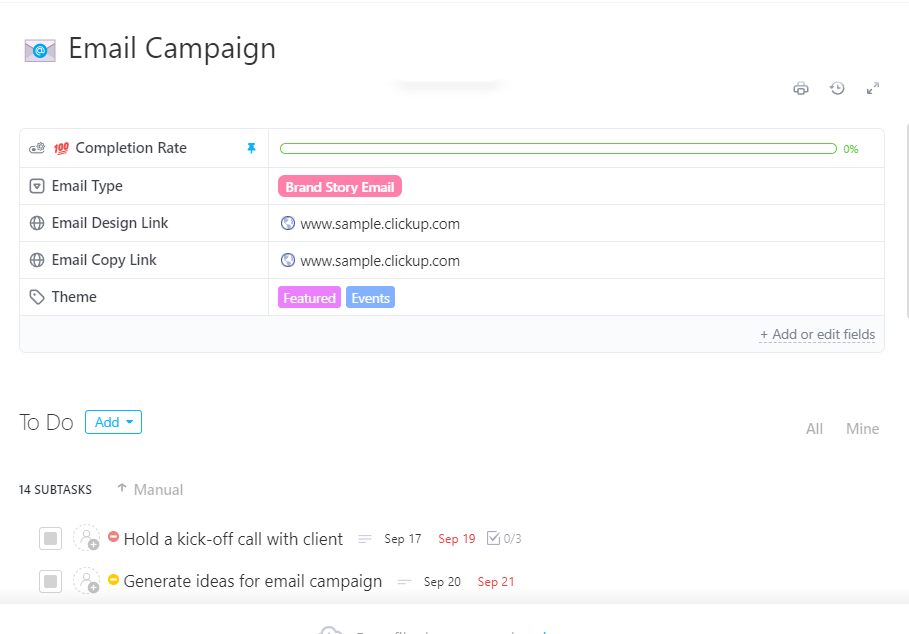
Tired of losing track of your cold email campaigns? Use ClickUp’s Email Campaign Template to centralize your entire outreach operation in one place. This template offers a pre-built campaign hub with built-in tracking and automated follow-up reminders. Get started in a go without requiring setting up systems from scratch.
Cold emails have been around for decades.
In the early days, they were a novelty—a direct line into someone’s inbox when most people weren’t yet overloaded with digital noise.
Fast-forwarding to 2025, every decision-maker wakes up to an inbox full of generic emails.
AI-powered email automation gives you an edge. It lets you research, personalize, and follow up at scale.
The benefits of automating cold emails include:
👀 Did You Know? Over 78% of sales reps say AI helps them be more efficient in their role.
Think about prospecting. You want to reach out to a potential customer who’s never spoken to you before. Public data already provides you with a job title, recent LinkedIn posts, company news, and possibly even a podcast appearance.
Feed that into an LLM, and you can instantly generate an email that references something relevant to them, highlights your value in their context, and closes with a call-to-action.
You can’t prompt an LLM with “write me a cold email” and expect a response that gets you an introductory call with your prospect. You need to understand how ChatGPT works and coach it to make it work the way you want.
Here’s how to craft a cold email with ChatGPT that won’t end up in spam or get ignored after opening.
Consider this as a foundation step. Here, you feed ChatGPT with information that will help it generate valuable and relevant emails.
Let’s call it the 4Ws Framework. It includes:
Define your job role because that identity will shape the messaging of your cold email campaign.
📍 Say, a startup founder pitching to enterprise clients requires different messaging than a consultant reaching out for guest post contributions.
Do you want this email to book product demos or generate qualified leads? Having a clear objective will help ChatGPT craft targeted messaging.
📍 For instance, a sales cold email focused on booking demos will emphasize pain points and social proof differently than one aimed at securing brand collaborations.
📖 Read More: How to Use AI in Email (Use Cases & Tools)
Specify exactly the role ChatGPT should assume.
📍 This could be “You are a seasoned B2B sales consultant helping software companies scale their outreach.” Role definition will influence the messaging approach. It also helps ChatGPT mirror the context and intent.
By setting the role upfront, you reduce vague, boilerplate outputs and ensure the emails align with your brand tone and the prospect’s expectations.
Clearly define your ideal customer persona (ICP), outlining their pain points, interests, decision-making process, and communication preferences. This information helps ChatGPT tailor the messaging so that it doesn’t sound templated.
📍 For example, if your target audience is HR managers at mid-sized companies, ChatGPT can emphasize cost savings, employee engagement, and compliance. However, if your audience consists of CTOs at SaaS startups, the same tool can reframe the pitch around scalability, integrations, and technical reliability.
Here’s a sample prompt using the 4Ws Framework:
“You are a seasoned B2B sales consultant helping software companies scale their outreach. Act as my assistant in crafting cold emails. I am a startup founder pitching an AI-powered project management tool to mid-sized SaaS companies. My goal is to book product demos with decision-makers. The target audience is CTOs and Heads of Engineering who struggle with fragmented workflows, tool fatigue, and inefficient collaboration. They care about technical scalability, integrations, and cost savings. Write me a cold email that feels personal, avoids sounding templated, and includes a clear call-to-action to schedule a 20-minute demo.”
Now, you explain to ChatGPT the exact type of output you want it to generate. This includes specifying the structure, tone, formatting, and language you want in your emails.
There are different email frameworks you can prompt ChatGPT to follow. Each framework serves different objectives and audience types:
| Framework | Best for | Example |
| PAS (Problem-Agitate-Solution) | Pain point-focused outreach | Use this when the prospect already feels the problem, like long hiring cycles or high churn, and you want to show how your product fixes it |
| AIDA (Attention-Interest-Desire-Action) | Product demos and trials | Use this when reaching out to new leads who don’t know you yet, and you need to warm them up before asking for a demo |
| Before-After-Bridge | Transformation-focused messaging | Use this when you want to show how life looks before your product, after your product, and then explain how you make that change happen |
Specify formatting guidelines such as:
Define your communication style with specific examples that ChatGPT can follow:
If there’s a long list of guidelines, create a document and upload it directly to ChatGPT.
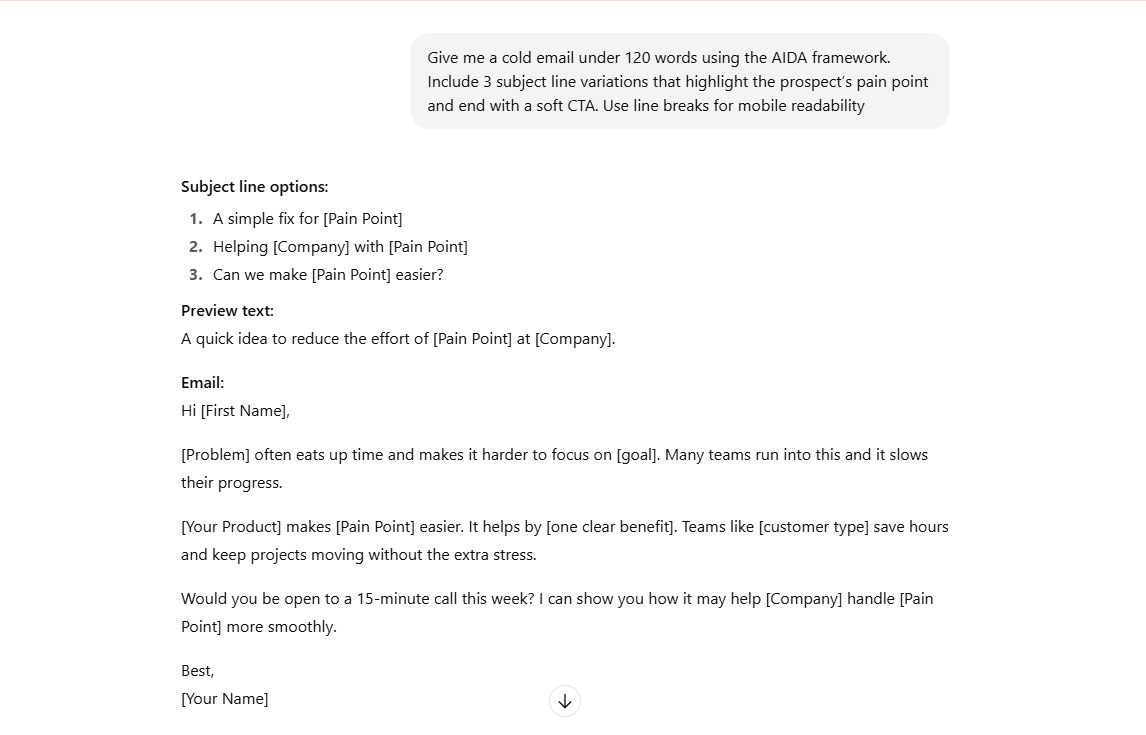
Here’s a prompt (along with ChatGPT response) you can use to specify email structure:
Give me a cold email under 120 words using the AIDA framework. Include three subject line variations that highlight the prospect’s pain point and end with a soft CTA. Use line breaks for mobile readability.
This is the part where you can’t rely on ChatGPT (entirely) to research for you. It hallucinates and fills in information that may seem very much real but isn’t.
To make sure your emails aren’t made of fabricated details, feed in specific insights or details about the recipient.
For instance, here are different types of information you can include in your research notes:
To scale personalization, build a spreadsheet with columns like Job Title, Company News, LinkedIn Post, Industry Trend, and Website. Fill in at least one or two fields per prospect. Then paste a row into ChatGPT and prompt it to draft a personalized cold email using those details.
Here’s a prompt you can use to add research notes individually:
Here are my research notes about [Prospect Name] at [Company Name]: [Paste your findings – recent company news, LinkedIn activity, industry challenges, or personal achievements]. Rewrite the cold email using our template to naturally incorporate one or two of these important points, without making it obvious that I’m using a template.
👀 Did You Know? As per HubSpot’s Sales Trend Report, email ranks second as the channel with the highest response rate to cold outreach. The first one is reaching out to prospects on social media.
Most prospects need 3-5 touchpoints before they respond to your demo requests or call schedules. Skip the follow-ups, and you’re essentially walking away from potential revenue.
For a better understanding, here’s what a balanced and non-intrusive follow-up strategy looks like:
| Follow up | When and what should you do | Example |
| 1st follow-up | Add social proof or case study (3-5 days later) | Hi [Name], following up on my previous email. Just helped [Similar Company] solve [same challenge]. They saw [specific result] in 30 days. Here’s the case study: [link] |
| 2nd follow-up | Share valuable resource or insight (1 week later) | Hi [Name], I came across this [industry report/tool] about [relevant trend]. Thought you’d find the section on [specific topic] interesting given [company context]. |
| 3rd follow-up | Final attempt with scarcity or urgency (10-14 days later) | Hi [Name], I haven’t heard back from you yet, so this’ll be my last check-in. If timing isn’t right, no worries. If you ever need help with [pain point], you know how to reach me. |
Note that these timelines should be customized depending on the prospect and the urgency of the problem you are solving.
For instance, if you are reaching out to a retail customer during the holiday season, they’ll likely be too busy to respond, so extending your follow-up intervals makes sense.
Here’s an example prompt you can try to build follow-up sequences in ChatGPT:
Based on my research about [Prospect Name], create three follow-up emails for our conversation about [Original Topic]. Each email should take a different angle: (1) social proof using [Similar Company], (2) share a useful resource on [Industry Trend], and (3) a polite final reminder. Keep the same conversational tone and reference specific details from my research naturally.
ChatGPT can write personalized cold emails for you, but you can’t send them directly from the platform. You’ll need to copy and paste the generated content into your email tools or upload it to spreadsheets for bulk sending.
You can integrate ChatGPT with your existing outreach platforms or CRM using tools like Zapier or direct API connections. This way, you can benefit from ChatGPT’s email writing capabilities without constantly switching between platforms or manually copying content.
⭐ Bonus: Email spam filters aren’t just looking at volume, they scan for patterns. Subject lines packed with words like free, limited time, act now, or guaranteed can flag your cold email before it’s even read. The best email etiquette is to write in a natural, conversational tone that feels authentic, not promotional.
Monitor your cold emails and analyze what’s working and what’s not.
You should be tracking: email open rates, drop rate, reply rate, and other relevant metrics to determine your cold email success.
To see which version performs better, test out the following aspects and refine your prompts based on the results:
What if an AI agent could handle this workflow end-to-end? ClickUp AI Agents can be customized with instructions to create those perfect first drafts! See how.
Here are proven ChatGPT prompts you can plug in to generate high-response outreach.
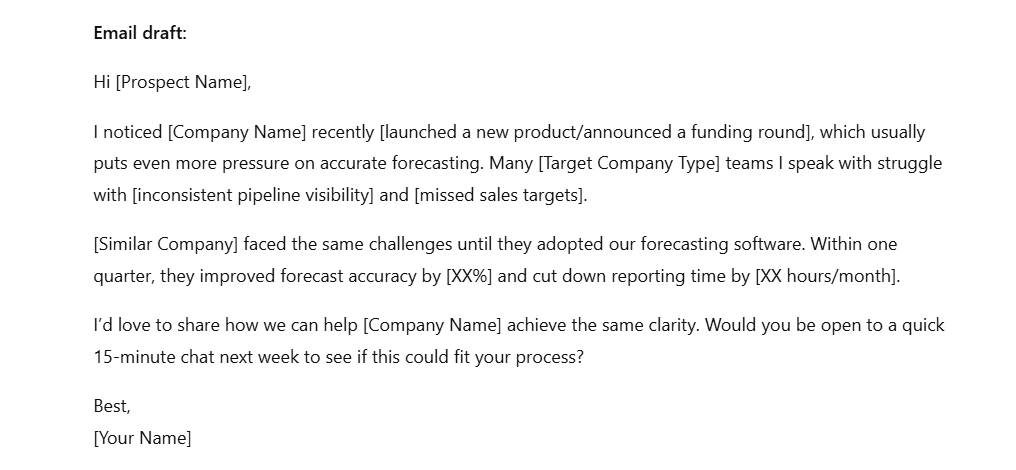
Use this prompt when you want to create attention-grabbing emails that warm up prospects before asking for demos or meetings. The AIDA structure works particularly well for introducing your solution to new leads who don’t know your company yet.
Here’s the prompt and ChatGPT response:
Act as a seasoned B2B copywriter. I’m a [Your Job Title] at [Company Name], reaching out to [Prospect’s Job Title] at [Target Company Type].
Additional requirements:
Response
This prompt helps sales professionals re-engage prospects who have gone silent after initially showing interest. It works for leads who showed engagement but stopped responding to follow-ups.
Here’s a prompt and ChatGPT’s response:
You’re a sales recovery specialist helping me re-engage cold prospects who previously showed interest.
Write a re-engagement cold email that:
Context about the lead:
Response
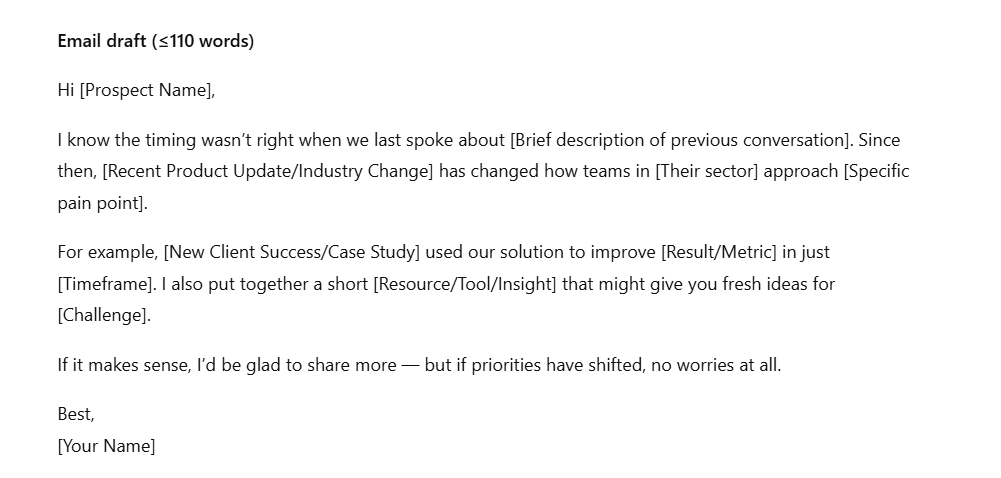
Use this after prospects attend your demo but haven’t taken the next step. The prompt creates follow-up emails that address common post-demo hesitations while maintaining momentum.
Here’s a ChatGPT prompt and its response:
Act as a consultative sales professional. I just completed a product demo with [Prospect Name] from [Company Name] and need to follow up effectively.
Write a demo follow-up email that:
Demo context:
Response
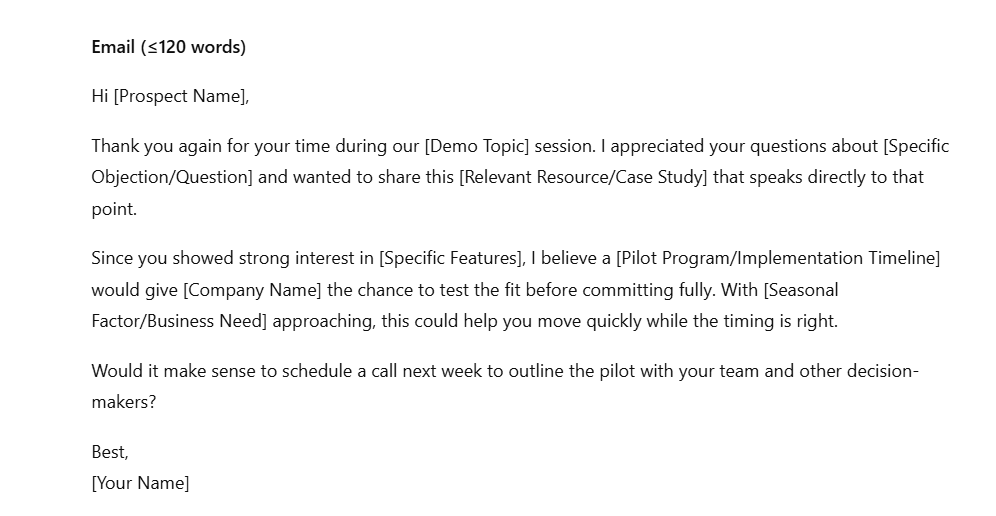
Here are some shorter prompt examples you can follow when you don’t have extensive details or time to build context:
Write a cold email for lead generation targeting [ideal customer persona] at [company type]. Address their main challenge with [specific pain point], mention [recent company achievement], and request a brief discovery call. Keep under 120 words with a soft CTA.
Draft a product demo request email to [prospect’s job title], highlighting how [product name] solves [specific business problem]. Include one relevant case study result and end with scheduling a 15-minute demo. Use a conversational tone, under 100 words.
Create a free trial invitation email for [target audience] emphasizing the key benefit of [main feature/solution]. Address their pain point around [specific challenge] and include a clear trial signup link. Limit to 90 words with urgency.
Write a guest posting outreach email to [website name] referencing their recent article on [topic]. Propose three specific headline ideas related to [your expertise area] and mention [your credential/achievement]. Professional tone, under 130 words.
Create a product introduction email for [new product/service] targeting [specific industry]. Focus on the primary benefit of [key value proposition], use social proof from [similar client], and include a soft CTA. Maintain a conversational approach.
Draft an affiliate partnership proposal email for [company name] explaining how promoting [your product/service] aligns with their audience of [target demographic]. Include commission structure and mutual benefits. Keep a collaborative tone, under 110 words.
When prompted correctly, ChatGPT for content creation works fine. But when you want to automate cold outreach end-to-end, it falls short.
Here are the limitations of ChatGPT for cold email automation you should be aware of:
ChatGPT doesn’t have live access to prospect data unless you integrate it with your CRM or enrichment tools. It can’t pull in a prospect’s latest LinkedIn activity, recent company funding, or a job change without additional systems feeding it context.
When using ChatGPT, team members work in isolation. Each one experiments with their own prompts, and there is no singular way of knowing what worked and what didn’t work. This limits the organization from building a database of proven sales email templates that can reliably generate responses.
Besides, ChatGPT produces varying email quality and tone even for identical prompts. Without built-in feedback loops or performance data, it gets difficult to systematically improve your templates.
ChatGPT generates emails one at a time, requiring you to copy each email into your email tools or CRM. This gets tedious super fast when you need to send hundreds of personalized cold emails. The constant switching between platforms causes mistakes and inconsistencies across your campaigns. In other words, every workspace is struggling with work sprawl.
❗ Caution: Your team might be stuck in app-switching hell. Jumping between tools every 47 seconds chips away at focus, creates hidden mental fatigue, and leaves productive hours evaporated by the end of the day.
The platform can’t track email opens, reply rates, or measure campaign effectiveness. You lose visibility into which prompts generate better responses or which subject lines perform best. This makes it difficult to optimize your cold email strategy or prove ROI to stakeholders.
ChatGPT can write your cold emails, but can’t send them automatically. You have to manually schedule each email or set up sequences in separate tools. This means no automated follow-up reminders based on prospect behavior. Your nurturing process becomes fragmented, and potential leads slip through the gaps.
📮 ClickUp Insight: The results from our meeting effectiveness survey indicate that knowledge workers could be spending nearly 308 hours per week in meetings across a 100-person organization!
But what if you could cut this meeting time down? ClickUp’s unified workspace and connected chat dramatically reduce unnecessary meetings!
💫 Real Results: Clients like Trinetix achieved a 50% reduction in meetings by centralizing project documentation, automating workflows, and improving cross-team visibility using our everything app for work. Imagine reclaiming hundreds of productive hours every week!
Sure, ChatGPT is a helpful email writing tool, but it falls short on the operational side. With no built-in sending, response tracking, or automated follow-ups, you have to juggle multiple tools to execute your email campaigns.
ClickUp is your tool of choice here. As the world’s first converged AI workspace, it automates the entire process beyond writing.
While it lets you draft emails with ChatGPT directly within your workspace, it facilitates integrated campaign management by integrating all your knowledge, apps, chats, and docs in one place.
Here’s how you can use ClickUp to automate cold email outreach:
ClickUp’s Email Campaign Template gives you a structured framework to organize your entire cold outreach operation. Think of it as your command centre where every prospect, email, follow-up, and campaign metric has its place.
With this template, you get a pre-built campaign hub. Meaning you don’t need to build tracking systems from scratch or wonder where you left off with each prospect.
Here’s how this template helps:
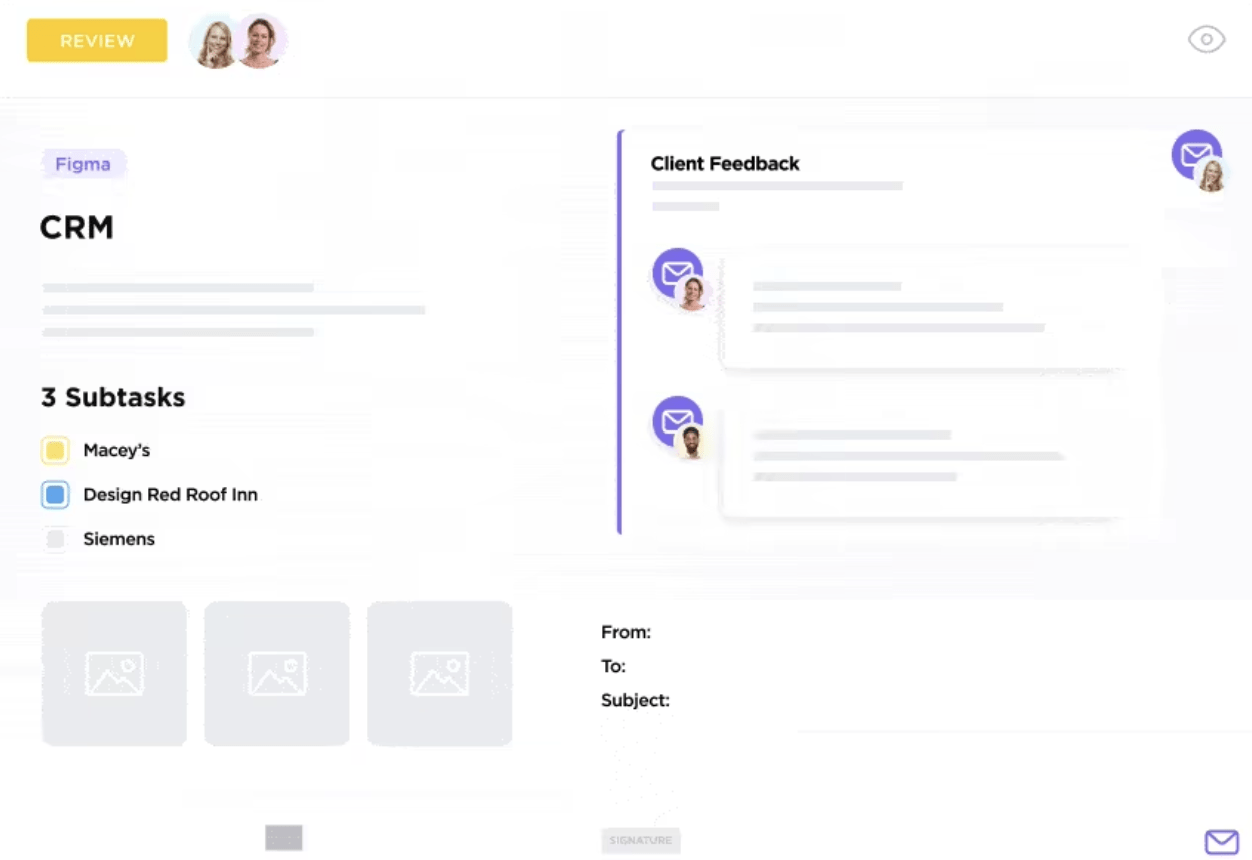
With ClickUp, you don’t need to constantly switch between your email and project management tool to track responses.
ClickUp’s Email Project Management connects your Gmail, Outlook, Office 365, or IMAP account directly to your workspace. Send and receive emails directly within ClickUp.
Here’s everything email integration within your ClickUp workspace lets you do:
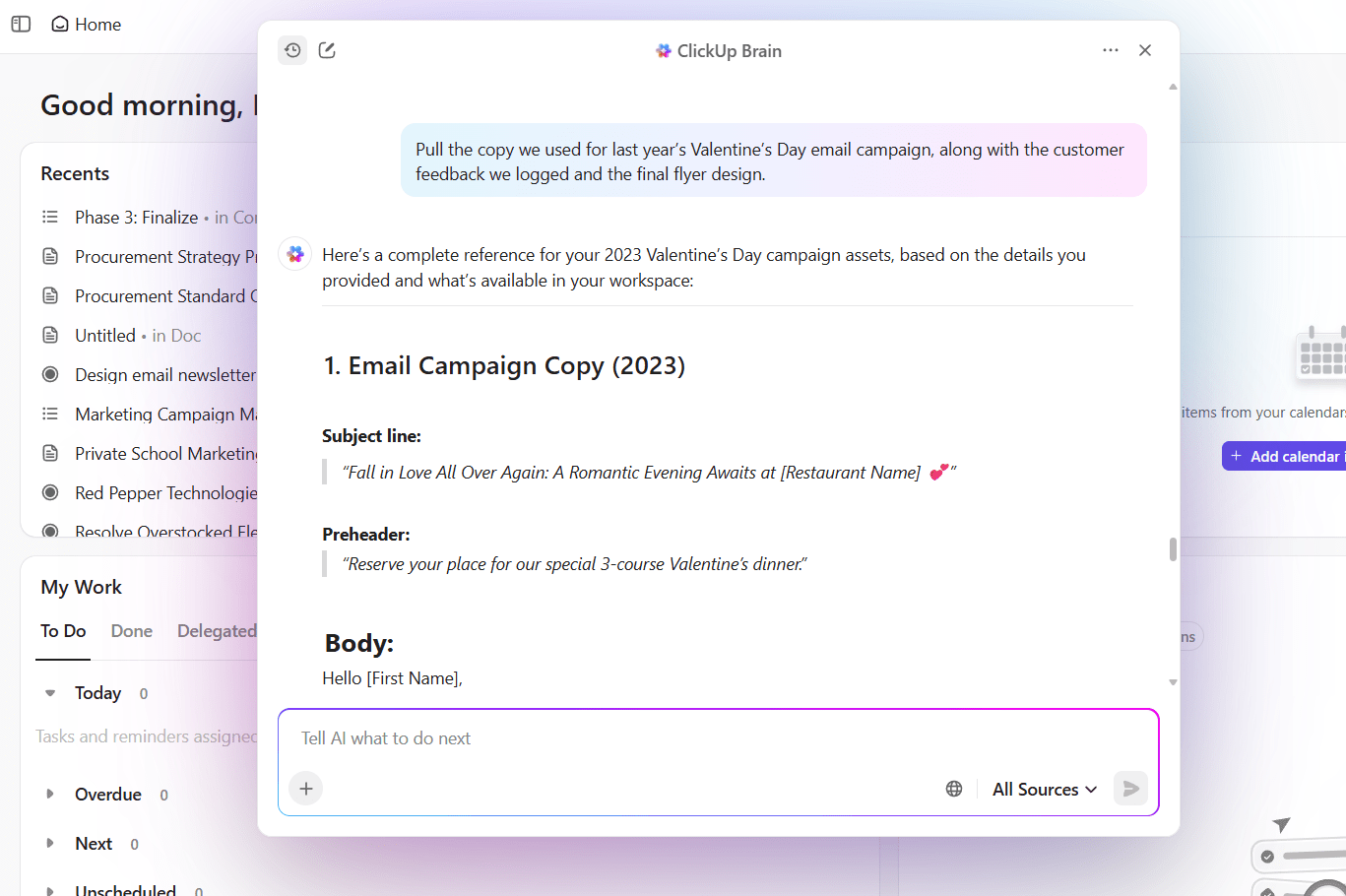
ClickUp offers ClickUp Brain, a native AI that integrates with your entire ClickUp environment. This AI has contextual understanding of your prospects and campaigns.
So, when you ask ClickUp Brain to write an email for a prospect, it can pull relevant insights from their task card, meeting notes, and stored research to draft solid cold emails.
Brain’s contextual understanding helps you with:
You can further speed up your cold email creation with ClickUp Brain MAX’s Talk-to-Text. Dictate your prospect insights and email ideas, and let it transform your spoken notes into structured, personalized cold emails using your workspace context.
💡 Pro Tip: Use ClickUp Docs to build a centralized library of your highest-performing email prompts and templates. Document which prompts generate the best response rates for different industries or prospect types, then share this knowledge base with your entire sales team for consistent results.
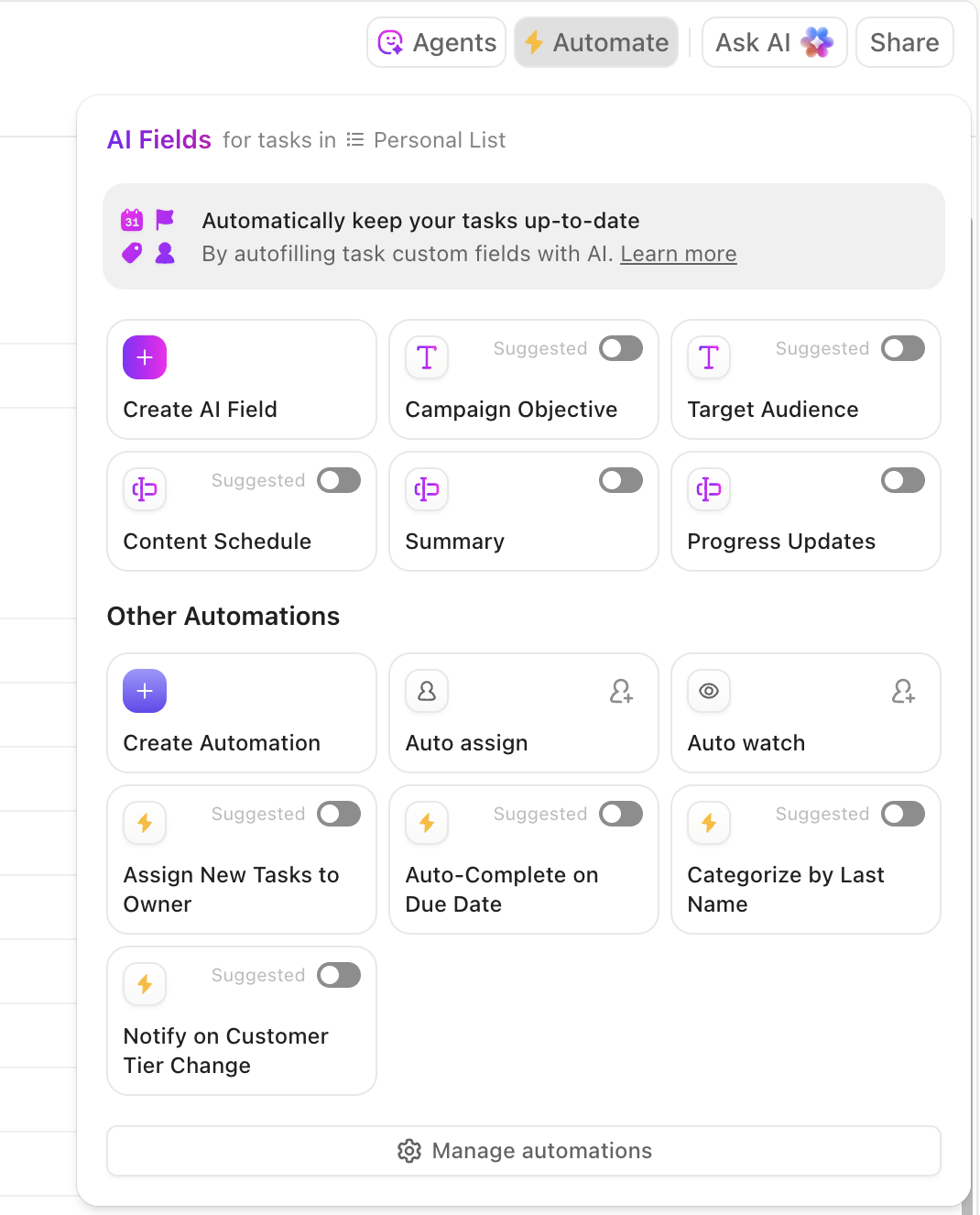
With ClickUp Automations, you can build automated email sequences that trigger based on prospect actions.
ClickUp offers a drag-and-drop automation builder to create complex sequences in a no-code way. Explain the automation steps in plain English, and voilà. You get it.
Here’s a table that tells you what to automate in your cold email sequences:
| Automation type | What it does |
| Status-based triggers | Send different emails when prospects move between pipeline stages |
| Time-delayed follow-ups | Automatically send follow-up emails after specific intervals without manual scheduling |
| Engagement responses | Trigger different actions based on email opens, clicks, or replies from prospects |
| Task assignments | Automatically assign prospects to team members when they show buying signals or request demos |
💡 Pro Tip: Use ClickUp’s Custom Autopilot Agents to automate specific cold email follow-up tasks, like auto-updating prospect status when email engagement drops below a threshold, or triggering personalized re-engagement sequences based on Custom Field changes
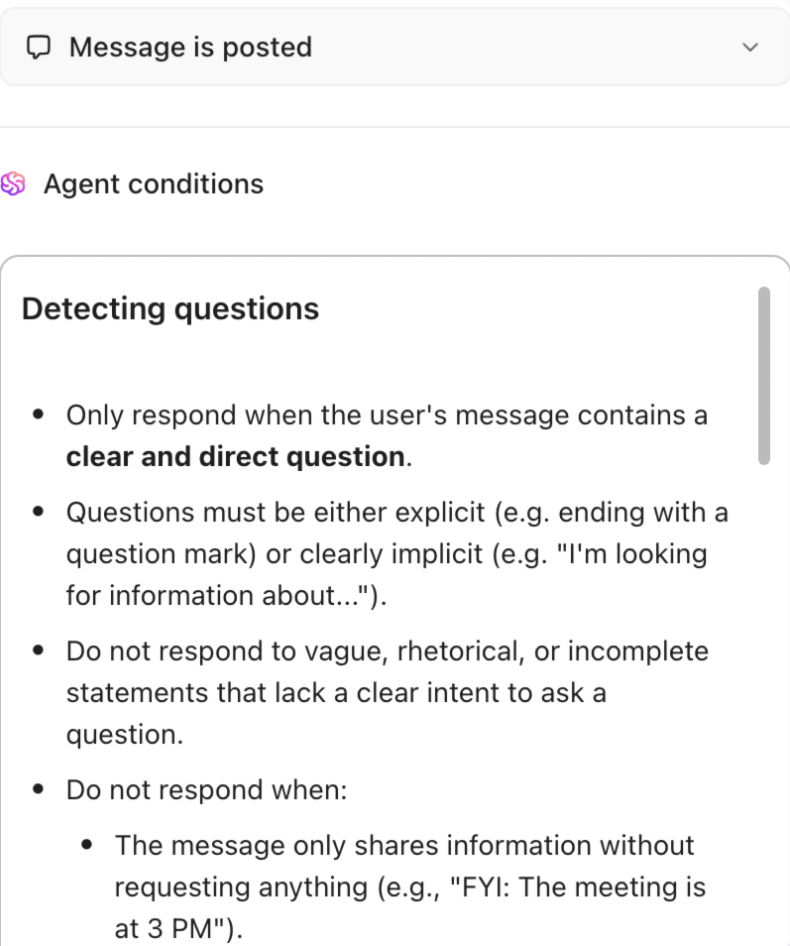
While ChatGPT helps write better cold emails, your overall performance depends on how strategically you use AI across your entire outreach process.
Here are some tips to enhance your overall cold email performance with AI:
Here’s how you can use ClickUp to automate your workflows.
💡 Pro Tip: According to Siege Media, the best time of day to send cold emails is between 9 am and 12 pm EST. Sometimes the simplest way of getting your emails opened is to send them at the right time.
ChatGPT generates effective cold emails when provided with relevant context and prompts. However, why use it as a standalone tool when ClickUp offers access to the latest ChatGPT model right within its workspace?
With ClickUp, you can manage your entire cold email sequence without needing to switch between tools. This converged AI workspace can: write an email without requiring you to manually input prospect data, schedule follow-up sequences, and track campaign results—all in one workspace.
Sign up to ClickUp for free and automate your cold email campaigns.

© 2026 ClickUp

There’s an easier way. Try a free AI Agent in ClickUp that actually does the work for you—set up in minutes, save hours every week.