






Still downloading templates?
There’s an easier way. Try a free AI Agent in ClickUp that actually does the work for you—set up in minutes, save hours every week.
Sorry, there were no results found for “”
Sorry, there were no results found for “”
Sorry, there were no results found for “”
It’s Thursday at 3 p.m., and a fresh batch of leads just landed in your CRM.
One looks golden: recent demo, budget confirmed, decision-maker engaged.
But somewhere between managing back-to-back calls and replying to ‘just checking in’ emails, the follow-up gets pushed to tomorrow.
And when the team finally circles back, the prospect’s interest is pretty much as cold as pizza left out overnight.
In this blog post, we’ll explore what’s the hidden cost of poor follow-up timing for sales teams. And don’t worry, by the end, you’ll know exactly what to do to fix it. 💁
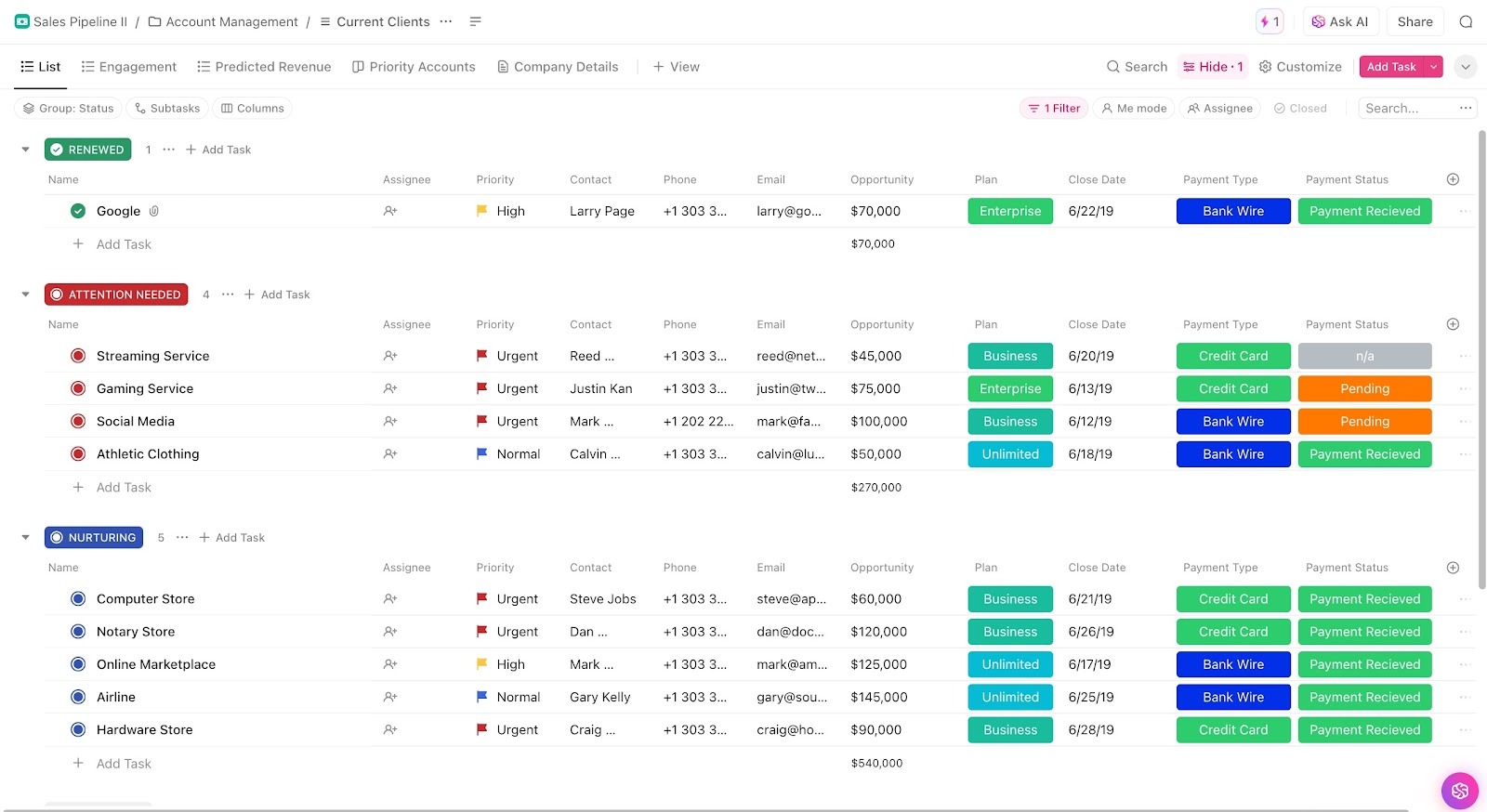
The ClickUp Sales Pipeline Template helps you stay on top of every lead and follow-up, reducing the hidden costs of delayed outreach. With Custom Statuses like Follow Up, Attention Needed, and Qualified Prospect, you can immediately see which leads need action.
Every minute you delay a sale costs you deals, damages relationships, and drains resources. Here are the side effects of a poor sales follow-up process:
If you wait even an hour to respond after a qualified lead submits a form or requests information, their interest may fade, or they may turn to a faster competitor.
Consider this: if you’re generating 1,000 leads monthly at a $5,000 average deal size, poor follow-up timing could result in $1-2 million in lost revenue annually.
This opportunity cost compounds when you consider lead generation expenses and customer acquisition costs, such as spending on marketing campaigns, trade shows, and digital advertising.
🔍 Did You Know? The phrase ‘Time is money’ is often attributed to Benjamin Franklin. However, those weren’t his exact words. In his 1748 essay Advice to a Young Tradesman, Franklin wrote, “Remember that time is money,” urging readers to treat every idle moment as lost earning potential.
Slow response times and poor client management can damage your brand before prospects even experience your product. Stakeholders question: if you can’t respond to a simple inquiry promptly, how will you handle implementation, support, or service delivery?
Plus, unhappy prospects are more likely to leave negative customer feedback, affecting your reputation and future lead generation efforts.
Long follow-up gaps force your team to restart relationship-building and re-nurture leads that have gone cold. What could’ve been a 30-day cycle can easily stretch to 60-90 days, maybe even longer.
For instance, a prospect who showed strong intent after a demo didn’t hear back for a week. They’re now revisiting options, requesting new quotes, or looping in additional decision-makers.
🧠 Fun Fact: The Yellow Pages were born by accident in 1883 when a printer ran out of white paper and used yellow instead. Rueben H. Donnelley officially published it in Chicago. By 1886, the first official directory organized businesses by type, marking the beginning of a global guide and an early sales follow-up tool.
Prospects who don’t receive immediate acknowledgment often assume their inquiry was lost or ignored. They are less likely to engage with subsequent messages, creating a negative feedback loop where poor timing reduces overall campaign effectiveness.
Over time, these missed connections can snowball: your CRM software fills with ‘cold’ leads, your pipeline appears fuller than it is, and reps spend hours chasing unresponsive prospects. All of this happened just because the first contact didn’t occur at the right moment.
When reps spend hours nurturing prospects who should have converted quickly with proper timing, they can’t pursue new opportunities. This creates a resource allocation crisis where your best salespeople waste time on recovery efforts instead of closing deals.
The inefficiency seeps through your entire CRM. Marketing generates leads that sales can’t convert due to timing issues, creating friction between departments, and reducing overall campaign ROI.
🧠 Fun Fact: Before phones, sales follow-ups were done in person. In the 1870s, John H. Patterson of NCR pioneered face-to-face ‘cold calling’ and documented it in early sales training manuals.
Consider a $10,000 deal lost due to poor timing. That’s $10,000 in immediate revenue, along with the lifetime value of that customer, potential upsells, referrals, and case studies. If that customer had a three-year lifetime value of $50,000 and referred two additional customers, your actual opportunity cost approaches $150,000.
Poor timing can also lead to competitive positioning. While you struggle, competitors capture market share, create a better end-to-end customer experience, and establish dominant positions that become increasingly difficult to challenge.
🔍 Did You Know? In the 1940s, Earl ‘Madman’ Muntz revolutionized car sales with outrageous stunts. He famously advertised that if a car didn’t sell by the end of the day, he’d smash it with a sledgehammer on live TV. His flamboyant commercials made him a household name and turned his car lots into tourist attractions.
It’s a no-brainer that simply following up more won’t suffice. The solution is to eliminate the inefficiencies that drain your pipeline.
Where and how can you do that? Glad you asked!
ClickUp Sales Project Management Software is the everything app for work that combines project management, knowledge management, and chat—all powered by AI that helps you work faster and smarter.
It brings your lead data, touchpoints, and follow-ups together in one place, so your team doesn’t have to struggle with siloed sales engagement tools.
Here’s how to build a structured follow-up system that consistently converts leads, along with some bonus customer management strategies! 📝
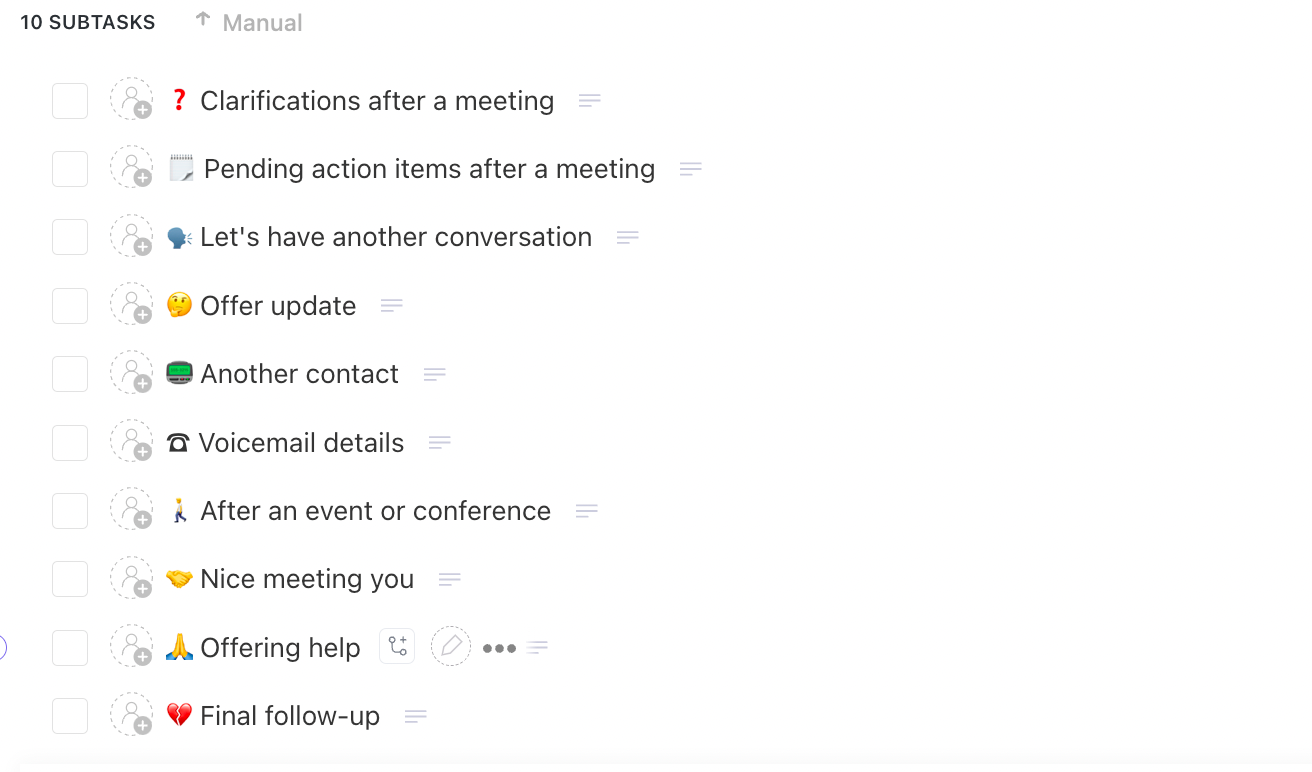
Manual follow-ups are where deals slow down. When your SDRs manage over 50 prospects but rely on memory, critical leads get overlooked.
Here’s how your team can tighten the follow-up process:
ClickUp Automations let you trigger these routine actions. You can set ‘if this, then that’ rules to:
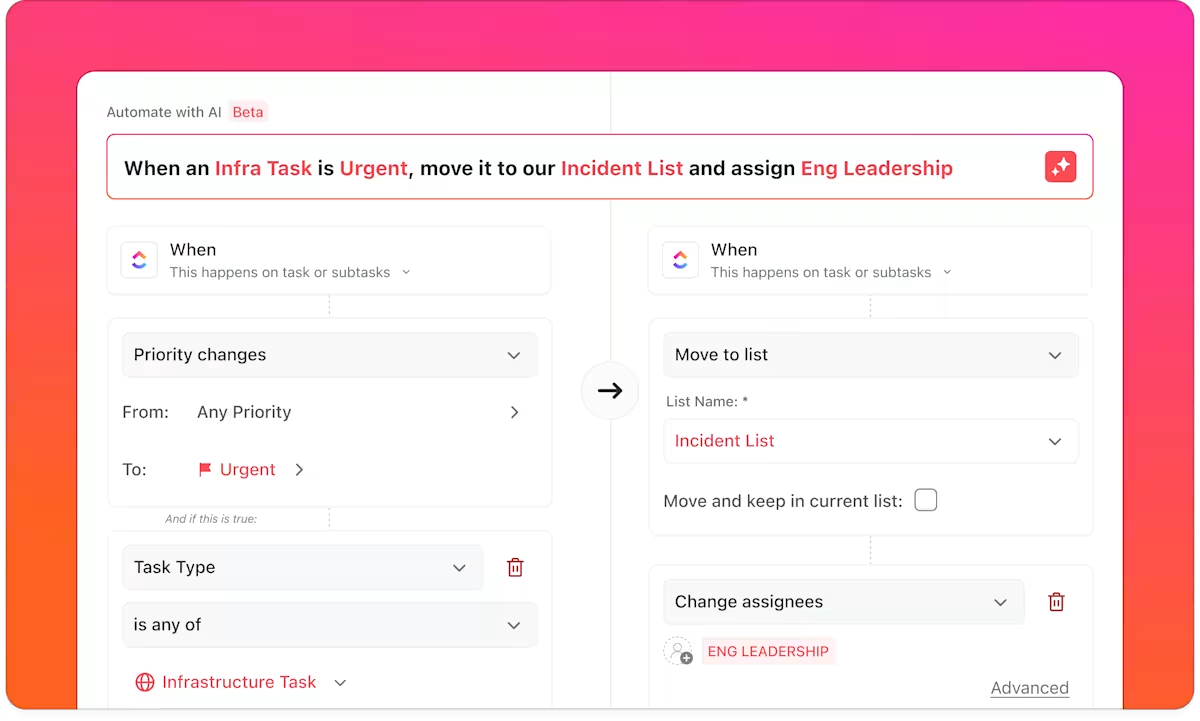
For instance, when a task status changes to ‘Awaiting Follow-Up,’ an Automation instantly assigns it to the right SDR, sets a due date three days in advance, and adds the next touchpoint.
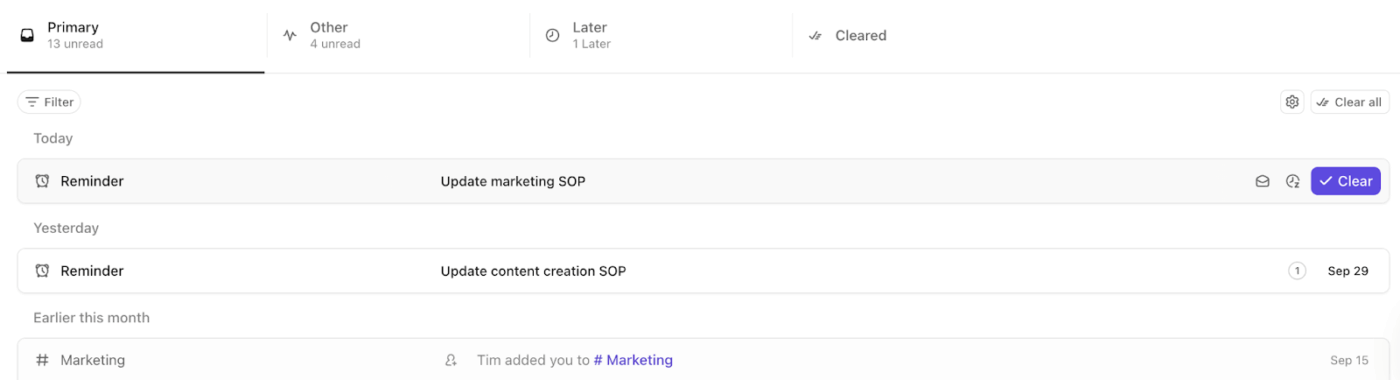
To ensure every follow-up actually occurs, layer ClickUp Reminders on top of these automation tools. Your SDRs and AEs can set personal reminders for each follow-up and even attach notes, link related tasks, or delegate reminders to specific team members.
💡 Pro Tip: For recurring follow-ups, such as weekly check-ins with long-term prospects or monthly pipeline reviews, use ClickUp Recurring Reminders. Set reminders to repeat daily, weekly, or on custom schedules, and specify how long they recur for a set number of times, or until a specific date.
Automations are great for rules-based follow-ups. ClickUp Super Agents step in when context matters.
Super Agents are your AI teammates that have infinite knowledge of your work—tasks, docs, chats, and more. You can @mention, assign tasks, & message them directly to move work forward automatically.
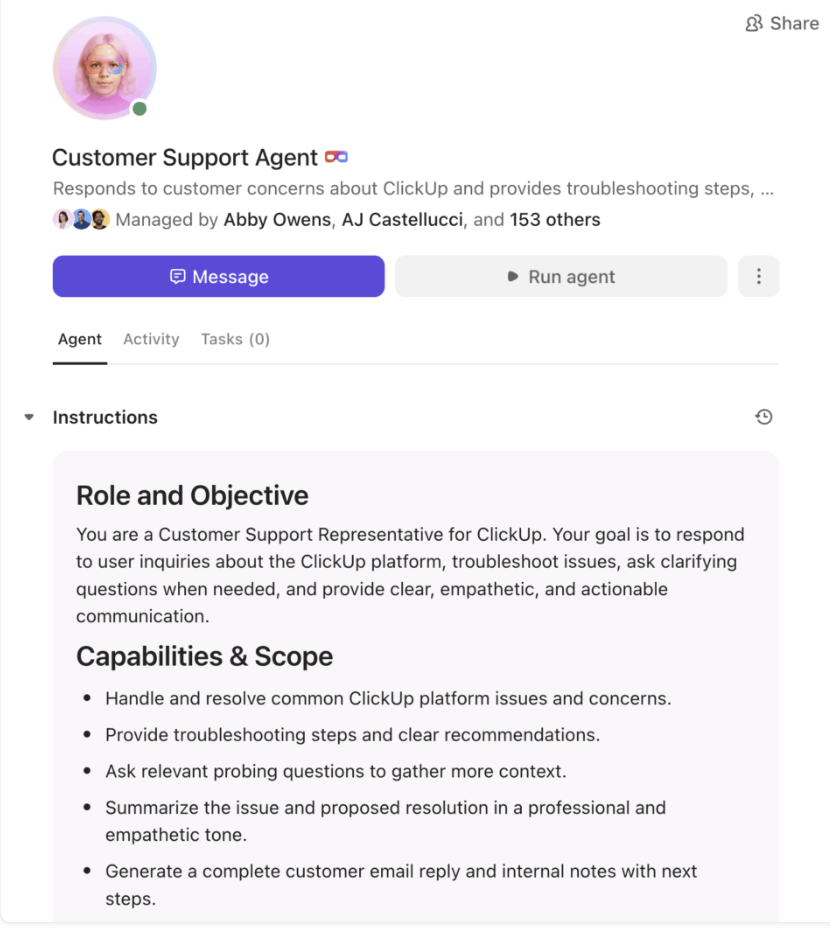
Instead of relying solely on predefined triggers, Super Agents actively monitor your workspace and flag situations that look like they need follow-up—even if no one explicitly set a rule.
For example, a Super Agent can:
Think of Super Agents as a second set of eyes on your pipeline—quietly scanning for gaps, nudging reps when momentum drops, and making sure “I’ll follow up later” doesn’t turn into “they went cold.”
Together, Automations handle the predictable, and Super Agents handle the nuance—so your follow-up system stays consistent and responsive, even as volume scales.
Sales teams often spend time chasing low-interest leads, while high-value prospects get ignored.
Implement a behavioral scoring system that assigns points based on the intensity of engagement. Follow this table to build a better CRM database:
| Engagement type/behavior | Score/priority | Action/insight |
| Demo requests | Highest | Immediate follow-up, assign to top-performing AE |
| Pricing page visits | High | Prioritize prompt outreach |
| Whitepaper downloads or blog reads | Lower | Nurture over time, lower urgency |
| Multiple interactions within 24 hours | Hot intent | Trigger immediate outreach |
| Slow, sporadic engagement over months | Early-stage, low priority | Place in long-term nurturing track |
ClickUp Tasks become your command center for each stage of the follow-up sequence. You can create a dedicated task for each lead and attach all relevant details (emails, call notes, documents) to keep context centralized.
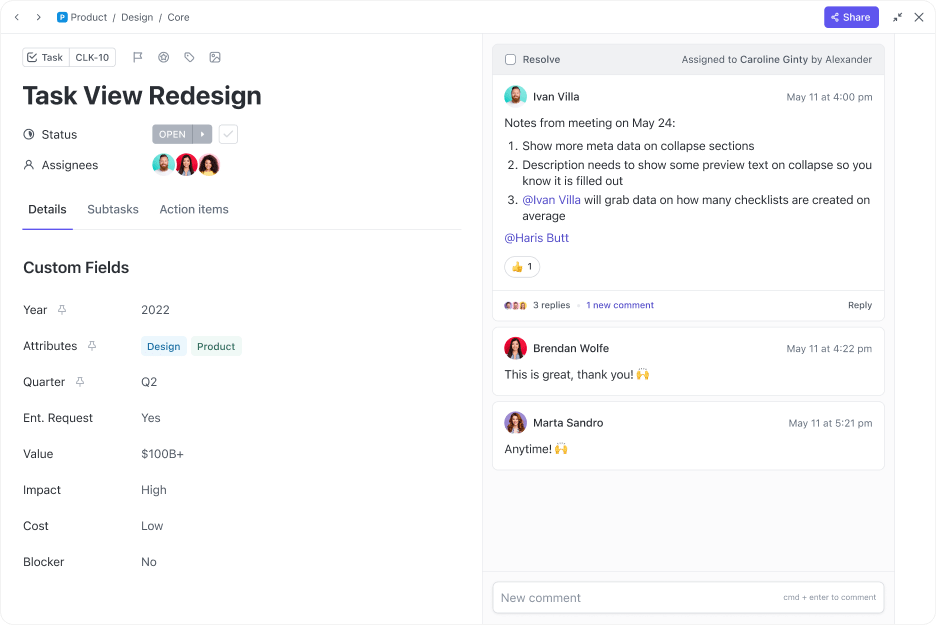
Assign numeric engagement scores and deal stages with ClickUp Custom Fields to quickly see which leads deserve attention first. Set ClickUp Custom Statuses like Hot, Cold, Contacted, Follow-Up Needed, or Awaiting Response to make next steps crystal clear.
🚀 ClickUp Advantage: ClickUp Brain, the integrated AI-powered assistant, turns all your customer data into actionable insights and recommendations. It analyzes your workspace’s real-time data to identify patterns in audience behavior.
For example, it can detect which leads have opened emails, responded to outreach, or interacted with your content most recently. All you have to do is prompt it in simple language!
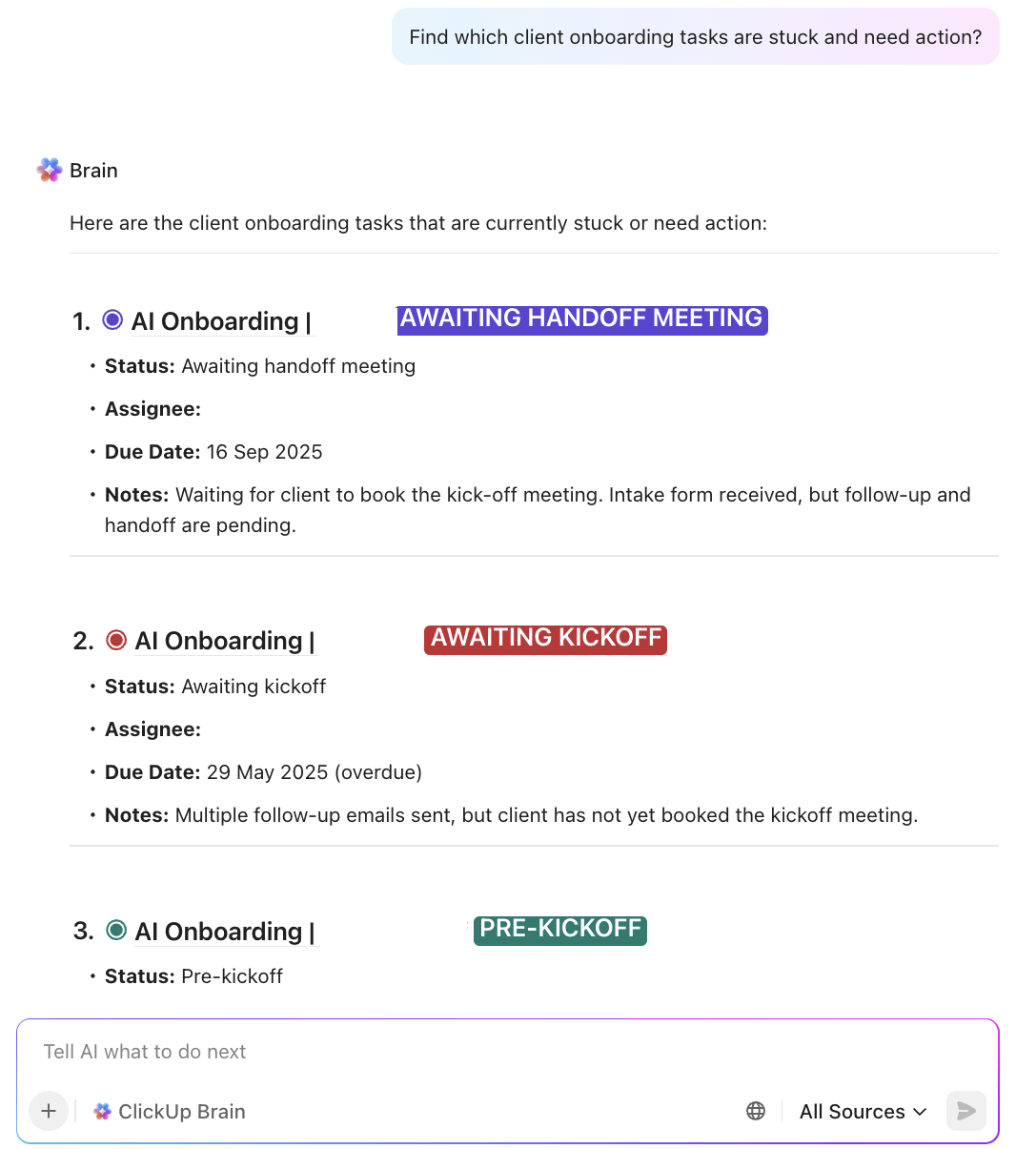
Watch this video to get some pro tips for using AI within your sales tracking software!
You can’t fix what you can’t see, and in sales, even small inefficiencies add up fast. Tracking sales pipeline metrics ensures your team knows where time is being lost and which actions actually drive conversions.
Keep an eye on:
Once you know what to measure, ClickUp Dashboards make it easy to see all your sales goals in one place.
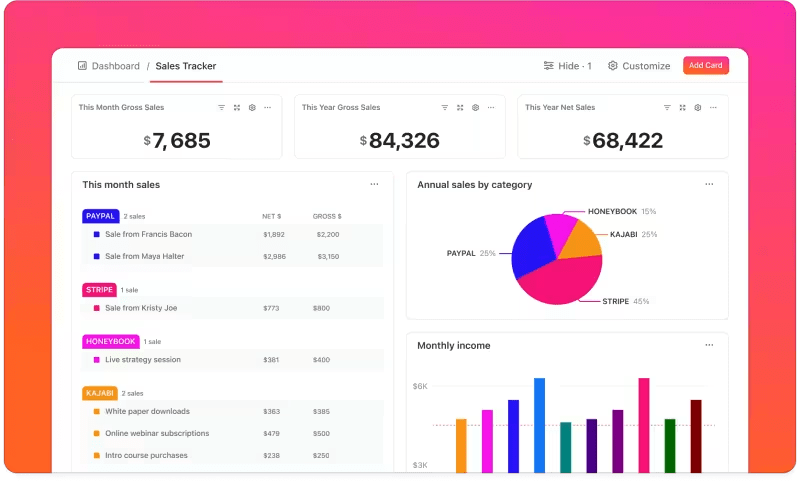
Create Dashboards to:
Here’s what Blaine Labron, VP, Digital Commerce and Technology, Pressed Juicery, had to say about using ClickUp’s sales automation tool:
ClickUp has been the tool that has really helped us bring innovation to this business, which has allowed us to grow from 2% digital sales to over 65% digital sales post pandemic.
When every rep follows their own approach, you can’t scale what works or fix what doesn’t. Standardization creates repeatable positive results across your entire team.
Here are some best practices the most successful sales teams use:
You can turn these tips into living playbooks using ClickUp Docs. Create role-specific sales enablement content so every team member knows exactly what to do at each stage of the funnel.
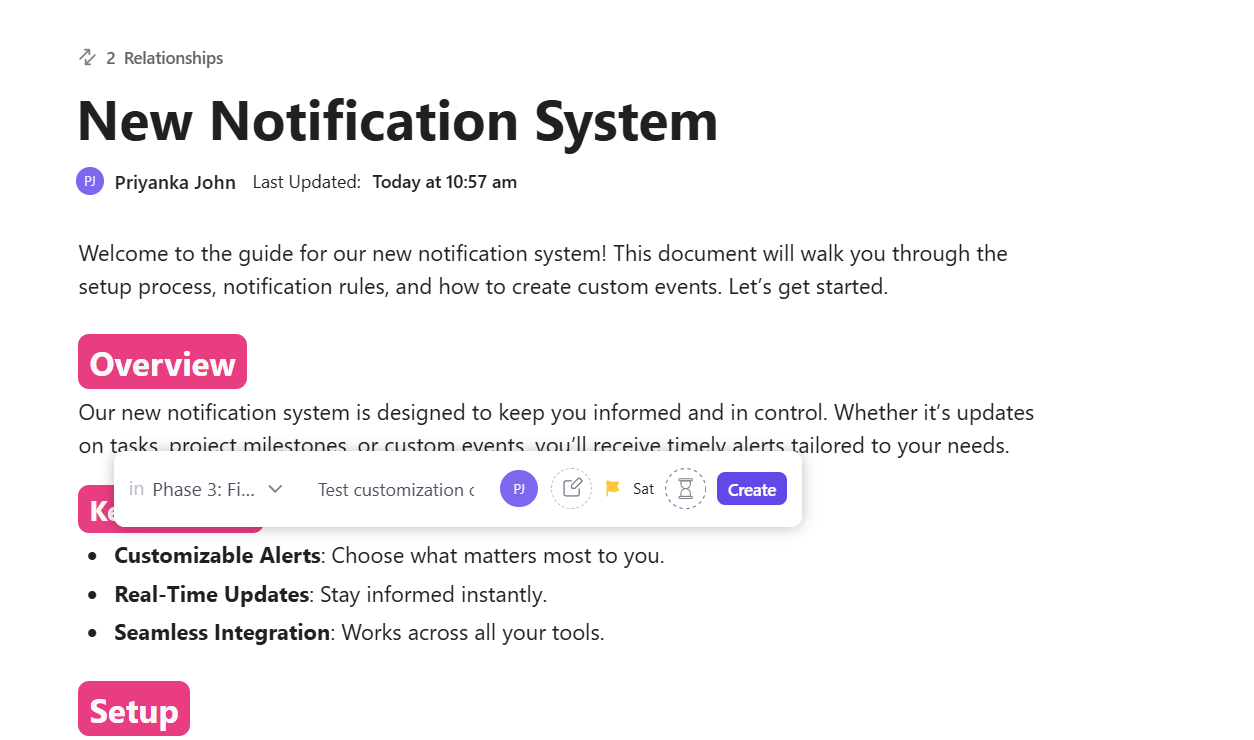
Use nested pages to organize sequences by lead type or pipeline stage, and link each Doc directly to related tasks for quick execution.
Got your sales process mapped out? Great. Now let’s make sure it’s executed well with the ClickUp Follow-Up Email Template. It lets you:
💡 Pro Tip: Pair Docs with ClickUp Whiteboards to visualize your decision trees or follow-up journeys, so everyone understands how leads flow from one stage to the next.
Now that you know how to mitigate the risks of poor follow-up processes, it’s time to put these strategies into action.
Here are two real-world examples to contextualize what we’ve covered so far. 🎯
Brafton started reaching prospects while interest was still fresh, turning inbound curiosity into real sales conversations—before leads had a chance to go cold.
By reaching prospects while interest was still high, Vagaro turned follow-up speed into a measurable revenue lever.
🧠 Fun Fact: The electronics retailer Crazy Eddie became infamous for its wild TV ads featuring a hyperactive pitchman shouting, “His prices are INSANE!” Behind the scenes, the company engaged in massive fraud, including skimming millions of dollars and inflating inventory to deceive auditors. Despite the scandal, the brand’s chaotic energy left a lasting impression on pop culture.
Here’s a video to take you down memory lane!
Every unanswered lead or late reply is often enough to lose a deal. The real cost isn’t in the delay itself, but in the trust and timing that never quite line up again.
ClickUp, the everything app for work, brings all your lead data and touchpoints together. Automations ensure that follow-up tasks are created automatically. Custom Fields and Statuses allow you to score and categorize leads based on engagement, deal stage, or priority.
Dashboards give you real-time visibility into lead response times and pipeline velocity. Plus, ClickUp Brain provides context-aware recommendations and summaries.
Sign up to ClickUp for free and act before the opportunity vanishes. ✅
Poor lead management directly affects engagement, conversion rates, and business growth. Delays can cool interest, allow competitors to step in, reduce the effectiveness of previous marketing efforts and revenue operations, and result in lost deals.
ClickUp centralizes lead data and automates reminders, ensuring no prospect is missed. With Automations, you can trigger follow-ups or task updates immediately after lead engagement.
ClickUp Brain can summarize past interactions or suggest context-aware responses, and reminders keep reps aligned on priorities. You can also visualize metrics and KPIs using Dashboards.
Yes, absolutely. Even small delays can cascade into significant revenue losses and missed opportunities. Over time, these minor errors snowball into thinner pipelines and fewer future referrals.
Prioritize based on engagement scores, deal stage, and lead value. Hot, high-value leads showing recent activity should be contacted immediately, while colder leads can follow a nurturing cadence.

© 2026 ClickUp

There’s an easier way. Try a free AI Agent in ClickUp that actually does the work for you—set up in minutes, save hours every week.