


In the decade starting in 1987, when Motorola created and implemented Six Sigma, they achieved a cumulative savings of a whopping $14 billion just from their quality improvement measures. That is the power of Six Sigma and related quality paradigms that are widely adapted even to this day!
One of the most popular Six Sigma-based process improvement methodologies that have found favor beyond manufacturing is the DMAIC. In this blog post, we explore what DMAIC process means, why it’s still relevant, and how you can implement it in your organization.
How to Master the DMAIC Process for Quality Improvement

 Summarize this article for me please
What Is the DMAIC Process?
DMAIC (short for Define, Measure, Analyze, Improve, and Control) is a data-driven process improvement approach rooted in the Six Sigma methodology.
DMAIC is characterized by:
- A robust framework: DMAIC serves as a step-by-step guide to identifying gaps in processes and fixing them
- Structured problem-solving: It helps identify the root cause and solve quality problems
- Data-driven solutioning: DMAIC encourages teams to look at diverse data points in their process rather than go by intuition or gut feeling
- Sustained outcomes: DMAIC doesn’t stop at finding a solution but goes as far as to ensure its long-term effective implementation
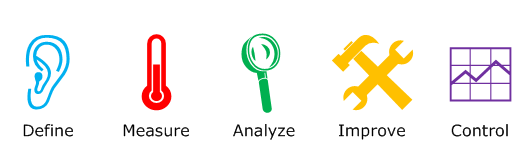
Though initially designed as one of the core components of Six Sigma, it has come to be adapted into Lean, Kaizen, Agile, and other hybrid models like Lean Six Sigma that prioritize continuous improvement.
Do you know? Six Sigma focuses on improving processes, while Lean project management focuses on cutting down waste. For a detailed look into the differences, check out Lean vs. Six Sigma.
Summarize this article for me pleaseThe Five Phases of DMAIC and How to Implement Them
DMAIC is fundamentally a five-phase process. While using DMAIC, you define, measure, analyze, improve, and control. This sounds obvious at the outset. However, it has significant nuances both in theory and practice.
Let’s explore each phase in detail. We’ll also walk you through how you can implement this process using a powerful tool like ClickUp for project management teams.
1. Define
The first step in the DMAIC quality improvement process is to know what you want to improve. This is typically done through a number of connected steps.
Write the problem statement
To begin with, the project team brainstorms and documents the problem statement.
For example, your problem statement could be: “There is a high bug density of 15 defects per 1000 lines of code.”
Understand the context
Once that is defined, the team asks a series of questions to understand the context within which this occurs.
- What is the current process that the team follows?
- Who are the stakeholders of the process?
- What is the current baseline performance?
- What are the customer requirements?
- What are the risks and challenges of this process?
There are several ways to collect this information. You can begin with process mapping using ClickUp Whiteboards. Bring your team to collaboratively visualize the entire process, so you have a 360-degree contextual view.
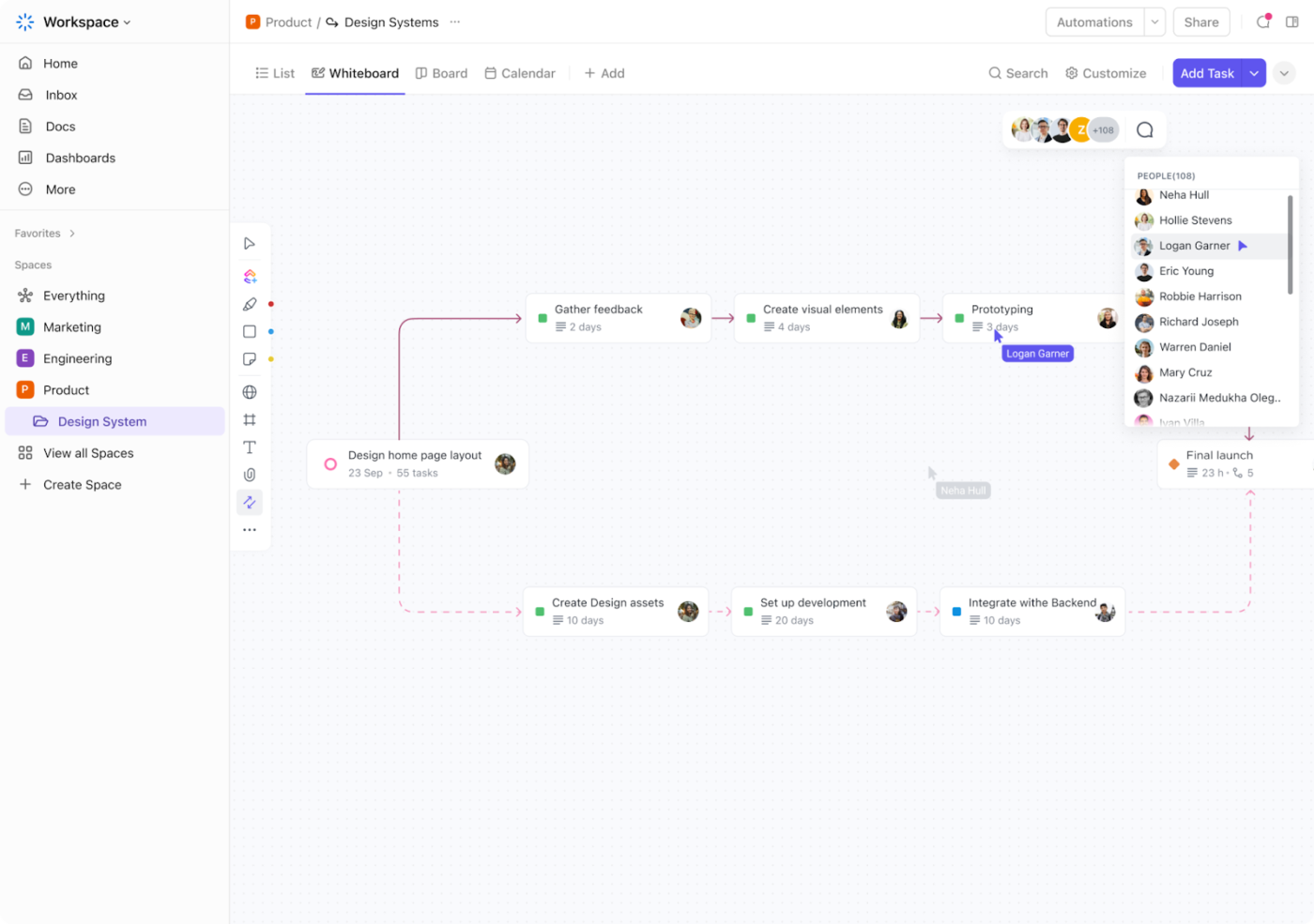
You can get feedback from the stakeholders, management, and customers using ClickUp Forms. With a simple, well-designed questionnaire, you can gather the pain points of everyone in the process.
Set goals
With all the information in hand, define the goals of your quality improvement process.
For example, this could be: Reduce bug density to less than five defects per 1,000 lines of code within the next three months.
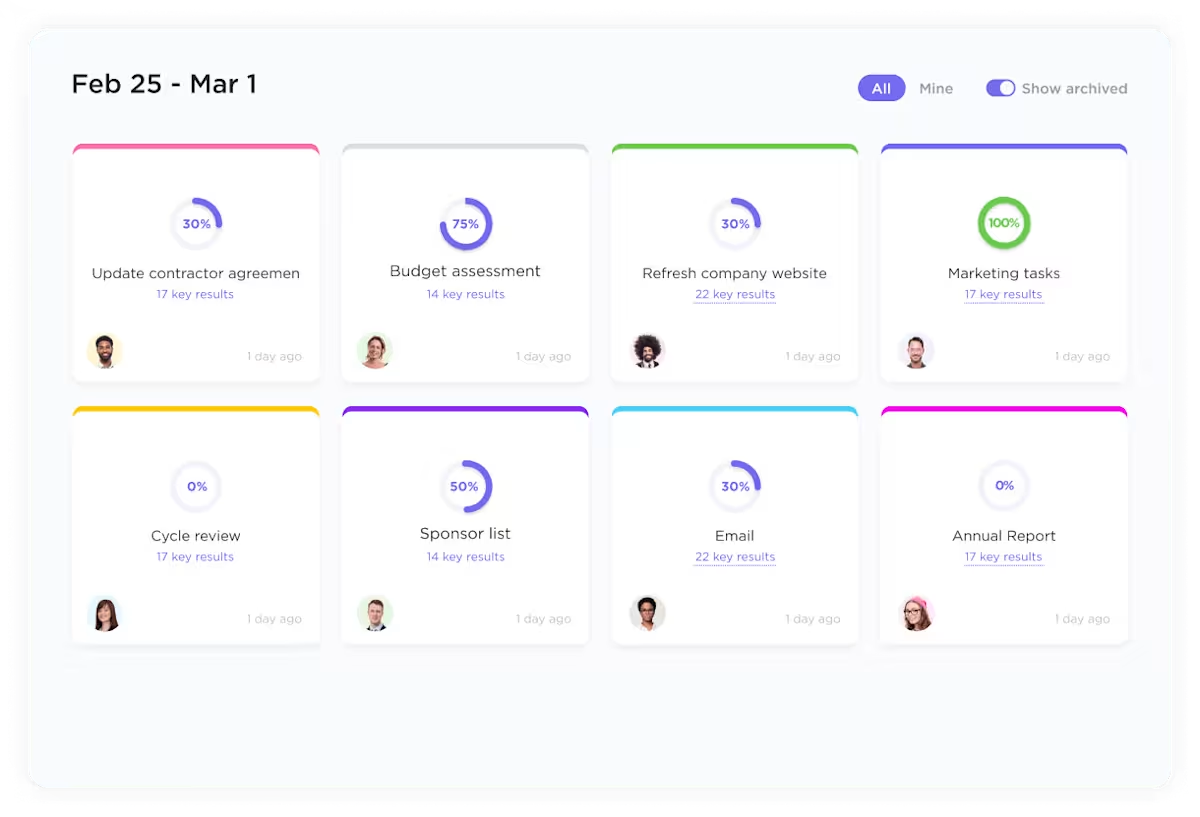
Make sure your goals are SMART. Also, ensure that you make it easily accessible to everyone on the team. ClickUp Goals is a great way to make this happen. With ClickUp Goals, you can set targets, organize goals into folders, and have a single-pane view of all your progress.
2. Measure
Once you define the problem, you can focus on collecting data in the ‘measure’ phase. The goal is to gather reliable data that accurately represents the existing process, which will serve as a baseline for improvement.
Tools such as control charts, histograms, and Pareto analysis are often used to assess variation and pinpoint areas of concern. For advanced tracking, use ClickUp Dashboards.

ClickUp Dashboards offer a fully customizable, KPI-driven way to track your team’s performance. In collecting data about the bug density problem stated above, you might create widgets for:
- Bug density of each individual developer
- Rework assigned in code review
- Bugs identified by the quality analyst (QA) vs. bugs reported by user
- Time taken for writing 1,000 lines of code and its correlation to bug density
- Historical trends of bug density
3. Analyze
Once you’ve collected the data, it’s time to analyze them. Depending on the nature of the problem, you can use statistical data analysis, regression analysis, hypothesis testing, fishbone diagrams, or the 5 Whys to uncover patterns.
For example, let’s see how you’d analyze this situation using hypothesis testing. First, you’d define a number of hypotheses that need to be tested.
| Hypothesis | Data analysis for testing |
|---|---|
| Early career developers have high bug density | Comparison of bug density across all developers |
| Early career developers have high bug severity | Comparison of bug density and severity across all experience levels |
| QAs are reporting too many non-bugs as defects | Number of bugs that have been resolved without rework |
| Complex features have more bugs | Comparison of defects per 1,000 lines of code vs. defects per functionality |
Don’t feel pressured to do everything from scratch. Leverage Six Sigma templates instead!
If you’re investigating an issue, try root cause analysis templates. While exploring risks and challenges, consider risk assessment templates.

An important part of the analysis phase is documentation. Make sure that you have a thorough record of all your discussions and decisions in one place.
ClickUp Docs is a great place to write everything down in prose. You can connect workflows, tag people, request comments, and collaborate in real time for quicker problem-solving.
You can also represent them visually using ClickUp Dashboards.
4. Improve
The outcomes of your analysis would be concrete ideas for improving the process. For instance, for each root cause, you might have improvement plans.
| Root cause | Improvement plan |
|---|---|
| Developers with less than 5 years of experience disproportionately sway bug density | Hire more experienced developers Implement a code review process for those with less than 5 years of experience Introduce pair programming to train early-career developers Increase repeatability of existing code |
| Code complexity leads to high bug density | Create a plan for refactoring or eliminating tech debt Minimize code complexity in future development |
| Security bug density is disproportionately high | Implement a DevSecOps process Hire cybersecurity engineers to review the code Increase test cases for security issues |
Once you’ve brainstormed all the ways in which you can resolve the issue at hand, it’s time to choose the right solution.
- Keep it simple: Prioritize the simplest solutions and slowly move forward to more complex/systemic workflow optimization
- Do it incrementally: Don’t implement multiple changes at once, which would make it difficult to measure impact
- Iterate: Use the plan-do-check-act project management strategies to iterate on your solutions
- Communicate: Ensure comprehensive team communication so everyone understands and signs up for the improved process
- Implement: Set up tasks, reviews, and milestones for the implementation of your improvement plans
A simple way to manage this is using ClickUp Tasks. Set up each improvement plan as a project, task, sub-task, or checklist.
For example, if you’re implementing pair programming, use ClickUp Tasks to assign two developers to every feature.
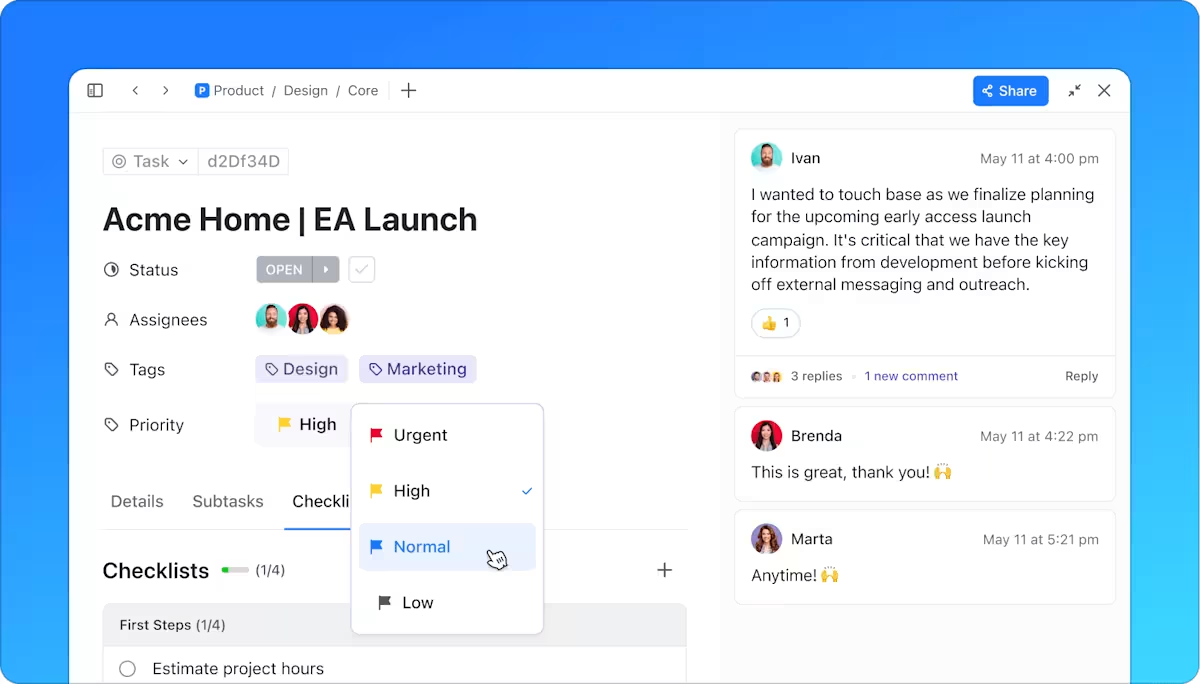
If you’d like to implement a code review process, outline those steps within the task, add a custom status, and automatically add the corresponding checklist. Use ClickUp Dashboards to track your progress and iterate consistently.
5. Control
The final phase is about making sure that the improvement plan is implemented, adopted, and followed by all stakeholders. Use control mechanisms such as standard operating procedures (SOPs) and monitoring systems to track ongoing performance.
For example, if you’ve implemented a code review process, ensure that every line of code is reviewed by a senior and signed off.
Measure defects in reviewed code to evaluate whether this improvement plan was effective. Make adjustments accordingly.
If all this feels overwhelming for you and your small team, don’t sweat. Streamline your duality optimization with ClickUp’s DMAIC Template. This beginner-friendly customizable template walks you through every step of the DMAIC methodology, consolidating all information and making it visible to the entire team.
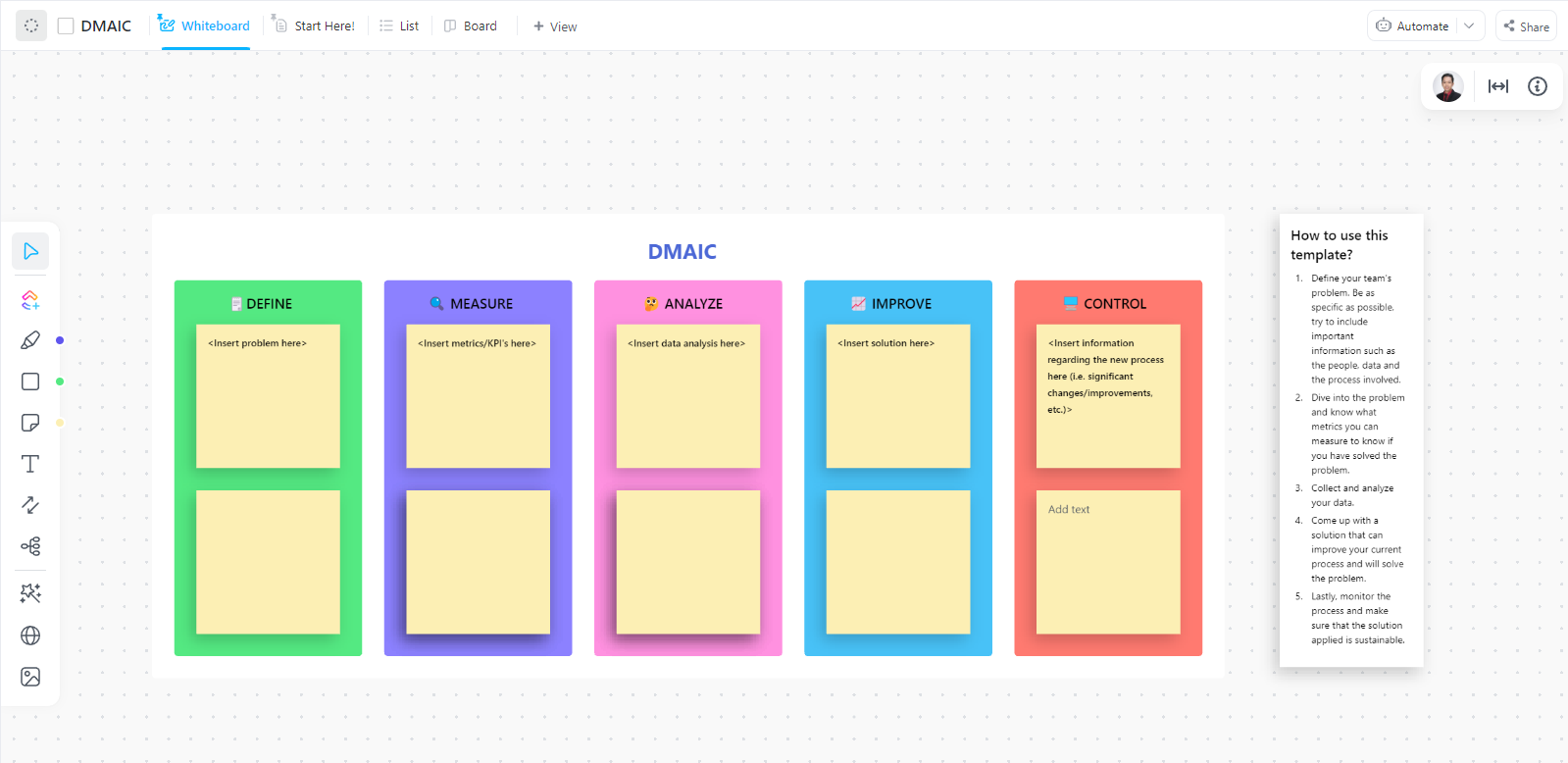
If, after all this, you’re wondering why you should use DMAIC over any of the other dozen quality control processes, we’ve got you covered.
Summarize this article for me pleaseBenefits of Implementing DMAIC
DMAIC has been in use for over 30 years, helping the world’s largest enterprises eliminate waste, minimize errors, and save costs. That’s why the DMAIC process still stands as a popular and effective quality improvement tool.
Depth and range
DMAIC helps identify the root cause of problems, exploring gaps from various angles. This ensures that you eliminate issues rather than just treating symptoms. For this reason, DMAIC is also a powerful project management methodology.
Systematic approach
Instead of the popular trial-and-error approach, DMAIC offers a systematic, data-driven approach that minimizes the risk of costly mistakes.
Full cycle process
DMAIC isn’t just about root cause analysis or ideating solutions. It is about understanding, validating, analyzing, and solving problems, in addition to sustaining the solutions.
Measurable improvement
Proponents of DMAIC tend to be data-driven, not just for analyzing the problem but also for evaluating the effectiveness of the solution. So, each phase involves measuring and tracking business performance, allowing you to quantify improvements and track progress toward goals.
That doesn’t mean that DMAIC is easy to implement.
Summarize this article for me pleaseCommon Challenges in the DMAIC Process
Despite its many benefits, DMAIC implementation often suffers from cultural and technical challenges. Here are a few common ones.
Resistance to change
Like every change initiative, DMAIC introduces a disruption and transformation of the way teams are functioning currently.
For example, a code review process adds another step to development, likely resulting in delays or additional costs.
So, teams are likely to be resistant to change.
Lack of clear objectives
Some problem statements might be so complex that teams struggle to define clear objectives. This leads to misunderstandings, misalignment, disagreements, and eventual failure of DMAIC implementation.
Scope creep
You might have started with a clear scope and objectives. But as you measure and analyze, you might come across interconnected aspects that inadvertently expand the scope of your DMAIC process. With that, teams end up losing out on any improvement opportunities they have identified.
Inconsistent data collection
Any data-driven program relies on the accuracy, availability, and consistency of data. So does DMAIC. Inconsistent or inaccurate data can significantly undermine the initiative. It can result in misleading conclusions, which may cause you to focus on the wrong problems or implement ineffective solutions.
Summarize this article for me pleaseElevate Your Process Quality with ClickUp
Six Sigma and related processes like DMAIC are often seen in relation to manufacturing, especially in the 1990s and early 2000s. That’s partially fair because the process was created and widely adopted during that time.
However, it is a huge mistake to think of it as dated. In a world where sustainability, waste reduction, underconsumption, and quality control are critical, DMAIC is more relevant than ever, whether you’re creating content, building software, or constructing skyscrapers.
Whatever the size and scope of your project, use ClickUp’s project management software to manage your DMAIC processes. Define, measure, analyze, improve, control, rinse, and repeat with ClickUp.
Summarize this article for me pleaseFrequently Asked Questions (FAQs)
1. What does DMAIC stand for?
DMAIC stands for Define, Measure, Analyze, Improve, and Control.
2. What is the DMAIC process in Six Sigma?
The DMAIC is a structured, data-driven way to manage a process improvement project. It is a Six Sigma tool comprising five phases where you define the problem, measure existing performance indicators, analyze current data, create improvement plans, and control sustainable implementation.
3. What are the 5 DMAIC tools and techniques?
The five DMAIC techniques are define, measure, analyze, improve, and control. Project teams use various tools at each of these stages.
- Project charter: A foundational document that outlines the goals, organizational processes, and project roadmap
- Histogram: Bar chart used to track trends of past data or progress of improvement plans
- Process map: A visual representation of every step, milestone, and stakeholder in the process going through DMAIC
- Fishbone diagram: A map of all potential root causes of any event/error
- Hypothesis testing: Statistical methods, such as t-tests, analysis of variance, etc. to understand potential root causes of existing problems
- Project management chart: Graphs and visual reports, including Gantt charts, work breakdown structure, Kanban board, etc.
4. Can DMAIC be used in any industry?
Yes, DMAIC can be applied to any industry, including manufacturing, healthcare, financial services, construction, software development, and more, as it focuses on general process improvement instead of an industry-specific approach.
5. How long does it take to complete the DMAIC process?
The time to complete the DMAIC process varies depending on the complexity of the problem. It typically takes several weeks to a few months.
6. Can I use DMAIC for ongoing process improvement?
Yes, DMAIC is ideal for ongoing process improvement as it focuses on continuous monitoring and control to sustain progress over time.


Everything you need to stay organized and get work done.

Recent Articles
Jira Project Management: What It Does Well and Where It Taps Out 
Jira Project Management: What It Does Well and Where It Taps Out
8 Communication Strategies That Actually Fix Team Chaos
8 Communication Strategies That Actually Fix Team Chaos
