






Still downloading templates?
There’s an easier way. Try a free AI Agent in ClickUp that actually does the work for you—set up in minutes, save hours every week.
Sorry, there were no results found for “”
Sorry, there were no results found for “”
Sorry, there were no results found for “”

What if every decision you made came with a clear roadmap, showing exactly where each choice could lead?
That’s the power of a decision tree maker. It’s a tool that aids decision-making by turning complex choices into visual, step-by-step maps. You start with a question, add branches, decision nodes, and more, and follow them to see where they lead.
Planning a project, solving a problem, or just organizing your thoughts becomes easier when you can break things down into simple, logical steps. Researchers, project managers, and even entrepreneurs use decision tree examples to simplify complex problems.
But with so many options out there, which tool should you pick? This blog post reviews 10 of the best decision tree software, highlighting their features, pros, and cons to make the choice easier.
Here’s a quick overview of the top 10 decision tree maker software :
| Tool | Best for | Best features | Pricing |
| ClickUp | All-in-one project management & decision-making | AI assistant, whiteboards + mind maps, task + automation features | Free forever; Customizations available for enterprises |
| Creately | Visual collaboration for teams | Real-time diagramming, template library, Google/Slack/MS integrations | $5–$89/month; Enterprise: Custom |
| Lucidchart | Cloud-based diagramming for businesses | Data-linked visuals, co-authoring, Google/MS/Slack integration | Free; $9–$10/month; Enterprise: Custom |
| Microsoft Visio | Enterprise-level diagramming | Office integration, data imports, multi-user collaboration | $5–$15/user/month or via Microsoft365 |
| XMind | Mind mapping + idea organization | Zen mode, mobile/desktop/web sync, outline view | Free; Pro: $4.92/month; Premium: $8.25/month |
| SmartDraw | AI-powered diagramming + flowcharts | Auto diagram creation, team collaboration, export to cloud or PDF | $5–$9.95/user/month billed annually |
| Visual Paradigm | Developer-focused diagramming + modeling | UML, BPMN, database modeling, code generation | $5–$38/month; Corporate: Custom |
| EdrawMind | All-in-one mind mapping + diagramming tool for developers | Templates, Gantt charts, slideshow mode, design customization | Free; $4.9–$6.9/user/month |
| Canva | Design-friendly diagramming for beginners | Templates, real-time collab, Magic Switch, interactive embeds | Free; Pro: $12.99/month; Teams: $100/year/person |
| Miro | Whiteboard collaboration for remote teams | Infinite canvas, 300+ templates, Talktrack, 130+ integrations | Free; $8–$19/user/month; Enterprise: Custom |
Choosing the right decision tree maker can greatly improve your ability to visualize and analyze complex decisions.
Here are the key factors to consider:
🧠 Did You Know? Decision trees date back to 1963! Morgan and Sonquist developed them to explore social patterns—now, they power everything from fraud detection to medical diagnoses.
Based on the above checklist, we’ve rounded up the top decision tree makers on the market. Let’s discuss them in detail:
Looking for a decision tree tool that helps you with everything—brainstorming, diagramming, and tracking the final outcome? Your search ends with ClickUp–the everything app for work.
ClickUp is where creativity truly meets productivity. Its tools transform how teams brainstorm, plan, and make decisions. You also get built-in AI assistance to improve the decision-making process.
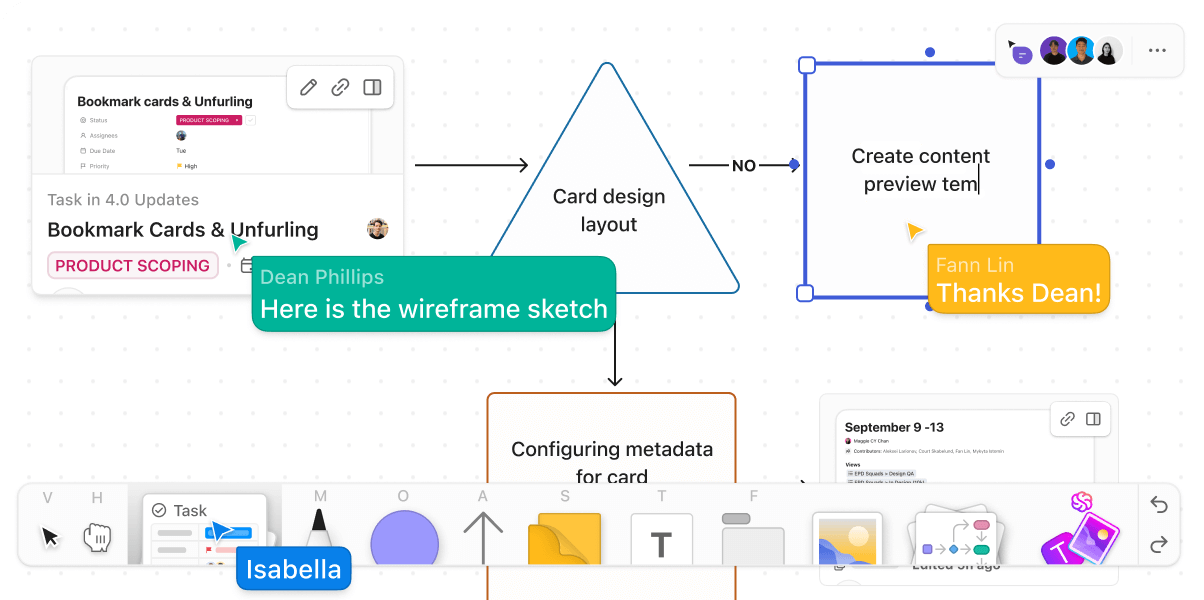
ClickUp Whiteboards are your go-to for collaborative brainstorming, where shared ideas come alive. Think of it as a free-form digital canvas that lets you and your team sketch concepts, add text, use AI to generate custom images, and connect related ideas together so they’re easy to visualize and process.

You can easily create comprehensive decision trees in ClickUp Whiteboards. Simply add shapes with the drag-and-drop functionality (use rectangles or diamonds for your decision nodes and connectors for decision nodes or branches). There’s also an option to color code branches if you want to make separate paths easier to follow.
And, once you have arrived at a decision point, convert action items into tasks directly from the Whiteboard. This ensures accountability and helps your team get started on projects faster. If you need more context to make decision pathways, you can also embed your tasks and docs in ClickUp Whiteboards.
Learn how to brainstorm and visualize ideas using ClickUp Whiteboards👇
ClickUp Mind Maps further help with making informed decisions. They transform scattered thoughts into structured plans by visually mapping out different choices, possible outcomes, and dependencies.

For example, if you want to decide whether a project is worth doing, here’s how you can create a mind map with key points:
Should we take on this project?”
→ Yes → “Do we have the capacity (team, time, budget)?”
→ Yes → “What’s the potential ROI or strategic value?”
→ High → Proceed to planning
→ Low → Consider backlog or decline
→ No → Reassess resources or delay start
→ No → “Is it aligned with business goals?”
→ Yes → Reevaluate capacity or adjust scope
→ No → Reject project
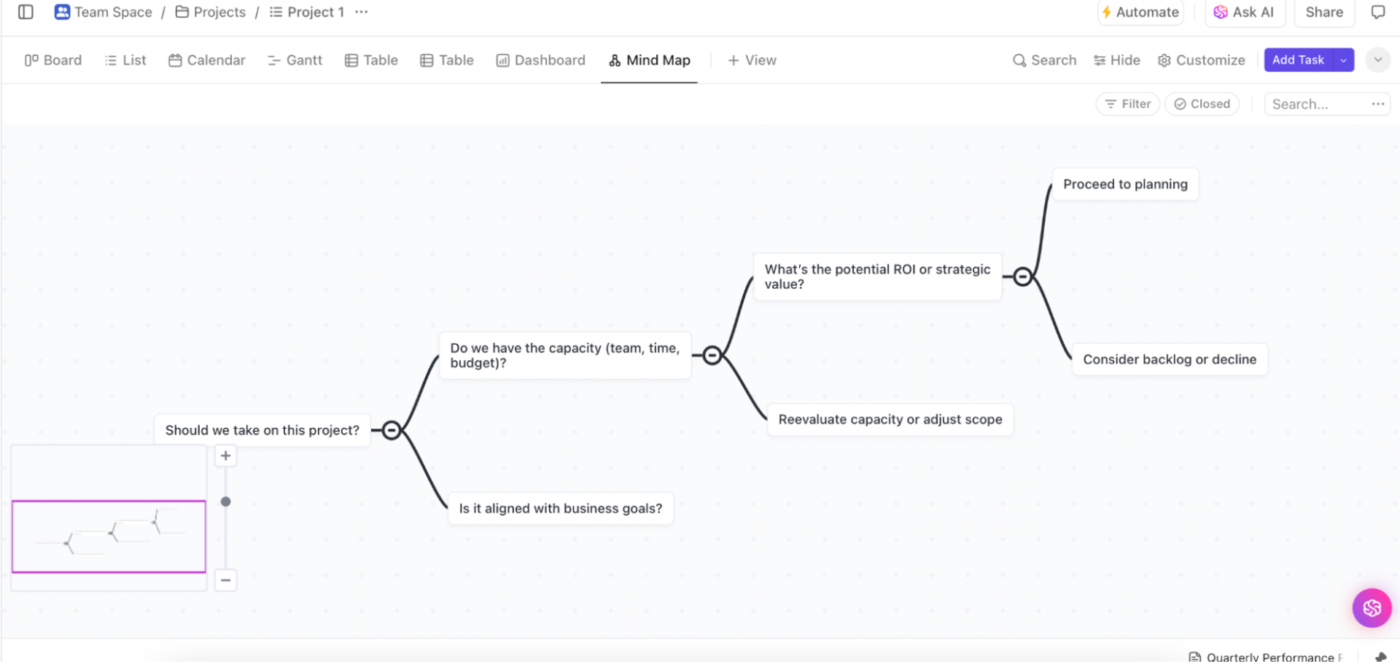
The best part? The feature is incredibly user-friendly, allowing you to drag, drop, and rearrange elements with ease. You can create branching paths for different scenarios, making complex IT or business decisions easier to navigate.
Want to assign action items to team members? Click on any node to create a task. You can also set task priority and due dates so projects can move forward quickly. ClickUp Mind Maps offer team collaboration in real time to refine decision logic and ensure alignment.
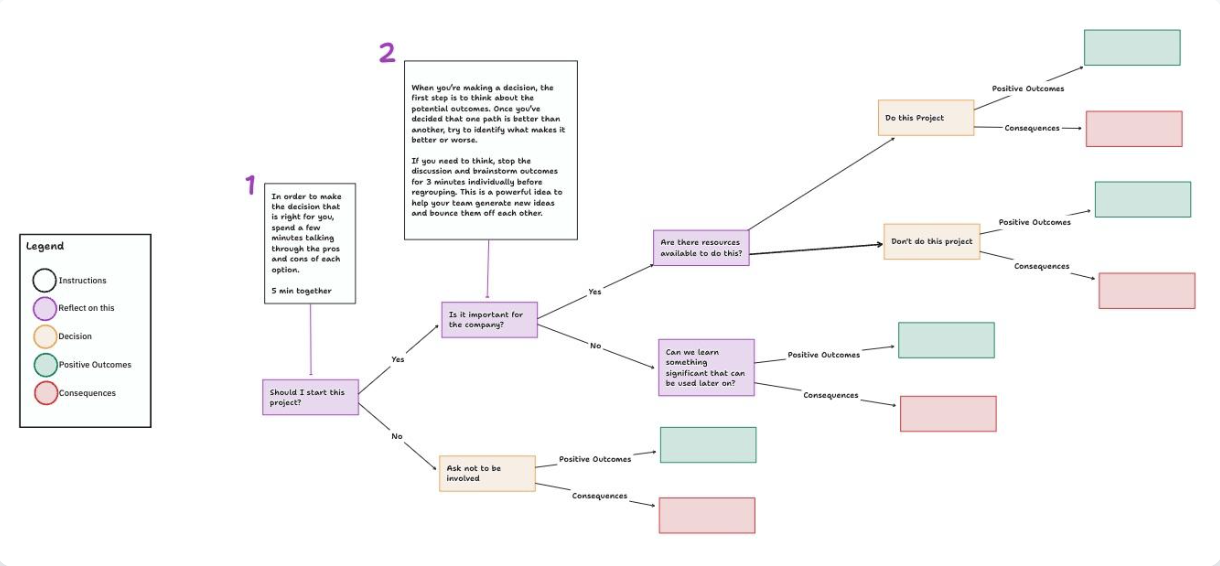
For teams that need to make smart decisions quickly, ClickUp offers a variety of decision-making templates. For example, the ClickUp Decision Tree Template simplifies complex scenarios by letting you map out choices, alternative outcomes, and probabilities in a clear, visual format. No more guesswork!
With this template, you can:
ClickUp doesn’t just help you work—it helps you work smarter. From brainstorming to decision-making, it’s the ultimate tool to stay organized, productive, and of course, ahead of the game!
ClickUp has been instrumental in solving several critical issues we grappled with as a small business. It has streamlined our project management, turning chaotic workflows into well-organized processes…The software has also improved our decision-making process by providing real-time data and insights, allowing us to identify and address any bottlenecks quickly.
📮 ClickUp Insight: 92% of knowledge workers risk losing important decisions scattered across chat, email, and spreadsheets. Without a unified system for capturing and tracking decisions, critical business insights get lost in the digital noise. With ClickUp’s Task Management capabilities, you never have to worry about this. Create tasks from chat, task comments, docs, and emails with a single click!
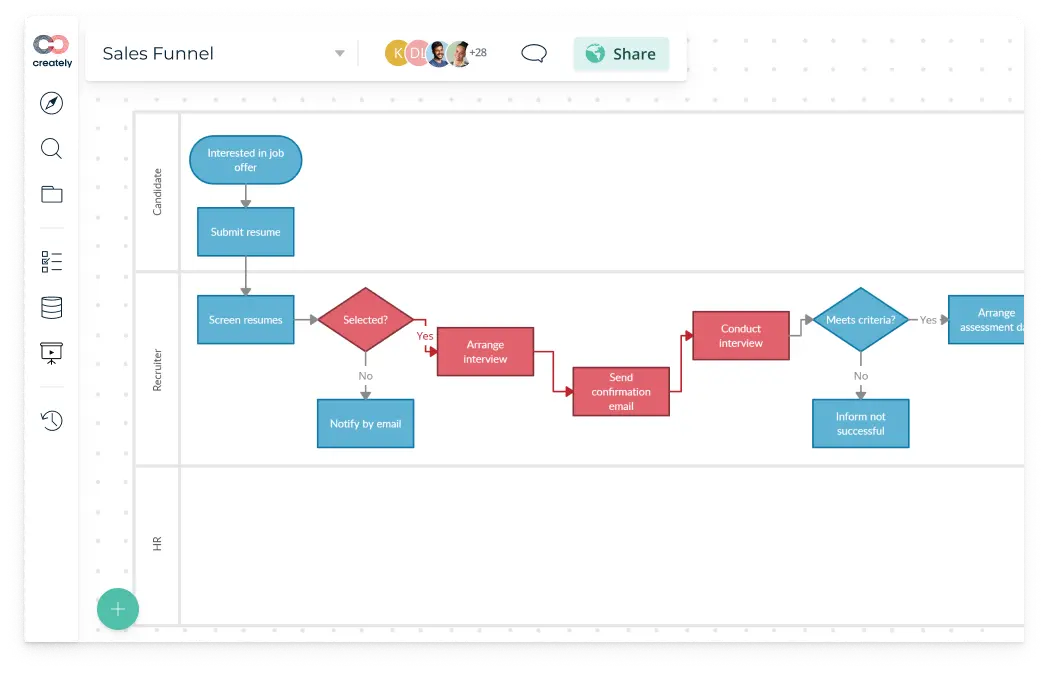
Creately is a visual collaboration platform that helps teams create diagrams, manage workflows, and collaborate smartly. It combines an extensive library of whiteboard templates, smart integrations, and customizable databases into a user-friendly interface.
Creately also supports teams in brainstorming, process mapping, and project management without hassle or feature overload. Its AI-powered features, interactive elements, and task management tools make it a versatile choice for teams seeking efficiency and creativity together.
I love how easy it is to create and collaborate on diagrams with Creately. The real-time collaboration feature is incredibly helpful for team projects, and the extensive library of templates and shapes saves a lot of time. While Creately is generally very user-friendly, I sometimes find the loading times to be a bit slow, especially with larger projects
💡 Pro Tip: Use pruning to eliminate the weak branches in your decision tree and improve accuracy. For instance, when predicting loan approvals, removing less relevant factors like a minor change in address history can simplify the model and enhance its ability to assess new applicants.
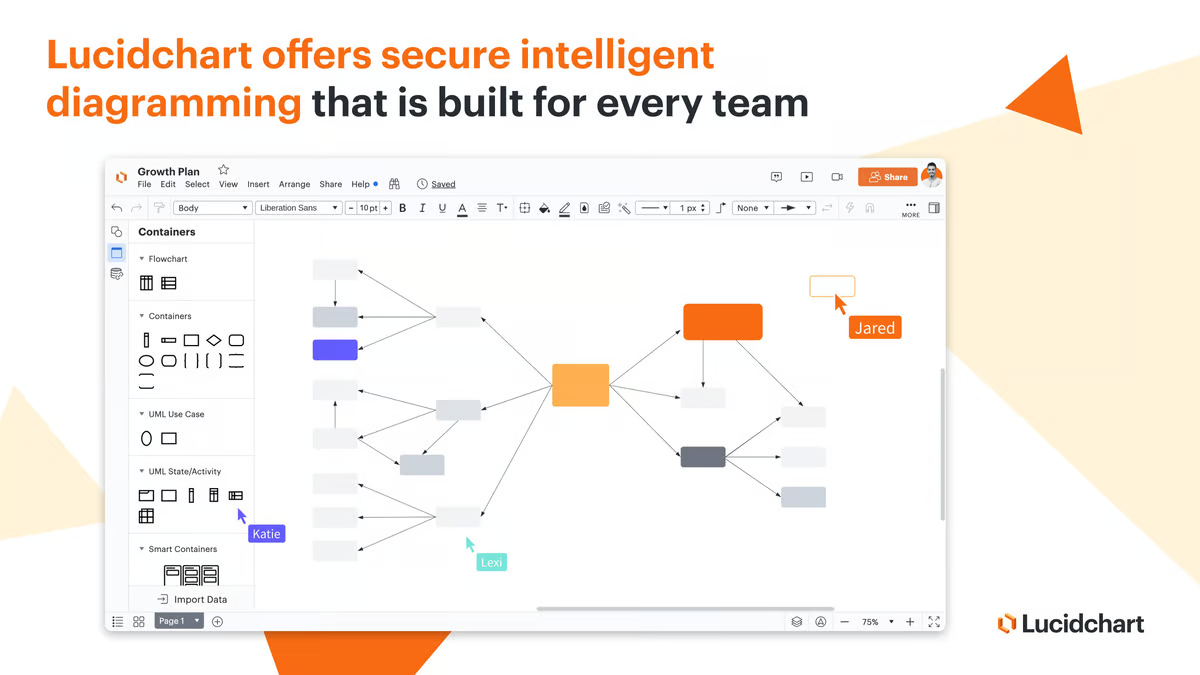
Lucidchart is a cloud-based platform that helps teams visualize ideas, processes, and systems in a clear and organized way. Teams can work asynchronously, access the tool on any device, and operate it from anywhere.
It offers features like data linking, automation, and integration with popular apps like Google Workspace, Atlassian, and Microsoft Office, helping simplify complex workflows. Lucidchart is a solid tool for creating flowcharts, org charts, process maps, and more and to streamline decision-making for businesses of all sizes.
My favorite part is being able to have multiple users in the software, live editing at the same time. It makes collaboration incredibly easy, and allows for it to be accomplished in a short amount of time. At times, certain quick action tools built within the software made it difficult to move objects around. Once I got the hang of the software, the issues decreased, but it still causes frustrating moments.
🧠 Did You Know? Decision trees are divided into classification trees and regression trees. Classification trees categorize data into distinct groups, while regression trees predict continuous numerical values. Both types help in making data-driven decisions by identifying patterns and relationships within datasets.
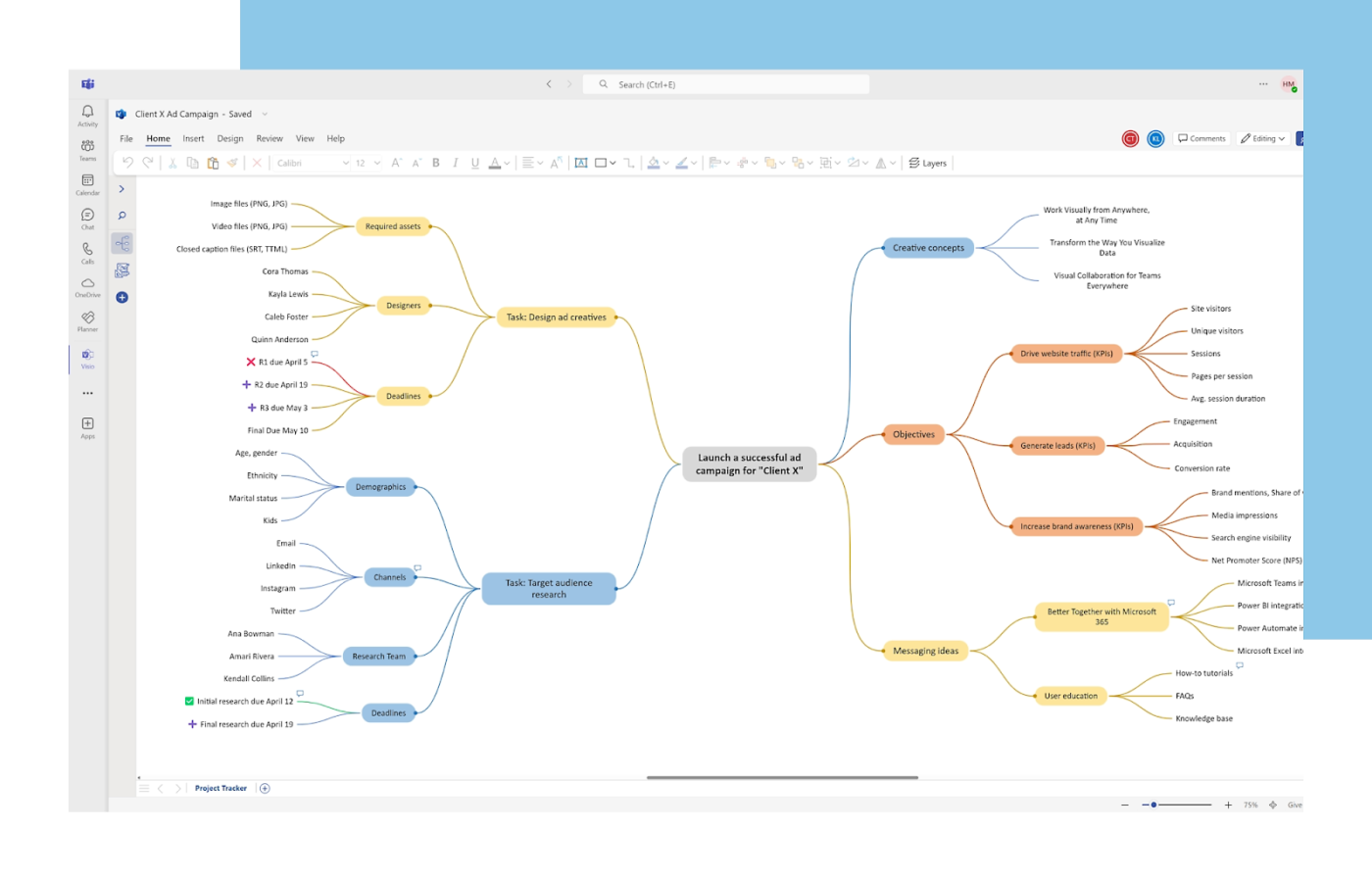
Microsoft Visio is a specialized tool for creating detailed and professional diagrams, catering to industries like engineering, business analysis, and architecture.
It supports a variety of diagram types, from decision trees, flowcharts, and org charts to complex process flow diagrams and 3D maps. Its integration with Microsoft Office tools like Excel and Access allows users to import data directly, making diagrams dynamic and data-driven.
While it’s a premium solution, its extensive library of templates, shapes, and symbols ensures precision and flexibility. Whether you’re mapping out workflows, designing floor plans, or modeling business processes, Visio equips you with the tools to create practical and engaging visuals.
Visio is a great tool for making complex flowcharts, Architecture Diagrams, technical Drawings, etc. It allows Office 365 integration and is easy to share with colleagues to work simultaneously. It can be a great tool for a versatile tool for professionals in various fields, including business, engineering, and IT. However, sometimes working together with colleagues there is always a delay in updating just like every other MS Office product.
📖 Read More: Effective Group Decision-Making Techniques for Teams
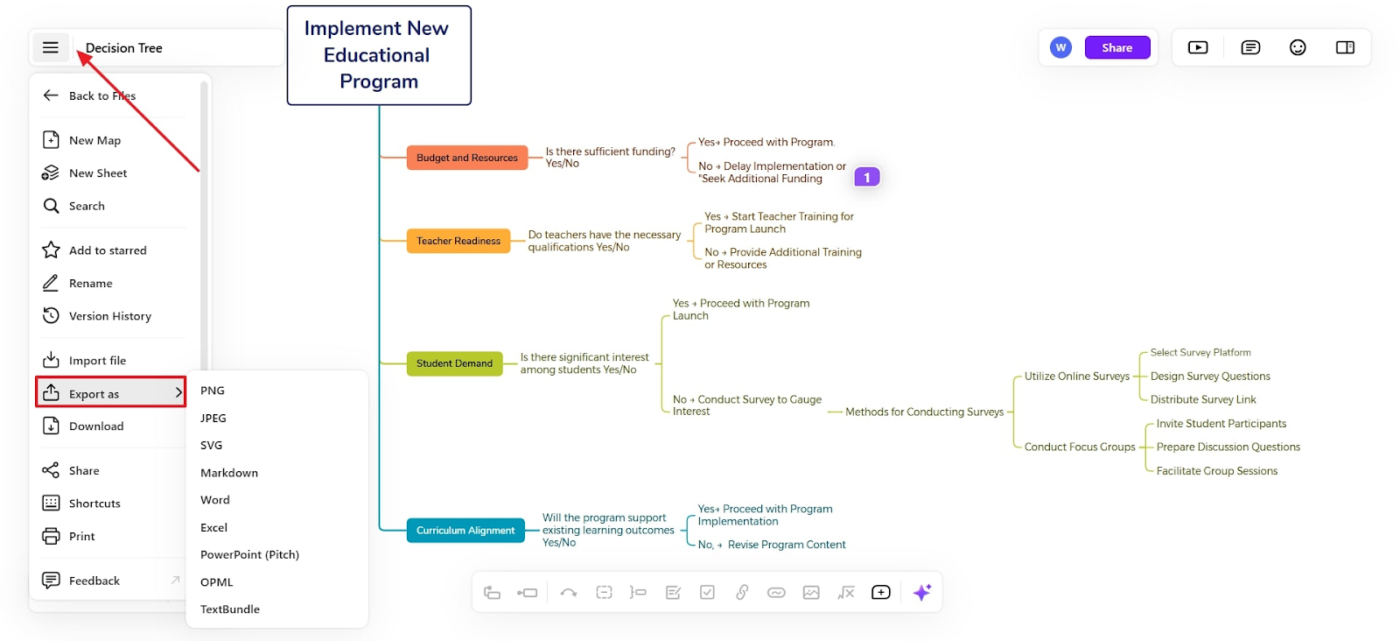
Xmind helps brainstorm and organize ideas across Windows, Mac, Linux, iOS, Android, and web systems. It offers a range of structures, such as mind maps, org charts, timelines, and fishbone diagrams to suit various needs.
The free version includes unlimited topics, basic export options, and access to a template library, while Xmind Pro adds advanced features like Gantt charts, presentation mode, and enhanced export formats. With Zen Mode for distraction-free mapping, in-app collaboration, and tools like audio notes and math equations, Xmind caters to both personal and professional use.
I’ve used xmind to create mind maps as a business analyst. It is a fantastic tool to create quick mind maps, allows the ability to export into multiple formats and collaborate with other team members. The library of icons and available templates are limited in numbers. I also feel like the free model should have some more features.
💡 Pro Tip: Assign probabilities and numerical values to different decision paths to make your tree more data-driven, allowing for deeper insights and more precise outcome predictions.
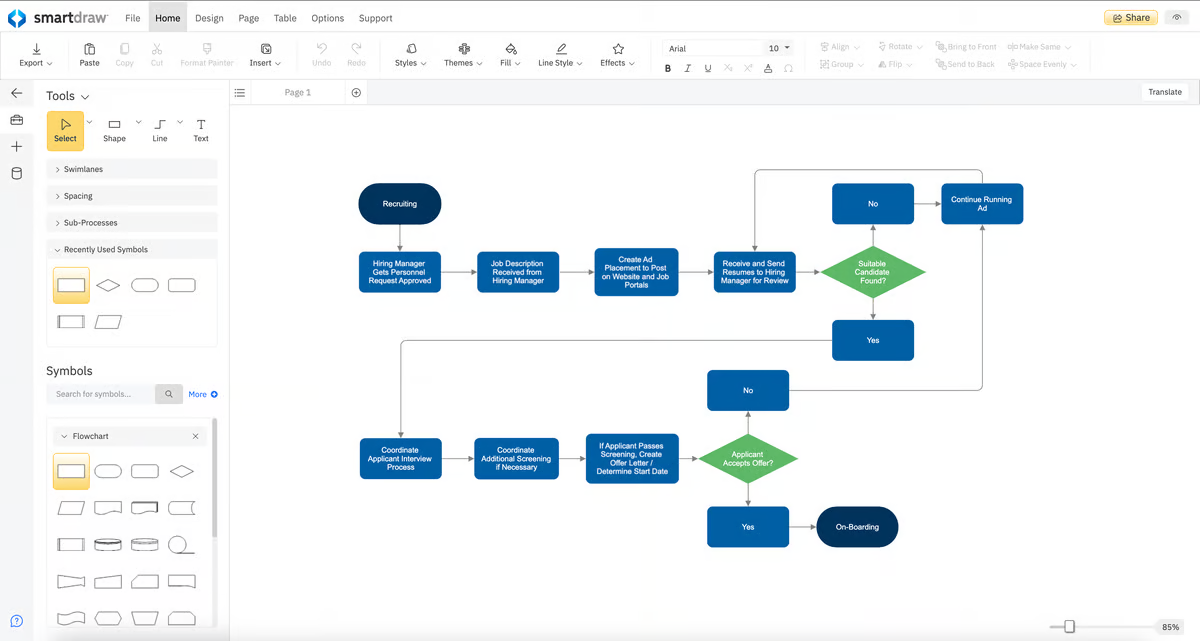
SmartDraw is a powerful diagramming tool that helps professionals and teams easily create decision trees, flowcharts, and other visuals. Its intelligent formatting automatically adjusts diagrams for size and fit, saving time and effort.
The tool integrates smoothly with popular platforms like Microsoft Office, Google Workspace, and Atlassian apps, making it a flexible choice for diverse workflows. Additionally, its collaboration features and easy sharing options ensure teams can work together effectively, whether remotely or in person.
We appreciate the increased efficiency and ease in creating flowcharts with this tool. It became clear that transitioning away from using Microsoft Office for flowchart creation was a much-needed improvement. The platform simplifies the process, allowing us to design and edit flowcharts with significantly fewer clicks than our previous methods.
📖 Read More: Best Flowchart Software (Free & Paid)
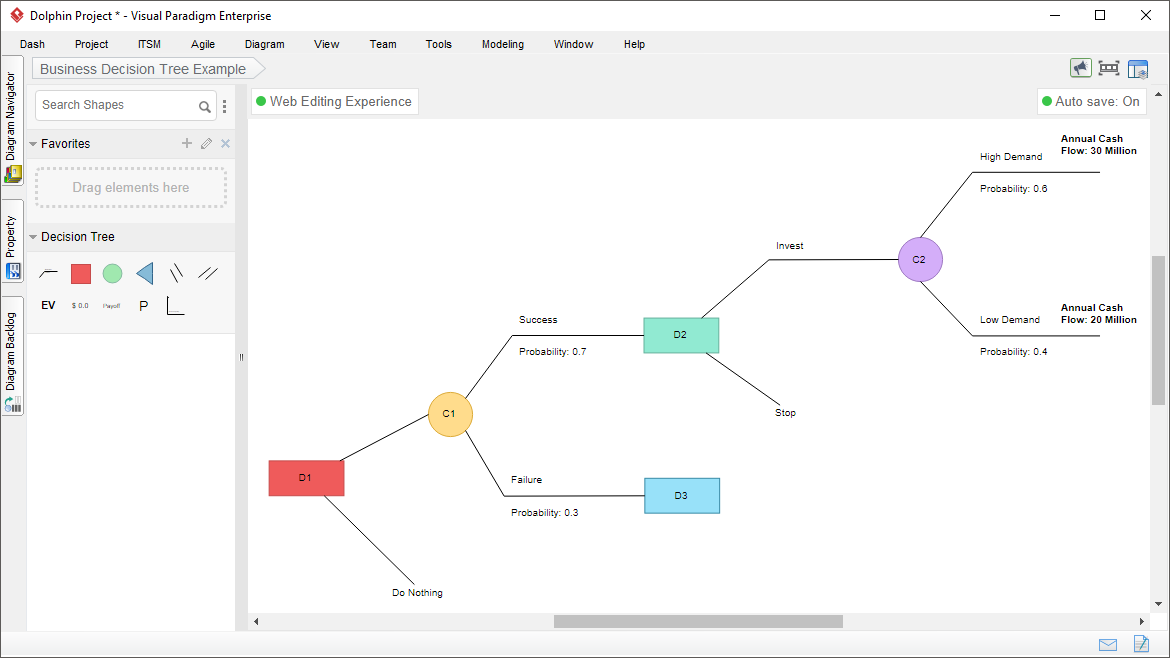
Visual Paradigm is a versatile design and management tool tailored for IT systems, software development, and business process modeling. It supports a wide range of complex diagramming and modeling workflows, from UML (Unified Modeling Language) and ERD (Entity Relationship Diagram) to BPMN (Business Process Model and Notation) diagrams, wireframing, and even decision trees.
Advanced code generation, formatting features, and integration with tools like Jira and Confluence make it a suitable solution for software developers and business analysts.

EdrawMind is a powerful, cross-platform mind-mapping tool for creating decision trees and complex diagrams, brainstorming ideas, managing bigger projects, or preparing presentations. It has a rich library of templates, intuitive design tools, and advanced features like Gantt charts, slideshow creation, and real time collaboration.
What makes EdrawMind truly unique is its ability to adapt to diverse needs. From hand-drawn styles for a personal touch to rainbow color schemes for vibrant visuals, it ensures every map is unique. This free decision-tree software also supports file recovery, encryption, and multi-format import/export, making it a reliable choice for both individual and team use.
I appreciate the latest AI-powered feature that effortlessly generates a new mind map in an instant. It allows users to quickly create, edit and customize their maps with ease… It would be helpful if the system could automatically name files based on the core theme of the mind map.
🧠 Fun Fact: BP’s GasOIL system once relied on 2,500 manually crafted rules to separate gas and oil. A decision tree-based C4.5 system replaced it, outperforming human experts and saving BP millions in operational costs.
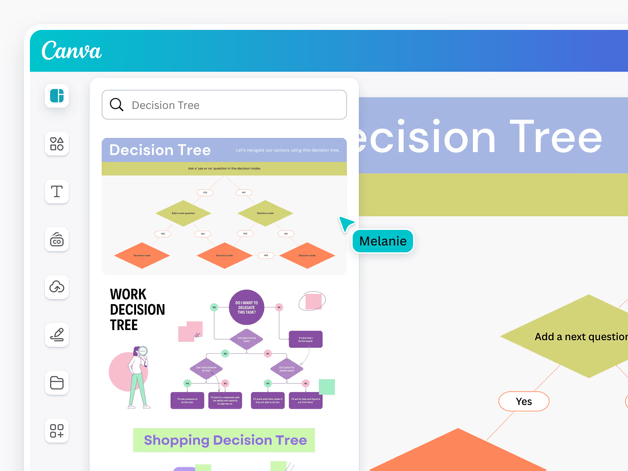
Canva is a popular web-based design platform that simplifies creating visuals, from infographics to presentations, for users of all skill levels.
One of its standout offerings is decision tree diagram templates that come with drag-and-drop tools. Plus, Canva’s Whiteboard software helps organize complex data clearly. You can add interactive elements like links, videos, and brand assets to your whiteboards, while collaboration features like sticky notes and shared workspaces make team projects seamless.
As a non-professional editor, I found Canva easier to use than other professional platforms and services. In particular, I really liked the charts app add-on which I use to create interactive charts and graphs that I later embed on my website.
📖 Read More: How to Create an Idea Board for Brainstorming
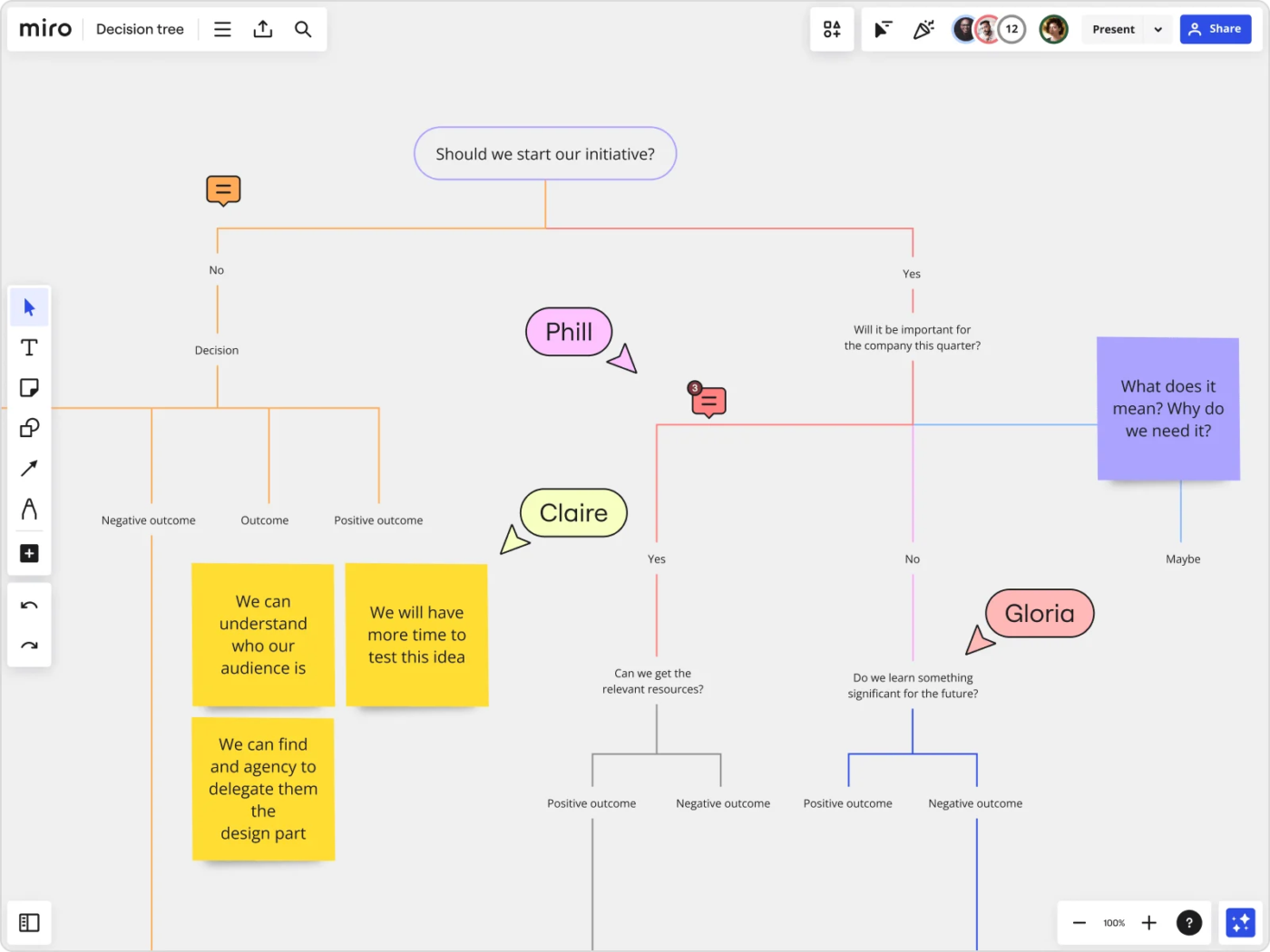
Miro, a dynamic visual workspace, empowers teams to quickly map out scenarios, explore outcomes, and reduce bias with its powerful decision tree maker features and templates. Known for its infinite canvas, it allows users to map out ideas, workflows, and strategies without boundaries.
Its AI-powered tools, like instant summaries and feedback, enhance productivity, while robust security ensures data protection.
I like that it gives me full flexibility over how I organize my information. I can move items around, change their size, connect or disconnect, it’s very comfortable…Editing text in boxes or stickers sometimes happens for more than just selected text.
Making decisions isn’t always straightforward, especially when multiple factors come into play. Without a clear structure, it’s easy to overlook key details or get stuck in analysis paralysis. ClickUp’s free templates for decision-making and advanced features help bring order to the chaos by mapping out every possible path in a simple, visual format.
With ClickUp, you can create a decision tree online to lay out different pricing strategies, potential consequences, and revenue outcomes. This helps you weigh the risks and rewards of your choices before making a move.
Beyond organizing thoughts, ClickUp’s smart features make collaboration effortless for the decision-making process. Teams can add insights, adjust variables, and refine choices while working together in real time—no more scattered notes or endless back-and-forth.
Sign up for ClickUp and start making smarter decisions faster!

© 2026 ClickUp

There’s an easier way. Try a free AI Agent in ClickUp that actually does the work for you—set up in minutes, save hours every week.