







Still downloading templates?
There’s an easier way. Try a free AI Agent in ClickUp that actually does the work for you—set up in minutes, save hours every week.
Sorry, there were no results found for “”
Sorry, there were no results found for “”
Sorry, there were no results found for “”
With over three billion people using WhatsApp every month, it’s no surprise that businesses want to reach customers where they’re already chatting.
For sales, marketing, and support teams, though, those WhatsApp chats often live in a different place from the CRM. This means follow-ups get missed, and no one sees the full story behind a customer conversation.
Most CRM systems handle pipelines and store customer data well, but they often fall short on real-time customer conversations and managing WhatsApp chats.
By integrating your WhatsApp Business API with your CRM, you can handle instant WhatsApp communication, send automated messages, and keep follow-ups from getting lost in crowded inboxes.
This guide walks you through CRM integration with WhatsApp step-by-step, so you can automate conversations and keep every touchpoint connected in one workspace.
🧠 Did You Know: Meta’s internal research shows that shoppers increasingly rely on business messaging to discover products and complete purchases, viewing it as a more convenient and direct way to talk to brands.
When customers have questions, they would rather not wait for a reply buried in an email thread. They want quick answers, right where they’re already chatting.
That’s why bringing WhatsApp into your CRM can completely transform how you do business 🚀.
Movistar is a strong example of how this works in practice. Facing the challenge of promoting its fiber network in areas where door-to-door sales and cold calls were the standard, Movistar switched to WhatsApp to reach customers faster and more personally.
By sending customized fiber offers straight to existing customers on WhatsApp, Movistar made it simple for people to check availability and book installation.
This smooth, automated flow helped them reduce customer acquisition costs by 70% and tripled their WhatsApp sales share.
In short, integrating WhatsApp with your CRM keeps your team organized and ready to build trust at every touchpoint:
If you’re starting from scratch, the free ClickUp Simple CRM template gives you a ready-made structure for contacts, deals, and activities. It centralizes all your customer data, like notes, WhatsApp-triggered tasks, and follow-ups, so you don’t have to build your CRM views from the ground up.
📖 Also Read: Best WhatsApp Alternatives for Business
A good WhatsApp-integrated CRM means faster replies, smoother workflows, and better customer relationships. Here are the key benefits:
✅ Instant, real-time WhatsApp communication keeps conversational marketing quick, natural, and human, cutting delays and improving customer engagement
✅ Store all your customer data in one place so your sales team, support team, and marketing team see the full story behind every WhatsApp message and reply with context
✅ Automate lead qualification, send automated messages, and follow up with message templates, saving hours while handling routine customer inquiries
✅ Scale your WhatsApp Business API setup to handle thousands of customer interactions without losing the personal touch or slowing down customer support
✅ Use rich media, product catalogues, and personalized messages right inside your WhatsApp CRM, helping your teams close deals faster
📖 Also Read: Free Project Communication Plan Templates
CRM integration with WhatsApp goes far beyond basic automated chats.
Marketers can send personalized messages and campaigns right inside a WhatsApp chat to target groups. Sales teams can manage customer inquiries instantly and keep deals moving, while support managers can solve customer queries quickly without switching tools.
Let’s see some use cases in action.
Not every lead wants the same thing at the same time. Some are just checking you out, some are gathering details, and some are ready to buy today.
A useful CRM with WhatsApp integration makes it simple to talk to all of them and enhance customer experience without losing time or missing context.
Here’s how they usually stack up:
| Lead Type | What it means |
| MQL | Curious and exploring what you offer |
| SQL | Seriously interested and asking for details |
| PQL | Has tried your product and is ready to decide |
With WhatsApp chats, you reach people where they actually reply. No one wants to wait days for an email or pick up unknown calls. WhatsApp messages get opened 98% of the time. During the holidays, 40% of shoppers say they use business messaging because it is quick and easy.
This is precisely where CRM integration with WhatsApp keeps your lead flow strong. There’s no need to repeatedly respond to each new lead. With WhatsApp Business API, you can set up smart chatbots, quick message templates, or automatic replies for common questions.
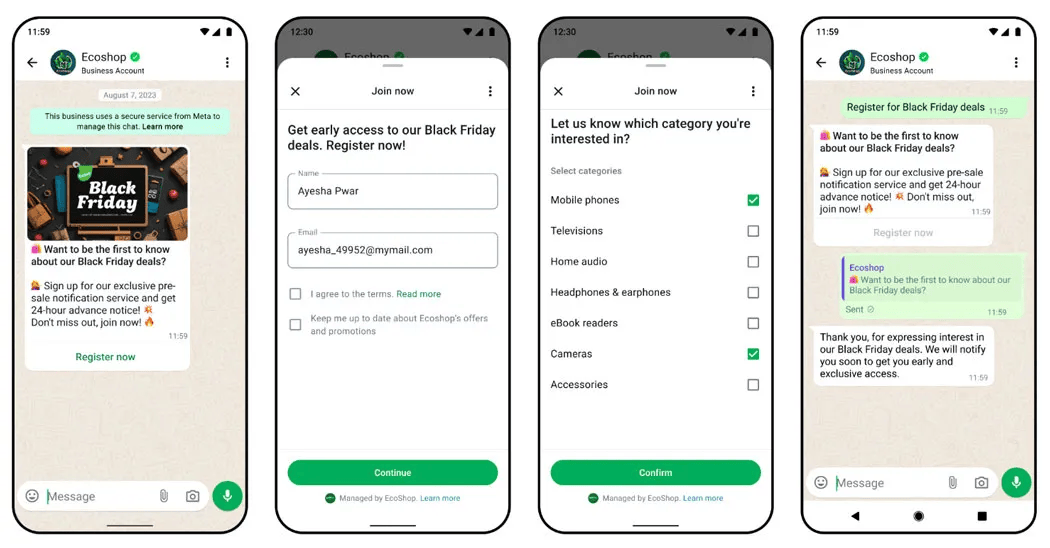
And every chat still feels personal. All customer data is stored in your CRM system—names, preferences, and purchase history are readily available. Use these details to keep each chat warm and relevant without extra effort.
📖 Also Read: WhatsApp Business vs Personal (how to separate work messages from your private chats)
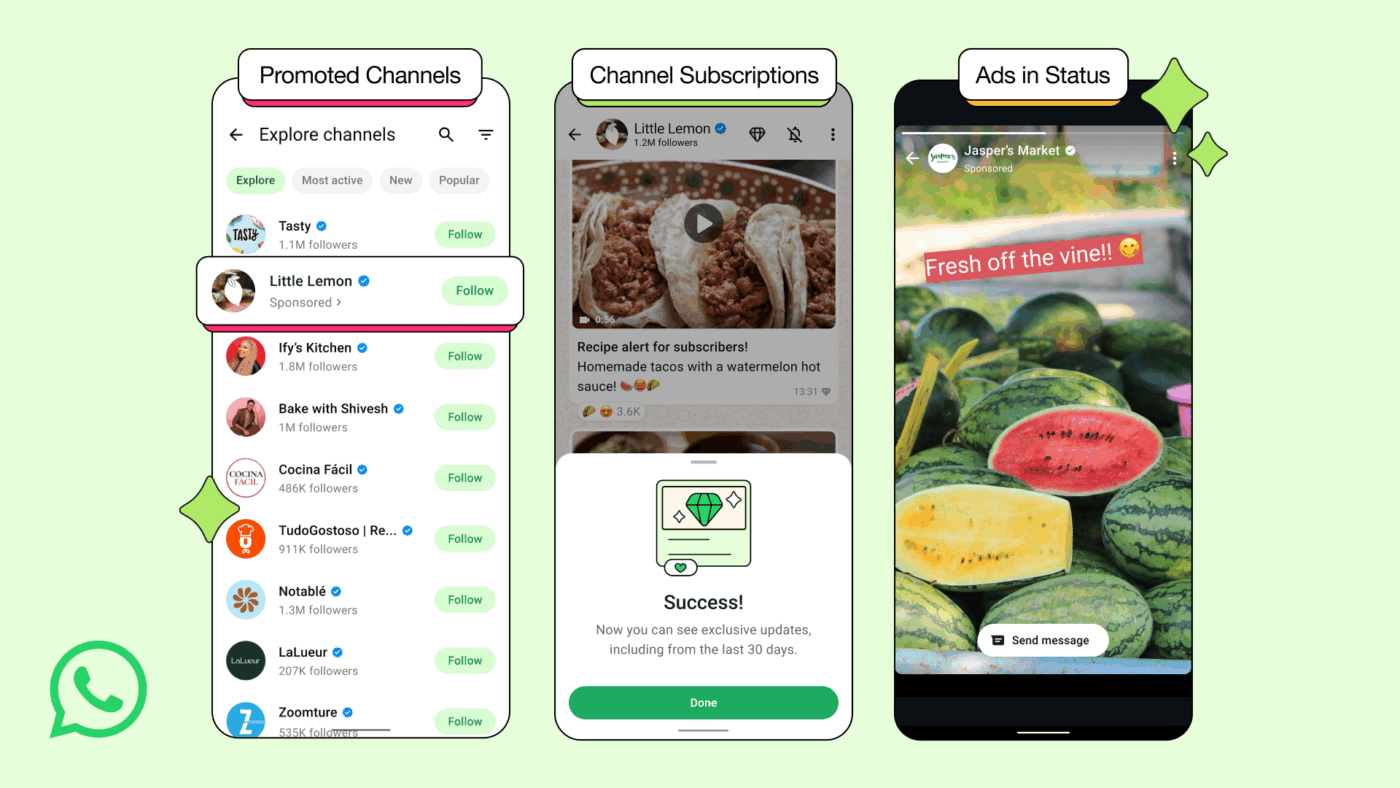
Running marketing campaigns is easier when you reach people where they spend their time. With the new Updates tab, WhatsApp Business lets brands share news, special offers, and real-time product drops without interrupting personal chats.
Using CRM integration with WhatsApp for comprehensive communication management, you can push campaign updates through WhatsApp chats, Status ads, or even promoted channels.
📌 Example: Running a mid-season sale? With WhatsApp CRM integration, your team can share a quick status ad or message with loyal subscribers. Customers see the offer, chat with sales on WhatsApp to ask questions or check stock, and every interaction stays logged in your CRM process for easy follow-ups and personalized offers.
WhatsApp’s new features, like channel subscriptions and ads in Status, give your business more ways to connect. And because everything is managed through your WhatsApp Business account, your customer communication stays organized and personal.
📖 Also Read: Best All-in-One Messenger Apps
When a customer needs help, they expect quick answers.
Connecting your CRM with WhatsApp makes that possible. The moment a new support ticket comes in, your team can get an instant WhatsApp message instead of relying on email alerts or manual checks.
And here is how it works:
This simple process keeps customer inquiries moving, improves response time, and makes sure your customer support services feel responsive and reliable—whether you are handling ten tickets or a thousand.
📮 ClickUp Insight: On average, a knowledge worker needs to check in with six people every day just to get the right information, confirm next steps, and keep projects moving. This constant back-and-forth, pursuit of updates, and sifting through various versions slows down everyone’s productivity.
A central workspace like ClickUp makes such tasks easier. With Enterprise Search and the AI Knowledge Manager, your team can find context instantly, stay aligned, and spend more time doing real work instead of hunting for answers.
📖 Also Read: Advantages and Disadvantages of WhatsApp
Setting up CRM integration with WhatsApp is easier than it sounds. And once done, you can manage WhatsApp chats and automate replies. Basically, you’re sorted.
So, let’s understand the steps.
Step 1: You need a WhatsApp Business API account. This is a different account from the regular WhatsApp Business app. It unlocks advanced features for real-time customer communication management at scale. You will also need a Facebook Business Manager account to handle your API and connect your brand details.
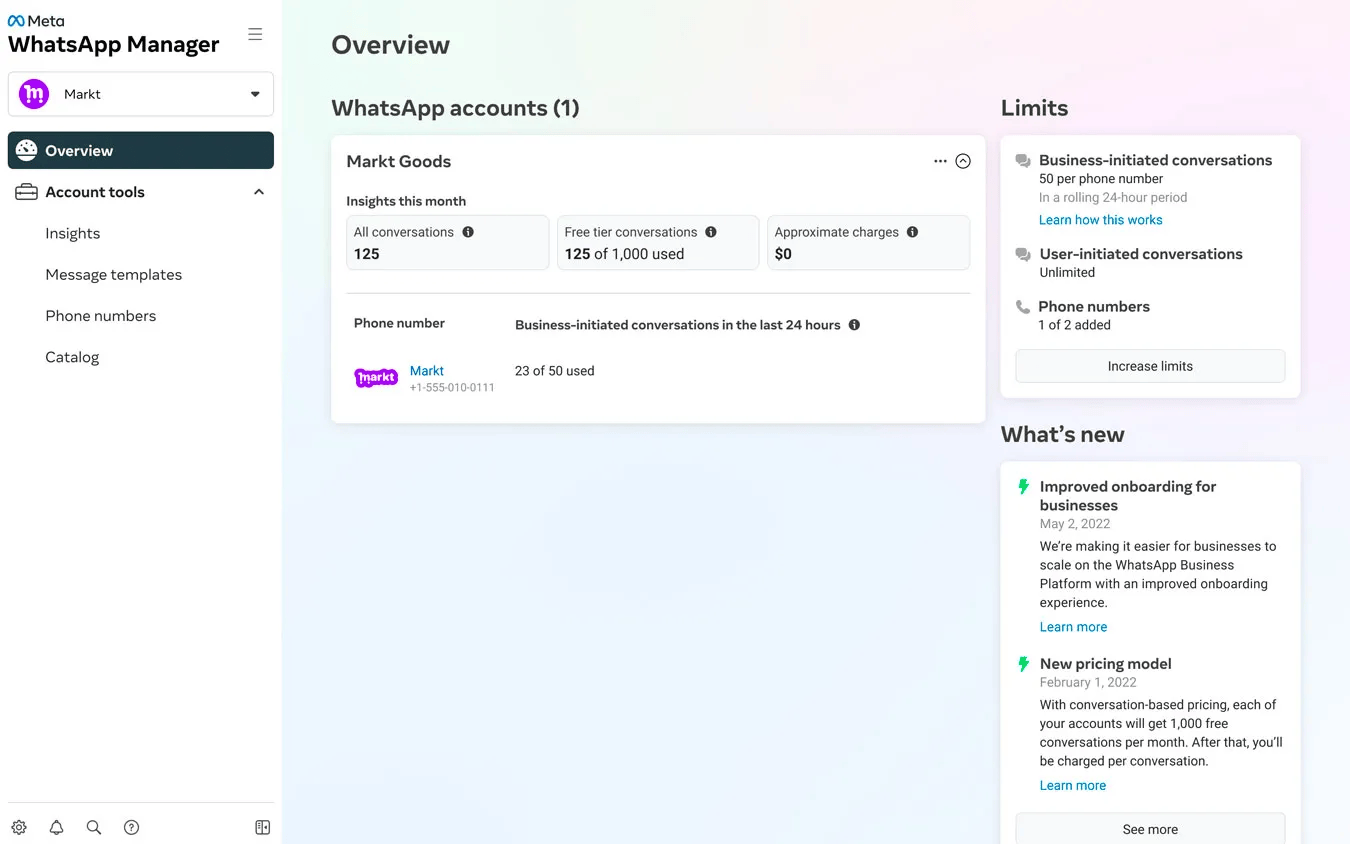
Step 2: Check if your CRM platform supports WhatsApp integration directly. Many CRMs come with built-in options that let you handle WhatsApp chats right inside the CRM interface. If not, you can connect your WhatsApp Business API using trusted extensions or integration tools that handle the data sync and workflow automation for you.
Step 3: Once connected, decide what data you want to sync—for example, WhatsApp messages, contact details, or lead information.
Step 4: Set up simple workflow rules to send automated messages, use message CRM templates, or trigger follow-ups based on customer actions. This keeps your sales team and support team in sync and saves hours of manual work.
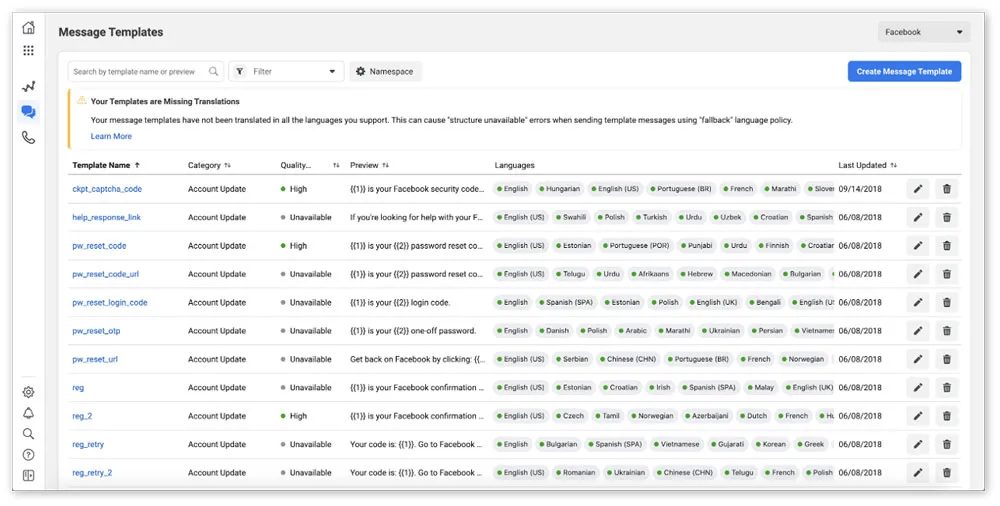
Step 5: Before you go live, make sure your team knows how to use the new WhatsApp CRM integration. Train them to send personalized messages, handle customer inquiries in real time, and keep every customer interaction logged properly.
Step 6: Finally, stay mindful of privacy and security. Use the right permissions and follow data rules for your region.
📖 Also Read: Workflow Examples and Use Cases
Switching between a WhatsApp inbox, your CRM system, spreadsheets, and standalone AI tools is classic work sprawl. Updates live in different tabs, follow-ups slip through the cracks, and your support team spends more time chasing context than helping customers.
ClickUp is designed as a converged AI workspace, so your CRM workflows and team collaboration live in one place. From WhatsApp-triggered leads to support tickets and internal handoffs, everything moves through the same workspace instead of scattered tools.
This way, your team doesn’t lose context or miss deadlines.
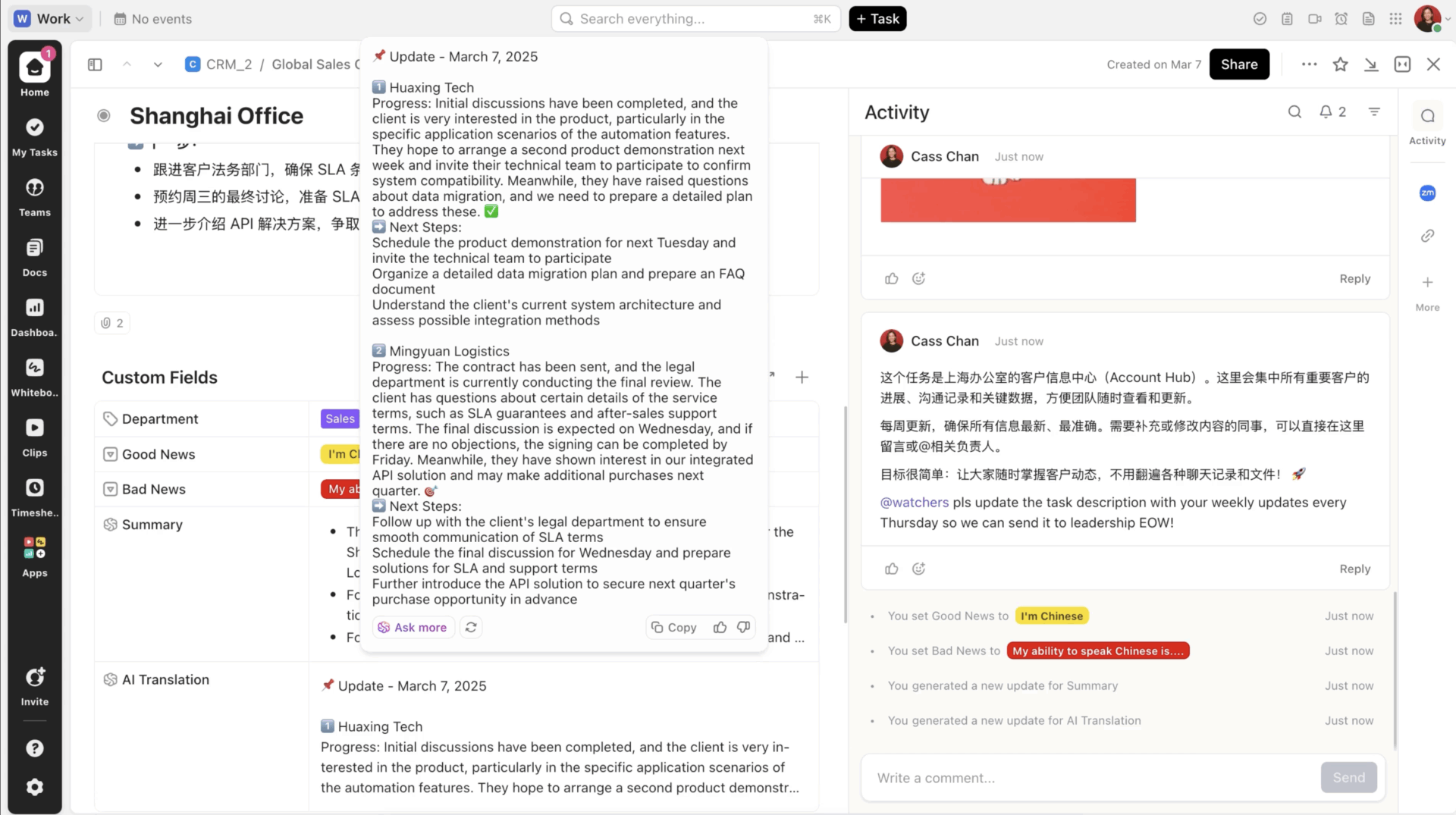
CRM teams on ClickUp can use the platform as their central hub for all customer interactions. You can organize contacts, log WhatsApp messages, and track exactly where each lead stands in the pipeline.
For example, when your marketing team launches a WhatsApp Business broadcast for a new product and sends marketing messages, the system records every reply, question, or sign of interest under that lead’s profile.
If a customer raises an issue through a WhatsApp chat, your support team can tag it, monitor its status, and keep every update linked to that ticket. There is no need to switch tools to stay updated.
👀 Fun Fact: The world’s first text message was “Merry Christmas.” Sent in 1992, it marked the beginning of modern messaging, paving the way for everything from SMS to WhatsApp groups.
Even with strong workflows, your team still has to decide what to say and how to respond across hundreds of WhatsApp conversations.
ClickUp Brain lives right inside your tasks, Docs, and Chat, so reps can instantly summarize notes, pull key context, and draft replies without leaving the CRM workspace.
For example, when a new “WhatsApp lead” task is created from your CRM integration, a sales rep can ask the AI to “summarize this lead’s history and suggest a friendly follow-up message.” Brain uses the information that’s already in your workspace to generate WhatsApp-ready copies that feel relevant and personal, not generic.
It is great for drafting replies and summarizing context, but sometimes you need more than just writing help; you need something that acts on your behalf.
That’s where ClickUp AI Agents come in. Agents adapt to changes in your Workspace and autonomously act based on the instructions you give them, helping you handle repetitive, time-intensive workflows like turning meeting notes into tasks and summarizing complex Docs.
In the context of a WhatsApp CRM integration, this means you can let ClickUp AI Agents watch the Lists where WhatsApp leads and tickets land, then handle the busy work.
For example, you might use a Prebuilt Weekly Report Agent on your “WhatsApp Leads” List so every week it posts a quick update on new leads, replies, and closed deals straight into your channel.
ClickUp Chat keeps updates, discussions, and tasks connected in one workspace.
Instead of scattered Slack threads or long email chains, sales reps, support agents, and managers can discuss customer inquiries or ticket updates in real time.
For instance, if a prospect replies to a WhatsApp message asking for a custom quote, a rep can immediately chat with the finance team, share the details, and convert that chat into a task like, “Prepare custom quote and send within two hours.”
There is no more hunting for notes or reminders because everything stays attached to that lead or ticket in ClickUp.
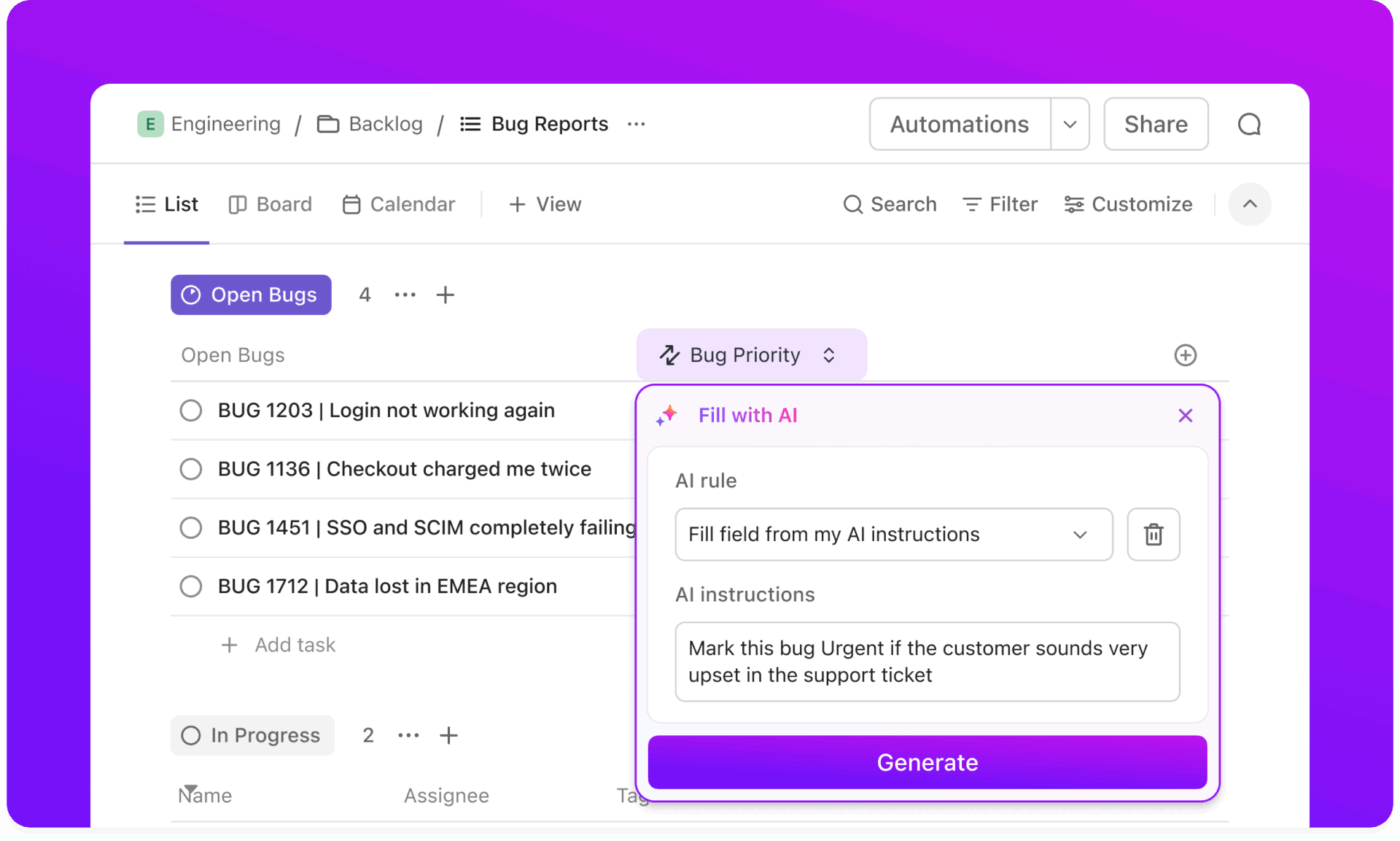
The ClickUp Automations feature helps prevent lost leads and missed replies.
When a new WhatsApp Business API message arrives, such as a customer asking for an update or requesting a demo, ClickUp automatically creates a follow-up task, assigns it to the right person, and sets a clear due date.
For example, if someone replies, “Can I see more options?”
An automation can instantly generate a task, such as “Send product options to the lead by tomorrow,” and notify the assigned representative. This keeps your customer support services responsive even during busy periods.
Here’s a quick visual guide on how the process works with minimal effort:
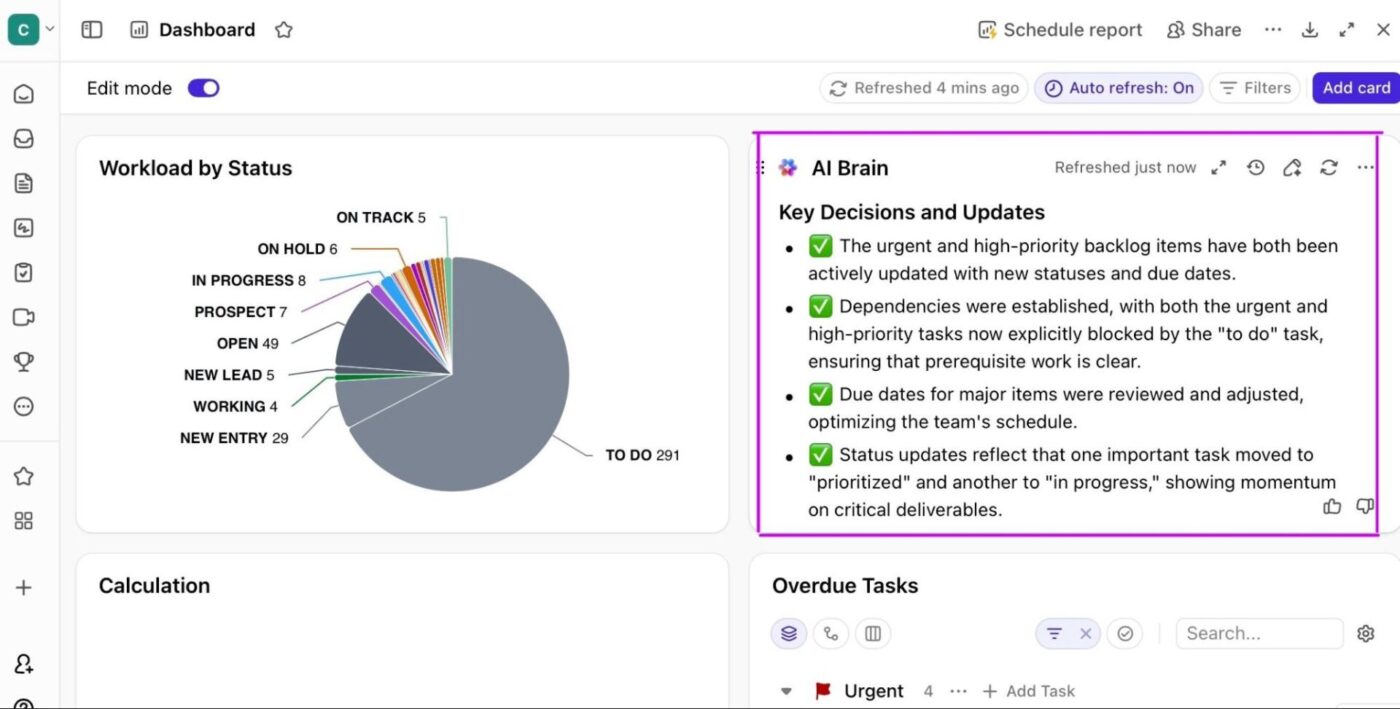
ClickUp Dashboards turn your CRM and WhatsApp integration data into clear, real-time insights. Your team can see how many leads came through WhatsApp chats, which campaigns got the highest open and reply rates, or how many tickets still need attention.
For example, if your marketing team runs a WhatsApp Business campaign offering exclusive deals, you can track bulk WhatsApp messages sent, replies received, offers closed, and overall customer engagement.
Everything appears in one live view, so your sales and support teams know where to focus, which leads need attention, and which campaigns deliver the best results.
👀 Fun Fact: In the 80s, businesses used pagers to send quick messages to salespeople. Some reps even closed deals entirely through beep codes and return calls.
With ClickUp, we went one step ahead of the game and created dashboards where our clients can access and monitor performance, occupancy, and projects in real time. This allows clients to feel connected to their teams.
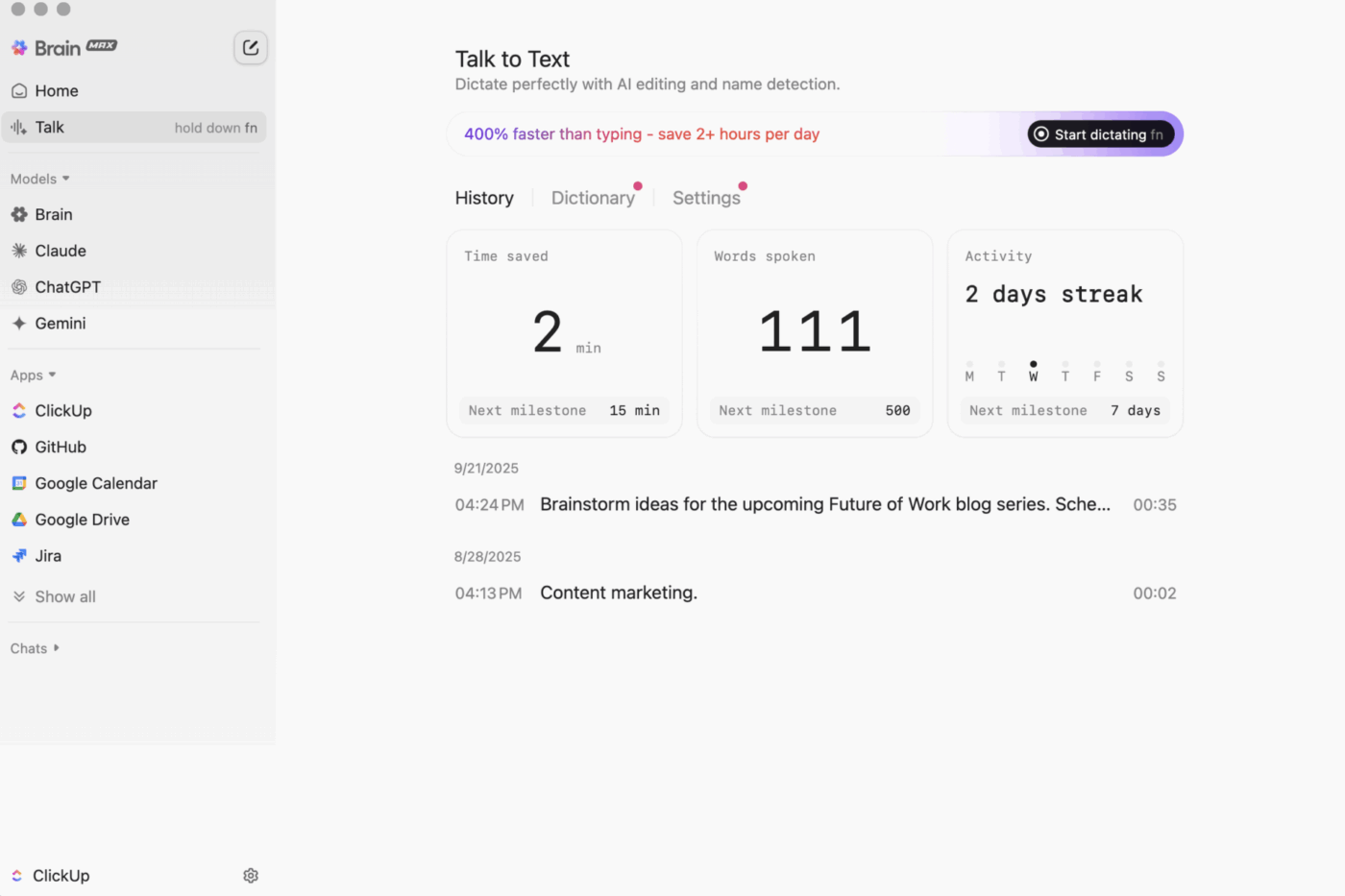
💡 Pro Tip: When your team is on the move, ClickUp BrainGPT’s Talk to Text lets reps quickly dictate notes about a WhatsApp conversation or phone call. The AI-powered tool then converts them into clean, structured tasks inside ClickUp up to four times faster than typing. That means less time typing recaps and more time actually talking to customers.
Your customers are on WhatsApp. They expect replies that feel human, not hours of waiting or lost messages in cluttered inboxes. That’s why integrating WhatsApp with your CRM is the smartest way to enhance customer engagement and customer relationship management.
A good WhatsApp business integration lets your team pick up every chat, see the full story behind each lead, and send quick, helpful replies when they matter most.
And this is where ClickUp really makes it shine.
With ClickUp CRM, your messages, tasks, and follow-ups stay connected. ClickUp Chat, Automations, and Dashboards keep everyone on the same page. When a new WhatsApp message lands, ClickUp turns it into an action with reminders, owners, and clear next steps.
If you want to keep your team organized, maintain high customer satisfaction levels, and have a healthy pipeline, it’s time to bring it all together. Sign up for ClickUp now!

© 2026 ClickUp

There’s an easier way. Try a free AI Agent in ClickUp that actually does the work for you—set up in minutes, save hours every week.