






Still downloading templates?
There’s an easier way. Try a free AI Agent in ClickUp that actually does the work for you—set up in minutes, save hours every week.
Sorry, there were no results found for “”
Sorry, there were no results found for “”
Sorry, there were no results found for “”
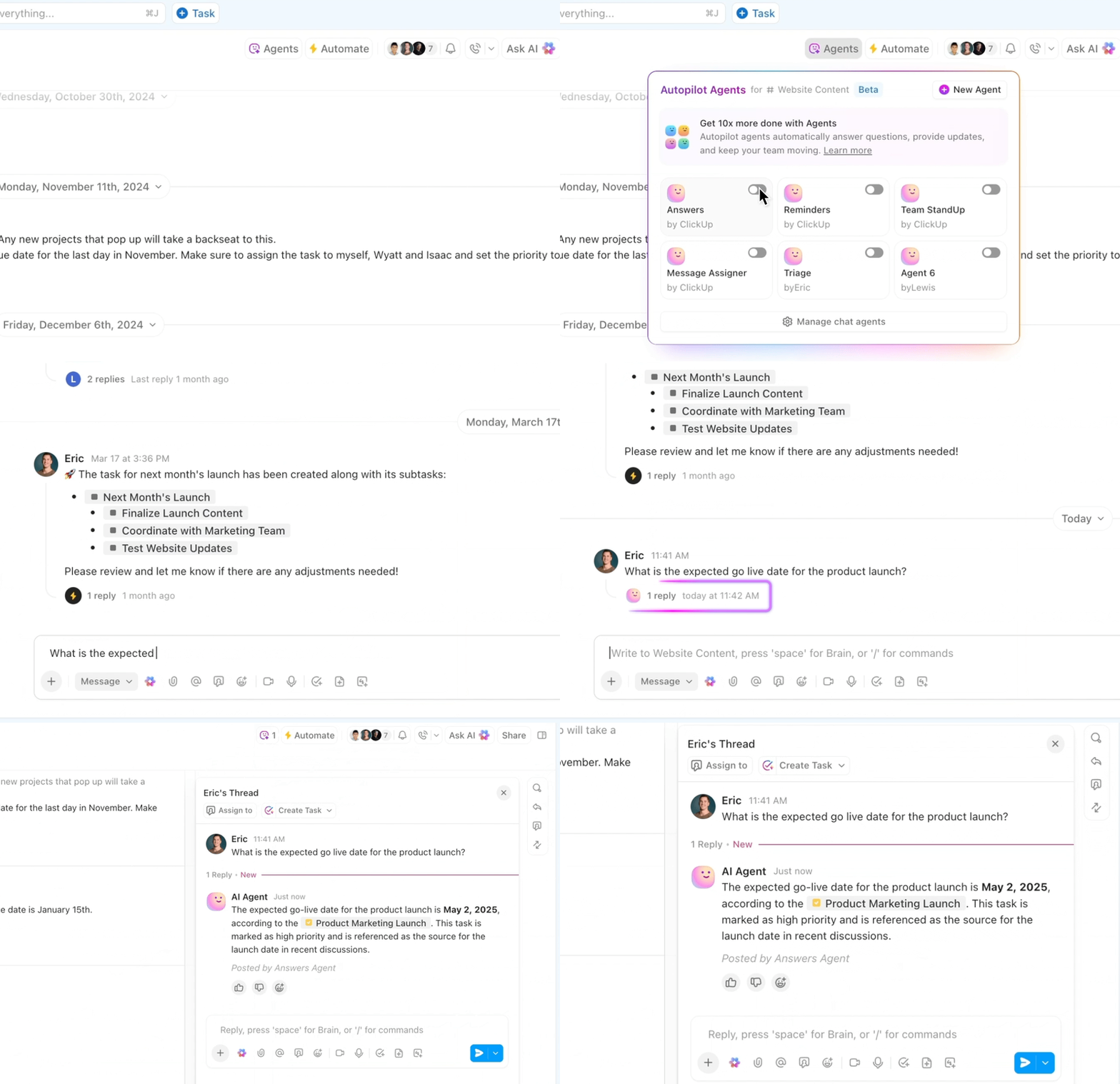

You know that feeling when your team’s communication is a complete mess?
Important updates are buried in email threads, files scattered across five different platforms, and somehow, that critical document is always shared in the one place nobody checks.
Microsoft’s Work Trend Index (surveying 31,000 global users) shows that 60% of a work day is devoted to emails, chats, and meetings.
But here’s the good news: the right corporate communication tools can transform this chaos into something that actually works.
When implemented thoughtfully, these platforms keep everyone in sync (regardless of where they’re working from), streamline information sharing, and ensure important details don’t vanish into the digital void.
We’ve rounded up the 17 best corporate communication tools to help you find solutions that match your team’s specific needs. Each of these employee communication tools are selected based on its standout features, user ratings, and ability to solve real communication challenges that modern businesses face every day.
Here’s a table for the top 17 corporate communication tools, for a quick comparison:
| Tool name | Key features | Best for | Pricing |
| ClickUp | Unified chat, Docs, Whiteboards, Clips, AI assistant, Task management, Real-time collaboration, Integrations | Enterprises, Mid-sized companies, All-in-one workspace | Free plan available; Paid plans start from $7/user/month |
| Slack | Channel-based messaging, Slack Canvas, AI summaries, Huddles, Integrations, Advanced search | Workspace collaboration, Distributed teams | Free plan available; Paid plans start from $10/user/month |
| Confluence | Knowledge base, Templates, Real-time editing, Hierarchical pages, Jira integration | Centralized knowledge management, Technical teams | Free plan available; Paid plans start from $5.16/user/month |
| Microsoft Teams | Chat, Video meetings, File collaboration, Office 365 integration, Breakout rooms | Microsoft 365 workplaces, Large organizations | Free plan available; Paid plans start from $4/user/month |
| Google Workspace | Gmail, Drive, Docs, Sheets, Slides, Meet, Gemini AI, Real-time collaboration | AI-powered collaboration, Remote teams | No free plan; Paid plans start from $8.40/user/month |
| Zoom | Video meetings, Webinars, AI Companion, Breakout rooms, Transcription, Chat | Unified communication, Large meetings | Free plan available; Paid plans start from $16.99/user/month |
| Sprout Social | Social media management, AI routing, Influencer matching, Analytics, Scheduling | Social customer care, Marketing teams | No free plan; Paid plans start from $249/month (5 profiles) |
| Calendly | Automated scheduling, Calendar sync, Time zone intelligence, Reminders | Scheduling, Sales, Customer support | Free plan available; Paid plans start from $12/user/month |
| Mailchimp | Email marketing, Automation, Customer Journey, Analytics, A/B testing | Marketing automation, Multi-channel campaigns | Free plan available; Paid plans start from $13/month |
| Troop Messenger | Secure messaging, Self-destructing messages, On-premise/cloud, Forkout, Low-bandwidth support | Security-conscious organizations, Regulated industries | No free plan; Paid plans start from $2.50/user/month |
| Dialpad | Cloud voice, Video, Messaging, AI transcription, Real-time coaching | AI-powered voice communications, Sales/support teams | No free plan; Paid plans start from $27/user/month |
| Chanty | Team chat, Built-in task management, Kanban boards, Silent hours | Integrated task management, Small teams | Free plan available; Paid plans start from $4/user/month |
| Dropbox | File storage, AI search, Large file transfer, Version history, Permissions | Document workflows, Content collaboration | Free plan available; Paid plans start from $11.99/month |
| Discord | Text, Voice, Video chat, Persistent channels, Role permissions | Community-building, Integrated communication | Free plan available; Paid plans start from $2.99/month |
| Workvivo | Social intranet, Recognition, Polls, Activity feeds, Large group chat | Employee engagement, Community building | No free plan; Paid plans start from ~$1,666/month (Business Plan, annual, for 250 users) |
| Staffbase | Internal comms, Mobile-first, Email/intranet/app, Analytics, Surveys | Unified internal communications, Frontline workers | No free plan; Paid plans start from custom pricing |
| Happeo | AI-powered intranet, Federated search, Real-time translation, Pages/channels | Intranet, Knowledge management, Global teams | No free plan; Paid plans start from custom pricing |
Choosing communication tools is about finding solutions that actually match how your teams work in real life. The wrong tools create constant friction and frustration, while the right ones become almost invisible, supporting collaboration without getting in the way.
When evaluating options for your organization, here are the key factors that actually matter:
Our editorial team follows a transparent, research-backed, and vendor-neutral process, so you can trust that our recommendations are based on real product value.
Here’s a detailed rundown of how we review software at ClickUp.
If you’re tired of jumping between five different apps just to get work done, ClickUp might just be your solution. It stands out by combining robust communication features with powerful task and project management capabilities in one platform.
Instead of the typical scenario—messaging in Slack, documents in Google Drive, project tracking in Asana, and video calls in Zoom—ClickUp brings everything into a single, unified workspace with integrated chat. That’s right, your chats and tasks are connected!
This means less time switching contexts and more time actually getting things done.
Here’s what a workflow like that looks like in ClickUp: You start by creating a new document right inside ClickUp via ClickUp Docs, maybe for meeting notes, a project brief, or a content draft. You then link this doc directly to a relevant Task in ClickUp—let’s say, “Draft Blog Post.” Next, you assign team members to the task and add watchers so everyone who needs to stay updated gets notifications.
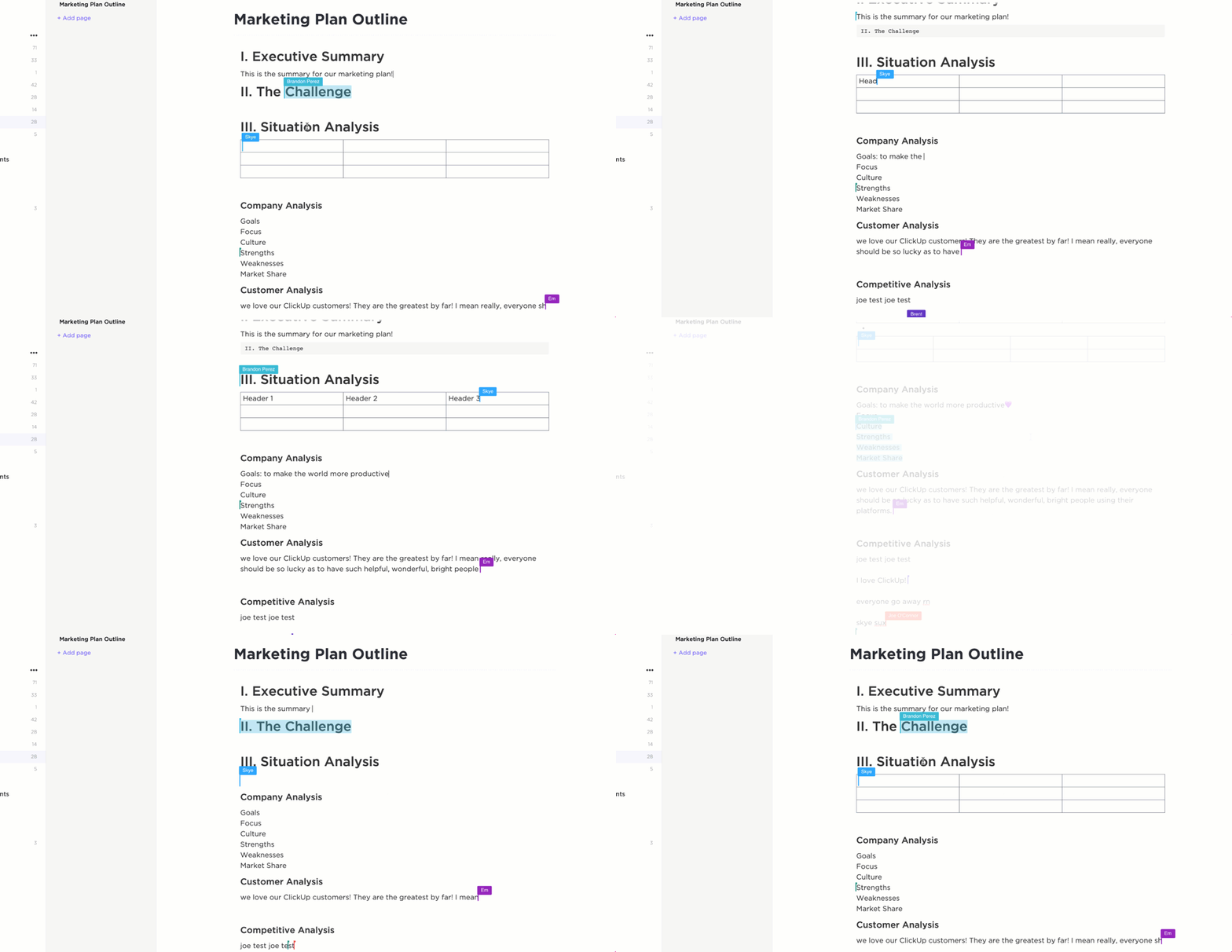
With an integrated workflow like this, your team can comment on the task itself (for things like deadlines or priorities) or leave feedback directly on the document (for content suggestions or edits). Everyone can even edit the document together in real time, making collaboration smooth and efficient.
And it doesn’t end there. ClickUp’s communication toolkit covers all the bases: ClickUp Chat for real-time messaging, Docs for collaborative document creation, ClickUp Whiteboards for visual brainstorming, and ClickUp Clips for screen recording and video messaging. These features support both real-time collaboration and asynchronous communication, making it ideal for teams spread across different time zones or schedules.
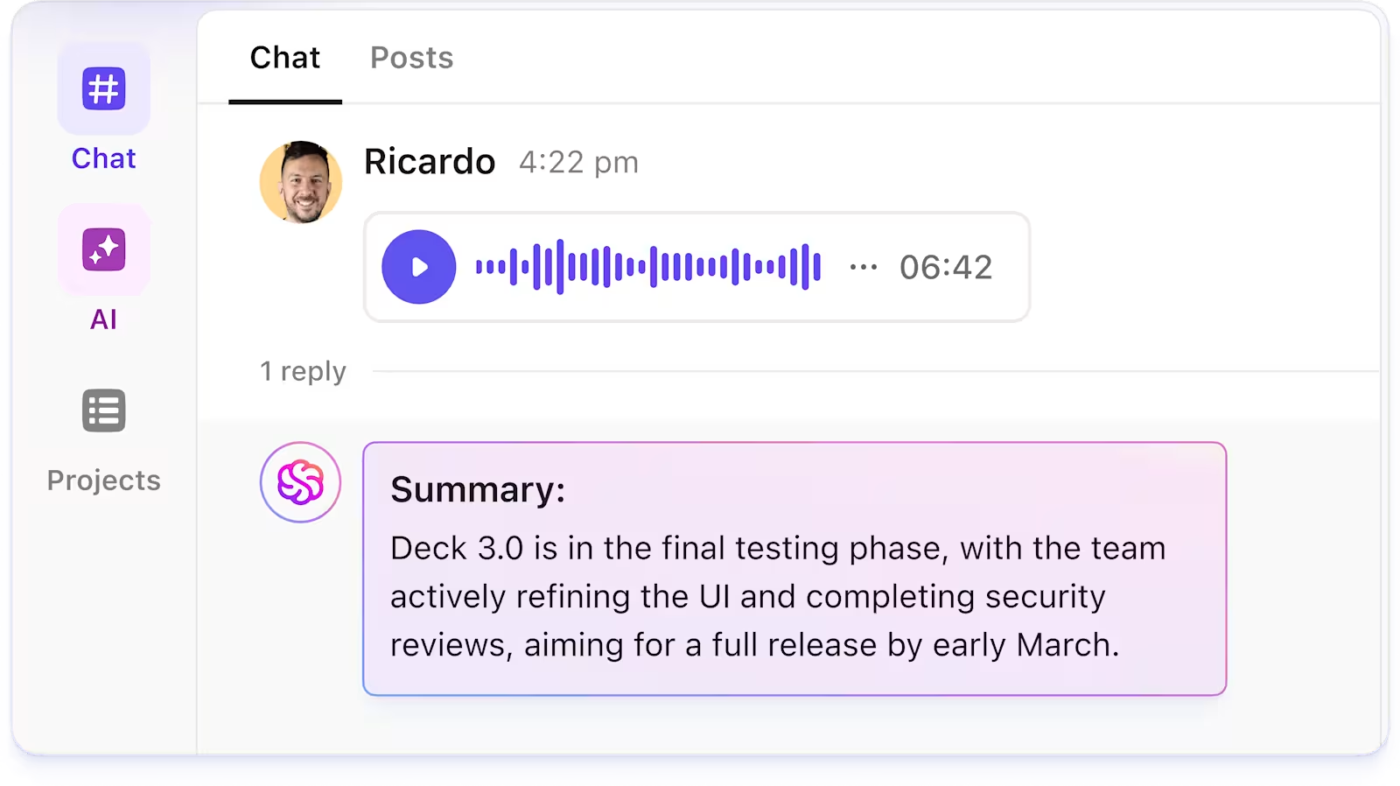
What’s particularly impressive is ClickUp Brain, the platform’s AI assistant, which can generate summaries of chat threads with its “Catch me up” feature—perfect for quickly getting up to speed on conversations you’ve missed while you were, you know, actually working on things.

However, ClickUp’s real strength is how it connects communication directly to action. Conversations don’t just happen in isolation—they link directly to tasks, projects, and workflows. Team members can transform chat messages into actionable tasks, comment directly on work items, and keep all project-related communication in context.
What are real-life users saying about ClickUp?
A G2 user says:
I love ClickUp’s flexibility — any team, in any department (marketing, HR, finance, legal, etc.), can adapt ClickUp to fit their unique workflow. Features like Custom Fields are essential for tailoring the platform to specific needs and making the work experience smooth and powerful.
ClickUp brings everything and everyone into one place. From tasks and docs to goals and dashboards, it helps centralize collaboration. With the addition of built-in chat, it’s even easier for team members to stay connected and aligned in real time.
ClickUp keeps evolving and improving every day, constantly releasing new features and enhancements. Automations are especially valuable — they help teams save time, reduce manual work, and focus on what really matters.
💟 Bonus: Want to 10X your communication and productivity? Meet Brain MAX—the ClickUp desktop app that unifies AI, search, and automation across every work app you use. No more bouncing between disconnected AI tools or digging through endless tabs.
With Brain MAX right on your computer, you get voice-first productivity, unified search across all your apps, and instant custom report creation—all in one place. It eases your cognitive load, eliminates delays in surfacing risks and reports, and truly kills AI sprawl. If you’re ready for a new era of Contextual AI and seamless work, Brain MAX is your next must-have tool.
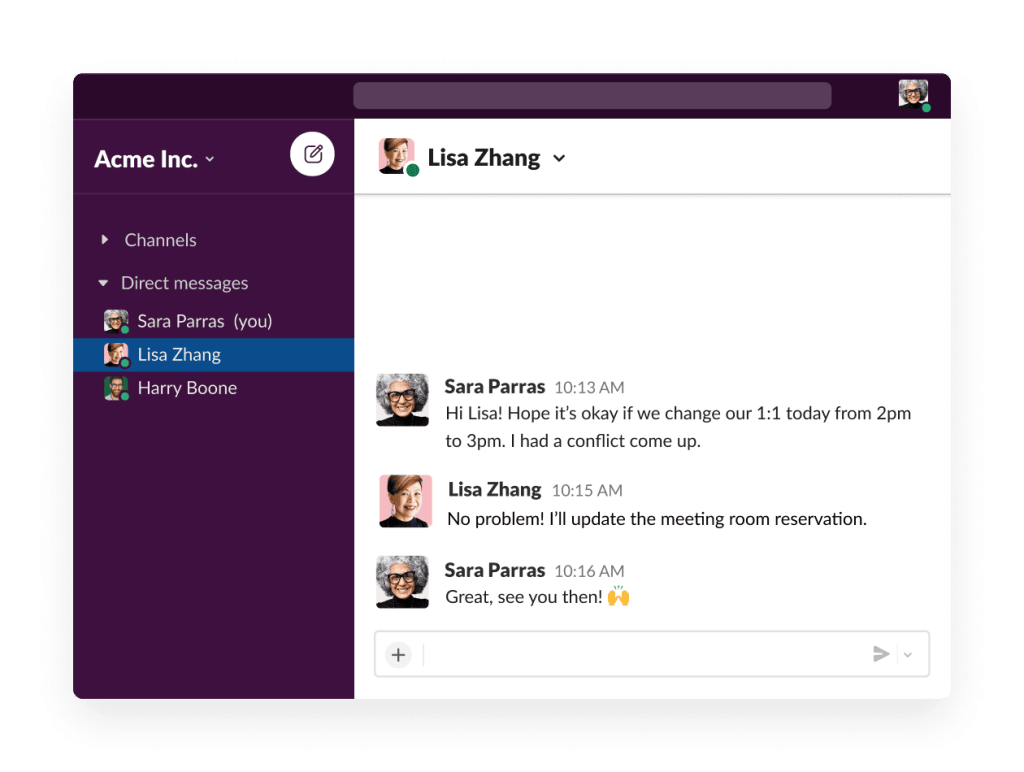
Remember when work communication meant endless email threads with 25+ people cc’d? Slack changed all that by moving conversations out of cluttered inboxes and into organized, searchable channels. This channel-based approach creates dedicated spaces for team discussions, project coordination, and yes, even those random water-cooler chats about last night’s game.
With Slack Canvas—a collaborative document space embedded inside channels—teams can now combine real-time chat with more structured information sharing. Think of it as a digital whiteboard that stays put, allowing you to organize important information that would otherwise get buried in the chat stream.
Slack’s AI capabilities have also gotten significantly smarter, offering automated summaries of conversations and channels to help team members quickly catch up on what they’ve missed. This is a game-changer for anyone returning from vacation to hundreds of unread messages (we’ve all been there).
Enhanced Huddles provide a lightweight way to jump into audio or video conversations without the formality of scheduled meetings. Need to quickly discuss something with a colleague? Just start a Huddle, share your screen if needed, and get back to work.
What are real-life users saying about Slack?
A Capterra user says:
I like best how Slack keep all our team’s communication in one place ,doing away with many emails chains.The channels are great for organising communication by topic ,project or team making it easy to find a information whe one is in need.Has a powerful search feature that reduce time wasting when searching for information and gives correct answers.Perfect for quick questions,personal interaction or private discussion since it has an excellent direct message feature.
👀 Did You Know? A UK government‑backed Skills and Employment Survey shows task discretion (i.e., autonomy over one’s work) fell from 62% in 1992 to just 34% in 2024. The decline is linked to increasingly prescriptive digital tools and productivity‑tracking software.

Ever waste hours searching for that important document someone shared “a few months ago”? Confluence solves this problem by serving as a central hub for team knowledge, documentation, and collaborative work. Unlike traditional document management systems that function as glorified file cabinets, Confluence organizes information in interconnected pages and spaces, making it easier to find, update, and share important content.
The platform comes loaded with extensive templates for everything from project requirements to marketing plans, so teams don’t have to start from scratch every time. This standardization not only saves time but also ensures consistency across your documentation.
Confluence’s integration with other Atlassian tools like Jira creates a seamless workflow between planning, documentation, and execution, which is particularly valuable for technical teams. The collaborative editing features allow multiple team members to work on the same document simultaneously, with a clear version history that shows who changed what and when.
What are real-life users saying about Confluence?
A G2 user says:
Confluence allows you to create material to share in your team or org wide as per your requirement. It is accessible to everyone who has the access for that particular board. It is good tool to share data and edit same time by multiple people with access.
➡️ Read More: 15 Free Project Communication Plan Templates
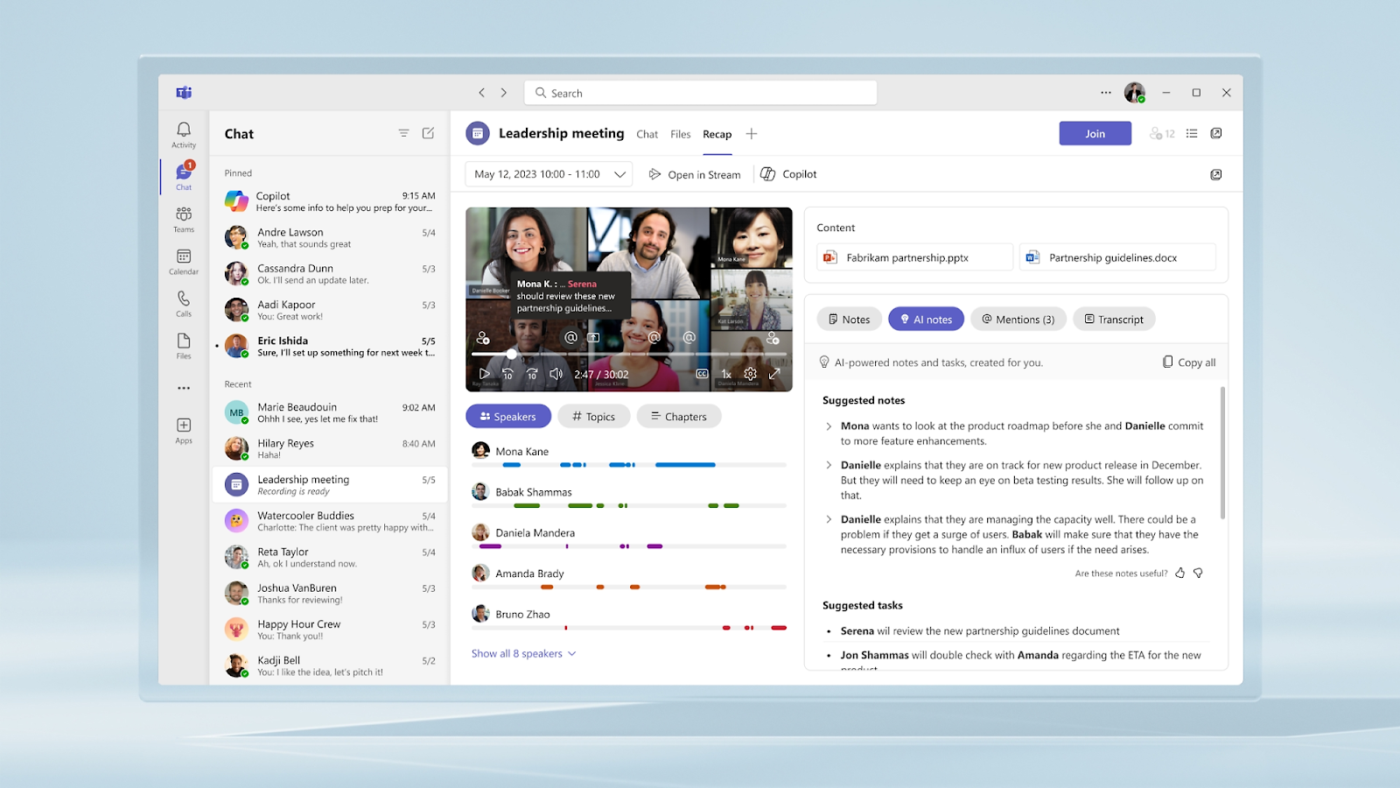
If your organization runs on Microsoft 365, Teams provides a natural extension that brings together chat, video meetings, file storage, and application integration in one interface. It’s designed to work seamlessly with the tools your team already uses daily—Word, Excel, PowerPoint, and the rest of the Microsoft ecosystem.
The platform really shines when it comes to video conferencing. Features like breakout rooms (where participants can choose which room to join during meetings) make it ideal for workshops and training sessions. Teams also supports town halls with DVR capabilities, perfect for large organizational communications that not everyone can attend live.
What sets Teams apart is how tightly it integrates with Office applications. Need to collaborate on a document? You can edit Word, Excel, and PowerPoint files directly within Teams, with changes syncing in real time. This eliminates the need to download files, make changes, and re-upload them—a workflow that inevitably creates version control nightmares.
What are real-life users saying about Microsoft Teams?
A Capterra user says:
I like how Microsoft Teams has a much more cleaner user interface and far more easier to navigate and utilize. I feel that it is actually faster and the video quality is much better and there’s noticeably much less issues and the connection seems to be more reliable.
💡Pro Tip: Boost your team’s communication strategy with these helpful ClickUp templates! The Internal Communications Template is perfect for organizing internal updates and keeping everyone aligned, while the Communication Plan Template helps you map out clear, effective communication plans for any project. Try them out to streamline your workflows and ensure everyone stays in the loop!
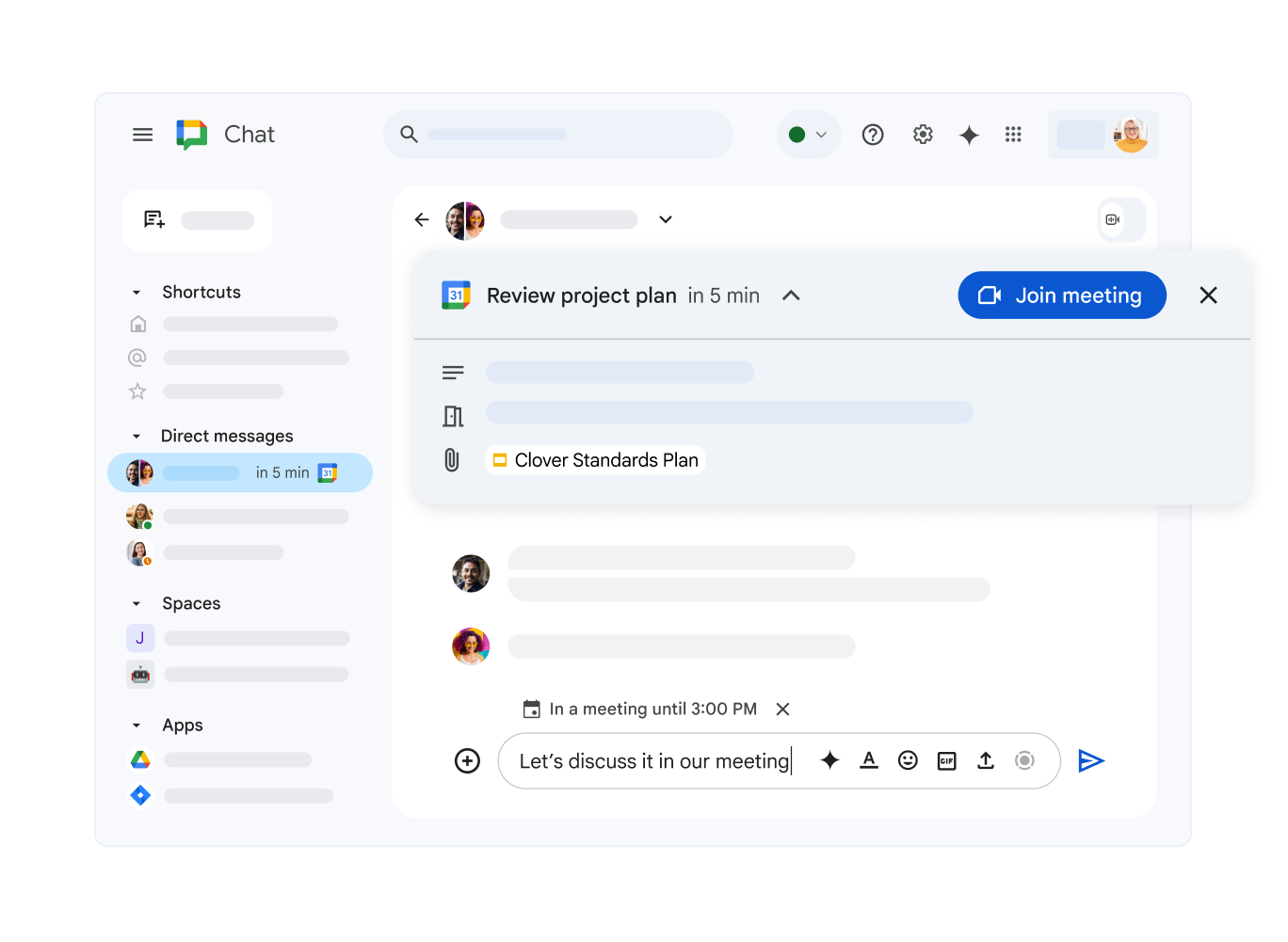
Google Workspace brings together Gmail, Calendar, Drive, Docs, Sheets, Slides, and Meet in a seamlessly integrated suite that’s become the gold standard for real-time collaboration. The platform’s strength lies in its intuitive interface and accessibility from any device with an internet connection—no clunky VPN required.
With the addition of Gemini AI integration (included at no extra cost for Business and Enterprise plans), Google Workspace now offers intelligent assistance across applications. Teams can create custom “Gems”—AI experts built for specific business challenges—to help with everything from content creation to data analysis.
But Google’s real superpower has always been real-time collaboration. The ability for multiple team members to work on the same document simultaneously—seeing each other’s edits as they happen, leaving comments, and chatting in the sidebar—fundamentally changed how teams work together. No more emailing attachments back and forth or dealing with conflicting versions.
What are real-life users saying about Google Workspace?
A Capterra user says:
It’s a brilliant, easy to use productivity suite, that is fully cloud based. There’s nothing to install and it works seamlessly on every device.

Remember when “let’s Zoom” wasn’t even a phrase? Now it’s practically a verb. Zoom has evolved from a simple video conferencing tool to a comprehensive communication platform supporting meetings, webinars, chat, and phone services. Known for its reliability and ease of use, Zoom can host meetings with up to 1,000 participants and create up to 50 breakout rooms for smaller group discussions.
The platform’s AI Companion works across meetings, chats, and emails, providing intelligent assistance without requiring additional licenses. This is a refreshing approach in a world where AI features often come with premium price tags.
Features like real-time transcription, automated meeting summaries, and smart recordings make it easier to capture and share information from synchronous communications. This bridges the gap between live conversations and asynchronous work—particularly valuable for global teams working across time zones.
What are real-life users saying about Zoom?
A G2 user says:
Zoom Workplace stands out for its consistent performance, even with large meetings. The UI is intuitive, and the platform offers robust features like breakout rooms, live transcription, and seamless screen sharing. The Zoom scheduler and calendar integration make meeting planning simple and efficient. Their customer support is responsive and knowledgeable, especially in high-demand times or priority times. We rely on Zoom daily for meetings, webinars, and team collaboration, making it a daily part of life. Zoom integrates smoothly with Google Workspace, Slack, and Teams. Also, its deployment across teams was quick and seamless minimal setup.
🌻 Industry check-in: As seen on Tech Radar, 75% of companies now seek to reduce app fragmentation. Unified platforms consolidating chat, video, and voice are increasingly used to simplify communication, boost productivity, and improve user experience—especially on mobile channels.
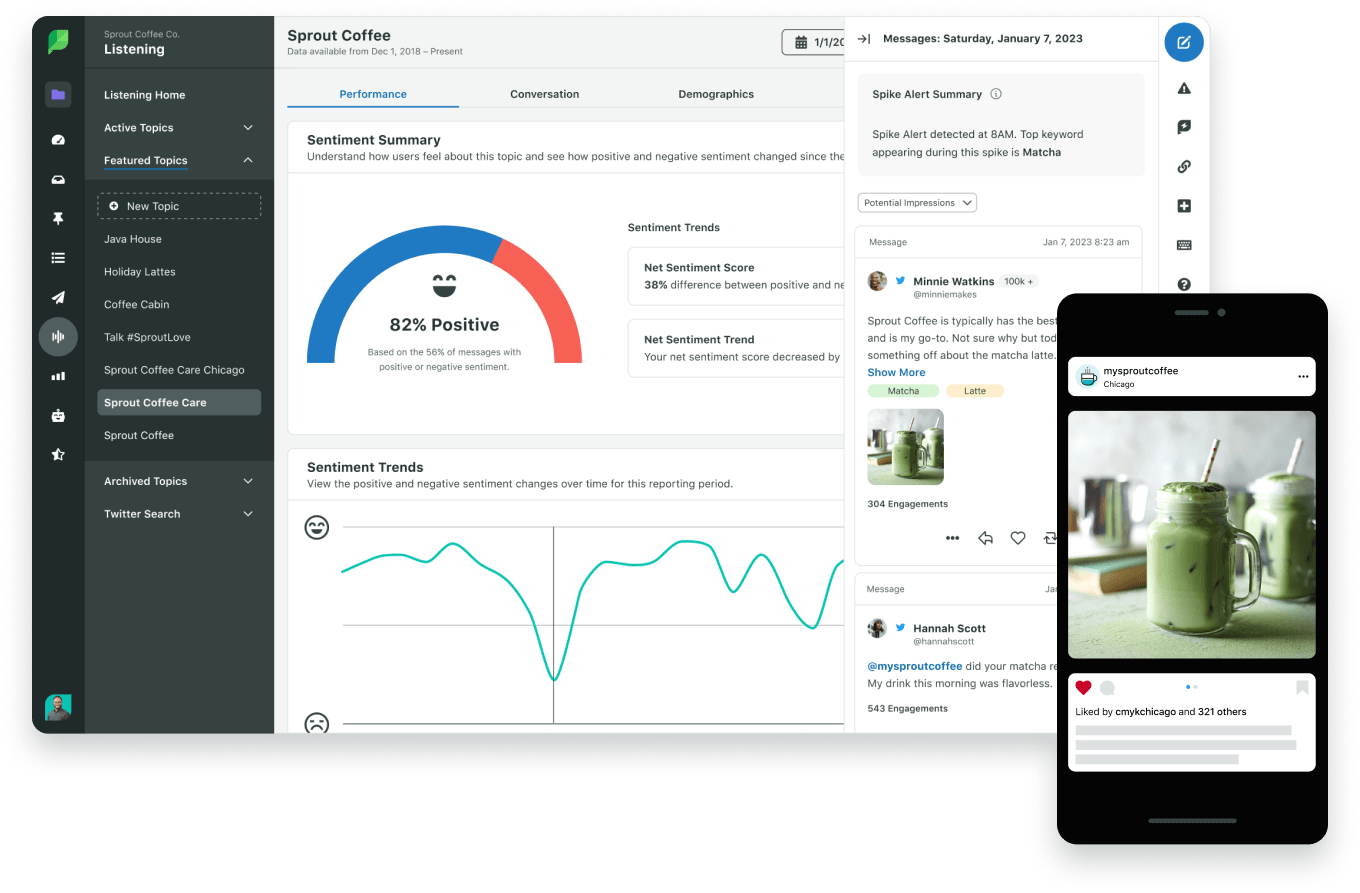
Social media isn’t just for marketing anymore—it’s become a critical communication channel for customer service, community building, and brand reputation management. Sprout Social transforms social media from a broadcasting channel into a powerful two-way communication tool for businesses.
The platform helps teams manage social media presence across multiple networks while providing tools for customer engagement, content planning, and performance analysis. With “Care by Sprout,” the platform uses AI to classify and route messages automatically, ensuring customer inquiries receive timely responses from the right team members.
Sprout Social also offers AI-powered influencer matching and relationship management, helping brands identify and collaborate with relevant content creators. The platform’s comprehensive analytics provide insights into audience engagement and campaign performance, allowing teams to refine their communication strategies based on real data.
What are real-life users saying about Sprout Social?
A Capterra user says:
Overall we really like what Sprout Social has to offer. It’s been one of the best social SAAS services I’ve used.
📮ClickUp Insight: The average professional spends 30+ minutes a day searching for work-related information—that’s over 120 hours a year lost to digging through emails, Slack threads, and scattered files.
An intelligent AI assistant embedded in your workspace can change that. Enter ClickUp Brain. It delivers instant insights and answers by surfacing the right documents, conversations, and task details in seconds—so you can stop searching and start working.
💫 Real Results: Teams like QubicaAMF reclaimed 5+ hours weekly using ClickUp—that’s over 250 hours annually per person—by eliminating outdated knowledge management processes. Imagine what your team could create with an extra week of productivity every quarter!
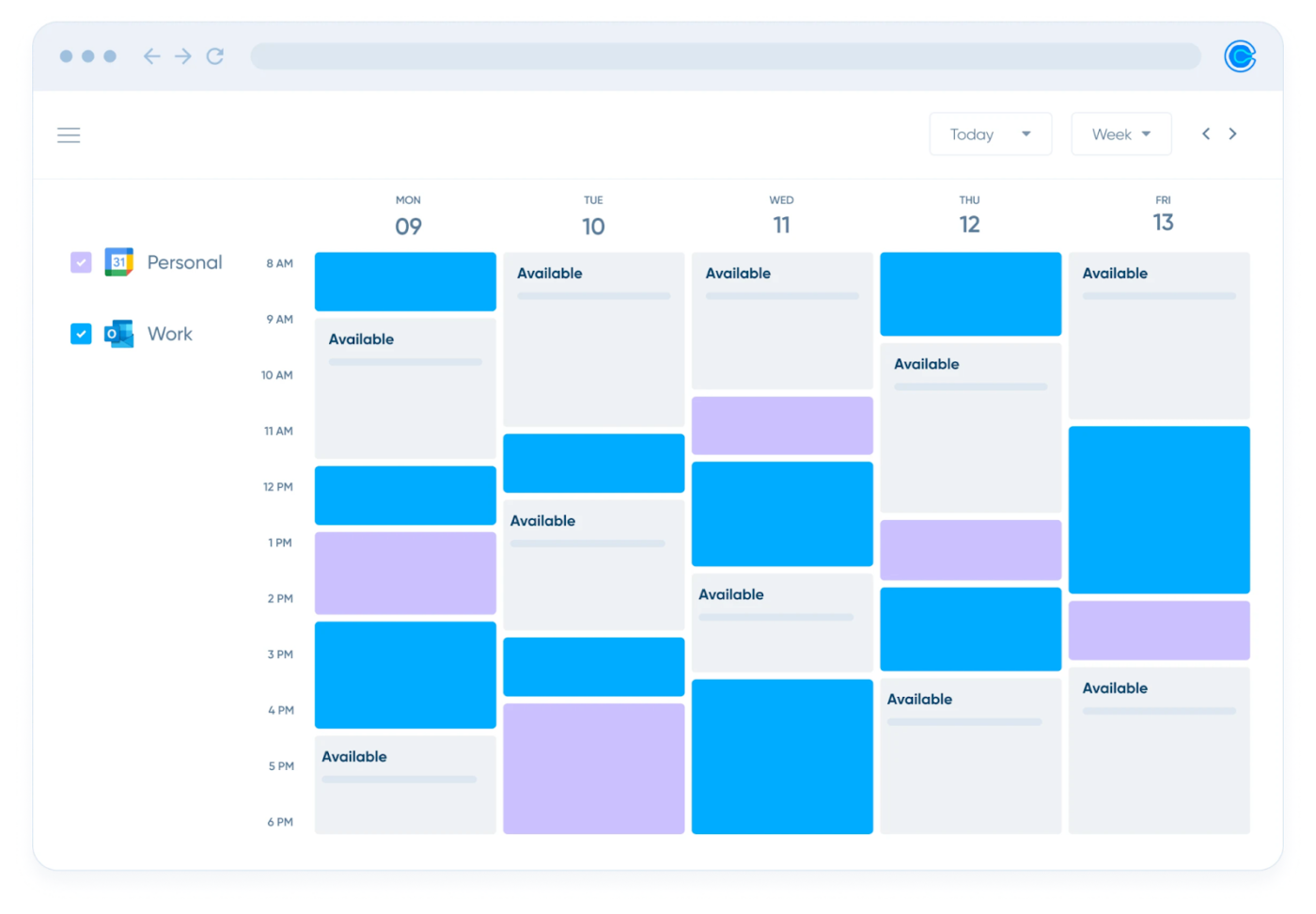
“Let me know when you’re free.” “How about Tuesday at 2?” “I’m booked then. Thursday?” “Thursday works, but only after 3.” Sound familiar? This scheduling dance wastes time and creates unnecessary friction.
Calendly solves this problem by allowing people to book time on your calendar based on your actual availability. The platform automatically syncs with your existing calendars to prevent double-booking and offers customizable scheduling rules to protect your time.
With time zone intelligence, Calendly automatically converts meeting times for global teams, reducing confusion and missed appointments. The round-robin scheduling feature distributes meetings evenly among team members, making it ideal for sales teams, customer support, and other groups that need fair distribution of appointments.
What are real-life users saying about Calendly?
A G2 user says:
Huge time saver: No more endless back-and-forth emails trying to find a good meeting time. I just share my link, and clients pick a slot—boom, it’s scheduled and added to my calendar instantly. That’s a productivity win any day. I love being able to connect several calendars (Google, Outlook, etc.) and automatically embed Zoom links. It keeps everything synced and conflict-free. Time-zone detection, buffer windows between meetings, automated reminders — it all combines to keep my day on track and noise-free. I have not had the need to call customer support but I have heard it was top tier. Also very easy to implement with my other tech platforms.
➡️ Read More: 13 Best Business Communication Solutions

Mailchimp has evolved from a simple email marketing tool into a comprehensive marketing platform that helps businesses communicate with customers across multiple channels. The Customer Journey Builder allows teams to create complex automation workflows that deliver personalized messages based on customer behavior and preferences.
Beyond digital communications, Mailchimp can even send physical postcards to recipients, bridging online and offline marketing efforts. This multi-channel approach ensures consistent messaging regardless of how customers prefer to engage with your brand.
With robust analytics and A/B testing capabilities, teams can continuously refine their communication strategies based on performance data. The platform’s integration with e-commerce platforms and CRM systems creates a unified view of customer interactions, helping businesses deliver more relevant and timely communications.
What are real-life users saying about Mailchimp?
A Capterra user says:
The interface is straightforward, so I can access the features I need very quickly. The performance is excellent; the app consumes very few resources. The real-time tracking is great for making adjustments. MailChimp’s data is organized so I can read and analyze it quickly. Click tracking is automatically enabled, so the default settings are usable.
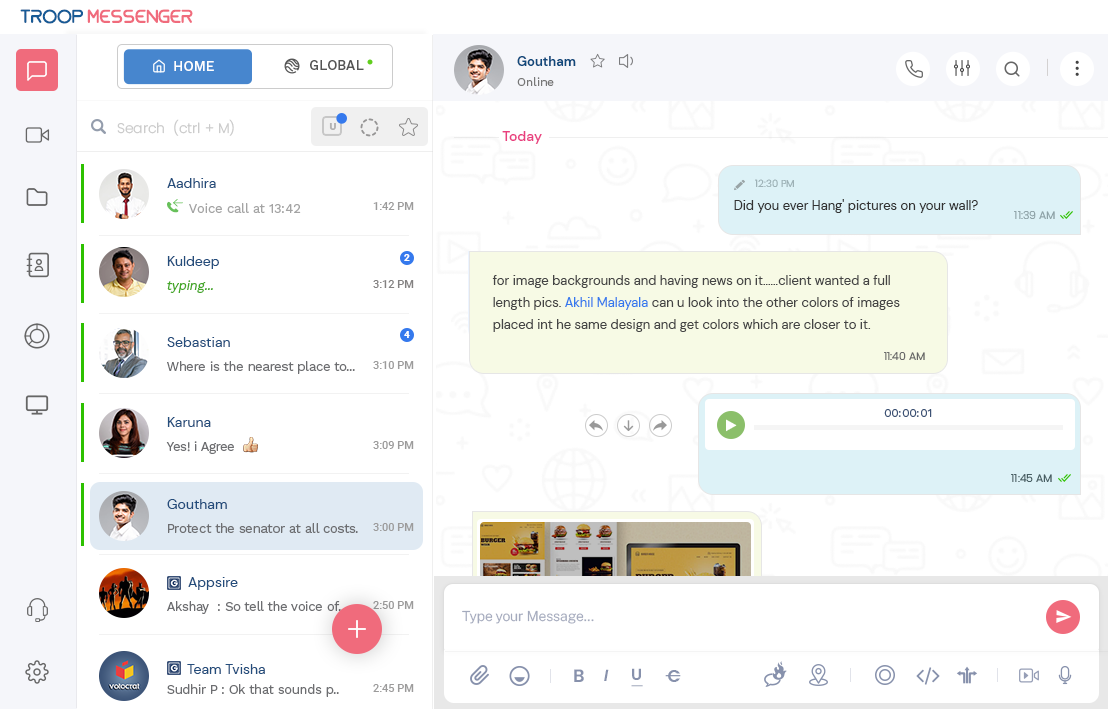
In an era of increasing data breaches and privacy concerns, secure communication channels are more important than ever. Troop Messenger provides robust security features for organizations with stringent privacy and data protection requirements.
The platform offers both cloud and on-premise deployment options, giving IT teams complete control over where sensitive data is stored and processed. This flexibility is particularly valuable for organizations in regulated industries or those with specific compliance requirements.
Unique features like “Burnout” create self-destructing messages for sharing sensitive information, while “Forkout” lets users broadcast messages to multiple recipients without creating group chats. Troop Messenger also works on low-speed networks, making it valuable for teams in remote locations or areas with limited connectivity.
What are real-life users saying about Troop Messenger?
A G2 user says:
What I like best about Troop Messenger is its seamless integration of multiple communication modes within a single, secure platform. The ability to switch between direct messages, group chats, audio/video calls, and screen sharing—without leaving the app—makes it incredibly efficient for team collaboration. Its support for self-hosting and on-premise deployment is also a standout feature for organisations with strict data privacy and security requirements. Additionally, tools like “Burnout” (for confidential chats), message recall/edit, and remote logout show that it’s been designed with both functionality and control in mind.

Despite the rise of text-based communication, voice conversations remain essential for many business interactions. Dialpad modernizes business phone systems with cloud-based voice, video, and messaging capabilities enhanced by artificial intelligence.
The platform’s real-time transcription with custom company dictionary feature ensures accurate capture of industry-specific terminology during calls and meetings. This makes it easier to reference important details later without having to take notes or re-listen to recordings.
With support for meetings of up to 150 participants, Dialpad serves both internal team communications and external communication or customer interactions. The platform’s AI capabilities provide real-time coaching for sales and support teams, offering suggestions during calls and analyzing conversation patterns to improve future interactions.
What are real-life users saying about Dialpad?
A Capterra user says:
My overall experience with dial pad is neither negative or positive. If I had to consider the phone system, we were using prior to migrating to dial pad. I would say I would prefer dial pad over that phone system, but there are still many limitations with this phone system related to integration with our CRM.

Communication without action is just noise. Chanty recognizes this by combining team messaging with built-in task management, allowing teams to convert conversations into actionable items without switching platforms.
The one-click conversion of messages into trackable tasks on Kanban boards creates a seamless workflow between communication and execution. This integration helps prevent important action items from getting lost in the chat stream—a common problem with messaging-only platforms.
The platform offers fast messaging and stable audio/video calls, improving team connectivity regardless of location. “Silent hours” features help prevent notification fatigue by muting alerts during focused work time or off hours, promoting better work-life balance while maintaining communication capabilities.
What are real-life users saying about Chanty?
A G2 user says:
What I like best about Chanty is that it allows me to keep my conversations incl calls as well as track task progress all in one place. It helps to manage my job and communications a lot. Also I like wide integrations opportunities that allows you to have or request any integration you need to make your workflows smoother.
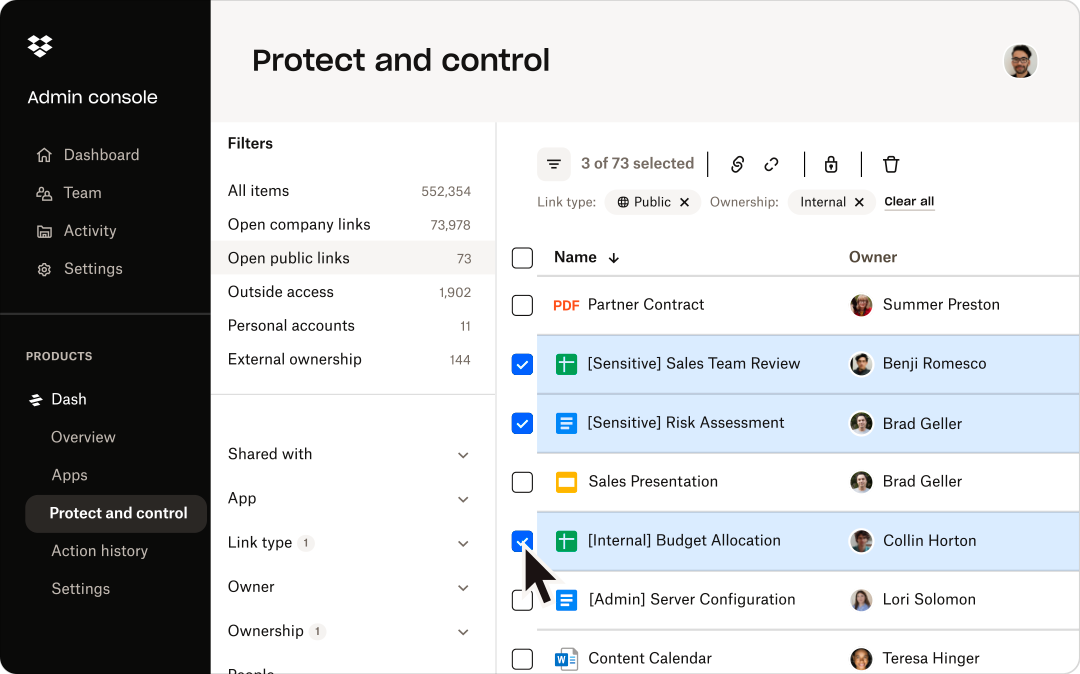
“Can you send me that file again? I can’t find it.” How many times have you heard this request? Dropbox has evolved from simple file storage to an intelligent workspace for content collaboration and sharing, helping teams avoid this common frustration.
The platform’s Dash feature can find content inside images, videos, and audio files, making it easier to locate information regardless of format. This advanced search capability saves valuable time that would otherwise be spent manually hunting for specific content.
With file size caps of 100GB for transfers and 50GB for individual uploads, Dropbox accommodates large media files and complex documents that might exceed limits on other platforms. The platform’s version history and recovery features protect against accidental deletions or unwanted changes, while granular sharing permissions provide control over who can access, edit, or comment on specific content.
What are real-life users saying about Dropbox?
A Capterra user says:
I like how quick it is to upload documents on Dropbox Business especially when i have a lot of documents am working on. Dropbox Business makes it easy to organize my documents and keep them in specified folders making it quick to access them. Dropbox Business uses very advanced access control and files safety features which ensures that all the documents i have stored are safeguarded from any access other than mine.

Discord might seem like an unusual choice for business communication, but an increasing number of organizations are discovering its value for team collaboration. The platform combines text, voice, and video communication in a structure originally designed for gaming communities but surprisingly well-suited to modern work environments.
The platform’s channel-based organization creates dedicated spaces for different topics, projects, or departments. What makes Discord unique is its persistent voice channels, which allow team members to drop in and out of audio conversations without the formality of scheduled meetings, creating a virtual office feel that’s particularly valuable for remote teams.
With granular role-based permissions, Discord offers fine-tuned control over who can access different channels and features, supporting confidentiality and departmental needs. The platform allows 400MB file uploads with a Nitro subscription, facilitating the sharing of larger documents and media files.
What are real-life users saying about Discord?
A Capterra user says:
I love the sheer amount of customization and organization that I can achieve with Discord, from simple servers with friends, to solor servers that act as involved planners, to large scale official servers that I interact with for games and more!
➡️ Read More: Best AI Communication Tools

Remote and hybrid work models have created new challenges for maintaining company culture and employee engagement. Workvivo addresses these challenges by creating a social media-like experience specifically designed for internal corporate communications.
The platform combines traditional communication tools with engagement features like recognition, polls, and activity feeds to create a vibrant digital workplace culture. This approach helps combat the isolation and disconnection that can occur when teams aren’t physically together.
With the ability to scale chat groups up to 500 members, Workvivo supports both broad organizational communications and more focused team discussions. The platform’s emphasis on employee recognition and community building helps foster connection among distributed teams, addressing the engagement challenges that often accompany remote and hybrid workplace communication.
What are real-life users saying about Workvivo?
A Capterra user says:
Workvivo creates a complete understanding of the relationships between departments, keeps the flow of information about the latest developments or updates. With it, we can publish presentations to explain any new concepts, and we make sure that they reach everyone immediately. I liked that we can highlight new decisions and circulate new instructions in an organized manner. Direct communication is guaranteed with Workvivo, which enhances the continuity of advice, discussing ideas, and collecting feedback on them transparently.
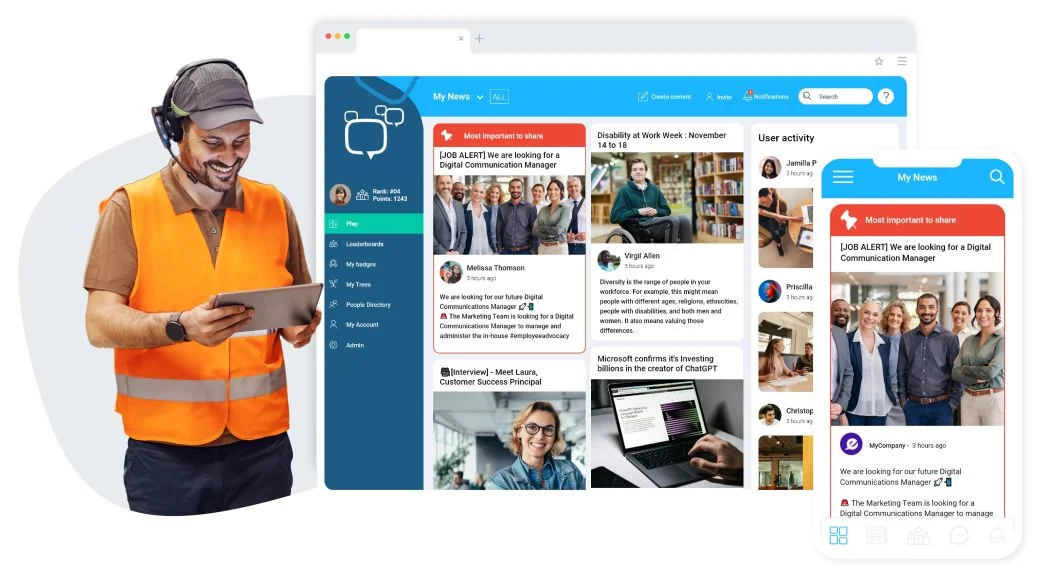
Reaching every employee with important communications can be challenging, especially in organizations with frontline workers, distributed teams, or employees without regular computer access. Staffbase provides a comprehensive internal communications software designed to address these challenges.
The mobile-first approach ensures that frontline workers without regular computer access can still receive important updates and participate in company communications. This inclusivity helps create a more connected workforce and ensures critical information reaches everyone who needs it.
The platform combines email, intranet, and employee app capabilities in a unified solution, eliminating the need for multiple internal communication tools. With robust analytics, communication teams can measure the reach and impact of their messages, helping to refine strategies and ensure important information reaches its intended audience.
What are real-life users saying about Staffbase?
A G2 user says:
One of its biggest strengths is its user-friendly interface. Even team members who aren’t very tech-savvy can quickly learn how to use it without much training. The platform’s design is intuitive, making it simple to create and send out emails.

Traditional corporate intranets often become digital graveyards—places where information goes to die, rarely accessed and even more rarely updated. Happeo modernizes this concept with a dynamic, social platform that combines knowledge management, communication, and collaboration tools.
The platform’s federated AI search scans across intranet, Google Drive, Gmail, and Microsoft 365, creating a unified search experience that helps employees find information regardless of where it’s stored. This eliminates the frustration of having to search multiple systems to find what you need.
With real-time translation capabilities, Happeo supports global teams working across language barriers, ensuring important communications reach all employees in their preferred language. The platform’s pages, channels, and people directory create a comprehensive digital workplace that connects employees to both information and colleagues.
What are real-life users saying about Happeo?
A G2 user says:
It is very easy and intuitve to use and offers great knowledge hub (bot own Happeo resources and active users community). Great search engine. Easy integration woth Gsuite. Happeo provided amazing, proactive support.
➡️ Read More: Best Enterprise Communication Tools
Let’s be real—there’s no one-size-fits-all solution when it comes to communication tools. The right mix depends entirely on your organization’s specific needs, culture, and existing tech stack.
Instead of trying to force-fit a single platform to handle everything, consider how different tools serve different communication needs—from real-time collaboration and project coordination to knowledge sharing and external communications. Look for solutions that play well together, creating a cohesive workflow rather than isolated communication silos.
For teams looking to simplify their tech stack, ClickUp offers a compelling all-in-one solution that combines communication tools with project and task management. By integrating chat, documents, and workflow management in a single platform, ClickUp reduces the constant context switching that kills productivity and keeps conversations connected to action items.
Remember—the best communication tools are the ones your team will actually use. We recommend signing up for ClickUp because it is the one app for work!
What are the tools of corporate communication?
Corporate communication tools are the different apps and platforms that help people in a company share information and work together. These include things like email, chat apps (such as Slack or Microsoft Teams), video meeting tools (like Zoom), project management software (like ClickUp), and document sharing platforms (such as Google Workspace or Dropbox). These tools make it easier for teams to stay connected, share updates, and get work done, whether they’re in the office or working remotely.
What are the 5 communication tools?
Five common communication tools used in most workplaces are email, instant messaging or chat apps, video conferencing tools, project management platforms, and document collaboration tools. For example, you might use Gmail for email, Slack for quick messages, Zoom for video calls, ClickUp for managing projects, and Google Docs for working on documents together. These tools help teams communicate quickly and keep everyone on the same page.
What are the 7C’s of corporate communication?
The 7 C’s are simple rules that help make business communication clear and effective. They are: be clear (easy to understand), concise (short and to the point), concrete (specific and detailed), correct (free from mistakes), coherent (well-organized), complete (includes all needed information), and courteous (polite and respectful). Following these principles helps avoid confusion and builds better relationships at work.

© 2026 ClickUp

There’s an easier way. Try a free AI Agent in ClickUp that actually does the work for you—set up in minutes, save hours every week.