






Still downloading templates?
There’s an easier way. Try a free AI Agent in ClickUp that actually does the work for you—set up in minutes, save hours every week.
Sorry, there were no results found for “”
Sorry, there were no results found for “”
Sorry, there were no results found for “”

Looking for the best collection tracking software?
Whether you’re collecting physical items like inventory, artifacts, or personal memorabilia—or gathering data through forms and surveys—the right tool can help you stay organized, accurate, and efficient.
In this blog, we’ve rounded up the top tools for tracking both tangible collections and digital data. From cataloging objects to managing form submissions and syncing everything in one place, these solutions are built for data analysts, collectors, and researchers who need more than just spreadsheets.
🔎 Did You Know? The British Museum manages over 8 million objects and uses a custom digital cataloging system to track provenance, condition, and exhibition history across centuries.
| Tool | Best for | Key features | Pricing* |
| ClickUp | Efficient data collection tracking | ClickUp Forms, Custom Workflows, Dashboards, Real-Time Collaboration, Task Automation, AI summaries with ClickUp Brain | Free forever; Customizations available for enterprises |
| Sortly | Inventory management for small businesses | Barcode scanning, real-time stock updates, mobile sync, photo uploads | Paid plans start at $49 |
| Kolekto | Managing and selling your collection | Custom fields, marketplace access, Excel export, item tagging | Paid plans start at $7/month |
| CatalogIt | Creating a detailed product catalog | Mobile photo capture, multi-user access, cloud system, web display integrations | Free; Paid plans start at $14 |
| iCollect Everything | Personal collectibles | Barcode scan, customizable fields, device sync, backup/export | Paid plans start at $30 |
| Tellico | Free collection management | Templates for books/games/stamps, auto data fetch, flexible record editor | Free |
| PastPerfect | Linking audio to artifacts | Object cataloging, audio/photo attachment, contact management, donor tracking | Paid plans start at $745 |
| Artwork Archive | Online exhibitions and asset history | Maintenance reports, online showcases, QR codes, financial tools | Paid plans start at $34 |
| Argus | Managing both physical and digital collections | Multimedia curation, engagement reports, custom templates, automation | Custom pricing |
| S-Museum | Web-based museum collection management | SPECTRUM compliance, multilingual support, structured terminology, team workflows | Custom pricing |
📊 Research Shows: 96% of researchers want AI to handle data hygiene tasks for them.
Our editorial team follows a transparent, research-backed, and vendor-neutral process, so you can trust that our recommendations are based on real product value.
Here’s a detailed rundown of how we review software at ClickUp.
Let’s find a collection tool compatible with your work requirements.

ClickUp, the everything app for work, stands out as the ultimate data collection software by centralizing every step of your collection process—gathering, organizing, tracking, and collaborating—into one seamless workflow powered by AI.
At the core of ClickUp’s data collection capabilities are ClickUp Forms, which lets you capture information from any source and instantly turn submissions into actionable tasks. Whether you’re running surveys, collecting feedback, or managing requests, ClickUp Forms ensures your data flows directly into your workspace—no manual entry required.
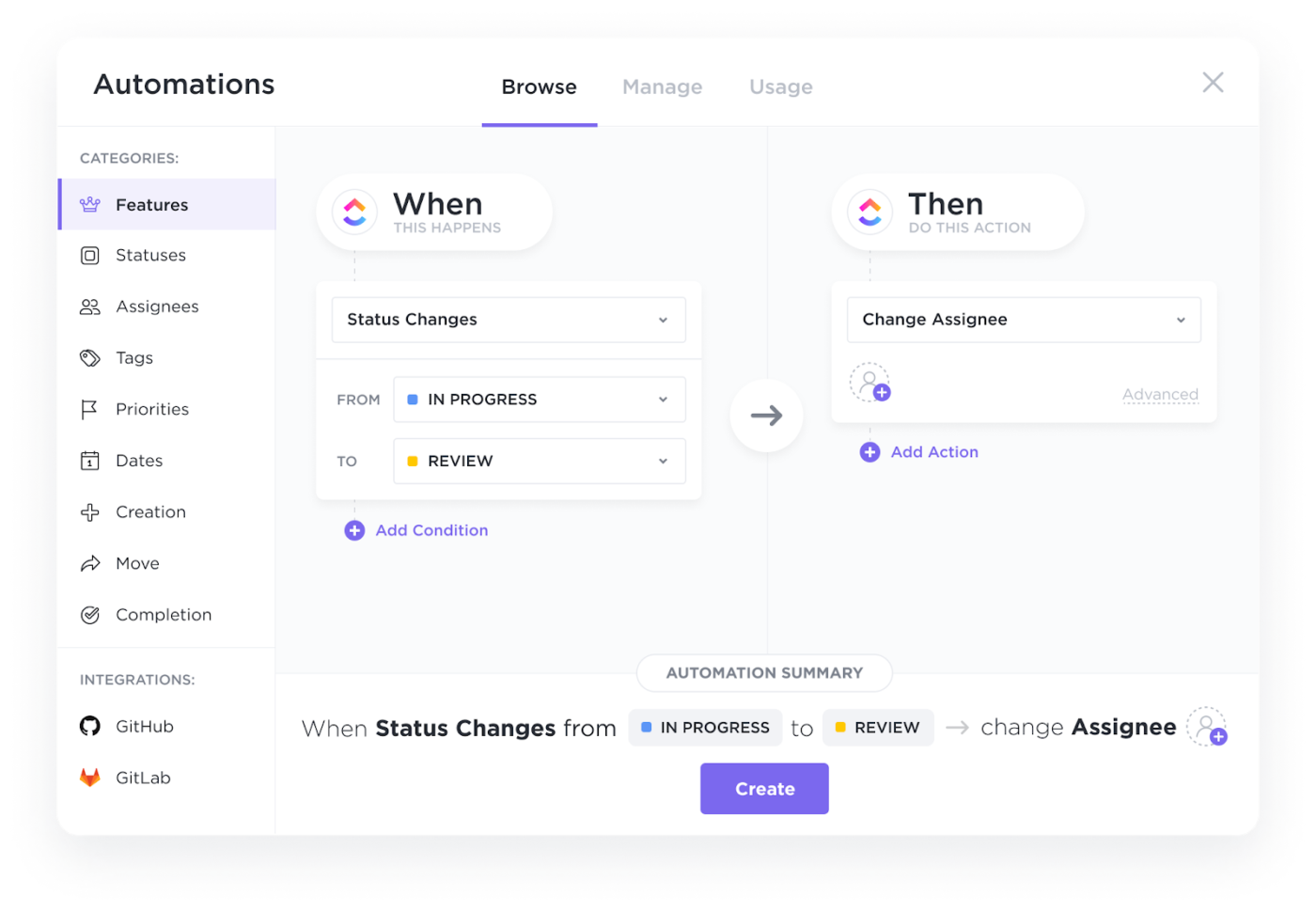
But collecting data is just the beginning. ClickUp Tasks allow you to tailor every step of your process, from intake to review to completion. Customize tasks with Custom Fields to capture exactly the information you need. With ClickUp Automations, you can set up rules to automatically assign, update, or move tasks based on your data, saving time and reducing manual errors.
Check out this video to learn more about ClickUp Automations👇
With ClickUp Views, you can visualize and organize your collected data in the way that works best for you—whether that’s a Table View for spreadsheet-style management, Board View for Kanban workflows, or Calendar View for timeline tracking.
All your collected data is stored in one place with centralized storage, making it easy to find, share, and secure information. Attach files, add comments, and link related tasks so nothing slips through the cracks.
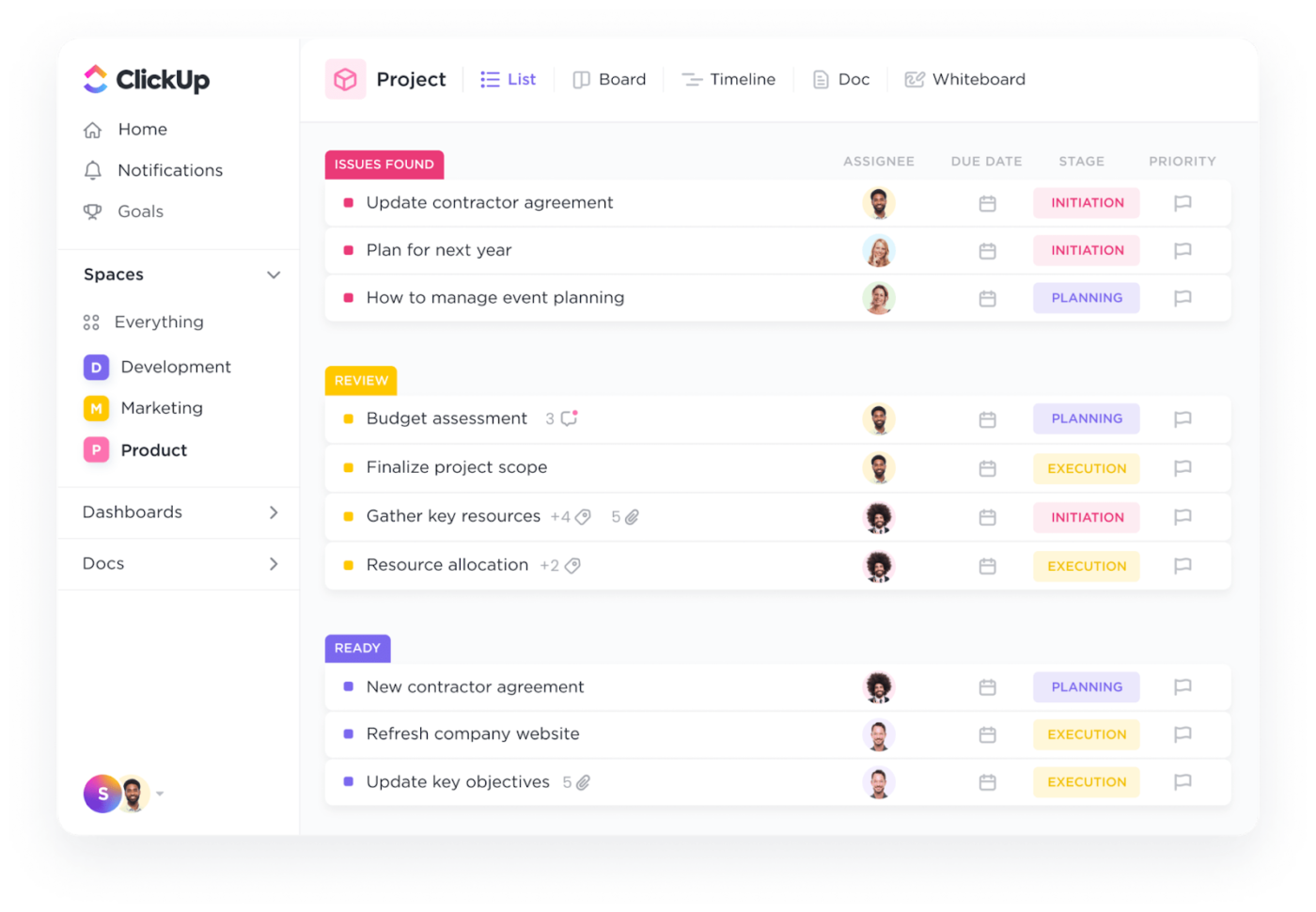
To make sense of your data, ClickUp Dashboards provide powerful visualizations—charts, graphs, and widgets—that turn raw information into actionable insights. Monitor trends, track progress, and share reports with stakeholders in just a few clicks.
You can ask ClickUp’s AI, ClickUp Brain to analyze form submissions and generate a summary of customer sentiment.
Here’s an example of ClickUp Brain at work 👇

Chrissie Boyle, a Senior Campaign Manager at Penske Media Corporation, says:
We now have an established workflow, we have forms you must submit if you need something so we can better manage our bandwidth on a daily basis and it has taken out a lot of the guesswork from other departments. If you need it, it’s in ClickUp, and it’s organized extremely well so you also won’t have a hard time finding what you’re looking for.
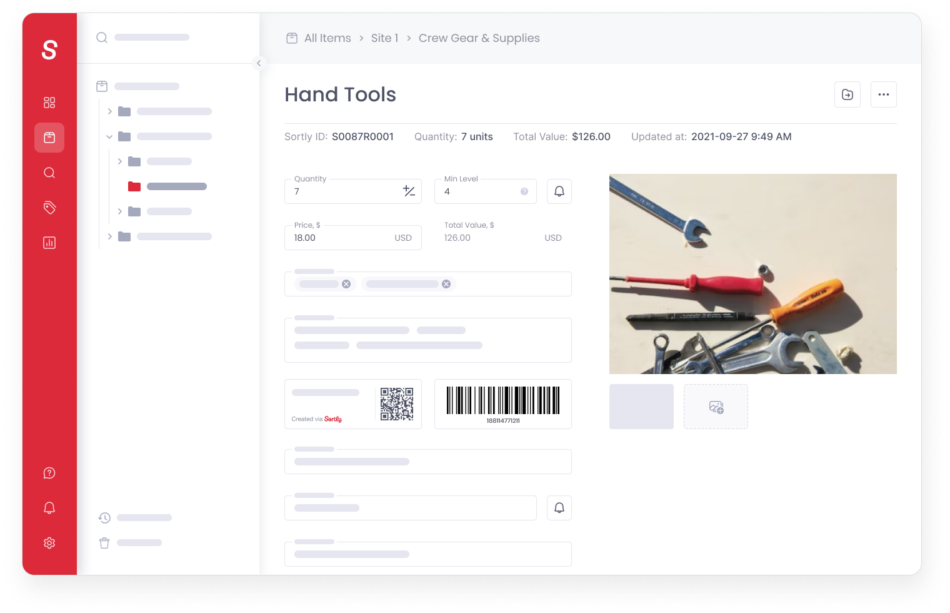
If you are a small business owner struggling to keep track of your inventory levels, try Sortly. With a quick barcode scan, you can update stock levels instantly.
The app also organizes items neatly into folders by location and type, making it easy to find supplies. And if you are low on stock, a low-stock alert will appear, prompting you to reorder before you run out.
A Capterra reviewer says:
I think it’s set up very neatly. I like we can connect our barcode scanner to it and scan our products. We use ours to solely keep track of what’s inside our inventory and make sure we have that particular part when we need it instead of waiting a day to get it. I like I can have it on as many devices as I need!
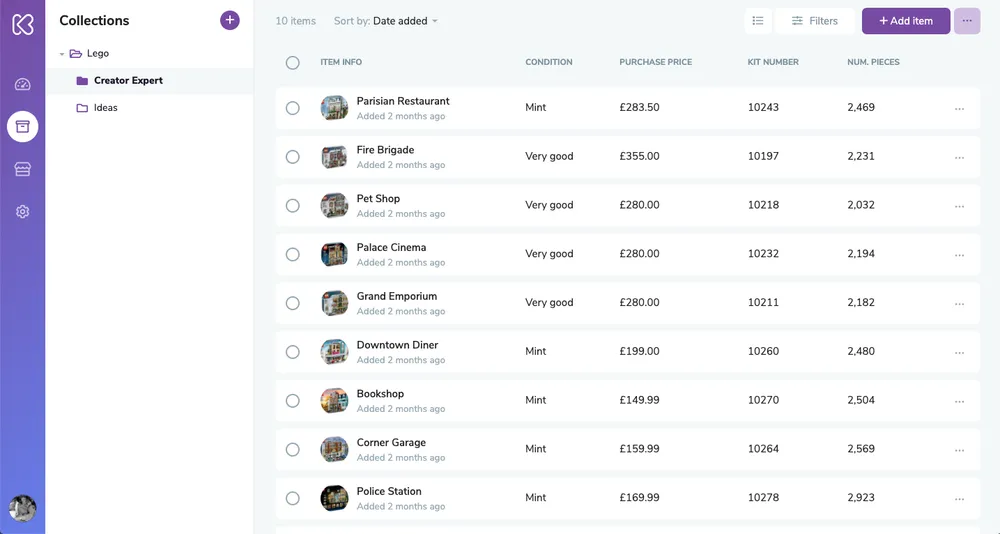
As a passionate collector, manage your growing collection with Kolekto. With a few taps, you can add a new category and custom attributes to tailor the inventory to your needs. Using your phone’s camera, snap high-quality photos and instantly link them to each item.
📮 ClickUp Insight: 74% of employees use two or more tools just to find the information they need—while jumping between emails, chat, notes, project management tools, and documentation. This constant context-switching wastes time and slows down productivity.
As the everything app for work, ClickUp unifies all your work—email, chat, docs, tasks, and notes—into a single, searchable workspace, so everything is exactly where you need it.
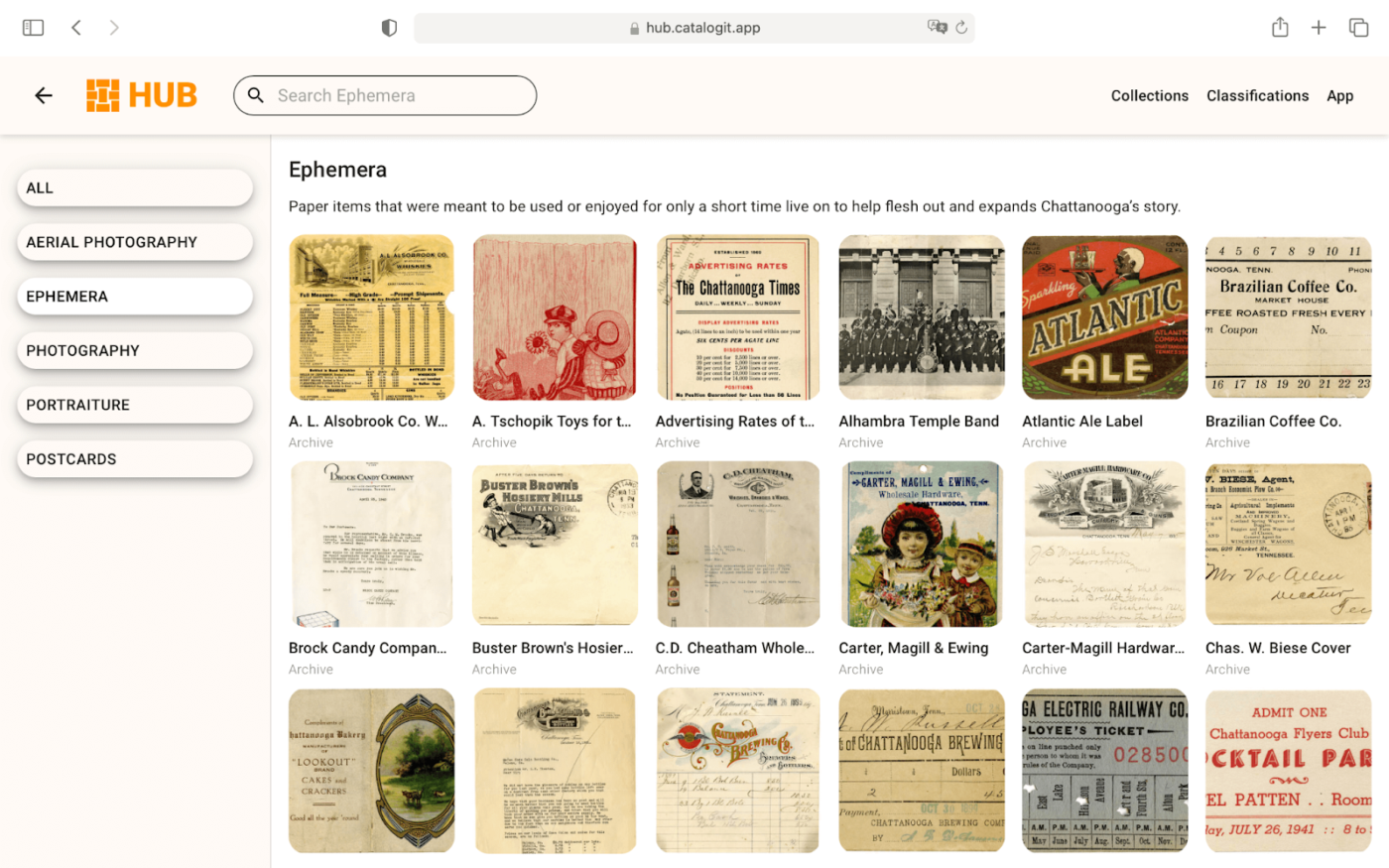
With CatalogIt, you open the app, capture an item with your phone’s camera, and instantly create a detailed entry. For example, you can photograph an antique vase and add its description, historical context, and condition updates—all from a single interface.
Whether preserving history or managing everyday inventory, CatalogIt keeps every detail at your fingertips.
A G2 review says:
The cloud-based system allows us to view/edit from anywhere on any OS. The app is easy to use, and the database is robust. The outward-facing publishing allows our collection to be accessible to the public, with data updates showing instantly w/out having to ‘re-publish’. The customer service has been fantastic.
🧠 Fun Fact: Gamification research is one of the most used methods for market research.
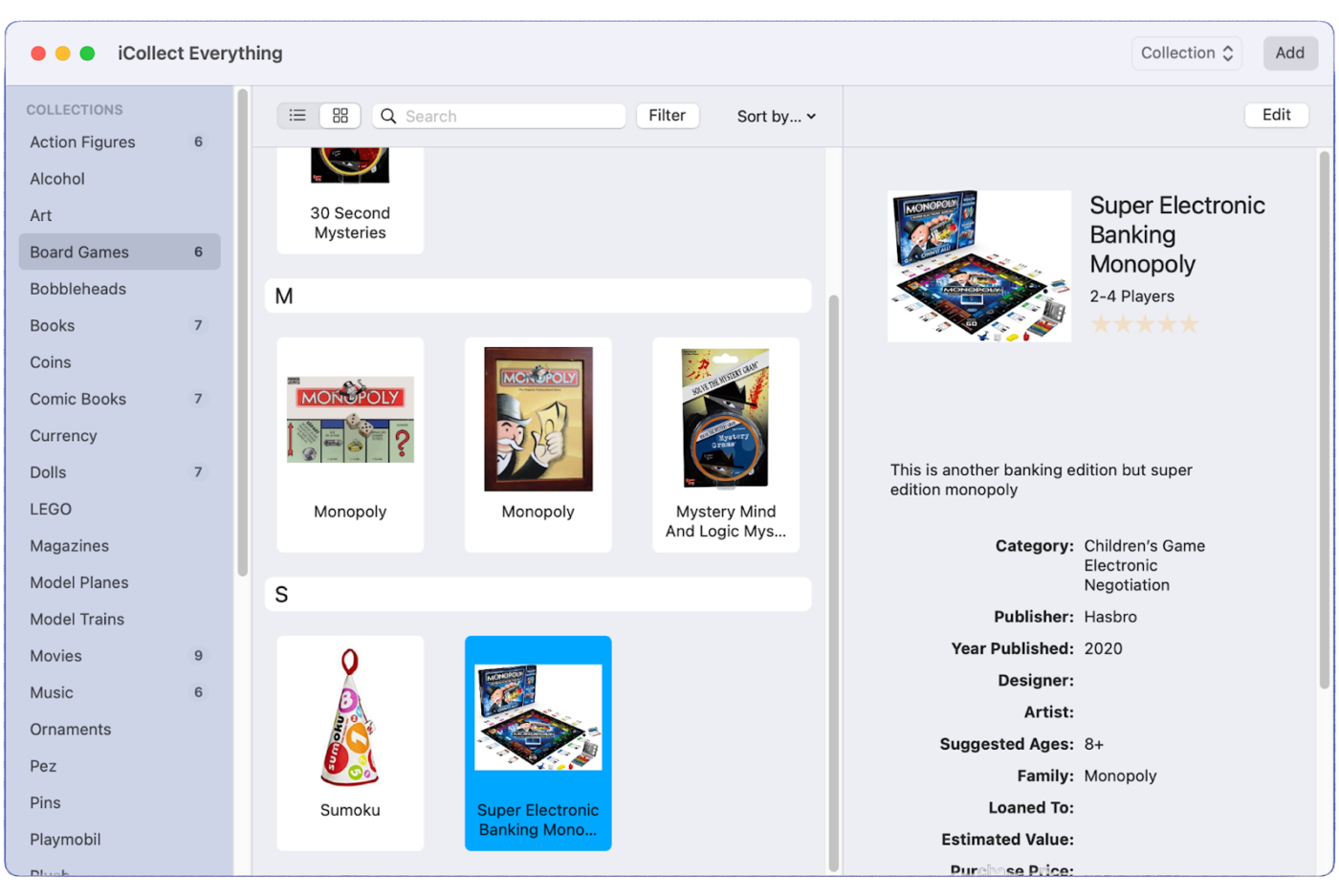
You launch iCollect Everything, ready to organize your ever-growing collection. How will you proceed? With a quick barcode scan, instantly catalog a new item—a rare comic book, vintage vinyl, or a prized action figure.
Next, use customizable fields to add personal notes, purchase details, and estimated values. It’s as simple as that!
A Reddit user says:
I started using this a few weeks ago. Really like it. Nice way to have your whole collection in your pocket. Worth checking out. It does cost $30 bucks if you add more than 30 movies, but worth it to me.
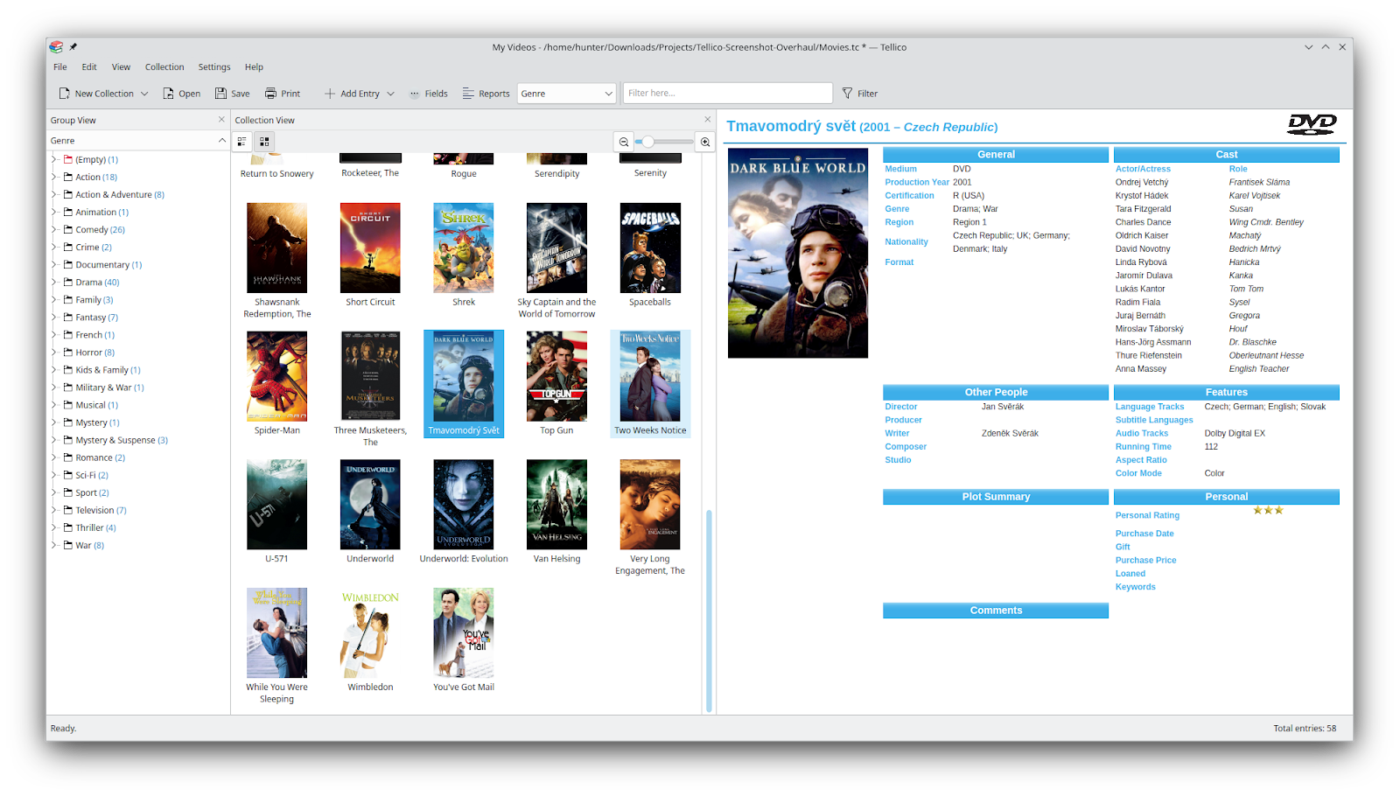
You can choose from pre-built templates for books, video games, and stamps in Tellico or create your custom catalog. With automatic data fetching, details can be pulled from multiple sources, reducing manual entry.
The flexible entry editor lets you fine-tune records and supports various formats, such as text, checkboxes, and images.
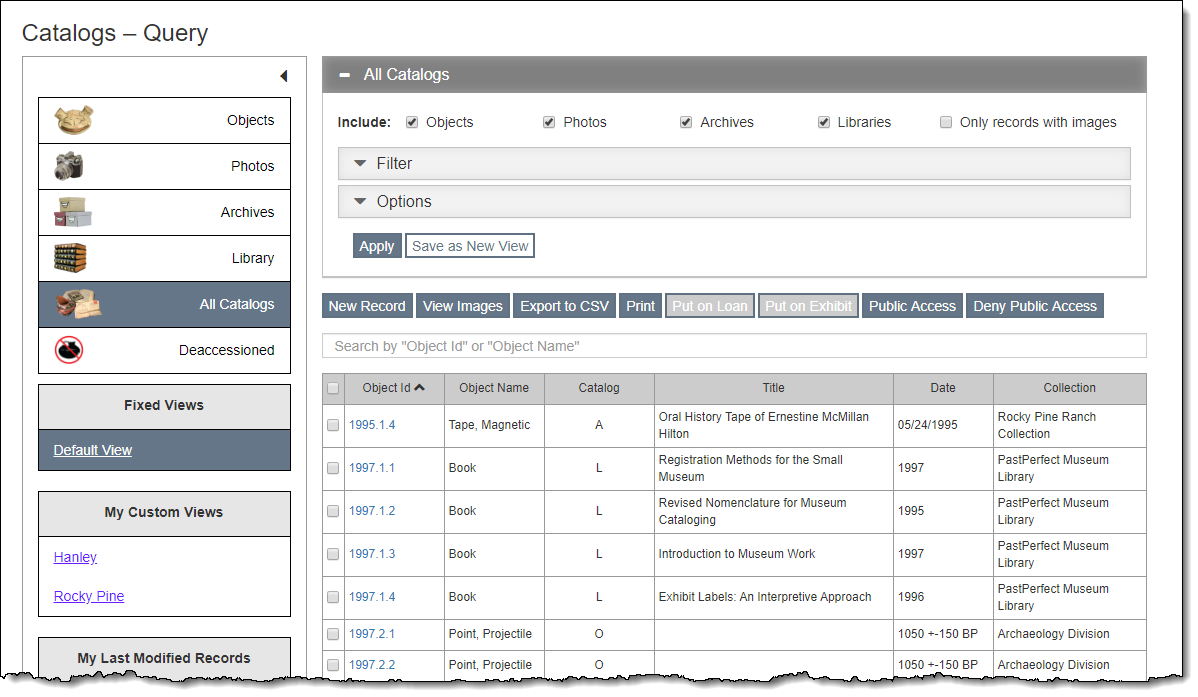
Launch PastPerfect and access the Objects Catalog to enter detailed information such as Object ID, provenance, and condition. The MultiMedia Upgrade can attach high-resolution images and link audio descriptions to the artifact’s record.
For organized client relations, navigate to the Contacts Management section, update donor profiles, and track recent contributions. You can also build fundraising templates to set up campaigns in minutes.
A Capterra user says:
PastPerfect allows us to keep record of all the artifacts in our collections as well as have a searchable database for assisting researchers locate items they might need.
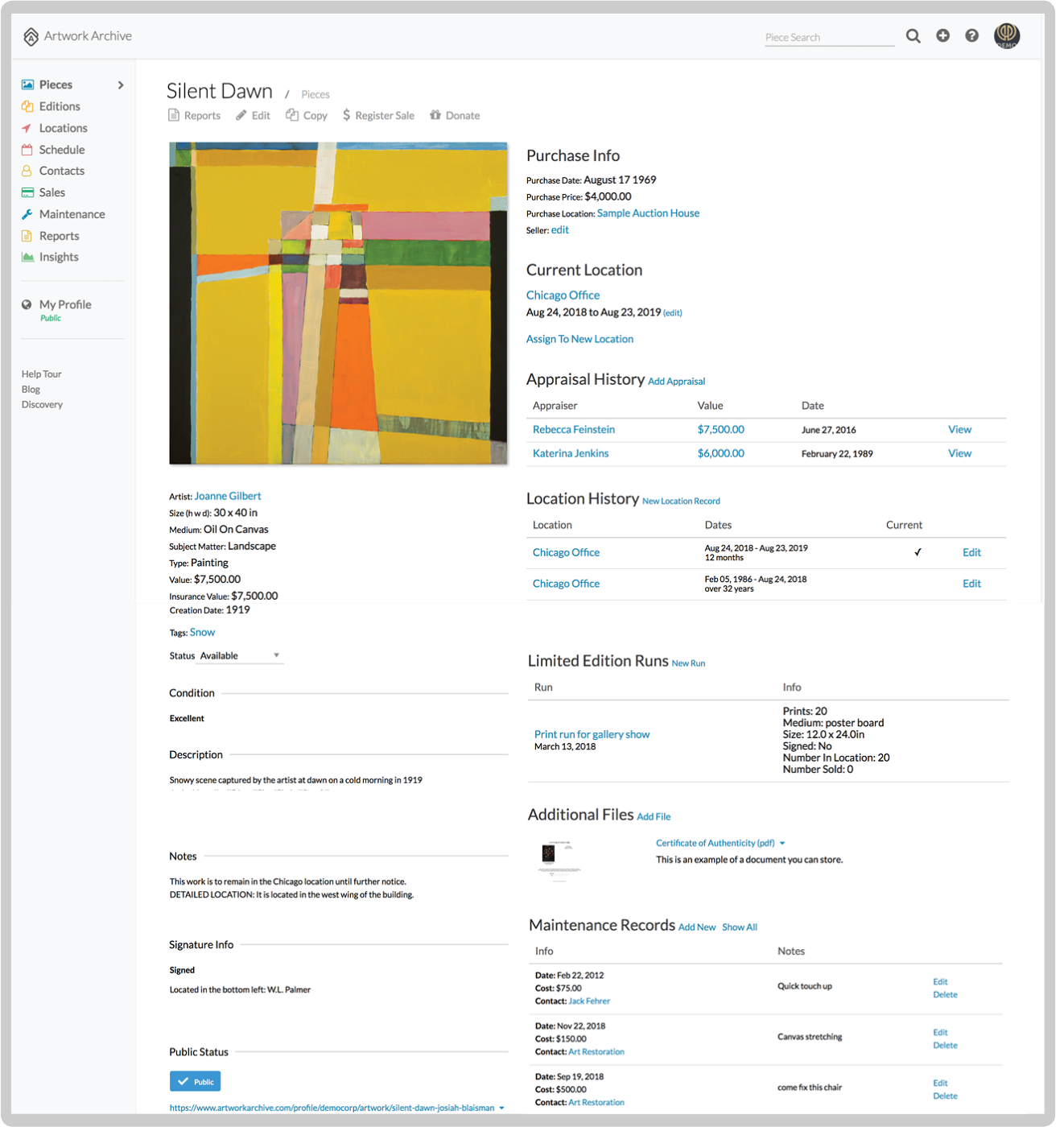
Document your newly acquired artifact in the Artwork Archive. By tracking its restoration history in the maintenance reports, you can ensure its longevity.
If unsure about the piece, use its Private Rooms feature to securely share the artwork’s details with board members before its public unveiling. Once done, generate a QR code for the piece, enabling visitors to access its digital archive with a quick scan.
A Capterra review says:
I find it most useful for not only documenting artworks, but also archiving published documents as well.
🧠 Trivia: Humans aren’t the only collectors. Australian bowerbirds famously gather colorful objects (like berries, shells, and even bottle caps) to decorate their nests and attract mates. Tracking their “collections” helped scientists understand how aesthetic displays can evolve in nature.
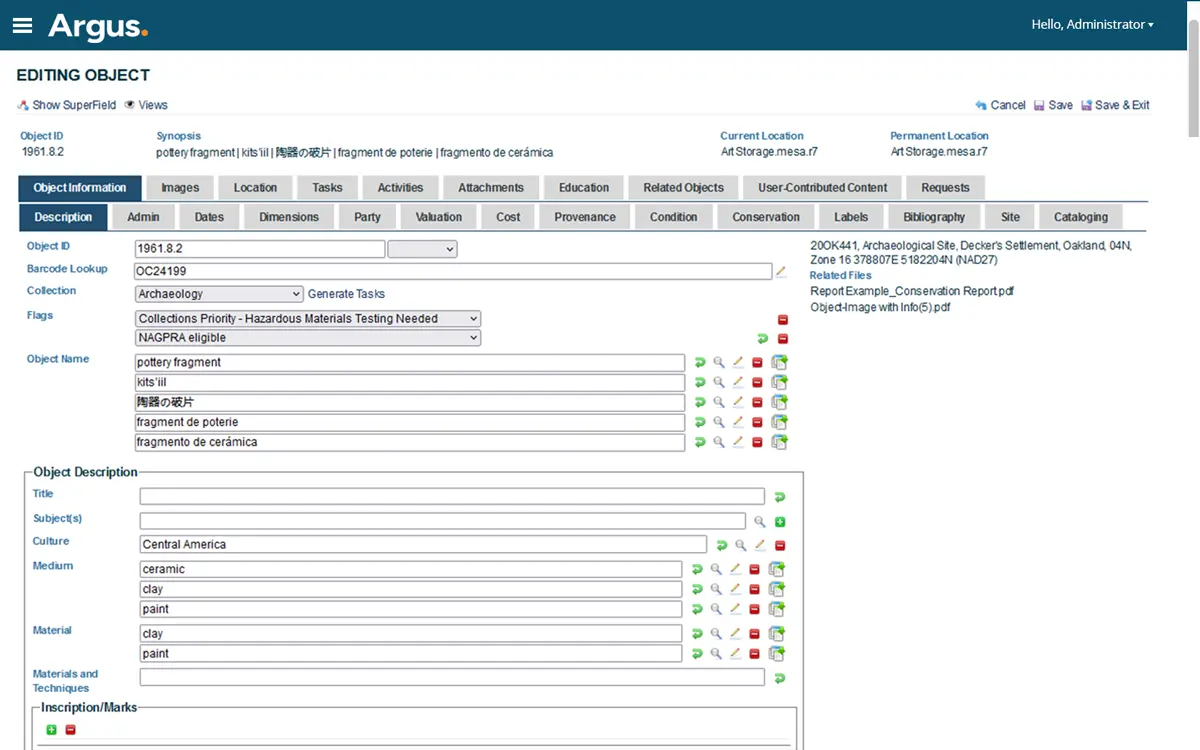
Catalog, digitize, and share your collections using Argus, a collections management system (CMS). Its customizable database lets curators easily track accessions, loans, and item locations while linking related multimedia for meaningful storytelling.
Institutions can organize exhibits online through the interactive public portal, allowing visitors to explore collections with advanced search and filtering options.
📖 Also Read: Free Sign-Up Form Templates to Collect Data
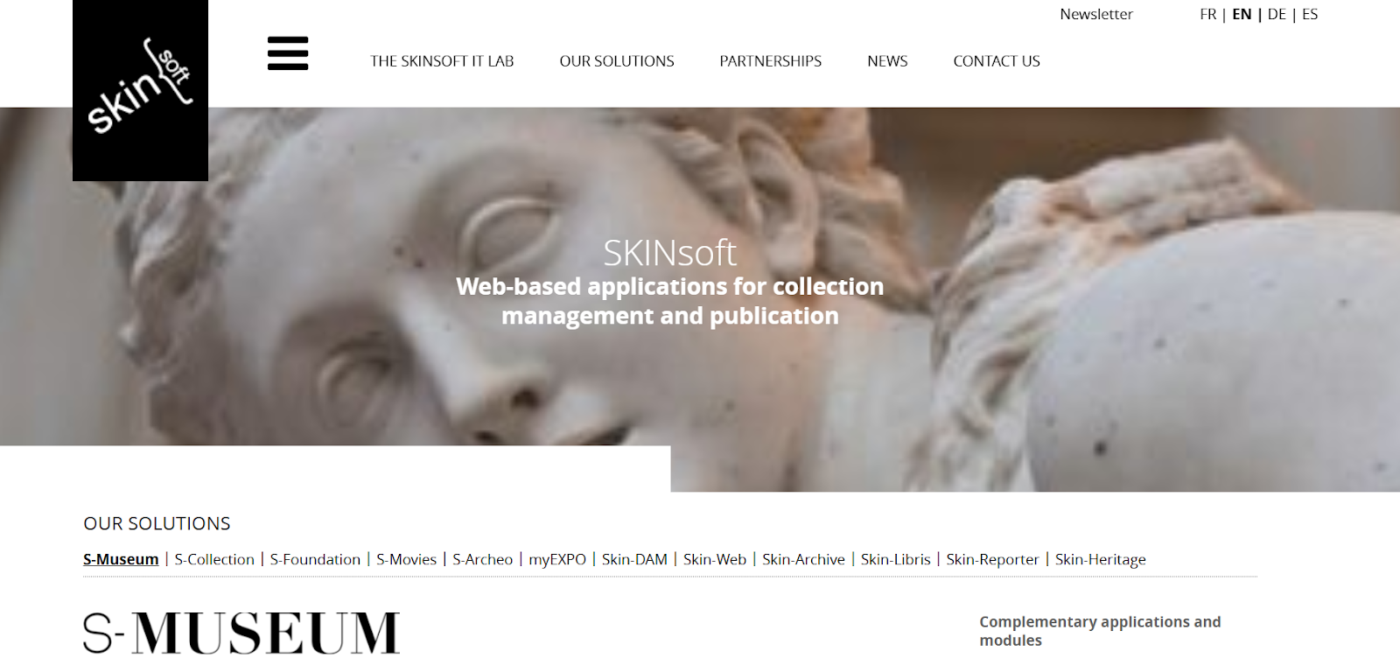
With advanced workflows, multi-user collaboration, and interoperability, S-Museum helps museums catalog, manage, and share their physical and digital collections.
Its SPECTRUM compliance ensures adherence to international museum standards, while built-in data import/export allows custom workflows. Thus, paper forms can be manually entered into the system.
📊 Research shows: Clean, structured data can improve decision-making speed. A tracking tool helps you get there, minus the spreadsheet chaos.
Choosing the right collection tracking software can make or break your workflow. The best data collection apps make information gathering easier with features like inventory management, integrations, security, and real-time analytics. They ensure your data stays accurate, organized, and readily accessible.
Here’s what to look for when picking the perfect solution:
💡 Pro Tip: Before choosing a tool, list all the data formats you regularly work with—then pick the software that supports seamless import/export without manual fixes.
Accurate data collection is the backbone of informed decision-making. Without it, errors, inconsistencies, and outdated information can lead to misplaced artifacts, poor choices, and missed growth opportunities.
With ClickUp, you can streamline and simplify the entire process. Customizable forms ensure structured data collection, real-time collaboration keeps your team aligned, automation eliminates manual tasks, and powerful reporting tools provide the insights you need—all in one centralized system.
It’s time to bid adieu to scattered spreadsheets and manual errors. Sign up for ClickUp for free today!

© 2026 ClickUp

There’s an easier way. Try a free AI Agent in ClickUp that actually does the work for you—set up in minutes, save hours every week.