






Still downloading templates?
There’s an easier way. Try a free AI Agent in ClickUp that actually does the work for you—set up in minutes, save hours every week.
Sorry, there were no results found for “”
Sorry, there were no results found for “”
Sorry, there were no results found for “”
One in three marketing leaders says conversion rates are the top key performance indicator they prioritize tracking. But for any marketing team, conversions are just the outcome.
What really drives them is how well efforts are synced across every stage of the funnel.
The real struggle for marketing managers is maintaining cross-functional campaign management where project updates are visible, actionable, and measurable in real time.
When a campaign underperforms, the team needs to diagnose and resolve it quickly; when something works, they should have a clear signal to double down.
That’s where ClickUp SyncUps comes in. As part of the ClickUp for marketing teams ecosystem, it’s a smart project management tool that helps team leaders structure marketing team syncs, automate task management, and track performance across multiple channels.
In this article, we’ll explore how marketing managers can use ClickUp SyncUps for campaign progress tracking.
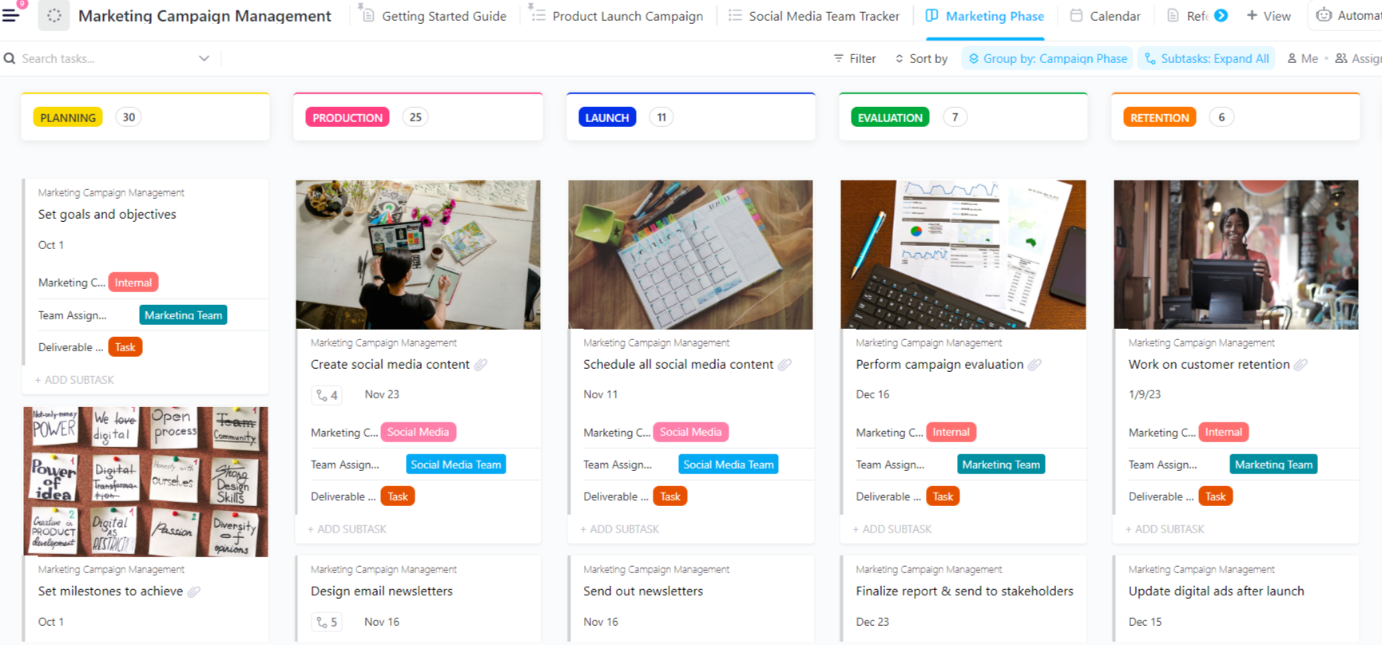
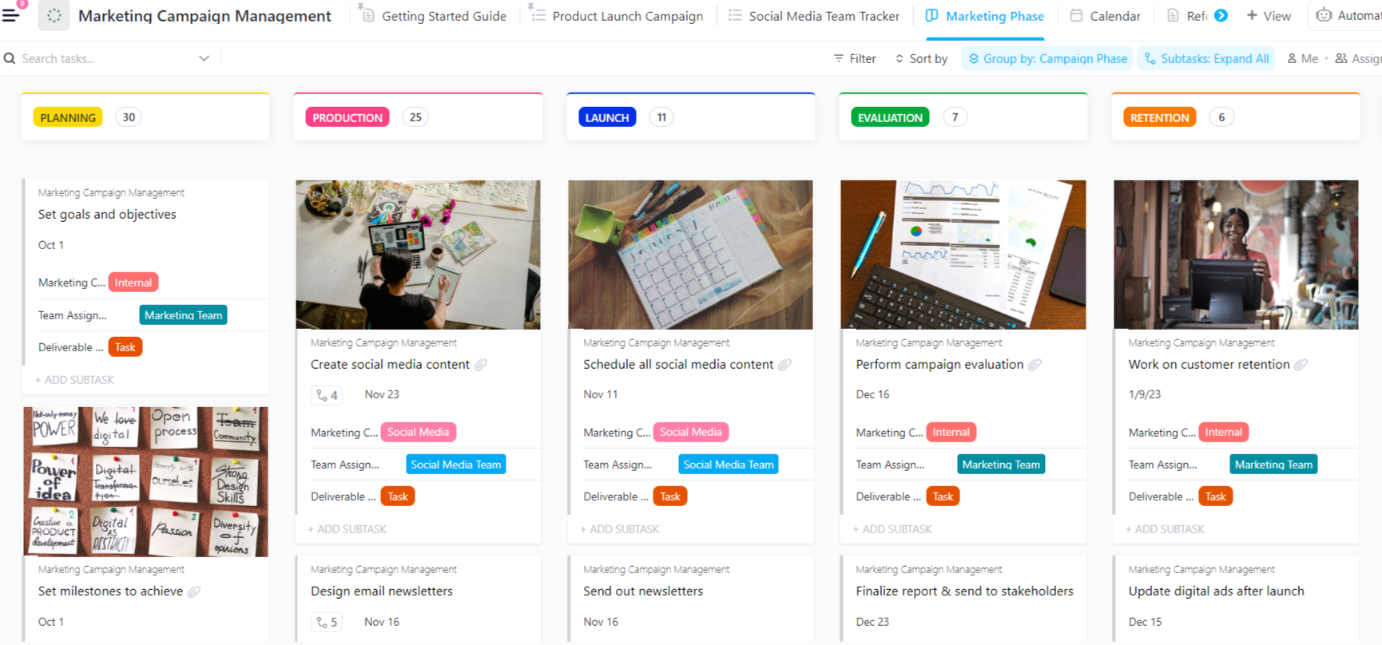
The Marketing Campaign Management Template pairs perfectly with your SyncUps to keep every launch on one trackable plan. Use its statuses, custom fields, and prebuilt views to centralize owners, timelines, and budgets, then run quick SyncUps to turn updates into linked tasks and goal progress.
John runs three launches at once. He hosts weekly campaign-tracking meetings, skims disconnected dashboards, and chases project updates through email threads. As a result, no one is sure which key performance indicators actually moved last week. Missed due dates turn into missed targets.
John switches to a simple cadence: daily signal checks (lead volume, CAC trend, quality), a shared KPI sheet, and a single project management platform view for owners and the project timeline.
This is the power of monitoring. Here are the big reasons progress tracking matters
1. Visibility turns activity into outcomes
When teams measure the few metrics that matter (conversion, qualified pipeline, cost, and quality), they learn what to scale and what to stop. Google’s media team stresses that rigorous measurement is how marketers optimize, prove ROI, and understand brand impact.
2. Alignment reduces delays and rework
A shared source of truth for owners, status, and next steps reduces miscommunication—one of the top causes of missed timelines and duplicate work in marketing operations.
3. Faster feedback loops improve team performance
Agile marketing evidence shows that shorter cycles and visible work-in-progress lead to better throughput and responsiveness. Tracking cycle time, throughput, and experiment impact helps teams adapt quickly.
4. Budget control and ROI discipline
You can’t defend spending without measurement. Standard KPI frameworks connect channel activity to revenue contribution and attributable ROI (vs. vanity metrics).
5. Learning compounds
Consistent tracking creates comparative baselines—so every test refines creative, offers, and audiences. Google’s MMM guidance highlights filling measurement gaps to make decisions more actionable.
📖 Also Read: How to Improve Collaboration in the Workplace
Work Sprawl slows campaign progress. Briefs live in documents, updates sit in chat, tasks are hidden in other tools, and the latest numbers are in a spreadsheet that only a few people access. The thread between decision and delivery breaks, and small issues become missed targets.
ClickUp pulls the pieces into one place so your syncs are calm, focused, and tied to action. When everything sits in a single workspace, the conversation happens beside the work itself. Updates turn into owned next steps without side channels.
The same page that holds the plan also shows the latest numbers, so decisions are based on what changed, not on memory. Recaps land where the team works, which reduces follow-up meetings and makes course corrections faster. You get a steady rhythm of short syncs, clear ownership, and visible results.
How ClickUp helps your campaign syncs:
Where to start:
Picture this: You’re midway through a campaign check-in with your marketing team and cross-functional stakeholders. You switch between chat apps, video calls, task lists, and docs—with pieces of the conversation scattered across platforms and nobody sure which thread holds the “next step.”
With ClickUp SyncUps, you initiate a live voice or video session inside your workspace, link relevant tasks instantly, record the discussion, and share automatic summaries afterward.
💯 In short: one place to start, discuss, assign, and follow up without losing context.
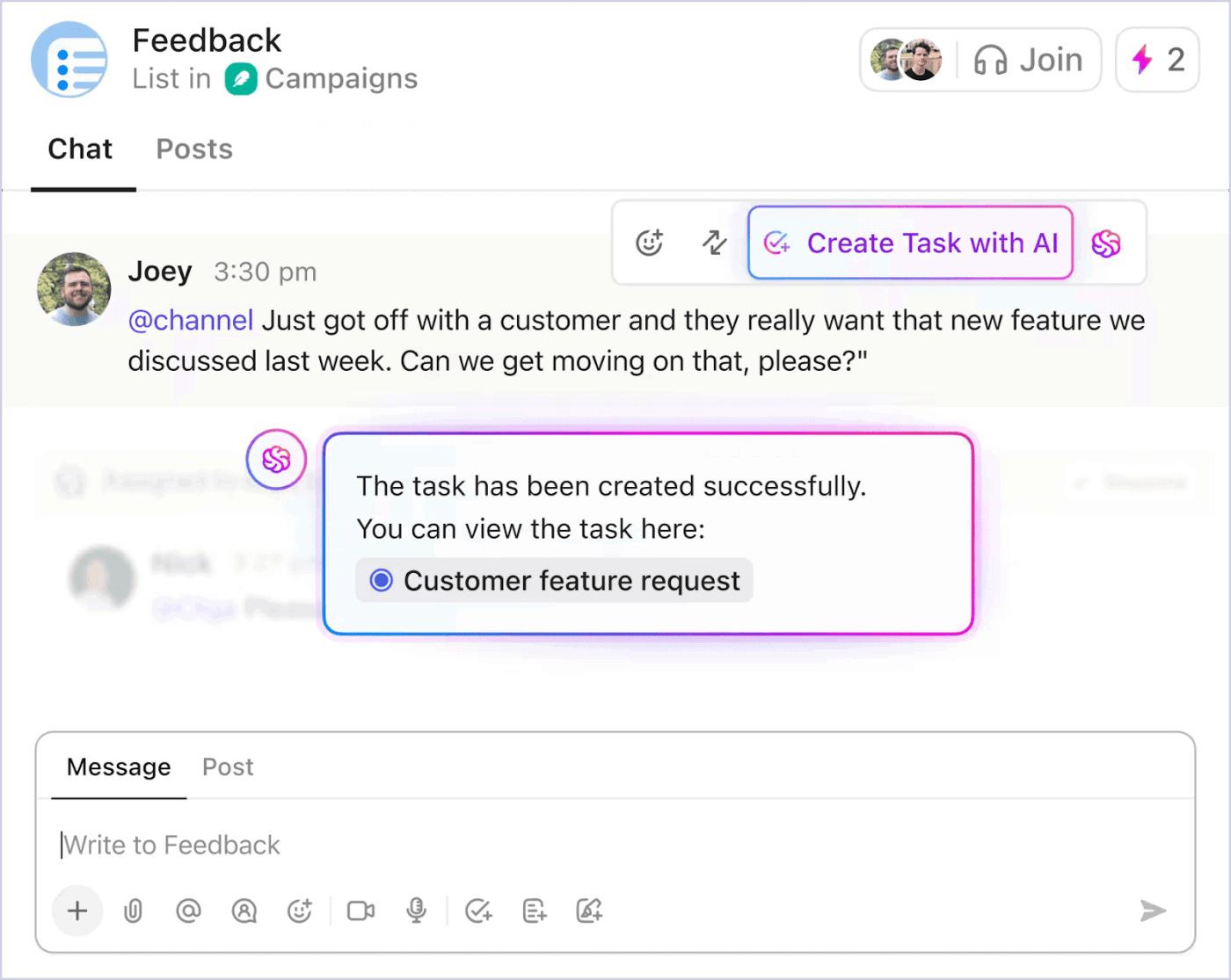
Here’s some feedback from real users:
I moved the internal chat entirely to ClickUp (we have been using Google Meet before). Works nice and it is useful to have all the tasks and documentation there.
It’s pretty early days for it, and it keeps getting better. The integration with the rest of ClickUp is the killer feature for me
These comments capture two things relevant to marketing managers: first, that having tasks, documentation, chats, and meetings in one unified workspace adds real value.
Second, even though the features are still evolving, users appreciate the strong integration with their task list and project work.
For marketing-team leads and campaign owners, ClickUp SyncUps addresses several persistent challenges: fragmented meeting notes, unclear next steps after a sync, and time lost hunting for attachments or status comments across tools.
📌 Example: With ClickUp SyncUps, you get a meeting space that is inherently connected to the workspace. That means when someone says, “We’ll optimize the landing page by Friday,” it becomes a linked task with status, due date, and owner in the same app.
📖 Also Read: How to Use AI in Video Calls
Marketing teams that keep their work in sync tend to grow faster and waste less.
McKinsey reports that companies combining creativity with analytics and purpose see roughly double the growth of peers, which is another way of saying that shared goals, shared data, and shared rituals matter
That is a simple lesson for campaign work as well. Marketing managers can track progress in real time when they bring everyone together and agree on a few clear key performance indicators.
With that in mind, let’s look at how marketing managers can use ClickUp SyncUps for campaign progress tracking at different levels.
👀 Fun Fact: Knowledge workers still spend most of their day coordinating work rather than doing it. Asana’s Anatomy of Work finds roughly 60% of time goes to “work about work,” and unnecessary meetings alone cost people about 157 hours a year. That is why tighter, in-context syncs matter.
Give your team a calm starting point. Create a SyncUp for each campaign’s chat channel, which is already linked to the list where the connected campaign tasks live.
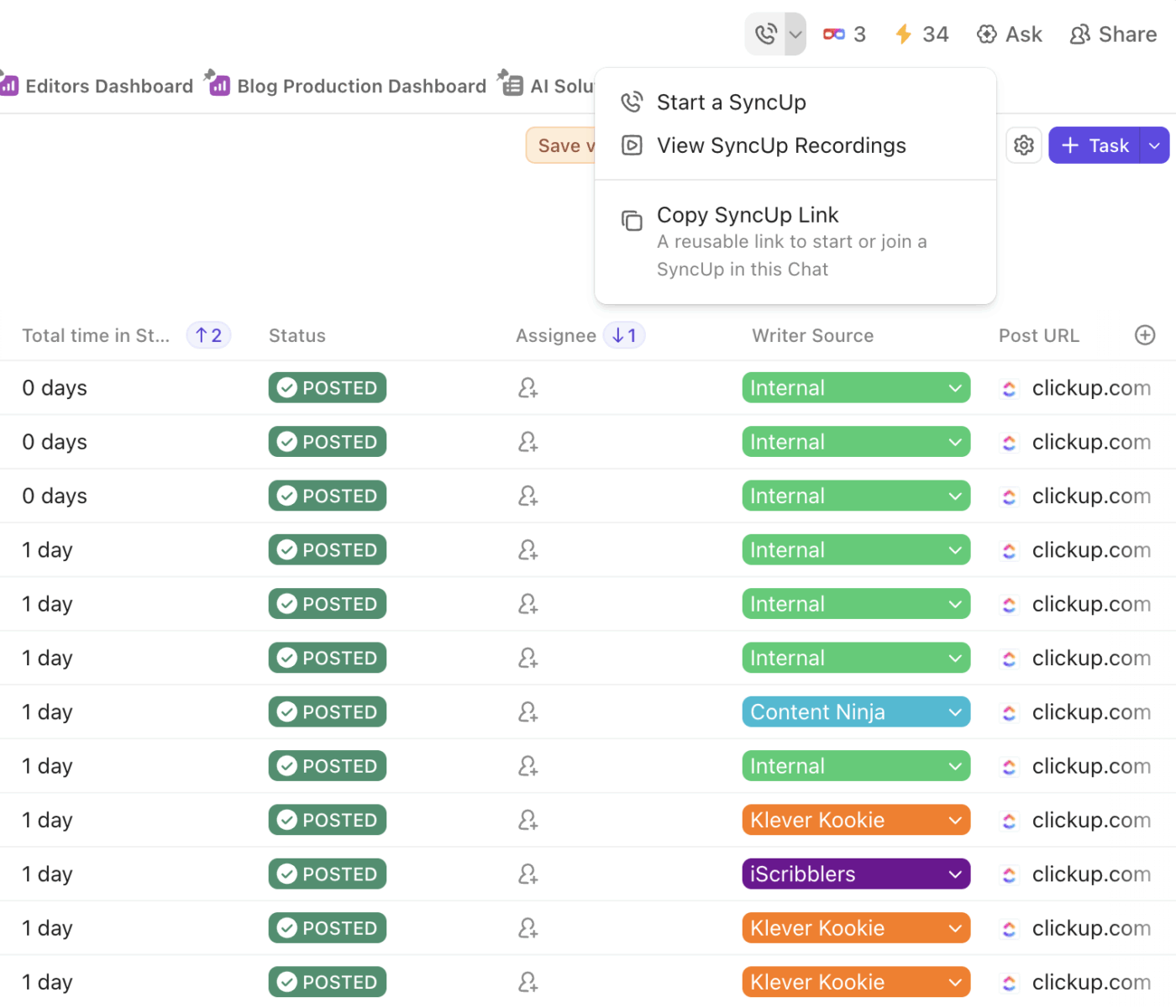
Add an agenda in ClickUp Docs with a short section for wins, risks, and next steps. Invite the right team members and include the key performance indicators you will review. Add owners beside each talking point and a gentle reminder to update project updates before the call.
Open the views that show the project timeline and due dates so everyone arrives on the same page. This simple prep helps you track progress without added stress.
📮 ClickUp Insight: Around 60% of people reply to instant messages within 10 minutes, while about 15% take over
2 hours. That mix of quick pings and slow replies can create gaps and slow teamwork. With ClickUp, messages, tasks, and updates live together, so nothing gets missed and everyone stays in sync at their own pace.
See connected chat in action.👇🏼
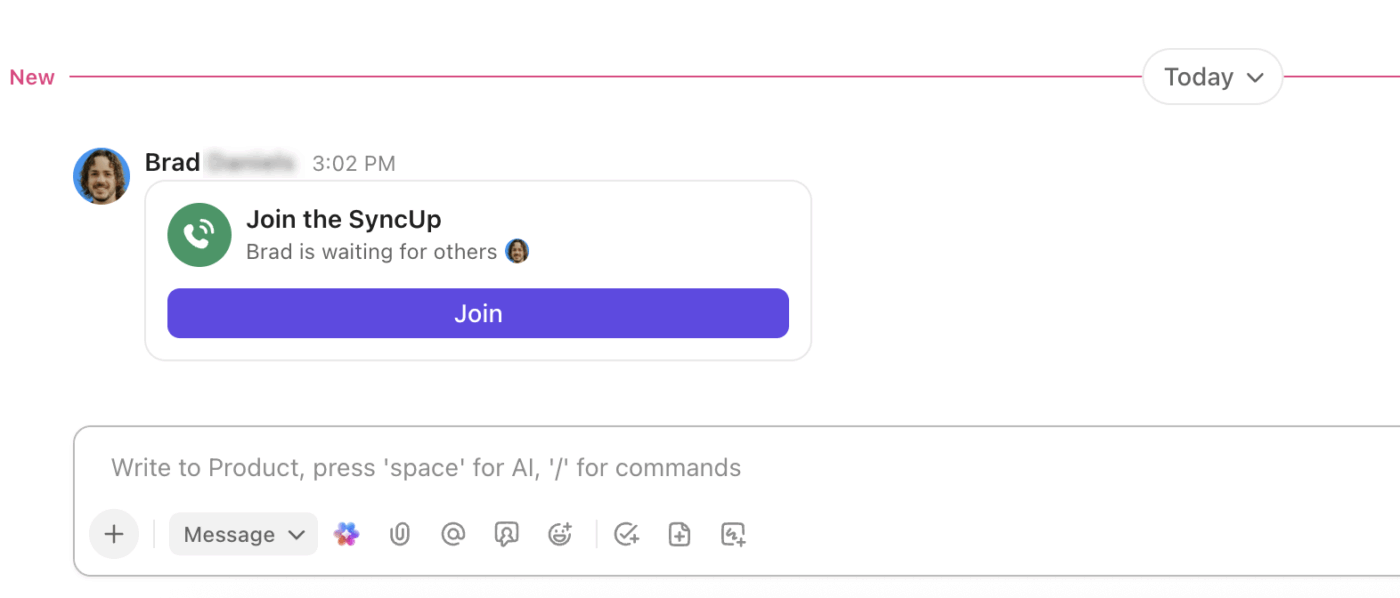
Keep everything on one platform so you don’t have to jump between several apps.
Start the call from your workspace and use a ClickUp Task or a ClickUp Doc to capture quick notes while people speak. When someone shares an update, open the specific task, assign it, and set a clear due date.
If new work emerges, immediately create tasks by pressing the option + t on Mac or alt + t on PC, which instantly opens the creation menu! You can then use ClickUp AI to capture a brief summary so the team stays focused.
✍🏻 Keep the conversation calm and clear: What moved? What is blocked? What needs a small fix?
This procedure makes potential bottlenecks simple to see and helps you track performance in real time.
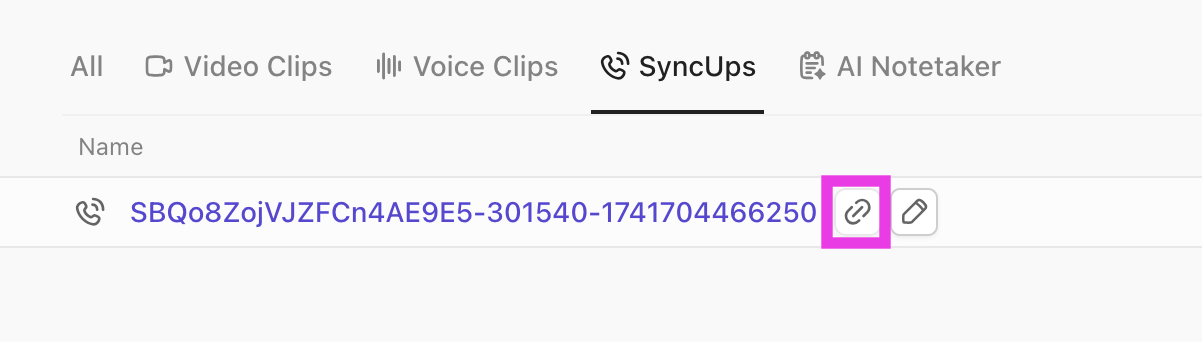
Let the recap guide the follow-through. Track your action items and next steps from the AI notes. Confirm that each decision has been assigned a task with an owner and a due date, and include a brief note in the task comment if any information requires easy access later.
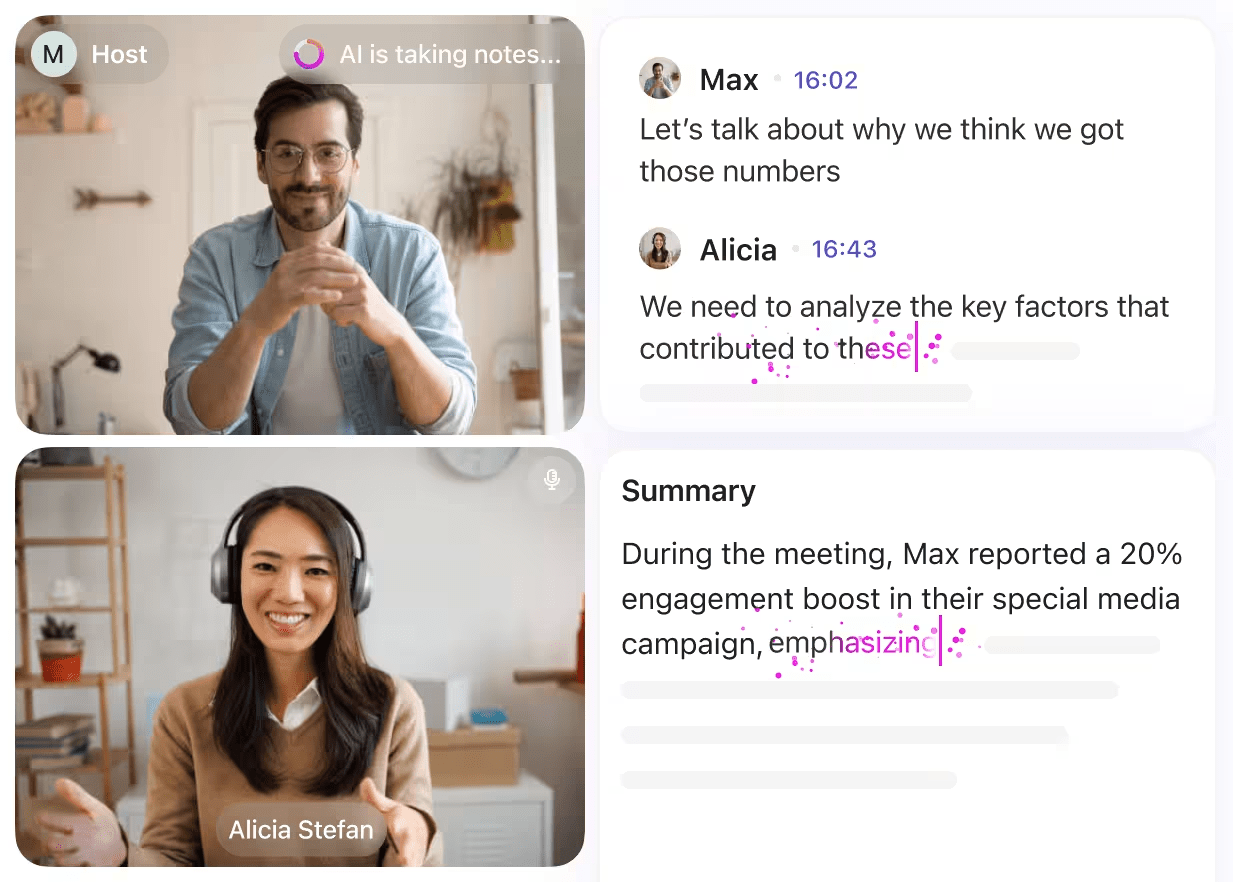
Over time, these small habits build a beneficial record of choices and results. You measure what matters, keep priorities visible, and move projects forward in a way that feels steady and human.
📖 Also Read: How to Make Virtual Meetings More Interactive?
When a team tracks progress together, the work feels lighter, and the outcomes get clearer. ClickUp SyncUps sits inside your workspace, so all your next steps live in one place.
Below are a few simple ways that this helps marketing managers keep everyone on the same page.
When updates arrive before the call, and you get a clean summary after, you spend less time in long meetings.
ClickUp SyncUps lets you start a call directly within your workspace, record it, and share an instant recap with action items linked to the corresponding tasks. That helps you keep the talk short and the work moving.
Microsoft’s 2024 Work Trend Index also shows leaders are leaning on AI to ease the load and make collaboration smoother, which fits the way ClickUp SyncUps summaries capture notes and next steps for you.
Teams grow faster when creative ideas and analytics sit together.
McKinsey reports that companies combining creativity, analytics, and purpose see about double the growth of their peers. Keeping decisions, KPIs, and task owners in one place follows that same spirit.
You can join a SyncUp, look at a few key numbers via your tasks and dashboards, and see exactly what changed since last week.
📖 Also Read: Best AI Tools for Meetings & Meeting Assistants
Budgets are tight, so clarity matters. Gartner finds average marketing budgets sitting at about 7.7% of company revenue.
In that context, quick decisions and tidy ownership make a real difference.
During a SyncUp, you can open the task you are discussing, assign the next step, and set a due date while everyone is present. The automatic recap then reminds each person what they own.
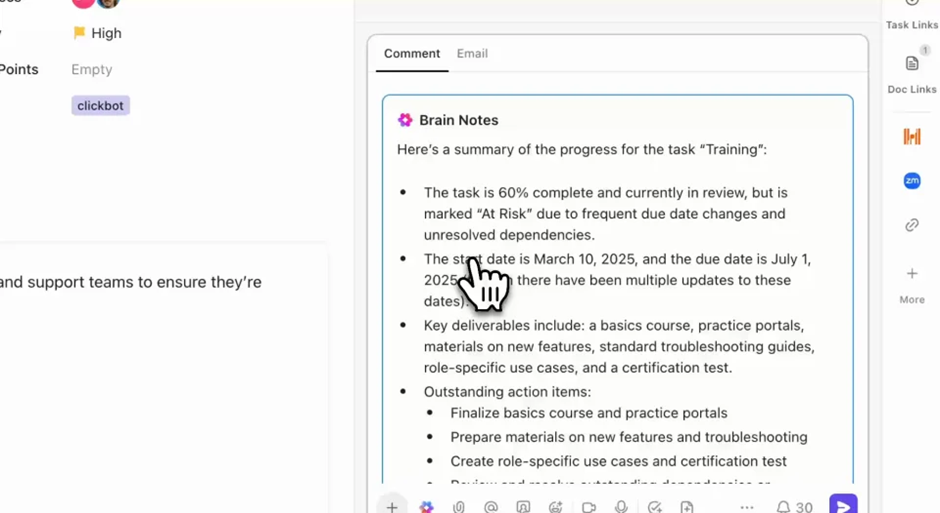
Good things happen when people meet with the same goals and act on shared data.
One recent example is Intrepid Travel, which reported strong growth after aligning brand and performance efforts and working from shared plans.
In a SyncUp, that same kind of alignment is simple. Designers can share a screen, analysts can point to a metric, and marketers can turn the moment into a task on the spot.
See the workflow in action:
👀 Fun Fact: The web’s first display ad reminds us that attention was once easy; now it takes smarter orchestration. Wired’s recounting of HotWired’s 1994 banner launch shows early ads drew extraordinary interaction compared with today’s norms. Modern teams need cleaner workflows and smarter syncs to earn similar attention.
Below are three short stories from real teams using ClickUp.
These case studies simply show how organized work helps people work on time. After each story, you will find a small note on how ClickUp SyncUps could quietly make the same setup even kinder to use.
Shipt’s data platform team sits at the center of a very busy house. Requests came in from all directions, and important details were easy to lose.
Therefore, they moved intake to ClickUp Forms, used tags and ClickUp Automations to route work, and gave leaders a live view with ClickUp Dashboards.
The team talks about saving time and cutting miscommunication once everything lives in one place. Kelly Smunk put it simply.
Before ClickUp, our project tracking was scattered across various platforms. ClickUp centralized our processes, saving us invaluable time and significantly reducing miscommunication.
With a single platform for requests and status updates, the team could prioritize tasks fairly and make informed decisions based on current data.
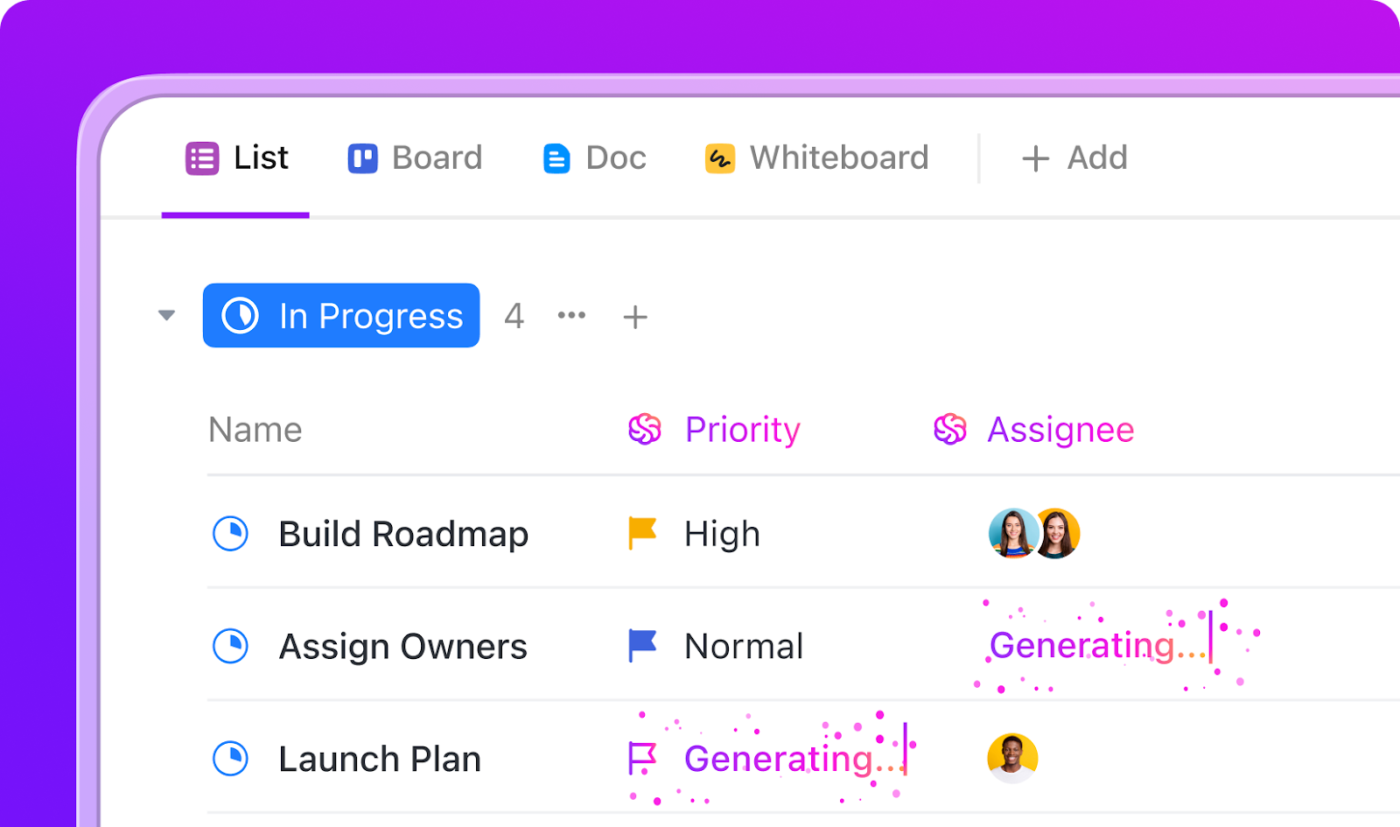
How ClickUp SyncUps makes it better
Marketing and data meet often to review attribution and KPIs. A short SyncUp before weekly planning can help everyone arrive with the same numbers and the same context.
The teams get to join the call inside the request list’s chat channel, open the dashboard together, and turn any issue into a task with an owner and a due date. The recap lands in the workspace, so project updates are easy to locate later.
📖 Also Read: Free Note Taking Templates for Better Organization
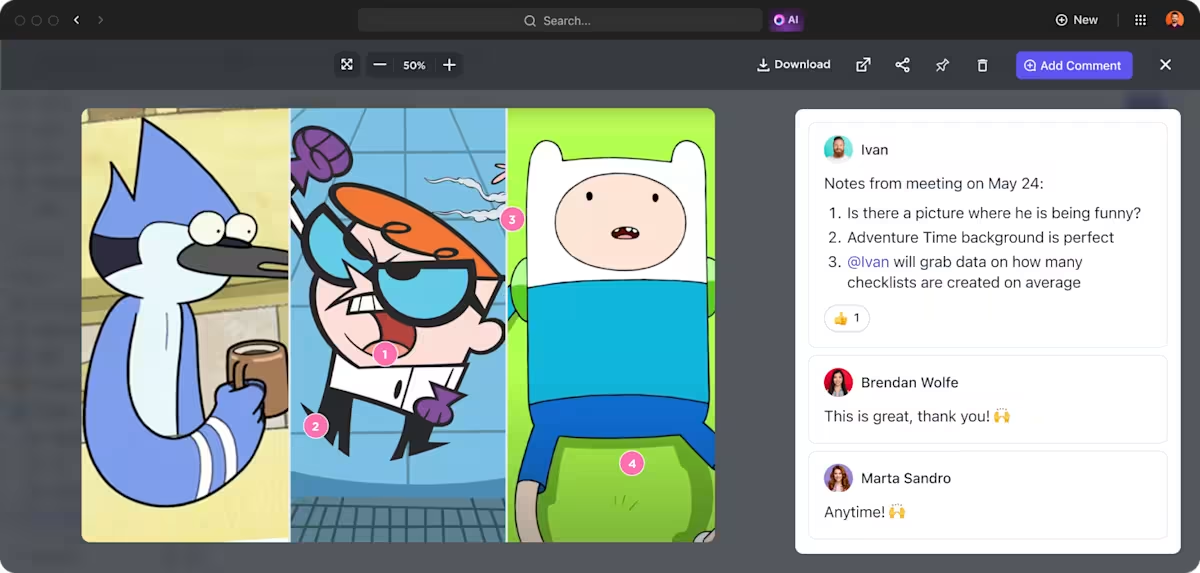
Cartoon Network’s social team needed one source of truth so they could move fast without losing accuracy.
With ClickUp, they cut the time to create and publish by about 50%, doubled the number of social channels managed with the same team, and produced more than 2,000 assets in less time.
Custom statuses kept everyone honest about where a post stood. Views made it easy to plan across brands.
ClickUp Dashboards showed output in a way that leaders could scan in a minute. As Sarah Lively shared:
We can act really, really fast because there’s one source of truth that has all the details we need.
How ClickUp SyncUps makes it better
Morning social standups are short when the plan is clear. A quick SyncUp lets producers, copywriters, and designers confirm the day’s posts, look at yesterday’s results, and catch any last-minute swaps.
If something needs to be moved, you can open the task, assign the new owner, and set the new due date while everyone is present.
📖 Also Read: Best Marketing Planning Software for Campaigns
Miami University’s career center hosts more than 200 events annually and reaches over 19,000 students.
They built a simple knowledge base in ClickUp Docs, used templates to keep steps consistent, and organized views so everyone could see workload and status at a glance. It helped with handoffs and training. It also gave leaders a calm way to monitor progress.
The results showed up in student outcomes too, with a 98% success rate within six months of graduation. Michael Turner explained the shift.
ClickUp is how we make sure all of the steps associated with an event actually happen.
How ClickUp SyncUps makes it better
Event work touches many partners. A 10-minute midweek SyncUp helps confirm venues, speakers, and promos without hopping between tools.
Share a screen to review the timeline, turn any gaps into tasks, and assign clear owners. The recap serves as a valuable memory for the team, helping new team members learn the process and maintaining steady priorities.
📖 Also Read: Best Screen Share Software for Remote Meetings
Now that we understand how ClickUp SyncUps simplifies your process. Let’s explore how various features in ClickUp work together to enhance your efforts.
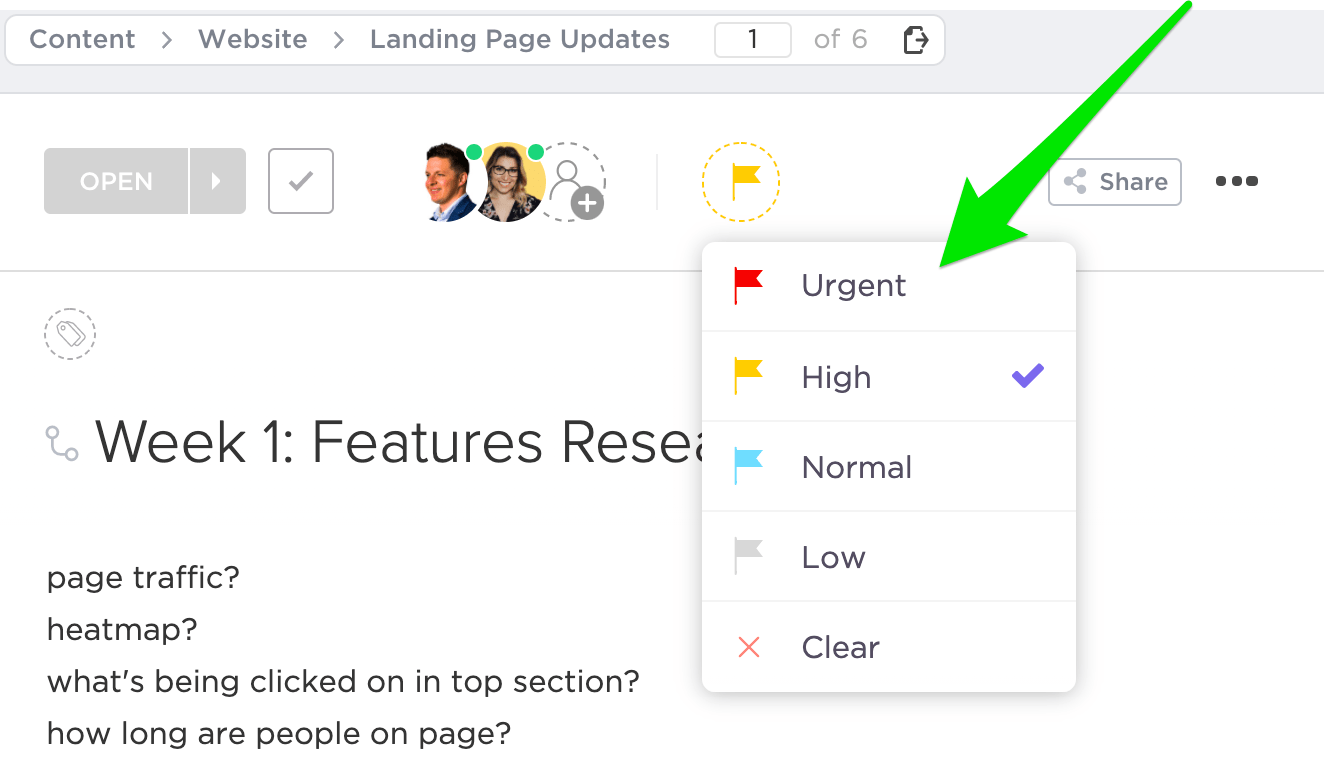
Most campaign stress comes from small gaps. A brief status update that was never communicated to the design team. A new idea that did not become a task.
During the call, open the few tasks that are relevant for the week. Confirm the owner, the next step, and a due date while everyone is present. If new work appears, create tasks in the moment using ClickUp Tasks and add a one-line description so nobody has to chase context later.
Use Custom Fields for channel, audience, or funnel stage to sort quickly after the meeting. Add a comment for small clarifications, and tag specific teammates who need to see it.
This simple rhythm provides you with a real project timeline you can trust.
📖 Also Read: Top AI Transcript Summarizers to Save You Time
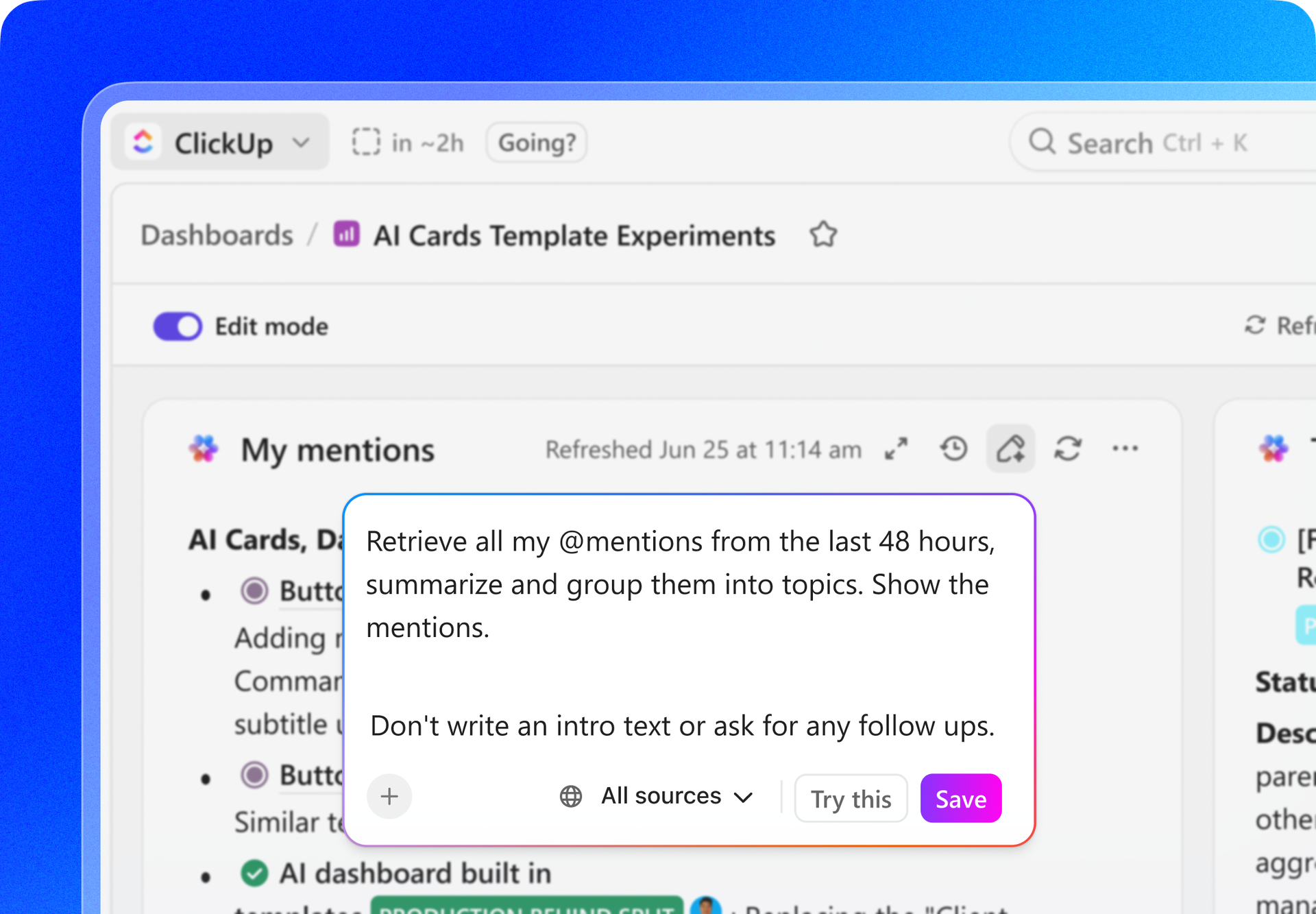
Campaigns feel lighter when your numbers, plans, and words sit together.
Build a ClickUp Dashboard that shows team performance and campaign health at a glance. Add a pie chart for asset status, a simple line for weekly signups, and a workload card so the team leader can verify balance.
If you’re wondering how to build ClickUp Dashboards from scratch in minutes, here’s a quick YouTube video:
You can then embed the dashboard in a ClickUp Doc that holds the brief, your voice and tone notes, and a lightweight approval checklist.
As tasks are completed, your goals and marketing targets are achieved without manual effort. This provides you with a clear way to measure progress against key performance indicators and to explain decisions during campaign-tracking meetings.
📖 Also Read: Best All-in-One Messenger Apps
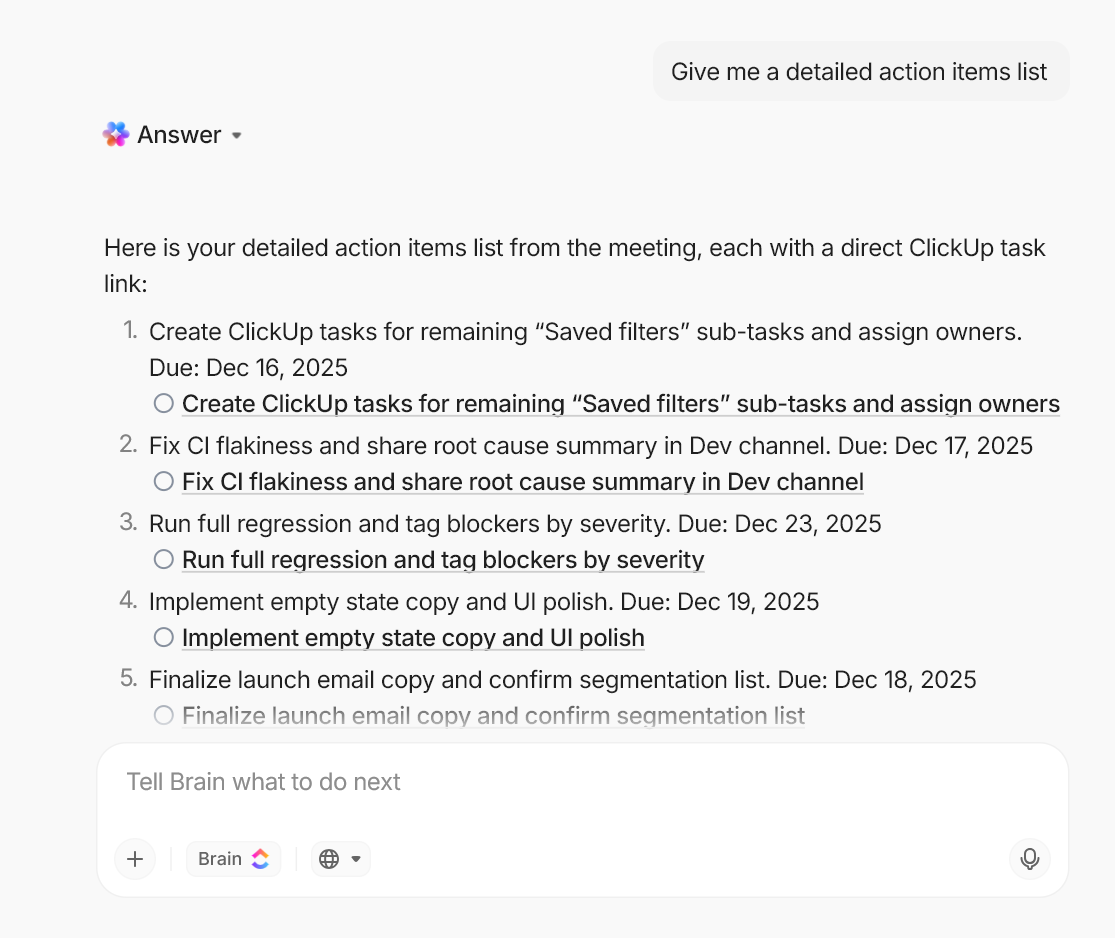
Keep this simple and human. Let the tools handle the busy parts so you can focus on people and choices. Teams that use these features often save about a day each week and finish common work much faster. That usually shows up as fewer manual notes, fewer duplicate steps, and more time to think.
During a ClickUp SyncUps
Say, “Create tasks for three carousel variants for Instagram and assign them to Maya, due Friday.” ClickUp Brain creates the tasks with the owner and date.
Say, “Summarize today’s campaign tracking meeting in three lines and list action items.” ClickUp Brain writes a short recap and links each tasks.
After the call
Open ClickUp Brain and try a friendly prompt. “Show me tasks tagged ‘Spring Promo’ due this week that are still in review.” You get a list you can paste into ClickUp Chat with a short note.
Need a nudge for tomorrow’s sync? “Draft a five-minute agenda for the email test review with one KPI and one risk to discuss.”
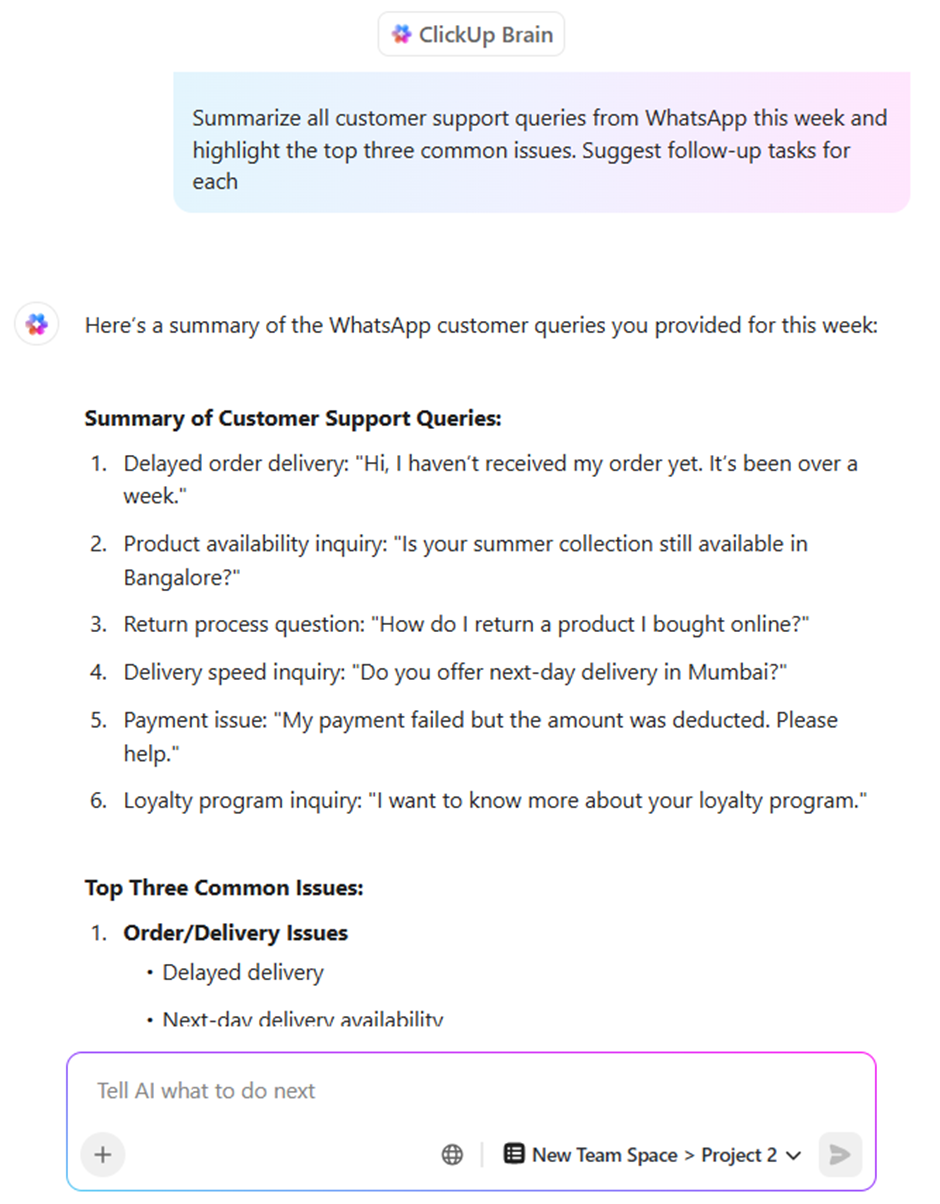
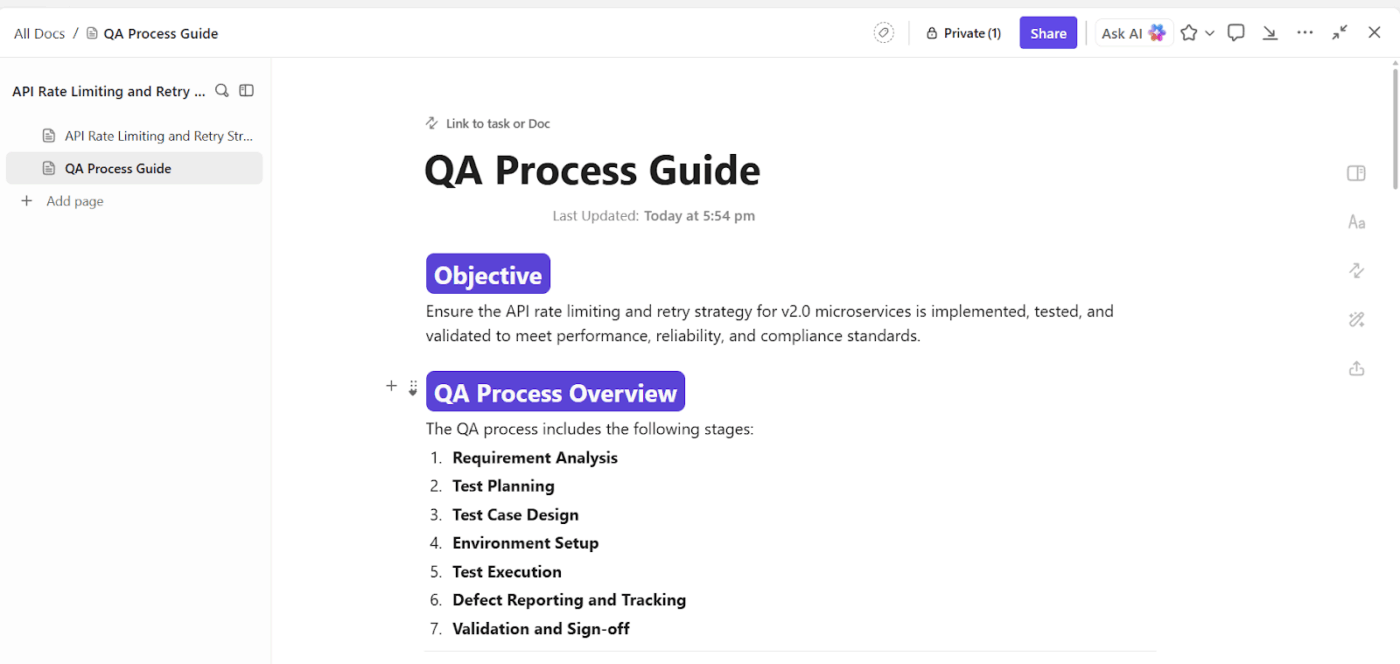
Progress feels real when meetings connect to outcomes. Create a campaign goal in a ClickUp Doc that mirrors your OKRs. Then link the tasks that roll up to it, including creative delivery, experiment count, and smaller metrics such as weekly form fills. Open the Doc to review your goals at the start of your SyncUp so everyone sees the same score.
If the goal is lagging, you can immediately assign tasks in ClickUp Tasks, set a due date that aligns with your campaign, and confirm your performance-tracking strategy. When the team ships the work, the goal inches forward without extra effort.
That is how you build steady progress across multiple platforms and keep priorities visible in one place.
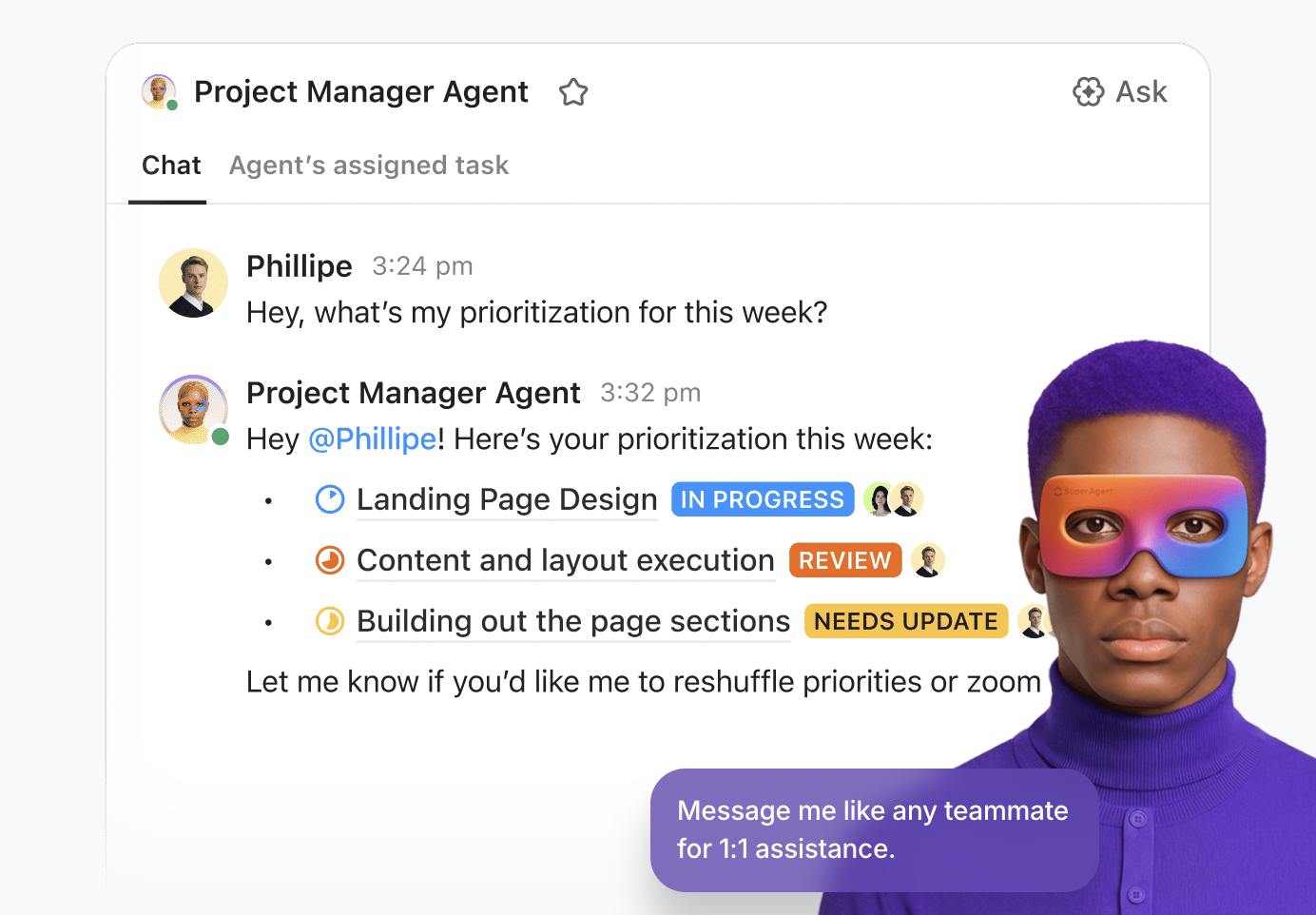
Super Agents extend what happens in a SyncUp by keeping work moving between meetings.
While ClickUp Brain helps in the moment by capturing notes, creating tasks, and summarizing discussions, Super Agents operate continuously across your workspace. They monitor tasks, docs, Custom Fields, and goals in the background, watching for stalled work, missed deadlines, or early risk signals so issues surface before they slow a campaign down.
After the SyncUp, Super Agents continue the work.
They track whether new tasks are completed on time, monitor goal progress as tasks roll up, and keep dashboards accurate without extra effort. If momentum drops or a handoff stalls, the signal appears early, not after results slip.
This creates a system where plans stay active, progress remains visible, and meetings serve as checkpoints rather than control centers.
Here is a simple walkthrough you can copy for your next campaign tracking meeting. It keeps project updates clear, helps you track progress, and provides every team member with a clear path to action.
Step 1: Set the stage in ClickUp Docs
Create a short agenda in ClickUp Docs that includes the goal, key performance indicators, open risks, and the top three talking points. Link the relevant tasks and note who needs to speak to each item.
Step 2: Start the SyncUp from the work
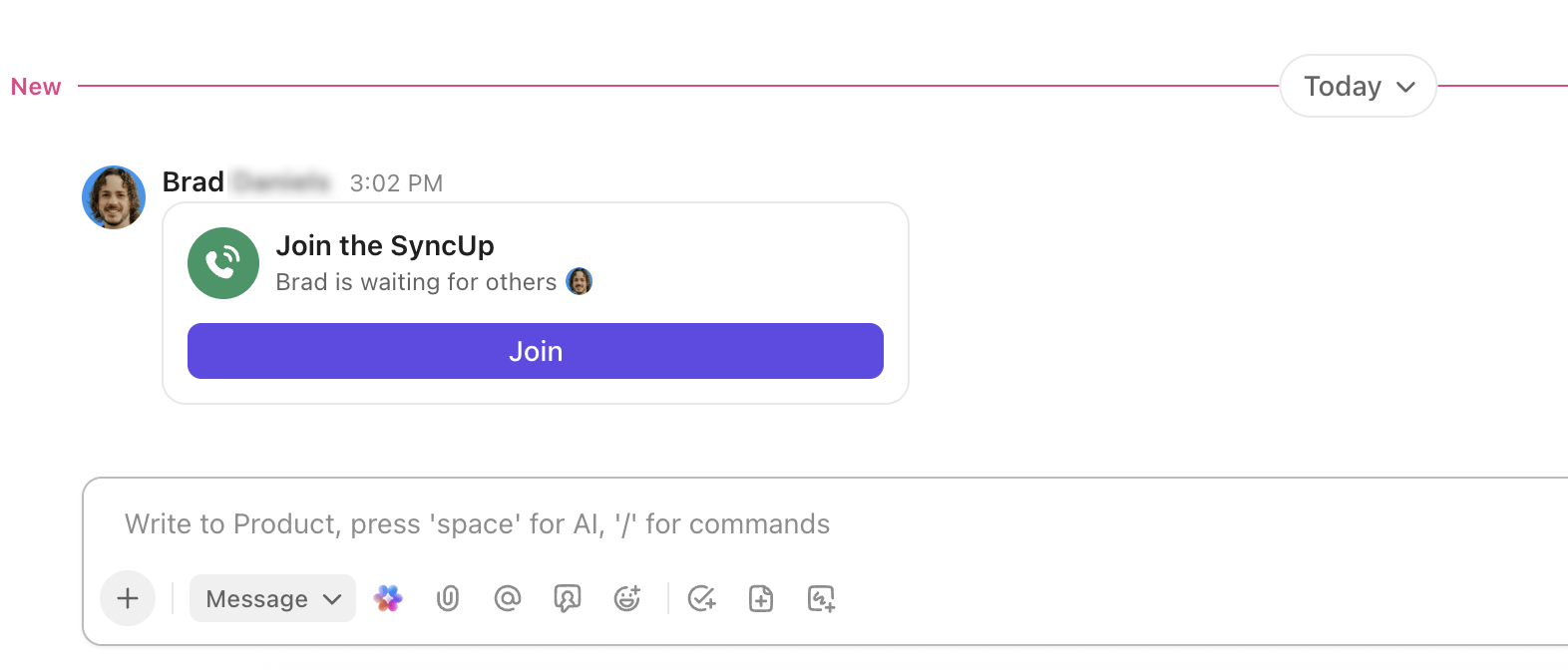
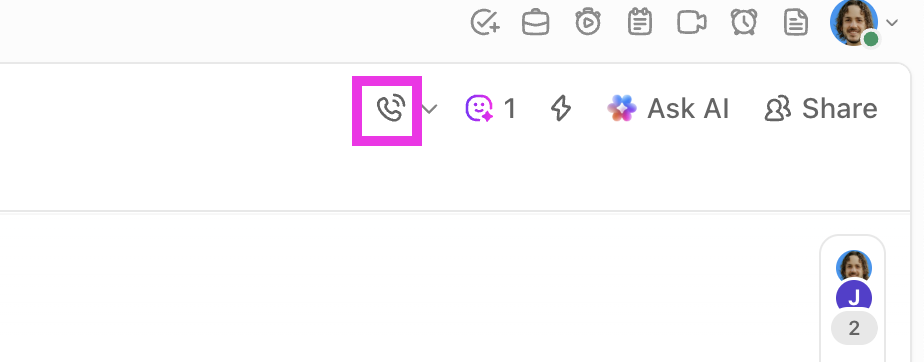
Open the campaign list’s chat channel and click the SyncUp icon to start the call. Invite additional team members, then pin the agenda doc in chat so everyone has easy access.
Step 3: Open the ClickUp Dashboard
Share your ClickUp dashboard for the campaign. Review a few KPIs, scan team performance, and call out any potential bottlenecks. Keep this portion to two minutes so the group stays focused.
Step 4: Triage the work and assign tasks
Open the specific tasks that need decisions. Assign tasks to owners, add a clear due date, and set simple priorities. Add one line of context so nobody has to search later.
Step 5: Capture decisions and notes
Type quick notes in the task comments or ClickUp Chat. Convert any next step into a task, tag the right person, and add followers for stakeholders who want updates.
Step 6: Close the loop and track progress
End with one sentence on what success looks like before the next check-in. The SyncUp recap lands beside the work, the goals update as items move, and the dashboard reflects progress for your team leader and project managers.
📖 Also Read: Free Marketing Campaign Templates
Atlassian ran an internal experiment replacing some status meetings with async video and logged 5,000 hours of meeting time saved. The takeaway is simple: when you measure the right things, you protect time and move work faster.
Here are the core metrics you should track each week so your campaign syncs stay useful and grounded:
👀 Fun Fact: Microsoft’s 2024–25 Work Trend findings show the “infinite workday” is real: workers get hit with ~117 emails a day and are interrupted roughly every 1.75–2 minutes. Tight, async updates and clearer meeting cadences are now essential just to protect focus.
If you dream of short, focused marketing team syncs, clear owners, and honest project updates, you need SyncUps!
Because with ClickUp, everything sits in one place. SyncUps lives beside tasks, ClickUp Docs, and goals, so you can assign tasks, update the project timeline, and track performance without hopping between multiple platforms.
You can use SyncUps to make task creation and goal setting part of every agenda, so each owner leaves with clear goals, realistic deadlines, and the resources to hit them.
Those simple, task-based habits, paired with ClickUp’s advanced features, give your business even more time to develop campaigns that improve customer retention and achieve results in your ClickUp instance.
If that sounds like the kind of week you want, sign up for ClickUp and try a SyncUp with your team.
ClickUp SyncUps lives inside your workspace, right next to tasks, ClickUp Docs, and project updates. You can open a task during the call, assign it, set a due date, and keep the project timeline moving without switching tools. It is built for marketing team syncs and campaign tracking meetings, not just video calls.
Yes. Start the call from the campaign space and share your ClickUp Dashboards to track progress, key performance indicators, and team performance in real time. Update a card or status on the spot, and everyone sees the change on one platform.
It turns talk into tidy actions. You can capture decisions, create tasks from the recap, and pull quick summaries into ClickUp Chat so team members know what to do next. This helps project managers measure what changed and keep the process simple.
Yes. Record a short update via SyncUps, which will show up in your ClickUp Clips. Copy and post the link in the channel, and add notes in the task or Doc for context. People can reply in ClickUp Chat, mark their tasks, and move work forward without adding stress or extra meetings.
Open with a two-minute review of the ClickUp Dashboards, then work through the top five tasks that affect goals. For each item, confirm the owner, next step, and due date, and log questions in ClickUp Docs for follow-up. End by noting risks, time tracking needs, and one clear win so the team stays focused and can track performance effectively.

© 2026 ClickUp

There’s an easier way. Try a free AI Agent in ClickUp that actually does the work for you—set up in minutes, save hours every week.