






Still downloading templates?
There’s an easier way. Try a free AI Agent in ClickUp that actually does the work for you—set up in minutes, save hours every week.
Sorry, there were no results found for “”
Sorry, there were no results found for “”
Sorry, there were no results found for “”
Scheduling jobs in a spreadsheet. Texting cleaners to confirm shifts. Chasing down late payments. If you’re running a cleaning business, you’ve probably done all three—on the same day.
Manual processes slow things down, cause mistakes, and make it harder to grow in the cleaning industry. Cleaning management software helps you fix that. It puts scheduling, invoicing, job tracking, and team coordination in one place—so you can save time and focus on serving more clients.
Below, we’ve listed the 10 best cleaning business software that helps professional cleaning service providers and maid service owners simplify operations, stay organized, and reduce the daily back-and-forth.
Before we dive into each tool in our list, here’s a snapshot of the 10 best cleaning business software tools and what makes them special.
| Tool | Key features | Best for | Pricing* |
| ClickUp | Comprehensive management for cleaning projects, scheduling, communication, and invoicing capabilities + task tracking, automation, and custom dashboards | Best for comprehensive cleaning business management Team size: Solopreneurs, small cleaning businesses, and large-scale cleaning services providers | Free forever; customizable plans available for enterprises |
| ZenMaid | Streamlined scheduling with drag-and-drop calendar, automated reminders, cleaner checklists, online bookings | Best for streamlined scheduling and client communication Team size: Solopreneurs and small companies | Free trial; Paid plans start at $19/month |
| HouseCall Pro | Field service management, online booking, automated billing, customer portal, recurring jobs | Best for field service communication Team size: Cleaning services providers, large, commercial cleaning, and housekeeping service providers | Free trial available; Paid plans start from $59/month |
| Jobber | Management of quotes, jobs, and invoicing with a client portal and CRM | Best for managing quotes, jobs, and invoicing Team size: Mid-market cleaning services providers | Starts at $24/month |
| mHelpDesk | Custom work orders and field scheduling with a mobile app and automated messaging | Best for custom work orders and field scheduling Team size: Solopreneurs, mid-market firms, and larger, commercial firms | Custom pricing |
| ServiceTitan | Complex scheduling and dispatch capabilities for large teams with mobile access and reporting | Best for complex scheduling and high-volume dispatching Team size: Mid-market companies and larger, commercial firms | Custom pricing |
| Hubstaff | Time tracking with GPS, productivity reports, and payroll integrations | Best for time tracking and employee productivity Team size: Mid-sized and large companies | Free trial available; Paid plans start from $7/user/month |
| Swept | Janitorial team communication with multilingual support and supply tracking | Best for janitorial team communication Team size: Mid-to-large multilingual cleaning services providers | Free trial available; Paid plans start from $30/month |
| Connectteam | Employee onboarding and daily operations capabilities | Best for employee onboarding and daily operations Team size: Smaller, local cleaning services provider | Free plan available; Paid plans start from $29/month |
| WorkWave Service | Route optimization and large-scale dispatch with real-time tracking | Best for route planning and large-scale dispatching Team size: Large, commercial cleaning services providers | Custom pricing |
The right commercial cleaning software keeps your team aligned, your jobs on time, and your clients happy. For many service business examples, from cleaning and HVAC to landscaping, using the right software is the difference between smooth operations and daily chaos.
Here’s what to look for when picking a cleaning business software:
🧠 Did you know? The household cleaners market is expected to generate over $41.15 billion in revenue in 2025.

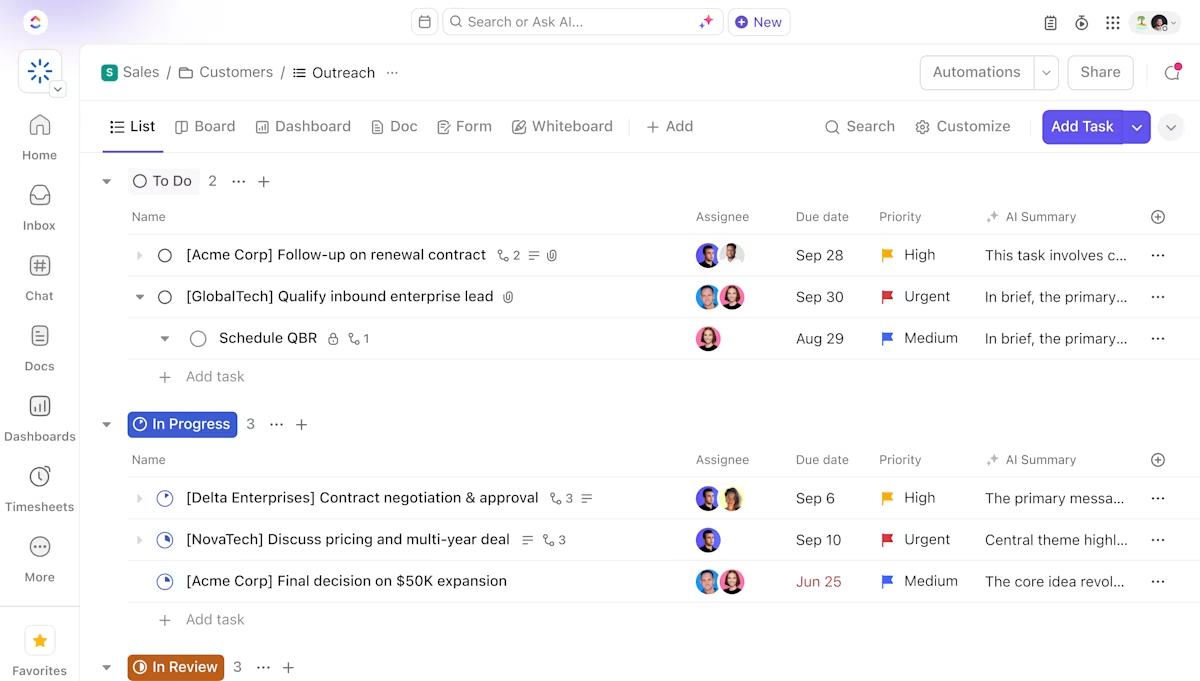
ClickUp is the everything app for work that helps cleaning businesses manage job scheduling, crew coordination, client communication, invoicing, task tracking, and workforce management.
With all the tools available in one place, ClickUp replaces spreadsheets, group chats, and scattered apps with a centralized system built to handle both one-time jobs and recurring cleaning contracts.
Whether assigning daily shifts to a small team or managing dozens of cleaners across multiple sites, ClickUp allows you to build custom workflows, automate routine tasks, and track job progress in real time. It’s ideal for cleaning businesses that want better visibility into their operations without adding more admin work.
ClickUp Tasks lets you build structured job schedules with the level of detail cleaning businesses need to stay efficient. You can create different task types for one-time cleanings, recurring contracts, or urgent requests—each with its status, assignee, and priority.

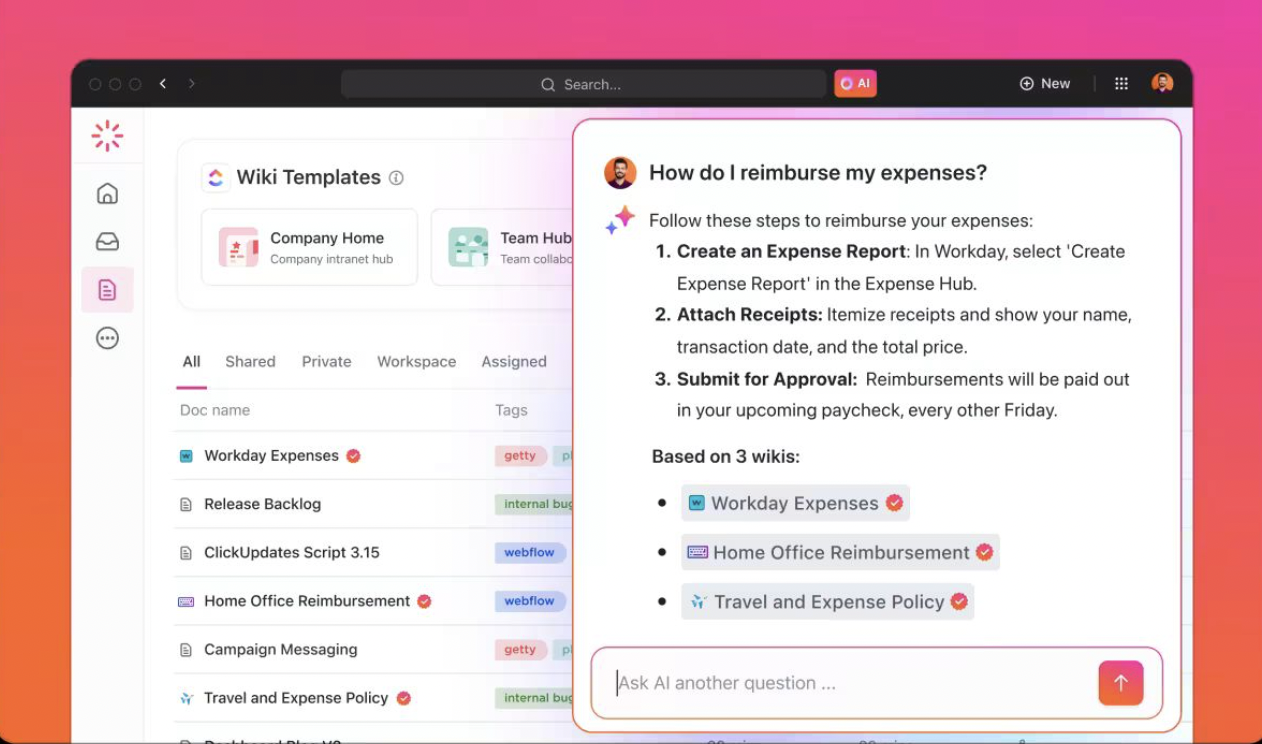
Want to get instant updates on task progress or search client requirements? ClickUp Brain, ClickUp’s powerful AI assistant, has you covered. It provides instant answers to your search queries.
ClickUp Automations helps cleaning businesses reduce manual follow-ups and streamline job management. With the AI automation builder and 100+ templates, you can automatically assign jobs, update task statuses, and send alerts when a cleaner starts or finishes a job—no micromanaging required.

You can also trigger email automation to notify clients about scheduled appointments or completed work and generate invoices as soon as a job wraps up, improving customer satisfaction.
Features like dynamic assignees and audit logs ensure your team stays accountable and your billing stays accurate without chasing down details at the end of the day.
ClickUp Dashboards give cleaning businesses a clear view of how the operation is running—from team productivity to client satisfaction. Instead of juggling multiple tools, you can monitor open jobs, completed tasks, revenue, and client follow-ups from a single dashboard.

It benefits managers who want to keep tabs on job status, service quality, and overall performance without relying on manual updates.
The ClickUp CRM Template is a solid starting point. It helps you organize client data, assign tasks, and guide each job or inquiry through a defined process. Here’s how you can use it:
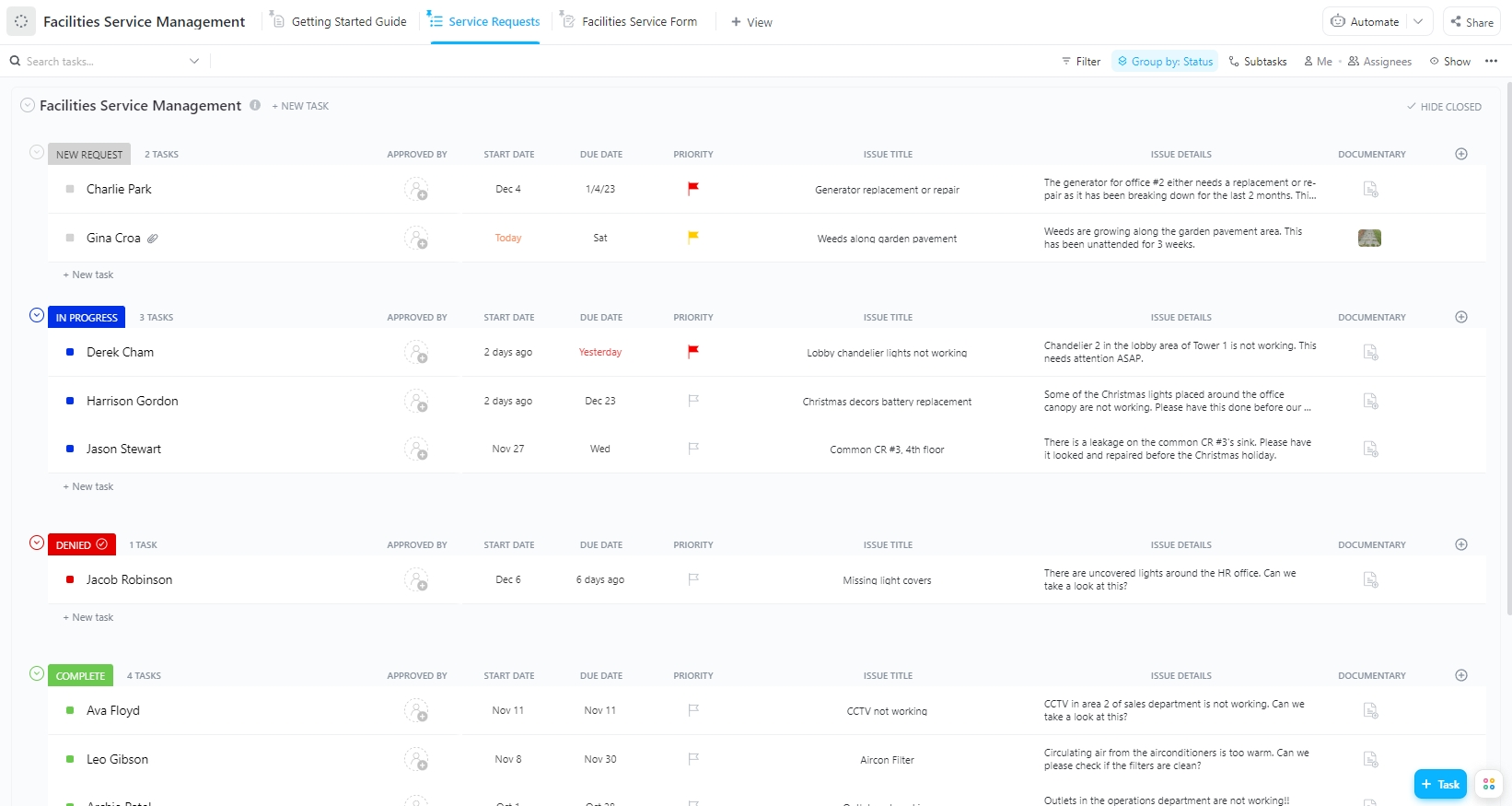
You can also try the ClickUp Facilities Service Management Template. It ensures precise coordination and resource organization so that your cleaning operations run smoothly. Here’s how:
A G2 review says,
The ability to customize workflows, automate processes, and integrate seamlessly with other tools makes it an essential part of our daily operations. The different views (list, board, and calendar) allow for efficient task management, and the built-in documentation features help keep everything in one place. The platform’s speed and reliability ensure that our projects stay on track without disruptions.
📮 ClickUp Insight: Context-switching is silently eating away at your team’s productivity. Our research shows that 42% of disruptions at work come from juggling platforms, managing emails, and jumping between meetings.
What if you could eliminate these costly interruptions?
ClickUp unites your workflows (and chat) under a single, streamlined platform. Launch and manage your tasks from across chat, docs, whiteboards, and more—while AI-powered features keep the context connected, searchable, and manageable!
📖 Read More: Free CRM Templates: Excel, Google Sheets & ClickUp
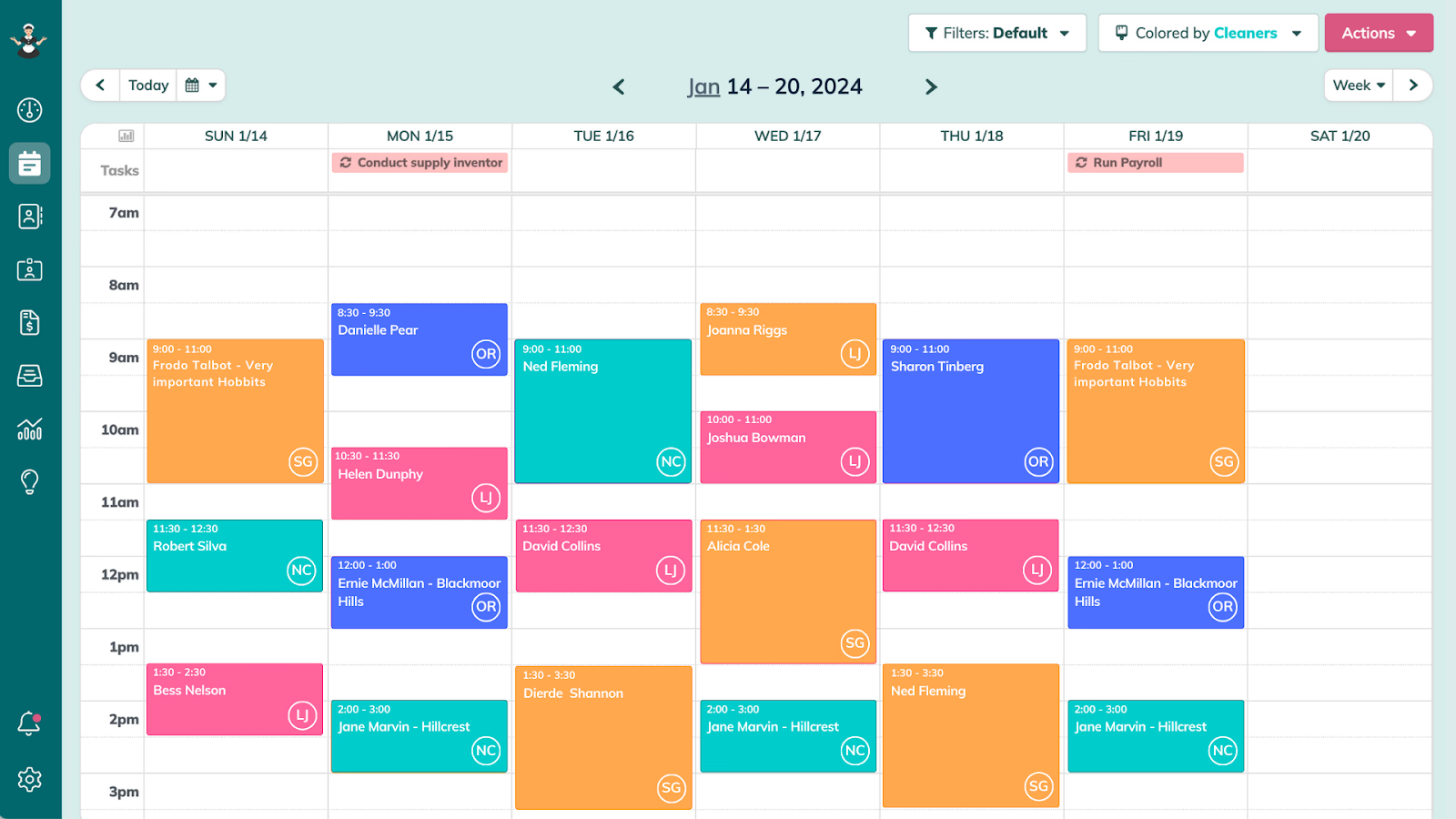
ZenMaid is a scheduling software explicitly built for maid services and solo cleaners. It helps you organize appointments, track team availability, and automate daily communication in one dashboard. ZenMaid eliminates manual scheduling by letting you set recurring appointments, view availability, and avoid double bookings.
Automated reminders, email updates, and cleaner-facing tools help reduce missed appointments and improve service consistency. They make it easier to stay on track and enhance client management without micromanaging every detail.
A Capterra review says,
The ease of use, the ability to scale and the additional features it has are amazing. From GPS tracking apps, to snapshot reporting to a simple to read dashboard – it really does everything.
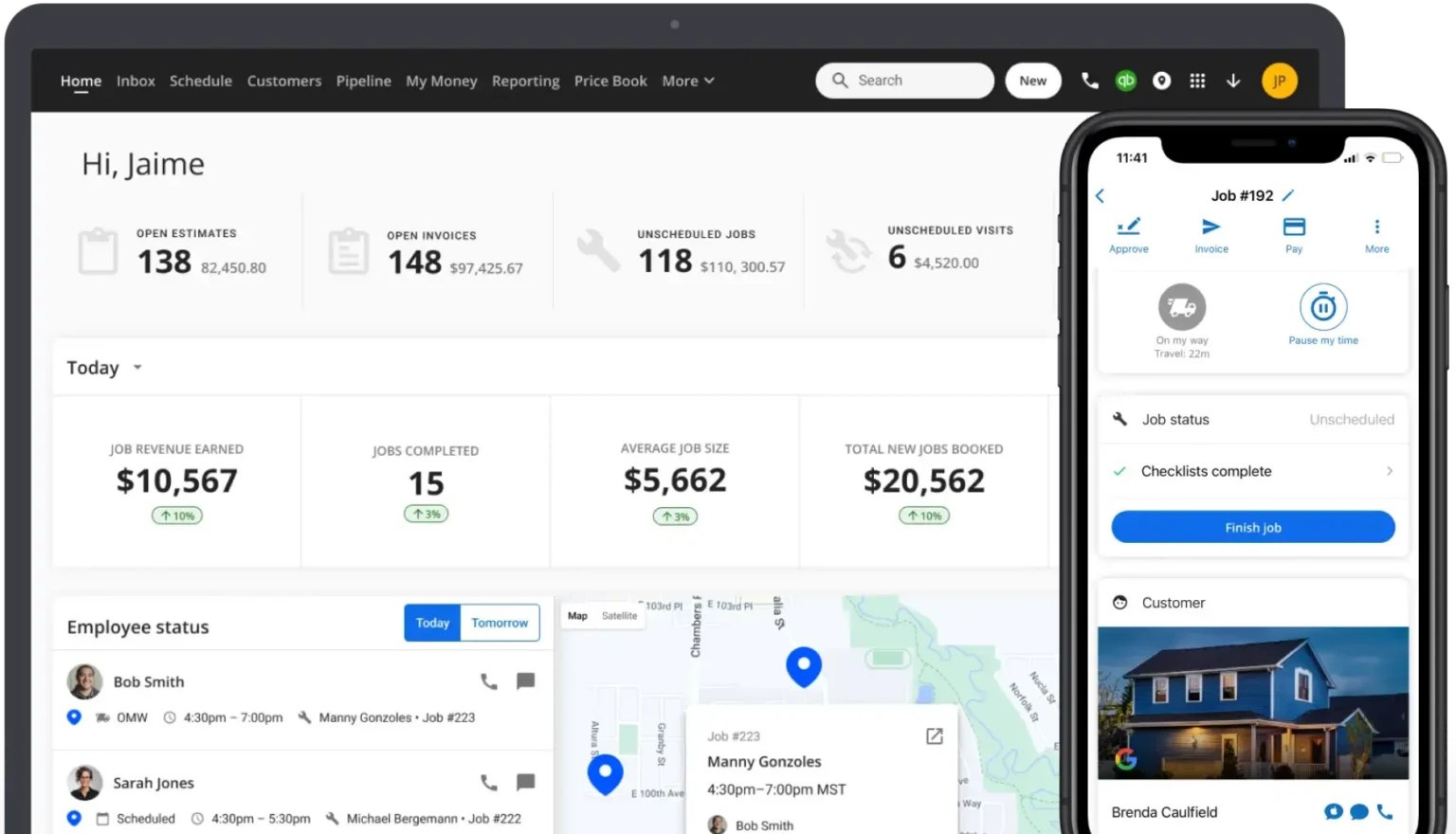
Housecall Pro helps cleaning businesses manage everything from scheduling and dispatching to client communication and payments. It is useful for teams handling multiple recurring appointments and field crews.
Housecall Pro reduces the admin load with tools to simplify online booking, automate billing, and create a seamless client experience. Features like a customer portal and real-time updates help cleaning teams maintain high customer service etiquette by keeping clients in the loop at every step.
A G2 review says,
Housecall Pro is very user-friendly and easy to implement. I like the price book setup, the ease of taking credit/debit cards, and the customer & job tags. It is also easy to track lead sources. I like the customer support.
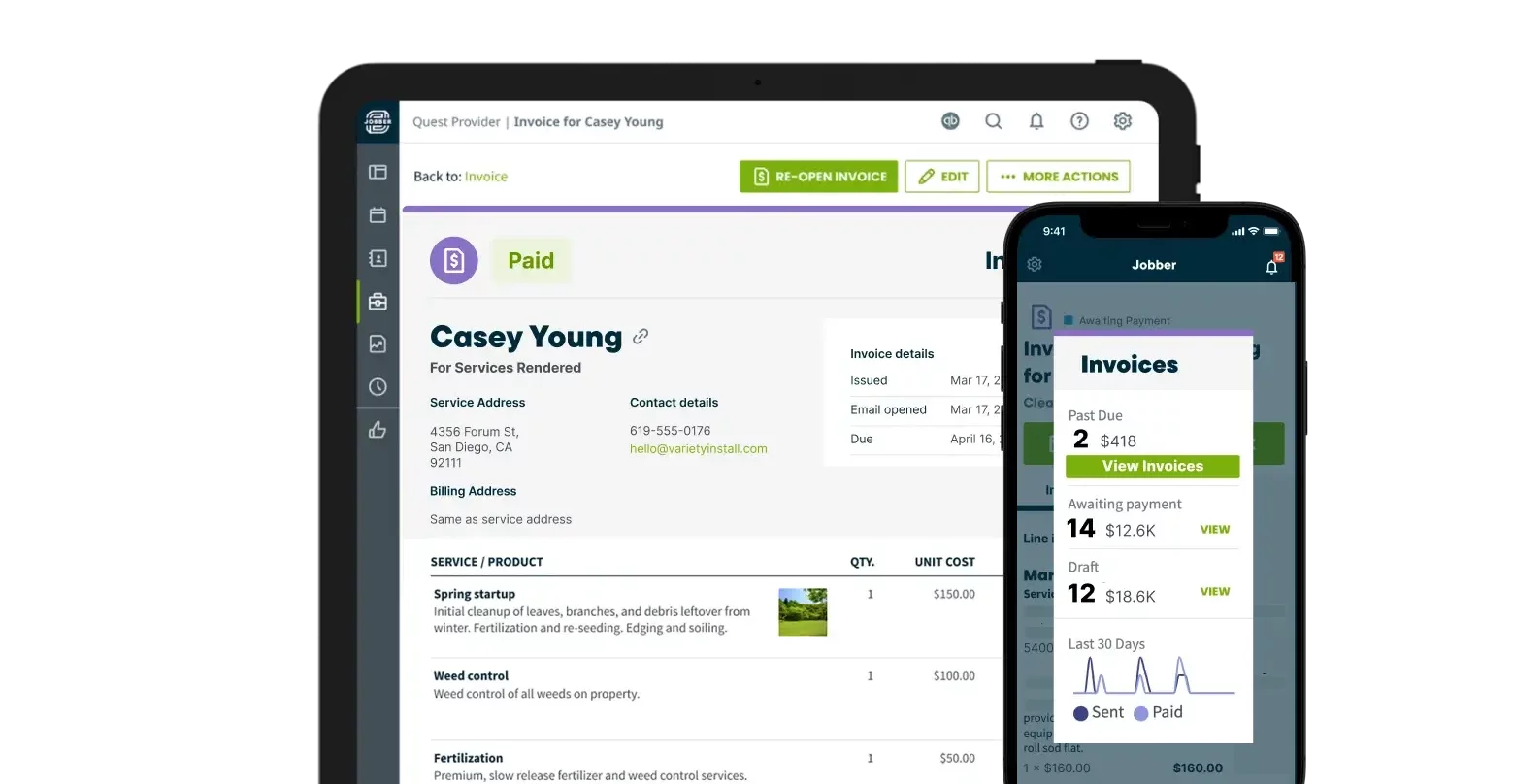
Jobber gives cleaning businesses an organized way to manage client work from start to finish. It’s ideal for teams that handle multiple jobs daily and want a faster, more organized way to send quotes, schedule cleanings, and get paid.
With tools to automate scheduling, generate invoices, and clear communication, Jobber helps reduce admin work and keep your cleaning operation running smoothly, especially when managing repeat clients or last-minute requests.
A G2 review says,
I use Jobber to organize my scheduled cleaning services as well as send quotes, keep track of invoices, and collect customer payment/deposit. It’s very user-friendly and it’s exactly what I need for my small business.
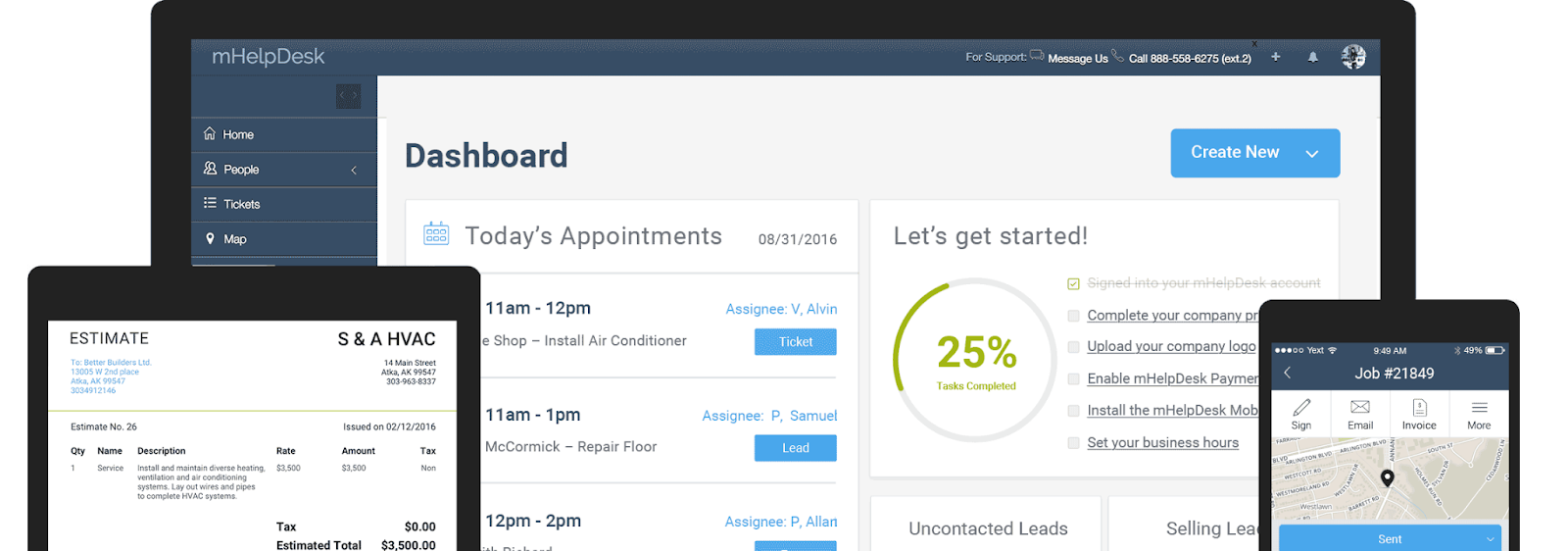
mHelpDesk is for businesses that handle detailed service requests and need better control over field scheduling. It lets you manage custom job types—like deep cleans, multi-unit properties, or move-out services—with tools to create detailed work orders, dispatch staff, and track jobs in real time.
The mobile app helps cleaners stay updated on on-site tasks, while office staff can view progress, send invoices, and process payments—all from one place.
A Capterra review says,
You are able to automate your business to keep a customer database, schedule and track work orders. Billing is a breeze within the email feature you send to your customers.
📖 Read More: Best Work Order Software for Maintenance Requests
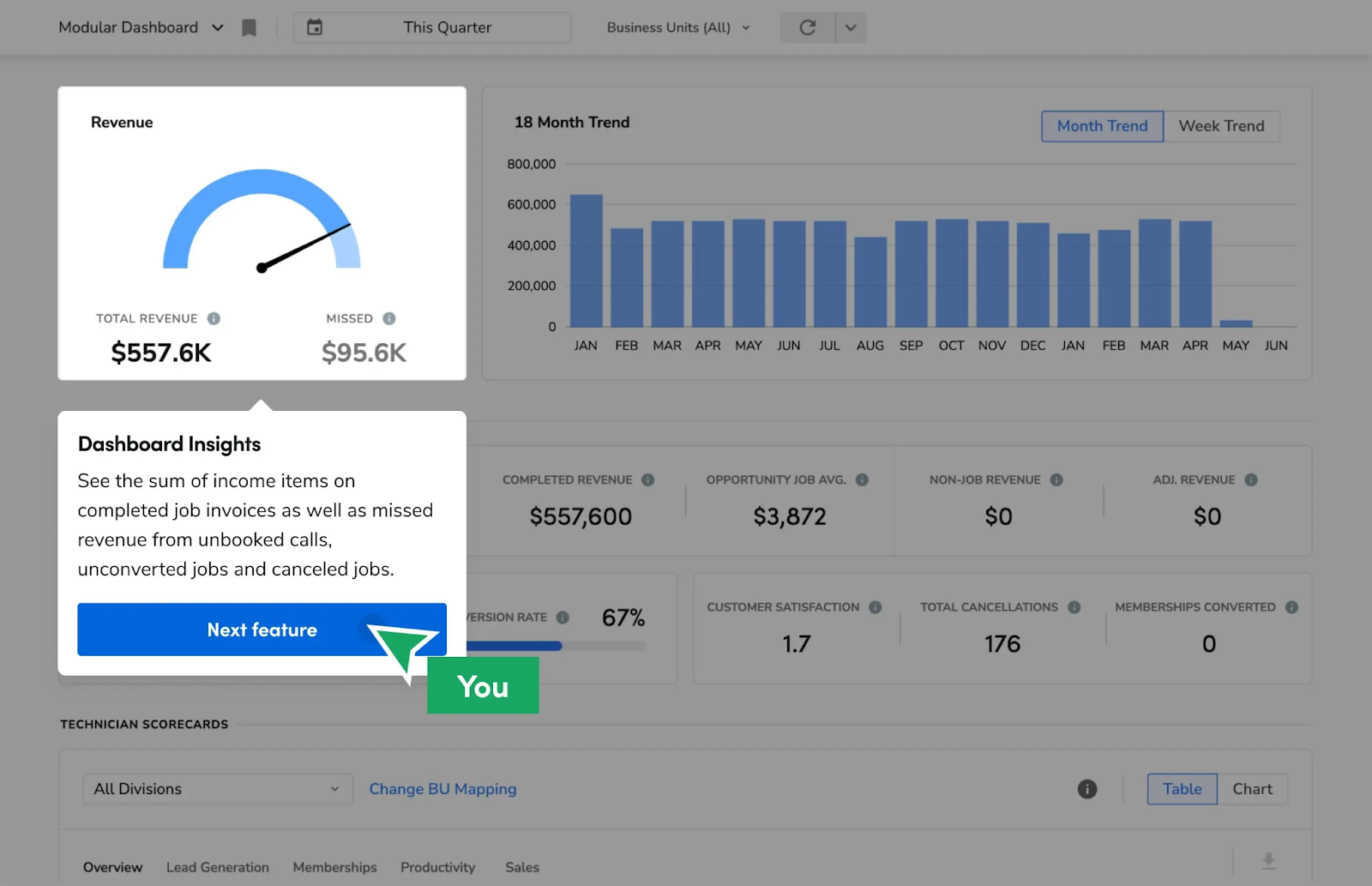
ServiceTitan helps manage multiple crews, service areas, or high volumes of daily jobs. It simplifies scheduling, monitors team locations in real time, and reduces delays caused by miscommunication or manual coordination.
If your team constantly runs into scheduling issues or inefficient dispatching, ServiceTitan gives you complete visibility and control to fix those bottlenecks. It’s beneficial for growing businesses that need tighter job tracking, faster rescheduling, and more consistent service delivery across the board.
A G2 review says,
I love that we can run the entire business from one app. Dispatching, scheduling, call monitoring, lead tracking, estimates, marketing, customer communication, inventory, billing, project management, in-office tasks, technician communications, and the customer portal… the list goes on and on.
📖 Read More: Top CRM for HVAC Service and Maintenance
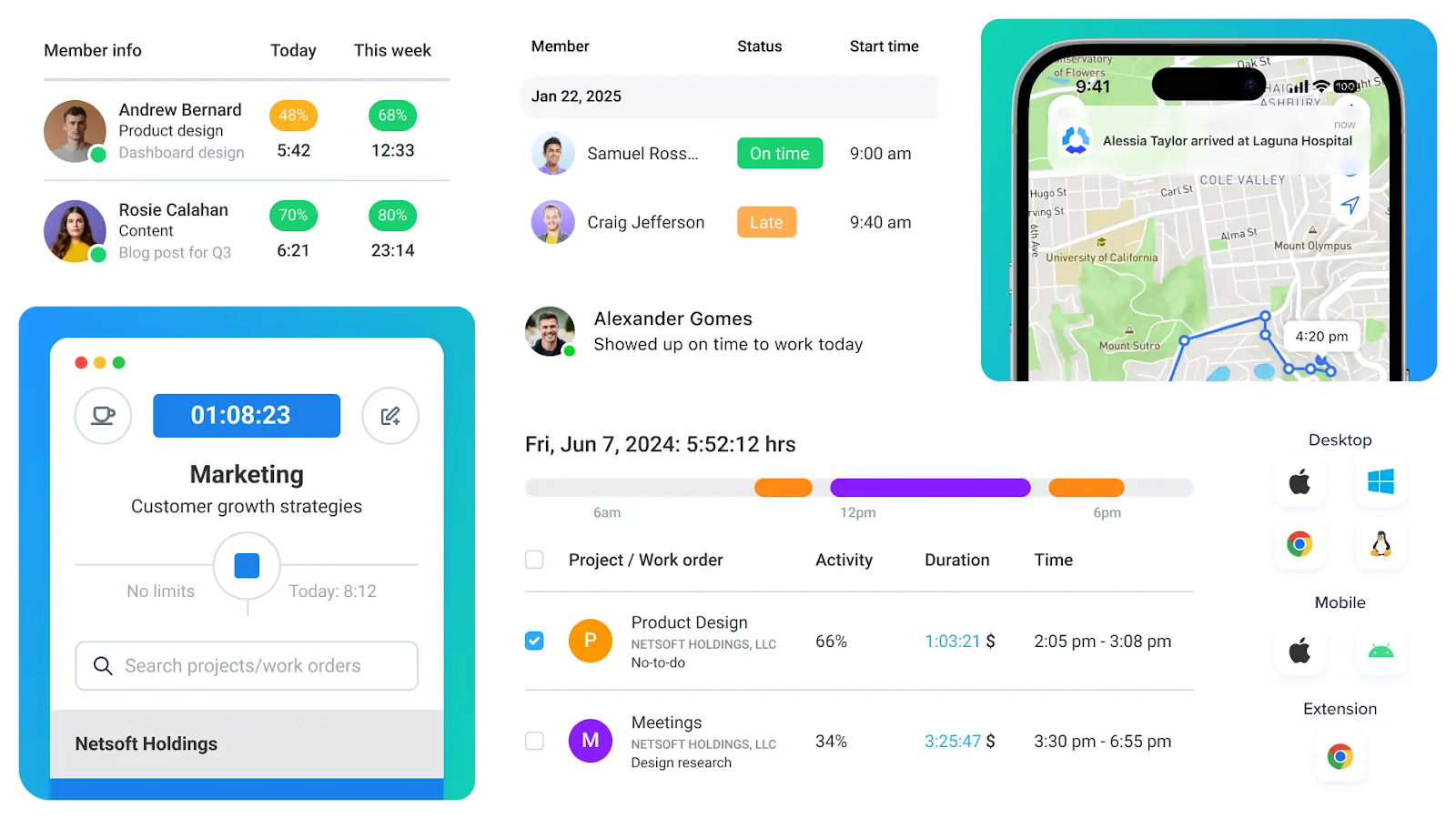
Hubstaff helps cleaning businesses track time accurately and improve team performance across job sites. GPS tracking, geofencing, and automated timesheets clearly show where your cleaners are and how long they spend on each task.
These insights simplify payroll and help identify inefficiencies—like time lost between jobs or underutilized staff. For teams working across multiple locations, Hubstaff helps maintain accountability, track productivity, and meet customer expectations without hovering over every detail.
A G2 review says,
We have been using Hubstaff for a while now, and it has made a significant difference in how we track work hours and manage our remote team. The time tracking feature is good, and the interface is easy to understand for all the team and hierarchy. It helped us to drive the team toward efficient development and better tracking.
📖 Read More: Employee Productivity Tracking Software Tools
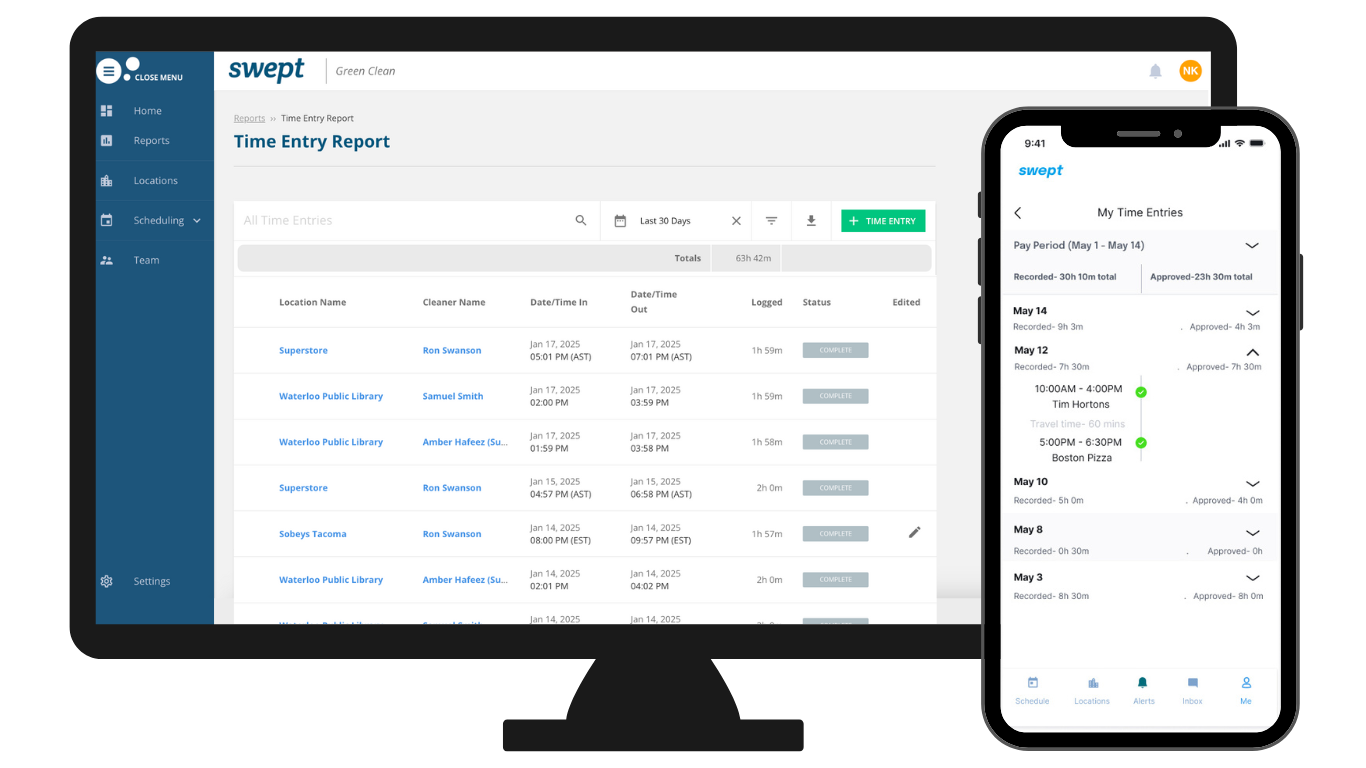
Swept is purpose-built for janitorial businesses that must keep teams aligned across multiple job sites. Instead of relying on scattered group chats or last-minute calls, managers can use Swept to send instructions, get updates, and ensure cleaners know exactly what’s expected.
Multilingual support and site-specific messaging help avoid miscommunication and service gaps, especially for teams working across different languages or shifts.
A Capterra review says,
Super easy for staff to clock in/out. Great features to be able to message staff assigned to locations. Time sheets available to staff are very helpful. Security info attached to locations is an ideal tool. The ability to change the language is nice for messaging.
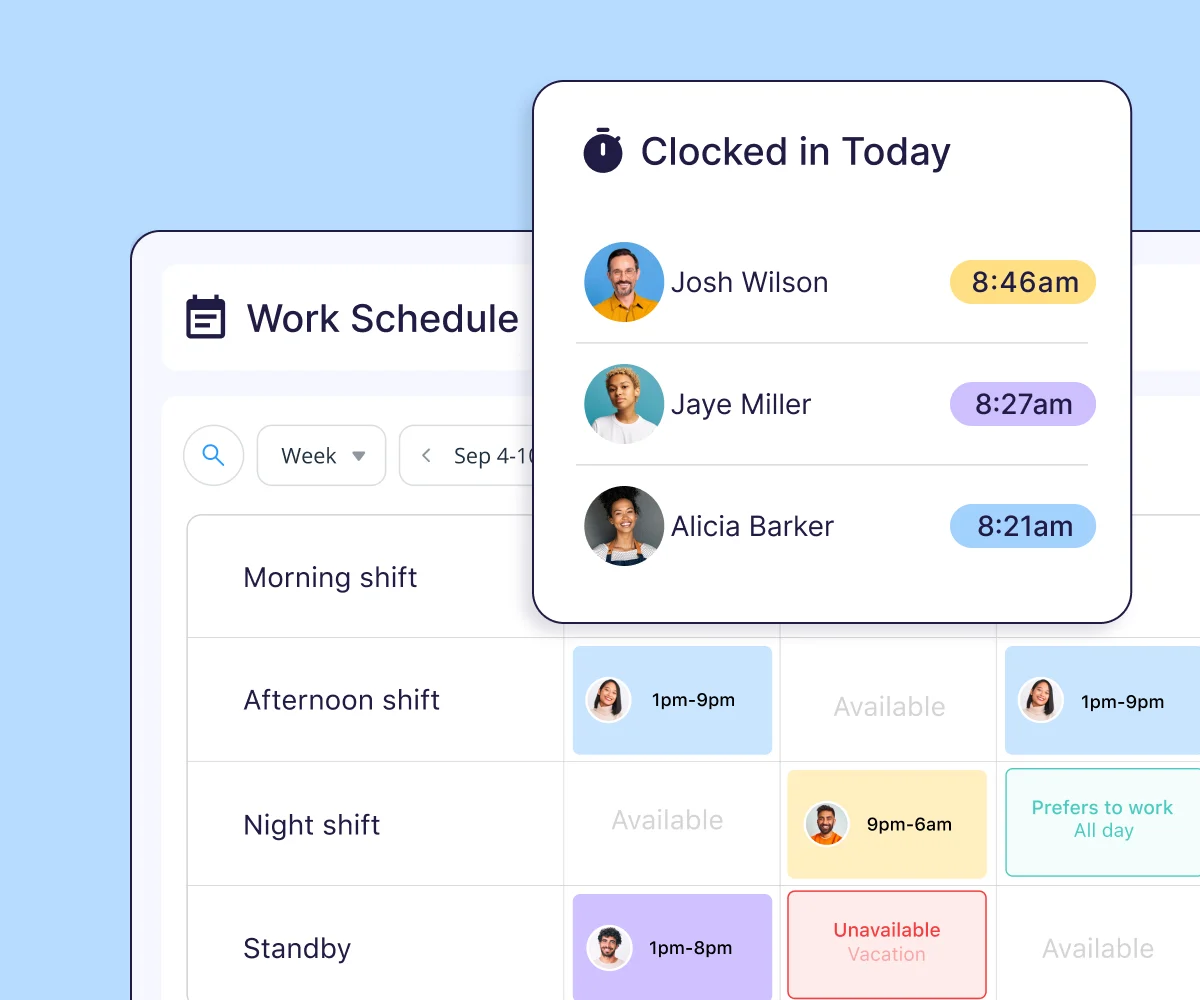
Connecteam helps cleaning businesses onboard new hires quickly and run day-to-day operations without the chaos of spreadsheets or paper checklists. You can set up mobile-friendly training, assign tasks with detailed instructions, and track progress.
For cleaning companies with high employee turnover or rotating shifts, it offers tools to train, manage, and communicate with teams in the field without slowing things down at the office.
A G2 review says,
Connecteam has been a wonderful tool for my organization to manage its Human Resources. The best part about this tool is how the interface is easy to understand and can be quickly absorbed by new users. It is extremely easy to use. We love the scheduling section because we can easily schedule our staff, and the staff immediately gets notified about the shift.
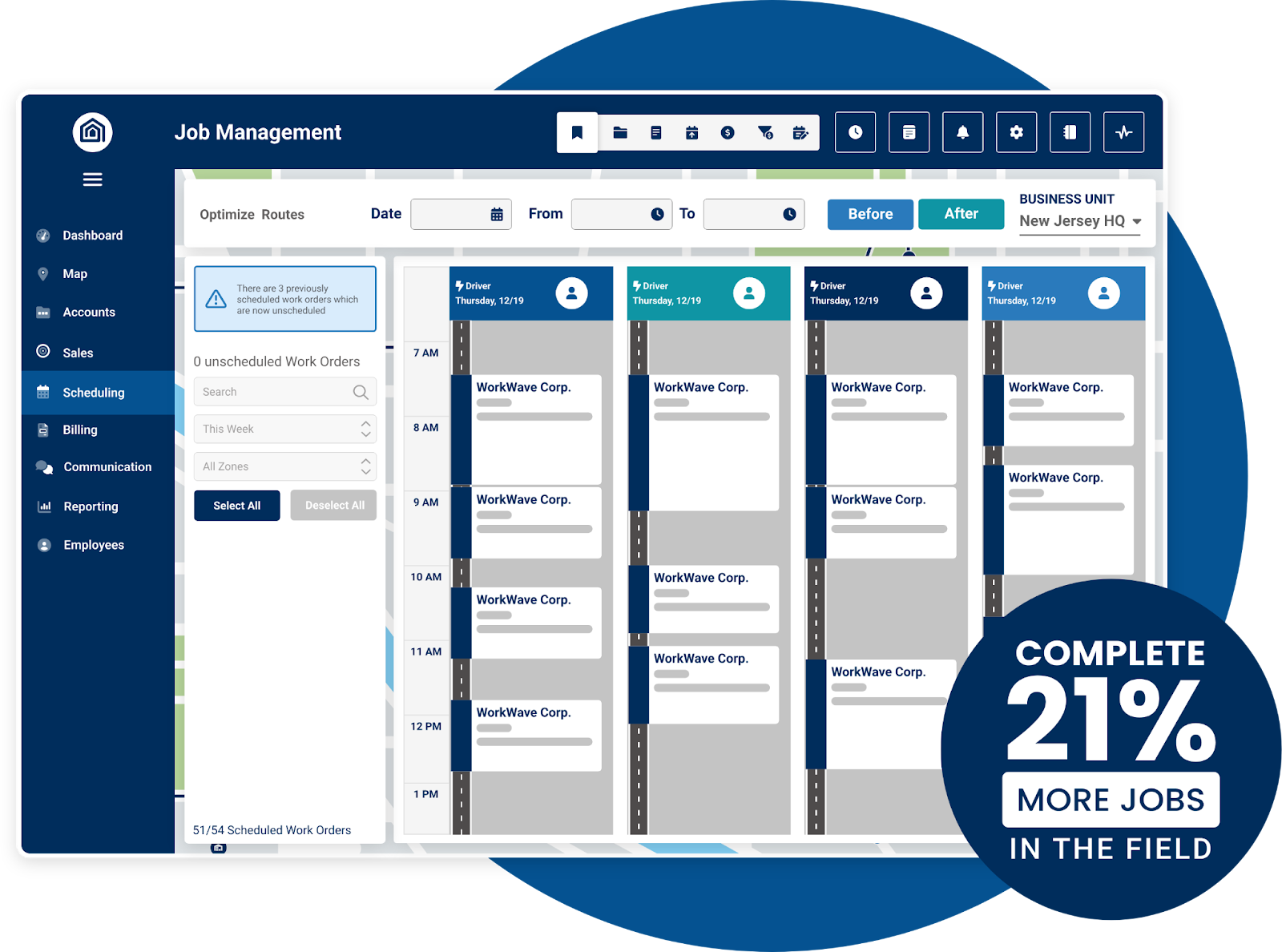
WorkWave Service is ideal for businesses with multiple teams on the road and a high volume of daily appointments. Its route planning and dispatch features help reduce fuel costs, prevent scheduling overlaps, and keep field teams moving efficiently.
Managers can assign routes in seconds, track progress in real time, and adjust schedules without disrupting the day. For growing cleaning businesses with tight time windows or large service areas, this tool ensures the right cleaners get to the right job on time.
A Capterra review says,
Not only is the navigation (route optimization) so much easier to do than other past platforms we wanted to be able to automate the “service complete” then it automatically bills the customer. Which was one thing our old platform didn’t have.
📖 Read More: How to Create an Effective Work Order Format
Cleaning businesses don’t have time to chase down tasks, dig through messages, or fix scheduling mess-ups. The right cleaning company software keeps your jobs moving, your team in sync, and your clients returning.
Every tool we listed tackles a part of that—but ClickUp brings it all together.
You get everything in one place, from job scheduling and invoicing to automation, client tracking, and team collaboration. Whether running solo or managing an entire crew, ClickUp fits how you work.
Sign up for ClickUp and manage your entire cleaning business in one place.

© 2026 ClickUp

There’s an easier way. Try a free AI Agent in ClickUp that actually does the work for you—set up in minutes, save hours every week.