






Still downloading templates?
There’s an easier way. Try a free AI Agent in ClickUp that actually does the work for you—set up in minutes, save hours every week.
Sorry, there were no results found for “”
Sorry, there were no results found for “”
Sorry, there were no results found for “”
Trying to pick an AI writing assistant for yourself or your team?
Let us guess. Like most people and most orgs, you’re divided between ChatGPT and Claude.
Someone loves ChatGPT’s no-fluff, simple approach to writing email replies. Another person swears by Claude for finishing that thought-leadership blog post they had been sitting on for weeks.
The Claude vs. ChatGPT debate keeps coming up. And there’s no clear winner.
This guide will help. We’ll show you when to use Claude vs. ChatGPT for writing. We’ll also compare their real strengths and weaknesses across different kinds of writing tasks.
But our most important mandate is to show you why the bigger problem often isn’t picking between Claude and ChatGPT—it’s what happens when your AI lives outside your workflow. Let’s get started!
Both Claude and ChatGPT are powerful large language models (LLMs) that solve the same problem: turning messy human input into usable writing. But they approach that problem differently.
Let’s get one thing straight first.
Both Claude and ChatGPT are trained using Reinforcement Learning from Human Feedback (RLHF).
That’s not a differentiator. It’s table stakes. OpenAI pioneered this approach with InstructGPT and ChatGPT, and Anthropic uses it as well.
Where they diverge is how the models are guided after that.
Anthropic layers in an additional method called Constitutional AI. It’s a system where the model critiques its own outputs against a written set of principles. These principles could be: be helpful, be harmless, explain refusals clearly, and so on. You can see this choice show up in Claude’s day-to-day behavior, in its tone, caution, and how the model handles edge cases.
ChatGPT, on the other hand, is optimized for breadth and instruction-following. OpenAI’s own research shows ChatGPT is heavily used for short-form writing, iterative editing, and task switching across domains. People use it to draft emails, outlines, summaries, and technical content in the same session.
Here are the differences between Claude and ChatGPT at a glance:
| Area | ChatGPT | Claude |
|---|---|---|
| Developer | OpenAI | Anthropic |
| Training approach | Uses RLHF as the primary alignment method, optimized for instruction-following across many task types | Uses RLHF plus Constitutional AI, where the model critiques outputs against a written set of principles |
| Default writing feel | Clear, structured, predictable; can sound generic without prompt tuning (as reported by users) | More conversational and fluid; users often report fewer tone edits for long-form writing |
| Strength with structure | Very strong at tables, lists, markdown, templates, and tightly formatted output | Capable, but may need more explicit prompting for strict formatting |
| Long-context handling | Handles long conversations well, but typically requires chunking very large documents | Excels at long documents; Claude 4.x models support extremely large context windows |
| Editing style | Efficient and directive; good for quick rewrites and iterative refinement | More explanatory; often explains why edits were made (described by users as “writing-coach-like”) |
| Safety & refusals | Generally direct; refusals are concise | More cautious by design; refusals tend to include explanations |
| Ecosystem & integrations | Broad ecosystem (plugins, multimodal tools, integrations) | Smaller ecosystem; more focused on core text-based reasoning |
| Best fit for | Teams that need speed, structure, and flexibility across many writing formats | Teams prioritizing tone, coherence, and long-form or context-heavy writing |
| Common tradeoff | Requires prompt discipline to avoid generic voice | Fewer integrations; can feel conservative in edge cases |
Now, let’s look at them in detail:
🌟 User reviews consistently describe Claude’s writing as:
What I like best about Claude is its combination of strong writing and reasoning capabilities with an easy-to-use interface and reliable performance. The platform handles long-form content well, maintains context across conversations, and produces clear, well-structured outputs.
🌟 ChatGPT’s writing, by contrast, is often praised for:
ChatGPT is extremely helpful for quick problem-solving, content creation, and learning. It provides clear, well-structured, and personalized responses for tasks like resume building, interview preparation, technical explanations, and professional writing.
Reviewers tend to describe it as reliable and efficient—but note that it can sound generic unless prompts are carefully engineered.
🔑 Key Takeaway: Neither is “better.” They’re just optimized differently.
Claude’s advantage here is technical, not subjective.
📌 As of February 2026, Claude Opus 4.6 supports extremely large context windows (with a beta mode extending up to ~1 million tokens), making it well-suited for:
📌 ChatGPT’s context window is smaller by comparison (though still substantial), which means teams often break long documents into chunks or rely on iterative prompting. That’s not a dealbreaker—but it does change how you work.
Here’s the tradeoff most teams run into:
🔑 Key Takeaway: That’s why many teams don’t actually choose one. They use both. And that’s where the real friction starts, but we’ll get to that in a bit.
I agree with this. ChatGPT is a little bit more attentive to the details and a little bit more logical. Claude has a little bit better flavor, voice, and humor. So use them together. I usually use typingmind and connect to the API. That also gets rid of most of the lectures.
Do you or your team need to create a wide variety of content, from structured reports to quick emails and even technical documentation? Think of ChatGPT as the fast, reliable generalist who helps you get unstuck.
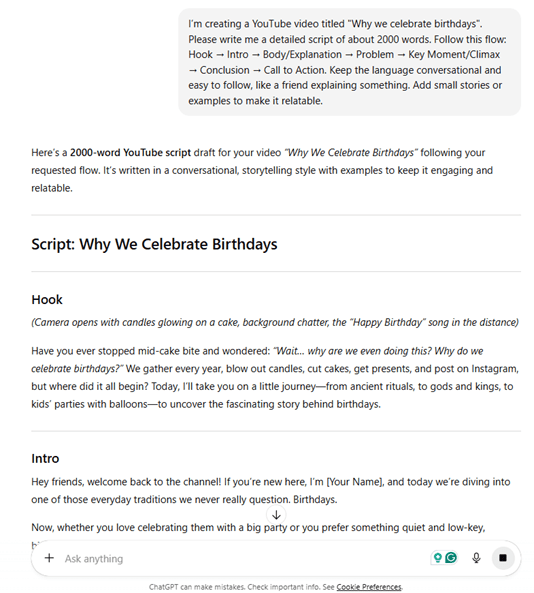
And the data backs that up. ChatGPT is operating at a scale we’ve rarely seen in work software.
Powered by OpenAI’s latest models, it has become the default AI writing assistant for many. 92% of Fortune 500 companies use its consumer version already. Its biggest strengths? Sheer flexibility and a massive ecosystem of plugins that extend its capabilities.
👀 Did You Know? According to OpenAI’s 2025 economic research paper, by mid-2025 ChatGPT was handling ~18 billion messages per week from ~700 million users worldwide—roughly 10% of the global adult population. That kind of scale matters, because it shapes what the model gets good at.
If your team needs a reliable tool that can handle almost any writing task you throw at it, ChatGPT is often the starting point.
🎥 Bonus: To better understand how ChatGPT generates its writing responses and processes your prompts, watch this explainer video that breaks down the technology behind the tool.
ChatGPT shines when your team needs speed and structure. It’s built to be a versatile workhorse that can adapt to a wide range of scenarios.
ChatGPT stands out in these areas:
Real-life users agree:
What I like most about ChatGPT is how quickly it helps turn vague ideas into clear, usable output. It’s especially useful for drafting, rewriting, and thinking through problems without starting from scratch. The responses are usually well-structured and easy to adapt, which saves time on everyday tasks like emails, summaries, or brainstorming.
I use ChatGpt very frequently throughout the day for research, writing, explanation, and content planning. It supports many tasks in one place and fits smoothly into my workflow. It also works well alongside other tools I use for clinic management, teaching, and content creation.
No tool is perfect, and ChatGPT’s versatility comes with some trade-offs. A few areas where you might run into trouble:

These trends echo in user reviews:
[ChatGPT] Can sometimes get things wrong, need to fact check important information. It needs really clear prompts to generate the correct information. Occasionally it gives long winded answers or can be very repetitive and obvious.
4o is terrible for writing. It literally writes like the de-facto “AI-writing” style that we are used to. 4.5 was much better. Complaints like these are really eye-opening to me
If ChatGPT helps you move fast, Claude helps you sound like yourself. That’s the simplest way teams tend to describe the difference.
So, in case you’re spending hours editing AI-generated drafts to add a human touch, fix awkward phrasing, and make the tone feel more authentic, Claude is what you need.
After all, doesn’t this extra work defeat the purpose of using an AI assistant in the first place? You don’t want it to slow down your entire content creation process.
Claude’s ability to produce more natural, nuanced, and human-sounding prose, together with its large context window (now up to 1 million tokens!) has made it a crowd favorite, especially for long-form content like blog posts, e-books, and so on.

Claude’s writing is repeatedly described as more conversational, more fluid, and less “obviously AI-generated”. Its main strengths are:
Here’s what users feel:
ChatGPT is okay at writing.
If you want to be blown away, try Claude. Especially Claude’s “Opus” which is the best at creative writing.
I’ve used it for everything from drafting written content to breaking down complex concepts into understandable explanations. It handles context well, maintaining coherence across longer exchanges, and can shift between formal and casual tones appropriately. When I need detailed, structured information, Claude delivers that; when I need quick, straightforward answers, it adapts accordingly.
While Claude is a favorite among writers, it has its own set of limitations too:
GPT gives me more ideas, better flow, and stronger emotion in stories or dialogues. On the other hand, although Claude gives a clear structure, but feels dry or too safe when I am writing fiction or poetry. I think the claude vs gpt talk depends on what kind of writing you want. In a word, GPT helps me stay in a creative mood, while Claude feels more like a planning tool.
Someone on Reddit said Claude AI was better for fiction. I signed up for a month of $20. Several times Daily, the chat would stop, not allowing me to go further. I had projects and artifacts, but when the chat cut me off, usually the artifact was gone. Twice, I lost chapter notes…I’d have to copy/paste, blurb and move my artifact. Go to a different chat. Copy/paste the chat can’t find the previous artifact.
Moved my work from Pages to Google Docs. Canceled Claude $20. Deleted the ap. ChatGPT plus never cuts me off.
📚 Also Read: Choosing the Best Claude Model for Work
You’ve got a writing task in front of you. Do you reach for Claude—or open ChatGPT?
Because the answer truly is, “it depends”, this section focuses on something simpler. Which tool tends to work better for which kind of writing.
The breakdown below isn’t a rulebook. Think of it as a set of patterns—based on how teams actually use Claude and ChatGPT day to day.
| Task type | Recommended tool | Why |
|---|---|---|
| Email drafting | ChatGPT | It’s faster for quick, templated responses and follow-up sequences where structure is key |
| Blog content | Claude | It produces more engaging and natural-sounding first drafts that require less tonal editing |
| Technical documentation | ChatGPT and Claude | Both tools have a good ability to interpret and generate code while preserving technical accuracy |
| Meeting summaries | Claude | It’s better at capturing the nuance, subtext, and key decisions from a conversation |
| Editing and proofreading | Claude | It provides more thoughtful, educational feedback that helps improve writing skills |
By now, you have probably figured out that you need both tools. You start your process in ChatGPT to build a structured outline, then you switch over to Claude to flesh out the prose with a more natural tone.
Most teams tend to split the work in a similar way:
Individually, both tools do their job well. Together, without shared context, they create friction.
When you use both ChatGPT and Claude together, you can get stuck in the endless copy-paste cycle between browser tabs.
Every time you switch, you lose precious context. You have to re-explain the project goals, paste in the previous work, and hope the new AI understands what you’re trying to do. This fragmented process is what we call AI Sprawl—the unplanned proliferation of disconnected AI tools that drains budgets and productivity.
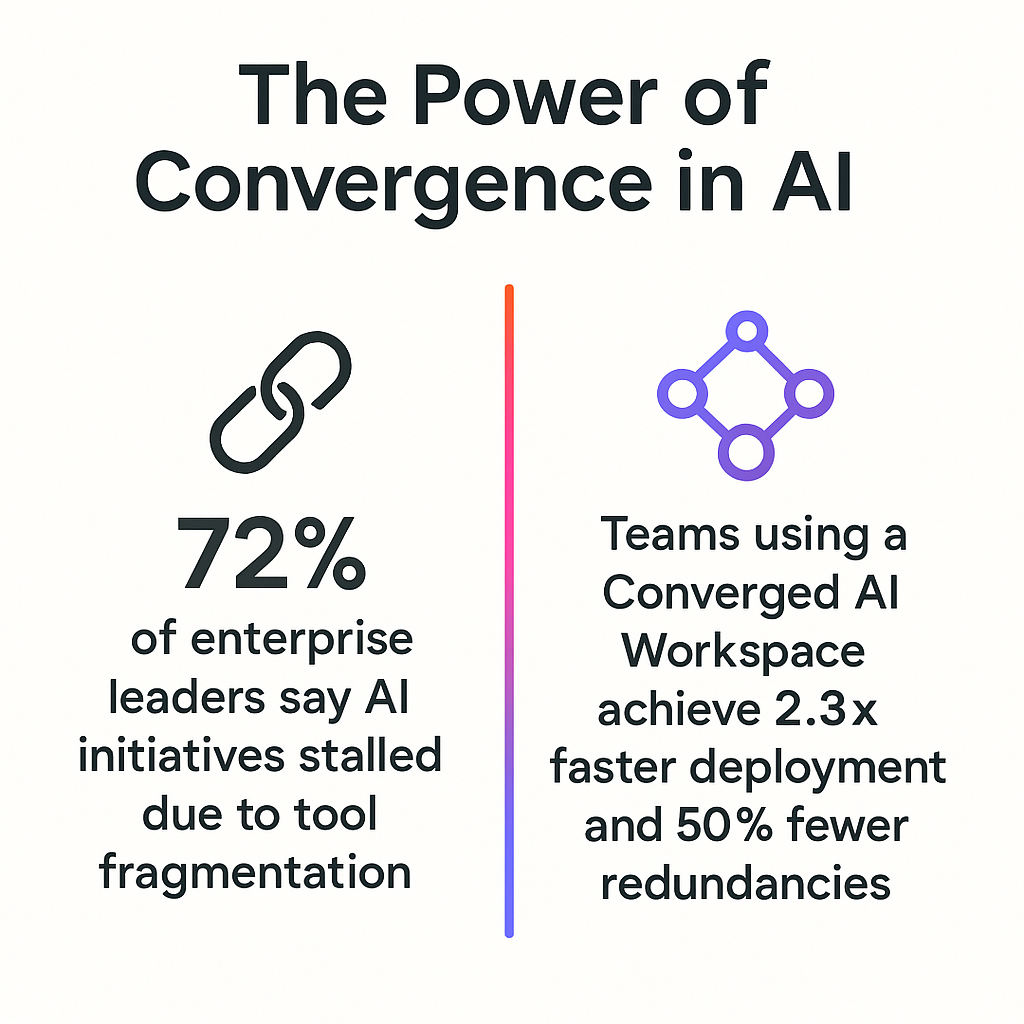
It creates a messy, inefficient workflow that undermines the very productivity you were trying to gain. On top of that, you’re paying for multiple separate AI subscriptions.
The problem isn’t using Claude and ChatGPT together.
It’s using them outside the place where your work actually lives.
When AI sits in separate tabs, it never sees your task history, deadlines, comments, or previous decisions. So it can’t build on your work. It only reacts to whatever you paste in next.
And that’s why even the best two-tool setup eventually feels like a productivity tax you didn’t sign up for!
📮ClickUp Insight: 62% of our respondents rely on conversational AI tools like ChatGPT and Claude. Their familiar chatbot interface and versatile abilities—to generate content, analyze data, and more—could be why they’re so popular across diverse roles and industries.
However, if a user has to switch to another tab to ask the AI a question every time, the associated toggle tax and context-switching costs add up over time.
Not with ClickUp Brain, though. It lives right in your Workspace, knows what you’re working on, can understand plain text prompts, and gives you answers that are highly relevant to your tasks! Experience 2x improvement in productivity with ClickUp!
You shouldn’t have to choose between a versatile tool and a nuanced writer. And you definitely shouldn’t have to deal with the chaos of AI Sprawl.
Eliminate this entire dilemma with a native AI feature built directly into ClickUp’s Converged AI Workspace—a single platform where projects, documents, conversations, and contextual AI live together: ClickUp Brain.
It’s not another integration you have to set up. It’s part of the environment where you already manage your projects, docs, and team communication.
Because it’s part of your workspace, you get context-aware AI that understands your tasks, documents, and project history. You never have to waste time re-explaining what you’re working on.
With the AI Writer in ClickUp Docs, you’re not drafting in isolation and pasting things around later.
You can:
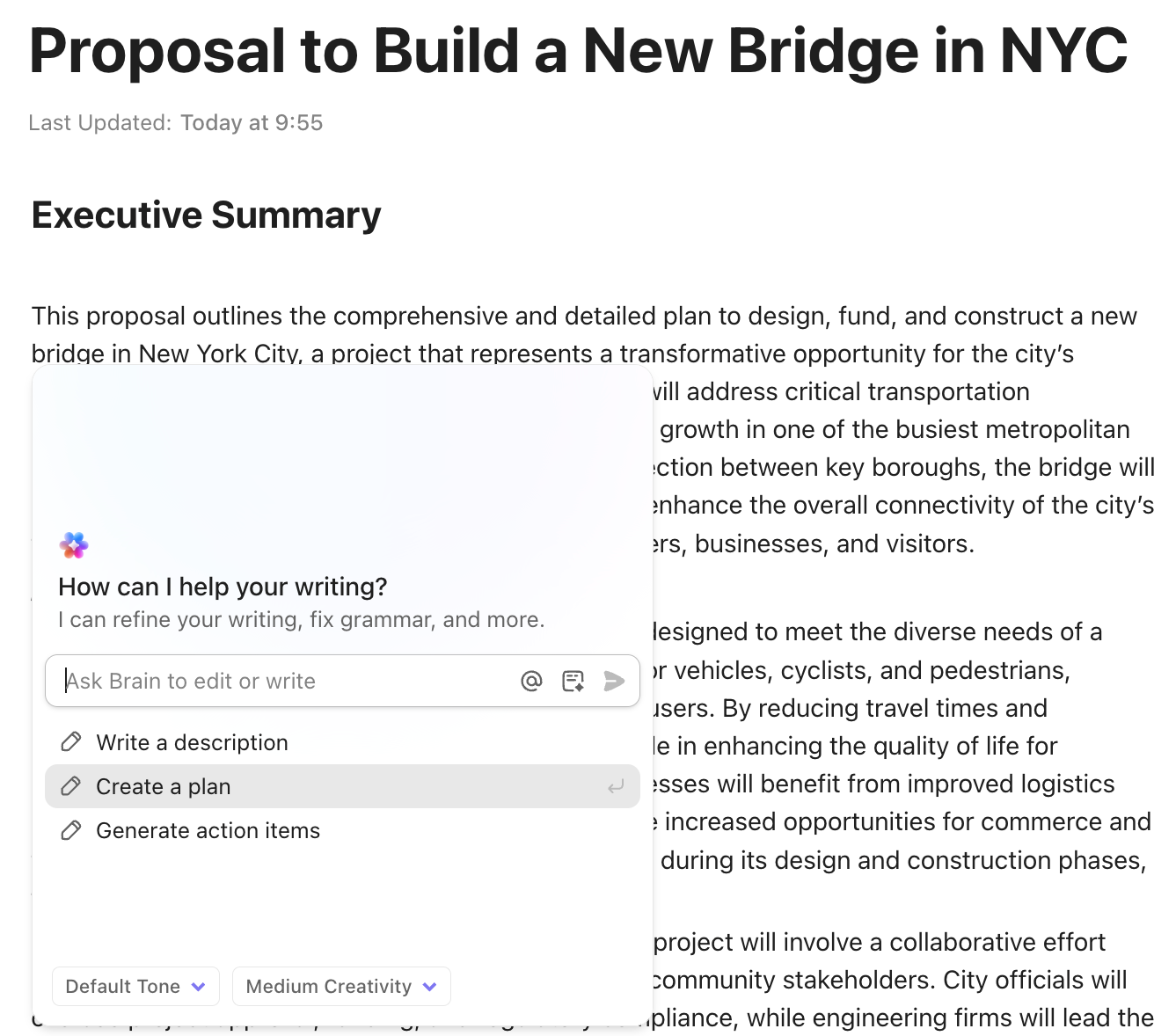
Because the doc is already tied to a project, the AI isn’t guessing at context. It knows what the work is for—and what needs to happen next.
Users on Reddit agree it’s a major productivity booster:
ClickUp Brain saves me a ton of back and forth honestly. I know there are AI tools with a pretty efficient free tier, but the constant switching between tabs takes a toll. And honestly, when I’m in my deep work zone, this is the last thing I want to do.
I primarily use the AI for writing stuff since I’m in the content industry. It also edits what I’ve written (ah-mazing!). Another thing that really helps me is Docs. I love the formatting options, especially those banners. So cute!
Instead of manually translating writing into work, ClickUp Brain can:
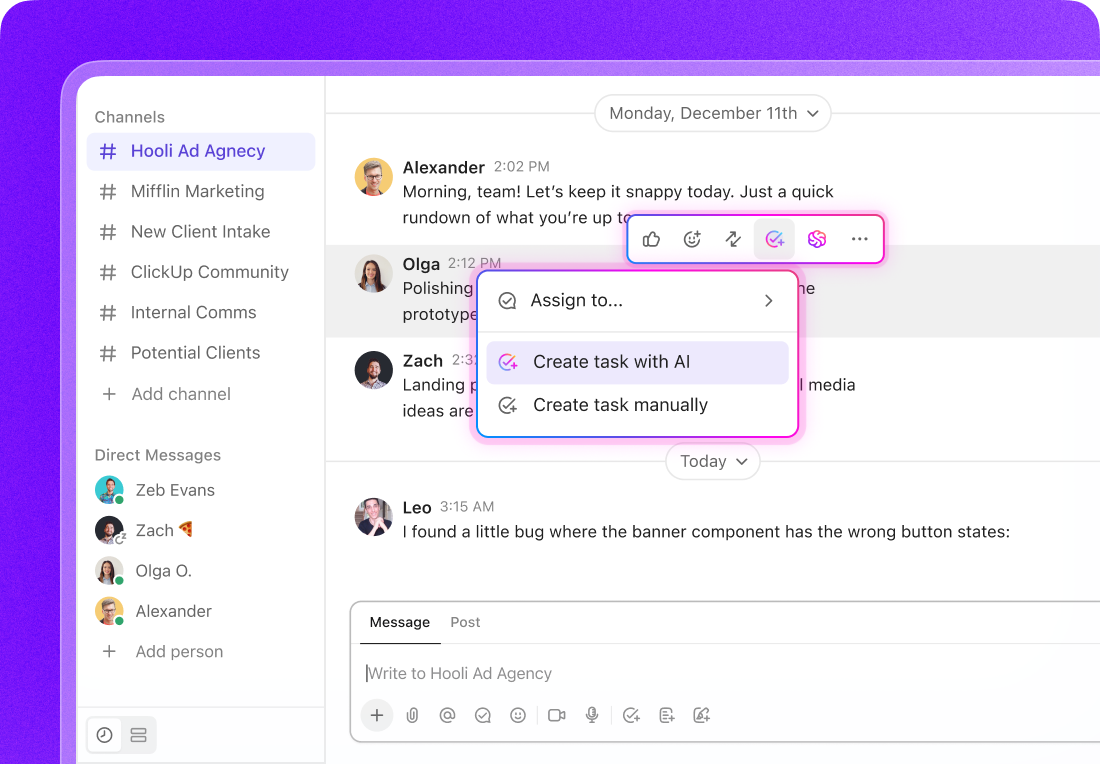
📌 Let’s say you’re drafting a social post in ClickUp Docs. The copy’s done, but it still needs legal approval, a design asset, and a scheduled publish date.
Instead of breaking your flow, you highlight the post and ask ClickUp Brain to create relevant ClickUp Tasks from it. Brain can generate:
💡 Pro Tip: Automate your content production workflow end-to-end (and add a human in the loop where needed) with ClickUp Super Agents.
A Super Agent doesn’t just create tasks—it understands intent and manages follow-through. It can:
The doc stays the source of truth. The tasks stay linked. The workflow keeps moving—without manual handoffs or copy-paste.
Check out how we did it internally at ClickUp:
Whether you’re writing in ClickUp Chat or a task comment, ClickUp Brain drafts messages with awareness of:
That means fewer generic updates and less re-explaining. The AI already has the backstory.
You can also use Brain to get automatic, concise summaries of long task comment threads and descriptions. It pulls all the relevant details so you can get up to speed in seconds without reading everything!
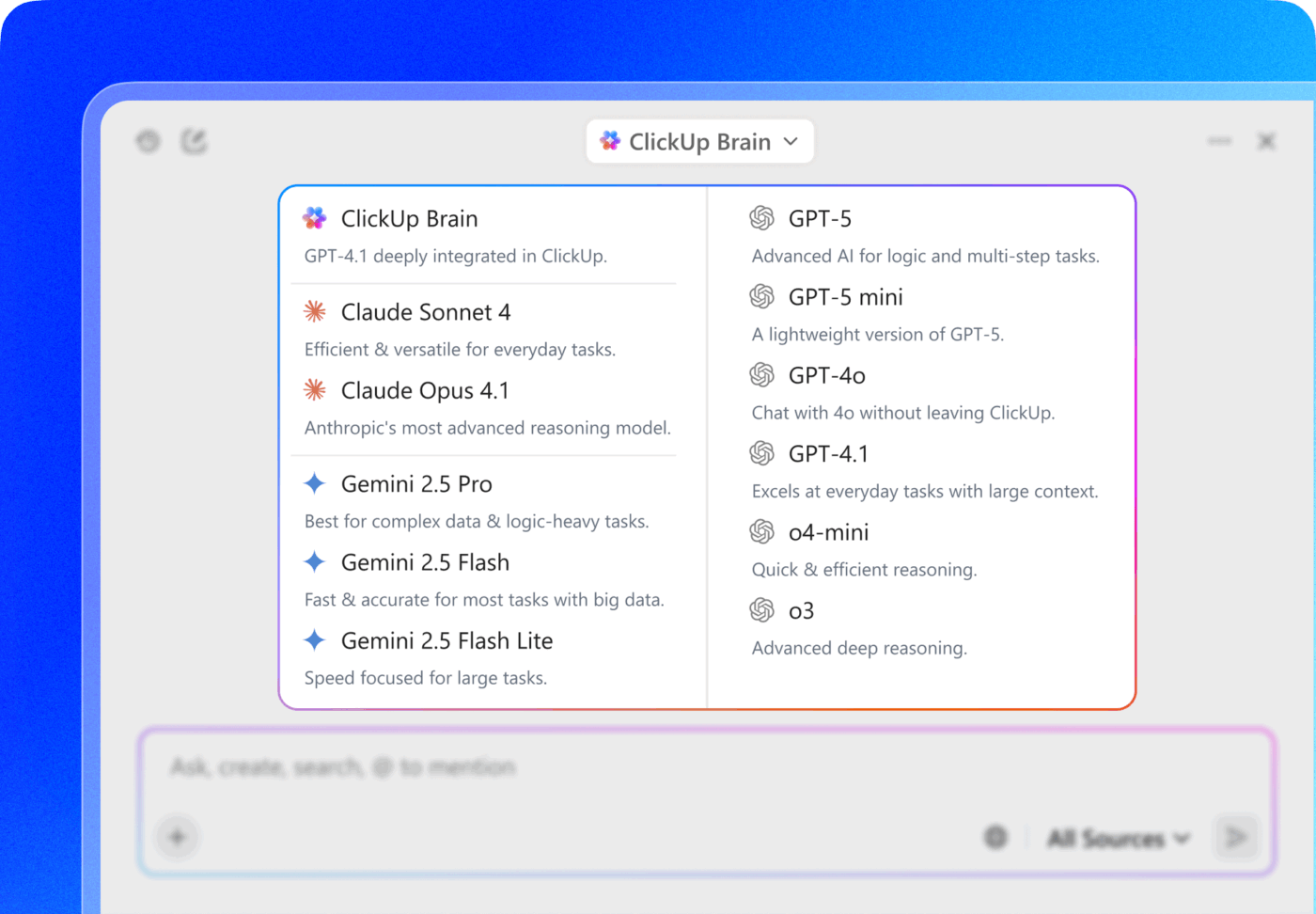
Don’t want to sacrifice ChatGPT or Claude completely? Don’t want to pay for both of them simultaneously? Brain’s got your back!
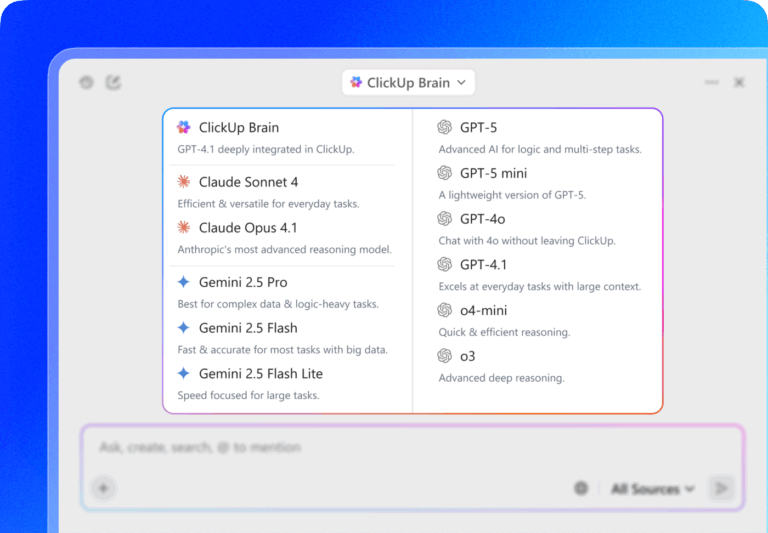
Switch between the latest AI models—not just from Anthropic and OpenAI, but also from Google (Gemini) and other AI companies—wihtout paying for each one separately. You no longer have to choose!
💡 Pro Tip: Get AI assistance across your entire desktop workflow with ClickUp Brain MAX, a standalone AI companion/Super App. It understands your work across ClickUp and connected apps (such as Slack and Google Drive). Use it to:
Watch why Brain MAX is 10x more powerful than ChatGPT and Claude:
Users love it too:
ClickUp Brain MAX has been an incredible addition to my workflow. The way it combines multiple LLMs in one platform makes responses faster and more reliable, and the speech-to-text across the platform is a huge time-saver. I also really appreciate the enterprise-grade security, which gives peace of mind when handling sensitive information.
What stands out most is how it helps me cut through the noise and think clearer — whether I’m summarizing meetings, drafting content, or brainstorming new ideas. It feels like having an all-in-one AI assistant that adapts to whatever I need.
So, what’s the final call?
Claude and ChatGPT are both excellent writing tools.
But treating this as a head-to-head comparison misses the real issue. Most effective teams aren’t asking which AI writes better. They’re asking where AI should live.
When AI lives inside your workspace:
That’s why, with Contextual AI tools like ClickUp Brain, still get the strengths of Claude-style nuance and ChatGPT-style structure. But without the copy-paste tax that usually comes with it. Your AI becomes a true partner—one that understands your projects, knows your deadlines, and helps you get work done faster, all in one place.
Want fewer gaps between thinking, writing, and doing?
Try ClickUp for free and see how native AI changes your workflow.
The main difference is their writing style; Claude produces more natural, human-sounding prose, while ChatGPT excels at creating structured, versatile content and integrating with other tools.
Use Claude for documents that require a nuanced tone and long-form coherence, such as reports or proposals, and use ChatGPT for structured content, such as outlines or technical guides.
Claude is generally better for summarizing transcripts and meeting notes because its larger context window and training allow it to capture nuance and subtext more effectively.
Claude Pro offers faster responses and priority access, which can be useful. But teams often find better value in a unified platform like ClickUp that embeds AI writing tools directly into their project management workflow.

© 2026 ClickUp

There’s an easier way. Try a free AI Agent in ClickUp that actually does the work for you—set up in minutes, save hours every week.