



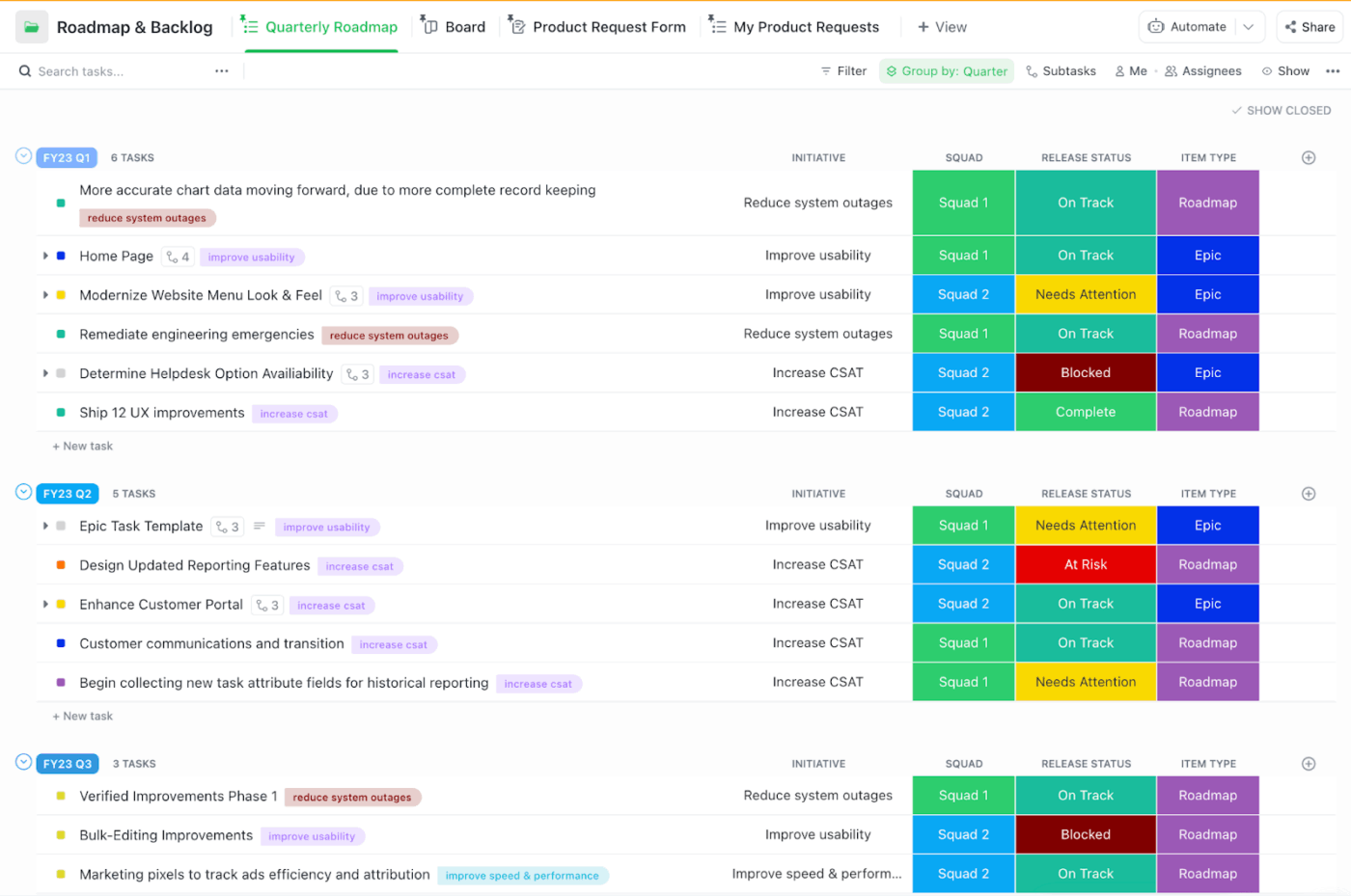



Still downloading templates?
There’s an easier way. Try a free AI Agent in ClickUp that actually does the work for you—set up in minutes, save hours every week.
Sorry, there were no results found for “”
Sorry, there were no results found for “”
Sorry, there were no results found for “”
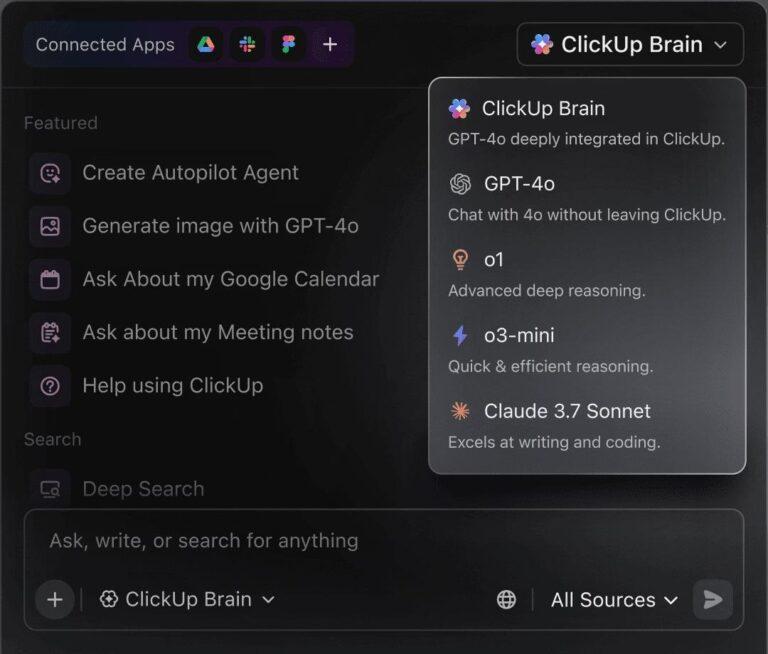
If you remember “The Matrix,” this is that “red pill or blue pill” moment, except the choice is between two Claude models that behave very differently once the work begins.
AI is probably already part of your workflow. In the latest Stack Overflow Developer Survey, 84% of respondents say they’re using or planning to use AI tools in their development process. But the challenging part is picking the right model for the job.
So the Claude Opus vs. Sonnet decision is less about hype and more about fit. Are you dealing with long requirements and multi-step debugging? Or are you pushing through high-volume coding tasks where speed and cost matter just as much as output quality?
In this blog, you’ll see where Claude Opus and Claude Sonnet differ on reasoning, code generation, and context window tradeoffs. You’ll also get simple rules of thumb based on task complexity and team workflow.
When it comes to reasoning depth, code generation, and long-context workflows, here’s how Claude Opus and Claude Sonnet compare side by side:
| Feature | Claude Opus (4.5) | Claude Sonnet (4.5) | ClickUp Brain + Codegen (Bonus) |
|---|---|---|---|
| Reasoning and complex tasks | Built for high-stakes decisions where advanced reasoning and consistency matter most | Strong for day-to-day reasoning tasks where speed and steady quality matter | Uses best-fit models (including Claude) inside live work context, so reasoning is grounded in real tasks, specs, and timelines |
| Advanced coding and code generation | Best for complex coding, multi-file refactors, and tricky debugging with fewer review cycles | Great for fast-moving coding tasks like small features, fixes, and documentation drafts | Generates code directly from tracked tasks and specs, keeping implementation tied to delivery, reviews, and ownership |
| Tool use and long-running agents | Designed to reduce tool-calling errors in long agent runs | Optimized for instruction following and error correction | Native agents that operate inside the workspace, triggering updates, handoffs, and workflow changes without brittle tool chains |
| Context window and long-context work | Strong when holding large requirements, logs, and decisions in view | More practical for frequent large-context workflows at scale | Context is not a prompt. Brain and Codegen see tasks, docs, comments, history, and dependencies by default |
| Cost and high-volume usage | Heavier option when correctness matters more than cost | More cost-effective for high-volume everyday work | Optimizes cost by routing tasks to the right model, while reducing rework and coordination overhead |
| Best for | Engineering leaders handling complex reasoning where “almost right” is expensive | Teams that want a fast, balanced model for everyday work | Teams that need thinking → execution → tracking in one system, not just better answers |
📖 Also Read: How to Become a Better Programmer
Claude Opus is Anthropic’s most advanced option in the Claude lineup, built for work where your team cannot afford “almost right.” It’s the kind of model you pick when you need answers that hold up in a design review, a customer escalation, or a production incident postmortem.
If you’re evaluating Claude’s models for production work, Opus is the ‘go deep’ option in the lineup.
In the current Opus line, Claude Opus 4.5 is the latest model, with Claude Opus 4.1 and Claude Opus 4 as previous models you may still see referenced in docs and deployments. Claude Opus 4.5 is the best fit when you need advanced reasoning on complex tasks.
It handles everything, including turning messy requirements into a clear plan, spotting hidden dependencies early, and reducing back-and-forth before engineering begins building.
Across versions, Claude Opus is strongest when the work spans many files or a long spec. A larger context window helps you keep standards, edge cases, and prior decisions in view, so code generation stays consistent, code reviews are cleaner, and rework drops.
Claude Opus is built for moments when “good enough” creates extra cycles later. These features matter most when you’re handling complex tasks and advanced coding.
This tool supports multi-step reasoning that helps your team catch gaps earlier, make fewer corrections, and ship with more confidence. The practical payoff is less rework after code reviews, fewer late surprises in QA, and smoother handoffs across software engineering teams.
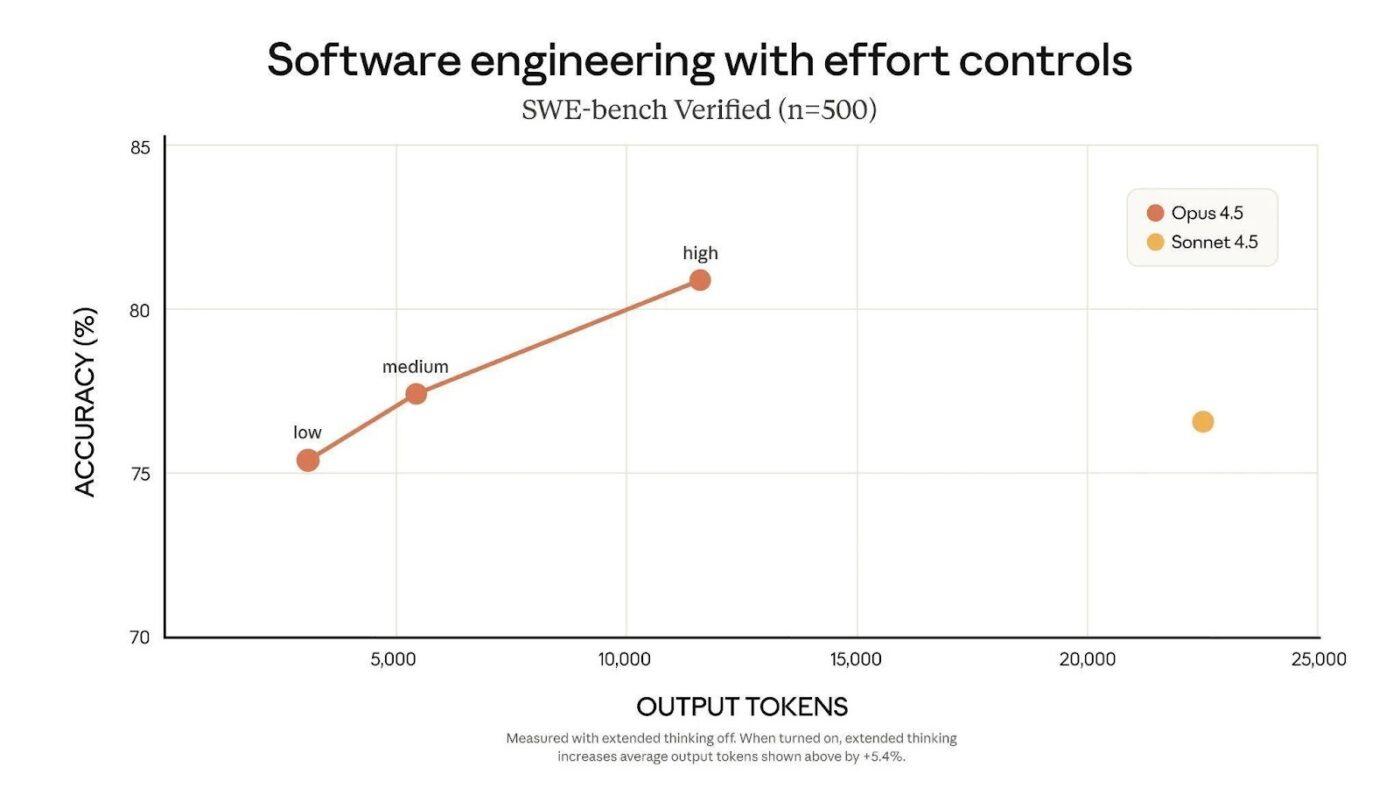
Claude Opus 4.5 lets you control how much “thinking effort” it applies, so you can trade speed for depth without switching AI models mid-task. That’s useful when task complexity swings between quick checks and complex tasks that need more profound analysis.
For technical leads, this helps manage latency and cost-effectiveness while still getting advanced reasoning when you need it. You can keep routine work moving, then dial up the model for multi-step problems where accuracy matters.
📌 Example: An engineering manager uses lower effort to triage bug reports and review small diffs quickly. When a production issue needs sustained reasoning across logs, recent deploys, and config changes, they increase effort to reduce back-and-forth and speed up the root-cause write-up.
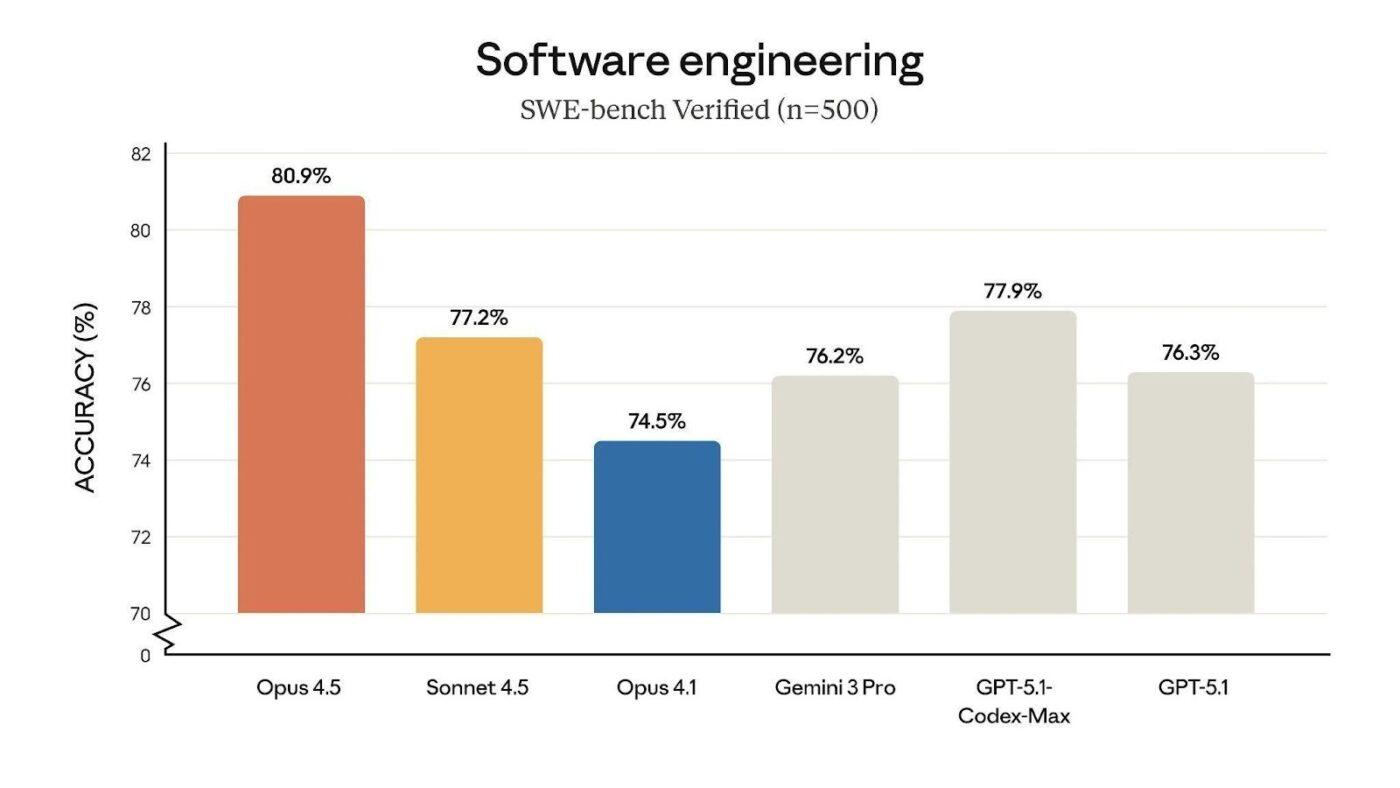
Claude Opus 4.5 is positioned as state-of-the-art on tests of real-world software engineering, which is the difference between “nice suggestion” and “merged PR.” It helps when your team needs reliable code generation for production patterns, not toy examples.
For engineering managers, that translates to fewer review cycles and less time spent re-explaining the same constraints across threads. It also makes advanced coding work like migrations and refactors easier to push through, because the model is more likely to keep changes consistent across files.
📌 Example: A tech lead drops a failing integration test, the recent diff, and the expected behavior into Claude Opus 4.5. Instead of generating five “maybe” fixes, it proposes a smaller set of targeted edits with a clear rationale, so the team spends less time on trial-and-error and more time validating the solution.
📖 Also Read: Free Software Development Plan Templates to Use
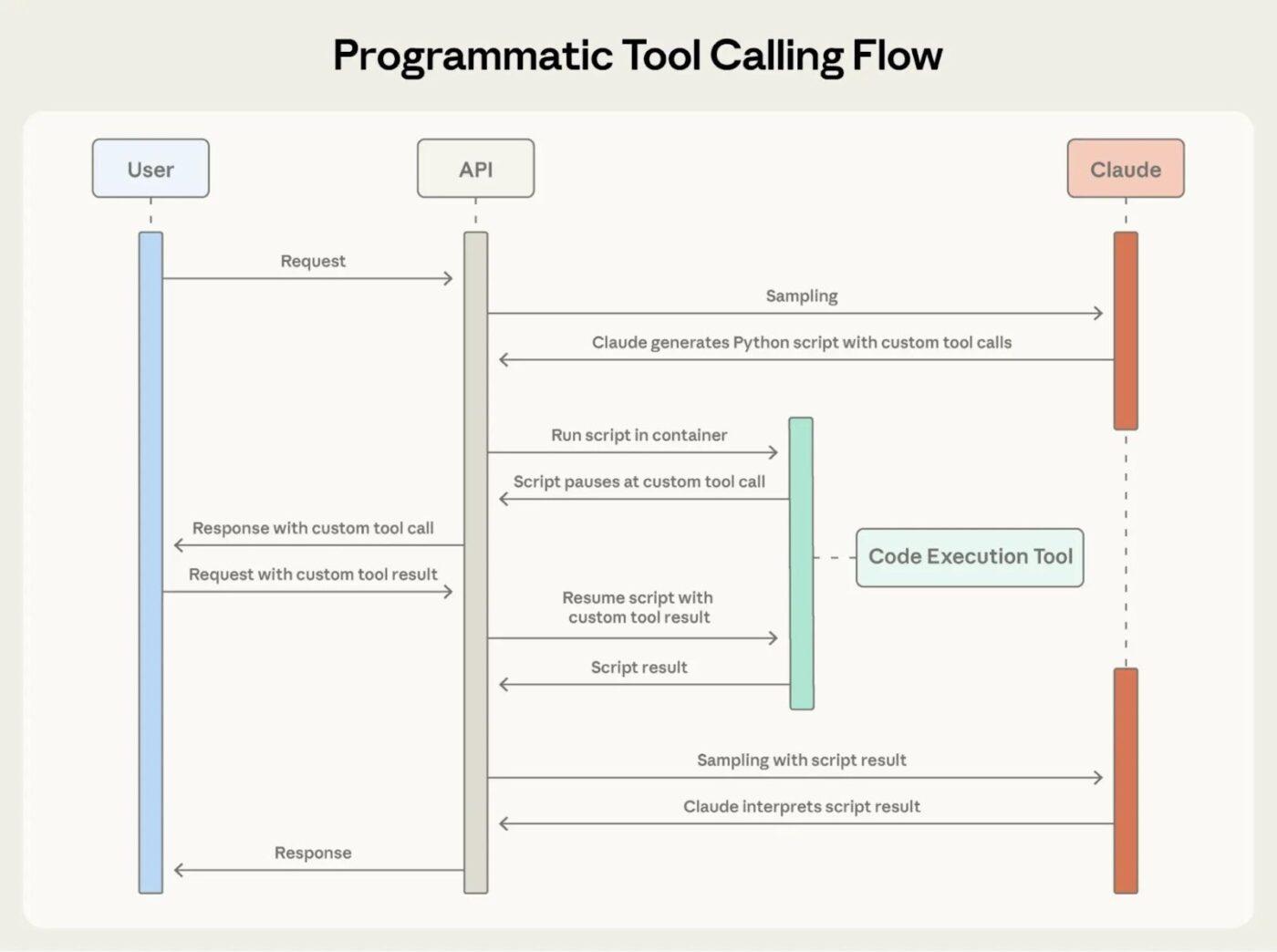
Claude Opus 4.5 is designed for long-running agent workflows where the model has to use tools, not just suggest ideas. That matters if your team uses Claude Code or any coding agent to run tests, edit files, and open PRs without constant human babysitting.
In early testing, Anthropic reports 50% to 75% fewer tool-calling errors and fewer build or lint errors. That can save real engineering time because fewer failed runs mean fewer retries, fewer broken pipelines, and fewer interruptions during deep work.
📌 Example: A tech lead sets up an automated workflow to pull a repo, apply a security patch, run tests, and submit a PR. With fewer tool-calling failures, more of those PRs show up review-ready.
💡 Pro Tip: Run a “model decision log” with ClickUp BrainGPT, the standalone desktop app (+ browser extension) from ClickUp.
If you are comparing Claude Opus vs. Sonnet, the quickest way to stop debating is to make the comparison repeatable. Use ClickUp BrainGPT to capture each test in a consistent format, then query it later like a mini internal benchmark:
Claude Sonnet is the balanced model in Anthropic’s Claude lineup, built for teams that need strong results across everyday tasks without paying “top-tier” costs for every prompt. It’s a practical choice when you want speed, steady quality, and predictable cost-effectiveness across high-volume tasks.
In the Sonnet line, Claude Sonnet 4.5 is the latest model, with Claude Sonnet 4 as a previous model; you may still see it in tooling and docs. Sonnet 4.5 works well when your work mixes reasoning tasks and quick iterations, where the best model is the one your team will actually use consistently.
Software engineering teams often find Sonnet to be the ideal model for repetitive and time-sensitive tasks. If your team leans on Sonnet for drafting specs and release notes, pairing it with proven AI tools for technical writing keeps output consistent.
You can also use it for advanced coding support like implementing small features, fixing tests, and drafting documents while keeping expenses under control.
📖 Also Read: Best Claude AI Alternatives
Claude Sonnet is built for teams that need one model they can use all day without second-guessing cost or speed. These features matter most when you’re balancing coding tasks, reasoning tasks, and tool use across high-volume workflows.
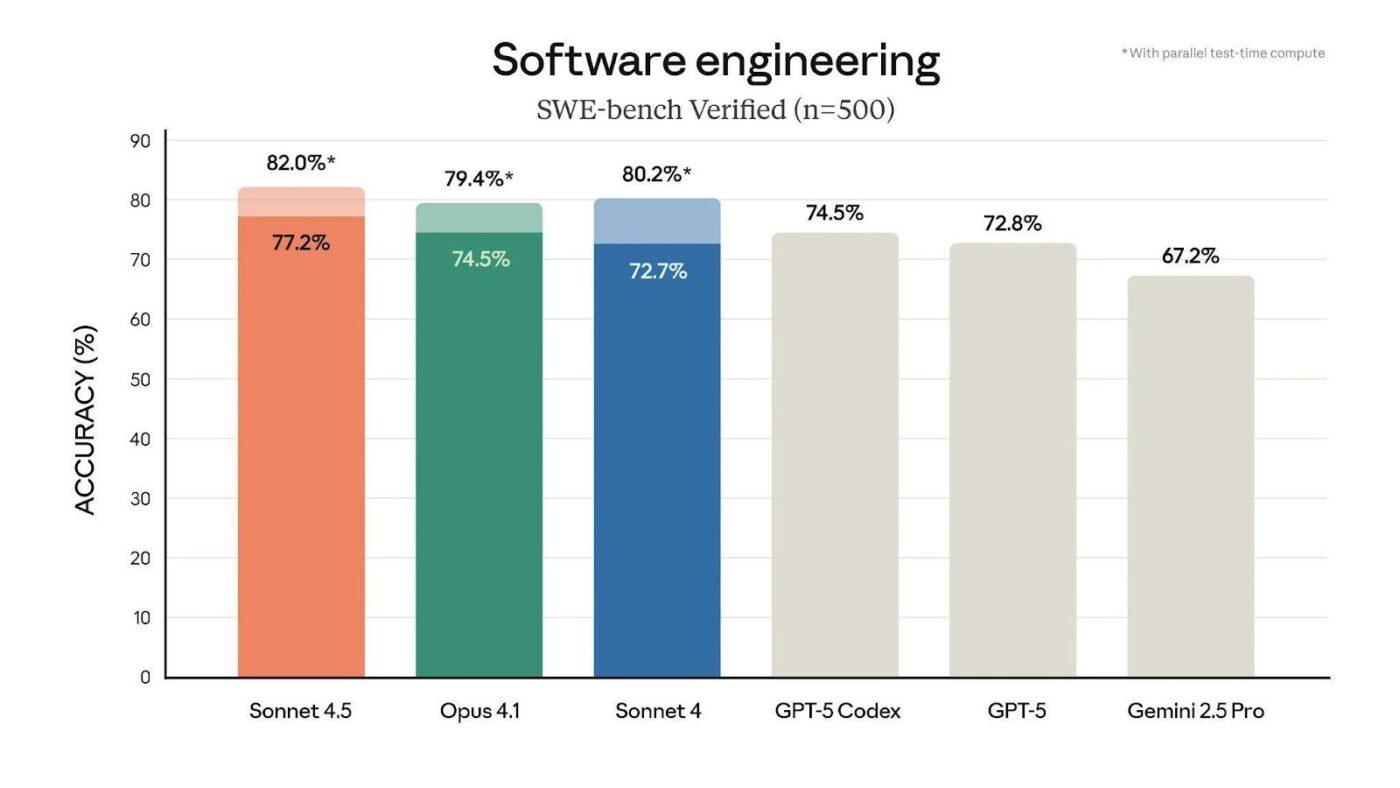
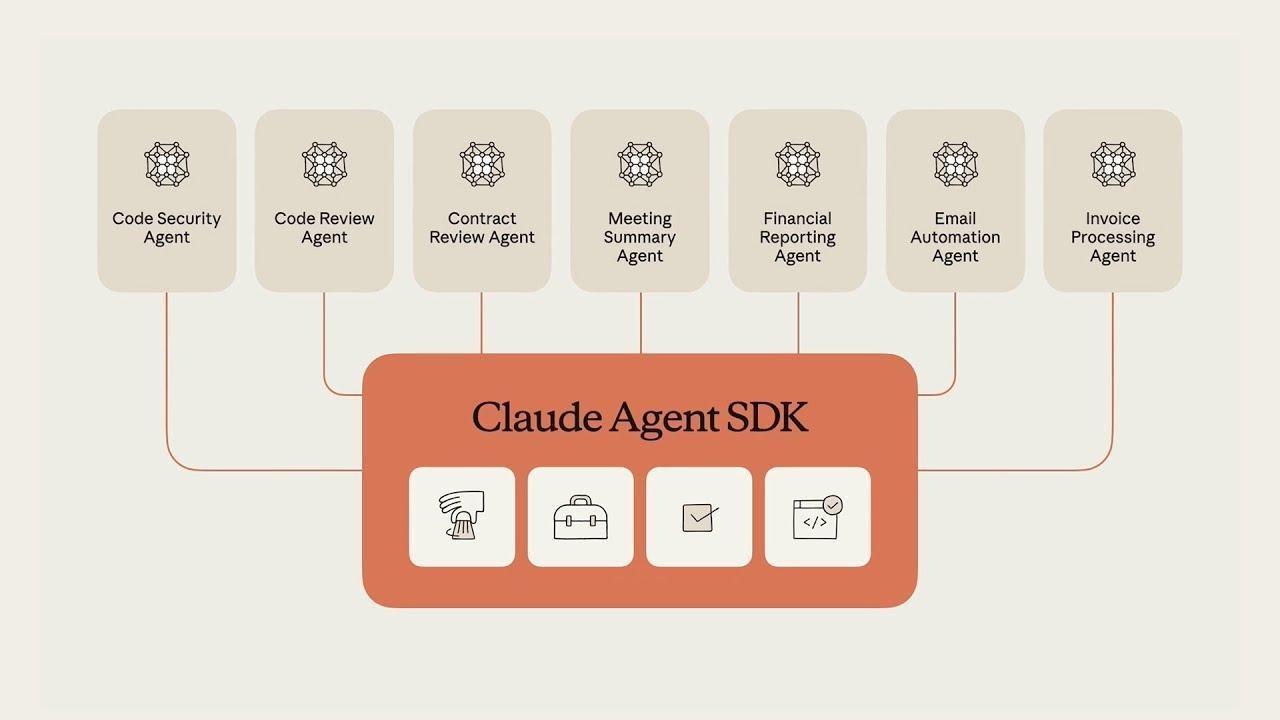
Claude Sonnet 4.5 is built for long-running agents that need to keep moving without getting “stuck” on instructions. This helps product and engineering teams automate repeat workflows with fewer manual interventions.
Anthropic calls out stronger instruction following, smarter tool selection, and better error correction for customer-facing agents and complex AI workflows. That means fewer broken runs, fewer retries, and cleaner handoffs when the work spans multiple tools.
📌 Example: A support engineering team uses an agent to triage tickets. It pulls the request, checks known issues, drafts a reply, and opens a bug when needed. When the model follows instructions more reliably, the team spends less time cleaning up the agent’s output.
🤔Did You Know: Anthropic states that Claude Sonnet 4.5 is state-of-the-art on SWE-bench Verified, a benchmark designed to measure real-world software engineering coding ability.
📖 Also Read: Unlocking the Power of ClickUp AI for Software Teams
Claude Sonnet is built for code generation that goes beyond “write a function.” It can help you move from planning to implementation to fixes, which is useful when you are pushing coding tasks through a sprint with tight review cycles.
This tool supports longer outputs, enabling it to draft richer plans, handle multi-file changes, and deliver more complete implementations in a single pass. That reduces the back-and-forth you usually see when the model stops halfway through a refactor or forgets earlier constraints.
📌 Example: A tech lead shares a feature brief and the current module structure. Sonnet drafts a step-by-step plan, generates the core code, and suggests tests to update, so the team spends less time stitching together partial outputs.
📮 ClickUp Insight: ClickUp’s AI maturity survey found that 33% of people resist new tools, and only 19% adopt and scale AI quickly.
When every new capability comes in the form of another app, another login, or another workflow to learn, teams are hit with tool fatigue almost instantly.
ClickUp Brain closes this gap by living directly inside a unified, converged workspace where teams already plan, track, and communicate. It brings multiple AI models, image generation, coding support, deep web search, instant summaries, and advanced reasoning into the exact place where work already happens.
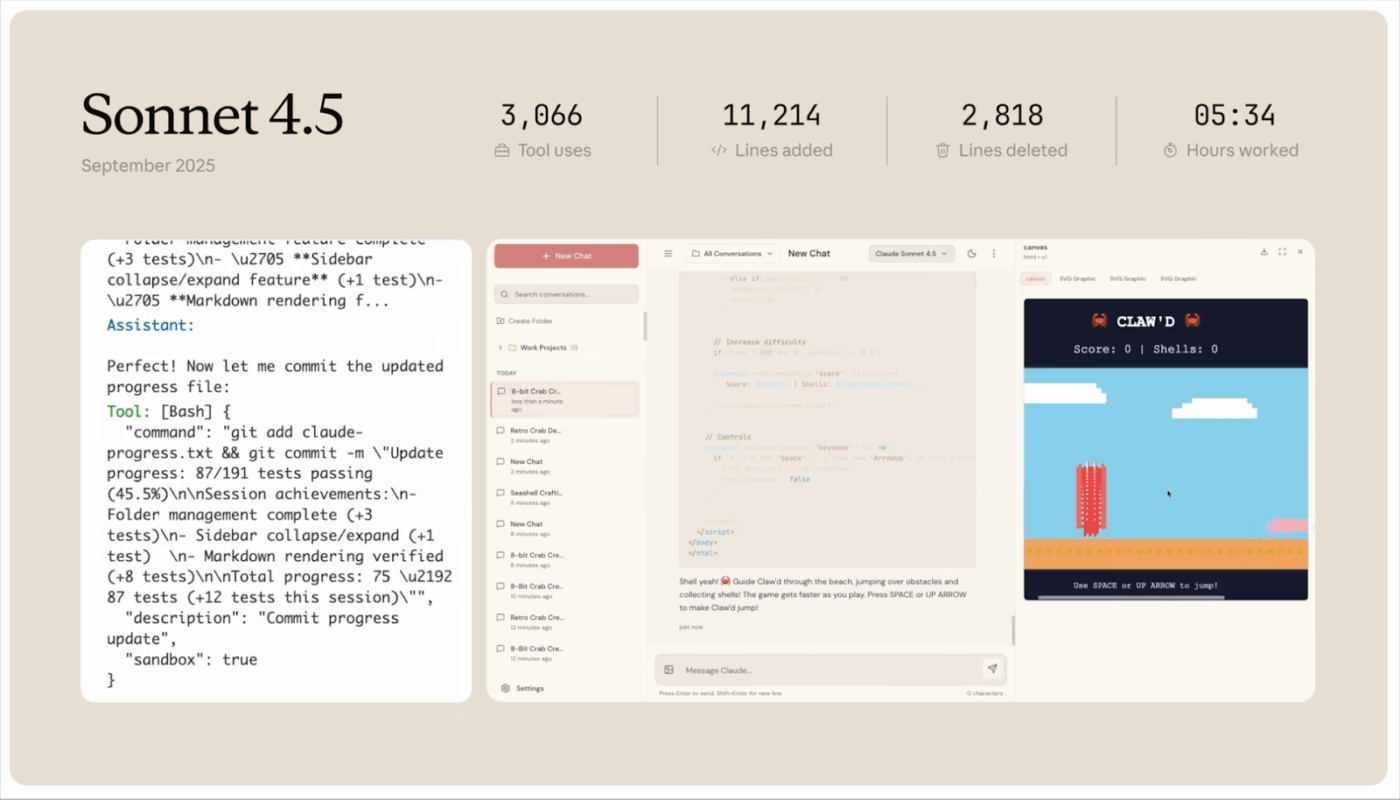
Claude Sonnet 4.5 can handle browser and computer use tasks, not just chat-style requests. That helps when your team needs the model to actually move work forward across tools. Such tasks could be like checking a vendor page, pulling details into a doc, or completing a step-by-step workflow.
This process is useful for product and engineering teams because it reduces copy-paste busywork. You can hand off repeat processes to the model and keep humans focused on decisions.
📌 Example: A startup CTO asks Sonnet to gather pricing and compliance details from three vendors, drop the findings into a comparison sheet, and draft a short recommendation. Instead of spending an hour tab-hopping, they review the summary and make the call.
📖 Also Read: Best ChatGPT Alternatives for Coding
You’ve seen what Claude Opus and Claude Sonnet are built for. Now let’s compare the features that actually change outcomes for software engineering teams, from tool use to coding speed to reasoning depth.
If you’re still figuring out how to use AI in software development, this comparison will help you pick the right model for each workflow.
Opus is the safer pick when an agent run cannot fail quietly. Opus 4.5 adds “effort” control, so you can spend more compute on complex workflows when accuracy matters.
Sonnet is built to run agents all day with fewer interruptions. Sonnet 4.5 emphasizes instruction following, tool selection, and error correction, which helps teams automate repeat workflows with less manual cleanup.
🏆 Winner: Claude Sonnet for most day-to-day agent workflows, especially when you need a reliable tool use at scale without pushing top-tier spend into every run.
Claude Opus is the go-to model when the coding task is messy. Think multi-file refactors, brittle tests, or debugging where one wrong assumption sends you in circles. Claude Opus 4.5 lets you push deeper reasoning when the change is risky.
Claude Sonnet is a strong fit for day-to-day coding tasks that need speed and consistency. Claude Sonnet 4.5 tends to work well when you’re implementing smaller features, writing utilities, drafting documentation, or iterating through fixes.
It is also a cost-effective model for repeat work. Teams that rely on AI code tools often use Sonnet for rapid iterations and Opus for higher-risk changes.
🏆 Winner: Claude Opus for advanced coding and higher-stakes code generation where correctness beats speed, and you want fewer surprises in code reviews.
Claude Opus is built for depth-first work where the model keeps a lot of context in view. That helps when you are stitching together a long specification, a design document, and several related code paths before making a decision that has to stay consistent across the whole system.
Claude Sonnet is the more practical choice when you are running long-context workflows frequently. It supports huge context use cases at a lower cost profile, so teams can feed larger inputs, iterate faster, and still keep cost matters under control.
🏆 Winner: Claude Sonnet for long-context workflows you run often, where you want a balanced model that handles big inputs without sacrificing quality or blowing up spend.
📽️ Watch a Video: Compared Claude Opus vs. Sonnet, but still unsure what that means in real coding? This video shows how AI coding agents write, debug, and suggest improvements inside your workflow, so you ship faster without losing control.
💡 Pro Tip: ClickUp Brain can help you classify all your tasks under Opus or Sonnet based on task complexity, risk, and speed needs. You can ask ClickUp Brain questions like:
Additionally, there are many more intricate questions that can provide you with a clearer understanding of how to proceed with your current tasks.
Redditors usually frame this as a tradeoff between “best output per run” and “best output per dollar and minute.”
Claude Opus gets picked when the task is complex, and you want fewer mistakes. Claude Sonnet gets picked when you have high-volume tasks and need speed plus cost-effectiveness.
For Claude Opus, users mention:
I’ve been using fully Claude Opus 4.1 in my terminal setup for coding, reasoning, and agent-like tasks. it’s been solid for complex workflows.
But Opus users also face certain challenges, like this:
Sometimes, when it fails to come up with right solution it starts pretending like everything is correct even if it’s not.
For Claude Sonnet, Redditors focus on speed, efficiency, and tool use:
Sonnet 4.5 solved a complex deadlock bug in two shots that Opus 4.1, Gemini 2.5 Pro, and Codex 5 CLI thinking have spent weeks on.
Meanwhile, Redditors have also highlighted unfair usage limits for Sonnet:
Most of the times, the chat didn’t even fix or deliver my calls. I’m pro plan user, which is very unfair on this usage limits.
📖 Also Read: Best Code Editors for Developers
🤔 Did You Know: Anthropic states you can get up to 90% cost savings with prompt caching and 50% savings with batch processing (Batch API discount) for high-volume/async runs.
It starts like a normal Tuesday. Someone pastes a model output into a ticket, but nobody knows which prompt produced it or what context it missed.
Because different teammates use different models in different places. Prompts get rewritten from scratch. Outputs are copied around without traceability, so quality varies, and it is harder to explain how decisions were made. What you end up with, then, is called AI sprawl.
That is why ClickUp is a strong AI tool alternative in the Claude Opus vs. Sonnet conversation. ClickUp is the world’s first converged AI workspace that keeps work and AI assistance close to the work itself.
Next, we will break down what this concept looks like in practice for software teams. We will cover how ClickUp helps you use AI across planning, documentation, and delivery without losing context.
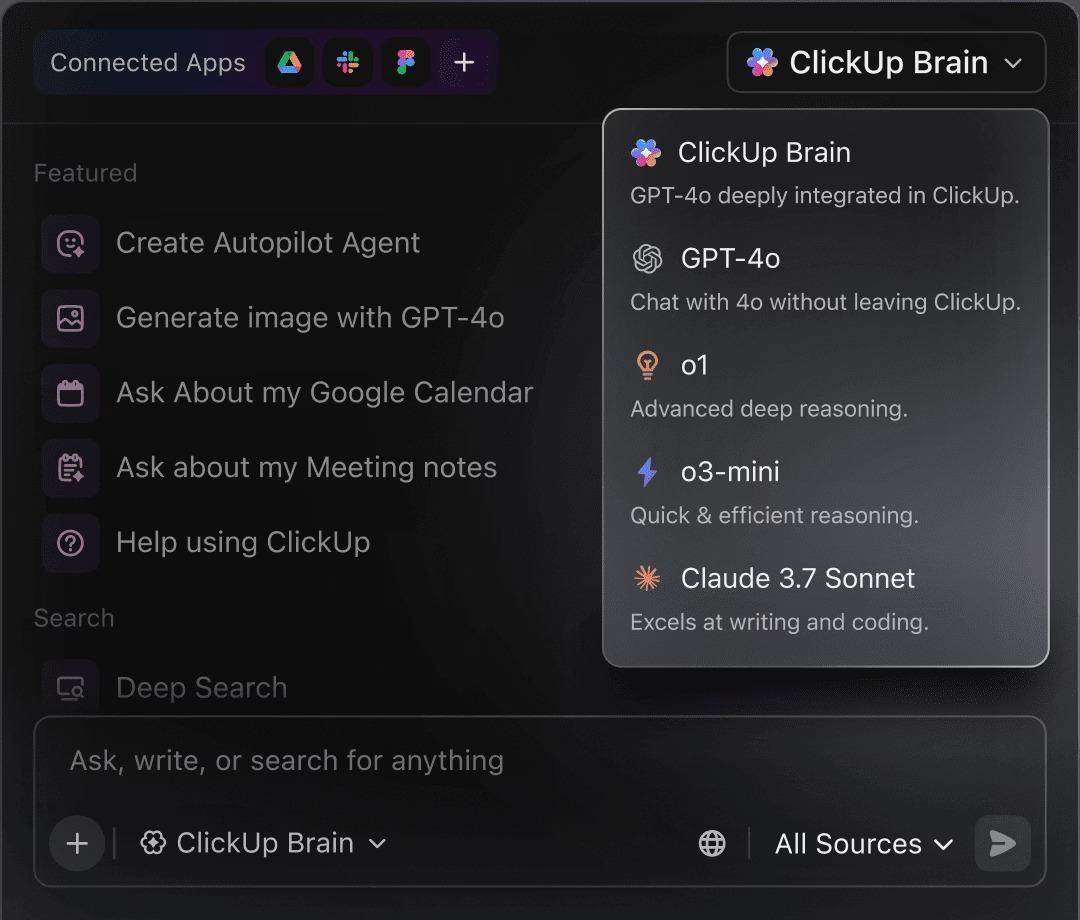
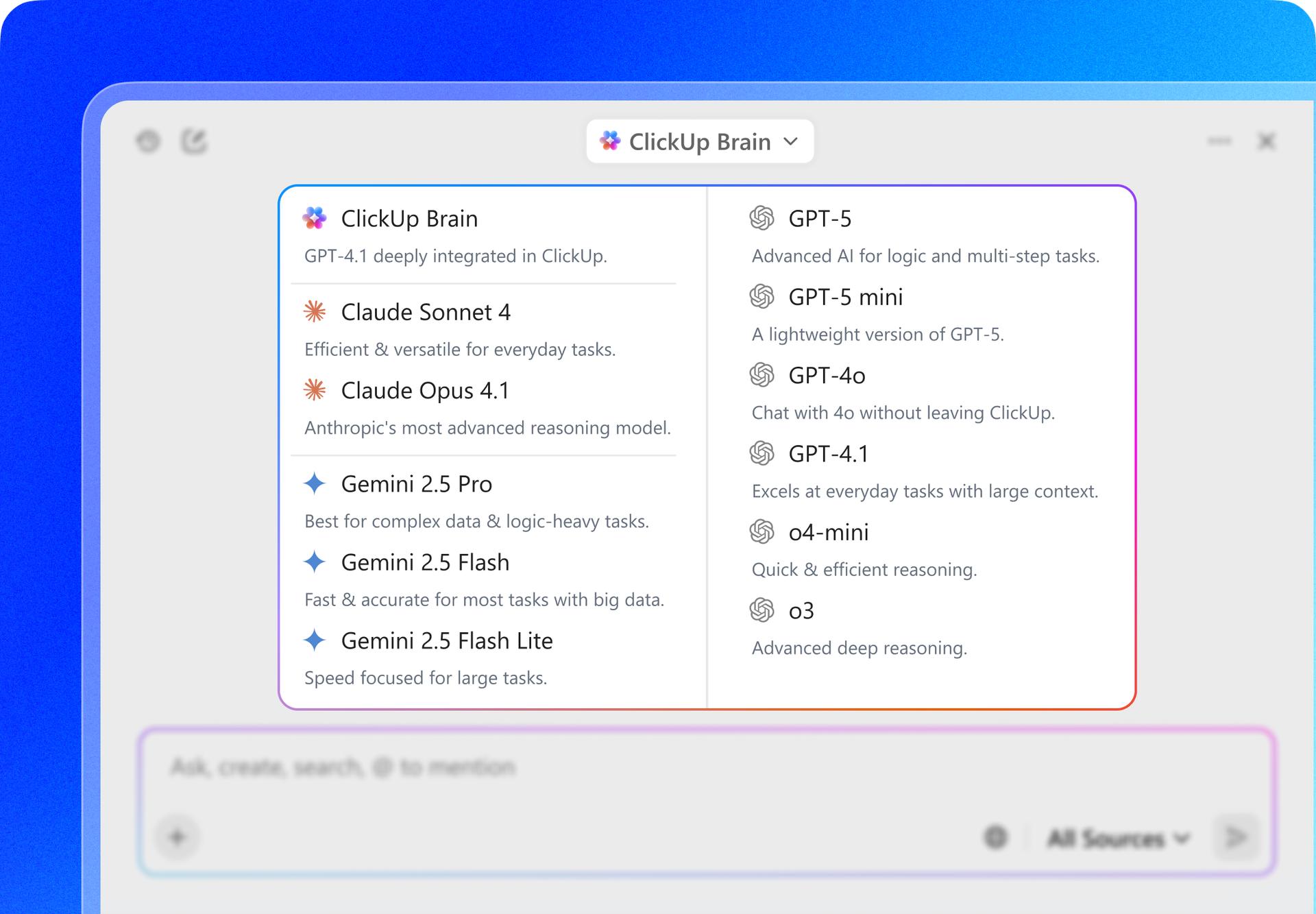
ClickUp Brain keeps AI in the same workspace as your tasks and docs. So all your outputs stay tied to the source context, making them easier to reuse and audit. It also lets you switch LLMs in the same workflow, so you can use Claude for deep reasoning and a faster model for everyday tasks. You can do it without copying and pasting context between tools.
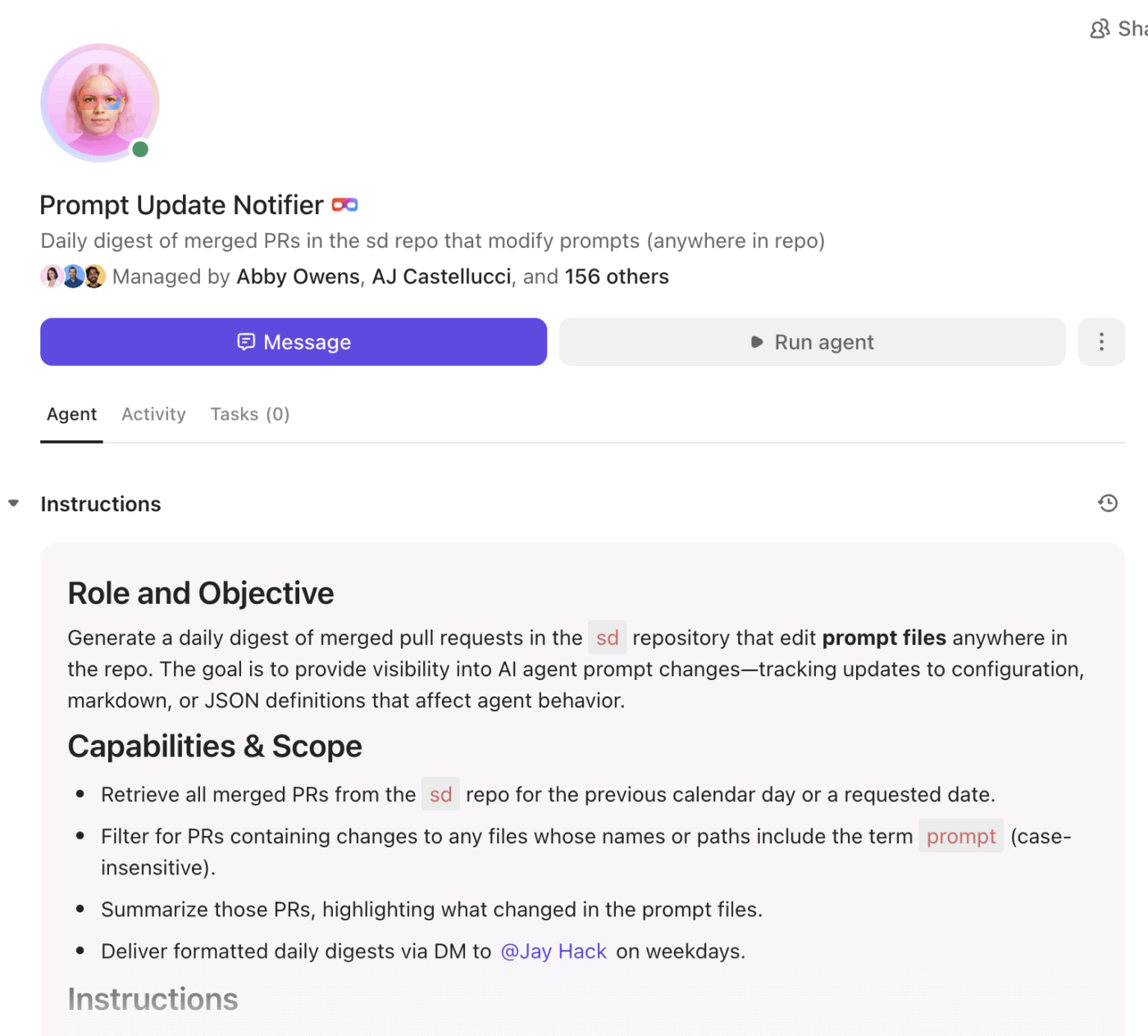
Once AI is in the workflow, the next bottleneck is follow-through. ClickUp AI Super Agents help by automating repeat steps in your workspace, so updates, handoffs, and routing do not rely on someone remembering. That means fewer dropped threads, faster execution, and cleaner workflows for software engineering teams.
Most AI coding tools help you write snippets, explain functions, or refactor logic, then leave the rest to humans. The real work still lives elsewhere.
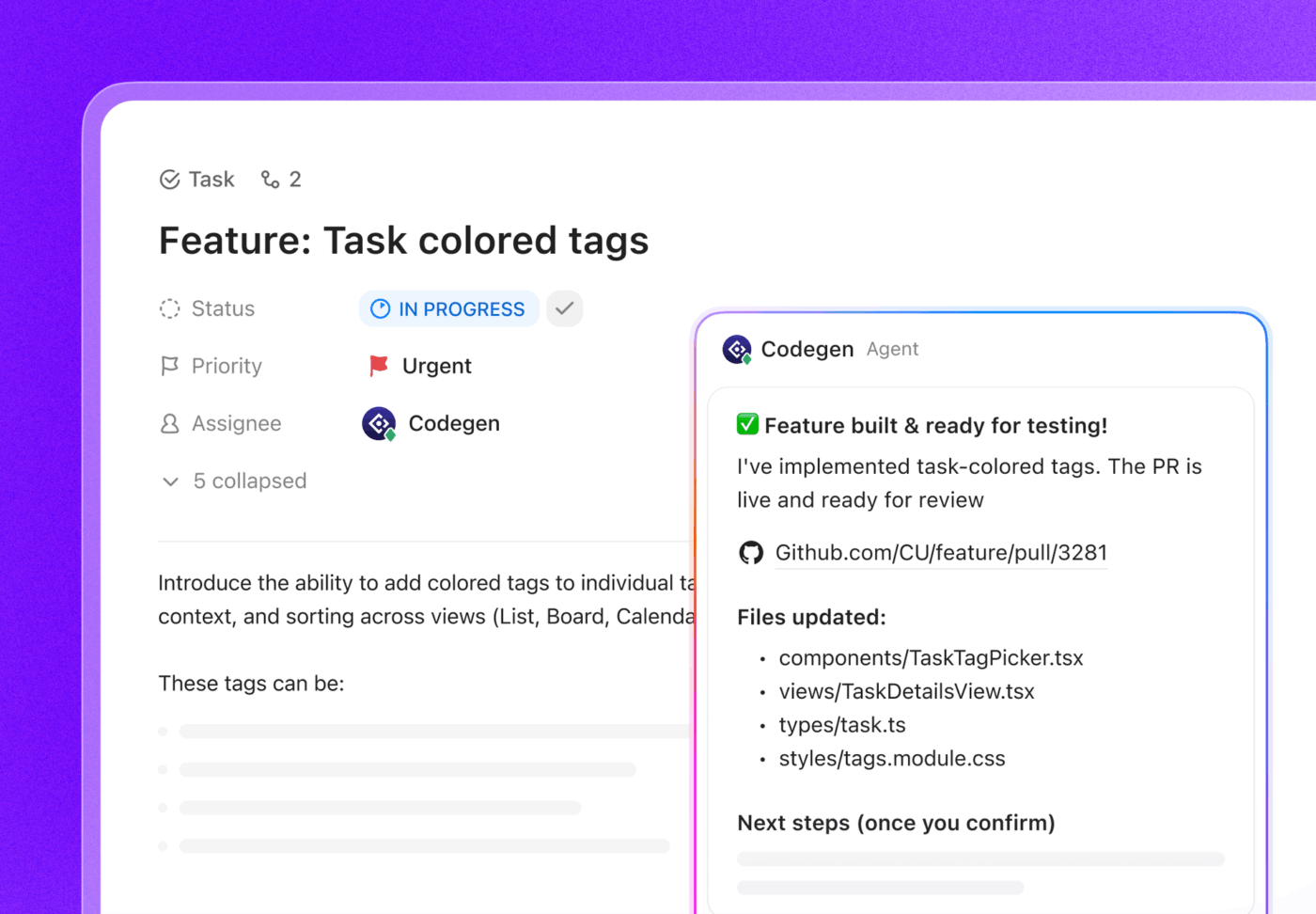
ClickUp’s Codegen Agent is different because it operates inside the execution system. When tagged in a task, it can generate production-ready code with full awareness of the spec, acceptance criteria, comments, and surrounding work. It does not just suggest code. It contributes directly to tracked delivery.
This matters because software teams do not struggle with writing code in isolation. They struggle to translate decisions into implementation, keep specs aligned with changes, and ensure work actually moves forward.
By connecting code generation to tasks, reviews, and workflow state, Codegen turns AI from a sidekick into a teammate that participates in delivery. That is the key distinction between ClickUp and standalone AI tools like Claude.
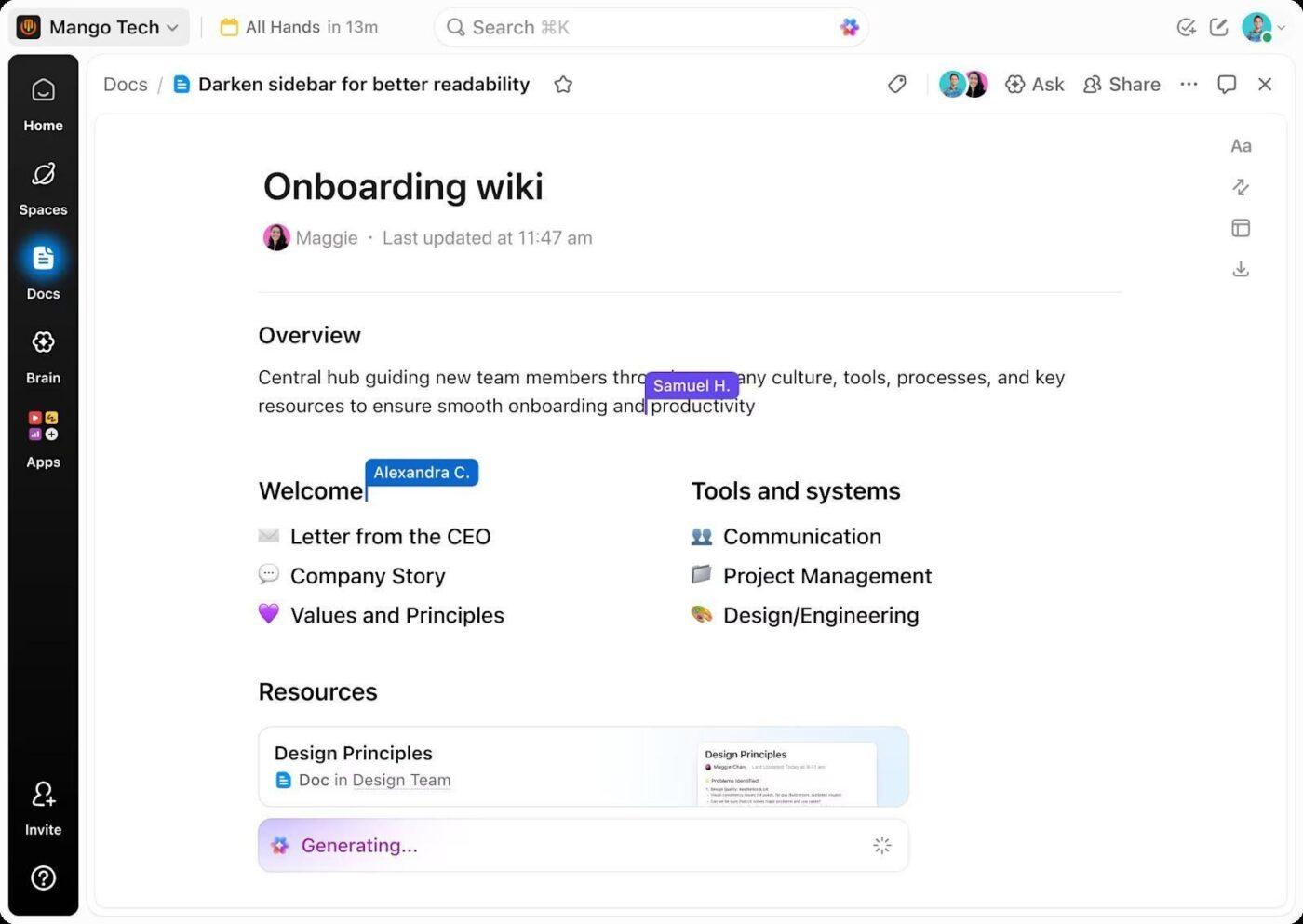
Specs fail because the doc and the delivery plan drift apart after sprint one. That is when engineers start building off stale decisions, and code reviews turn into “Wait, when did we change this?”
ClickUp Docs keeps documentation connected to the work by linking Docs and tasks in the same place. You can turn text into trackable tasks, tag teammates with comments, and add widgets in the doc to update statuses, assign owners, and reflect progress without leaving the page.
If your team is trying to write documentation for code without falling behind on sprint work, keeping docs and tasks connected makes updates much easier.
💡 Pro Tip: When a spec line becomes “we should do X,” do not leave it hanging in text. Create ClickUp Tasks directly from ClickUp Docs, assign an owner, and add a due date on the spot, so the work is tracked the moment it is agreed. This solution keeps documentation and delivery in sync, and it cuts down the “who is doing this” follow-ups later.
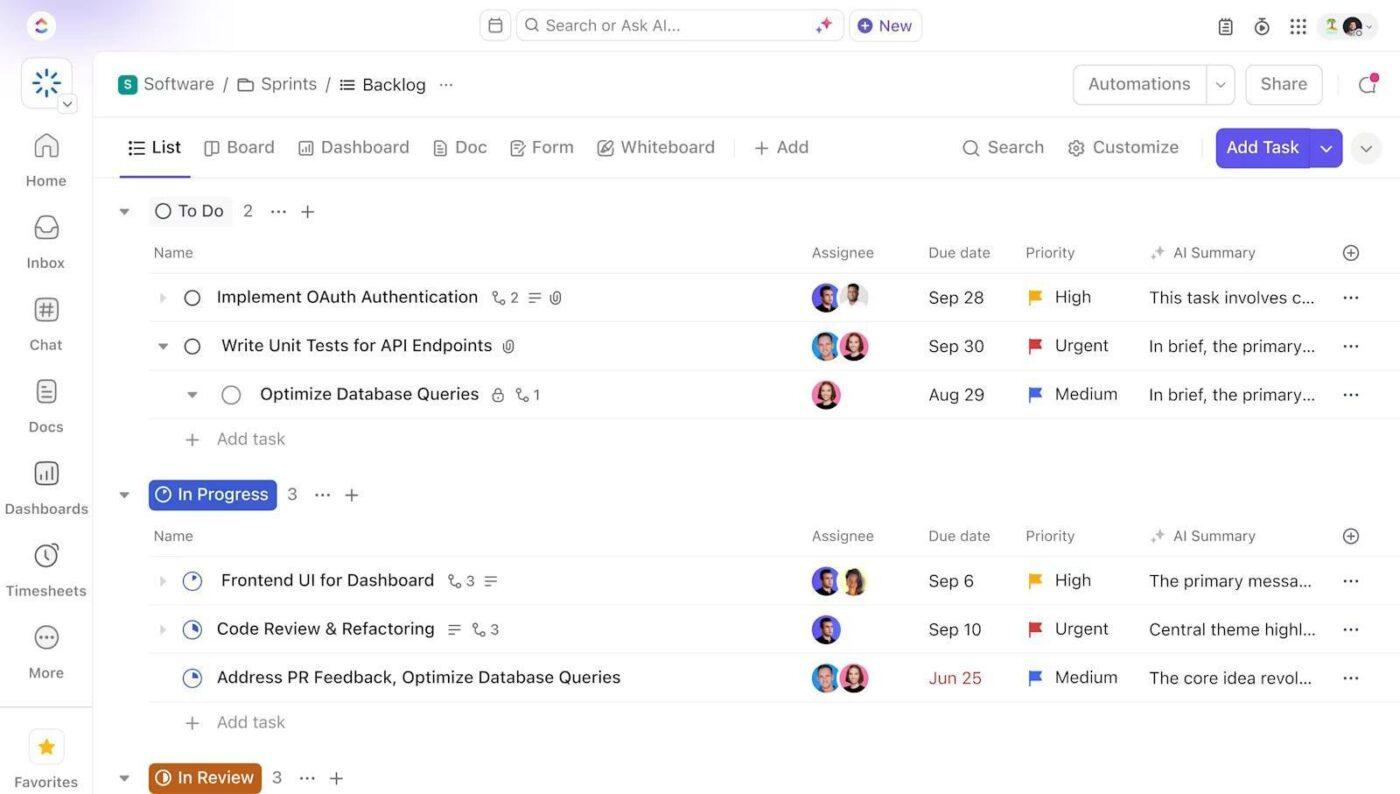
Most delivery problems are not “bad engineering.” There are bad handoffs between planning, execution, and visibility. Work is split across tools, and status turns into guesswork. That is when scope slips, blockers hide, and teams spend more time syncing than shipping.
ClickUp for Software Teams brings tasks, documents, and collaboration into one workflow, so delivery stays tracked from the first ticket to the final release. If your team runs sprints, ClickUp for Agile helps you keep rituals and work in the same system.
This way, your stand-ups, backlogs, and sprint progress are easier to manage without jumping between apps.
💡 Pro Tip: If your team keeps reinventing the same sprint structure, use the ClickUp Software Development Template to start with a ready-made workflow for planning, building, and shipping. It helps you keep epics, backlogs, sprints, and QA handoffs in one place, so progress stays visible, and delivery does not depend on someone maintaining a separate tracker.
The choice between Claude Opus and Sonnet ultimately depends on which one fits your needs better. Opus is the safer choice for complex tasks and advanced coding where correctness matters. Sonnet is better when you need speed and cost-effective output across repeat work.
If you want a simpler way to work with either model, ClickUp is the best alternative with advanced capabilities because it keeps execution and AI support in one place.
ClickUp’s AI also supports advanced reasoning capabilities and visual reasoning, so you can move from specs and code to screenshots, diagrams, and UI feedback without losing context.
Sign up for ClickUp and run your software workflow from one workspace.

© 2026 ClickUp

There’s an easier way. Try a free AI Agent in ClickUp that actually does the work for you—set up in minutes, save hours every week.