Most employee training programs are pretty one-sided. You deliver the content, they complete the modules, and… that’s it.
You’re left wondering: Did it actually work? Did anyone learn anything useful?
Traditional training feedback—like end-of-course surveys or generic quizzes—does little more than check a box. They don’t tell you who’s struggling, why they’re struggling, or what to do about it. You’re flying blind when you could be guiding growth.
An AI feedback software can change the game for you.
It doesn’t just track completion, but also listens, adapts, and responds to how your team learns, turning training into a two-way conversation. The result? Employees feel supported, skills stick, and training drives measurable ROI.
No wonder that when learning is tailored by AI, knowledge retention rates rise by 42% compared to traditional methods. In this blog, we bring you the best AI feedback software for employee training.
Summarize this article with AI
ClickUp Brain not only saves you precious time by instantly summarizing articles, it also leverages AI to connect your tasks, docs, people, and more, streamlining your workflow like never before.
Summarize this article for me please
Best AI Feedback Software for Employee Training at a Glance
Let’s start with a quick primer on AI feedback software before we explore the tools.
*Please check the tool website for the latest pricing details.
How we review software at ClickUp
Our editorial team follows a transparent, research-backed, and vendor-neutral process, so you can trust that our recommendations are based on real product value.
Summarize this article with AI
ClickUp Brain not only saves you precious time by instantly summarizing articles, it also leverages AI to connect your tasks, docs, people, and more, streamlining your workflow like never before.
Summarize this article for me please
What Is AI Feedback Software for Employee Training?
Think of AI feedback software as your smartest, most attentive training assistant. It’s a smart platform that uses artificial intelligence to observe, analyze, and respond to how employees learn.
Unlike old-school training methods that only measure completion, AI feedback tools focus on comprehension, engagement, and real growth.
They track how learners interact with materials, where they pause or rewatch, what questions they struggle with, and how quickly they improve. Then, using that data, the software delivers personalized guidance, recommends next steps, and even adjusts training content in real-time.
In short, it turns static training into a dynamic, two-way conversation between the employee and the program.
🏆 A real-world AI win
Sifting through 1.8 million applications a year had long been a test of endurance for Unilever’s hiring teams. Instead of drowning in CVs, the company turned to AI-powered tools. Candidates began their journey with quick, game-like assessments designed to reveal traits such as reasoning and adaptability, followed by video interviews analyzed through AI for tone, word choice, and expressions.
📈The impact was transformative: Recruitment time dropped by more than 50,000 hours, annual costs fell by £1 million, and diversity among hires rose by 16%. Perhaps most telling, candidate completion rates surged from 50% to 96%.
To carry this momentum into the workplace, Unilever introduced Unabot, a multilingual chatbot that answered everyday questions on parking, payroll, and more—ensuring new employees felt supported from day one.
Key things AI feedback software for training can do:
Provide real-time suggestions during a training session
Identify knowledge gaps before they become performance issues
Personalize learning paths based on individual pace and style
Generate automated summaries for trainers and L&D teams
Use natural language processing to give conversational feedback
But how to choose the right AI feedback software? Let’s find out!
🔎 Did You Know? The concept of instant feedback dates back to the 1950s, when psychologist B.F. Skinner developed teaching machines that gave students immediate feedback on whether their answers were correct or not.
Summarize this article with AI
ClickUp Brain not only saves you precious time by instantly summarizing articles, it also leverages AI to connect your tasks, docs, people, and more, streamlining your workflow like never before.
Summarize this article for me please
What Should You Look for in AI Feedback Software for Employee Training?
Choosing the right tool means looking for features that actually support learning. Here’s what really matters:
Real-time feedback: Can it give suggestions during training, not just after?
Personalization: Does it adapt content and pacing to meet the needs of individual learners?
Skill gap analysis:Will it pinpoint exactly where someone needs help?
Integration ease:Does it work smoothly with your existing LMS or HR tools?
Actionable insights: Are the reports clear and useful for trainers and managers?
Skip tools that only measure completion. Go for platforms that measure growth.
📊 Research Shows: Organizations could realize an 18% increase in profit and 14% increase in productivity by doubling the proportion of employees who feel that they have opportunities at work to learn and grow.
Summarize this article with AI
ClickUp Brain not only saves you precious time by instantly summarizing articles, it also leverages AI to connect your tasks, docs, people, and more, streamlining your workflow like never before.
Summarize this article for me please
Best AI Feedback Software for Employee Training
We’ll break down exactly what makes each platform stand out—its key features, ideal use cases, and how it leverages AI to provide feedback that is faster, smarter, and more human.
1. ClickUp (Best for AI-powered performance feedback and training insights)
Reimagine employee training by bringing every aspect of training and feedback in one place with ClickUp
ClickUp, the world’s first Converged AI Workspace, redefines the future of work by converging tasks, documents, goals, and communication into a single, unified platform. It empowers teams to manage every aspect of training and feedback in one place.
With advanced AI features and seamless automation, ClickUp brings you unmatched performance feedback and actionable training insights.
Here’s how ClickUp transforms the feedback and training experience:
Transform your trainings with the best-in-class AI tools
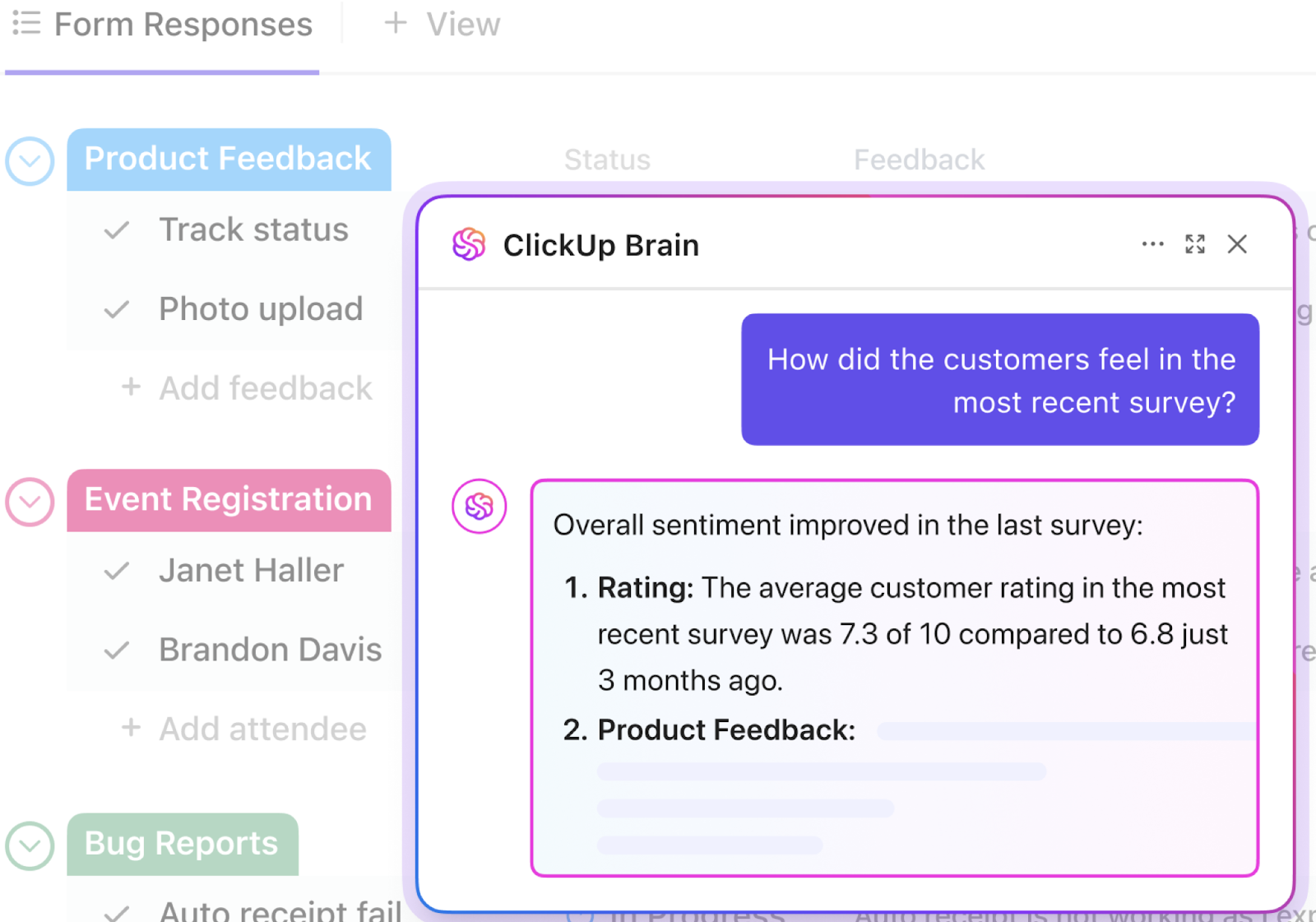
ClickUp Brain, the platform’s intelligent AI engine, makes it effortless to generate, summarize, and analyze feedback. Whether you’re reviewing training sessions or collecting peer reviews, ClickUp Brain can instantly distill key takeaways, highlight action items, and even suggest next steps.
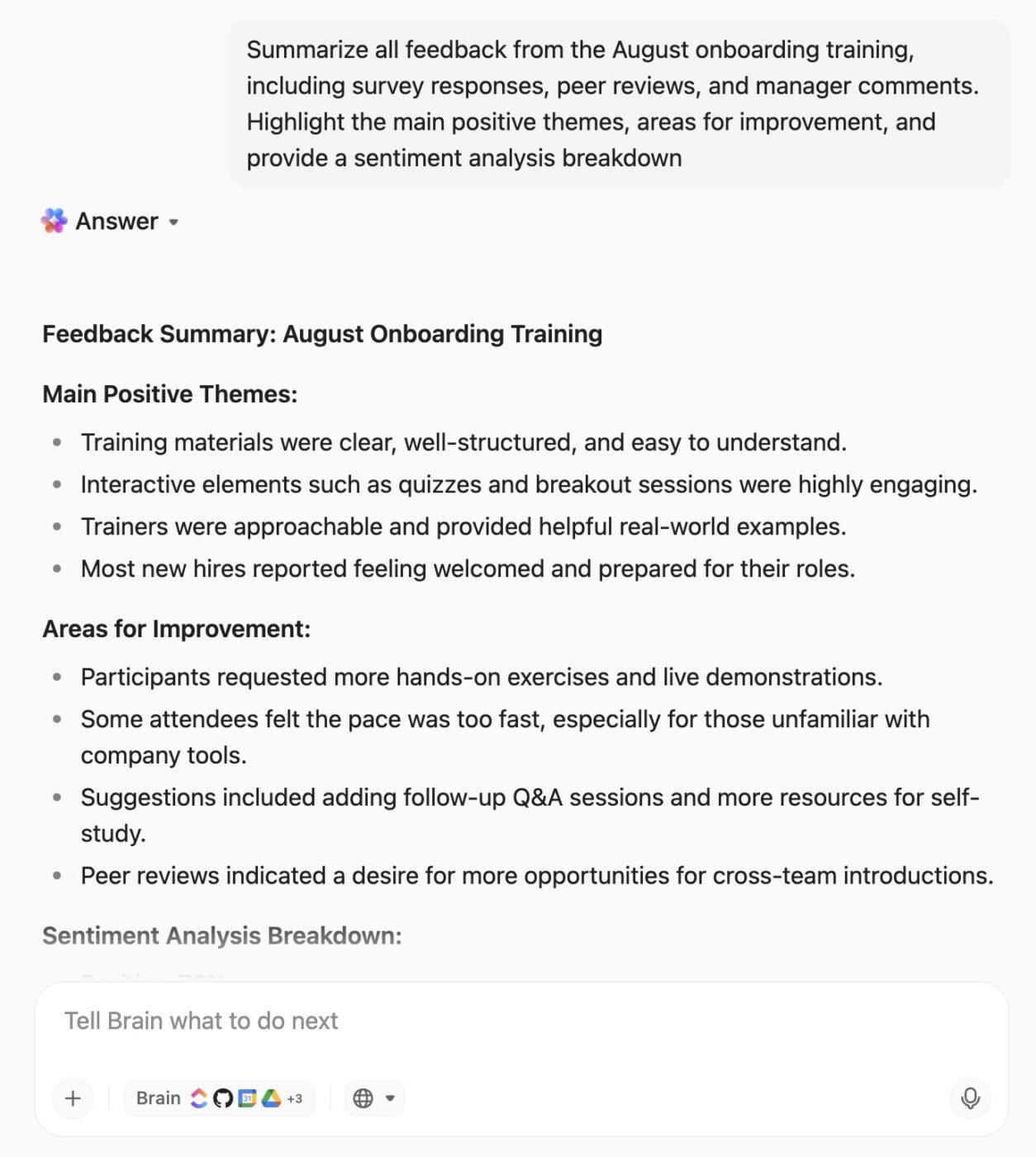
For organizations seeking deeper insights, ClickUp BrainGPT, the standalone desktop app, unlocks advanced capabilities like multi-source feedback synthesis and sentiment analysis.
With ClickUp BrainGPT, you can automatically gather feedback from multiple sources—such as post-training surveys, peer reviews, and manager assessments—and synthesize it into a single, actionable summary. The built-in sentiment analysis highlights positive, neutral, and negative feedback trends, making it easy to spot strengths and areas for improvement at a glance.
Here’s a sample ClickUp BrainGPT generated output👇
Ask BrainGPT to pull up insights instantly from across your workspace and connected apps
This AI super app connects with all your favorite apps, bringing intelligent automation, research, and collaboration to your entire workflow—not just ClickUp. It’s built to be your all-in-one AI hub, helping you work smarter, faster, and more efficiently across every platform you use.
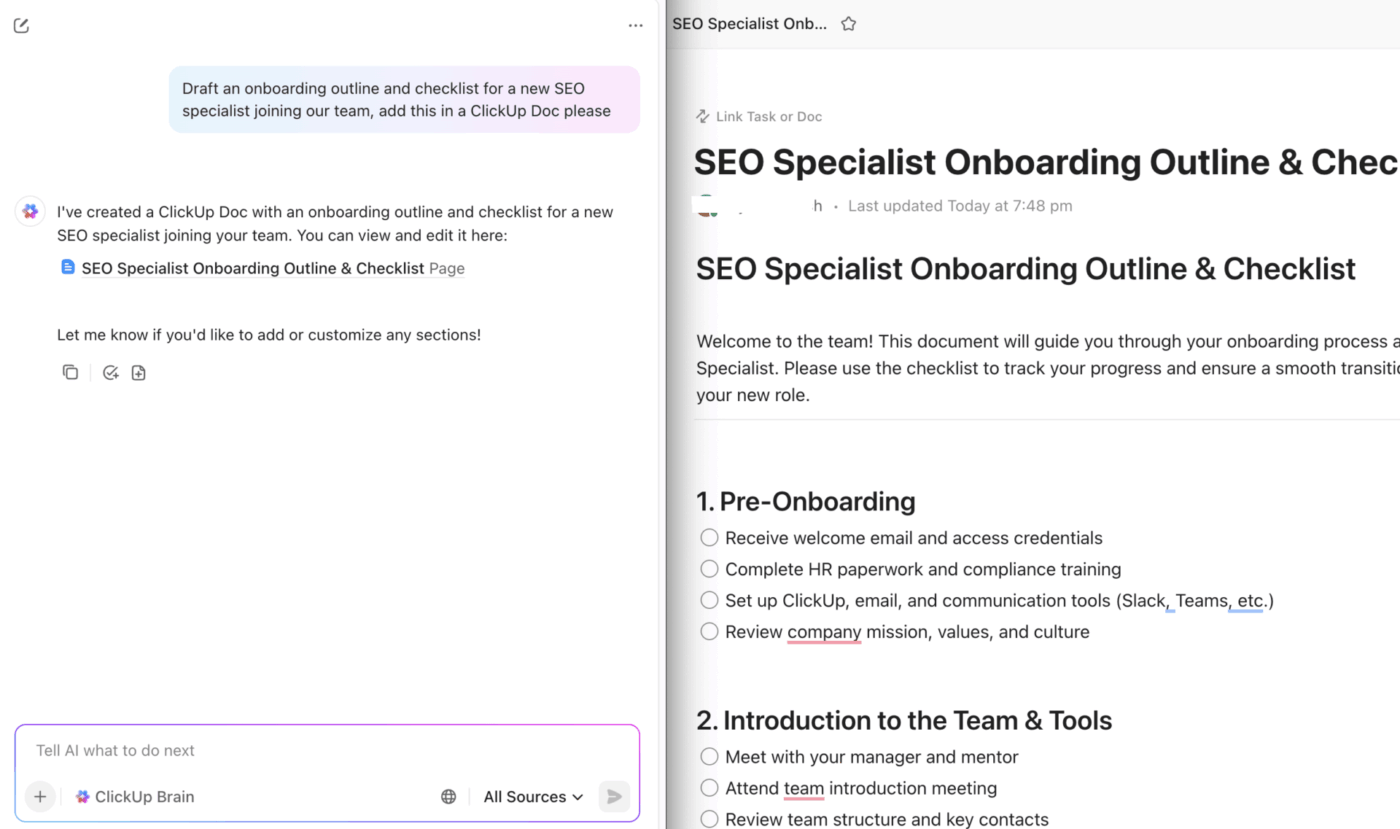
ClickUp AI brings intelligence to your workflow end-to-end, even helping generate all your training material with ease. Let’s see how.
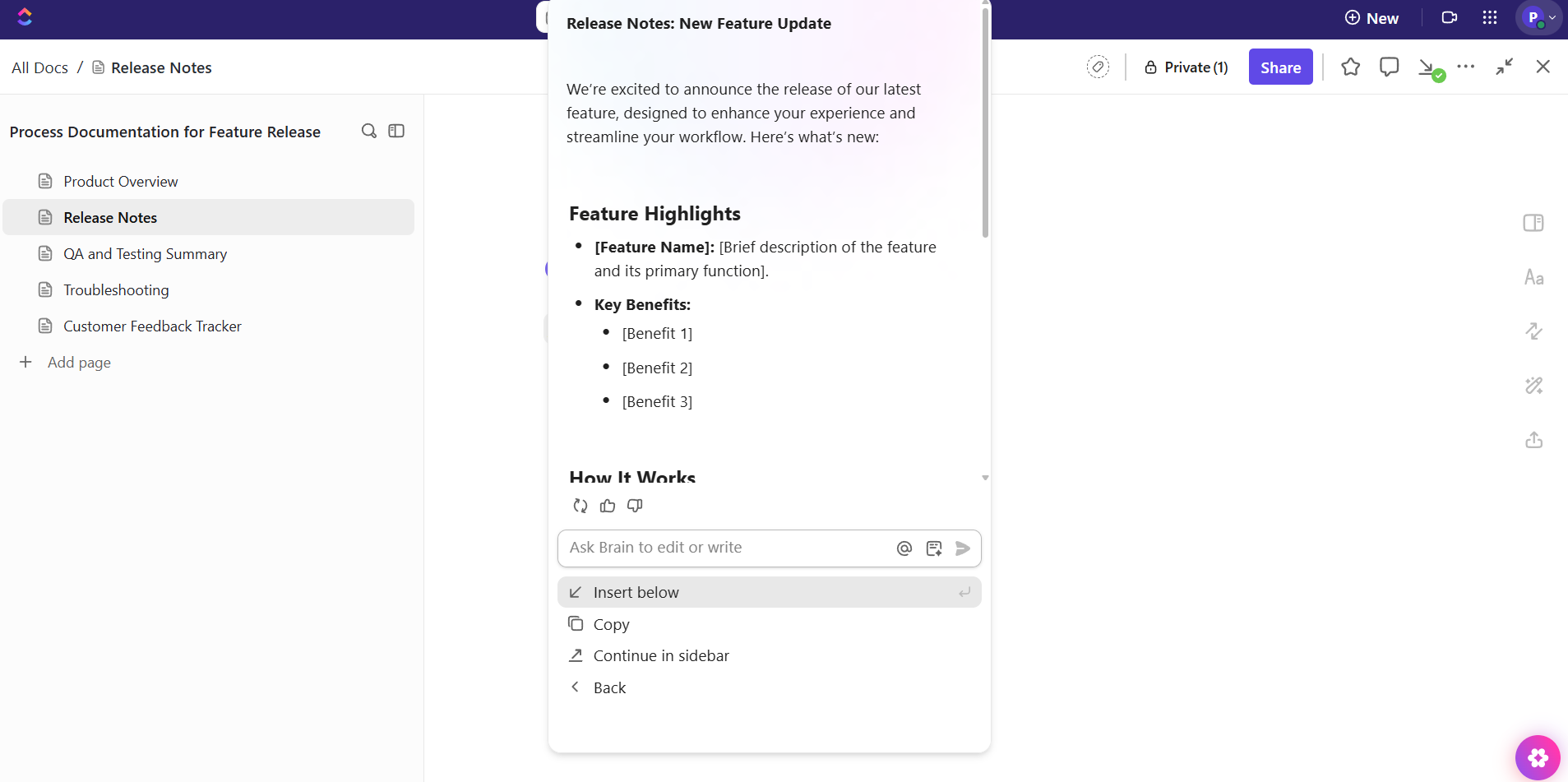
Docs for centralized training materials and collaborative editing
Connect ClickUp Docs to your employee training workflows to execute on ideas with your team
ClickUp Docs serves as a single source of truth for all training resources, guides, and SOPs. Real-time collaborative editing ensures your team can co-create and update materials seamlessly.
ClickUp’s AI Fields can be embedded to automatically extract key information or track completion, making your documentation both dynamic and actionable.
AI-powered task management for training
Assign, track, and automate every aspect of your training program with ClickUp Tasks.
Assign: Easily delegate training-related tasks—such as preparing materials, scheduling sessions, or following up on feedback—to the right team members. AI suggestions can help match tasks to people based on workload or expertise
Track: Monitor the progress of every training activity in real time. See what’s completed, what’s in progress, and what’s overdue, all in one place. Automated reminders and status updates keep everyone on track without manual follow-up
Automate: Set up Automations in ClickUp to handle repetitive tasks, such as sending reminders, moving tasks to the next stage, or triggering feedback requests after a session. This reduces manual work and ensures nothing falls through the cracks
AI makes your work smart. Check out this video to see how it assigns and prioritizes your tasks 👇
Use agentic workflows to trigger feedback requests post-training
ClickUp Automations ensure feedback is never an afterthought. Enhanced by Super Agents and ClickUp Brain, it ensures feedback is collected at the perfect moment.
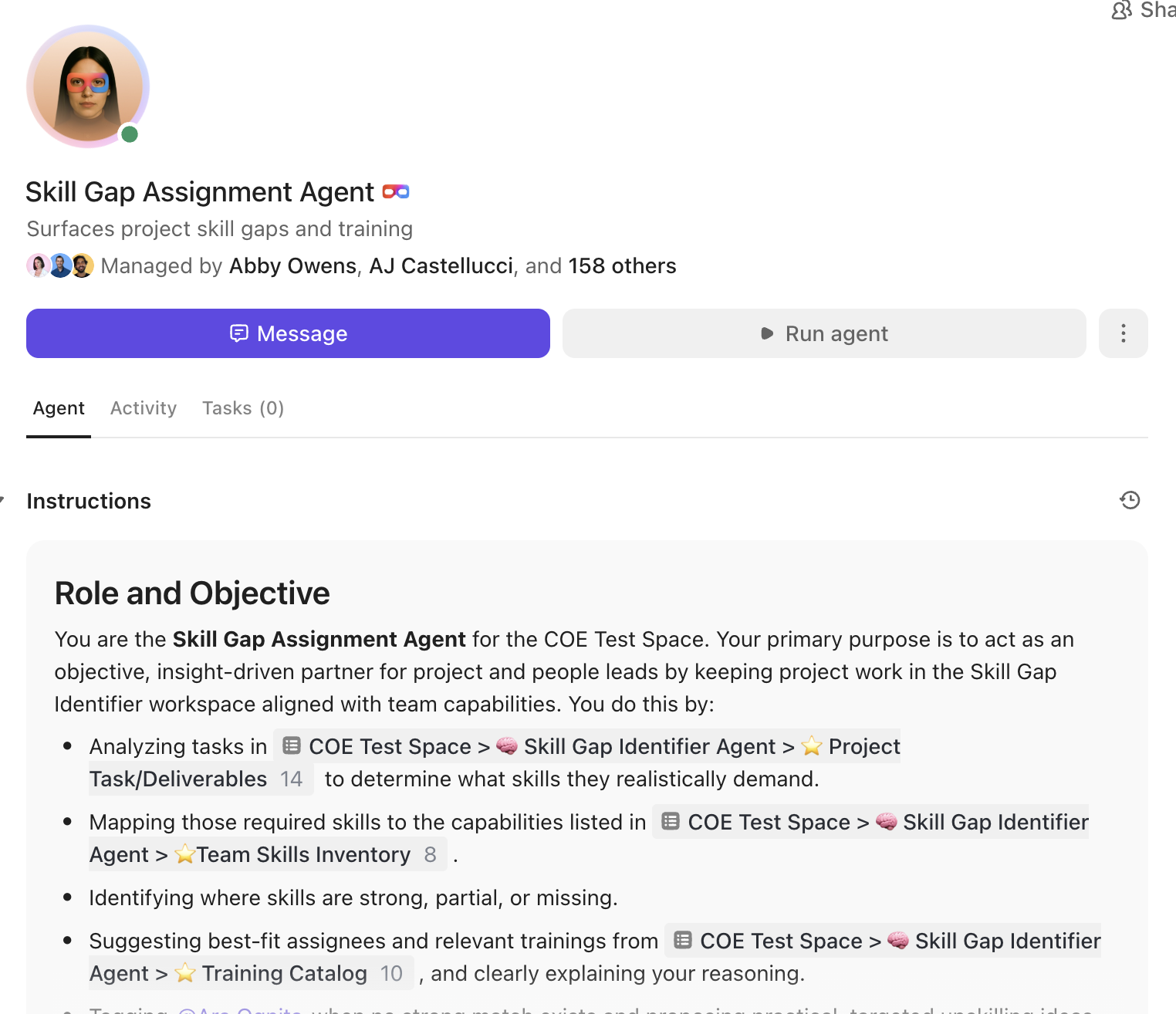
Conduct skill gap assessments, plan out training sessions, and more, with ClickUp Super Agents
Automatically trigger feedback requests as soon as a training session ends, identify progress and gaps, send reminders to participants, and even escalate overdue responses. This hands-off approach guarantees timely, structured feedback without manual follow-up.
Custom Fields and Forms for structured feedback collection
Gathering feedback is effortless with customizable ClickUp Forms and ClickUp Custom Fields. Design forms tailored to your training objectives, collect quantitative and qualitative data, and standardize responses for easy analysis. All feedback is instantly organized within ClickUp, ready for review and action.
Use conditional logic in ClickUp Forms to organize feedback
Leverage AI Fields to collect, categorize, and analyze feedback with precision. These Fields can automatically tag sentiment, extract key themes, and flag urgent issues, making it easy to turn raw feedback into actionable insights. All responses are instantly organized and ready for review.
Dashboards to visualize feedback and training progress
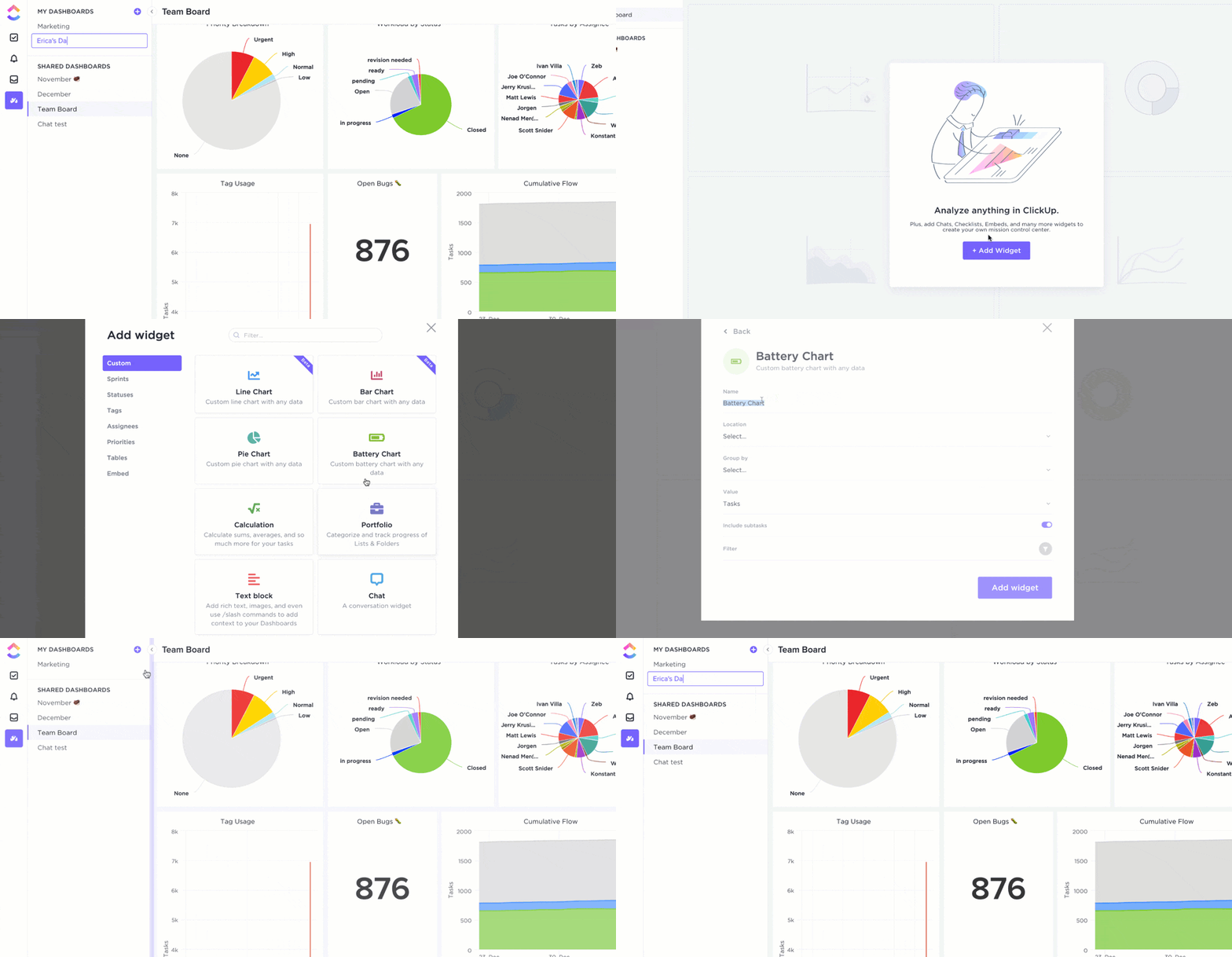
Turn feedback and training data into actionable insights with ClickUp Dashboards. Visualize participation rates, satisfaction scores, skill improvements, and more, all in real time. Customizable cards and reports enable you to identify trends, measure ROI, and demonstrate the impact of your training programs.
Visualize participation rates, satisfaction scores, skill improvements, and more using ClickUp Dashboards
ClickUp Dashboards bring all your feedback and training data together in one place. Use AI Cards in ClickUp to surface trends, highlight areas for improvement, and visualize participation or satisfaction scores in real time. This makes it easy for managers and trainers to measure impact and continuously improve their programs.
ClickUp best features
Instantly generate, summarize, and analyze feedback with ClickUp AI Cards
Automate feedback collection, task assignment, and follow-ups via AI Agents
Effortlessly extract key data and tag sentiment in forms and docs with AI Fields
Collect structured, standardized feedback from participants using customizable Forms & Custom Fields
Ensure timely feedback with automated requests and reminders through Automations
Centralize and collaboratively edit training materials in Docs
Visualize feedback trends, participation, and training progress in real time with Dashboards & AI Cards
ClickUp limitations
ClickUp’s robust suite of AI tools, automations, and dashboards can present a learning curve for some users
I like how I can do a custom build-out with ClickUp for recruiting, training advisers, managing my client base, and referrals. It’s great that I can use it for different functions like wealth advisory, recruiting, accounting, and office management. I also appreciate that ClickUp allows me to communicate with my staff effectively by letting them enter their progress, so I can stay updated on client files. I enjoy ClickUp’s integration capabilities, especially with WhatsApp and Zoom, which keep me informed through messages even when I’m not logged into ClickUp on my laptop. This way, I don’t have to be at my desk all day but still stay aware.
📮ClickUp Insight: Only 7% of professionals depend on AI primarily for task management and organization. This could be because the tools are restricted to specific apps, such as calendars, to-do lists, or email apps.
With ClickUp, the same AI powers your email or other communication workflows, calendar, tasks, and documentation.
Simply ask, “What are my priorities today?” ClickUp Brain will search across your workspace and tell you exactly what’s on your plate based on urgency and importance. Just like that, ClickUp consolidates 5+ apps for you within a single, super app!
Leapsome is an AI-powered, modular people enablement platform that combines HRIS, performance reviews, 360-degree feedback, goals/OKRs, engagement surveys, learning, and compensation. Built-in AI Copilot, Leapy, elevates HR by offering smart recommendations, drafting feedback, generating insights, and helping everyone move from data to action.
Engagement surveys no longer collect dust—Leapsome AI analyzes sentiment, pulls out themes, and crafts action plans in seconds. Need help with OKR? AI suggests meaningful, aligned goals tailored to your team’s priorities. Even competency framework building is fast, with AI structuring career paths and role definitions in minutes.
Everything is secured by enterprise-grade standards and features flexible modularity, so teams adopt exactly what they need, when they need it.
Using Leapsome has enabled me to work more strategically in my role as a Senior Customer Success Manager. It has made scenario planning clearer, allowed me to provide stronger, data-driven recommendations, and helped me offer more proactive guidance to customers. With Leapsome, I can anticipate potential risks and outcomes in advance, which supports more confident decision-making. This also allows me to engage in more credible and consultative discussions with stakeholders, ultimately resulting in better customer outcomes and stronger, long-term relationships.
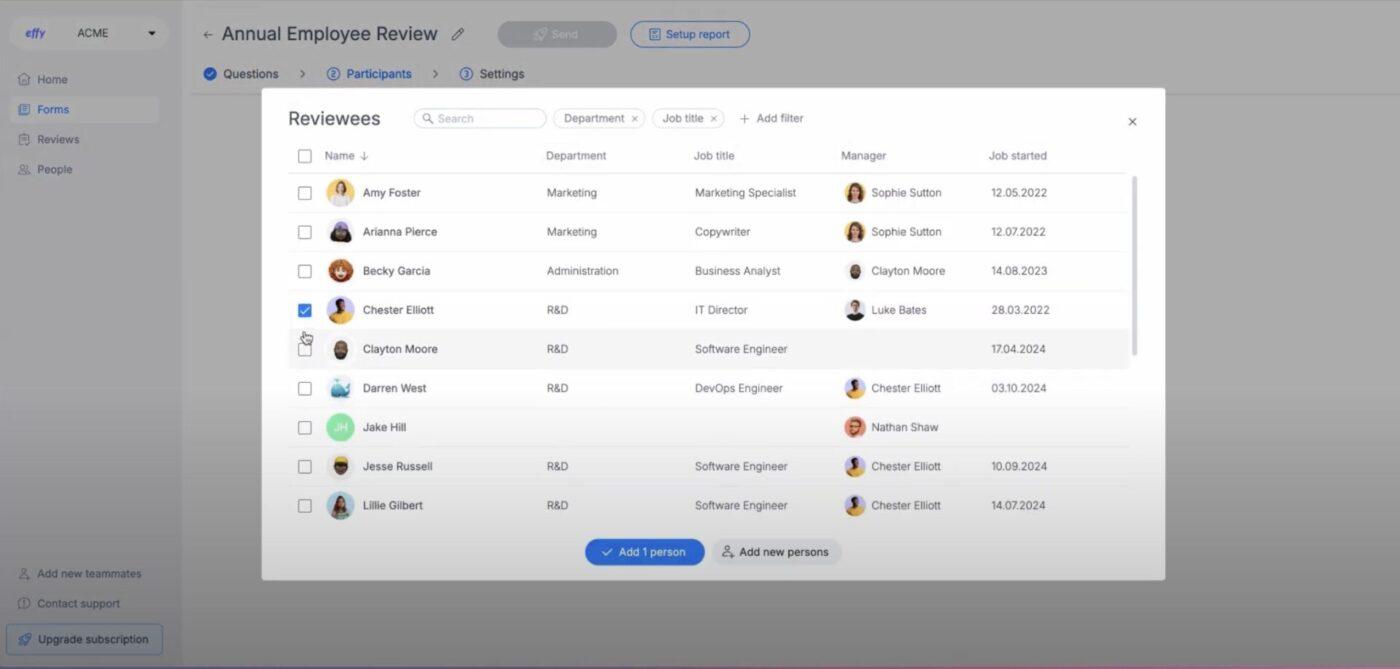
Effy AI is a performance management tool tailored for small to mid-sized teams that seek simplicity without sacrificing intelligence. It streamlines goals, reviews, feedback, and one-on-ones, powered by instant AI summaries, natural-language form generation, and smart insights.
This AI tool uses artificial intelligence to generate custom review forms with minimal input, feedback summaries, and parse multi-source comments into actionable themes. Auto-reminders, review status tracking, and a slick dashboard keep cycles on track with less chasing.
Behind the scenes, machine learning helps detect sentiment, spotlight contribution trends, and shorten review times. The interface is clean, intuitive, and built for those who want HR tools that do more thinking than clicking.
Effy AI best features
AI-generated review forms and summaries at the drop of a prompt
Multi-source feedback (manager, peer, self) with theme extraction
Slack integration for seamless feedback capture
Continuous feedback, kudos, meeting notes, and one-on-one tracking
Review dashboards and status tracking for full-cycle visibility
Effy AI limitations
Not designed for complex OKR tracking or deep analytics beyond reviews
Users report difficulties when integrating Effy AI with platforms like Microsoft Teams
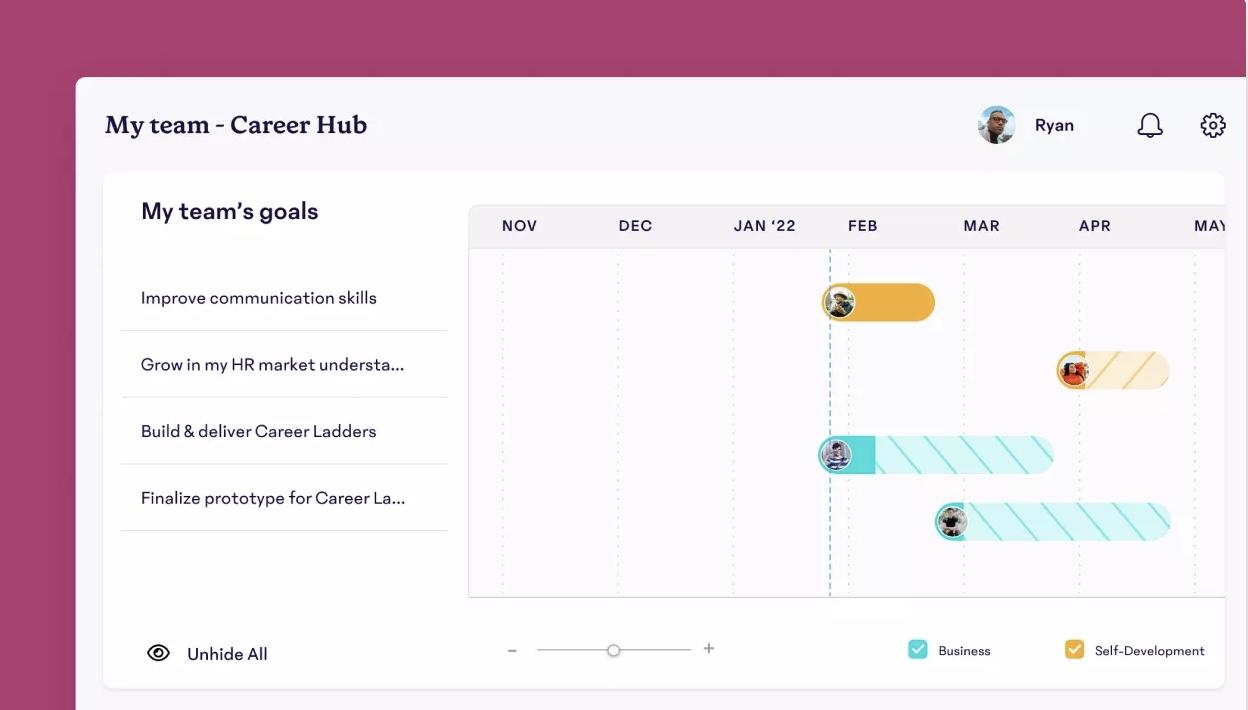
Lattice is a people platform designed to empower HR teams to go beyond paperwork and build high-performing cultures. Unifying HRIS, the tool uses AI for performance reviews, engagement surveys, compensation, career growth, and analytics.
The tool embeds AI at every step to elevate how organizations manage and nurture talent.
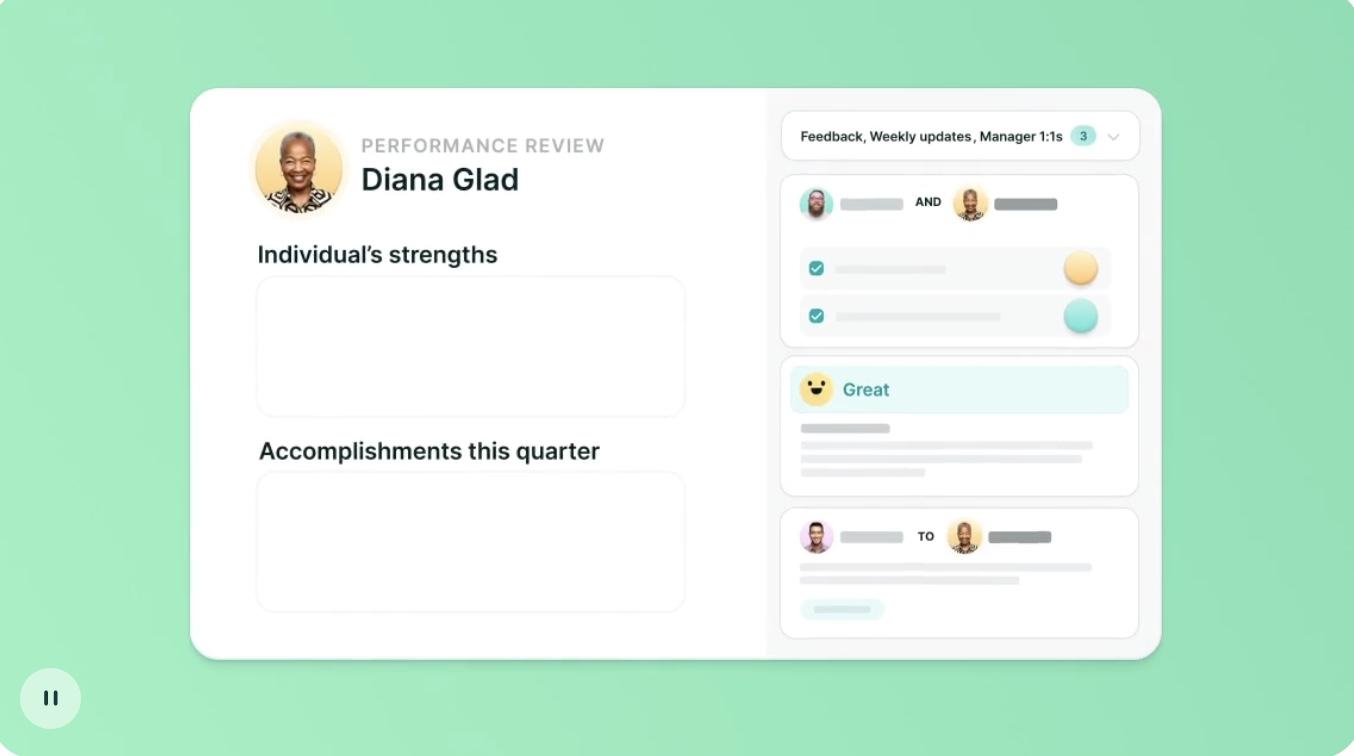
Lattice’s AI Assistant synthesizes feedback and survey responses, summarizes performance review packets, helps users craft more effective and equitable feedback, and identifies development opportunities based on both individual and organizational-level goals and data.
The agent can also learn from company documentation—like policies, manuals, and intranet pages—to answer employee questions instantly and provide proactive HR coaching. It can identify early signs of disengagement and prepare managers for sensitive conversations, enabling organizations to shift from a reactive to a strategic approach to people operations.
Lattice best features
Unified platform with HRIS, performance, engagement, goals, pay, and career tools in one place
AI-powered feedback and review support with summaries, phrasing help, and development suggestions
AI Agent to answer employee questions, suggest next steps, and prod on unnoticed trends
Deep insights, including People analytics dashboards that reveal risks, engagement drivers, and retention opportunities
Onboarding & workflows via smart automation for onboarding, performance cycles, and HR admin
Lattice limitations
Feature-rich UI may require initial onboarding for non-HR users
We work with a lot of HRIS systems, and many are payroll system that do HR, or finance systems that do payroll, and all of them have their strengths – For me, what I like best is that it’s an HR system first. It’s very people front and center, and so for our team the ability to track their 1:1s and have the history as well as clear defined career tracks is amazing.
📚 Did You Know? AI-powered feedback tools can help reduce evaluator bias! By surfacing neutral phrasing options and highlighting unseen patterns, they promote fairness and clarity in performance conversations.
5. 15Five (Best for AI-augmented continuous performance, feedback, and manager enablement)
15Five is a performance management platform that blends continuous feedback, OKRs, engagement surveys, and coaching into a unified, manager-centric experience. At its core, AI powers everything from insightful review assistance to personalized coaching nudges, helping organizations transition from operational to strategic people management.
With 15Five AI, HR leaders can identify performance and engagement trends and pinpoint areas for maximum impact. Managers get AI-assisted reviews that suggest phrasing, reduce bias, and summarize feedback.
The Kona AI Coach, an optional add-on, delivers real-time, personalized coaching nudges within the workflow, trained on your data and tailored to your team’s context. Even survey data is smarter: AI-driven insights surface themes and suggest targeted actions from open-ended feedback.
15Five best features
AI-assisted reviews that help write fairer, more effective evaluations
Kona AI Coach to provide on-demand coaching nudges based on real-time team data
Predictive engagement scoring to identify areas needing attention
Unified people experience that brings together reviews, coaching, learning, and surveys
Analytics-driven HR outcomes dashboard for performance and retention
15Five limitations
Interface and feature density may feel overwhelming for new users
Customization and support concerns were noted by some users
We love using 15Five for our weekly check ins, most teams use the 1-on-1 feature, HighFives are super fun! We utilize the annual engagement survey, best self review and OKRs. Those have been really helpful for collecting feedback and supporting business outcomes.
💡 Pro Tip: Use AI-generated document summaries to prep for one-on-ones—start meetings with a human touch by adding a quick personal observation or encouragement to personalize the AI baseline.
6. Culture Amp (Best for AI-powered people analytics and continuous development)
Culture Amp is an employee experience platform that leverages AI and people-science insights to drive engagement, performance, and development at scale. It merges AI-enhanced surveys, review cycles, OKRs, career development, and people analytics into one hub.
AI-powered comment summaries extract themes from open-ended feedback, while predictive insights guide where to take action. People analytics dashboards add-on offers scenario planning, anomaly detection, and prescriptive recommendations that help HR leaders turn data into impact.
Culture Amp supports continuous growth: pulse surveys reveal shifts in engagement, AI summaries accelerate insights, and Skills Coach microlearning delivers bite-sized daily development nudges. Career paths and personalized development plans are augmented by AI-suggested competence models.
Culture Amp best features
AI comment summaries and action plans from survey data
Predictive people analytics with scenario planning, outlier detection, and trend insights
Continuous employee development, including Skills Coach, micro-learning nudges, and voice-of-employee surveys
Integrated career frameworks with AI-assisted competencies and personalized growth planning
Enterprise-ready with security, global support, and HRIS, Slack integrations
Culture Amp limitations
Reporting and admin setup can feel complex for newly onboarded teams
Entry-level packages may lack live assistance
Culture Amp pricing
Custom pricing
Culture Amp ratings and reviews
G2: 4.7/5 (3,900+ reviews)
Capterra: 4.6/5 (100+ reviews)
What are real-life users saying about Culture Amp?
I find Culture Amp to be an easy tool to use for setting up and tracking goals, which is particularly helpful for year-end performance reviews. The transparency of the tool is great because both employees and management can track performance at a single click. I really appreciate the data safety, where data is shared only within specific hierarchies, so my manager can see only my data. It’s user-friendly, transparent, and ensures data safety, and the initial setup was smooth.
📊 Research Shows: Technological advancements and the acceleration of AI adoption are reshaping what organizations need from their people. The World Economic Forum projects that 59% of the global workforce will need to upskill by 2030.
7. Workday Learning (Best for AI-enhanced enterprise learning within a unified HR platform)
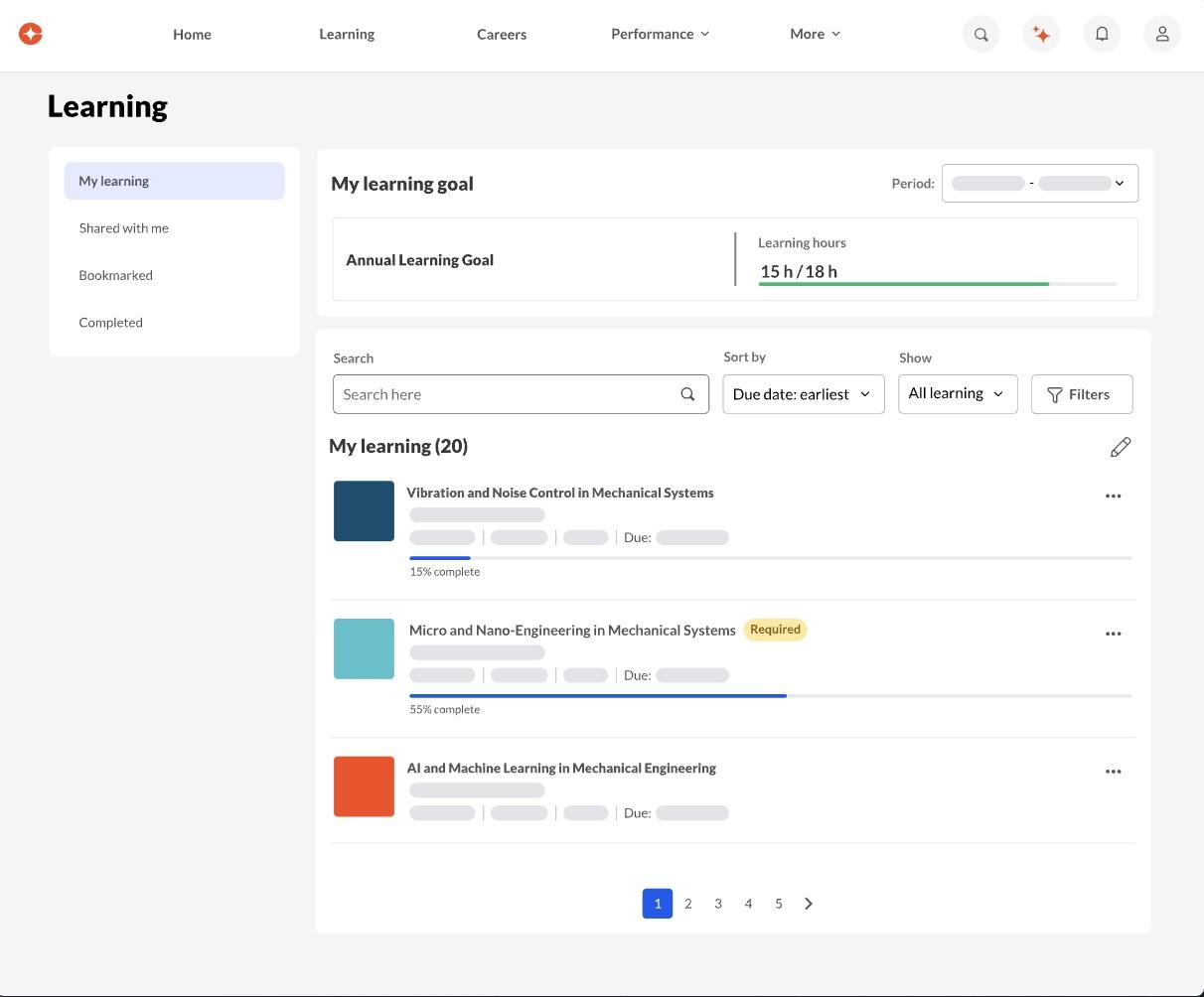
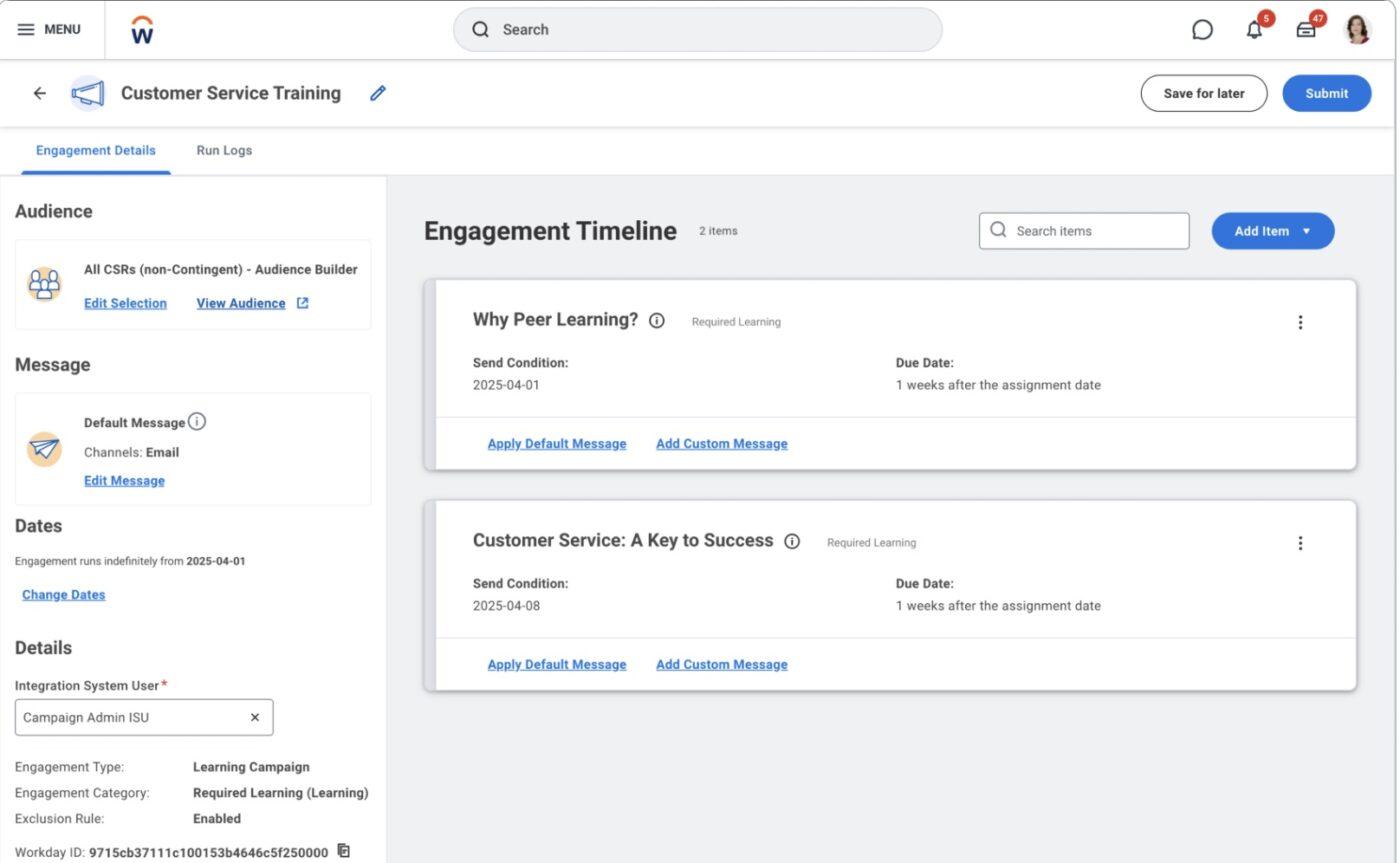
Workday Learning is Workday’s integrated learning management system, embedded within its broader HCM suite. It elevates enterprise learning with AI-fueled insights and automation, delivering content in context, surfacing skill gaps, and guiding career growth with precision.
At the heart of Workday’s suite-wide AI strategy lies AI-powered tools like Skills Cloud and its emerging generative AI capabilities. These features enable AI-driven skills recommendations, auto-generated growth plans, and contextual learning delivery aligned with each employee’s role and trajectory.
The Manager Insights Hub, powered by AI, quickly summarizes strengths and areas for growth, sourcing feedback transparently to build trust and clarity.
Backed by enterprise-grade security and governance, Workday Learning turns static content libraries into dynamic development ecosystems within your existing HR foundation.
Workday Learning best features
Embedded, in-flow learning as part of the broader Workday HCM suite
AI-driven skills insights and learning suggestions via Skills Cloud and generative AI
AI-generated growth plan summaries sourcing multi-dimensional feedback
Context-aware learning nudges and content suggestion from enterprise data
Workday Learning limitations
Learning-specific UX can feel basic, and admin setup may be complex for smaller teams
Users sometimes rely on external authoring tools for complex or branded training modules
Workday Learning pricing
Custom pricing
Workday Learning ratings and reviews
G2: 4/5 (20+ reviews)
Capterra: Not enough reviews
What are real-life users saying about Workday Learning?
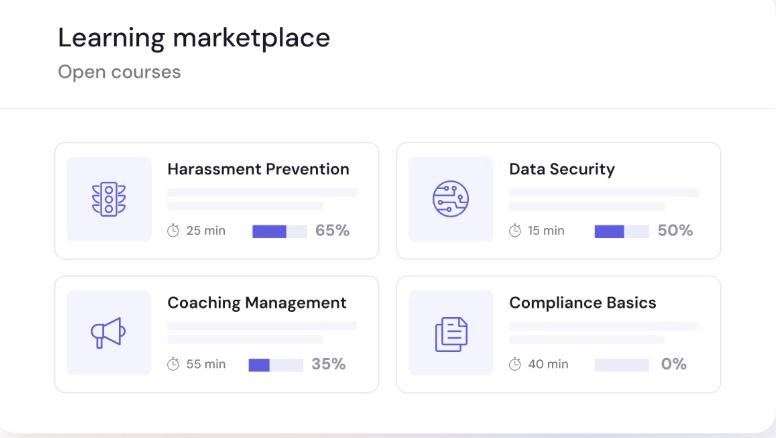
Cornerstone OnDemand, with its Galaxy suite, is a comprehensive AI-infused talent management platform. Its AI capabilities—introduced via Cornerstone Galaxy—enable dynamic skills intelligence, personalized learning recommendations, and strategic workforce planning.
It can analyze terabytes of talent data to pinpoint internal skill gaps, predict future needs, and suggest targeted development opportunities. When paired with the SkyHive acquisition, it also leverages global labor market insights to inform internal mobility and talent deployment.
This makes Cornerstone a powerful engine for developing a future-ready workforce without guessing.
Cornerstone OnDemand best features
AI-driven skills intelligence for gap analysis and personalized learning paths
Generative AI recommendations for career mobility, role readiness, and upskilling
Workforce planning powered by enterprise data and labor market trends
Enterprise-scale learning management woven into talent development workflows
Extensive integrations, compliance, multi-language support, and governance
Cornerstone OnDemand limitations
Can feel complex and heavy for users and admins needing simpler, agile tools
Some users report poor integration experiences and inconsistent designs across modules
Cornerstone OnDemand pricing
Custom pricing
Cornerstone OnDemand ratings and reviews
G2: 4.2/5 (900+ reviews)
Capterra: 4.3/5 (200+ reviews)
What are real-life users saying about Cornerstone OnDemand?
A G2 reviewer shares:
It keeps the data well secured. It helps the users to equip the learning skills
9. Docebo (Best for AI-first content creation and scalable, personalized learning experiences)
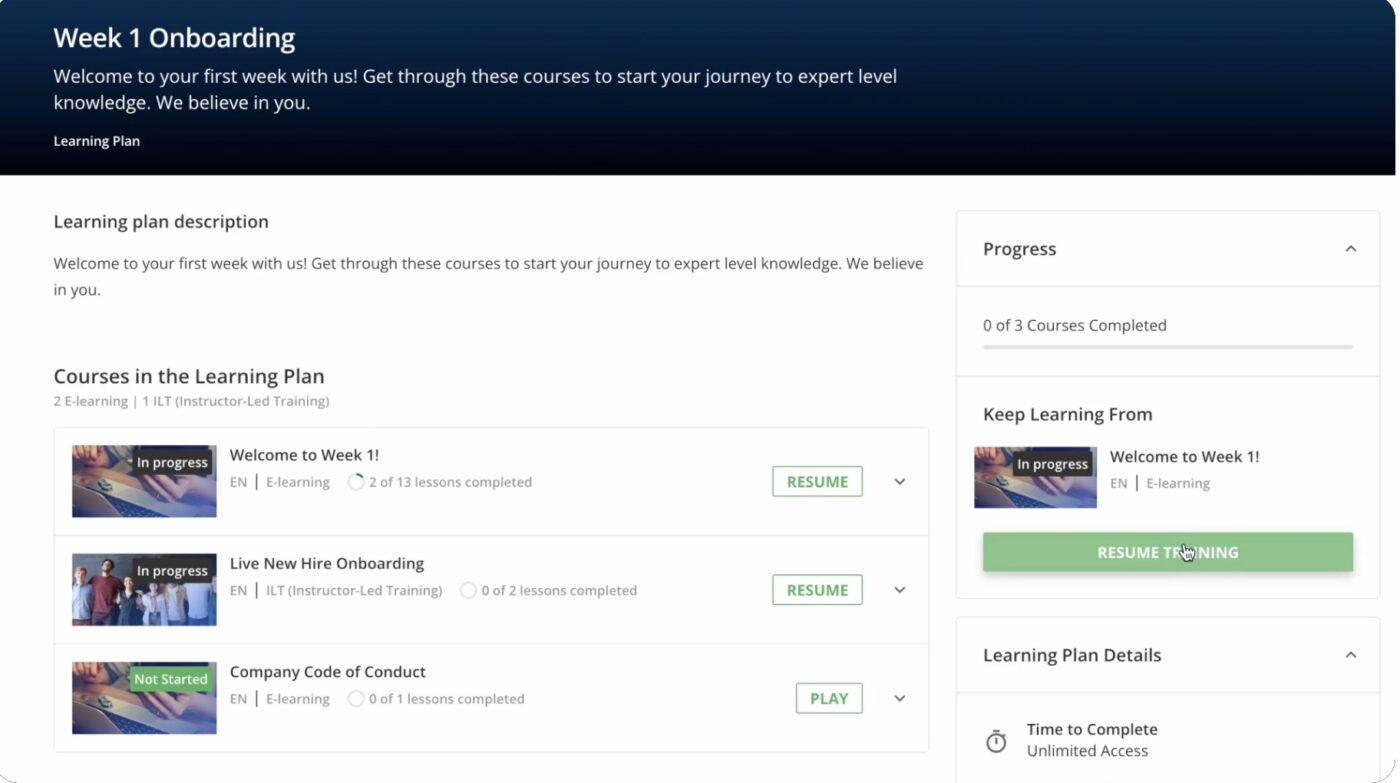
Docebo is a cloud-native, AI-powered learning platform that combines LMS and LXP capabilities, enabling enterprises to scale intelligently. It injects AI throughout the learning lifecycle, from content creation and tagging to personalized delivery and learner support, reducing manual workloads while delivering hyper-relevant experiences.
The AI Creator tool automates lesson production, generating structured courses, assessments, translations, and even lifelike AI video presenters.
Further, Docebo’s AI-powered search capabilities, including Harmony Search, index content via speech-to-text and metadata for more accurate, intuitive discovery.
Its AI Virtual Coach enables realistic, scenario-based simulations with personalized feedback for practice-based learning. Together, these features streamline course creation, enhance findability, and deliver immersive learning, all at enterprise scale.
Docebo best features
AI Creator automates course design, translations, assessments, and AI video presenters
Harmony Search indexes and retrieves content intuitively using AI-powered indexing
AI Virtual Coach offers interactive simulations with instant feedback
Automates metadata tagging and skill assignment to improve content organization
Personalized learning recommendations and multilingual support at scale
Docebo limitations
The Go.Learn mobile app has specific system requirements and constraints, potentially limiting accessibility
It can be hard to auto-enroll learners into region-specific sessions, leading to confusion across global teams
Once everything is set up, Docebo really does make internal training feel organized and easy to follow. I manage social media workflows and help with onboarding, so having one central place for all our courses has been a lifesaver. The layout is simple for learners to navigate, and I get way fewer “Where do I find this?” questions now. The platform runs smoothly too, which matters when you’re trying to keep training consistent.
10. BetterUp (Best for AI-enhanced coaching at scale for enterprise well-being)
BetterUp is a human-centered coaching platform powered by AI and behavioral science that scales development across enterprises.
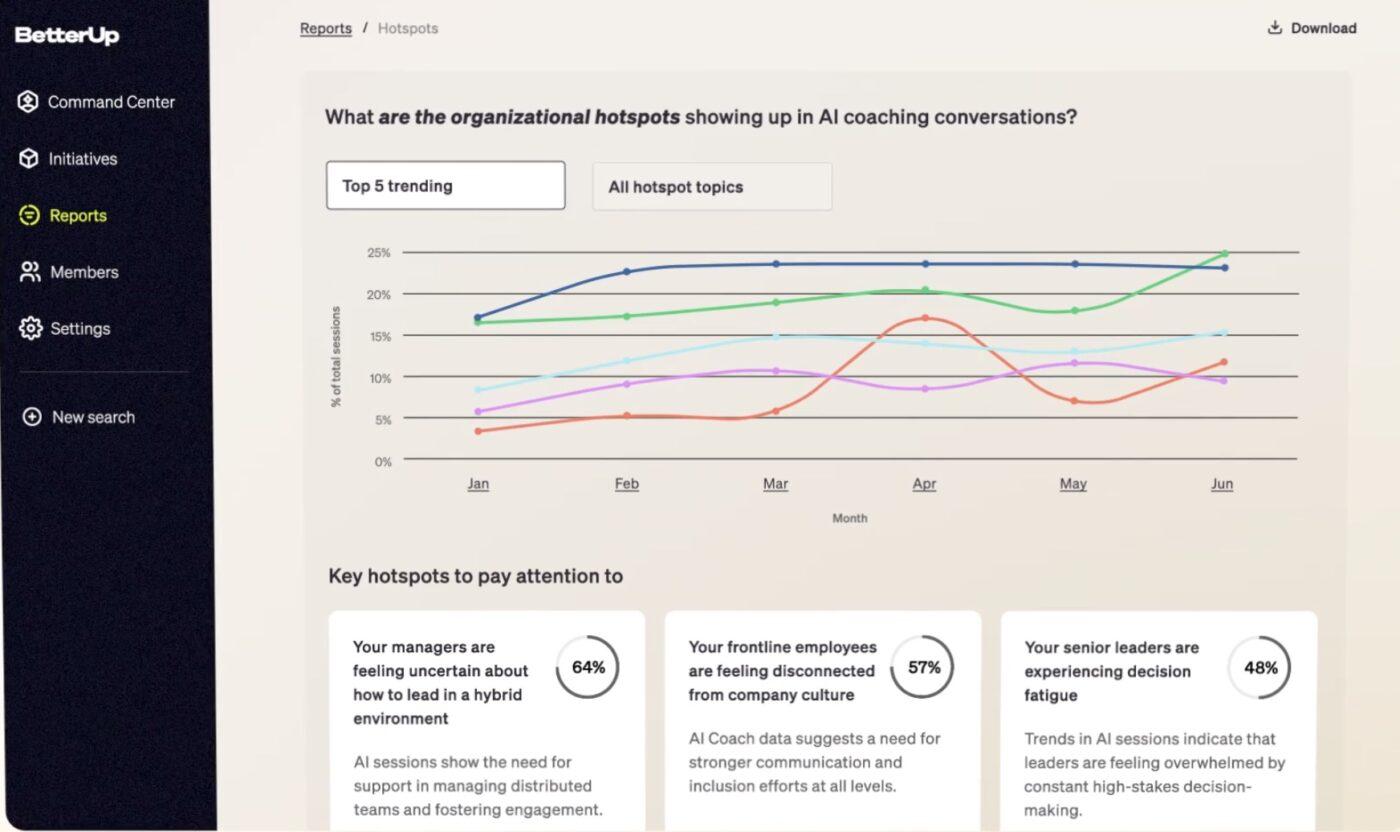
Its flagship AI coach, BetterUp Grow, delivers real-time, personalized support that’s always available, rooted in role-specific context, behavioral data, and company values. It works as a contextual guide trained on millions of coaching sessions, offering role-play for tough conversations, goal nudges, and unmatched accessibility in the flow of work.
With insights from billions of data points, BetterUp informs talent intelligence and strategic development. Organizations get dashboards that highlight where confidence is rising—or needs a boost—while employees receive tailored nudges when they need them most.
BetterUp best features
Always-on, context-aware AI coaching tailored to each role and individual
Real-time guidance, including conversation role-play and goal nudges
Scalable talent intelligence dashboards from aggregate and anonymized data
Behavioral science-based foundation delivers trusted, actionable insights
Designed for enterprise-scale—trusted by global brands, built for hybrid work
BetterUp limitations
AI coaching relies on hybrid adoption—some users still prefer human-only sessions
While promising, coaching outcomes still need stronger, more consistent impact measurement
I mostly enjoy the professionalism of the coaches. I have a personal coach, and I have also taken advantage of targeted coaching in communication and giving and receiving feedback. The dedicated time to work on personal development with an experienced coach is invaluable. I have been encouraged to take more time for self-reflection and to make my goals clear so that I can focus and better prioritize. At the end of each session, the coaches help me to create an action plan. They also share resources available on the BetterUp portal that are related to the topics we discussed.
11. Betterworks (Best for AI-powered goal alignment and continuous performance at enterprise scale)
Betterworks is a performance management platform designed to modernize enterprise workflows with AI-enabled goal-setting, feedback, and analytics—all in real time. Its AI features include goal-writing assistance, smart nudges to prompt goal updates, and intelligent insights that make performance conversations proactive and aligned with strategy.
By embedding in everyday tools like Slack, Teams, and Outlook, Betterworks ensures that performance stays front-of-mind rather than tucked away. Its calibration interface provides flexibility and clarity, helping HR leaders standardize reviews and support managers with in-platform coaching content.
Generative AI also supports more consistent, bias-aware feedback and maintains visibility across teams and reviews.
Betterworks best features
AI-assisted goal writing and intelligent reminders for updates
Continuous feedback loops embedded into workflows and messaging tools
Flexible calibration tools with guided manager support
Real-time insights and analytics for performance alignment
Enterprise-grade security, multilingual support, and wide integrations
Betterworks limitations
Objective/goal features may have a learning curve before unlocking full value
Qualtrics XM Employee Experience is an AI-driven platform designed to listen at every touchpoint—from onboarding to exit—and turn employee feedback into meaningful action. It enables continuous listening, predictive insights, and tailored interventions by weaving together pulse surveys, lifecycle listening, well-being, DEI, and journey analytics.
The AI engine powers automated text analytics, sentiment detection, and narrative insights, all while safeguarding data privacy with anonymized processing and enterprise-grade governance.
Manager Assist delivers personalized team-level insights and action boards, while Employee Experience Discover pulls in feedback from multiple channels—social, audio, and digital—to provide a holistic view of employee sentiment. This transforms passive feedback into proactive, human-centered solutions that improve engagement and performance at scale.
Qualtrics XM Employee Experience best features
Continuous lifecycle listening across onboarding, promotions, and exits
AI-powered Manager Assist with narrative summaries and team insights
Multi-channel listening with sentiment analytics through EX Discover
Enterprise-grade privacy and security with anonymized AI foundations
Qualtrics XM for Employee Experience limitations
Some long-time users report issues like mismatches in response mapping and underwhelming support
Online survey tools, including Qualtrics, can unintentionally exclude certain populations, affecting data representativeness
Qualtrics XM Employee Experience pricing
Custom pricing
Qualtrics XM Employee Experience ratings and reviews
G2: 4.4/5 (400+ reviews)
Capterra: No reviews available
What are real-life users saying about Qualtrics XM for Employee Experience?
All I can say is it is great for gathering data and analyzing it further to get an effective feedback. The access to real-time insights into the sentiment analysis which is really helpful to make data-driven decisions. Moreover, I like the easy-to-use interface make it accessible for the teams to monitor and implement properly. To conclude this, it enhance employee engagement in my opinion.
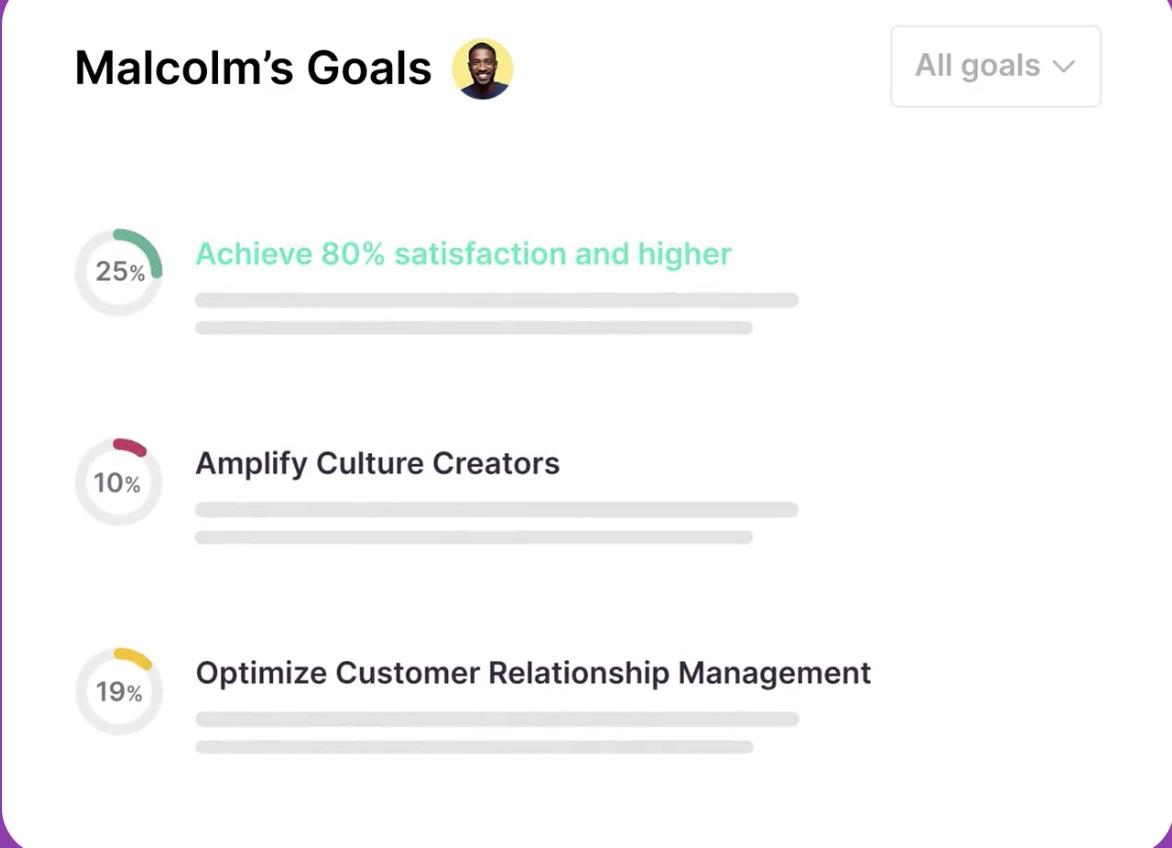
Engagedly is a talent management platform that combines performance reviews, goals, and OKRs, continuous feedback, learning, recognition, and career development.
At the core is Marissa AI, an agentic AI assistant that automates and elevates talent workflows: it drafts insightful feedback, tailors IG development paths, summarizes survey themes, and helps managers keep performance agile and meaningful.
This experience brings together real-time recognition, gamified engagement, and smart insight dashboards. Teams benefit from AI-powered performance calibration, AI-assisted learning suggestions tied to goal progress, and intelligent reminders that keep everyone aligned.
Backed by talent analytics, customizable workflows, and a mobile-first strategy, Engagedly turns talent management into a proactive experience.
Engagedly best features
Marissa AI automates feedback, goal creation, IDP development, and survey summaries
AI-powered goal alignment with gamification, recognition, and tiered visibility
Continuous feedback and pulse check-ins with sentiment analytics and real-time insights
Integrated learning paths and skill mobility recommended by AI
Unified platform with dashboards, analytics, mentoring, and mobile engagement
Engagedly limitations
Some users mention constraints when trying to deeply tailor the software to unique organizational needs
Engagedly software is a robust solution for modern workforce management, combining goal-setting, feedback, performance management, and 360-degree reviews into one user-friendly platform.
The software’s intuitive interface makes it easy for employees and managers to create and track goals, provide continuous feedback, and conduct check-ins and one-on-one meetings. The 360-degree review feature offers a comprehensive view of employee performance, ensuring fair and accurate assessments.
🧭 Trivia: The modern OKR framework was born in the 1970s at Intel, led by Andy Grove, widely regarded as the father of OKRs. Grove built upon Peter Drucker’s MBO framework but introduced a more agile, goal-oriented approach that emphasised clarity and accountability while allowing for greater flexibility in goal-setting.
Summarize this article with AI
ClickUp Brain not only saves you precious time by instantly summarizing articles, it also leverages AI to connect your tasks, docs, people, and more, streamlining your workflow like never before.
Summarize this article for me please
Key Benefits of AI Feedback Software in Employee Training
AI feedback software transforms employee training from a box-ticking exercise into an engaging, results-driven experience. Instead of waiting until the end of a course to see if learning “stuck,” AI surfaces insights in real time, personalizes the journey, and gives trainers clear signals on where to intervene.
1. Real-time feedback that drives retention
AI doesn’t wait until the post-training survey—it coaches in the moment. Learners get instant prompts, nudges, and corrections, helping them grasp concepts faster and remember them longer.
2. Personalized learning paths
No two employees learn the same way. AI analyzes behavior, pace, and comprehension to recommend the next best step for each learner, creating a tailored path that keeps training relevant and motivating.
3. Early detection of skill gaps
Instead of discovering performance gaps months later, AI highlights where employees struggle during training. Trainers can jump in with targeted support, preventing small issues from turning into major blockers.
4. Actionable insights for managers and HR
Dashboards powered by AI turn raw feedback into clear, visual insights. Leaders can see patterns, track ROI, and tie training directly to performance improvements.
5. Scalable, continuous improvement
Whether training 50 employees or 5,000, AI ensures consistency and fairness. It also learns over time—improving recommendations, refining content, and making each training cycle smarter than the last.
Summarize this article with AI
ClickUp Brain not only saves you precious time by instantly summarizing articles, it also leverages AI to connect your tasks, docs, people, and more, streamlining your workflow like never before.
Summarize this article for me please
It’s Time to Train Smarter, Not Harder
Employee training doesn’t need to be a static, one-way process.
With AI feedback software, you can transform learning into a personalized, interactive experience that adapts to every employee. Instead of relying on outdated surveys or generic assessments, AI brings real-time insights, scalable personalization, and actionable guidance—turning training into a true growth driver for your organization.
From continuous feedback tools to AI-powered coaching, these platforms prove that when feedback becomes smarter, training becomes more effective. The result? Engaged employees, faster skill development, and measurable ROI on every learning initiative.
👉 Start using ClickUp today—for free—and bring AI-powered learning, feedback, and performance into one seamless platform.
Summarize this article with AI
ClickUp Brain not only saves you precious time by instantly summarizing articles, it also leverages AI to connect your tasks, docs, people, and more, streamlining your workflow like never before.
Summarize this article for me please
Frequently Asked Questions (FAQs)
How does AI improve employee training feedback?
AI delivers real-time, personalized insights instead of one-size-fits-all evaluations. It highlights knowledge gaps, suggests tailored learning paths, and summarizes feedback into clear action items for both employees and managers.
Can AI feedback tools replace human trainers?
No. AI accelerates and scales the feedback process, but human trainers add context, empathy, and mentoring that AI can’t replicate. The best results come from combining AI’s efficiency with human coaching.
What are the limitations of AI in training evaluations?
AI may miss nuances like body language, emotional context, or cultural cues. It also requires high-quality data to generate meaningful insights. That’s why many companies use AI to complement—not replace—human judgment.
How do companies measure the ROI of training using AI feedback tools?
By tracking metrics such as skill improvement, training completion rates, employee performance, and engagement. AI also ties learning outcomes to business KPIs, making it easier to prove the value of training investments.
Which industries benefit most from AI employee training feedback?
Industries with large, distributed, or fast-evolving workforces see the most impact—like tech, healthcare, finance, retail, and manufacturing. Anywhere employees need constant upskilling, AI feedback adds value.
Is AI feedback software expensive?
Costs vary by platform and company size. Some tools offer affordable entry-level plans for small teams, while enterprise-grade solutions require custom quotes. Many vendors also provide free trials, so you can test before committing.
Everything you need to stay organized and get work done.