






Still downloading templates?
There’s an easier way. Try a free AI Agent in ClickUp that actually does the work for you—set up in minutes, save hours every week.
Sorry, there were no results found for “”
Sorry, there were no results found for “”
Sorry, there were no results found for “”
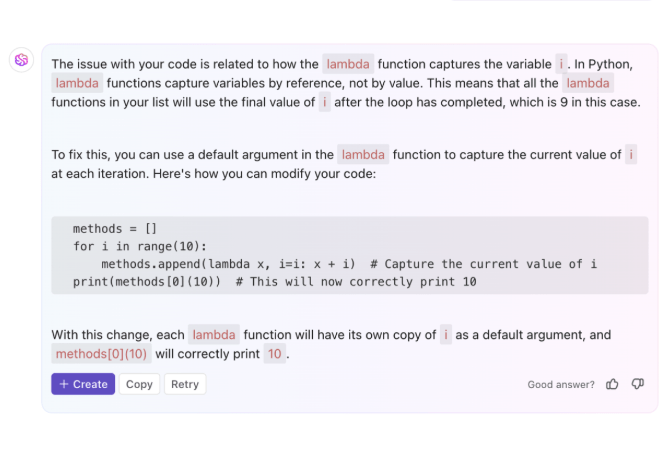
Most developers picking an AI coding assistant focus on autocomplete speed or chat quality, but the real bottleneck isn’t writing code faster. It’s the constant context switching between your IDE, task tracker, documentation, and communication tools that kills momentum. Every toggle between applications scatters critical information and breaks your flow state.
This guide breaks down 9 Augment Code alternatives, from IDE-native tools like GitHub Copilot and Cursor to workflow-spanning platforms like ClickUp that connect your code to the full story of why you’re building it. The goal isn’t just faster autocomplete. It’s finding the right tool for how your team actually works.
Augment Code is an AI-powered coding assistant designed to understand large, enterprise-scale codebases and provide context-aware suggestions. It’s built for developers working across sprawling repositories where generic AI tools lose context. But not every team needs that level of codebase indexing, and some developers find Augment’s IDE support or workflow integration doesn’t match their stack.
Many developers want deeper chat-based interactions, better inline completions, or tools that work across their entire tech ecosystem—not just the IDE. Here are the most common reasons teams explore alternatives:
📮 ClickUp Insight: Context-switching is silently eating away at your team’s productivity. Our research shows that 42% of disruptions at work come from juggling platforms, managing emails, and jumping between meetings. What if you could eliminate these costly interruptions?
ClickUp unites your workflows (and chat) under a single, streamlined platform. Launch and manage your tasks from across chat, docs, whiteboards, and more—while AI-powered features keep the context connected, searchable, and manageable!
| Tool | Best for | Best features | Pricing |
|---|---|---|---|
| ClickUp | Teams managing development workflows alongside codeTeam size: Small teams to enterprise | Codegen agent for code generation, Brain for workspace-wide context, Docs, task linking, automations, integrated workflow management | Free forever; Customization available for enterprises |
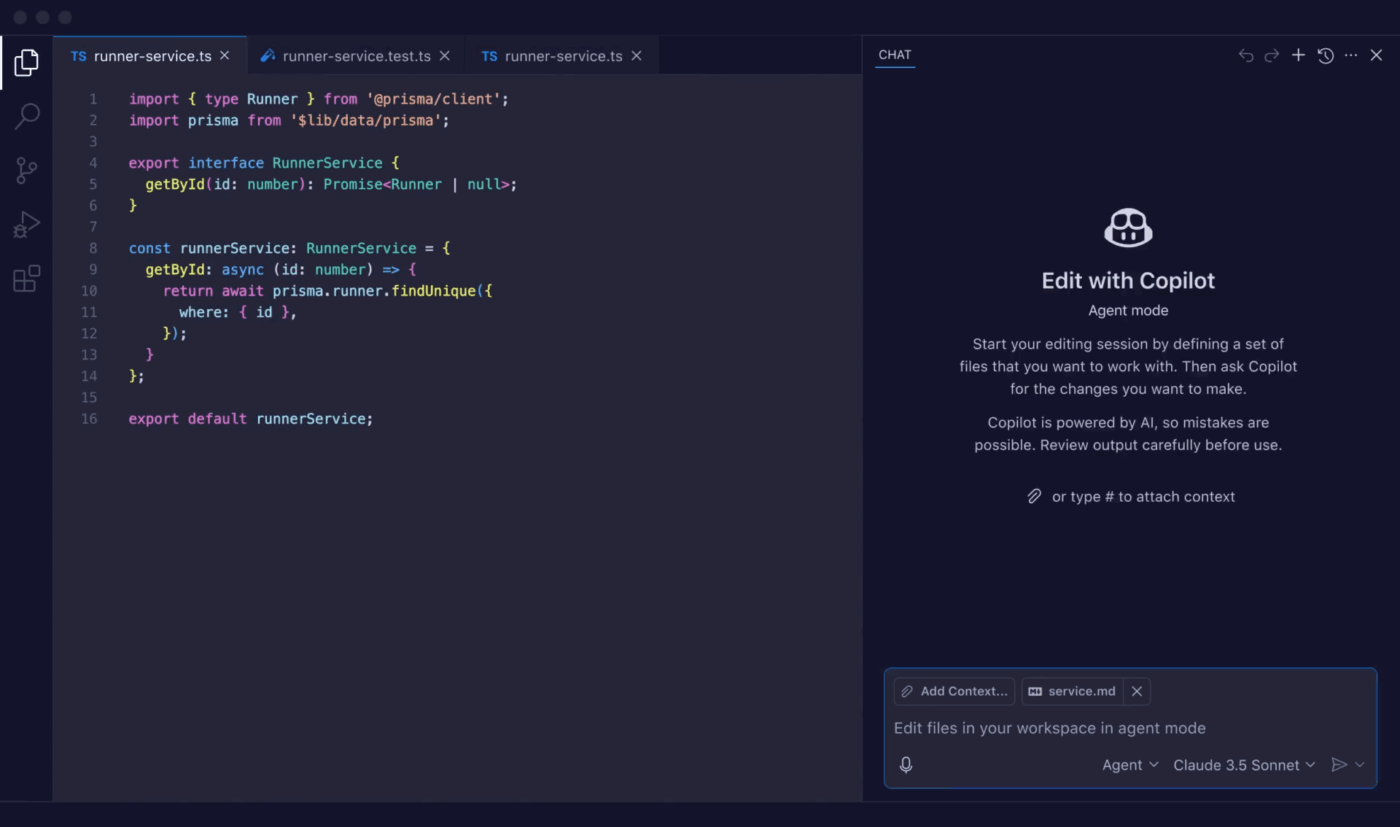
| GitHub Copilot | Developers wanting seamless GitHub integrationTeam size: Individuals to large dev teams | Inline suggestions, Copilot Chat, PR summaries, multi-file context, GitHub-native workflows | Free tier, Paid plans from $10/month |
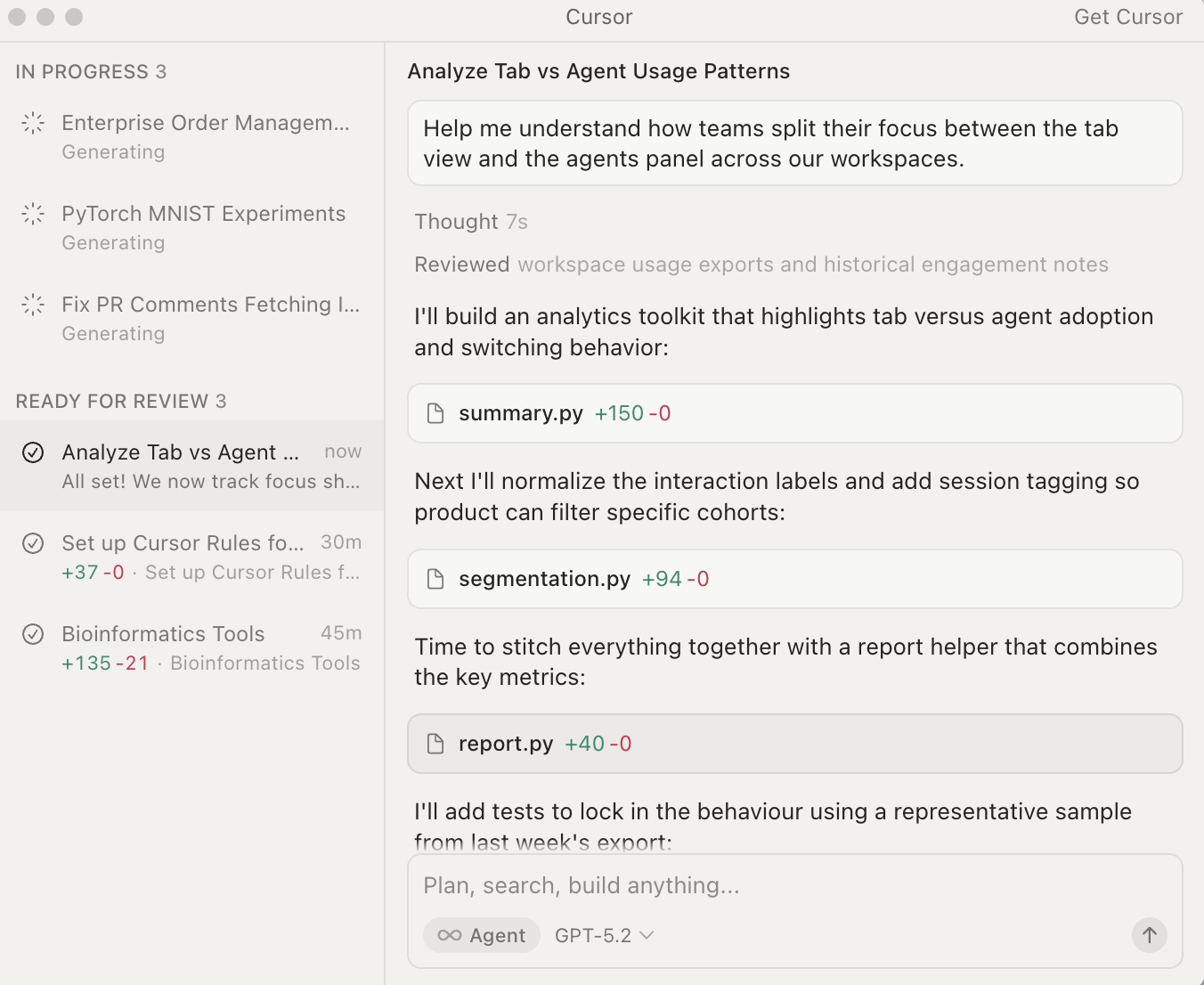
| Cursor | Developers seeking an AI-native IDETeam size: Teams comfortable switching IDEs | Codebase indexing, Composer for multi-file edits, predictive editing, natural language commands | Free tier, Paid plans from $20/month |
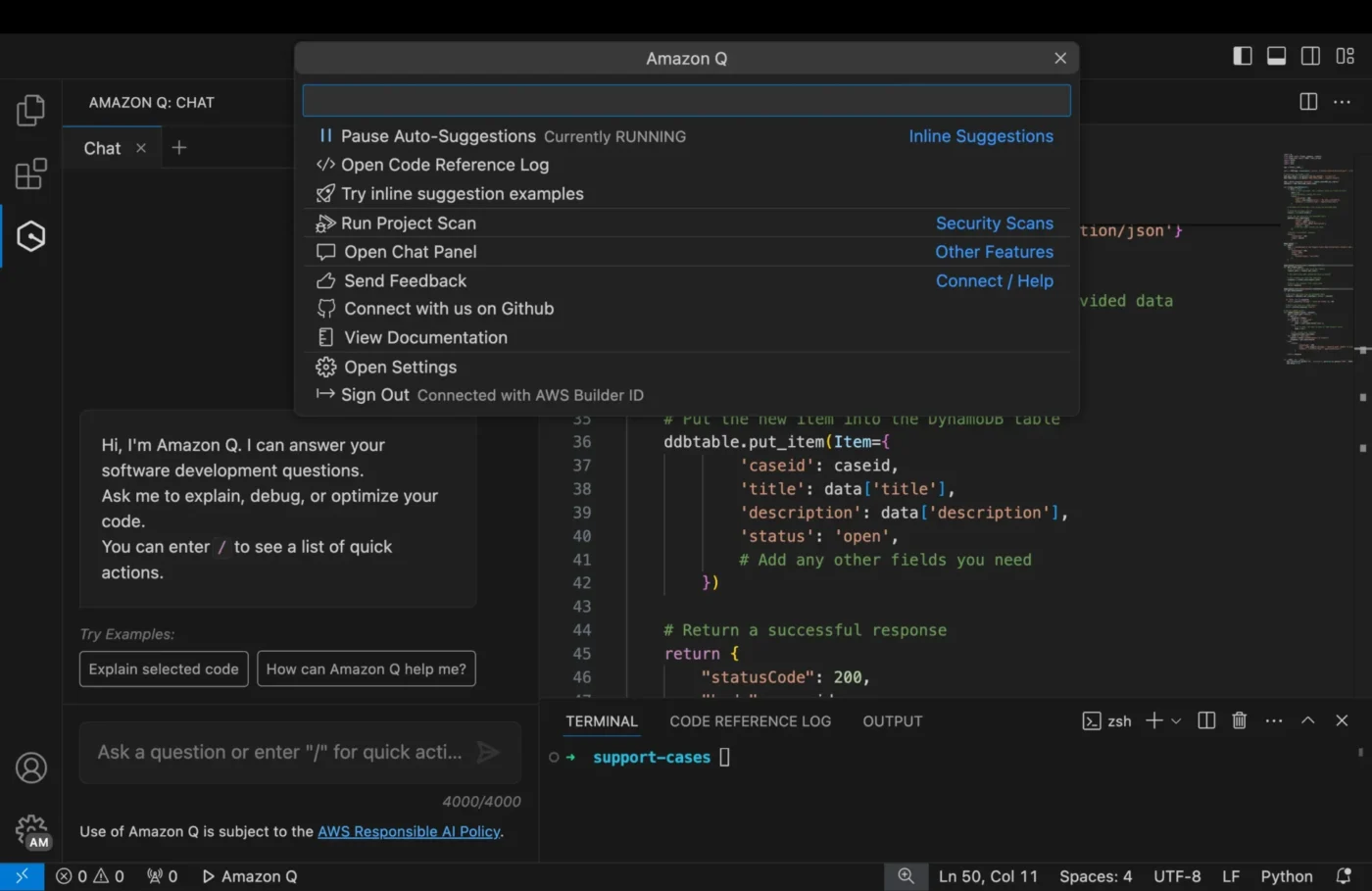
| Amazon Q Developer | Teams in AWS-centric environmentsTeam size: Startups to enterprise on AWS | AWS-native assistance, security scanning, code transformation, architecture guidance | Free tier, Paid plans from $19/user/month |
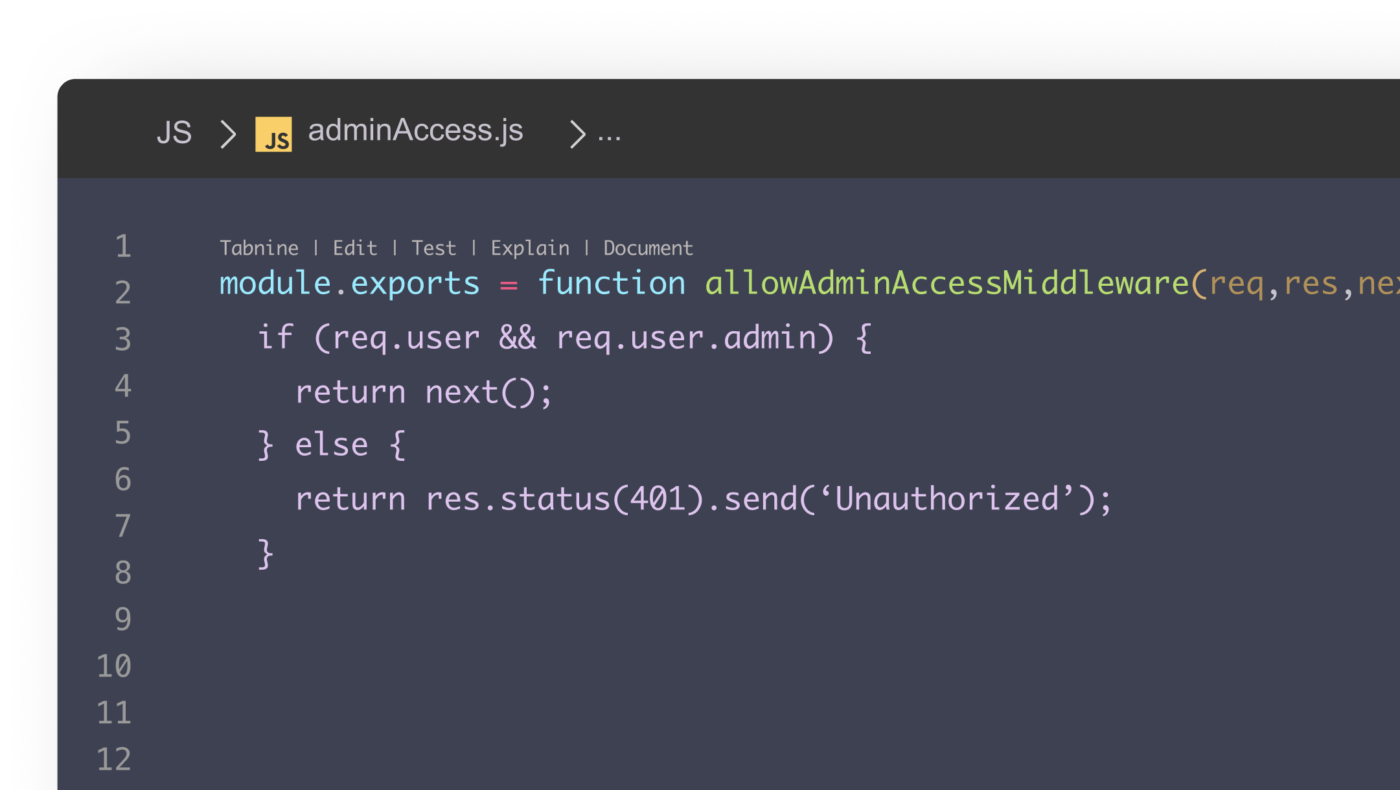
| Tabnine | Enterprise teams prioritizing code privacyTeam size: Regulated industries and large companies | On-premise deployment, personalized models, zero data retention, IDE flexibility | Paid plans from $59/user/month |
| Sourcegraph Cody | Developers working across massive codebasesTeam size: Large engineering orgs with many repos | Multi-repo context, enterprise search, LLM backend options, deep code intelligence | Free tier, Paid plans from $9/user/month |
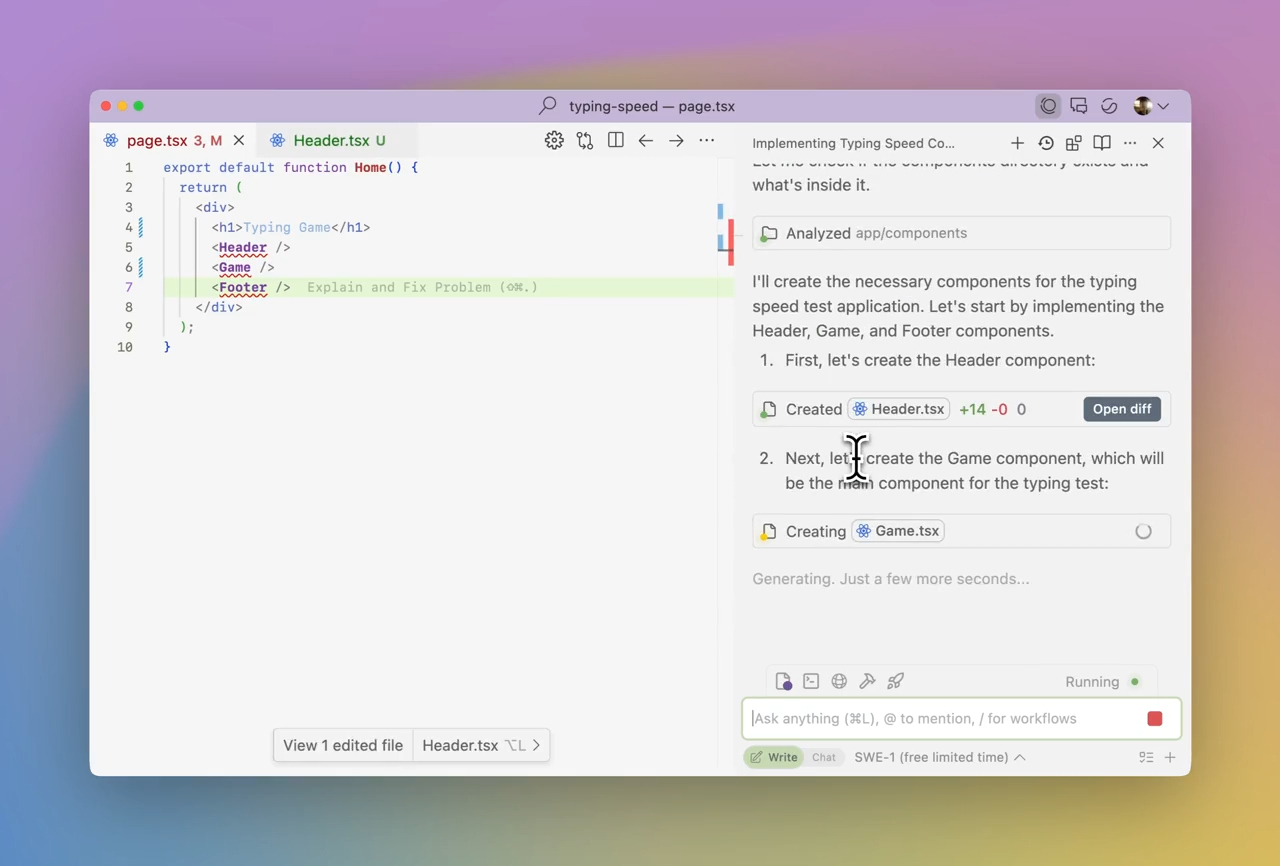
| Windsurf | Developers wanting agentic AI workflowsTeam size: Teams exploring autonomous task execution | Cascade for multi-step tasks, Flows, deep indexing, inline suggestions | Free tier, Paid plans from $15/month |
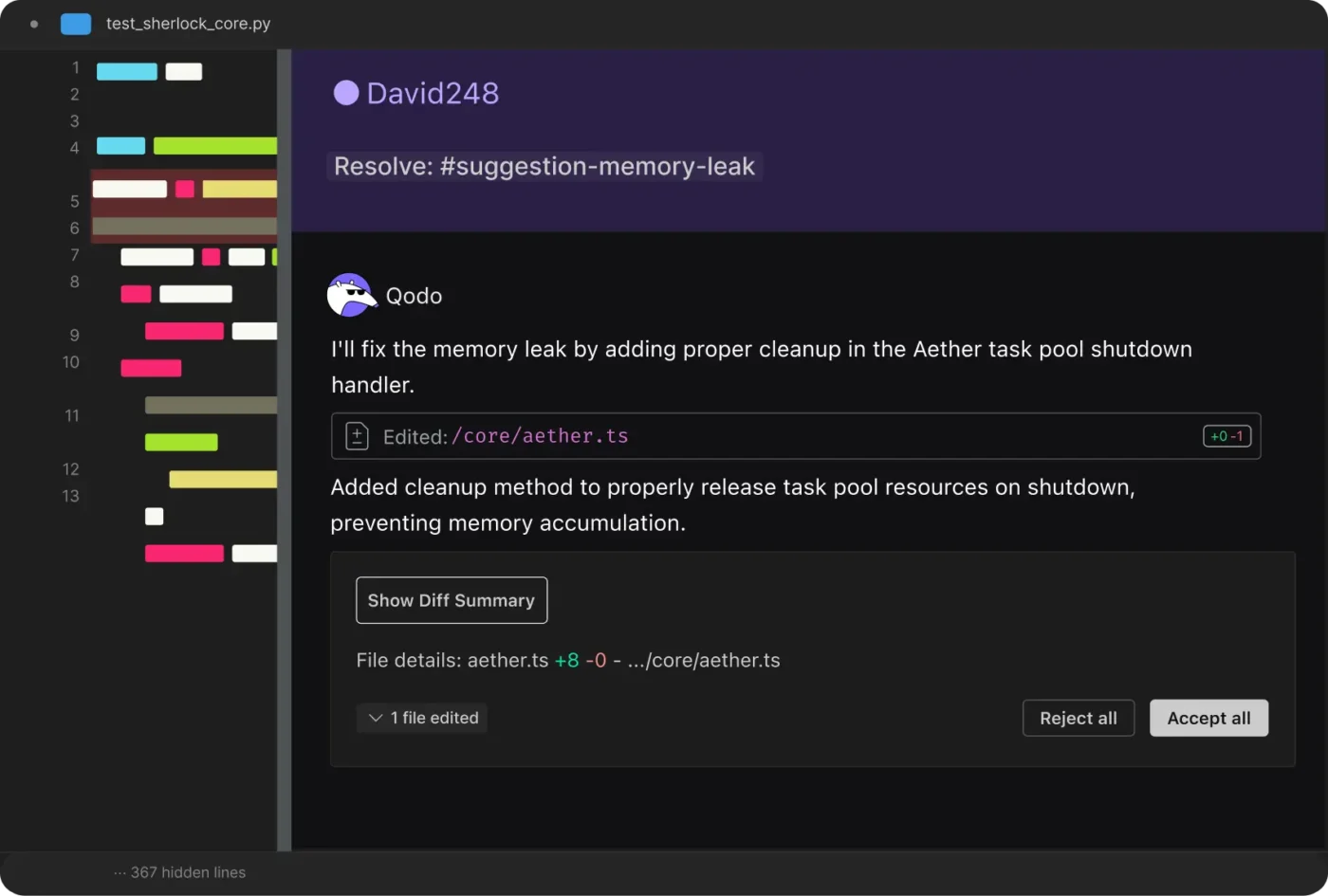
| Qodo | Teams focused on code quality and testingTeam size: QA-heavy teams and engineering orgs | AI-generated tests, PR analysis, code quality insights, behavior-based testing | Free tier, Paid plans from $38/user/month |
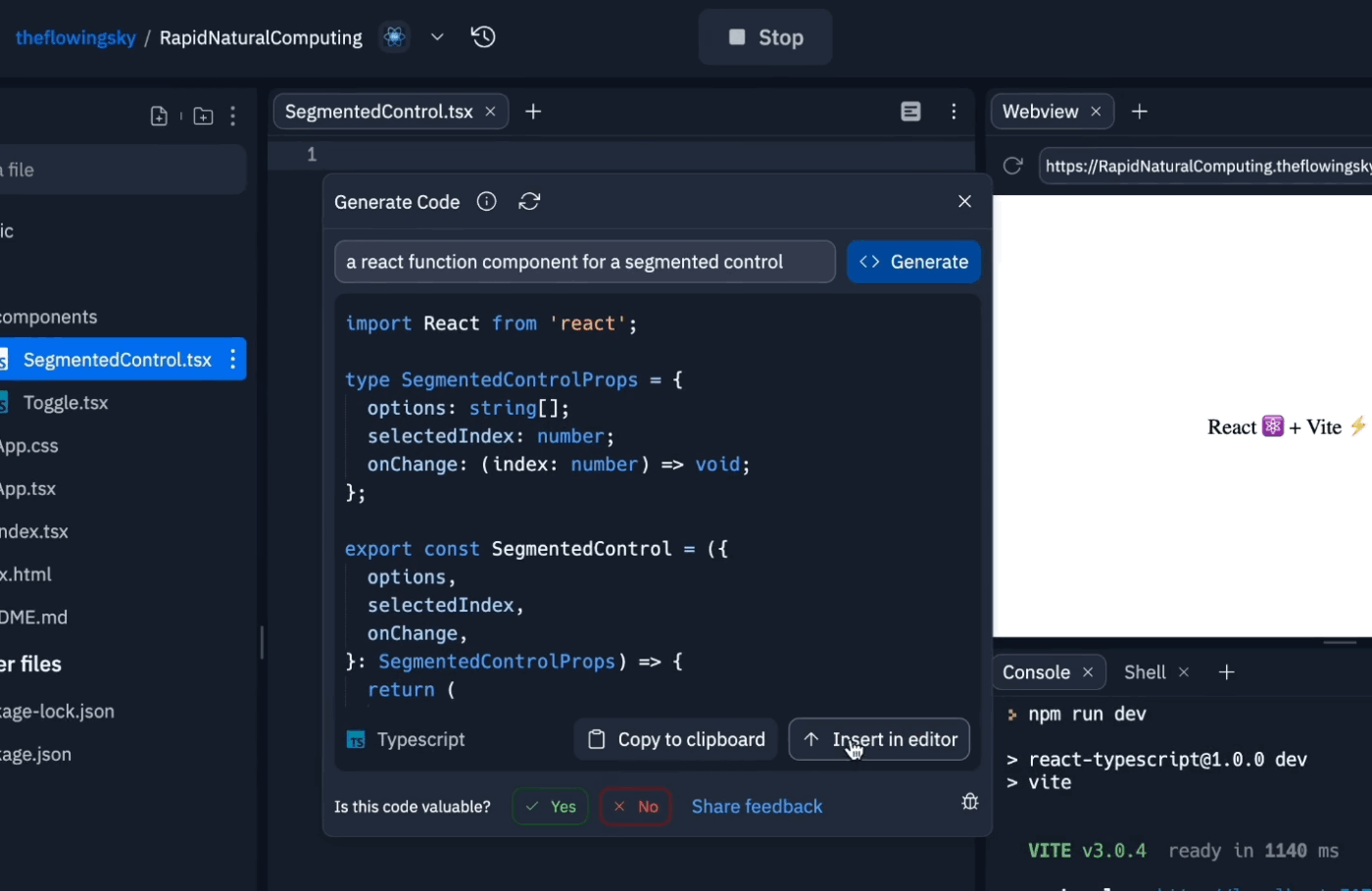
| Replit Ghostwriter | Developers who code in the browserTeam size: Beginners, educators, and small teams | Cloud IDE, inline suggestions, instant deployment, real-time collaboration | Free tier, Paid plans from $20/month |
| Codeium | Developers wanting broad IDE supportTeam size: Any team with mixed editors | Fast autocomplete, supports 70+ languages and 40+ IDEs, chat-based assistance | Free tier, Enterprise pricing available |
Our editorial team follows a transparent, research-backed, and vendor-neutral process, so you can trust that our recommendations are based on real product value.
Here’s a detailed rundown of how we review software at ClickUp.
Development teams often struggle with tool sprawl where code lives in the IDE, tasks in one tool, documentation in another, and communication scattered across platforms. This fragmentation slows down shipping, creates blind spots, and leaves developers wondering why they’re building a feature, not just how.
ClickUp eliminates this work sprawl as a converged AI workspace that connects your entire development workflow. Unlike standalone coding assistants that only see your code, ClickUp provides the full context of what you’re building and why.
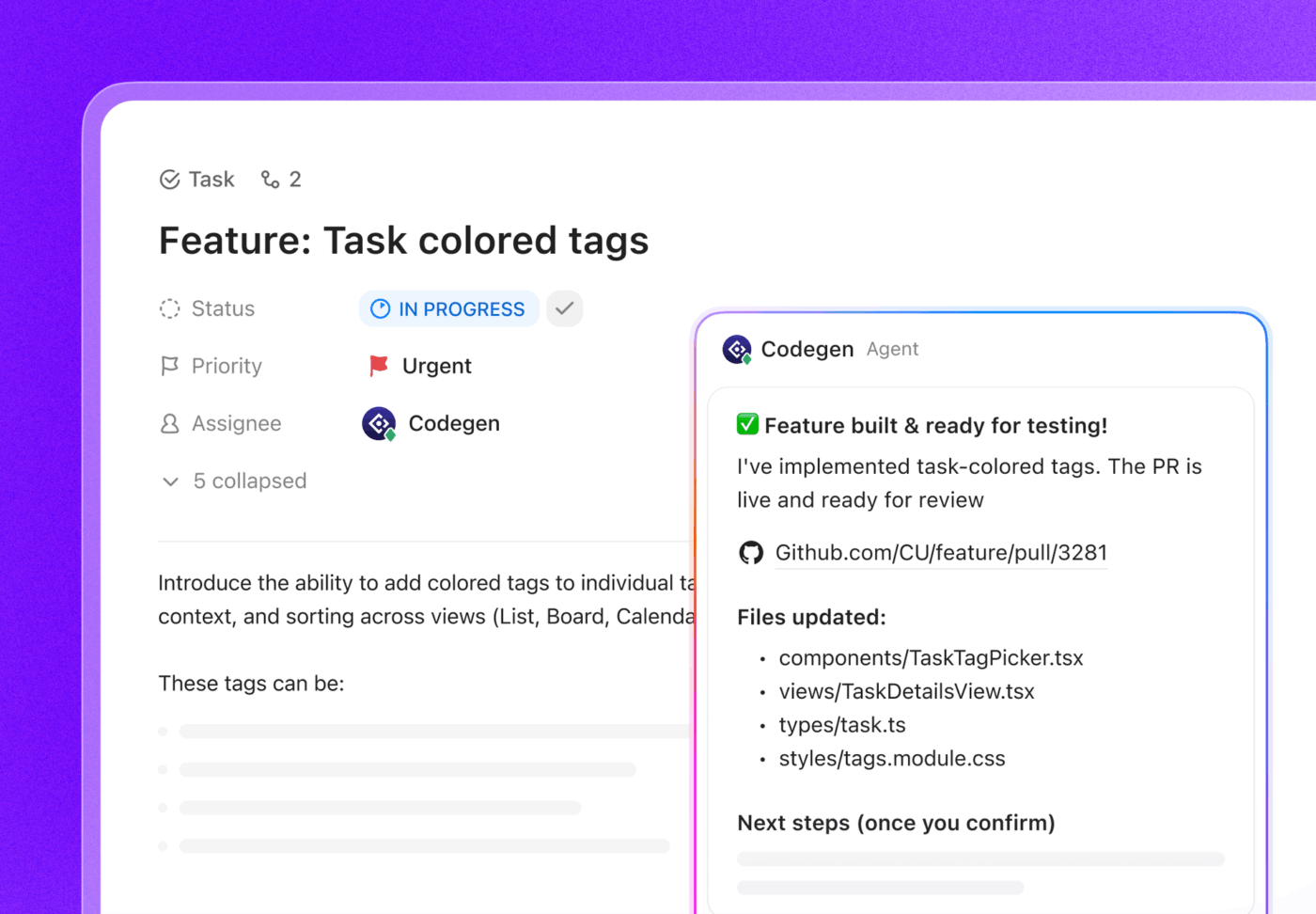
And if you want AI that ships code, not just suggests it, ClickUp Brain Agents can help you go from task to implementation faster. For example, ClickUp’s Codegen agent can use the task context to generate code and help move work toward a PR workflow, so execution stays connected to the requirements and decisions that shaped it.
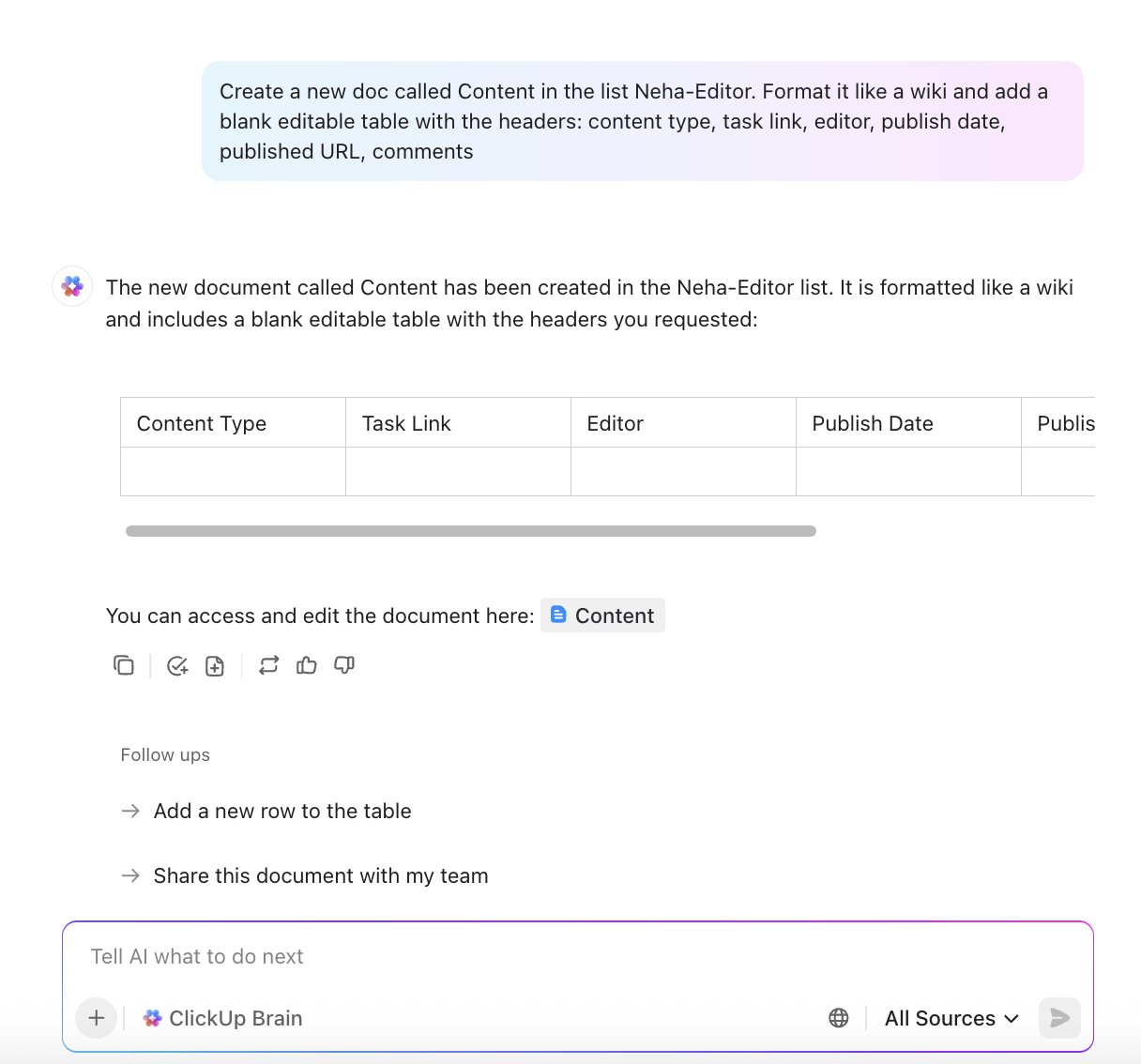
With ClickUp Brain, AI assistance runs across your workspace. You can @mention Brain in a task comment or ClickUp Chat, and it responds using knowledge from your tasks, docs, and conversations. Ask it to summarize sprint progress, draft technical specs from task descriptions, or surface related documentation instantly, so you spend less time chasing context and more time shipping.
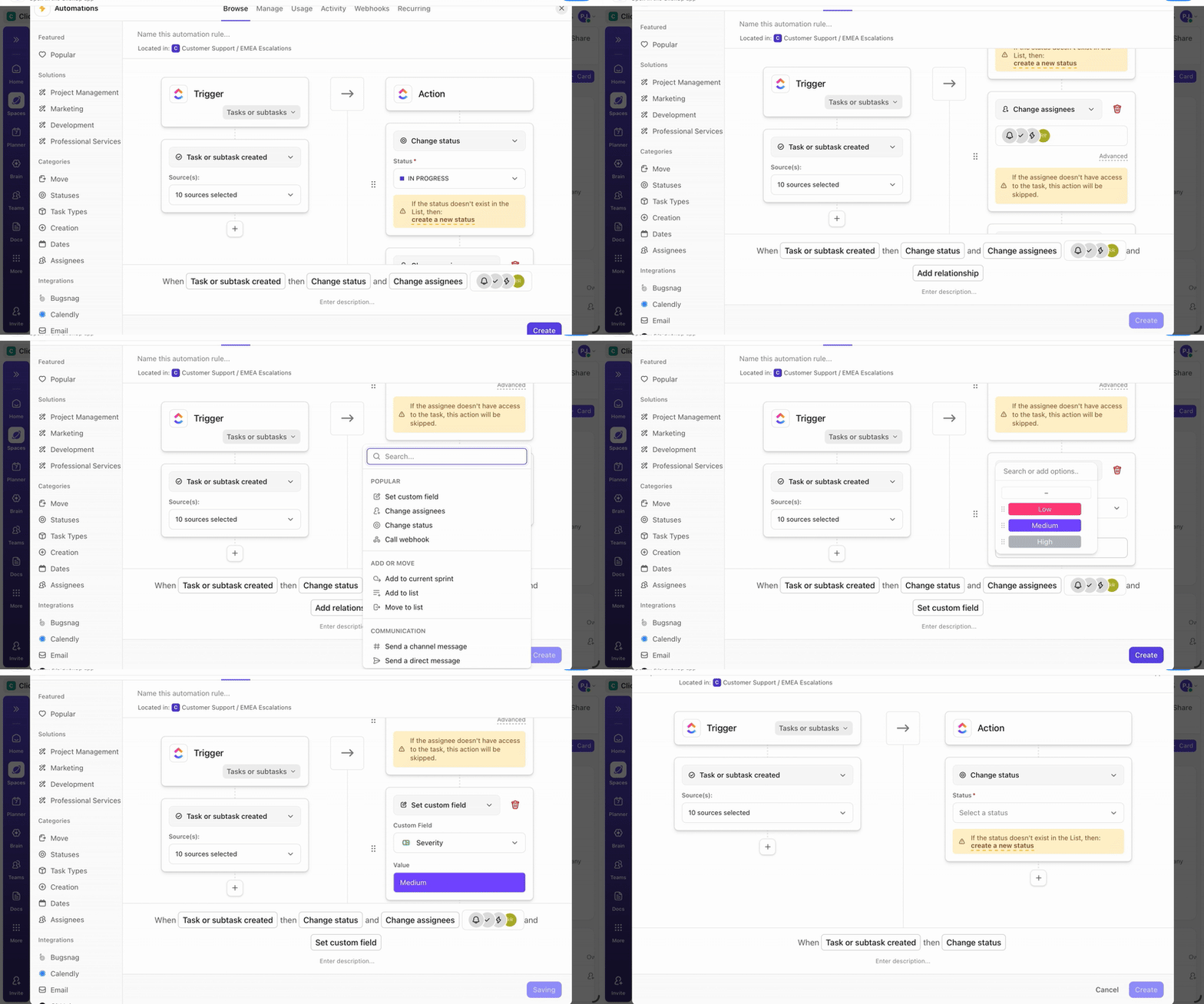
Then, ClickUp Automations handle the manual updates that interrupt deep work. Trigger workflows from development events. When a pull request merges, automatically move the linked task to Done and notify the right people. When a bug is filed, assign it based on component or ownership. That’s fewer status pings, fewer “did anyone update this?” moments, and fewer drive-by context switches.
Finally, ClickUp Docs keeps technical documentation connected to the work it describes. Create API references, architecture decisions, or onboarding guides that link directly to relevant ClickUp Tasks, so when requirements change, the affected docs and tasks surface together.
Pricing
Here’s what a G2 reviewer has to say about ClickUp.
ClickUp is an all-in-one project management platform that combines task management, time tracking, documentation, and reporting in a single place. What I like the most is the high level of customization: you can adapt views, statuses, and automations according to each workflow. The integrations with Slack, Google Drive, and calendar tools make collaboration much easier. I also appreciate how easy it is to manage multiple projects and track team productivity in real time.
For developers who already live in GitHub, the constant friction of switching tools to ask questions or review pull requests can be a major drag on productivity. GitHub Copilot solves this by bringing AI assistance directly into your existing workflow, with developers using Copilot finishing tasks 35% faster than those without it. It suggests code as you type, answers questions in chat, and helps with pull request reviews—all without leaving your editor.
Copilot uses large language models trained on public code to provide inline suggestions. It understands context from your current file, open tabs, and repository structure. The chat interface lets you ask questions about your codebase or request explanations of unfamiliar code, making it a powerful programming AI assistant.
Pricing
Ratings and reviews
Here’s what a G2 reviewer has to say about GitHub Copilot.
GitHub Copilot has significantly improved my coding productivity. It suggests intelligent code completions and entire functions that often match what I was planning to write. Copilot excels at routine tasks like boilerplate setup, loops, and standard patterns, which saves me a lot of time and helps me focus on the more complex parts of development. It’s like having a second pair of hands in my editor — especially useful for jumpstarting new files or unfamiliar APIs.
Tired of AI feeling like a bolt-on to your editor? Unlike extensions, Cursor is an AI-first IDE built from the ground up. It’s a fork of VS Code, so the interface is familiar, but AI capabilities are woven into every interaction, making it one of the best AI coding assistants.
Cursor’s main advantage is its ability to index your entire codebase, enabling questions and edits that span multiple files. Ask it to “refactor the authentication flow,” and it understands which files are involved. This whole-project awareness prevents the common frustration of AI breaking things it can’t see.
Pros:
Cons:
Pricing
Ratings and reviews
Here’s what a G2 reviewer has to say about Cursor.
I love how seamlessly Cursor integrates AI into the development workflow. The inline code suggestions are incredibly accurate, and the ability to ask questions directly in the editor saves me tons of time. It feels like pair programming with an expert developer who understands my project context.
If your infrastructure runs on AWS, you know the pain of trying to get a generic AI tool to understand the nuances of IAM policies or Lambda configurations. Amazon Q Developer is an AI assistant that speaks AWS natively. It goes beyond simple code completion to help with architecture decisions, security scanning, and even migrating legacy applications.
Because it’s built by Amazon, Q Developer understands the relationships between AWS services and can recommend best practices specific to your architecture. It can suggest IAM policies, help configure Lambda functions, and explain CloudFormation templates.
Best features:
Pros:
Cons:
Pricing
Ratings and reviews
Here’s what a G2 reviewer has to say about Amazon Q Developer.
Amazon Q Developer provides accurate, context-aware coding assistance directly within the IDE. It helps me understand APIs, generate snippets, and debug faster without leaving my workspace. The integration with AWS services is seamless, and it saves a lot of time when working with cloud configurations or SDKs.
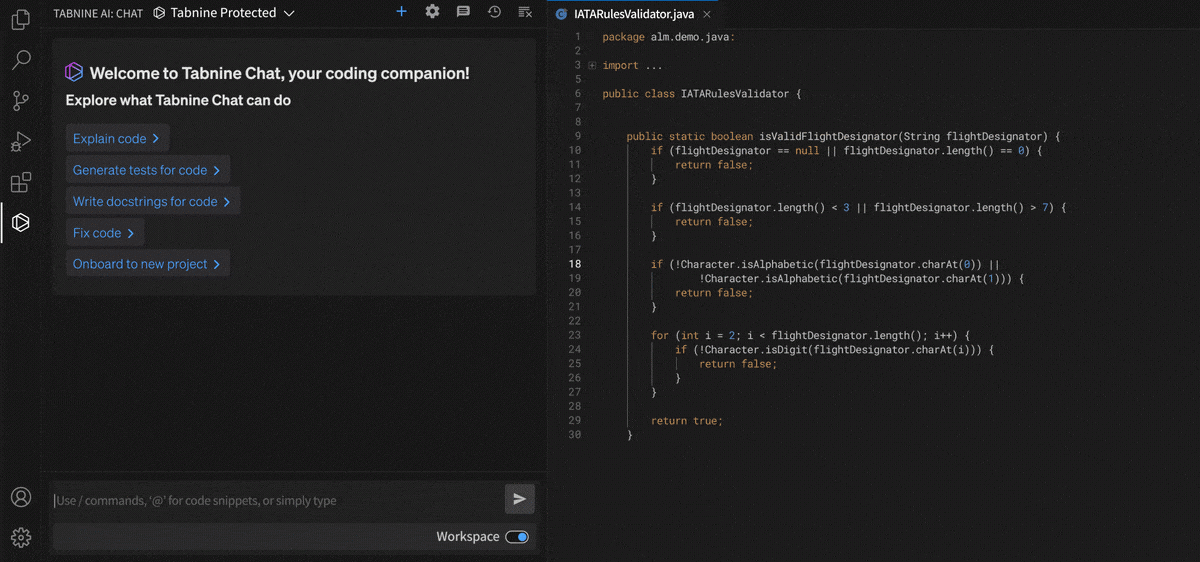
Sending proprietary code to a third-party server is a non-starter for many enterprises. This concern over data privacy often blocks the adoption of powerful AI coding tools—57% of IT professionals at enterprises that haven’t adopted generative AI cite data privacy concerns as their #1 inhibitor. Tabnine directly addresses this pain point with its privacy-first approach.
Tabnine offers on-premise deployment, meaning your code never leaves your infrastructure. For enterprises with strict data policies or those in regulated industries, this is a critical feature. Even its cloud-hosted version offers a zero data retention policy, ensuring your code isn’t stored or used for training other models.
Best features:
Pros:
Cons:
Pricing
Ratings and reviews
Here’s what a Capterra reviewer has to say about Tabnine.
Tabnine is a amazing coding assistant for software developers. The amount of time it has saved in my career is massive. It has boosted my productivity. I dont have to write boring class models anymore. With just the press of Tab button all my code gets completed by this. Also it is very easy to integrate with code editors.
📮 ClickUp Insight: 22% of our respondents still have their guard up when it comes to using AI at work. Out of the 22%, half worry about their data privacy, while the other half just aren’t sure they can trust what AI tells them.
ClickUp tackles both concerns head-on with robust security measures and by generating detailed links to tasks and sources with each answer. This means even the most cautious teams can start enjoying the productivity boost without losing sleep over whether their information is protected or if they’re getting reliable results.
Enterprise codebases can span thousands of repositories, making it nearly impossible for a developer to understand how everything connects. Generic AI tools often fail at this scale. Cody, built by the code search company Sourcegraph, leverages its powerful search infrastructure to provide AI assistance that actually understands your entire codebase.
Cody builds on Sourcegraph’s years of experience indexing code, allowing it to answer questions that cross repository boundaries. Ask how a service is called, and Cody finds every usage across your organization, not just in the current repo.
Best features:
Pros:
Cons:
Pricing
Ratings and reviews
Here’s what a Gartner reviewer has to say about Sourcegraph Cody.
Cody is my primary AI coding assistant. I have used several similar tools like this before. Pretty much all of the AI coding assistant tools have similar performance and features. Where Cody shines is the UI. Specifically, it comes with a huge list of customizations. You can remove or add any UI feature. There is an option to choose the backend with a good range of AIs. My overall experience has been positive so far in terms of performance as well. It doesn’t affect the overall performance of the editor.
📹 Stop writing and rewriting code manually.
This video breaks down five AI agents that make coding faster, cleaner, and a lot less frustrating.
Most AI coding tools just offer suggestions, leaving you to do the actual work. Windsurf takes a different approach, moving beyond suggestions into autonomous task completion. Its agentic AI can handle multi-step coding tasks, shifting your role from writer to reviewer.
You describe a goal, and its Cascade feature figures out the steps. Windsurf also offers Flows, which are pre-built agentic workflows for common tasks like adding features or fixing bugs. The AI handles the planning and execution, checking in with you when decisions are needed.
To understand how AI agents are transforming the coding landscape, watch this overview of AI agents for coding and their practical applications in development workflows.
Best features:
Pros:
Cons:
Pricing
Ratings and reviews
Here’s what a G2 reviewer has to say about Windsurf.
I really love it for updating and editing my multiple files at the same time. I like it for AI driven autocompletion of my code making my coding experience fun. Great for chats with my codebase with real-time generation of my code. Reliable for inline editing of my code with AI helps. Clean user interface and beginner friendly with ease of adoption.
Writing code fast is one thing; writing reliable code is another. While most AI tools focus on speed, Qodo (formerly CodiumAI) focuses on code quality. Its strength is in generating tests, analyzing code quality, and improving pull requests.
Qodo analyzes your code and generates meaningful test cases, including edge cases that developers often miss. It understands the code’s behavior and creates tests that actually verify it works correctly. This focus on quality is a key differentiator in the crowded Augment Code vs. Cursor space.
Best features:
Pros:
Cons:
Pricing
Ratings and reviews
Here’s what a G2 reviewer has to say about Qodo.
I use Qodo Gen + VS Code to audit, build, refactor, optimize, and review code of all sorts, ranging from SEO-specific HTML to Django and Next.js architectures to custom Python scripts. The most powerful feature I use the most is adding context – this is what most UI chatbots are missing to be truly helpful: the full picture!
Qodo does an amazing job of catching errors and inefficiencies I missed, as well as teaching me about concepts through the code I’m working on. With the right attitude, this tool can be a full blown education system!
Setting up a local development environment can be a hassle. Replit is a cloud-based IDE where you write, run, and deploy code entirely in your browser, and Ghostwriter is its integrated AI assistant.
Because Ghostwriter lives inside Replit, it understands your project’s runtime environment, dependencies, and deployment configuration. Suggestions account for what’s actually installed and available, reducing “works on my machine” problems. Replit’s real-time collaborative coding means Ghostwriter can assist an entire team simultaneously.
Best features:
Pros:
Cons:
Pricing
Ratings and reviews
Here’s what a Capterra reviewer has to say about Replit Ghostwriter.
Great product overall. A real game changer for non-code professionals to be able to create what they’re looking for. A massive short cut for passing on to pro developers, building internal tools (where it doesn’t necessarily matter if everything works totally) and if you’re looking to delve into the world of software development for clients etc then it’s a fantastic start and makes it a lot more user friendly and comprehensive than other solutions out there.
The right AI coding assistant depends on your specific context—your IDE, codebase scale, and privacy needs. There’s no single “best” tool, but there is a best tool for your situation. Teams on AWS should evaluate Amazon Q Developer, while enterprises with strict data policies should look at Tabnine.
But AI coding assistants are evolving. The tools that win will be those that understand not just code, but the full context of why you’re writing it—the tasks, the requirements, and the team collaboration that drives decisions. That’s where converged workspaces that connect AI across your entire workflow become essential.
Connect your code to the tasks, docs, and conversations that give it meaning. Get started for free with ClickUp and see how a converged workspace transforms your development workflow.

© 2026 ClickUp

There’s an easier way. Try a free AI Agent in ClickUp that actually does the work for you—set up in minutes, save hours every week.