






Still downloading templates?
There’s an easier way. Try a free AI Agent in ClickUp that actually does the work for you—set up in minutes, save hours every week.
Sorry, there were no results found for “”
Sorry, there were no results found for “”
Sorry, there were no results found for “”
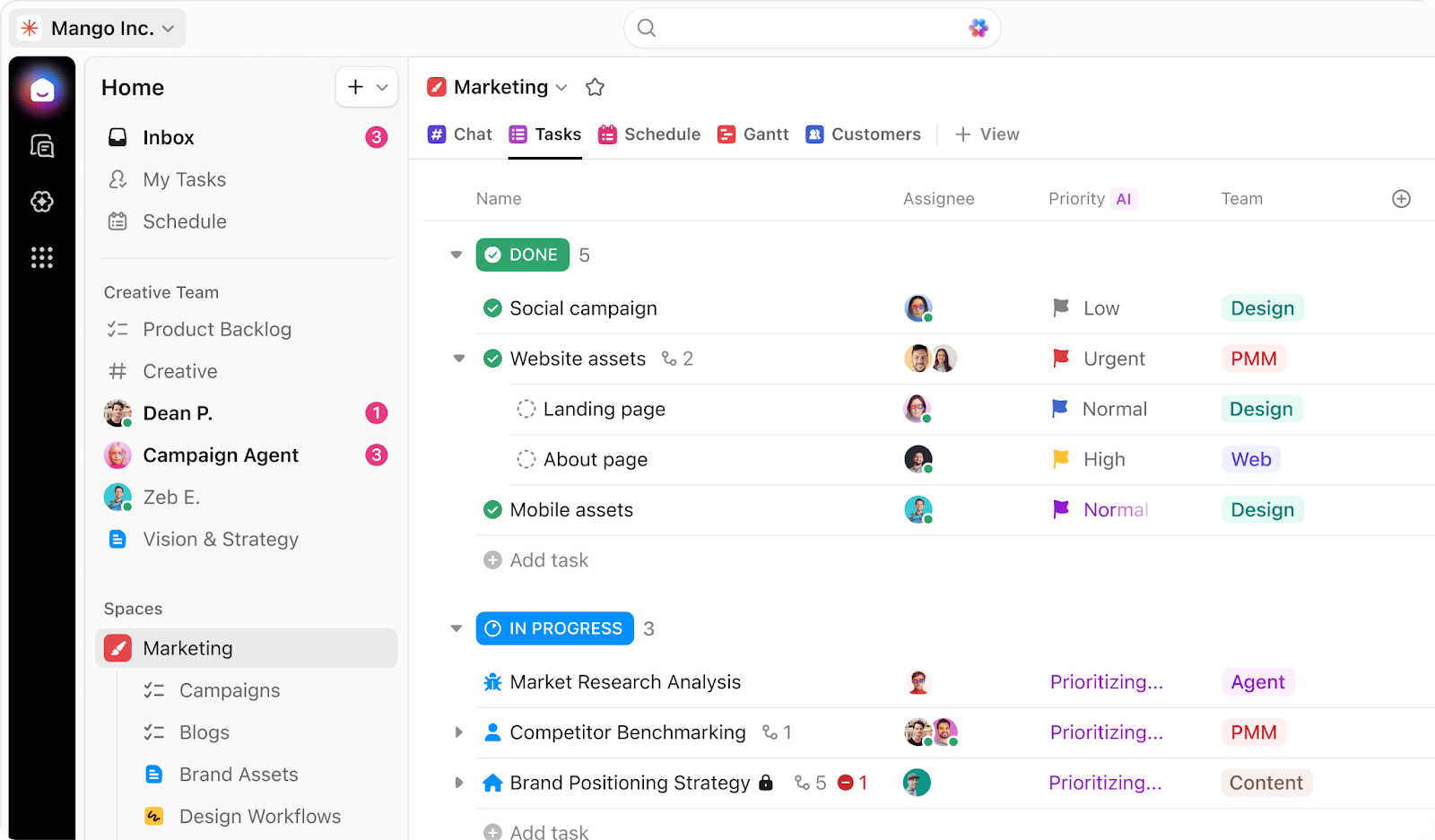
You’re halfway through a client project when things start getting out of hand. A task that was ‘almost done’ last week still isn’t, and feedback is buried in a comment thread no one can find.
So you do what most small teams do. You add another tool, a checklist, or a workaround. For a week or two, it feels under control again. But then it doesn’t.
In a comparison between Asana vs. ClickUp, both tools promise to bring order to the chaos. But for a small business, this choice is about how your team actually works when deadlines are tight, roles overlap, and there’s no ops department to clean things up behind the scenes. Let’s compare the two to help you make the best pick! 🌟
Before diving deep, here’s a quick look at how Asana and ClickUp stack up.
This table highlights the core differences in their approach, helping you see which philosophy aligns better with your team’s needs from the start. 👇
| Category | Asana | ClickUp |
| Best for | Teams wanting focused task management | Teams wanting one platform for all work |
| Core strength | Clean interface, straightforward workflows | Converged AI workspace, customization, built-in docs, whiteboards, chat, and other features |
| AI approach | Add-on AI features | Native AI (ClickUp Brain) across all features |
| Learning curve | Lower initial learning curve | Steeper start, more long-term flexibility |
| Views and structure | Strong lists, boards, calendars; Gantt/workload needs higher tiers | Rich ClickUp Views (list, board, Gantt, calendar, mind map, workload) on lower tiers |
| Collaboration | Task comments, @mentions, basic messaging | Built-in docs, chat, whiteboards, and screen recording reduce tool sprawl |
| Automation | Simple rules and templates | Granular automations with conditions/triggers scale better |
| Support | Good help center; 24/7, mainly enterprise | 24/7 support even on lower tiers, fast feature releases |
Our editorial team follows a transparent, research-backed, and vendor-neutral process, so you can trust that our recommendations are based on real product value.
Here’s a detailed rundown of how we review software at ClickUp.
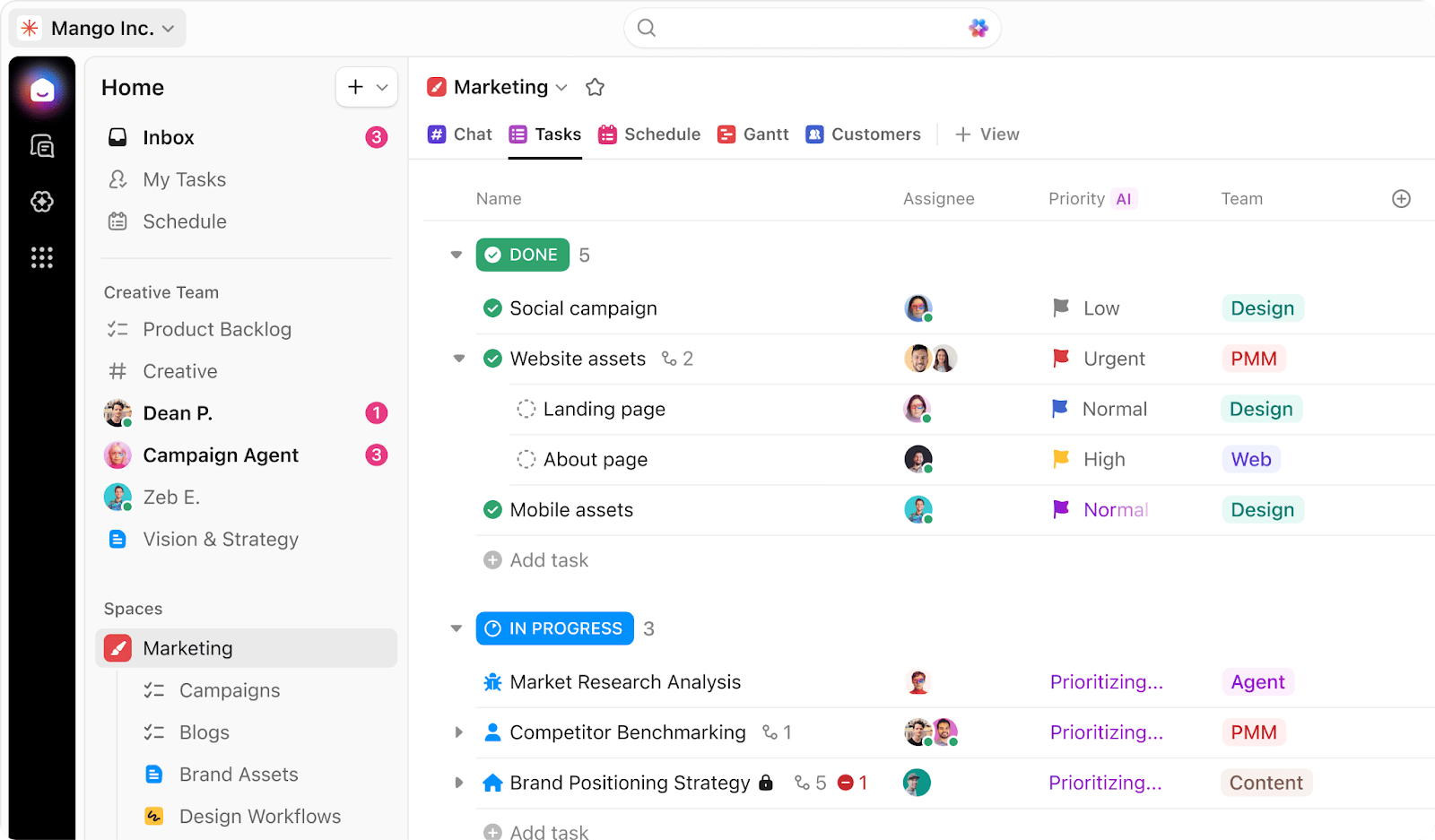
ClickUp is the world’s firstConverged AI Workspace where your projects, documents, conversations, and analytics live together, with contextual AI embedded as the intelligence layer that understands your work and helps move it forward.
For a small business, this distinction is crucial because it determines whether you’ll need to pay for and manage a stack of separate tools or run your entire operation from one place.
📮 ClickUp Insight: 24% of people fantasize about a ‘master tab’ that handles everything at once.
The logic is simple: our brains are not built to juggle dozens of open tabs, and each new window adds subtle stress and cognitive overhead, even if you don’t notice it. 🧠
With ClickUp Brain MAX, you can centralize information, search across multiple AI models, and retrieve what you need instantly. This AI desktop companion gives you a single point of access without the anxiety of keeping everything open. Less clutter, less stress, more control. ✨
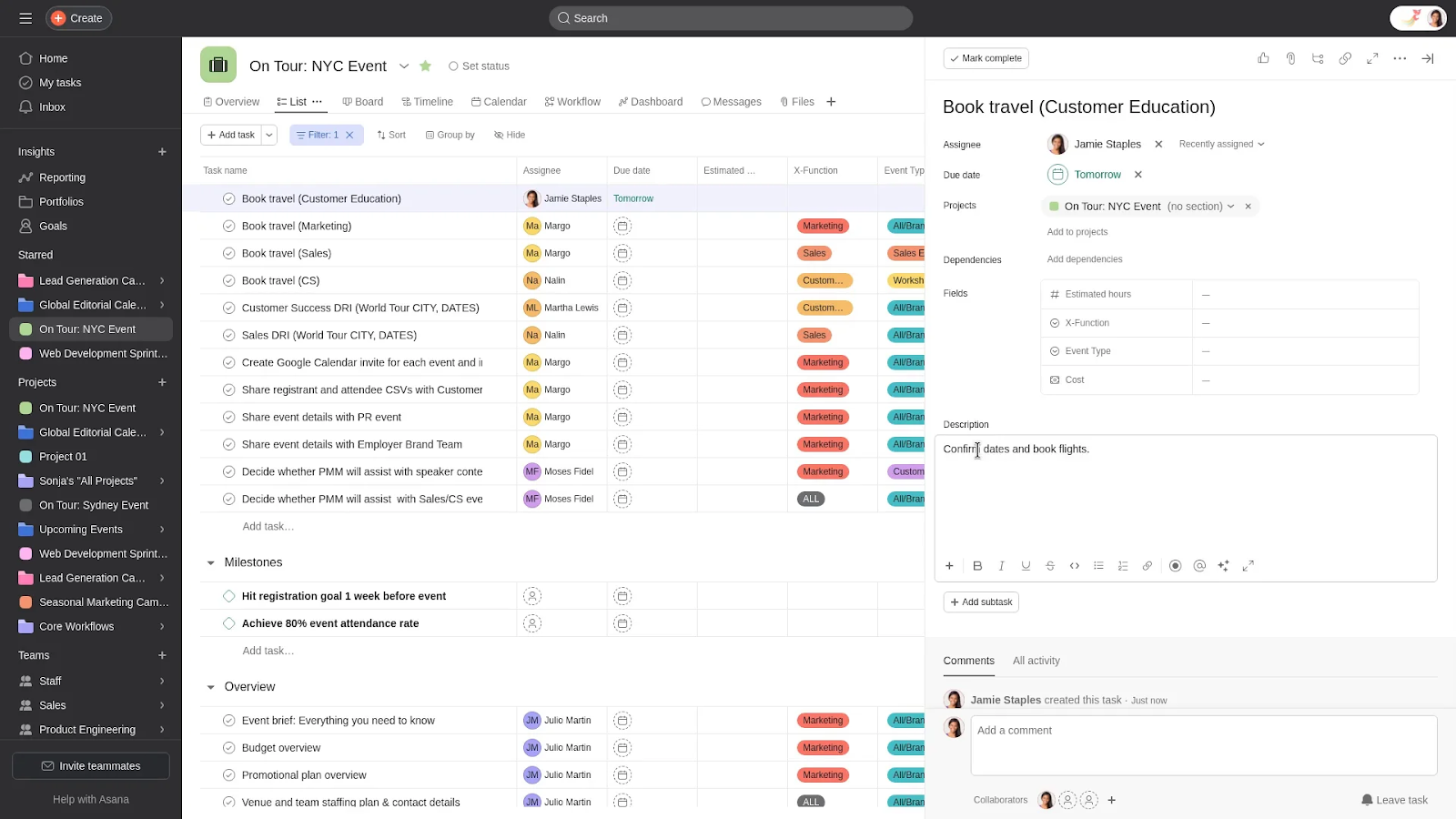
Asana is a cloud-based work management platform designed to help teams organize tasks, track projects, and collaborate efficiently. It structures work into projects, tasks, subtasks, and timelines.
You can assign responsibilities, set deadlines, and monitor progress through intuitive views like lists, boards, calendars, and Gantt charts. It provides a clean, predictable way to manage linear projects.
📖 Also Read: Asana Vs. ClickUp
A long list of features is useless without context. What truly matters is how these features solve the real-world problems your small team faces every day, especially when you don’t have a dedicated project manager to configure complex systems.
The biggest hurdle for any new software is getting your team to actually use it. If the setup is too complex, people will revert to their old habits of using emails and spreadsheets, defeating the purpose of the investment. A tool’s learning curve becomes a critical factor:
Asana is known for its initial simplicity. Its clean user interface and straightforward design mean most team members can get started creating and managing tasks within minutes. For a small business that just needs a basic to-do list to get organized quickly, this is a significant advantage.
ClickUp takes a different approach. It gives you more control over how your workspace is set up, including statuses, views, task structures, and automations to ensure you eliminate work sprawl. But that flexibility means you don’t have a one-size-fits-all starting point. There’s a bit more thinking involved upfront.
That said, this is where ClickUp starts to pay off. Instead of forcing your team into a fixed way of working, you can shape the tool around how you already operate.
🏆 Winner: It’s a tie! If you need something your team can pick up instantly with minimal setup, Asana has the edge. But if you want a system that can adapt as your business grows, ClickUp makes a strong case.
💡 Pro Tip: Avoid the initial setup friction by using ClickUp Templates, which provide ready-made structures for hundreds of use cases, from marketing campaigns to client onboarding. This allows you to get started quickly and then customize the platform as your business grows.
Your business likely juggles different kinds of work like client projects, internal operations, marketing campaigns, and product development. A rigid system that treats all work the same creates chaos:
Asana is built around clarity. Tasks, subtasks, timelines, and dependencies are easy to set up and follow. You can assign work, add due dates, attach files, and track progress without much friction. Features like timelines, milestones, and dependencies make it easy to map out work without getting lost in the details.
ClickUp goes deeper into both task and project management. It uses a nested structure of Workspace, Space, Folder, List, and ClickUp Task to organize anything. This means you can create a dedicated Space for each department, like ‘Marketing’ or ‘Client Work’, and then use Folders and Lists to manage individual projects and initiatives within that department.
🏆 Winner: ClickUp triumphs! It handles complexity better, and for small businesses that are growing, that flexibility makes a real difference.
🚀 ClickUp Advantage: See your work from any angle with 15+ ClickUp Views. You’re not locked into a single format, and each team member can choose the view that makes sense for how they think and plan.
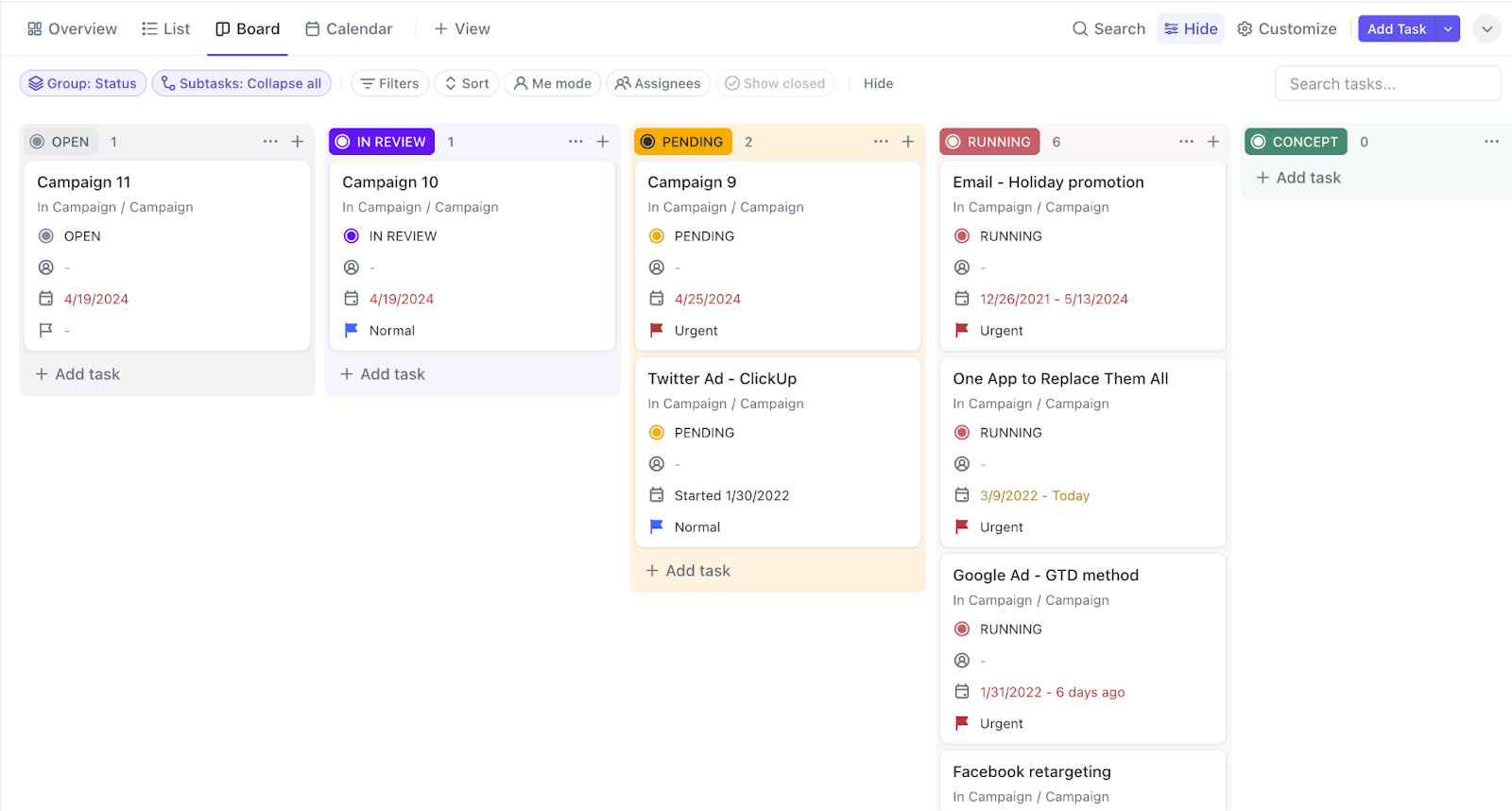
You get access to:
When your team’s conversations happen in one app, your project plans in another, and your documentation in a third, you create context sprawl. This means teams waste hours searching for information they need across multiple platforms.
Asana keeps business collaboration closely tied to tasks. You can comment directly on tasks, tag teammates, attach files, and keep conversations contextual. There’s also an inbox that shows updates, mentions, and activity across projects, helping individuals stay on top of their work. It works well alongside tools like Slack or email, rather than pulling everything into one place.
ClickUp pushes further toward centralizing collaboration inside the tool itself. At the task level, you get threaded comments, mentions, file sharing, and the ability to assign comments as actionable items. This way, feedback turns into work.
Eliminate work sprawl with collaboration tools built directly into ClickUp.
🏆 Winner: ClickUp wins! It brings conversations, documents, and planning into one system, reducing tool-switching.
Bring your team together online:
As a small business, your team wears multiple hats. Every minute spent on manual processes, like updating a project status or reminding someone about a deadline, is a minute not spent on strategic, revenue-generating activities.
Both platforms offer automation, but accessibility and power differ:
Asana approaches automation with simplicity in mind. Its ‘Rules’ feature lets you automate common actions like updating due dates and sending notifications. However, automation in Asana tends to stay within defined boundaries. It handles linear workflows nicely. But if your processes involve conditions, cross-project actions, or layered logic, you may start to hit limits.
ClickUp Automations are built to run and streamline your workflows for you. With a vast library of triggers, conditions, and actions, you can automate almost any repetitive task without writing a single line of code.
You can choose from a large library of pre-built automation recipes or create your own. You get Triggers (an event that starts an automation), Conditions (criteria that must be met for the automation to run), and Actions (the task the automation performs).
🏆 Winner: ClickUp emerges as the winner! It offers more flexibility, control, and scalability, making it a better fit for teams.
🚀 ClickUp Advantage: Automate decisions and execution with ClickUp Super Agents. You can move beyond rule-based automation into workflows that actually adapt and respond based on context. You can basically delegate parts of your workflow to AI that understands what’s happening inside your workspace.
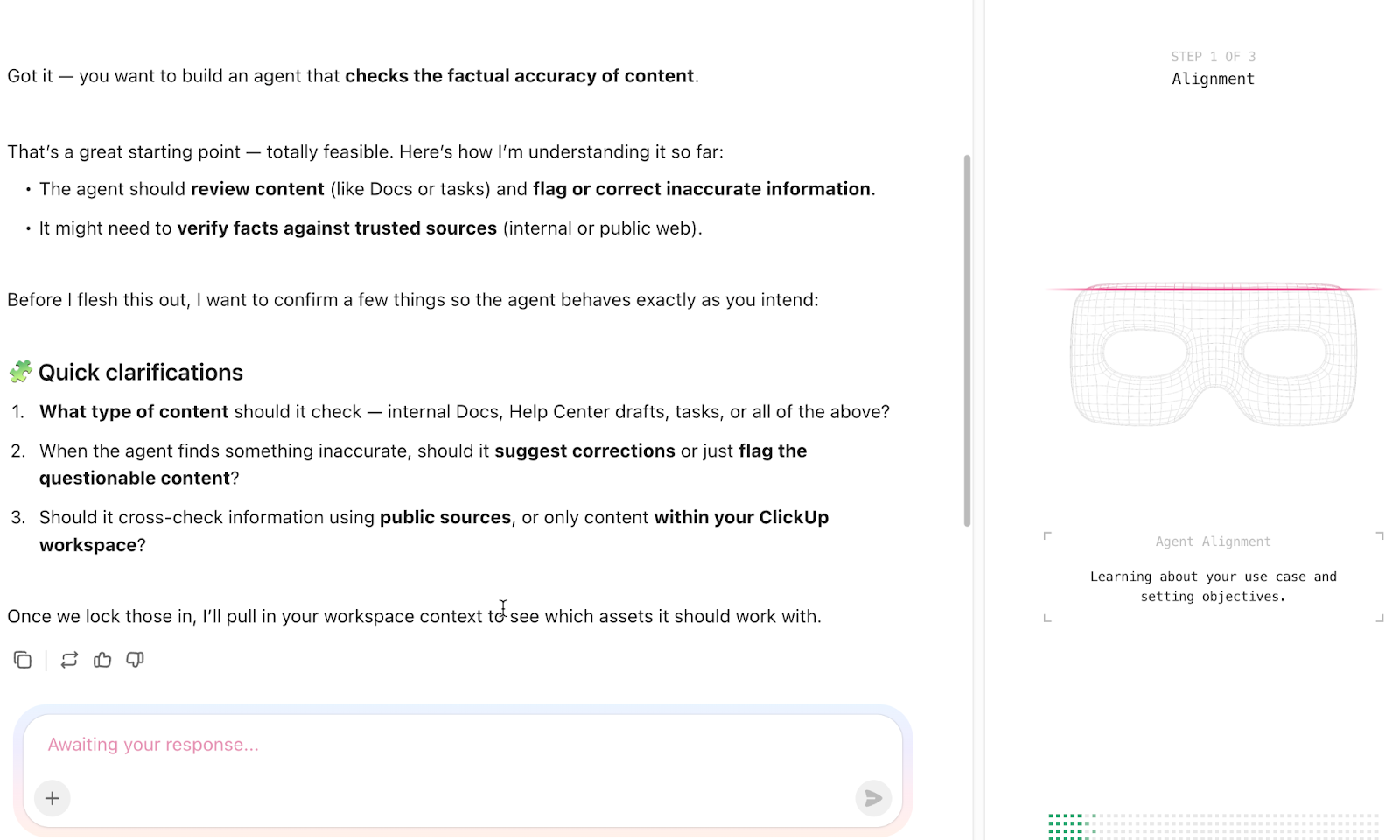
For instance, you just moved a Task to ‘Client Review.’ Instead of manually coordinating next steps, you can create a custom agent to:
Build your first Super Agent:
No single tool can do everything, and your small business likely relies on a few key apps like Google Drive for files or Teams for quick chats. The problem is that this creates information silos. Both Asana and ClickUp offer a wide range of integrations with popular business tools:
Asana integrates smoothly with most of the tools small businesses already use. This includes apps for communication (like Slack), file sharing (Google Drive, Dropbox), and calendars. The strength here is reliability and ease of setup. Most integrations are plug-and-play: you connect the tool, set a few preferences, and it just works.
ClickUp takes a broader approach. ClickUp Integrations let you connect with over 1,000 wide range of tools across categories, including communication, development, storage, time tracking, and more. However, it also tries to eliminate tool sprawl, reducing the number of tools you need in the first place.
For example, instead of relying heavily on external tools, ClickUp brings features like docs, chat, whiteboards, and time tracking into the same platform.
🏆 Winner: It’s a tie! If you want deeper control and the option to consolidate tools over time, ClickUp gives you more flexibility, while Asana helps with no-fuss integrations.
AI for small businesses is like the extra team member you can’t afford to hire. It’s the copywriter who helps you draft marketing emails, the admin who summarizes meeting notes, and the project coordinator who flags bottlenecks.
Using multiple, disconnected AI tools creates AI sprawl. This is the unplanned proliferation of AI tools and platforms without oversight or strategy, leading to wasted subscription money, duplicated effort, security risks, and a total lack of control over your organization’s AI footprint.
Asana Intelligence focuses on assisting with tasks and keeping projects on track, without changing how the tool fundamentally works.
The AI assistant helps with:
It improves visibility and clarity, but it mostly stays within the boundaries of task-level assistance.
ClickUp’s AI is more embedded into how work actually gets done, interacting with your workspace, data, and workflows.
ClickUp Brain acts like a workspace-aware assistant. It pulls context from your actual tasks, docs, comments, and even connected tools.
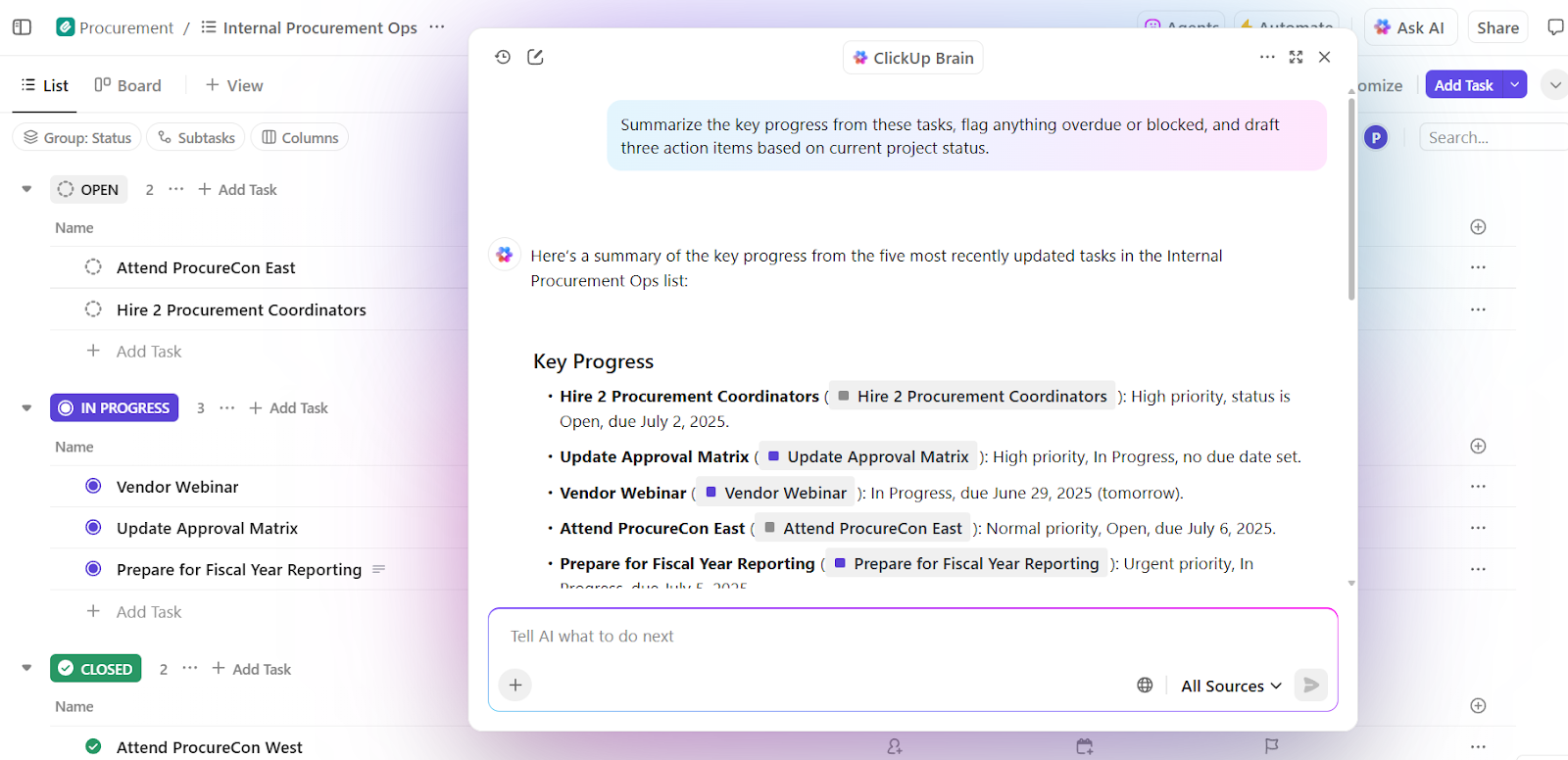
What it can do:
For instance, if you’re stepping into a project mid-way, you can just ask ClickUp Brain: ‘What’s blocking the website redesign project right now?’ It’ll scan tasks, comments, and statuses, and then tell you the tasks that are overdue, the dependencies that are stuck, and who’s responsible for what.
💡 Pro Tip: Let the ClickUp AI Notetaker join your virtual meetings. It will automatically transcribe the conversation, generate a summary, and even create action items for you
If ClickUp Brain lives inside your workspace, ClickUp Brain MAX extends that power outside it. Think of it as a desktop AI layer that sits across all your tools.
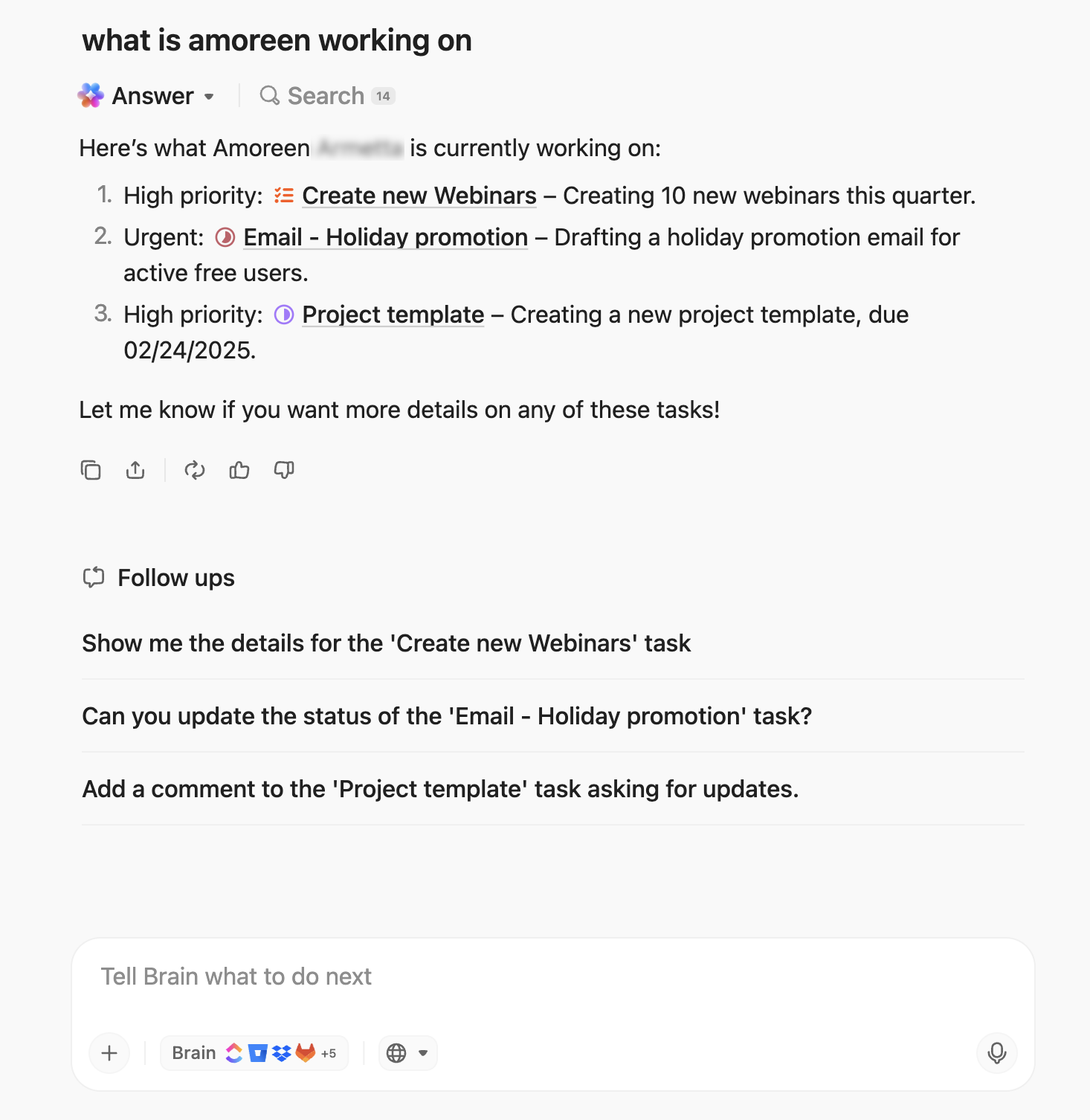
Here’s what makes it different:
Simplify your decision by following a practical framework.
Focus on understanding your team’s real needs rather than comparing every feature.
The right choice depends entirely on your team’s needs and workflow philosophy. There’s no single ‘best’ tool, only the best fit for you.
Choose Asana if:
Choose ClickUp if:
Here’s what Derek Clements, Marketing Manager, BankGloucester had to say about ClickUp:
ClickUp offers more features and a better experience than the others. Asana was the oldest competitor, and is great for task Management, but does not have many features beyond that…I use the base features ClickUp like spaces/folders/lists and the Calendar view the most as they are most versatile. However, if you find yourself needing a specific format or visualization, ClickUp has tons of more indepth stuff like time tracking, task automation, dashboards and more.
Asana and ClickUp represent two distinct philosophies on how work should be managed. Asana provides best-in-class task management that fits neatly into an ecosystem of other specialized tools. ClickUp is built on the belief that tool sprawl is the enemy of productivity and offers a single, converged workspace to replace that entire ecosystem.
For a small business today, the choice is clear.
ClickUp’s converged approach directly solves modern work problems. It offers a scalable platform where your tasks, docs, chat, and AI all live together, giving your small team the tools to work more efficiently.
Sign up to ClickUp for free today! ✅
Can small businesses use ClickUp’s free plan for real work?
Yes, ClickUp offers unlimited tasks and multiple project views, giving small teams everything they need to manage client projects and internal tasks from day one.
How does ClickUp compare to Asana for growing teams?
Scale with your team’s complexity using ClickUp’s deep customization and native features like Docs and Chat, no need to add more tools as you grow.
What’s the fastest way to migrate from Asana to ClickUp?
Transfer your projects, tasks, and assignees in minutes using ClickUp’s direct Asana import tool, and use our onboarding resources to get your team up to speed quickly.
Meta title: Asana vs. ClickUp: What Small Businesses Need Now
Meta description: Compare Asana vs. ClickUp, including features, automation, AI, and ease of use to find the right project management tool for your small business.

© 2026 ClickUp

There’s an easier way. Try a free AI Agent in ClickUp that actually does the work for you—set up in minutes, save hours every week.