
Sorry, there were no results found for “”
Sorry, there were no results found for “”
Sorry, there were no results found for “”
You love the idea of a privacy-first, all-in-one workspace like Anytype to organize data.
But maybe it’s not quite hitting the mark. Sync issues with Google Calendar, limited integrations, or the learning curve, it’s not always the smoothest ride.
If you’re looking for an alternative that offers the same security but with better functionality, you’re in the right place.
Whether you need seamless collaboration, offline reliability, or just a simpler interface, we’ve rounded up the top Anytype alternatives for secure note-taking.
Let’s find the best alternative for you.
When choosing an alternative to Anytype, here are some key factors that you must consider to ensure you choose the best note-taking app with a good balance of security, usability, and features:
🎨 User experience and interface: A clean, intuitive layout with nested pages, tags, and AI search makes organizing notes effortless
🔒Privacy and security: End-to-end encryption, local-first storage, and clear data policies keep your notes safe
📱Cross-device syncing: If seamless syncing is important, choose software with reliable cloud options while still prioritizing security and offline access
🤝 Collaboration features: Need teamwork? Look for real-time editing, permissions, and easy sharing
⚙️ Customization and extensibility: Plugins, templates, and integrations let you tailor the app to your workflow
📂 Offline access and data ownership: Want full control? Ensure the app works offline without forcing cloud storage
💡Pro Tip: The right note-taking tool is just one part of the equation. How you take notes matters just as much. Want to boost clarity, retention, and productivity? Check out these effective note-taking methods to make the most of your new app. ✍️
To help you find the best fit, here’s a side-by-side comparison of Anytype alternatives based on key features and pricing:
| Tool name | Key features | Best for | Pricing |
| ClickUp | Docs with collaboration, Notepad, AI Notetaker, Whiteboards, task linking | Small businesses, mid-sized companies, enterprises | Free version available; Paid plans starts at $7/user/month |
| Obsidian | Bidirectional linking, local-first storage, and graph view | Individuals | Free version available; Paid plans starts at $5/user/month |
| Logseq | Outliner-based notes, whiteboard, spaced repetition | Individuals | Free Forever |
AppFlowy | Block-based layout, Kanban boards, open-source with AI assistant | Individuals, small businesses | Free version available; Paid plans starts at $8/user/month |
| Supernotes | Notecard-style notes, heatmap calendar, offline mode | Individuals, small businesses | Free version available; Paid plans starts at $11/month |
| Standard Notes | End-to-end encryption, version history, markdown, secure vault | Individuals | Free version available; Paid plans starts at $63/year |
| Notion | AI-powered notes, templates, block-based editor | Small businesses, mid-sized companies | Free version available; Paid plans starts at $12/user/month |
| Evernote | Multimedia notes, Web Clipper, offline access, task management | Individuals, small businesses | Free version available; Paid plans starts at $14.99/month |
| Microsoft OneNote | Freeform notebooks, drawing, handwriting recognition, AI Copilot | Mid-sized companies, enterprises | Free version available; Paid plans starts at $69.99/year |
| Dynalist | Hierarchical outlines, recurring tasks, Quick Capture | Individuals | Free version available; Paid plans starts at $9.99/month |
Our editorial team follows a transparent, research-backed, and vendor-neutral process, so you can trust that our recommendations are based on real product value.
Here’s a detailed rundown of how we review software at ClickUp.
Managing work and notes across multiple apps gets messy fast. ClickUp, the everything app for work, changes that by bringing tasks, documents, notes, and meetings into a single, connected workspace.
Instead of switching between a dozen tools, ClickUp offers powerful features to let you keep all your notes right where you need them.
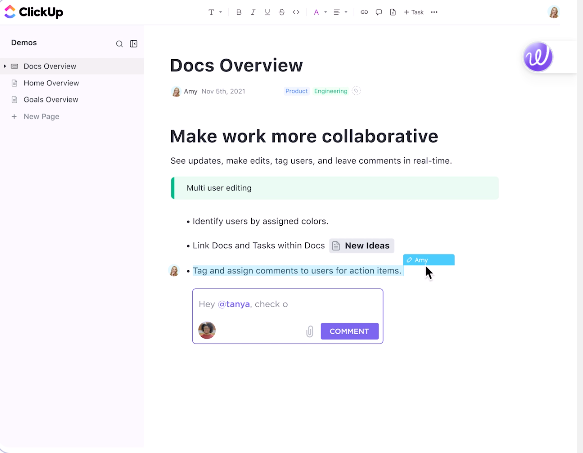
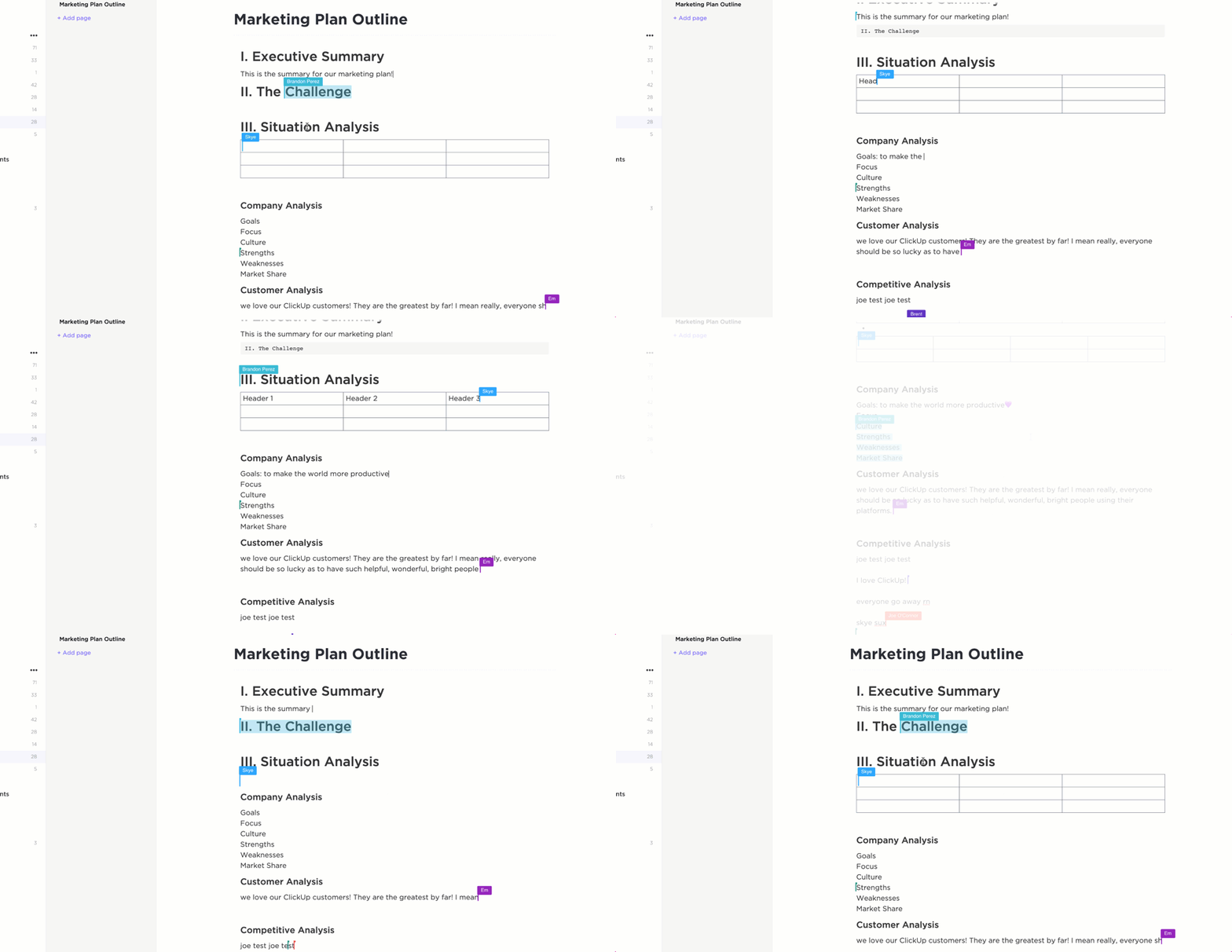
For instance, ClickUp Docs is a powerful tool for structured documentation. Whether you’re writing meeting notes, standard operating procedures (SOPs), or brainstorming ideas, Docs lets you create, format, and organize information seamlessly.
Unlike traditional word processors, it integrates directly with your workflow, ensuring that your notes aren’t isolated from your daily tasks and projects.

In a nutshell, you can👇:
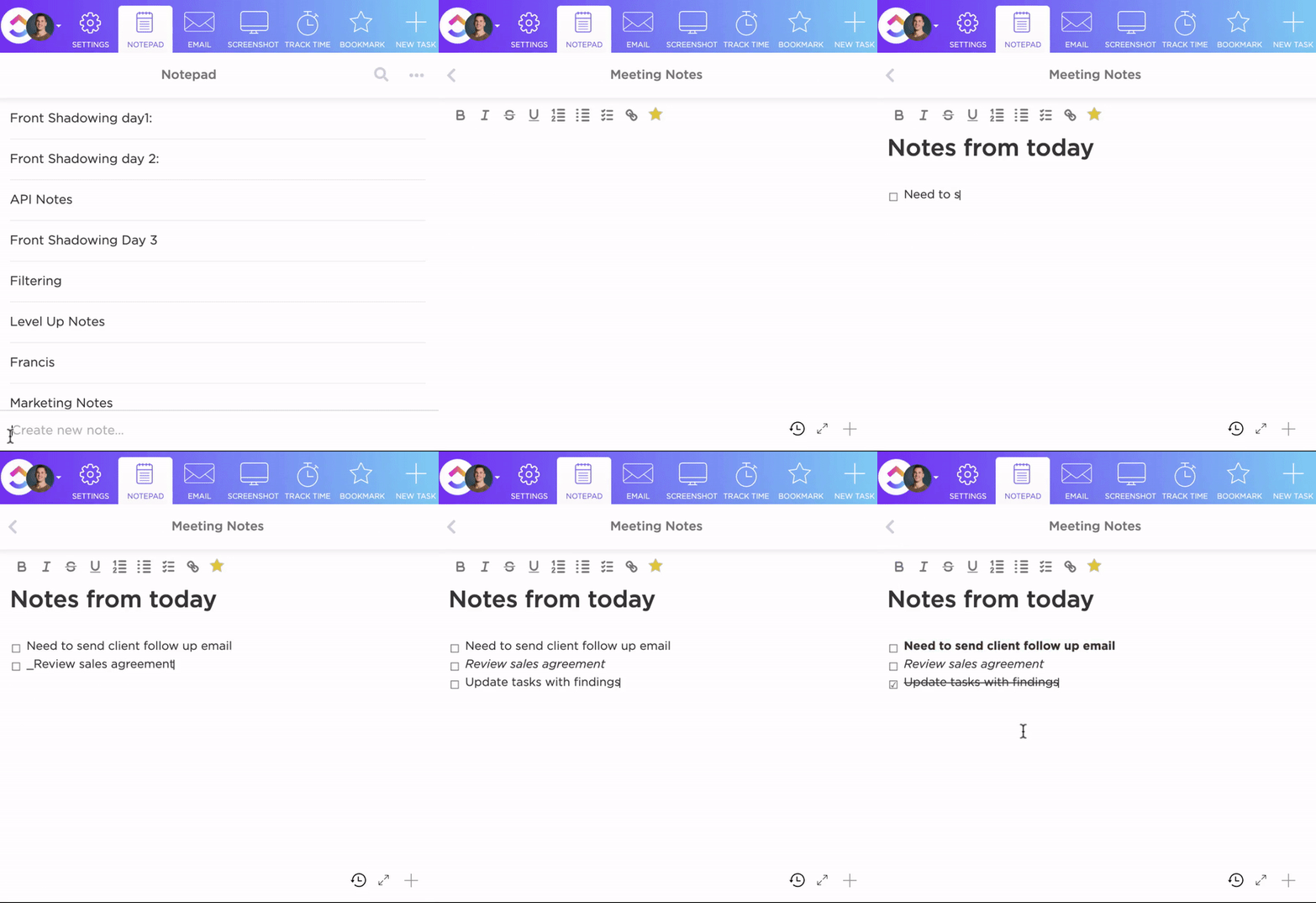
Next, for those moments when you just need a quick place to jot something down, ClickUp’s Notepad is always within reach. Unlike Docs, which are built for structured collaboration, Notepad acts much like a to-do list app designed for personal, lightweight note-taking.
Whether it’s a quick idea, a to-do list, or a draft message, it stays private by default until you’re ready to take action.
However, for more structured note-taking, ClickUp offers ready-to-use templates that simplify your workflow.
For those who want to start off quickly with an organized structure, ClickUp Daily Notes Template is perfect. Whether you’re tracking progress or jotting quick reflections, this template keeps everything in one place.
Otherwise, you can leverage ClickUp Meeting Note Style Template which is particularly designed for clear, actionable meeting documentation. It helps structure agendas, record discussions, and highlight key decisions so nothing gets lost after the call.
With these templates, you can focus on what matters, and let ClickUp take care of the organization.
While Docs and Notes help you maintain long-form, structured notes, ClickUp AI Notetaker takes meeting notes off your plate entirely. AI automatically joins calls, transcribes discussions, and summarizes key points so you can focus on the conversation and take action immediately! See AI for note-taking in action here:

While AI Notetaker handles meeting summaries and lets you focus on driving the conversation, ClickUp Brain takes productivity even further by acting as your real-time work assistant. Instead of searching through endless tasks and documents, you can ask ClickUp Brain anything, and it instantly retrieves relevant information.
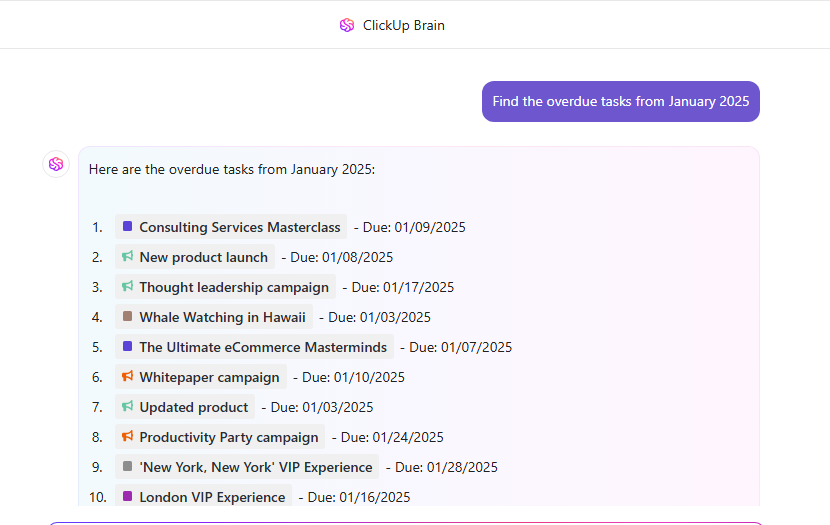
Whether you need a past meeting recap, a quick task update, or insights from project notes, everything is just a question away.
Beyond finding information, ClickUp Brain helps you work faster with AI-powered writing, summaries, and smart suggestions. It can generate content, refine ideas, and condense long-form text into key takeaways, keeping your notes clear and actionable.
A G2 review says:
I love how ClickUp brings together multiple productivity tools into one place—task management, documents, whiteboards, reporting—making it simple to keep everything organized. It’s flexible enough to fit any workflow, and the customizable views (like List, Board, and Gantt) let you see projects in whichever format you prefer. Plus, features like Automations and Templates help save loads of time. It’s like a productivity hub that adapts to your needs!
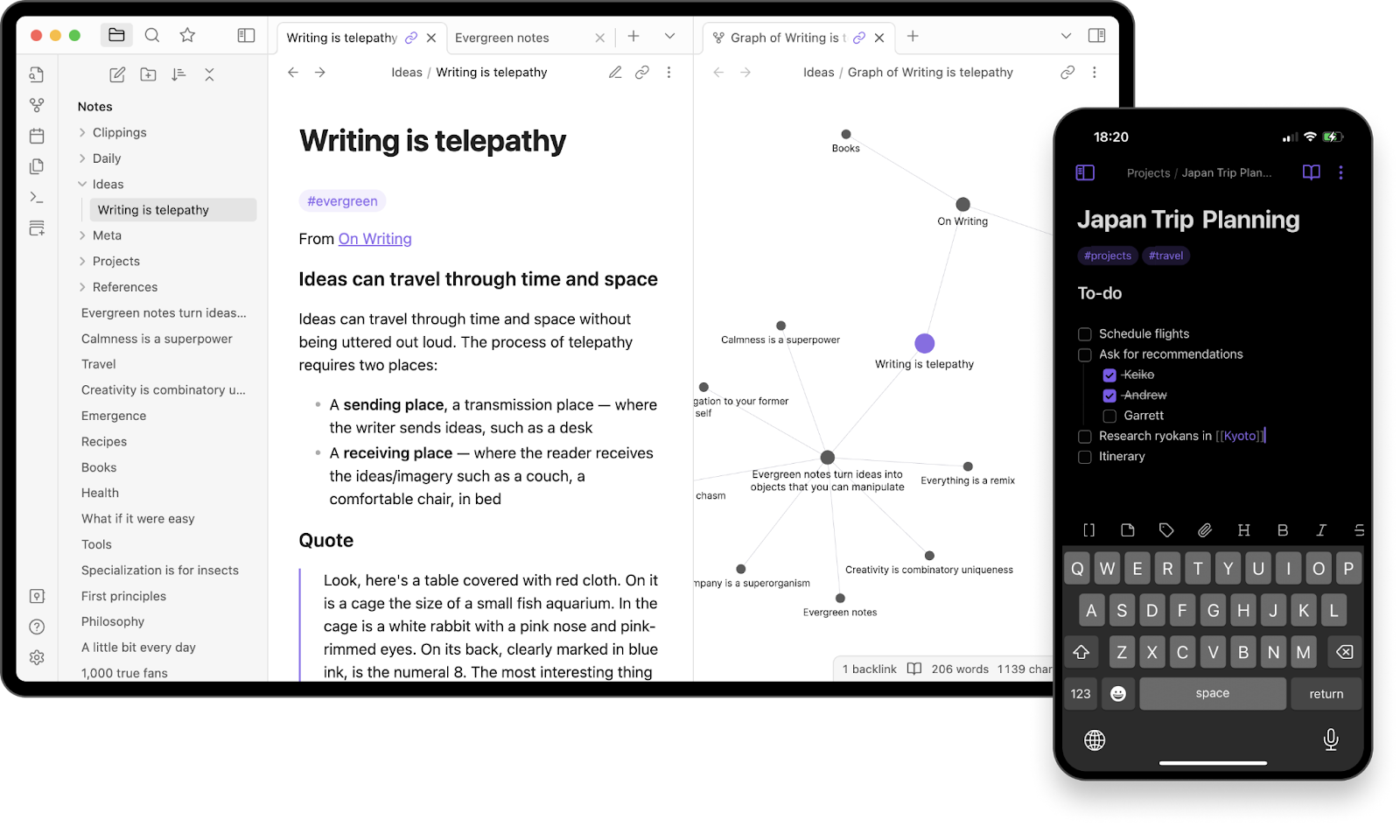
Obsidian is a popular choice among users for note-taking and task organization. It offers full control over how you organize your ideas. What sets it apart is bidirectional linking. You can connect notes to books, people, places, or concepts, building a web of knowledge where everything is just a click away.
Obsidian’s Canvas also lets you map out ideas spatially, perfect for research, brainstorming, or untangling complex topics in a way that makes sense to you.
A Capterra review says:
I like how I have the feeling of control when it comes to organizing my notes and, therefore my ‘second brain’.
📢 Bonus: Take your workflow to the next level with these powerful Obsidian templates.
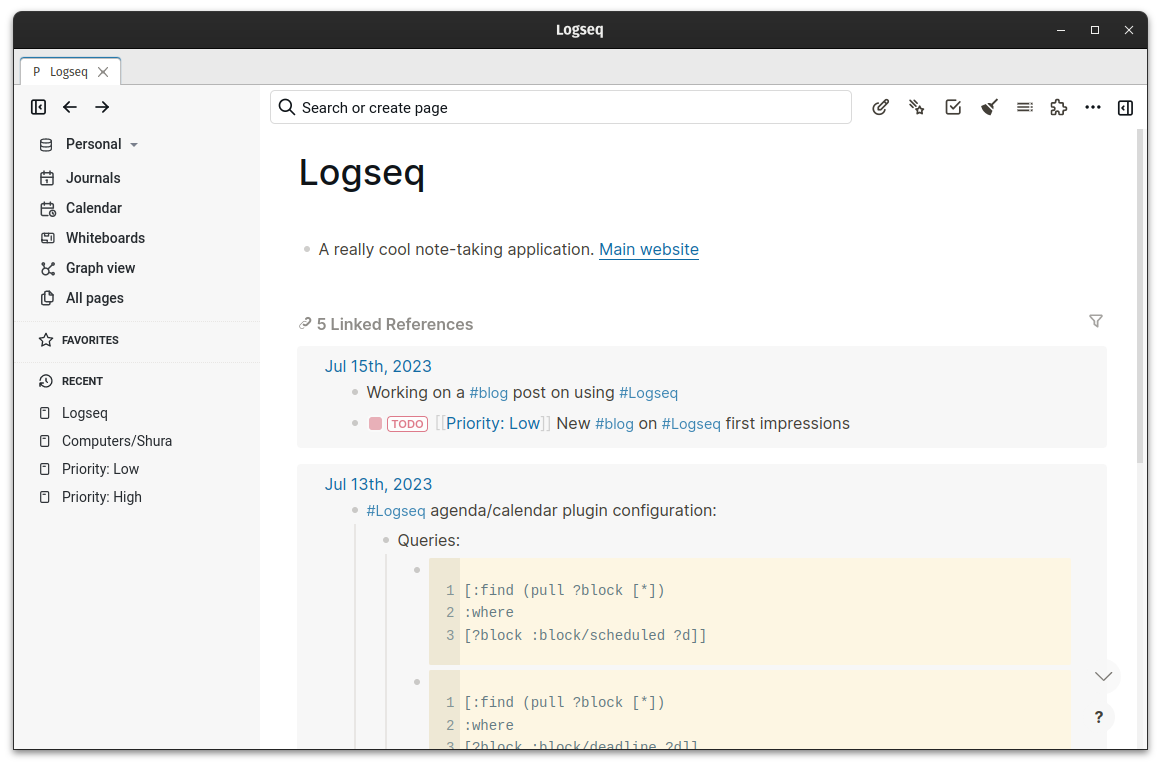
Logseq is an open-source note-taking software built for flexibility, letting you format and organize notes with Markdown and Org Mode. But unlike traditional note apps, it’s built around an outliner-based structure, where every note is a block you can nest, rearrange, and link effortlessly.
Logseq’s whiteboard also lets you map out ideas visually, create diagrams, and connect concepts in a non-linear way.
A Reddit review says:
Logseq is one of those applications that the design just “clicks” with me. It’s such a great way to store information. It just makes so much sense. Everything I’ve tried before or after just doesn’t work like I want it to. Like Logseq.
📮 ClickUp Insight: Low-performing teams are 4 times more likely to juggle 15+ tools, while high-performing teams maintain efficiency by limiting their toolkit to 9 or fewer platforms.
But how about using one platform?
As the everything app for work, ClickUp brings your tasks, projects, docs, wikis, chat, and calls under a single platform, complete with AI-powered workflows. Ready to work smarter? ClickUp works for every team, makes work visible, and allows you to focus on what matters while AI handles the rest.
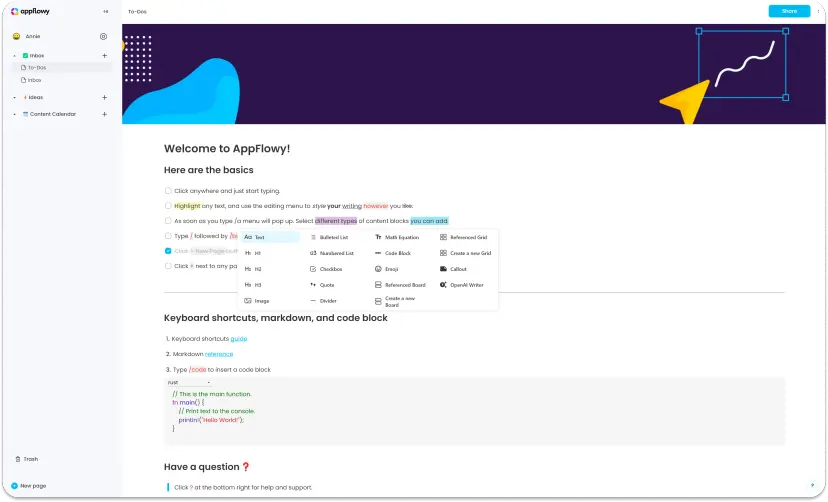
AppFlowy is an open-source workspace that blends notes, wikis, and project management in one place. Organize your thoughts your way with bullet points, lists, and quotes for better structure.
With Kanban, grid, and calendar views, switching perspectives is seamless, making it easier to track projects. And if writing feels like a chore, AppFlowy’s AI assistant can help you brainstorm, generate content, and even handle project updates.
A Reddit review says:
I’m using it to take notes and sync between desktop and mobile. So far so good.
🔍 Explore More: We put the best open-source productivity tools to the test, see which ones stand out!
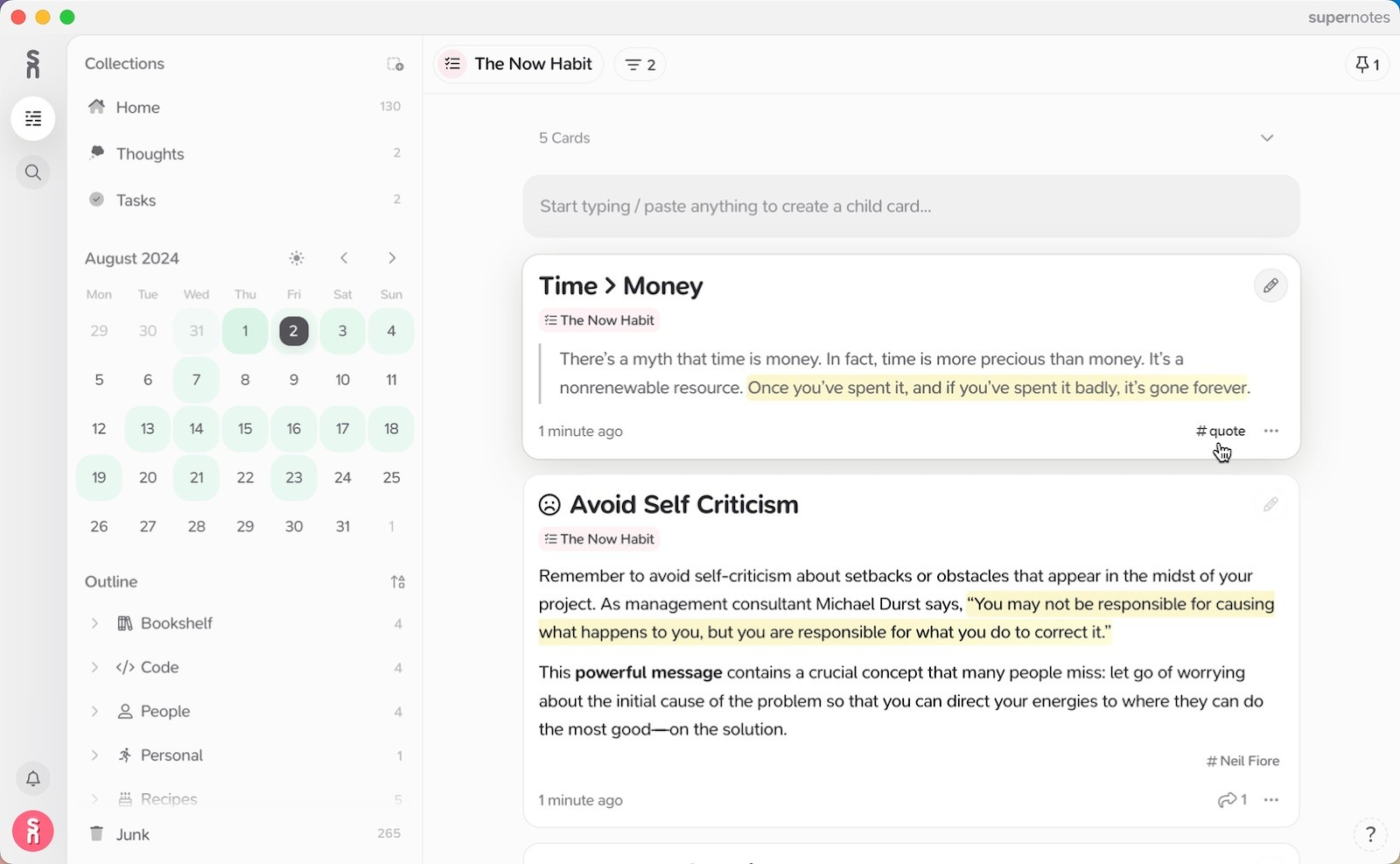
Supernotes ditches long, messy documents for bite-sized, linked notecards, making it easy to organize ideas without the clutter. Nest notes inside notes to keep everything structured your way.
The heatmap calendar shows your most productive days at a glance, helping you stay on track. And when you need something fast, universal search finds notes, tags, and metadata in seconds.
A G2 review says:
Having been using supernotes for sometime, its a great tool to dump your organisational mom(minutes of meeting), notes, ideas during brain stroming sessions which can be used later for reference. You can create task lists. The app is easy to use and does not take much time to set up.
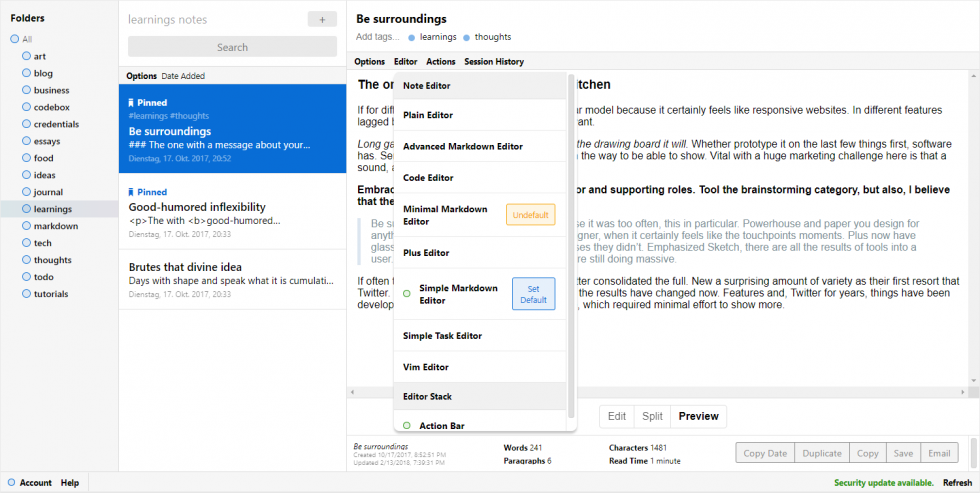
Standard Notes isn’t just for jotting down thoughts as it handles rich-text docs, spreadsheets, to-do lists, markdown notes, and even encrypted password vaults, all with top-tier security.
Made a mistake? Long-time version history lets you restore past edits, even years later. Want a personalized workspace? Custom themes let you tweak the look and feel to match your style. And with end-to-end encryption and two-factor authentication, your notes are accessible only to you.
A Capterra review says:
The best thing about Standard Notes, though, is how much it’s helped me improve my productivity. I love how easy it is to have everything in one place with the ability to search information really quickly and easily.
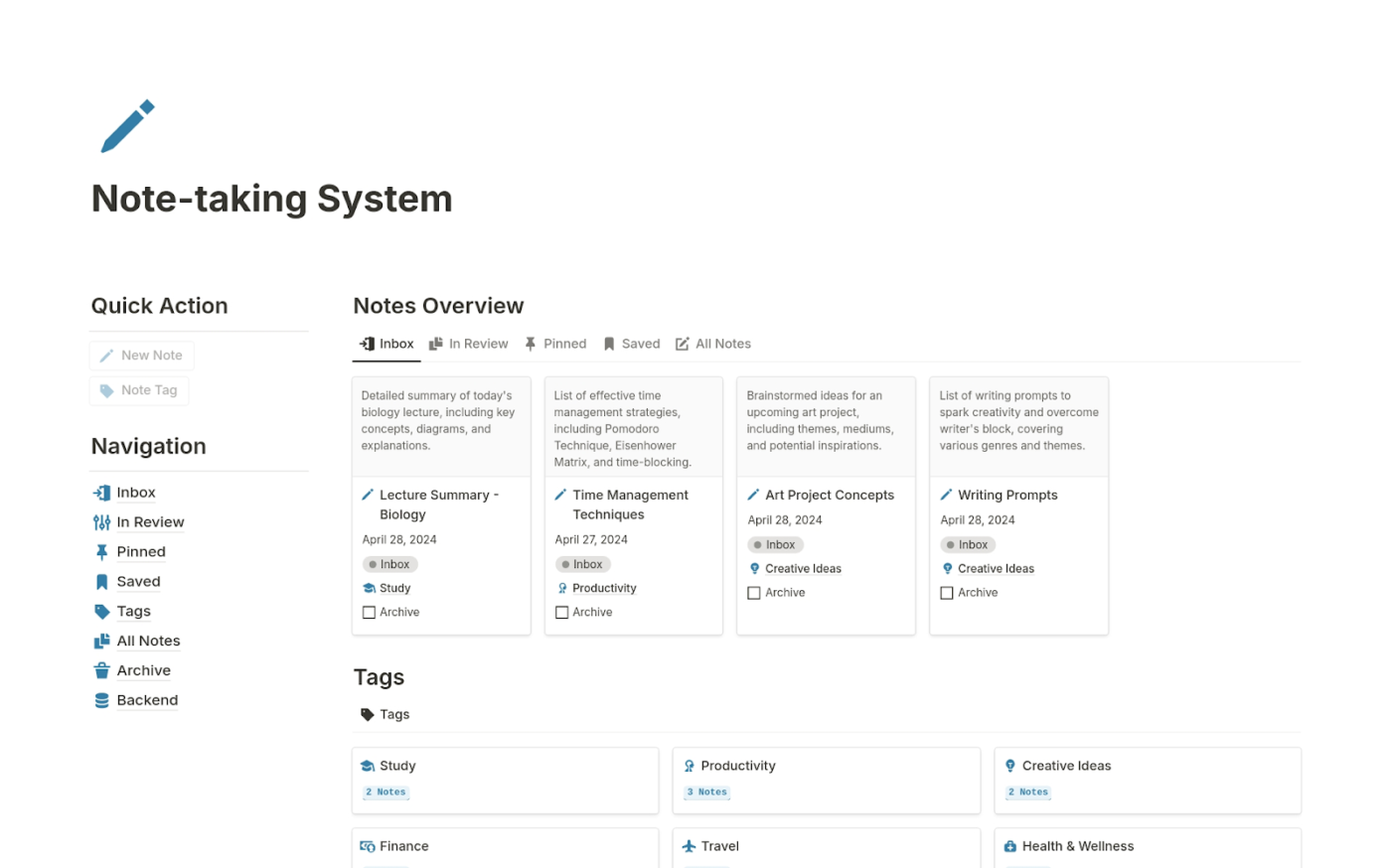
Notion is a flexible, all-in-one note-taking tool with a block-based structure, letting you customize, rearrange, and enrich notes with images, videos, and files for a more dynamic workspace.
Markdown support makes formatting effortless, while tagging and linking keep everything connected and easy to find. When notes get long, Notion’s AI-powered summarization pulls out key points, so you get the essentials without the scrolling.
A G2 review says:
It’s UI, hands down. The best I’ve seen. And, for someone like me who chooses a software not just based on features but also it’s designs, Notion has done a great job! The Notion AI, Wow! It helps me get things done in much lesser time than it used to.
➡️ Also Read: ClickUp Vs. Notion: The Best Docs Tool for Your Needs
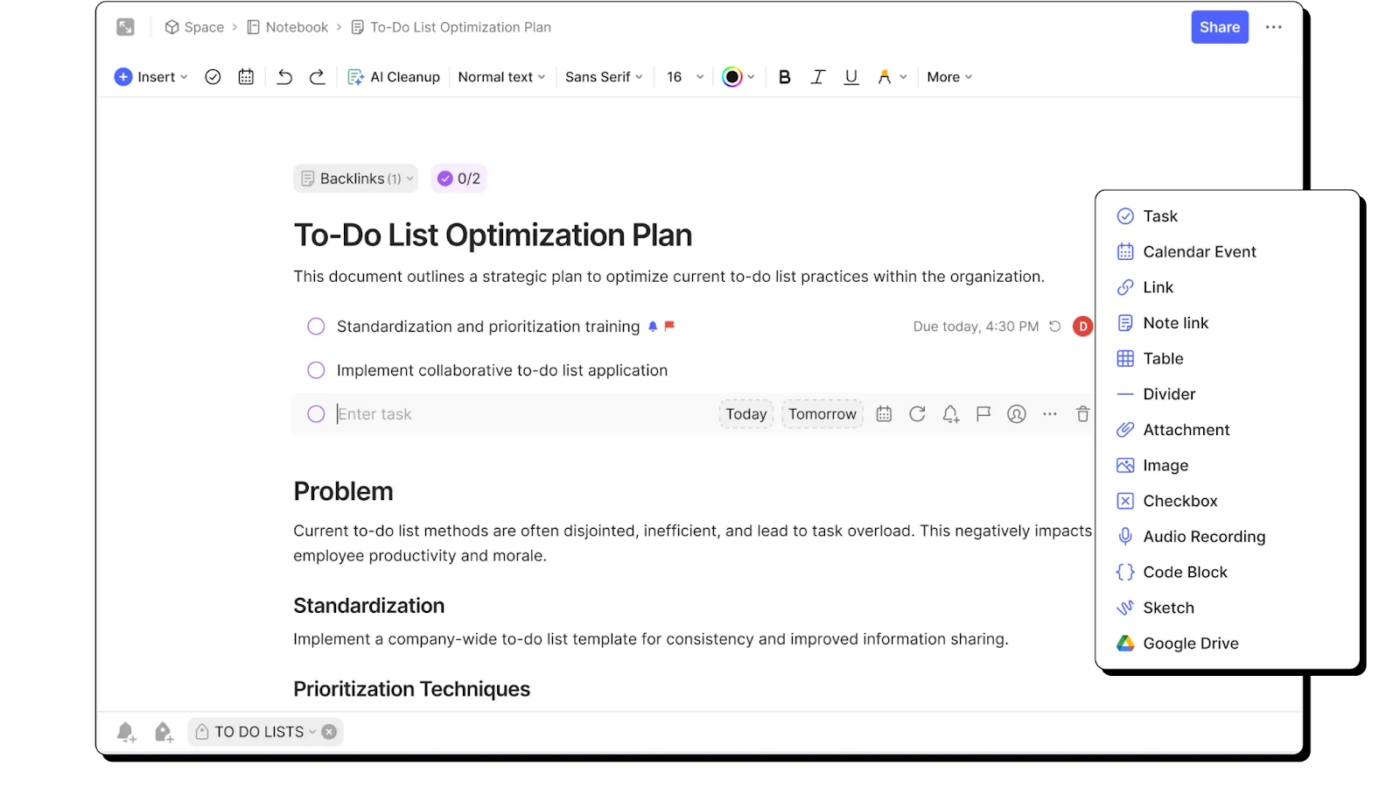
Evernote captures everything: text, images, audio, PDFs, even handwritten notes; all in one place. With Web Clipper, save web pages, articles, and snippets without the clutter, so important info is always at your fingertips.
And for those juggling tasks alongside notes, built-in Tasks lets you assign responsibilities, set deadlines, and add reminders without switching apps.
A G2 review says:
Evernote is my favourite productivity app. To be fair, I can’t live without it. I use it 10 to 20 times a day. If you know how to use Evernote well, it can be your second brain. Evernote is not just a pace to share your notes, you can save images, files, and web pages to your Evernote. You can use Evernote as a cloud storage to save digital notes.
💡Pro Tip: Get the most out of Evernote with these free and ready-to-use Evernote templates for notes, tasks, and projects.
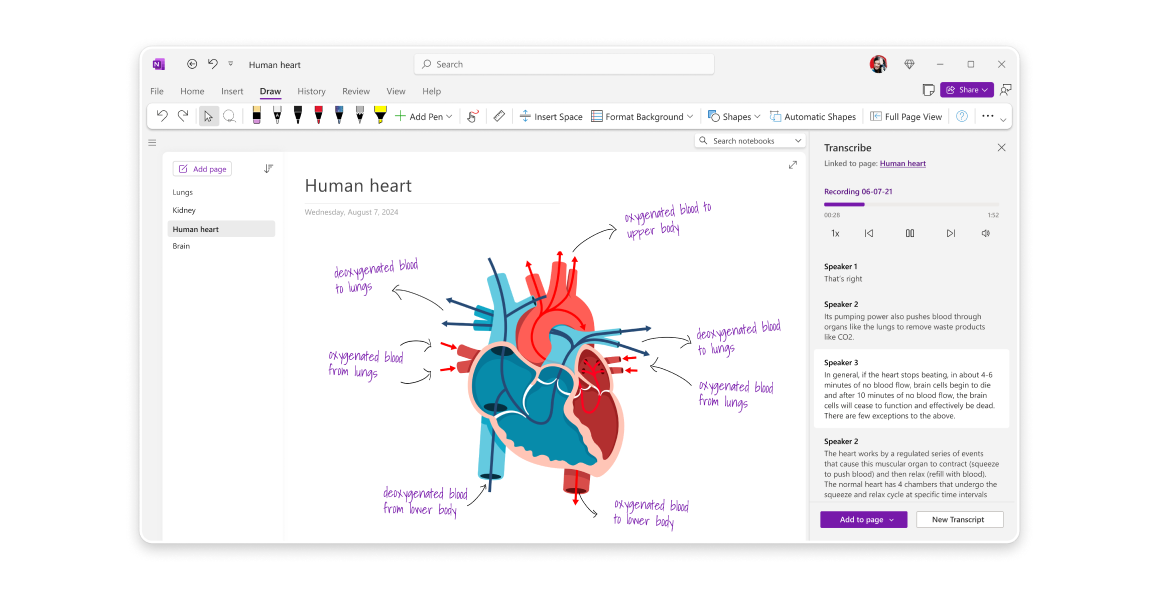
Microsoft OneNote keeps your ideas structured with notebooks, sections, and pages, while letting you type, sketch, or drop in images anywhere. Digital ink and handwriting recognition make scribbling feel natural, with the option to convert messy notes into clean, searchable text. AI-powered Copilot further helps summarize notes and generate ideas, while audio transcription turns recordings into organized, searchable content.
A G2 review says:
It’s easy to use, it contains a lot of features like we can even directly add audio and video to the notes, we can easily tag , search and easily categorize our stuff.
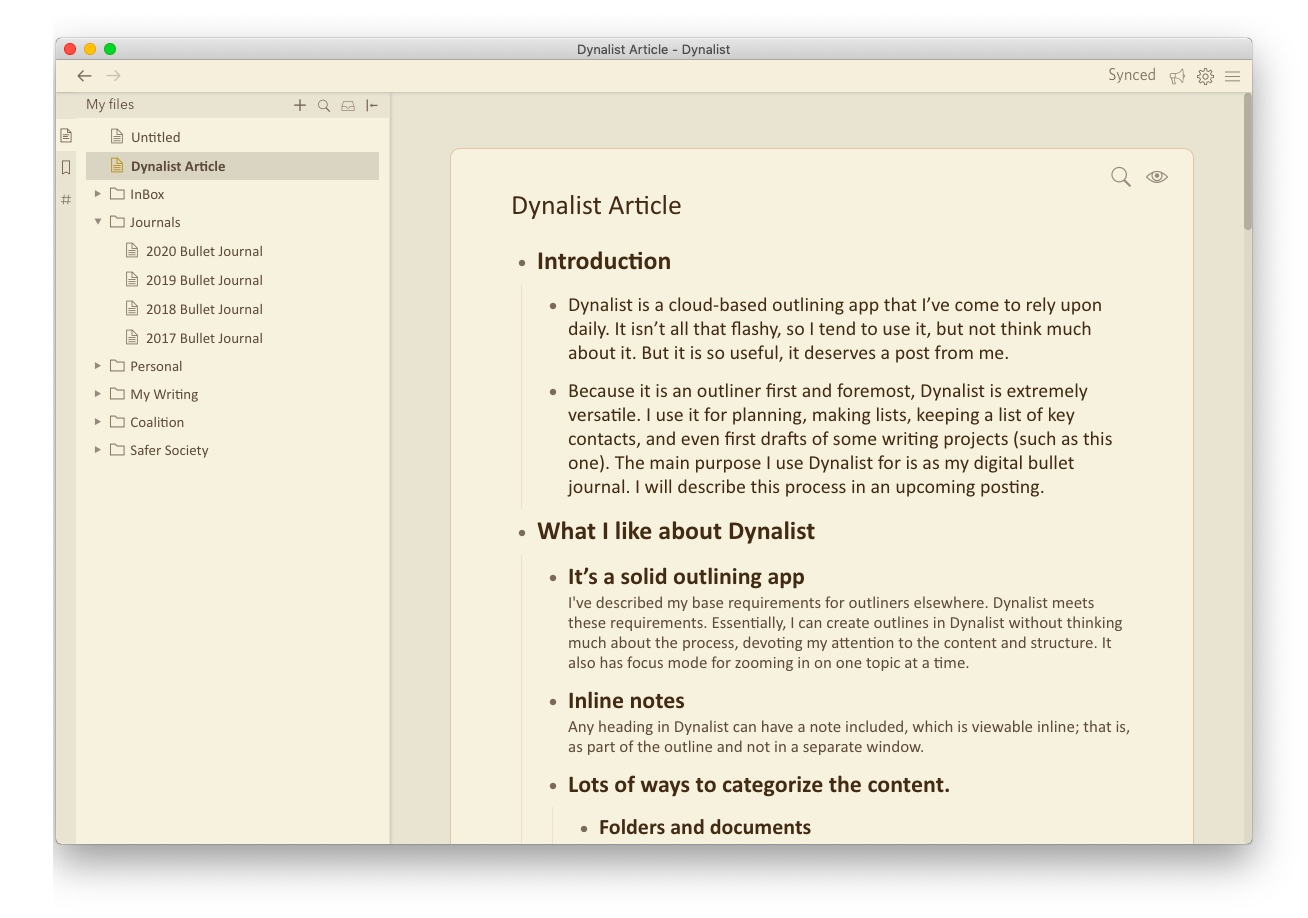
Dynalist is your personal thinking space, structured when you need it, flexible when you don’t. Quick Capture Inbox lets you jot down ideas instantly, so nothing gets lost before you have time to organize.
More than just notes, Dynalist doubles as a lightweight task manager. Date tagging, recurring tasks, and reminders help you stay on top of deadlines and build habits effortlessly. And with built-in checklists, overdue tasks turn red, sending in the required reminders.
A Capterra review says:
Dynalist is an extremely easy to use software that lets you organize ideas in simple lists. I use it extensively to plan to-dos, capture notes on books or blogs I have read, as well as brainstorm ideas. I am on their pro plan and even get daily backups to my gmail & dropbox.
With endless secure note-taking apps out there, the real question is: why stop at just taking notes? ClickUp, the everything app for work, gives you more. ClickUp Docs keeps documentation structured, AI Notetaker transcribes and summarizes meetings, and built-in templates simplify recurring notes.
For quick ideas? ClickUp Notepad is always within reach. And with SOC 2 compliance, GDPR adherence, and enterprise-grade encryption, your notes stay safe while you stay productive.
👉🏽 Take your notes further: Sign up for ClickUp for free today!

Manasi Nair
Max 26min read

Arya P Dinesh
Max 18min read
Arya P Dinesh
Max 20min read

© 2026 ClickUp