







Still downloading templates?
There’s an easier way. Try a free AI Agent in ClickUp that actually does the work for you—set up in minutes, save hours every week.
Sorry, there were no results found for “”
Sorry, there were no results found for “”
Sorry, there were no results found for “”
The world is becoming more aware of the unique needs and strengths of neurodivergent individuals. Fortunately, technology is stepping up with innovative AI tools designed to enhance productivity, communication, and overall well-being.
Whether you’re looking to cut through distractions, keep your thoughts organized, or just find ways to communicate more comfortably, here are 10 AI tools that might be game-changers for your daily routine.
Ready to discover some digital allies that could make life a little easier? Let’s jump in and see which ones might be your perfect match!
Choosing the right AI tool can be a game-changer for people with neurological differences. Since they process information differently, it is super important to look for solutions that actually make their life easier by reducing overwhelm and boosting focus.
Here’s how you can find the right tool for you:
As AI tools multiply, many users experience AI sprawl, too many disconnected apps, each solving a small problem but creating more cognitive load overall. For neurodivergent users especially, jumping between tools, interfaces, and workflows can quickly turn helpful AI into another source of overwhelm.
🔎 Did you know? Bill Gates has both dyslexia and ADHD and often speaks openly about his struggles with mainstream education.
An AI tool with the right features can make all the difference in making your digital workspace feel more comfortable. You need something that adapts to how you think, organize, and work. So here are ten tools to help you streamline work and easily navigate challenges.
If you’re looking for a tool that helps you level up your productivity but without feeling overwhelmed by rigid structures, ClickUp should definitely be at the top of your list.
It takes the chaos out of managing work across multiple, disconnected apps and brings everything important—knowledge, conversations, and projects into a single, connected workspace. The result? Freedom from endless tab switching that steals your time and kills your productivity.
📮ClickUp Insight: 92% of knowledge workers risk losing important decisions scattered across chat, email, and spreadsheets. Without a unified system for capturing and tracking decisions, critical business insights get lost in the digital noise. With ClickUp’s Task Management capabilities, you never have to worry about this. Create tasks from chat, task comments, docs, and emails with a single click!
Moreover, the flexibility to customize your workspace supports different working styles and needs, including those unique to neurodivergent people.
Here’s how you can use ClickUp if you’re a neurodivergent individual:
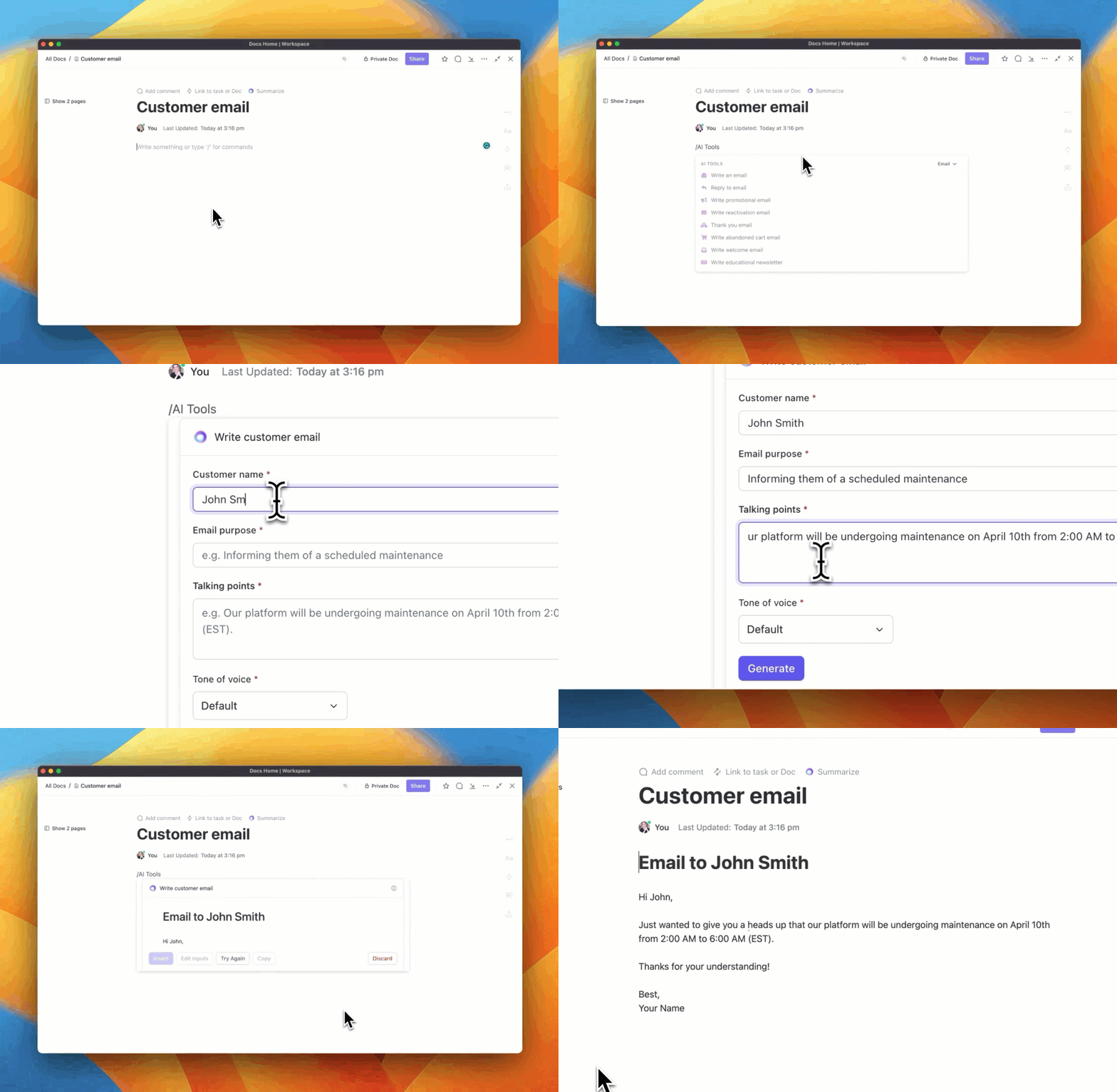
Work smarter: Work with less friction with ClickUp Brain. Think of it as your productivity best friend for moving things faster. It uses Natural Language Processing to understand the meaning, intent, and the context of your queries and provide the most relevant and meaningful answers.
Stuck in a creative block? ClickUp Brain can suggest ideas and templates, and even write. Looking for a refresher on how your QA process works? It sifts through your workspace and surfaces relevant insights in seconds. Don’t have the patience to sort through walls of text? ClickUp Brain summarizes long documents, highlights key takeaways, and even identifies and assigns action items.

What we love best is that you can link these AI-generated summaries to tasks and project plans so you’re never scrambling to find that one note that you swore you saved somewhere!
ClickUp’s AI Notetaker transforms meetings from lengthy discussions into productive sessions focused on action. The AI automatically captures key information—like decisions, insights, and action items—creating clear and concise summaries that integrate smoothly with current projects. This ensures every meeting effectively contributes to better workflows and team efficiency, and you can stay engaged without worrying about missing anything.
Automate your busywork: Enhance your focus by letting ClickUp’s Automation take care of your routine tasks. This way you can truly keep your eyes on what matters while the repetitive, but critical tasks—sharing project updates, assigning tasks, sending emails—continue to run like clockwork in the background.
You can choose from over 100 pre-built automations or use the custom automation builder to create a workflow tailored to your needs.
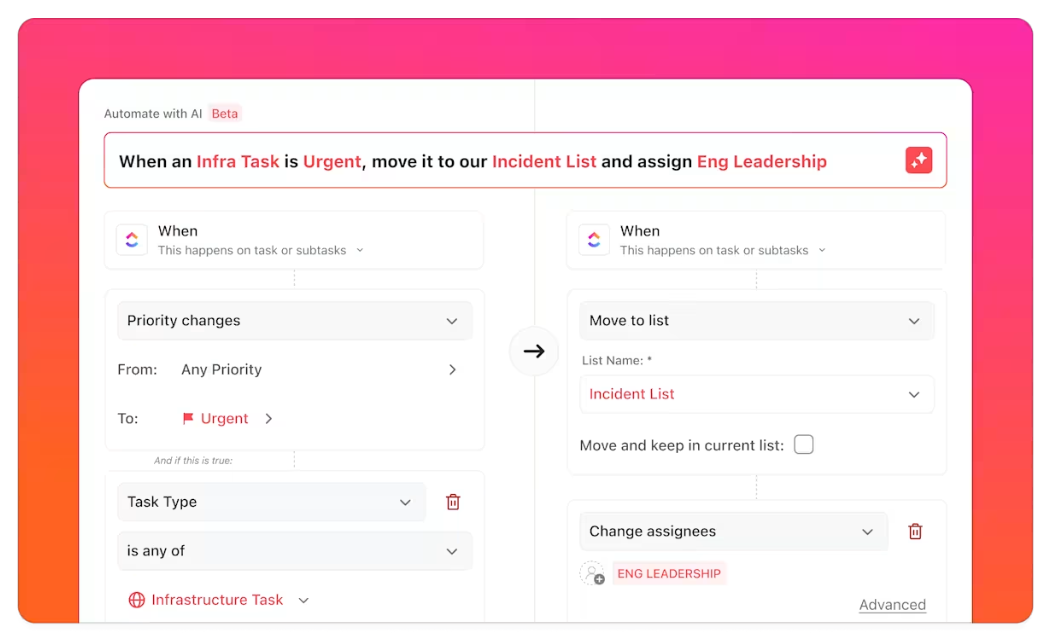
We especially love how Feisal Adams, Chief Innovation Officer at 9n (an AI and tech solution for businesses) uses ClickUp Automation and AI systems to create custom replies that would be sent automatically to anyone who completes one of their forms. Not only was Adams able to make replies feel personal and clever, but he could also use the entire system to offload a lot of repetitive work simply by getting imaginative with his inputs.
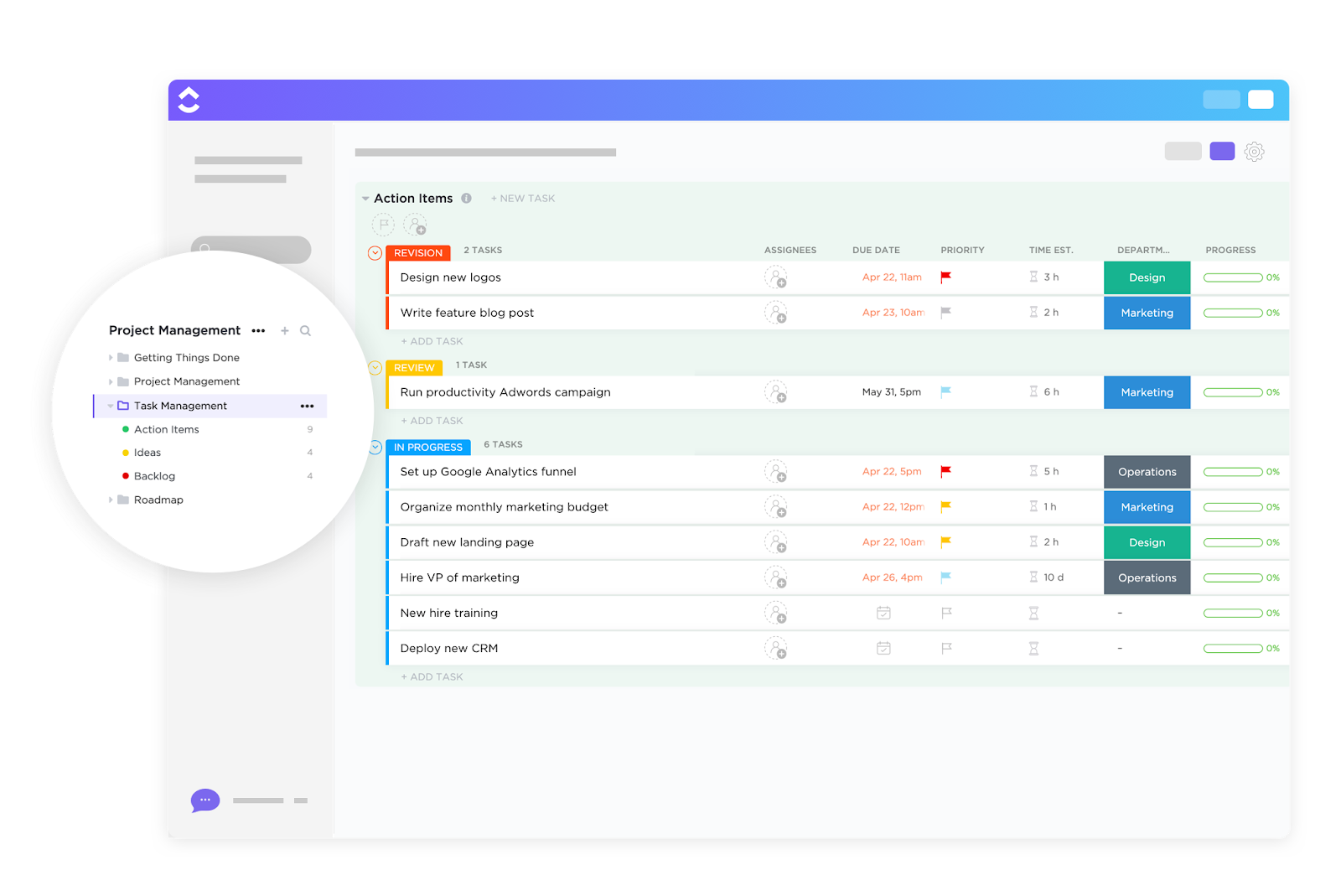
Turn clutter into clarity: Break down complex projects into actionable items and assign them to the appropriate team members with ClickUp Tasks.
Adding color-coded priority labels and custom task statuses to each task makes it easier for you to filter out tasks and focus on things that need immediate attention.
You also get a clear view of timelines and task dependencies, making it easier to prioritize your work and enhance focus. The visual relationship between tasks prevents the overwhelming feeling of figuring out where to start.
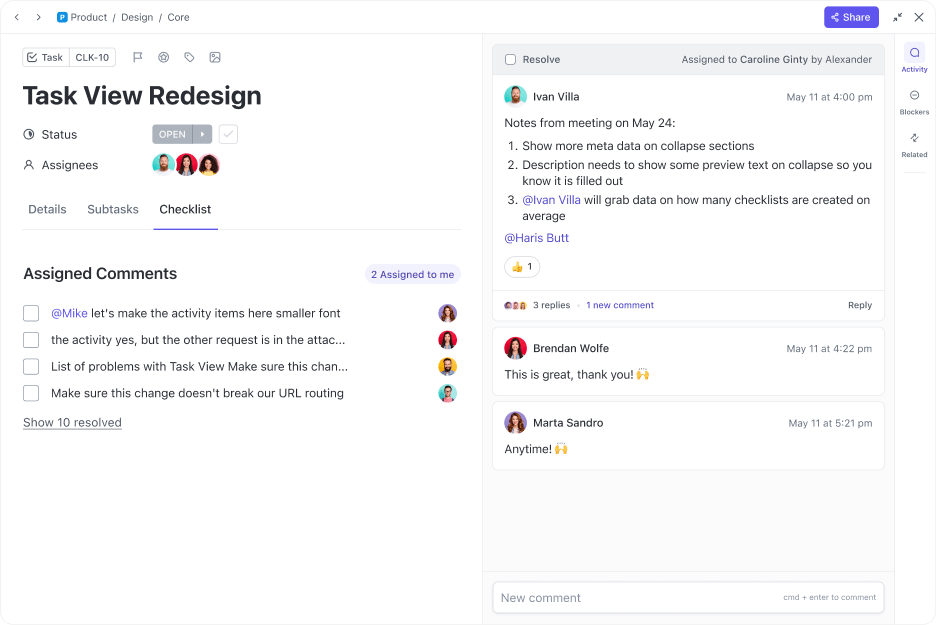
Skip the setup, get straight to work: For most neurodivergent individuals, starting a new project is the most challenging task. With ClickUp’s library of over 1000 customizable templates, it becomes easier to skip the setup and kickstart your project without the overload of planning and organizing.
The ClickUp Task Management Template, for instance, is a great tool for anyone who struggles with managing their tasks.
It contains all the tools you need to visualize, track, and optimize workflows. Organize information down to the last detail with Custom Fields, schedule tasks with the ease of drag-and-drop functionality in Calendar View, and visualize team and individual workloads for efficient resource utilization with the Workload View.
If you want an ADHD-friendly template to plan your days for maximum productivity, you can check out the ClickUp Daily Time Blocking Template.
It is great for prioritizing time blocks when you’re most productive to get those complex, demanding tasks out of the way before your energy runs out. The template even blocks time for meaningful reflection. This way you always have a few minutes to relax before starting the next task.
ClickUp’s flexibility is its biggest strength — the ability to customize views, statuses, and workflows means it can adapt to almost any team’s process. The sheer number of features allows us to manage everything from daily tasks to long-term roadmaps in one place. It’s great to have all our work centralized, and the customizable dashboards make reporting clear and tailored to what we need. – G2 review
Read More: Inside ClickUp Brain for Teams: Top Tools for Knowledge Sharing, Project Automation, & Writing

Goblin Tools is a suite of AI productivity tools designed to turn complex tasks into manageable steps, so it becomes easier to estimate time and manage daily responsibilities with more clarity and less stress. This makes it especially useful for people with ADHD looking to have a routine.
For example, you can create multiple tasks with the Magic ToDo. Add subtasks for every task, estimated time lines, and even add voice notes to add context to your action items. For every task, add a ‘spiciness’ level to control how detailed you want the task breakdown to be. For example, ‘mild’ gives a basic breakdown, ‘medium’ adds more structure and detail, and ‘spicy’ breaks the task down into detailed steps
📮ClickUp Insight: Nearly 88% of our survey respondents now rely on AI tools to simplify and accelerate personal tasks.
Looking to generate those same benefits at work? ClickUp is here to help! ClickUp Brain, ClickUp’s built-in AI assistant, can help you improve productivity by 30% with fewer meetings, quick AI-generated summaries, and automated tasks.
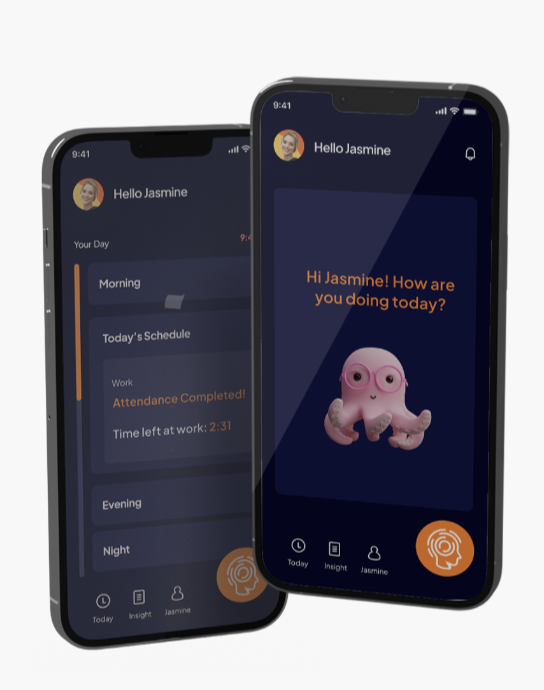
Spectrums.ai is an AI tool for ADHD designed to build personalized intervention plans, monitor mood and energy, scan behavioral data, and provide data-driven recommendations on how to better support neurodivergent individuals.
With the help of AI, it regularly monitors energy levels, mood, sensory sensitivities, and other symptoms to help employers, educators, and caregivers identify patterns and triggers that affect well-being.
🔎 Did You Know? JPMorgan Chase & Co. estimates that employees hired into tech roles through its neurodiversity program are 90% to 140% more productive than others and have consistent, error-free work.
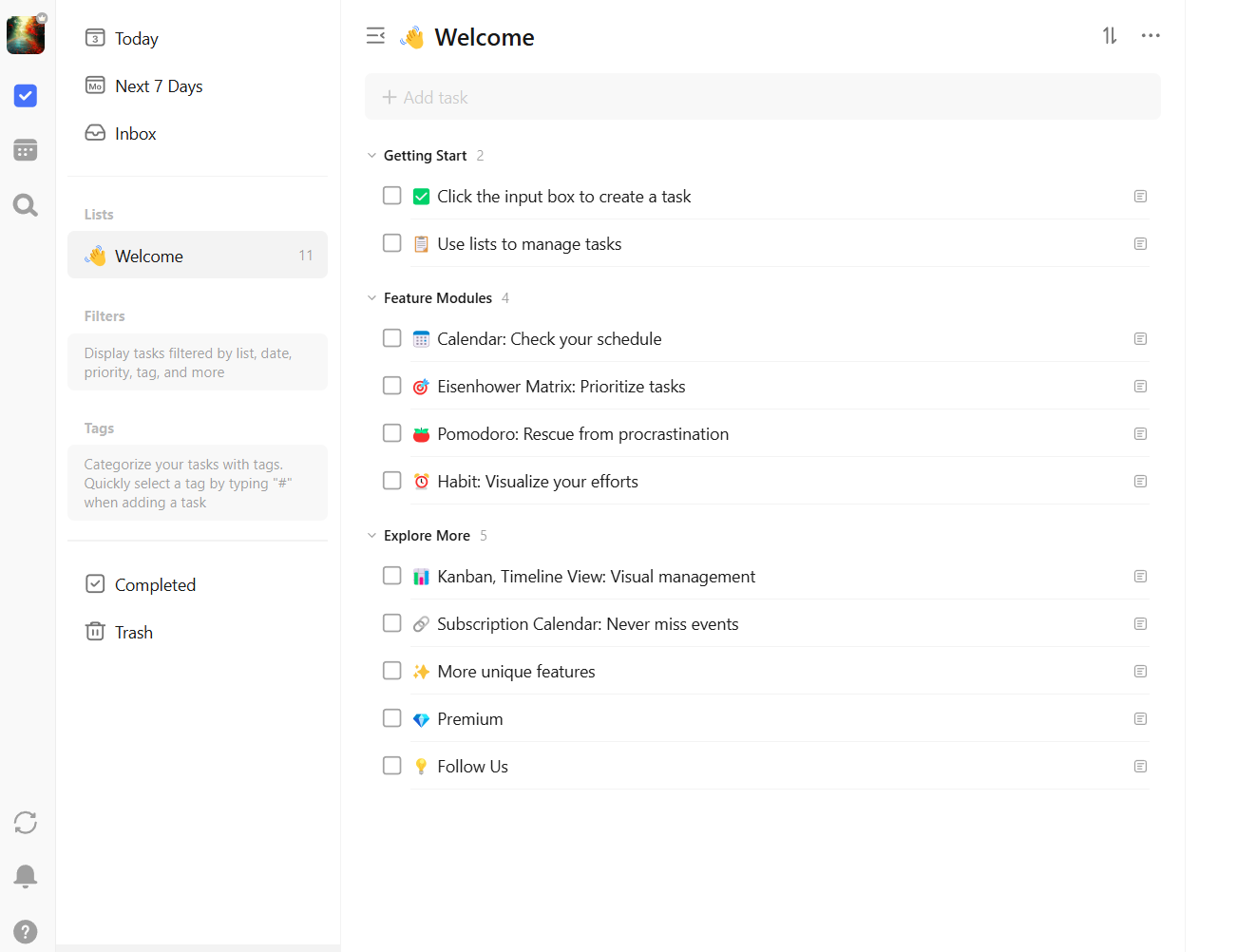
TickTick is a time management tool that helps reduce mental clutter with features like ‘Smart Lists’, ‘Habit Gallery’, ‘Task Reminders’, and more.
The ‘Eisenhower Matrix’ divides tasks based on urgency and importance, helping neurodivergent individuals prioritize effectively. Additionally, the ‘Pomodoro timer’ promotes focused work by encouraging short, productive intervals, which can be especially helpful for those with attention challenges.
I appreciate the range of sophisticated organizing tools that TickTick provides, including the capability to make detailed checklists and the flexibility to set custom due dates and reminders. Additionally, the calendar connection guarantees an overview of activities, and the “Today” feature aids in the efficient prioritization of daily duties. – G2 review
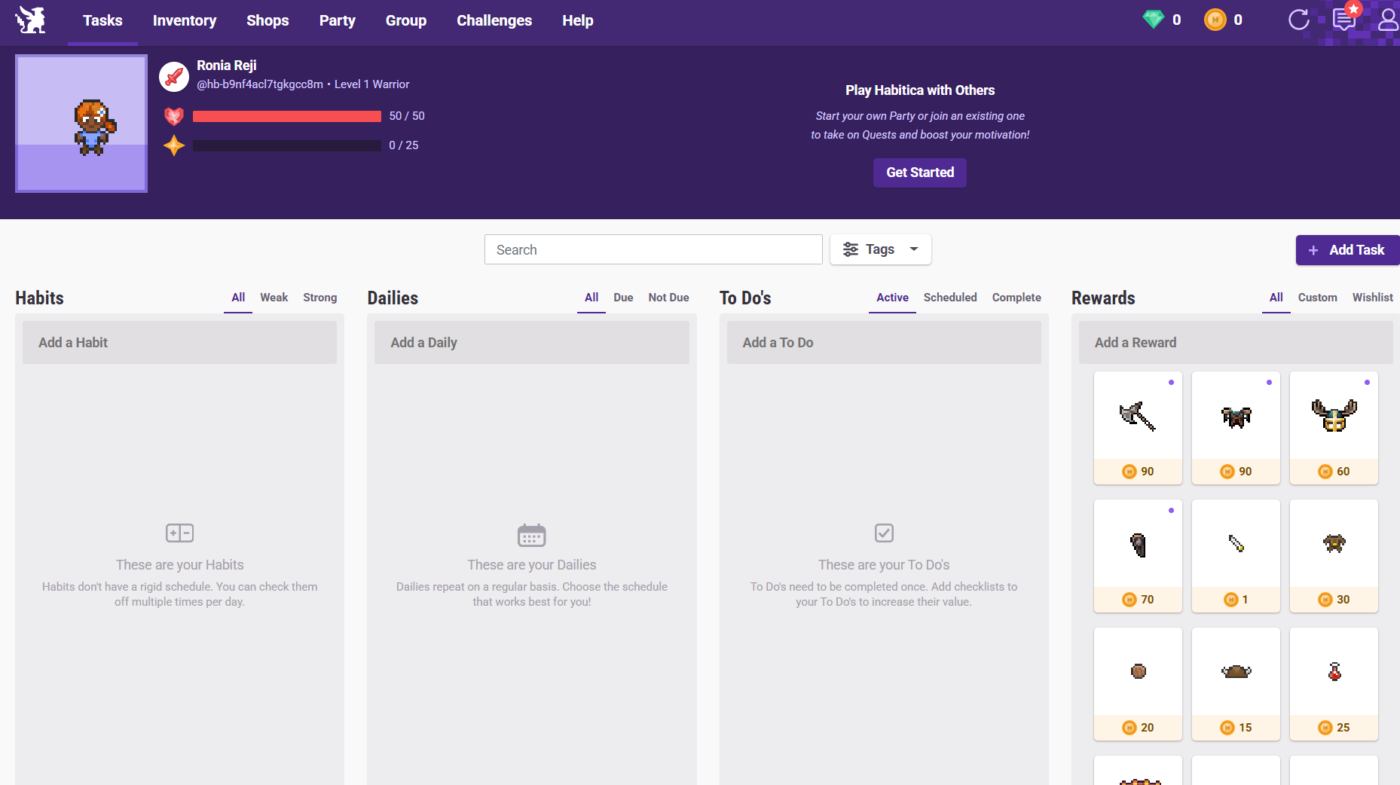
Ever felt bored with your usual habit-tracking apps? Habitica could be a great alternative.
It brings in gamified elements to make habit building fun and engaging. The user interface resembles familiar arcade games with rewards to keep you motivated. Habitica also helps you connect with like-minded people and stay motivated through social support.
Habitica is always open on my laptop, and I’m constantly checking things off, looking to remind myself of what I wanted to do today, remind myself of goals I set for this week or this month, and see how my party’s doing on our current quest. – Reddit review
👀 Fun Fact: At McDonald’s Japan, new associates learn the ropes—flipping burgers and frying fries—through a super cool, custom-made Nintendo game! 🍔🍟🎮
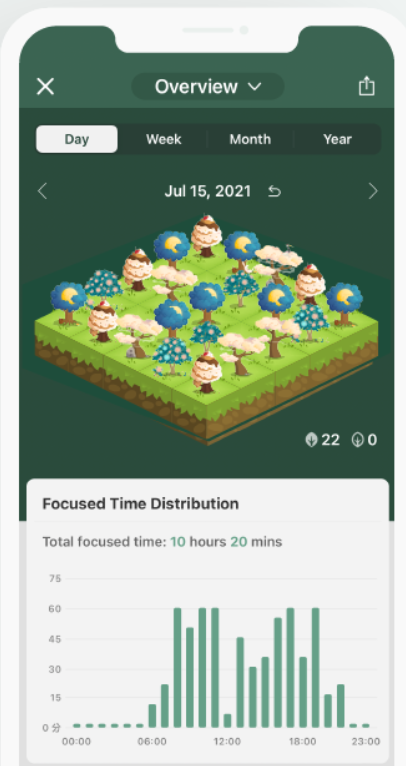
Forest is a productivity app with a slightly different take on task management. Let’s say, there is a task that requires your utmost focus. When you start the task, you also plant a tree in the Forest app. The tree will grow as you focus on your task and mature only once you’ve completed the action item. If you abandon your task midway, the tree withers and dies, motivating you to stay focused and finish the tasks you’ve started.
Really helpful extension, especially during online classes where there are so many distractions, it helps you by blocking such sites and improves concentration. – Chrome Web Store review
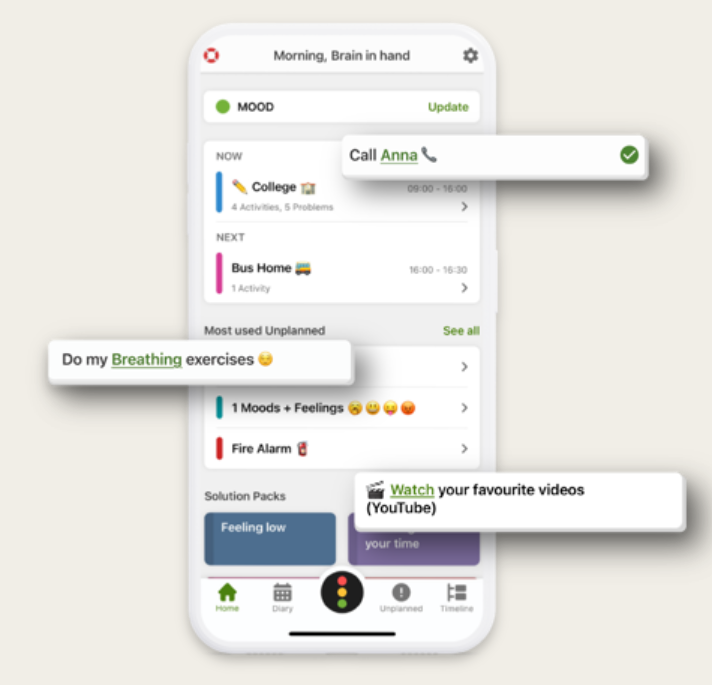
Brain in Hand, an assistive technology, combines practical tools and ongoing human support to provide tailored strategies for organizing time, remembering tasks, and solving problems.
Users can track their mood and receive guidance through real-time support for emotional regulation and companionship. Additionally, the platform also offers resources for employers, educational institutions, and health services, to help support their staff and students.
The whole experience of having a one to one session, planning my goals and then using the app to make them happen is brilliantly simple but effective. – Apple App Store review
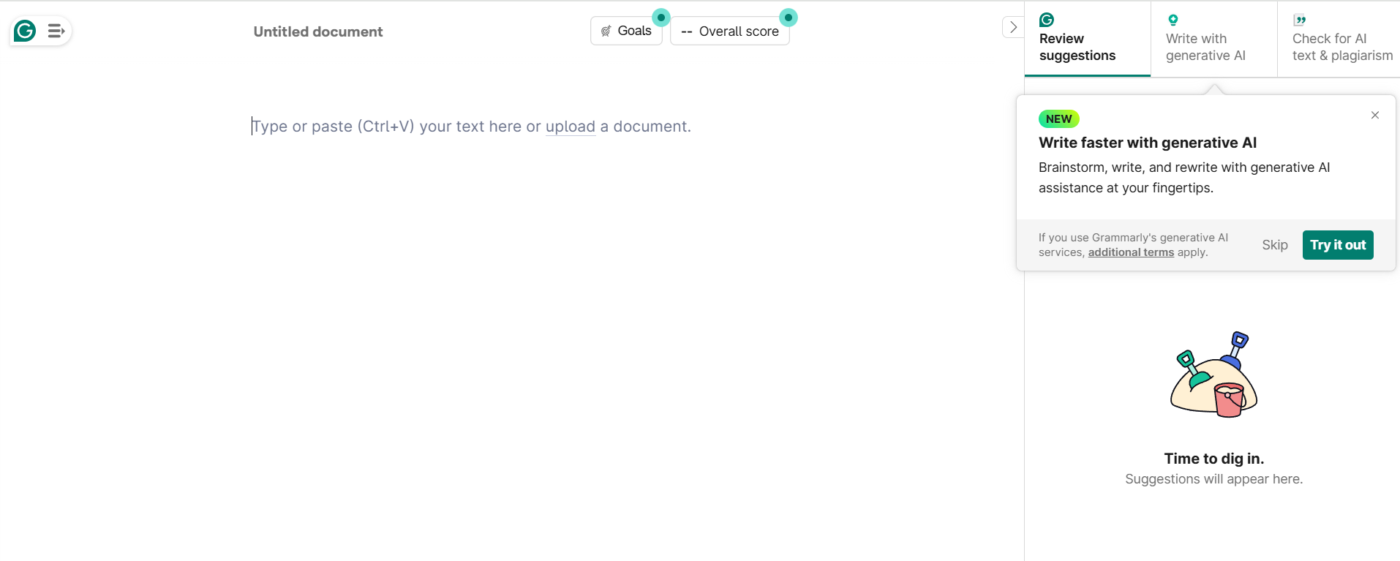
Neurodivergent employees can often struggle with structuring their thoughts, adjusting tone, and catching errors in writing.
Grammarly’s AI platform empowers neurodivergent individuals by making the writing process less stressful. With built-in grammar and spell checks, sentence rephrasing, and read-aloud options, the tool can help refine written communication.
Grammarly is especially useful for quick and professional communication, ensuring emails, reports, and messages are clear, error-free, and well-structured. The tone suggestions help maintain the right level of formality, while the real-time corrections save time by catching mistakes instantly. – G2 review
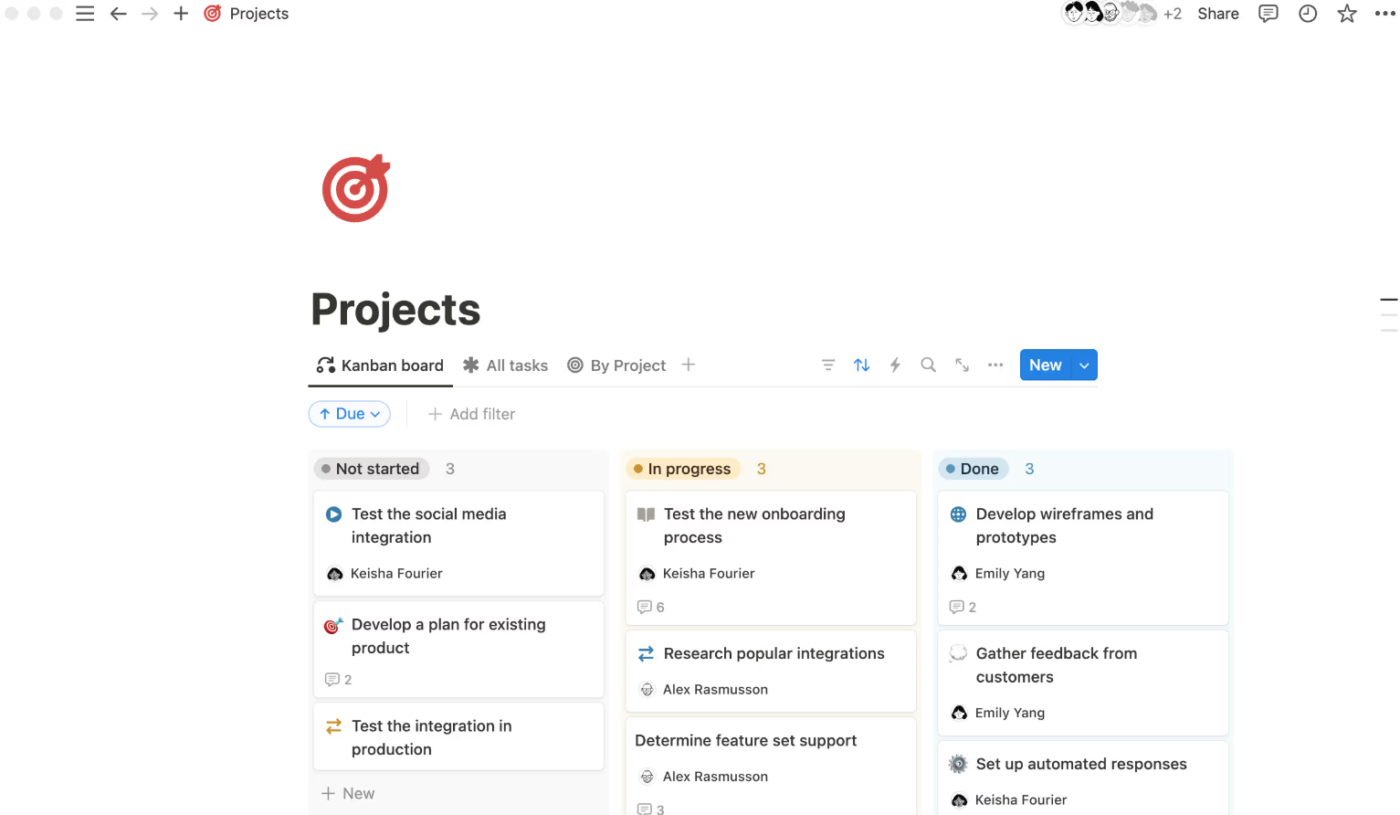
Notion is a great tool for tracking tasks, taking notes, and organizing information in a way that is suited to your cognitive style. There’s a variety of customizable layouts to choose from, so you can keep everything neat, connected, and structured in an easy-to-understand manner.
It helps overcome the hurdles of ADHD in project management by using pre-built templates, time-saving automation, and idea boards to help visualize and prioritize tasks without feeling overwhelmed.
Notion AI’s ability to review the data and reflection notes, and then report on key themes, patterns and insights, is amazing. I have made changes in my habits based on the reports I’ve run, achieving significant benefits I couldn’t have seen otherwise. – G2 review

Otter.ai is a nifty solution you can definitely add to your list of AI tools for personal use.
Once you allow it to auto-join meetings, it records meeting notes and captures key insights. Even if you forget something, Otter.ai can generate 30-second summaries so you’re always informed on critical action items. And once meetings are over, Otter.ai takes care of compiling notes, assigning action items, and sending emails.
Finding the right tool to complement the way your brain functions can make all the difference if you’re neurodivergent.
AI productivity tools ensure that your routine tasks run seamlessly in the background, so you don’t have to worry about missed deadlines, forgotten to-dos, or mind-numbing clutter.
If you’re looking for something that helps you manage your workflow end-to-end, you can rely on ClickUp. From AI-powered task management to customizable automations to effective goal tracking, ClickUp is fully adaptable to how you work.
🚀 Ready to supercharge your productivity? Sign up for ClickUp for free and take control of your workflow today.
They reduce cognitive load by breaking tasks into smaller steps, organizing information automatically, and minimizing distractions. This helps users focus on execution.
AI tools can support organization and communication, but they are not a replacement for professional mental health care. They work best as assistive tools alongside existing support systems.
Yes, most effective tools allow customization of layouts, reminders, colors, and workflows. This flexibility is key to reducing sensory overload and improving focus.
When used intentionally, AI tools act as scaffolding rather than crutches. They support consistency and clarity while still letting users build routines and skills independently.
Start with one tool and one use case, such as task breakdown or reminders. Gradual adoption helps prevent overload and builds confidence over time.

© 2026 ClickUp

There’s an easier way. Try a free AI Agent in ClickUp that actually does the work for you—set up in minutes, save hours every week.