






Still downloading templates?
There’s an easier way. Try a free AI Agent in ClickUp that actually does the work for you—set up in minutes, save hours every week.
Sorry, there were no results found for “”
Sorry, there were no results found for “”
Sorry, there were no results found for “”

Ever tried editing a PDF file and felt it was actively working against you?
Were you thinking, “Why is this table now on page 47?” (when it started on page 2) or “Why can’t I just click and type?” Either way, using the right AI PDF editor could be an escape from this struggle.
From modifying a business proposal to signing a contract, a free AI PDF editor helps you do it faster, more accurately, and without frustration.
We’ve compiled a list of 10 PDF editor tools for tweaking text, reformatting documents, converting PDF files, and implementing AI for documentation. Let’s get to them!
| Tool | Key Features | Best for | Pricing* |
| ClickUp | AI-powered document summarization, annotation, task automation, and collaboration | Team size: Small teams, medium businesses, and enterprises; AI-powered document management | Free forever; Custom pricing for enterprises |
| LightPDF | AI chat with PDFs, OCR, cloud sync, scan enhancement | Team size: Freelancers and solopreneurs: AI formatting fixes, document summarization, and collaboration tools | Free plan, Paid starts at $13.99/week |
| Canva’s PDF Editor | Creative PDF editing, multimedia support, visual templates | Team size: Small teams, and startups; Turning static PDFs into visual documents | Free forever |
| DocHub | AI layout detection, bulk edits, drag & drop reorder, cloud storage | Team size: Solopreneurs; Efficient document management | Free plan, Paid starts at $11/month/user |
| Adobe Acrobat with AI Assistant | Creative PDF editing, multimedia support, and visual templates | Team size: Enterprises and advanced users; Advanced document processing | Free trial, Paid starts at $12.99/month |
| UPDF | Annotations, mindmap visualization, sticky notes, translation | Team size: Enterprises and advanced usersAdvanced document processing | Paid starts at $39.99/year |
| OnlyOffice | Real-time collaboration, audio/video integration, form building | Team size: SMBs, and enterprises; Teams seeking real-time collaboration | Free starter cloud, Paid starts at $30/month/user |
| Nitro Pro | Microsoft-style interface, OCR, file compression, eSign | Team size: Enterprises and Business teams using Microsoft 365 | Free trial, Paid starts at $17.69/month/user |
| iScanner | Area measurement, object counting, equation solving | Team size: Students and professionals; Calculating area and auto-adjusting | Free trial, Paid $9.99/month/user |
| ABBYY FineReader | OCR in 150+ languages, document comparison, merging | Team size: Government, and organizations with heavy digitization needs; Advanced document digitization | Paid starts at $16/month/user |
A regular PDF editor may get the job done, but it’s manual, slow, and requires extra effort. An AI-powered PDF tool goes beyond the basics. It can summarize long reports, extract correct data, auto-correct pesky errors, and even integrate with other business tools.
To reap such benefits and more, look for these advanced features:
🧠 Fun Fact: There are nine different types of PDFs? From PDF/A, which is made to last forever, to PDF/X, which helps designers get perfect prints, each one has its own function!
Highlighting a PDF is useful for emphasizing key points, reviewing important details, or collaborating with a team.
But true document editing goes beyond simple annotations. It requires AI-powered tools that can turn the PDF into an editable document.
Review this list and assess how advanced an AI PDF editor must be for your workflow. Before choosing, consider your team size, budget, and compatibility with your existing tech stack!
Our editorial team follows a transparent, research-backed, and vendor-neutral process, so you can trust that our recommendations are based on real product value.
Here’s a detailed rundown of how we review software at ClickUp.
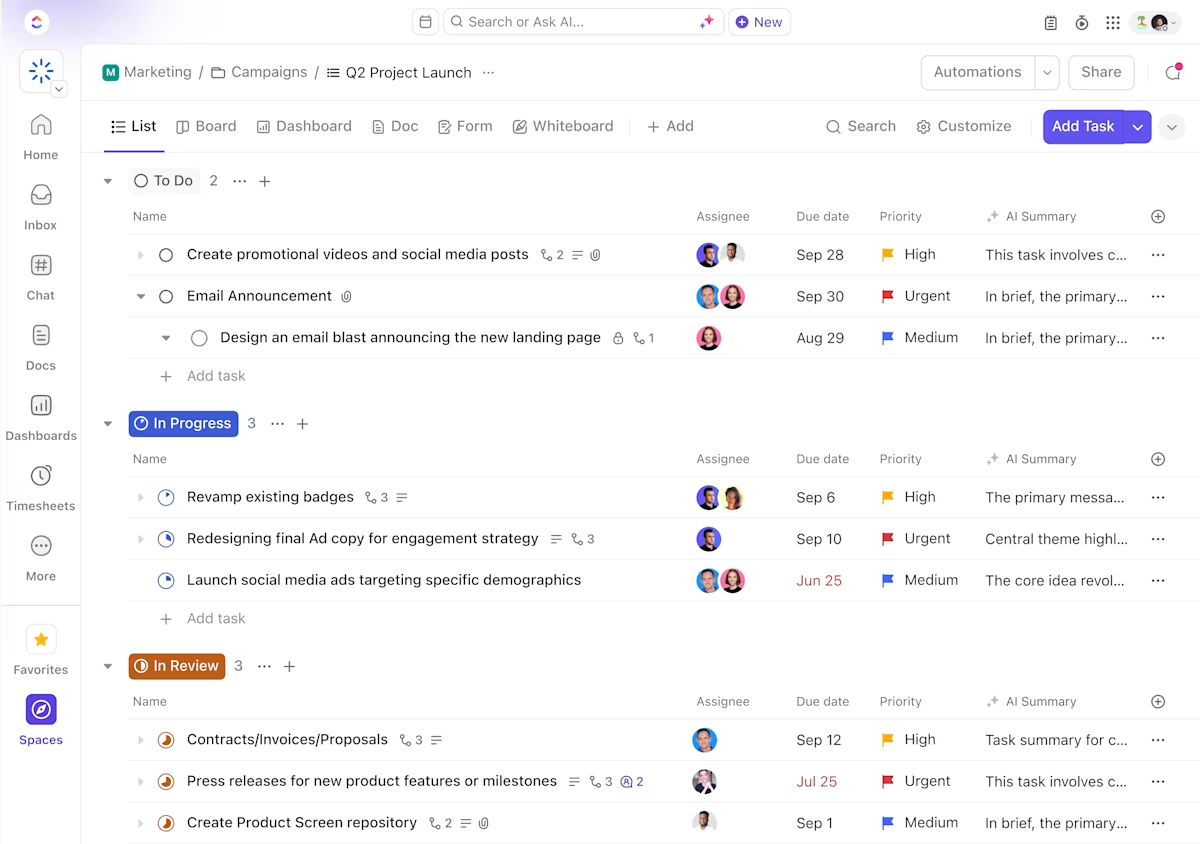
ClickUp, the everything app for work, helps teams manage, analyze, and act on document-based information in its AI-powered ecosystem.
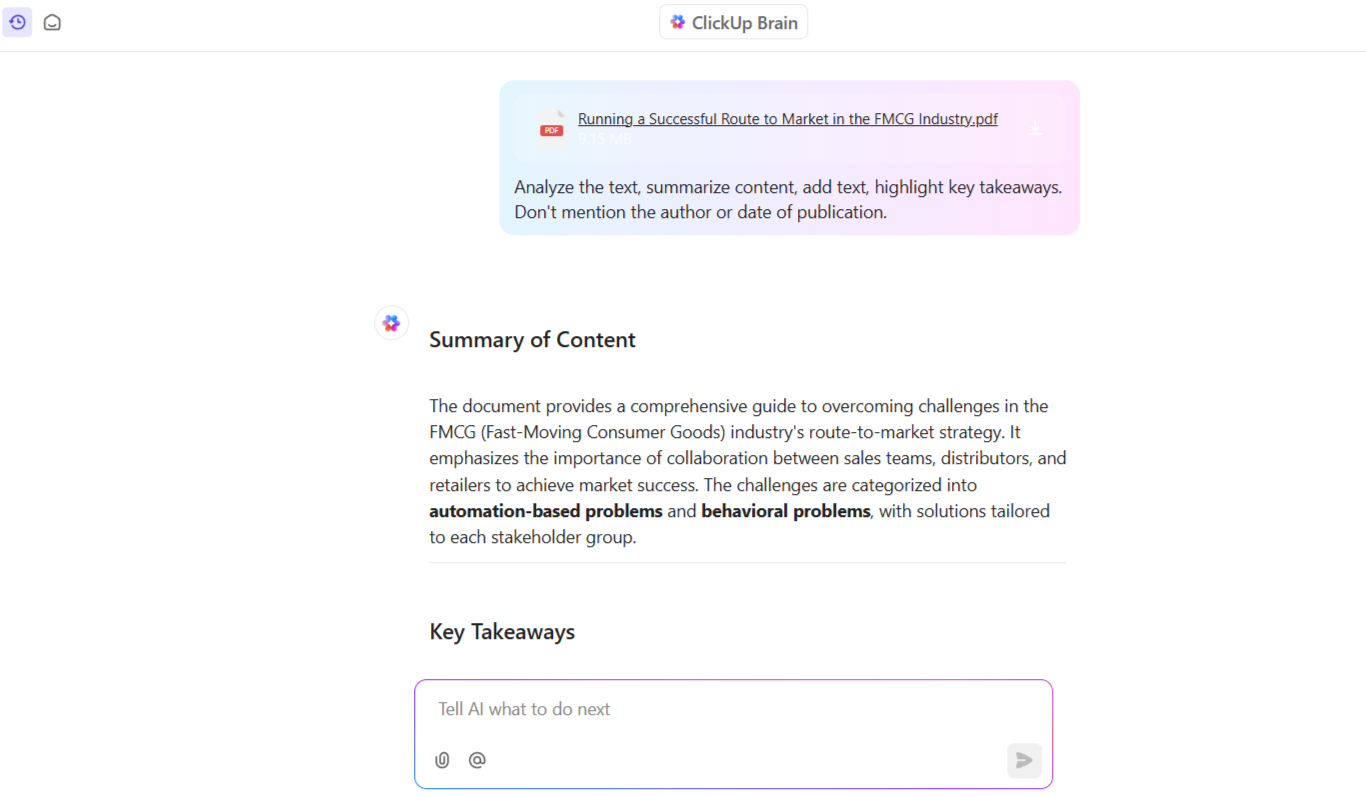
Instead of painstakingly reviewing a PDF page-by-page, ask ClickUp Brain to help. Consider it your dependable AI assistant for summarizing content, adding text, highlighting key takeaways, or generating reports.
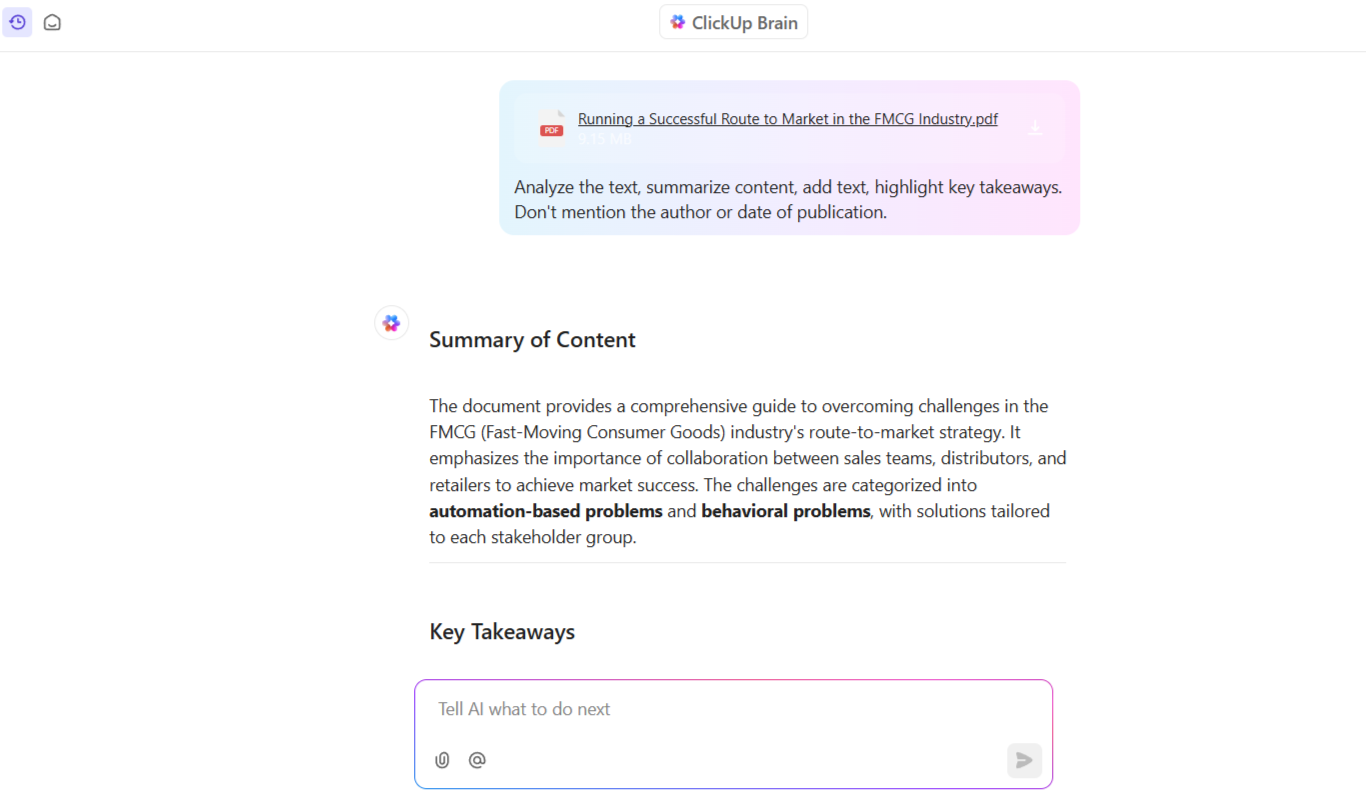
You can have all the information you need within seconds, without reading through never-ending pages! If only you could do that in real life! 👇🏼🤭
What’s more, if you want to refine the AI-generated reports further, ClickUp Brain’s writing assistant can help. The built-in spell check and its context-aware mechanism can improve the document for everyone’s convenience. So, no more lengthy document reviews.
By pairing ClickUp Brain with ClickUp Docs, you can easily create AI documentation. Write project charters, create email campaigns, draft social media and blog posts, and even craft replies for your messages using the Write with AI feature in ClickUp Docs.
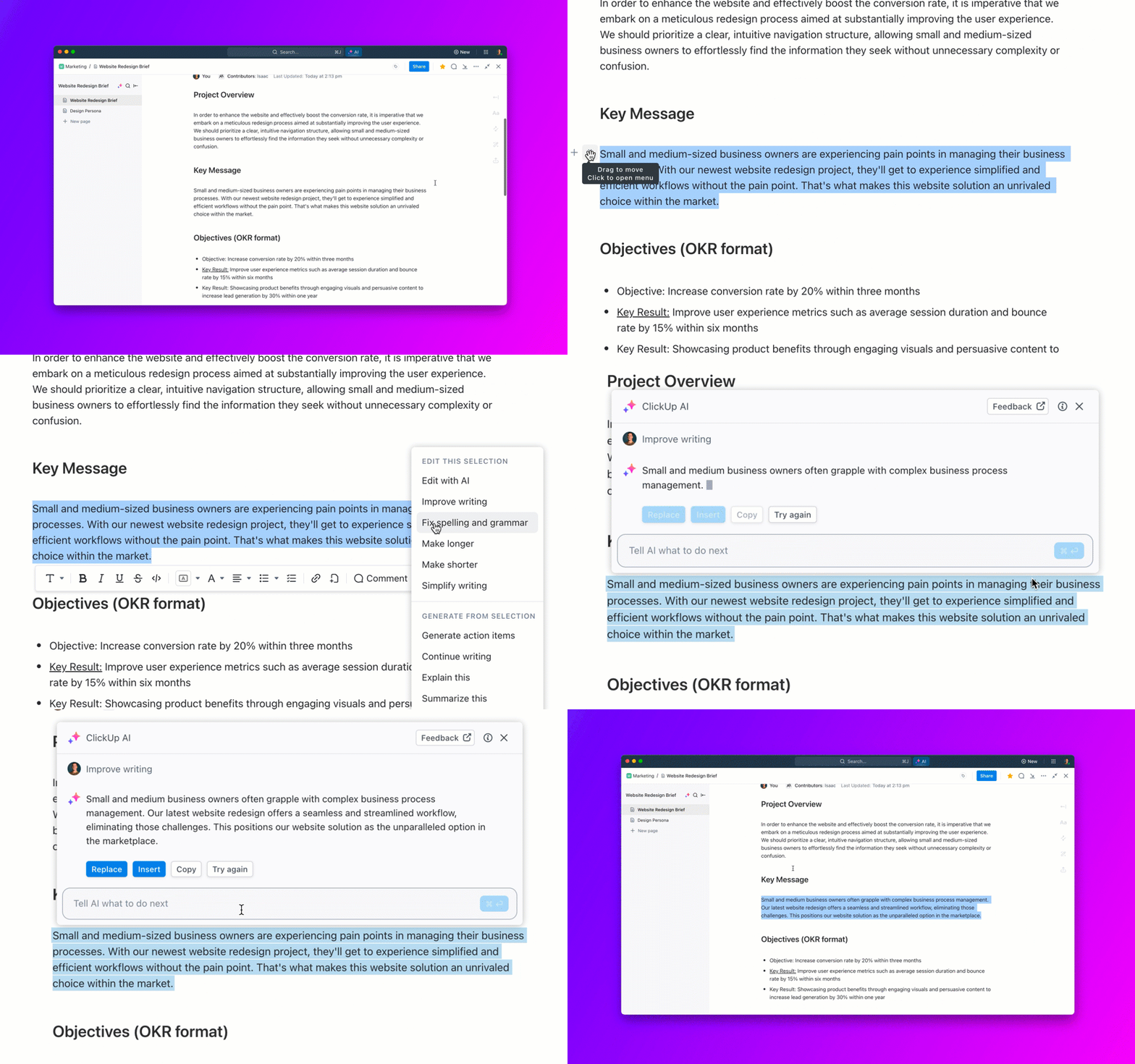
PDFs can be restrictive because they may not be editable, and there’s no real-time collaboration. By building and storing documents on ClickUp, you can skip the hassle of static PDF versions and the endless back-and-forth of emails.
Multiple team members can co-edit the same document simultaneously. If you need to draw attention to a specific part, @mentions lets you collaborate with colleagues directly in the document.
Finally, you can tag specific sections and annotate them in your PDF while tracking every edit.
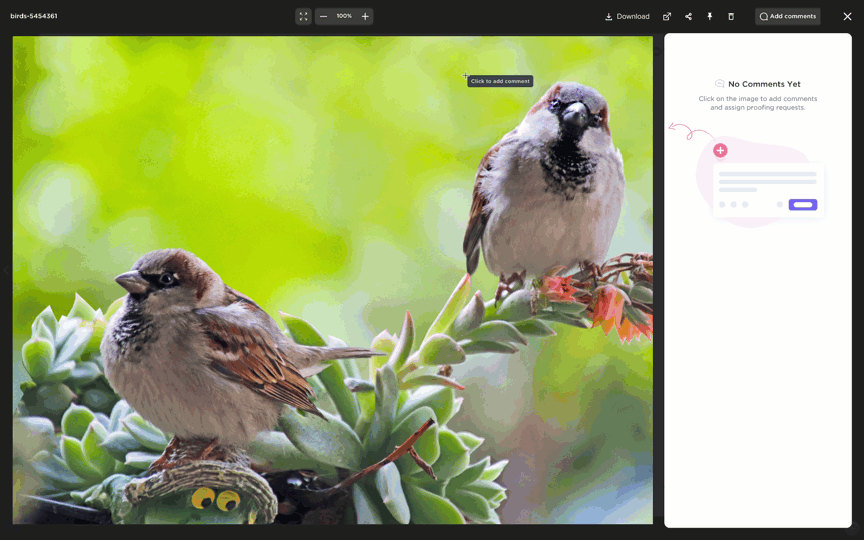
Beyond text, ClickUp Proofing allows you to review, annotate, and provide feedback on image, video, and PDF files directly within tasks. For example, when reviewing video content, you can leave comments linked to specific timestamps in the playback bar.
Edmund D., a small business owner, reviewed ClickUp:
The more I use ClickUp, the more it serves as the focal point of my work. The disparate pieces of communication–notes, PDF, email, online storage–can all be focused and harnessed into one place for easy access while working on an activity–be it project or customer-focused.
💡 Pro Tip: Use ClickUp Brain’s AI Knowledge Manager to instantly answer questions about your tasks, Docs, or projects.
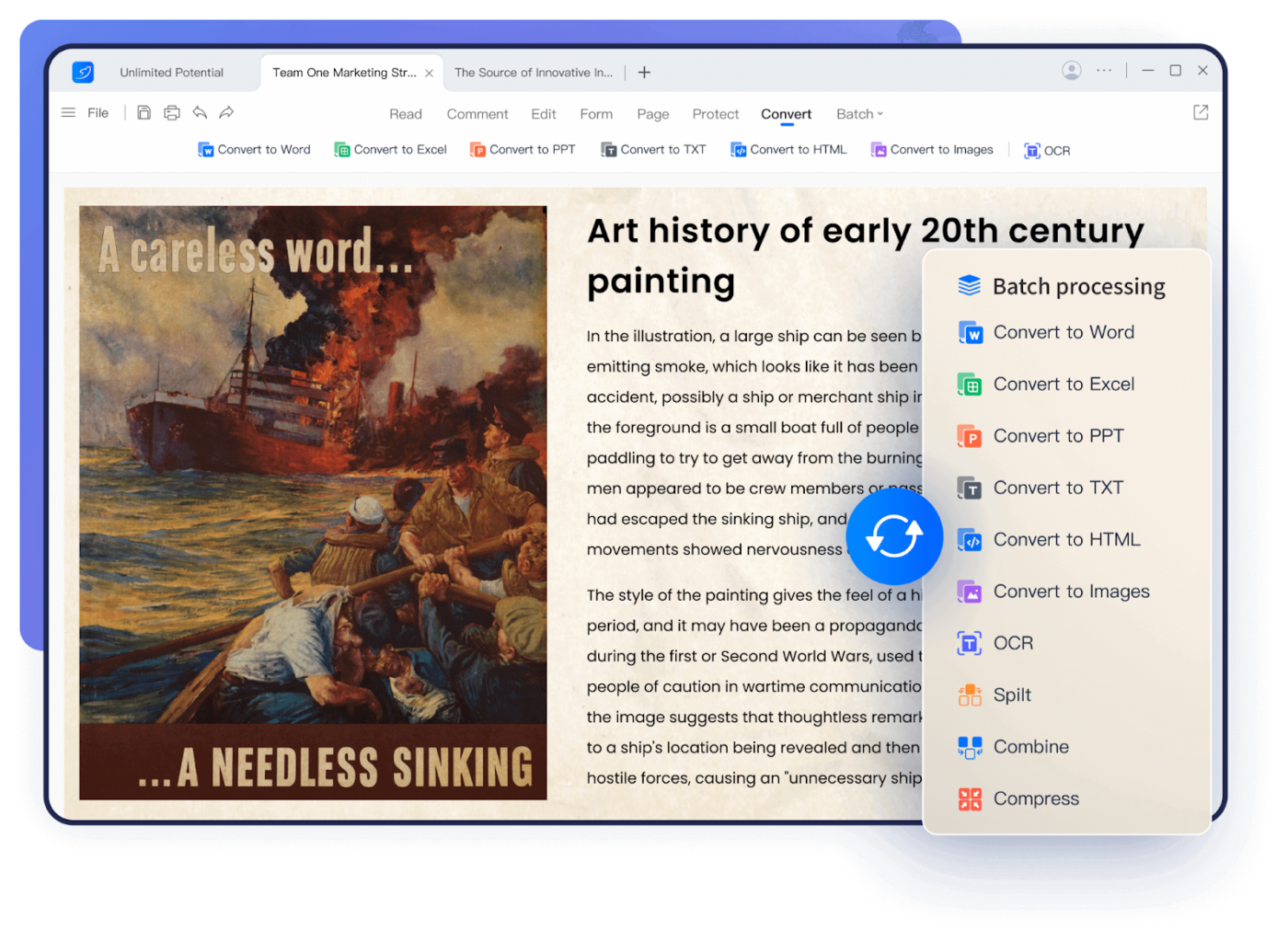
LightPDF’s AI chat feature (ChatPDF) lets you grasp the primary points of a 50-page report within a few clicks or seconds. This free PDF editor lets you ask questions about documents and delivers specific answers from the content while providing free cloud storage.
The platform uses ChatGPT, which uses natural language processing (NLP) to facilitate an interactive chat with PDF documents. For example, you can upload a research paper and ask, “What are the key findings?” and get a concise summary immediately.
Personal
Business
👀 Did You Know: 59% of CIOs cite cloud technology as a catalyst for innovation.
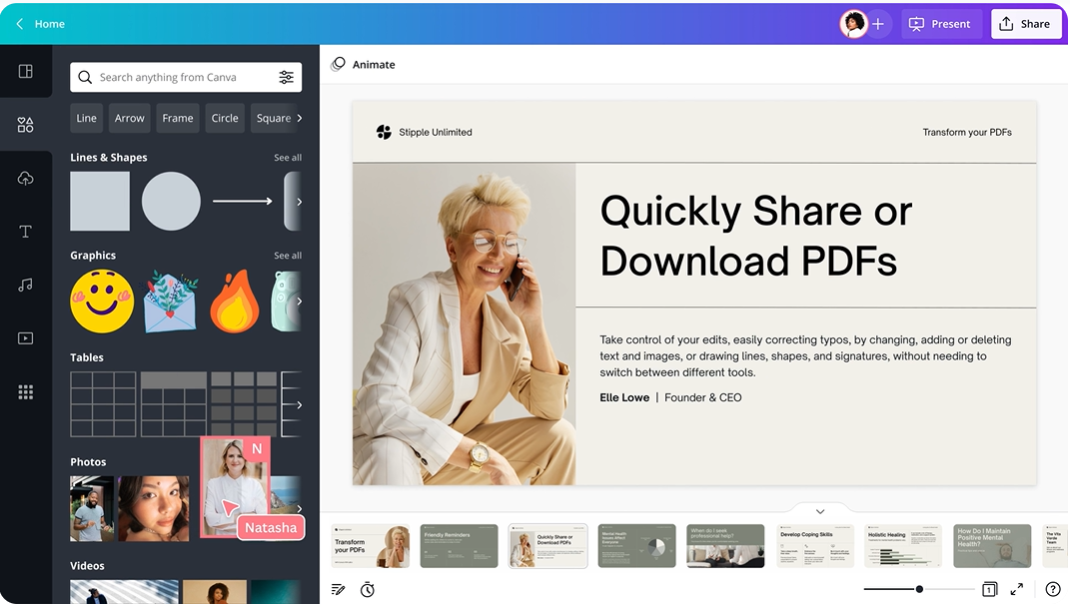
Want more creative freedom? Import a PDF to Canva’s PDF Editor to separate text, images, and backgrounds into editable elements.
Follow up on this with Canva’s creative toolkit for unique edits, and see the magic unfold with visuals, animations, and custom fonts. You can then download your work in various formats, including PDF and JPG.
💡 Pro Tip: When working with large PDFs containing multiple images, compress the files before sharing. This keeps file sizes manageable without compromising visual quality.
📮ClickUp Insight: Nearly 88% of our survey respondents now rely on AI tools to simplify and accelerate personal tasks. Looking to generate those same benefits at work? ClickUp is here to help!
ClickUp Brain, ClickUp’s built-in AI assistant, can help you improve productivity by 30% with fewer meetings, quick AI-generated summaries, and automated tasks.
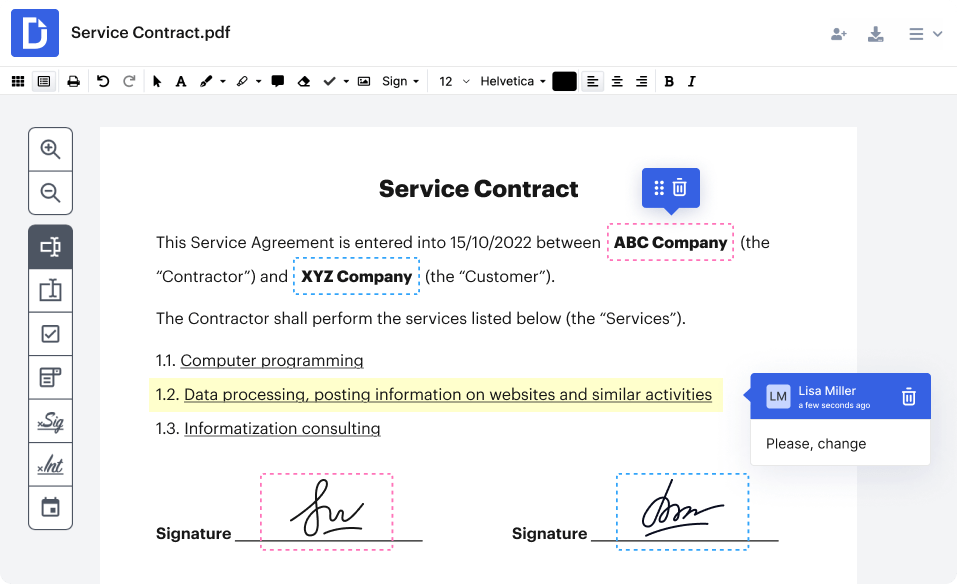
DocHub’s AI PDF Enhancer uses machine learning to improve image quality and fix formatting issues in scanned documents. It does this while offering limitless cloud storage and a searchable interface for locating files.
This document collaboration software makes you feel like you have an assistant who knows precisely where each file is located.
A Capterra review reads:
Dochub is very affordable and is intuitive to use. It has all the features you would want from a document-signing software.
👀 Did You Know: 47% of employees find their company’s digital organization method ineffective and challenging to navigate.
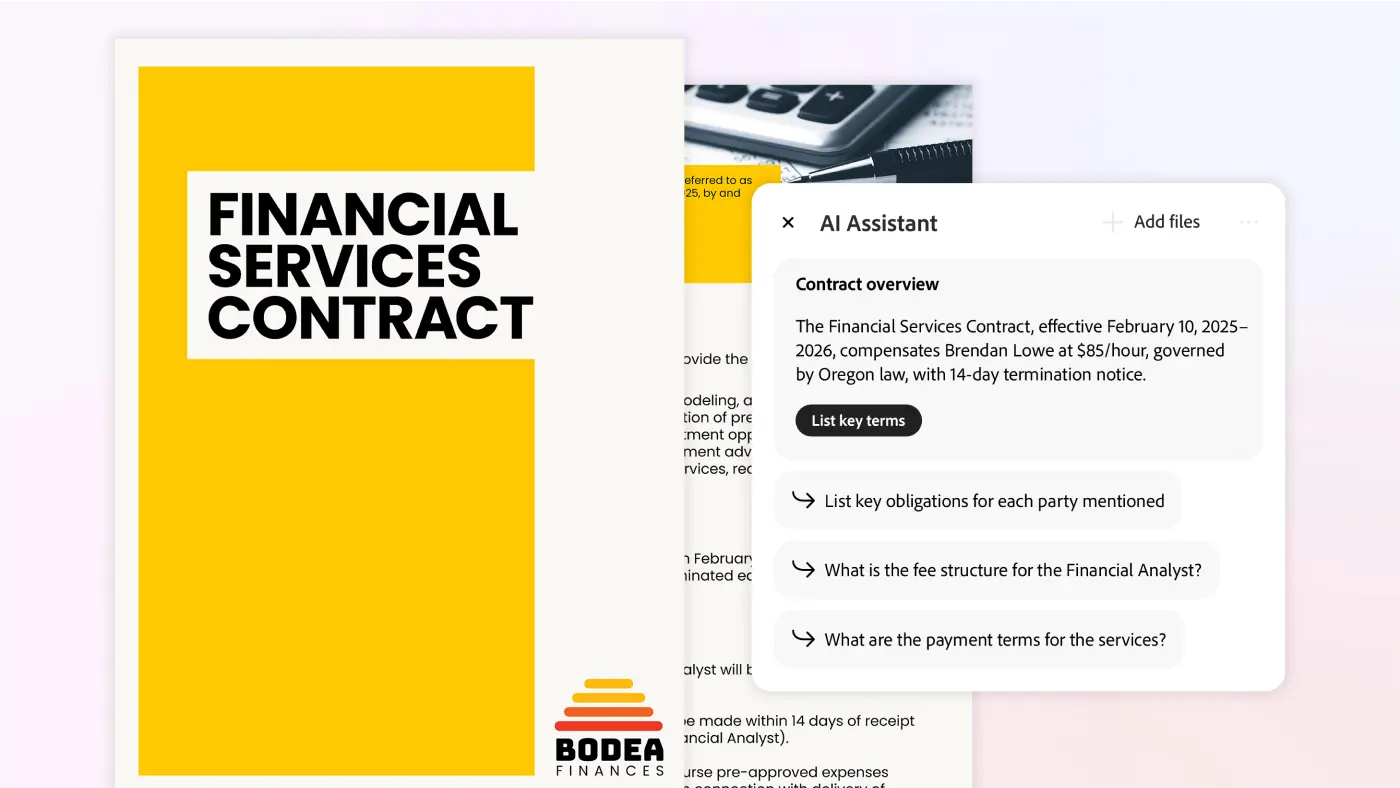
Open a scanned document in Adobe Acrobat and let the AI roll up its sleeves and get to work promptly. For example, if you need to tweak product specs across several PDF files, it will get the context and serve up smart edit suggestions.
This document workflow software maintains consistency throughout your documentation. You can summarize, compare, and query content across large documents, saving time and reducing manual review.
A Capterra review reads:
Adobe Acrobat is extremely easy to use for basic PDF tasks.
🧠 Fun Fact: Adobe co-founder Dr. John Warnock’s ‘The Camelot Project’ in 1990 birthed the PDF (Portable Document Format). It was meant to enable electronic communication and convert printed information into a digital format.
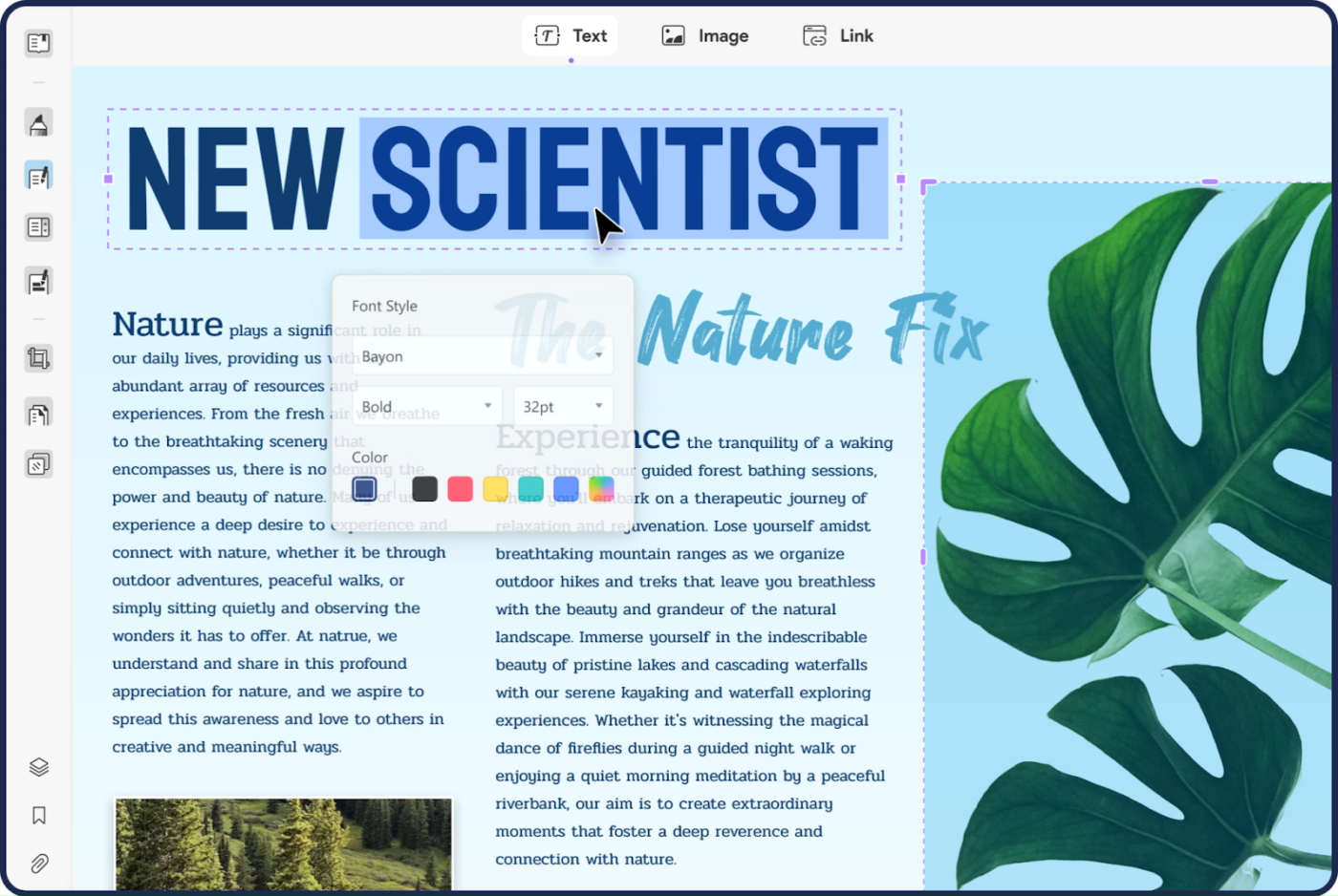
Are you having trouble understanding a research PDF document? UPDF can convert your complex file into a mindmap and visualize the information in a digestible format.
Moreover, besides annotating a PDF, you can leave other documents in different PDF sections to reference later with openable attachments.
Individuals
Enterprise
A G2 review reads:
I love that it is easy to use for all my PDF requirements. I can open up any PDF I have with it with ease. I also love that when I need help and support, they are just a click away.
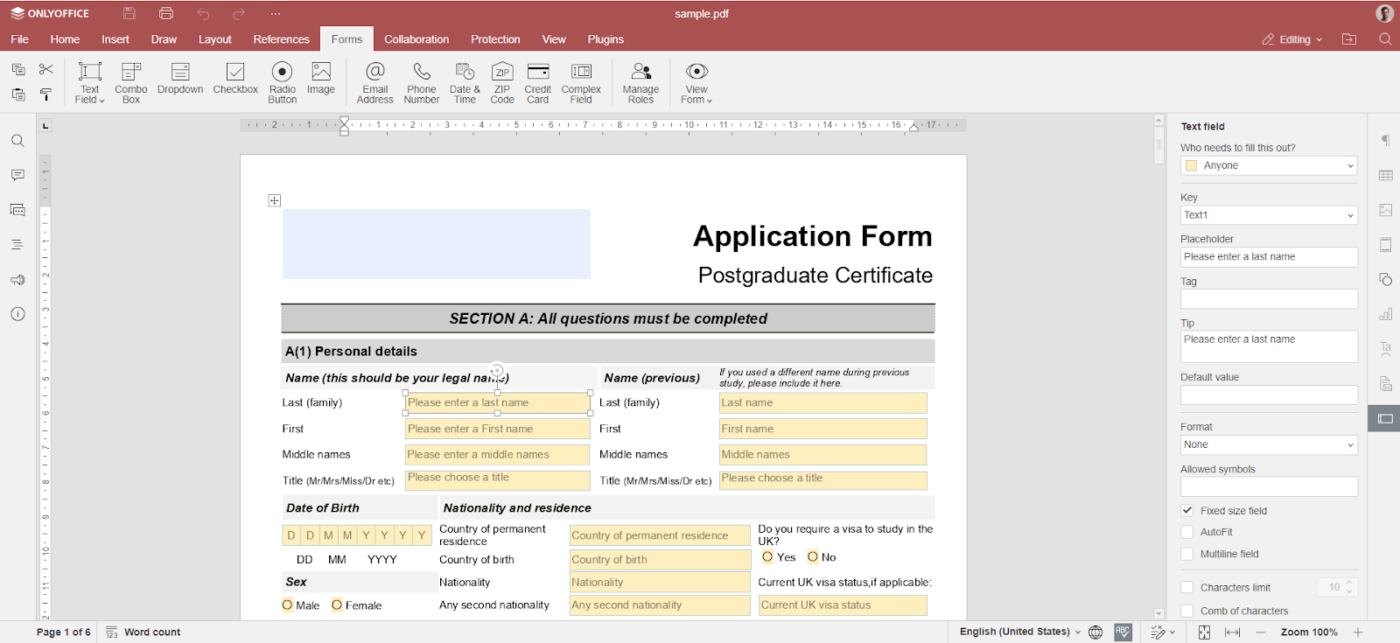
With OnlyOffice, multiple team members can edit PDFs simultaneously. They can discuss changes through the built-in chat or by leaving comments on the PDF. What’s useful is that they can even switch to audio and video calls using the Jitsi Plugin for complex edits.
This real-time collaboration streamlines the editing process, reduces delays, and keeps everyone aligned without leaving the document.
Docs Enterprise (on premises): $2,100 (1-year licence)
A G2 review reads:
One of the things I like most about OnlyOffice is its wide range of features and tools that allow me to create and edit documents, spreadsheets, and presentations efficiently and effectively.
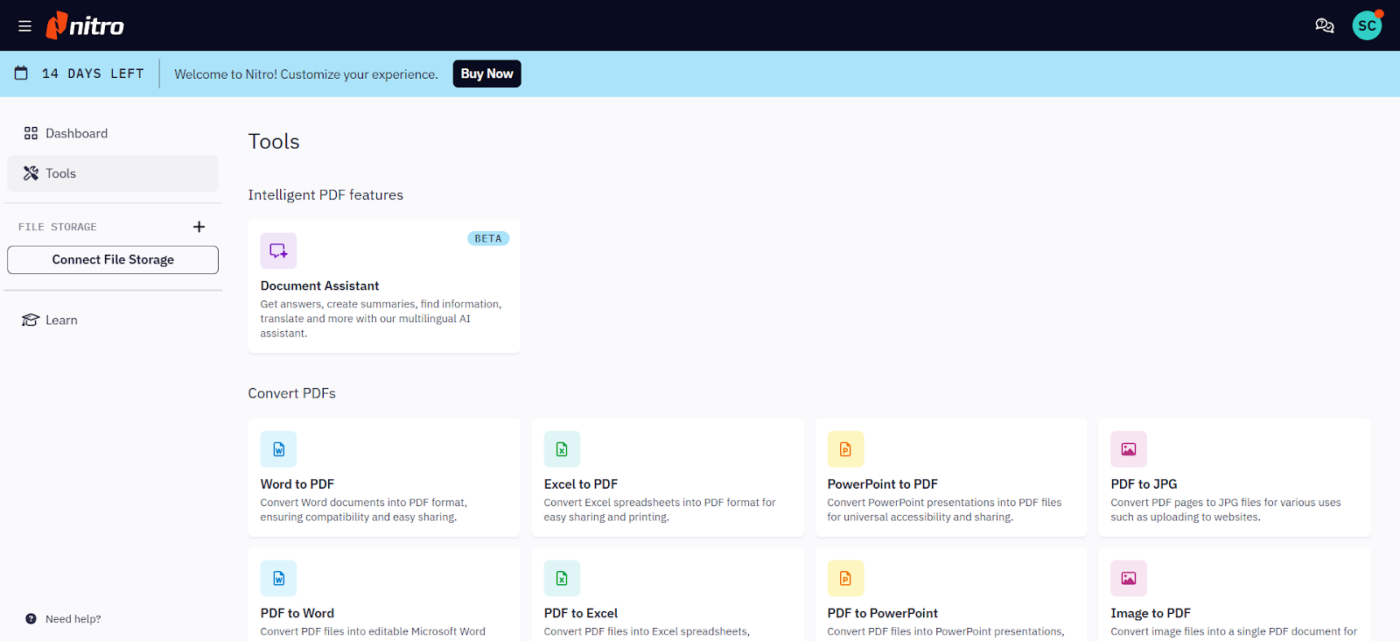
Nitro Pro mirrors the Microsoft Office interface on Windows and Apple’s toolbar on Mac. This familiar layout means your team won’t waste time figuring out where tools are; they can jump in and start working.
This consistency across platforms reduces the learning curve, speeds up adoption, and keeps workflows smooth, regardless of whether you’re editing, converting, or reviewing PDFs.
A Capterra review reads:
Simple to keep multiple tabs open, great for frequently referred to documents. Easy to highlight and annotate, and search (when optimized).
📖 Also Read: How to Remove Highlight in a PDF Quickly and Easily
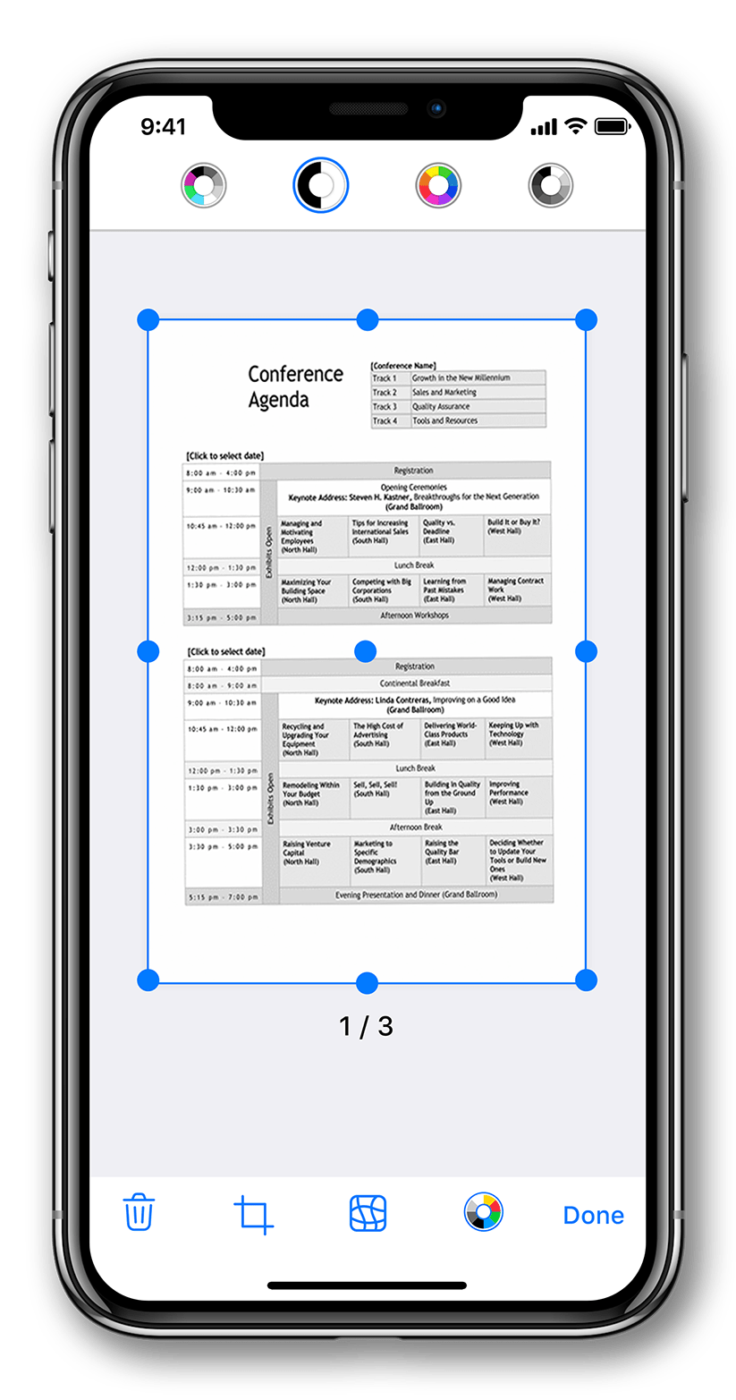
AI-powered features like area measurement and object counting are an integral part of iScanner’s toolkit. With these, you can measure room dimensions or count similar items in a photo, reducing manual calculation.
The app also includes specialized scanning modes for different document types and is compatible with Android and iOS. Whether you’re scanning an ID card, passport, or regular document, iScanner adjusts its settings automatically.
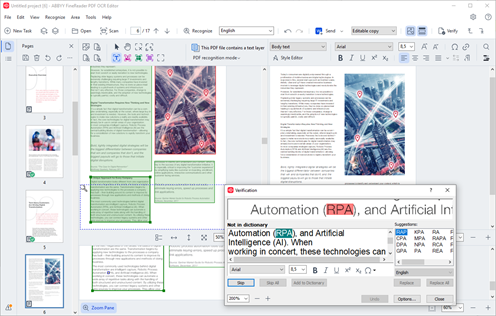
Documents with complex formatting or poor scan quality can be challenging to handle. However, ABBYY’s built-in AI algorithms recognize texts across various document types in 150+ languages.
For example, in the government sector, teams can use this tool to digitize large volumes of archived documents. Its ability to handle multiple languages and maintain formatting can help agencies convert paper records into searchable digital files.
A Capterra review reads:
Its accuracy in recognizing characters and formatting the output almost exact to the input file.
📖 Also Read: How to Upload a PDF to ChatGPT Easily
The ability to edit, annotate, summarize, and automate tasks in PDFs (such as contracts or reports) boosts productivity and reduces manual effort.
Most AI PDF editors simplify this process, but ClickUp takes it up a notch!
It goes beyond traditional PDF editing by integrating AI-driven document management, task automation, and team collaboration into one platform.
Sign up for ClickUp for free today to improve your overall collaboration.

© 2026 ClickUp

There’s an easier way. Try a free AI Agent in ClickUp that actually does the work for you—set up in minutes, save hours every week.