










Still downloading templates?
There’s an easier way. Try a free AI Agent in ClickUp that actually does the work for you—set up in minutes, save hours every week.
Sorry, there were no results found for “”
Sorry, there were no results found for “”
Sorry, there were no results found for “”
Do you find yourself asking AI a question only to receive a somewhat vague answer? That happens when your work AI knows nothing about your team and forgets information as soon as the tab closes.
For AI to remember and retain data about your work, you need the most consistent and up-to-date knowledge base it can refer to when answering.
This guide walks you through 10 free AI memory system templates that turn all that scattered knowledge into a structured, searchable base your AI can use. Suddenly, your AI stops forgetting and starts building on what it knows—like a teammate with institutional memory.
Here’s a quick overview of the AI memory system templates covered in this guide and the type of knowledge each one helps your team structure for AI:
| Template | Download Link | Ideal For | Key Features |
|---|---|---|---|
| Team Docs Template by ClickUp | Get free template | Building a centralized team wiki for AI context | SOP pages, resource library, linked tasks and decisions |
| Research Memo Template by ClickUp | Get free template | Documenting research insights and recommendations | Structured research sections, action items, sources and attachments |
| Recurring Meeting Notes Template by ClickUp | Get free template | Capturing repeat meeting decisions and actions | Dated meeting pages, action items, decision tracking |
| Project Documentation Template by ClickUp | Get free template | Preserving project context and history | Scope documentation, stakeholder lists, milestone tracking |
| Decision-Making Framework Document Template by ClickUp | Get free template | Logging high-impact business decisions | Decision context, options and trade-offs, stakeholder input |
| Bug & Issue Tracking Template by ClickUp | Get free template | Structuring engineering issue knowledge | Bug reporting forms, severity tracking, triage workflow |
| Quick Start: Product Management Template by ClickUp | Get free template | Consolidating product knowledge and roadmap context | Epic tracking, prioritization frameworks, sprint planning |
| 1-on-1s Template by ClickUp | Get free template | Recording manager–employee conversations over time | Recurring meeting pages, feedback tracking, growth notes |
| Book of Work Template by ClickUp | Get free template | Tracking organizational initiatives and priorities | Initiative inventory, project analytics, priority planning |
| ChatGPT Prompts for Engineering Template by ClickUp | Get free template | Building a reusable engineering prompt library | Categorized prompts, fill-in templates, version history |
📚 Also Read: What Is a Knowledge Gap and How to Address it?
An AI memory system helps store, organize, and retrieve information so that AI tools can access relevant context when generating responses or completing tasks. Think of it as a long-term memory for your entire team’s AI.
In practice, it helps AI remember things like:
🤔 A simple way to think about it: Prompting tells AI what you want right now. Memory tells AI what it should already know.
Just telling your team to “document more” is a recipe for failure. Without a shared structure, you end up with random notes, inconsistent file names, and information scattered across a dozen different places. This messy, unstructured data is almost useless to an AI, which thrives on consistency.
AI memory system templates solve this by creating a standardized format for your institutional knowledge. With it, you get:
👀 Did You Know? A lot of teams pay for powerful AI, then starve it with scattered data and patchwork workflows. Cisco’s AI Readiness Index found that only about 13% of organizations worldwide are “Pacesetters” —actually positioned to capture real AI value—because their data is clean, centralized, and ready to integrate.
🎥 This video shows you how to create a living, dynamic internal knowledge base supported by ClickUp’s AI features.
These templates are designed to address specific memory problems by structuring your team’s knowledge so AI can effectively understand and reference it. Each one turns scattered information into a reliable, searchable asset for your AI assistant. 📚
Your team’s most important processes often live only in the minds of a few senior employees—a huge risk. When they’re on vacation or leave the company, that tacit knowledge disappears, forcing everyone else to reinvent the wheel.
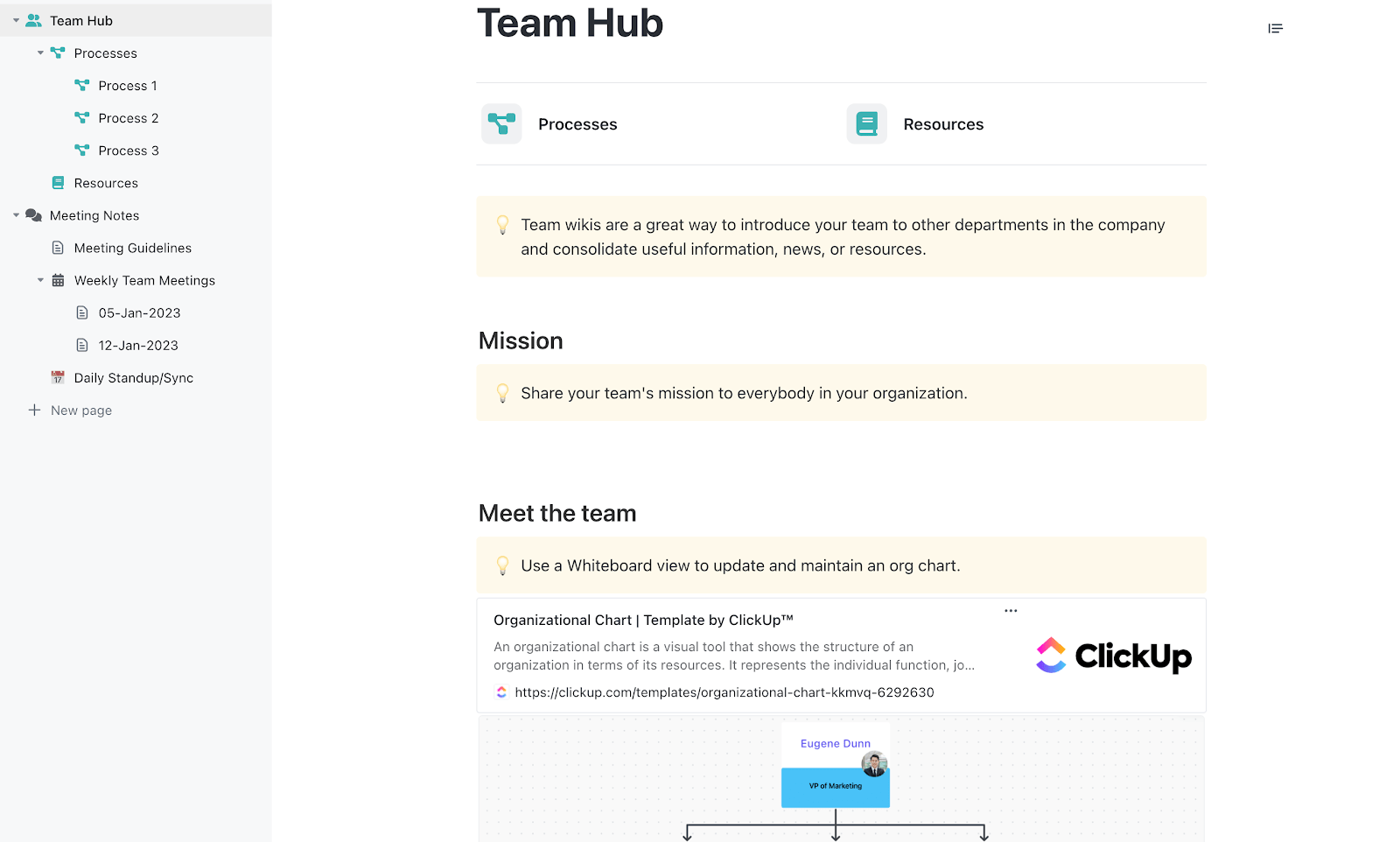
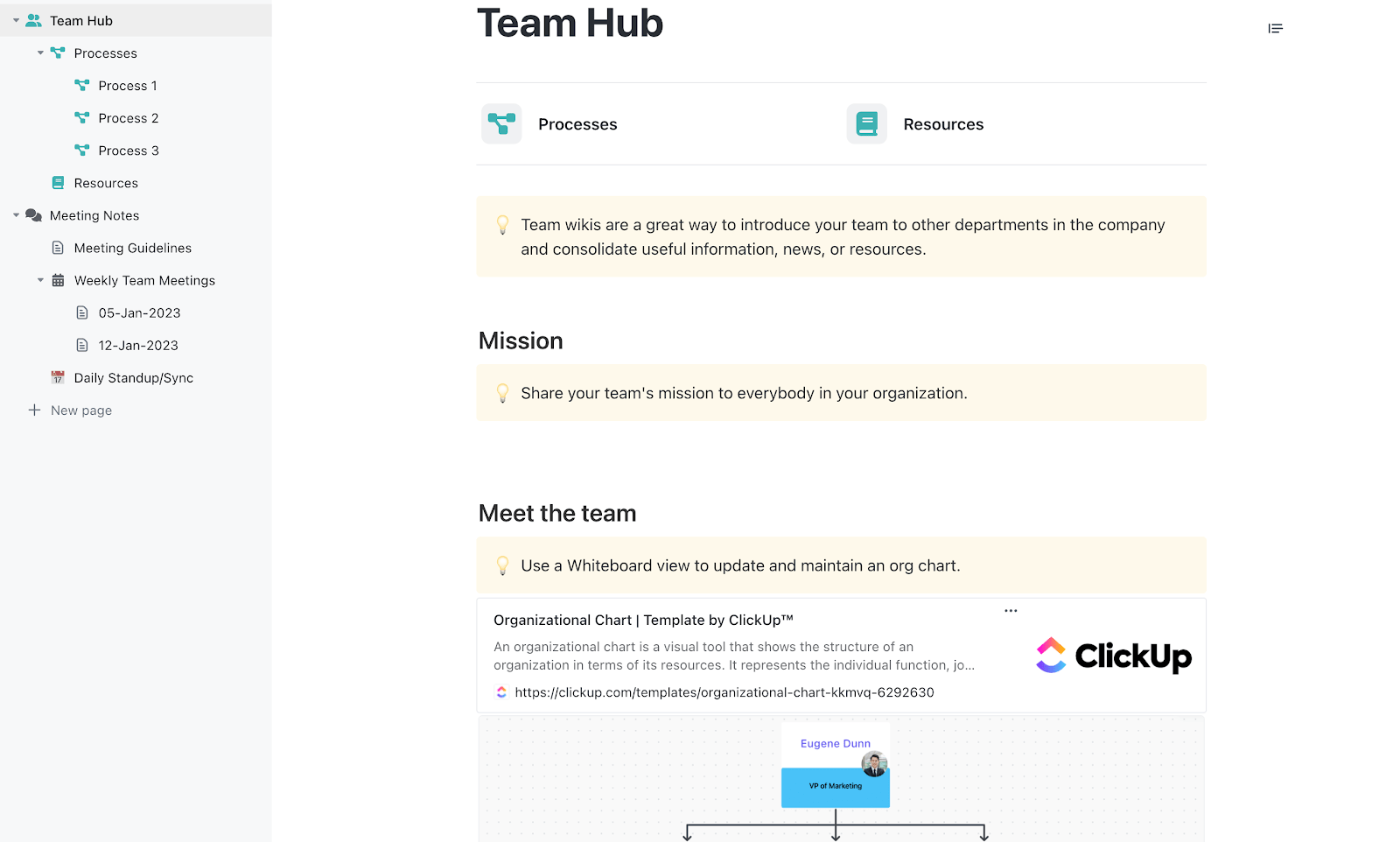
The Team Docs Template by ClickUp prevents that by creating a centralized, living document for your team’s SOPs, guidelines, and institutional knowledge.
✅ Ideal for: Operations managers who need a single, searchable home for SOPs, onboarding docs, and recurring team decisions.
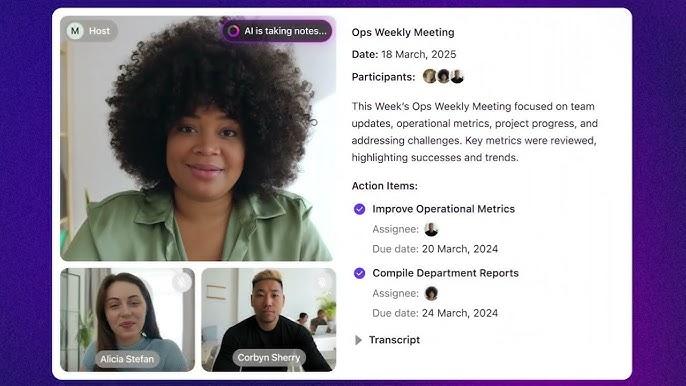
💡 Pro Tip: Pair this with ClickUp AI Notetaker to automatically capture team knowledge. Send the Notetaker to your weekly Zoom, Google Meet, or Microsoft Teams call from ClickUp. It will record the meeting, generate a connected notes Doc, and turn action items into assigned ClickUp Tasks as soon as the call ends.
When research gets captured differently every time, it becomes hard to reuse. People remember the conclusion, but the context and evidence disappear.
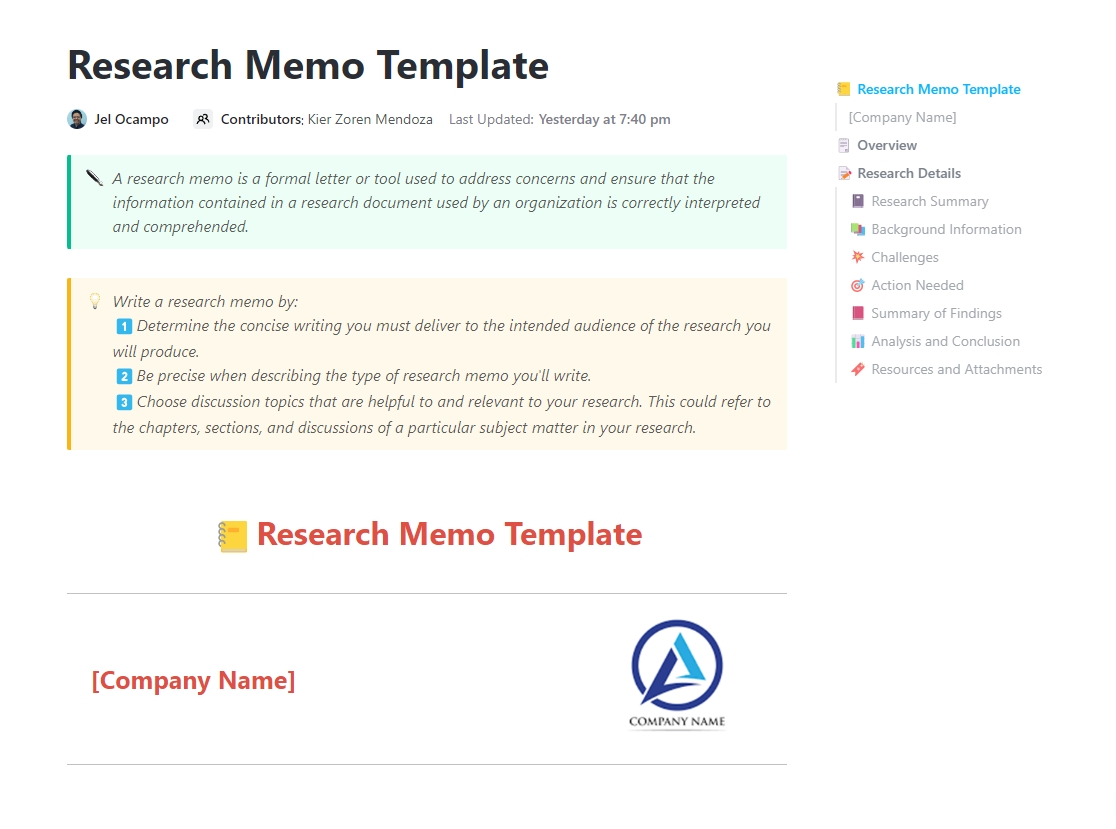
The Research Memo Template by ClickUp gives research-heavy teams a repeatable way to document what was explored and found, along with the next steps. It’s built in ClickUp Docs, which means each memo becomes a searchable record your team can reference later instead of re-running the same work.
✅ Ideal for: Research-heavy teams (product, marketing, UX, strategy) that need a searchable archive of findings and decisions.
🔮 ClickUp Advantage: Turn every Research Memo into a reusable AI memory node with ClickUp Enterprise Search. When someone asks, “Have we already looked into this?” you can search across your memos, tasks, chats, and meeting notes to find an answer, with citations back to the original sources.
It can also pull context from tools like Google Drive, Confluence, SharePoint, and others, keeping your “Resources & Attachments” section backed by real evidence. And it respects existing permissions from those apps, which keeps your memory system reliable and secure.
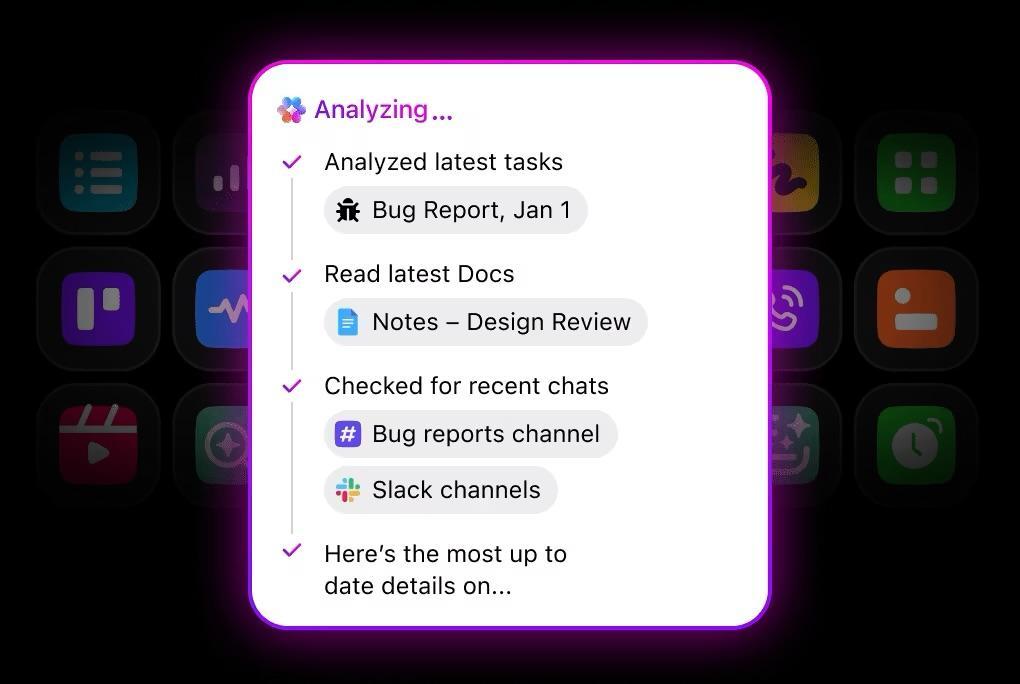
When recurring meetings lack consistent output, the same updates are repeated, with decisions and action items slipping through.
The Recurring Meeting Notes Template by ClickUp is a simple “one page per meeting” system you can reuse every week. Built in ClickUp Docs, it comes with dated subpages (like 11/16 and 11/23) that keep each meeting’s context intact. You can log attendance, quorum, and meeting purpose at the top, then capture a tight meeting flow underneath—review, purpose, to-dos, and assigned actions.
It creates a searchable decision log, turning fleeting conversations into a permanent record.
✅ Ideal for: Cross-functional teams that want a reliable, searchable record of project decisions, ownership, and key milestones.
🧠 Fun Fact: The term “Artificial Intelligence” came from a proposal. In 1955, John McCarthy and colleagues pitched a two-month summer study at Dartmouth and confidently claimed “every aspect of learning… can… be described” so a machine could simulate it. That optimistic proposal basically gave the field its name and its signature habit of ambitious timelines.
Is your critical context fragmented across emails, chat threads, slide decks, and the project manager’s memory? This can make it impossible for new team members or an AI assistant to get a complete picture of the project’s goals, status, or history.
That’s why the Project Documentation Template by ClickUp centralizes everything in one place.
It captures the project scope, stakeholders, milestones, dependencies, and lessons learned, creating a single source of truth that anyone can reference.
✅ Ideal for: Project teams that want a searchable, always-current project wiki that preserves decisions, context, and follow-through.
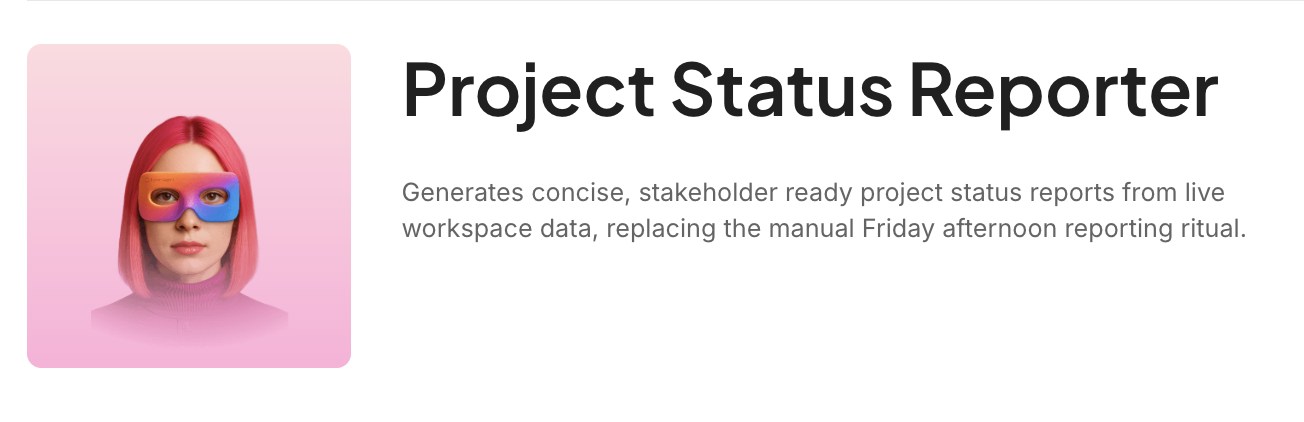
✨ Bonus: Why waste time reconstructing project status every time someone asks for an update? Try ClickUp’s Project Status Reporter AI Agent to generate organized, stakeholder-ready progress updates with far less manual effort.
Teams lose time when they can’t trace how a decision was made. The outcome gets shared, but the trade-offs, stakeholder input, and supporting data fade fast.
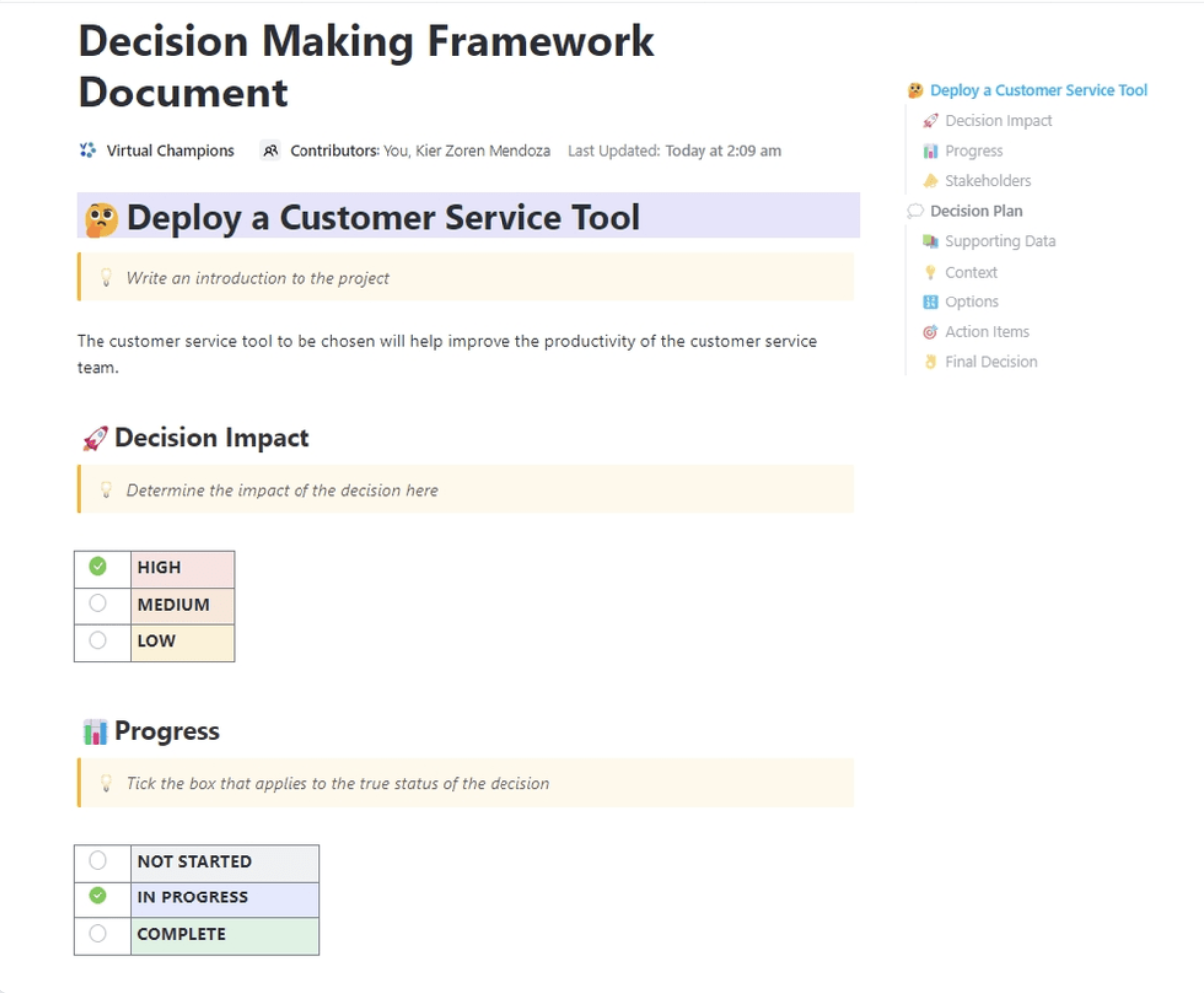
The Decision-Making Framework Document Template by ClickUp turns every important decision into a reusable memory asset. This ensures your team (and your AI) can answer “What did we decide, and why?” without anticipating.
It also comes with dedicated sections for Decision Impact, Progress, Stakeholders, Context, Options, Supporting Data, Action Items, and the Final Decision. That structure keeps your reasoning searchable, consistent, and easy for AI tools to reference later.
✅ Ideal for: Leadership and ops teams who want a searchable log of high-impact decisions.
📮 ClickUp Insight: 92% of knowledge workers risk losing important decisions scattered across chat, email, and spreadsheets. Without a unified system for capturing and tracking decisions, critical business insights get lost in the digital noise. With ClickUp’s Task Management capabilities, you never have to worry about this. Create tasks from chat, task comments, docs, and emails with a single click!
The Bug & Issue Tracking Template by ClickUp is built for product and engineering teams who need a reliable system for capturing bugs, triaging them fast, and pushing fixes through to release. It’s especially useful when reports come from multiple sources—support, QA, beta users, and internal teams—and you need every issue to land in a single workflow with the right context.
The template combines a “report → triage → fix → verify → ship” pipeline with flexible views, making it easy to run daily triage, keep squads unblocked, and track what’s release-critical.
✅ Ideal for: QA leads and engineering managers running high-volume bug triage across multiple squads.
📚 Also Read: Best Bug Tracking Tools for Issue Management
🎥 Want a comprehensive checklist to identify bugs early? We have a video for you:
Product knowledge is notoriously fragmented. The “why” behind a feature lives in a PRD, the “what” is in a task, and stakeholder requests are buried in emails. This makes it incredibly difficult for anyone, including an AI, to get a holistic view.
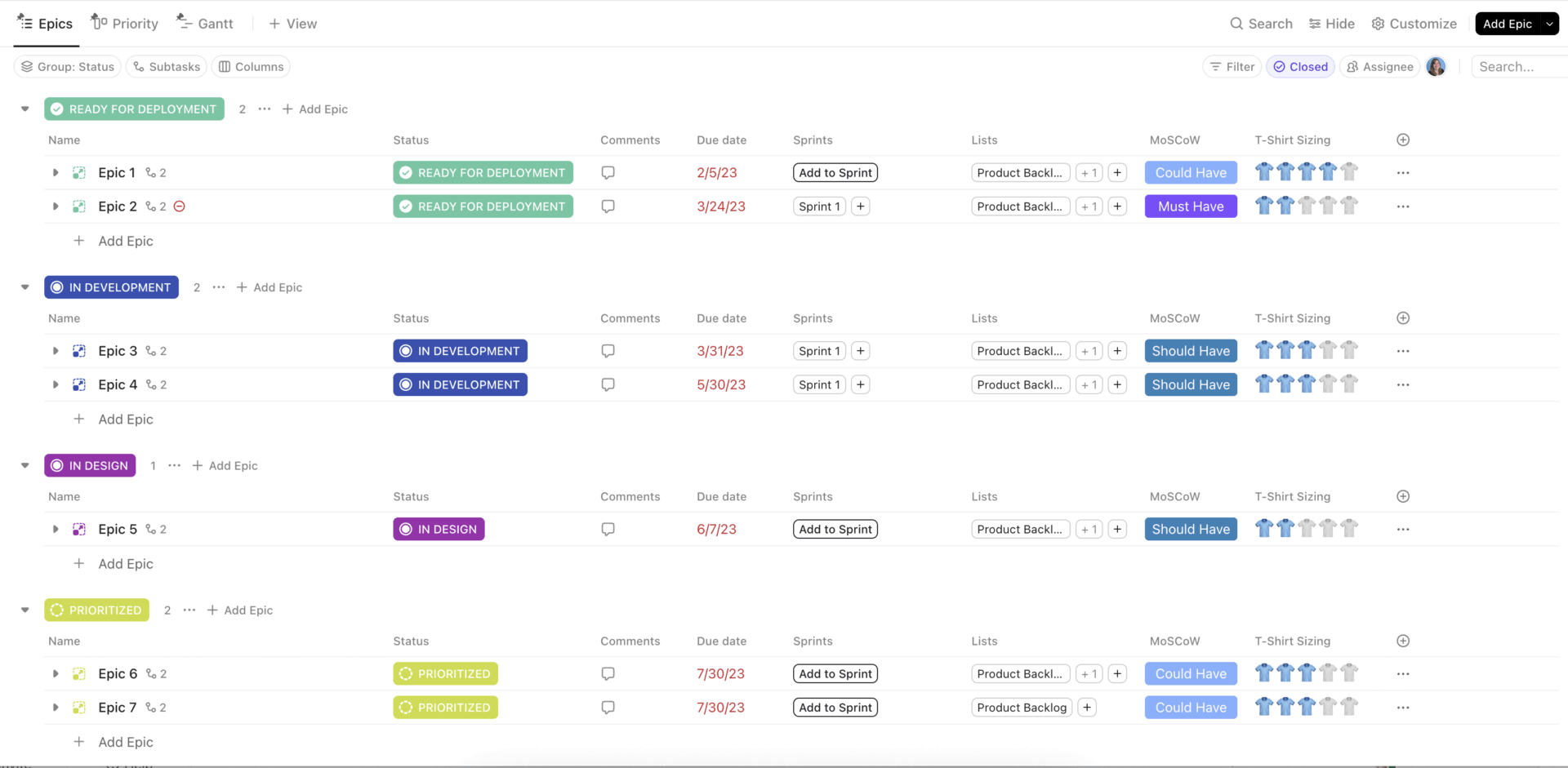
The Quick Start: Product Management Template by ClickUp consolidates product requirements, roadmaps, user feedback, and feature prioritization into a connected system.
✅ Ideal for: Product managers who need an out-of-the-box workspace to track epics, prioritize work, and keep the reasoning behind decisions easy to find later.
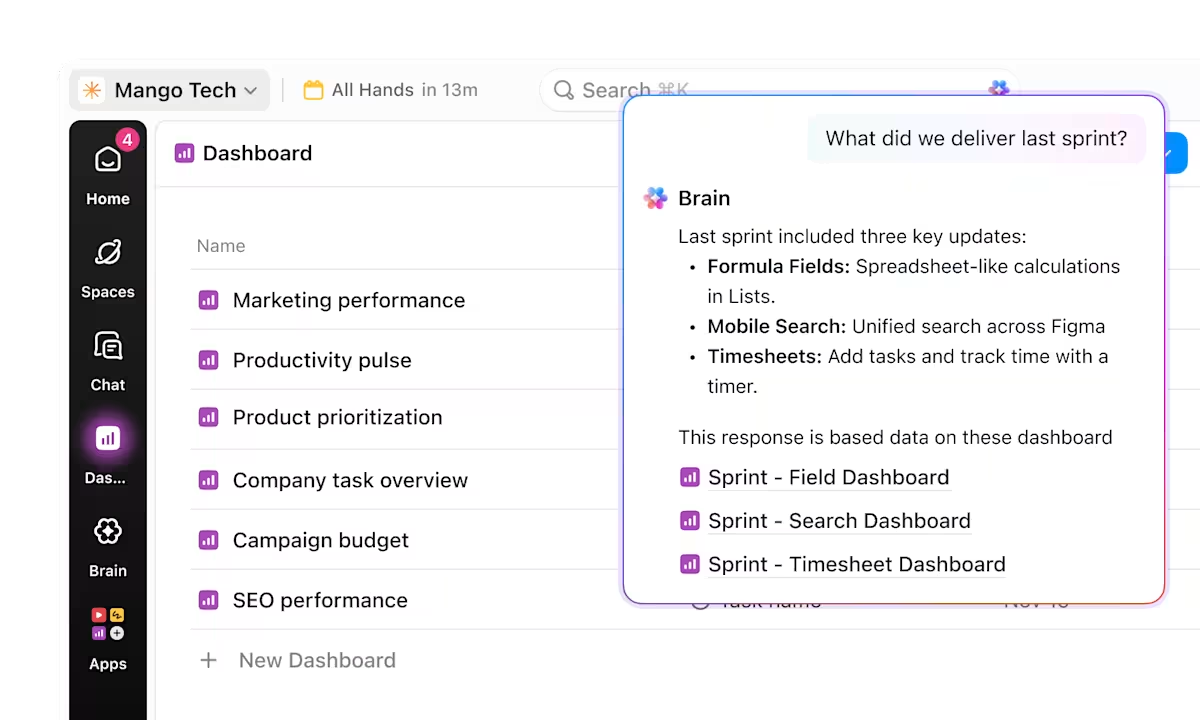
🛠️ If your team still has to cross-check five tools to verify one piece of information, your AI stack is not solving information overload. ClickUp Brain sits atop your workflow and connected knowledge, making answers searchable in one place, regardless of where that info is.
As a manager, you’re juggling the goals, challenges, and career aspirations of multiple direct reports. It’s easy to forget the action items from last month’s 1-on-1 or the specific growth area you promised to support. The 1-on-1s Template by ClickUp provides a space for recurring one-on-one meetings.
It helps you track discussion topics, feedback, commitments, and career development notes over time, creating a continuous thread for each team member. This further helps consolidate information for AI tools to reference and track over time, built entirely on contextual data.
✅ Ideal for: People managers running recurring 1-on-1s who want a searchable record of commitments, feedback, and growth plans.
💡 Pro Tip: Set a ClickUp Reminder to export each quarter’s 1-on-1 notes to PDF and share them with your direct report. This creates a shared record of progress and prevents the “I don’t remember us discussing that” disconnect.
Leadership is flying blind, asking “What are our top priorities this quarter?” and getting five different answers from five different teams. When each department tracks its work in a different tool or format, there’s no single source of truth for organizational initiatives. This creates silos and makes strategic alignment nearly impossible.
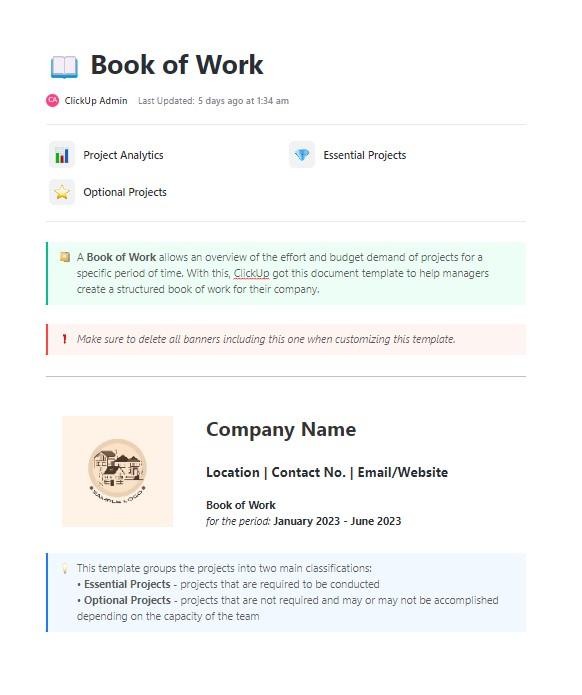
The Book of Work Template by ClickUp provides a comprehensive, portfolio-level view for tracking all active initiatives, resource allocation, and status in one place.
✅ Ideal for: PMO leads, department heads, and operations leaders who need an up-to-date view of all initiatives for quarterly planning and prioritization.
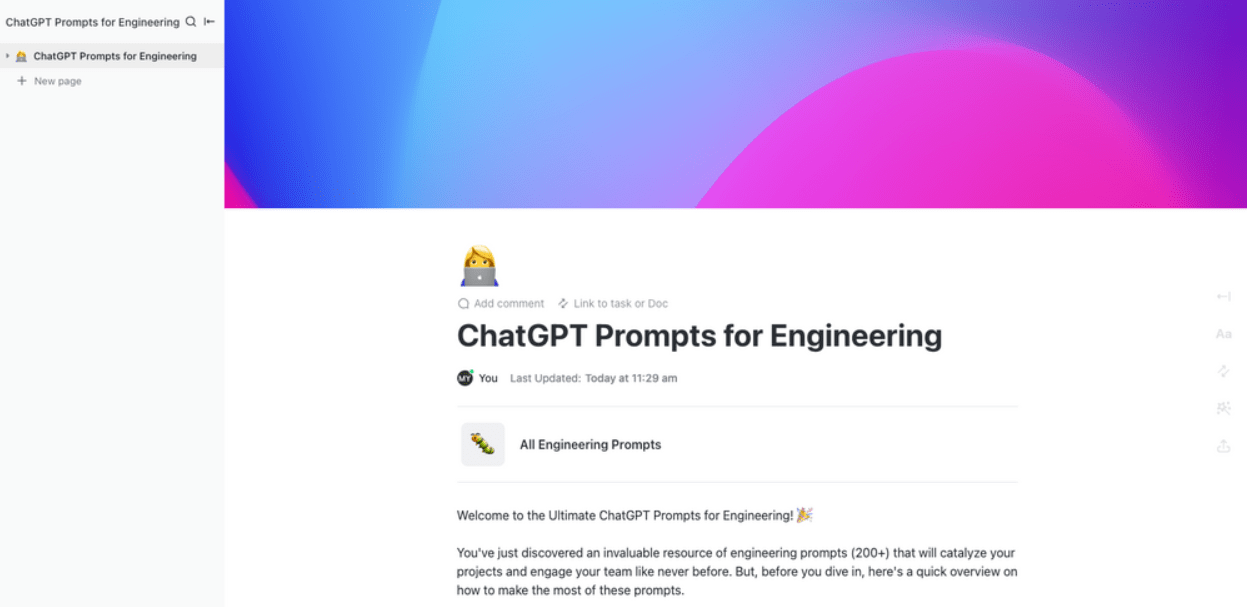
One of your senior engineers discovers a brilliant prompt for debugging a complex issue, but that knowledge stays with them. The rest of the team continues to struggle with less effective prompts, limiting their productivity. ChatGPT Prompts for Engineering Template by ClickUp creates a shared library for proven prompts.
It’s a space for your team to collect and refine the best prompts for common tasks like code reviews, documentation generation, and architectural decisions.
✅ Ideal for: Engineering leads or platform teams building a shared, searchable prompt playbook for their dev org.
⭐️ Bonus: RAG vs. MCP vs. AI Agents
Knowing you need a memory system is one thing; actually building it is another. It can feel like a massive undertaking, leading to analysis paralysis. The key is to start small and make it a natural part of your workflow.
Here’s how to get started in ClickUp:
🎥 See how AI can streamline task management and generate structured work items from your knowledge:
A template is a great start. But an AI memory system only works when the context inside it is reliable, up to date, and transparent.
That is where most teams get stuck. Who has time to manually copy information into a separate “AI memory” tool on top of their daily work?
ClickUp’s converged AI workspace solves that ever so seamlessly. Along with 1,000+ templates, it layers in docs, tasks, whiteboards, forms, and much more. This means your team can capture context as part of normal work. Then, ClickUp AI can use that living workspace context to answer questions, summarize changes, and surface the right details without you having to re-explain everything.
Say goodbye to losing the thread! Try ClickUp for free. ✅
AI memory system templates are designed to make information retrievable and reusable by AI, not just readable by people. Unlike regular document templates that capture content in freeform paragraphs, AI memory templates use consistent sections, labeled fields, and repeatable structure (owners, decisions, definitions, status, links to source work) so an AI can reliably find the right context and apply it across tasks. They are also meant to be continuously updated as work evolves, turning the template into a living knowledge layer rather than a one-time document.
Yes (and, in fact, automatically)! ClickUp Brain indexes all content within your ClickUp Docs and Tasks, so any information captured in these templates becomes part of the knowledge base it uses to answer questions.
Short-term memory is conversational and session-based, like when ChatGPT remembers what you said earlier in a chat. Long-term memory is persistent and team-wide, which is what these templates create—a knowledge base that doesn’t disappear when you close the tab.

© 2026 ClickUp

There’s an easier way. Try a free AI Agent in ClickUp that actually does the work for you—set up in minutes, save hours every week.