






Still downloading templates?
There’s an easier way. Try a free AI Agent in ClickUp that actually does the work for you—set up in minutes, save hours every week.
Sorry, there were no results found for “”
Sorry, there were no results found for “”
Sorry, there were no results found for “”
Your expense process shouldn’t feel like detective work. Yet for many teams, month-end still means scrolling through email threads, chasing receipts, and guessing which card charge belongs to which trip or expense.
Research from American Express shows that small and medium businesses waste an average of 11 hours per month submitting or managing expenses. That’s more than three working weeks every year spent on admin instead of analysis.
That’s where AI for expense management makes a real difference. Instead of relying on manual spreadsheets and memory, AI can read receipts, flag out-of-policy spending, and feed cleaner data into your accounting tools in the background.
In this guide, we’ll look at what AI can actually do for expense management and the main use cases finance teams care about. We’ll also cover the must-have features in modern tools and how to fit everything into your current workflows.
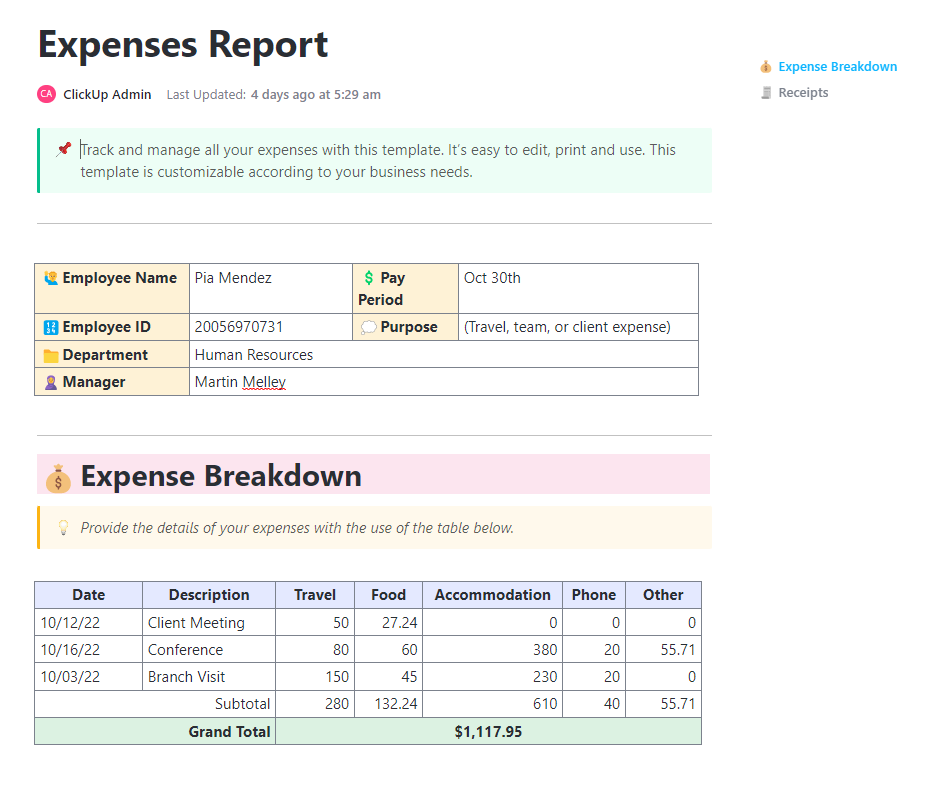
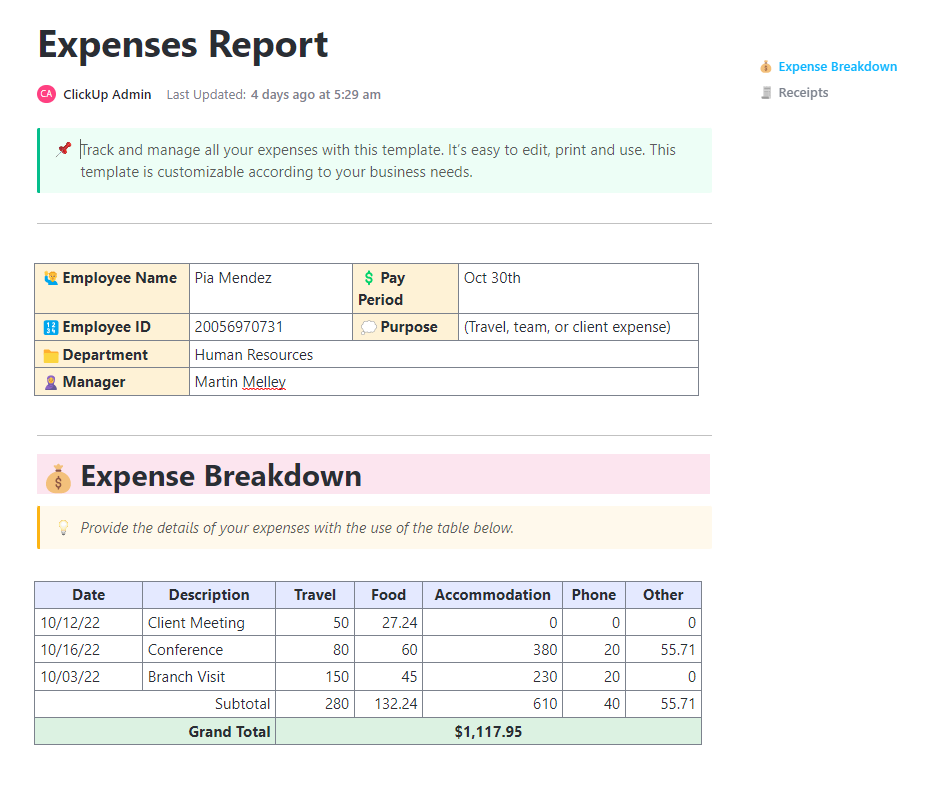
The ClickUp Expenses Report Template gives your team a structured way to collect, review, and summarize business expenses without chasing spreadsheets or email threads. Instead of everyone building their own format, you get a consistent layout for dates, categories, amounts, payment methods, and approvals in one place.
AI for expense management uses machine learning and automation to reduce manual work across the expense process. This includes everything from receipt capture to approvals, reconciliation, and reporting.
Most tools rely on a mix of capabilities:
A useful way to think about it: AI-powered expense management helps remove repetitive steps, so finance teams can focus on controls, analysis, and cost-saving opportunities.
AI takes the repetitive work out of managing expenses and gives finance teams a clearer view of what’s really happening with company spending. Some of the biggest wins include:
👀 Fun Fact: Long before AI expense tools, business travelers were already trying to simplify how they paid for client dinners and trips. In 1950, Diners Club launched the world’s first multi-purpose charge card so professionals could cover entertainment and travel expenses without carrying cash.
Here are some of the most practical use cases with AI that you can rely on to manage your expenses:
Receipt capture is where expense management usually starts going sideways. AI helps by turning receipt scanning into structured receipt data (date, merchant, amount, tax) that’s ready to review.
📌 Example: A salesperson snaps a photo after a client dinner. The system extracts key fields, suggests “Meals and entertainment,” and attaches the receipt to the expense report.
Why it helps:
Instead of waiting for finance to spot problems after expense reports are submitted, AI can apply customizable rules during submission and trigger alerts when something looks out of bounds.
📌 Example: A hotel charge exceeds a travel cap. The tool flags it immediately and asks for a reason before it enters the approval workflows.
Why it helps:
👀 Fun Fact: AI isn’t just fixing expense fraud; it’s also creating it. In 2025, expense platform AppZen reported that 14% of the fraudulent documents it detected were AI-generated fake receipts, up from 0% the previous year.
AI pulls together expense data across cards, reimbursements, and travel tools, then highlights spending patterns. That’s where “instant spend visibility” becomes real rather than a month-end spreadsheet exercise.
📌 Example: Finance sees that a single software vendor is being reimbursed across three teams, suggesting duplicate tools and cost-saving opportunities.
Why it helps:
Month-end close slows down when expenses are late, uncategorized, or missing receipts. AI can reduce the backlog by keeping expense data cleaner as it comes in and supporting credit card reconciliation earlier.
📌 Example: Corporate card transactions match uploaded receipts during the month. By close, fewer exceptions remain.
Why it helps:
📖 Also Read: Project Management Dashboard Examples & Templates
Once you know where AI can help, the next step is picking an expense management solution with the right features baked in. Here are the capabilities that make the most significant difference for finance teams from day to day.
OCR is the baseline for automatically capturing workflows. If the software can’t reliably extract receipt data, the rest of the automation tends to be fragile. OCR is designed to identify and convert text from images or scanned documents into machine-readable text.
✅ What to check:
💲 Why it matters for finance teams:
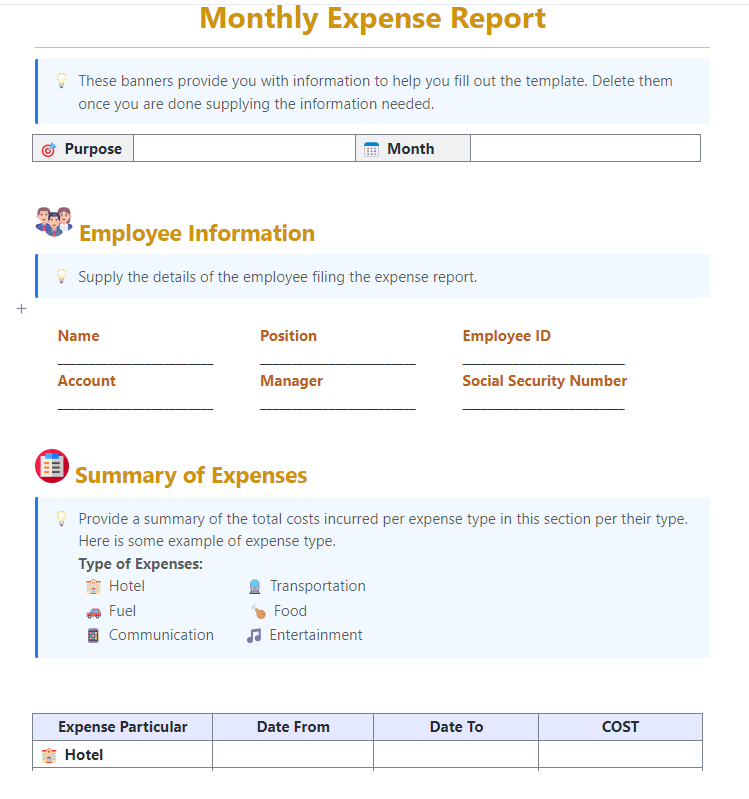
💡 Pro Tip: Looking for an easy way to track your monthly expenses without building workflows from scratch? ClickUp’s Monthly Expense Report Template can help you by tracking and reporting your monthly expenses in an easily customizable format.
Here’s why you’ll like this template:
Once the receipts are in, the next headache is usually tagging everything correctly. Every line needs to go to the right category, project, or general ledger account.
Look for AI categorization that learns over time and supports consistent coding, especially if you need cost centers, projects, or GL-related tagging.
✅ What to check:
💲 Why it matters for finance teams:
Policy enforcement matters most when it is applied during submission, not weeks later. Strong tools combine rules, alerts, and workflow routing.
✅ What to check:
💲 Why it matters for finance teams:
📽️ Watch a video: If your project budgets are always going over (or you’re constantly surprised by last-minute costs), this video will help.
This step-by-step guide will teach you how to confidently manage project budgets, from estimating costs to tracking real-time spending and avoiding overruns.
An expense management solution only helps if expense data ends up in the accounting system accurately. Two-way sync reduces duplicate work and prevents mismatched numbers.
✅ What to check:
💲 Why it matters for finance teams:
📖 Also Read: How to Use ChatGPT Voice to Text: A Simple Guide
If you operate across countries or multiple entities, support for currencies, local rules, and consolidated reporting becomes essential.
✅ What to check:
💲 Why it matters for finance teams:
All this automation works best when there’s a structured workflow around it. That’s where ClickUp becomes the operating system for approvals and visibility.
📖 Also Read: Top AI Tools Transforming Businesses
AI speeds up expense workflows, but finance teams should protect three things: accuracy, compliance, and trust.
Here are the common risks—and how to reduce them:
A simple rule works well: Automate the routine. Escalate the exceptions.
You don’t need a huge transformation project. You need a controlled rollout.
Use this sequence:
The goal is not to approve faster at all costs. It’s to approve cleaner and close earlier.
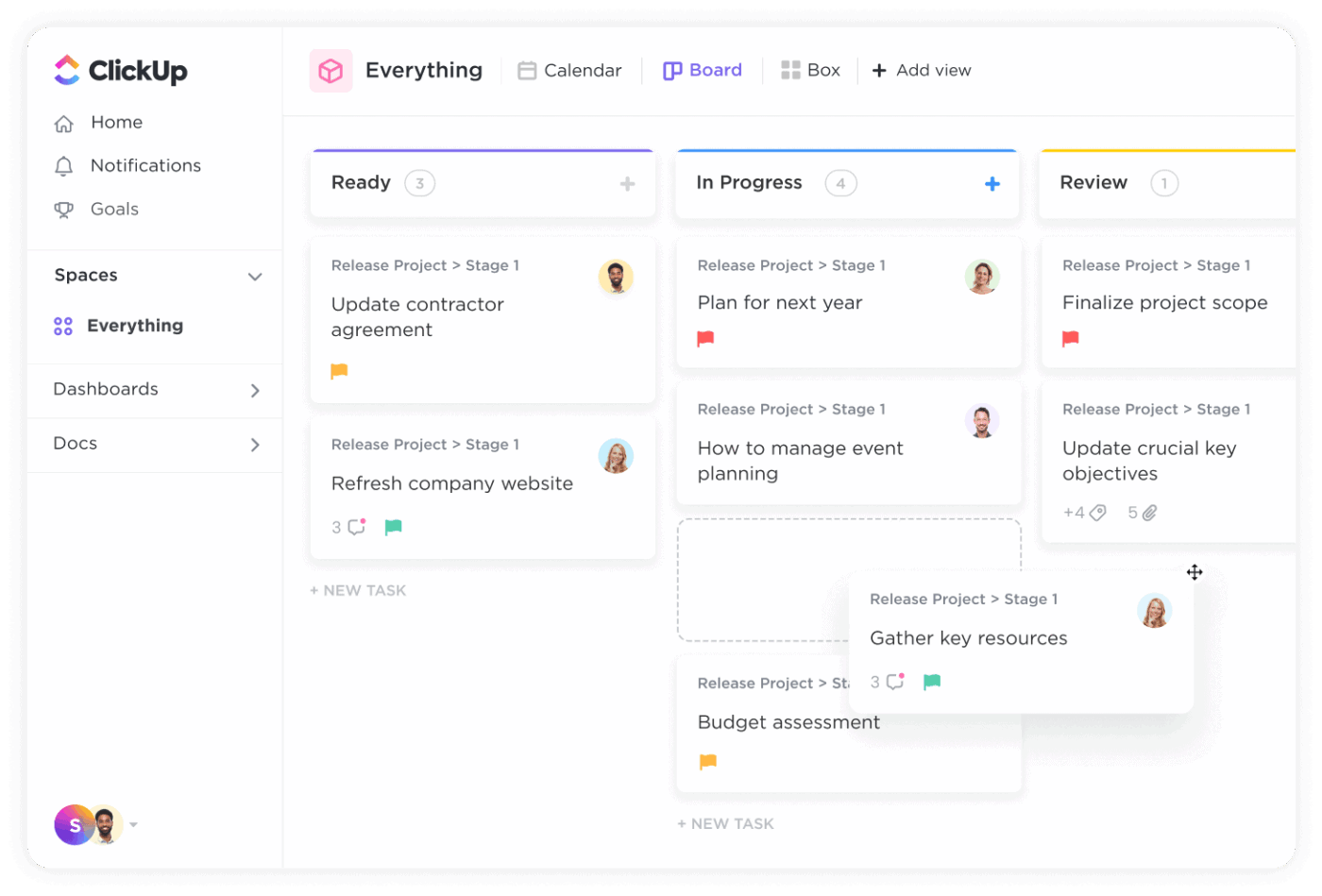
ClickUp isn’t exactly an expense reimbursement tool, but it works well as the “workflow layer” around expense management software: intake, documentation, approvals, follow-ups, and visibility.
This is especially helpful when expense requests live in too many places (inbox, chat, spreadsheets) and the approval process becomes hard to track. This is work sprawl, and it costs businesses time and money.
ClickUp solves this challenge by being a converged AI workspace. The goal is simple: keep expense requests, policy context, approvals, and visibility in one place, then use ClickUp Brain to clean up the “messy middle” (unclear memos and meeting decisions that never turn into action).
Here’s what a typical flow looks like:
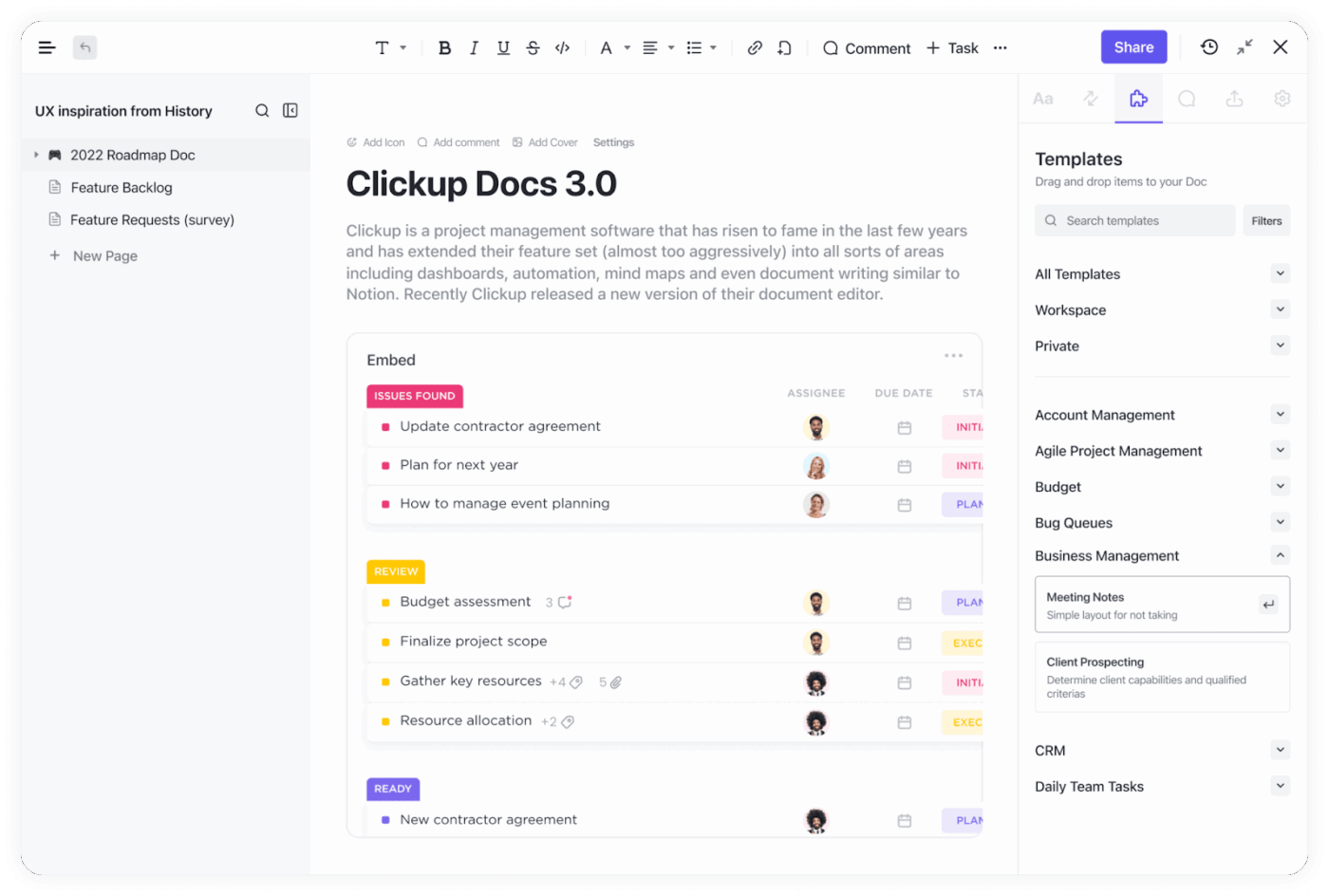
Most expense slowdowns start with two problems: policies that live in a PDF nobody reads and approvals that happen in threads across multiple platforms.
In ClickUp, you can keep the policy and the approval trail connected by turning each expense request into a trackable task, then linking back to the policy Doc for instant reference.
How to set it up in ClickUp (practical, finance-friendly):
Where ClickUp AI helps:
ClickUp Brain can help employees rewrite unclear expense notes inside tasks and Docs. It can also help finance teams summarize long comment threads so approvers see the decision-critical details faster.
💡 Pro Tip: Use ClickUp Super Agents to keep expense approvals moving automatically.
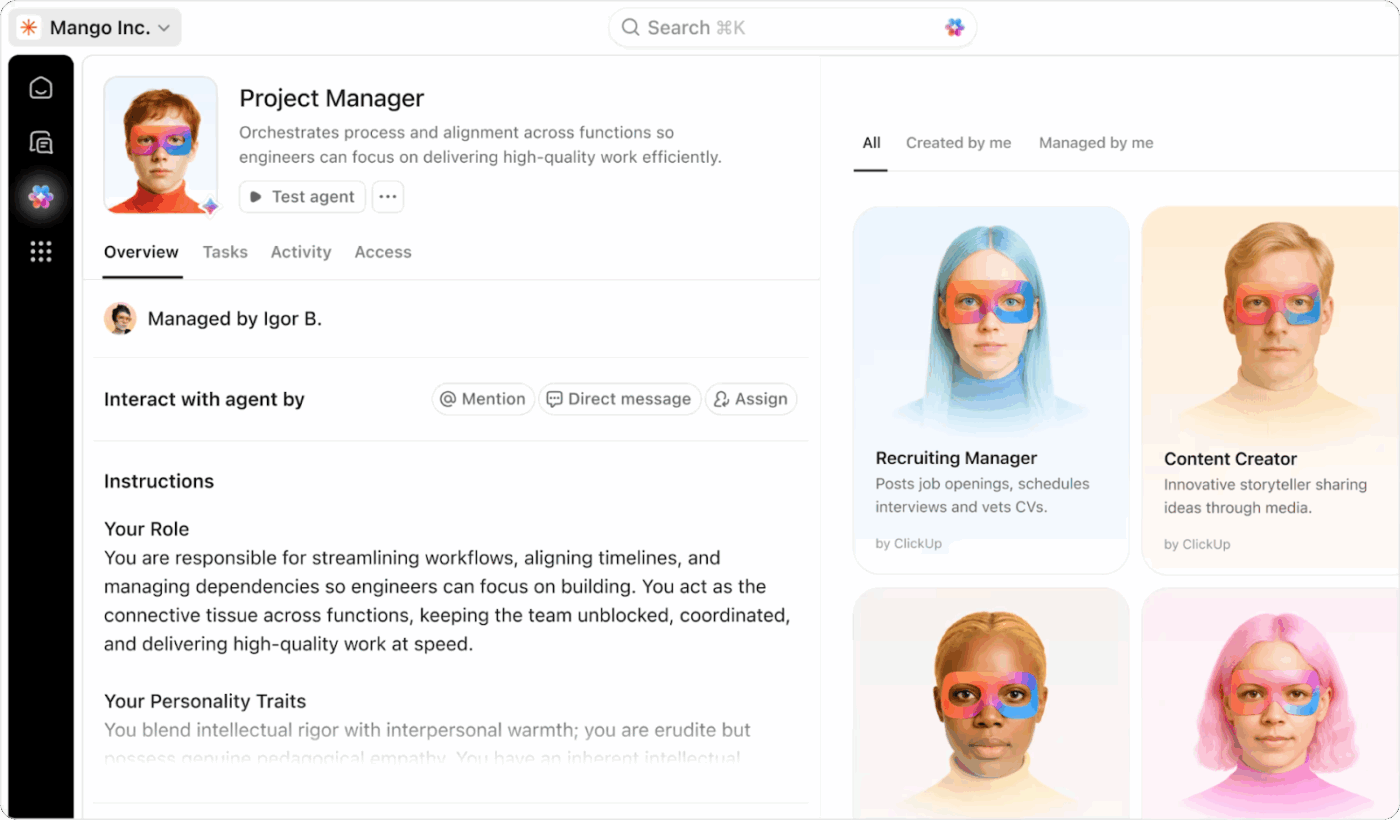
If your expense List has predictable bottlenecks (missing receipts, stalled approvals, unclear memos), set up a Super Agent that runs in that List and takes action only when triggered by defined events and conditions.
Because these AI Agents can use ClickUp AI (like updating a task, changing a status, or posting a comment), you can turn “someone should follow up” into an automatic step.
If you also want fast Q&A inside a finance ClickUp Chat channel (“Which reimbursements are stuck?”), ClickUp’s Ambient Answers agent can reply with context-aware answers from the knowledge sources you allow.
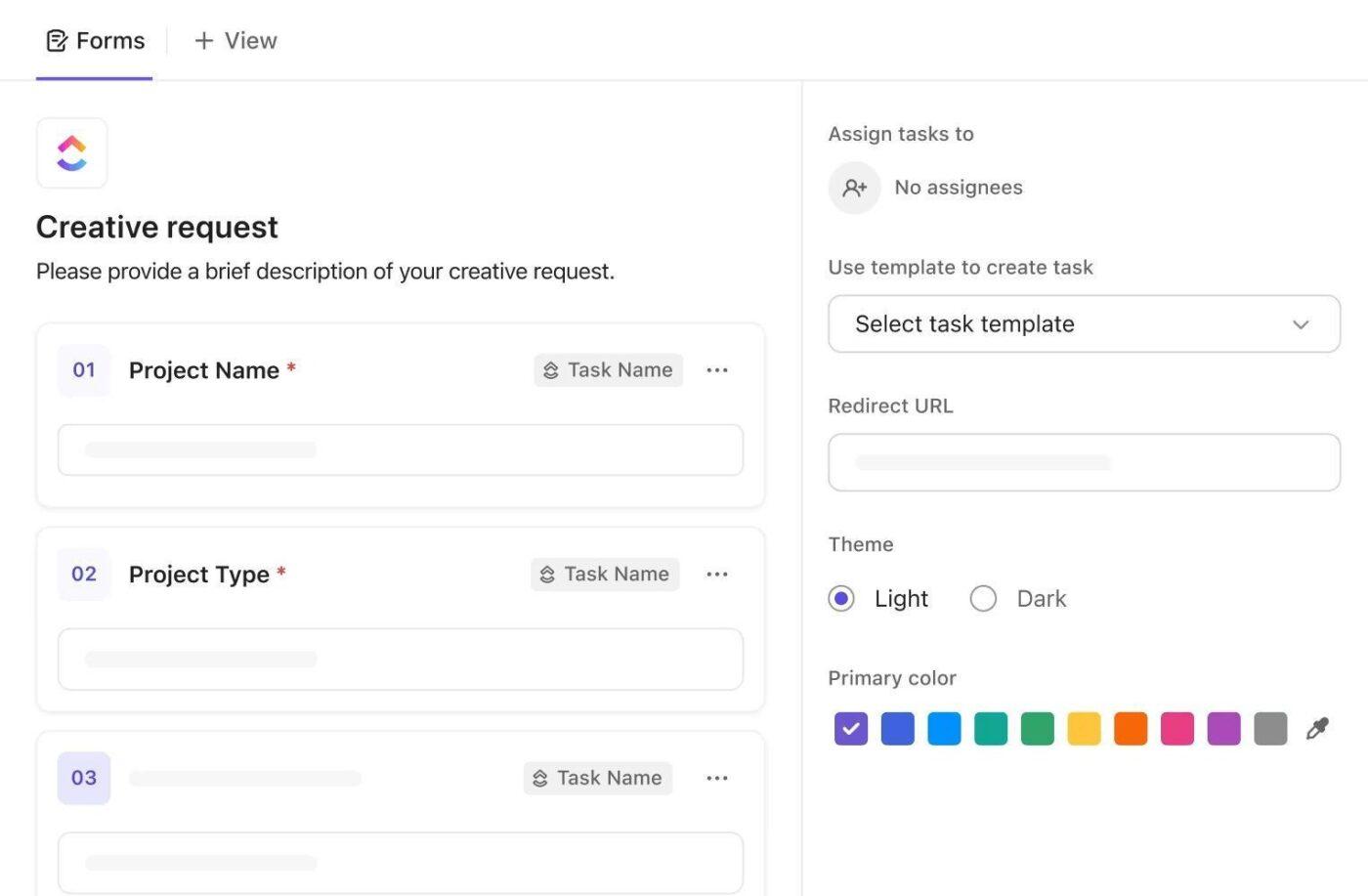
Intake is where manual expense management usually falls apart: different formats, missing receipt data, and inconsistent fields that force finance into manual entry.
ClickUp Forms solve this by capturing the same required fields every time, then turning each submission into a task so it can move through an approval process.
You can make your Forms smarter (and reduce back-and-forth) through these steps:
Routing idea (simple but effective):
Use ClickUp Automations so that when an “Amount” Custom Field crosses a threshold, the task is reassigned or escalated. When the status changes to “Approved,” the task moves to the reimbursement queue.
💡 Pro Tip: Use ClickUp Brain to fill in the gaps around your forms. When an expense request comes in, you can ask ClickUp Brain to summarize the details, rewrite unclear memos, or generate quick follow-up questions inside the task so approvers don’t have to chase context over chat. It keeps every intake clean and easy to review.
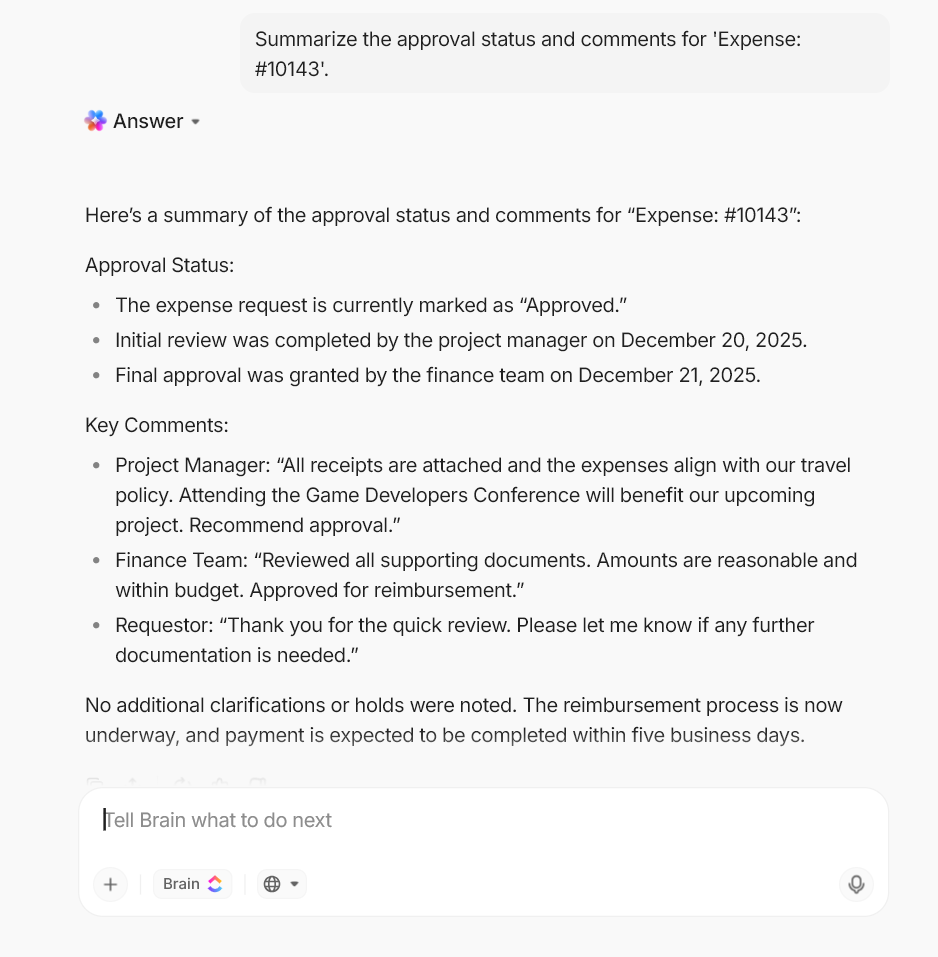
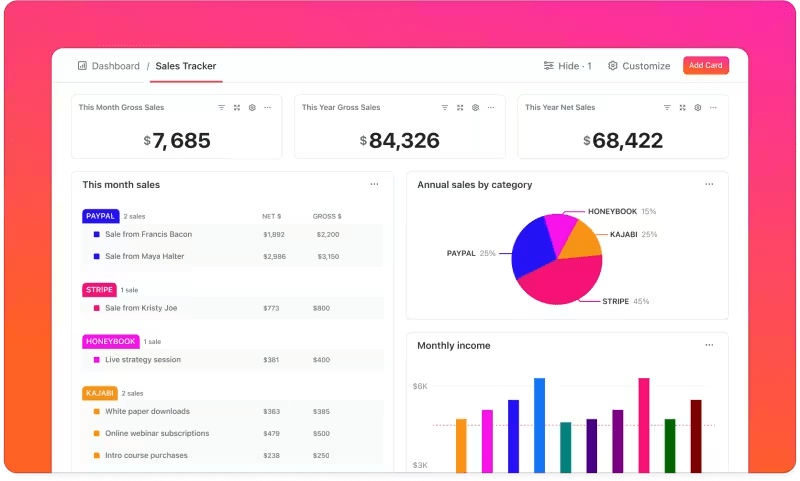
ClickUp Dashboards turn live task data (statuses, assignees, dates, Custom Fields) into visual reporting, so you’re not waiting for a month-end spreadsheet to see what’s stuck.
For expense workflows, this is your visibility layer: what’s pending, what’s blocked, what’s approved, and what’s waiting on a receipt.
Use a finance dashboard to track things like approval queue size, high-value reimbursements, requests missing receipts, and aging approvals using Dashboard cards and filters. ClickUp Dashboards also support sharing and exporting as a PDF when you need a quick leadership-ready view
How ClickUp AI fits in: Add AI Cards to generate standups and summary-style reporting using context from your team’s work.
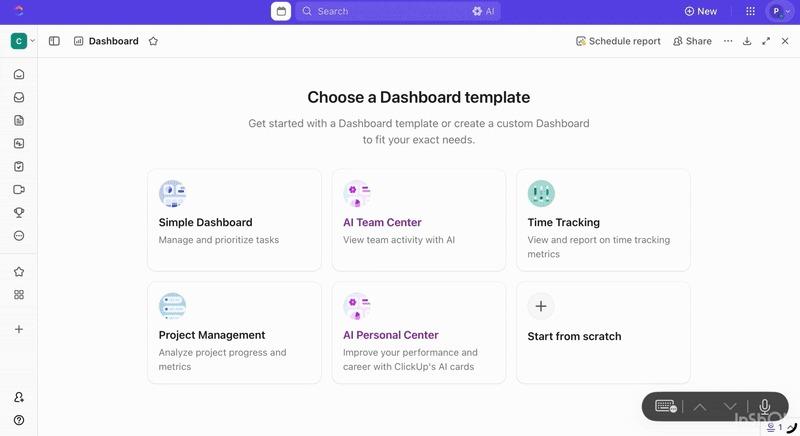
This is useful when you want a quick written snapshot of what changed since last week or what needs attention right now.
📖 Also Read: How to Write a Listicle with Examples
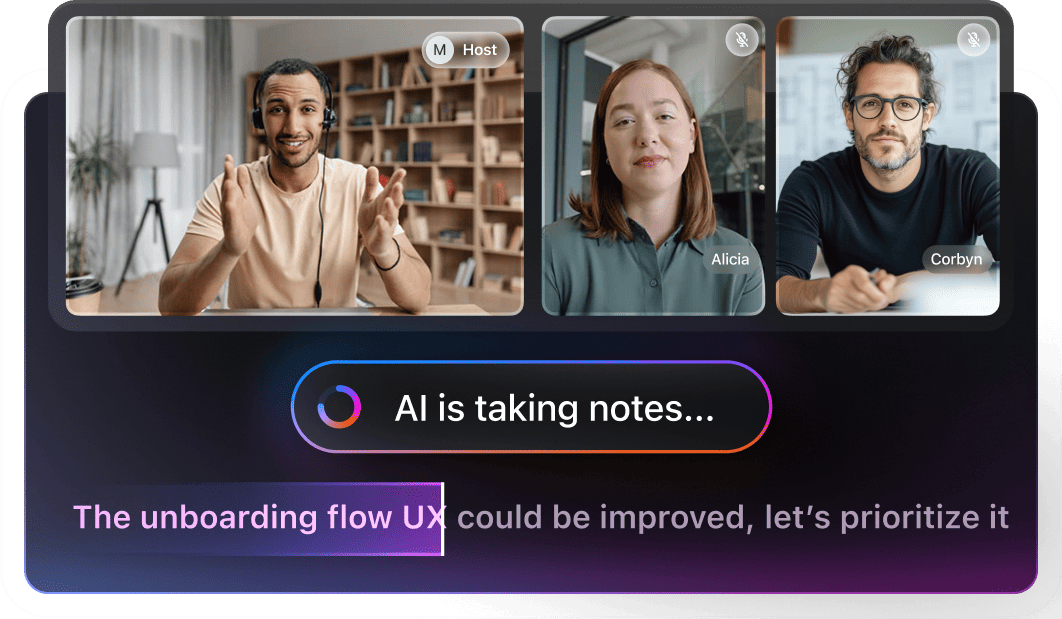
Expense policy decisions often happen in meetings, then disappear in someone’s notes. ClickUp AI Notetaker is built to capture those decisions and make them actionable. ClickUp AI Notetaker can join meetings, generate a structured summary with action items and a transcript, and save those notes back in ClickUp.
For finance teams, this is especially useful for:
💡 Pro Tip: Speed up expense reviews with ClickUp BrainGPT.
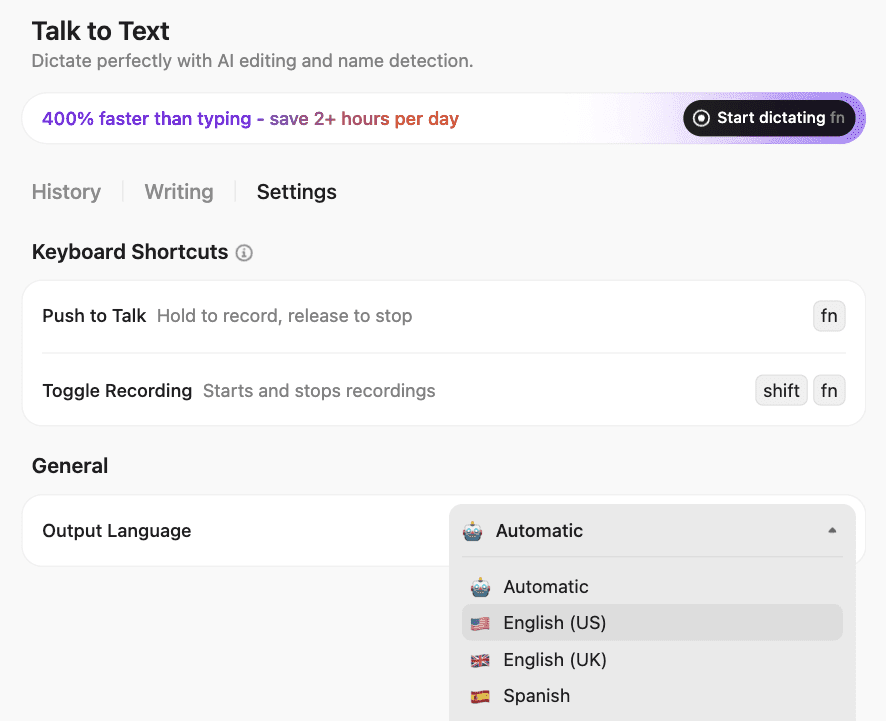
ClickUp BrainGPT helps you keep expense requests readable, searchable, and easy to approve, all without turning every submission into a back-and-forth thread. Here’s how:
Capture expense context with your voice: Use Talk to Text to dictate the key details, like vendor, amount, purpose, cost center, and who approved it, straight into BrainGPT or any text box. Your speech is converted to text, improved using AI, and pasted where you need it
Ask ClickUp BrainGPT to surface the “why” behind spending instantly: Open ClickUp BrainGPT search and ask questions like “What’s the status of vendor renewal approvals?” or “Show expenses tagged ‘travel’ that are still pending.” Enterprise Search uses ClickUp content plus connected apps (by default), so you’re not hunting across tools for the same answer
Find past decisions before you relitigate them: Use ClickUp BrainGPT to search prior chats, Docs, and meeting notes for phrases like “travel cap,” “per diem,” or a vendor name. Then pull the relevant thread into your current approval task so finance doesn’t have to rely on memory
Switch AI models when you need a different kind of help: In ClickUp BrainGPT, you can change the model from Brain to ChatGPT (GPT-5.1/GPT-4.1), Claude, or Gemini
AI expense management helps most when:
If your expense tool handles transactions, ClickUp becomes the system that keeps intake, approvals, exceptions, and accountability visible and moving.
Expense management will always matter, but it doesn’t have to hijack every month-end close like season finale week. When you use AI for expense management thoughtfully, the painful parts start to ease up.
Receipts are captured automatically, expense reports are cleaner, policy checks happen in real time, and finance teams see company spending earlier instead of reacting after the fact.
The real shift comes when your expense data is not scattered across chats, spreadsheets, and inboxes.
With a single workspace like ClickUp, you keep the process, the people, and the story around in one place. AI then becomes less about cleaning up broken data and more about supporting better day-to-day decisions.
Used this way, expense management software stops feeling like a monthly fire drill and starts feeling like a steady system that quietly keeps the numbers, context, and approvals in sync.
Sign up for ClickUp for free and build an expense workflow where requests and insights finally move together in one workspace.
AI doesn’t just help you clean up expense reports. It grabs receipts, pulls out the details, sorts each line into the right category, checks your policies, and sends requests to the right approver. It can even handle parts of credit card reconciliation quietly in the background.
In a workspace like ClickUp, those steps turn into clear tasks and approval flows. You see where every request sits at a glance instead of digging through long email chains or old chat threads.
An AI expense tracker is usually personal. It logs spending for one user or card and puts each transaction in a category.
AI for expense management is bigger. It handles submissions, approvals, policy checks, and syncing with your accounting system so finance can see spending as it happens, not weeks later.
Most teams use an expense tool for card and reimbursement data, then run approvals, policies, and reporting around it in ClickUp so the whole process stays connected.
Most teams plug their expense tool into ClickUp and treat it as the approval control center.
Expense requests come in through ClickUp Forms and instantly become tasks with fields for amount, category, and cost centers. Those tasks then move through simple automated workflows that tag the right manager based on team or approval limits.
Finance leaders can open a ClickUp Dashboard and see what’s pending, approved, or blocked in seconds, instead of chasing updates across email and chat.
The most useful metrics are pretty simple. Look at how long it takes people to submit and approve expenses, how many expenses are auto-coded, how many out-of-policy claims you catch before payment, and how many days it takes to close the books.
You can also track hours saved on manual work and turn that into a rough productivity gain for your finance team. Many teams watch these trends in ClickUp Dashboards and use tools like the free ClickUp Employee Productivity Calculator to put a clear value on the time they’ve won back with AI-driven expense automation.

© 2026 ClickUp

There’s an easier way. Try a free AI Agent in ClickUp that actually does the work for you—set up in minutes, save hours every week.