






Still downloading templates?
There’s an easier way. Try a free AI Agent in ClickUp that actually does the work for you—set up in minutes, save hours every week.
Sorry, there were no results found for “”
Sorry, there were no results found for “”
Sorry, there were no results found for “”

You already have content. More than you realize.
If you publish one blog post a week, that’s 52 pieces a year. Each one contains ideas that could live beyond a single page. Turn every blog post into five additional assets, and you suddenly have more than 250 pieces of content without creating anything new from scratch.
This guide will show you how to use AI to transform existing content into multiple formats. You’ll learn practical workflows, see real examples, and find out how to manage the entire repurposing process in one workspace instead of juggling ten different tools.
Let’s get started. 🚀
AI content repurposing involves using artificial intelligence to transform existing content into multiple formats for different platforms and audiences.
AI helps extract key insights, adapt tone and structure, and reformat content so it works as a blog, social post, video script, newsletter, or podcast—without starting from scratch.
📌 Example: You published a long-form blog post explaining a new product feature.
With AI content repurposing, that one asset can become:
The core idea is simple. You invest time creating high-quality content once, then use AI to adapt it for every platform where your audience shows up.
To know more about how to use AI for marketing, watch this video 📹
⚡ Template Archive: Free Social Media Templates for Posts, Campaigns, and Content
42% of marketers saw success by updating and repurposing existing content. Reusing proven material helps you publish faster and get more value from what you have already created. The key benefits of AI content repurposing include 👇
✅ Saves time: AI generates first drafts in minutes, reducing manual rewriting and formatting
✅ Improves reach: Content adapts to different platforms so audiences can engage in the formats they prefer
✅ Maintains consistency: Brand voice and messaging stay aligned across channels
✅ Increases ROI: One content investment produces multiple usable assets
✅ Keeps calendars full: A single core asset supports ongoing, multi-channel publishing
⚡ Template Archive: Free Marketing Plan Templates in Excel and ClickUp
👀 Did You Know? 87% of marketers use AI to assist with content creation. Companies that use AI publish 42% more content per month compared to those that do it manually.
AI content repurposing is commonly applied to the following content types:
| Original Content Type | How Teams Repurpose it with AI | Where it Shows up |
| Blog posts and guides | Social posts, email summaries, video scripts, carousels | LinkedIn, email, YouTube, Instagram, and X carousels |
| Podcasts and videos | Transcripts, short clips, captions, written summaries | Blogs, Shorts, Reels, TikTok |
| Webinars and events | Recap articles, highlight clips, follow-up emails | Blogs, social media, emails |
| Reports and whitepapers | Educational posts, summaries, sales-friendly excerpts | Blogs, social media, sales enablement |
The most successful content marketing strategies focus on amplifying the same core insights across channels, in formats that different audiences prefer.
Repurposing allows teams to meet audiences where they already are—without fragmenting messaging or burning out your team.
Traditionally, someone had to write social media snippets from your blog posts manually. Or extract key points, rewrite them, keeping platform limits in mind, and repeat this process for every channel.
AI changes that completely. You give a few prompts and instantly turn one asset into multiple formats, each tailored to the platform it’s meant for.
This matters because you can ⭐
⭐ Bonus: How Do Content Teams Use AI
📮 ClickUp Insight: 88% of our survey respondents use AI tools for personal tasks every day, and 55% use them several times a day.
What about AI at work? With a centralized AI powering all aspects of your project management, knowledge management, and collaboration, you can save up to 3+ hours each week, which you’d otherwise spend searching for information, just like 60.2% of ClickUp users!
Here’s a repeatable process for repurposing existing content with AI 👇
You don’t need to repurpose everything.
Audit your existing library. Look for pieces that have performed well. This could be:
These assets already resonate with your audience, which makes them the best candidates for AI-powered repurposing.
Centralize these assets in one place so AI can work with full context before you start generating new formats.
Create a ClickUp Doc to capture this audit in one place. List each asset, note why it performed well, and flag potential repurposing angles. You can also add notes on performance metrics like traffic, engagement, or conversions. It becomes a working document your team can revisit and build on as priorities shift.
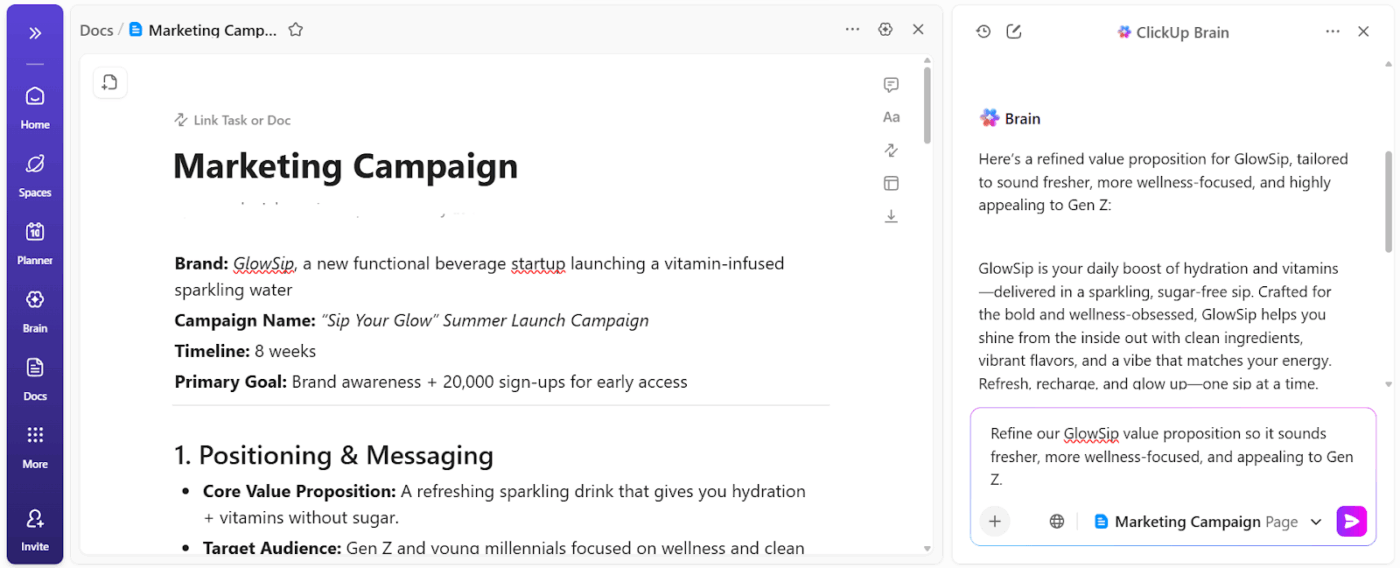
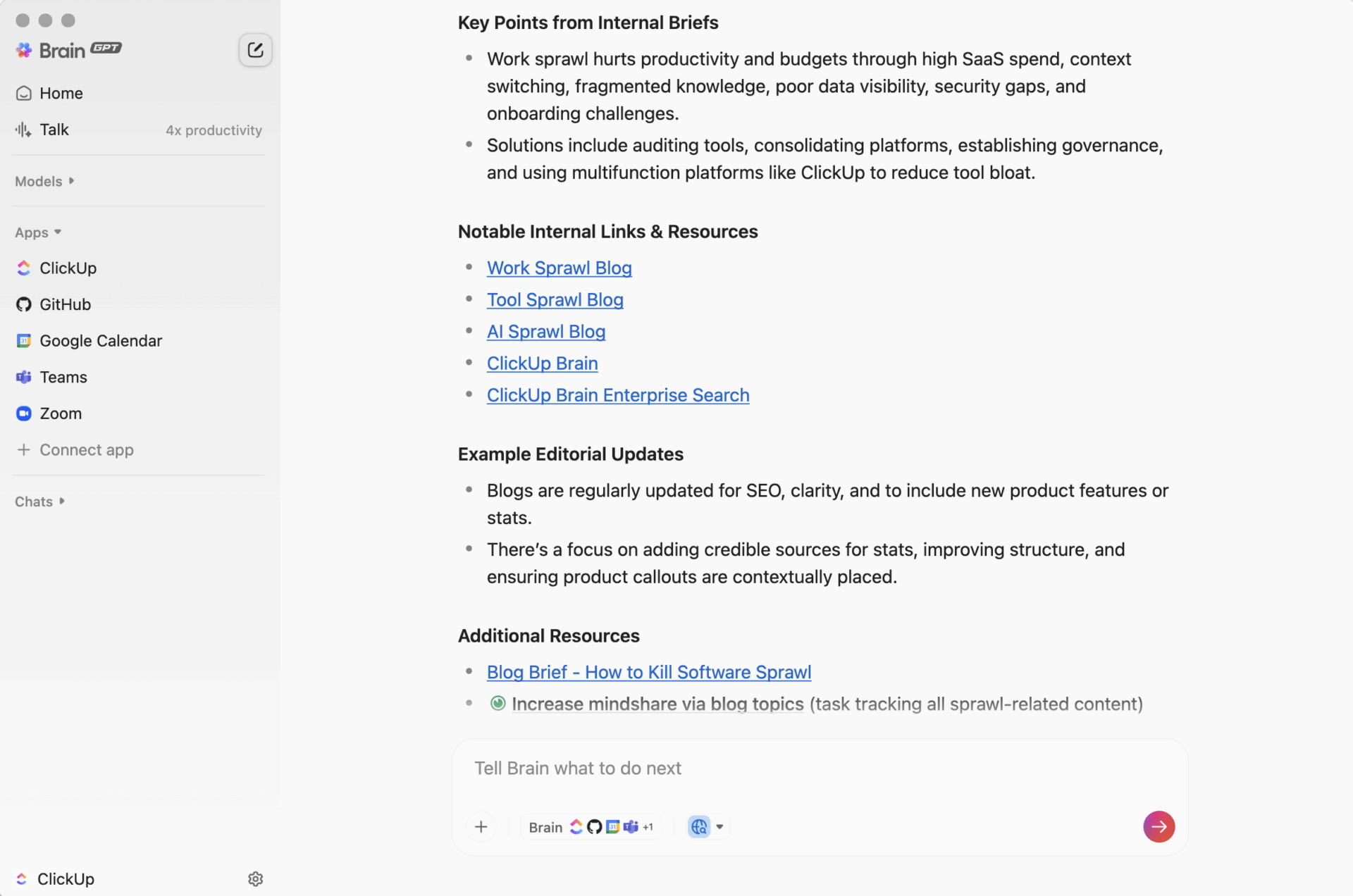
💡 Pro Tip: Capture your entire content audit in a single ClickUp Doc. Ask ClickUp BrainGPT to highlight the highest-impact assets, summarize why they performed well, and suggest repurposing angles by channel.
Decide where and how your audience actually consumes content.
Repurposing works best when formats are mapped to real consumption habits, not just platform availability.
Ask questions like:
For example:
📚 Read More: Best AI Writing Prompts for Marketers and Writers
Use Custom Fields to map content formats to audience behavior at scale. Tag each asset by audience type, preferred channel, and format, then group or filter content to see where repurposing will actually perform.
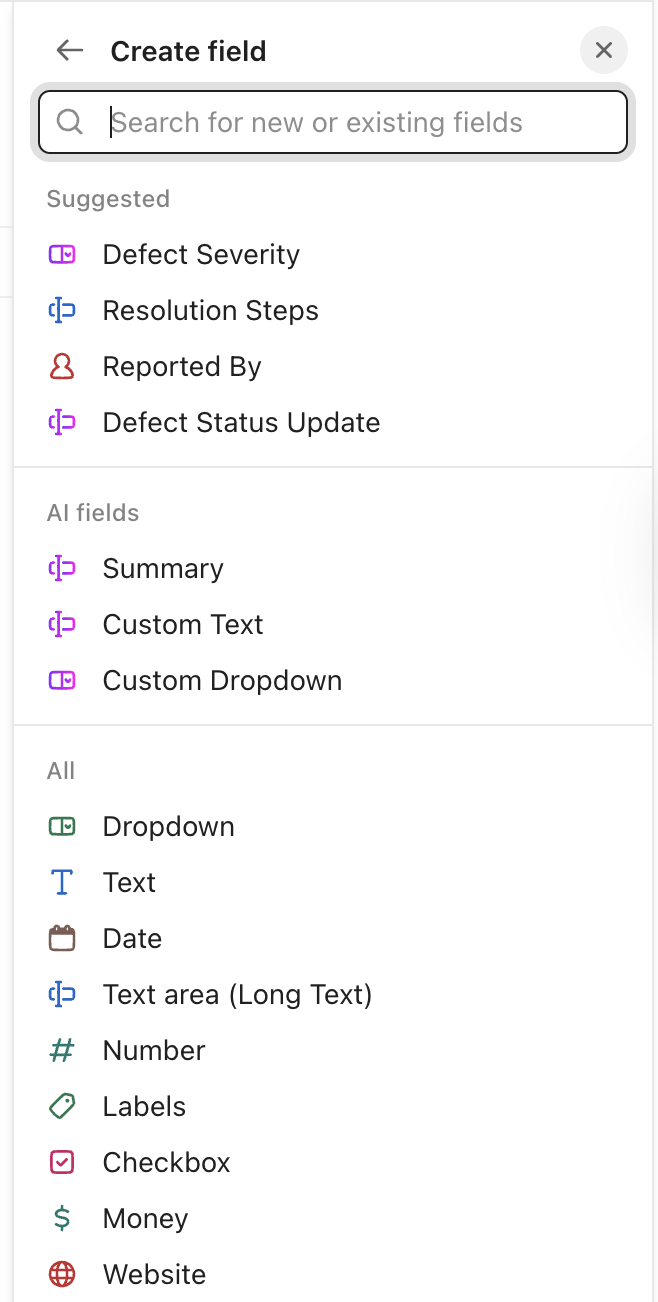
💟 Bonus: Embed AI Fields in ClickUp into your repurposing workflow to turn raw content into structured, usable signals—without manually tagging every asset. AI Fields automatically extract and update information from task content, Docs, and comments.
This is where AI takes over the heavy lifting.
Start with your source content and feed it into your AI tool. The quality of the output depends on how clearly you guide it, so be specific about what you want.
Provide clear prompts that specify:
For example, if you’re repurposing a blog post, avoid vague instructions.
❌ Bad prompt: “Turn this into social posts.”
✅ Good prompt: “Create five LinkedIn posts from this blog. Each post should focus on a different section, use a professional but conversational tone, include a hook in the first line, and end with a question to drive engagement. Keep each under 1,300 characters.”
When scaling content repurposing, most teams face tool sprawl.
It slows execution and forces marketers to re-explain the same content repeatedly.
A unified workspace reduces friction and improves operational efficiency across the entire repurposing workflow.
Enter ClickUp BrainGPT—your contextual AI companion built directly into your workspace.
It understands your work, assists at every step of content creation, and unifies people, tasks, and knowledge in one place. AI works alongside your actual projects and assets, rather than generating content in isolation.
Use BrainGPT to:
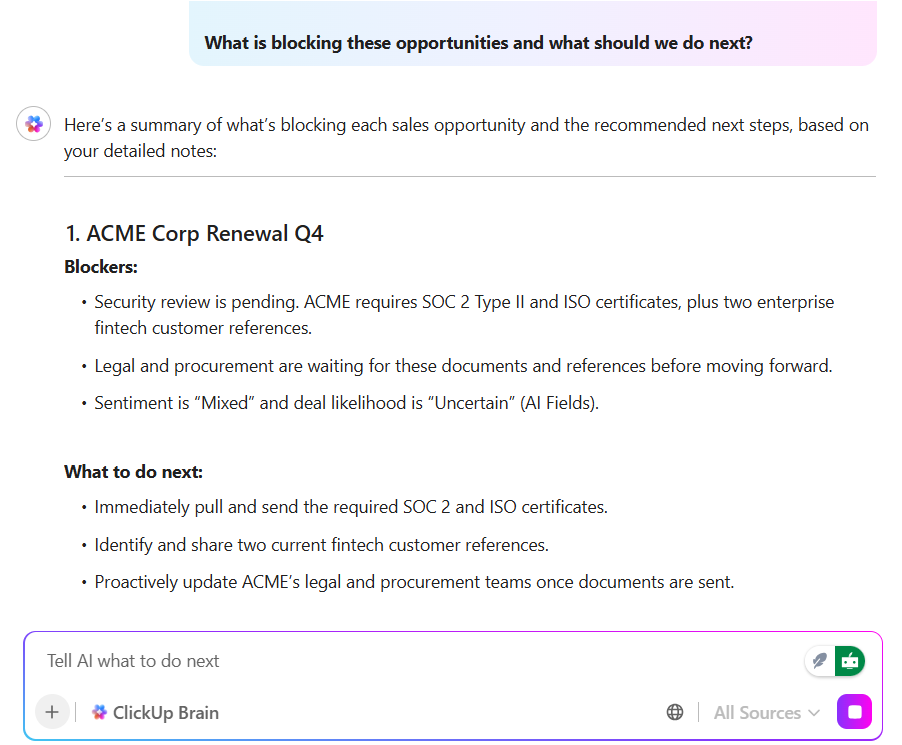
And when you’re missing context—like the original Doc, performance notes, or prior messaging decisions—ClickU Enterprise Search helps you find it fast. Describe what you’re looking for in natural language, and it searches across Docs, tasks, comments, and connected apps.
Beyond search, ClickUp’s AI can analyze your tasks, chats, brand guidelines, and workspace documents to answer questions contextually. You can ask:
Additionally, ClickUp Brain connects to external AI models. You have access to specialized generation capabilities beyond the built-in AI.
Use Claude for long-form reasoning and nuanced rewrites. Gemini for research-backed drafts and multimodal content. ChatGPT for fast ideation, structured outputs, and social-ready copy—all accessible through ClickUp Brain in one workflow.
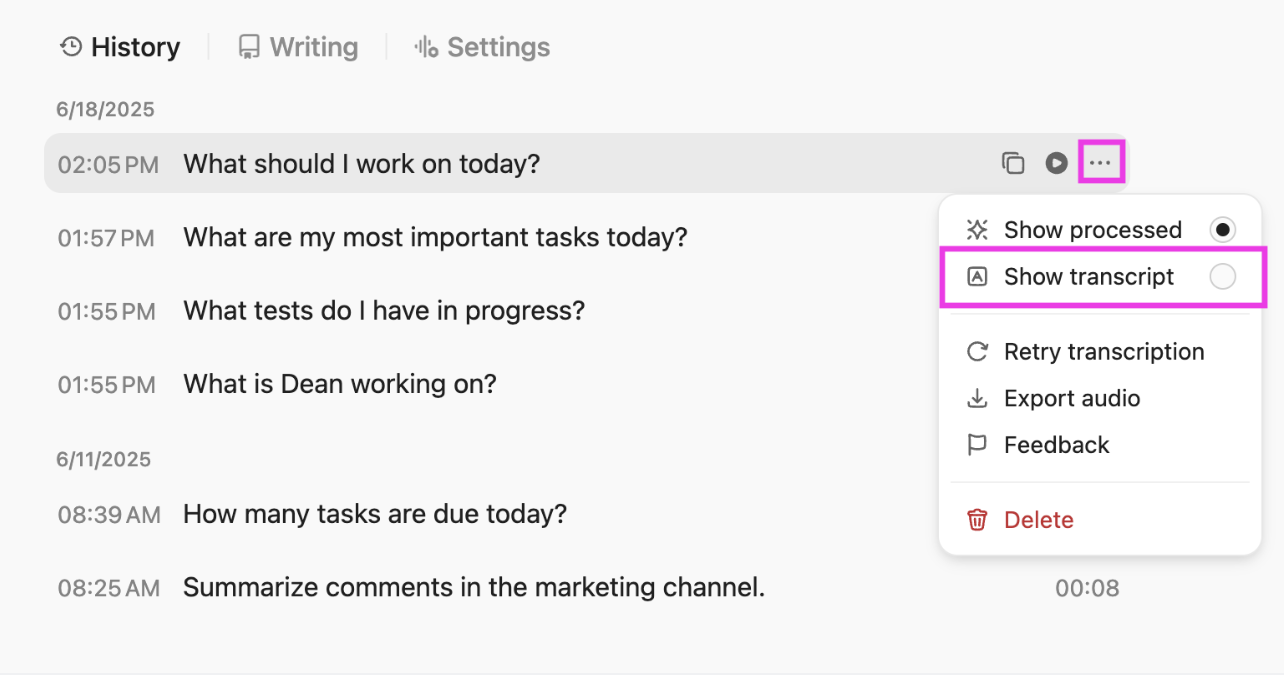
⚒️ Quick Hack: Use ClickUp Brain’s Talk-to-Text to turn voice notes, webinar takeaways, or quick content ideas into text instantly. It’s especially useful when you want to capture raw thoughts or spoken insights and convert them into first drafts that AI can refine.
📮 ClickUp Insight: 62% of our respondents rely on conversational AI tools like ChatGPT and Claude. Their familiar chatbot interface and versatile abilities—to generate content, analyze data, and more—could be why they’re so popular across diverse roles and industries.
However, if a user has to switch to another tab to ask the AI a question every time, the associated toggle tax and context-switching costs add up over time.
Not with ClickUp BrainGPT, though. It lives right in your Workspace, knows what you’re working on, can understand plain text prompts, and gives you answers that are highly relevant to your tasks! Experience 2x improvement in productivity with ClickUp!
📚 Read More: How to Use AI in Content Marketing–A Complete Guide
If prompted correctly, AI generates solid first drafts. Your job is to humanize this content.
Review each piece for:
This step is where human judgment matters most. AI can summarize and restructure, but it can’t replace lived experience or intuition.
Add personal stories, insider context, or unexpected connections that give the content depth. Small touches of personality or well-placed humor often make the difference between something that’s skimmed and something that’s remembered.
🚀 ClickUp Advantage: With ClickUp Super Agents, you can speed up the process of review and refinement. And no, you don’t outsource your creativity.
Use Super Agents to:
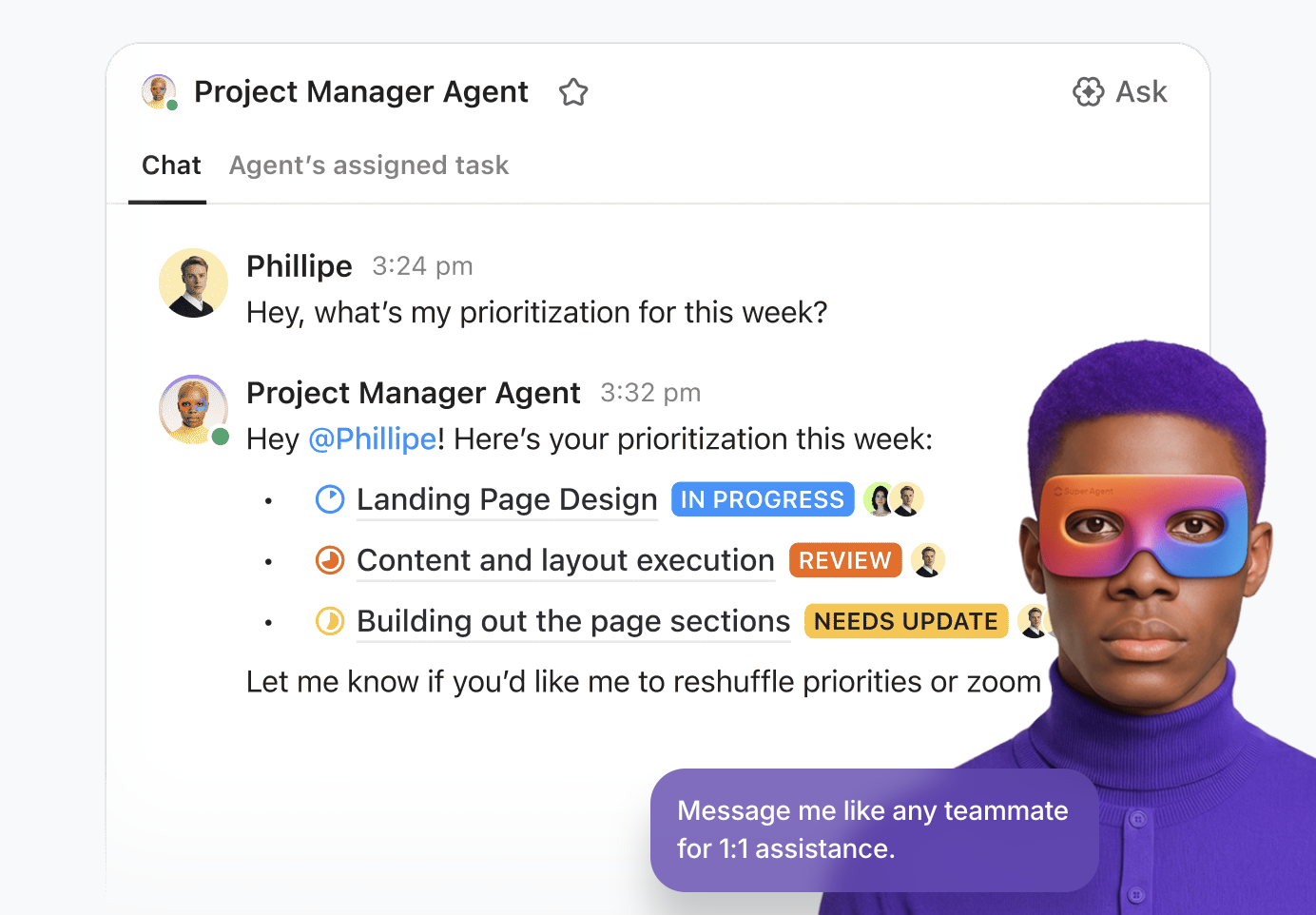
This video shows you how to build your own agent 👇
💟 Also Read: Best Productivity Tools for Every Use Case
At this stage, the goal is to keep your content production process simple and repeatable. It means making sure the right content goes out, on the right channel, at the right time.
Instead of publishing ad hoc, align repurposed content to:
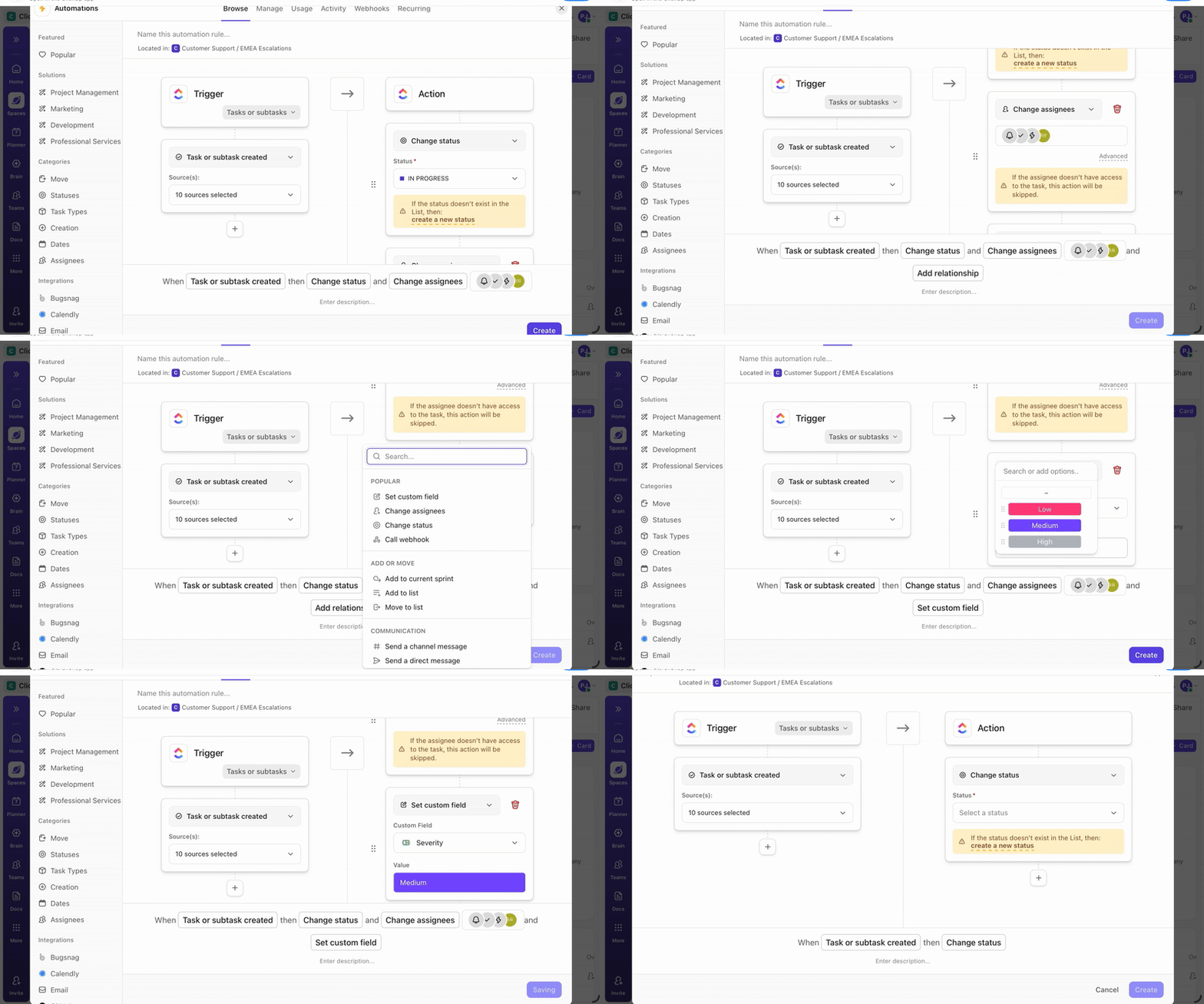
💡 Pro Tip: Set up ClickUp Automations to handle repetitive handoffs in your content production process. Automatically move tasks to “Scheduled” when content is approved, assign publishing owners when due dates approach, or notify stakeholders when posts go live.
Now you are practicing repurposing content with AI. Next, you would want to pay attention to what works (make more of it) and what fails (remove or tweak it).
For this track metric, like:
⚡ Template Archive: Free Content Calendar Templates to Plan, Schedule, and Publish like a Pro
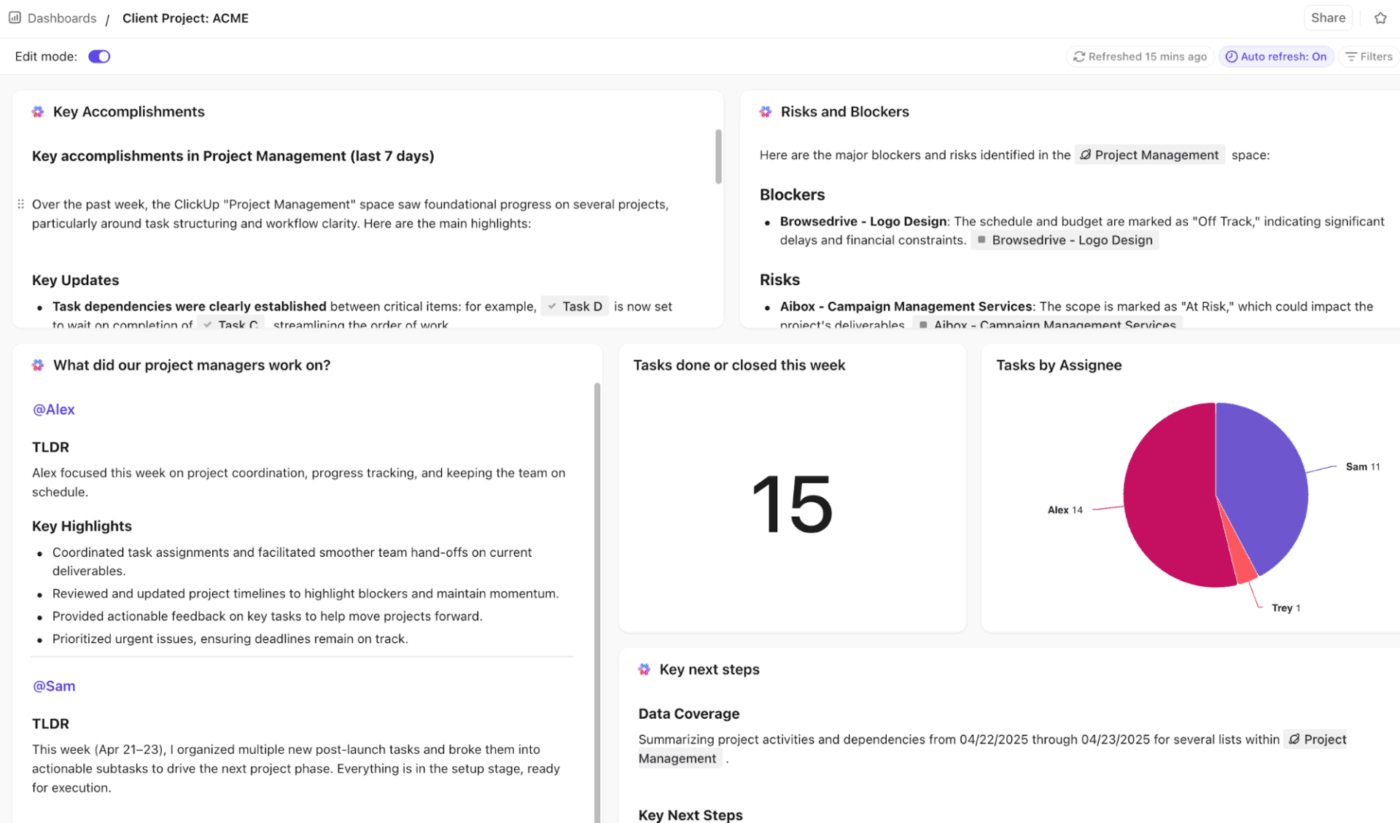
Use ClickUp Dashboards to visualize progress, performance, and ROI in one place—without manual reporting. Dashboards update automatically as tasks move, content ships, and metrics change.
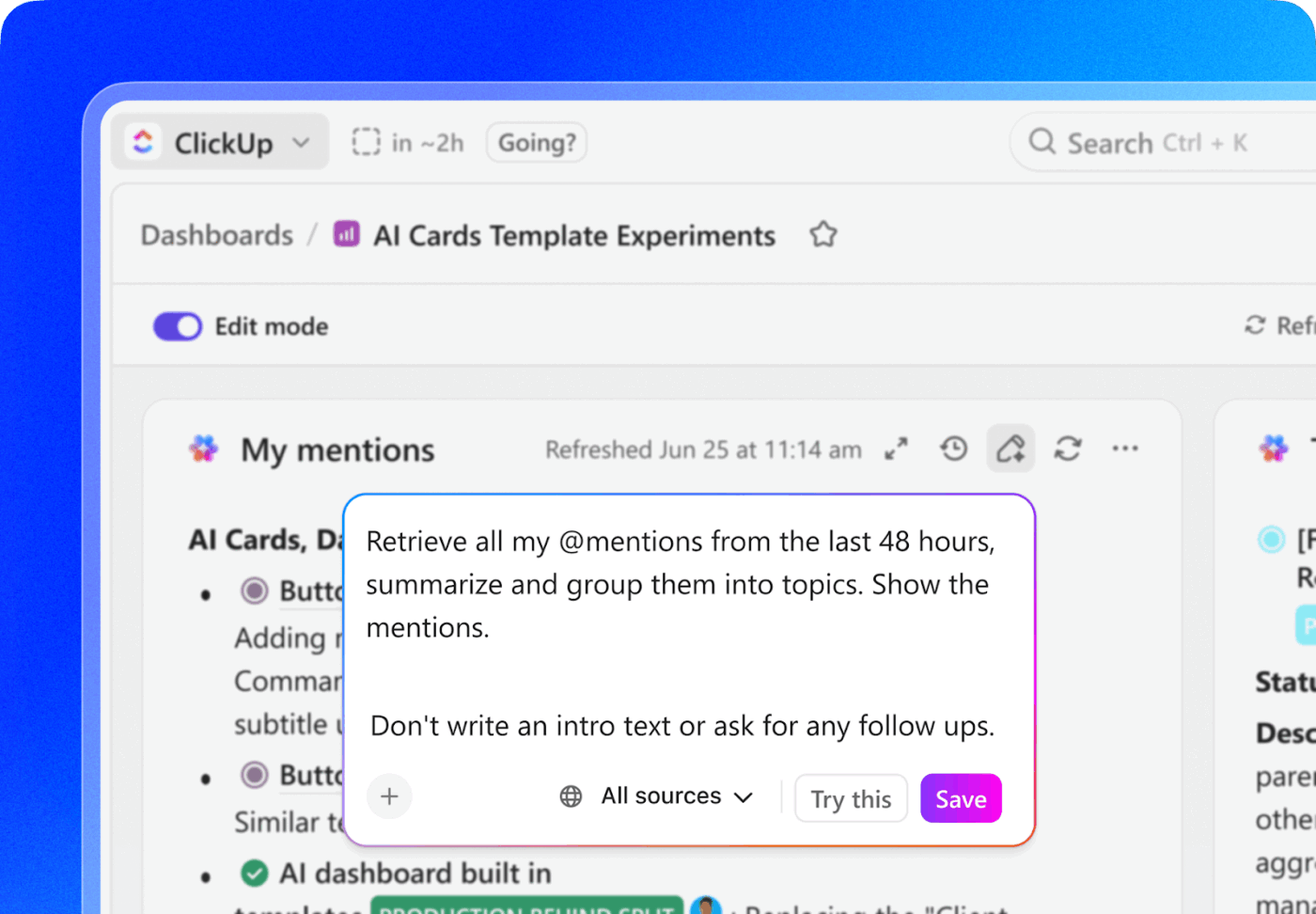
AI Cards placed next to charts and graphs automatically summarize key outcomes, highlight risks, suggest next steps, and call out what needs attention. You spend less time analyzing and more time improving results.
📚 Read More: Your Guide to SEO Project Management
How to choose the best repurposing format
If you’re just getting started, here are some standalone tools and templates to give a test drive 👇
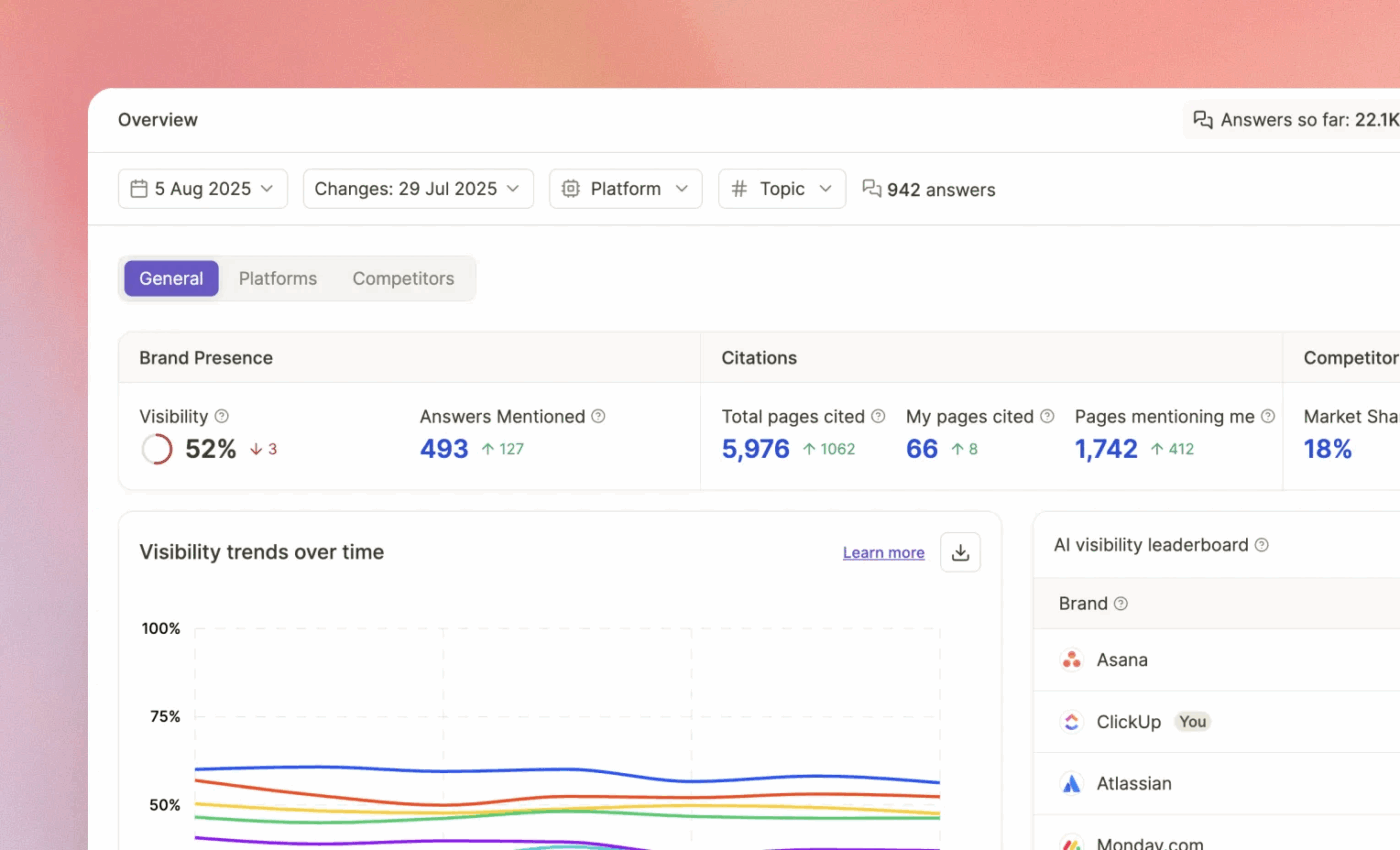
Use Writesonic when the repurposing goal is discoverability. For example, updating pages that AI tools cite or filling gaps where competitors are mentioned, and you are not. If you are using it for repurposing, treat the outputs as a prioritization layer that tells you what to refresh first, then write with your own standards.
A Capterra reviewer says:
One of the things I really appreciate about Writesonic is the variety of content formats it supports. Whether I need to draft a blog post, create social media captions, or write an email newsletter, Writesonic has got me covered. And the fact that it can optimize content for SEO and engagement is a huge bonus for our online visibility
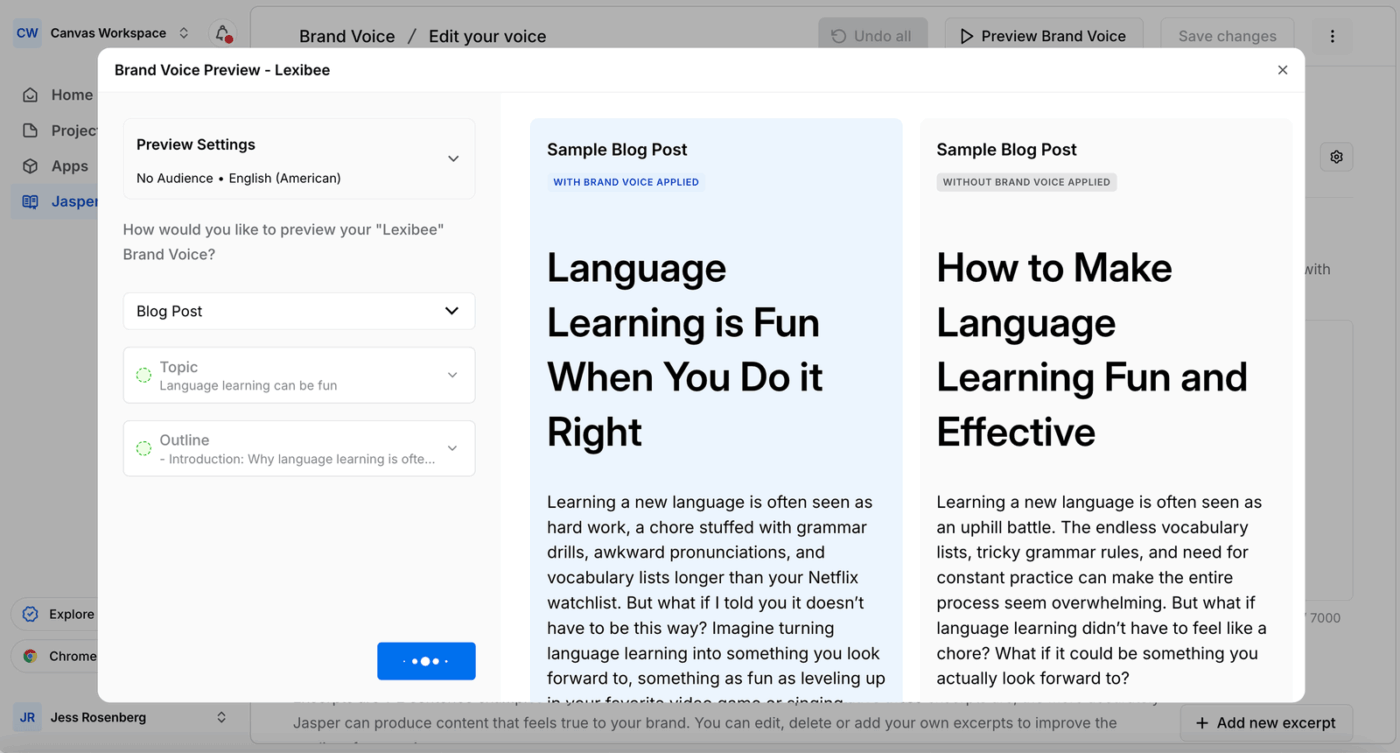
Jasper is built for marketing teams that need repeatable output without re-explaining brand rules every time. Its brand features let you store voice and style guidance so drafts start closer to your baseline. Use it when you are producing the same content types often and want fewer tone fixes in review.
A user review says:
The user interface is very clean and easy to navigate, even for someone new to AI writing tools. The learning curve was surprisingly low.
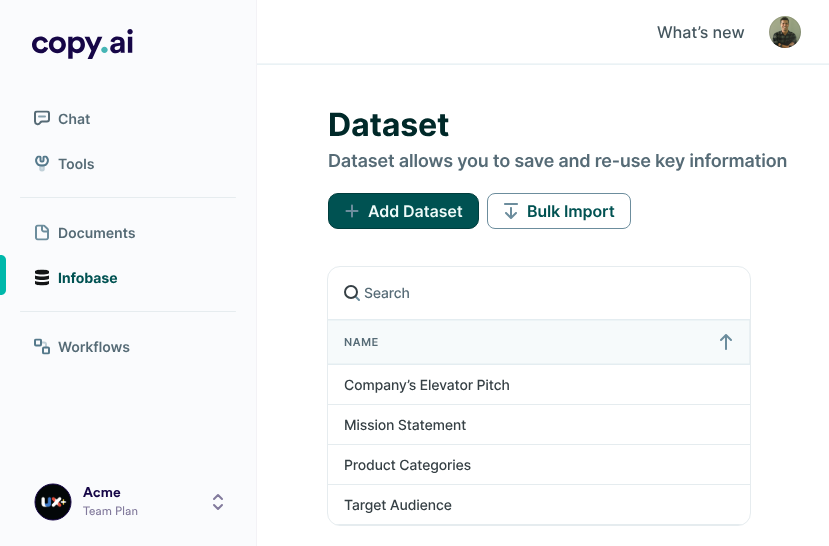
Copy.ai leans into go-to-market workflows, making it a good fit for teams repurposing content into sequences that support assets. Instead of generating one-off drafts, it focuses on multi-step workflow-style output that can cover handoffs between content marketing and sales. It’s useful when you want a consistent structure across variations, like one webinar turning into a follow-up email series with role-based angles.
Hear it from a Reddit review:
Copy ai is fine for speed but don’t expect it to win seo wars out of the box. raw ai text = generic, detectable, and usually won’t rank long term without heavy human editing.
📚 Read More: Copy.ai Alternatives for Content Creation
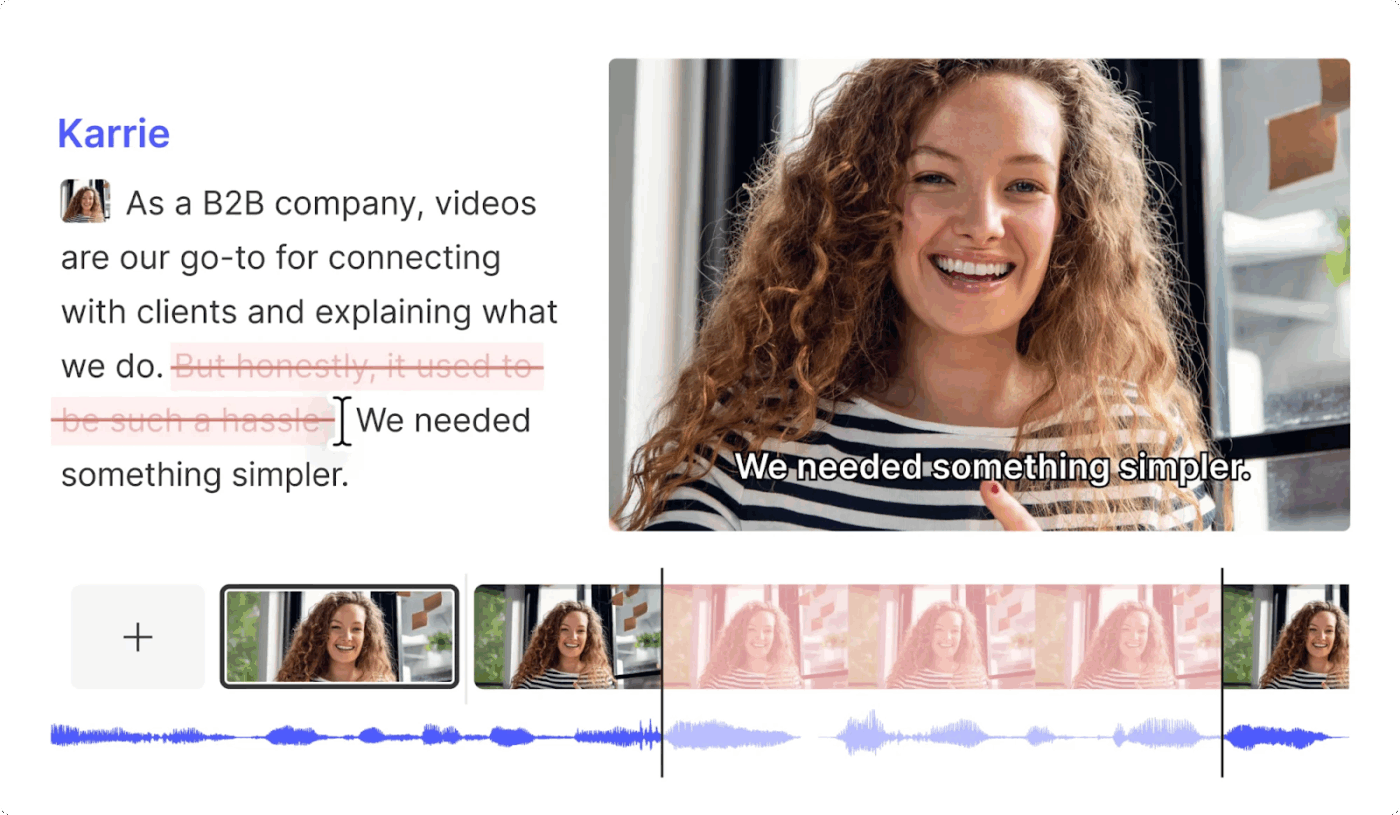
Descript is built around transcript-first editing, so it suits talking-head videos, podcasts, interviews, and screen recordings. You edit the words, and the timeline follows, which is practical when the main job is fixing a section that ran long. It’s more suited for polishing recorded material into short clips.
Here’s what a Capterra reviewer has to say about Descript:
Descript is a game-changer for anyone looking to streamline their audio and video editing process–especially for beginners. It has great features like automatic transcription, screen recording, and text-based editing.
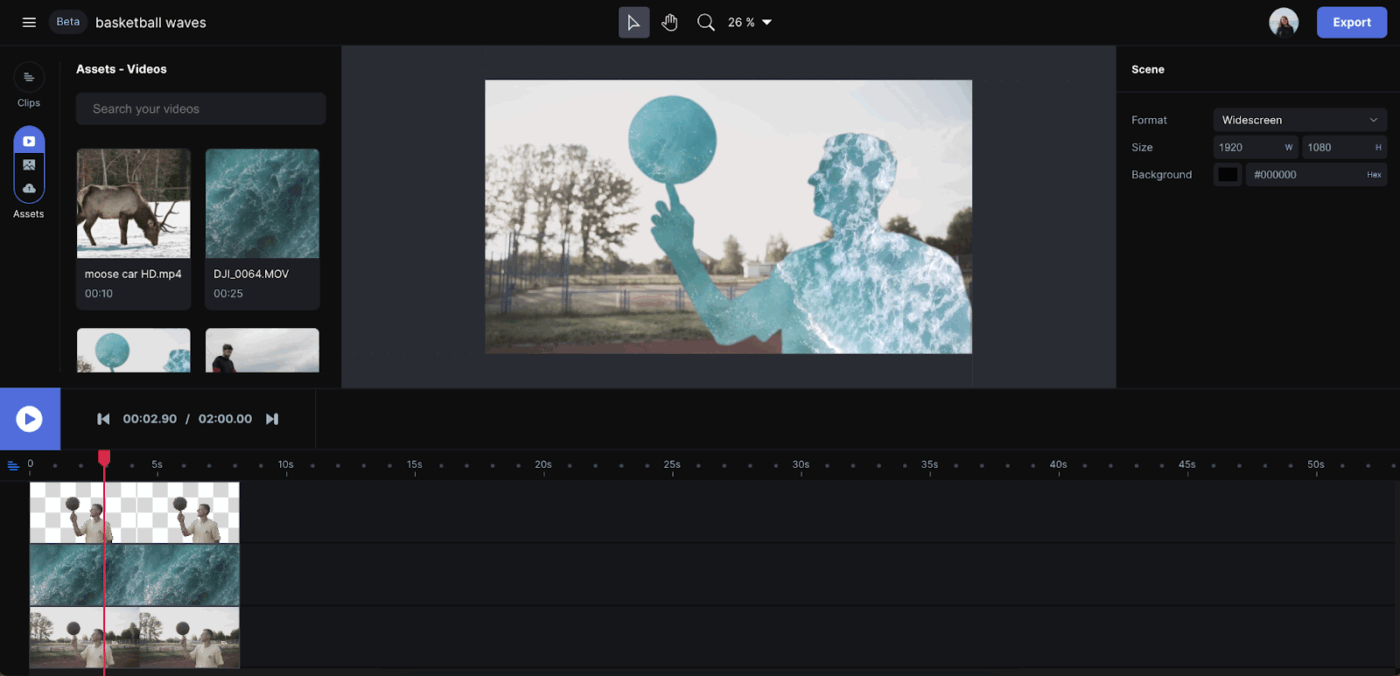
Runway is for generative video and heavier visual edits, especially when you need new scenes or stylized shots rather than trimming existing footage. It’s useful for ad creatives or concept visuals when filming isn’t possible.
This is what a G2 reviewer said about Runway ML:
RunwayML is one of the best AI tools out there, it is straightforward. I particularly like its image/text-to-video tool which works like a magic wand. It’s very easy to implement in my video editing workflow. I use it frequently to create cinematic video shots that later I can incorporate into my timeline to make full-length highly engaging videos that my viewers love.
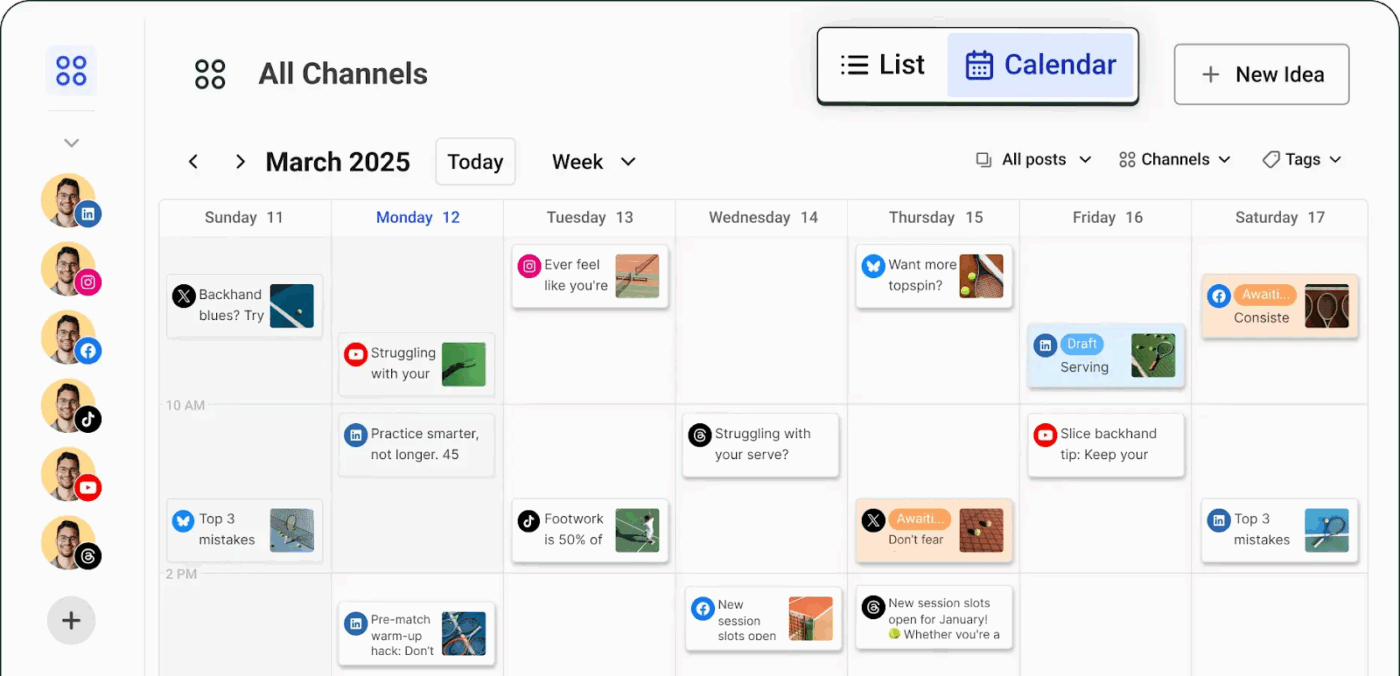
Built for small businesses and solo creators, Buffer makes planning and scheduling content easy across multiple accounts. The platform lets you store social media post ideas anytime, over an accessible and easy-to-use mobile app.
You can also build your own custom landing page in minutes, like your branded mini-website. It allows you to highlight links, products, or offers and direct followers wherever you want.
A Capterra user says:
Buffer makes running my company’s social media accounts simple and structured! Their platform is straightforward and very user-friendly. The company also has great customer service, feels honest and real, and hosts a great podcast about social media!
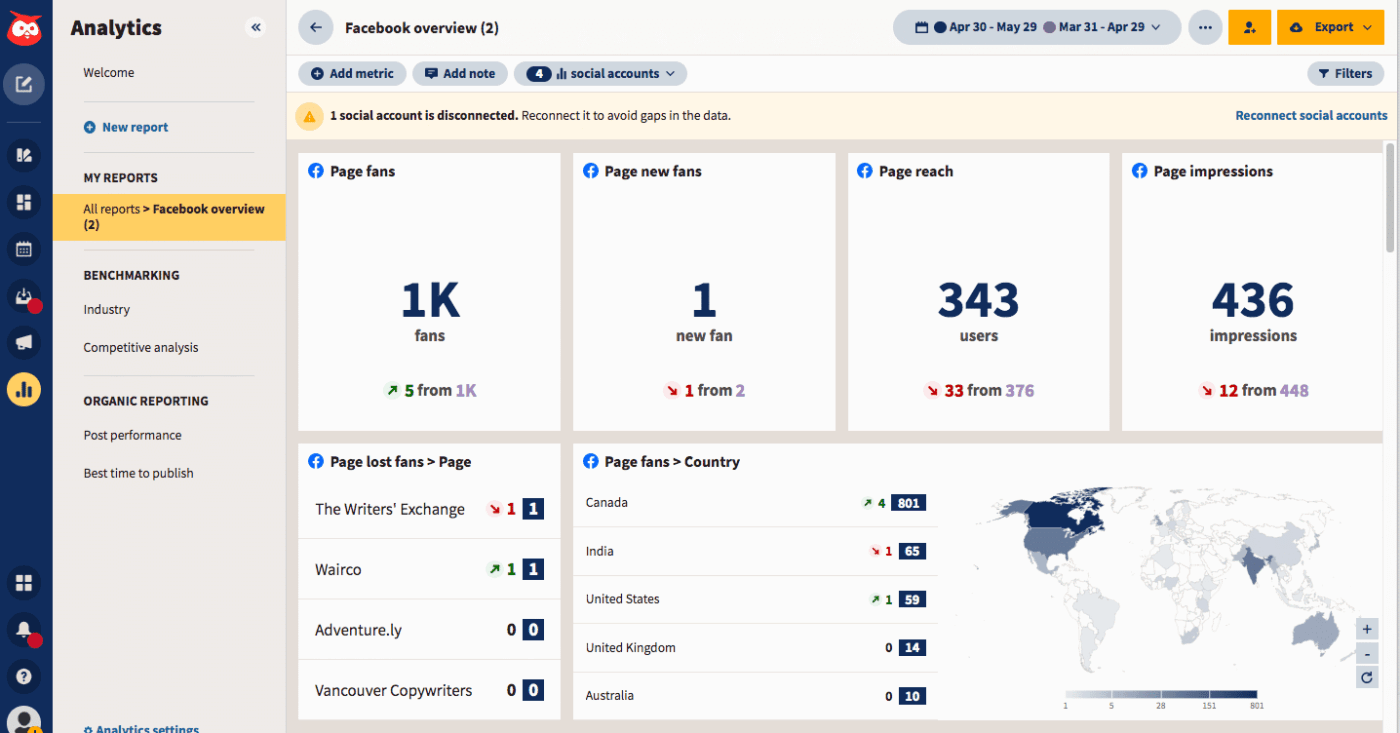
Hootsuite lets you schedule posts in advance across major social media platforms like Facebook, Instagram, LinkedIn, and X (previously Twitter). For example, you can schedule posts to go live during peak engagement times, boosting visibility.
It helps you spot questions worth answering with repurposed content. If your repurposing goal includes reacting to conversations, Hootsuite is your tool of choice.
According to a G2 user review:
What I love most about Hootsuite is how it simplifies complex social media workflows into one intuitive space. I particularly appreciate the white-label reporting — what used to take me hours now takes seconds, and the graphs look polished and client-ready. Keeping me focused and orderly, the combination with Canva and Feedly also means I can handle design and content curating from the same dashboard.
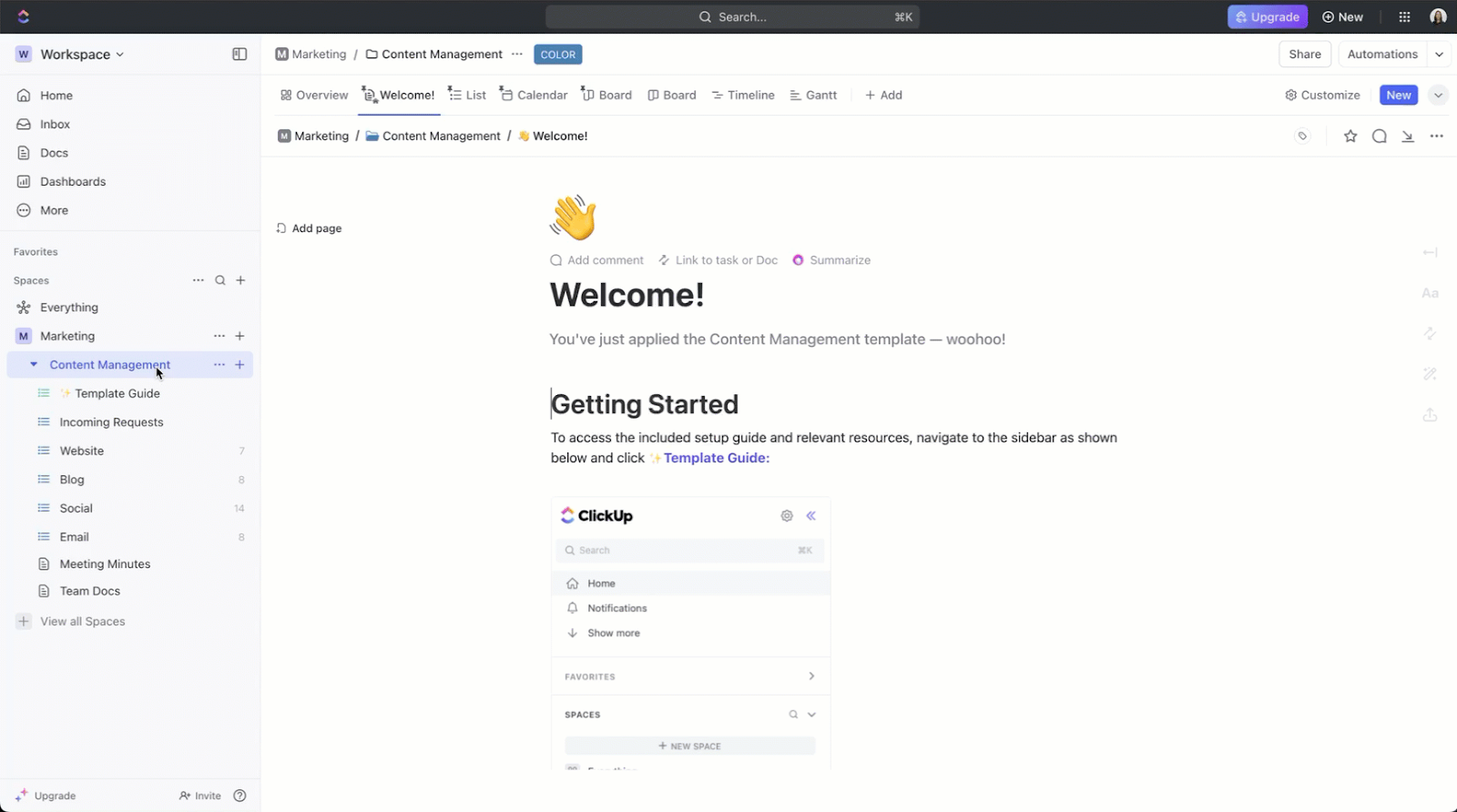
With ClickUp’s Content Management Template, you can:
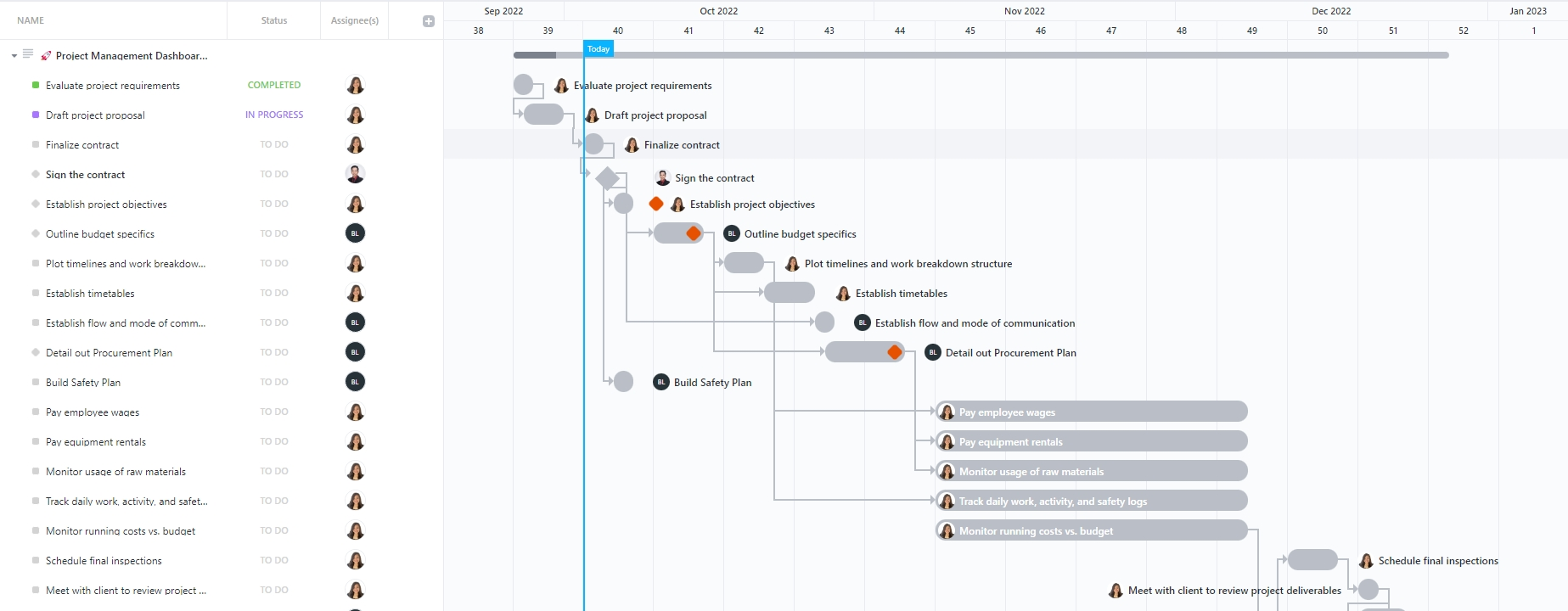
ClickUp Project Management Dashboard Template helps teams monitor project progress in one place using live task data. It’s built to replace scattered spreadsheets with a single reporting view tied directly to work in progress.
With this template, you can:
AI makes it easy to keep generating variations. That convenience can quietly turn into overproduction.
To avoid this, define clear boundaries before you start:
💡 Pro Tip: Use time estimates or time tracking on repurposing tasks so teams stay aware of effort, not just output. Over time, this makes it easier to spot formats that consistently exceed their value and should be trimmed from the workflow.
When a single asset is adapted into multiple formats, the core message can slowly shift until different versions start saying different things.
This usually happens when repurposing is treated as an isolated task instead of a connected system.
Before you generate new formats, lock in:
Every repurposed asset should reinforce the same intent, even if the wording, length, or structure changes. If two versions leave readers with different interpretations, something has gone off track.
💡Pro Tip: Add a short “Intent check” at the top of your repurposing tasks. A single paragraph stating the message and goal is often enough to keep AI output and human edits aligned.
Build a library of your evergreen content and best-performing repurposed content pieces. This will serve as an inspiration and training material for AI content repurposing tools.
Your swipe file should include:
While AI content repurposing offers clear efficiency gains, it comes with trade-offs. This includes:
| Category | What Goes Wrong | Example and Impact |
| Generic outputs | AI produces safe, neutral drafts without a clear point of view | Repurposed social media posts sound interchangeable and struggle to earn engagement |
| Brand voice drifts | Tone and positioning vary across formats without consistent reviews | Audiences notice inconsistency between blog posts, emails, and social media channels |
| Context and accuracy gaps | AI oversimplifies or misinterprets nuanced ideas | Valuable content loses credibility or requires heavy rewrites |
| Workflow breakdown at scale | More output creates more drafts and reviews to track | Teams spend more time managing content than creating fresh content |
| Diminishing ROI | Speed increases but performance does not | More content is published, but results plateau or decline |
AI makes it easier to get more value from your content, but the real gains come from how intentionally you use it.
AI can restructure content quickly. It cannot judge whether something should be published.
Every repurposed asset needs a human review, especially in short formats where context is easy to lose.
Use a short review pass to check for:
Build this review time into your workflow.
Use the 1:5 strategy to break one strong anchor asset into five focused pieces, each designed for a specific platform and goal.
| Original Anchor Asset | AI-Generated Output | Platform | Goal |
| Long-form Blog | Executive Summary | Thought Leadership | |
| 5 Key Takeaways | X (Twitter) | Engagement/Viral | |
| Q&A Script | Instagram Stories | Community Interaction | |
| Newsletter Teaser | Website Traffic | ||
| Webinar/Video | 3 Short Clips | TikTok / Reels | Brand Awareness |
| Technical Guide | Help Center | Customer Education | |
| Podcast Audio | Spotify/Apple | Multi-modal Reach | |
| LinkedIn Article | Platform Authority | ||
| Follow-up email for attendees | Nurture and retention |
💡 Pro Tip: Managing 5 assets per asset can quickly become a logistical nightmare. Use ClickUp Relationships to link all 5 child tasks to the parent anchor task. This ensures that if the original blog post date shifts, the entire distribution schedule updates automatically.
Well-structured AI writing prompts produce better output than one-off instructions. Create reusable templates for common repurposing tasks.
Example prompt templates you can use to repurpose content:
AI content repurposing works best when it is a part of your existing workflow.
Use disconnected tools, and you’ll have to keep re-inputting context—a sheer waste of time and resources.
ClickUp is a game-changer here. It allows you to manage your content repurposing workflows end-to-end, powered by AI.
Ready to give AI content repurposing a shot? Signup on ClickUp for free ✅
AI content repurposing involves taking an existing piece of content and adapting it into new formats and variations. For example, you might turn a blog into a social thread, a webinar into short clips, or a podcast into an article, while keeping the core message consistent.
Start with content that already has depth and structure, because it gives AI more to work with. The usual winners are evergreen blog posts, webinars and event recordings, podcasts, guides, and research-led pieces that have clear sections, examples, and repeatable takeaways. You can also prioritize content that has already performed well.
A simple rule to follow: if the original content answers multiple questions, tells a clear story, or includes frameworks you can slice up, it’s a worthy repurposing candidate.
Yes. ClickUp can act as the workspace where content gets captured, converted into repurposing tasks, reviewed, and tracked end-to-end.
Treat brand voice like a set of rules that AI must follow. Give the model a short voice guide (approved words, banned words, sentence preferences, reading level), include 2 to 3 examples of on-brand writing, and run every draft through a repeatable review pass for tone, clarity, and accuracy before it goes out.
You can connect external AI models like ChatGPT and Claude for advanced automation and content repurposing. Additionally, ClickUp Agents can automate multi-step workflows, and integrations with tools like Slack and Google further streamline your processes. These options make ClickUp highly flexible for repurposing and workflow automations!

© 2026 ClickUp

There’s an easier way. Try a free AI Agent in ClickUp that actually does the work for you—set up in minutes, save hours every week.