






Still downloading templates?
There’s an easier way. Try a free AI Agent in ClickUp that actually does the work for you—set up in minutes, save hours every week.
Sorry, there were no results found for “”
Sorry, there were no results found for “”
Sorry, there were no results found for “”
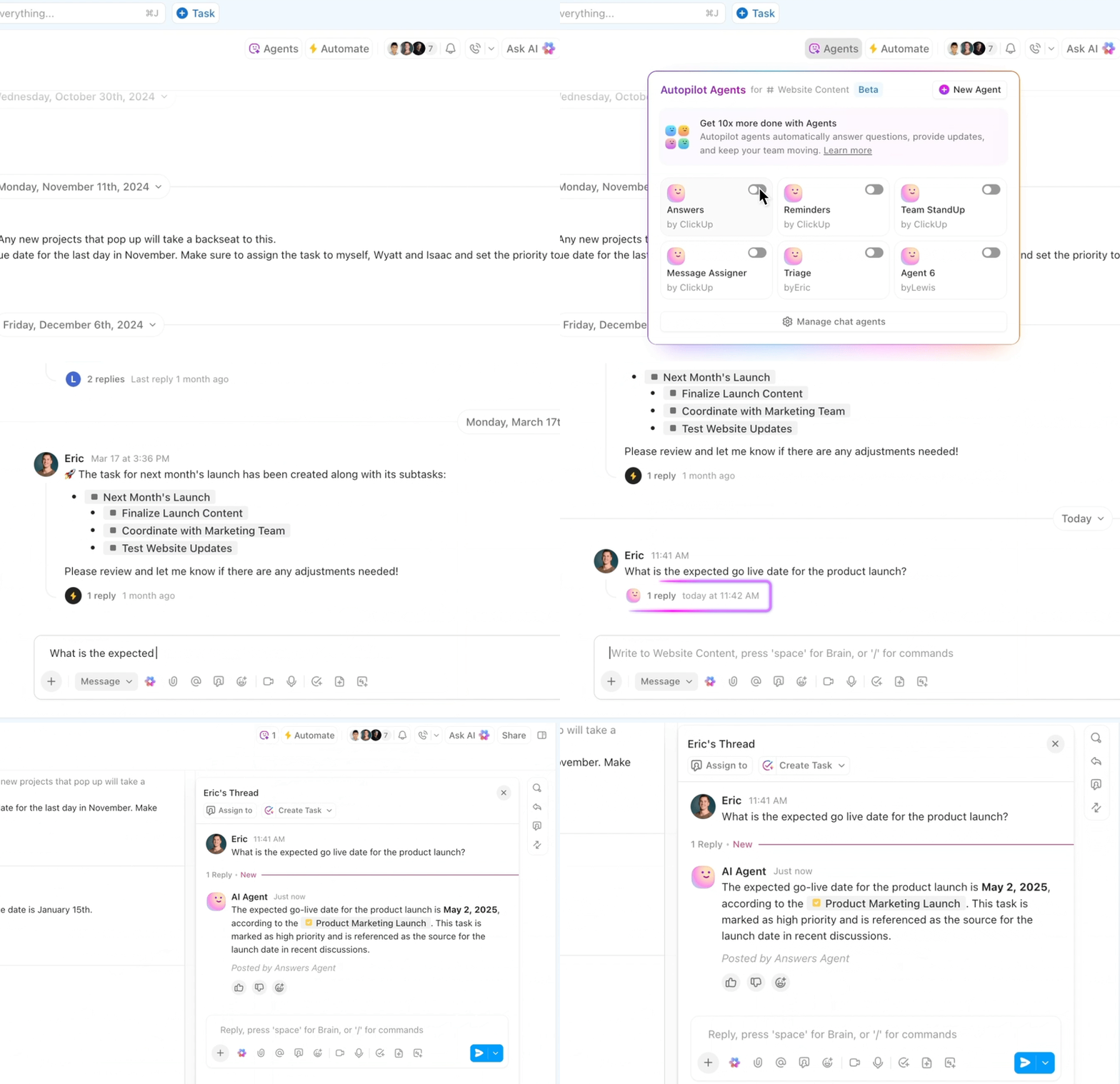
At 10 people, status updates are manageable (somewhat). At 20 people, it becomes a part-time job.
That’s the admin bottleneck in growing SMBs. Not because your team is lazy or your ops lead is slow, but because coordination work scales faster than headcount.
AI is finally good enough to take a big chunk of that translation layer off an ops lead’s plate. The win here is getting your ops team out of survival mode so they can actually improve how the business runs.
In this guide, we’ll walk through three admin roles where AI changes the game, where it breaks, and how to start with one workflow using ClickUp without turning your week into an “AI implementation project.”
“Saving time” can be a boring value prop. Everyone claims it. Most teams don’t feel it.
Imagine an ops lead at a ~25-person agency. Smart, good at her job, solid systems. Every Tuesday morning becomes status collection day.
If your company is between 15 and 50 people, you probably recognize at least three of these:
Let’s say they set up AI status generation. A contextual AI assistant can scan the project and produce a draft weekly, according to specified instructions. The ops lead reviews it in ~5–10 minutes, makes two small edits, and publishes it the same morning.
Our ops lead? She got a couple of hours back—enough to do something other than chase updates. Enough to actually think about how to automate the repetitive parts of her life instead of just surviving them.
But here’s the interesting part: what happens next.
The following week, she’s in a one-on-one with a project lead, and something clicks. Design reviews are blocking three projects. Because there’s no shared definitive system of “approved.” Comments are scattered across Chat threads, email, and Figma. Designers finish work and don’t know who to send it to or what they’re actually waiting on.
So she maps the real flow, talks to the design team, writes a one-page “what approval means” checklist, and gets alignment. That’s the real ROI. The ability to notice patterns and fix the system, which only works when all your workflow is connected by a single source of truth.
📊 One system of truth for faster teams
The ClickUp Small Business Suite consolidates projects, docs, chat, dashboards, and AI into a single workspace, so teams operate from a single system of record rather than five disconnected tools. This means eliminating operational overhead that typically requires additional coordination roles. When tasks, knowledge, conversations, and reporting all live in one system:
The result is a leaner operating model where a single platform absorbs work that previously required multiple tools and up to three layers of coordination. Your team stays the same size. But the system carries the operational weight. See how!
The impact is measurable:
Most coordination overload is the same workflow wearing different costumes:
AI helps most with step two. Automation helps most with step three. Humans keep judgment and nuance. With that in mind, here are three admin roles where AI changes the day-to-day in a way SMBs actually feel.
McKinsey estimates that current generative AI + other tech could automate work activities that absorb 60–70% of employees’ time (the key nuance: this is activities/time, not “jobs”).
A project lead needs to send a weekly status to leadership. Nothing fancy. Just: are we on track? What’s at risk? What decisions need to happen?
Sounds simple. It’s not.
The status data lives everywhere. And I mean everywhere:
So the ops lead hunts. They get answers that are either vague (“tight but fine”) or too detailed to paste into a leadership update.
Then the VP says, “This reads optimistic. Emphasize risk.” Back you go.
That cycle repeats weekly. If you’ve ever struggled with how to write a project status report that actually reflects reality, you know the pain.
Instead of hunting, you give ClickUp Brain the project context where the work already lives. It can scan task updates, comments, linked docs, and project chat, then produce a clean draft.
Here’s what “good” looks like in a real leadership-friendly output:
A human reviews it. They add one line of context or a bright spot. But here’s the real difference: the AI status is based on actual data (all task updates, and all comments), not memory. Which means it’s usually more accurate than what the human would have written anyway.
Then ClickUp Super Agents handle the follow-through so the ops lead isn’t manually turning a status into a set of nudges:
The loop becomes cleaner from “we learned something” to “someone owns the next step.” For teams managing multiple projects, the right status reporting tools make this process even smoother by centralizing all updates in one place.
🤝 Case study: How ClickUp Super Agents automated AI status updates for a website development agency
A website development agency implemented a ClickUp Super Agent to generate project updates automatically.
The delivery team already tracked detailed work—pages, revisions, and phases—in their project workspace. But leadership needed a 10,000-foot view of every client project, and those updates often lagged behind reality.
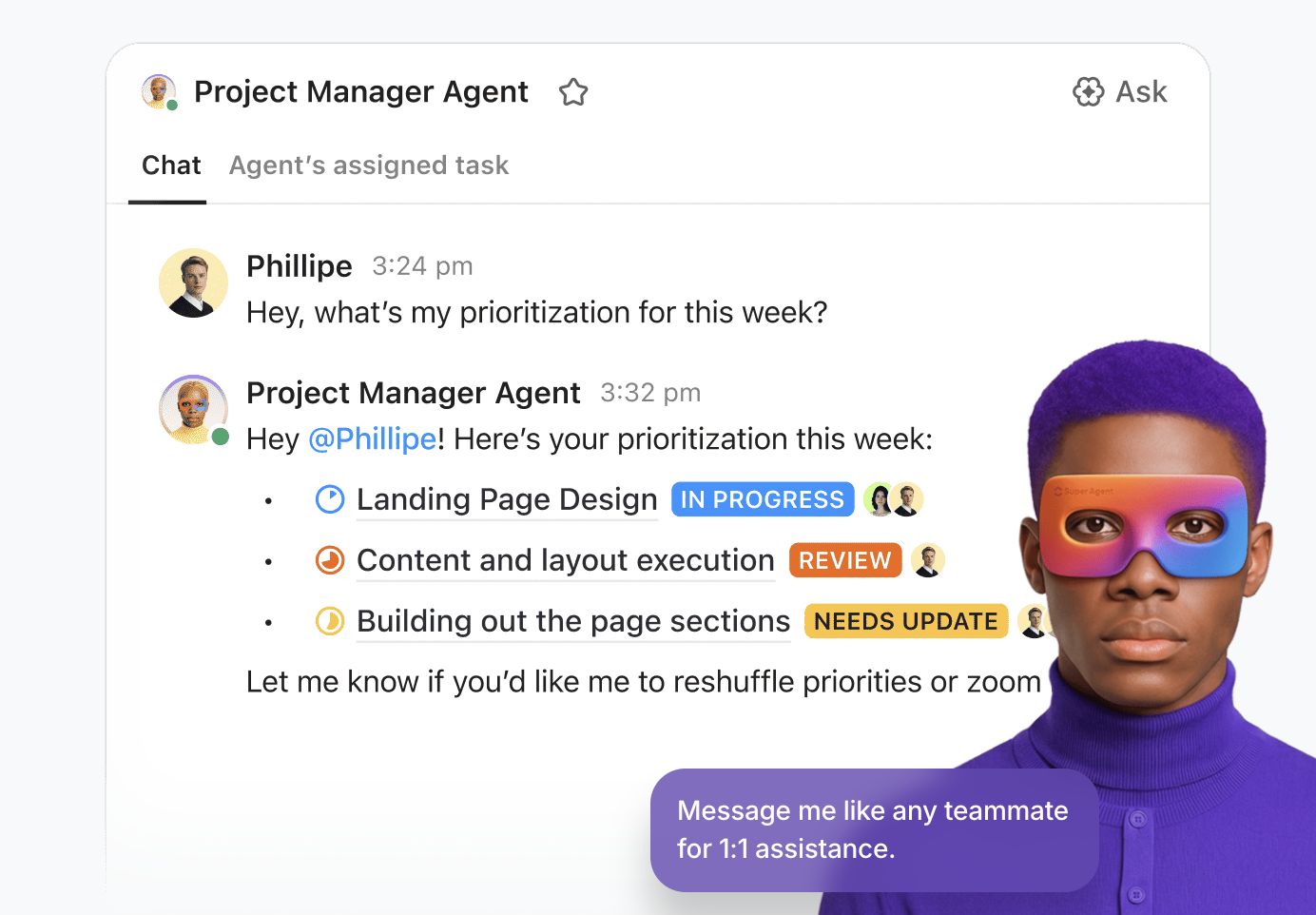
To solve this, they built a Website Project Status Sync Super Agent. On a schedule, the agent scans project folders, reviews task activity, and determines the real stage of each project. It then posts a short update on the high-level project tracker and automatically updates the project stage field.
The result: leadership gets reliable project visibility, while the delivery team stays focused on execution.
👉🏼 Curious how teams are setting up workflows like this with Super Agents?
📘 Also Read: How to Use AI to Automate Tasks
If your project data is a mess, the AI draft will reflect that mess. Tasks never updated. Blockers never tagged—decisions buried in chat. Garbage in, garbage out.
But there’s a silver lining. It makes the data quality problem obvious. Before, you had a vague feeling the team wasn’t aligned. Now the output shows you exactly where information is leaking.
💡 Pro Tip: Use a lightweight weekly update form. ClickUp Forms can collect three consistent inputs from each owner: what shipped, what’s next, and what’s blocked. Now the AI has cleaner raw material, and the status becomes more reliable without more meetings.
Scheduling a quarterly planning session should not feel like negotiating a peace treaty.
You post “Can everyone do next week?” in Chat, and suddenly you have 30 messages, four hours, and no agreement. You finally pick a time that works for most people, send an invite, and half the room doesn’t respond until the day before with conflicts.
Then comes the agenda. It’s usually vague because nobody has time to pull the real context (If you’ve ever wondered how to write a meeting agenda that actually works, you’re not alone.).
Then finally the meeting happens. Notes are scattered. Action items are fuzzy. Two people leave thinking you agreed on X, while two others think you agreed on Y. Follow-ups are posted in Chat and then vanish.
What changes with ClickUp Brain + ClickUp Notetaker:
First: Before the meeting, ClickUp Brain can scan the workspace and draft an agenda based on what’s actually happening: open risks, overdue approvals, blockers, and decisions waiting on someone.
That agenda lives in ClickUp Docs, attached to the meeting. People can comment ahead of time, which is the real magic. You move the debate out of the room and into the prep, where thinking is calmer and more grounded.
Second: ClickUp AI Notetaker records the meeting and auto-transcribes it. But more importantly, it’s designed to capture decisions as they’re discussed, not just passive notes.
Third: ClickUp Brain reads the transcript and generates not just a recap but an action-oriented summary:
Then, a supe agent automatically creates tasks for each person based on a predefined workflow.
Here is an example of what that looks like:
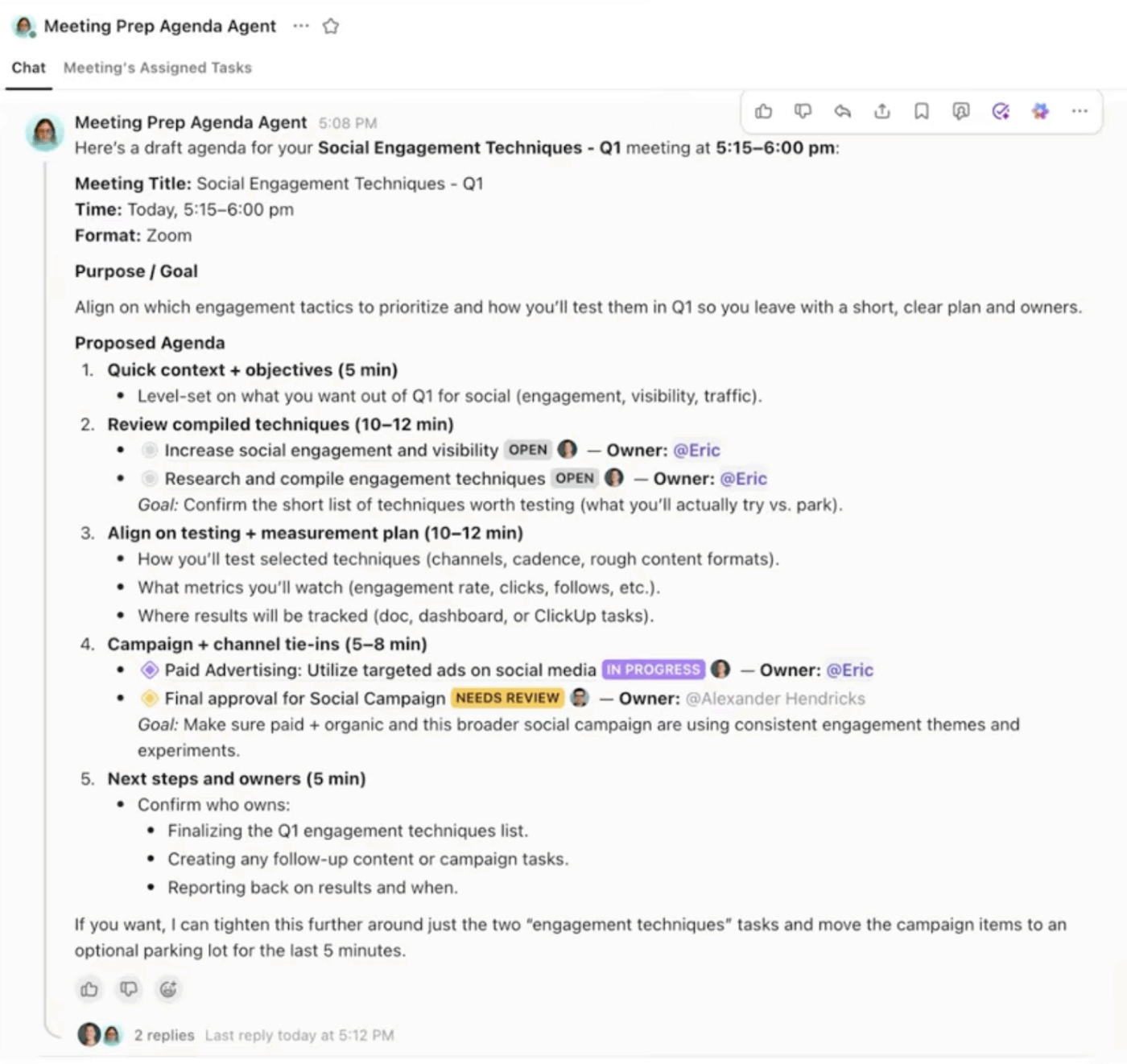
Basically, you get documented decisions and concrete next steps in the place where work already happens. The key to taking meeting notes effectively is having a system that captures decisions as they happen—not reconstructing them afterward.
If your meetings don’t produce decisions, AI won’t magically invent clarity. It will reflect your ambiguity. That can feel uncomfortable, but it’s useful. It’s a signal your meeting culture needs tightening.
💡 Pro Tip: End every meeting with a two-minute “decision rollup” spoken out loud. ClickUp Notetaker captures it, Brain structures it, and Automations turn it into tasks. Suddenly, “we talked about it” becomes “we decided, and someone owns it.” This approach aligns with best practices for creating professional meeting minutes.
A process decision happens. Someone says, “I’ll send notes.”
Sometimes it becomes a Chat message that disappears by tomorrow. Sometimes it becomes a Google Doc in a folder nobody can find.
Or (most common): There’s no documentation at all. The process lives in one person’s head.
This is the hidden tax: Microsoft found 62% of people say they spend too much time searching for information at work. Decision docs that vanish into threads don’t just create confusion—they create repeat work.
SOPs? They’re the classic example. Everyone agrees they’d be helpful. Nobody has two uninterrupted hours to write them. So onboarding takes longer, questions repeat, and the business quietly accumulates risk because tribal knowledge is doing the heavy lifting. The good news is that AI can dramatically cut the time it takes to create and maintain these critical resources.
What changes with ClickUp Brain + ClickUp Docs:
Instead of letting decisions evaporate, you turn them into searchable artifacts by default.
Imagine the team debates the refund policy for a week. Thirty emails, edge cases, competitor references, margin concerns, customer experience debates. Eventually, you settle on a policy.
ClickUp Brain can synthesize the thread into a decision doc:
Refund policy
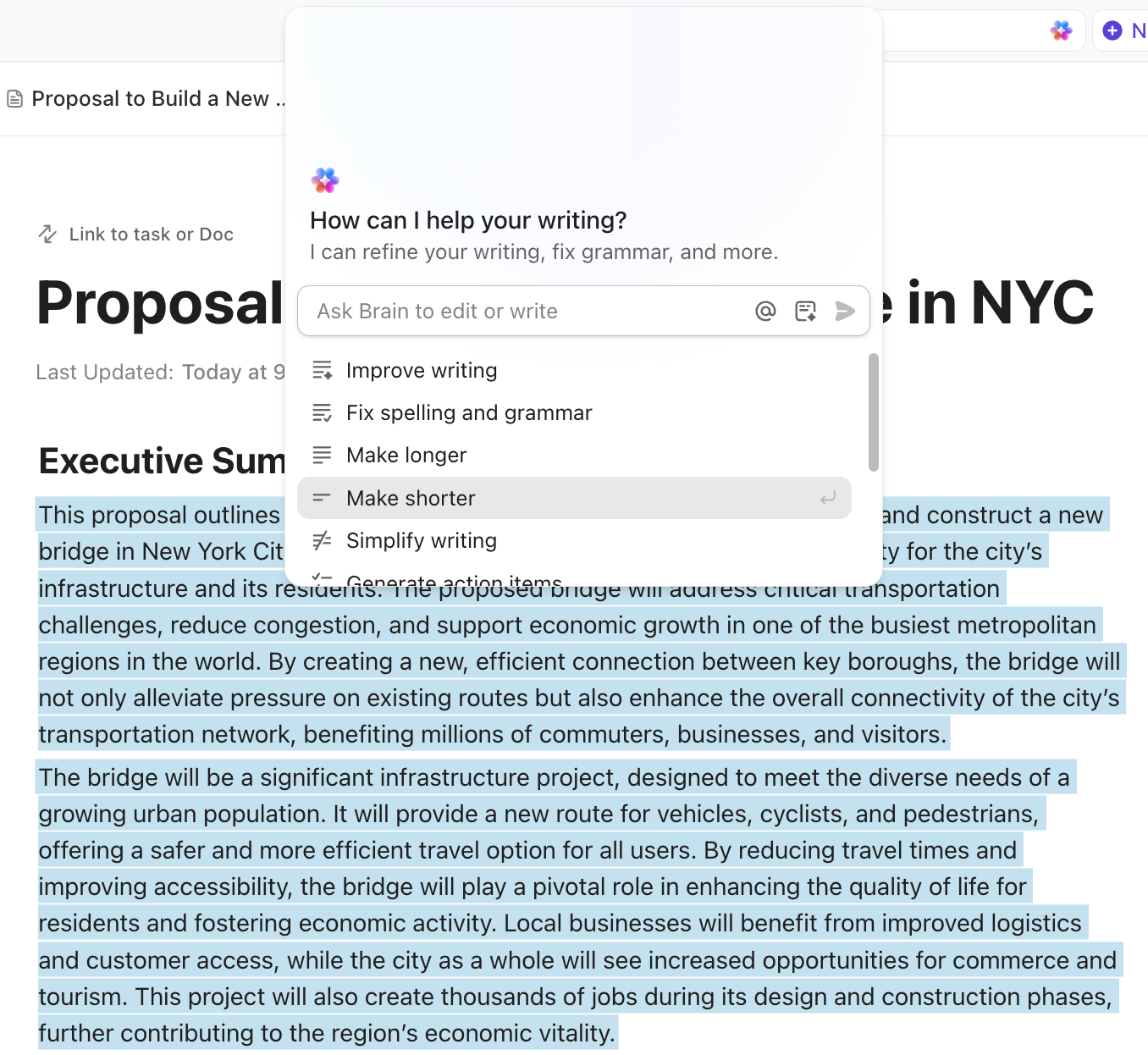
This doc lives in ClickUp Docs. It’s searchable via ClickUp Enterprise Search. When a new support person asks, “What’s our refund policy?” they find the answer in 30 seconds, rather than having to ask someone who must think about whether they remember it correctly.
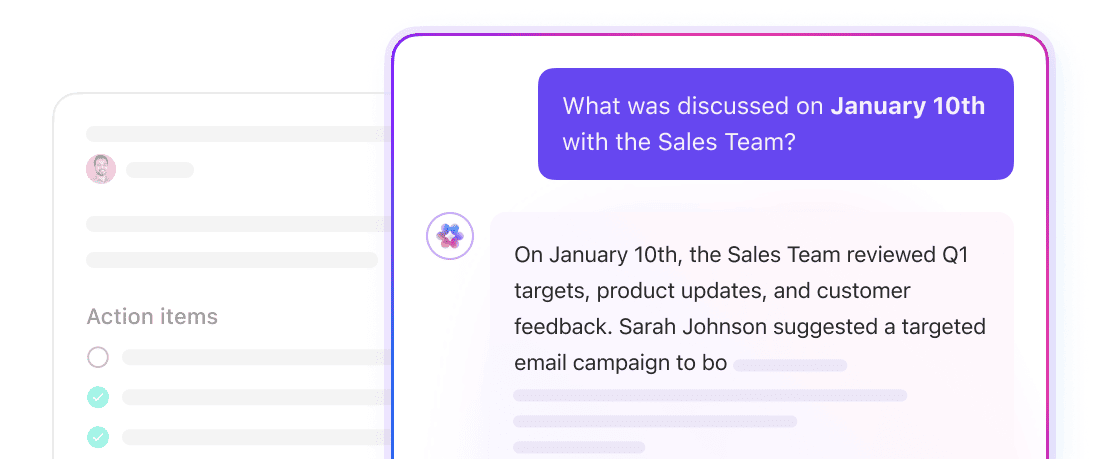
👀 Did You Know? SMB owners reported juggling four tools a day (often five or more), with three in ten wasting time searching in the wrong places—and 29% repeating messages across platforms.
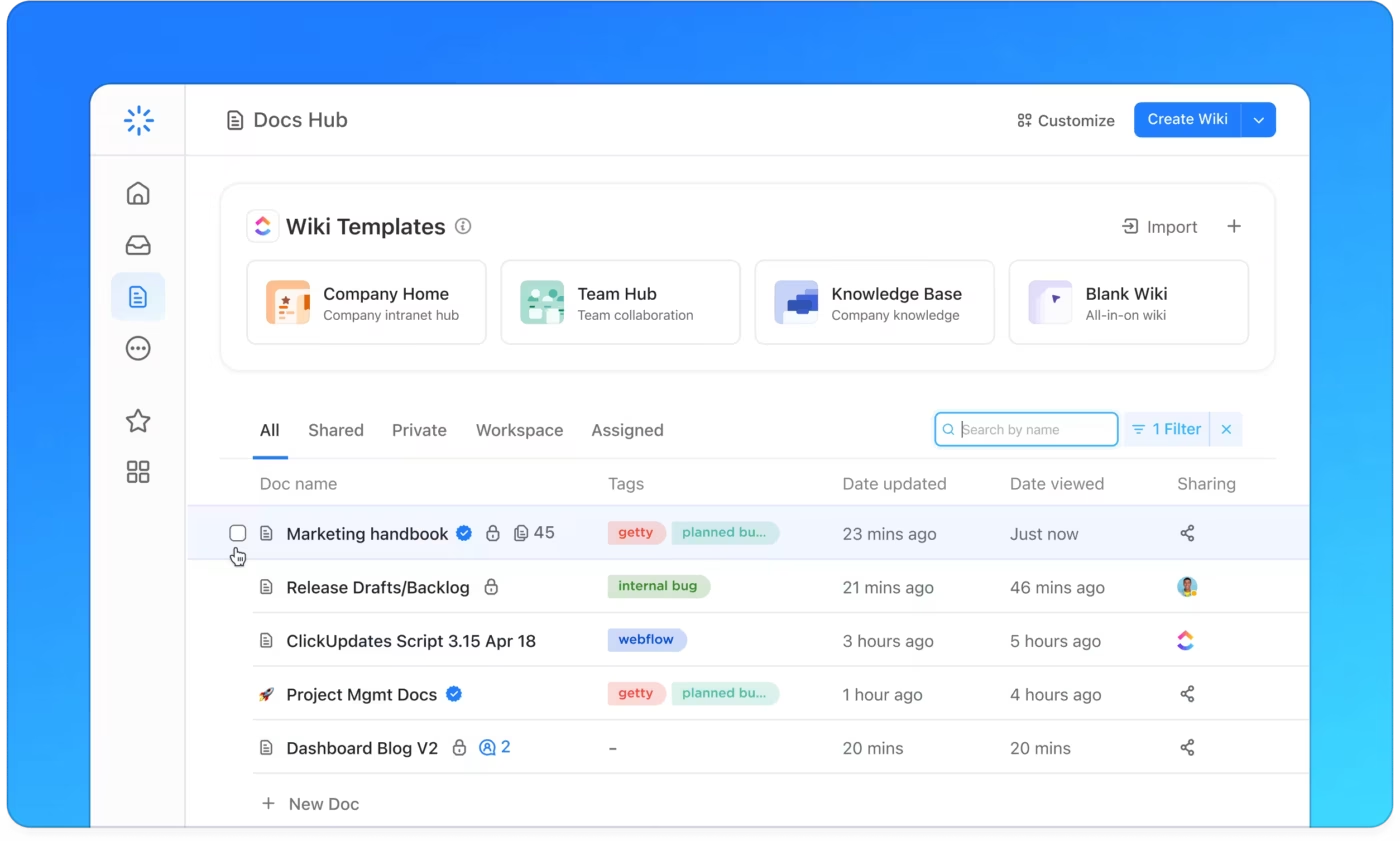
Use ClickUp Knowledge Management to organize all these decision docs and SOPs into a searchable internal knowledge base. When someone searches “refund policy” or “how do we do team sync,” they find it instantly. When someone new joins, they can onboard themselves instead of depending on a single person—especially if you’ve taken the time to organize your SOPs properly.
If your process is genuinely ambiguous, documenting it will expose that. You’ll realize you never actually agreed on how to handle the edge cases. That’s not a tooling issue. It’s an alignment issue. Solve that first, then document—and when you’re ready, writing SOPs that actually stick is easier than you think.
Once you remove the drafting, chasing, and routing, your ops lead gets hours back.
And in SMBs, that time tends to get reinvested into exactly the things that change the business:
Here’s what teams typically reinvest that time into:
And here’s where something new quietly shifts the ceiling: Super Agents.
Once AI takes over the drafting, summarizing, and note-taking, there’s still one big gap:
Someone has to notice when an update is missing, when a decision is buried in a chat thread, when a blocker is dragging, when two teams are saying opposite things in different places.
Usually, that “someone” is the ops lead.
Super Agents step into that role—not as another automation, but as the thing that watches the connective tissue. They pay attention to conversations, tasks, documents, and timelines, and surface the moments humans usually miss until it’s too late.
Not “AI that runs the work.” Think “AI that taps you on the shoulder at the right moment.”
Examples:
It’s quiet, boring-in-the-best-way kind of help—the stuff you don’t notice until you suddenly realize nothing is slipping, drifting, or disappearing anymore.
This is where teams stop doing reactive coordination and start operating as if they finally have the headcount they have always needed.
👉🏼 If you’re curious about how to build an AI agent or want to explore the best AI agents for project management, the technology is more accessible than you might think.
(And yes: your ops lead still gets the credit, not the Agent. As it should be.)
📘 Also Read: AI Tools for Executive Assistants
This is important.
AI struggles with judgment-intensive people situations, including performance issues, interpersonal conflict, layoffs, and sensitive messaging. It can summarize what happened, but it may miss emotional context, which can harm trust if published without consideration.
AI is also weaker in genuinely novel scenarios where there is no useful pattern. Your team still needs human judgment for unusual projects and unfamiliar risks.
And AI cannot fix broken processes. It will expose them clearly, sometimes painfully, but it cannot replace leadership habits.
💡 Pro Tip: Use AI to eliminate busywork, then use the time you reclaim to fix the systems that create the busywork. Here are some AI productivity hacks to help you.
📁 Template Archive
Get started faster with these ready-to-use templates:
Looking for more? Browse weekly status report templates and SOP templates to find the right fit for your team.
Most teams fail by trying to automate everything at once. They get messy outputs, lose trust, and decide AI isn’t ready.
Instead, start small. Pick one workflow that:
Weekly status updates and meeting recaps are excellent starting points for SMBs because they are predictable and time-consuming.
📊 Mini case study: Replacing 5+ tools with one workspace
When marketing agency Hit Your Mark Media examined its operations, the problem was obvious. Work lived across Slack, Miro, Toggl, Loom, and other tools. Projects moved more slowly than they should have because information was scattered across multiple tools.
So the team consolidated everything into ClickUp.
⚡ The results were immediate:
Founder Derek Archer says the shift changed how the agency operates.
Instead of stitching together updates across multiple apps, the team now runs client work, communication, documentation, and reporting from one workspace. 🚀
Understanding how to create an effective progress report helps you measure what matters—before and after you automate.
| Week | Focus |
|---|---|
| Week 1 | Measure the workflow. Where does the time go? |
| Week 2 | Define “good.” What must be included, what tone, what format, and who it’s for. |
| Week 3 | Tighten inputs, standardize where updates live, and transition from full review to spot checks. |
| Weeks 4–8 | Tighten inputs, standardize where residents live, and transition from full review to spot checks. |
⚡️ Template Archive: 10 Free Small Business Templates
The real metric isn’t AI usage. It’s whether the person doing the work actually got time back, and what they did with it. The best part? You don’t need to be technical—no-code AI tools have made it possible for anyone to build powerful automated workflows.
🎥 Watch: Want to see how AI changes project management day-to-day? This video uncovers insider strategies and overlooked hacks to supercharge your workflow—from smart scheduling to automated reporting.
Fast-growing SMBs don’t get crushed by “too much work.” They get crushed by too much translation.
You hire smart people. They’re good at their jobs. But then the coordination work explodes. More meetings, more decisions, more “where did we say that?” moments. Suddenly, your best person is stuck synthesizing information instead of solving problems.
AI can take that translation layer off. Not by replacing your admin. By replacing the busywork—the hunting, synthesizing, writing, waiting—that keeps them stuck.
Start with one workflow. Measure it. Set it up. Watch what changes.
That 3-hour Tuesday becomes a 10-minute Tuesday. Your ops lead gets 8 hours back. They stop being the person who chases information. They become the person who notices patterns and improves systems.
The teams getting the biggest ROI aren’t the ones automating everything at once. They’re the ones who picked one workflow, measured it, and scaled from there.
Start with one task that eats your week. Measure it. Set it up. Watch what changes.
Try ClickUp Brain free today and see what you can reclaim →
Regular automation: “If task status = Done, notify the project lead.”
AI automation: Read a 47-comment thread and extract: “Decision made June 15, depends on design review, blocking these three projects.”
Regular automation is great for routing and structure. AI automation is great for understanding messy, language-heavy stuff. (For a deeper dive, see AI vs. Automation.)
💡 Best practice: Use ClickUp Brain for synthesis and understanding. Use ClickUp Automations for routing and execution.
Nope. Define your workflow (you do this, no code). Use ClickUp Brain to draft (click a button). Use ClickUp Automations to route (drag-and-drop). Review the output.
The skill you need: “What does good output look like?” That’s it.
No. It’ll replace parts of their work—the repetitive, text-heavy parts (synthesizing, drafting, routing, waiting).
The valuable parts? Noticing patterns, managing stakeholders, designing processes, making judgment calls, and improving systems. Those get more valuable when someone has time for them.
In practice: Teams use this to reduce overload, not eliminate headcount. Your admin gets freed up to do high-leverage work—which makes them more valuable, not less. The right AI task managers can help them focus on what matters most.
Start small. Review everything in week 1 as trust builds, spot-check.
If you receive bad output, stop. Something’s wrong with the setup, not the AI.
Either:
– The AI doesn’t have enough context (give it more to read)
– Your definition of “good” isn’t clear (redefine it together with your team)
– The process is too broken to automate (fix the process first, then automate)

© 2026 ClickUp

There’s an easier way. Try a free AI Agent in ClickUp that actually does the work for you—set up in minutes, save hours every week.