






Still downloading templates?
There’s an easier way. Try a free AI Agent in ClickUp that actually does the work for you—set up in minutes, save hours every week.
Sorry, there were no results found for “”
Sorry, there were no results found for “”
Sorry, there were no results found for “”
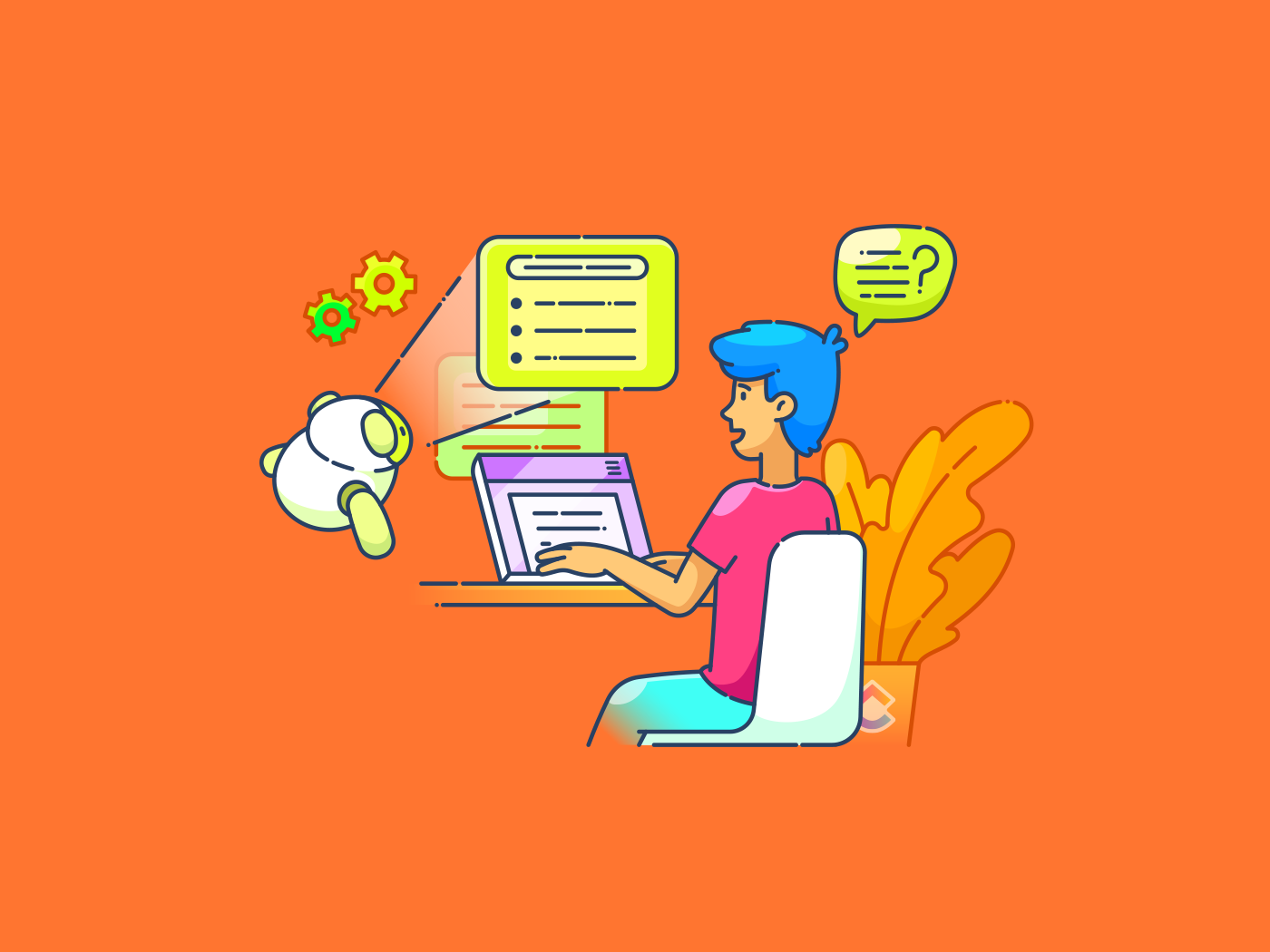
Today, nearly 75% of workers use artificial intelligence (AI) in the workplace.
Gone are the days of a single, traditional AI for pattern recognition and data analysis. From coding to writing and research, this is the beginning of contextual AI, the future of work.
Today, various AI types power a wide range of real-world applications. The two primary categories of AI shaping modern industries are agentic AI and generative AI.
The difference lies in how they process and utilize training data. While one acts as a highly skilled virtual assistant, the other is more like a creative collaborator.
This article will explore the unique distinctions, strengths, and use cases of AI agents vs. generative AI.
Here are the key differences between AI agents and generative AI:
| Feature | AI Agent | Generative AI |
| Functionality | Autonomously performs tasks, makes decisions, and interacts with users or systems | Specializes in creating new content, such as text, images, music, and code, based on learned patterns |
| Output | Generates actions, decisions, and responses based on predefined rules or reinforcement learning | Produces creative content, including text, art, music, and realistic human-like conversations |
| Use cases | Powers chatbots, virtual assistants, autonomous vehicles, customer support bots, and automated trading systems | Generates AI-driven images, creative writing, music compositions, personalized marketing content, and coding assistance |
| Goal | Executes predefined tasks efficiently and accurately | Mimics human creativity to generate high-quality, original content |
| User interaction | Operates in a goal-oriented manner, responding to specific commands or queries | Supports open-ended exploration, allowing users to refine and adapt outputs |
| Learning process | Follows rule-based logic, reinforcement learning, or real-time data adaptation to improve performance | Trained on vast datasets using machine learning models like GPT and diffusion models |
| Real-world examples | Siri, Alexa, self-driving cars, predictive analytics software, and recommendation systems | ChatGPT, Midjourney, DALL·E, and AI music composers |
Now, let’s dive into the details.
An AI agent is a task-focused software program that operates autonomously to perform specific tasks. It makes decisions and interacts with its environment based on predefined goals.
Think of an AI agent as a digital helper with a brain of its own. Unlike basic software following preset rules, this AI system makes independent decisions based on what it observes and learns from the environment.
An AI agent works methodically through a series of steps, performing complex tasks based on input data, making it an ideal project management tool. It operates independently, analyzes its environment, adapts to new information, and continuously improves based on past experiences.
Here’s a visual explanation to answer the question ‘what is an AI agent?’ 🎥
The practical uses of AI tools for automation are diverse. Let’s compare and contrast the applications of generative AI and AI agents in various industries:
The Ottawa Hospital, for instance, uses AI agents to help reduce patient anxiety by providing quick, accurate information about procedures.
For example, Bank of America’s AI assistant Erica handles over a million customer questions daily. It helps with tasks like checking account balances and tracking spending patterns. Erica uses artificial intelligence to learn, adapt, and respond based on real-time feedback and changing conditions.
🧠 Fun Fact: NASA’s Mars Curiosity Rover uses AI to analyze terrain. It autonomously selects exploration paths, proving AI agents can operate independently—even in extreme environments.
Generative AI is a subset of artificial intelligence that generates content by studying and learning from existing data patterns. It uses sophisticated machine learning models, particularly deep learning algorithms, to create text, images, videos, audio, and even software code.
Several AI apps use generative AI to produce original outputs in response to prompts or requests. The technology is helpful for creative and content-driven tasks, from composing music and images to marketing and design strategies.
Real companies are already putting generative AI to work in fascinating ways:
Take Akbank, for example. This commercial bank used AI writing tools to speed up its content creation by 40% and boost campaign click rates by an impressive 70%.
Big brands also use gen AI as a marketing strategy. Coca-Cola teamed up with OpenAI to build a platform where fans could create unique artwork using the company’s iconic brand elements.
Creative agency Lucid Dream Network’s productivity jumped 350% using AI video tools.
In fashion, projects like ClothingGAN on GitHub show how generative AI can spark fresh design ideas.
When to use an AI agent vs. generative AI will depend on your business goals or personal projects.
AI agents are great for productivity. Their strength lies in data analytics and making split-second choices based on set parameters. For instance, using an AI agent in customer service can help instantly answer common questions and route complex issues to human reps.
Let’s explore some ways AI agents can be used in productivity tools:
AI agents automate tasks like data entry and email management, freeing time for strategic work. They also streamline scheduling and coordination.
AI agents analyze data to identify trends and provide insights for better decisions. They also predict demand to optimize inventory management.
They learn from interactions and can offer personalized responses, resolving issues efficiently.
Agentic AI can automate task management, assignments, and deadlines. It enhances collaboration by organizing knowledge, time, and goals. It can also assist in budgeting, expense tracking, investment planning, and resource allocation.
📮 ClickUp Insight: 88% of our survey respondents use AI tools for personal tasks every day, and 55% use them several times a day.What about AI at work?
With ClickUp Brain powering all aspects of your project management, knowledge management, and collaboration, you can save up to 3+ hours each week, which you’d otherwise spend searching for information, just like 60% of ClickUp users!
Generative AI is the best choice if you need it to generate fresh content, provide creative inspiration, or assist with writing, design, or coding. This technology taps into human creativity and is widely used for marketing, media, and entertainment.
Here’s how:
Generative AI automates marketing copy, social media posts, video content, and ad campaigns, significantly reducing production time. Media outlets rely on this capability to draft news articles and summaries, while entertainment industries use it for scriptwriting, character design, and music composition.
Marketers leverage gen AI to personalize customer experiences, improving engagement and conversion rates. AI-driven recommendation systems can suggest tailored content, enhancing user experiences.
Also, if you’re a creator developing a game, you can use Gen AI to predict audience preferences to inform your creation process.
Since generative AI focuses on personalization, you can use it to customize email marketing campaigns, advertisements, and product suggestions. This can help increase customer interaction and improve retention and engagement.
Marketers can use gen AI for real-time campaign adjustments and audience targeting. Media professionals can also leverage AI-driven video editing and image generation tools to enhance efficiency and reduce development time.
👀 Did You Know? Large Language Models (LLMs) are a type of generative AI model specifically designed for text-based tasks like conversation, summarization, and translation. Similarly, AI agents are designed to automate tasks, decision-making, and interact with users or environments.
AI is the future of work. And we’ve seen multiple examples of how AI agents and generative AI can save workers dozens of hours each week.
But jumping between multiple AI tools disrupts your workflow. Even worse? It lacks context and fails to offer true assistance. Your knowledge base, chats, calendar, and work live in different, disconnected platforms, and it’s not always easy (or advisable) to give multiple AI tools access to your work data.
What you need is one powerful AI that combines the power of AI agents, multiple generative AI models, with the FULL context of your broader work ecosystem and connected apps, and the assurance of privacy.
And that’s exactly what ClickUp Brain offers. As an AI-powered neural network, it seamlessly connects tasks, documents, people, and your company’s entire knowledge system, making work smarter and more efficient.
We take things further, with ClickUp Brain MAX: a dedicated desktop AI companion that unifies AI, search, and automation across every work app, ushering in a new era of contextual AI and ending the chaos of disconnected AI tools.
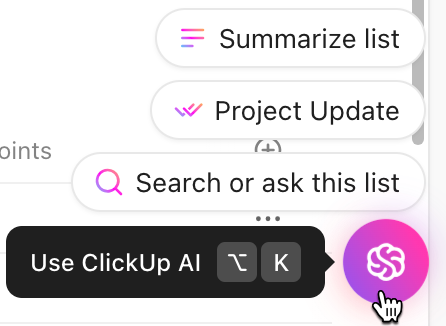
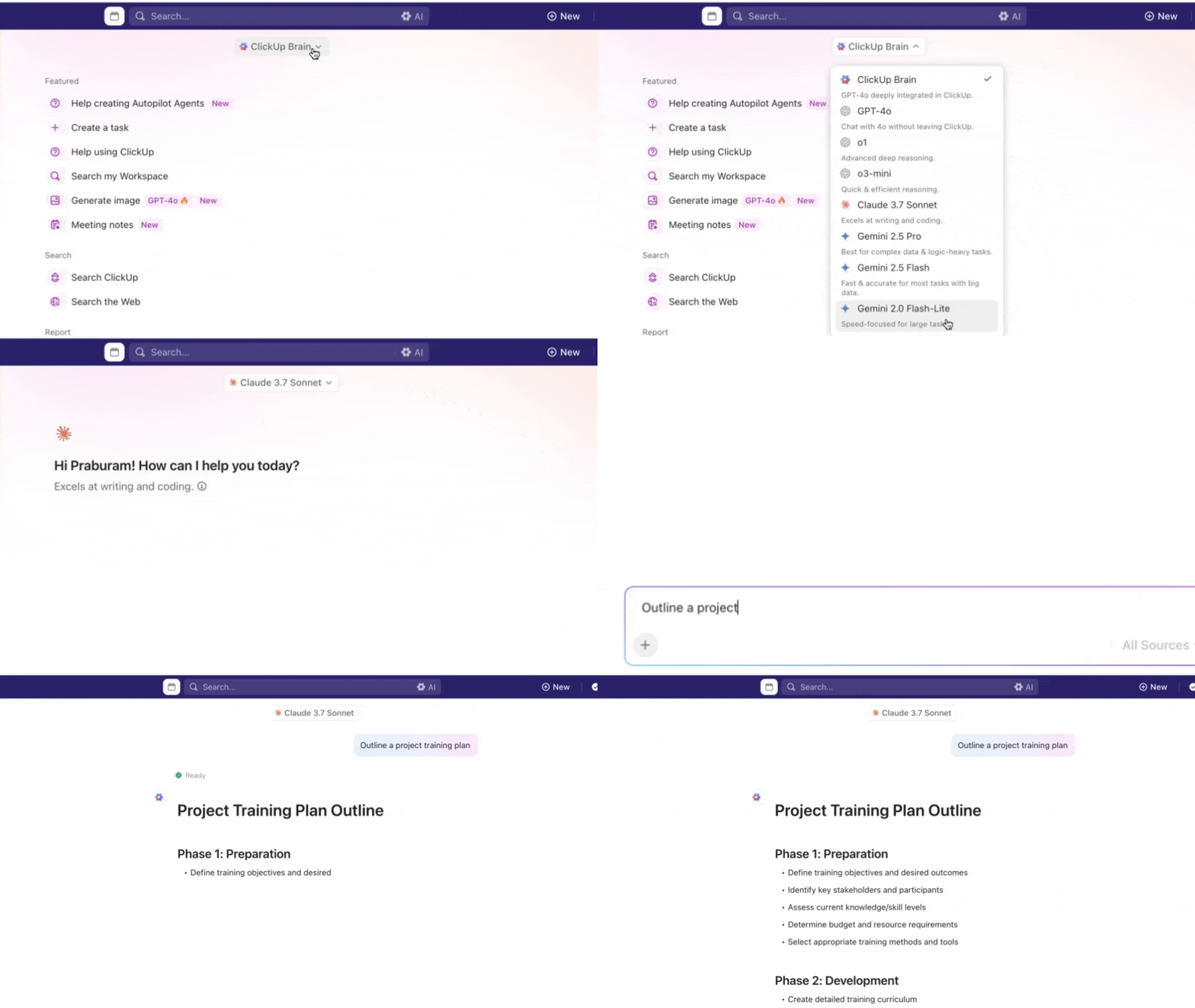
ClickUp Brain offers the use of multiple Gen AI models like Claude, ChatGPT, and Gemini, so you get the best responses with Brain. No need to use multiple LLMs either.
Nancy Hamlet, owner of Kokua Creative Group, a ClickUp user, quotes:
ClickUp is perfect for any agency looking to manage projects with multiple team members. We use it to manage creative design projects, content, social media, website projects and a host of other projects. Every client has its own board and we can look at projects by client or across the enterprise.”
Need quick answers about tasks, documents, or team updates? ClickUp Brain gives you instant, context-based responses by analyzing your workspace data. No more pinging colleagues or digging through old messages.
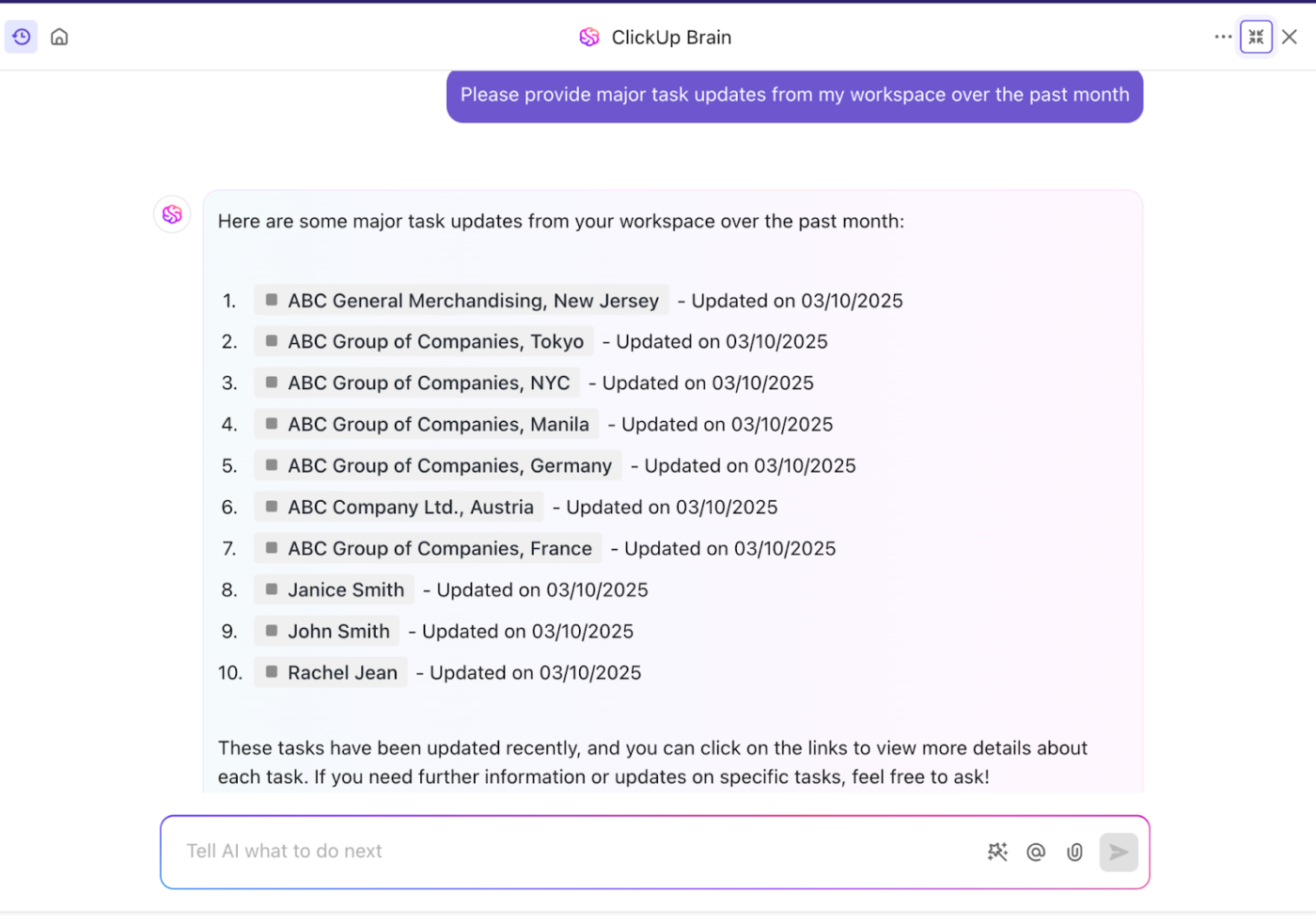
The AI can break down complex projects into manageable chunks. Say you’re planning a product launch. ClickUp Brain helps create subtasks, set deadlines, and assign responsibilities. It even generates real-time progress summaries without you having to open individual tasks.
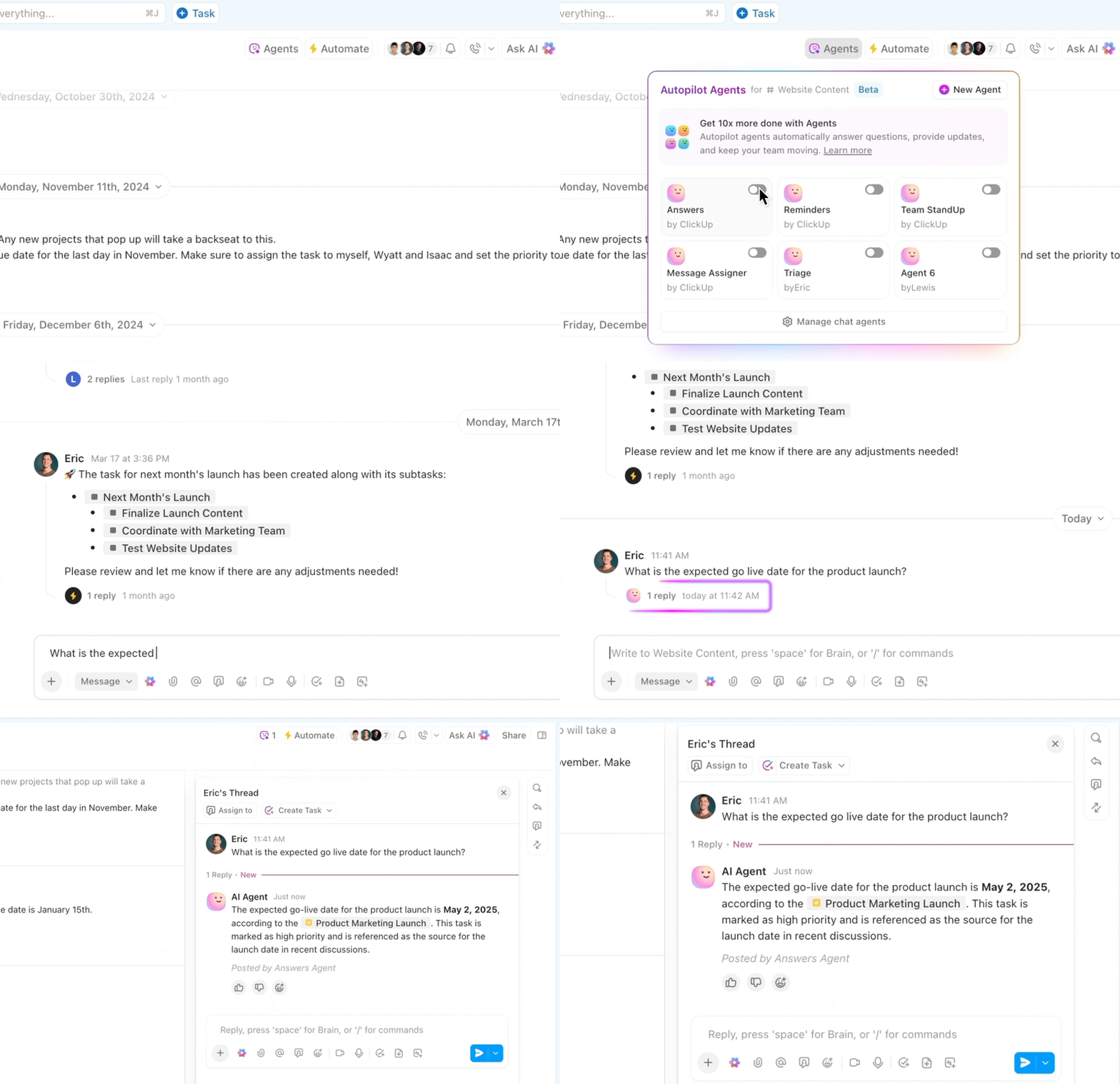
In addition to Brain, ClickUp also boasts two types of AI agents:
These autopilot Agents are pre-built to respond to certain triggers and then post updates, reports, or answers in a specific location.
For example, the Project Management team has a Channel dedicated to an initiative to implement new processes. A team member sets up an Auto-Answers Agent. A stakeholder from another team asks, Who is the project lead here?
A few seconds later, the Channel’s Auto-Answers Agent responds with the project lead’s name and two sources where they found the info.

Here are the different types of pre-built, ready-to-use AI agents in ClickUp:
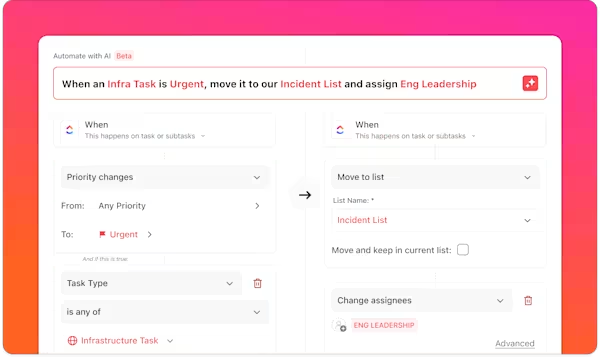
ClickUp Custom Autopilot Agents adapt to changes in your Workspace to autonomously act based on the instructions given. Use our no-code builder to set up Custom Autopilot Agents in multiple Spaces, Folders, Lists, and Chats in your Workspace.
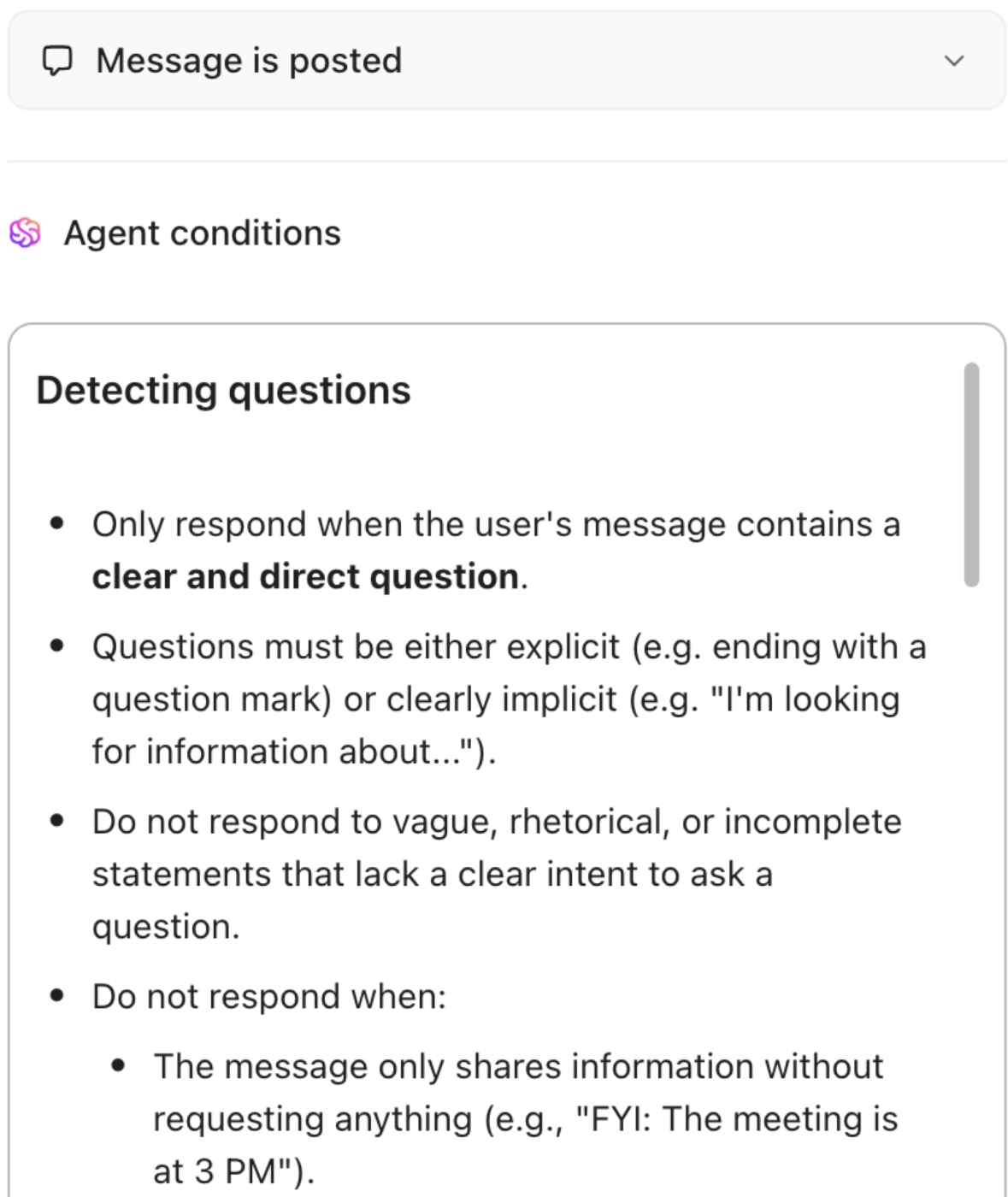
For example, the HR team’s Channel gets a lot of questions. The People Partner Lead wants to use AI to answer some of these questions and free up their team’s time. They create a Custom Autopilot Agent in the Channel, instructed to answer questions only if the answer is in the knowledge it can access.
Then, they specify that the Autopilot Agent should only respond when the user’s message contains a clear and direct example. They even give the Autopilot Agent examples of questions.
The writing assistant in ClickUp Brain acts as your personal editor. It helps polish your content with built-in spell-check and suggests improvements based on your writing style and context.
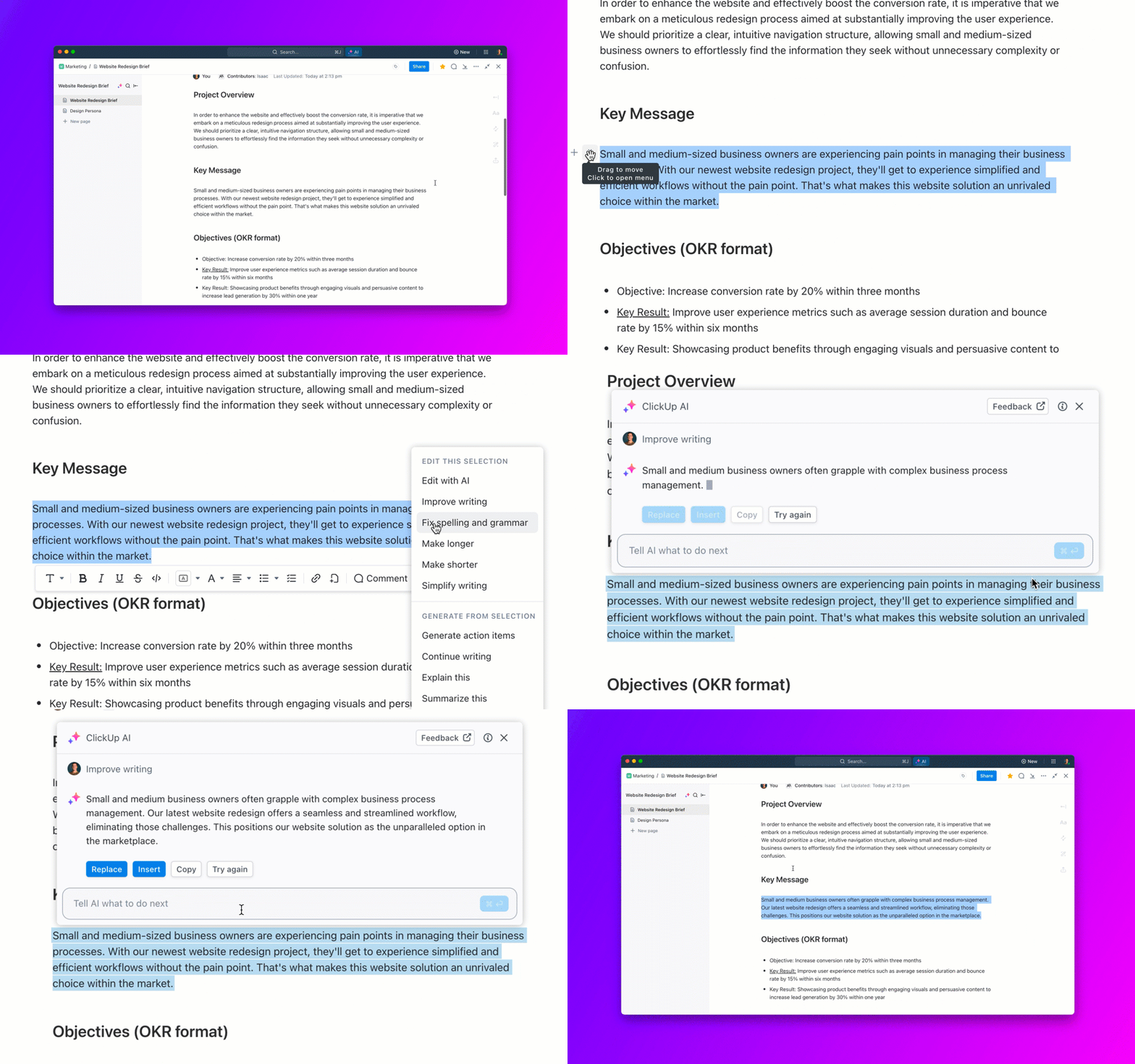
Want to respond to messages faster? The AI quick reply feature lets you type a brief note, and it crafts a professional response matching your intended tone.
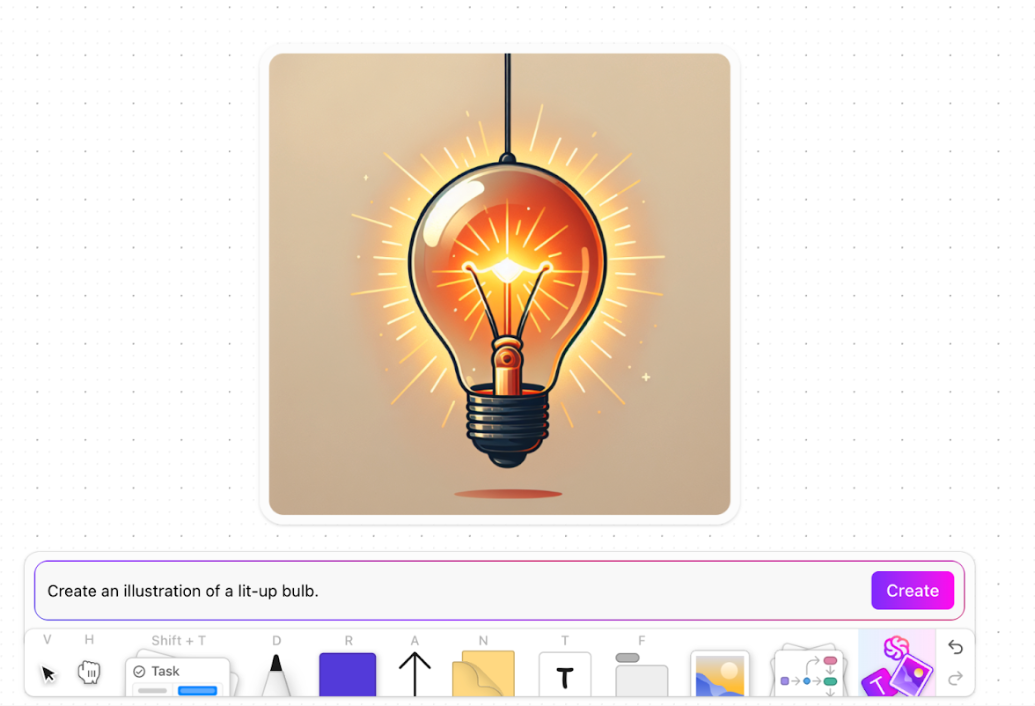
For voice messages, ClickUp Brain automatically creates text transcripts, making it simple to reference discussion points later. You can also use ClickUp Brain’s generative AI capabilities by generating images with prompts on whiteboards to make your presentations visually attractive.
ClickUp Brain functions as an AI project manager that:
📖 Also Read: How to Overcome Common AI Challenges
Teams can also use AI prompt templates to speed up everyday tasks. When writing bug reports or drafting project updates, these templates provide structured starting points that maintain consistency while saving valuable time.
ClickUp Chat is the platform’s real-time messaging tool, powered by AI agents. It doesn’t just facilitate conversations—it actively enhances them by incorporating relevant insights from your projects, tasks, and documents.
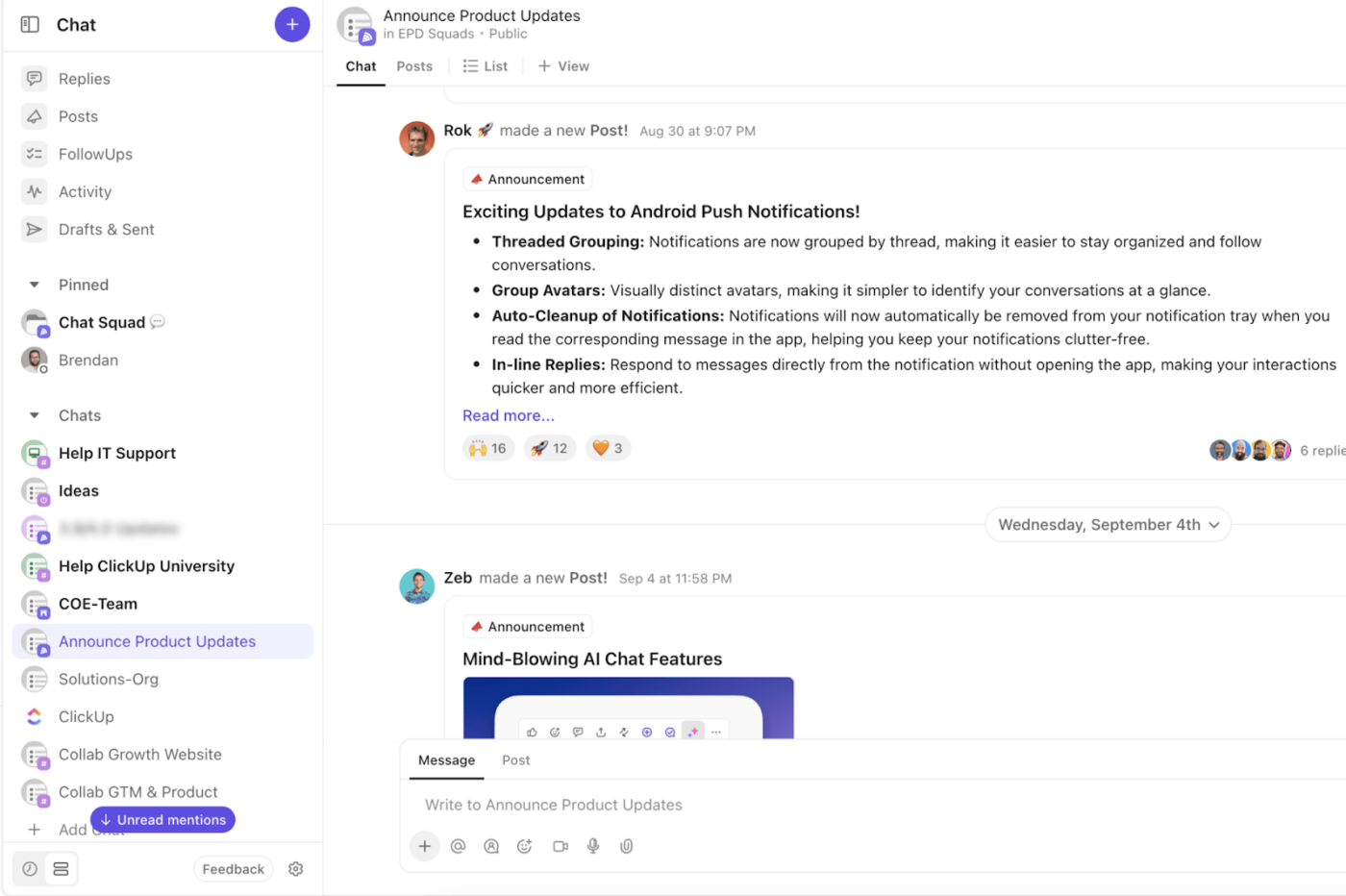
With AI at its core, ClickUp Chat can summarize discussions, fetch crucial project details, and even create tasks directly from your conversations.
Here’s how it transforms workplace collaboration:
✅ Instant information retrieval: Need a file from Google Drive? Simply prompt ClickUp Chat (just ensure Drive is connected to your ClickUp account)
✅ Quick recaps: If you miss an important thread, you can click ‘catch me up’ for an AI-generated summary
✅ Task creation on the go: Assign tasks mid-conversation, link them to projects, and auto-assign team members—all without leaving the chat
✅ Streamlined workflows: Effortlessly connect tasks and documents within chat to minimize app-switching
The differences between AI agents and generative AI paint a clear picture of their unique strengths. AI agents excel at executing tasks independently and making decisions in real time, as seen in self-driving cars and smart assistants.
Generative AI excels at creating fresh content. It learns from extensive datasets, powering everything from natural language processing to art creation.
ClickUp brings both together!
On a single platform, you get AI agents’ analytic productivity and generative AI’s creative flexibility. From automated task execution to context-aware project management, ClickUp Brain is your answer to an evolved workflow.
What are you waiting for? Sign up for ClickUp today!

© 2026 ClickUp

There’s an easier way. Try a free AI Agent in ClickUp that actually does the work for you—set up in minutes, save hours every week.