






Still downloading templates?
There’s an easier way. Try a free AI Agent in ClickUp that actually does the work for you—set up in minutes, save hours every week.
Sorry, there were no results found for “”
Sorry, there were no results found for “”
Sorry, there were no results found for “”
Whether you’re writing a resume, creating a proposal, or designing a planner, how it looks matters just as much as what it says. A clean, aesthetic template instantly makes your document more engaging, readable, and professional. ✨
In this blog, we’ve rounded up the best free aesthetic Google Docs templates to help your docs stand out—without spending hours formatting. Whether you’re a student, creative, business owner, or freelancer, there’s something in here for you.
Let’s dive in and give your docs the glow-up they deserve.
🧠 Fun Fact: Research reveals that most people scan web pages in an F-shaped pattern—darting across the top, glancing down the left, and barely noticing the rest. If your key info isn’t in those hotspots, it might as well be invisible!
Here are seven top aesthetic Google Docs templates to choose from based on your needs:
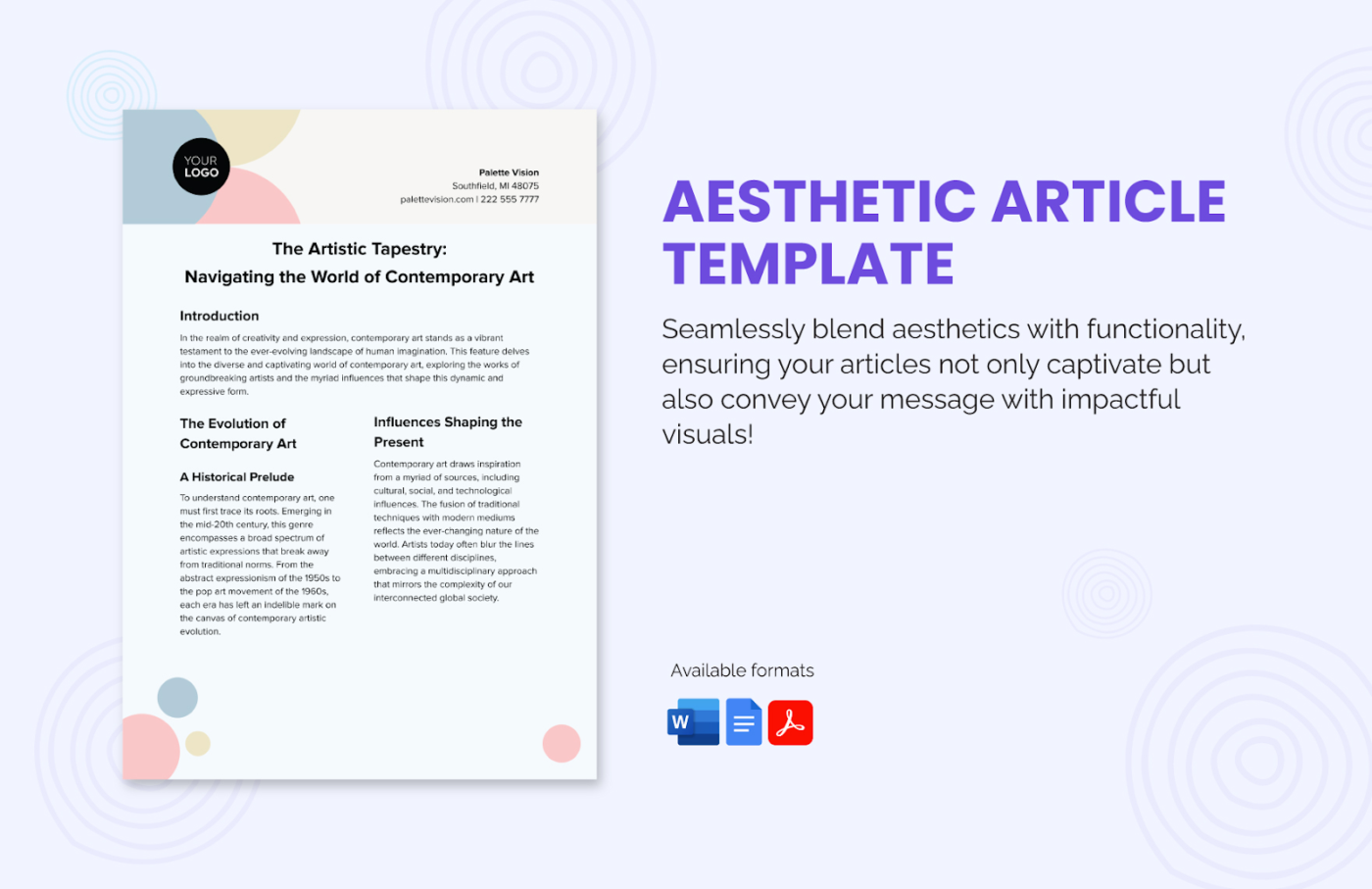
Looking for a way to catch your readers’ eye or stand out in a clutter of generic-looking press releases? The Aesthetic Article Template by Template.net brings a fresh, modern look to your writing while keeping things organized and easy to scan.
Its structured layout also helps you maintain a professional look across your writing while keeping readers hooked.
This template offers:
Ideal for: Bloggers, marketers, writers, and teams who want beautifully formatted, easy-to-read documents.
💡 Pro Tip: Want to improve this template? Use the Extensis Fonts add-on. Just click Add-ons > Get add-ons > search for ‘Extensis Fonts.’ This gives you access to hundreds of beautiful fonts to make your articles pop without breaking the template’s clean design.
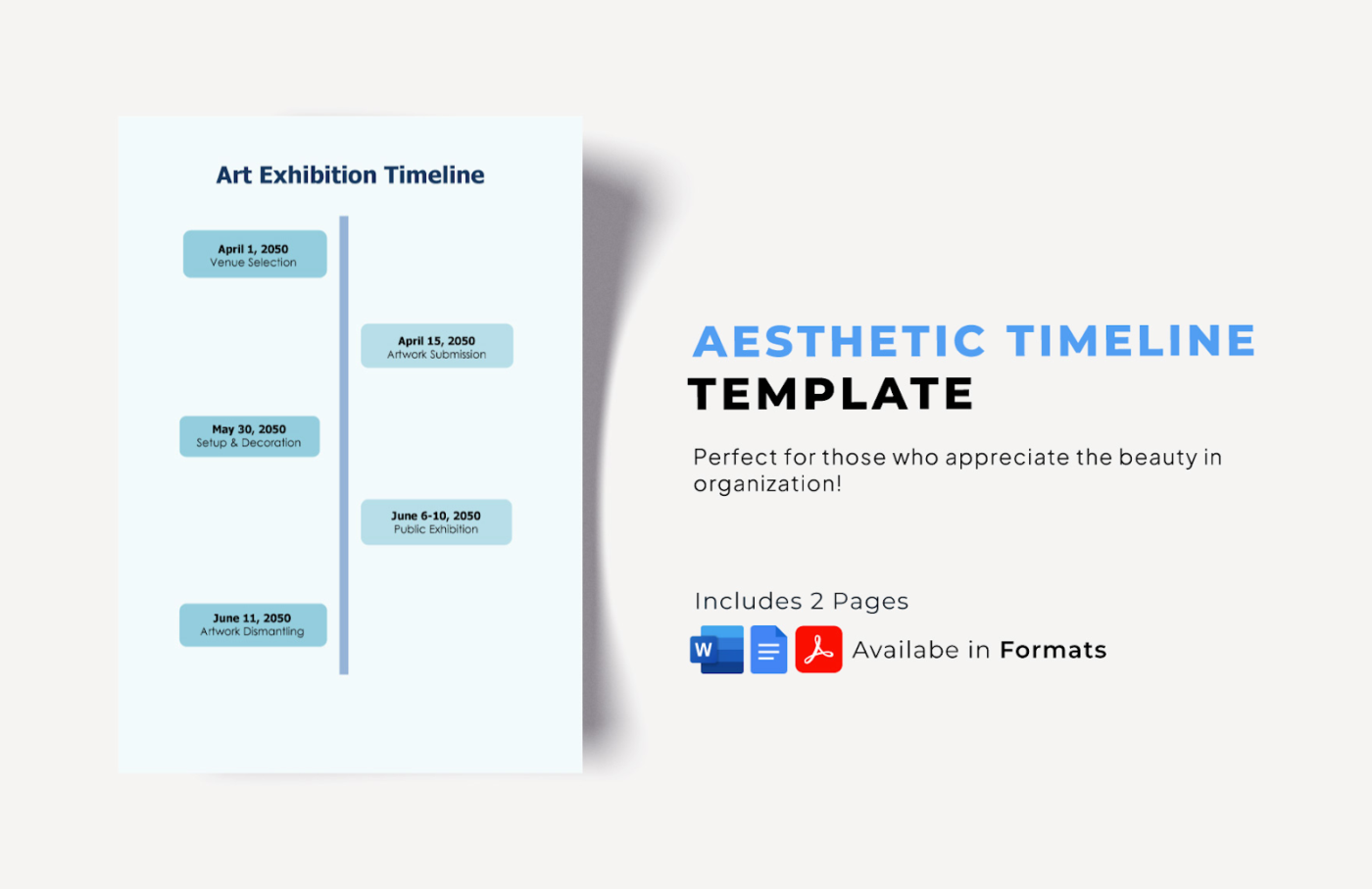
The Aesthetic Timeline Template by Template.net is a perfect blend of functionality and elegance for all your planning needs. This customizable and editable template is designed to add a touch of sophistication to your schedules, making it ideal for creative projects and events.
With this template, you can:
Ideal for: Professionals, event planners, and creatives seeking a stylish and efficient way to organize their schedules.
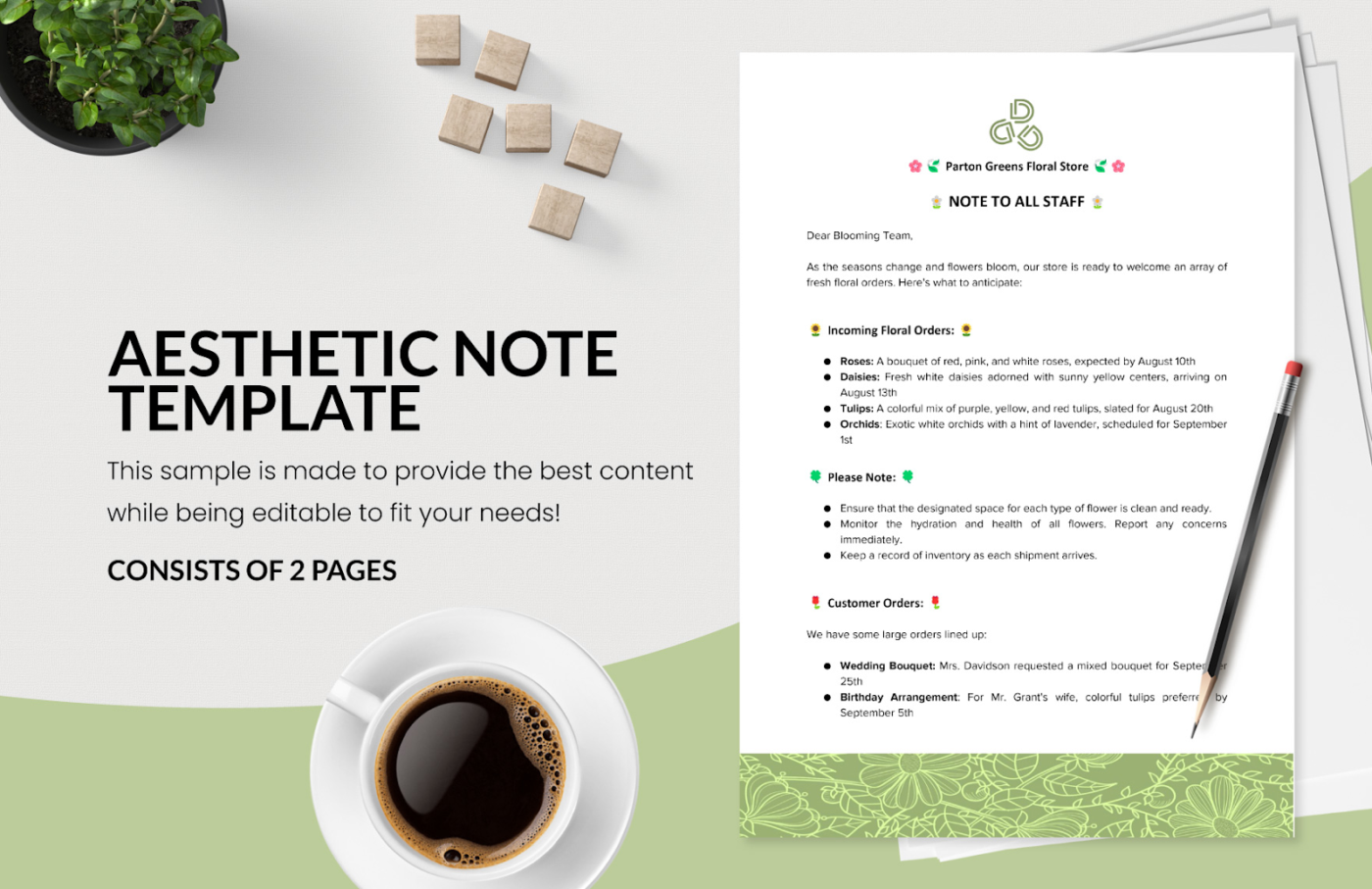
Elevate your note-taking experience with the Aesthetic Note-Taking Template by Template.net. Designed to combine functionality with visual appeal, this template ensures your notes are organized and engaging.
Some of its key features are:
Ideal for: Students, professionals, and anyone looking to enhance their note-taking with style and efficiency.
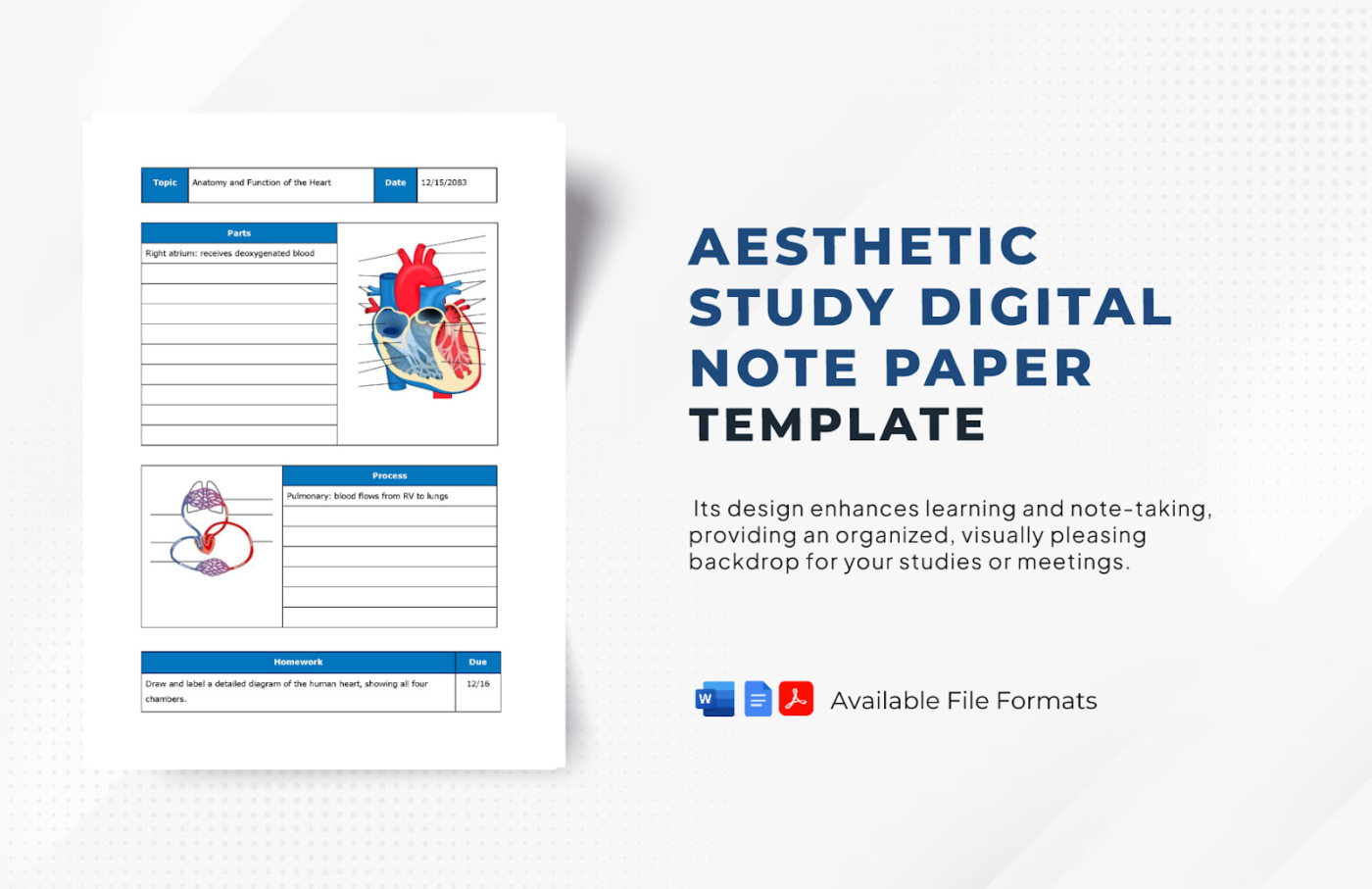
Who says study notes must look boring? The Aesthetic Study Digital Note Paper Template by Template.net helps you turn study sessions into a creative journey along with your collaborators. It includes several helpful features that make it a standout choice.
You can:
Ideal for: Students looking to make their note-taking more organized and visually appealing.
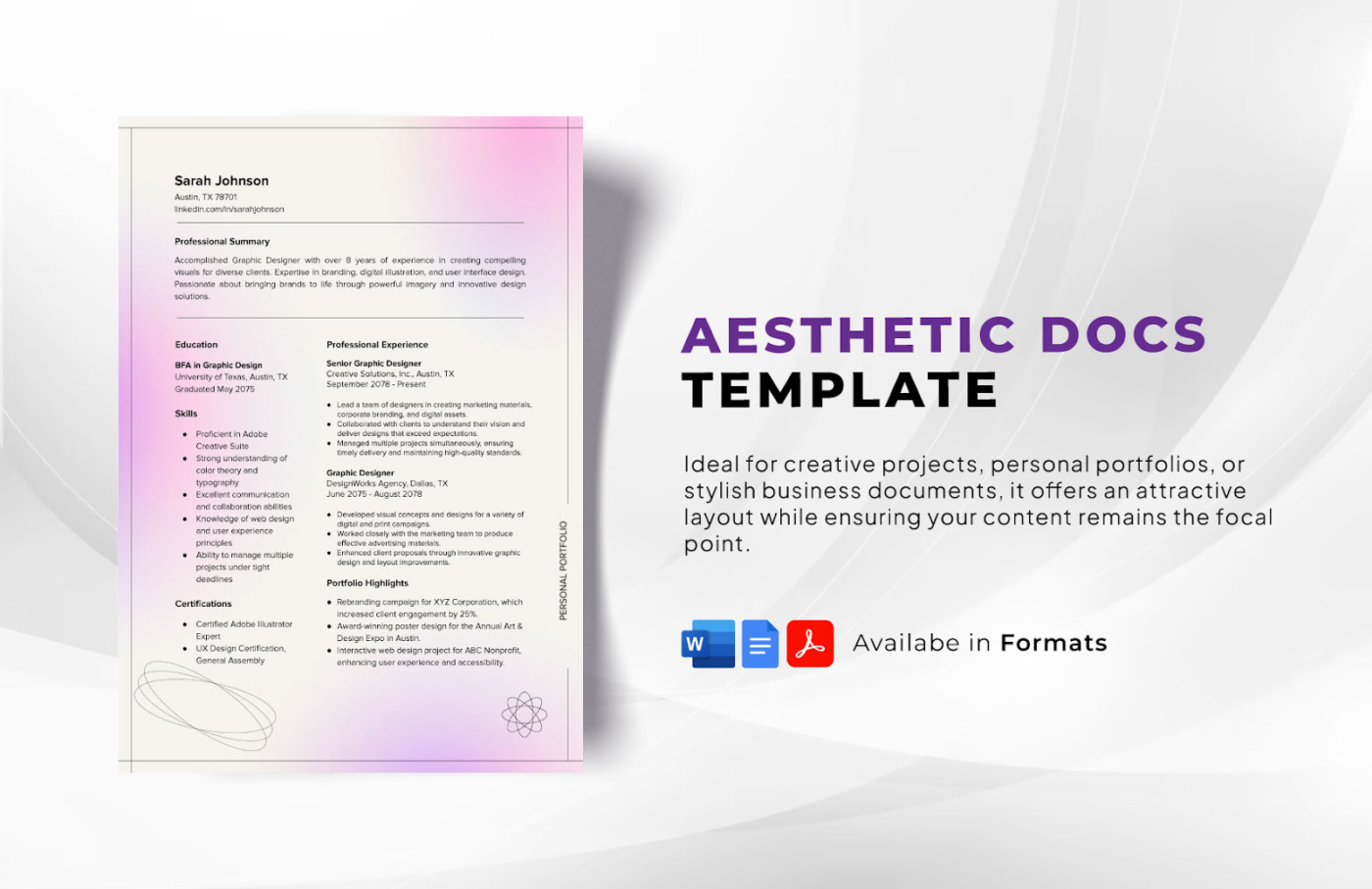
Professional-looking resumes, reports, and marketing materials don’t have to be bland and basic. The Aesthetic Docs Template by Template.net can be an ideal choice to add a splash of personality to your new document.
Here’s what makes this template worth checking out:
Ideal for: Job seekers and professionals who want to create polished, visually appealing documents that stand out.
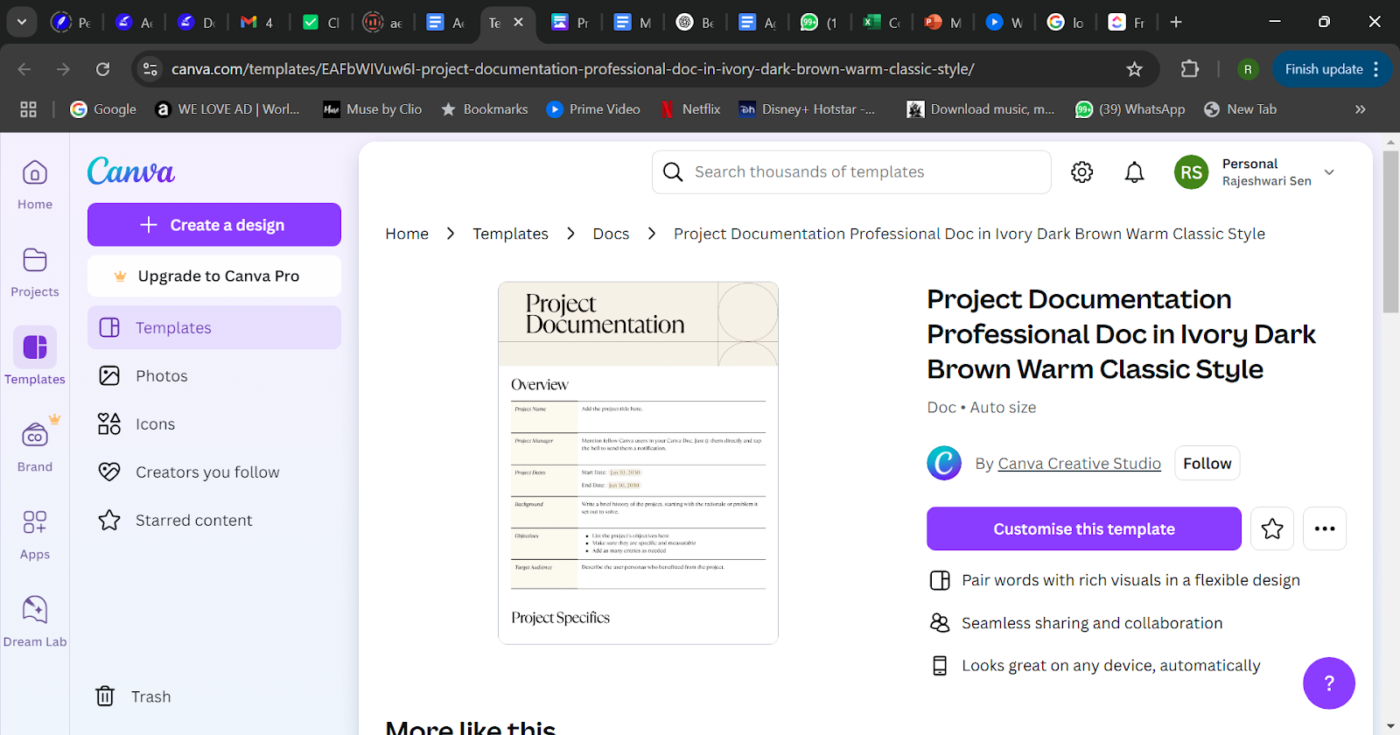
Need to send a two-page project summary quickly? Use the Project Documentation Professional Doc template from Canva to start working quickly.
This template breaks down complex projects into clear, bite-sized sections. You can download it from Canva as a DOCX file and upload it to Google Docs for easy sharing and collaborative editing.
With this template, you can:
Ideal for: Project managers, teams, freelancers, and businesses who need a structured and visually clear way to plan, track, and present project details efficiently.
🧠 Fun Fact: The colors in your documents do more than just look nice—they shape how people feel and respond. Blue, for example, signals trust and professionalism, which is why it dominates corporate reports and business presentations.
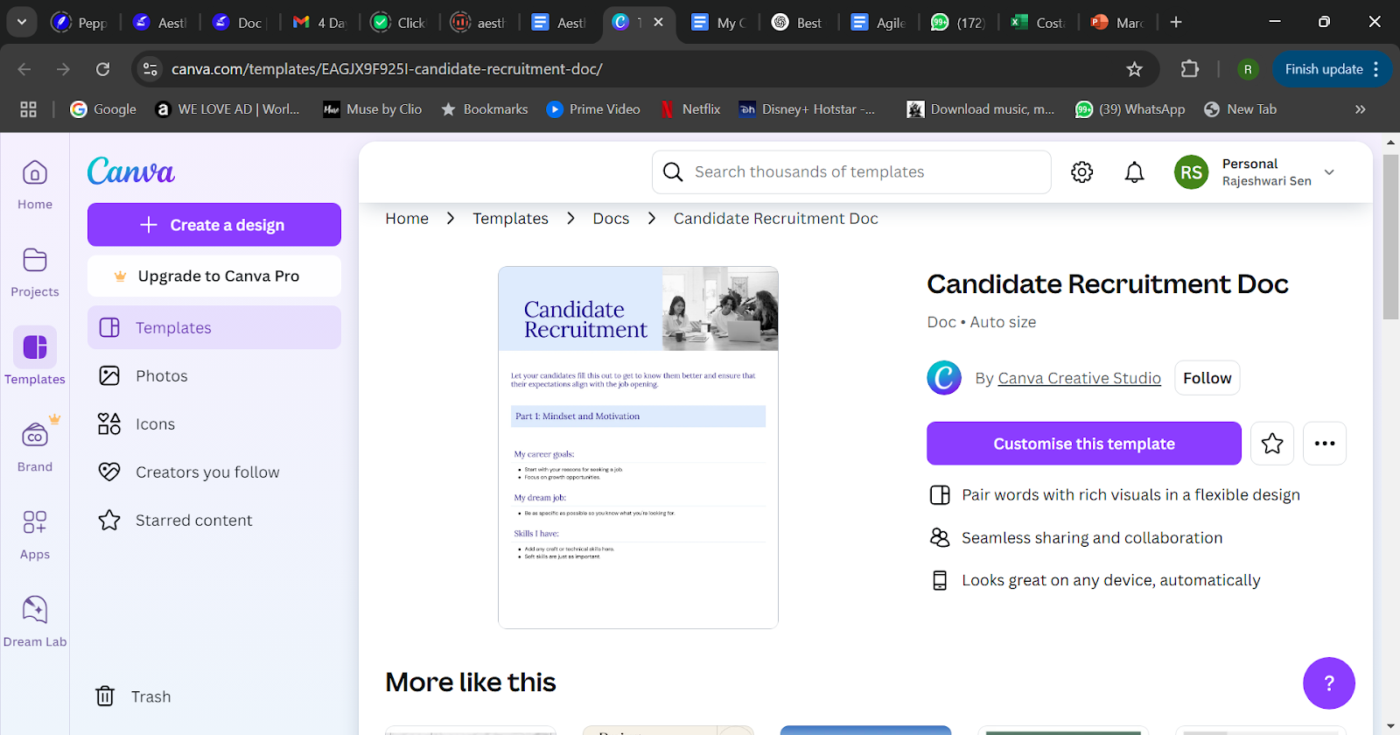
Hiring new talent can quickly become a mechanical process. However, aspiring employees are more than their basic resumes. Get to know them better with the comprehensive Candidate Recruitment Doc Template by Canva.
Use this pleasing template to track applicants’ career goals, dreams, ambitions, and skillset.
This template allows you to:
Ideal for: HR teams looking for a structured way to assess candidate fit and track recruitment progress, as well as job seekers who want to organize their search process.
A great Google Docs template is more than just good looks—it also helps enhance productivity, organization, and functionality—yes, while looking like a million bucks!
Here are some detailed pointers that set the best Google templates apart:
When creating effective document templates, Google Docs is an easy choice. But before you fire up a new doc, here are some key drawbacks to consider:
💡Pro Tip: Trying to customize Google Docs? Skip the DIY hacks—just integrate it with ClickUp and instantly add context to your tasks like a productivity wizard!
While Google Docs offers aesthetic templates for structured documentation, its major drawback is the lack of native integration with task management.
ClickUp, the everything app for work, combines project management, knowledge management, and chat—all powered by AI that helps you work faster and smarter.
Davide Mameli, Business Unit Manager at ICM.S, says:
Before ClickUp, we were working in two separate tools. Having to frequently go back and forth from one tool for task management and another for documentation was inefficient for our team.
Check out this video to know how you can create a template👇
Here are the 10 best ClickUp templates that go beyond Google Docs templates:
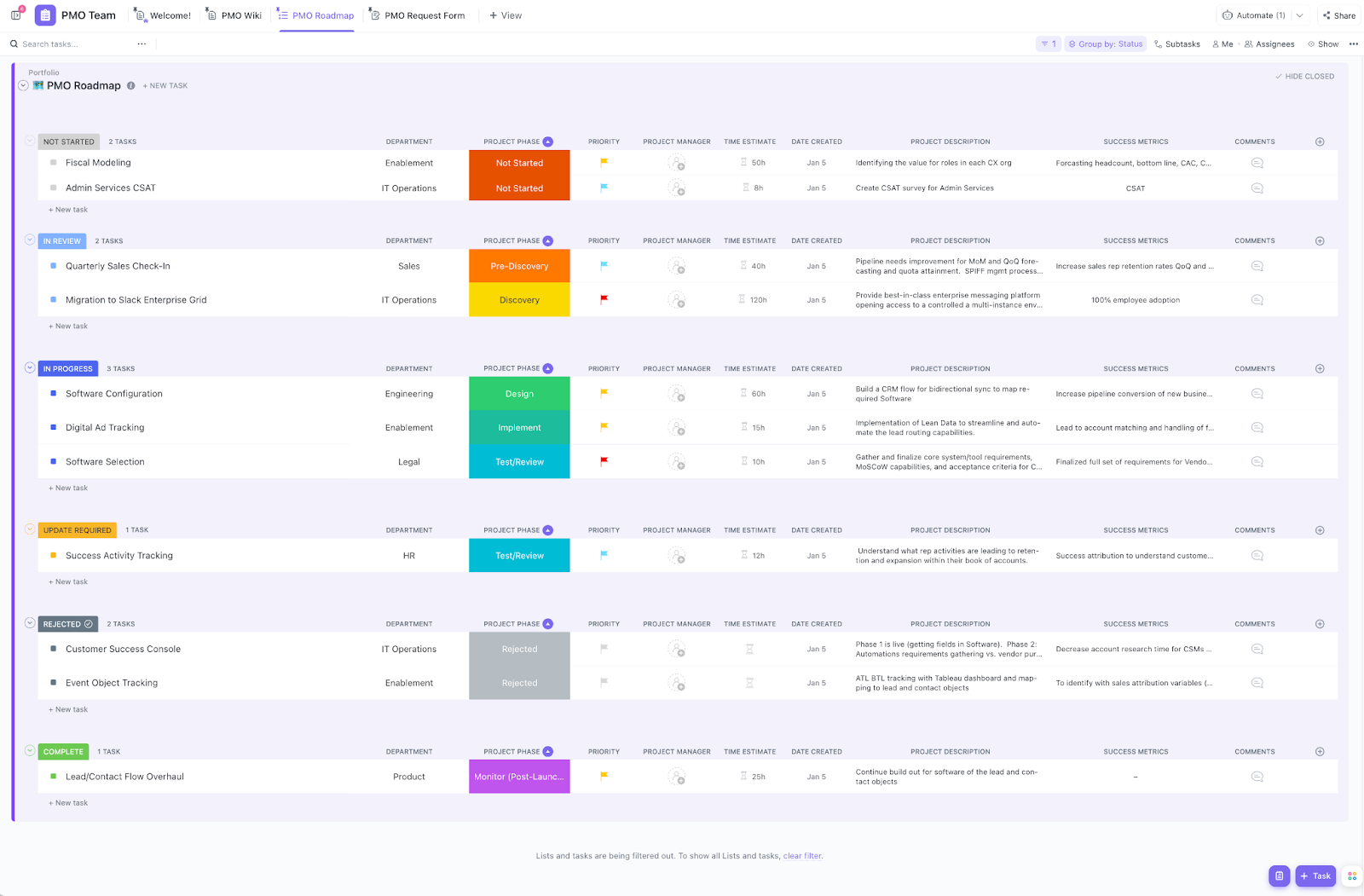
Ever tried deciphering a messy project plan that looks like it was thrown together in a rush? An aesthetic project management template demarcates your plans, is easy on the eyes, and is highly organized. So you spend less time squinting at the chaos and more time getting things done.
The ClickUp Project Management Template is our pick to help your team create clear project goals, assign tasks, and monitor progress in one central hub.
Here’s what you can do with this template:
Ideal for: Project managers and team leads who want to organize complex projects and keep everyone in sync.
📚 Also Read: Free Design Document Templates
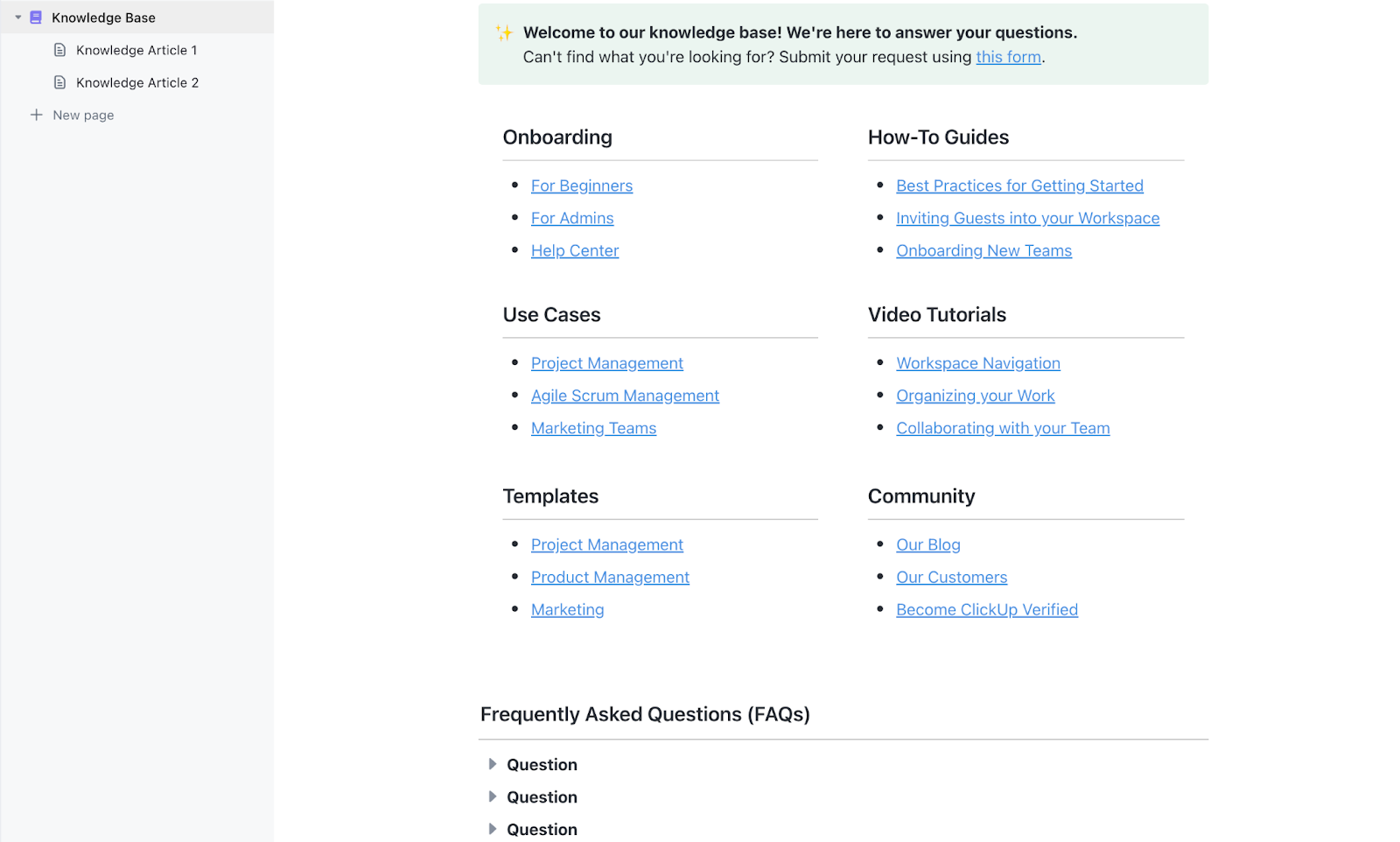
Like aesthetic planner apps help organize your personal life, a well-structured knowledge base keeps your team’s information tidy and accessible.
The ClickUp Knowledge Base Template provides a ready-to-use framework for building your team’s central information hub.
Here’s what you get with this template:
Ideal for: Teams looking to create an organized, searchable library of company information and documentation.
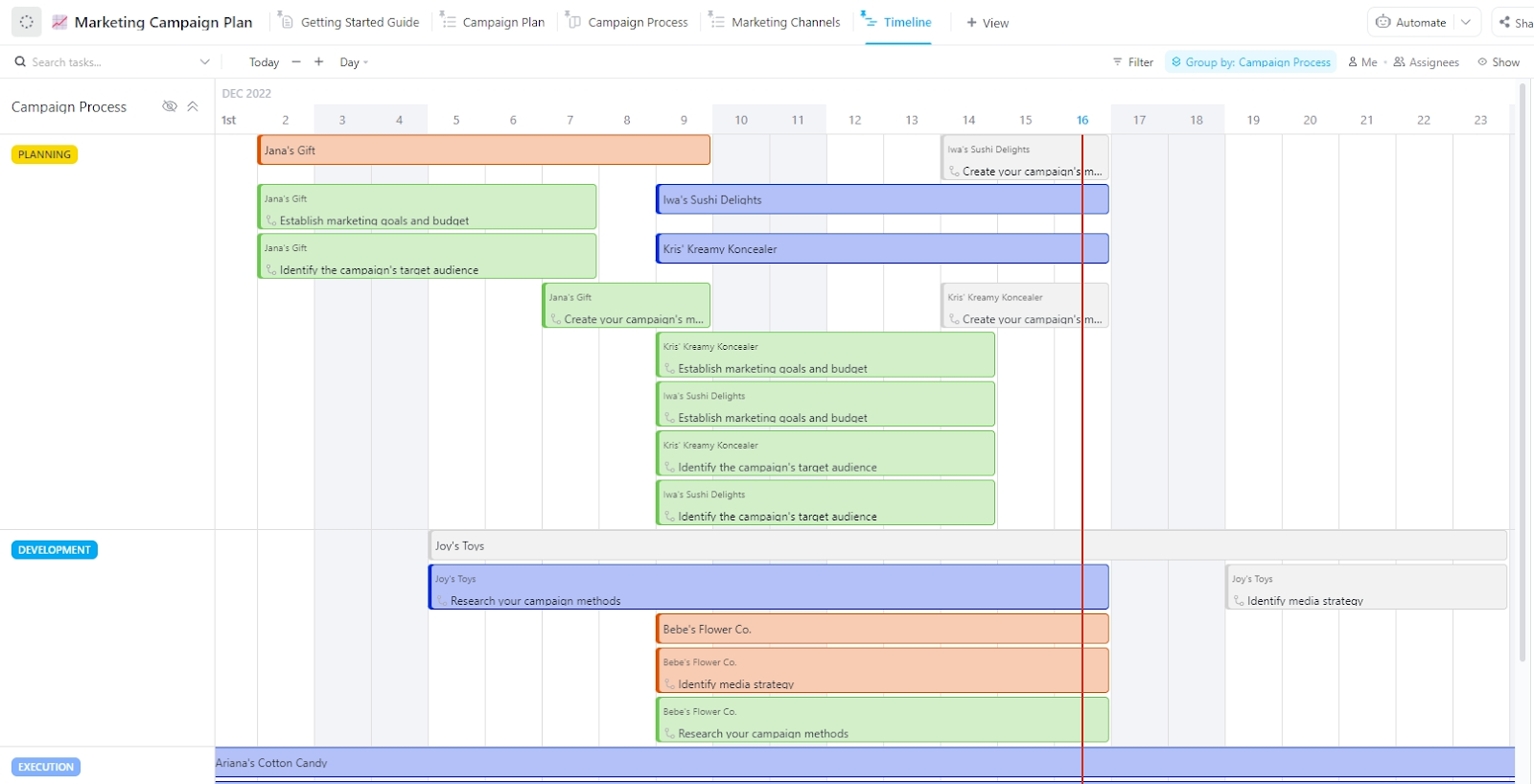
Are you looking to run marketing campaigns that deliver results? The ClickUp Marketing Campaign Plan Template helps you map your entire campaign journey in one spot.
What makes this template extra beneficial:
Ideal for: Marketing teams that need a structured way to plan, execute, and track their campaign performance.
📮ClickUp Insight: ClickUp’s meeting effectiveness survey found that 18% of respondents use comments in documents for asynchronous collaboration. While this reduces meeting time, scattered comments often lack accountability, leaving action items untracked and incomplete. ClickUp Docs transforms document collaboration with Assigned Comments. Each comment can be assigned to a specific team member, turning passive feedback into actionable tasks. Build accountability into your document workflows!
💫 Real Results: Teams using ClickUp’s meeting management features report a whopping 50% reduction in unnecessary conversations and meetings!
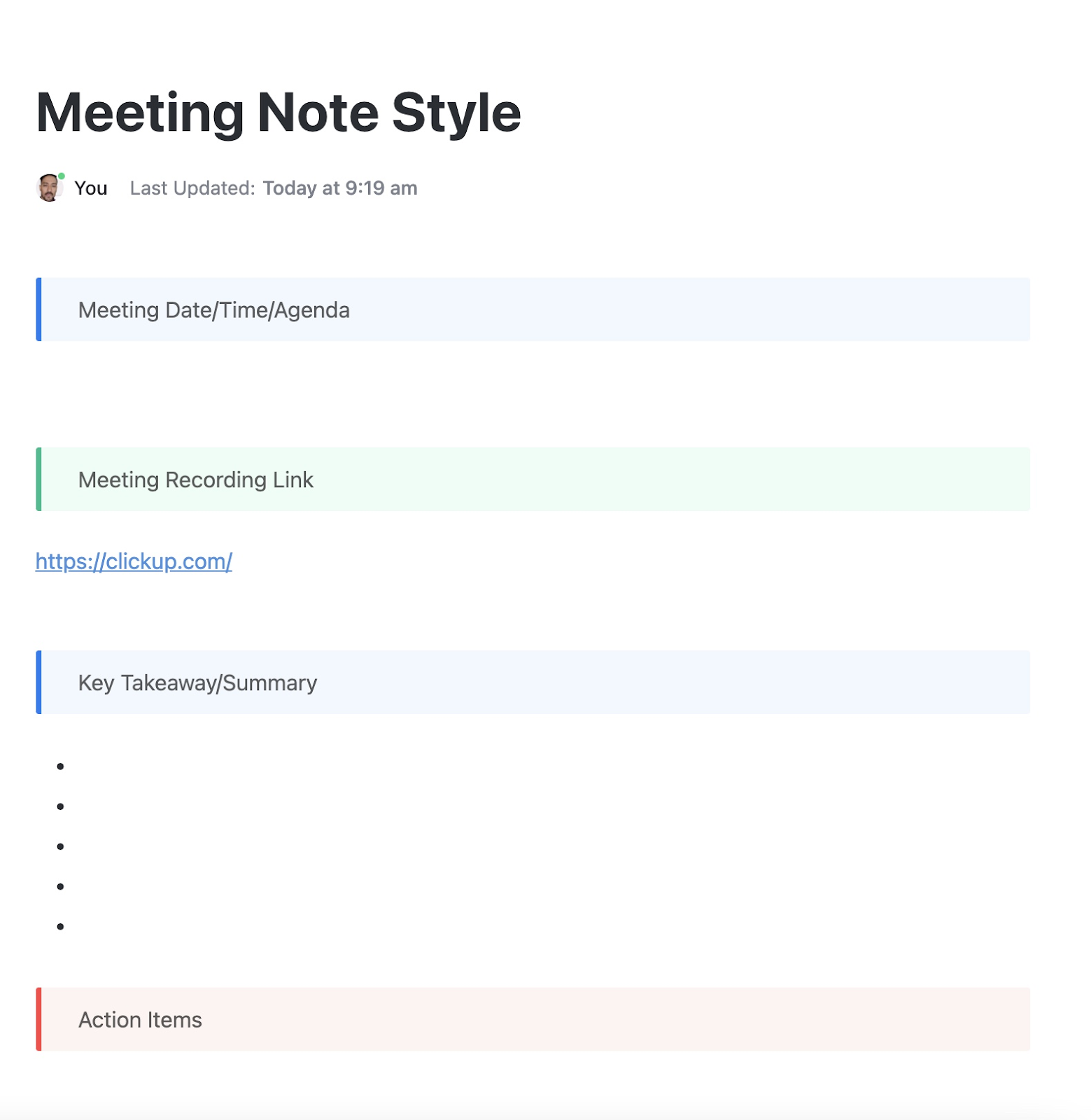
Meeting notes all over the place? Use the ClickUp Meeting Note Style Template as a smart and structured way to capture, organize, and track meeting insights.
With this template, you can:
Ideal for: Professionals and teams who want a more efficient way to document and manage meetings.
💡 Pro Tip: Use the ClickUp AI Notetaker as your meeting sidekick—let it transcribe discussions, then instantly turn key points into actionable tasks, summaries, and follow-ups. No more scrambling to remember who promised what!
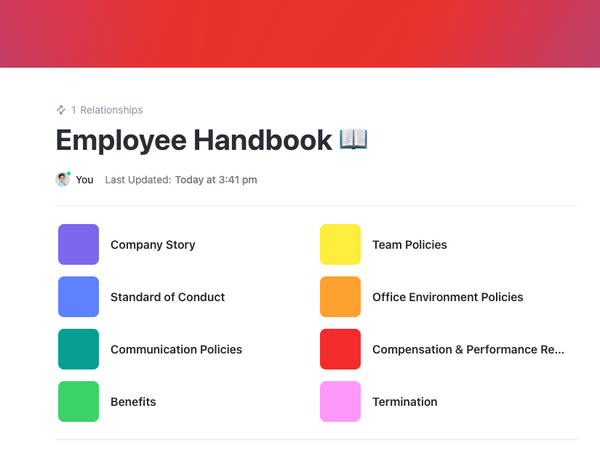
Employee handbooks often end up as dull, forgotten manuals—only dusted off in a crisis.
The ClickUp Employee Handbook for Contractors Template helps you build a structured guide that’s also visually rich. Keep your contractors informed and aligned with company policies easily with this template.
Here’s what it also brings to the table:
Ideal for: HR teams and managers who need to create and maintain clear guidelines for contractors.
📚 Also Read: Aesthetic To-Do List Ideas for Productivity
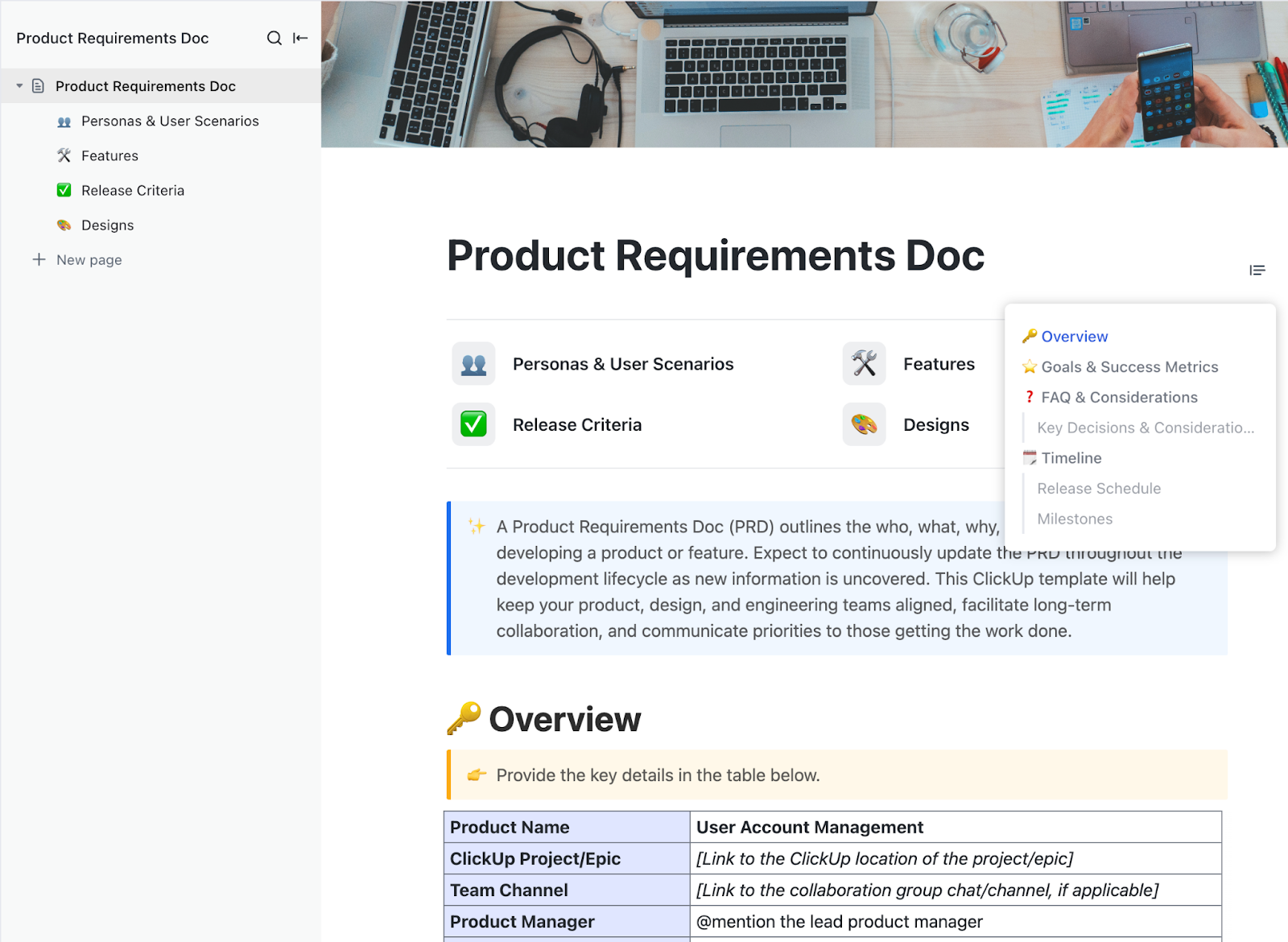
Need an aesthetic-looking hub for your Product Requirements Document (PRD)?
The ClickUp Product Requirements Doc Template helps product teams outline development plans and track progress in one central place.
Here’s what makes this template stand out:
Ideal for: Product managers and development teams who need a structured way to document and track product requirements.
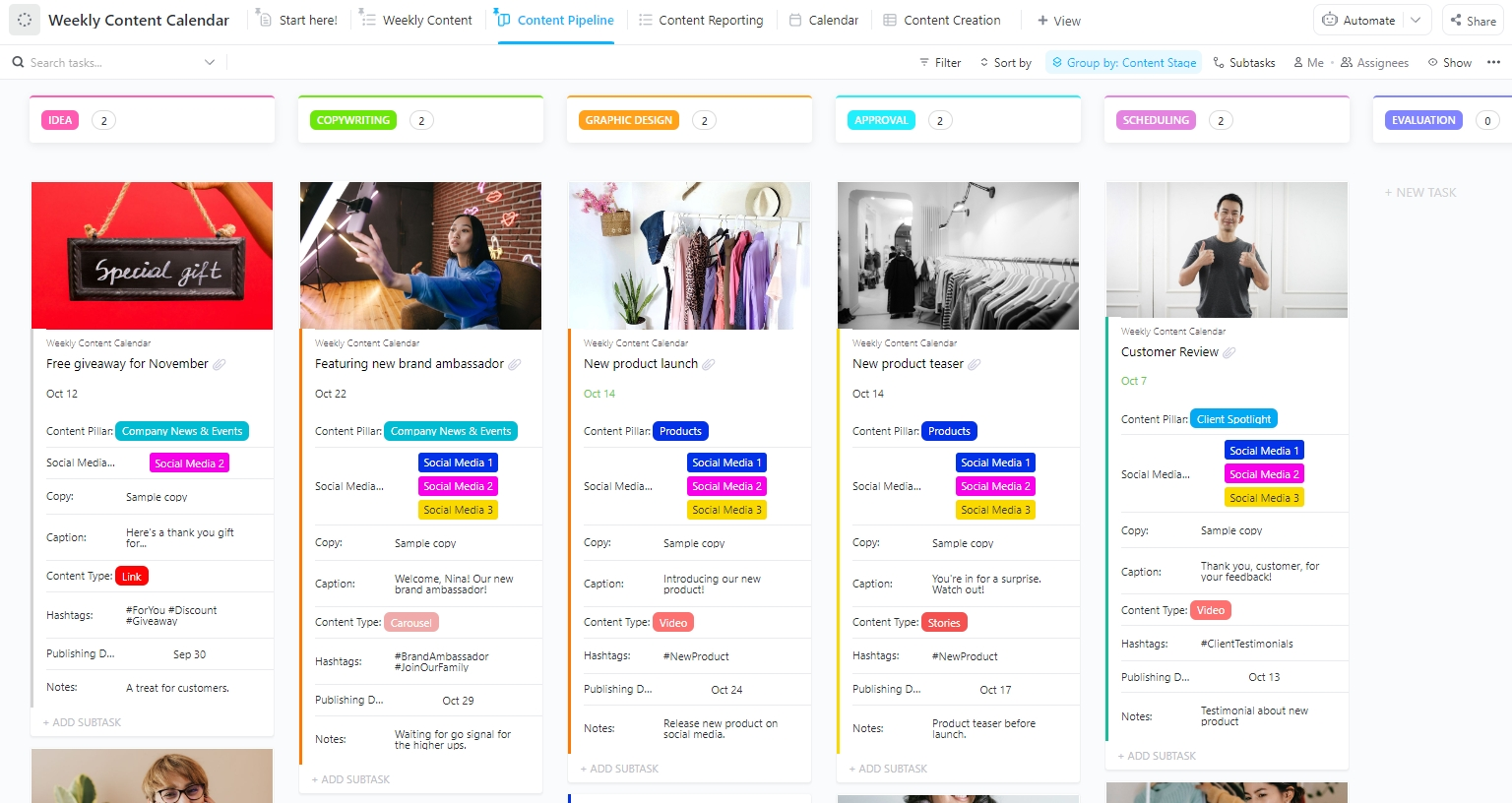
Your social media planning hub should be as visually appealing as your posts! The ClickUp Weekly Content Calendar Template is a great way to plan social posts, blog articles, newsletters, and other content pieces. View labels, content types, due dates, and more at a glance to never miss another post.
This template can help you:
Ideal for: Content managers, social media teams, and marketing professionals who need to maintain a consistent publishing schedule.
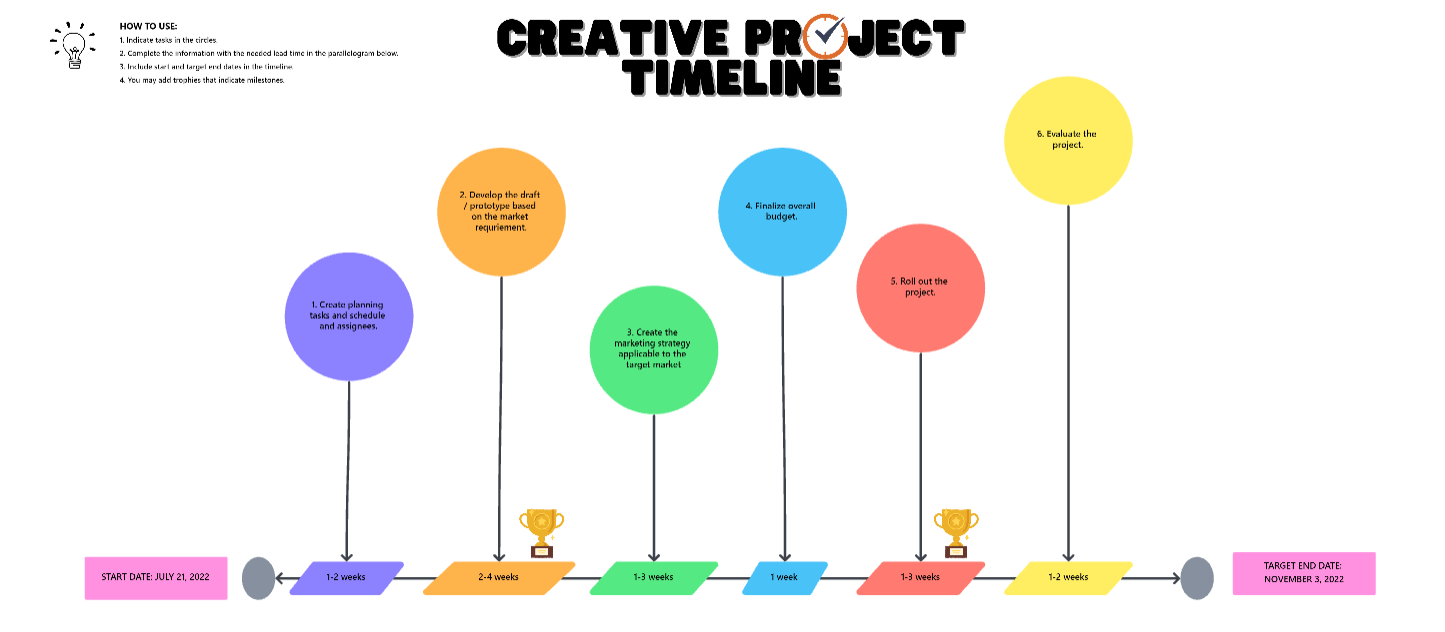
Creative teams know the drill—juggling multiple projects, deadlines, and client feedback while keeping everything organized.
That’s where the ClickUp Creative Project Timeline Template shines. It helps you organize graphic design templates and creative assets while maintaining clear visibility into project progress.
Here’s what you get with this template:
Ideal for: Creative agencies, marketing teams, and design departments looking to organize their creative workflow and deliver projects on time.
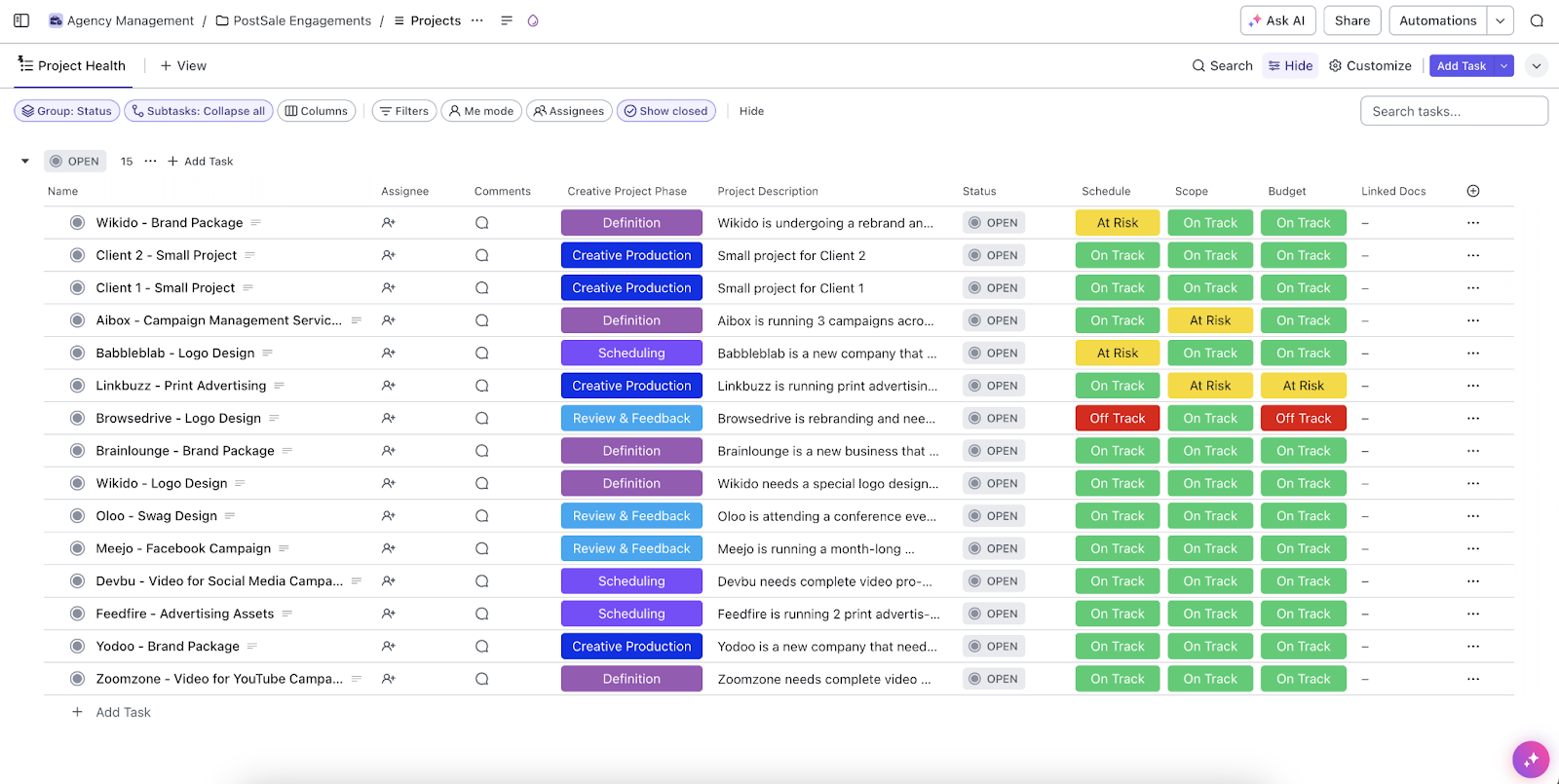
Managing multiple client projects while keeping your agency team productive can be chaotic. The ClickUp Agency Management Template helps you track projects, deadlines, and client communication from one organized space.
This template comes packed with features to help your agency thrive:
Ideal for: Marketing and creative agencies looking to centralize client work and improve team collaboration.
📚 Also Read: How to Make a Template in Google Docs
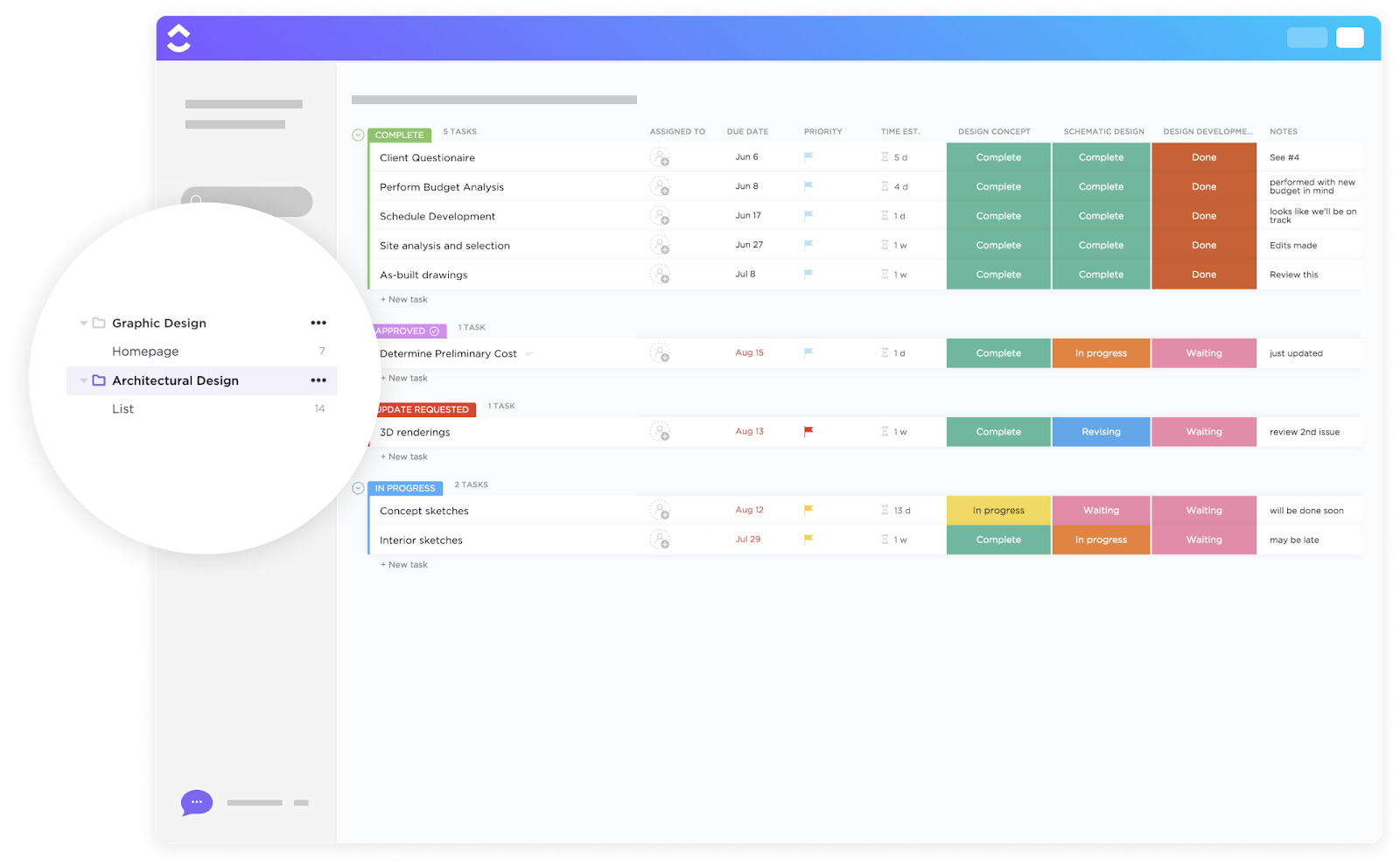
The ClickUp Architectural Design Template organizes every phase of complex architectural projects in one central hub, from initial concepts to final deliverables.
Some key features of the template:
Ideal for: Architecture firms and design teams looking to simplify project workflows and improve collaboration.
Aesthetic Google Docs templates do more than make your work look good—they help you communicate clearly, stay organized, and leave a lasting impression. And the best part? You don’t need to start from scratch or spend hours formatting.
However, its limitations, like a lack of seamless collaboration and flexibility, cannot be ignored. That’s where ClickUp steps in. Think real-time collaboration, nested pages, styling options, and built-in project management—you should give ClickUp a try!

© 2026 ClickUp

There’s an easier way. Try a free AI Agent in ClickUp that actually does the work for you—set up in minutes, save hours every week.