






Still downloading templates?
There’s an easier way. Try a free AI Agent in ClickUp that actually does the work for you—set up in minutes, save hours every week.
Sorry, there were no results found for “”
Sorry, there were no results found for “”
Sorry, there were no results found for “”

When used right, placeholders become a strategic scheduling tool that protects your time and prevents double-bookings. Suddenly, cross-functional coordination becomes easier, surpassing the confusion of email chains. But not everyone is using this option well.
🔎 Did You Know? 57% of meetings are ad hoc calls without a calendar invite and 1 in 10 scheduled meetings are booked at the last minute.
Vague placeholder meetings tend to create more confusion than clarity. Which is why this guide walks you through adding a placeholder meeting agenda and explains when to use them (and when not to). We’ll also see how to manage them in ClickUp, so your calendar stays connected to the work that matters. 🗓️
A placeholder meeting is a calendar event you schedule to reserve a specific block of time before you have all the final details ready. It acts as a temporary entry on your schedule that holds a spot for a future discussion, project review, or sync-up. You send the invite with a general title so the participants know to keep that window open. It also gives you time to finalize the agenda, guest list, or required materials.
👀 When to use this? You use this when you know a deadline is approaching and need to ensure your team is available to talk. Instead of waiting until every slide is finished to send an invite, you manage time so that other meetings don’t fill up the day.
This practice keeps your projects on track by making the time commitment official. It signals to your colleagues that a specific topic is a priority. While also allowing them to plan their own deep-work blocks or tasks around that reserved period. Once your meeting preparation is complete, you simply update the existing invite with the specific meeting links and documents.
📮 ClickUp Insight: 30% of workers stick to set hours, but 27% regularly work overtime, and 19% don’t have a set schedule at all. When work is unpredictable, how do you ever truly clock out? 🕰️
Automated task scheduling in ClickUp Calendar can help bring more structure to even the most unpredictable schedules. Plan your week, set firm work hours, and automate reminders to log off—because your time should be yours to control!
💫 Real Results: Lulu Press saves 1 hour per day, per employee using ClickUp Automations—leading to a 12% increase in work efficiency.
🧠 Fun Fact: 78% of knowledge workers are expected to attend so many meetings that it has become difficult to get their actual work done. Clearly, we need a strategic response to this problem!
Placeholder meetings help you better manage this volume. It creates a time-sensitive calendar entry that reserves space for a specific task or discussion before all the details are confirmed. Think of it like a protective boundary for your schedule. You use these holds to maintain a balance between a structured plan and the reality of a changing workday.
Here are the most common scenarios where using a calendar hold or recurring holds can streamline team and stakeholder communication:
You place this hold when you’re waiting for a final response from a client or stakeholder. Instead of waiting for an email reply and risking someone else booking that slot, you secure the time immediately. This prevents the back-and-forth of rescheduling and keeps your project timelines moving forward while the final logistics are settled.
You can use clear titles to signal the status of these blocks to your team for efficient cross-functional coordination:
You schedule these blocks before or after a major call to ensure you have time to review notes or document action items. Without these holds, back-to-back meetings often leave you without the space to process information or prepare for your next conversation. Treat these as mandatory transitions that help you maintain focus and prevent your task list from piling up at the end of the day.
You can also set these as recurring meeting events to build a consistent rhythm and increase productivity. For instance, you might block 15 minutes after a weekly sprint review to handle immediate follow-up tasks while the details are still fresh.
A travel placeholder is a block that accounts for the time you spend commuting to a client site or an offsite event. Since your calendar often looks free when you are simply moving between locations, colleagues might unknowingly book meetings during your drive.
This hold makes that window unavailable, ensuring you aren’t forced to take a professional call from your car or arrive at a meeting feeling rushed. Adding the estimated duration or the destination to the invite title helps your team understand why you are unavailable.
This practice ensures you arrive at your destination on time and ready to engage with your stakeholders without any meeting conflicts.
Creating placeholders in a standard calendar often leads to Context Sprawl—the fragmentation of information across different apps. You might have a ‘hold’ on your schedule, but the related project documents and task lists live elsewhere.
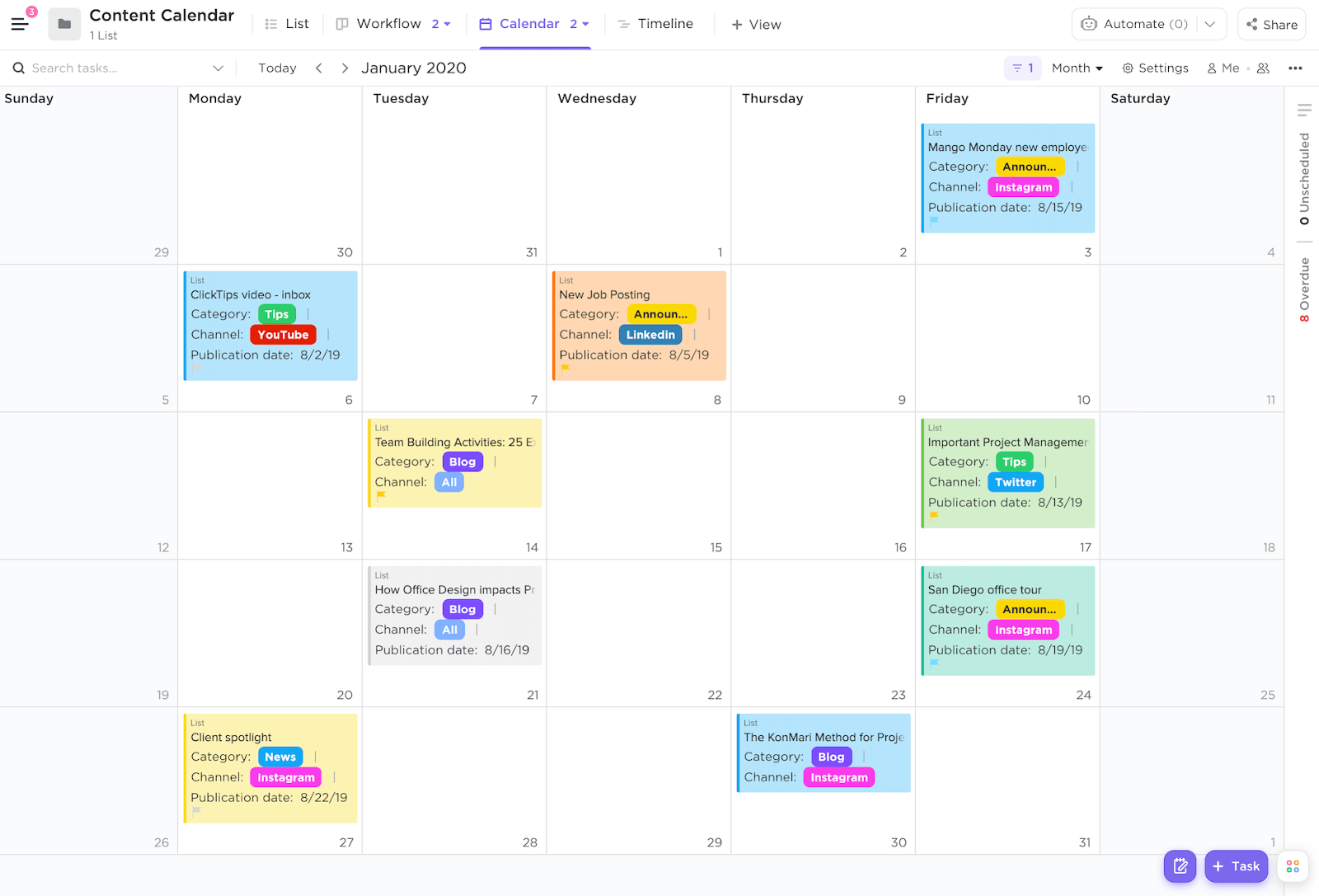
Creating placeholders directly in ClickUp Calendar View eliminates this friction by connecting your time blocks to your work from the start.
👀 Why ClickUp?
ClickUp is a Converged AI Workspace that houses your documents, tasks, chat, and comments along with contextual AI. It streamlines your workflow and creates an automated, connected ecosystem where everything updates in real time.
Follow these steps to add a placeholder meeting in ClickUp:
This opens a new task window that doubles as your meeting invite.
This allows anyone viewing your team’s schedule to see at a glance which meetings are finalized and which are still in flux.
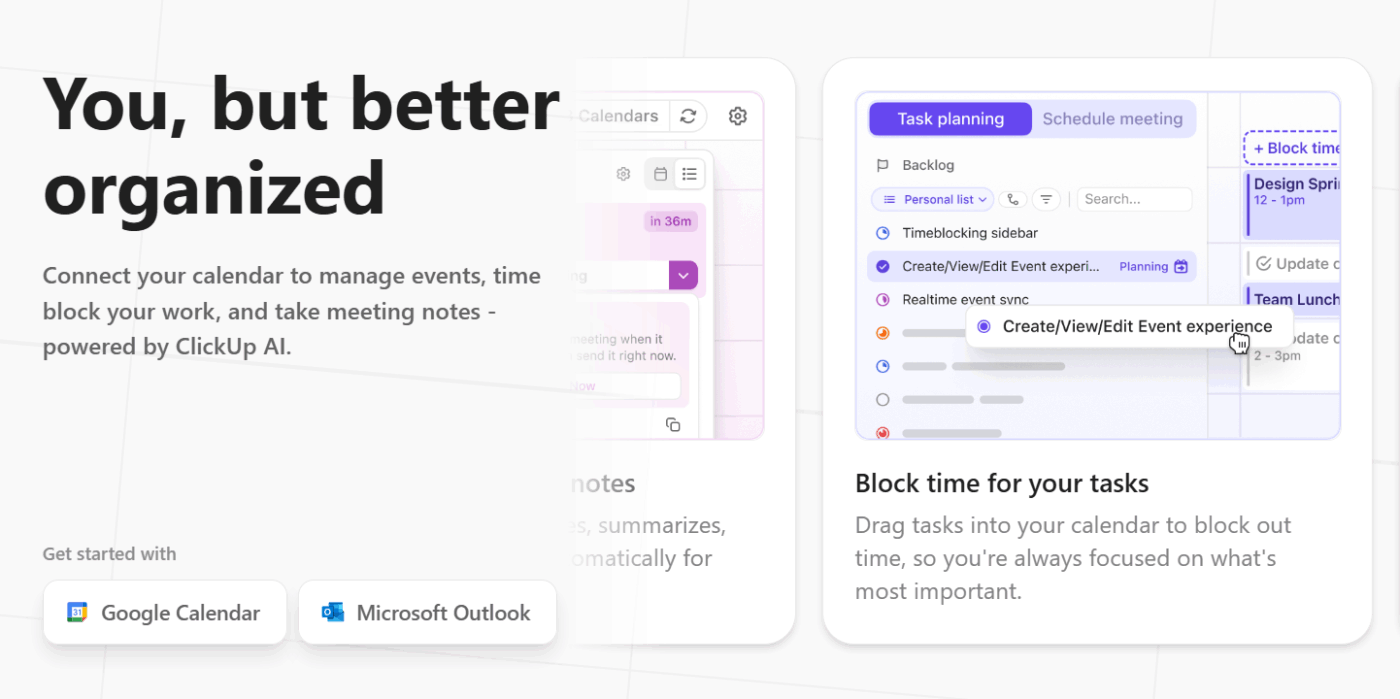
It ensures your placeholder appears across all your devices, preventing others from booking over your reserved time.
Once you confirm the meeting details, you can use ClickUp Brain to convert a placeholder into an active agenda. You can ask the AI assistant to draft a meeting outline based on the notes you already placed in the task description rather than starting from scratch. This keeps your preparation consistent with the project’s history.
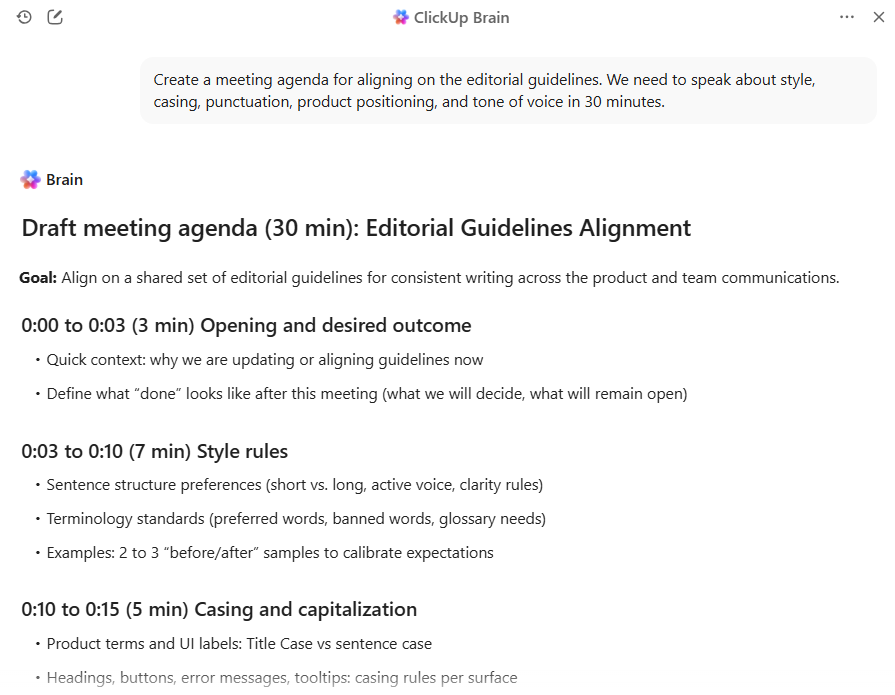
As the meeting concludes, ClickUp Brain can automatically transform your discussion into assigned tasks and searchable transcripts. This ensures that the time you blocked off directly leads to measurable progress, without manual data entry or follow-up emails.
💡 Pro Tip: A placeholder only works if the eventual meeting produces results. You can ensure the time you reserved stays productive by using the AI Notetaker to capture the entire discussion while you stay present.
It records and summarizes the call in real-time, then automatically extracts action items into assigned ClickUp Tasks the moment you hang up. This prevents the post-meeting lag where decisions are forgotten, ensuring your calendar holds leads directly to measurable progress.
When you send a placeholder to stay organized, you run the risk of creating calendar anxiety for your team if they don’t know if a meeting is actually happening. Following a few simple meeting rules and etiquette ensures your holds are respected and the scheduling process remains low-friction for everyone.
🔎 Did You Know? Approximately 48% of employees and more than half of leaders feel their work is chaotic and fragmented. Cross-time zone collaboration adds complexity, with nearly a third of meetings now spanning multiple time zones.
Placeholder meetings are ideal for protecting your time and reducing scheduling conflicts. The only caveat is that you have to treat them with intention—using clear naming conventions, setting reasonable time limits, and communicating promptly when plans change. Without this, the blocks become a confusing space for everyone involved.
However, teams that master this etiquette spend less time untangling calendar gimmicks and become productive during meetings without sacrificing desk work. Get started with ClickUp for free to see how a unified digital workplace can change your scheduling practices.
A placeholder meeting is a temporary calendar block that reserves a time slot before all the details are finalized. It signals your intent to meet without confirming the attendees, agenda, or location.
To convert a placeholder, update the title to remove ‘HOLD,’ add the confirmed attendees, and include a clear agenda in the description. You can also change its Status from tentative to confirmed. And ClickUp Brain can even help you draft agenda items based on the meeting’s purpose.
It’s not required, as placeholders are meant to hold time before details are set. However, including a brief note about the meeting’s purpose helps attendees understand why you’re reserving their time.
As a rule of thumb, try not to hold a time slot for more than one to two weeks. If you can’t confirm the details by then, it’s best to release the hold and reschedule once you have more clarity to avoid frustrating attendees.

© 2026 ClickUp

There’s an easier way. Try a free AI Agent in ClickUp that actually does the work for you—set up in minutes, save hours every week.