


Project closure is an integral part of project management. It’s the final phase when deliverables are tested against KPIs and the scope, loose ends are tied up, lessons are learned, the handover is complete, and a project is signed off on.
In many ways, project closure is as important as a kick-off meeting and the scope of work (SOW). It’s something managers should set aside time for, to ensure that project deliverables have been completed as expected and that the project was executed successfully.
In this post, we’ll walk you through a step-by-step process for closing a project and give you five handy templates you can use to streamline the project closure process for your team.
Streamlining the Project Closure Process for Your Team

 Summarize this article for me please
What is Project Closure?
Whether a project is internal or is being delivered collaboratively by a third party, such as a software development firm or a marketing agency, it should always end with a project closure phase.
Project closure is the final mission-critical phase in the project management life cycle. It marks the end of a project, the last key performance indicator before any deliverables can start making an impact on an organization.
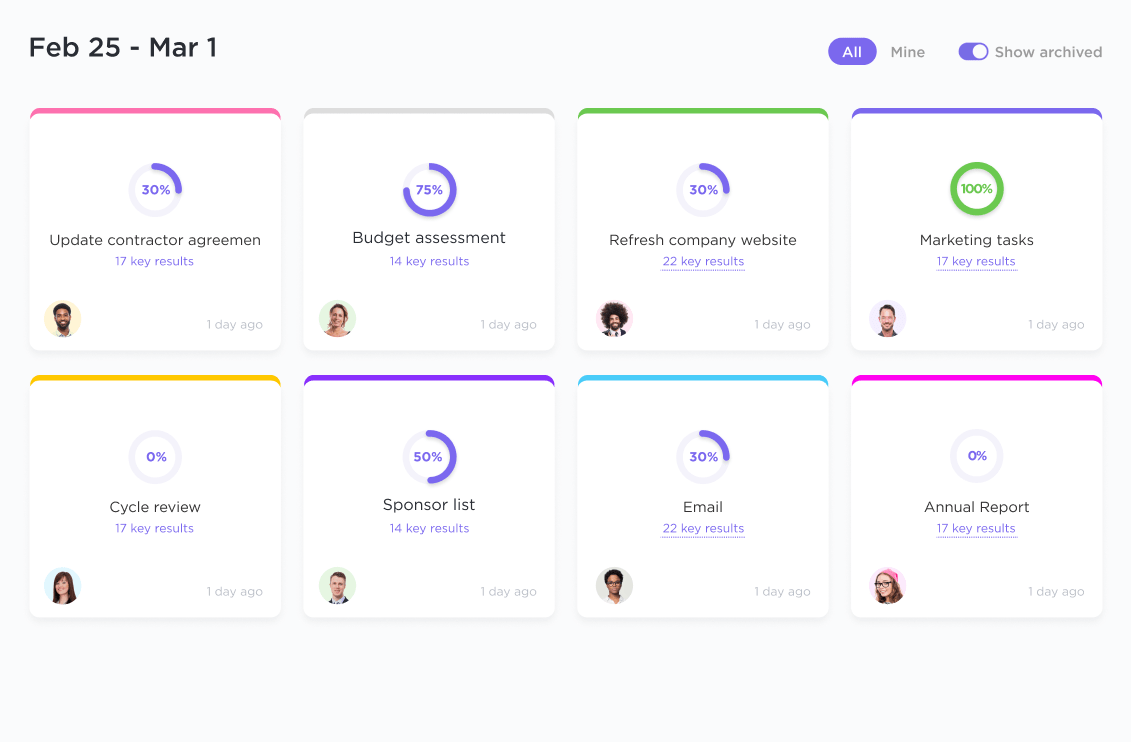
For example, if the aim is to roll out new customer relationship management software in an enterprise organization, this can take time, especially if third-party vendors or consultants are involved.
However, it’s worth taking the time necessary: Most projects (of any size) run a lot smoother when there’s project management software to keep everyone on task, focused, and on the same page.
Summarize this article for me pleaseWhy is Project Closure Important?
Effective project wrap-ups can help to define a team’s culture. Everything a team member or project lead learns from implementing and delivering a project⏤successes and failures⏤can be taken forward into future projects.
It’s equally important to ensure that documentation, assets, and other deliverables are passed on to a client and signed off on. Otherwise, the client could say a project wasn’t completed as expected, especially if those assets were included in the contract.
Project closure involves answering a handful of questions to ensure everything is wrapped up, including:
- Have the goals and objectives been met?
- Is the client happy with the project documentation and deliverables?
- Was the project properly completed on time and on budget?
- Are there takeaway lessons from any bottlenecks or mid-process problems that would be helpful for future project teams?
- Are senior leaders and managers or other stakeholders happy with the project outcomes?
- What return on investment can be expected, or what return on investment will the client experience after closing a project?
- For future reference—was it worth the time, effort, and money invested?
- Now that it has been delivered, are stakeholders and staff who will use the deliverable (e.g., a new software application) aware of it and trained?
How you answer these questions depends on whether you’re delivering a project internally or for a client. Each party will approach this project management process differently.
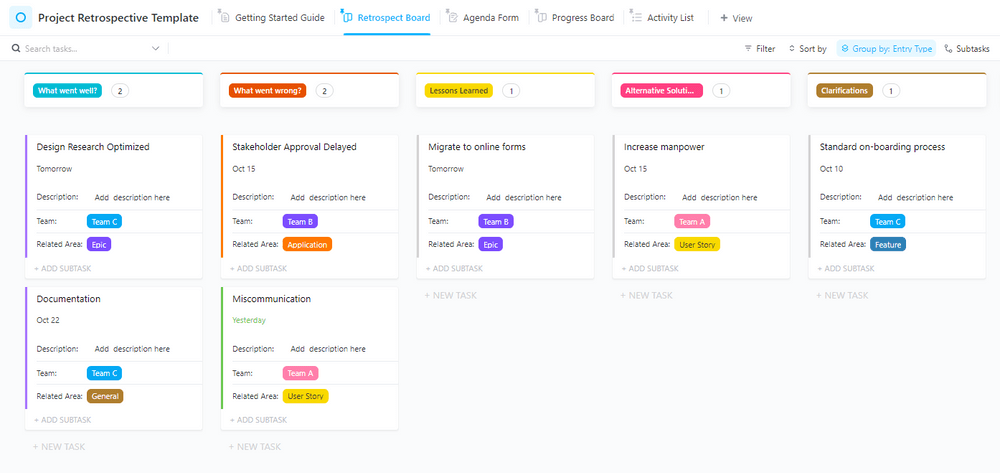
Project closure is important because it determines whether the project was a success or a failure and what can be learned. Too often, projects are just measured on budget and timescale standards.
There’s more to success than just numbers. Did we meet the mark on quality? Did we crush our business goals? These factors are so important if you want to knock the project out of the park.
Summarize this article for me pleaseTypes of Project Closure
There are several types of project closure that can be implemented depending on the specific circumstances and objectives of the project. Here are some common types:
- Normal Closure: This is the standard and most common type of project closure, where the project is completed as planned, all deliverables are produced, and all objectives and goals are achieved. The project team wraps up all remaining tasks, conducts final reviews and approvals, and formally closes the project.
- Premature Closure: If you’re using project management software, this means that you would be able to tick every action item as complete. Unfortunately, not every project closing phase ends this way. Some projects are closed before they can get off the ground. When a project is canceled as it’s about to start, it’s known as premature closure.
- Partial Closure: Sometimes, a project may be partially closed when certain components or phases have been completed successfully, but others are still ongoing. This type of closure allows for a phased approach, where the completed parts are closed while the remaining work continues. It helps manage dependencies and prioritize resources effectively.
- Consolidation Closure: In cases where multiple related projects are being executed simultaneously, a consolidation closure may be performed. This involves consolidating the outputs, learnings, and resources from multiple projects into a single closure process. It helps ensure consistency, knowledge transfer, and efficient utilization of resources across projects.
- Suspension Closure: If a project needs to be temporarily suspended due to external factors or operational constraints, a suspension closure is performed. The project is put on hold until the circumstances allow it to resume. During the closure, the team documents the project status, resources, and any necessary actions required upon resumption.
- Failed Closure: Unfortunately, not all projects succeed. A failed closure occurs when a project is unable to achieve its objectives or deliver the desired outcomes. In such cases, the project is closed without accomplishing the intended goals. It is crucial to conduct a thorough analysis of the reasons for failure, document lessons learned, and determine any salvageable components or potential adjustments for future projects.
Now let’s dive into the steps to take when closing a project.
Summarize this article for me please5 Steps to Complete the Project Closure Process
Here are five steps for project management teams to take when closing a project and getting sign-off from clients and stakeholders.
1. Implement completion tasks
Loose ends always need wrapping up during the final stages of any project.
Major project deliverables will have been completed, so make sure smaller action items and goals haven’t been overlooked. This could include the following:
- Ancillary assets and deliverables
- Project documentation and, in the case of software deliverables, product guides
- Any training that needs delivering
- Files and intellectual property that a client owns upon completion have been transferred
- Invoices sent and paid
- Any other admin tasks that need doing before you can start going through the project closure process
2. Refer to the project scope or brief to ensure goals are met
Now that loose ends have been wrapped up, it’s time to check back against the original scope or brief to assess whether goals have been met.
Project success is measured against numerous criteria and key performance indicators. On a high level, most projects are assessed against a handful of core metrics:
- Did we deliver what the client expected?
- Was the project closing process on time and within budget?
- Is the client happy with the quality and pleased to sign off on the deliverables?
- Have business and operational goals and objectives been achieved?
Providing that the management team and project management team involved can answer yes to most⏤ ideally, all⏤of these questions, then it has been a success. Achieving the objectives on one project could be useful if you’re wanting to work with the same organization again on a new project. 🛠️
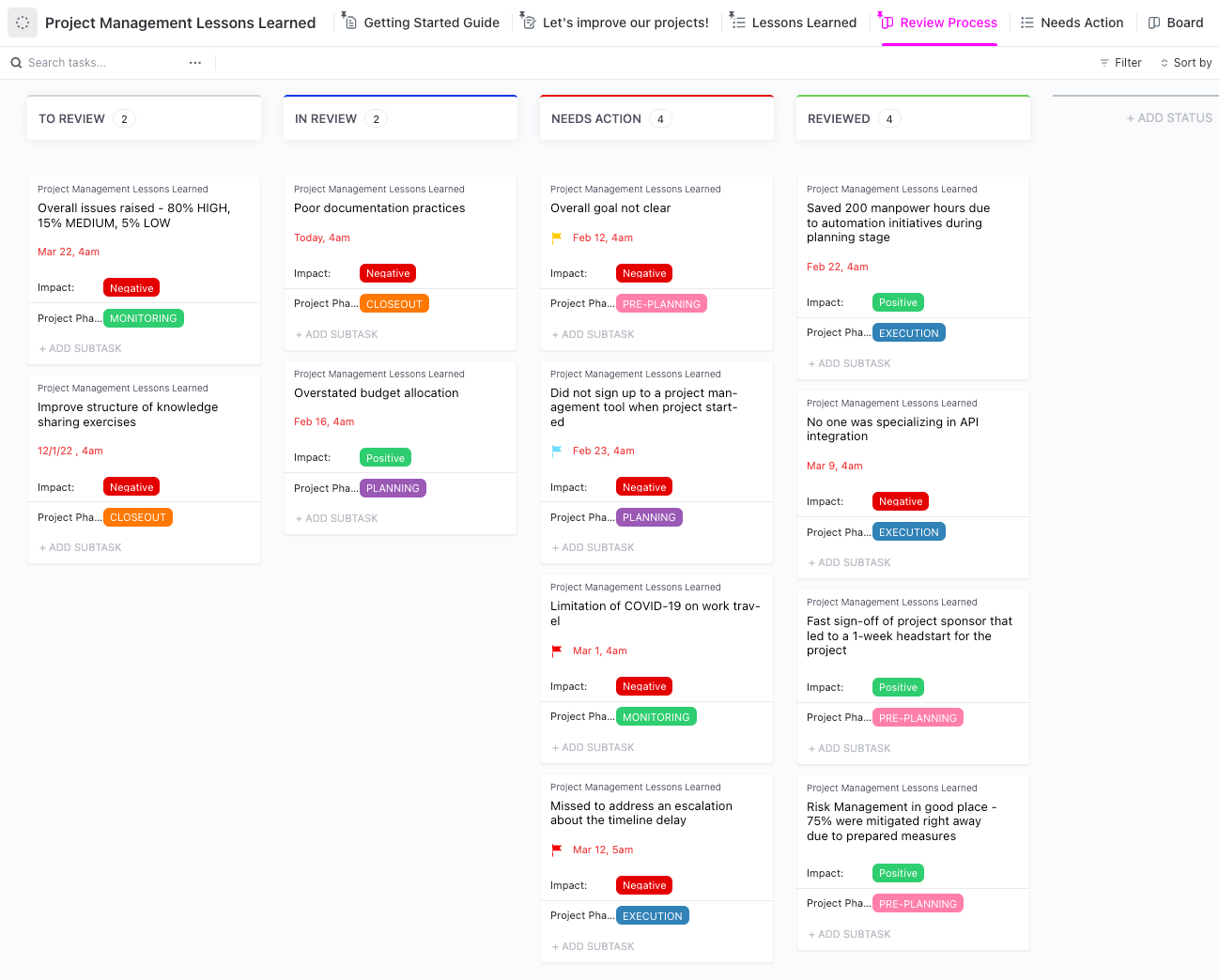
That’s why a performance post-mortem and project closing process is so valuable. You can use this time to review outcomes and lessons with the client, as well as internally.
A project manager can also use this information for an internal 360-degree learning meeting so that actionable lessons can be applied to future project documents, workflows, and processes.
Team members will appreciate the feedback and direction on project performance to do even better next time around.
3. Complete a client debrief and an internal 360-degree learning meeting
Debriefs are amongst the most useful parts of the closing process. A project manager should make time for two: an internal debrief, also known as a 360-degree learning meeting, and a client debrief and handover meeting.
Aim to hold the internal meeting call or in-person session before talking to the client. This way, everyone in your project management processes are on the same page.
If anything went wrong during the project closing phase, it’s useful to know who takes ownership of the mistakes and how issues were resolved.
Project managers need to use this time to review the entire process with the project team, from start to finish, including key milestones.
During the 360-degree meeting, be honest with yourself and the project team. Ask yourself:
- What went wrong?
- What went well?
- Have project resources been used effectively?
- How successful was the team at delivering against the project plan?
- What have we learned?
- What can we do better next time?

Document the outcomes of the internal meeting so you’re more prepared for the project closing phase debrief with the client.
Most clients will ask similar questions to those listed above. Plus, they’ll want to assess outputs and deliverables against the scope, initial brief, goals, and objectives.
Stakeholders and senior leaders measuring project success are ultimately wanting to make sure they got what they paid for. If you want to be thorough, write all of this up into a project closure report so they can compare it against the project plan.
PRO TIP
What if a project hasn’t turned out exactly as planned? Documenting what happened and why is crucial. During a project, always log everything that happens in your project management software, record meetings and calls, and keep copies of emails in your platform too. This way clients can’t dispute invoices during the project closing process.
4. Ensure documentation is complete and handovers are done
Do you have a plan for the handover of a project? If so, now’s the time to kick this plan into action as part of the close-out process. If not, then a project manager should make a plan.
At this stage of the project close out, it’s often simply a case of ensuring that documents, files, and other assets are given to the client as expected. For more complicated project deliverables, such as software and apps, the end-of-the-project life cycle might involve testing, training, and debugging.
When handing over anything from a website to software, the client needs to know how it works. Otherwise, it’s like paying for a car you can’t drive. As part of this, ensure you’ve given the client everything they need:
- Admin-level access to the project deliverables
- Documentation and manuals
- Training or training materials
- Intellectual property and other assets
- Access to ongoing support as required
Handovers are useful for establishing long-term trust. It will be easier to land future projects knowing you’ve closed out one successfully. A project closure report can be useful to help secure the next project from the same company.
And a smooth handover results in happier clients, fewer questions post-closure, and the potential to secure ongoing work. Tick off your project closure checklist in your project documentation tool so that you know it’s done.
5. Thank everyone involved and disband the project team
With the client happy, the project complete, the handover done, and project documents passed on, all that’s left is to thank everyone and disband the project team. 🙌
As the project manager, make sure every team member knows how well they performed. Internalize lessons. Remember to document the process and workflow changes that you’ll want to implement on future projects.
It’s the same for any wins, shortcuts, or new tools tried out. If you’ve found something that will help deliver future work more efficiently, then you can incorporate everything you’ve learned into workflows and processes in the future.
Now you can reassign the team members to other projects, tasks, and clients.
To make project management easier, we’ve put together this list of five project closure templates that are worth saving.
Summarize this article for me please5 Helpful Project Closure Templates
Templates are useful for numerous project management scenarios, workflows, and processes. They’re especially valuable when you can integrate them with project management software, such as ClickUp.
1. ClickUp Project Closure List View Template
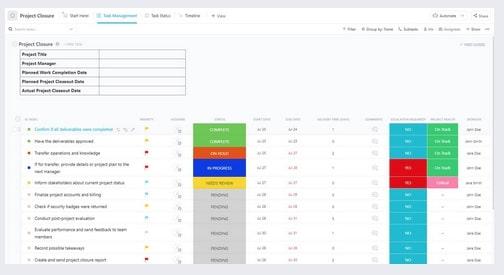
Use this simple ClickUp Project Closure List View Template to keep track of everything.
With a range of custom fields and statuses, you can add this template to ClickUp and make this your go-to approach for simple project closures.
It comes equipped with different view types, such as Gantt, Board, and Timeline. So whichever way your team prefers to view and work through project timelines, it can be easily configured to your preferences.
2. ClickUp Project Closure Task View Template
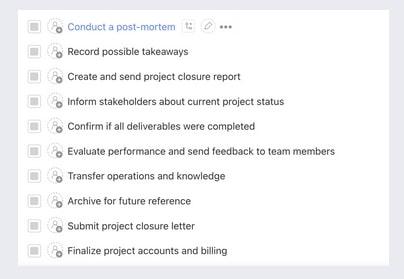
The ClickUp Project Closure Task View Template is like a simple project to-do list you can use in ClickUp. Use this as your project closure checklist to ensure you capture all your loose ends.
Add the template and view the whole project (or a series of subtasks) one to-do list item at a time. Tick them off as you go, simple as that — apart from doing the work, of course! 👀
3. ClickUp 4Ls Retro Template
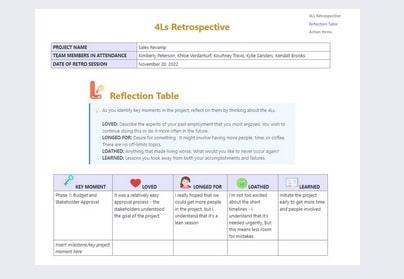
For those who want to get a bit more expressive with project closure tasks, here is the ClickUp 4Ls Retro Template.
Your team can say what they loved, longed for, loathed, and learned from a project. This template comes complete with space to go in-depth about the lessons a team learned.
It’s worth filling in the four “L”s, especially when projects are more challenging, so the team feels understood, feedback is taken by the project manager, and valuable lessons can be actioned for future work.
4. ClickUp Feedback Form Template
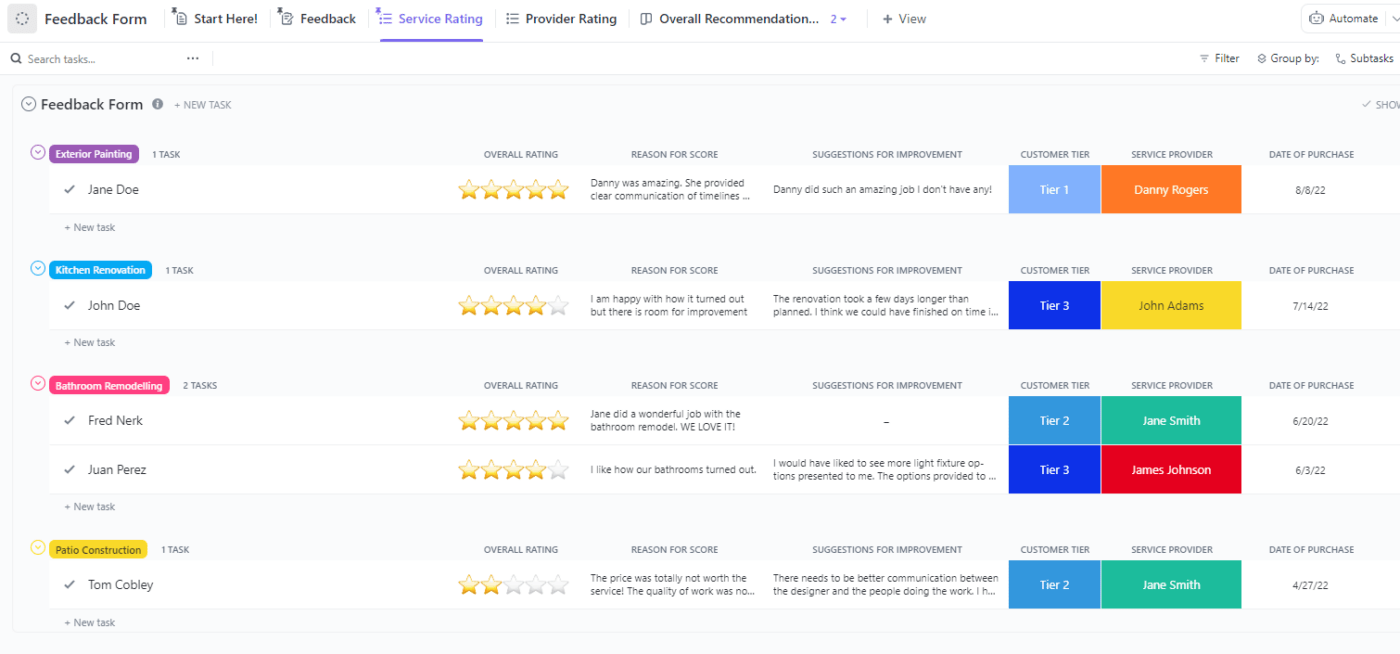
The ClickUp Feedback Form Template is useful for collecting client views when a project is complete and signed off. You can use this for internal feedback and even testimonials from clients.
Clients will usually give feedback in debriefing calls. Even if it’s negative, it’s worth getting on record so it can be integrated into learnings for the future.
Positive feedback and testimonials are even more valuable. Publish these online with your client’s permission. Collect this feedback with ClickUp’s digital feedback template, and embed these lessons into your trusted project management tool.
5. ClickUp Project Handover Template
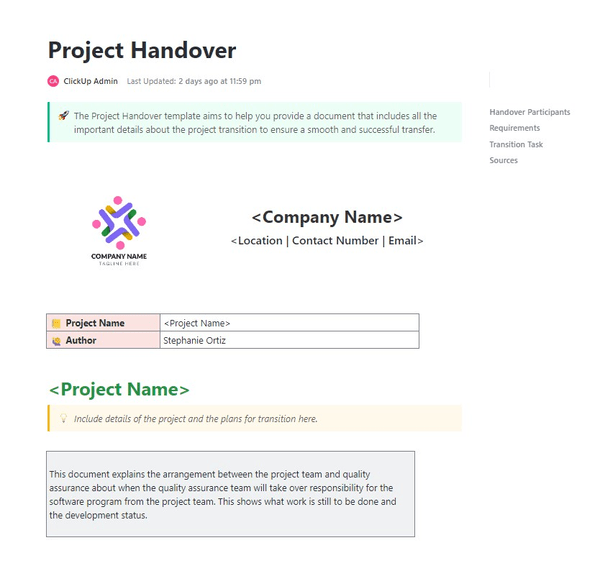
Do you need to implement a project handover but don’t know where to start?
Don’t worry if you don’t have one in your standard operating procedures. We’ve got you covered with the ClickUp Project Handover Template.
Put all of the important details in this document for a successful handover. Include essentials like logins and links to folders, documentation, training manuals, and anything else a client is going to need post-handover.
Keep all your projects moving and avoid costly delays or miscommunications. With ClickUp’s Project Handover Template, you have an all-in-one solution for seamless processes for every team memeber involved.
Summarize this article for me pleaseStreamline Project Closures With Project Management Software
Templates and processes are valuable time-saving organizational tools when running through a project closure checklist and action items, such as:
- Have all tasks been completed?
- Have all outputs and deliverables been signed off internally and by the client?
- Have we done a handover and any associated training for the client?
- Has the project been closed out?
- Have all project closure tasks been done and signed off by management?
But to make this a smoother process for everyone, you need productivity software to manage the entire end-to-end project life cycle. With productivity software, the whole project team is kept on task and accountable.
If you give them access, clients can also provide their input, ideas, feedback, and resources to ensure a project is delivered and closed successfully.
Sign up for your free ClickUp account today to take care of the entire project life cycle with one powerful software suite, making project closures an easier process for everyone.


Everything you need to stay organized and get work done.

Recent Articles

Enterprise Project Management: How to Run Every Project as One Portfolio 
Enterprise Project Management: How to Run Every Project as One Portfolio
How to Build a Task Dashboard Your Team Actually Trusts
How to Build a Task Dashboard Your Team Actually Trusts
