






Still downloading templates?
There’s an easier way. Try a free AI Agent in ClickUp that actually does the work for you—set up in minutes, save hours every week.
Sorry, there were no results found for “”
Sorry, there were no results found for “”
Sorry, there were no results found for “”
Many organizations struggle to connect strategy with day-to-day execution. Employees spend up to 60% of their time on “work about work” such as searching for information, switching between tools, and managing coordination instead of executing on priorities.
This article breaks down the critical distinction between work management (the strategic planning layer) and work execution (the tactical delivery layer). It explains how blurring these layers creates Work Sprawl—the fragmentation of work across disconnected tools—and shows how ClickUp’s Converged AI Workspace closes the gap by unifying planning and execution in one platform.
Are you ever left wondering if your team is busy with the right things? When new requests flood in from every direction, prioritizing can feel like a guessing game, leaving you unsure if your team’s efforts align with company goals. This uncertainty leads to wasted resources on low-impact tasks and missed strategic objectives, all because you lack a clear view of your team’s capacity and priorities.
Work management is the discipline that solves this. It’s the high-level system for planning, organizing, and overseeing how work flows across your organization. Think of it as the “what should we do and why” layer that sits above day-to-day tasks.
Effective work management provides answers to critical questions:
It involves establishing clear processes for work intake, using prioritization frameworks to decide what matters most, and allocating resources effectively. Without it, teams operate in silos, duplicate efforts, and chase minor tasks while major initiatives stall. A strong work management process ensures that every action is purposeful and aligned with the bigger picture.
You have a solid plan, but turning it into reality is chaotic. Handoffs between team members are messy, tasks get dropped, and you’re constantly chasing people for status updates just to understand what’s going on. This friction means you spend more time managing the chaos than doing the actual work, leading to missed deadlines and frustrated teams.
Work execution is the hands-on process of getting things done. It’s the “how” to work management’s “what and why.” This is where your plans become tangible outputs.
Execution focuses on the granular details of day-to-day work. It’s about assigning tasks with clear ownership, tracking their progress through a workflow, managing handoffs to prevent bottlenecks, and removing blockers in real time. While work management operates at a 30,000-foot view, work execution happens at ground level, where individual contributors move tasks forward and meet their deadlines. Without disciplined execution, even the most brilliant strategic plans remain just ideas on a whiteboard.
🎯 Watch this video to learn practical productivity systems that help you prioritize smarter, avoid burnout, and follow through consistently.
When your leaders get bogged down in task-level details while your team makes strategic guesses without context, it’s a sign your planning and execution layers are disconnected. This often happens when teams use one tool for high-level planning and another for daily tasks, creating an information gap where context is lost. This is the core of the work management vs. work execution dilemma.
These two functions must work together, but they serve distinct purposes. Confusing them leads to either analysis paralysis (all planning, no doing) or chaotic busywork (all doing, no strategic impact). Eliminate context sprawl—when teams waste hours searching for information they need across disconnected apps, hunting down files, and repeating updates across multiple platforms—that occurs when planning and execution live in separate tools with a unified workspace like ClickUp that handles both in one platform.
Here’s a clear breakdown of the differences.
| Dimension | Work Management | Work Execution |
|---|---|---|
| Scope | Broad: Oversees multiple projects, teams, and initiatives, tying them to high-level company objectives and OKRs. | Narrow: Focuses on individual tasks and deliverables that contribute to project-level milestones. |
| Timeline | Long-term: Operates on longer planning horizons, such as quarterly or annual cycles, to sequence major initiatives. | Short-term: Operates in shorter cycles, like daily or weekly sprints, to focus on immediate task completion. |
| Ownership | Strategic: Owned by leaders, program managers, and operations teams who coordinate across the organization. | Tactical: Owned by individual contributors and team leads who are responsible for delivering the work. |
| Metrics | High-level: Measures portfolio health, resource utilization, and progress toward strategic goals. | Granular: Measures task completion rates, cycle time, throughput, and adherence to deadlines. |
Work management has a broad scope, ensuring that all projects and initiatives align with the organization’s strategic objectives. Work execution has a narrow scope, focusing on completing the specific tasks and deliverables within a single project. When this distinction is unclear, leaders can get lost in micromanaging tasks, while team members may execute work that doesn’t contribute to the bigger picture.
Work management deals with long-term planning, setting the direction for upcoming quarters or the entire year. It focuses on sequencing large initiatives and managing dependencies between them. In contrast, work execution is all about short-term workflow efficiency, moving tasks through a process in daily or weekly cycles to meet immediate deadlines.
Accountability becomes blurry when ownership isn’t clearly defined. In a healthy system, leaders and program managers own the work management layer—the plan. Individual contributors and their team leads own the work execution layer—the delivery. Each side is accountable for their part of the process.
Work management and work execution are measured differently. You measure work management with KPIs related to portfolio health and strategic progress. You measure work execution with metrics like task completion rates and cycle time. Tracking only one set of metrics creates blind spots; you might hit every task deadline but completely miss the strategic objective.
Does your team have a separate tool for roadmaps, another for task lists, and a third for communication?
This is tool sprawl—organizations now run 93 separate SaaS applications on average—and it’s a direct symptom of treating work management and execution as separate functions. When information is scattered, it creates work sprawl, and your team wastes countless hours just trying to find context because no one has the full picture.
This fragmentation has real consequences.
The solution is a converged workspace where planning and execution live together. When your strategy and your tasks are in the same place, you eliminate context sprawl and achieve true strategic alignment. This creates a single source of truth, enabling teams to work with full visibility and predictability.
📮 ClickUp Insight: 1 in 4 employees uses four or more tools just to build context at work. A key detail might be buried in an email, expanded in a Slack thread, and documented in a separate tool, forcing teams to waste time hunting for information instead of getting work done.
ClickUp converges your entire workflow into one unified platform. With features like ClickUp Email Project Management, ClickUp Chat, ClickUp Docs, and ClickUp Brain, everything stays connected, synced, and instantly accessible. Say goodbye to “work about work” and reclaim your productive time.
💫 Real Results: Teams are able to reclaim 5+ hours every week using ClickUp—that’s over 250 hours annually per person—by eliminating outdated knowledge management processes. Imagine what your team could create with an extra week of productivity every quarter!
Most teams need both layers operating at all times, but knowing which one to emphasize in a given situation helps prevent wasted effort. Recognizing the signals can help you apply the right focus at the right time.
You’re facing a work management challenge when you have a problem with planning, prioritization, or resource allocation. These situations require you to zoom out and look at the bigger picture.
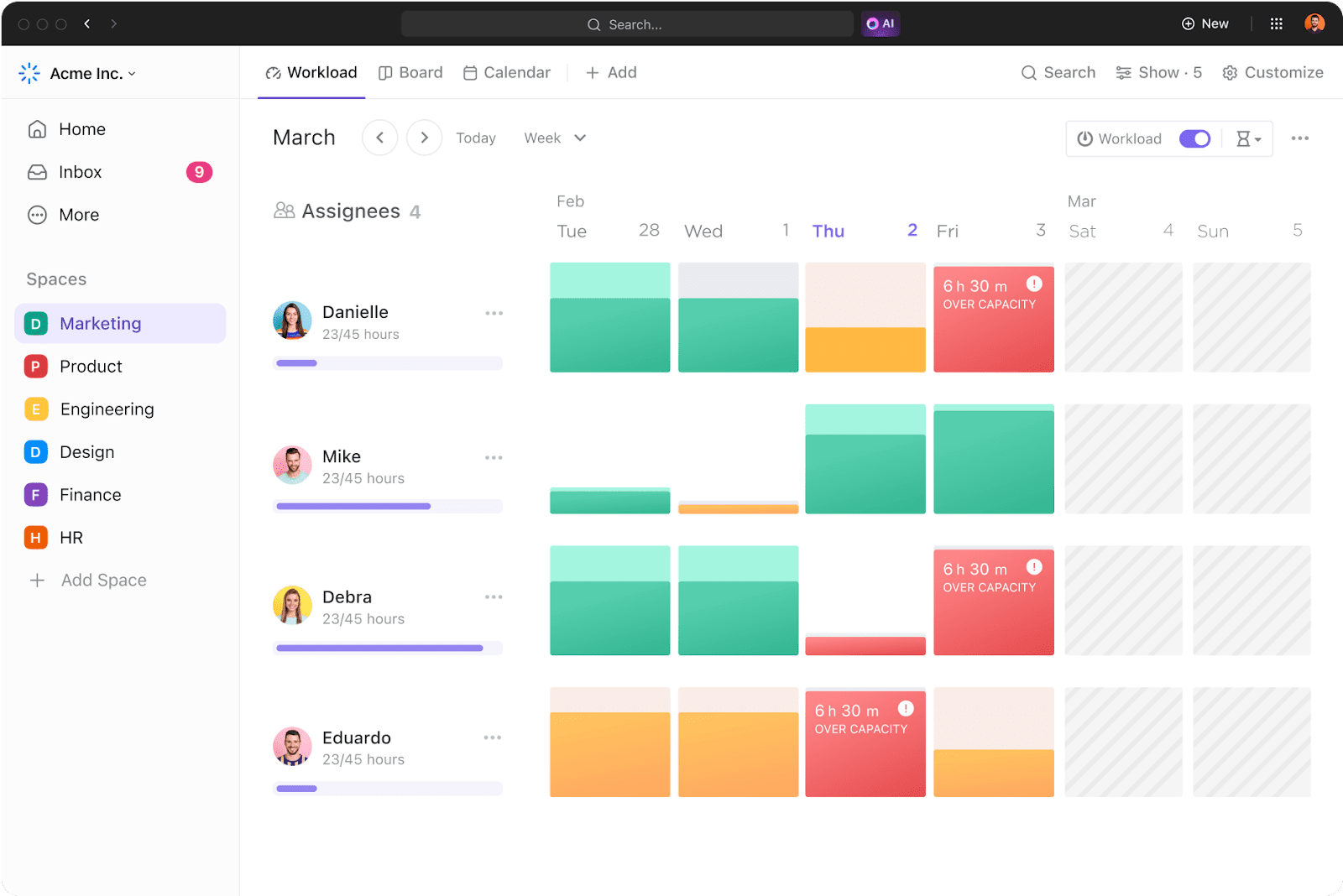
In these moments, pause the frantic execution and establish clear strategic priorities. Eliminate the pain of scattered information by using ClickUp Dashboards to create a high-level, visual representation of your team’s work. Convert data from tasks into charts to quickly measure progress, team capacity, and project performance, giving you the portfolio-level visibility needed to make smart strategic decisions.
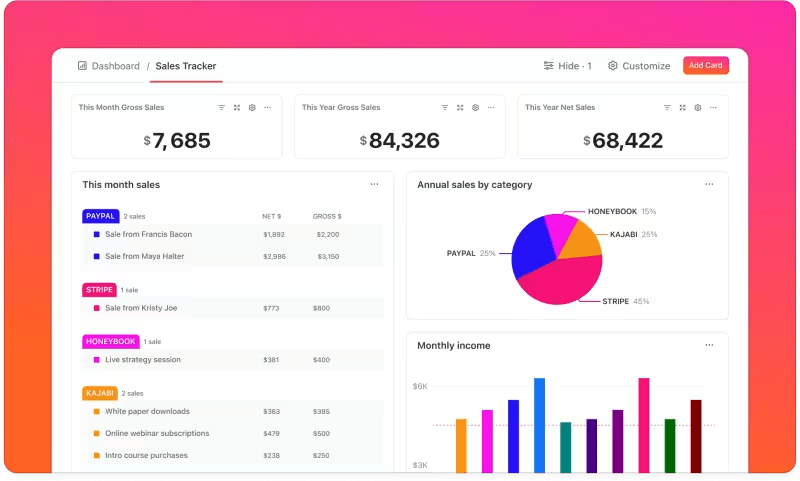
You have a work execution problem when the strategy is clear, but the delivery is slow, inconsistent, or chaotic. These challenges require you to zoom in on the day-to-day workflow.
When execution is the issue, solve it with better workflow management. Stop the cycle of missed deadlines by using ClickUp Task Management features. Define clear workflows with custom statuses, assign tasks to specific people, set due dates, and use ClickUp Automations to automatically move work forward, ensuring nothing gets dropped.
Sometimes, the problem isn’t just one layer but the connection between them. If you’re seeing these signals, you need to focus on integrating your work management and work execution processes.
Bridge the gap between strategy and action by organizing your work in the ClickUp Hierarchy. This flexible structure lets you organize everything from high-level initiatives down to granular subtasks. Use ClickUp Spaces for departments or major projects, ClickUp Folders for specific initiatives, and ClickUp Lists for actionable tasks, creating a natural and visible connection between the “why” and the “how.”
The goal isn’t to choose one over the other but to create a seamless system where planning and doing continuously reinforce each other. When your strategy informs your execution and your execution provides feedback to your strategy, you create a powerful engine for growth. Here are three best practices to make that happen.
Does your team ever feel like they’re just checking boxes? This “productivity theater”—completing tasks that don’t move meaningful metrics—is a common symptom of a disconnect between daily work and strategic goals. Every task your team works on should trace back to larger strategic goals.
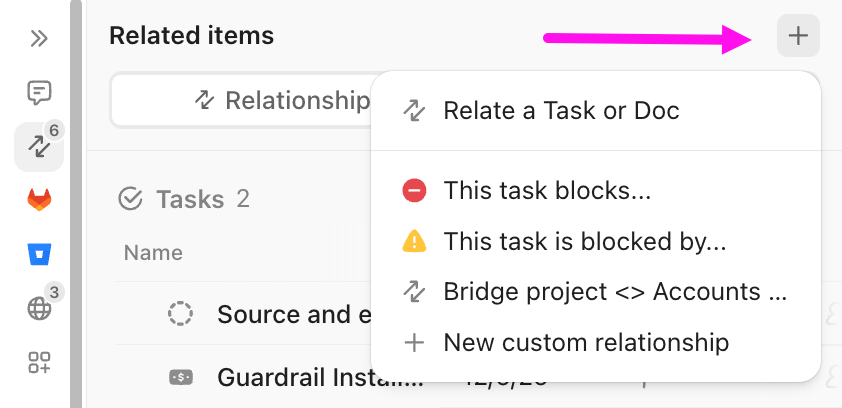
Stop working on tasks without a purpose by using ClickUp Relationships to link items across your workspace. Connect individual tasks to higher-level initiatives, project briefs in ClickUp Docs, or even other related tasks. This creates a visible web of context that helps every team member understand the “why” behind their work, ensuring that every action is aligned with a strategic outcome.
📮 ClickUp Insight: Think your to-do list is working? Think again. Our survey shows that 76% of professionals use their own prioritization system for task management. However, recent research confirms that 65% of workers tend to focus on easy wins over high-value tasks without effective prioritization.
ClickUp Task Priorities transform how you visualize and tackle complex projects, highlighting critical tasks easily. With ClickUp AI-powered workflows and custom priority flags, you’ll always know what to tackle first.
Are your quarterly plans irrelevant by the second month? This often happens when plans are made in a vacuum, without input from the teams responsible for delivery. Execution insights are vital for realistic planning. If certain types of work consistently take longer than estimated, your strategic plans need to adjust to that reality.
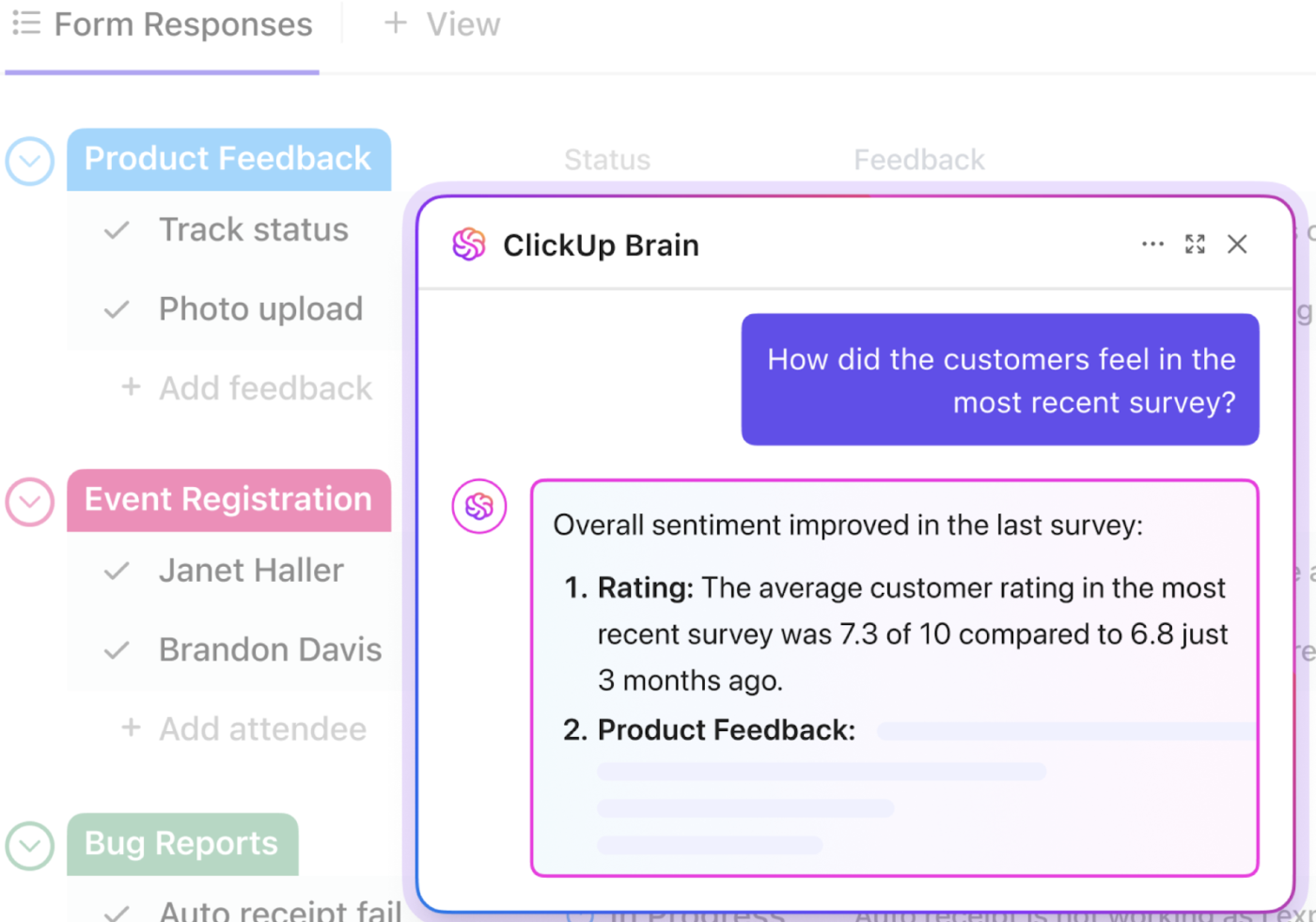
End the disconnect between planners and doers by building a single source of truth. Surface real-time execution data—like cycle time, workload distribution, and common blockers—with ClickUp Dashboards so planning teams can make informed decisions. Get automated updates that summarize project progress and surface insights without manual reports using ClickUp Brain.
How much time does your team waste on manual handoffs, status updates, and creating repetitive tasks? These administrative tasks not only create delays and introduce the risk of human error, but they also pull your team away from high-impact work. The friction between the planning and execution layers is often where momentum is lost.
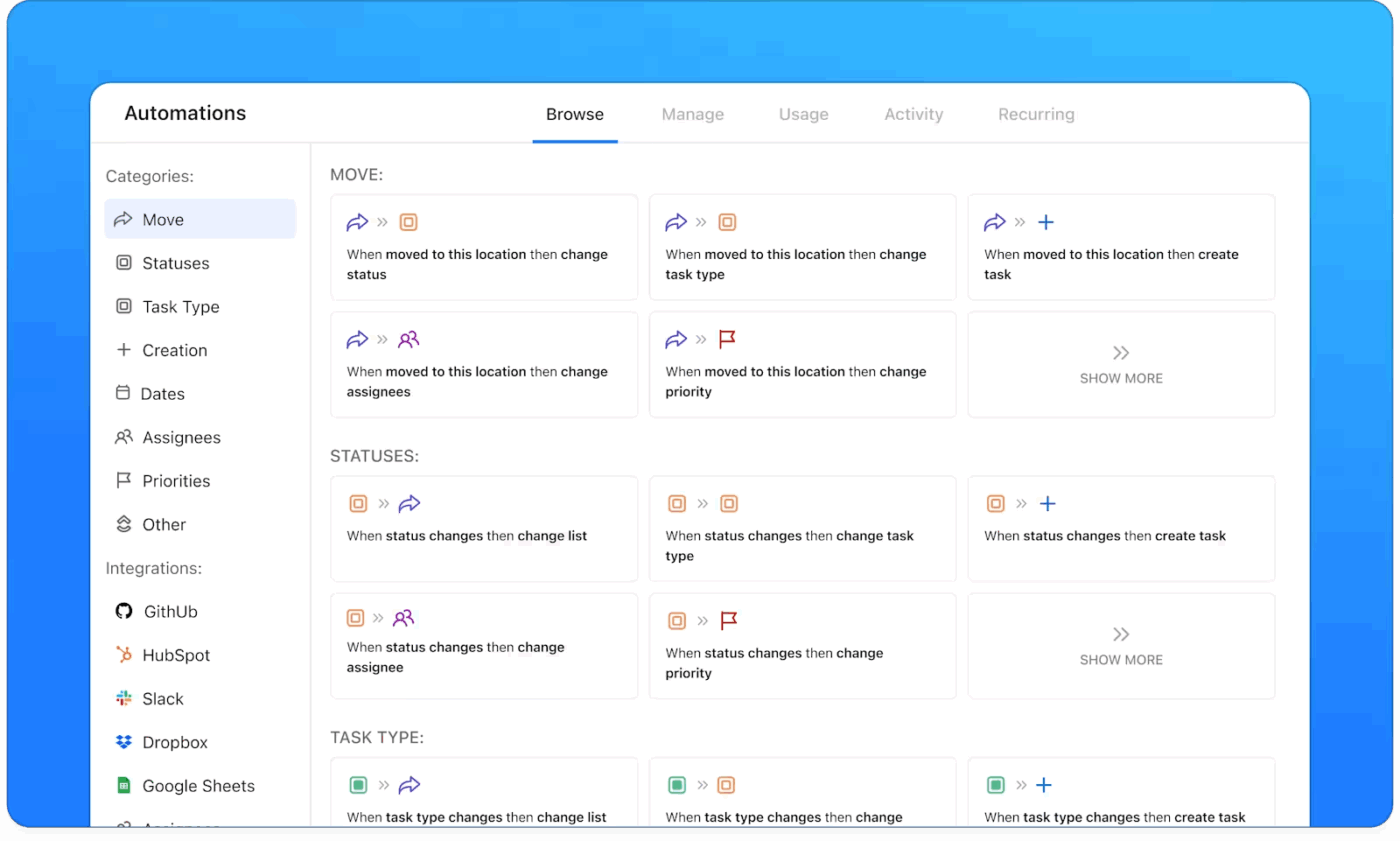
Eliminate manual “translation” work by using ClickUp Automations to connect your strategic and tactical layers. Create rules that trigger actions based on changes in your workflow. For example, when a strategic initiative is moved to an “In Progress” status, you can automatically generate all the necessary execution tasks, apply a ClickUp Task template, and assign them to the right people with the right due dates.
The real issue is the gap between planning and doing. When work management and execution live in separate tools, context breaks down, priorities blur, and teams lose momentum.
ClickUp brings both layers together in one workspace. Projects, documents, conversations, and analytics stay connected, with AI providing shared context across the system. This creates a single source of truth and reduces the Work Sprawl and context sprawl that slow teams down.
Teams that connect planning with execution gain clearer priorities and stronger follow-through. If you’re ready to keep strategy and delivery aligned in one place, you can get started with ClickUp for free.
Technically, yes, but it’s risky. Teams can become very efficient at completing tasks while working on the wrong things entirely, leading to a lot of activity that doesn’t drive meaningful business outcomes.
Work management software provides the strategic context—such as priorities, dependencies, and resource allocation—that guides execution decisions. The best platforms integrate both layers so execution teams always have visibility into the “why” behind their tasks.
AI acts as a bridge between the two layers by surfacing insights across both. For example, ClickUp Brain can summarize strategic progress, identify execution bottlenecks, and answer questions about work status without requiring manual reporting or context-switching between tools.

© 2026 ClickUp

There’s an easier way. Try a free AI Agent in ClickUp that actually does the work for you—set up in minutes, save hours every week.