







Still downloading templates?
There’s an easier way. Try a free AI Agent in ClickUp that actually does the work for you—set up in minutes, save hours every week.
Sorry, there were no results found for “”
Sorry, there were no results found for “”
Sorry, there were no results found for “”
Planning a trip should be exciting, not exhausting.
But if you’ve ever struggled with a clunky travel planner, lost track of reservations, or spent hours organizing your itinerary, you know the frustration all too well.
While Wanderlog is a popular travel planning app, it may not suit everyone. Some users might find it lacks essential features, feels overwhelming, or doesn’t align with their planning style.
If you’re looking for something different, we’ve got you covered. From collaborative planning tools to flexible itinerary templates like those offered by ClickUp, here are the top eight Wanderlog alternatives that make travel planning smoother, more organized, and way less stressful.
Wanderlog is a solid travel planner with itinerary building, expense tracking, and team collaboration. It lets you browse guides, add stops, and build shared itineraries.
But it’s not perfect. Travel time estimates are often off, making realistic scheduling tricky. The interface can feel complex to navigate, especially when mapping multi-day trips. Plus, there’s no built-in way to manage packing lists or pre-trip tasks.
So, what should you look for instead?
If these features matter to you, it’s time to find a better travel-planning tool!
🛫 Before you plan, plan your time off! Before diving into the best travel planning tools, make sure your time off is sorted. Check out our list of Free Time Off Request Templates.
Whether you’re looking for better itinerary control, personalized recommendations, stronger collaboration features, or more flexibility in your planning, these Wanderlog alternatives offer solid options.
Here’s a quick overview before we dive in detail:
| Travel Planning Tool | Standout Feature | Best For | Pricing* |
|---|---|---|---|
| ClickUp | – Comprehensive task management and customizable templates for travel planning | The detail-oriented itinerary builder | Free plan available; Customizations available for enterprises |
| RoadTrippers | – Personalized suggestions for scenic stops along routes | The road trip adventurer | Paid plans start at $35.99/year |
| TripIt | – Tracks flights and bookings with real-time updates | The frequent flyer | Free plan available/ Paid plan at $49/year |
| Sygic Travel | – Offline maps and curated travel content | The visual planner | Free plan available/ Paid plans start at $2.75/month |
| TripHobo | – Collaborative multi-user itinerary building and smart route optimization | The group traveler | Free plan available/ Custom pricing |
| Google Maps | – Real-time traffic and custom map navigation | The minimalist planner | Free |
| TripAdvisor | – AI-powered itinerary builder based on millions of reviews | The review-driven planner | Free |
| Polarsteps | – GPS-based travel journaling and automatic route tracking | The storyteller and travel documenter | Free plan available/ Paid plans start at $39.55/month |
💼✈️ Fun Fact: The term ‘bleisure’ (a mix of business and leisure) first popped up in the early 2000s, but the idea has been around for decades; think of diplomats and traders turning work trips into adventures!
Want to master the art of mixing business travel with some R&R? Check out Bleisure Travel Hacks to Manage Work & Play for expert tips!
Our editorial team follows a transparent, research-backed, and vendor-neutral process, so you can trust that our recommendations are based on real product value.
Here’s a detailed rundown of how we review software at ClickUp.
Not all travelers plan the same way. Some love color-coded schedules, while others just need a pin on a map.
So instead of a boring list, we match each travel planner to a specific travel style.
Whether you’re the spreadsheet-loving planner, the road trip adventurer, or the spontaneous explorer, there’s an app that fits how you travel. Here’s our list 👇
If planning a trip feels just as exciting as the trip itself, ClickUp is your dream travel-planning companion. It’s built for those who love mapping out every detail, from flight times to restaurant reservations, sightseeing schedules, and even packing checklists.
With ClickUp Tasks, you can break down your itinerary day by day, hour by hour, and assign deadlines to every to-do. Create task lists for flight bookings, hotel reservations, activities, and packing, and set due dates so you never miss a deadline.
You can even add priority levels so you know what’s non-negotiable (like getting that Eiffel Tower ticket in advance) and what’s flexible. Here’s how you can set up your first task 👇
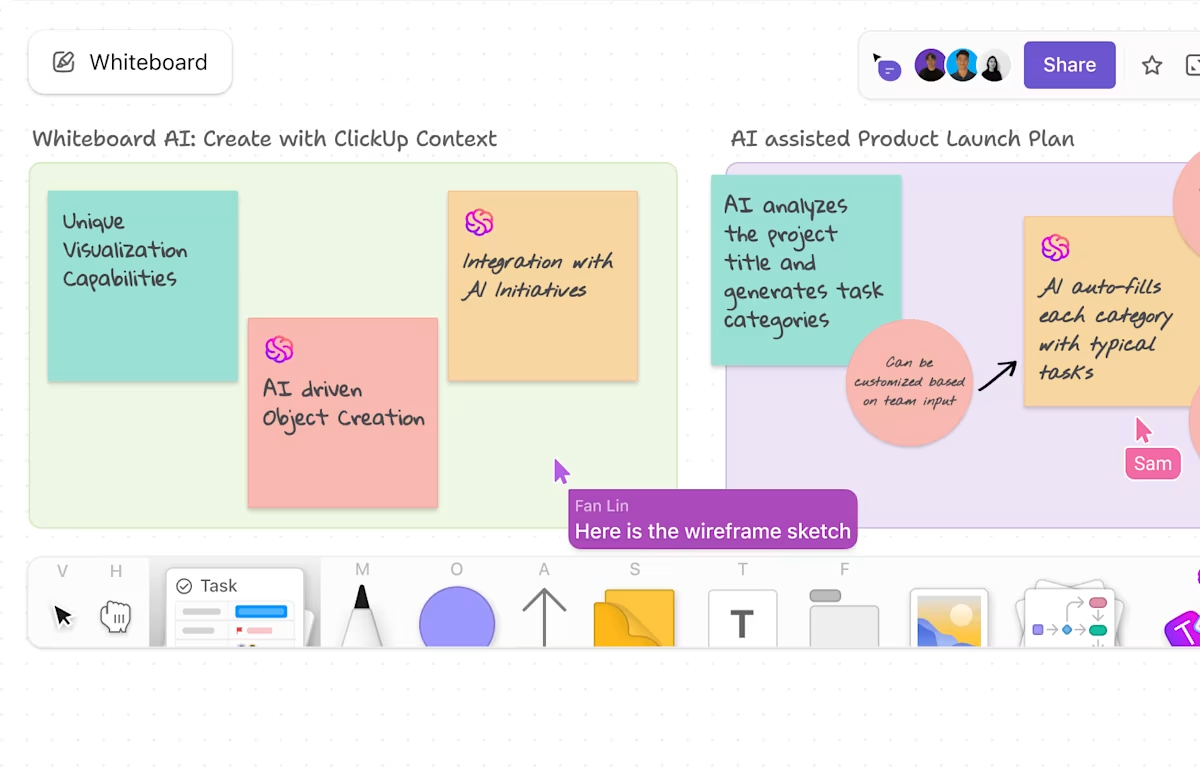
Need a place to brainstorm routes or must-visit spots? ClickUp Whiteboards lets you visually map out ideas, drag and drop locations, and collaborate in real time with friends or family.
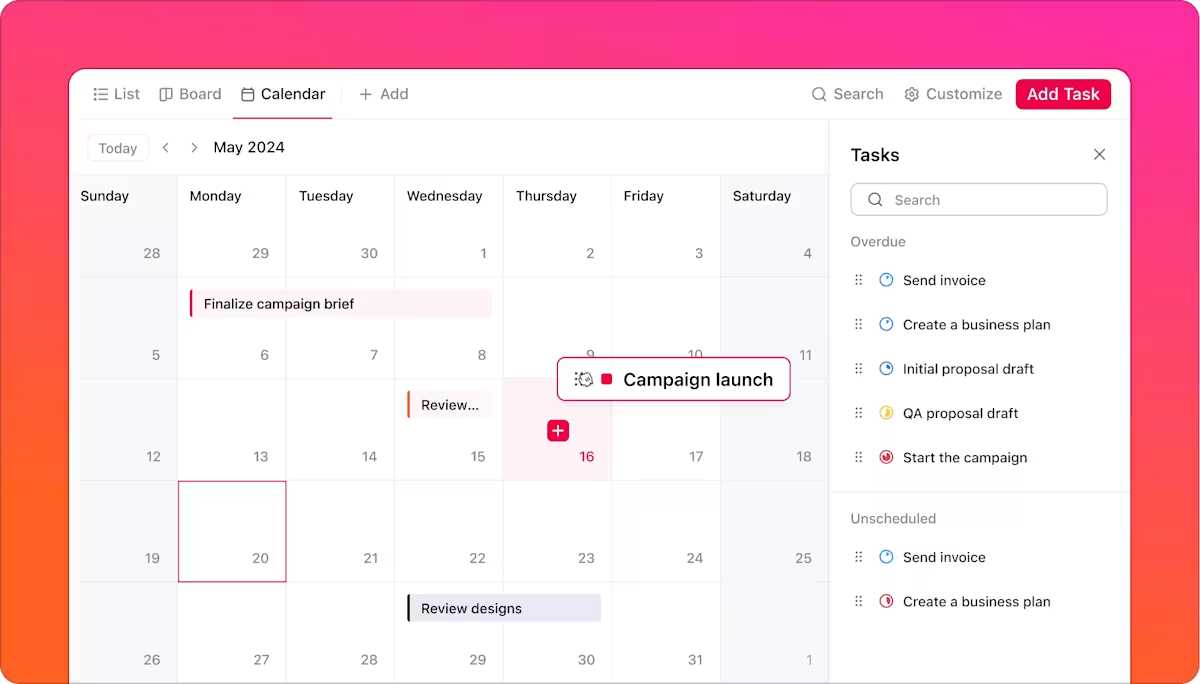
And if you want a full snapshot of your travel plans, ClickUp’s Calendar View helps you see your entire trip at a glance.
ClickUp Docs further gives you a space to jot down notes, travel tips, or backup plans. You get a built-in hub for all your important travel info (flight confirmations, visa requirements, packing lists, and more).
If I were you, I’d link it back to ClickUp Tasks so everything stays connected—because what good is a perfectly planned trip if you forget to actually do the planning? 😉
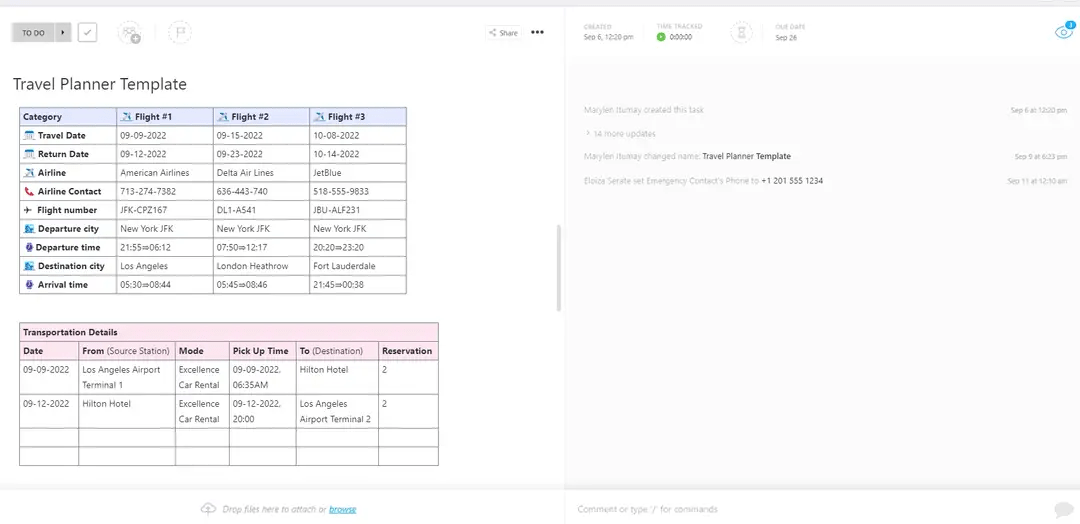
To make things even easier, ClickUp offers a variety of itinerary templates to streamline trip planning. One that travelers love the most is ClickUp’s Travel Planner Template. A ready-to-use setup where you can track destinations, hotel bookings, flight details, and activities all in one place.
This template offers Custom Statuses to track trip progress, Custom Fields to store essential details like emergency contacts and travel stages, and 15+ Custom Views such as List, Gantt, Workload, and Calendar to manage plans visually.
With project management features like time tracking, dependency warnings, and built-in email integration, organizing your travels has never been easier.
ClickUp also offers a Vacation Planning Template for personal trips with packing lists and flexible day plans, and a Business Travel Itinerary Template to manage meetings, flights, and schedules with more structure.

Here’s a Capterra review:
Overall my experience with ClickUp is very good. Working with teams makes lot of easier with the help of clickup. It allows me to create tasks, set deadlines, and track. The best part is that it helps us communicate better with team members.
📖 Read More: Best Remote Collaboration Tools for Virtual Teams
📮 ClickUp Insight: 12% of workers say full remote work is ideal, while 48% prefer hybrid setups. However, for collaboration to thrive in remote or hybrid elements, you need the right tools,
As the everything app for work, ClickUp eliminates silos. Keep your tasks, documents, chats, and projects centralized and searchable within a single workspace, so teams stay aligned—no matter where they work!
💫 Real Results: STANLEY Security saw an 80% increase in teamwork satisfaction thanks to ClickUp’s seamless collaboration tools.
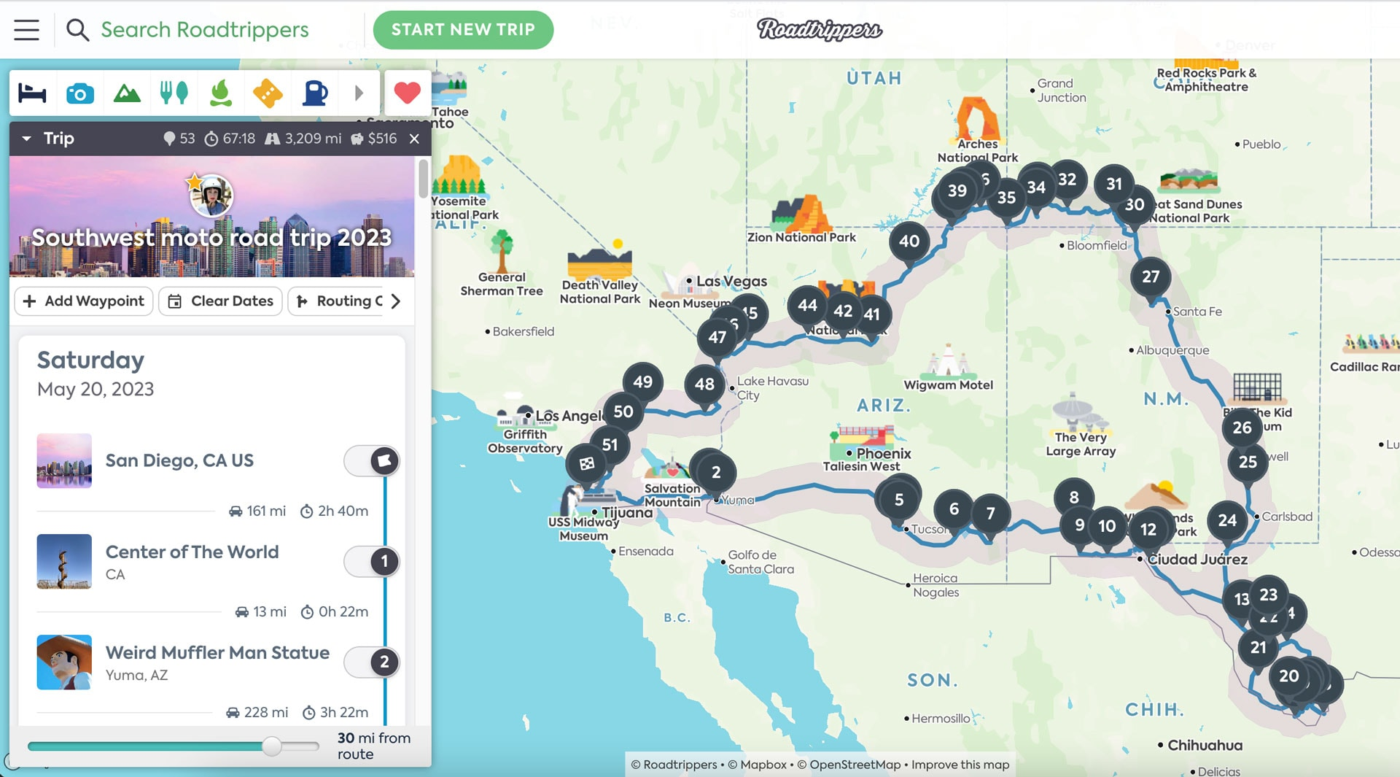
If your dream vacation involves scenic drives, quirky roadside attractions, and spontaneous stops, Roadtrippers is built for you. It helps you find hidden gems, from offbeat roadside attractions to national parks, scenic viewpoints, restaurants, and accommodations.
Whether you’re a spontaneous traveler or a digital nomad, this tool helps in creating an itinerary where you can compare routes, drop pins for must-visit spots, estimate fuel costs, and apply filters to find the best places along the way.
🌍 Travel & work? Why not! Ever wondered how people manage to explore the world while staying on top of their jobs? Check out our guide on How to Work Remotely and Travel for tips on making the most of both! 💼
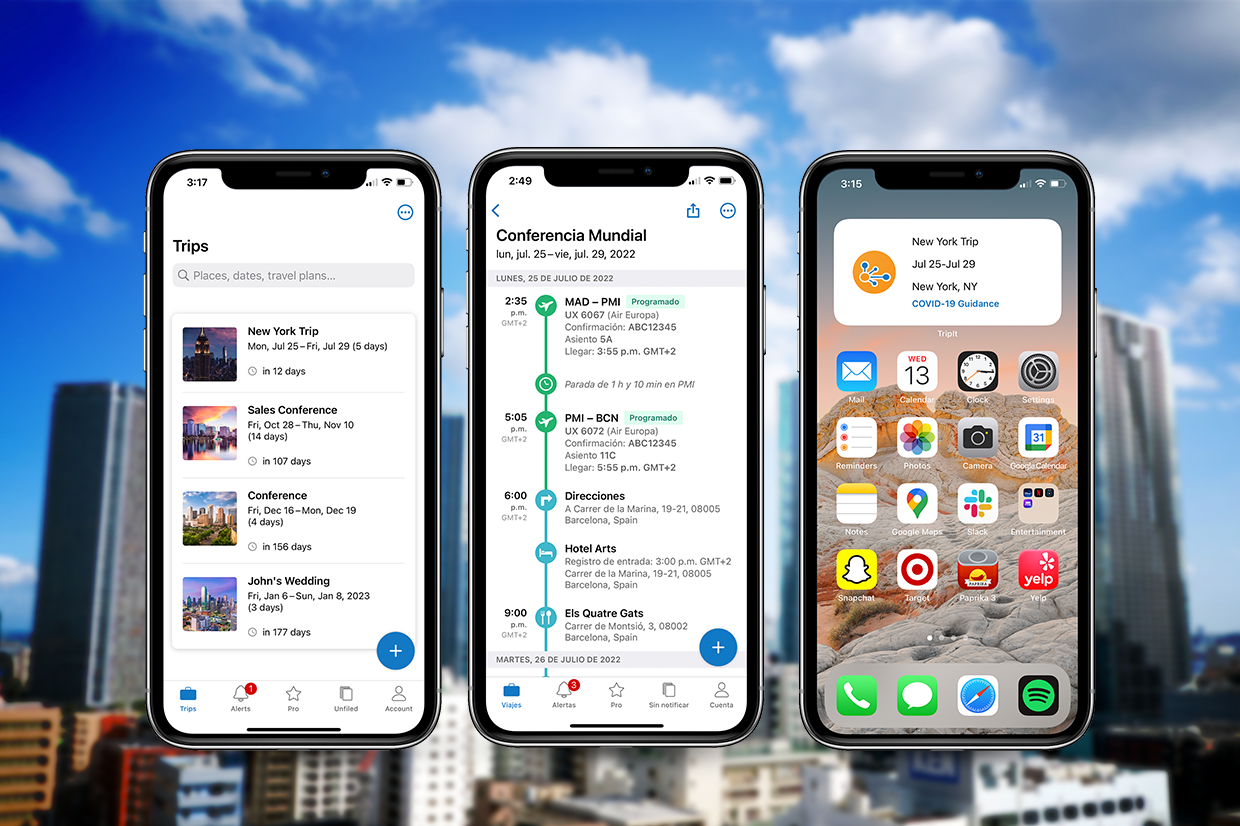
Hopping from airport to airport? TripIt simplifies the chaos by keeping all your flight, hotel, and rental car reservations in one place.
Simply connect your email account or forward confirmation emails to plans@tripit.com, and TripIt pulls all your booking details into a single timeline. You can even add your notes and upload travel documents like PDFs or photos.
The tool also provides suggestions for nearby cafes, restaurants, and bars based on where you’re staying. Once your itinerary is complete, you can sync it to your Google Calendar for easier planning and offline access.
Here’s a G2 review:
“The way you just forward itineraries, emails you get related to the trip, and TripIt organizes it all for you. Everything is laid out and can easily be viewed, edited or deleted. The ability to share the itinerary comes in useful as well.”
⭐️ Template Archive: Free Travel Itinerary Templates for Your Next Trip in Docs, Excel, & Word
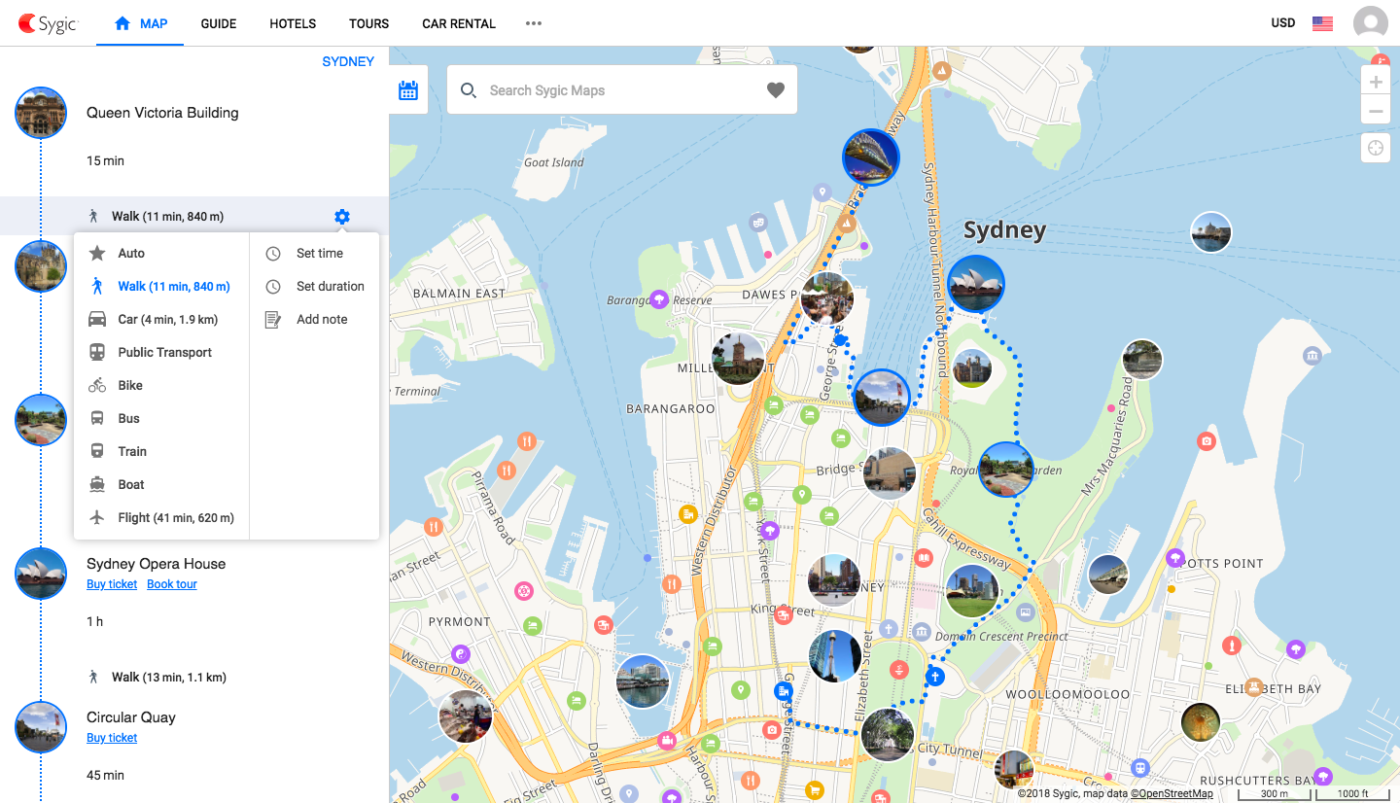
Sygic Travel (now Tripomatic) is a web-based trip planner that lets you create itineraries directly on interactive maps. It helps build sightseeing-rich travel plans by letting you add attractions, landmarks, restaurants, and other interests into a day-by-day itinerary.
Each stop is plotted visually, making it easier to plan routes that make sense geographically.
Once your trip is set, you can download custom maps and itineraries for offline access. This feature makes it ideal for international workation trips or areas with limited internet.
📅 Plan like a pro: Want to stay organized without breaking the bank? Check out Best Free Digital Planner Apps and find the perfect tool to streamline your schedule!
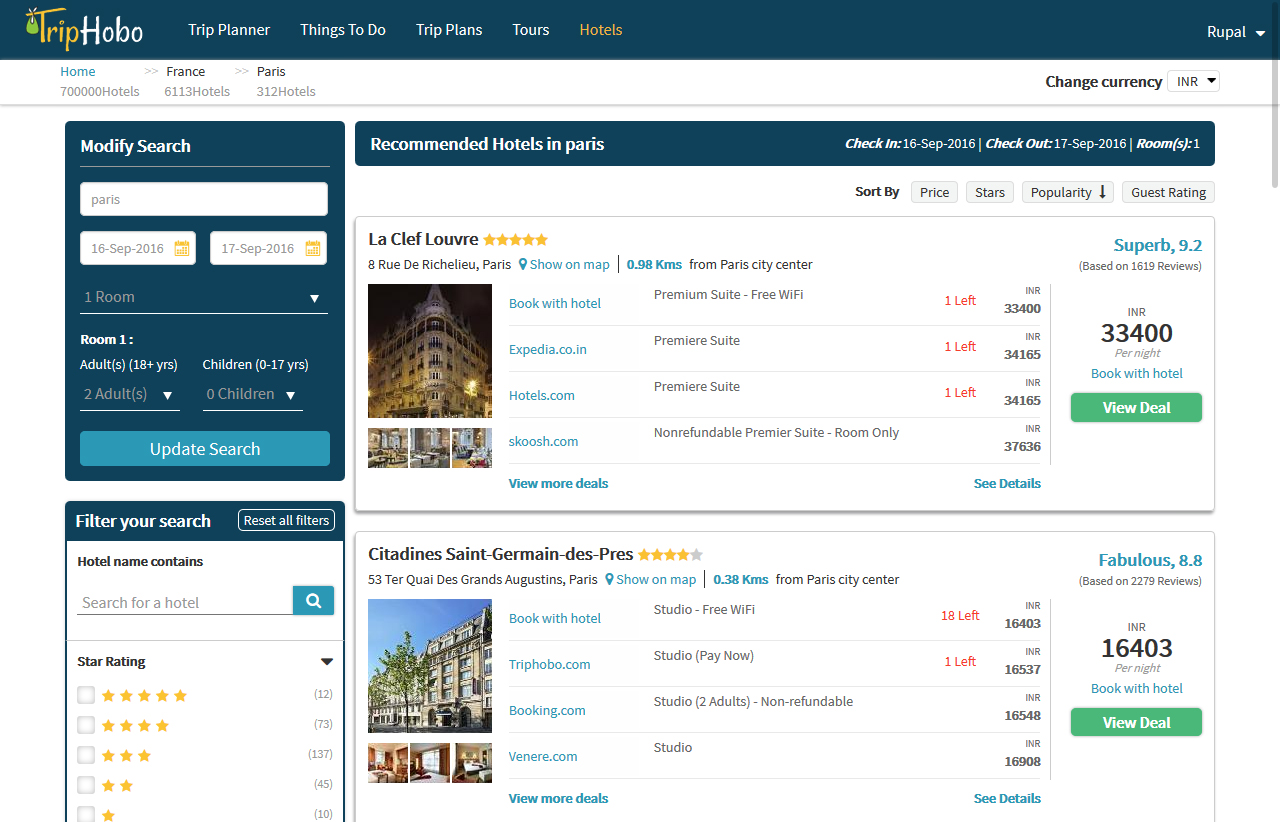
Planning a trip with friends or family? TripHobo makes group travel seamless by letting everyone contribute to a shared itinerary. You start by selecting a destination, then multiple users can collaboratively add attractions, transport, accommodations, and even meal breaks, all mapped out by day and time.
Its built-in hotel booking integrations further simplify reservation management. Whether you’re coordinating a weekend getaway or a multi-city adventure, this app keeps everyone on the same page.
Here’s a TrustPilot review:
“I find this a very useful platform where I can put my thoughts out and it categorises them based on date, place, budget, activities etc.”
📖 Read More: Best Travel & Expense Software to Use
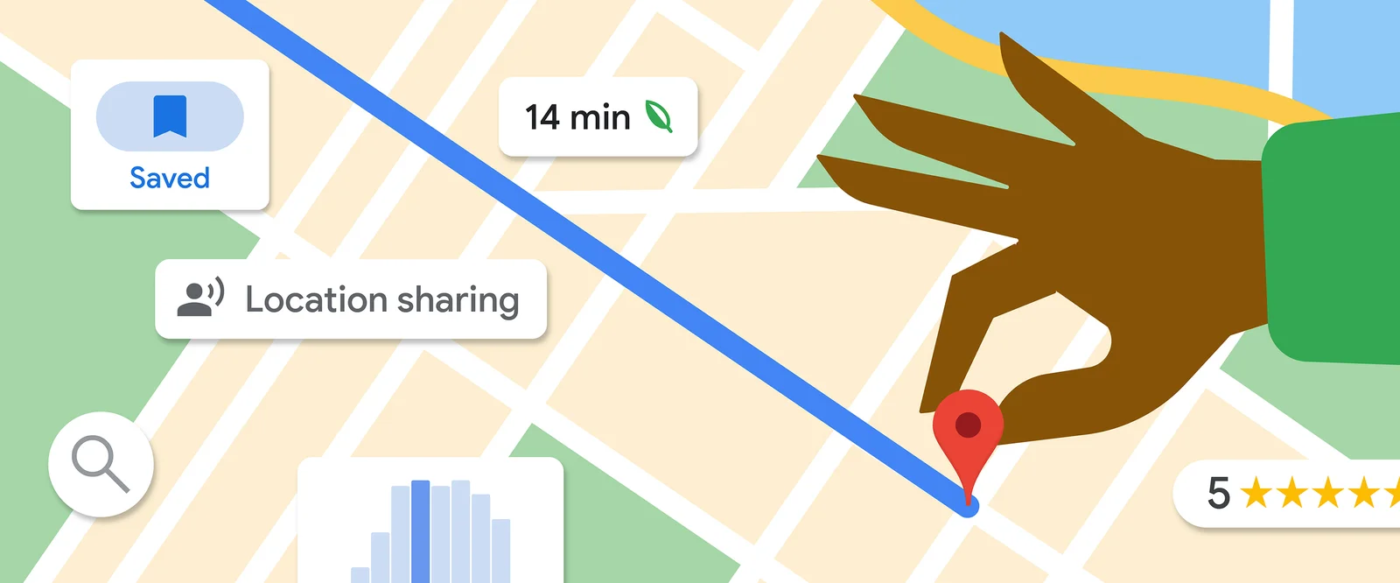
If you want a simple tool that helps pin locations, Google Maps is all you need. It’s widely used across the world for both everyday navigation and trip planning.
Users can save locations to custom lists (e.g., ‘Places to Visit in Paris’), create multi-stop routes, check real-time traffic, view public transit options, explore areas with Street View, and download maps for offline use. It excels at the ‘where’ and ‘how to get there’.
You can save places to custom lists, label key locations, share maps with others, and even download offline maps to stay on track in areas with limited internet access.
Here’s a G2 review:
“What I like best about Google Cloud is its scalability, reliability, advanced features,and integration with other Google services. It do provide powerful tools for data analytics, machine learning, and compute services.”
🤔 Did you know? Google Maps offers users a new AI feature that uses its Gemini model to analyze your travel-related screenshots, like hotel bookings or saved places, and extract useful details to help you organize your trip faster.
🤖 ✈️ Let AI do the planning! Why stress over itineraries when smart travel assistants can do it for you? Check out Best AI Travel Planner Assistants for Vacation Planning, and let technology map out your next adventure.
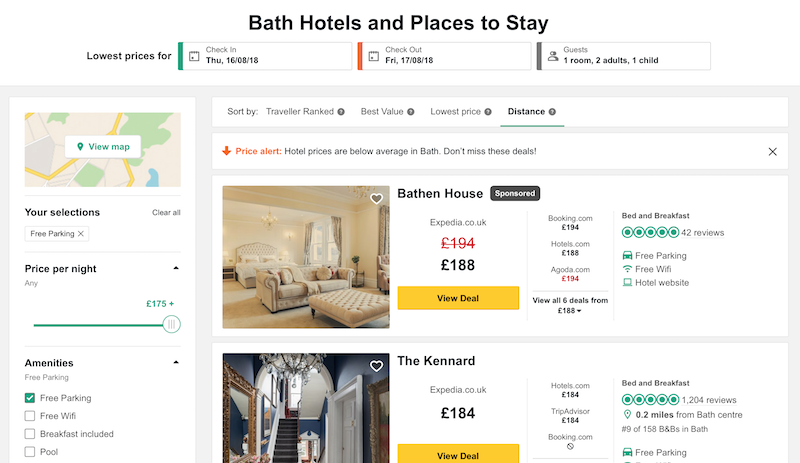
Need to make sure every meal, hotel, and tour is worth it? TripAdvisor is a good place to check reviews and ratings before making travel decisions.
A standout feature is ‘Trips’, which lets users save, organize, and share their travel plans.
Whether you’re planning solo or with a group, you can collaborate in real time, letting friends or family contribute to the itinerary.
For those who prefer pre-planned options, Tripadvisor offers suggested travel guides and sample itineraries curated by the community and its editorial team.
💡Pro Tip: The best local experiences rarely show up on the ‘Top 10’ lists. Browse location-specific subreddits or Facebook groups to find tips from locals you won’t get on Tripadvisor.
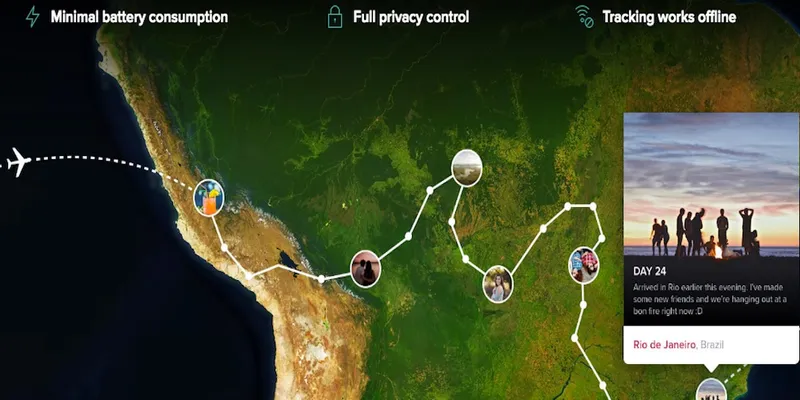
Polarsteps helps you turn your travels into a beautiful digital scrapbook. It uses GPS to track your journey automatically and creates a stunning visual story (even with no network).
You can add photos, notes, and other details at each stop to keep a record of your experiences. After completing a trip, you can turn your digital travel logs into physical travel books.
These customizable books include maps, photos, and notes from the journey, serving as tangible keepsakes.
📩 Out of office, but make it fun! Headed on an adventure? Make your auto-reply just as exciting! Check out Professional Out-of-Office Message Examples for ideas that range from witty to work-appropriate. 🌴
Each Wanderlog alternative in this blog helps streamline your travel experience in its way, whether it’s mapping routes, managing bookings, or organizing stops.
But if you like full control over planning, ClickUp offers a different kind of flexibility. From brainstorming ideas to assigning tasks and tracking every detail, it brings everything under one roof.
You can create itineraries, set reminders, collaborate with your travel group, and customize everything to fit your planning style.
Sign up for free now and plan your next adventure with ClickUp. 🗺️

© 2026 ClickUp

There’s an easier way. Try a free AI Agent in ClickUp that actually does the work for you—set up in minutes, save hours every week.