






Still downloading templates?
There’s an easier way. Try a free AI Agent in ClickUp that actually does the work for you—set up in minutes, save hours every week.
Sorry, there were no results found for “”
Sorry, there were no results found for “”
Sorry, there were no results found for “”

Your password must contain uppercase letters, lowercase letters, numbers, symbols, a haiku, and your childhood pet’s maiden name.
We’ve all seen those frustrating red warnings, and for many users, the workaround is simply reusing passwords. In fact, 48% of people do it. But for IT teams, that’s not just an anecdote about laziness—it’s a serious security risk.
That’s where single sign-on (SSO) is a lifesaver. Think of it as a secure digital master key—one login to access every approved app and tool your team needs. It simplifies access management, protects user identities, and eliminates password fatigue across your organization.
But the SSO landscape isn’t exactly even terrain. So, how do you know which one to run with?
In this guide, we’ll break down the top 10 SSO tools so you can find the right fit to streamline user access and strengthen your security strategy.
| Tool | Best for | Key features | Pricing* |
| Okta | Scalable enterprise identity management; Enterprises | Extensive SAML, OAuth, and OIDC integrations, dynamic authentication, lifecycle management, and behavior tracking | Free plan available; Custom pricing for paid plans |
| OneLogin | Unified cloud identity management; SMBs and large organizations | Adaptive MFA, SmartFactor Authentication, deep linking, 21+ language support | Starts at $2/month per user |
| Ping Identity | Identity orchestration; Large enterprises and regulated industries | Risk-based authentication, passwordless login, and hybrid IT integrations | Starts at $35,000 annually for customers and $3/month per user for workforces |
| Auth0 | Developers building authentication workflows; Fin-tech and regulated startups | API-first approach, no-code/pro-code editor, breach alerts, CI/CD integration | Free, Paid plans start at $35/month per user |
| Frontegg | B2B SaaS startups and enterprise product teams | Pre-built authentication, roles and permissions, tenant management, usage metering | Free; Custom pricing for paid plans |
| WorkOS | SaaS startups and fast-growing companies | SCIM integration, Passkeys for passwordless authentication, Admin Portal, React components | Free (up to 1M users); Paid plans start at $2,500/month |
| SecureAuth | Organizations using the Microsoft ecosystem | Adaptive authentication, step-up security, legacy app integration, dashboard insights | Custom pricing |
| LoginRadius | Customer-facing businesses and SMBs | Social login, CIAM analytics, custom registration forms, GDPR/CCPA compliance | Free; Custom pricing for paid plans |
| Keycloak | Tech-savvy teams and open-source adopters | Role-based controls, LDAP integration, user federation, and external user stores | Free (storage and infrastructure not included) |
| Azure Active Directory (Azure AD) | SMBs and enterprises using the Microsoft ecosystem | Conditional Access, Identity Protection, guest access management, 99.9% uptime | Free; Paid plans start at $6/month per user |
An SSO tool isn’t just a bouncer at your digital front door, asking for your ID card. It also impacts login experiences and must navigate compliance guidelines, all at a lightning pace.
A lot riding on one tool, right? That’s why every solution you shortlist must have these features:
💡 Pro Tip: Look out for SSO tools that have password manager modules or integrate with them easily.
Now that you know what to look for in your crucial SSO tool, all that’s left is to dive into the reviews. Here are the top ten options on the market.
Our editorial team follows a transparent, research-backed, and vendor-neutral process, so you can trust that our recommendations are based on real product value.
Here’s a detailed rundown of how we review software at ClickUp.
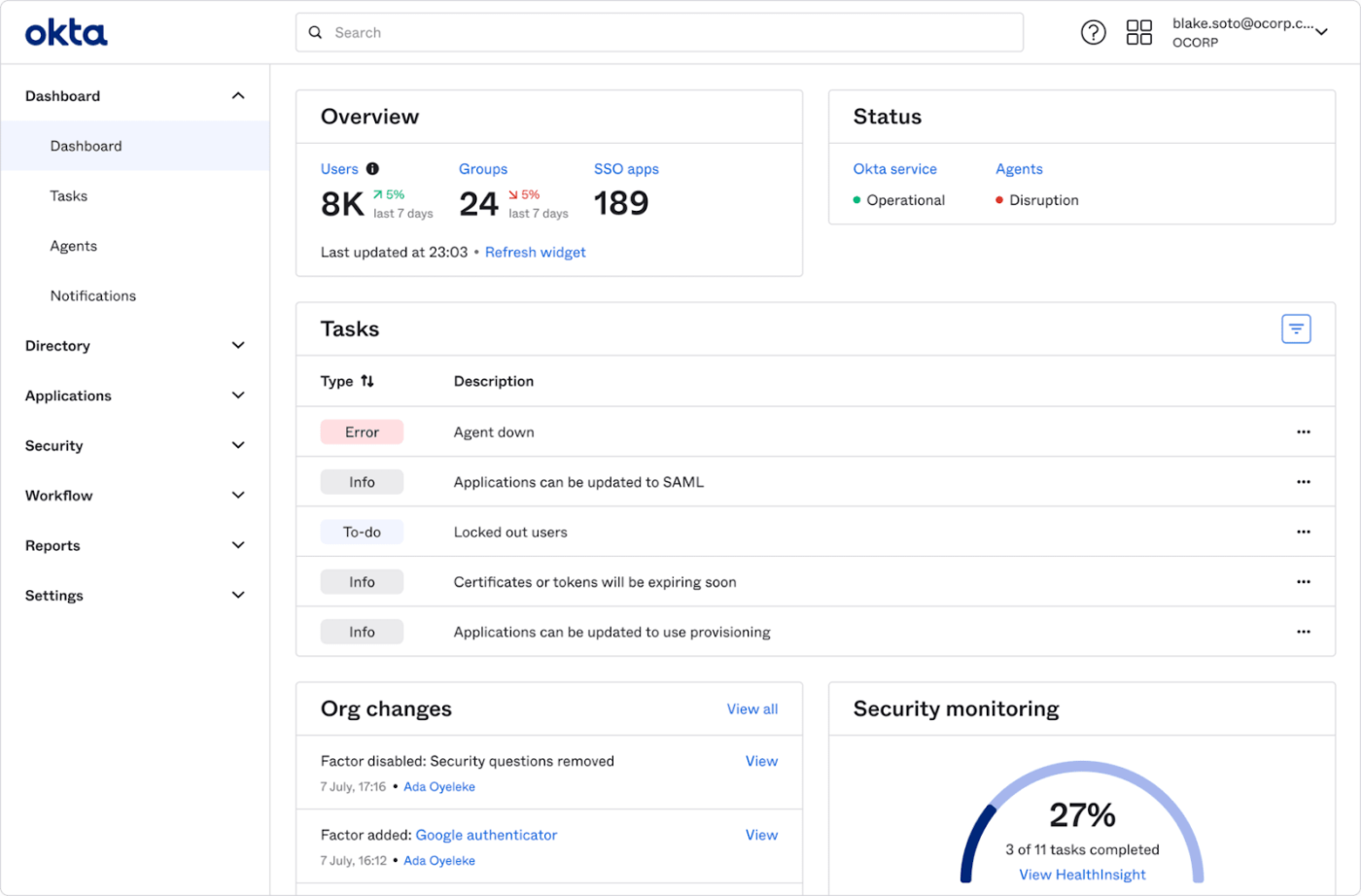
First on the list is Okta, a major player in the identity and seamless access management space. This platform is the go-to choice for enterprises worldwide, thanks to a well-balanced mix of features including secure single sign-on, smart multi-factor authentication (MFA), and app integrations.
Known for its robust integration capabilities, Okta offers extensive support for SAML, OAuth, and OIDC protocols. It also rounds the experience off well with a clean, no-code interface and an insightful admin dashboard. Okta is great for teams looking for agile and scalable user management.
A G2 review says:
Not only is it user-friendly with a modern interface, but it also boasts high security standards and supports working with thousands of users simultaneously.
👀 Did You Know? If SOC 2 compliance is already on your radar, it’s worth noting that implementing SSO can directly support several trust service criteria—and smooth out third-party audits when it counts.
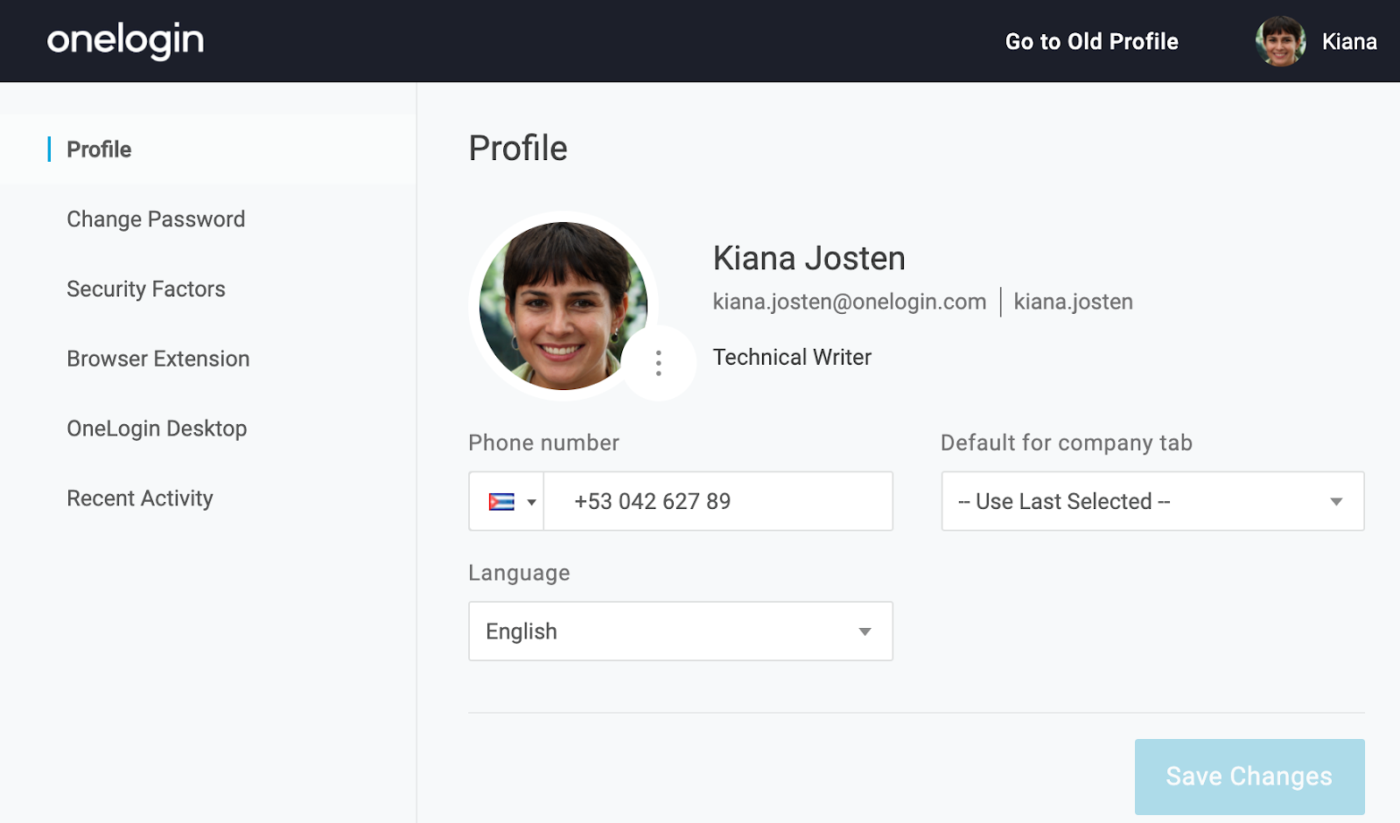
Juggling cloud environments? OneLogin simplifies this with its user-friendly identity management solutions. Its one-click app access streamlines the login process, reducing password fatigue and enhancing productivity. The platform’s adaptive multi-factor authentication (MFA) and versatile HR and asset workflow automations further bolster its appeal.
The platform’s SmartFactor Authentication adds an extra layer of security by assessing contextual login risks. In addition, its developer toolkit can handle all interface customizations and contingency protocols, catering to the diverse needs of various organizations.
A Capterra review says:
It’s a great software to get double factor authentication. The interface is very user-friendly. Through this way, big organisation can set up strong password requirements.
📖 Also Read: We Tested the Best MatterMost Alternatives
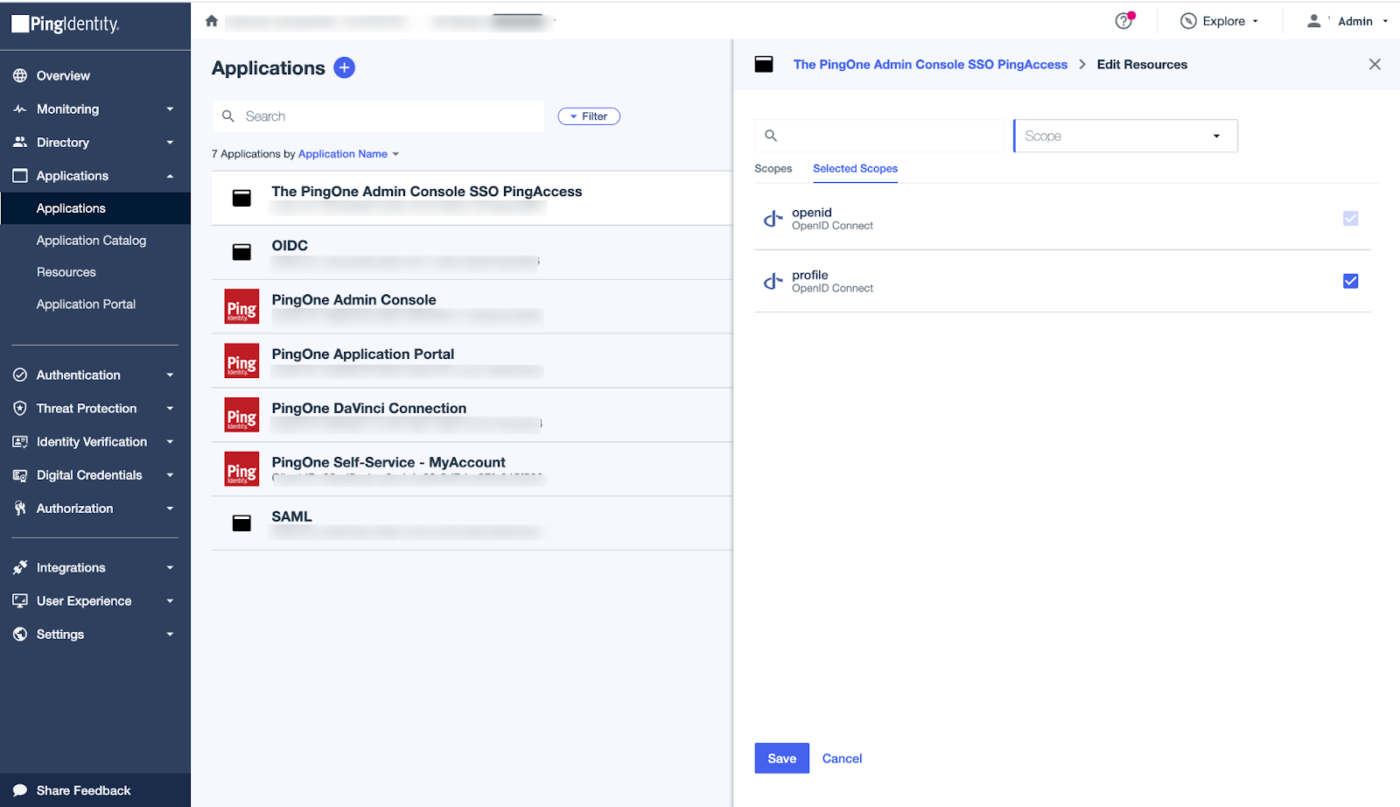
Next up is Ping Identity, an SSO solution that stands out for its automated identity management. It’s widely recognized for extensive plugin availability, allowing integration across various programming languages. Designed to connect multiple identity systems, this tool streamlines complex IAM workflows instantly.
The solution guides a user’s journey from login to access control with a minimalistic, readable interface. In short, businesses deliver smooth, seamless user experiences at every touchpoint.
(Workforce pricing is based on an annual contract for a minimum of 5,000 users)
🧠 Quick Refresher: SOC 2 comes in two flavors. Type 1 assesses control design, while Type 2 demonstrates that those controls actually hold up over time. When evaluating SSO tools, it’s SOC 2 Type 2 that really demonstrates long-term operational maturity.
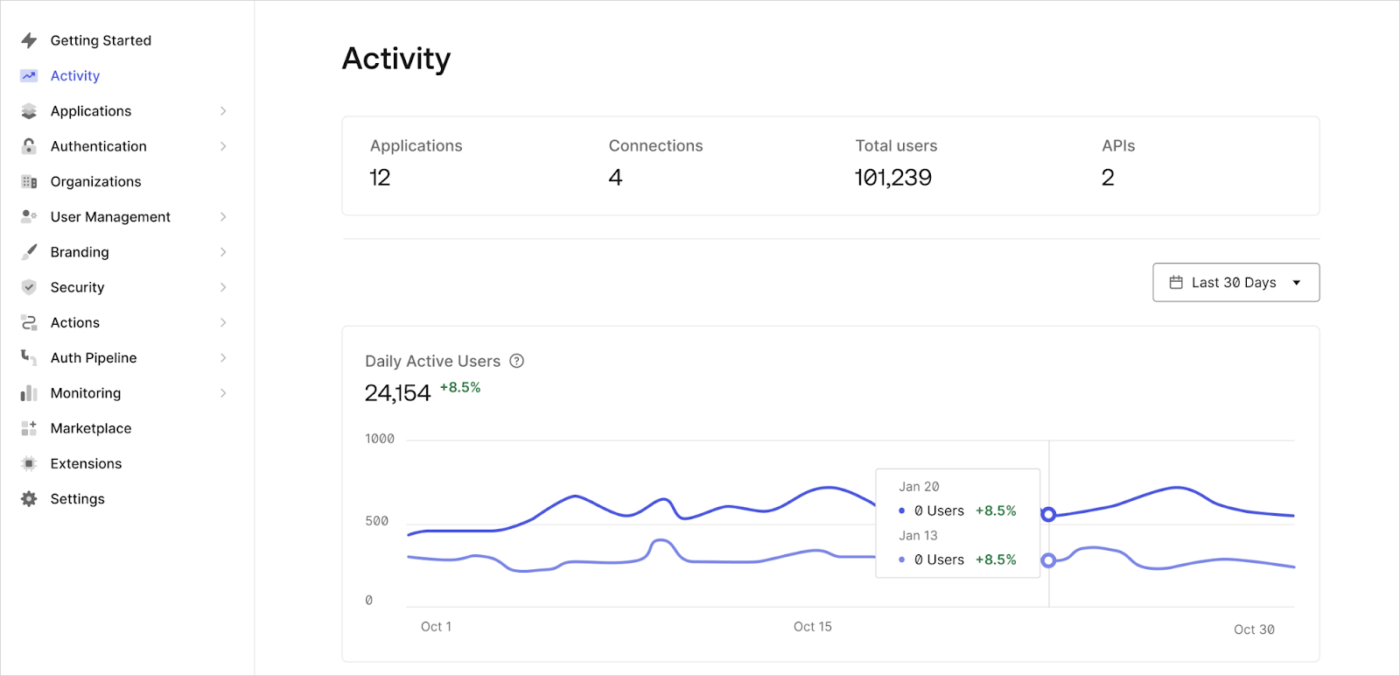
Auth0 is a developer’s dream when it comes to building custom authentication workflows. With its API-first approach, it plugs effortlessly into web, mobile, or even IoT apps.
It also supports multiple identity providers and features an administrative dashboard for efficiently managing user access and security logic. Its seamless integration with CI/CD pipelines and support for various identity providers enhances development efficiency. Bottom line? Auth0 is the perfect match for businesses that craft modern apps.
(All plans start with a minimum of 500 users)
A G2 review says:
Auth0 has saved us a lot of time regarding login and signup flows, and we have simplified our privacy policy and terms of service agreement process through the Auth0 actions feature
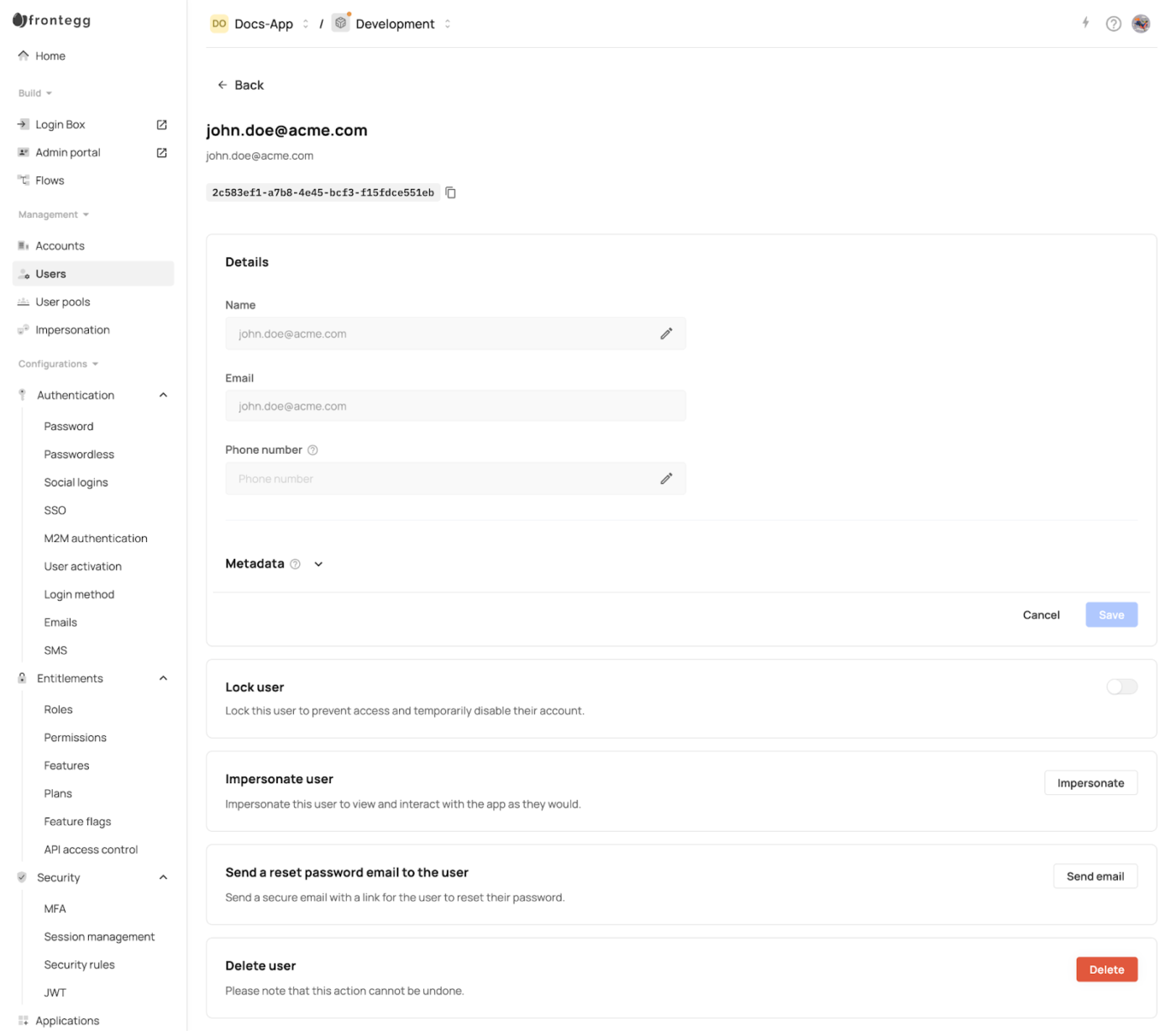
Looking to build a B2B SaaS product without having to reinvent user management? Frontegg is designed for you. It lets you easily plug in login, SSO, roles, subscriptions, and usage metering, with barely any code.
Designed for speed and scale, it helps product teams launch secure, enterprise-ready experiences fast. Plus, it handles B2B essentials like multi-tenancy, admin portals, and granular access control right out of the box.
🧠 Fun Fact: The average employee has to manage 191 passwords. SSO helps cut that number down to just one—while still meeting your organization’s security requirements.
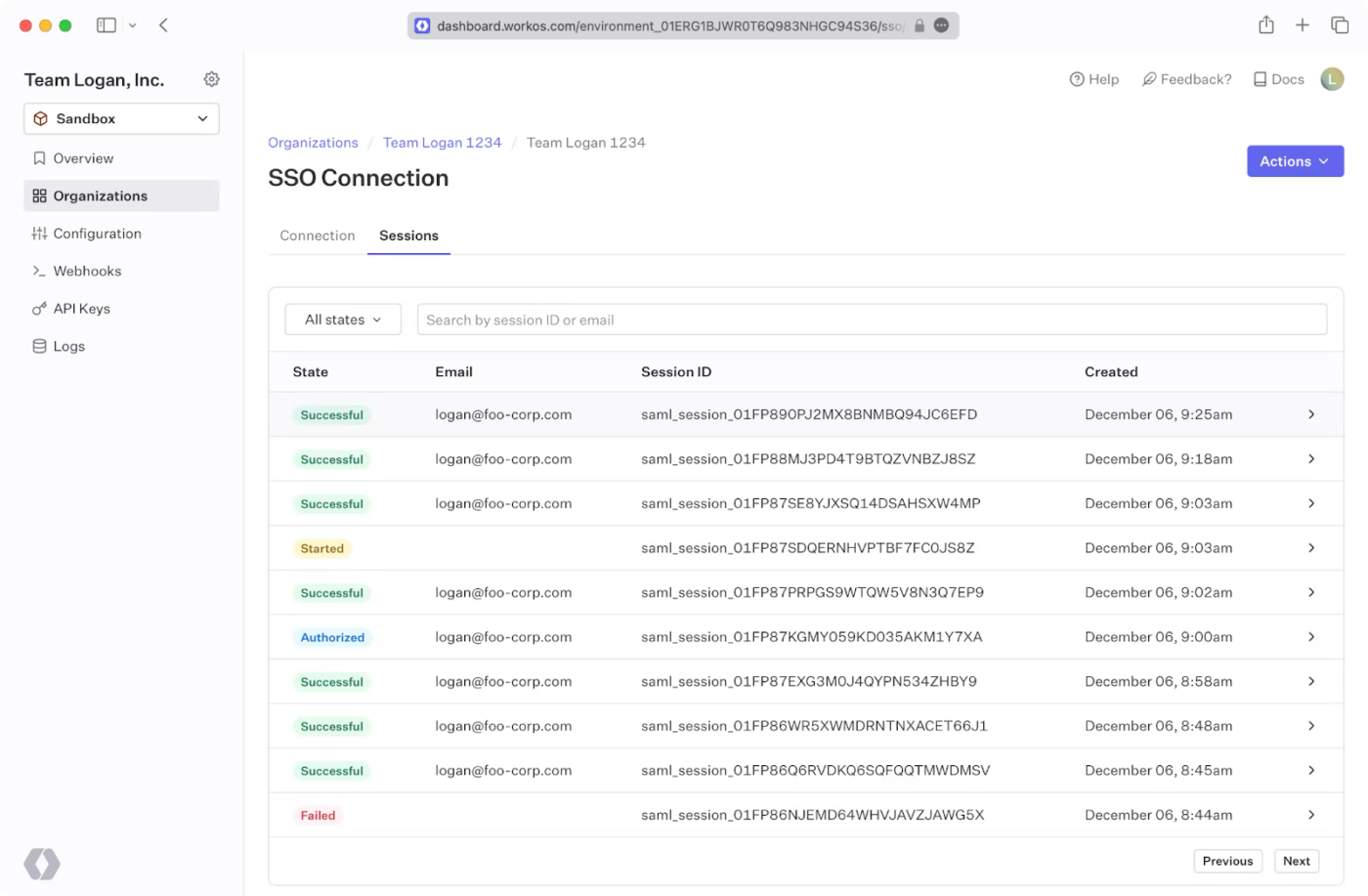
WorkOS is the shortcut teams turn to for building modern apps with enterprise-grade SSO and directory synchronization, fast. Through a single API and prebuilt components, it helps software teams roll out complex IT features without months of dev time.
Its Directory Sync feature instantly syncs information as employees join or leave. So, no data is misused, and there are zero phantom user IDs.
A Reddit review reads:
WorkOS actually makes managing users/orgs pretty easy – on the client-side, you get the org a user logs into with the authenticated response and in the claims on the JWT issued for the session.
📮 ClickUp Insight: 13% of our survey respondents want to use AI to make difficult decisions and solve complex problems. However, only 28% say they use AI regularly at work.
A possible reason: Security concerns! Users may not want to share sensitive decision-making data with an external AI. ClickUp solves this by bringing AI-powered problem-solving right to your secure Workspace.
From SOC 2 to ISO standards, ClickUp is compliant with the highest data security standards and helps you securely use generative AI technology across your workspace.
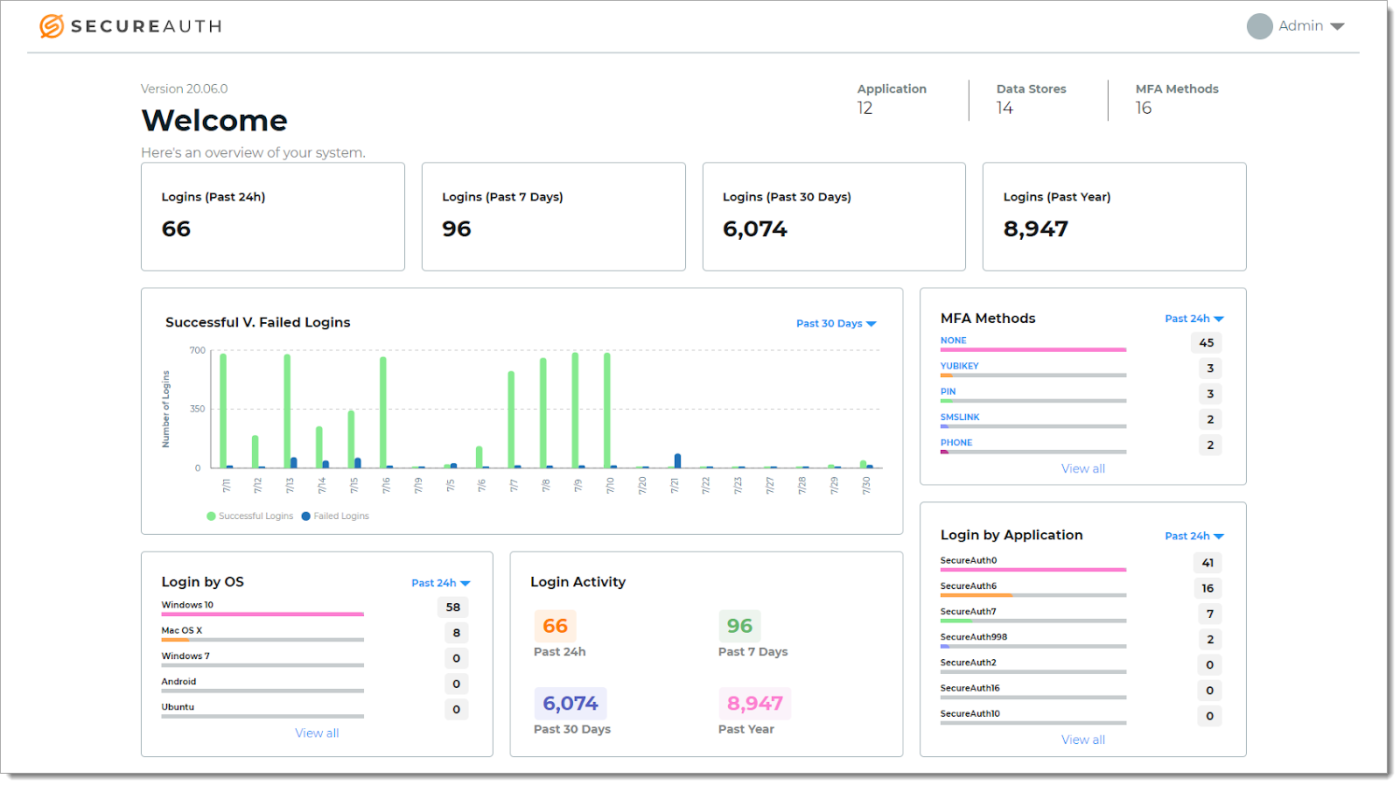
SecureAuth is all about fine-tuned control over multi-factor authentication (MFA) and SSO. It specializes in flexibility to create a deeper mix and match of authentication methods, such as fingerprint verification for finance or OTPs for marketing.
It emphasizes adaptive authentication, adjusting security measures based on user behavior and context. This dynamic approach enhances protection against unauthorized access.
Plus, its adaptive engine reacts to real-time signals, adjusting security on the fly. SecureAuth also supports industry standards like SAML 2.0, OAuth, and OpenID Connect, making cloud or on-premises usage easy and SOC 2 compliant.
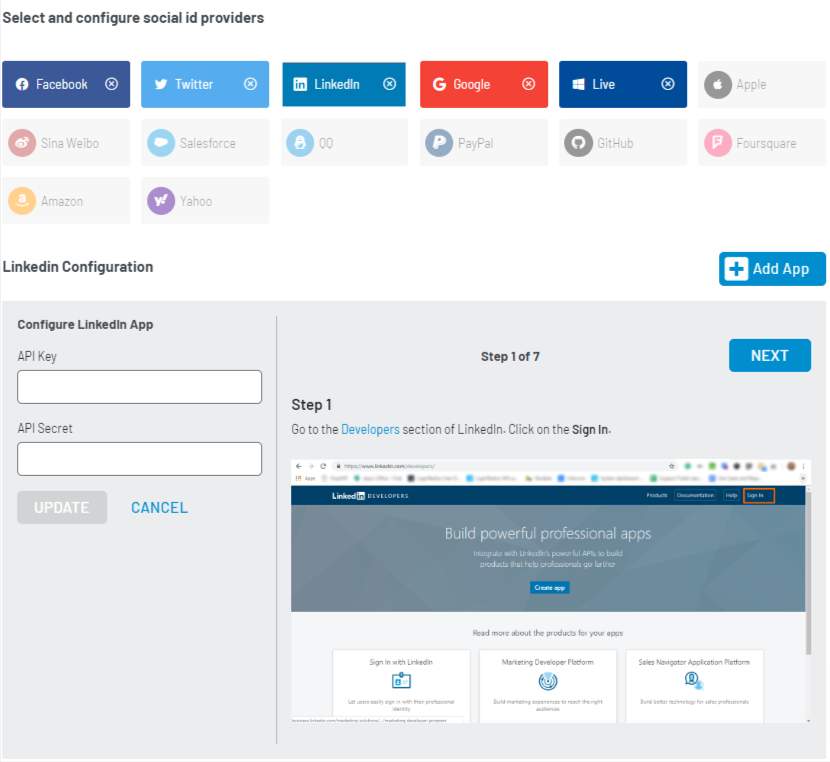
LoginRadius is your backstage pass to secure, seamless logins, no matter how many. In addition to handling millions of identities in the cloud, it combines strong security with a remarkably smooth user experience. It also supports passwordless authentication and social login.
The access management platform offers users plenty of options and conducts in-depth authentication only when something appears suspicious. Plus, it’s privacy-law friendly, helping you stay on the right side of GDPR and CCPA without breaking a sweat.
A G2 review reads:
This self-service model has reduced one-third of our most urgent helpdesk tickets, which results in maximizing our IT resources.
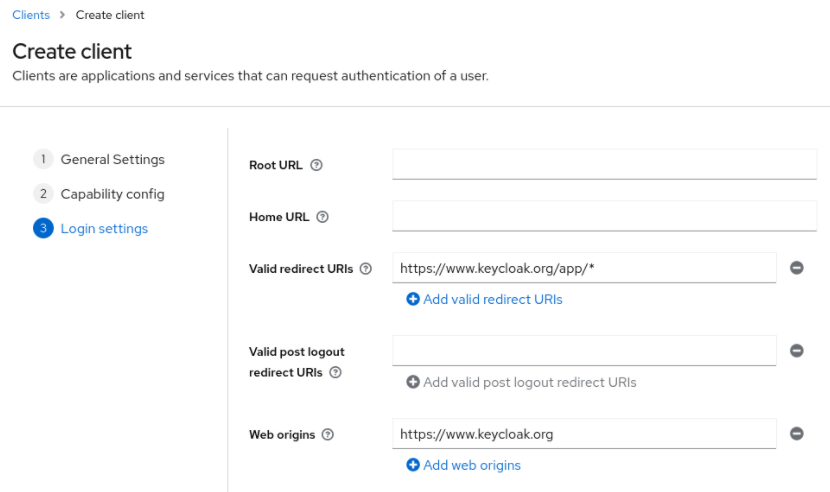
Keycloak is an open-source security solution that offers powerful user management without any vendor lock-in. It features flexible identity management, a dedicated active directory, and custom databases. Along with user federation support, it seamlessly integrates with and powers up your existing stack.
It supports single sign-on, LDAP integration, and social login. Whether you’re securing internal tools or customer-facing platforms, Keycloak makes authentication simple, scalable, and cost-effective.
👀 Did You Know? Approximately 95 million Active Directory accounts are targeted by attacks daily. With over 90% of organizations relying on AD for authentication, it’s no surprise that it’s a prime focus for attackers. Centralizing access through SSO doesn’t just streamline logins—it also helps reduce the attack surface and tighten control points.
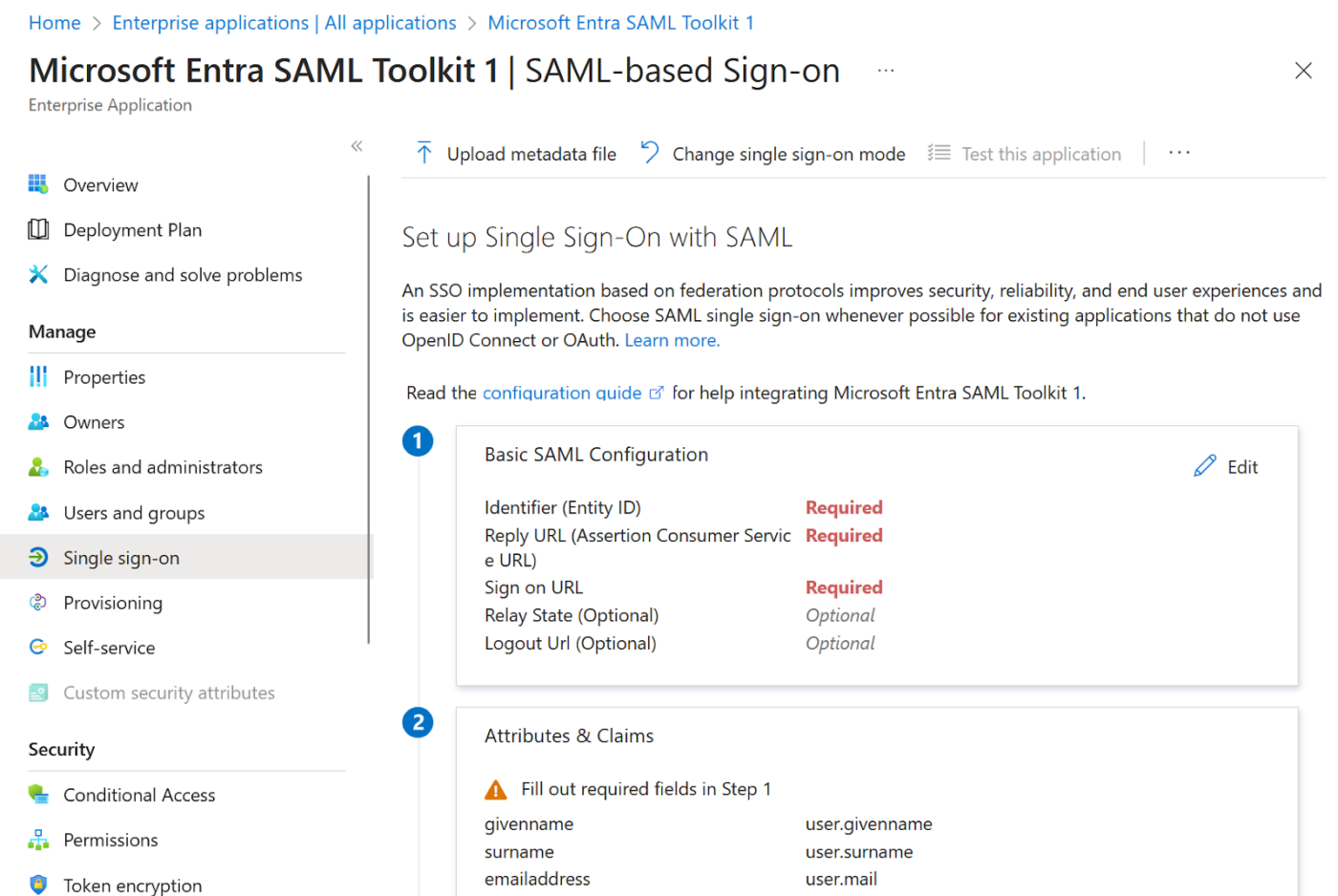
Looking for an identity solution that plays perfectly with your Microsoft stack? Azure Active Directory, now Microsoft Entra ID, is a natural fit. It’s cloud-based, tightly integrated with Microsoft 365 and Azure, and lets users access thousands of apps with a single login.
Its biggest flex? Security. You get smart sign-in risk detection, just-in-time admin access with PIM, and 99.9% uptime across 28 global data centers. Plus, users can reset their own passwords, and admins can automate the heavy lifting with PowerShell.
A G2 review reads:
What I like the most are these three features: multi-factor authentication with the Microsoft Authenticator app, identity management for each device, and its integration with BitLocker, which provides full disk encryption for the asset
Imagine how effective it would be if you didn’t need separate apps for SSO management and project delivery. One platform for all your teams to work and securely collaborate on. Well, one platform can.
Meet ClickUp, the everything app for work.
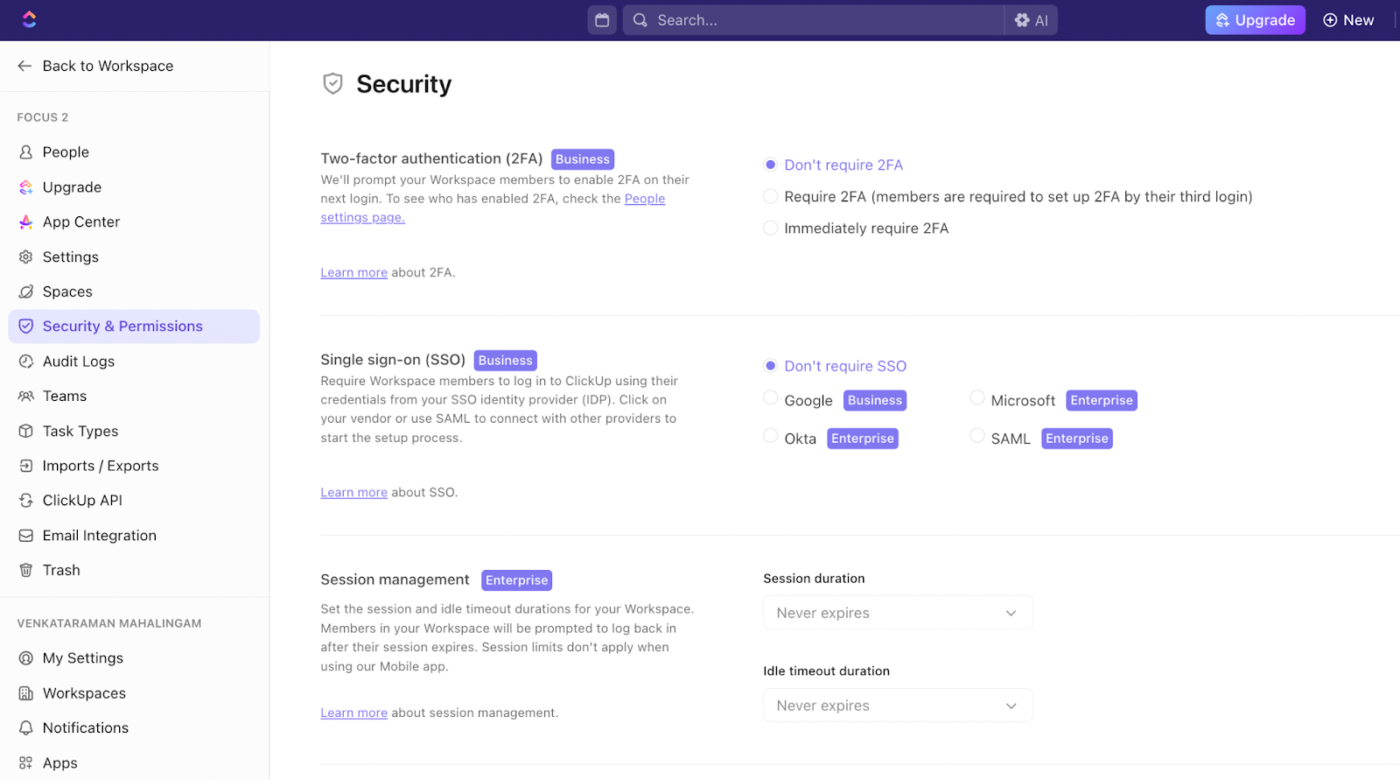
The ClickUp Single Sign On SSO stands out for its seamless single sign-on (SSO) integrations with leading identity providers like Okta, Azure Active Directory, Google Workspace, and any SAML 2.0-compliant service.
For instance, you can easily connect ClickUp to Okta by following a straightforward setup process. The system allows admins to manage authentication centrally and streamline user provisioning and deprovisioning.
Users just need to log in once with their corporate credentials to access ClickUp’s full suite of features instantly. No more juggling multiple passwords or managing separate logins.
ClickUp’s SSO capabilities are backed by robust security credentials, including SOC 2 Type 2 compliance, multiple ISO certifications (ISO 27001, ISO 27017, ISO 27018), and support for HIPAA, CCPA, and GDPR requirements.
At ClickUp, we take data security very seriously. Data is encrypted both in transit and at rest, and ClickUp undergoes independent audits to ensure the highest standards of privacy and protection.
This protection isn’t just for secure sign-in, by the way. Security and access control are built into every layer. ClickUp’s role-based access control (RBAC) features let admins assign granular permissions at workspace, project, and even task levels.
The ClickUp User Roles and Permissions let you use the role-based access control matrix to define who can view, edit, or administer different resources.
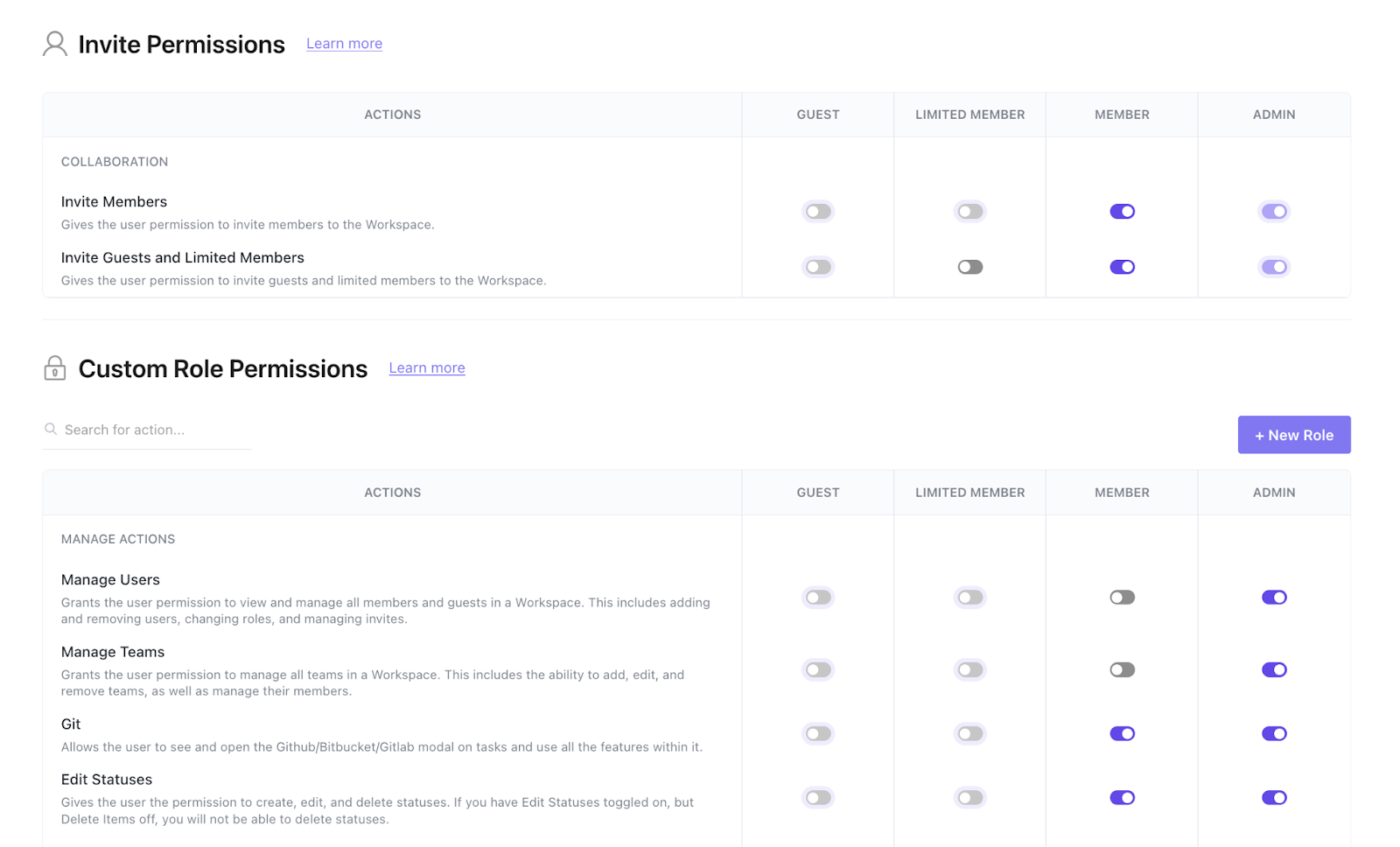
You can also easily invite guests, set temporary permissions, and fine-tune access for internal and external collaborators. To ensure transparency, monitor and review access regularly with automated reminders and clear audit trails.
What’s more, ClickUp combines secure SSO and advanced access management with deep collaboration features. Imagine enjoying enterprise-grade protection to actually power your team productivity.
ClickUp offers a collaborative workspace where teams can:
If you’re looking for an all-in-one solution that merges secure access with powerful team productivity, ClickUp delivers. It’s a compelling choice for organizations that value both security and collaboration.
A G2 review says:
It’s really customizable for each person to use and to use for a group, and I really enjoy that you can easily add people on a guest access level to view content as well.
SSO tools are the first line of defense for businesses in terms of both secure access management and customer credentials. Choosing the right tool makes a huge difference in protecting internal servers and managing user identities.
Our list helps arrive at the best option, but it’s vital to avoid overprioritizing security at the cost of platform usability and team productivity.
ClickUp blends security while empowering teams to work together seamlessly, assign tasks, share documents, and communicate—all without leaving the platform.
Ready to unify operational efficiency and security? Sign up for ClickUp today!

© 2026 ClickUp

There’s an easier way. Try a free AI Agent in ClickUp that actually does the work for you—set up in minutes, save hours every week.