
Sorry, there were no results found for “”
Sorry, there were no results found for “”
Sorry, there were no results found for “”
73% of organizations consider SaaS essential for achieving their business goals, with 38% deeming it “very important” and 35% “quite important”.
Clearly, SaaS tools are the driving force behind your business.
But how do you manage SaaS vendors? What tools to use? What are the best practices?
We cover all of this and more in this blog post. Let’s begin!
SaaS vendor management is the process of selecting, onboarding, monitoring, and managing software-as-a-service (SaaS) providers to ensure they align with business goals. It involves:
With more SaaS apps in use, strong vendor management keeps SaaS operations efficient, avoiding wasted spend, security risks, and tool redundancy.
Vendor management is key to ensuring quality and compliance in any business. That’s why having a robust and organized checklist is essential to ensure smooth operation.
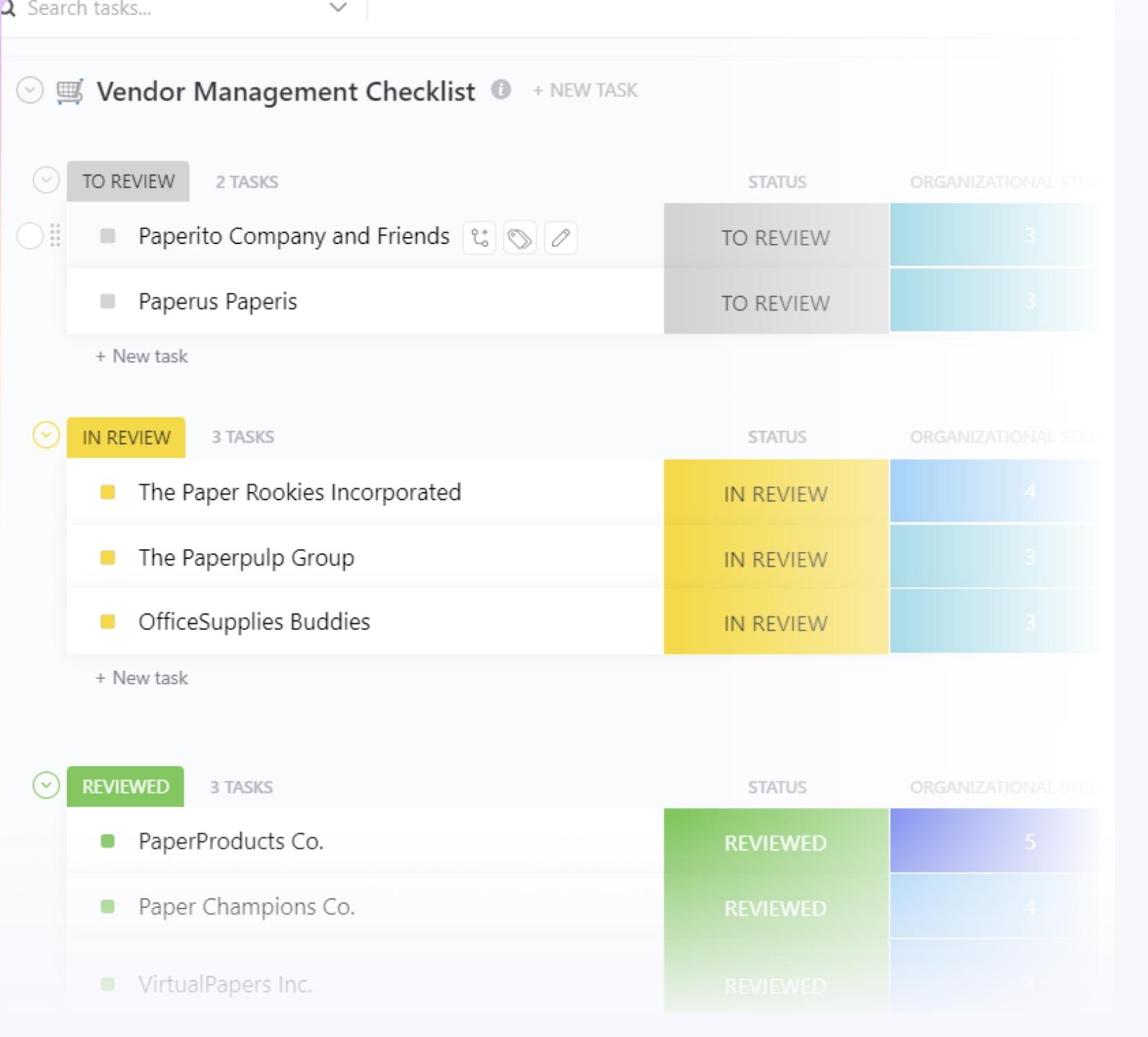
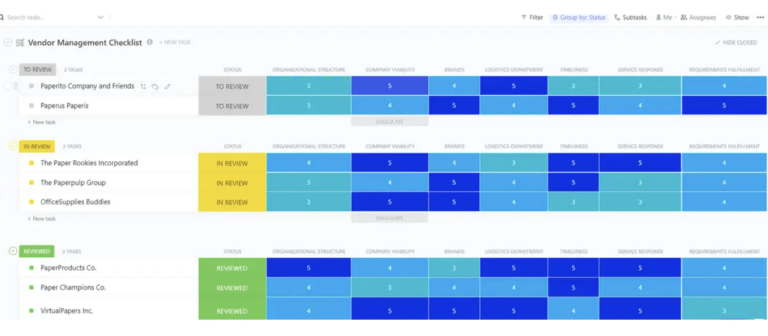
ClickUp’s Vendor Management Checklist Template helps you stay on top of all your vendor relationships.
Before we talk further about SaaS vendor management process, let’s understand why effective SaaS vendor management matters:
Effective SaaS vendor management achieves a savings of 16.49% on completed deals through negotiations, amounting to a total savings of $349 million. And it’s not surprising. The areas where you think cost-cutting isn’t possible are often where the biggest savings lie. Your SaaS stack is a prime example.
With solid SaaS software vendor management, you can always monitor the ROI and efficiency of your tools.
🌟 Regular check-ins using a SaaS vendor management solution help you cut out software that:
No matter the reason, a SaaS vendor manager will review your subscriptions and identify which ones to cancel, freeing up a budget for more valuable SaaS procurements.
💡Pro Tip: Set up a quarterly SaaS performance review with department heads to identify bottlenecks, eliminate unused tools, and ensure all software aligns with business goals.
With SaaS applications handling sensitive business data, security and compliance aren’t optional—they’re essential. A lack of oversight can lead to major risks, from data breaches to regulatory fines. SaaS vendor management ensures every tool meets the necessary security standards and compliance requirements.
🌟 By continuously monitoring your SaaS stack, you can identify and mitigate risks, such as:
A strong SaaS vendor management strategy ensures that every tool in your ecosystem meets security, compliance, and risk requirements—keeping your business always protected.
🧠 Did you know? A recent report found that 31% of organizations experienced a SaaS data breach in the past year, highlighting the critical need for diligent security practices.
Your business basically runs on SaaS. Customer service needs SaaS; purchasing needs SaaS; marketing needs SaaS—almost every department depends on it. How can you expect to achieve operational efficiency if you’re not managing these tools properly?
With SaaS vendor management, you ensure that every tool in your stack improves workflows rather than slowing things down.
🌟 By regularly optimizing your SaaS ecosystem, you can eliminate:
📌 Example: Metropolitan Memorial Parks (MMP) in New South Wales faced challenges with outdated and siloed financial systems after merging multiple entities. By transitioning to a unified SaaS management platform, they streamlined processes, improved efficiency, and achieved significant cost savings.
Most companies don’t even realize how many duplicate SaaS tools they’re paying for. A recent report by Zylo found that, on average, 44% of businesses’ SaaS licenses are wasted or underutilized, leading to significant unnecessary expenses.
Marketing has one tool for automation, sales has another, and customer support might be using something entirely different—but they all do the same thing.
🌟 With a SaaS vendor management platform, you can:
Check login activity on SaaS apps—if people aren’t using a tool regularly, it’s time to cut or reassign the license.
📖 Read More: SaaS Examples and Applications
A structured approach helps you avoid unnecessary steps and obstacles in SaaS vendor selection and management. Here’s a step-by-step guide to on effective vendor management.
It all starts with knowing what tools you need and which plan makes the most sense. Without a clear picture, you’ll end up with too many tools, overlapping features, or paying for expensive plans with unnecessary add-ons.
🌟 Think about:
Each of these factors helps you figure out which vendor actually fits. Marketing might need automation, while IT cares more about security and compliance. The challenge? Finding a solution that checks all the right boxes without blowing the budget.
ClickUp, the everything app for work, helps you streamline this process. It revolutionizes how you manage projects, documents, and communication—all in one unified vendor management system.
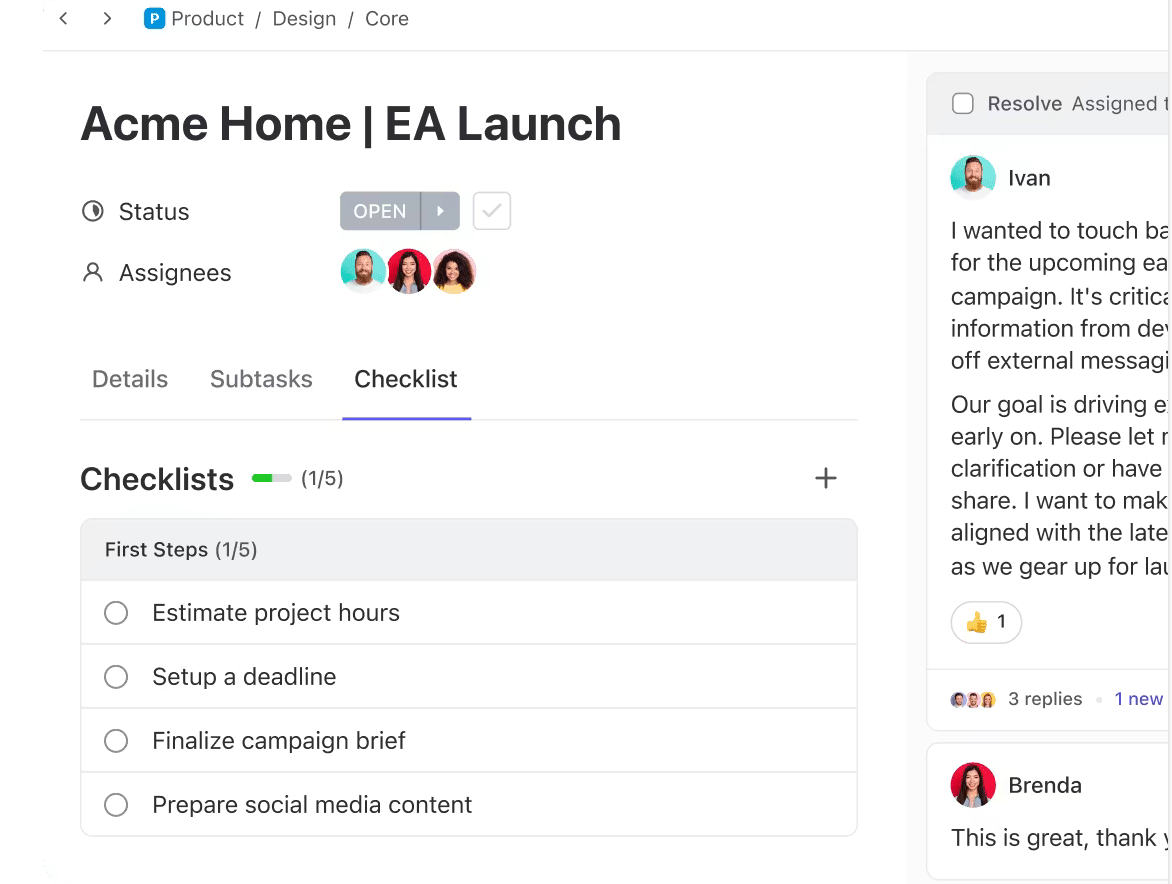
You can use ClickUp Tasks to map out the requirements. Create a checklist of must-have SaaS features, assign research tasks to relevant team members, and set deadlines to keep things moving. If compliance needs review from IT or budget approval from finance, assign them directly so everything stays organized in one place.
Once you know what you need, the next step is finding the right vendors. But with endless SaaS options, narrowing them down can be overwhelming. Instead of jumping in blindly, focus on the ones that truly align with your needs.
🌟 Here’s how to filter SaaS vendor options using vendor management software:
And what’s better than getting your team’s input on a tool before making a decision? To discuss different vendors, use ClickUp Chat to collaborate in real time, finalize the vendor selection criteria, and get recommendations—without endless email threads.
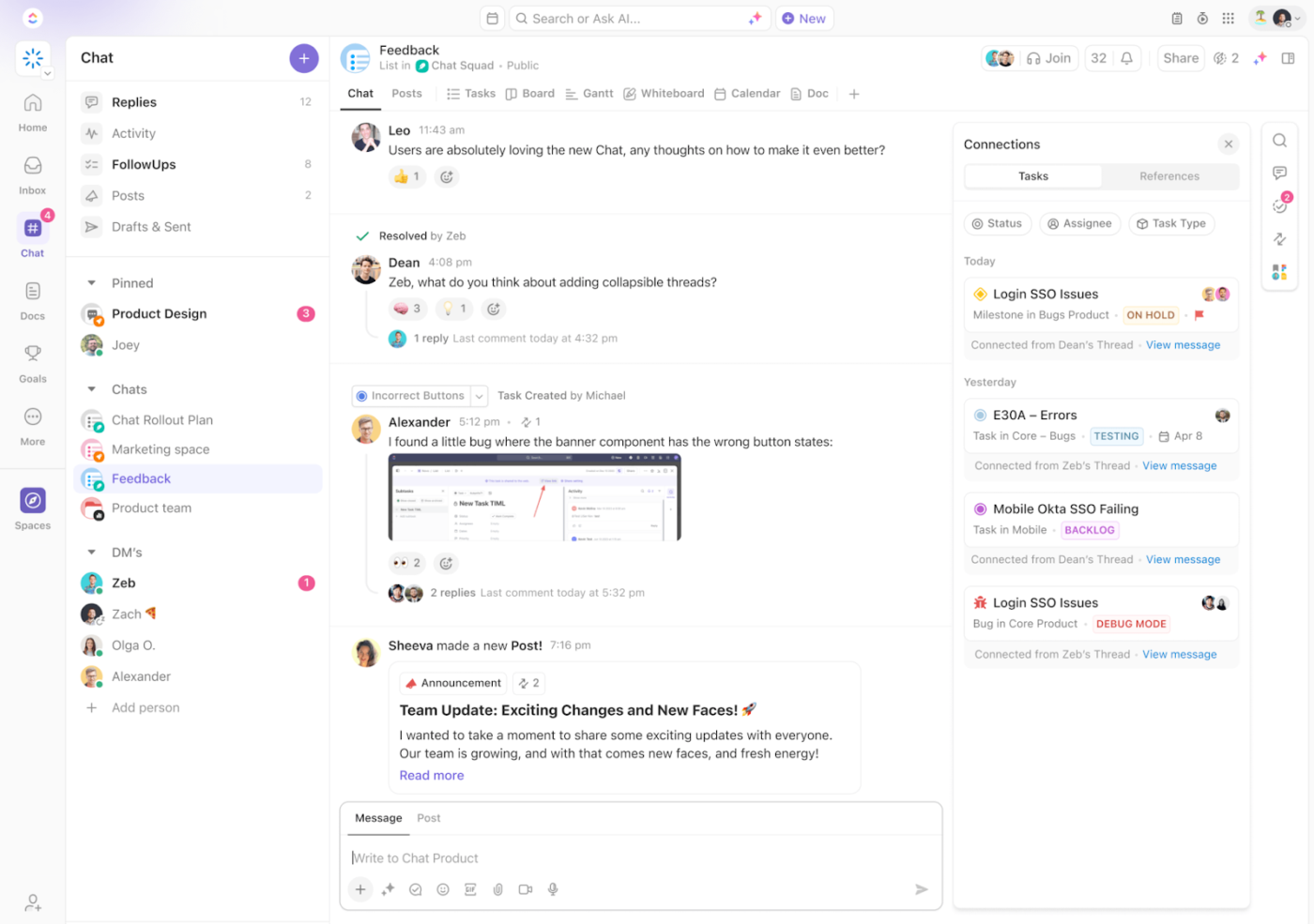
📮ClickUp Insight: 42% of team members still rely heavily on email for communication despite its siloed nature.
According to research by ClickUp, communication is often siloed and separate from actual workflows. To prevent broken communication, integrate messaging into your workflows with a centralized platform that unites project management, collaboration, and communication. Try ClickUp, the everything app for work.
Getting a great SaaS tool is one thing—getting a great deal on it is another. Vendors set their pricing, but that doesn’t mean it’s final. Negotiation is key to securing better terms, flexible vendor contracts, and service guarantees that actually benefit you.
🌟 Here’s what to focus on during SaaS vendor negotiation:
Negotiating on things like these might seem trivial, but in the long term they serve a big purpose.
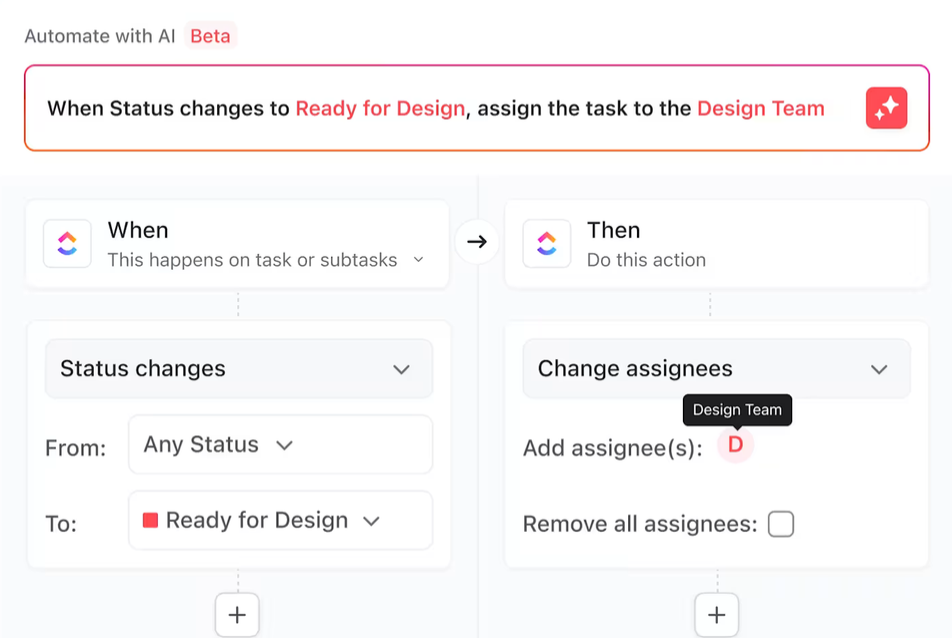
You can use ClickUp Automations to stay on top of contract negotiations. Set reminders for renewal dates, automate follow-ups with vendors, and track SLA and key performance indicators over time. This way, you never miss an opportunity to renegotiate and optimize your SaaS KPI tracking.
Once the contract is signed, the real work begins—getting the tool up and running smoothly. A poorly executed vendor onboarding process leads to low adoption, wasted licenses, and frustrated teams. If users don’t know how to use the tool or can’t integrate it into their daily workflows, it quickly becomes just another expense rather than a value-add.
🌟To ensure a seamless rollout of SaaS tools:
A well-planned onboarding process ensures the tool becomes integral to your team’s workflow—not another forgotten subscription.
📖 Read More: IaaS vs PaaS vs SaaS: Which Model to Choose?
Regularly tracking vendor performance ensures you get the value you paid for and helps you identify any issues before they impact operations.
For B2B SaaS enterprise software, keeping vendors accountable is critical. With ClickUp Dashboards, you can track SLA adherence, monitor uptime, and keep an eye on user adoption trends—all in one place. If a vendor frequently misses performance guarantees or fails to provide timely support, it might be time to renegotiate or look for alternatives.
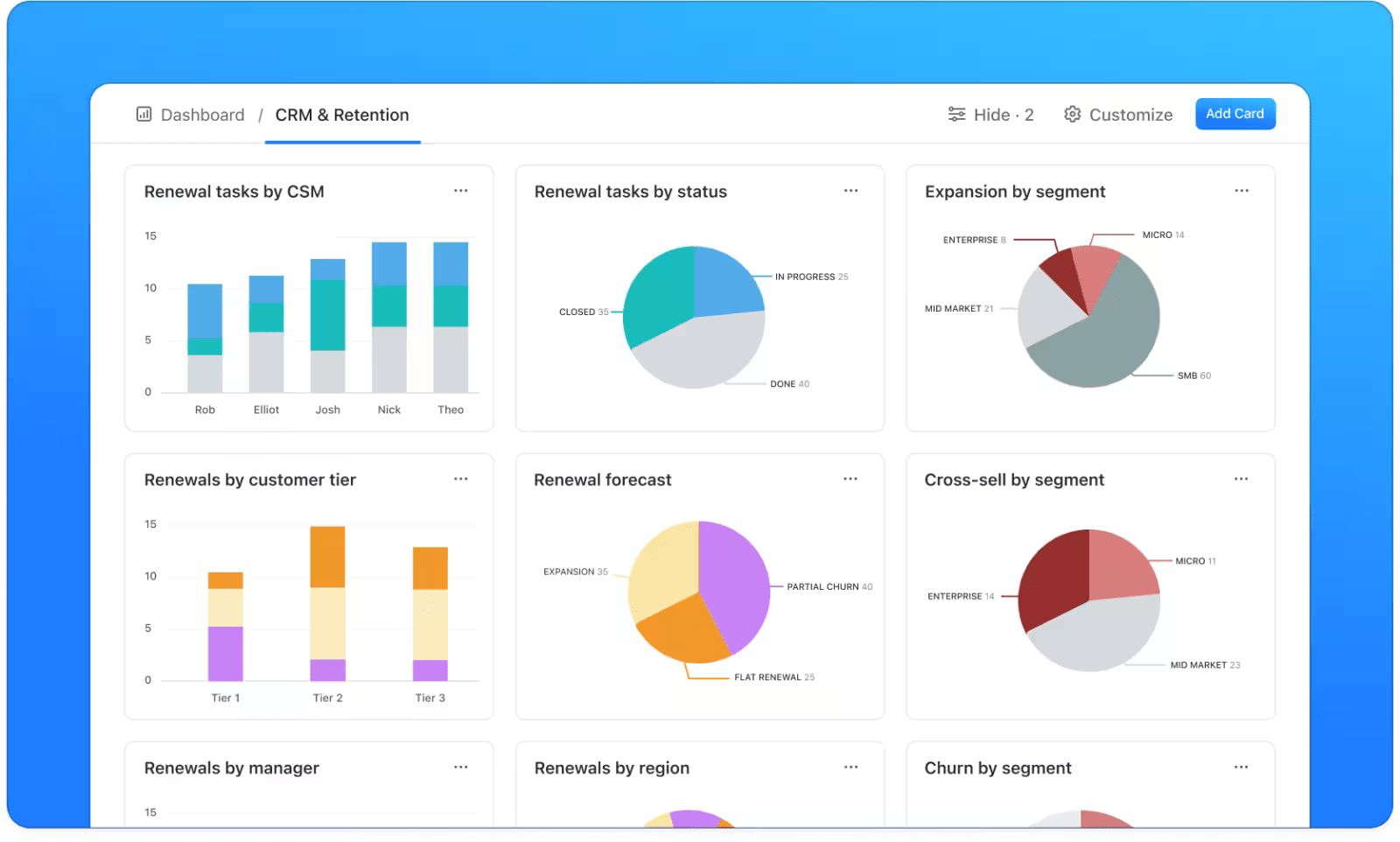
With Custom Dashboards, you can monitor usage reports to see if teams are actively using the tool or if licenses are going to waste. Security updates and compliance changes should also be reviewed to ensure the vendor is staying up to date with industry standards.
If you want to get started immediately, ClickUp has just the right template for you. The ClickUp Vendor Management Checklist Template lets you list vendors, track contract details, set renewal reminders, and monitor compliance—all in one place.
Instead of juggling spreadsheets or scattered notes, you get a clear, structured way to manage every aspect of your vendor relationships. With built-in task assignments, you can ensure that approvals, negotiations, and performance reviews don’t fall through the cracks.
📖 Read More: How Our Quality Excellence Team Uses ClickUp
Here are the best practices you can follow for effective SaaS vendor management:
Scattered SaaS purchases lead to wasted budget, security risks, and duplicate tools. A centralized procurement process brings order and control.
❌ You’re eliminating:
✅ You’re gaining:
Instead of every team buying what they want, a structured process ensures every tool is vetted, cost-effective, and necessary.
SaaS contracts have a sneaky way of renewing automatically, locking you into another cycle of payments—even for tools you don’t use anymore.
If you’re not keeping track, you’re probably wasting money on software your team has already moved on from.
🌟 Stay ahead by setting up renewal alerts. This gives you time to:
IT vendor management ensures you stay in control of your SaaS spending.
🧠 Did you know? Research indicates that up to 30% of SaaS spending is wasted due to missed and automatic renewals.
Perform a simple check: is your marketing team using a similar tool for automation than the one being used by automation. If the use case is the same, the SaaS tool does have to be different.
Duplicate SaaS tools creep in when different teams make independent purchases. Consolidating vendors cuts costs, simplifies workflows, and strengthens negotiation power.
🌟 A simple check can help you:
Less duplication means less complexity—and more value from the tools you keep.
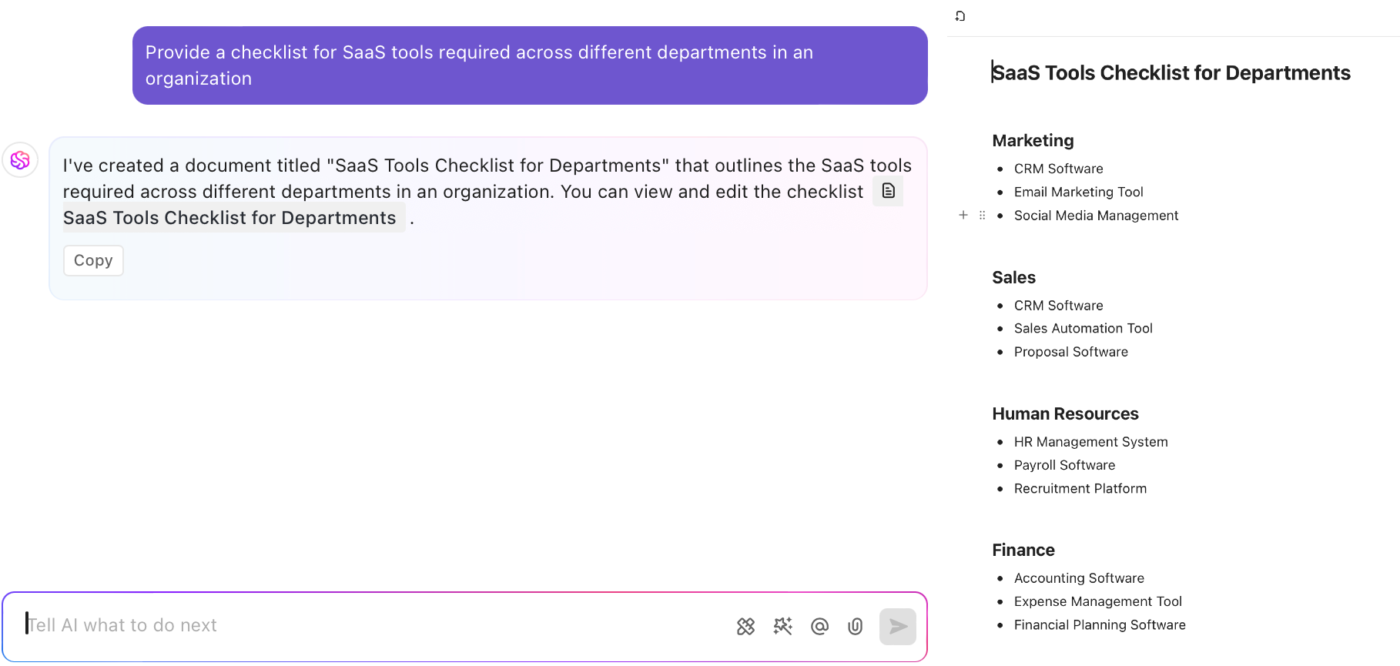
For this, you can use ClickUp Brain, ClickUp’s powerful AI assistant. It can help you create a list of all SaaS tools used across different departments in your organization so you can identify overlapping tools.
Teams often buy SaaS tools without IT or procurement approval, leading to security risks, compliance issues, and unnecessary spending. Without a process in place, shadow IT takes over.
🌟 An approval workflow ensures:
With 65% of companies experiencing data loss due to shadow IT, controlling SaaS purchases isn’t optional—it’s necessary. A structured approval process keeps your stack secure, cost-effective, and efficient.
📖 Read More: How to Optimize Customer Success for SaaS
Managing SaaS vendors doesn’t have to be chaotic. ClickUp gives you a centralized space to track contracts, monitor vendor performance, automate renewal alerts, and collaborate with your team—all in real time.
With features like Dashboards, Task Management, Automations, and Integrations, you can streamline every stage of the vendor lifecycle, from procurement to renewal. Ready to take control of your SaaS vendors? Sign up for ClickUp and start managing smarter today.

Manasi Nair
Max 26min read
Manasi Nair
Max 20min read

Arya P Dinesh
Max 23min read

© 2026 ClickUp