








Still downloading templates?
There’s an easier way. Try a free AI Agent in ClickUp that actually does the work for you—set up in minutes, save hours every week.
Sorry, there were no results found for “”
Sorry, there were no results found for “”
Sorry, there were no results found for “”
Perplexity AI is great at finding information and citing sources. But how you ask makes all the difference.
Think of prompts like restaurant orders.
“Something good” gets you whatever’s left.
“Spicy noodles, extra garlic, no peanuts” gets you exactly what you want.
Same principle, better results.
The magic happens when you add context—what you’re working on, how deep you want to go, or the format you prefer.
We’ve rounded up the best Perplexity AI prompts to use right now.
And as a bonus, we’ll look at ClickUp—a fresh, context-aware alternative that brings AI, documentation, and workflow together. 🕵
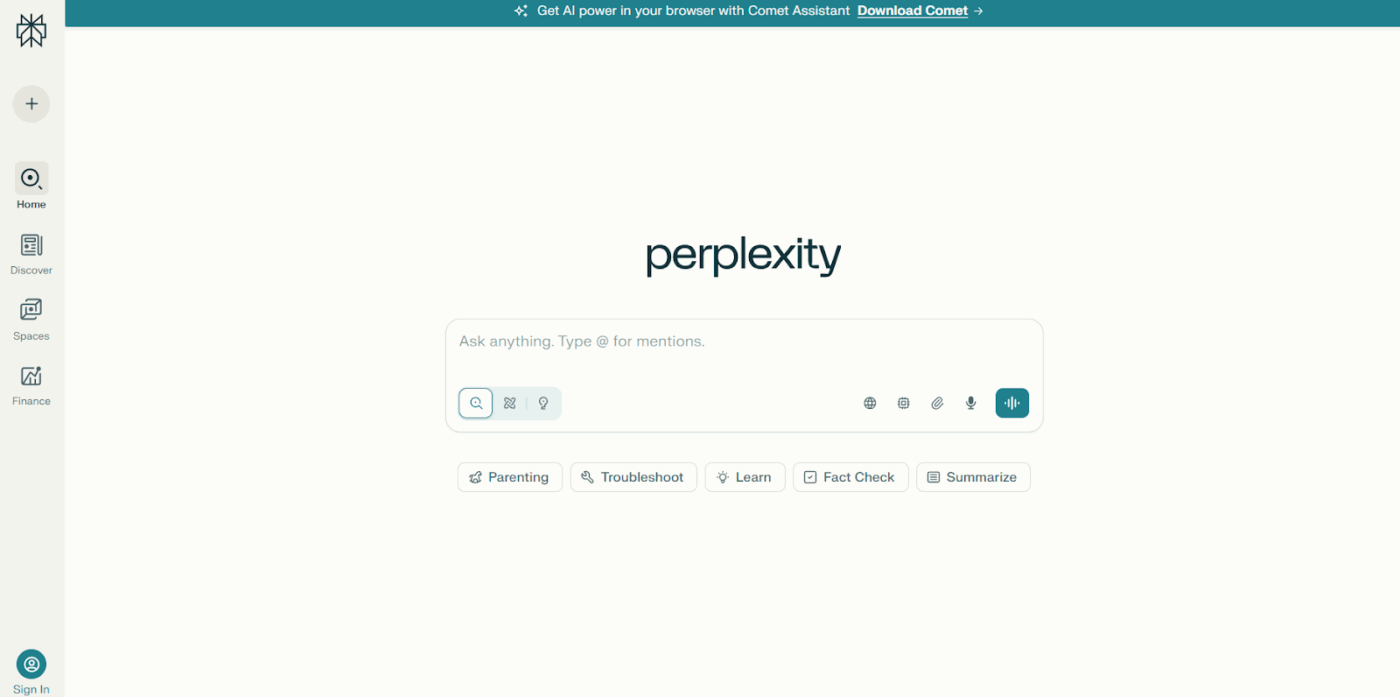
Perplexity AI is a conversational search engine powered by large language models (LLMs). It processes natural language queries and returns synthesized answers, citing sources from across the web.
The platform uses artificial intelligence to understand context, which means you can ask follow-up questions and it remembers what you’re talking about. It pulls real-time information, processes it, and presents answers in a readable format with clickable citations so you can verify everything.
Perplexity AI prompts are the questions or instructions you type in to get specific answers. The more detail and context you include, the better the response.
A basic prompt like ‘Explain SEO‘ will get you a general overview, but a detailed one like ‘Explain SEO for local businesses with examples of on-page optimization tactics‘ pulls up targeted information that matches what you need.
✅ Example prompt:
“Compare the top 5 email marketing tools for small businesses in 2025. Include pricing tiers, standout features, and one limitation per tool. Present as a comparison table with sources.”
That’s specific, scannable, and directs Perplexity toward structured, verifiable answers.
🧠 Fun Fact: ‘Perplexity’ is actually a statistical measure used to evaluate language models. The lower the perplexity, the better the model predicts text.
Here’s a step-by-step process to create AI prompt templates that deliver useful answers. 👇
Before typing anything into the AI tool, figure out what you’re trying to get out of it.
Are you looking for a quick definition, a detailed comparison, statistical data, or step-by-step instructions? Write down your end goal first.
For instance, if you’re a:
Knowing your objective helps you build a prompt that gets you there in one shot.
🧠 Fun Fact: The term ‘artificial intelligence’ was coined in 1956 during a summer workshop at Dartmouth University. Attendees thought human-level AI could be achieved in a summer. Almost 70 years later, we’re still working on it!
Now collect the specific details that will shape your answer. Think about who will read this information, what industry you’re working in, what time period matters, and the constraints you’re dealing with.
Here’s a checklist of elements you need to consider to become a prompt engineer:
The difference this makes is enormous. A content creator asking ‘How are editorial teams at publications like The Washington Post and Reuters using AI tools to speed up fact-checking without sacrificing accuracy, with specific examples of tools and workflows‘ pulls newsroom practices, named tools, and implementation details you can reference or adapt.
Decide how you want Perplexity to present the information.
Do you need a paragraph summary you can drop into a report, a bulleted list for a presentation slide, a comparison table showing pros and cons, or detailed examples with explanations?
Add this to your prompt.
If you’re comparing writing assistant software, ask for a table format: ‘Create a comparison table of ClickUp Brain vs. Jasper vs. Textmetrics covering pricing, keyword database size, and unique features.’
Tell Perplexity how deep you want to go.
Are you looking for a surface-level overview you can read in two minutes, a moderately detailed explanation with some examples, or an exhaustive analysis covering history, current state, controversies, and future implications?
Use specific length or detail indicators. Try ‘Provide a 1000-word explanation of supervised vs unsupervised learning with three real-world examples of each, aimed at someone with basic Python knowledge.’
Being explicit about depth prevents you from sorting through 10 paragraphs when you need two sentences, or getting a shallow overview when you need substance.
🧠 Fun Fact: The idea of human-like intelligence in machines dates back to Talos, the giant bronze automaton from Greek mythology designed to protect Crete. While not an actual machine, the myth portrays Talos with a programmed purpose.
Here’s what his death looked like (apparently):
List any specific requirements or limitations that should filter consistent results. This includes time constraints, geographic focus, source types, or particular angles you want covered.
Examples of useful constraints with real impact:
These constraints keep results tightly focused on what matters for your project.
📮 ClickUp Insight: While 34% of users operate with complete confidence in AI systems, a slightly larger group (38%) maintains a “trust but verify” approach. A standalone tool that is unfamiliar with your work context often carries a higher risk of generating inaccurate or unsatisfactory responses.
This is why we built ClickUp Brain, the AI that connects your project management, knowledge management, and collaboration across your workspace and integrates third-party tools. Get contextual responses without the toggle tax and experience a 2–3x increase in work efficiency, just like our clients at Seequent.
Now combine everything into one clear prompt. Start with your main question, add your context, specify the desired output format and depth, then include any constraints.
A weak prompt looks like: ‘How do companies use customer feedback?‘
A complete prompt looks like: ‘Explain three specific methods that SaaS companies with 1,000 to 10,000 users use to collect and act on customer feedback. Focus on methods that can be implemented with a team of fewer than five people. Present as a numbered list with one real company example for each method, including what tool they used and what result they achieved. Include sources from case studies or interviews published in the last 18 months.’
See the difference? The second prompt will provide you with actionable information, including verified examples that match your company size and resource constraints.
🚀 ClickUp Advantage: Think of ClickUp Docs as your personal prompt library; a space where every Perplexity AI prompt you’ve crafted (and perfected) lives in one place.
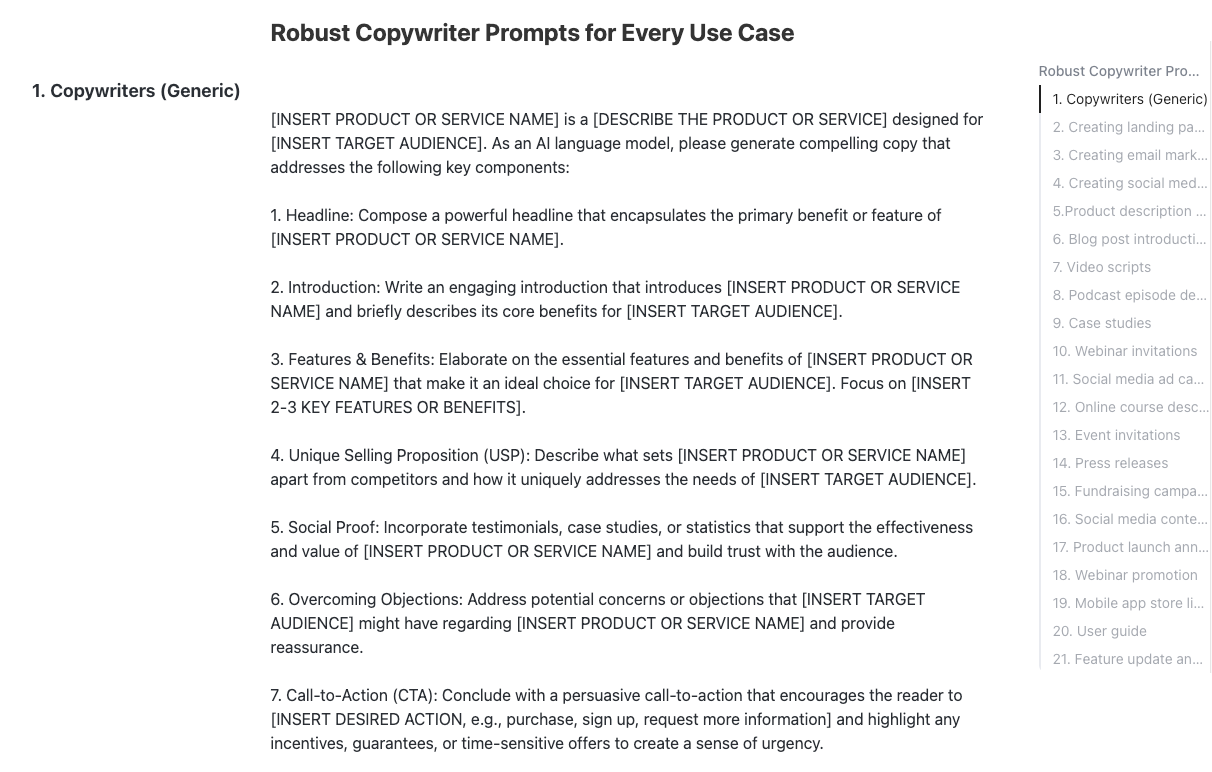
You can group them by topic, tag them with use cases, and even track which ones delivered the best results. For example, a content strategist might keep separate pages for research prompts, copywriting templates, and data-backed queries.
It’s a simple way to stay organized, collaborate with your team, and build a reusable bank of AI writing prompts that get results.
Here’s our curated list of top Perplexity AI prompts for images, research, writing, and a variety of other use cases to get stellar results every time.
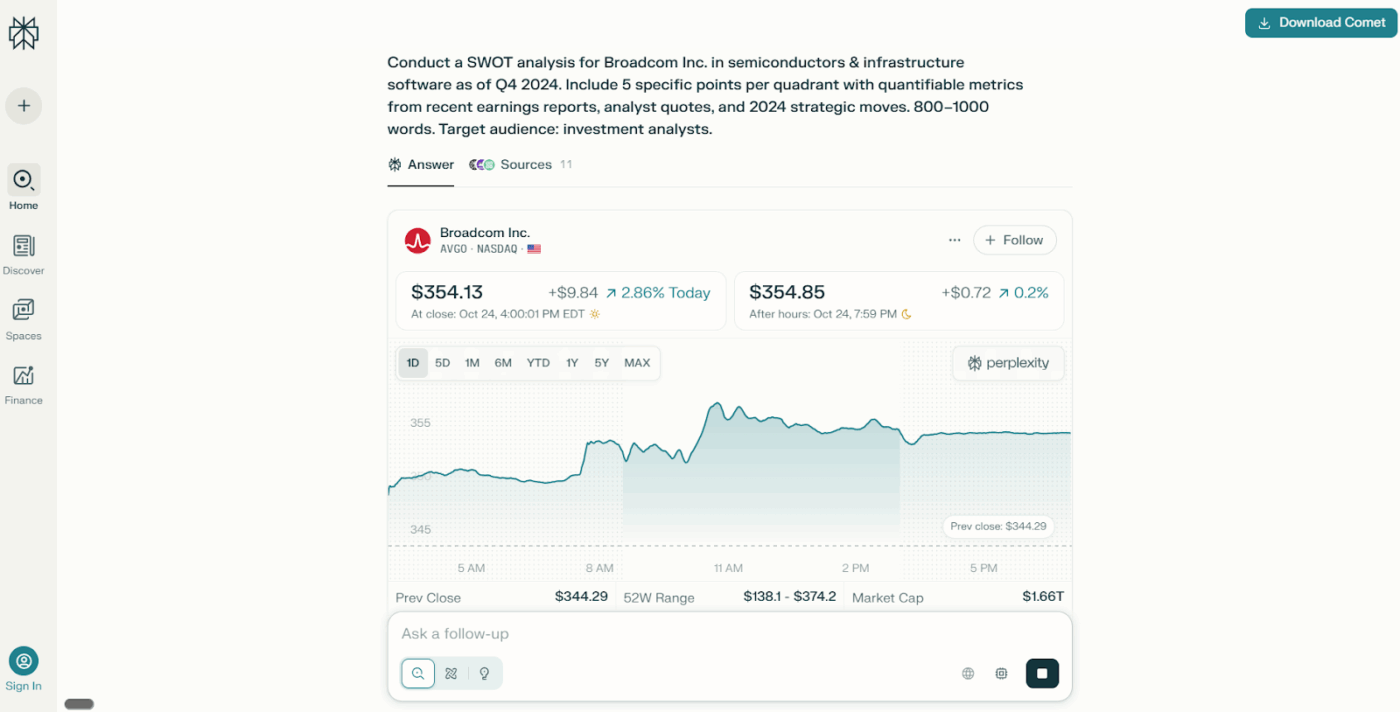
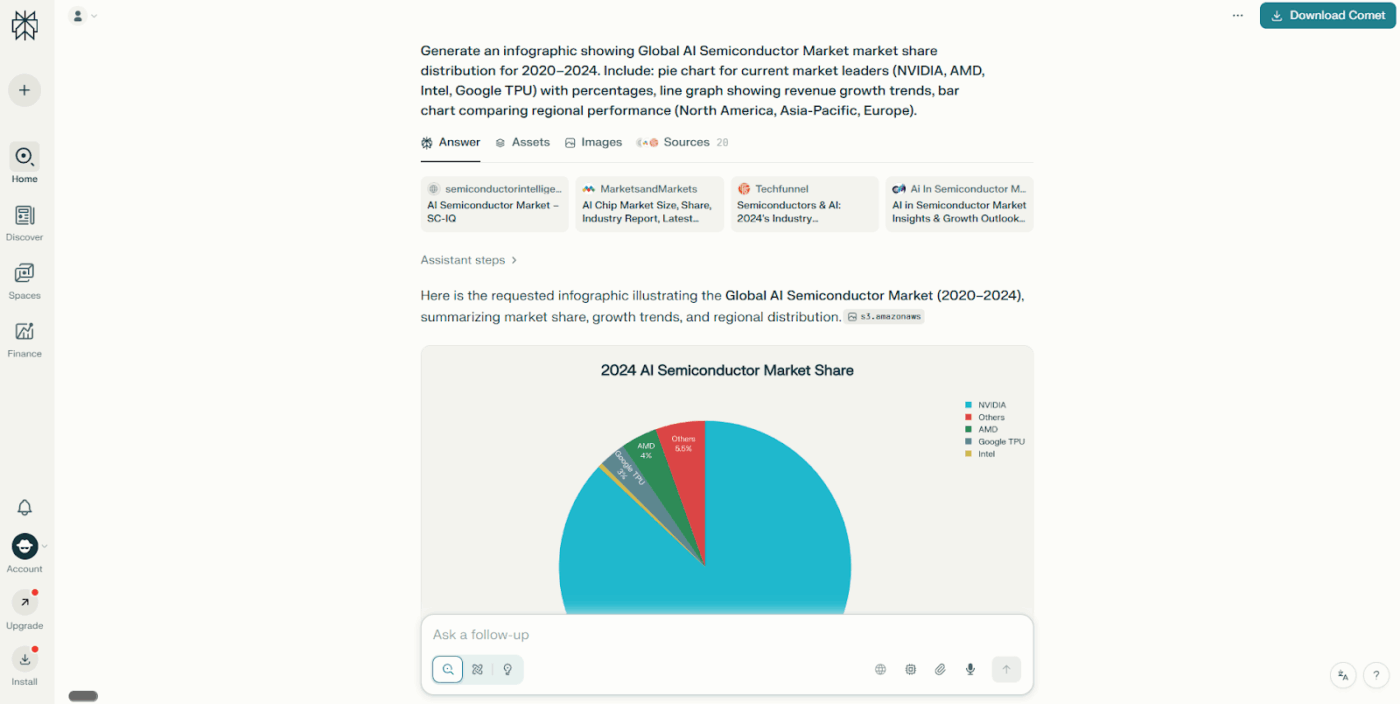
🔍 Did You Know? Arthur Samuel published the first paper on machine learning in 1959, titled “Some Studies in Machine Learning Using the Game of Checkers.” It described his program that could learn to play checkers and beat humans. This research popularized the term ‘machine learning.’
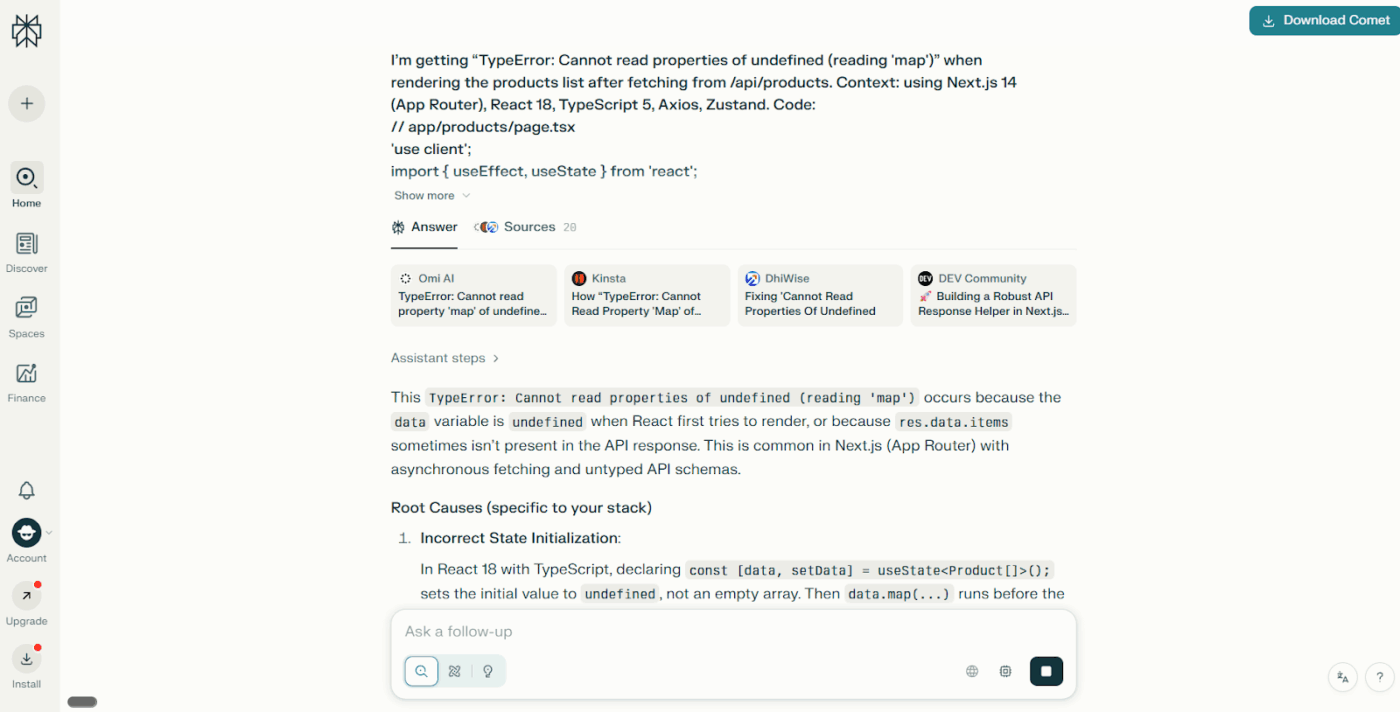
💡 Pro Tip: The best-performing AI prompts often mimic human curiosity. It’s a known fact that natural, question-driven prompts yield more nuanced answers. This is why the chain-of-thought prompting technique is popular.
You guide the AI through your reasoning process step-by-step. For instance, write, ‘Let’s think step by step. What factors affect SEO for a new blog, from keyword research to content clustering, and how would you prioritize them for a 3-month plan?’ You’re essentially teaching the AI how to think and not just what to answer.
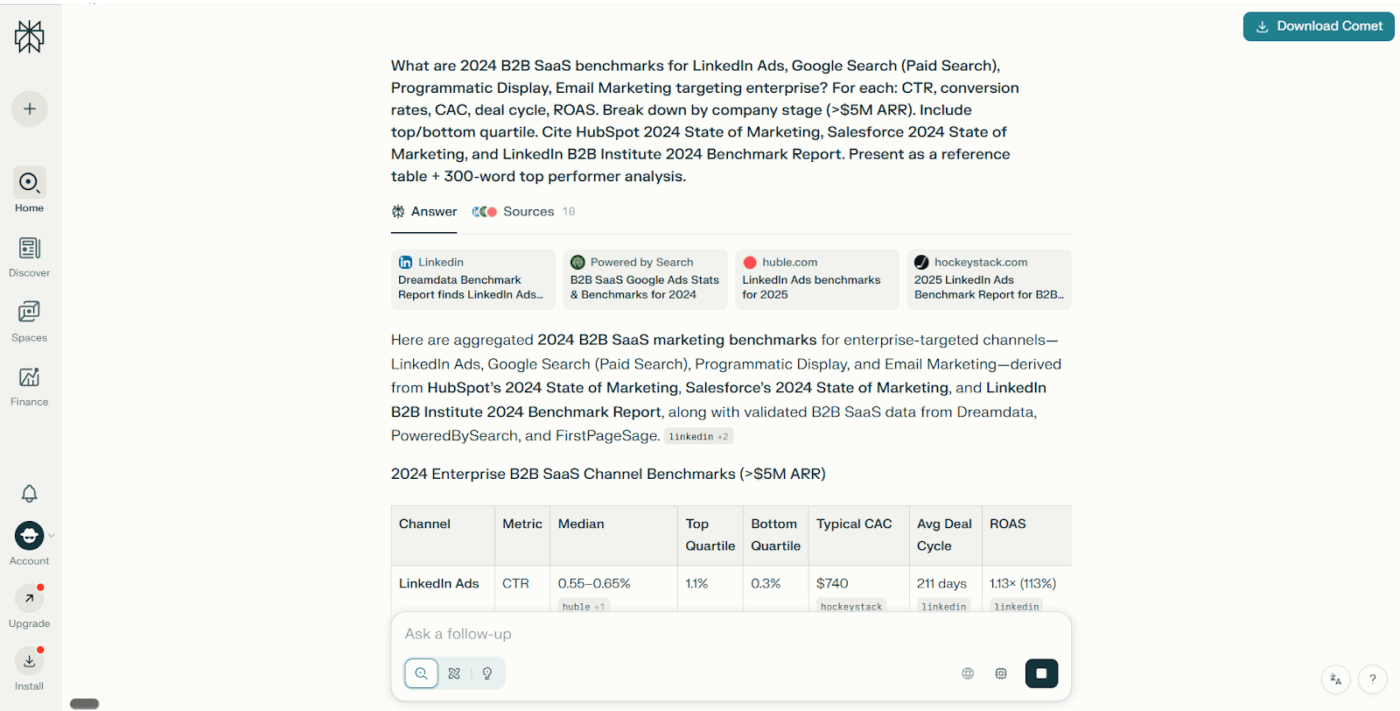
🔍 Did You Know? The abbreviation ELI5 is a popular way of saying ‘Explain like I’m Five.’ It started as a Reddit community where users asked others to simplify complex topics as if explaining them to a five-year-old. Today, it’s one of the most popular prompt styles in AI tools like Perplexity AI and ChatGPT.
Who knew Michael Scott’s ‘serious query’ would become a question to ask AI?
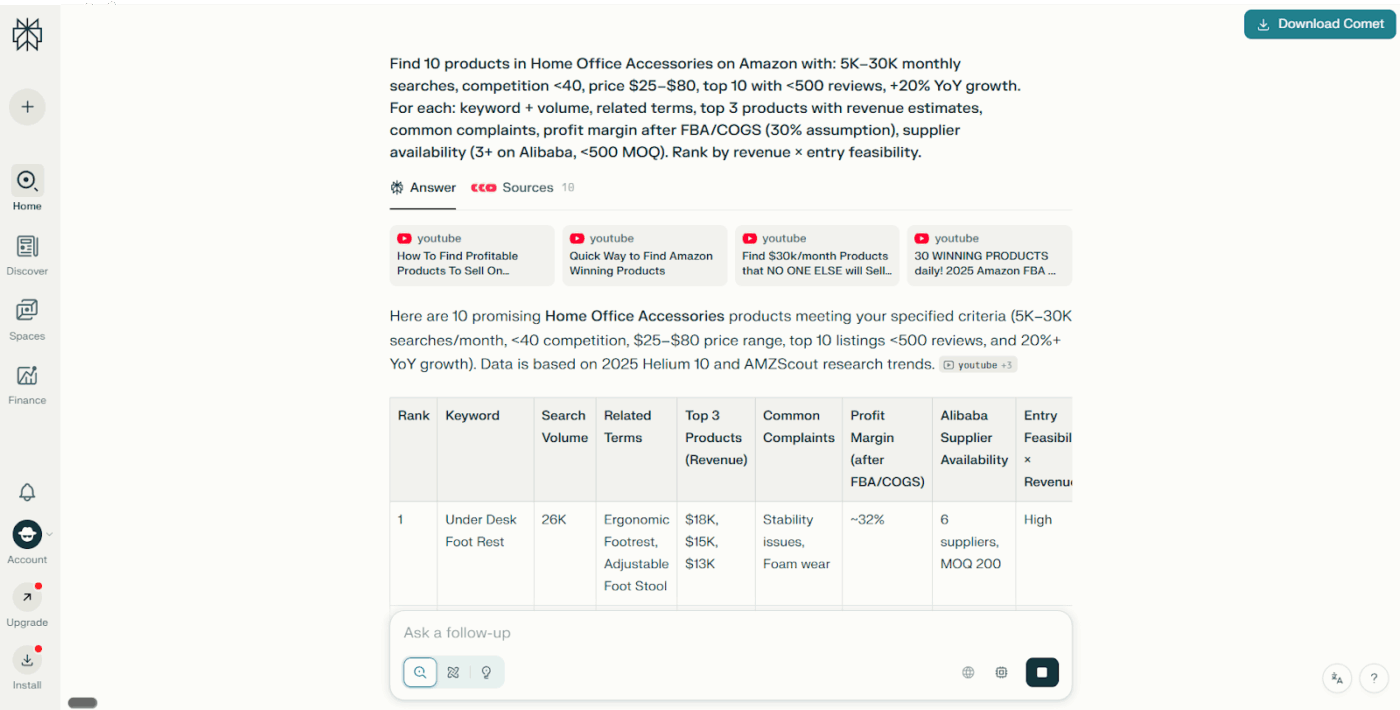
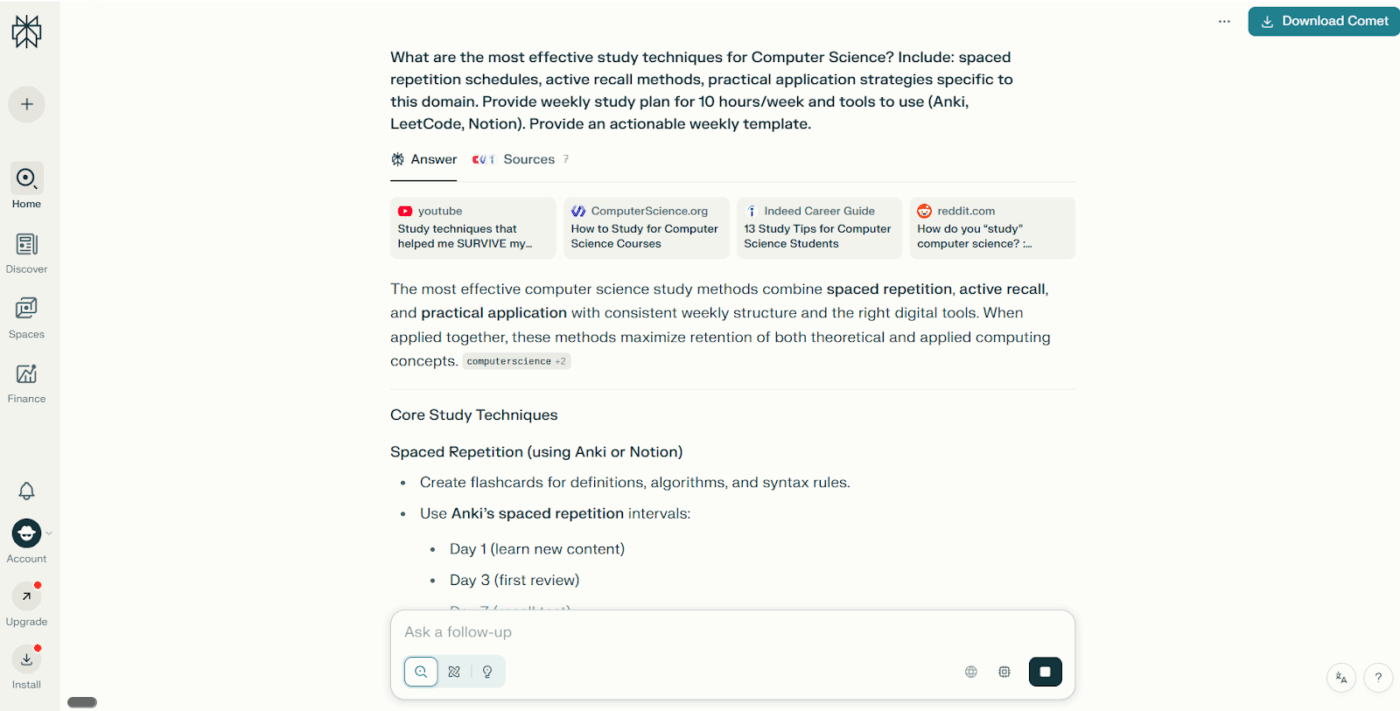
🔍 Did You Know? The ‘Turing Test,’ proposed in 1950 by Alan Turing, was designed to see if a machine could carry on a conversation indistinguishable from a human.
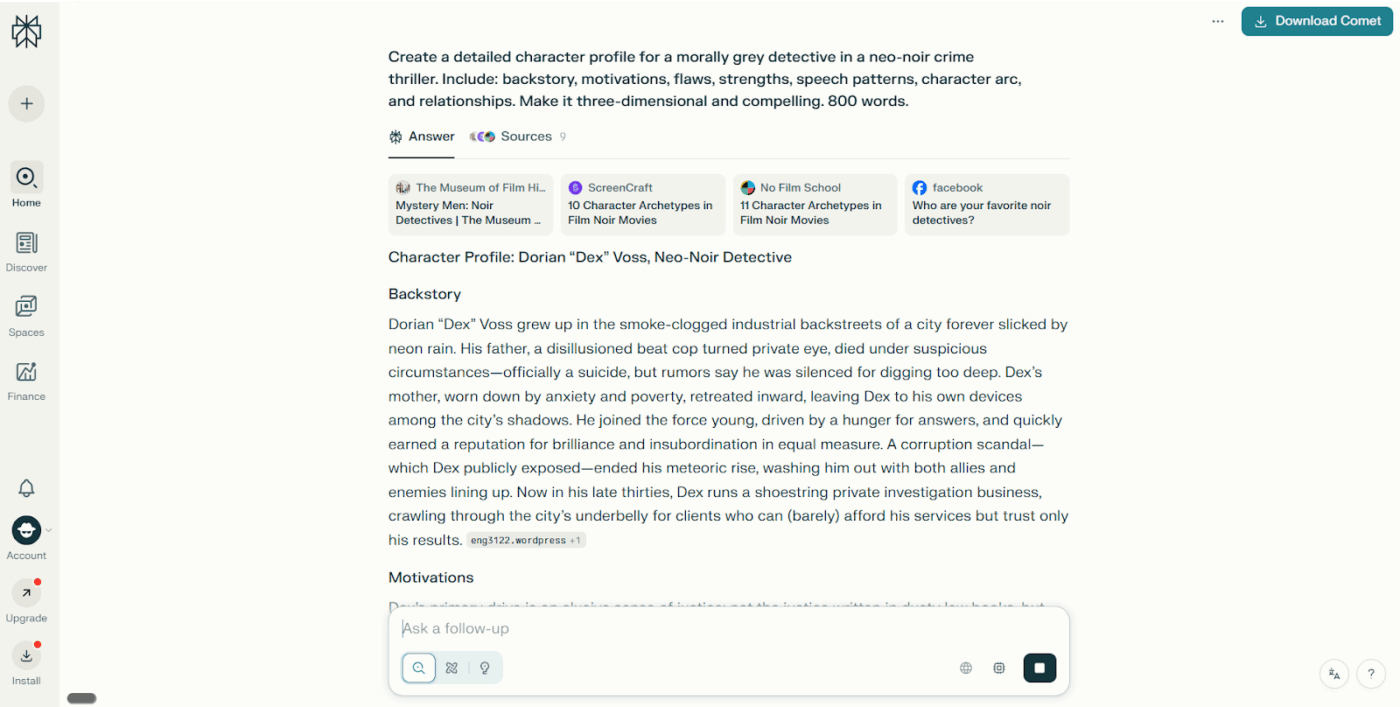
Here are some common mistakes to avoid when working with Perplexity AI prompts:
| Mistake | Solution |
| Asking too many things at once | Focus on one request per prompt to get clear, actionable answers |
| Ignoring word limits | Set clear limits: ‘Explain in under 150 words’ to avoid rambling outputs |
| Asking multiple unrelated questions or not refining prompts at all | Test different angles, tweak wording, and refine based on AI responses |
| Using overly casual language that confuses AI | Keep prompts clear and professional; avoid slang or shorthand unless intended |
| Combining instructions and reference content inconsistently | Use clear sections or tags for instructions vs. source materials |
| Assuming AI understands domain-specific jargon | Add brief definitions or context for technical terms and acronyms |
| Not indicating what to do if relevant information is missing | Direct the AI: ‘If info isn’t found, summarize current consensus or explicitly state ‘none found’’ |
| Assuming the AI ‘remembers’ previous threads or actions | Explicitly restate needed prior context or results in each new prompt |
🧠 Fun Fact: In the early 1980s, a computer at MIT’s AI Lab learned to play Space Invaders using reinforcement learning. The goal was to teach machines how to ‘enjoy’ getting better through feedback.
Many Perplexity AI reviews point out that while the tool performs well for quick lookups, it has several drawbacks. Here are some potential challenges you might face:
🔍 Did You Know? The word ‘algorithm’ comes from Al-Khwarizmi, a 9th-century Persian mathematician. He created systematic rules for solving equations.
Here are our picks for the best Perplexity AI alternatives! 💁
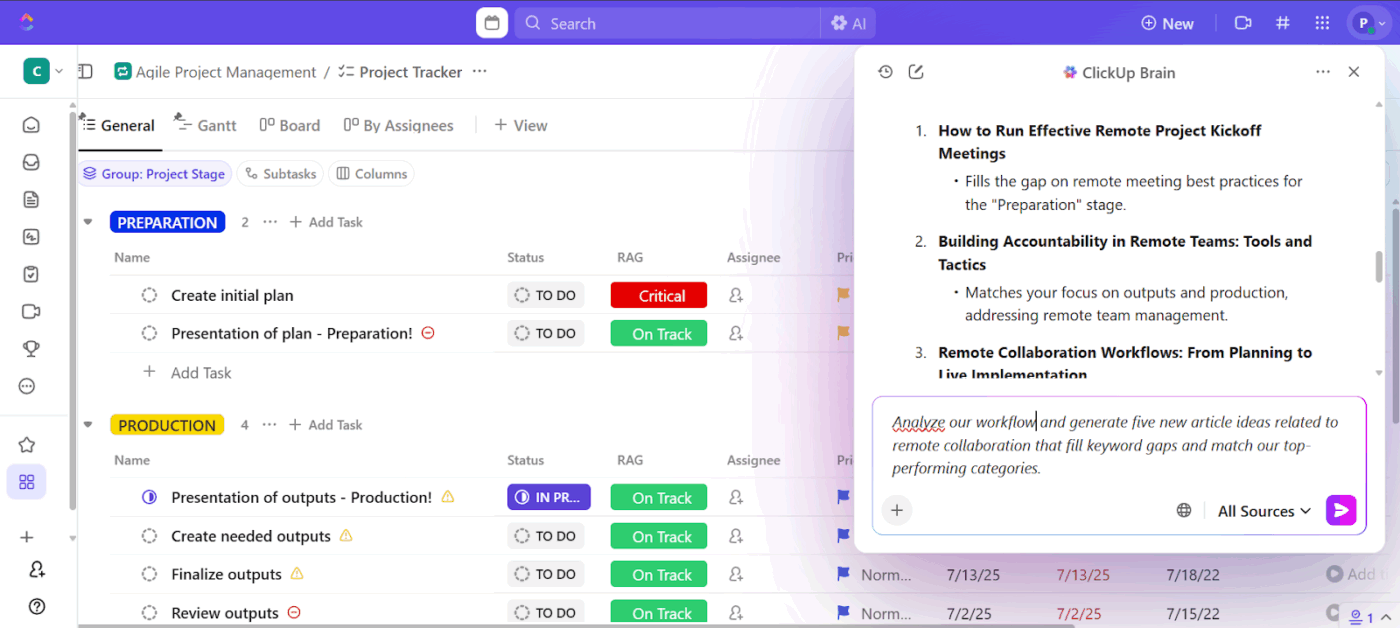
ClickUp is the everything app for work that combines project management, documents, and team communication, all in one platform—accelerated by next-generation AI automation and search.
Where tools like Perplexity answer questions in isolation, the platform’s AI-powered assistant, ClickUp Brain, connects your workspace, documents, and AI insights so your team can ideate, create, and execute content in one place.
ClickUp Brain turns content ideation into a focused, data-backed process.
Suppose you’re refreshing your content calendar for Q1. You ask ClickUp Brain to review existing topics, traffic metrics, and content gaps to propose new themes that align with your SEO and brand tone.
It uses your workspace context to suggest ideas that complement what’s already performing. From there, you can turn each suggestion into a ClickUp Task, tag the relevant owner, and attach reference ClickUp Documents for further research.
📌 Try this prompt: Analyze our current content calendar and generate five new article ideas related to remote collaboration that fill keyword gaps and match our top-performing categories.
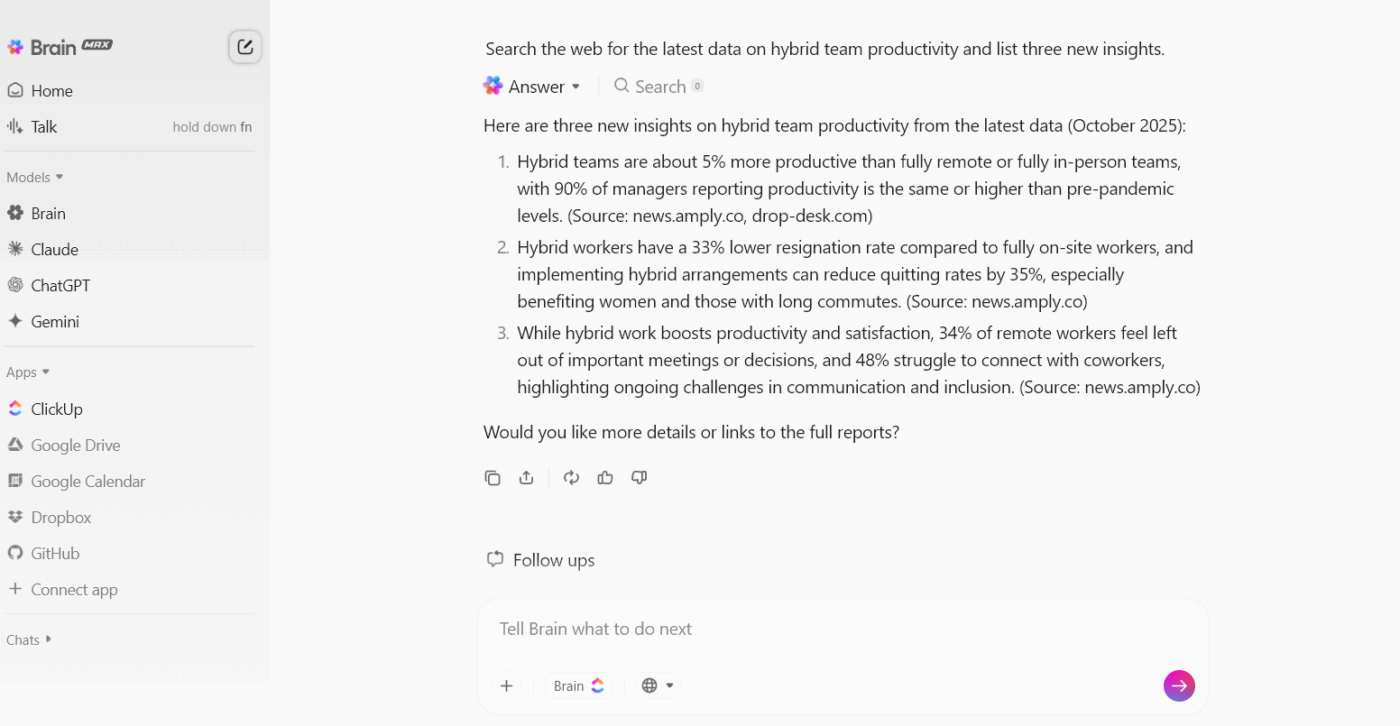
If you’ve used Perplexity AI, you know how quickly it serves up answers. But those answers sit outside your workflow. You still have to copy key insights into a doc, find the right context, and manually turn research into action.
ClickUp Brain MAX changes that. Web Search lets you pull the latest information from trusted sources directly inside ClickUp. You can combine those external findings with your existing projects, Docs, and tasks, making it easy to research, analyze, and act.
Suppose you’re running a content audit and notice your blogs on hybrid teamwork are underperforming.
You prompt it: ‘Search the web for the latest data on hybrid team productivity and list three new insights we should reference when updating our blogs.’
Within seconds, you get recent reports from credible sources (maybe new studies showing hybrid fatigue among remote employees) alongside actionable suggestions for your next rewrite. You can tag your writer, attach the findings to the relevant task, and schedule the update right away.
ClickUp Brain also helps you keep large projects moving.
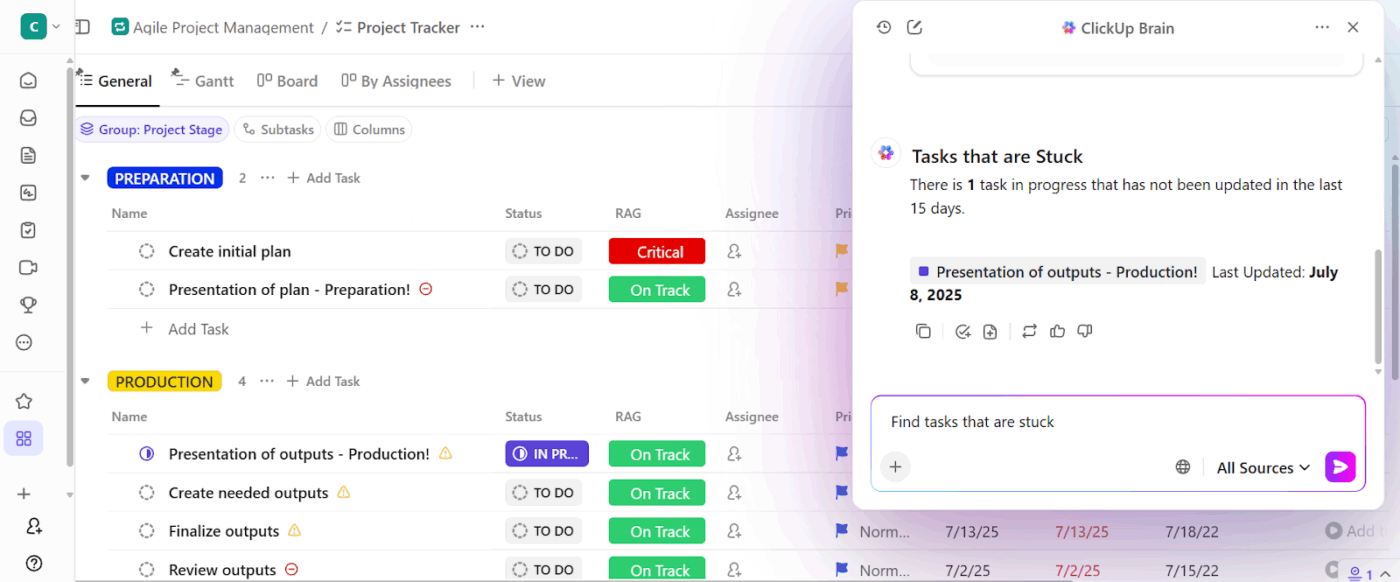
Now, let’s say you ended up with hundreds of flagged pages from your content audit. You ask ClickUp Brain to group pages by issue type (like outdated information or broken links), assign them to the right owners, and set deadlines.
Within minutes, you have a categorized task list mapped to your workflow, complete with checklists for each fix.
📌 Try this prompt: Group all pages flagged during the audit into categories (outdated content, missing links, low engagement) and assign them to respective team members with a two-week deadline.
When you’re ready to move from idea to output, ClickUp Brain supports you end-to-end. Generate image concepts, build outlines, or even create visual assets using AI art generation inside your ClickUp Whiteboards.
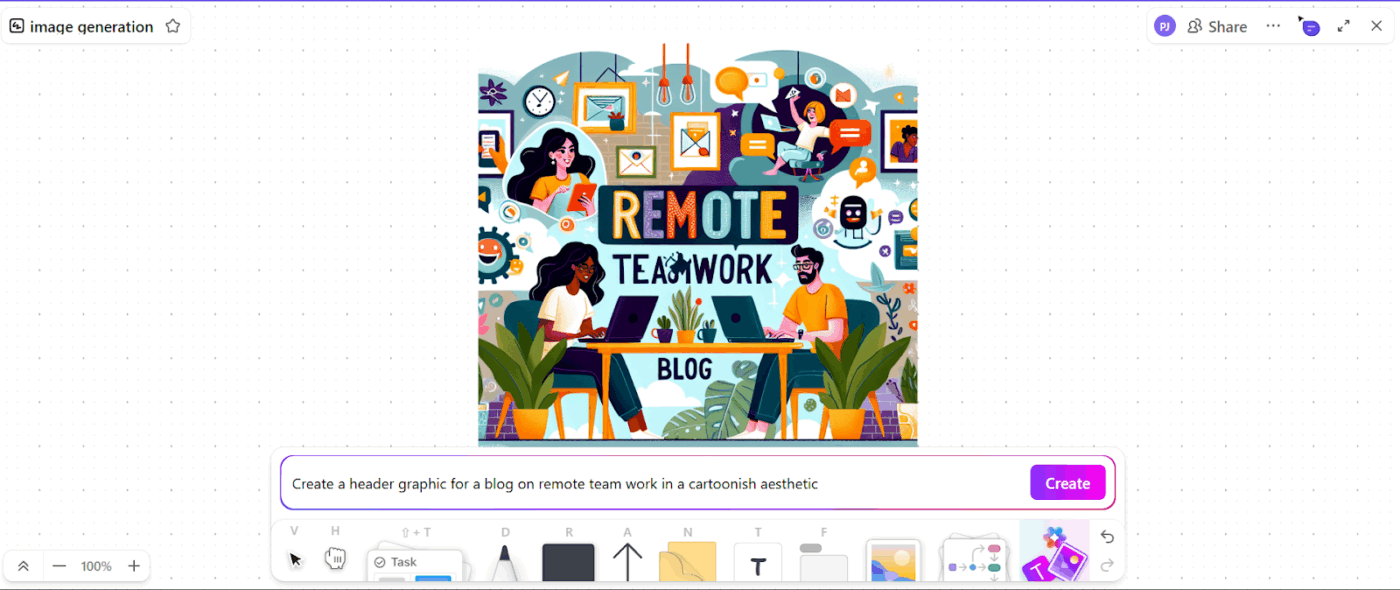
For example, your marketing lead needs a header graphic for a blog on remote teamwork. You ask ClickUp Brain to generate a visual concept aligned with your brand palette. Once approved, you attach the selected image directly to the content task.
A Reddit user shares:
Yes. ClickUp Brain saves me a ton of back and forth honestly. I know there are AI tools with a pretty efficient free tier, but the constant switching between tabs takes a toll. And honestly, when I’m in my deep work zone, this is the last thing I want to do.
I primarily use the AI for writing stuff since I’m in the content industry. It also edits what I’ve written (ah-mazing!). Another thing that really helps me is Docs. I love the formatting options, especially those banners. So cute!
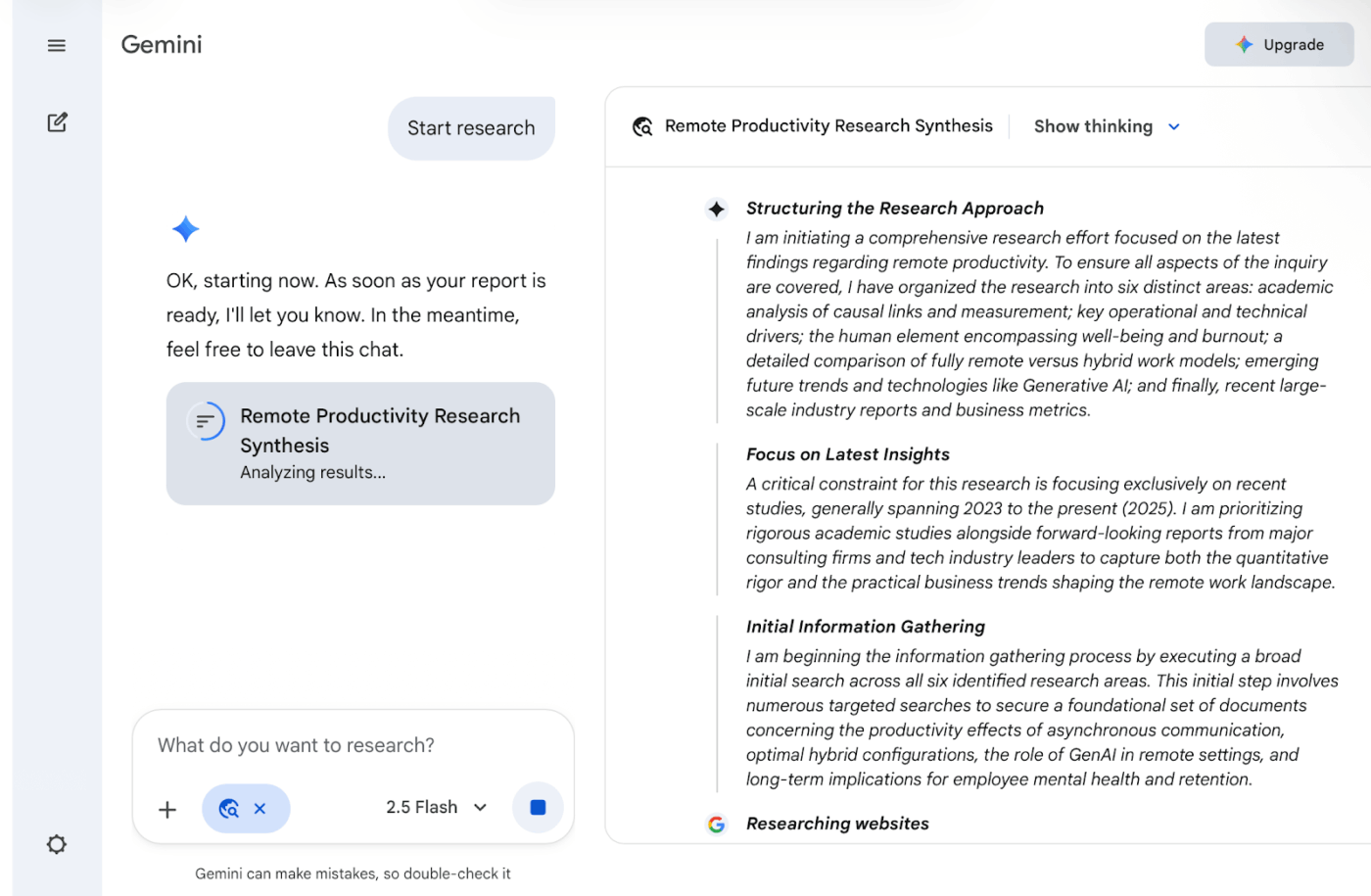
Google’s Gemini works simultaneously across text, images, audio, video, and code. Drop a screenshot of an error message, paste the code, and describe the problem verbally. The AI then processes all three inputs together.
Additionally, Deep Research automates the tedious part of information gathering, browsing hundreds of sites to compile reports while you handle other tasks.
📖 Also Read: Best AI Video Generators
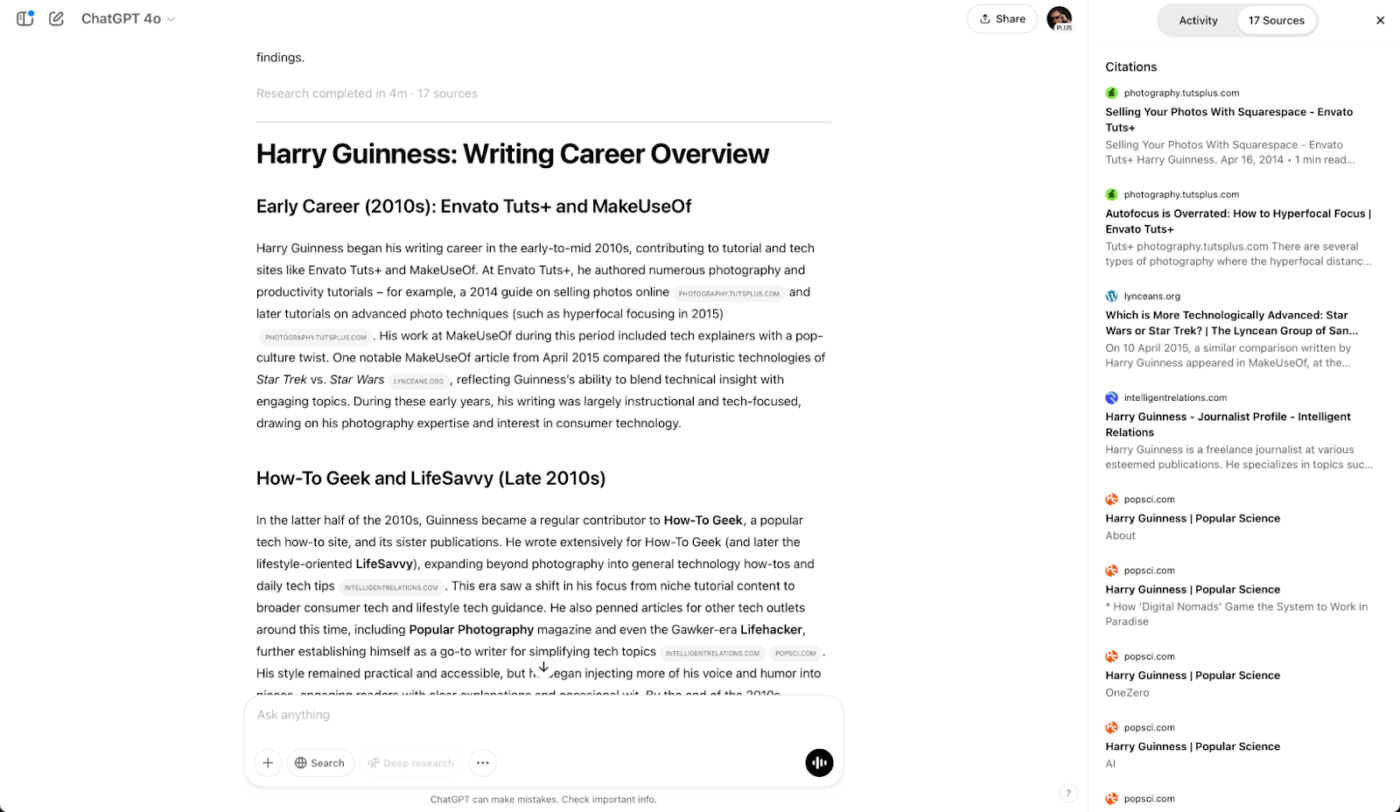
ChatGPT search turned the typical ‘type keywords, click links, repeat’ loop into something more fluid. You ask a question in plain language, and the tool automatically searches the web, synthesizing key findings into conversational responses.
The search history function lets you revisit old conversations by keyword, so that the market analysis you did three weeks ago doesn’t vanish into the void. Plus, it integrates DALL-E when you need to generate images within context.
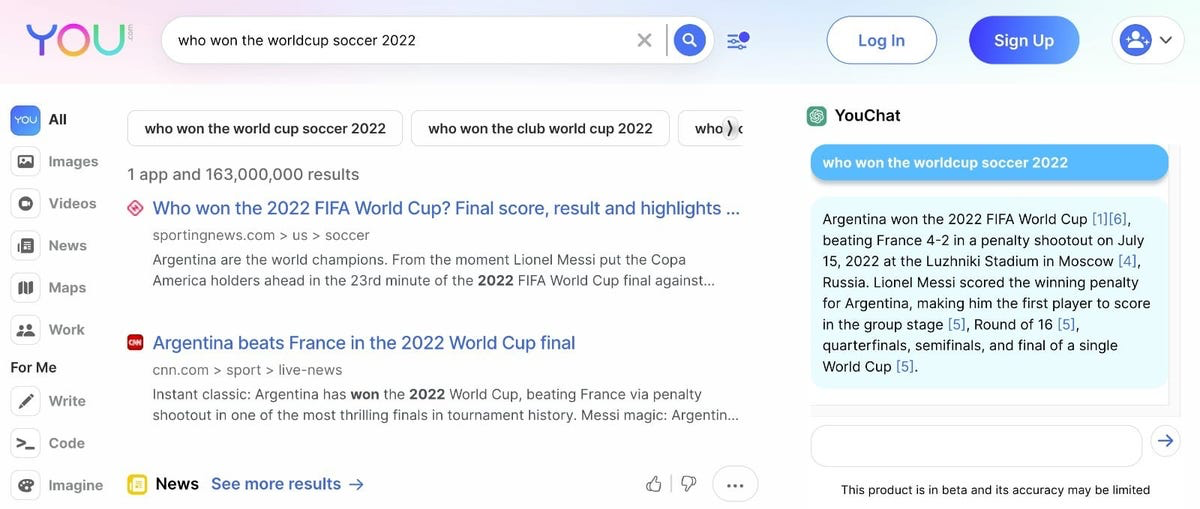
You.com built its search API specifically for developers who need to ground LLM applications in real-time web data. The platform returns long-form snippets designed for AI consumption rather than the typical metadata tags search engines provide.
ARI (Advanced Research & Insights) scans 400+ sources simultaneously and generates polished reports complete in under five minutes.
📖 Also Read: What Is Prompt Chaining: Examples, Use Cases & Tools
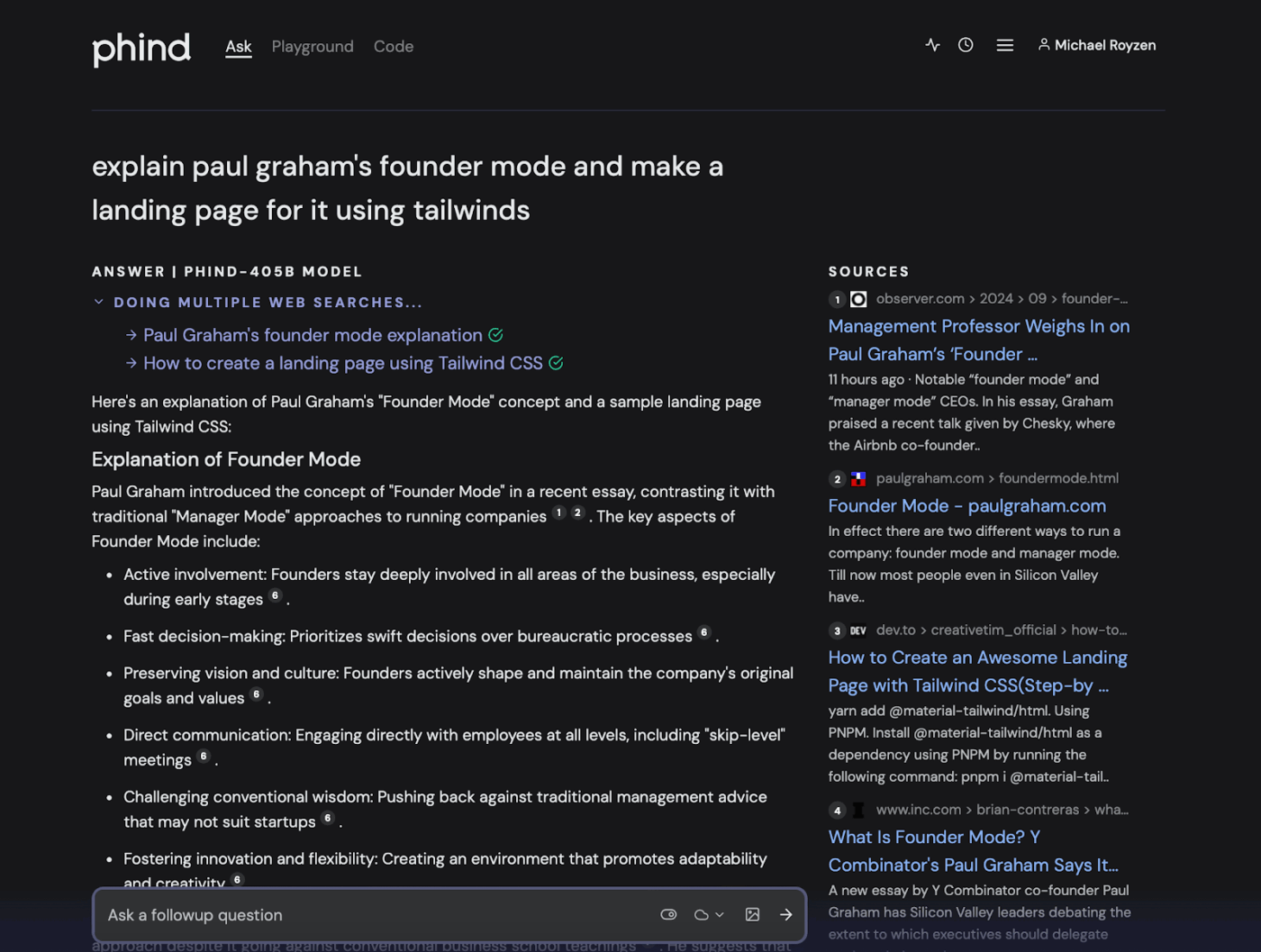
Phind performs multiple rounds of web searches mid-answer when it needs more information, delivering comprehensive real-time responses instead of limiting itself to one initial query. Answers arrive as diagrams, charts, inline images, cards, and interactive widgets, making complex topics easier to digest.
The platform also generates AI responses with links to online sources like GitHub and Stack Overflow, letting you verify claims quickly.
🚀 ClickUp Advantage: Managing repetitive tasks can consume valuable time and resources. Autopilot Agents in ClickUp alleviate this burden by automating routine processes, allowing teams to focus on more strategic activities.
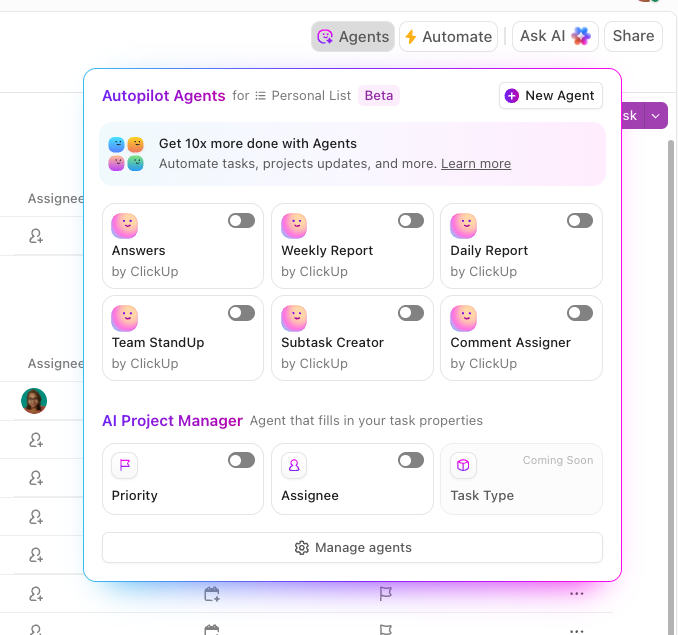
They are no-code AI bots you can customize with these triggers:
Learn more here! 👀
Perplexity AI prompts spark ideas. And ClickUp, the everything app for work, turns them into action.
While Perplexity helps you explore what is out there, ClickUp connects every discovery back to your actual work, including tasks, docs, and data. With ClickUp Brain, you can ask, analyze, and act in one workspace. At the same time, ClickUp Brain MAX helps you search the web, tap multiple AI models, and automate entire workflows without context-switching.
So, what are you waiting for? Access unlimited knowledge by signing up for ClickUp today! ✅

© 2026 ClickUp

There’s an easier way. Try a free AI Agent in ClickUp that actually does the work for you—set up in minutes, save hours every week.