






Still downloading templates?
There’s an easier way. Try a free AI Agent in ClickUp that actually does the work for you—set up in minutes, save hours every week.
Sorry, there were no results found for “”
Sorry, there were no results found for “”
Sorry, there were no results found for “”
Your brainstorm feels great. Ideas are flowing, the team is energized, and the whiteboard fills up fast.
Then reality hits. Now what?
“Fix onboarding.” “Try TikTok.” “Pizza Fridays?” The ideas are there, but they’re scattered and hard to act on.
The truth? Brainstorms rarely fail in the moment. They fail afterward, when no one knows what to do next.
This guide shows you how to organize ideas, group them clearly, and turn brainstorming sessions into workable plans.
Let’s make those ideas actually happen.
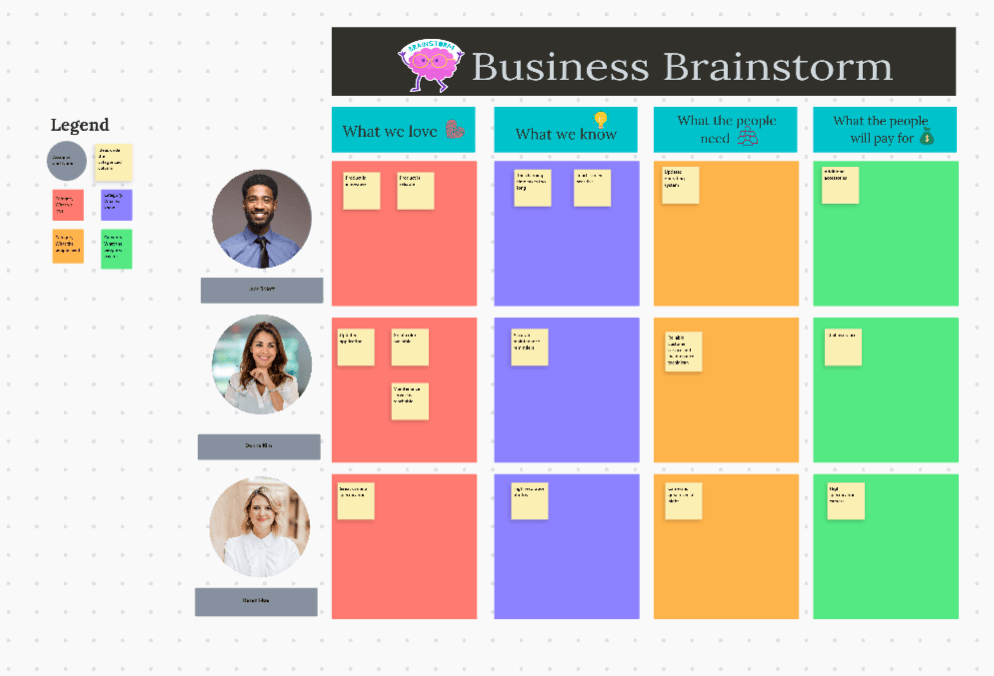
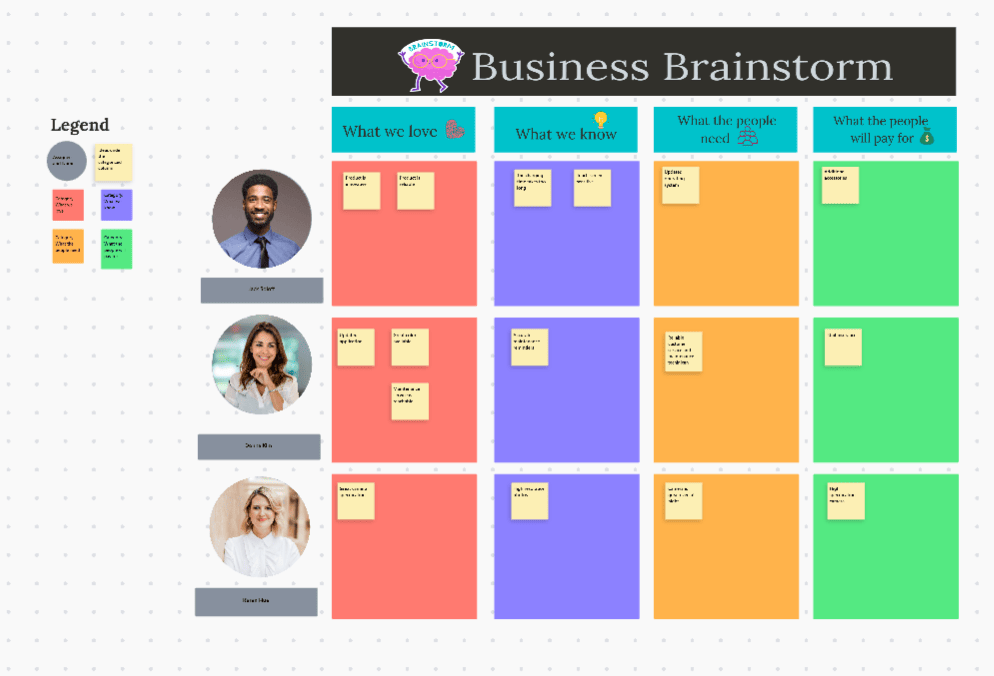
The ClickUp Business Brainstorming Template helps teams capture ideas, explore possibilities, and turn creative thinking into actionable plans. It creates a shared space for collaboration so nothing gets lost—and your best ideas actually move forward.
Let’s talk about what happens when you skip organization. You generate 50 ideas, everyone’s excited, and then… crickets.
Three months later, someone asks what happened to a customer feedback idea. No one remembers who owned it, why it mattered, or why it was dropped.
Proper organization solves this in several concrete ways.
Looking at 100 uncategorized ideas makes decision-making harder. Your brain struggles to process that many options at once.
But when you group those 100 ideas into 7 categories, suddenly you’re making one decision: “Which of these 7 themes matters most right now?” Then, within that category, you’re choosing from maybe 15 ideas instead of 100.
Think of it like Netflix. The platform doesn’t show you 10,000 movies in one giant list. It groups them into categories such as Action, Comedy, Documentaries, and so on.
The same principle applies here. Categories make ideas easier to review and choose from.
Here’s something interesting that happens during organization: You’ll notice that three people suggest what sound like different ideas, but they’re actually solving the same problem from different angles.
Real example: During a content brainstorm, your team throws out “customer success stories,” “before-and-after case studies,” and “video testimonials.” These ideas sound different, but they all serve the same purpose. Group them together under “social proof content,” and suddenly you’ve got a content pillar, not random tactics. This is how individual ideas turn into clear strategies.
Unorganized ideas are just ideas. They sit in a doc somewhere gathering digital dust. Organized ideas are easier to turn into plans. Your “quick wins” bucket becomes this week’s sprint. Your “needs research” category becomes someone’s Q2 project. The next steps become clear.
🎥 Watch this video to understand how you can go from brainstorming to actually creating a plan for your projects. This way, your idea actually finds a path to follow with defined action items.
Without a system to capture ideas, teams can lose a big chunk of fresh thinking fast. People forget a lot quickly without reinforcement—often cited as up to ~50–70% within 24 hours.
Why? Because they weren’t captured in a structure anyone could find later. When you sort ideas into logical groups as you go, everything gets documented. Six months from now, when market conditions change, you can pull up that “future opportunities” category and find gold you’d completely forgotten about.
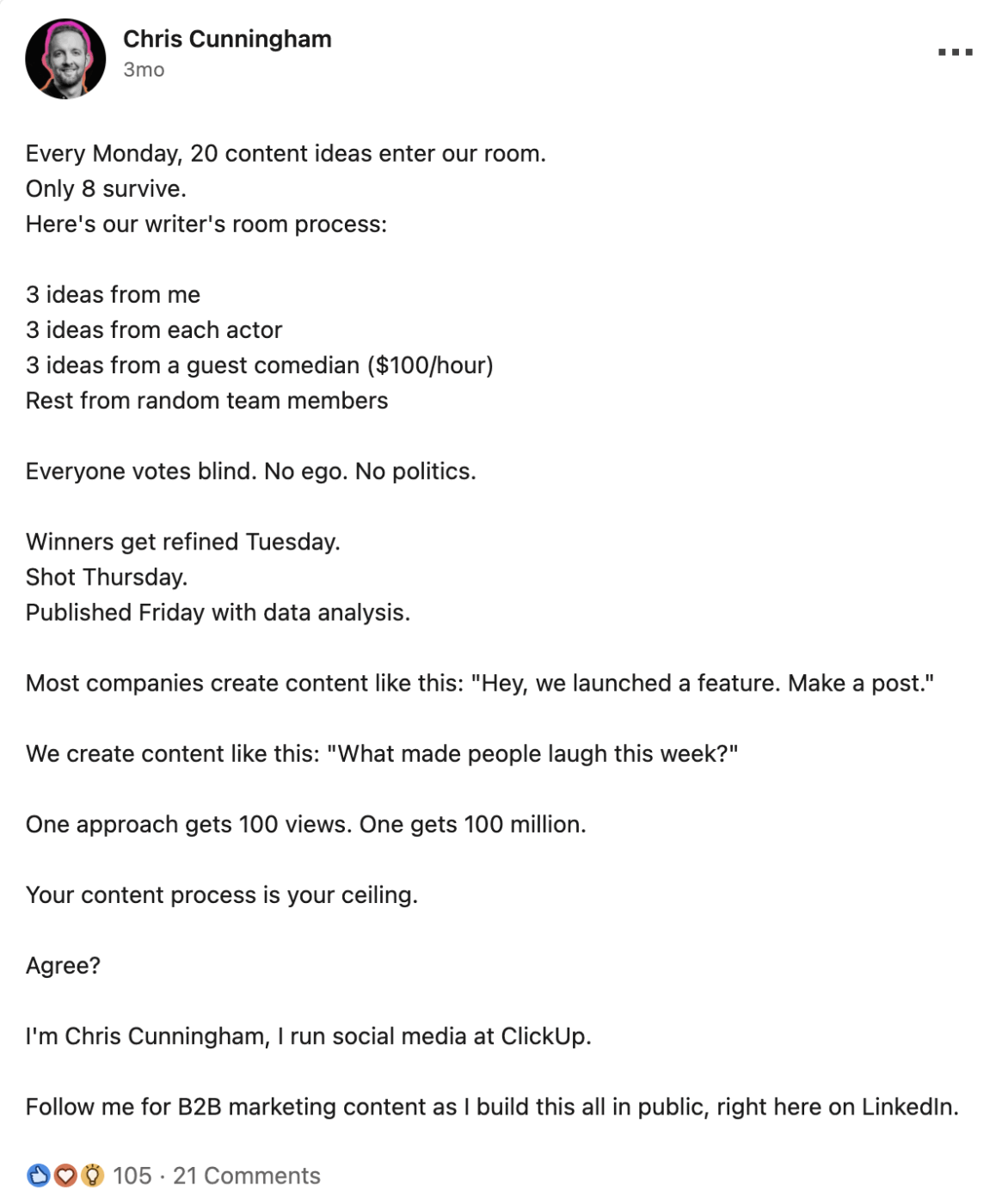
Chris Cunningham, Head of Social Media at ClickUp, shares a behind-the-scenes look at our brainstorming process—where ideas from across the team are pitched, voted on anonymously, and refined into standout content.
The result: A social media engine that generates 200 million impressions per month and turns viral reach into high-performing ads that lower CAC payback.
Here’s the honest truth. Most brainstorms don’t fall apart during the meeting. The energy is great, ideas fly around, everyone feels clever. The real trouble starts afterward. Context fades, ownership becomes unclear, and many ideas get lost in notes.
This gap is where teams lose momentum. This is also where ClickUp’s tools actually make a difference in a very practical way.
ClickUp Brain helps you spot what matters
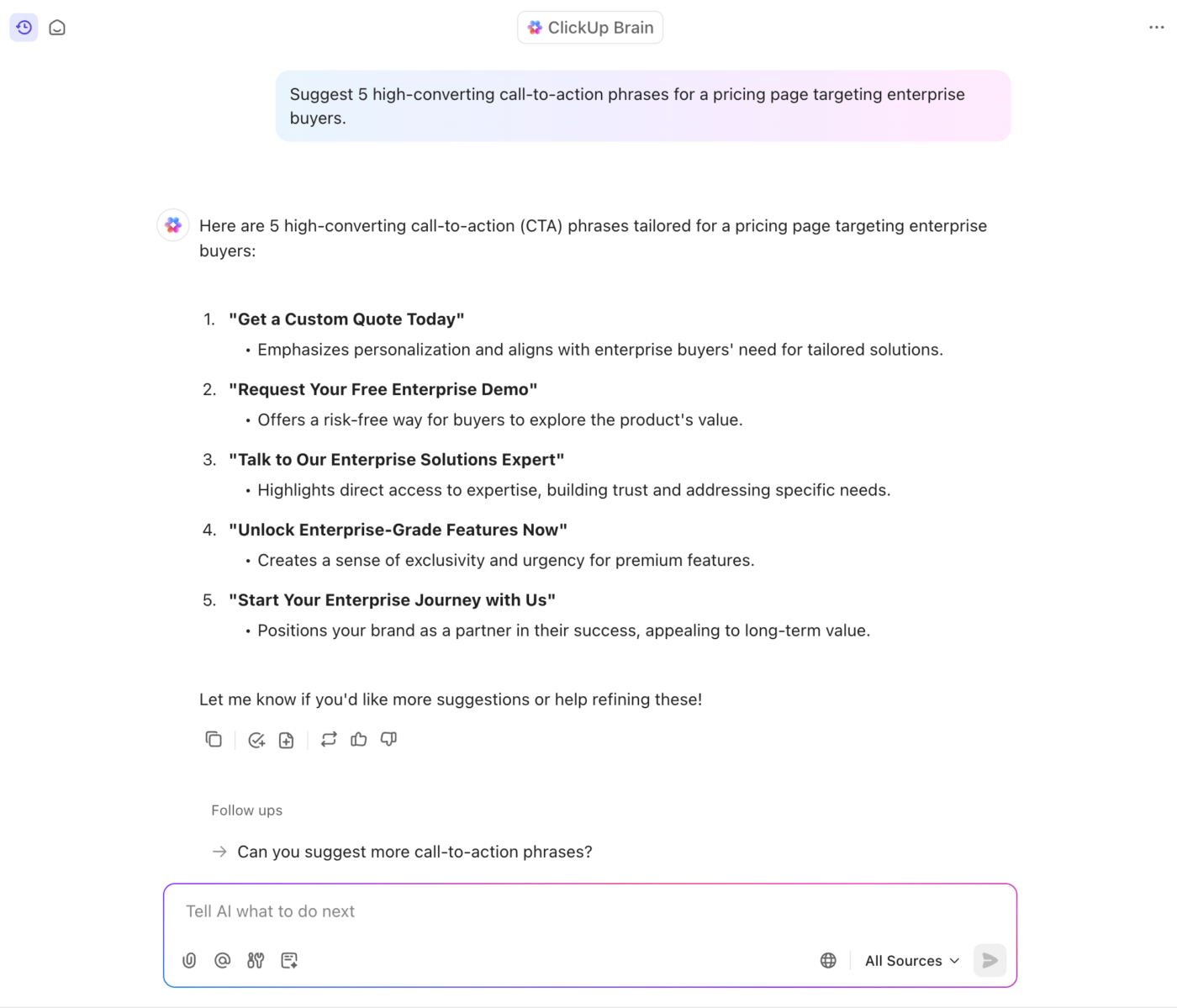
After a brainstorming session, you usually end up with ideas that overlap, repeat, or feel half-finished. ClickUp Brain groups related ideas, highlights common themes, and clarifies the problem the team is trying to solve. It is easier to move forward when ideas are grouped into clear patterns.
ClickUp BrainGPT helps you capture ideas when you are not in a meeting
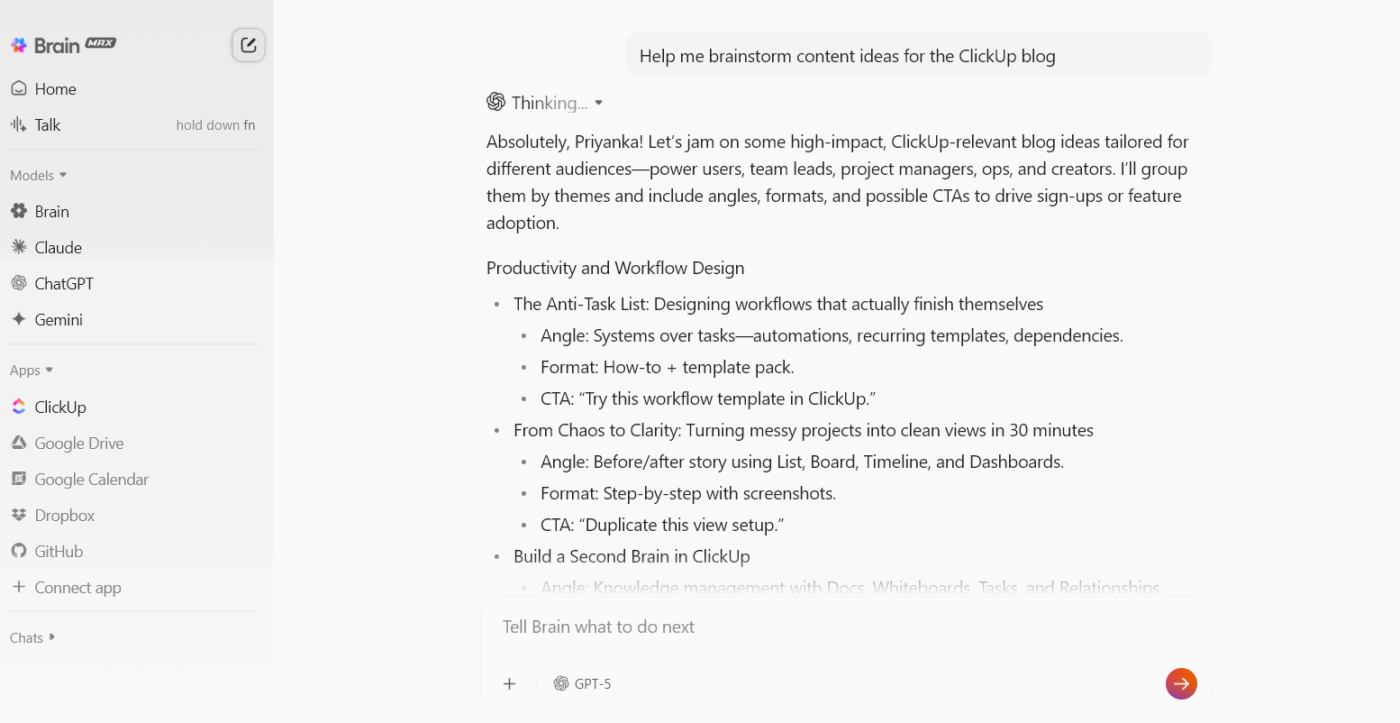
The best ideas often show up later. During a commute, on a walk, or when you are thinking about something entirely different. ClickUp BrainGPT lets you speak your thoughts instead of typing, which saves time and keeps you from losing ideas simply because you were busy.
📮ClickUp Insight: 31% believe cutting typing by 40% would unlock faster communication and better documentation.
Imagine what you could do with that time back. BrainGPT’s Talk-to-Text lets you capture every detail, every idea, and every action item at 4x the speed of typing. Here’s to never having to sacrifice key details or clarity.
Super Agents keep things moving when real life gets busy
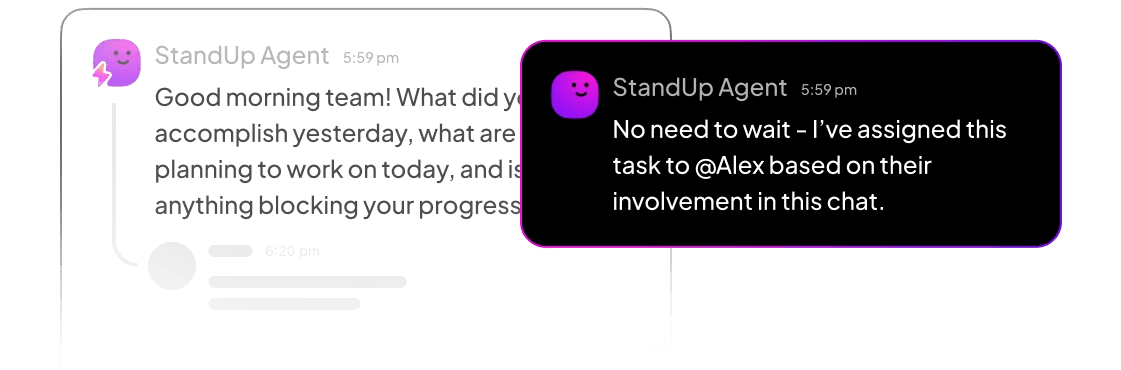
After the brainstorm ends, someone still has to follow up, organize next steps, remind the right people, and keep track of what is slipping. ClickUp Super Agents help with those small but important steps. They watch for changes, flag things that need attention, and make sure progress does not stall because nobody remembered to circle back.
Together, these tools help you hold on to the spark from the brainstorm and turn it into steady progress instead of letting it fade away.
Let’s get tactical. Here’s exactly how to go from “pile of random thoughts” to “clear action plan.”
Before organizing ideas, collect everything first. And here’s the key: during this phase, turn your inner critic completely off.
Capture every idea. The brilliant ones. The weird ones. The “that’s probably impossible but…” ones. Everything.
Why no filtering matters: The second you start judging ideas as they come up, creativity dies. People second-guess themselves. The wild idea that seemed silly might actually spark someone else’s breakthrough—but only if it gets shared.
Your capture method needs to be frictionless. If logging an idea takes more than a few seconds, the process is too slow.
ClickUp Whiteboards work well here because everyone can add sticky notes simultaneously—no waiting for your turn to speak. Got an idea during a different meeting? Use Talk to Text to capture it in 2 seconds without disrupting your flow.

💡 Pro Tip: Set a 15-minute timer. This forces rapid-fire thinking. You’ll get past the obvious stuff and into interesting territory around minute 10-12.
Start with a quick review. Read through what you captured and ask: “If I looked at this next month, would I know what I meant?”
Fix these common problems:
This step takes about 10 minutes and prevents confusion later. Future You will be grateful.
Now the fun part: pattern recognition. Read through your ideas and notice which ones are clearly related. Don’t force it; you’re looking for obvious groupings first.
These questions help you spot patterns:
Let’s walk through an example. Say you’re brainstorming customer retention improvements. As you read, you notice:
See how ideas naturally gravitate toward themes? You’re not inventing categories from scratch—you’re noticing what’s already there.
ClickUp Mind Maps make this visual. Put your main topic in the center, create branches for each theme you notice, and attach related ideas. The tree structure makes connections impossible to miss.

Time to label your groups. Strong category names are clear, specific, and action-focused.
Here’s what that looks like in practice:
| Weak name | Strong name | Why it works better |
|---|---|---|
| Website | Homepage conversion improvements | Tells you what + why |
| Content | Educational video series | Specific format + purpose |
| Customer things | Reduce first-week churn | Defines outcome |
Keep categories limited. Aim for 5–8 buckets max. If you create too many, people stop sorting and start debating where things belong. If you’re unsure, start broad—you can always split a category later once patterns emerge.
Pick your framework based on what you’re trying to accomplish:
There’s no universal “right” structure. The best framework is whichever one makes your next steps completely obvious to everyone involved.
Now drop each idea into its category. Simple enough, but you’ll hit a few snags:
What if an idea fits two categories? You’ve got options. Put it in both (digital tools handle this easily), choose the primary home and note the secondary connection, or recognize that this might actually be its own category if several ideas share this problem.
What about ideas that fit nowhere? Create a “parking lot” or “misc” bucket. Sometimes, these outliers spark the creation of a whole new category later. Sometimes they’re genuinely off-topic. Either way, capture them; don’t lose them.
Use the 30-second rule. If you can’t decide where an idea goes in 30 seconds, pick a “primary” bucket and move on. You can re-sort later. Don’t let one sticky note hold your entire brainstorm hostage.
💡 Pro Tip: Keep a visible “Parking Lot.” Brainstorms wander—sometimes the tangent is actually valuable, just not for this problem. A Parking Lot keeps momentum high without losing potentially great ideas. Schedule a quick review (monthly or next sprint planning) so the Parking Lot doesn’t become the idea graveyard.
Structure this in a way that makes sense for your workflow. Turn categories into ClickUp Tasks lists with ideas as individual tasks underneath. Or tag each idea with its category using Custom Fields and filter different views. For visual thinkers, create sections on your whiteboard with each section representing one category.

Categories help. Knowing which ideas to tackle first makes the real difference.
Simple prioritization (works 80% of the time):
Ask two questions about each idea. First, what’s the impact: high, medium, or low? Second, what’s the effort: high, medium, or low?
This creates four buckets:
More sophisticated approach (when stakes are high): Score each idea on multiple factors using a 1-5 scale. Consider strategic alignment, revenue potential, customer impact, resource requirements, and risk level. Add them up or weigh certain factors more heavily. Highest scores rise to the top.
Using Custom Fields lets you add these ratings directly to each idea-turned-task, then sort your entire list by priority score. Want a visual? Build a dashboard widget showing your highest-priority ideas across all categories.
You’ve done the work of organizing. Make sure people actually use it.
Your organized brainstorm needs:
Example: “Grouped by impact vs. effort” or “Sorted by funnel stage.” Future-you (and stakeholders) won’t remember the reasoning—and that missing context is how good brainstorms get re-litigated later.
Don’t just send a link and hope for the best. Book 15 minutes at your next team meeting. Walk through the categories. Explain why you organized this way. Get people’s input. Make adjustments together.
This turns the brainstorm into a shared roadmap the team can follow.
Create this as a living document in ClickUp Docs that includes your categories, prioritized ideas, and linked action items. Tag people in comments for async feedback. Link to the actual tasks, so clicking jumps straight to the work. It becomes your single source of truth that everyone references.
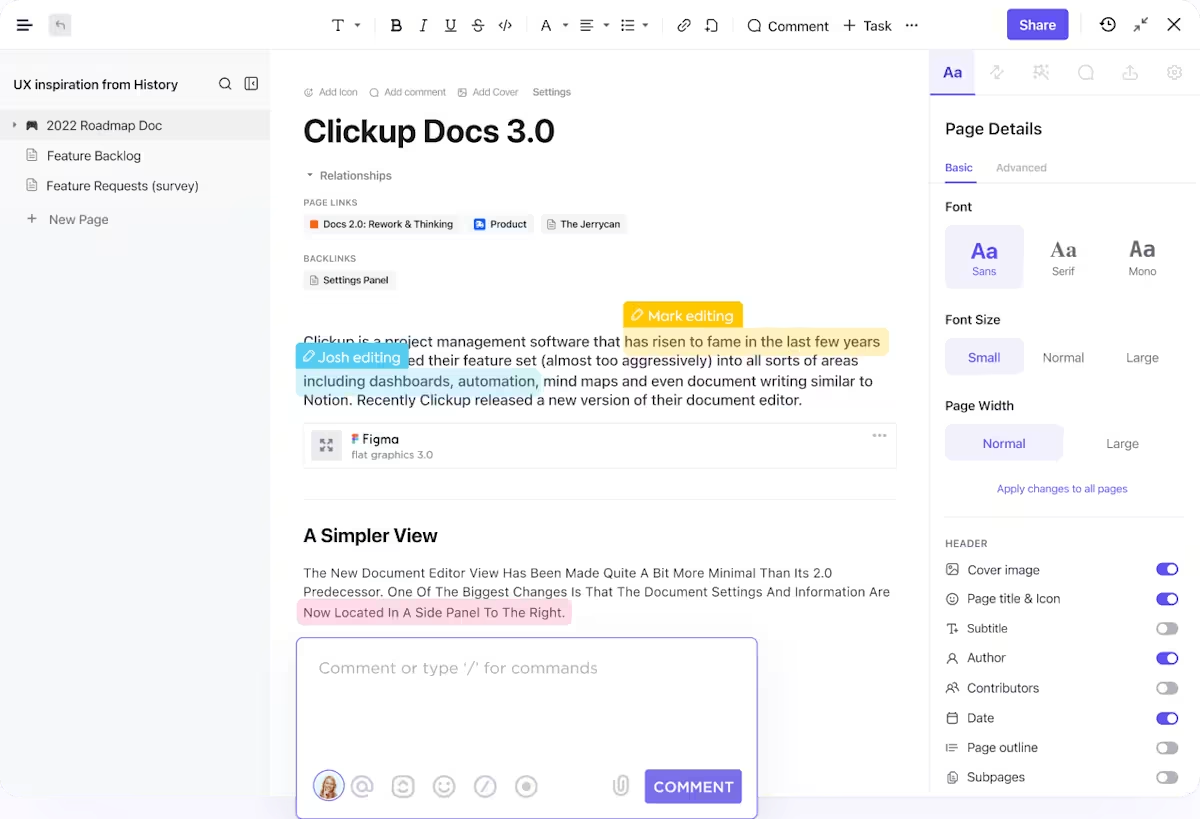
The framework you choose dramatically affects whether people can actually use your organized brainstorm. Here are battle-tested approaches:
Hierarchical (parent → child → grandchild):
Works when ideas naturally nest:
Revenue Growth
├─ New Customer Acquisition
│ ├─ Paid ads testing
│ └─ Referral program
└─ Upsell Existing Customers
├─ Feature tier upgrades
└─ Annual plan incentives
Clean. Logical. Easy to see relationships.
Flat structure with multi-tagging:
Better when ideas cross boundaries:
marketing social-proof Q1-priority low-budget quick-winNow you can view all Q1 priorities across categories, or all low-budget ideas, or all marketing plays—without duplicating anything.
Status-based flow:
Organize by where ideas sit in your decision pipeline:
Makes it crystal clear what’s happening with each idea. Prevents “whatever happened to…” questions.
Goal-aligned structure:
Group by the outcome you want: ideas that boost revenue, ideas that cut costs, ideas that improve quality, ideas that increase speed. This keeps everyone focused on results, not just activities.
Hybrid approach (usually smartest):
Most teams mix structures. You might have goal-based top categories, with timeline sub-categories, and tags for cross-cutting themes.
Example:
Increase Revenue (goal)
├─ Quick wins (timeline)
│ └─ Upsell email sequence [tags: marketing, low-effort]
└─ Long-term plays (timeline)
└─ Enterprise tier launch [tags: product, high-effort]
How to choose: Ask yourself what questions stakeholders need answered. “What should we do this quarter?” suggests timeline categories. “Where should we invest money?” suggests impact categories. Pick the structure that makes the right answers obvious.
Beyond the basic workflow, specific techniques are more effective in different situations.
Here’s how it works:
Why it’s powerful: Everyone participates. You see connections you’d never spot alone. The process itself builds team alignment.
Best for: Groups of 5-30 people, especially when you’ve got 50+ ideas and need collective buy-in.
Use ClickUp Whiteboards to run this virtually—everyone drags sticky notes into groups simultaneously, no matter where they’re located. The affinity diagram template structures the entire process; alternatively, browse other brainstorming templates for various approaches.
This framework pulls double duty as both categorizer and prioritizer:
Best for: Project planning, feature decisions, any time resources are constrained, and tough choices are unavoidable.
Group ideas by strategic position:
Best for: Business strategy sessions, competitive planning, and annual roadmapping.
For root-cause problem solving, layer categories by depth:
Best for: Incident retrospectives, process improvement, when you need to permanently fix problems instead of applying temporary fixes.
The ClickUp 5 Whys Template helps track ideas at each questioning level and maintains the logical thread.
Sometimes the strongest patterns cut across traditional boundaries. Read through everything and notice recurring themes like:
Best for: Cross-functional sessions, innovation sprints, when you want to spot organizational patterns.
Rank ideas on three dimensions:
Calculate: (Impact + Confidence + Ease) ÷ 3 = ICE Score
Then sort into tiers:
Best for: Product development, marketing campaigns, anywhere you need objective criteria to compare very different idea types.
💡 Pro Tip: Don’t stick to only one method. Start with affinity mapping to find natural groupings. Then apply ICE scoring within each group to prioritize—mix methods to match your needs.
At this point, you don’t need more ideas. You need a system that captures them, sorts them, and turns the best ones into owned work. Here are the best free tools to do exactly that—starting with the one that connects brainstorming directly to execution.
You don’t need enterprise software to organize effectively. Here are solid free options:
Our editorial team follows a transparent, research-backed, and vendor-neutral process, so you can trust that our recommendations are based on real product value.
Here’s a detailed rundown of how we review software at ClickUp.
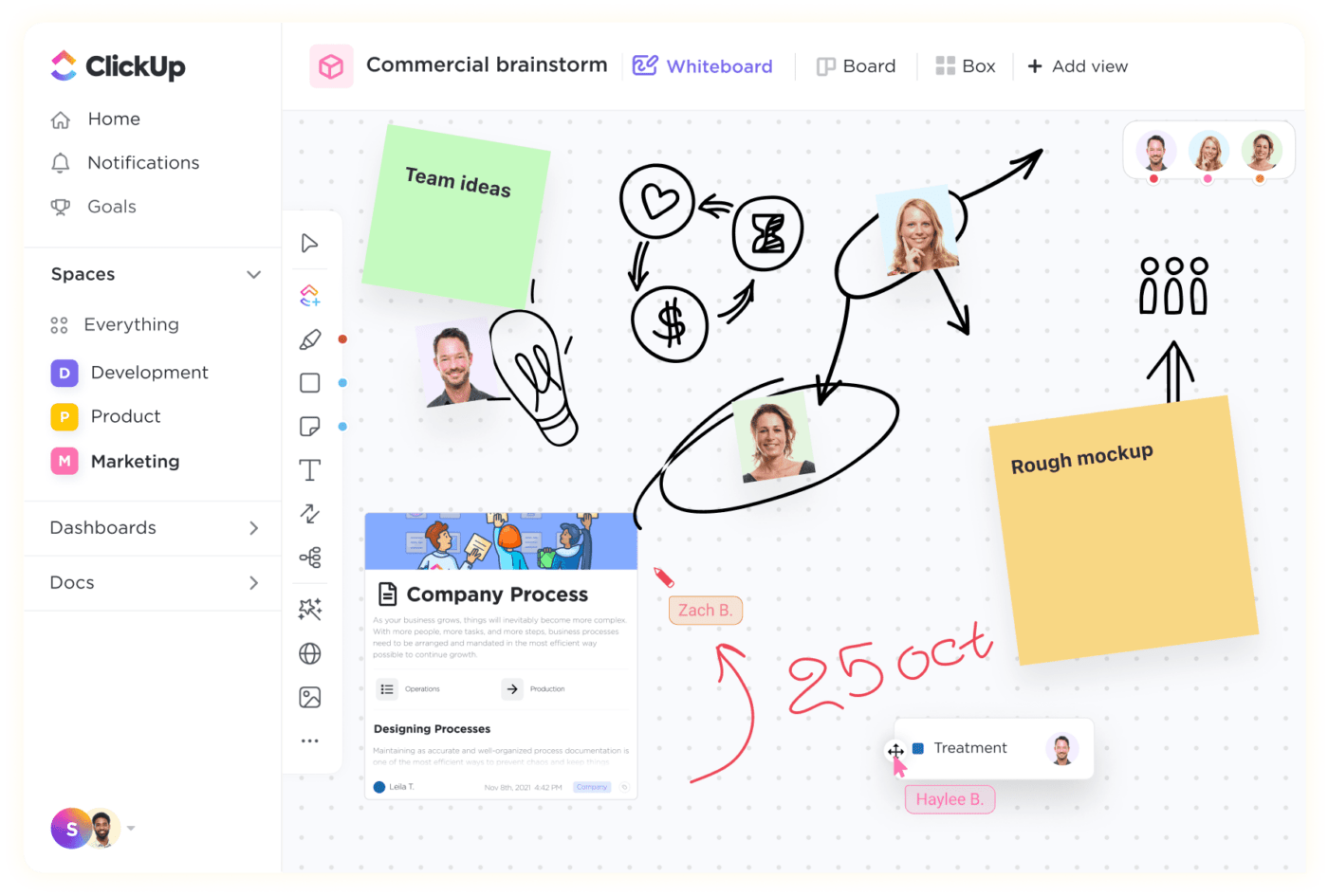
ClickUp is the world’s first Converged AI Workspace, bringing together all work apps, data, and workflows. With users worldwide, it’s more than a brainstorming tool—it’s the only virtual whiteboard that turns ideas into coordinated actions and connects them to the rest of your work, from tasks to docs to chat.
Whether you’re sketching out a campaign strategy or mapping complex project dependencies, ClickUp Whiteboards give you an infinite canvas where converting shapes, objects, and text into tasks is how you carry out your strategy from the first stage of development to the last. No more rewriting your brainstorming notes as separate action items—just click and execute.
ClickUp best features
ClickUp limitations
ClickUp pricing
ClickUp ratings and reviews
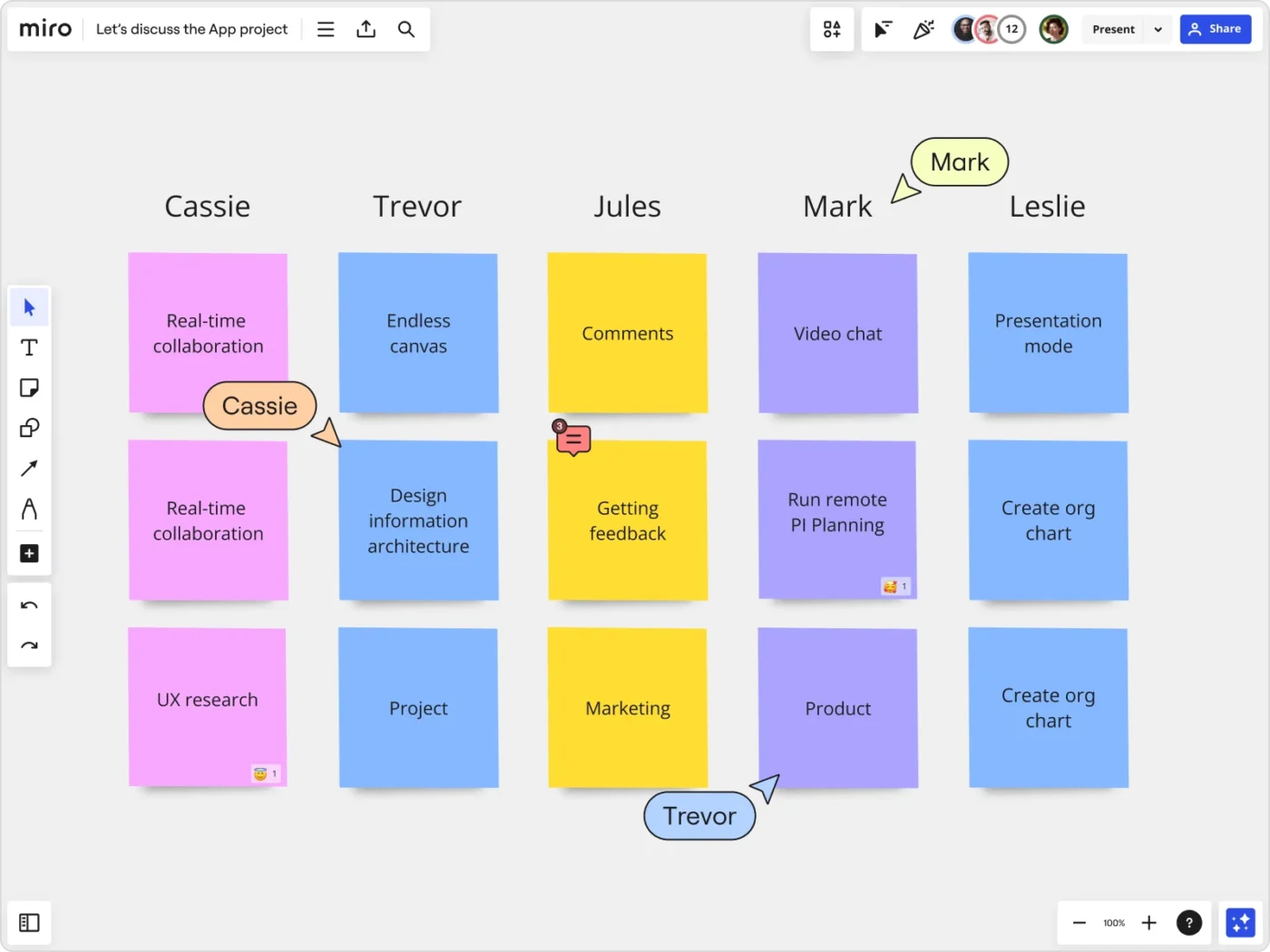
Miro offers an infinite canvas that lets teams spread ideas out, drag sticky notes into groups, create sections, and rearrange thinking as it evolves. Trusted by over 90 million users, it’s built for hybrid teams who need to brainstorm, plan, and execute projects in one visual workspace.
Miro best features
Miro limitations
Miro pricing
Miro ratings and reviews
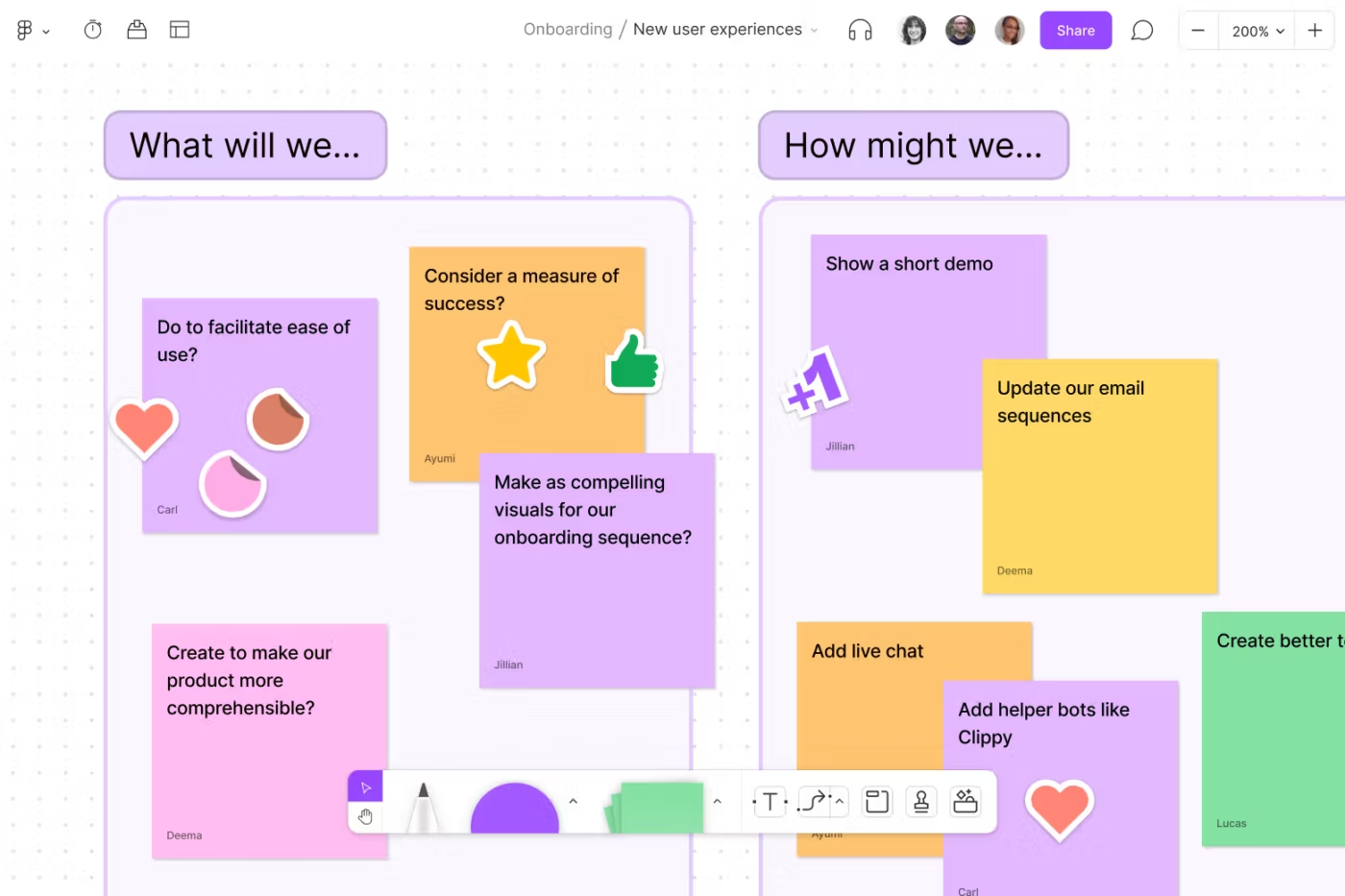
FigJam is Figma’s collaborative whiteboard tool that lives in the same ecosystem as your design files. It’s built for brainstorming sessions, retrospectives, user journey mapping, and design workshops—letting you sketch a flow, vote on ideas, and jump straight into detailed UI work without switching tools.
FigJam best features—
FigJam limitations
FigJam pricing
FigJam ratings and reviews
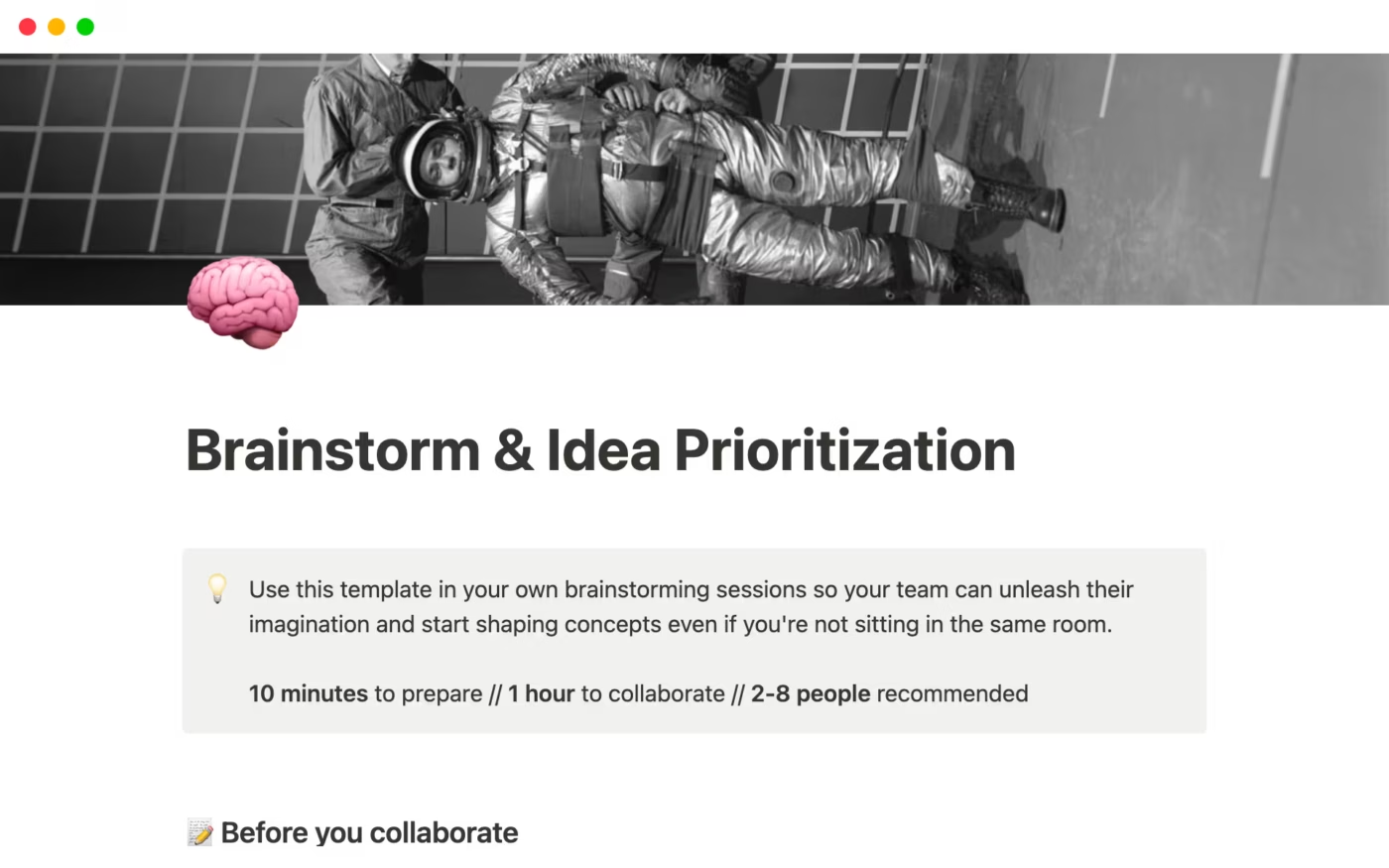
Notion is a versatile workspace that blends note-taking, document creation, databases, and task tracking. Database views enable you to tag ideas with categories and view them through different lenses—by priority, by owner, or by timeline—making it the central hub for company operations.
Notion best features
Notion limitations
Notion pricing
Notion ratings and reviews
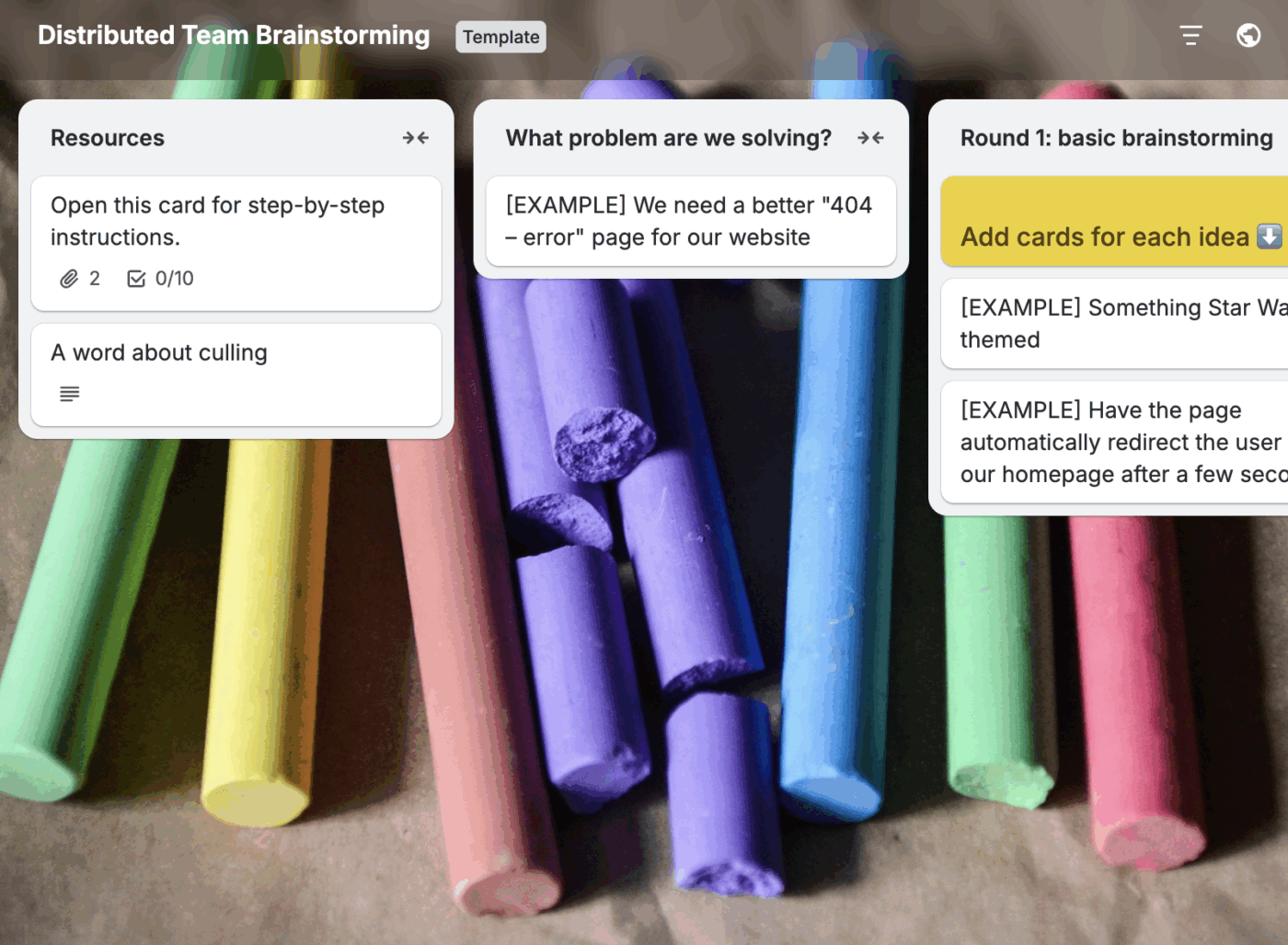
Trello is a Kanban-style collaboration tool that organizes projects into cards and boards. Each list equals one category, each card equals one idea—in one glance, Trello tells you what’s being worked on, who’s working on it, and where something is in process.
Trello best features
Trello limitations
Trello pricing
Trello ratings and reviews
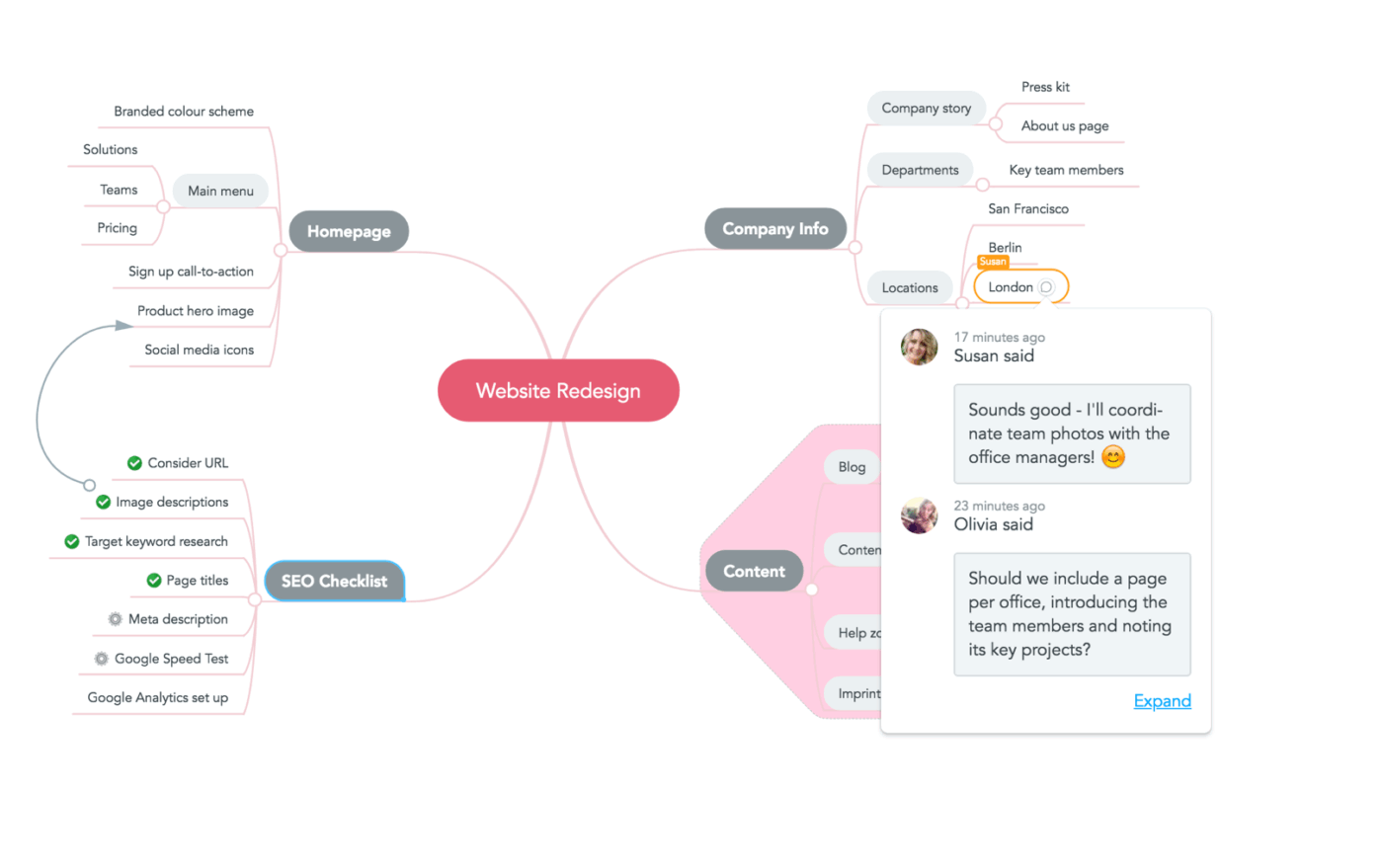
MindMeister is a cloud-based mind mapping solution that lets you capture, develop, and share ideas visually. If your categories naturally nest in parent/child relationships, mind maps make structure obvious—it’s the market-leading online mind mapping solution with 20+ million users.
MindMeister best features
MindMeister limitations
MindMeister pricing
MindMeister ratings and reviews
Want sessions that generate AND organize ideas effectively? Build these practices into:
Vague questions generate vague answers.
❌ “How do we grow?”
✅ “How do we get 100 B2B customers to upgrade from free to paid in Q1?”
The specific framing guides thinking and makes relevant ideas obvious during sorting.
Nobody should wonder mid-session: “Wait, are we actually committing to these ideas or just exploring?” Tell people upfront how long you’re going to be (and stick to it), how ideas will be captured, when and how you’ll evaluate them, what happens after the session, and who makes the final decisions.
Five minutes of clarity prevents 30 minutes of confusion later.
Structure beats endless freeform brainstorming:
Why be silent first?
Research proves it: Groups that start by brainstorming out loud generate fewer and weaker ideas. People wait for others, anchor on early suggestions, and worry about judgment. Ten minutes of individual thinking first solves all three problems.
The same five people will keep generating the same types of ideas. Inject fresh perspectives:
Different viewpoints naturally create richer categories.
This is the most violated rule in brainstorming. Don’t critique during collection. Resist saying “We tried that in 2019,” or “That won’t work because…” or “Legal will never approve.” Just capture everything. Evaluate later, after you’ve grouped ideas.
Now you can assess entire categories efficiently, rather than reviewing 100 individual ideas one by one.
Don’t rebuild from scratch each time. Create a reusable template with your standard categories, prioritization criteria, and documentation structure.
Because great ideas don’t usually arrive fully formed—they start messy. The ClickUp Business Brainstorming Template provides a dedicated space to capture raw thoughts, explore concepts collaboratively, and transform scattered ideas into structured action plans. Whether you’re planning a new campaign, refining a product idea, or mapping out your next growth move, this template helps you think clearly without losing momentum.
It’s built for fast-moving teams (and solo thinkers) who want creativity and execution in the same place.
⭐ Why you’ll love this template:
Before everyone scatters, spend 5 minutes on:
This meta-conversation often reveals one more category you overlooked or helps refine your framework before it’s finalized.
Ideas without owners become orphans. Before you wrap, put specific names on categories (or at a minimum, on your top-priority items).
Their job isn’t necessarily executing everything—it’s shepherding those ideas to the next stage, whether that’s research, proposals, or pilot tests.
Turn your organized categories into tasks with real owners and deadlines right there in the meeting. “Great brainstorm!” turns into “Here’s our plan with clear accountability.”
Even with solid organization, sessions can go sideways. Here’s how to rescue them:
What’s happening: Your ideas span different scope levels, topics, and data—no coherent way to group them.
The fix: Step back and ask: “What problem are we actually solving?”
Your brainstorming prompt was probably too vague. Tighten the focus. Filter ideas for relevance. Some might just be random thoughts to set aside—not everything generated is worth keeping.
What’s happening: You’ve got 200+ ideas, and organizing feels impossible.
The fix: Two-pass approach.
First pass: Skim fast. Kill duplicates and obvious non-starters. This cuts volume by 30-40%.
Second pass: Look for 5-6 high-level themes—sort ideas into these broad buckets. If a bucket swells past 30 ideas, subdivide it.
Don’t try to build the perfect taxonomy for 200 ideas at once. Start rough, refine as you go.
What’s happening: Lots of ideas logically fit 2-3 categories. You’re stuck deciding.
The fix: Two approaches work:
Stop trying to force ideas into single buckets if they genuinely cross boundaries.
What’s happening: Half want timeline-based categories, half want function-based. The debate’s going in circles.
The fix: Create both views. Digital tools let you organize the same ideas in multiple ways.
Or make an executive call: “For this session, we’re sorting by [X] because our primary goal is [Y]. We can always resort later if needed.” Move forward.
What’s happening: Beautiful, organized doc. Zero action.
The fix: Organization without execution is just pretty paperwork.
Every session must end with:
Turn organized categories into tracked tasks with owners and dates. When brainstorming and project management live in the same tool, this takes 30 seconds instead of 30 minutes of manual transfer.
What’s happening: In-office folks dominate. Remote participants struggle to contribute.
The fix: Go digital-first even when some people are in the same room. Everyone uses their own device to add ideas to the shared board—this equalizes participation.
Build in async time too. Let people add ideas before the meeting and between rounds. Some think better outside the spotlight.
Tools like Talk to Text remove typing friction—just speak your idea and it’s captured. AI notetaking ensures remote contributions get documented even if audio cuts out.
What’s happening: You’ve spent 10 minutes debating whether idea #42 goes in bucket A or B.
The fix: Set a 30-second rule. Can’t decide in 30 seconds? Pick one and move on.
You can always move it later. Better to have an imperfect structure you can act on than a perfect one that kills all momentum.
Brainstorming does not end when the meeting ends. If you want your best ideas to survive past the whiteboard, they need structure, clarity, and action.
Whether you’re organizing wild innovation sprints or a Tuesday content brainstorm, the difference between “we had a lot of ideas” and “we shipped something meaningful” comes down to what happens after.
Use the right tools, organize ideas clearly, assign next steps, and turn creativity into results.
Ready to skip the mess and actually execute?
Start organizing your brainstorms with ClickUp. It’s built to capture, sort, and act—without losing momentum.
Let the ideas fly. Then make them count. Sign up with ClickUp and make it happen.
Look for natural groupings based on the problem being solved. Ideas that support the same goal, address the same constraint, or would realistically be worked on together usually belong together. Keep categories broad enough to be flexible, but specific enough to be meaningful. Five to eight is a good range for most sessions.
Common approaches include organizing by funnel stage, by channel, or by audience segment. The best choice depends on what decision you’re trying to make next. Once ideas are grouped, prioritize them based on impact versus effort so you’re not just collecting tactics, but shaping a plan.
Involve the team in the organizing step instead of doing it alone. Silent sorting first works well—everyone groups ideas independently, then you compare. This surfaces different perspectives and reduces groupthink. Digital tools make this much easier, especially with distributed teams.
Start by defining what “priority” means in context. Speed, impact, risk, or strategic alignment all lead to different outcomes. Use simple frameworks like impact versus effort or weighted scoring, then pick a small number of ideas to move forward. Everything else becomes backlog.
Yes, especially when volume is high. AI can surface themes, suggest groupings, and help summarize large sets of ideas. It works best as an assist, not a decision-maker. Human judgment still matters for context, nuance, and priorities.
Capture the categories, the ideas within them, the context of the session, and the decisions made. Include owners and next steps. Store everything in a shared, searchable place your team already uses. Revisit periodically so ideas don’t quietly expire.

© 2026 ClickUp

There’s an easier way. Try a free AI Agent in ClickUp that actually does the work for you—set up in minutes, save hours every week.