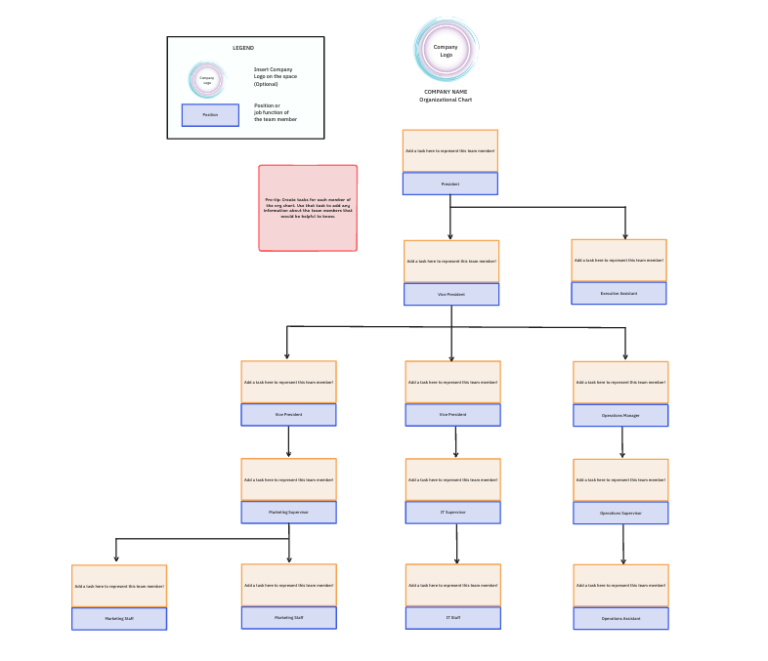
Sorry, there were no results found for “”
Sorry, there were no results found for “”
Sorry, there were no results found for “”
An organization chart (org chart) visually represents a company’s structure, making it easier to understand roles, responsibilities, and reporting lines.
A well-designed org chart improves communication, streamlines decision-making, and enhances workflow efficiency. Whether you’re managing a startup or a large corporation, an org chart helps employees know where they fit within the team.
A pre-designed template lets you quickly create a professional org chart that aligns with your business needs. The right framework ensures clarity, easy updates, and adaptability for future changes.
Today, let’s examine the best org chart templates for Google Slides and the best alternatives that ClickUp offers!
🔍 Did You Know? Having a clear understanding of roles boosts work performance by 25%.
An organizational template maintains clarity of workflow. A good org chart template should include the following:
💡 Pro Tip: Visualize your organization’s structure by creating and optimizing organograms. They help you understand your company’s hierarchy and are especially helpful for new employees to understand reporting relationships.
Here are the top Google Slides org chart templates to use to ensure a structured hierarchy:
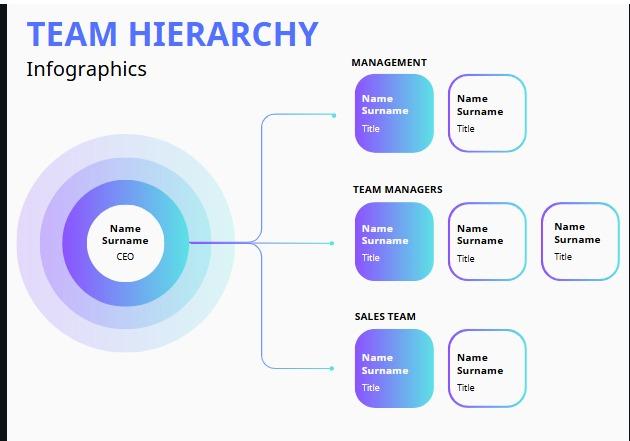
Present team roles, reporting lines, and organizational charts with the Google Slides team Hierarchy Template by Slides Carnival.
This template lets you convey the company’s hierarchy in an easy-to-follow and visually appealing format. It is compatible with Google Slides as well as Microsoft PowerPoint and Canva.
This chart’s minimalistic style and structured flow ensure that each role and designation is conveyed accurately.
Here’s why you’ll like it:
Ideal for: HR professionals and managers to present reporting structures, team roles, and organizational charts.
💡 Pro Tip: Want to simplify your ideas? Use ClickUp Mind Maps and bring your ideas to reality. With the help of this feature, you can:
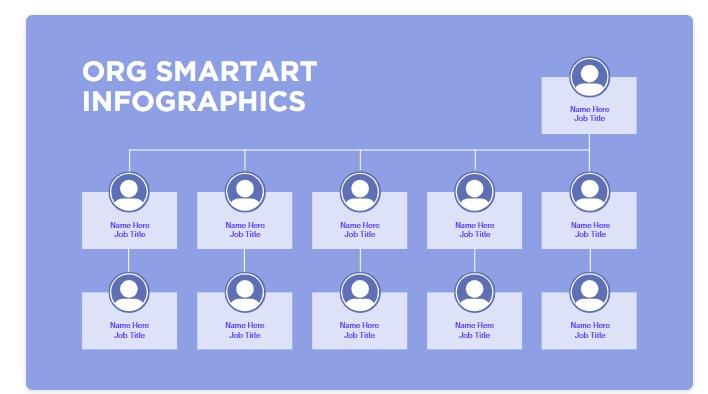
Create a clear and concise infographic with the Google Slides Infographic Org Chart Template by Slides Carnival.
This infographic template simplifies the organizational hierarchy so that one can grasp it at a glance. The customizable framework ensures that all the information is centralized.
Whether preparing organizational charts or summarizing data, the template lets you present information in an easy-to-understand format.
Here’s why you’ll like it:
Ideal for: Leadership teams to create engaging visual org charts to maintain organizational hierarchy.
➡️ Read More: Free Org Chart Templates in PPT, Word, & ClickUp
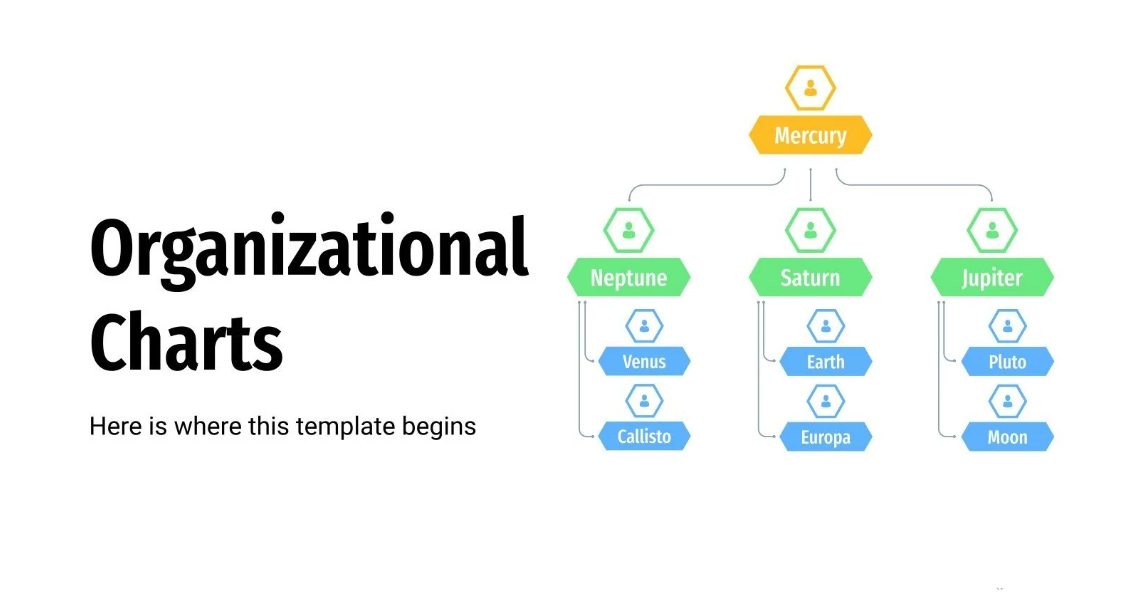
Create a structured organizational hierarchy with the Google Slides Organizational Charts Template by Slidesgo.
Figuring out who is responsible for what and who reports to whom can be confusing, especially in a large or matrixed organization. The template helps you organize the roles and responsibilities of team members in an easy-to-follow format.
Here’s why you’ll like it:
Ideal for: Executives and HR teams to define team roles and responsibilities.
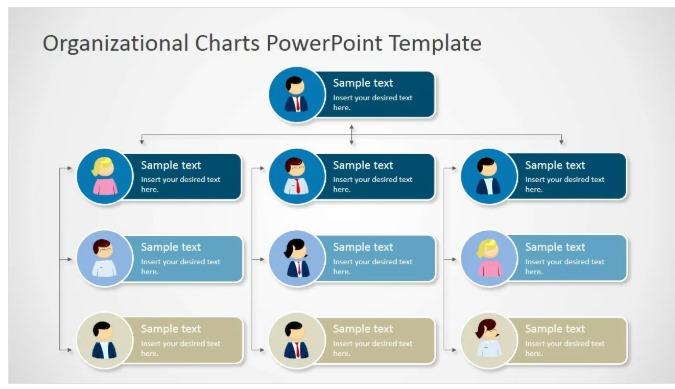
Create a powerful organizational chart with the Google Slides Organizational Chart Template by Slidemodel.
The solution lets you create a simple, informative organizational chart to ensure clarity about the complete organizational hierarchy. It uses editable avatars to define different roles in the organization.
With this Google Slides organizational chart, you can define the roles of different employees in an easy-to-navigate format.
Here’s why you’ll like it:
Ideal for: Company leaders to outline organization structures to maintain clarity in workflow
Creatively display the organizational structure with the Google Slides Matrix Organization Structure Template by Slidemodel.
Tracking how information flows in an organization can be tough when no hierarchy is maintained. The Google Slides template provides a simple way to comprehend this process.
With different rows and dependencies, the organizational chart defines different positions, such as the various levels of managers and other employees. It provides a graphical way of communicating, ensuring clarity.
Here’s why you’ll like it:
Ideal for: Project managers to track cross-functional roles and comprehend the flow of information.
With the Google Slides Sales Organization Chart Template by Slideegg, you can create visual representations of the roles within the sales department.
The template makes communicating the roles and responsibilities in the sales department easier. With an organized flow and structure, this chart in Google Slides makes it simple to present the structure in a visually appealing way to increase retention.
Here’s why you’ll like it:
Ideal for: Sales managers to outline sales team hierarchy in a visually appealing way.
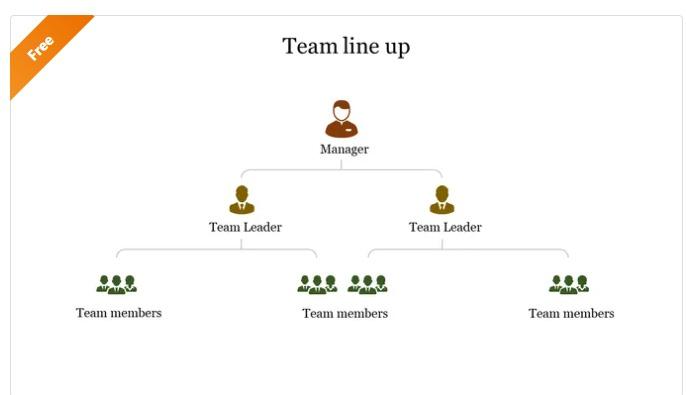
Create a clear and concise team lineup with the Google Slides Team Lineup PowerPoint Template by Slideegg.
Does creating a team lineup seem tough? This template makes it simple with an organized flow of information. Add the manager, team leaders, and team members in a structured format to ensure everyone gets a clear overview of the team.
Here’s why you’ll like it:
Ideal for: Team leads to present team structures and give an accurate team overview.
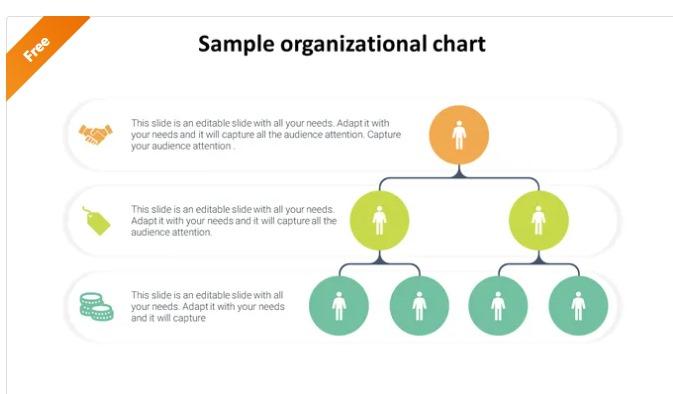
Add roles, data, and icons to represent your team structure creatively with the Google Slides Multicolour Sample Organizational Charts Template by Slideegg.
An organizational structure does not have to be boring. This framework offers a creative and colorful way to present the team structure. You can choose from different color and node options to add all the details to the organizational chart.
Here’s why you’ll like it:
Ideal for: Team leads to present team structures and give an accurate team overview.
➡️ Read More: How to Restructure an Organization the Right Way
Google Slides can be a quick solution for creating an org chart, but it has some limitations:
➡️ Read More: Best Digital Whiteboard Software Programs
🔍 Did You Know? Research suggests that when you match tasks with specific roles, employee engagement increases by 10%.
Here are the top alternative organizational chart templates to maintain efficiency in the organizational hierarchy:
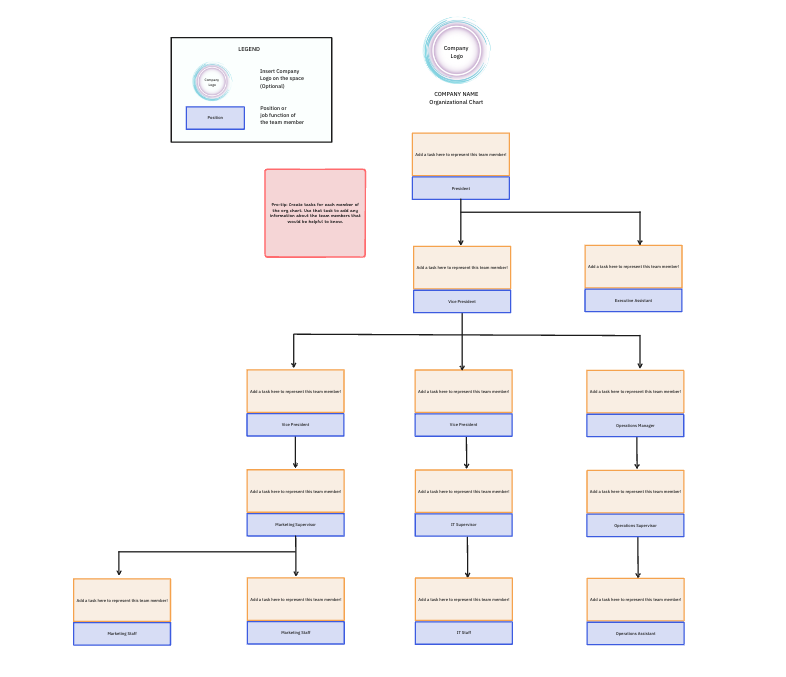
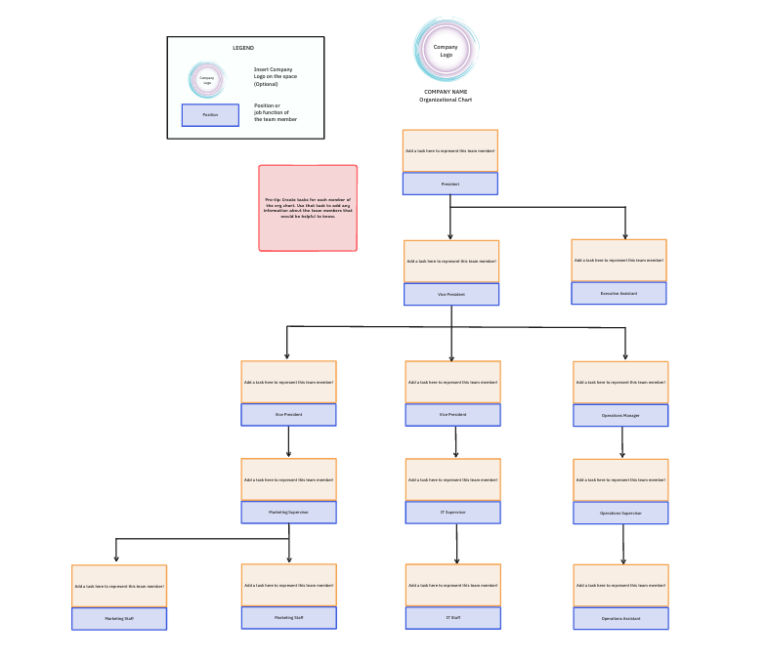
Not having an organizational structure in place can lead to confusion and delays. The ClickUp Org Chart Template’s easy-to-understand structure makes maintaining an organizational chart simple.
You can add each team member’s roles and responsibilities to clarify work. This will help to improve the overall workflow, ensuring efficiency and productivity.
Here’s why you’ll like it:
Ideal for: HR teams to define organizational structure for collaboration and eliminate confusion.
💡 Pro Tip: AI-powered tools like ClickUp Whiteboards help you visualize organizational relationships with color-coded roadmaps and much more. Here is how they help:
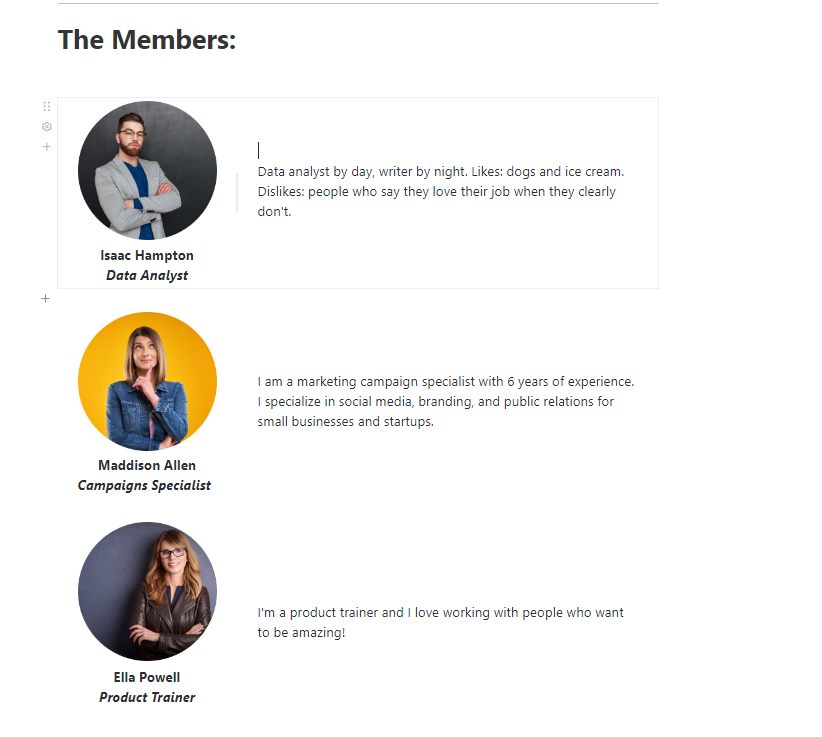
Introducing your team can be challenging when all the information is not presented in a structured format. The ClickUp Meet the Team Template makes laying out the team details simple.
It lets you professionally and cohesively showcase your team’s skills, accomplishments, and highlights. Additionally, you can easily update the template in case of team changes.
This framework allows you to build client trust and help team members know each other quickly.
Here’s why you’ll like it:
Ideal for: Leadership and HR teams to introduce team members professionally.
💡 Pro Tip: Tracking employee goals can be challenging. That’s where a team charter template can help! This layout lets you keep track of these parameters and set basic rules and regulations for everyone.
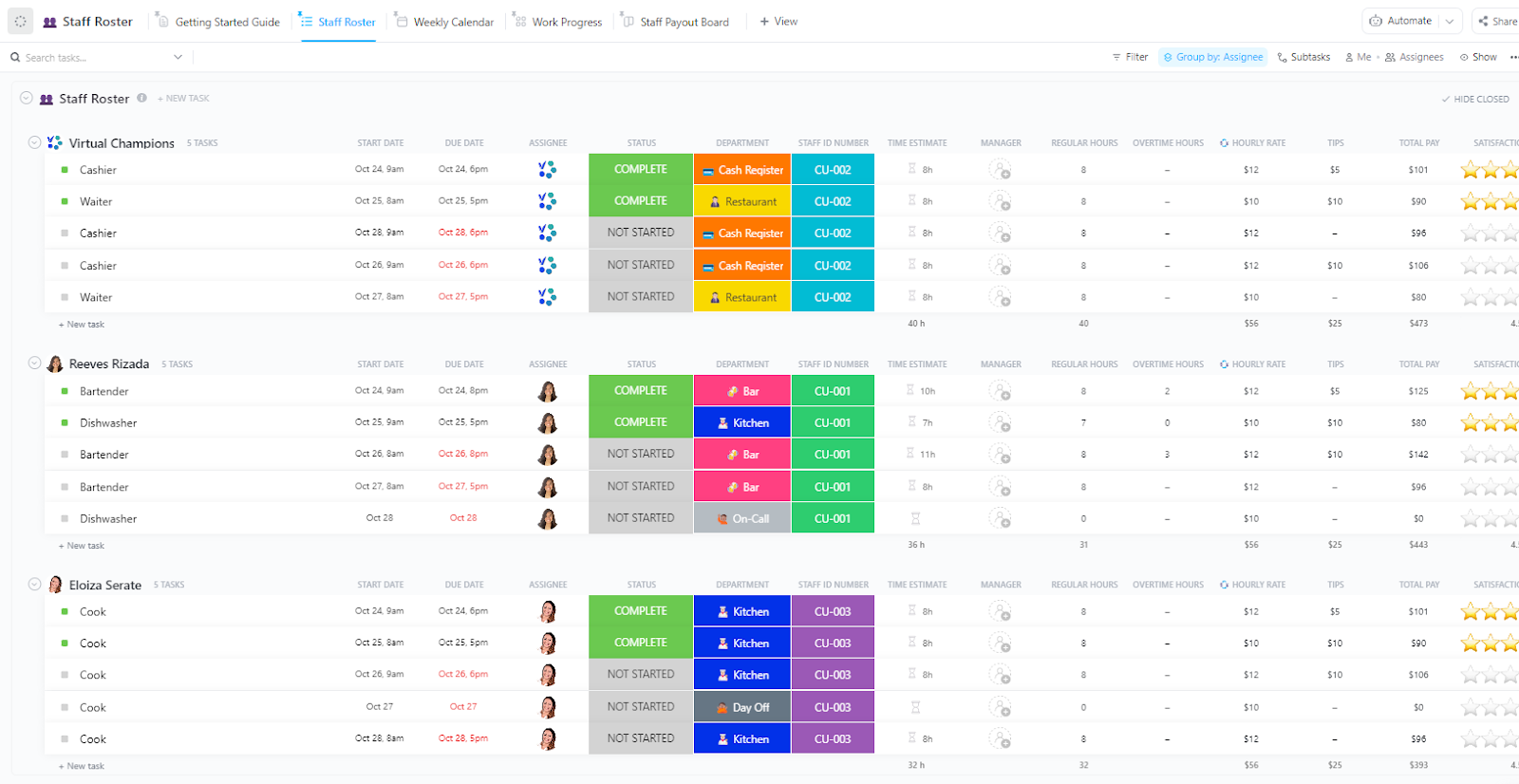
Organizing and managing the staff roster to ensure everyone is available when needed can be complicated. The ClickUp Staff Roster Template shows the company’s ongoing operations, engagements, tasks, etc., to make it simple for you to keep everything on track.
The template allows you to communicate the roles and ensure real-time collaboration between team members. Additionally, it helps to maintain an accurate record of working hours.
Here’s why you’ll like it:
Ideal for: HR and operations teams to manage employee schedules and communicate roles.
💡 Pro Tip: Management today is progressing toward better team management and optimal resource distribution with better practices. Here is a look at the functions of management with real-life examples.
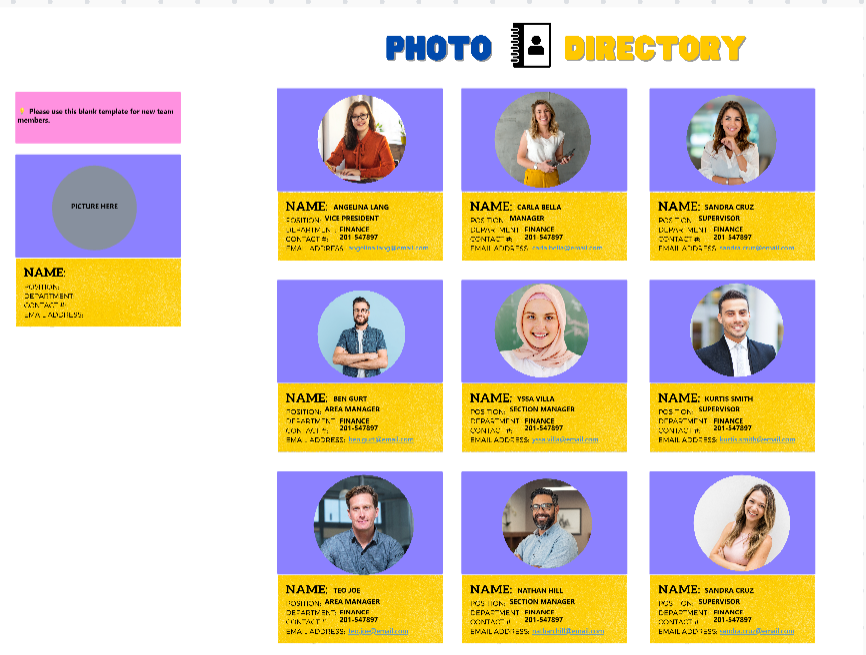
Storing the pictures and contact details of the staff in one place can be a task without a proper format. The ClickUp Team Photo Directory Template provides an easy-to-use format to arrange all the pictures creatively with built-in diagrams.
The template makes identifying individuals in the organization simple. It organizes the information professionally to ensure quick access when needed.
Create and assign tasks with custom statuses, such as Open and Complete, by monitoring each employee’s progress.
Here’s why you’ll like it:
Ideal for: HR teams to maintain an employee directory to identify individuals without confusion.
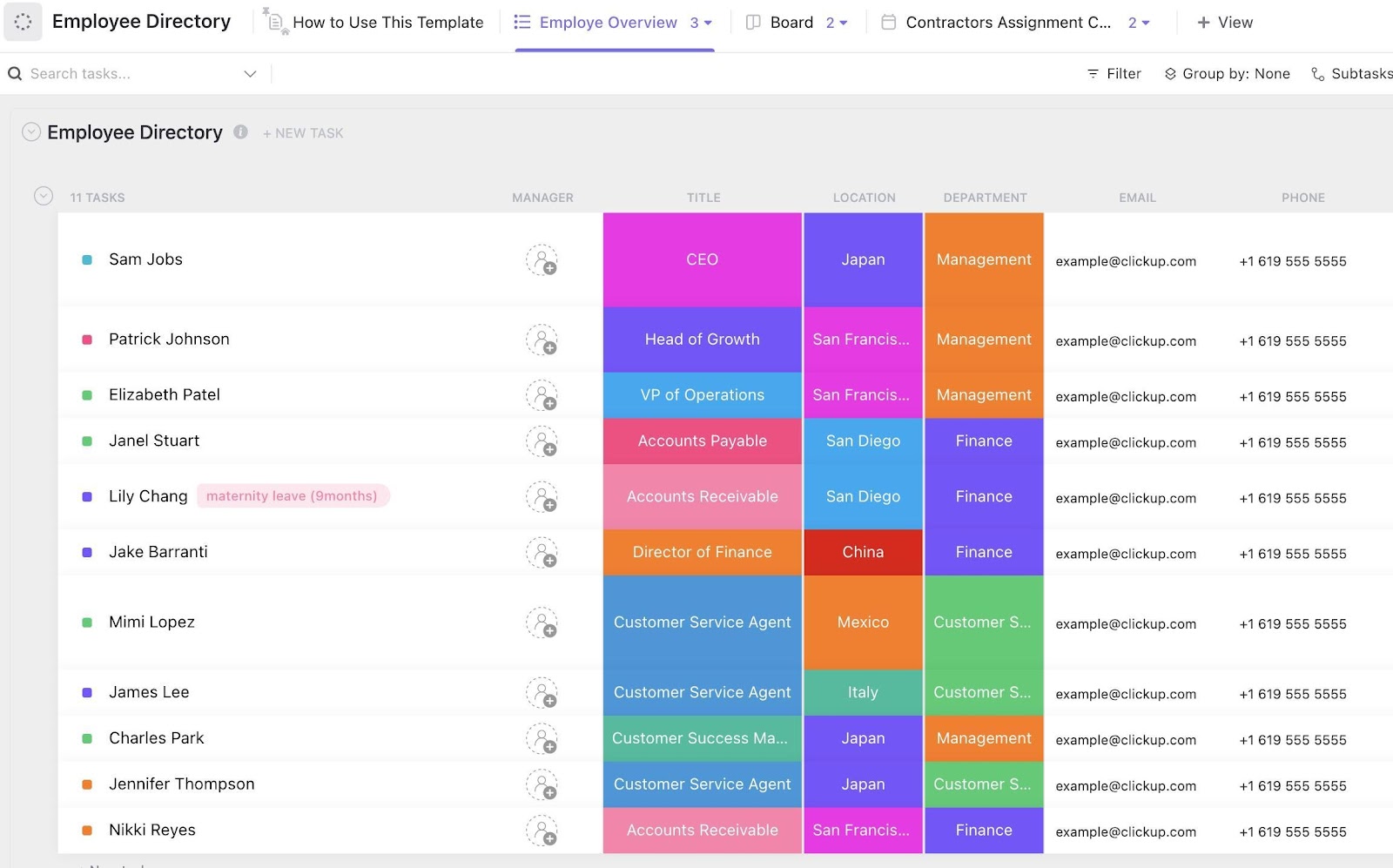
Employee directories are a useful way to organize employee information and improve collaboration. The ClickUp Employee Directory Template helps you easily store employee information in one centralized place.
The template provides quick access to job titles and contact details, improving communication between colleagues. Additionally, it simplifies new hire onboarding by delivering essential information.
You can access different statuses, such as Terminated, On Leave, Sick, and Maternity Leave, to monitor only active employees.
Here’s why you’ll like it:
Ideal for: HR teams to organize employee records efficiently and track their leaves, skills, and payouts
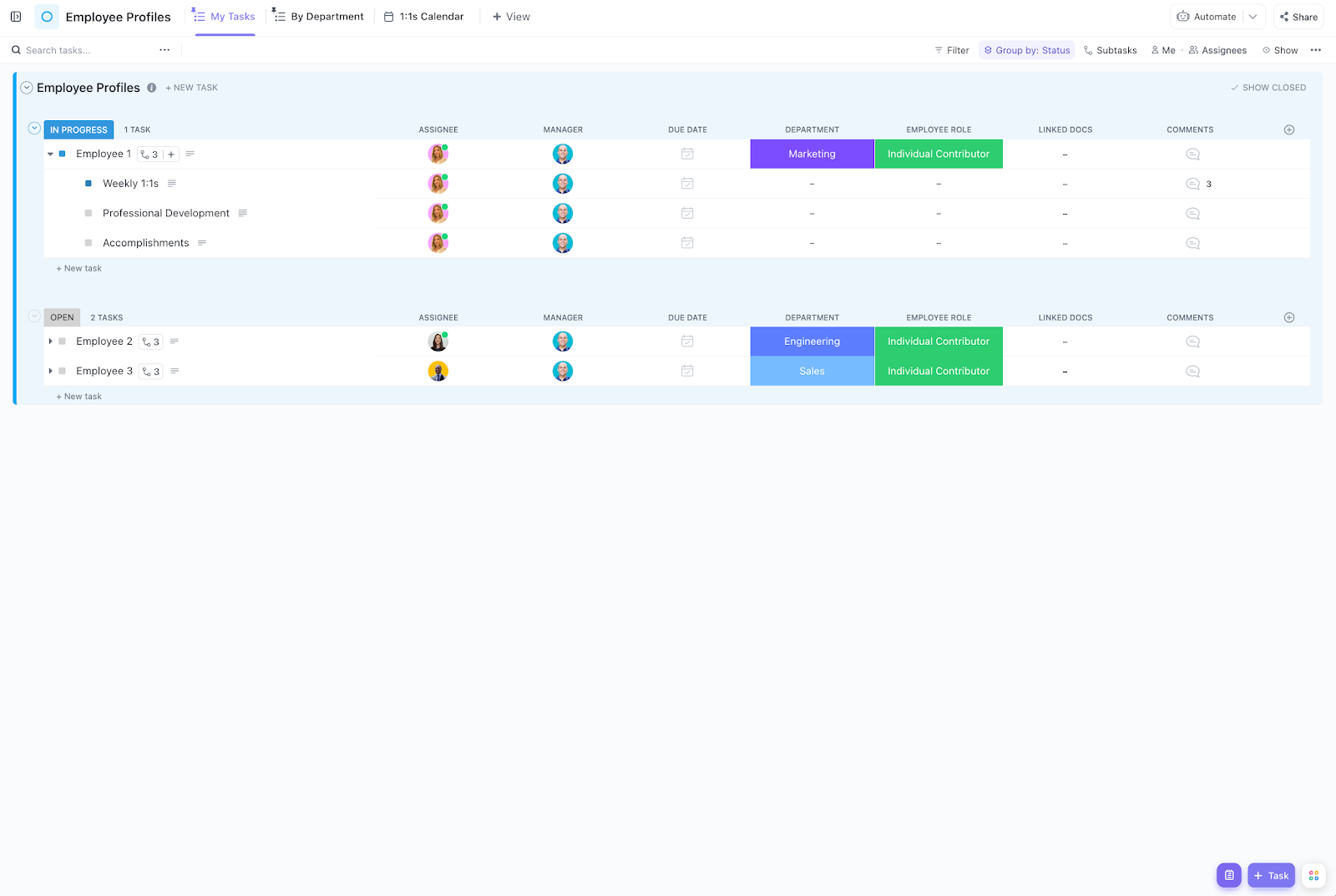
The ClickUp Employee Profiles Template provides an efficient way for managers and employees to document professional development and manage performance effectively.
The template allows you to compile notes about growth in one centralized location. You can use this framework to take notes for employee meetings, address skills gaps, and outline professional developments effectively.
Here’s why you’ll like it:
Ideal for: Managers to track employee development and performance and compile 1:1 session notes.
📮 ClickUp Insight: 92% of workers use inconsistent methods to track action items, which results in missed decisions and delayed execution.
Research by ClickUp shows that this process leads to scattered information and inefficiency. ClickUp’s task management solution ensures seamless conversion of conversations into tasks to keep your team on the same page.
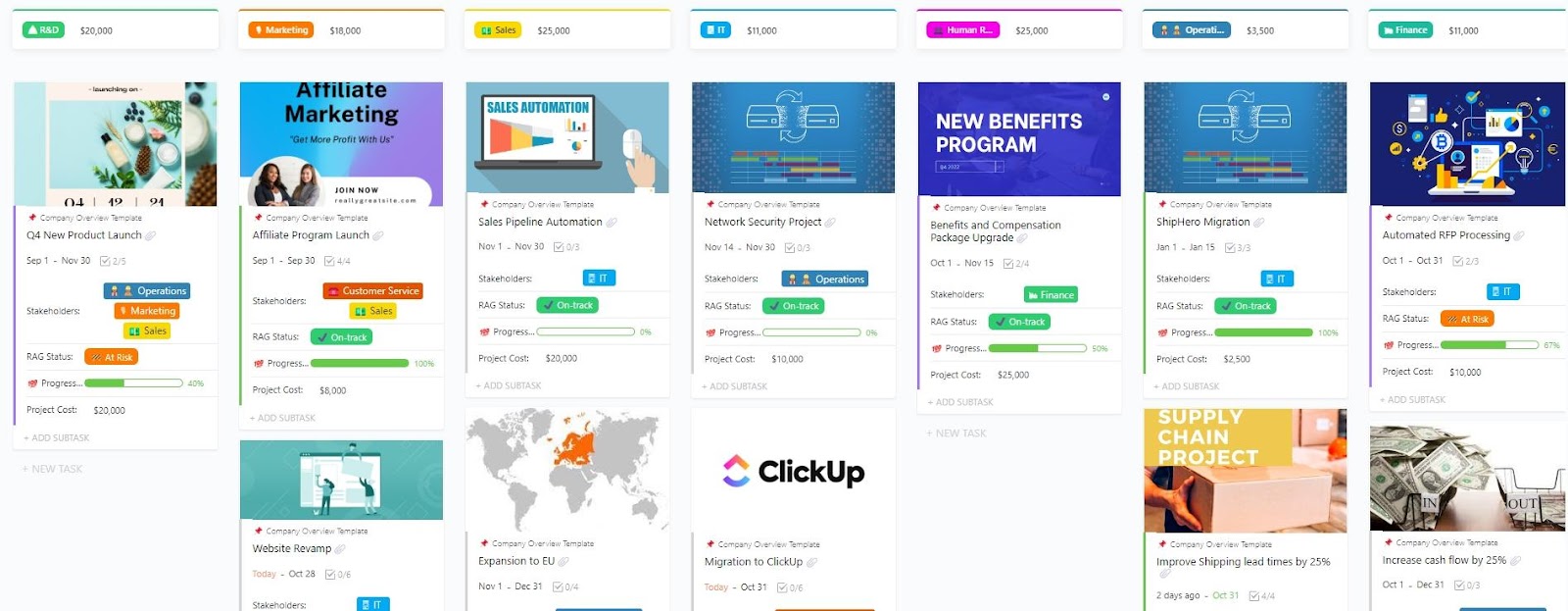
A complete company overview is essential for making informed decisions and keeping everyone on track. The ClickUp Company Overview Template helps you create an up-to-date snapshot of your company.
The template lets you access information about your team, products, and customers. Additionally, you can refer to key metrics to track performance and ensure optimum communication between stakeholders and involved parties.
Here’s why you’ll like it:
Ideal for: Executives and teams to track key company initiatives and performance and ensure optimum communication.
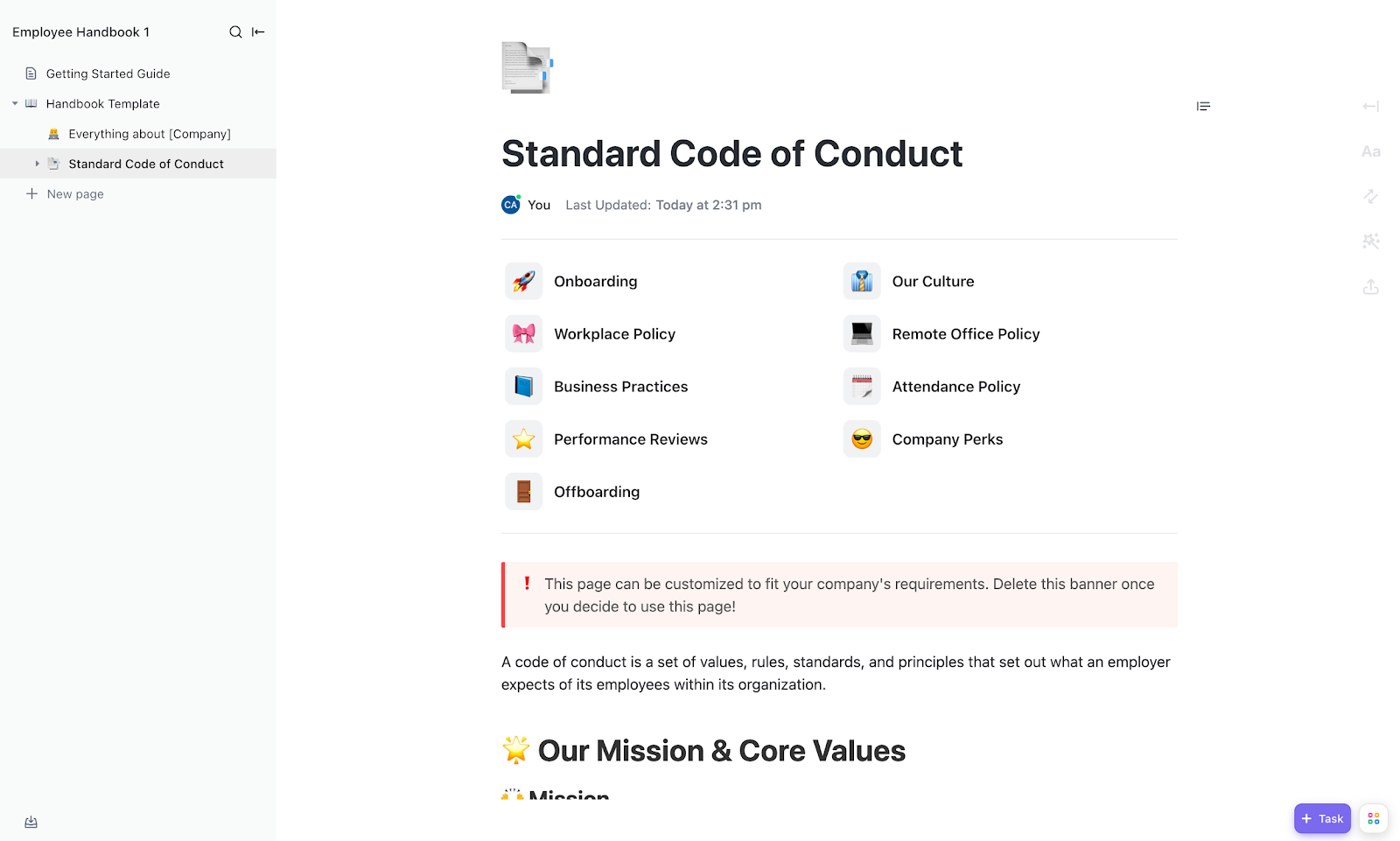
An employee handbook informs employees about the company’s policies and lays out expectations. The ClickUp Employee Handbook Template is designed to create a comprehensive and helpful guide that your employees can refer to.
It provides a written record of the company policies, helping employees understand their rights and responsibilities. The template also lets you communicate clear guidelines for onboarding and offboarding.
Here’s why you’ll like it:
Ideal for: Executives and teams to track key company initiatives and performance and ensure optimum communication.
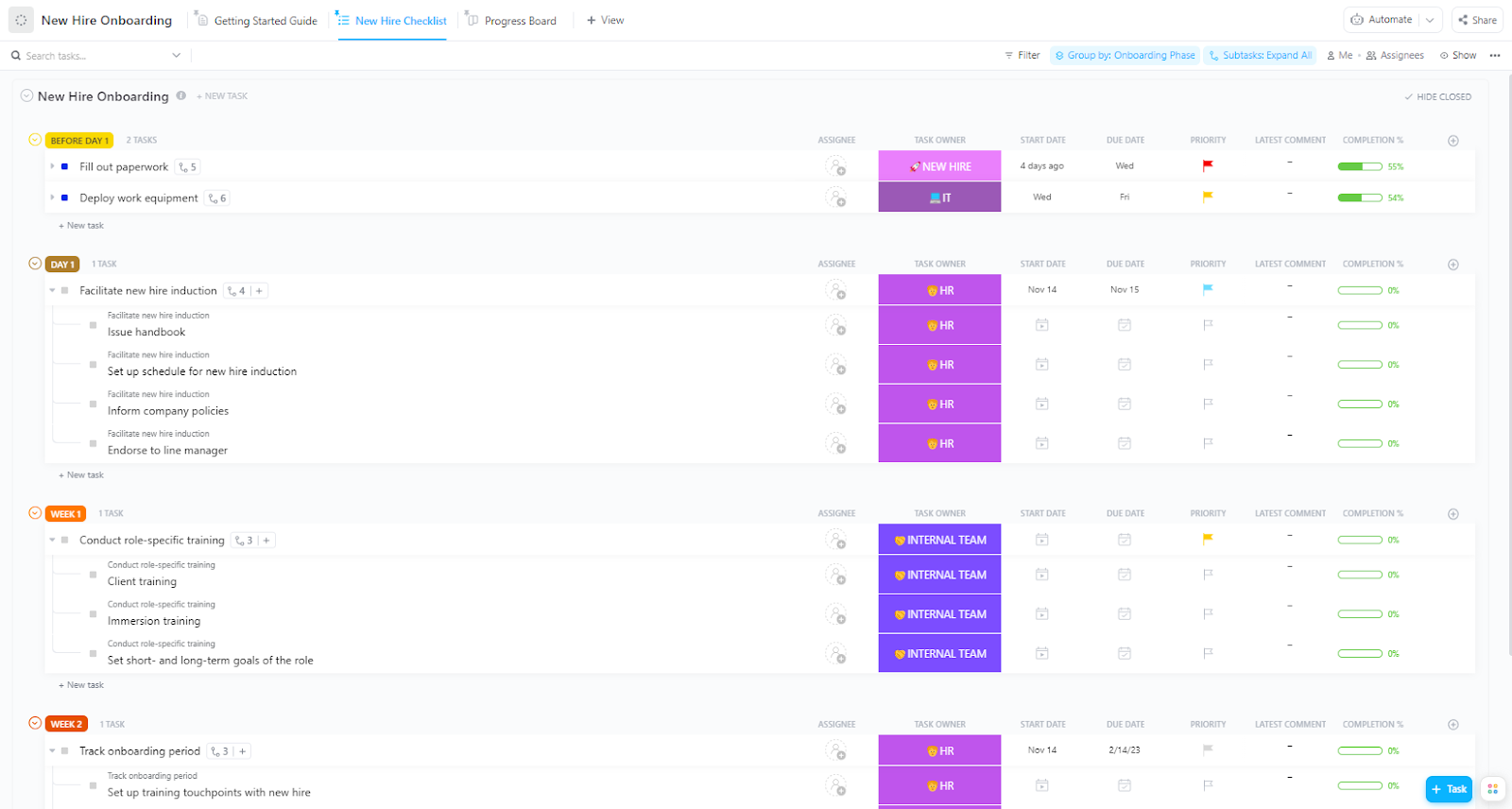
A newly hired employee knows little about the company. It is essential to give them a checklist so they can better prepare for the journey ahead.
The ClickUp New Hire Onboarding Template includes all the necessary actions the new hire must complete before starting the work.
The template ensures that all actions are completed successfully within the allotted time. It acts as a step-by-step guide and organizes the essential responsibilities to prepare for the new employee’s arrival.
Here’s why you’ll like it:
Ideal for: HR teams to streamline new employee onboarding and ensure successful completion of all the steps.
🔍 Did You Know: A good onboarding process can improve employee retention by 82%.
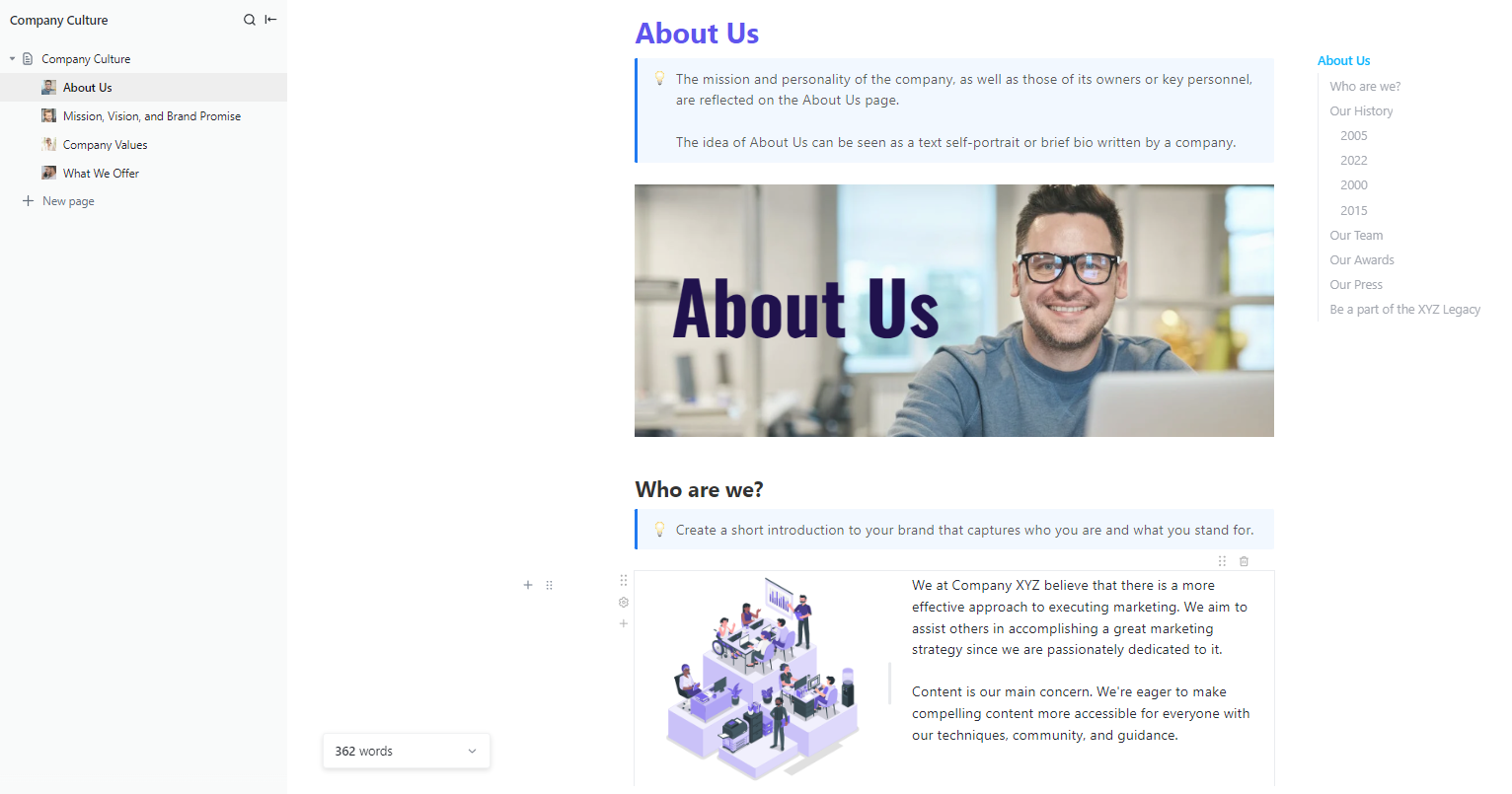
A strong company culture ensures team alignment, builds trust and motivation, and makes your company stand out. The ClickUp Company Culture Template is designed to help you identify and prioritize initiatives to support culture growth.
The template ensures more successful recruitment efforts with improved employee engagement and productivity. This ultimately leads to better customer service and satisfaction.
Use it to outline company values, missions, and vision to keep your team aligned and promote engagement and productivity.
Here’s why you’ll like it:
Ideal for: HR and leadership teams to define and promote company culture.
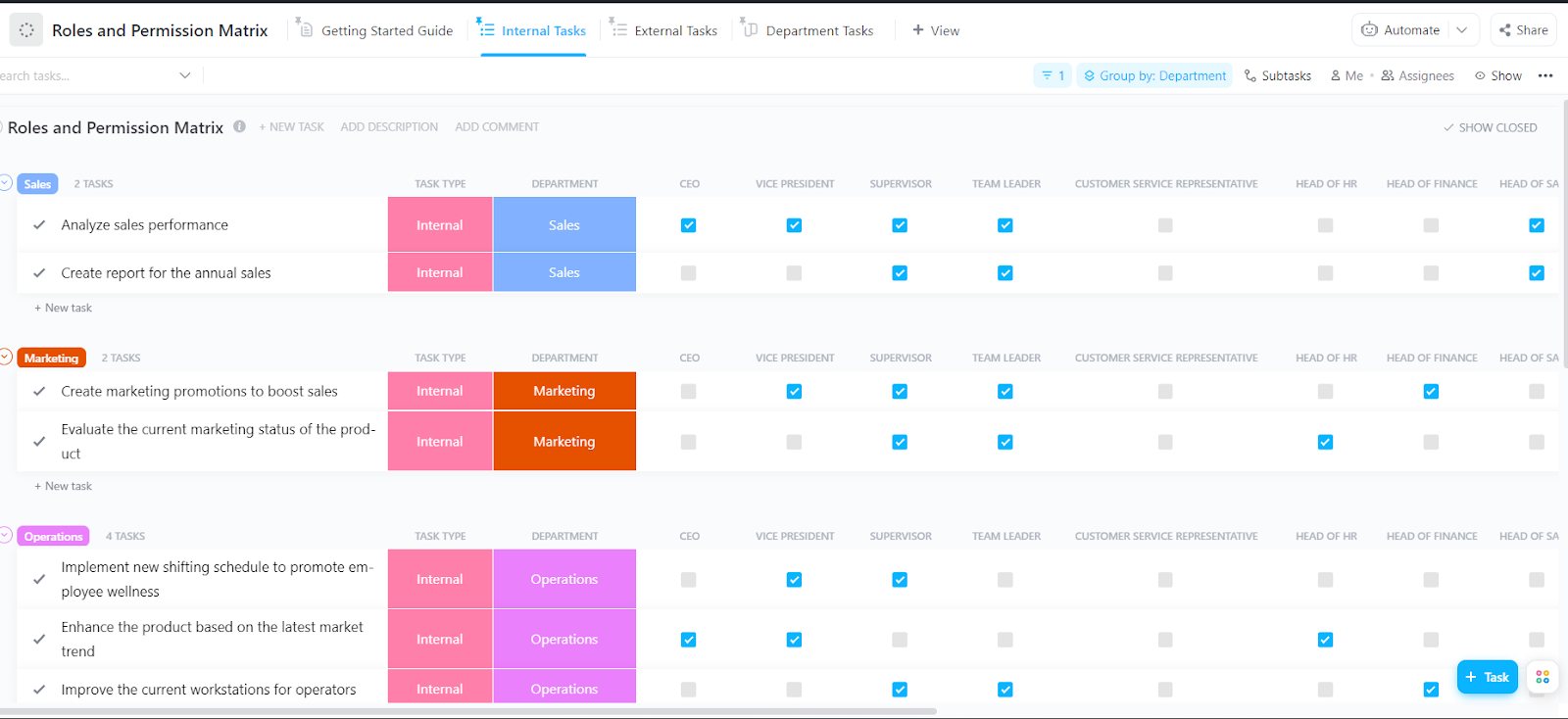
Managing your team’s roles and responsibilities to keep everyone aligned requires a structured approach. The ClickUp Roles and Permission Matrix Template provides the perfect structure to show the roles or tasks with their respective approvers.
The matrix template helps you identify who can perform what task and when. It makes role identification easy and helps to manage the workflow efficiently.
Here’s why you’ll like it:
Ideal for: HR teams to align roles and responsibilities and track internal and external tasks.
Google Slides org chart templates ensure clarity in maintaining organizational hierarchy. Everyone on the team will know who they should report to and their roles and responsibilities. However, Google Slides has limited capabilities.
As an everything app for work, ClickUp provides an efficient alternative that makes organizing and structuring the hierarchy simple. With features like ClickUp Mind Maps, ClickUp Whiteboards, and customizable organizational chart templates, create a productive flow in your team.
Don’t let unorganized hierarchy disrupt the workflow—sign up for ClickUp today.

PMO Team
Max 9min read

Praburam Srinivasan
Max 16min read
Praburam Srinivasan
Max 21min read

© 2026 ClickUp