Sorry, there were no results found for “”
Sorry, there were no results found for “”
Sorry, there were no results found for “”
Without clarity, even the most skilled teams struggle. Roles overlap, responsibilities blur, and productivity hits a roadblock.
Organizational charts bring order to this chaos. They serve as a visual roadmap, showing who does what and how each role fits within the broader team.
The best part? You don’t have to start from scratch—free PowerPoint org chart templates make the process quick and engaging. And if you want more dynamic solutions, we’ll explore modern alternatives to take your team management to the next level.
Let’s dive in!
🔍 Did You Know? Org charts are also called organograms or organigrams. No matter what you call them, they’re the ultimate tool for visualizing team roles and reporting structures. And they’re more critical than ever in today’s fast-paced, dynamic workplaces!
An exceptional org chart template is more than a design—it’s a functional tool that simplifies communication and aligns your team. Here are the key features you should prioritize:
With these features, your chart becomes a powerful asset for transparency, engagement, and productivity.
🧠 Fun Fact: In 1855, Daniel McCallum, a visionary railway superintendent, designed the world’s first organizational chart for the New York and Erie Railway. It was equal parts genius and design, laying the tracks for how we map teams today! 📊
Ready to simplify your team structure and showcase it like a pro? These PowerPoint org chart templates offer seamless visual representations of roles, responsibilities, and hierarchies. Let’s dive into what makes each one uniquely suited to your needs!
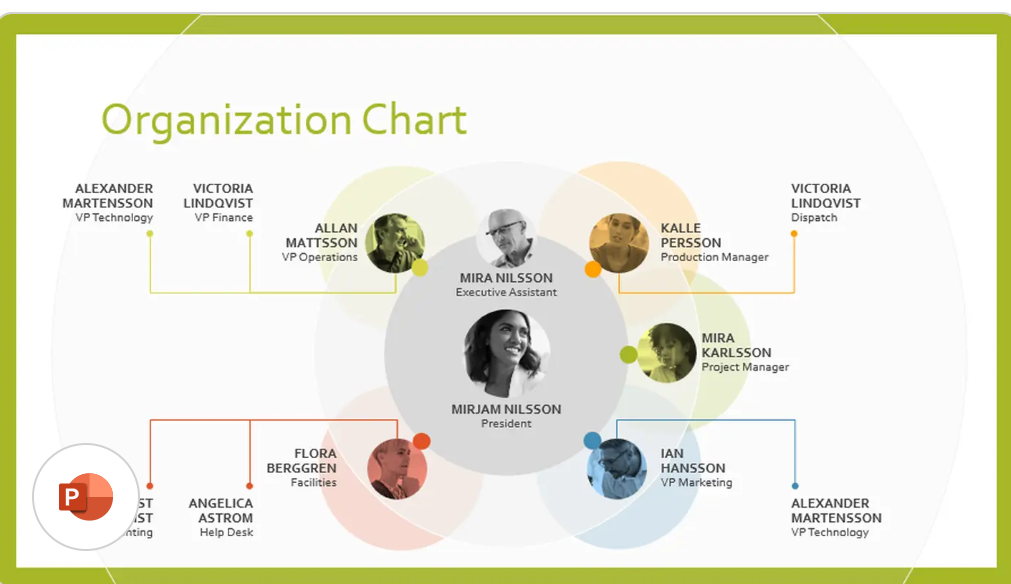
Are you looking for a no-fuss presentation template that works seamlessly with MS Office? This org chart template for PowerPoint offers a clean, hierarchy-focused system that makes editing simple and effective.
Adding or removing boxes takes only a few clicks—perfect for teams that grow or restructure often. For example, use the Format tab to tweak shapes, colors, or text, creating a polished organizational chart that fits your unique needs.
🎯 Ideal for: Managers or HR specialists who use MS Office daily and want a clean, ready-to-go presentation template for smaller to medium-sized teams
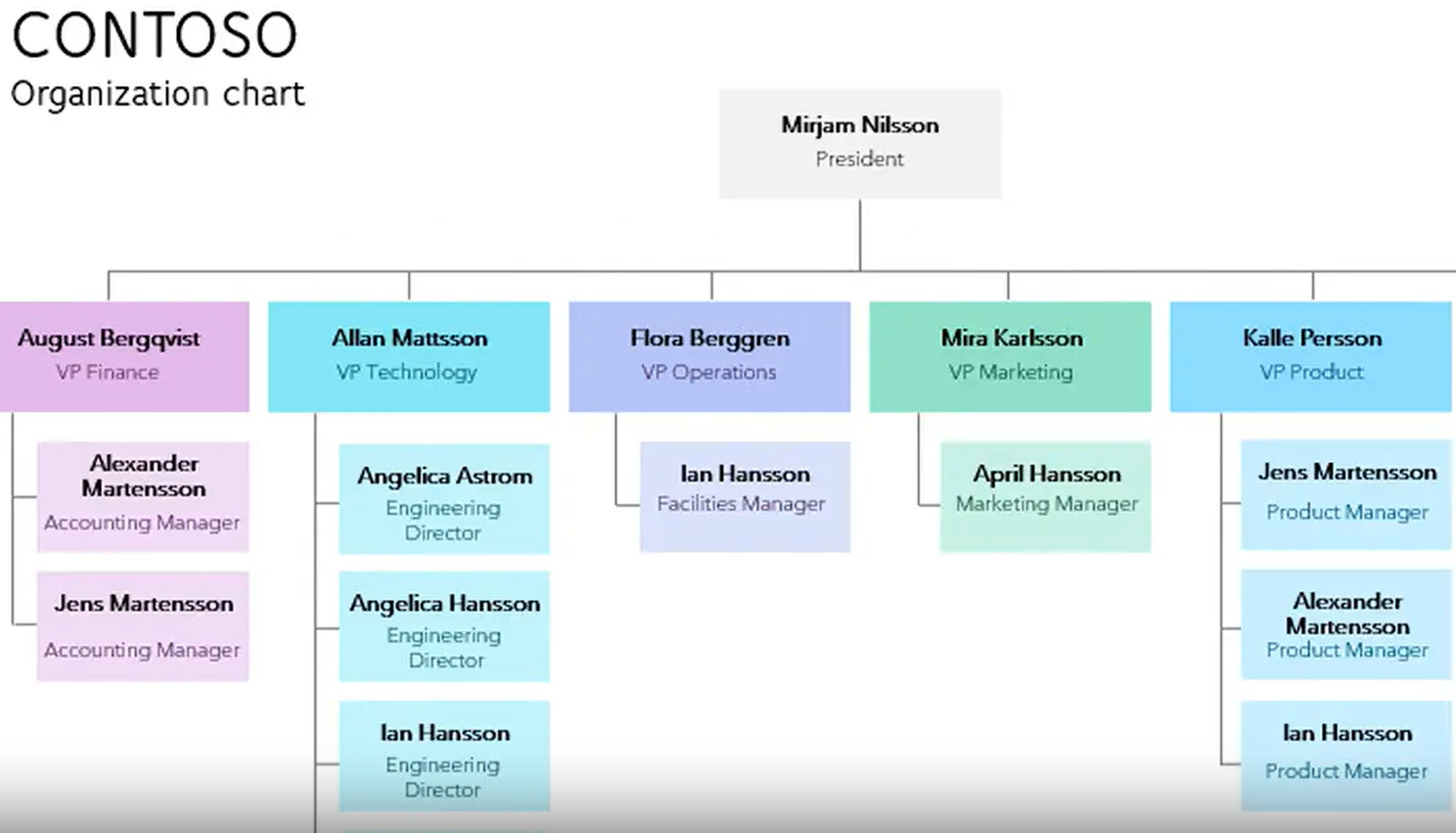
Managing intricate team structures doesn’t have to feel overwhelming. This vibrant PowerPoint org chart template uses strategic color coding to differentiate every function with a dedicated palette, making even the most complex hierarchies easy to follow.
With a clean, distraction-free design, your audience stays focused on the message. Customizable color schemes allow you to align the design with your company’s branding.
🎯 Ideal for: Businesses with multi-department structures looking to present their organization’s hierarchy—perfect for onboarding sessions or stakeholder meetings
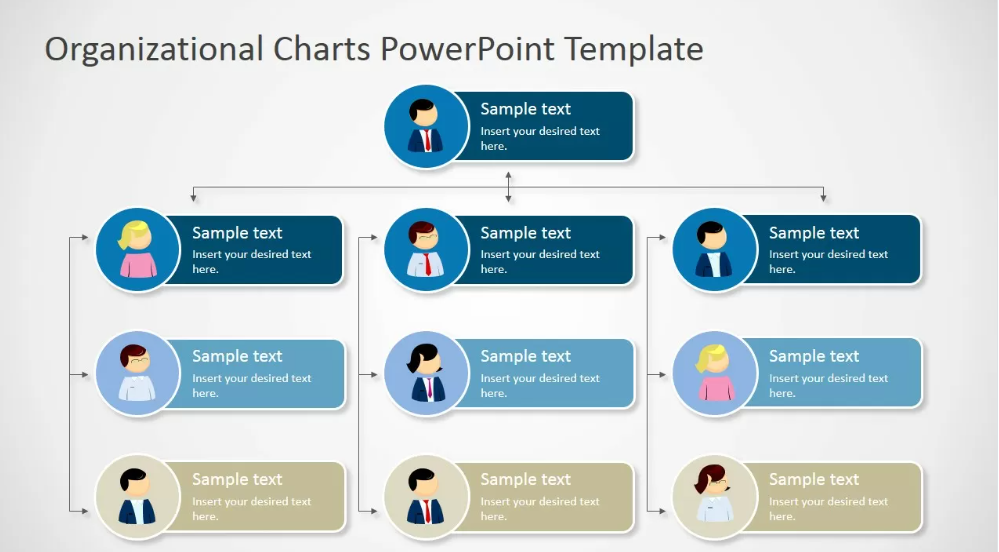
Looking to add a sleek, professional flair beyond standard PowerPoint designs? This Organizational Chart Template by SlideModel offers vertical or horizontal layouts that accommodate different organizational shapes and sizes.
Add a personal touch with avatars, photos, or icons, and easily replicate sections to create charts for the overall organization or individual departments.
🎯 Ideal for: Executives in enterprise or client-facing roles who need a sophisticated org chart that doubles as an attention-grabbing presentation piece
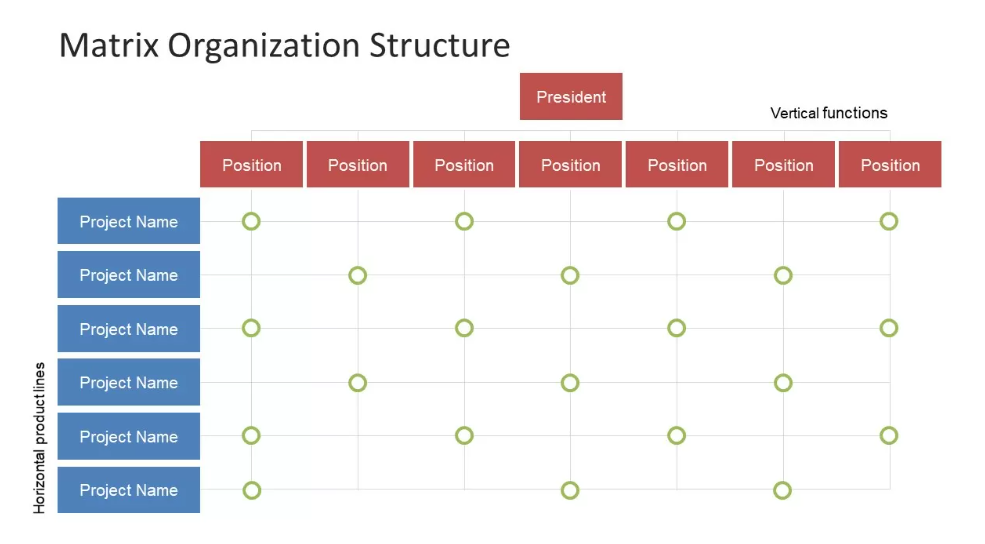
Balancing multiple managers or parallel projects calls for a specialized tool. This PowerPoint presentation template offers a ready-to-use, engaging framework for mapping cross-functional relationships using a clear 7×7 grid-style table.
Rows represent functional roles, columns stand for specific projects or products, and each intersection clearly outlines who’s responsible for what. Perfect for explaining workflows, dependencies, and the flow of information across departments.
🎯 Ideal for: Organizations relying on cross-functional teams or project-based reporting (e.g., product development, consulting, R&D) that need clarity on overlapping duties
💡 Pro Tip: Dive into real-world matrix organizational structure examples to see how these charts clarify complex workflows and empower teams to collaborate.
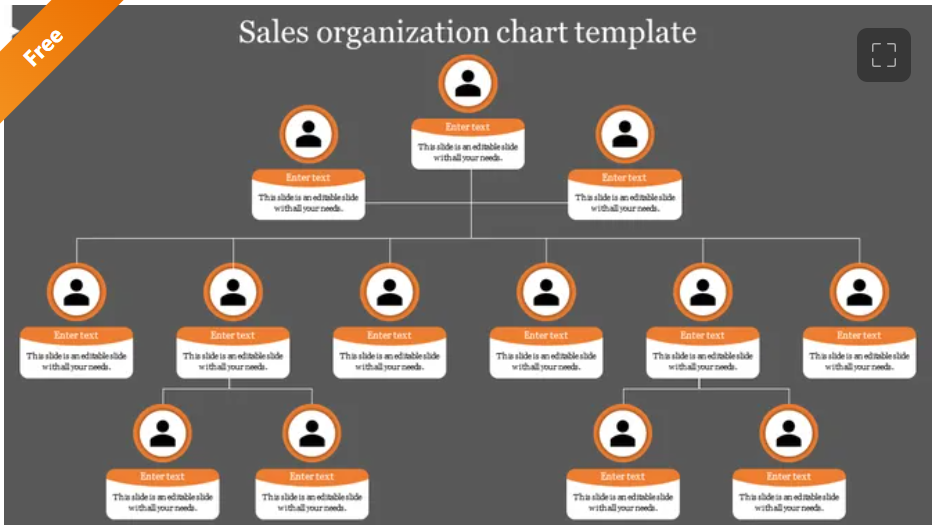
Success in sales starts with clear communication about roles, accountabilities, and reporting lines. SlideEgg’s Sales Organization Chart Template simplifies even the most complex sales hierarchies, keeping your team aligned, motivated, and ready to close deals.
Whether mapping territories, spotlighting key roles, or defining accountability, this template helps every sales rep understand their place and impact. With quick visual references, you’ll always know who to contact for leads, deals, or strategic partnerships.
🎯 Ideal for: Sales managers enabling quick introductions to new hires or pivoting sales strategies to meet changing market demands
🧠 Fun Fact: Businesses with aligned sales and marketing teams grow 19% faster and see a 15% profit boost, highlighting the power of a clear, well-structured organizational chart.
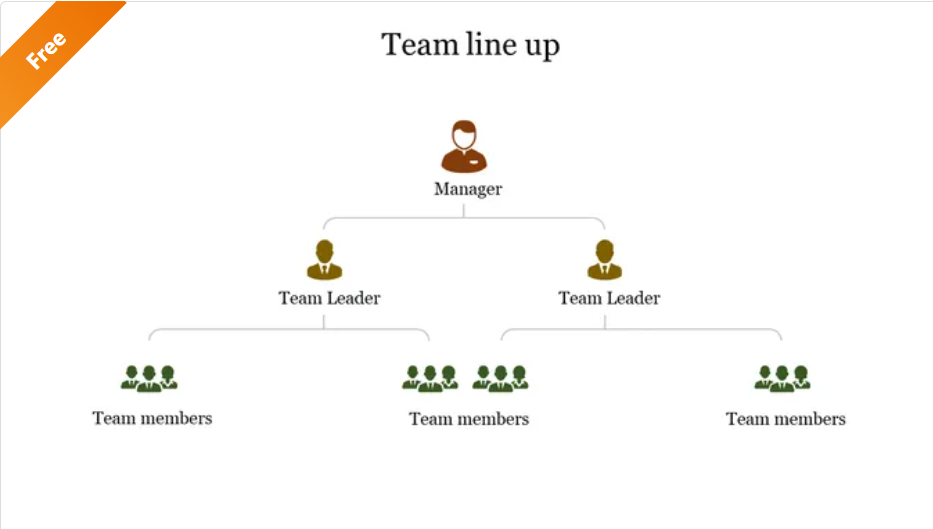
Sometimes, a traditional hierarchy might feel too rigid. This PowerPoint presentation template presents your group in a linear, easy-to-scan arrangement—perfect for small squads or project teams with more fluid leadership.
Line up team members with headshots, role titles, or short bios to create an engaging and approachable presentation. Ideal for internal meetings or client-facing decks, this template focuses on human connection, helping audiences put faces to names in seconds.
🎯 Ideal for: Agile teams, creative agencies, or remote teams wanting to emphasize individual contributions while conveying a collective sense of unity
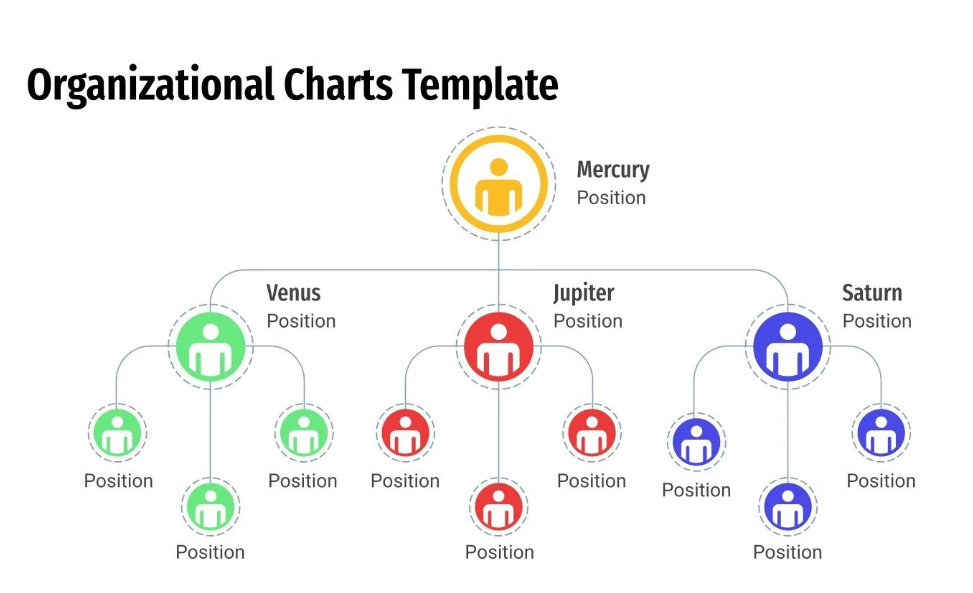
Poorly designed org charts confuse your workforce and disrupt communication. Slidesgo’s organizational chart template fixes this with vibrant visuals and professional designs prioritizing clarity.
Minimal text boxes, bold icons, and vibrant colors engage your audience. Whether you’re mapping a startup team or a multinational positioning, its flexible layouts and Google Slides compatibility make it a breeze to tailor for any team.
🎯 Ideal for: HR professionals, creative agencies, and design-led teams overseeing reorganizations or cross-functional planning
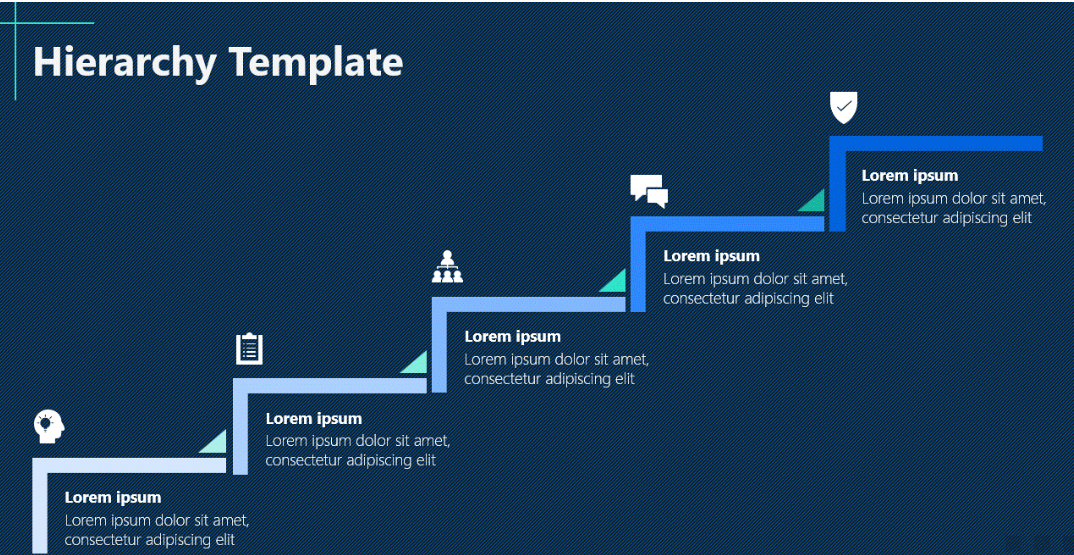
When traditional tree-style org charts fall short, the Corporate Hierarchy Template steps in with a fresh, stairs-style design. This creative layout provides an innovative way to represent roles and team dynamics, making it easier for everyone to see their path.
What makes it stand out? Use the stairs diagram to highlight career progression, workload priorities, or production funnels, ensuring your team stays aligned with company objectives.
🎯 Ideal for: Teams focused on career growth, cross-functional collaboration, or simplifying complex workflows into an easy-to-understand format
➡️ Read More: Free Org Chart Templates in PPT, Word, & ClickUp
Microsoft PowerPoint excels at presentations but often stumbles when creating organizational charts. It lacks the flexibility, functionality, and advanced features modern teams need for fast-paced workflows.
Here’s where it falls short:
PowerPoint doesn’t support robust co-editing, so teams must pass around multiple versions of the same file. This process delays reviews and creates version-control issues, complicating teamwork.
PowerPoint org charts are inherently static. Need to add a new role or restructure a department? Get ready for tedious, manual edits or a complete redraw—incredibly frustrating for teams experiencing frequent change or growth.
PowerPoint primarily operates within the Microsoft ecosystem, with little cross-platform integration. Connecting your org chart to project management tools or live task updates is almost impossible.
As org charts grow to include dozens or hundreds of roles, PowerPoint slides quickly become cluttered and unmanageable. This visual overload leads to confusion, slowing the creation process and comprehension.
PowerPoint offers no native tools to track performance, capacity, or organizational trends. You’ll have to manually gather and interpret that data, which slows decision-making and strategic planning.
So, how do you overcome these challenges? Switch to dynamic, cloud-based org chart software. With real-time collaboration, instant updates, and seamless integration, these tools transform your workflow—keeping your team agile, connected, and ahead of the game.
In team management, every move matters—from defining roles and responsibilities to keeping departments aligned on goals. That’s where ClickUp—the everything app for work—steps in to bring clarity and precision to your organizational strategy.
With ClickUp Whiteboards, building an organizational chart becomes simple and fun on an infinite, real-time canvas. Just drag, drop, draw, and embed elements as your workforce evolves—ideal for inspiring creativity and synergy.
ClickUp centralized our day-to-day operations and promoted collaboration across the department. The whiteboard feature? Obsessed. This tool was often used during team meetings to brainstorm ideas or elaborate on certain initiatives.
Don’t want to start from scratch? ClickUp’s free organizational chart templates are here to save you time and optimize your workflow. Check out our top 7 picks below!
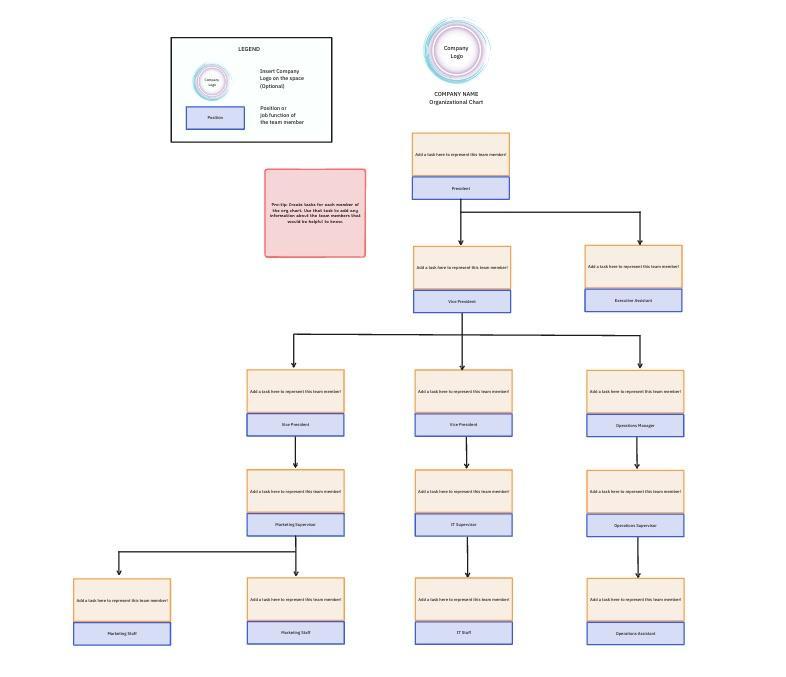
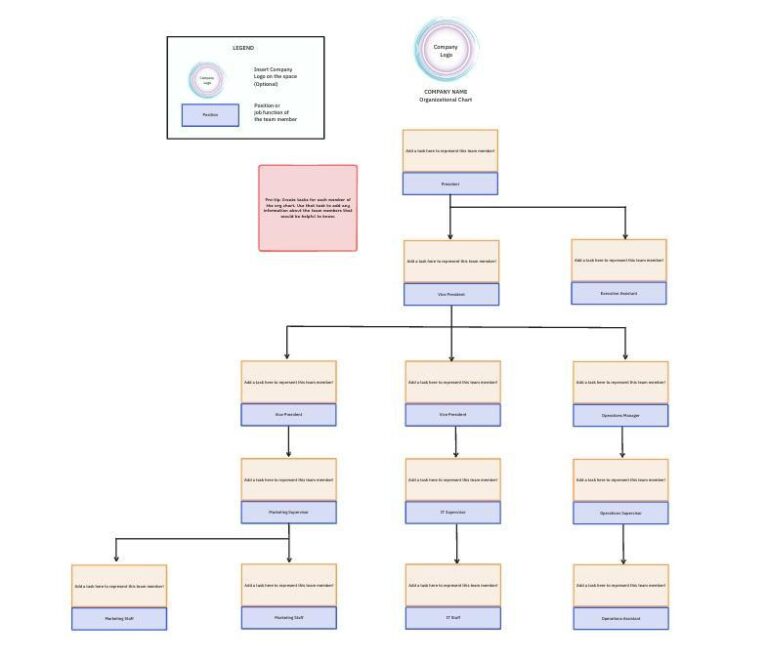
Imagine having a personal team architect at your fingertips—that’s the ClickUp Org Chart Template for you!
This tool transforms a static hierarchy into a dynamic, collaborative framework, helping you see how each individual contributes to company-wide goals. Drag and drop roles, link tasks or documents to specific employees, and visualize cross-department relationships.
And the best part? Since it’s a living chart, you’ll avoid version-control issues. Everyone always has the latest structure—no more digging through outdated files or Google Slides.
🎯 Ideal for: New managers, HR experts, or team leads creating their first organizational chart—or anyone who needs a flexible, interactive tool to map out dynamic roles
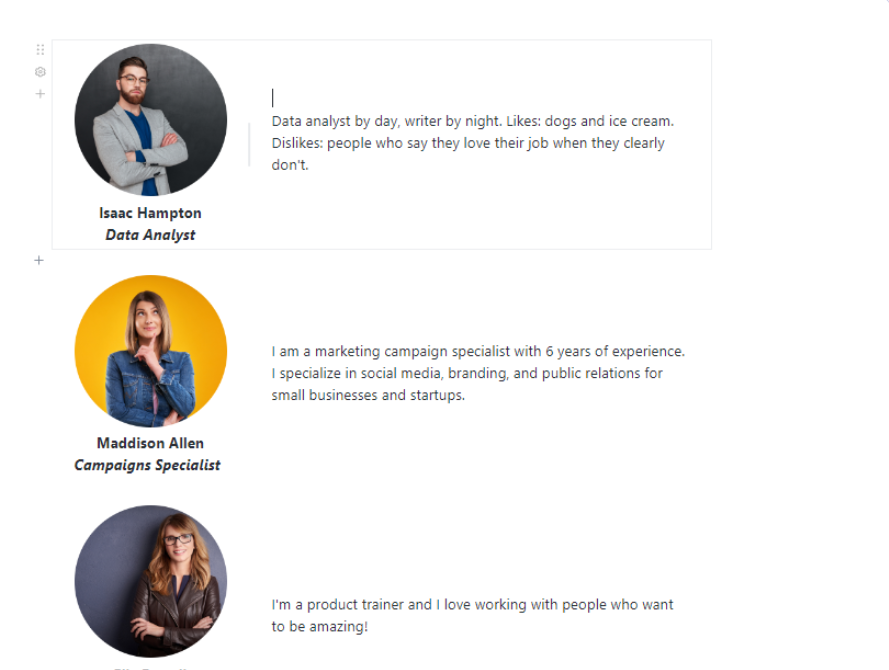
Let’s face it—traditional team introductions often lack personalization, making it hard to build meaningful connections, especially in remote or hybrid setups.
ClickUp’s Meet the Team Template fixes this by turning introductions into interactive, dynamic, engaging experiences. Whether onboarding new hires or presenting to stakeholders, it ensures your whole team’s unique personalities and strengths shine through.
Unlike PowerPoint organizational chart templates, it offers customization options beyond names and roles. Add photos, highlight specific skills, share achievements, and include facts to weave a more inclusive and engaging story.
🎯 Ideal for: Remote or distributed teams bridging communication gaps, HR managers enhancing onboarding, or leaders crafting a lively ‘About Us’ section for company presentations or websites
➡️ Read More: Best Digital Whiteboard Software Programs
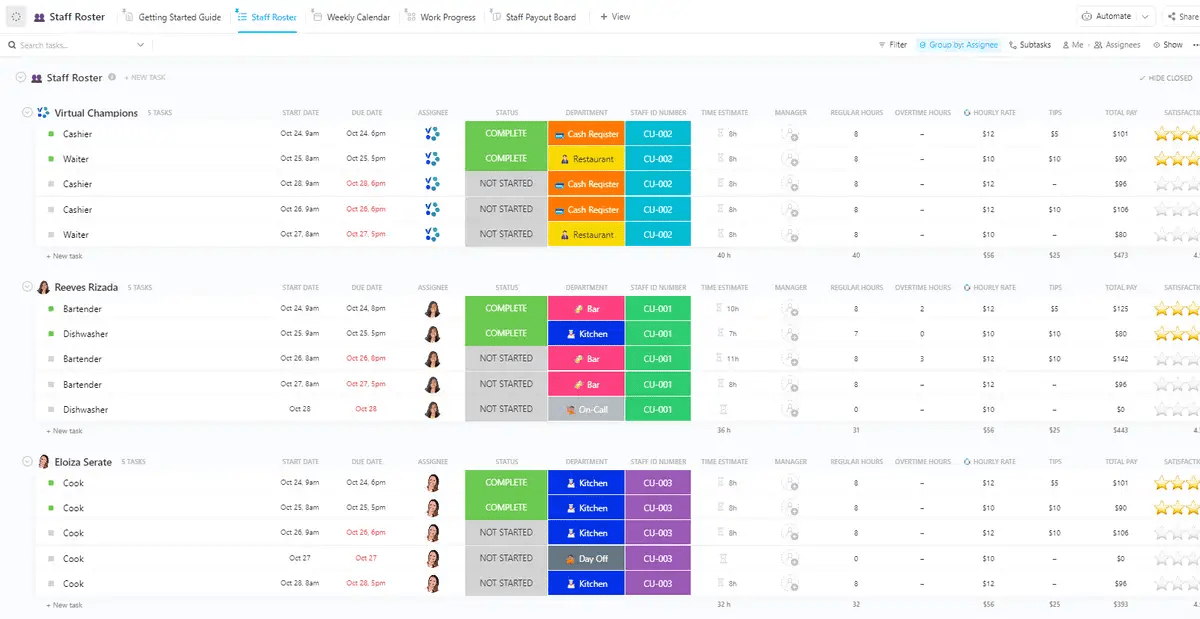
The ClickUp Staff Roster Template consolidates all your employee management needs into one centralized system. No more juggling spreadsheets or outdated tools—this template efficiently handles schedules, workloads, and payroll.
Its standout feature is the Staff Payout Board—a visual, Kanban-style configuration that simplifies payroll and overtime tracking.
Built-in workforce analytics also give you real-time insights into employee performance, task progress, and availability, empowering you to make smarter, data-driven decisions.
🎯 Ideal for: HR professionals managing payroll and compliance, operations leaders balancing shift-based teams, or managers focused on strategic workforce planning
💡 Pro Tip: Looking for an even smarter way to manage your workforce? ClickUp shines as a robust employee database software. From simplifying onboarding and tracking performance to managing payroll and compliance—ClickUp is the ultimate powerhouse.
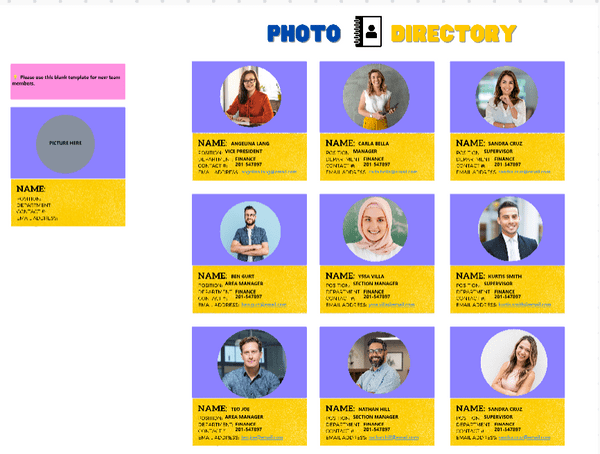
Have you ever felt like you’re playing a never-ending game of ‘Guess Who’ with your coworkers? It’s time to flip the script with ClickUp’s Team Photo Directory Template!
This organizational chart template features employee photos alongside critical information. Organize details into categories and folders, easily add searchable tags and keywords, and track who uploaded what.
🎯 Ideal for: Remote teams bridging the digital divide across different time zones or any firm that wants external stakeholders (like investors or partners) to recognize key personnel
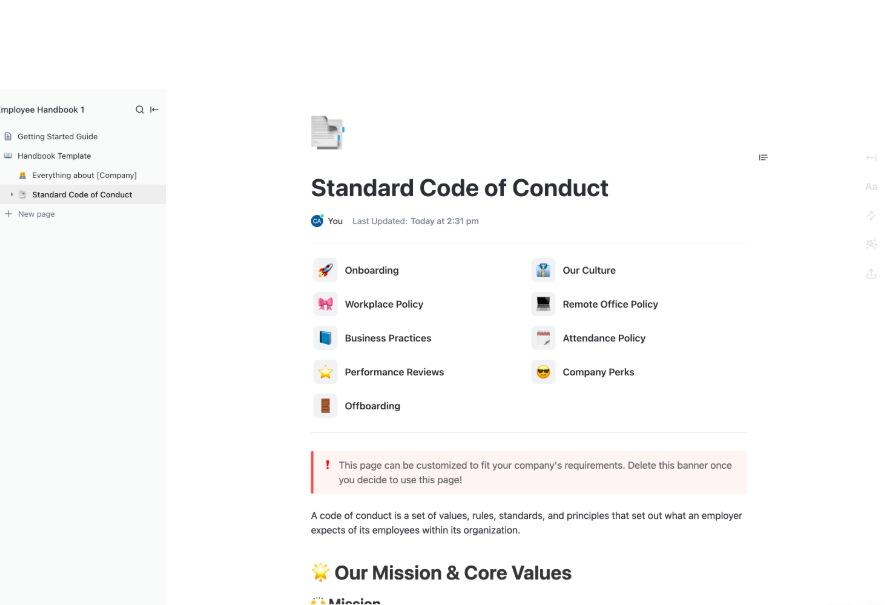
Every successful business thrives on a solid foundation of well-defined standards, guidelines, and responsibilities. The ClickUp Employee Handbook Template is excellent at showcasing all these in one easily accessible space.
While not an org chart in the traditional sense, this template provides context for how your company operates—offering clarity on rules, processes, and the chain of command.
Unlike a static PDF handbook, this dynamic ClickUp document is updated in real-time. If you revise a policy, every employee will see the latest version, eliminating confusion or outdated references.
🎯 Ideal for: HR pros creating a single source of truth for company policy or small business owners scaling their workforce responsibly
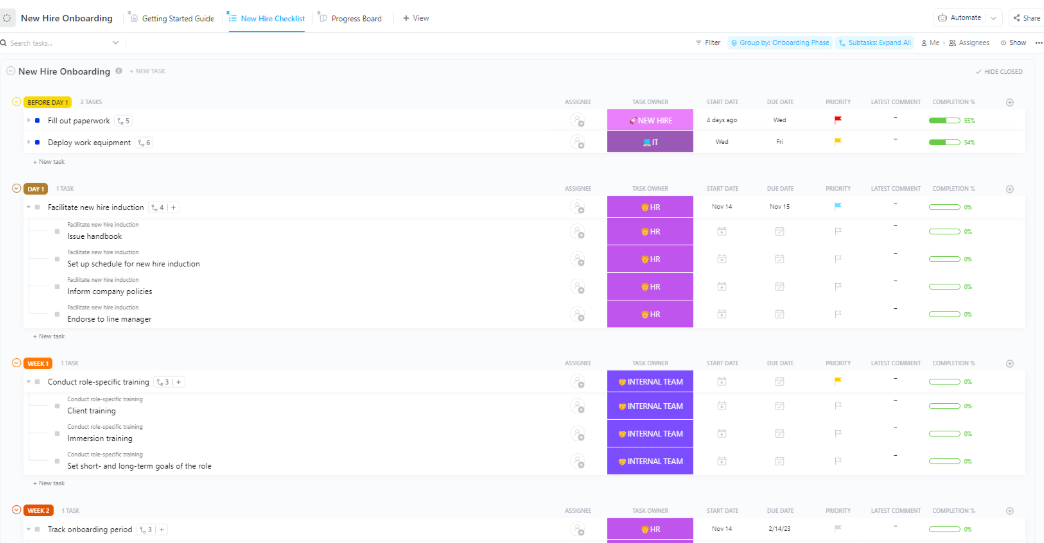
Make an unforgettable first impression with the ClickUp New Hire Onboarding Template. It outlines the onboarding experience—from team structures, essential tasks, resources, and timelines into clearly defined steps—helping new joiners feel confident from day one.
Assign mentors, embed role-specific training modules, and integrate company policies to help employees understand their responsibilities and organizational vision. This transparency supports faster integration and reduces the risk of early miscommunication.
🎯 Ideal for: HR managers or leaders in fast-scaling organizations who need real-time oversight and a unified approach to welcoming new joiners
➡️ Read More: How to Restructure an Organization the Right Way
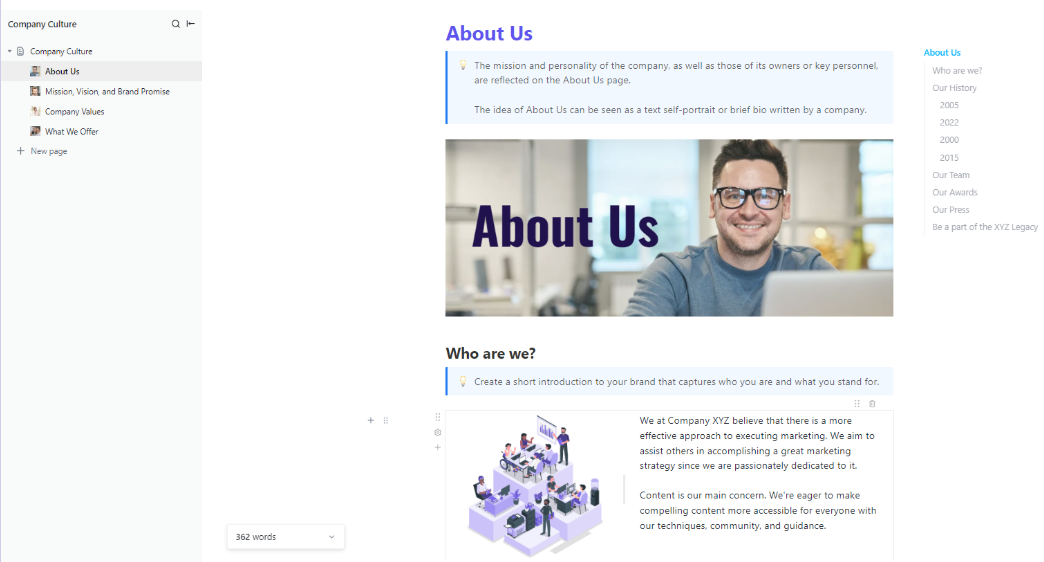
A thriving company culture stems from a collective mission, core values, and genuine connections. That’s what the ClickUp Company Culture Template offers.
This tool doesn’t just outline hierarchies—it captures the ‘why’ behind your organizational structure. It helps employees understand where they fit and how their contributions advance the company’s goals.
The payoff? Stronger camaraderie, higher engagement, and improved communication—laying the foundation for long-term success.
🎯 Ideal for: HR leaders shaping a cohesive cultural identity and companies navigating mergers or restructuring—ensuring every employee understands mission and values
Organizational charts are more than just boxes and lines—they are the blueprint for your company’s structure, culture, and growth potential. While free PowerPoint templates offer a decent start, ClickUp transforms your org charts into a dynamic, interactive hub that naturally fits within your workflow.
Ready to embrace the future? Sign up for ClickUp today to redefine how you visualize and manage your team’s structure—and boost productivity!

Praburam Srinivasan
Max 20min read
Praburam Srinivasan
Max 27min read

PMO Team
Max 9min read

© 2026 ClickUp