Looking to solve Notion scaling limitations? We got you!
Most small businesses don’t leave Notion because it’s broken.
They often end up leaving the platform because they’ve outgrown a tool designed for individuals, not scaling teams, losing 96 minutes of productivity daily to app-switching and fragmented workflows.
This article walks you through the seven structural limitations that emerge as you grow, the signs you’ve hit Notion’s ceiling.
We’ll also cover how ClickUp’s converged workspace architecture solves the gaps that matter most: native project management, real-time collaboration at scale, built-in time tracking, and operational AI that actually improves your workflow.
Summarize this article with AI
ClickUp Brain not only saves you precious time by instantly summarizing articles, it also leverages AI to connect your tasks, docs, people, and more, streamlining your workflow like never before.
Summarize this article for me please
7 Notion Limitations That Surface as Small Businesses Scale
The very things that make Notion appealing for individuals and tiny teams, its open-ended nature and reliance on linked relational databases, become significant hurdles as your business grows.
These are fundamental structures that don’t quite support the complex, structured workflow management that scaling teams depend on.
Limitation 1: No native project management (task dependencies, Gantt)
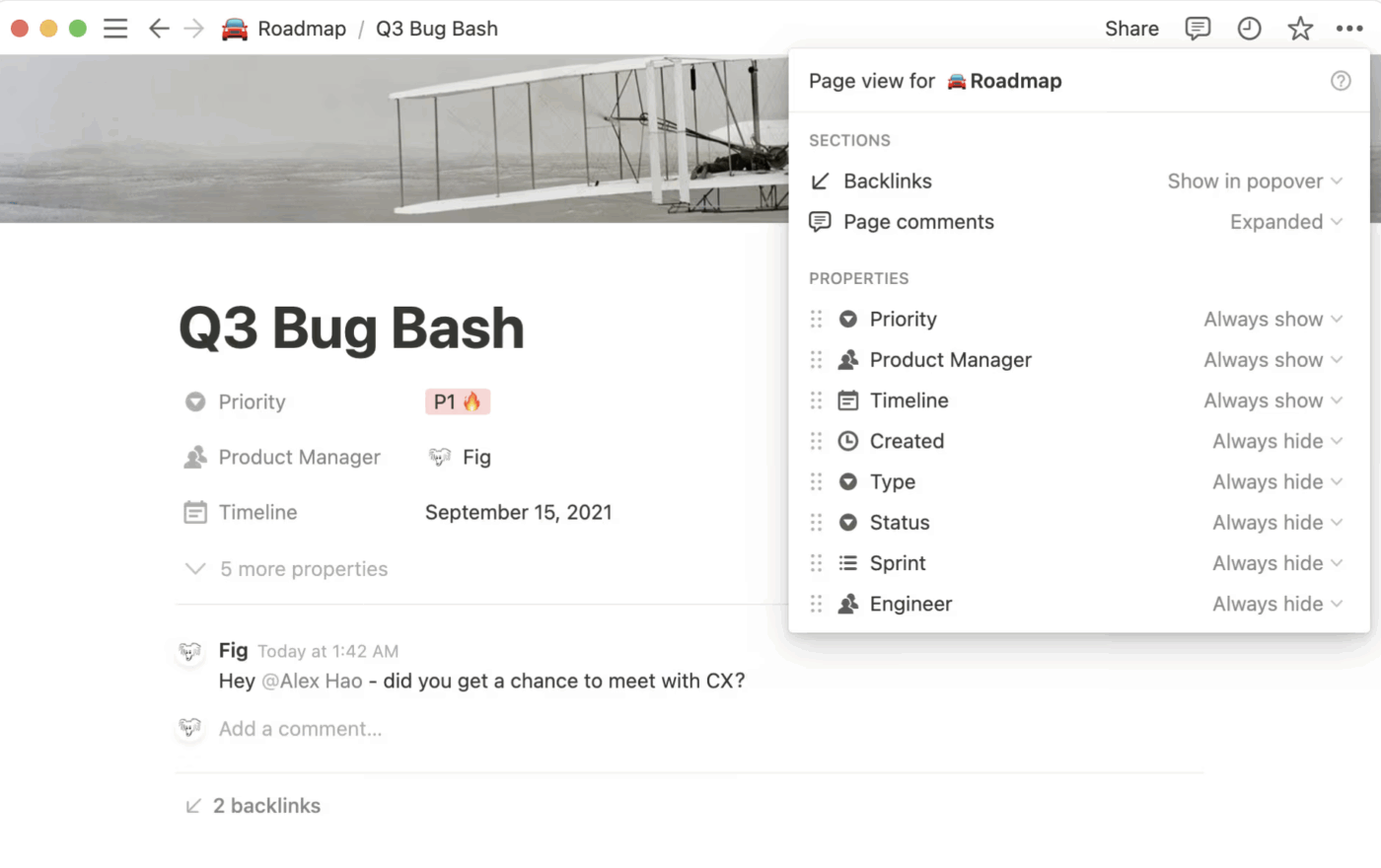
via Notion
You’re managing a product launch with multiple workstreams, where design must finish before development can start, and development must finish before QA can test.
While Notion has introduced basic dependency toggles, they lack the logic required for complex projects—such as lead/lag times or the ability to visualize a true Critical Path.
To cope, teams build elaborate workarounds using database relations and rollup fields to simulate dependency logic. This system is not only time-consuming to build but also incredibly brittle; one wrong entry can break the entire chain, and it requires constant manual upkeep. Without a true project management foundation, your timeline becomes a house of cards.
The real consequence is that project timelines become pure guesswork. A single delay can cascade through the entire project without warning, because there’s no Gantt chart to automatically show you the downstream impact.
Limitation 2: Weak collaboration (no real-time for >10 users)
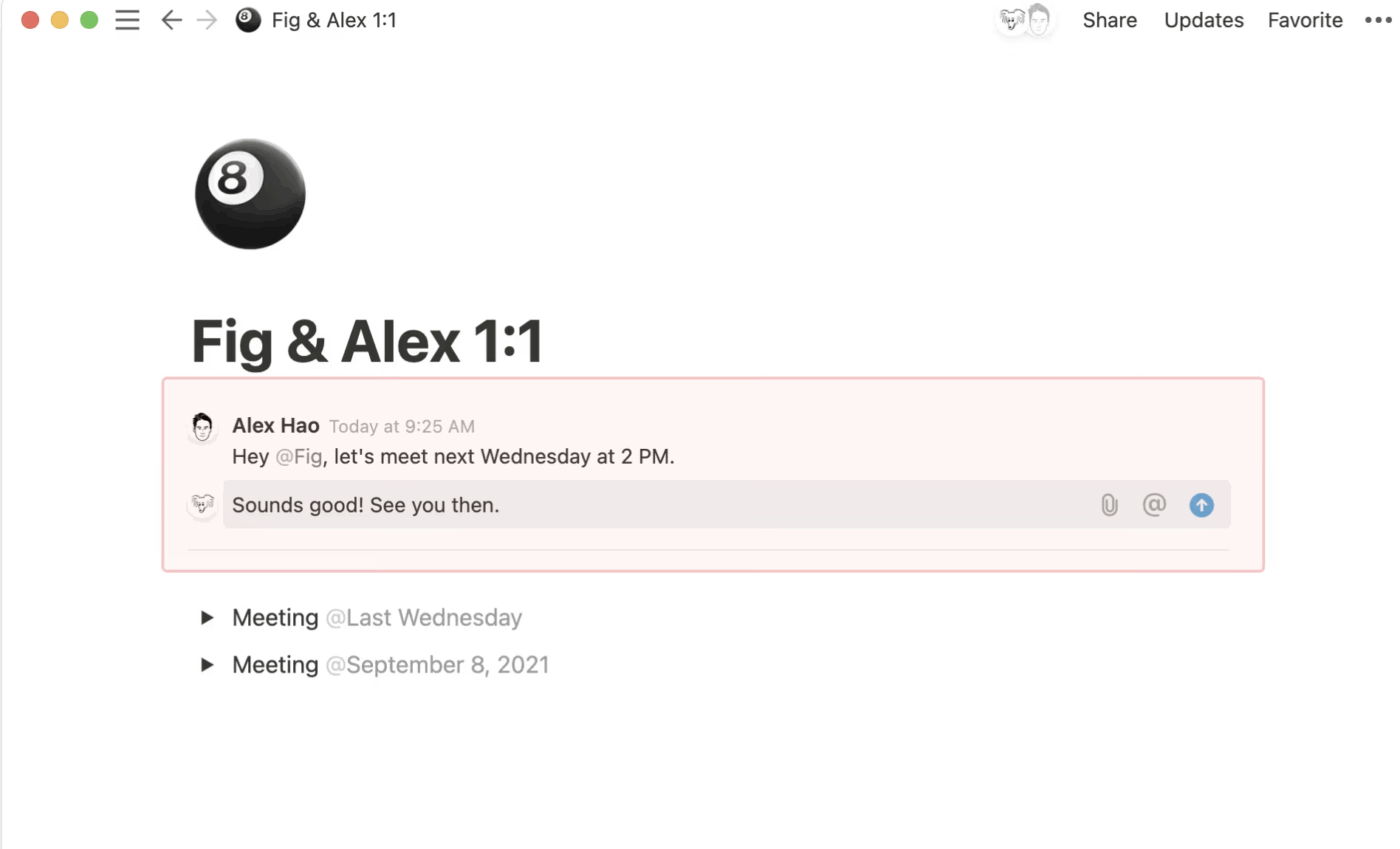
via Notion
Your team jumps into a shared Notion doc for a planning session, but the experience breaks down immediately. Cursors lag, edits from different people overwrite each other, and for some, the page won’t even load.
This happens because Notion’s real-time collaboration and sync latency struggle under the weight of many concurrent users, especially on pages heavy with blocks and databases.
This technical friction forces a behavioral shift. Teams start avoiding live collaboration altogether, opting to work in silos and merge their changes later. This completely defeats the purpose of a collaborative workspace and introduces the risk of version control issues.
Ultimately, collaboration becomes asynchronous by default, not by choice. This slows down decision-making, creates confusion about which version of a document is the “real” one, and turns what should be a quick brainstorming session into a frustrating, disjointed process.
🌼 Why small businesses love ClickUp!
Small businesses often survive on a “Franken-stack”—a patchwork of 20+ disconnected tools for tasks, docs, chat, time tracking, and goals.
While each app might solve a singular problem, together they create a “Toggle Tax” that drains up to 20% of a team’s weekly productivity through context switching and data silos.
But all’s not lost yet. This is where small businesses can find their competitive edge with ClickUp’s Small Business Suite.
By bringing project management, collaborative Docs, real-time Chat, and native time tracking into a single interface, ClickUp eliminates the friction of hunting for information across tabs. Hear it straight from our customer, path8 Productions:
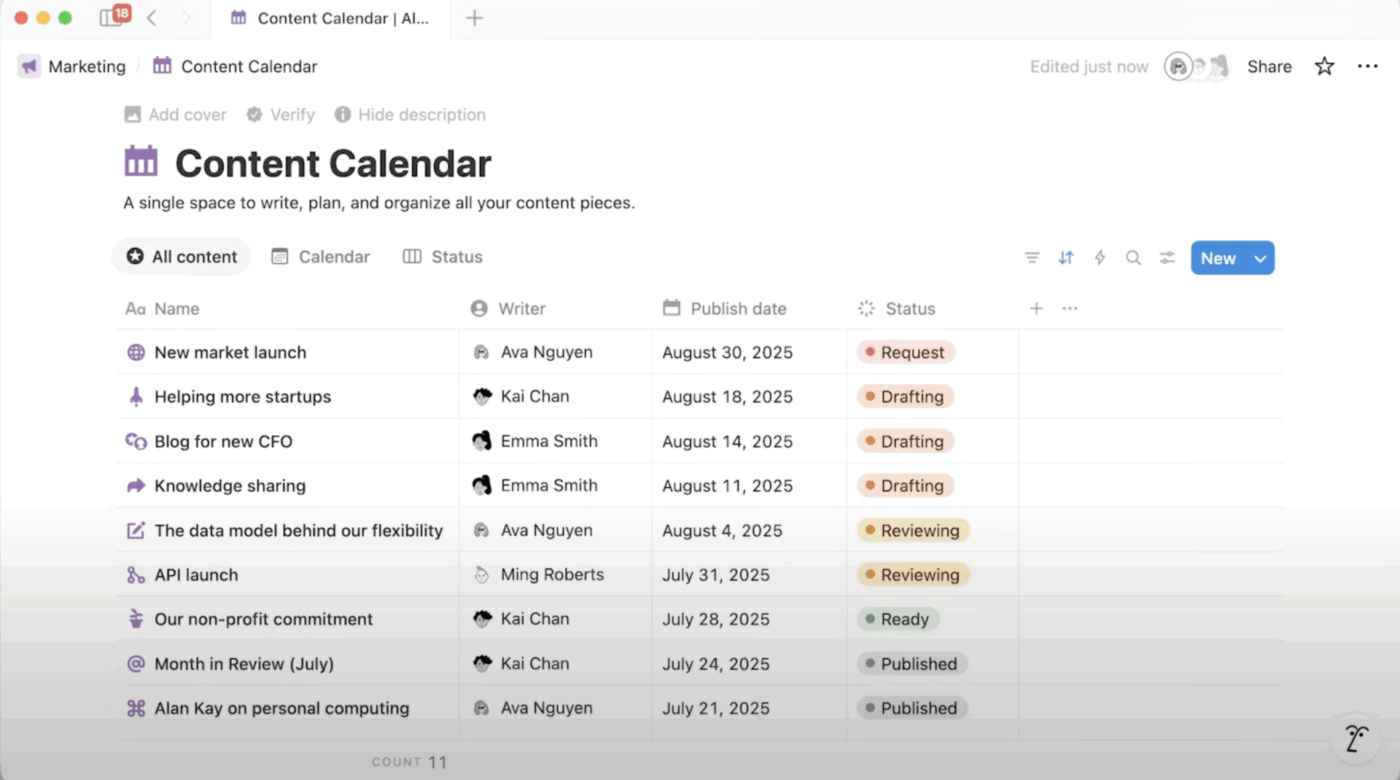
Your master project database used to be snappy, loading in an instant. Now, with a few hundred more entries, it takes several seconds to load, and simple actions like filtering or sorting feel sluggish. This is a common pain point for growing teams in Notion.
The platform’s databases, built on a block-based editor, are not optimized for large datasets.
As your databases grow, the heavy use of Relations and Rollups creates a calculation tax, causing views to stutter and filters to lag under the weight of interconnected data. The tool starts to feel slow and unresponsive.
The most common workaround is to split large databases into smaller, more manageable databases. But this undermines the very reason you chose Notion in the first place: to have a single source of truth.
Limitation 4: No time tracking or resource management
via Notion
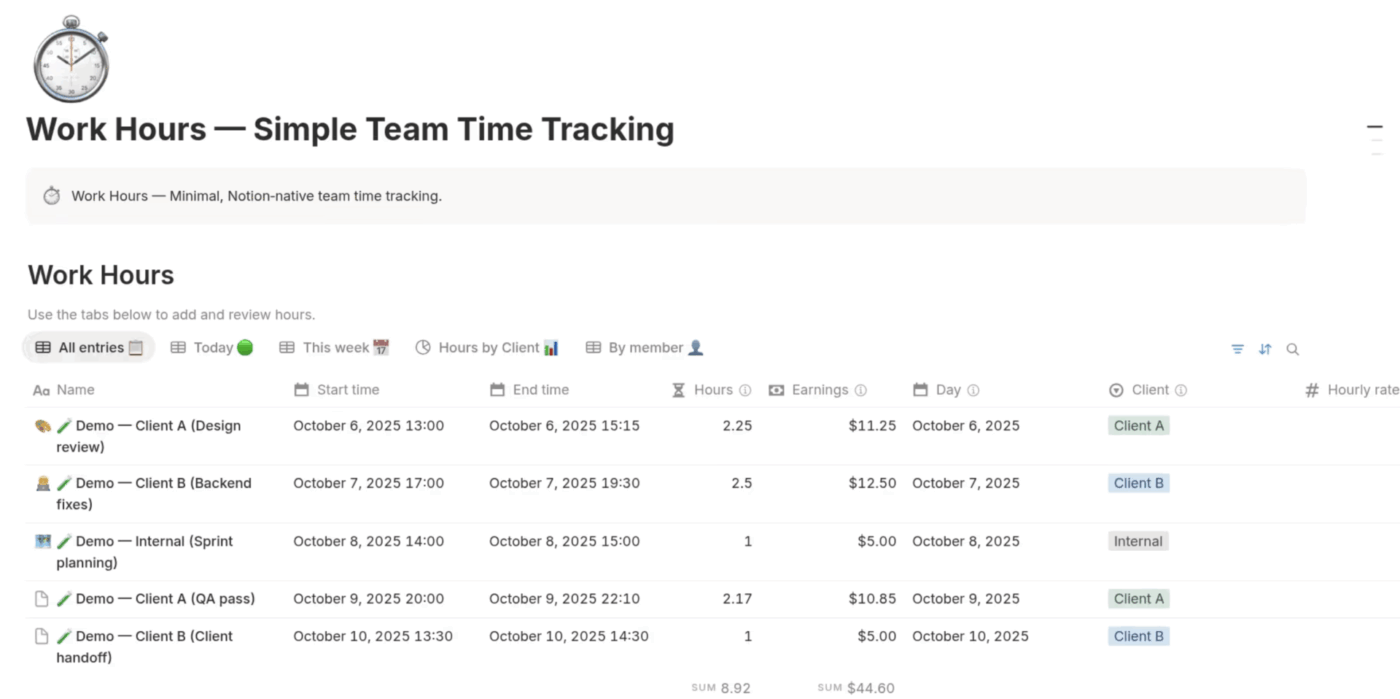
You run a services business where every minute is billable, or you manage projects where the budget is tied directly to hours worked. Knowing where your team’s time is going is a core part of resource management and essential for profitability. Yet, Notion has no native time tracking features.
This forces teams to either bolt on a third-party tool, adding another subscription and creating more tool sprawl, or manually log hours in a Notion database.
Manual logging is notoriously unreliable—people forget, they estimate incorrectly, and a one-week delay can forfeit 20% of billable time, making the data useless for accurate invoicing or project costing.
Without workload views or capacity planning, you have no visibility into who is overloaded and who has bandwidth. You can’t make informed decisions about resource allocation until someone is already burnt out or a critical deadline has been missed. You’re left making staffing and project decisions based on gut feelings instead of actual data.
📮 ClickUp Insight: Only 15% of managers check workloads before assigning new tasks.
Another 24% assign tasks based solely on project deadlines. The result? Teams end up overworked, underused, or burned out. Without real-time visibility into workloads, balancing them isn’t just hard—it’s almost impossible.
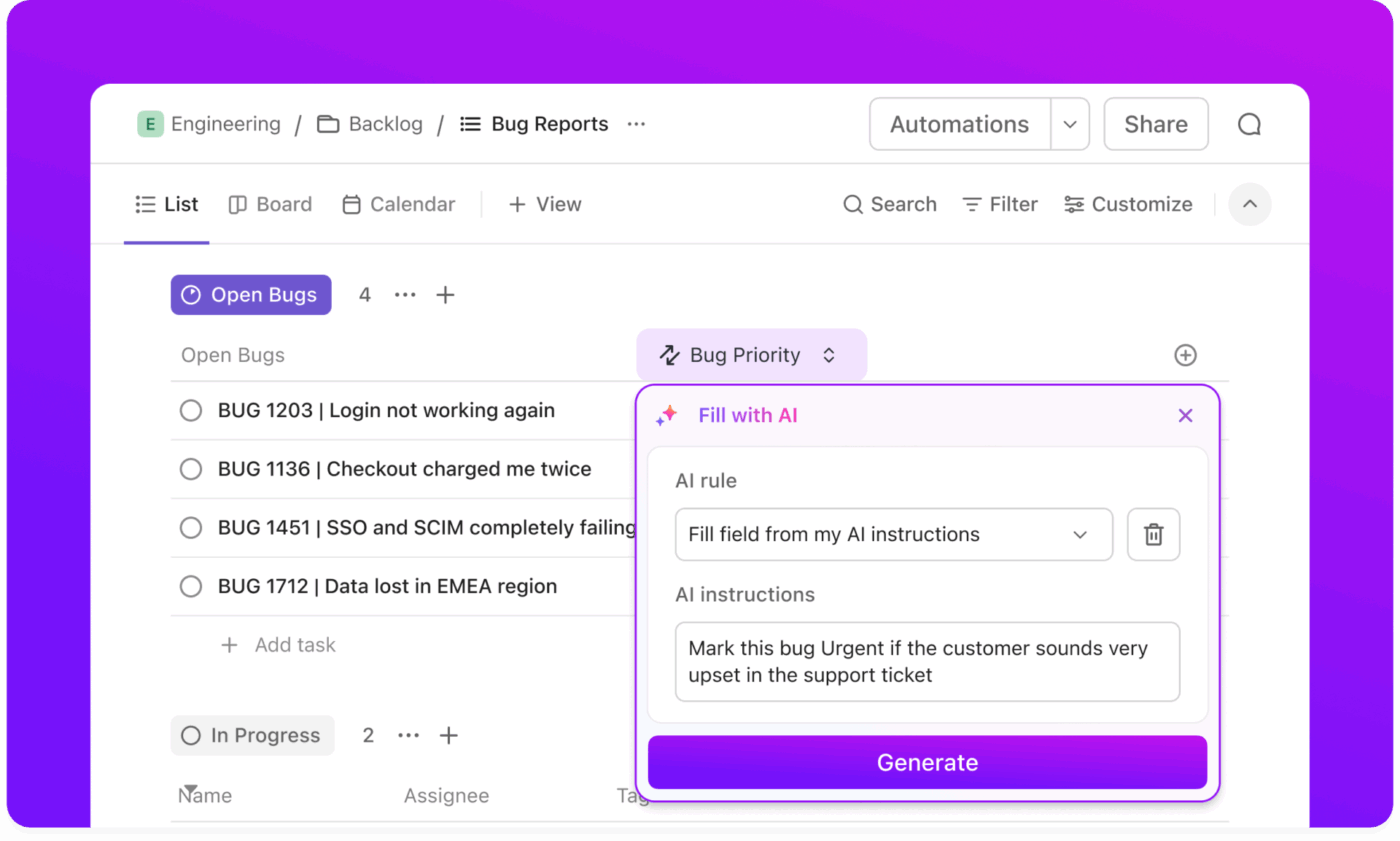
ClickUp’s AI-powered Automation features like AI Assign and AI Prioritize help you assign work with confidence, matching tasks to team members based on real-time capacity, availability, and skills.
Here’s how path8 Production’s team leveraged it to become AI-native!
Every time a task is moved to a “Done” status, a series of actions needs to happen. Someone on your team has to manually notify the next person in the workflow, update a status field in another database, and archive the task.
This happens over and over, for every single task. This kind of repetitive manual work is a major productivity killer for scaling teams.
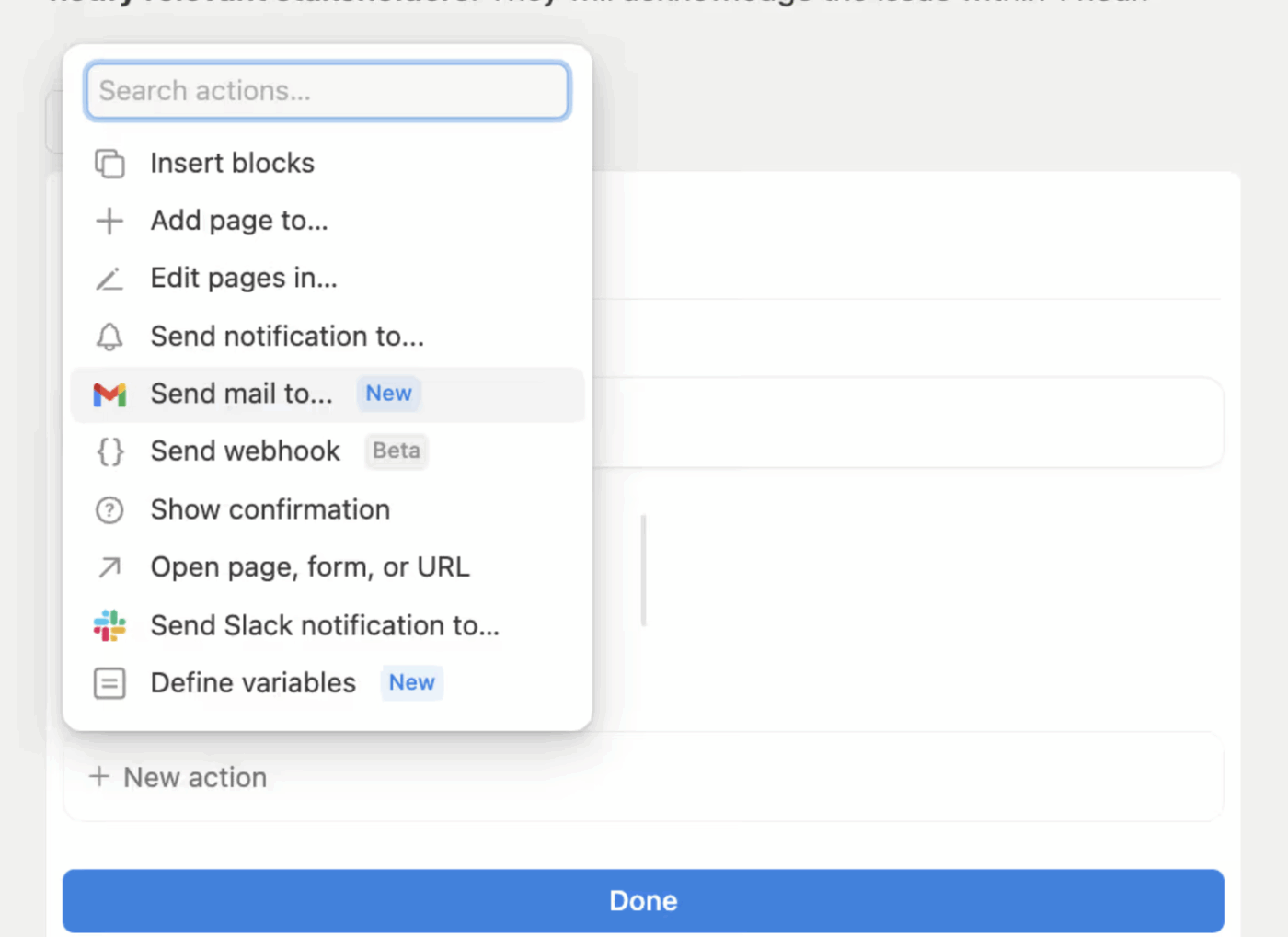
While Notion has some basic automation, it’s limited to simple triggers and actions, without the conditional logic needed for real-world workflows, such as “If a task’s priority is set to ‘Urgent’ AND the status changes to ‘In Progress,’ then notify the project manager.”
To get around this, teams often turn to third-party tools like Zapier or Make. This introduces another layer of complexity, another subscription to manage, and another potential point of failure in your workflow. The result is that manual busywork scales right along with your team size, eroding the efficiency gains you hoped to achieve.
Limitation 6: No built-in chat/communication
A quick question about a project comes up. Do you leave a comment in Notion, send a message in Slack, or start an email thread? Now, imagine every person on your team making that same decision dozens of times a day. This is how context sprawl begins—when teams waste hours searching for information across disconnected apps, hunting down files, and repeating updates across multiple platforms.
Notion is excellent for documentation, but the crucial conversations about that documentation happen elsewhere. This disconnect creates siloed work and fragments important information across multiple platforms. The “toggle tax”—the mental energy and time lost switching between your work and your chat tool—adds up significantly throughout the day, with knowledge workers losing 32 working days per year just toggling between workplace apps.
The biggest consequence is that important decisions get buried in ephemeral chat threads that are never linked back to the work they reference. When you look back at a project six months later, you see what was done, but you have no idea why it was done that way.
🧠 ClickUp Brain MAX: One AI super app, not another add-on
As teams scale, Notion’s AI quickly turns into another tool to manage—separate prompts, no shared memory, limited context.
Instead of AI bolted onto documents, Brain MAX becomes a shared intelligence layer for how work actually runs—end to end
Limitation 7: AI features locked behind high-tier plans
via Notion AI
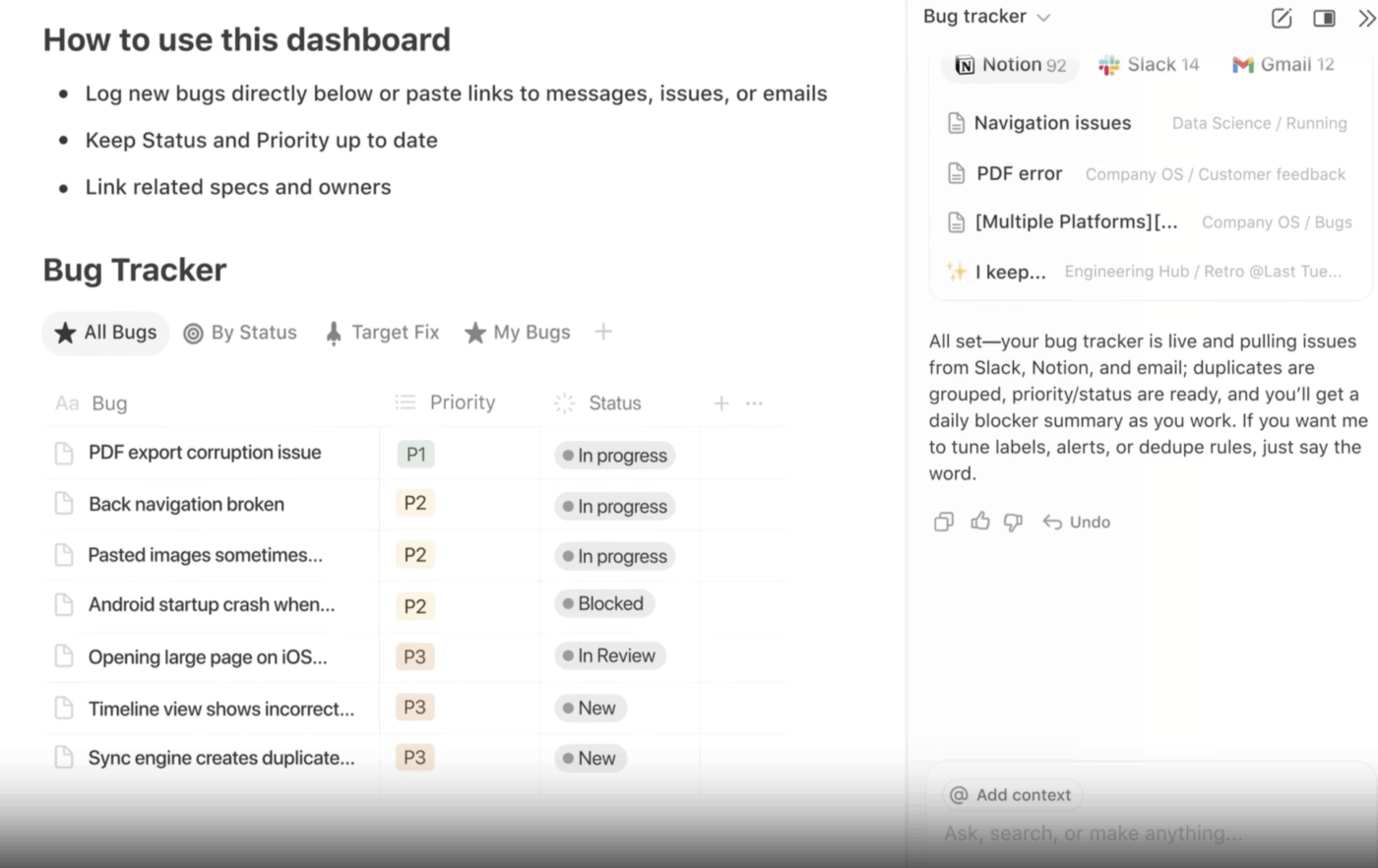
Notion’s AI features, like summarization and writing assistance, sound great on paper. However, most small businesses remain out of reach because they aren’t included in the standard plans. Accessing Notion AI requires a per-user, per-month add-on, a cost that quickly multiplies as your team grows.
This pricing model creates a significant friction point for scaling businesses. You’re forced to either pay a premium for AI features or go without, missing out on potential efficiency gains.
Even if you do pay for the add-on, the capabilities are primarily focused on content generation and summarization.
They don’t fully extend to operational workflow intelligence, such as automated multi-step process execution or deep search across connected third-party tools. This leaves a critical gap for teams looking for AI to do more than just write a first draft.
💡Pro Tip: Connect with your colleagues via ClickUp SyncUps for quick calls and automatically record meeting summaries, decisions, and action items. These can then be attached directly to the relevant tasks or Docs. No follow-up notes. No lost context.
For async updates, ClickUp Clips let teammates share quick video walkthroughs of decisions, changes, or blockers—so context lives with the work, not buried in chat threads.
Together, SyncUps and Clips turn conversations into searchable, reusable context—so Brain MAX can surface decisions instantly, without anyone asking, “Wait, why did we do this?”
Summarize this article with AI
ClickUp Brain not only saves you precious time by instantly summarizing articles, it also leverages AI to connect your tasks, docs, people, and more, streamlining your workflow like never before.
Summarize this article for me please
Signs Your Small Business Has Outgrown Notion
Not every frustration means you need to switch tools; some growing pains are normal. But certain patterns suggest you’ve hit Notion’s ceiling, not just a temporary rough patch. Here’s how to tell the difference. 👀
Your team has built elaborate workarounds: If you’ve created a database just to track which other databases to check, that’s a major red flag
New hires take weeks to understand your setup: A workspace should be intuitive; if onboarding requires a dedicated course on how your Notion is built, it’s too complex
You’re paying for multiple tools to fill gaps: Using separate apps for time tracking, chat, and automation means you have a patchwork of tools, not a unified workspace—with nearly 70% of employees facing “too many applications and context-switching” issues monthly.
Performance complaints are becoming routine: When “Notion is slow again” becomes a common refrain in your daily stand-up, you’ve outgrown the infrastructure
Critical information lives in chat, not your workspace: If real decisions are happening in Slack threads that never get documented, your “single source of truth” is an illusion
You’ve stopped trusting your own data: When no one is sure if the project tracker is up to date, people start keeping their own private spreadsheets, creating multiple sources of confusion
👉🏽 OurSmall Business AI Playbook breaks down exactly how to use AI to reduce complexity in your workflows.
Summarize this article with AI
ClickUp Brain not only saves you precious time by instantly summarizing articles, it also leverages AI to connect your tasks, docs, people, and more, streamlining your workflow like never before.
Summarize this article for me please
What to Look for in a Notion Alternative
Switching tools is a big decision that costs time, money, and team patience. Before you start evaluating alternatives, it’s crucial to get clear on what your business actually needs at its current stage of growth. Here’s what to prioritize in your search. 🛠️
Native project management depth: Your new tool should have built-in features like task dependencies, multiple project views (Gantt, Timeline, Workload), and a clear hierarchy that can model how your team actually works—not just a blank canvas you have to build from the ground up
Real-time collaboration that scales: Don’t just take a vendor’s word for it. Test the platform with your actual team size, doing real work simultaneously during the trial period
Performance with real data volumes: An empty workspace is always fast. Import a significant chunk of your existing data to see how the tool performs under a realistic load
Built-in time tracking and resource views: If tracking billable hours or managing team capacity is important to your business, these features should be native to the platform, not a third-party add-on
Automation without third-party dependencies: Look for a platform with robust automation that includes conditional logic, multiple triggers, and a wide range of actions that save you real time
Communication in context: Your new tool should have features like comments, chat, and @mentions that keep conversations attached to the work they reference, eliminating context sprawl
AI that’s accessible and operational: AI features should be included in reasonable plans and focus on improving workflow efficiency, not just generating content
A clear migration path: The platform should offer a clear migration path with a straightforward way to import your existing Notion data so you don’t have to start from scratch
Summarize this article with AI
ClickUp Brain not only saves you precious time by instantly summarizing articles, it also leverages AI to connect your tasks, docs, people, and more, streamlining your workflow like never before.
Summarize this article for me please
How ClickUp Solves the Limitations Small Businesses Face With Notion
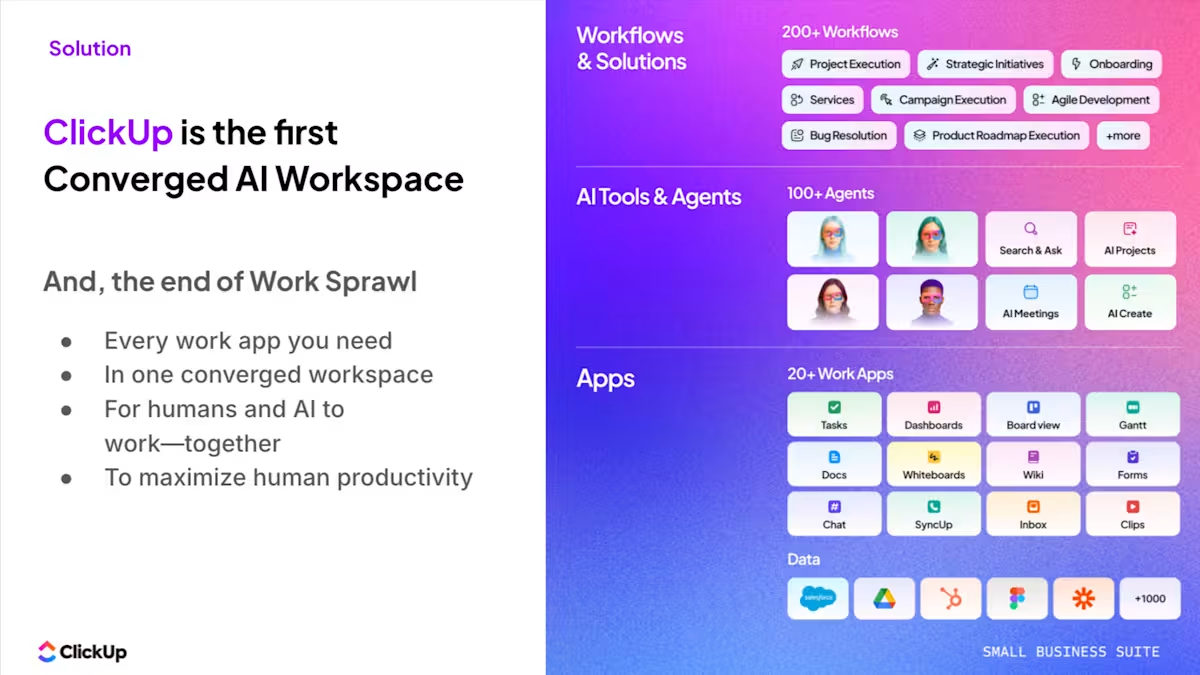
As the world’s first converged AI workspace, ClickUp is designed around a different assumption: that work will get more complex as teams grow, not just more documents.
Where Notion optimizes for flexibility at the block level, ClickUp is built on a structured work engine that supports dependencies, real-time collaboration, automation, and AI at scale. The result is a system that absorbs complexity instead of collapsing under it.
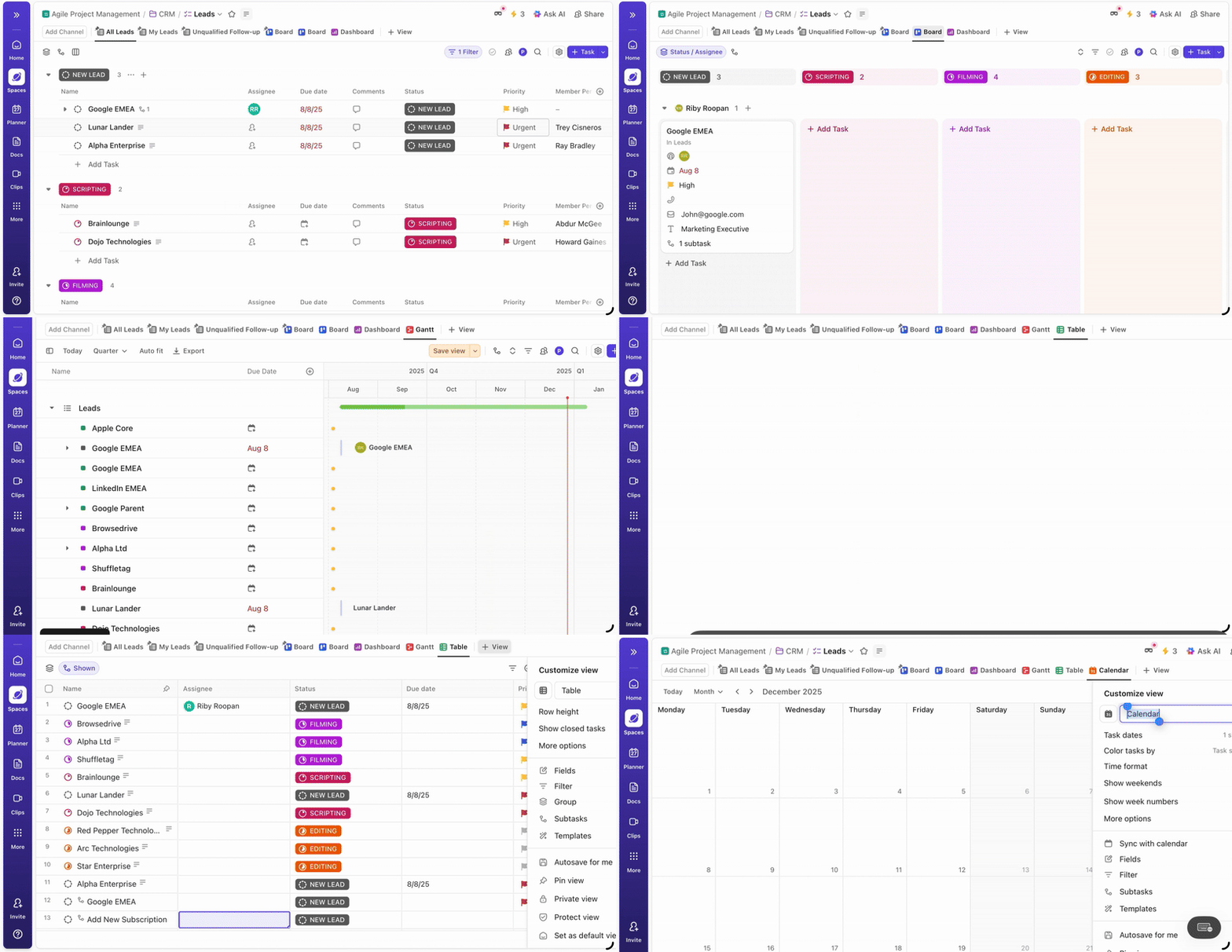
In ClickUp, your project management sequence is explicit, not implied.
ClickUp Tasks support native Dependencies (finish-to-start, start-to-start, etc.), and those relationships automatically power Gantt charts and timeline views. When one task slips, downstream tasks update immediately, so the impact is visible before it becomes a crisis.
There’s no need to simulate logic with relations or rollups. Dependencies are first-class objects in the system.
Use ClickUp Tasks and sub-tasks to capture information in a structured manner
The real consequence is predictability. You can see your project’s critical path, understand which tasks actually matter for delivery, and model “what happens if this slips by two days” without guesswork. Timelines stop being a mental exercise and start being a shared, reliable source of truth.
ClickUp’s One-Up 2: Real-time collaboration that holds up at scale
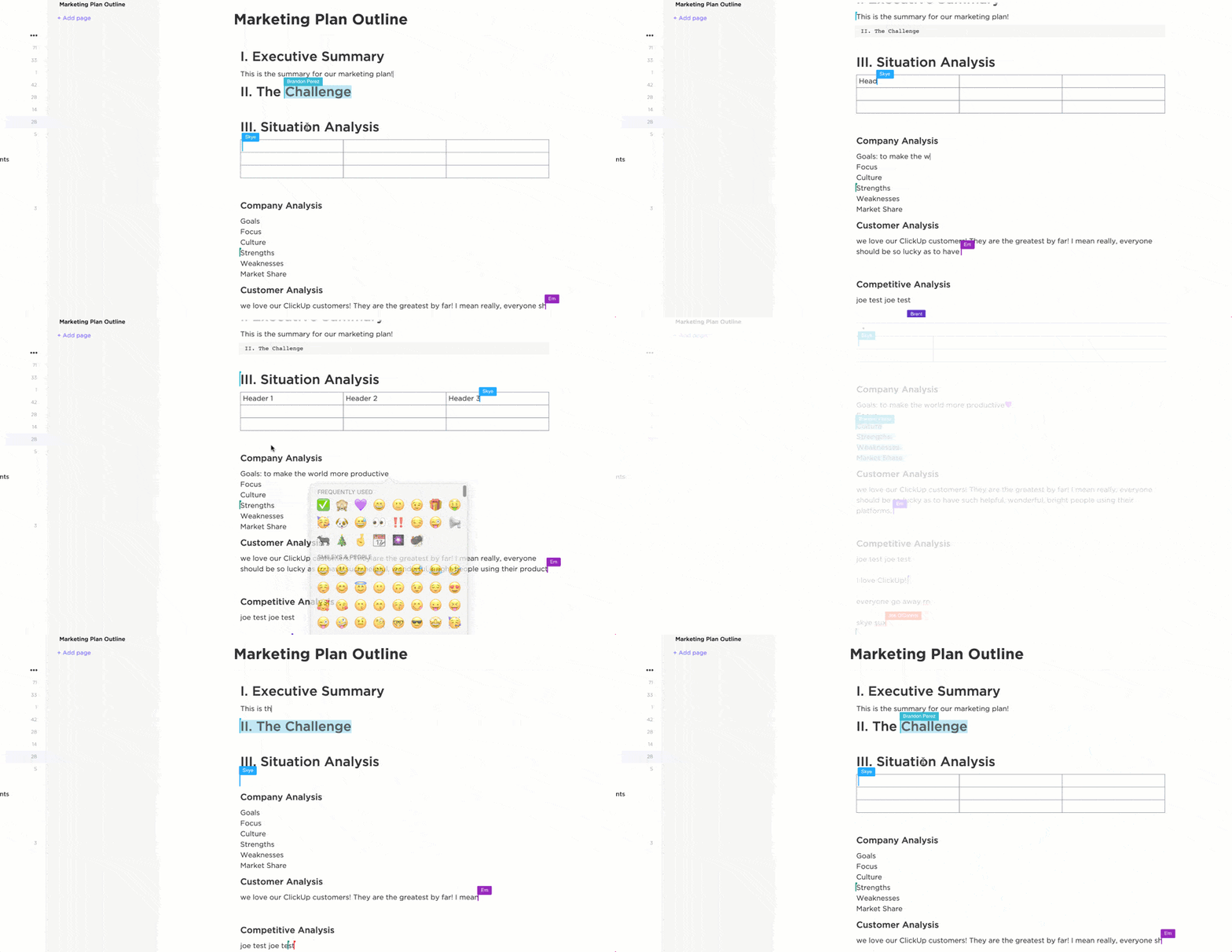
Collaborate in real time with your team and maintain all your ideas and content in ClickUp Docs
Your team jumps into a shared ClickUp Doc or ClickUp Task during a live planning session, and everyone can work at once without the experience degrading.
That’s because ClickUp separates collaboration from storage. Docs, tasks, and comments are optimized for concurrent editing, even when dozens of people are active at the same time.
The behavioral effect is the opposite of Notion’s. Teams lean into live collaboration instead of avoiding it. Decisions happen in real time, not across delayed comment threads or offline edits merged later.
Collaboration becomes synchronous by choice, not asynchronous by necessity. Planning sessions stay fast, shared understanding improves, and version confusion disappears because everyone is literally working in the same place.
ClickUp’s One-Up 3: Performance that doesn’t degrade as data grows
Your project list grows from dozens of items to thousands. In ClickUp, views still load quickly, filters respond instantly, and sorting doesn’t grind to a halt.
That’s because ClickUp’s task engine is designed for large datasets. Tasks, Custom Fields, and relationships live on a performance-optimized backend rather than inside a block-based document model.
You don’t need to fragment your data into multiple databases to keep things usable. A single List or Folder can scale without becoming sluggish.
Organize every database, project, and file effortlessly with ClickUp Project Hierarchy, ensuring easy access whenever you need it
The consequence is continuity. Your “single source of truth” stays singular. You don’t trade speed for fragmentation, and you don’t lose cross-project visibility just to keep the tool responsive.
ClickUp’s One-Up 4: Built-in time tracking and resource management
When you run a services team or manage delivery, your work hours, capacity, and workload matter.
ClickUp includes native Time Tracking, Workload Views, and capacity planning directly on tasks. Time can be tracked live or logged retroactively, tied to specific work, clients, or billable categories.
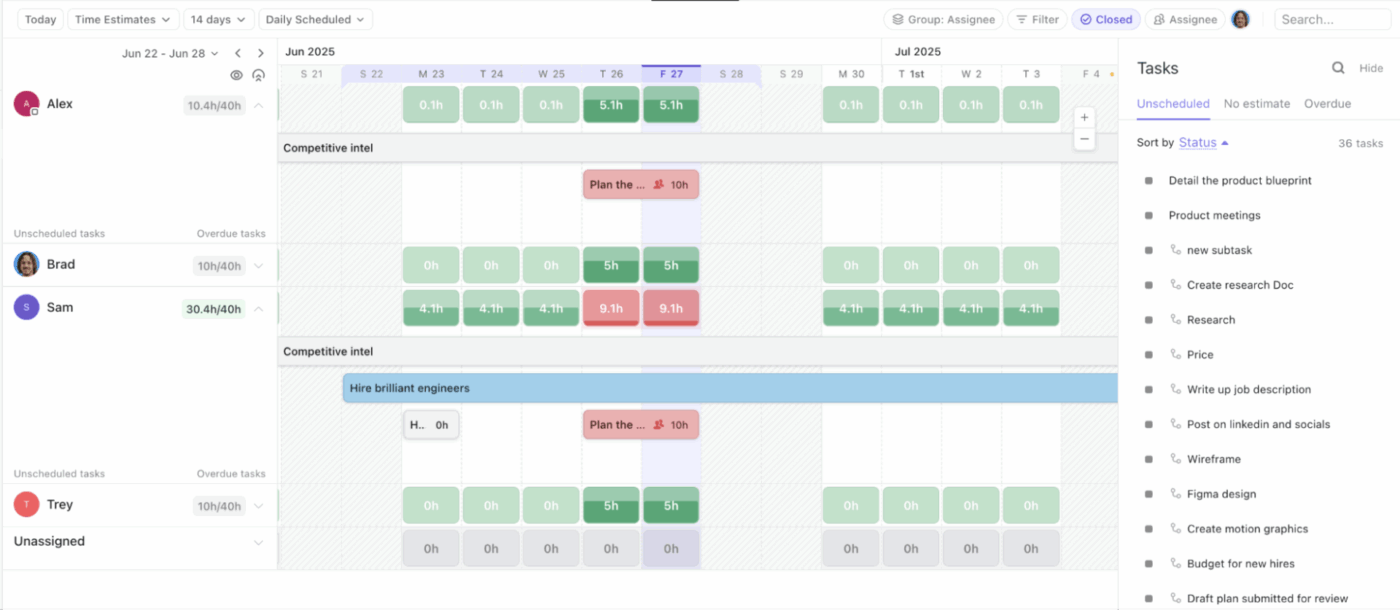
Leverage the Workload View in ClickUp to visualize your team’s availability
Workload views then aggregate that data to show who’s overallocated, who has capacity, and where bottlenecks are forming.
This replaces gut-feel resourcing with actual data. You see it forming and can rebalance before it becomes a problem. Profitability, staffing, and delivery decisions become measurable instead of reactive.
ClickUp’s One-Up 5: Automation with real conditional logic
Every time a task moves forward, ClickUp can move the system with it.
ClickUp Automations support multi-condition logic, not just simple triggers. You can define rules like:
“If priority is Urgent AND status changes to In Progress, notify the project lead and escalate the due date.”
Set detailed logic for your automations so that workflows run autonomously
These automations live natively in the platform. There’s no need to duct-tape workflows together with third-party tools just to express basic business logic.
The result is that manual busywork doesn’t scale with team size. Processes run themselves consistently, even as volume increases. Efficiency compounds instead of eroding.
ClickUp’s One-Up 6: Built-in communication tied directly to work
In ClickUp, conversations live inside the work.
Comments, @mentions, and Chat in ClickUp are anchored to tasks, Docs, and projects. When a question is asked, it’s asked in context. When a decision is made, it’s attached to the work it affects.
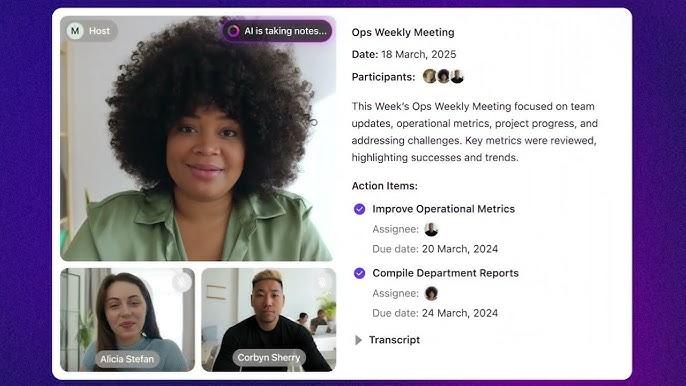
There’s no ambiguity about where a conversation belongs, and no hunting across Slack, email, and documents to reconstruct why something happened. Plus, the native AI Notetaker makes sure that all meeting discussions are captured with clear follow-through.
Capture meeting insights automatically and connect them to tasks with ClickUp AI Notetaker
The long-term impact is institutional memory. Six months later, you don’t just see what was done. You see the discussion, the decision, and the reasoning behind it, all in one place.
ClickUp’s One-Up 7: AI that operates on workflows, not just text
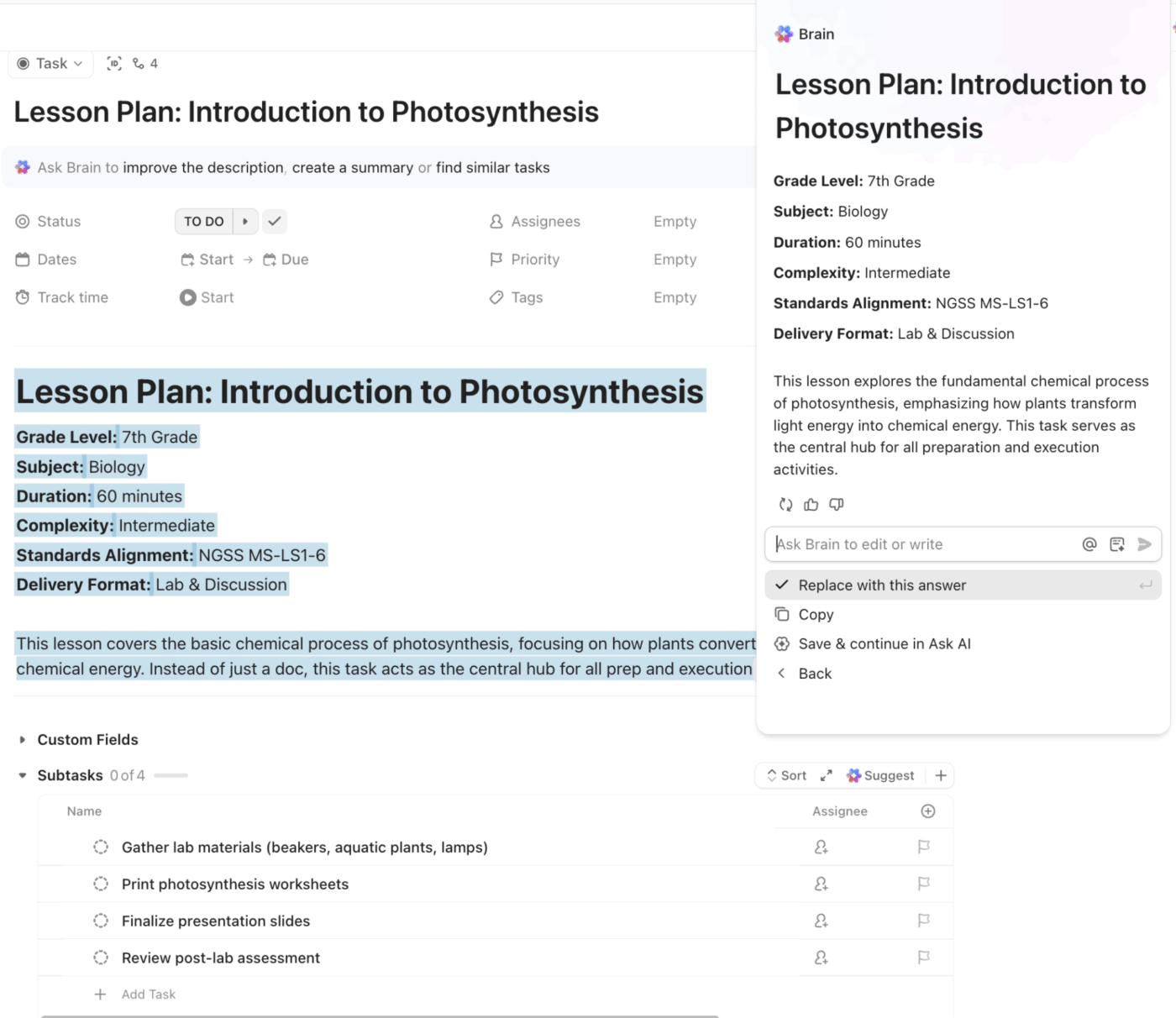
ClickUp’s AI, ClickUp Brain, is embedded into the work itself. The platform’s AI capabilities are fundamentally broader, deeper, and tied directly to execution context:
Context-aware multi-model AI
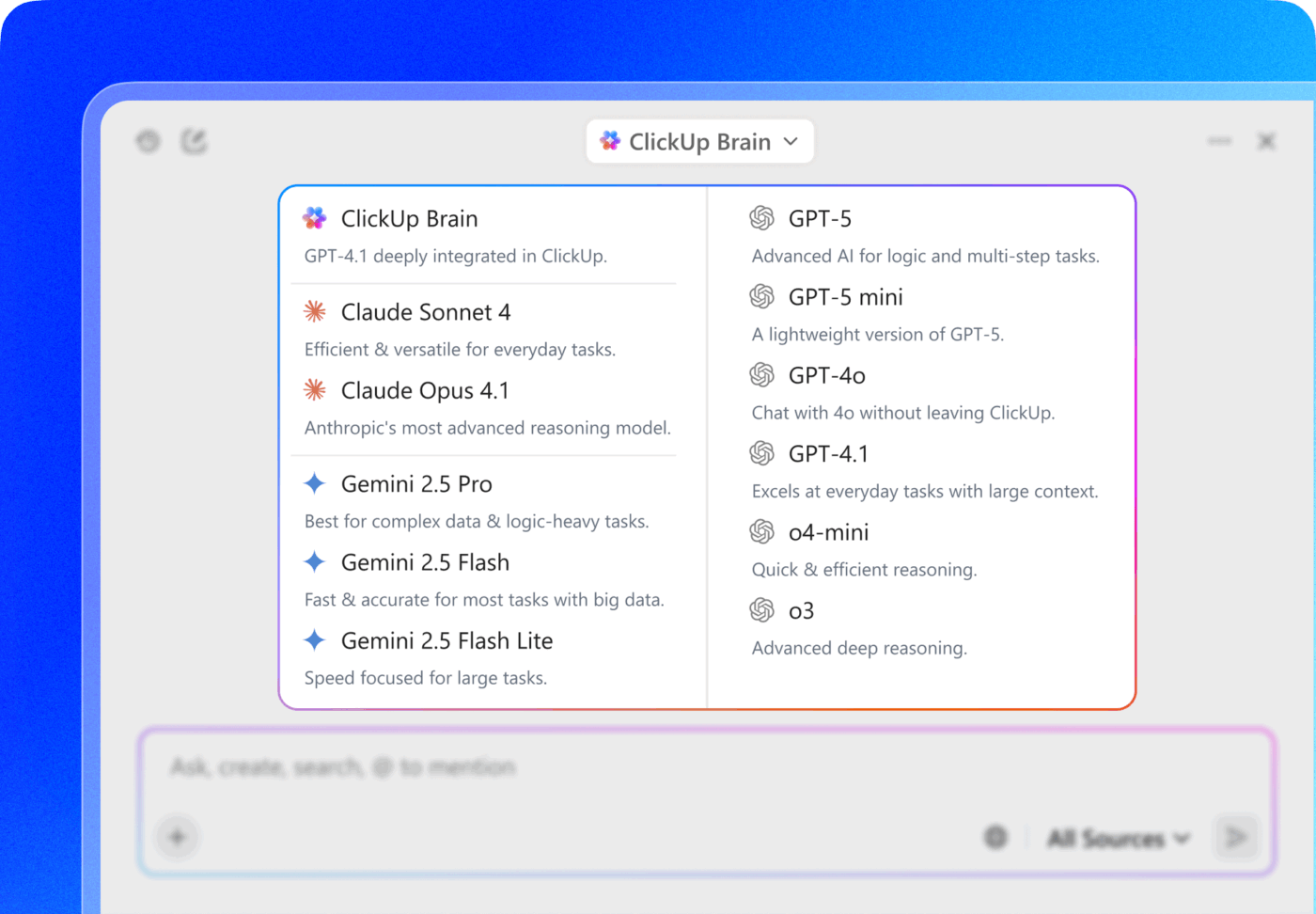
Use multiple LLMs from a single interface with ClickUp Brain
ClickUp lets you choose from multiple AI models (e.g., OpenAI, Claude, Gemini) within the same interface, so you can match the model style and capabilities to the task.
You’re not forced to rely on one generative engine; you can experiment, compare, and select the best model for needs like summarization, reasoning, data exploration, or natural language understanding.
Notion’s AI is tied to a single built-in model with limited configurability, limiting how teams can scale AI tasks across different problem types.
Enterprise search across work and connected systems
Find anything across your workspace with Enterprise AI Search
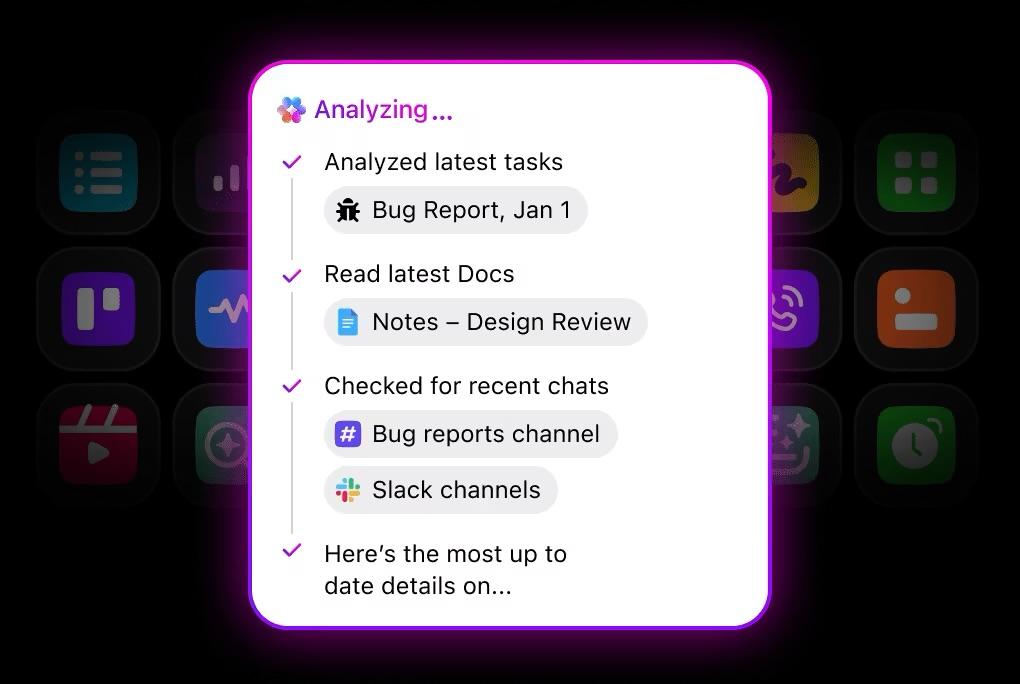
ClickUp’s Enterprise Search indexes your entire workspace—tasks, Docs, Custom Fields, comments, attachments, and integrations—and can also reach into connected third-party systems. This means you get instant, permission-aware answers across the entire corpus of your work output.
In contrast, Notion’s search is primarily document-centric and doesn’t scale into relational work data with the same speed or precision. At scale, this can mean hunting for context rather than retrieving it.
Web search augmentation
When you need current domain knowledge—regulatory changes, policy updates, pricing trends—ClickUp can combine internal workspace context with live web search results from trusted sources to present synthesized answers with citations.
Notion’s AI generally operates on internal workspace text and doesn’t natively incorporate up-to-date external knowledge.
AI Agents that operate alongside you
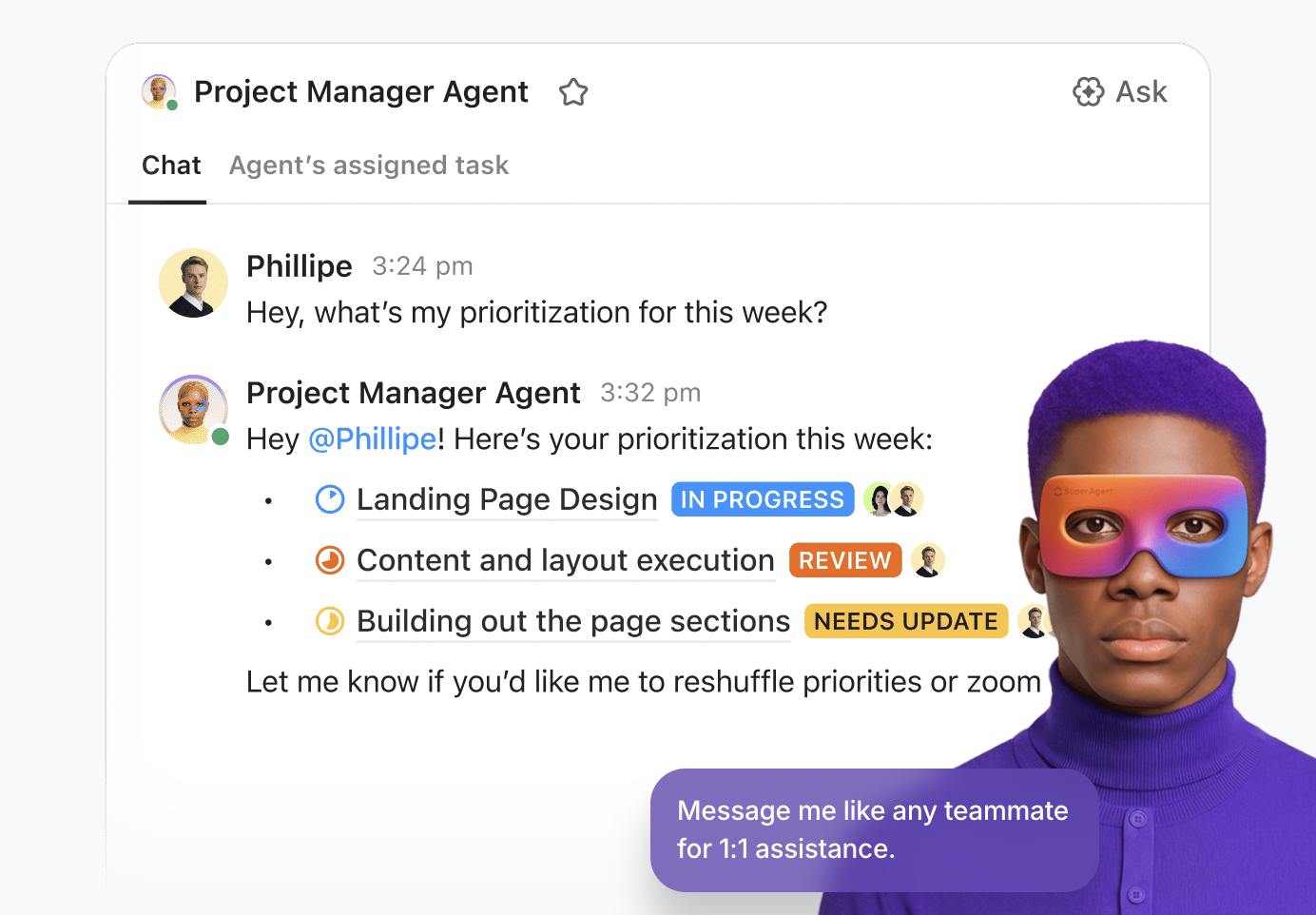
Create custom agents to support your workflows via ClickUp’s Super Agents
Configurable with instructions, triggers, and actions
Connected to your actual work entities (tasks, Docs, workflows)
Permission-aware and context-rich
Super Agents can watch for patterns (e.g., overdue tasks, stalled approvals), react to events, execute rule-based and multi-step sequences, and even summarize outcomes for human review.
For example, you can deploy agents to:
Monitor project bottlenecks and automatically open follow-up tasks
Watch Kanban stages and escalate risks based on business logic
Summarize weekly progress into structured updates and share with stakeholders
Route compliance follow-ups when sensitive tasks cross thresholds
These are not your average simple text completion assistants. They are active workflow participants that drive work forward based on live business context.
The structural difference that matters: Notion asks growing teams to build systems on top of flexibility. ClickUp ships the system. As complexity increases, ClickUp absorbs it through structure, automation, and visibility, instead of asking teams to compensate with manual effort and workarounds.
Summarize this article with AI
ClickUp Brain not only saves you precious time by instantly summarizing articles, it also leverages AI to connect your tasks, docs, people, and more, streamlining your workflow like never before.
Summarize this article for me please
Can I Migrate My Team’s Notion Workspace to ClickUp?
Yes, you can—enjoy a smooth transition with the tools ClickUp provides.
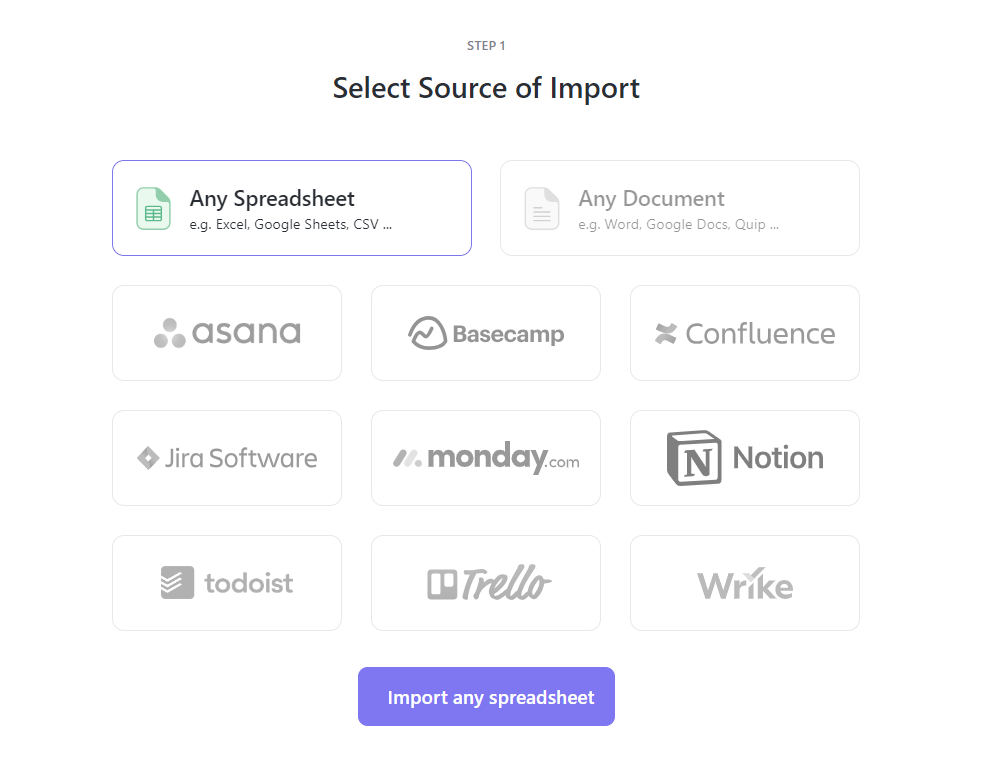
Import your data directly from Notion using the ClickUp Import Tool. This brings over your pages, databases, and their basic structure.
While text content and database entries transfer well, some complex formatting or relational links may require manual adjustments after the import. It’s best to plan for a brief cleanup period.
Many teams find it helpful to run both tools in parallel for a short time.
You can migrate your active projects first, while keeping older content archived in Notion. ClickUp also provides detailed migration guides, templates, and support resources to help your team navigate the switch.
Get your information onto ClickUp easily using the Import tool
Summarize this article with AI
ClickUp Brain not only saves you precious time by instantly summarizing articles, it also leverages AI to connect your tasks, docs, people, and more, streamlining your workflow like never before.
Summarize this article for me please
Move Beyond the Blank Canvas to a True Workspace
Notion’s limitations aren’t flaws; they’re tradeoffs that make sense for personal organization and very small teams. But as your business grows, the need for structure, speed, and a single source of truth becomes non-negotiable.
The very flexibility that once felt liberating is now creating friction, work sprawl—the fragmentation of work across disconnected tools that don’t talk to each other—and operational chaos.
Recognizing that you’ve outgrown your current tool is the first critical step. The workspace you choose next will define how your team collaborates and how you approach scaling your team for years to come. Investing in a platform built for growth—rather than one that requires a patchwork of workarounds—pays dividends in clarity, efficiency, and team morale.