









Still downloading templates?
There’s an easier way. Try a free AI Agent in ClickUp that actually does the work for you—set up in minutes, save hours every week.
Sorry, there were no results found for “”
Sorry, there were no results found for “”
Sorry, there were no results found for “”

Using effective calendar templates can be a game-changer.
They help you track deadlines, meetings, and important events, ensuring you don’t miss a beat in your busy schedule. With the right template, you can prioritize tasks and maintain focus without feeling overwhelmed.
Notion, a versatile note-taking and productivity app, offers a range of customizable templates designed to streamline your workflow.
In this blog post, we will explore the top five Notion calendar templates for your productivity needs.
A good and simple Notion calendar template is customizable and user-friendly. It has the following elements:
Here are the top five free Notion calendar templates for your planning, scheduling, and productivity needs:

Organize your time efficiently and stay on top of every commitment with the My Calendar Template by Notion.
This template features three database tabs:
Ultimately, this template allows you to plan and schedule tasks, appointments, meetings, and events.
Ideal for: Managing daily and monthly personal and professional tasks, appointments, and events to maintain a good work-life balance

Plan and organize your content strategy and publishing schedule with the Content Calendar Template by Notion.
As an all-in-one editorial planner and marketing calendar, this template features two connected database tabs:
This template helps you manage deliverables across multiple marketing campaigns and ensure that every publication aligns with your content roadmap.
Ideal for: Managing content strategy and publishing schedules across multiple marketing campaigns

Stay on top of all your social media requirements with the Social Media Calendar Template by Notion.
This template features four different tabs:
This template lets you see your progress at a glance through the dashboard view in Notion. You must select categories such as by week, platform, or area and apply filters and columns, bars, and pie charts to display your desired data.
At its core, this template helps you stay organized and progress strategically in the fast-paced world of social media.
Ideal for: Scheduling, tracking, and managing social media posts across multiple platforms to ensure organized and strategic social media efforts

Centralize event information and streamline your event communication process with the Events Calendar Template by Notion.
This template features three tabs:
Ideal for: Centralizing and managing company events to keep employees informed and engaged

Take your products from concept to market with the GTM Calendar Template by Notion.
This template features three views:
This template helps cross-functional teams collaborate, manage launch schedules, and launch products successfully in the market.
Ideal for: Coordinating product launches with detailed timelines, schedules, and tracking to ensure successful market introductions
While Notion offers customizable and robust templates for organizing calendars and managing schedules, it does have its limitations.
Here are a few:
While Notion offers useful calendar templates, it may fall short for some users who require faster performance or more advanced features..
For those seeking a more powerful solution, an all-in-one productivity app like ClickUp stands out as a powerful alternative to Notion.
Compared to Notion, ClickUp provides enhanced calendar capabilities designed to fit the scheduling and productivity needs of both individuals and businesses.
Let’s take a look at the advanced features of the top calendar templates offered by ClickUp.
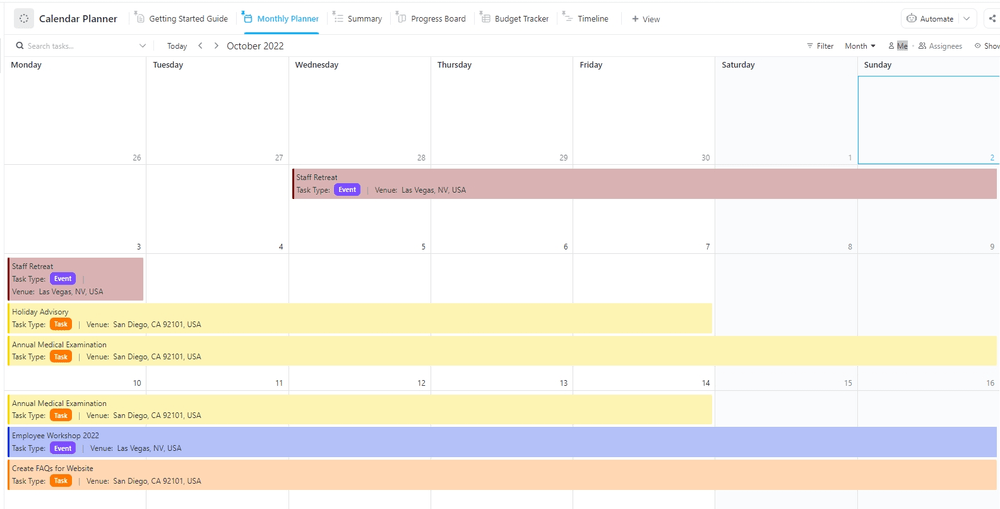
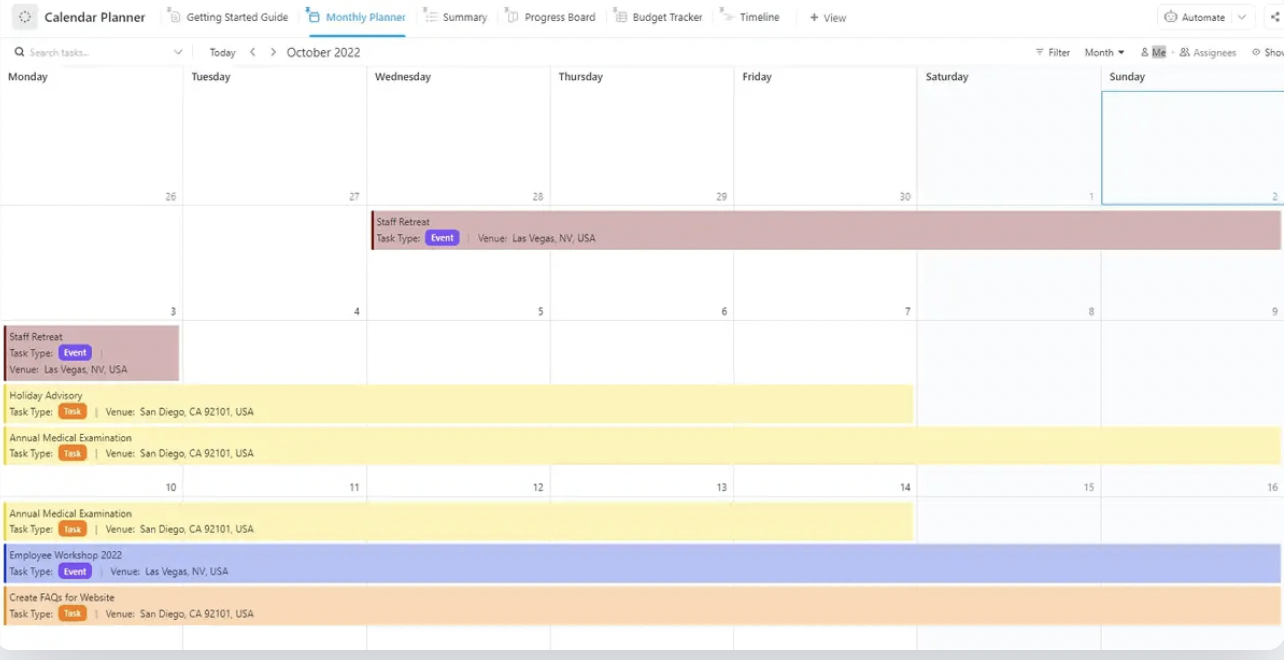
Manage all your activities, including tasks, meetings, and events, with the ClickUp Calendar Planner Template.
Customizable and easy to use, this template makes planning a breeze and helps you create a daily, weekly, and monthly calendar for managing projects and activities.
This template also enables you and your team to:
Ideal for: Organizing and managing daily, weekly, and monthly tasks, meetings, projects, and events efficiently
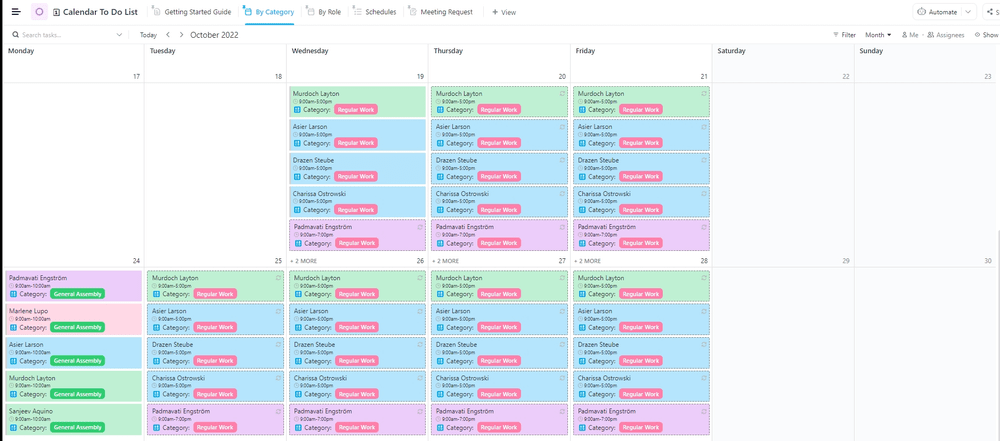
Keep track of your weekly, bi-weekly, and monthly to-dos with the ClickUp Calendar To Do List Template.
Great for beginning and advanced users, this template helps you effectively get things done and meet your goals. It lets you manage your time better and stay on top of your work with ease.
This template also allows you to:
Ideal for: Tracking and prioritizing weekly and monthly to-dos to meet goals and deadlines
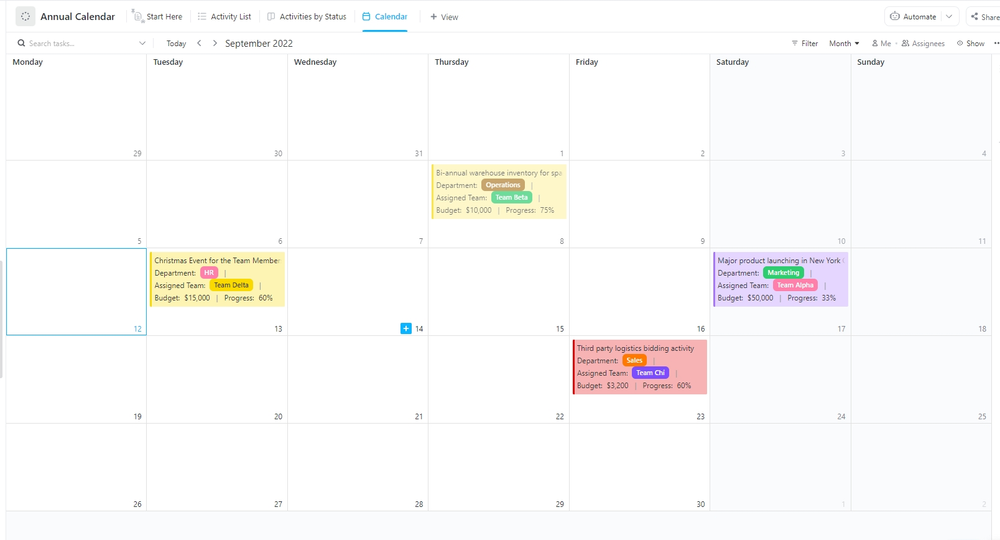
Plan, track, and manage yearly goals with ClickUp’s Annual Calendar Template.
At the beginning of each year, companies set ambitious goals they aim to achieve by year-end. But with countless tasks and responsibilities demanding attention, it’s easy for leaders and employees to lose sight of these objectives. That’s why it becomes important to use tools that help you keep track of everything.
This template helps you:
Ideal for: Tracking and managing yearly goals, tasks, projects, and milestones to ensure annual objectives are met
Visualize and organize your weekly tasks efficiently with the ClickUp Weekly Calendar Template.
This template helps you manage work-related tasks as well as personal and family commitments, similar to family calendar apps.
It also enables you to:
Ideal for: Organizing and managing personal and work-related weekly tasks and handling scheduling conflicts effectively
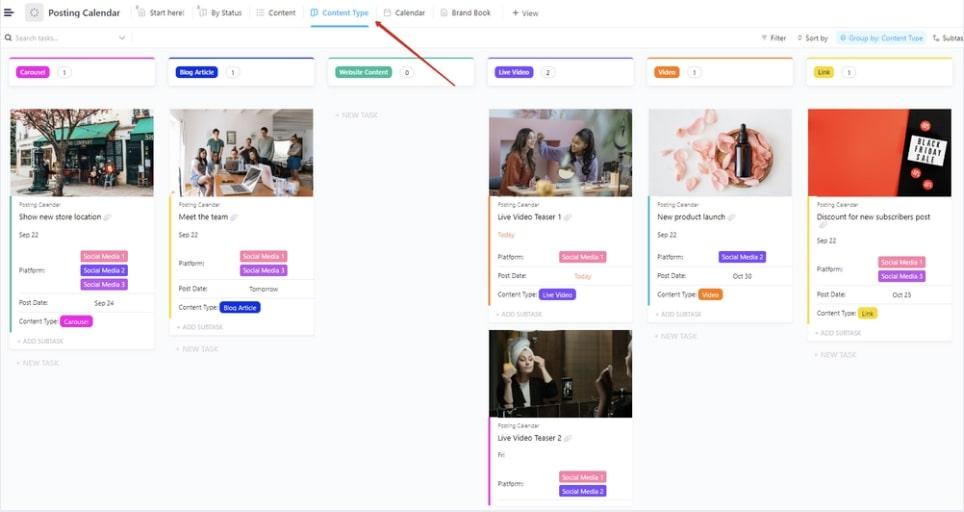
Devise effective marketing plans and keep track of your social media posting schedule with the ClickUp Posting Calendar Template.
This template helps you plan, publish, and track the progress of your content across various social media channels.
With this template, you can:
Ideal for: Scheduling and managing social media posts, tracking content deadlines, and optimizing posting strategies
Keep track of all your editorial tasks using ClickUp’s Editorial Calendar Template.
This template helps you manage your editorial content schedule and meet your publication goals. It helps you schedule and organize your content with the following categories in the calendar:
Ideal for: Planning and tracking editorial tasks by publication date, content type, and marketing stage
➡️ Also Read: How to Embed Google Calendar in Notion
Maintain a record of the paid time off taken by your team easily with ClickUp’s PTO Calendar Template.
This template helps you manage and track the leaves, vacations, and holidays taken by your team members.
With this template, you can:
Ideal for: Tracking team members’ paid time off and managing staffing availability
Stay on top of your content generation goals with ClickUp’s Content Calendar Template.
This content calendar template streamlines your content workflow and ensures timely delivery and publication of content. It also helps you organize your calendar with categories, such as:
Ideal for: Planning and organizing content calendars and meeting content generation and publication goals
💡 Pro Tip: Expedite content generation and meet your publication goals quickly with ClickUp Brain. You only need to provide prompts, and this AI-powered tool will generate tailored content with the right tone and language on your desired topic or theme.
Manage your daily tasks and optimize your time using ClickUp’s Daily Planner Template.
This template enhances both productivity and organization and helps you make the most of your day.
With this template, you can:
Ideal for: Organizing and prioritizing daily tasks, setting goals, and tracking progress for effective time management
Create an effective and balanced work schedule for teams with ClickUp’s Team Schedule Template.
This template allows you to clarify who is responsible for what and reduces confusion and miscommunication among team members. It helps ensure team members are on the same page and working towards a goal.
This template helps you:
Ideal for: Creating balanced and clear teams’ work schedules, assigning tasks to teams, and managing workload distribution and deadlines
Calendar templates play an important role in your personal and professional life—they help you organize your daily, weekly, and monthly schedule, stay on top of your work, and maintain a good work-life balance.
Although Notion’s calendar templates are well-structured, customizable, and user-friendly, they do have some limitations. This is where more advanced platforms like ClickUp stand out. ClickUp provides a range of tools, from advanced, highly customizable calendar and time management templates to automation and AI capabilities to make calendar scheduling, organizing, and management a breeze.
Sign up with ClickUp and make the most of your time.

© 2026 ClickUp

There’s an easier way. Try a free AI Agent in ClickUp that actually does the work for you—set up in minutes, save hours every week.