
Sorry, there were no results found for “”
Sorry, there were no results found for “”
Sorry, there were no results found for “”
It’s Monday morning, and you’re gearing up for the weekly planning session. You’ve lined up everything—client briefs, project updates, and your indispensable weekly schedule.
There’s just one snag: your schedule is on Google Calendar, and everything else resides in Notion. Flipping between the two during meetings? That’s a hassle you could do without.
Imagine seamlessly integrating your Google Calendar with Notion, bringing all your essentials into one unified space. Wouldn’t that simplify your workflow?
In this article, we’ll discuss straightforward methods for embedding Google Calendar into your Notion workspace with just a few clicks.
Let’s streamline your scheduling process!📆
Embedding your Google Calendar into Notion simplifies your workflow by merging your calendar with your daily task management. Here are three effective methods to achieve this integration, complete with step-by-step instructions.
This method allows you to embed your Google Calendar directly into a Notion page using a shareable URL. Here’s how:


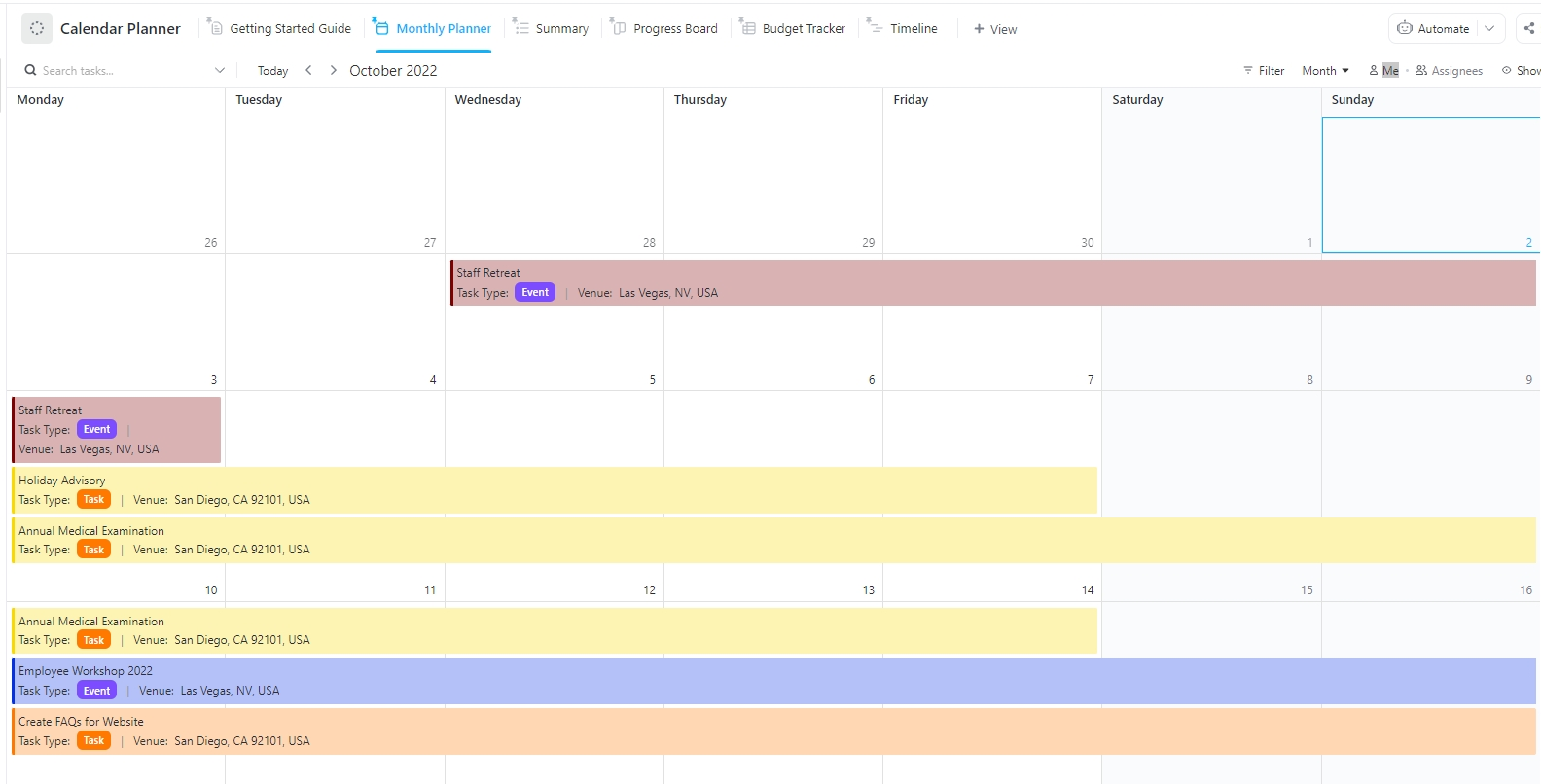
Embedding Google Calendar in Notion works, but if you want more control, try ClickUp’s Calendar Planner Template. It gives you a fully editable calendar that lives where your work does. No syncing hassles, no limitations.


You’ve now successfully embedded your Google Calendar into Notion. View all your scheduled events directly from your Notion workspace, which is ideal for keeping your planning streamlined and centralized.
However, remember that this method gives you a read-only view; you won’t be able to edit calendar events within Notion. For changes, you’ll need to revert to Google Calendar.
For a more integrated experience, consider using Notion Calendar, a standalone app that allows you to manage your Google Calendar directly within Notion. Here’s how to set it up and start using it:

Begin by downloading the Notion Calendar app.
Search for the calendar in the App Store or on its dedicated website. Once you locate the app, download and install it on your device.
This step will link your Google Calendar with the Notion calendar app. You will be prompted to authorize the app to access your Google Calendar, ensuring that your events sync correctly.
With Notion Calendar, view and manage your Google Calendar events directly from Notion.
Click on any event to open a side panel where you can edit details such as time, participants, and descriptions.
These changes will sync back to your Google Calendar, keeping everything up-to-date. The key advantage of using Notion Calendar is its seamless integration.
Unlike the URL embed method, Notion Calendar allows you to view and interact with your calendar events within Notion. Add, modify, and organize events without switching between apps, making your scheduling tasks more efficient and centralized.
💡 Pro Tip: Get more out of your daily agenda! Make your Google Calendars more flexible with the 10 best Google Calendar extensions.
To enhance your workflow between Google Calendar and Notion, consider third-party integration platforms like Zapier or Automate.io. These tools provide sophisticated Google Calendar automation capabilities, allowing you to synchronize updates and manage your calendar data directly within Notion.
Here’s how:
Both platforms offer free plans that might be suitable for your basic needs
To start the action, choose an event, such as adding a new event or updating an existing event.
This step ensures that your information is accurately transferred and organized.
Before fully integrating, test the workflow to ensure everything works as intended. After verifying the setup, activate the workflow to automate the syncing process.
This method automates the updating process, providing a seamless connection between your scheduling and task management, ensuring you stay organized and efficient.
💡 Pro Tip: Want to make your Google Calendar more efficient? Use effective Google Calendar hacks to streamline your work and enhance your productivity at work!
While Notion is a powerful tool with many functionalities, certain limitations might impact its usefulness depending on your specific needs.
Here are some key limitations to consider:
Notion’s real-time collaboration capabilities are not as advanced as those of some other platforms, such as Google Docs or Microsoft Teams. Changes made by one user take a few seconds to appear on another user’s screen, which might lead to confusion or errors during collaborative sessions.
Notion’s offline capabilities are limited. While you can view pages offline, editing capabilities are restricted, and all changes need to be synced once you’re back online. This is a significant drawback for users working in unstable environments or without internet connectivity.
The performance can degrade as your Notion workspace grows, especially with large databases or when embedding complex systems like Google Calendar. Users may experience slower load times and responsiveness, which hinder productivity and user experience.
Although Notion’s flexibility and customization options are a significant advantage, they also come with a steep learning curve. New users might find it overwhelming to set up and manage their workspace efficiently without prior experience or extensive tutorials.
Despite supporting basic integrations, Notion’s capabilities to integrate seamlessly with external tools and platforms are less developed than those of some competitors. This is limiting for teams that rely heavily on integrations to streamline workflows across various tools.
Notion’s mobile app does not offer the same level of functionality as its desktop counterpart. Users might find the mobile app less intuitive and more cumbersome to navigate, which is frustrating for those who need to access their workspace on the go.
For organizations with strict data security and privacy regulations, Notion might not meet all the required standards. The platform’s policies and practices around data handling and user privacy may not be sufficient for highly regulated industries.
Notion does not have built-in time-tracking features, which is a drawback for teams that need to monitor the time spent on tasks directly within their project management tool.
📮 ClickUp Insight: 30% of workers stick to set hours, but 27% regularly work overtime, and 19% don’t have a set schedule at all. When work is unpredictable, how do you ever truly clock out? 🕰️
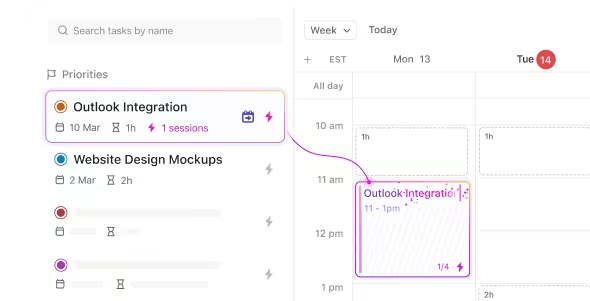
Automated task scheduling in ClickUp Calendar can help bring more structure to even the most unpredictable schedules. Plan your week, set firm work hours, and automate reminders to log off—because your time should be yours to control!
💫 Real Results: Lulu Press saves 1 hour per day, per employee using ClickUp Automations—leading to a 12% increase in work efficiency.
While Notion and Google Calendar are popular tools for task management and scheduling, they have limitations. For those seeking a more integrated and feature-rich Notion alternative, ClickUp offers a compelling choice.
ClickUp is a comprehensive project management platform built to handle work across a wide range of industries, offering robust features to improve productivity and streamline workflows.
It integrates numerous productivity tools in one place, including task management, document storage, goal tracking, and an AI-powered assistant to streamline operations across various departments.
Users can view tasks in multiple formats, such as lists, boards, and calendars. Features such as automation, time tracking, and custom dashboards enhance efficiency, while the app’s ability to replace and integrate with other tools reduces software clutter.
You can easily embed Google Calendar or use ClickUp’s own Calendar View to seamlessly manage your tasks and schedules in one place.
ClickUp also provides various ready-made solutions, such as Google Calendar templates, to help you speed up your integration process.
Let’s take a look at these features:
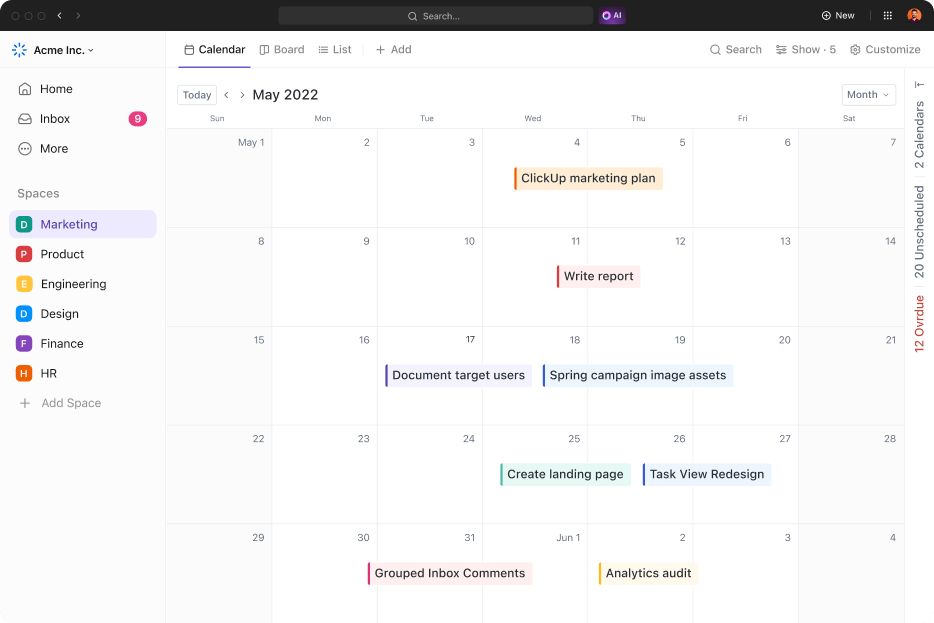
ClickUp Calendar View transforms scheduling with its flexible, customizable interface. It allows teams to manage tasks, set reminders, and synchronize with external calendars like Google Calendar, all within one platform.
This feature ensures that everything from daily tasks to important deadlines is kept centralized and aligned, enhancing productivity and collaboration.
With ClickUp Calendar View:
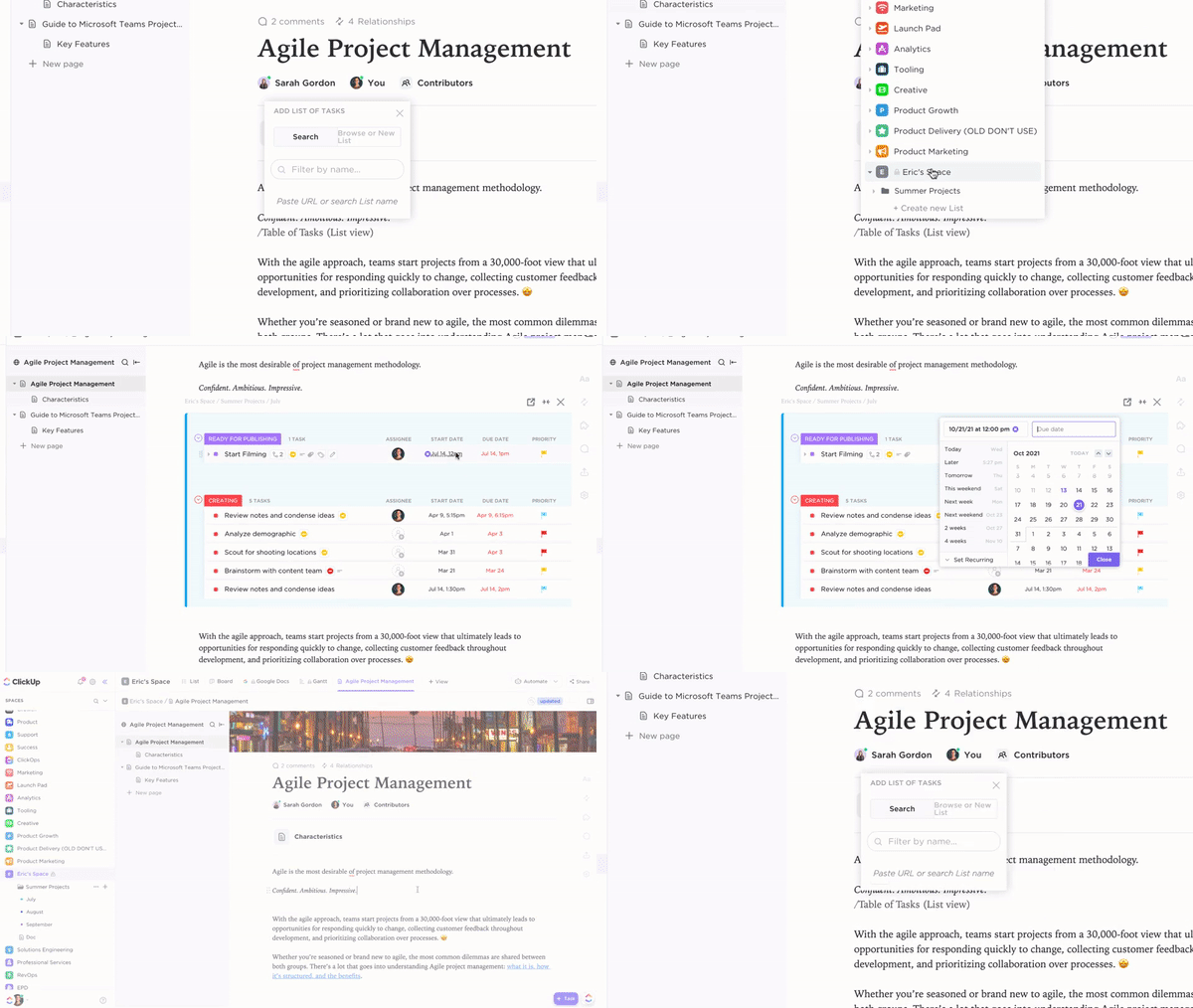
ClickUp Docs streamlines document creation and collaboration by directly integrating into your workflow and meetings, eliminating the need to switch between multiple tools.
With real-time collaboration, you can turn ideas into tasks, update project statuses, and track progress—all from a single interface.
With ClickUp Docs:
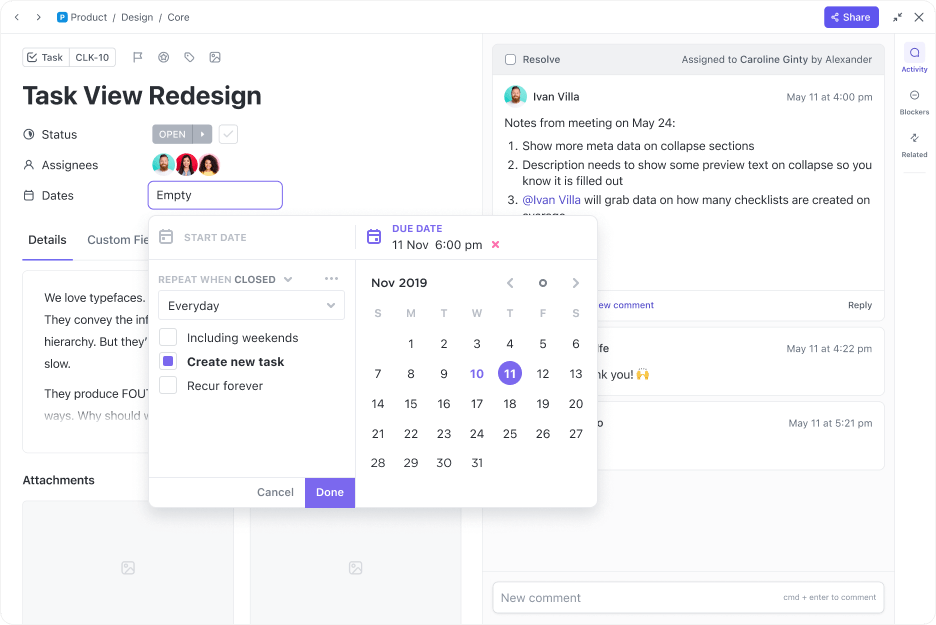
ClickUp Tasks is designed to streamline your project management. This tool allows you to customize tasks to fit your workflow, integrate tasks with your calendar, and manage various work types seamlessly.
It lets you prioritize tasks effectively, enrich them with detailed Custom Fields, link dependent tasks for better project tracking, and organize them across multiple lists for optimal visibility.
Whether you’re planning daily activities or managing critical deadlines, ClickUp ensures everything is centralized and integrated into your workflow.
You can:
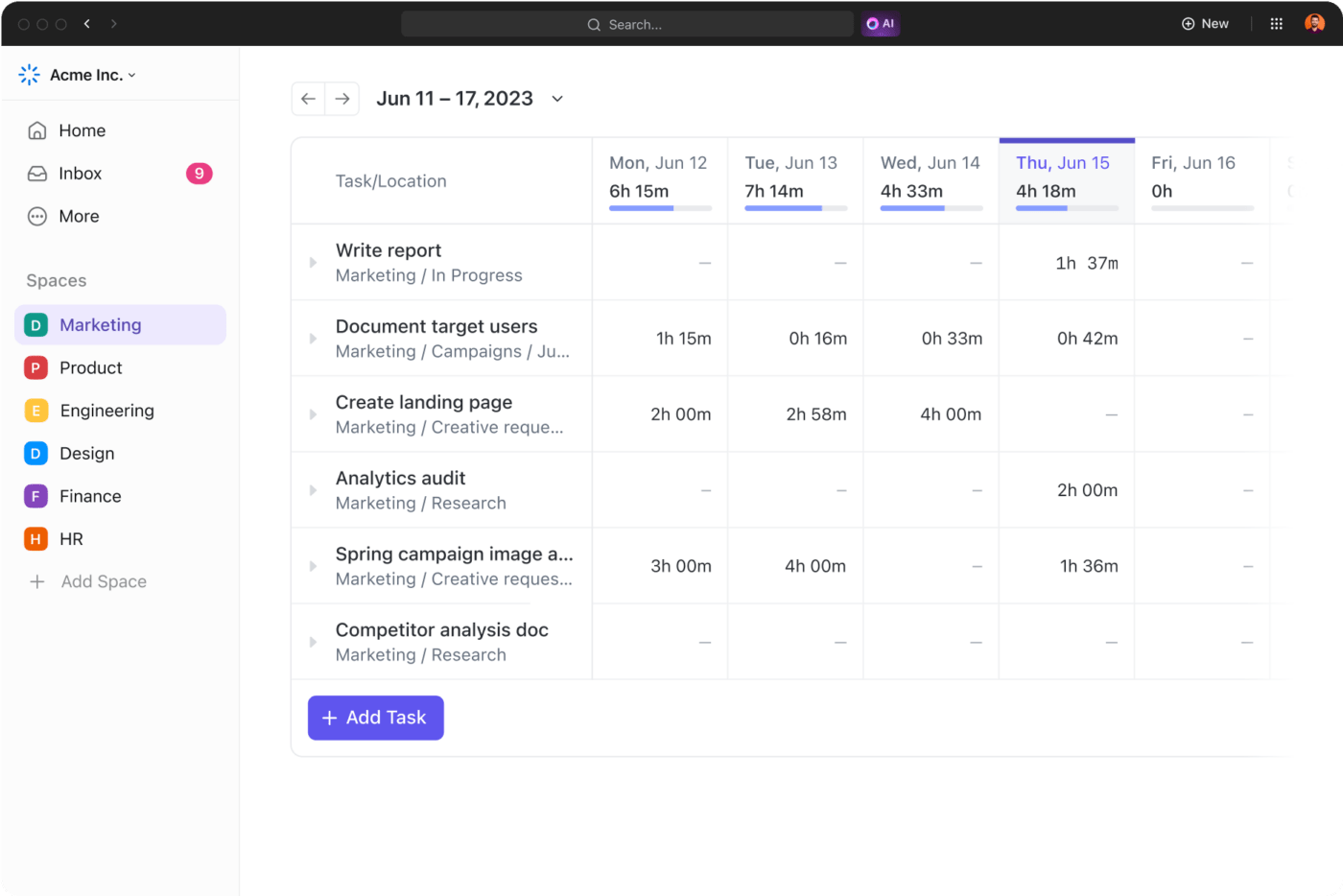
ClickUp Time Tracking simplifies time tracking across all your devices to enhance productivity and project management. It allows you to track time, set estimates, and view detailed activity reports.
Whether you’re on your desktop, mobile, or using the web, ClickUp integrates with popular time-tracking apps like Toggl and Harvest.
Using ClickUp Time Tracking, you can:
Bonus feature: Import your work from Notion to ClickUp seamlessly
If you’ve already built a substantial workspace in Notion, ClickUp lets you import everything seamlessly. ClickUp preserves the entire structure of your tasks and projects while you import your data. This feature is particularly useful if you want to enhance your project management capabilities with ClickUp’s advanced features while maintaining continuity in your work processes.
Integrating Google Calendar with Notion enhances your workflow, but it’s not without limitations. If you’re looking for a more dynamic, feature-rich platform, ClickUp offers a superior alternative.
With native time tracking, real-time collaboration, and seamless integration of tasks, docs, and calendars, ClickUp brings everything into one cohesive space. You do not need to juggle between apps—just streamlined productivity and full control.
Whether you’re managing daily tasks or complex projects, ClickUp ensures you’re always organized and on track.
Ready to upgrade your project’s workflow? Get started with ClickUp today and experience the difference!

Manasi Nair
Max 20min read

Arya P Dinesh
Max 20min read

Praburam Srinivasan
Max 25min read

© 2026 ClickUp